Guardian care intelligence

Smart Nurse Call Systems for Care Homes and Home Care Providers

A resident falls between rounds. A call button is pressed, but the alert reaches the wrong place.

A home care client wanders before anyone has a clean record of what happened. These are the gaps smart nurse call systems are meant to close.

This guide explains what a smart nurse call system includes, how it differs from basic call buttons, and what to check before buying for a care home or home care team.
Smart Nurse Call Systems for Hospitals & Care Facilities

What are smart nurse call systems?

A smart nurse call system is a digital safety platform that receives calls or sensor events, sends alerts to staff, and records the response. Manual call buttons are one input within the system.

In a care home, the useful detail is context: which resident needs help, where they are, what triggered the alert, and who acknowledged it. In home care, the same logic applies to clients, visits, and lone-worker alerts.

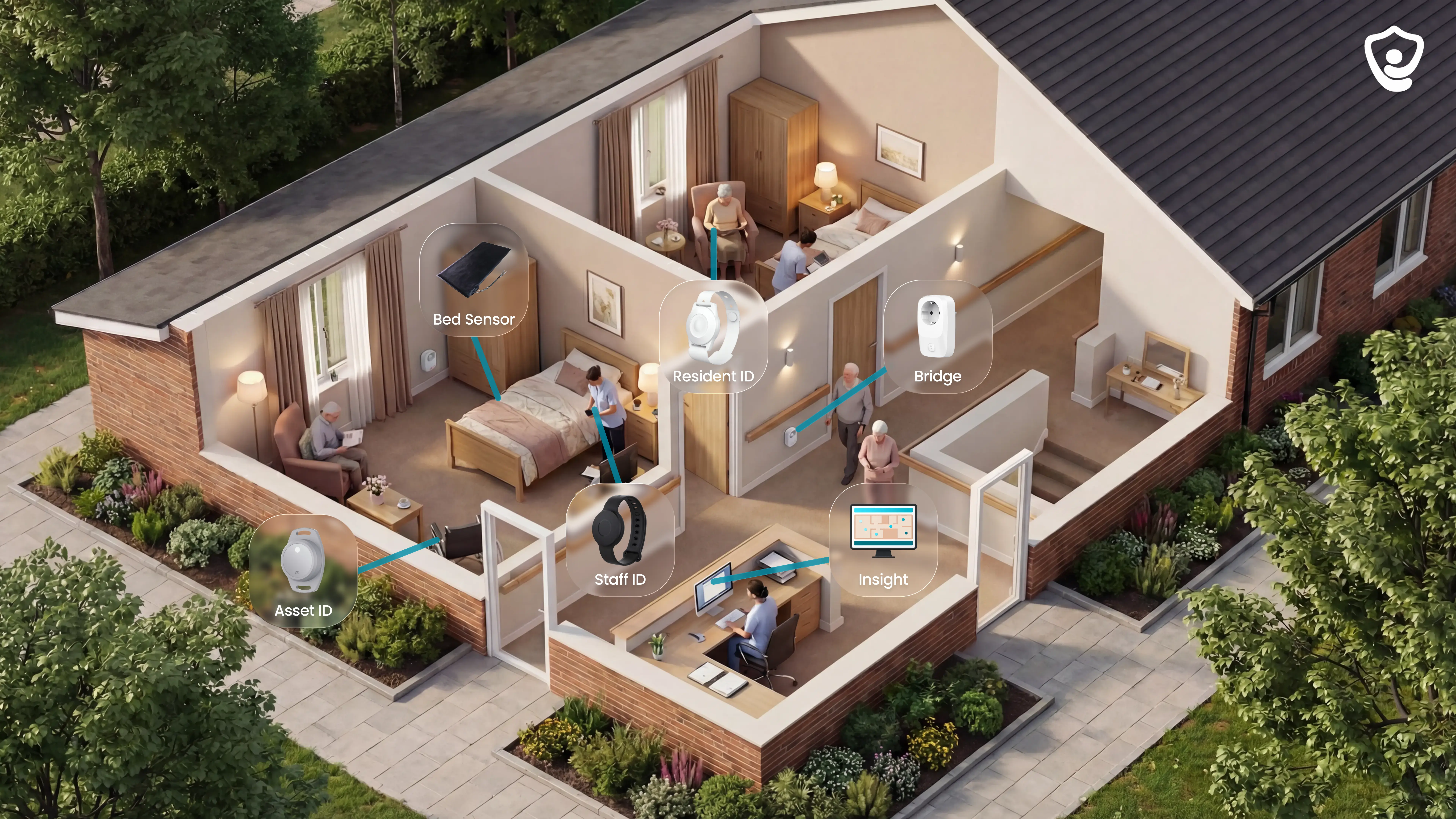
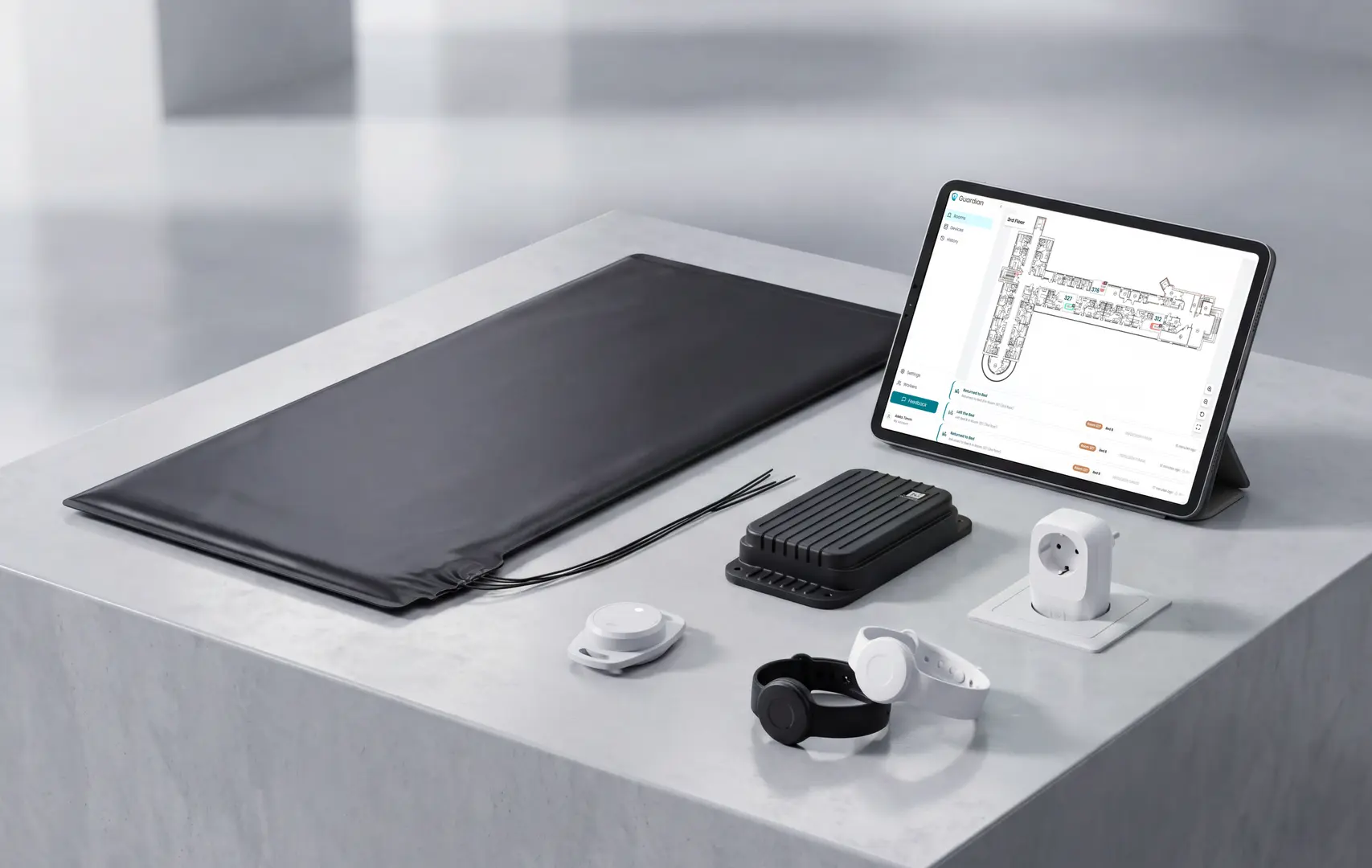
A smart nurse call system usually combines:

Call inputs

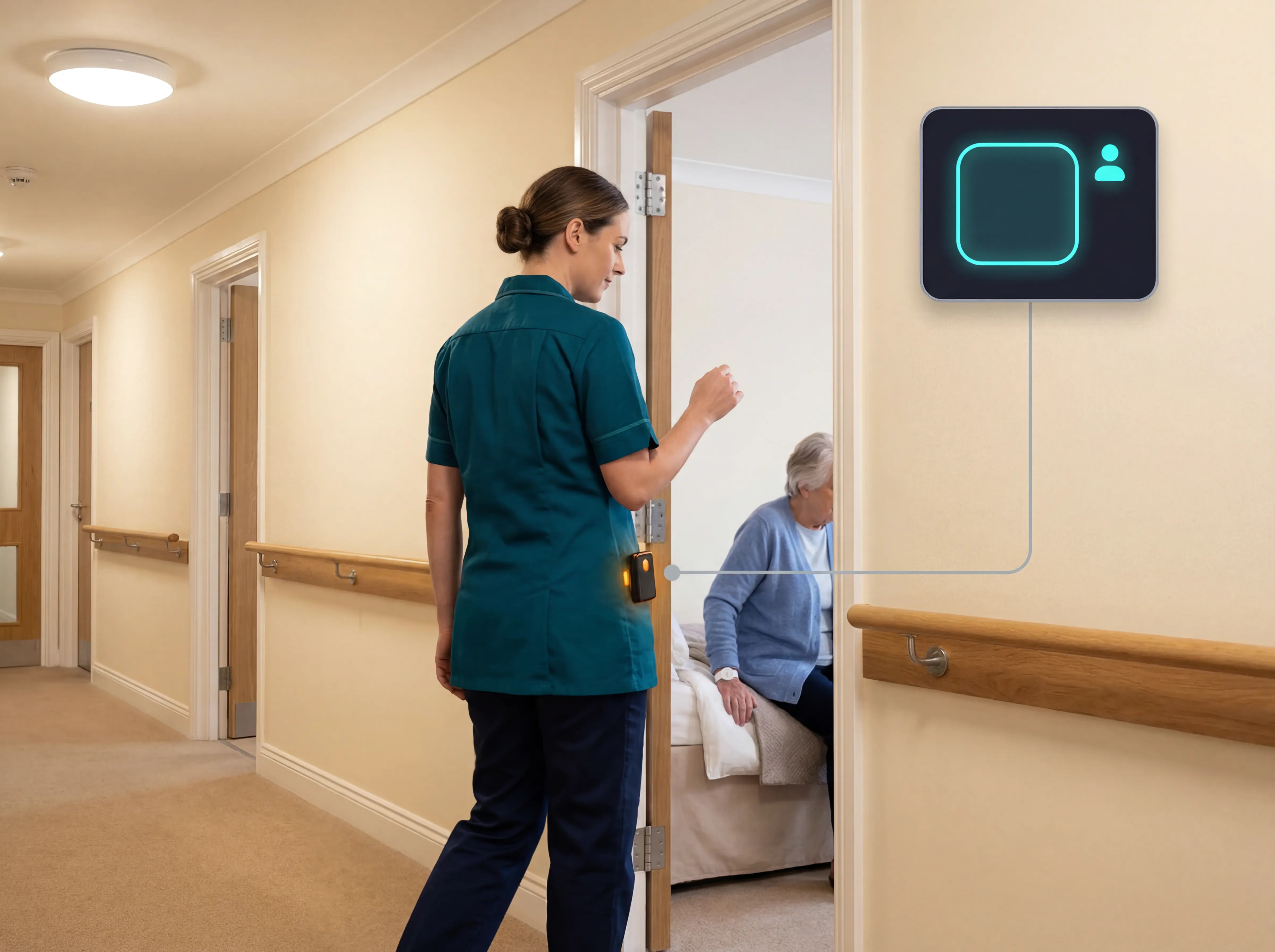
Buttons, pull cords, pendants, wristbands, or staff SOS buttons start the alert.

Passive sensors

Bed, motion, door, and exit sensors detect risk when nobody presses a button.

Alert routing

Rules decide which alerts need action and which staff member receives them.

Live records

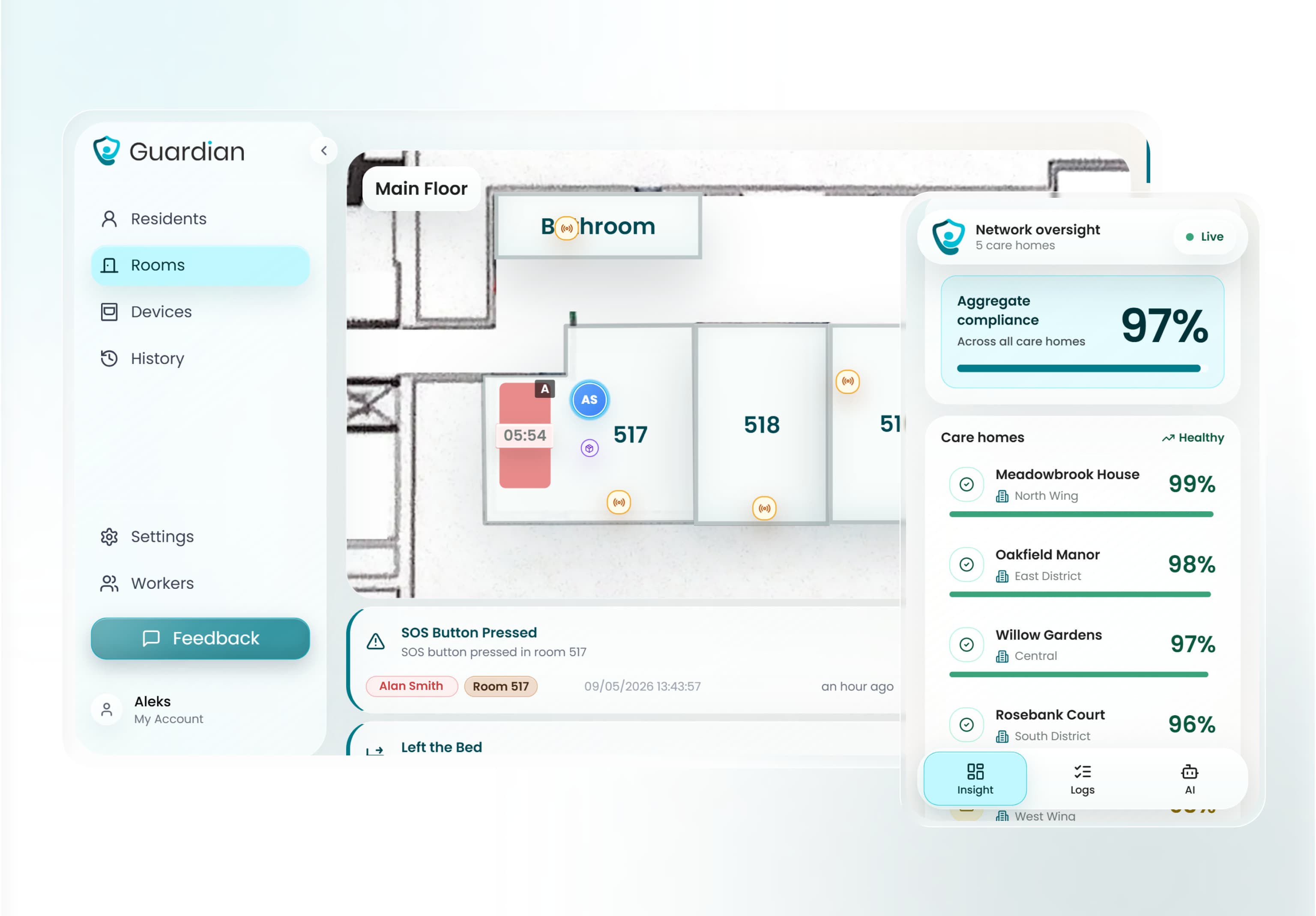
Dashboards and logs show active alerts, response times, acknowledgements, and follow-up.
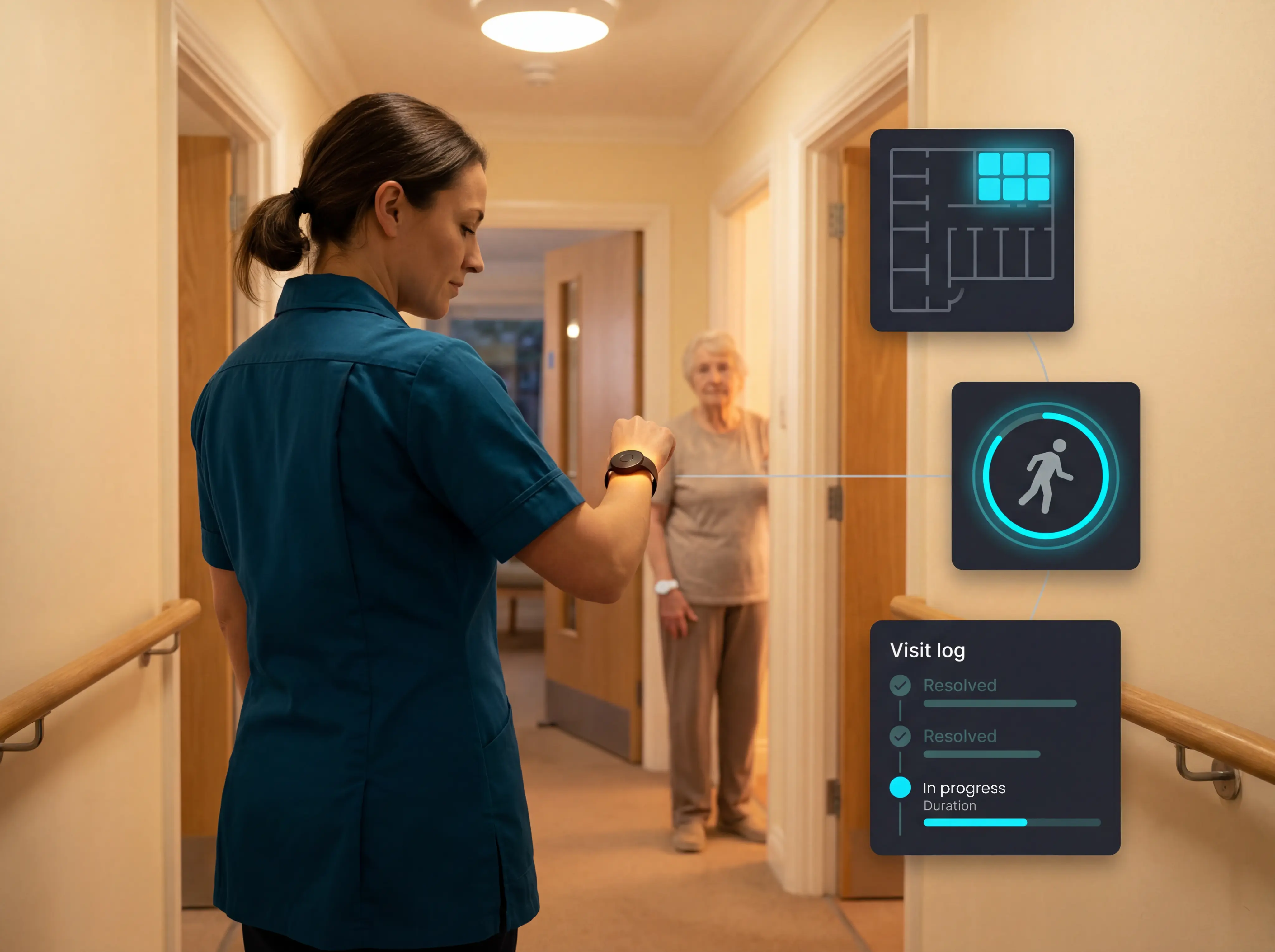
Guardian smart nurse call system showing live floor plan and wearable tracking

Types of nurse call systems

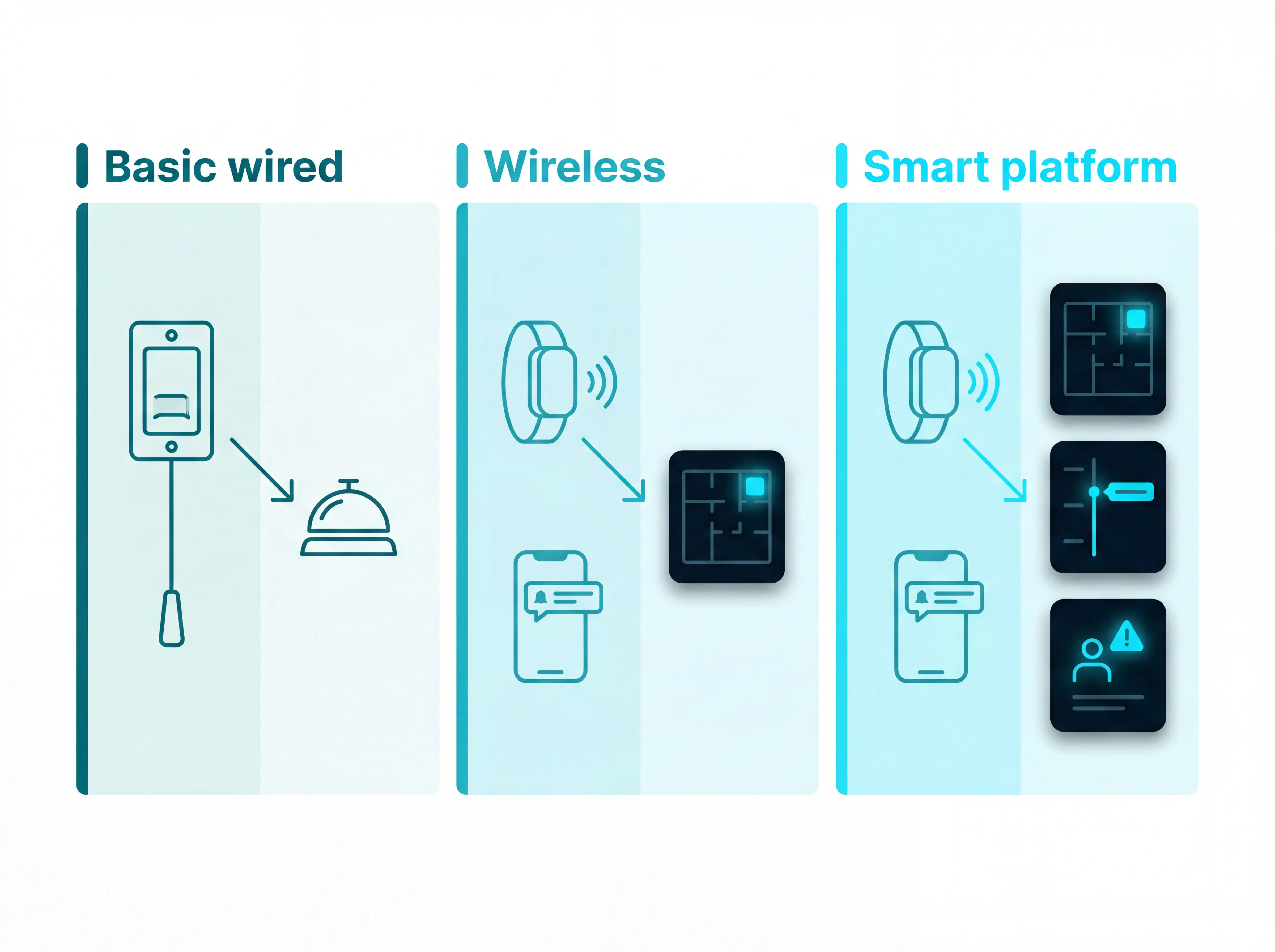
Nurse call systems usually fall into 3 practical categories: basic wired systems, wireless systems, and IP or smart platforms.

The main difference is how much context staff receive when a resident calls for help.
Types of nurse call systems

TypeHow alerts reach staffWhat staff usually seeMain trade-off
Basic wiredButton, pull cord, or wall station triggers a chime and corridor lampA room or zone needs attentionSimple to understand, but staff still investigate the details in person
WirelessCall points and sensors send radio-frequency or mesh-network alerts to pagers, handsets, or mobile devicesA device, role, or zone needs attentionEasier to install, but simple setups can still create noisy alerts
IP or smart platformCall points, wearables, sensors, and software run through a connected platformWho called, where they are, and what rule triggeredMore context and records, with more workflow setup upfront

Basic wired nurse call systems

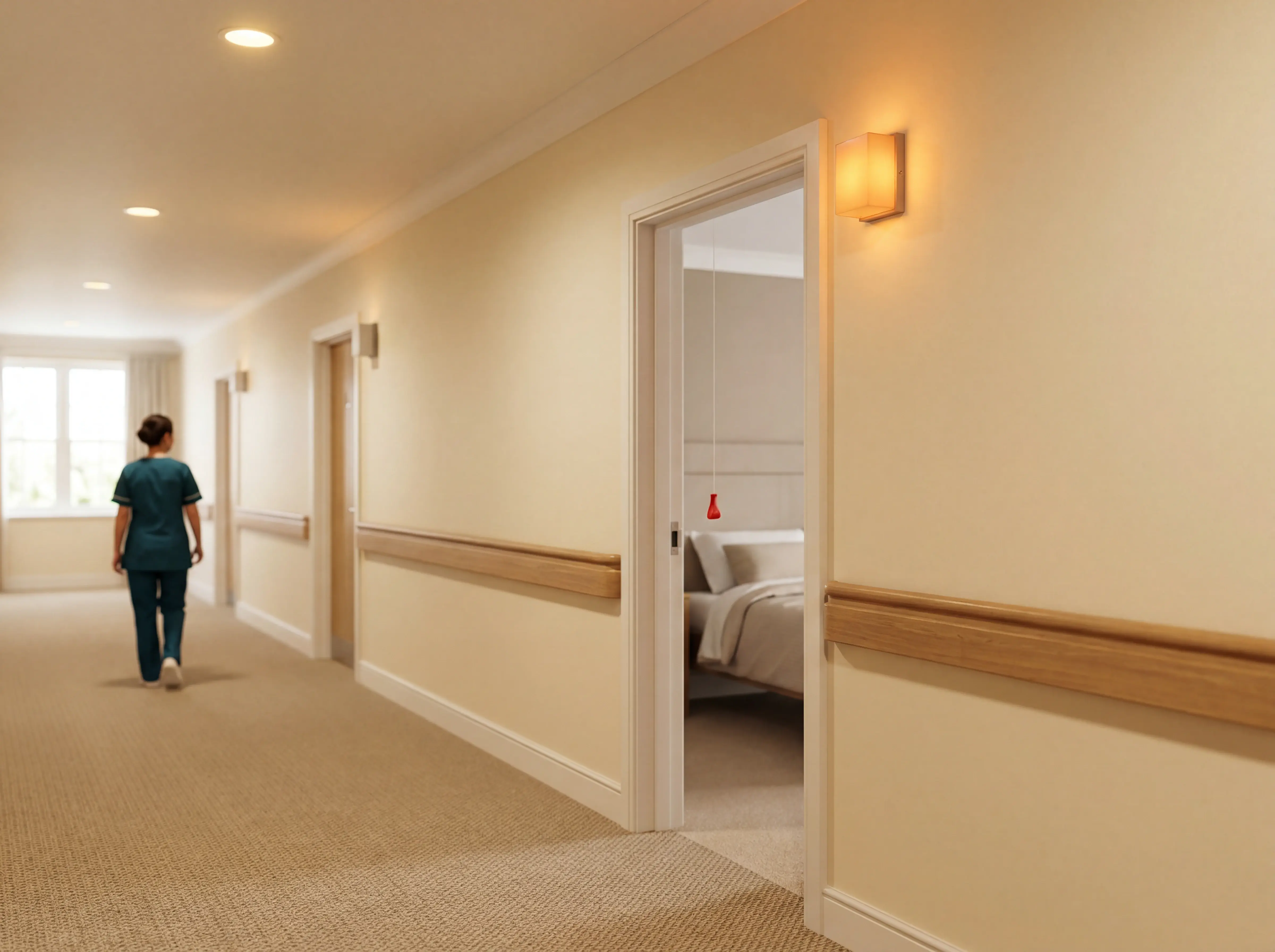
Basic systems connect a bedside button, pull cord, or wall station to a chime and corridor lamp. Staff hear or see the alert, then walk to the room.

Simple signal

A light or chime shows that someone called, but the alert rarely reaches a named caregiver.

Resident action required

The resident must be able to press a button, pull a cord, or reach the wall station.

Manual records

Response times and follow-up notes usually need to be written after the event.
Basic wired nurse call systems

Wireless nurse call systems

Wireless systems remove the cable between the call point, sensor, and receiver. Alerts can go to a pager, handset, or mobile device instead of only sounding in a corridor.

Targeted routing

Alerts can be sent to a role, zone, or staff device.

Lower installation burden

Wireless devices reduce drilling, conduit runs, and structured cabling through walls or ceilings.

Alert discipline

The setup still needs clear rules, otherwise every activation becomes another page. Network dependency matters too; the wireless-deployment Wi-Fi overview explains when app-based alerts fit care facilities.
Wireless nurse call systems

IP and smart nurse call platforms

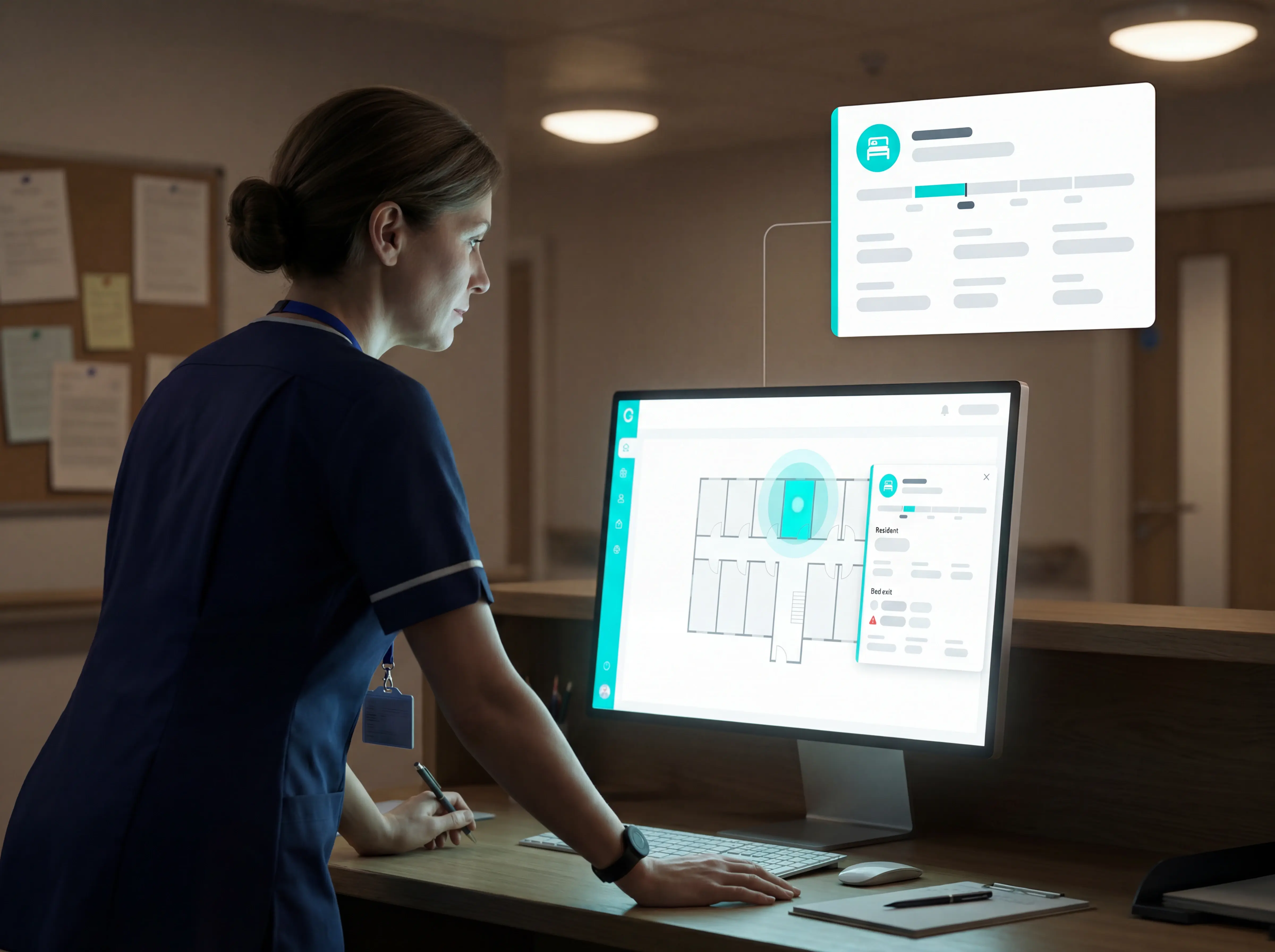
IP and smart platforms add a software layer over call buttons, wearables, sensors, and room hardware. The useful difference is that alerts can carry location, rules, and a timestamped record.

Location context

Alerts map to the resident, room, and live floor plan, so staff know where to go.

Rules layer

The platform supports care-home rules such as night-only bed-exit thresholds, so normal movement does not create another alarm.

Automatic records

Timestamped visit and response-time logs are generated in the background for manager review. The ward-level emergency alert guide separates consumer buttons from response records, routing rules, and location context.
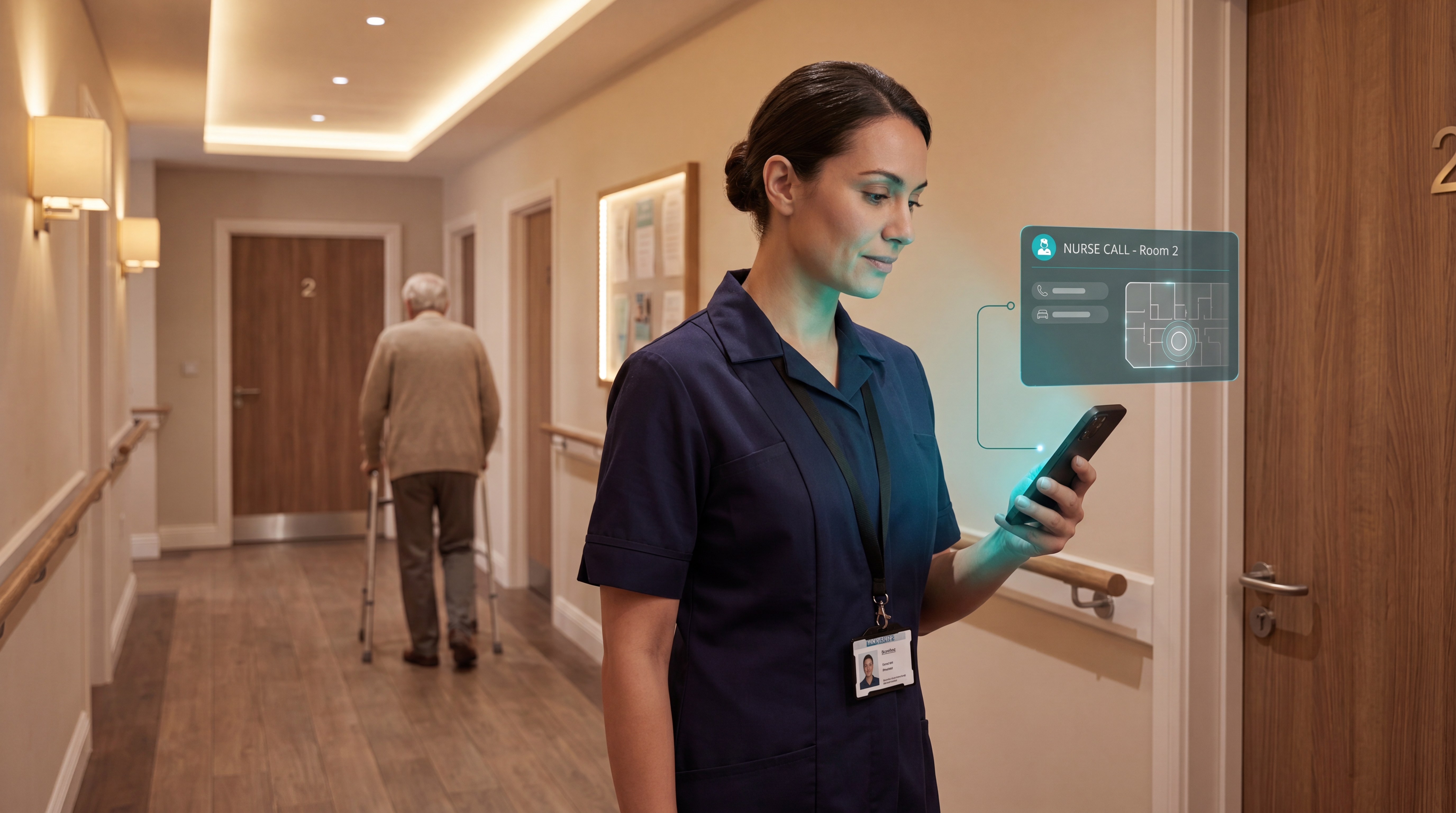
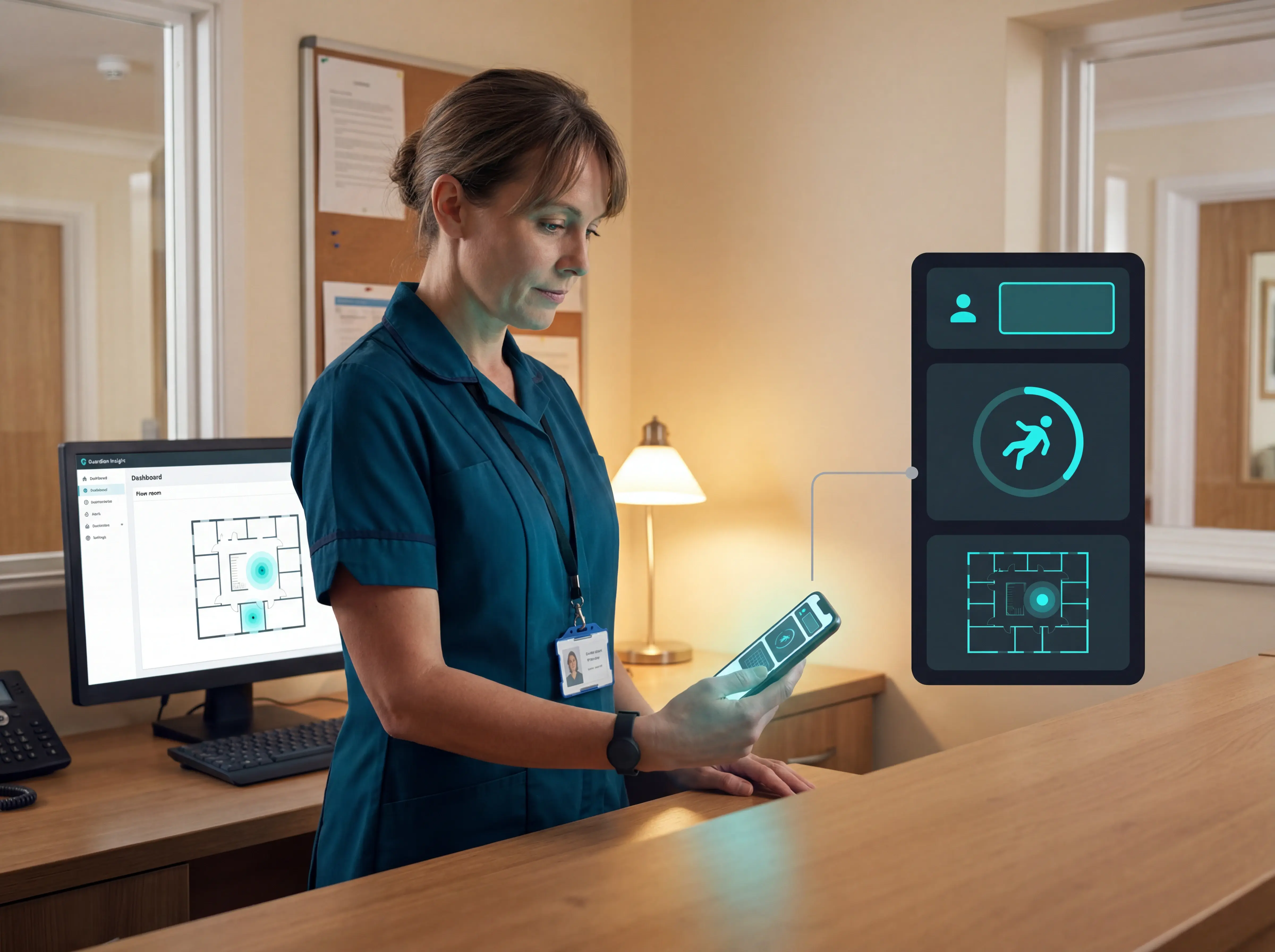
Guardian nurse call platform screenshot showing software-based alert management

What to look for in a nurse call system

A nurse call system should help staff answer 2 questions quickly: who needs help, and where should the caregiver go?

Use the vendor demo like a shift simulation. Ask the supplier to trigger real alerts, show the staff view, then show the manager record afterward.

Check each system against these criteria:

Precise location

Does every alert show the resident, room, bed, alert type, and time?

Smart rules

Can the system reduce false or non-actionable alarms while keeping emergencies immediate?

Camera-free monitoring

Can sensors detect falls, exits, and bed movement without filming residents?

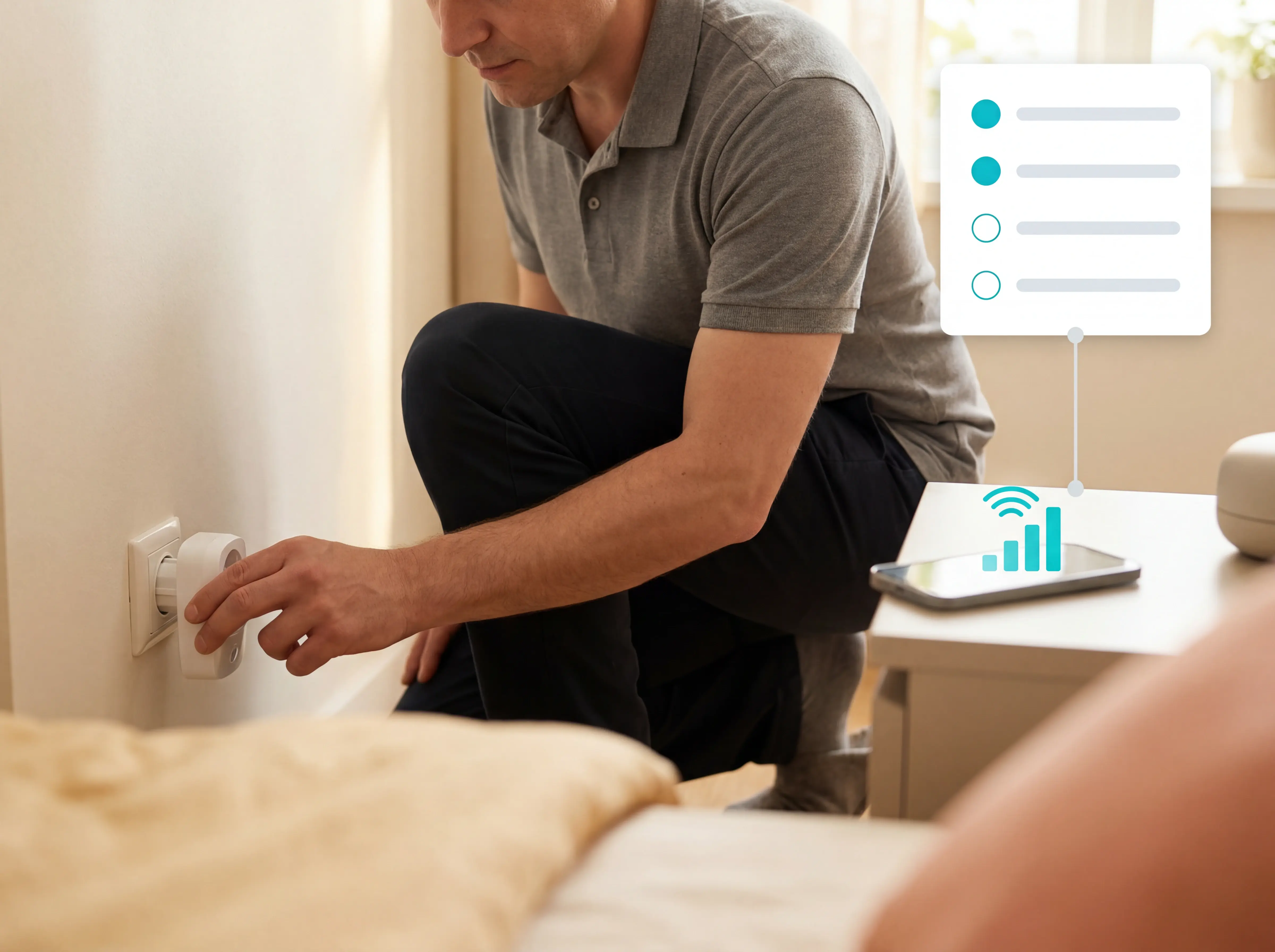
Simple installation

Can the system go live without drilling, cabling, or a long IT project?

Reporting and traceability

Can managers review alerts, acknowledgements, visits, and response times after the shift?

Staff adoption

Can caregivers understand the alert and act during a busy handover, night round, or medication pass? From that shift-simulation view, the handover-ready caregiver alert guide adds sensor-mix and routing questions.

Precise location in every alert

Precise location means the alert tells staff exactly where to go before they leave the nurse station, corridor, or resident room.

Ask the vendor to trigger a live test alert and show the caregiver screen. The alert should make the next action obvious in seconds.

Look for these details:

Resident and room

Staff see the resident name, room, and bed without opening a separate roster.

Alert type

The screen distinguishes SOS, bed exit, fall detection, door opening, and other triggers.

Floor-plan view

Active alerts appear on the facility layout, so staff can go straight to the right room. When fall detection drives the demo, use the location-aware fall-detection systems comparison to weigh wearables, sensors, and platforms.
Precise location in every alert

Smart rules that reduce alarm fatigue

Smart rules stop routine sensor activity from paging staff every few minutes. SOS presses and fall-detection triggers should still break through immediately.

Reviews of clinical alarms have found 72-99% can be false or non-actionable, so alarm filtering needs to be visible in the demo.

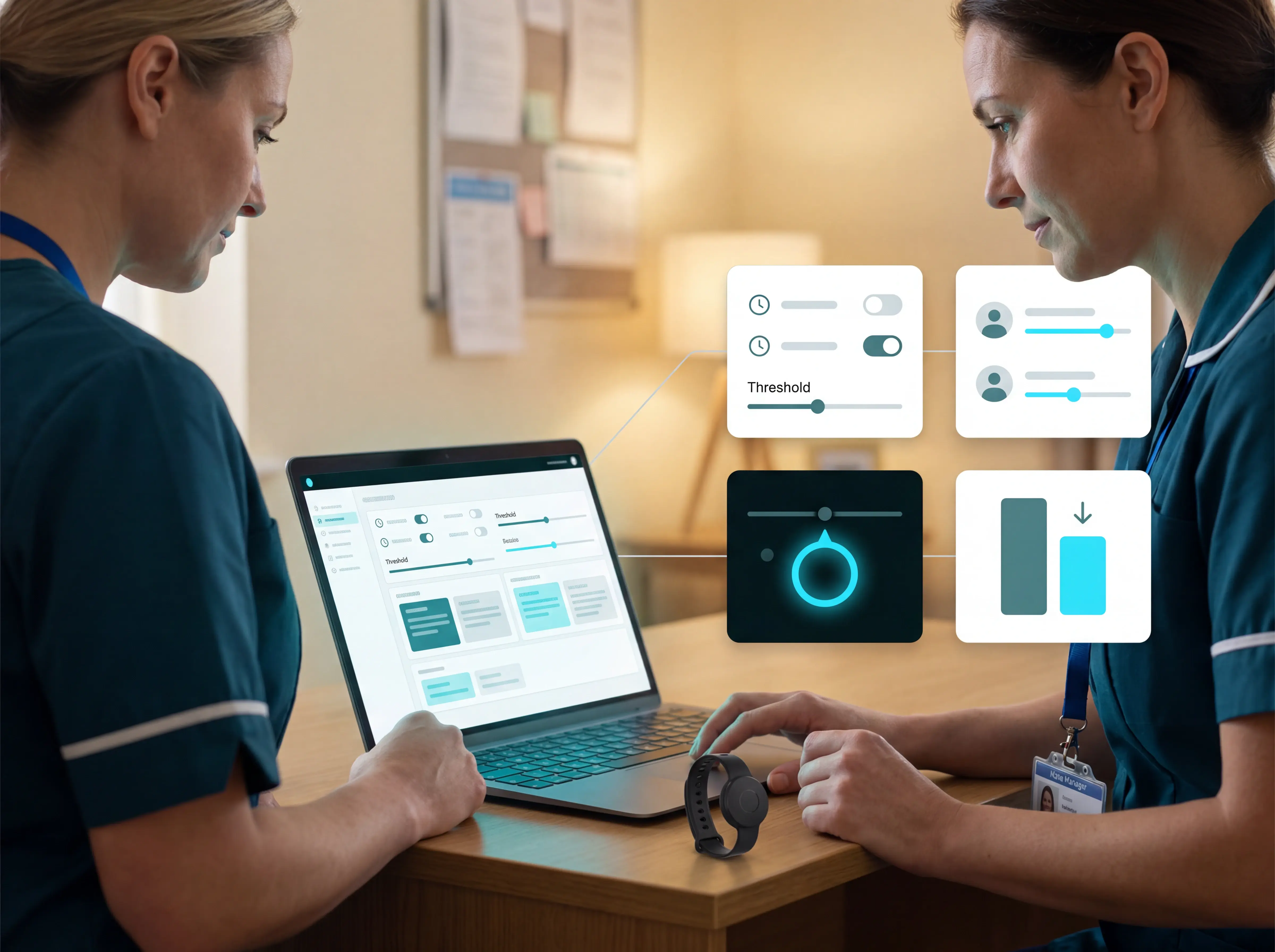
Ask the vendor to show the rule builder and explain who can change settings:

Time and threshold rules

Routine bathroom trips can be treated differently from a resident being out of bed for more than 15 minutes at night.

Resident baselines

Alert rules should reflect a resident's usual routine, rather than firing on every movement.

Emergency override

SOS and fall alerts should bypass routine filtering and notify staff immediately.

Trial review

Compare alert volume with staff feedback after a ward demo or trial. That trial lens fits the alert-volume wireless caregiver roundup, which scores routing, passive detection, reporting, and cost.
Smart rules that reduce alarm fatigue

Monitoring without cameras

Camera-free monitoring should show meaningful care signals without collecting images, audio, or video.

The aim is privacy plus usable context. Staff should see that something changed in a room, bed, doorway, or routine, then decide who needs a physical check.

Check for passive sensors that cover the main risk points:

Room and bed activity

Motion and bed sensors show activity, prolonged inactivity, or bed exit without a visual feed.

Door events

Door sensors flag exits, restricted-area entries, or repeated movement near a threshold.

Routine sensors

Fridge and stove sensors show routine changes that may matter in supported living or home care.

Device status

Staff can confirm each sensor is online, named correctly, and mapped to the right room.
Guardian camera-free monitoring system with live visibility for care homes

Simple installation and low maintenance

Simple installation means the system can be placed, named, tested, and handed over without disrupting daily care.

Ask for the installation plan before comparing feature lists. The plan should show who places each device, who tests signal strength, and who owns routine checks after go-live.

Check these points before choosing a system:

Placement and mapping

Confirm where devices will sit and link each one to the correct resident, room, bed, or floor-plan zone.

Signal testing

Test bedrooms, bathrooms, corridors, lifts, stairwells, and high-risk exits.

Maintenance ownership

Assign battery checks, cleaning, spare devices, and replacements to a named role.

Staff handover

Show caregivers what each alert means before the system becomes operational.
Simple installation and low maintenance

Reporting and compliance evidence

A smart nurse call system should leave a clear record for every event. Weak traceability creates audit risk and makes daily operations harder to manage.

If a call happened, managers need a record of who responded, when, and how long the resident waited.

A practical event log should capture:

Event type

Nurse call, fall, bed exit, door event, or configured trigger.

Location

Resident, room, bed, or floor-plan zone at the time of the alert.

Timing and responder

When the alert started, who acknowledged it, and when the event closed.

Closure record

The action taken, plus any follow-up needed for the next round, manager review, or care record.
Reporting and compliance evidence

Staff adoption and ease of use

Ease of use decides whether the system works on the floor. If staff need a separate admin routine during rounds, call logs go stale and alerts get bypassed.

Use the demo to test the busiest shift pattern. Night staff should know which alert matters first without checking a second screen.

Fast training

New staff can receive, acknowledge, and close a call after one short walkthrough.

Clear alerts

Each notification names the resident, room, bed, trigger, and escalation state.

Few taps

Acknowledging, escalating, and closing an alert takes only a few taps.

Shift fit

Alerts, handovers, and follow-up notes support existing checks instead of creating duplicate paperwork.
Staff adoption and ease of use

How Guardian works in a care facility

Guardian turns a nurse call system into a live operating view of the ward. Staff see who needs help, where to go, and what happened afterwards. Guardian is wireless, camera-free, and pre-configured.

Most care-home pilots start with wristbands plus bed sensors. Passive room sensors are added where the care plan needs extra context.
01

Map the ward

We add rooms and beds to a live floor plan, so every alert points to a clear room-level location.
02

Fit the right devices

Wristbands support SOS calls, room-level location, and fall detection; bed sensors cover residents who may not press a button.
03

Add passive sensors where needed

Door, motion, fridge, or stove sensors can show routine changes without putting cameras in rooms.
04

Route alerts to staff

Guardian sends alerts to phones, tablets, and nurse station screens staff already use.
05

Show the next action

The alert includes the resident, room, and bed context before staff leave the nurses' station.
06

Reduce noise with rules

Guardian can flag patterns like a resident being out of bed for more than 15 minutes at night.
07

Write the record automatically

Visits, alerts, acknowledgements, and response times are recorded in the background.
~€1,000/month
Caregiver capacity unlocked
By replacing fixed manual rounds with alert-driven visits
30
Potential fall situations flagged
Before they became invisible incidents
1 week
Typical go-live time
Guardian is wireless and pre-configured

Pilot Guardian in your facility

A typical next step is one ward or care team for 6–8 weeks. At the end, we give you an impact report, ROI calculation, and rollout recommendation.

Tell us where you want to test Guardian. We'll reply with scope and next steps.
Try it now

Which facilities benefit most from smart nurse call?

Smart nurse call helps most when response time, staff visibility, and audit evidence affect day-to-day safety. The right fit depends on the care setting and the infrastructure behind it.

Care homes and nursing facilities

Best for room-level alerts, fall-risk monitoring, missed-round visibility, and automatic records without cameras.

Home care providers

Best for verified visits, caregiver SOS alerts, and oversight across a moving team.

Senior living and long-term care

Useful where residents need privacy-preserving monitoring, especially when wearables are removed, forgotten, or refused.

Rehabilitation settings

Useful when mobility risk changes during recovery and staff need alerts across rooms, corridors, or therapy areas.

Acute care hospitals and enterprise long-term care groups

Best for integrated clinical communications, alarm routing, and enterprise IT controls. Ascom teleCARE IP also serves assisted living and long-term care, so it sits in an enterprise care tier.
Guardian fits care homes and home care operators that want a wireless, camera-free system they can test in one ward or team before rollout. Enterprise platforms such as Ascom fit larger care groups or hospital networks with heavier integration requirements.

Common mistakes when choosing a nurse call system

Weak traceability is one of the easiest procurement mistakes to miss. It creates audit risk and makes daily operations harder to manage.

Use these mistakes as a buying checklist before comparing nurse call systems:
01

Buying alerts without response records

A nurse call system should show who responded, when the call was acknowledged, and how the event was closed. Without that record, managers reconstruct shifts from memory.
02

Letting raw sensor events create alert fatigue

Staff need actionable alerts, not every movement, door opening, or routine activity. Excess noise trains teams to ignore the system.
03

Relying only on manual SOS buttons

Manual buttons fail when a resident cannot reach the device, forgets to wear the device, or loses consciousness. Passive monitoring helps cover those moments.
04

Choosing software with too many steps

Care staff need clear alerts and low click depth during rounds. If routine updates take several screens, documentation moves to the end of the shift.
05

Skipping workflow testing before rollout

A system can look good in procurement and still fail on the floor. Test the alert flow with the people who answer calls, manage handovers, and close events.
06

Ignoring scale and integration checks

A single-ward setup may work at first, then become expensive to replace as the facility expands. Check support for rooms, teams, devices, reports, and integration needs.

See the impact in your own facility in 6–8 weeks with Guardian

In the Estonia pilot, Guardian unlocked about €1,000/month of caregiver capacity and flagged 30 potential fall situations early.

Run the same pilot in one ward or facility. We map your workflows, configure Guardian around your daily routines, and measure what changes over 6–8 weeks.

Guardian covers the practical criteria without adding another IT project:

Room and bed alerts

Staff see exactly where to go, not just that an alarm fired.

Smart alert rules

Alerts reflect your routines, such as night-time bed exits or restricted-area access.

Wireless, camera-free setup

Pre-configured sensors go in without cameras, drilling, cabling, or a new IT project.

Automatic records

Managers get visit, incident, and response-time evidence in the background.
Request a pilot
See the impact in your own facility in 6–8 weeks with Guardian

Frequently asked questions

What is the lifespan of a nurse call system? +
A nurse call system can run for many years, but the practical lifespan depends on cabling, device support, software updates, batteries, and whether the system still produces the records your facility needs.

Use these planning checks:
  • Basic hardwired systems: check whether replacement parts, cabling, and room changes are still easy to support.
  • Advanced wireless systems: check battery routines, hub support, device replacement, and software support.
  • IP and smart platforms: check whether updates, integrations, dashboards, and hardware support will continue across the rollout period.

Replace sooner when the system can no longer add call points, receive updates, route alerts reliably, or produce the audit records your facility needs.
Do smart nurse call systems integrate with EHR platforms? +
Yes, some smart nurse call systems integrate with EHR platforms, but integration quality depends on the vendor, platform tier, and care setting.

IP-based systems are usually better placed to connect with EHR, RTLS, and clinical communication tools. Simpler systems may only export reports or require custom work.

Ask each vendor:
  • Which events sync: calls, SOS presses, fall alerts, acknowledgements, response times.
  • Which fields transfer: resident ID, room, bed, caregiver, timestamp, resolution note.
  • What is included: standard connector, paid add-on, or custom integration.
  • Who maintains the link: your team, the nurse call vendor, the EHR vendor, or an integration partner.
Does it work without Wi-Fi? +
Yes, many smart nurse call systems can detect local events without Wi-Fi, but dashboards, mobile alerts, remote access, and reporting usually need an internet connection.

For Guardian, check the connection path:
  • Sensors to hub: RF inside the facility.
  • Hub to dashboard: internet connection for the web portal and live floor plan.
  • Alerts to staff devices: internet connection for phones, tablets, or nurse station screens.

Guardian has no default backup connectivity plan. A cellular data fallback can be set up if the facility requires backup.

Ask how outages are recorded. Important missed alerts, such as SOS presses, should surface in the event record after reconnection.
What hardware does a smart nurse call system include? +
A smart nurse call system usually includes input devices, a hub, and staff endpoints.

Common input devices include:
  • Call button or pull cord: manual help request.
  • Wearable SOS button: emergency alert tied to a resident or staff member.
  • Bed exit sensor: flags when a fall-risk resident leaves bed.
  • Motion sensor: shows room activity or prolonged inactivity.
  • Door sensor: supports exit or restricted-area alerts.
  • Environmental sensor: detects risks such as smoke, flood, or carbon monoxide.

The hub receives signals and routes alerts using identity, room, bed, and facility rules.

Staff endpoints can include:
  • Fixed displays: corridor lights and nurse station screens.
  • Mobile devices: phones and tablets.
  • Legacy endpoints: pagers or computers, depending on the site.

Smart platforms usually put the clearest location detail on mobile and dashboard alerts.
Aleks Timm

Author

Aleks Timm

Aleks Timm leads Guardian and builds privacy-first operations technology for care homes and home care providers. Teams get location-aware alerts they can act on, clearer situational awareness, and measured insight into how care work actually runs.

Read More