

7 Best Care Home Audit Tools for Care Homes (Compared)
In this article
Care home audit tools help teams move from “we checked it” to a clear record of what was checked, what failed, and who owns the next action.
This guide compares software platforms and audit templates using public product information, published pricing, CQC relevance, action tracking, and operational fit. We did not live-test these tools in a care setting.
Some tools help you complete a checklist. Others help you connect audit findings with live evidence from rounds, alerts, incidents, and response times.
What is a care home audit tool?
A care home audit tool is a structured way to check whether care, safety, and compliance processes are being followed consistently.
The format can be a paper checklist, a spreadsheet, a PDF template, or dedicated audit software. The useful part is the same: clear questions, evidence, findings, and follow-up actions.
Care home audits usually cover:
Falls, incidents, and near-misses
Medication administration and errors
Infection prevention and control
Pressure ulcer risk and wound care
Dignity, consent, and resident experience
Staffing, handovers, and care plan records
A CQC-ready audit tool should help managers spot gaps before inspection. A safer audit tool also helps teams understand what is happening between inspections.
Care home audit software vs audit templates: which do you need?
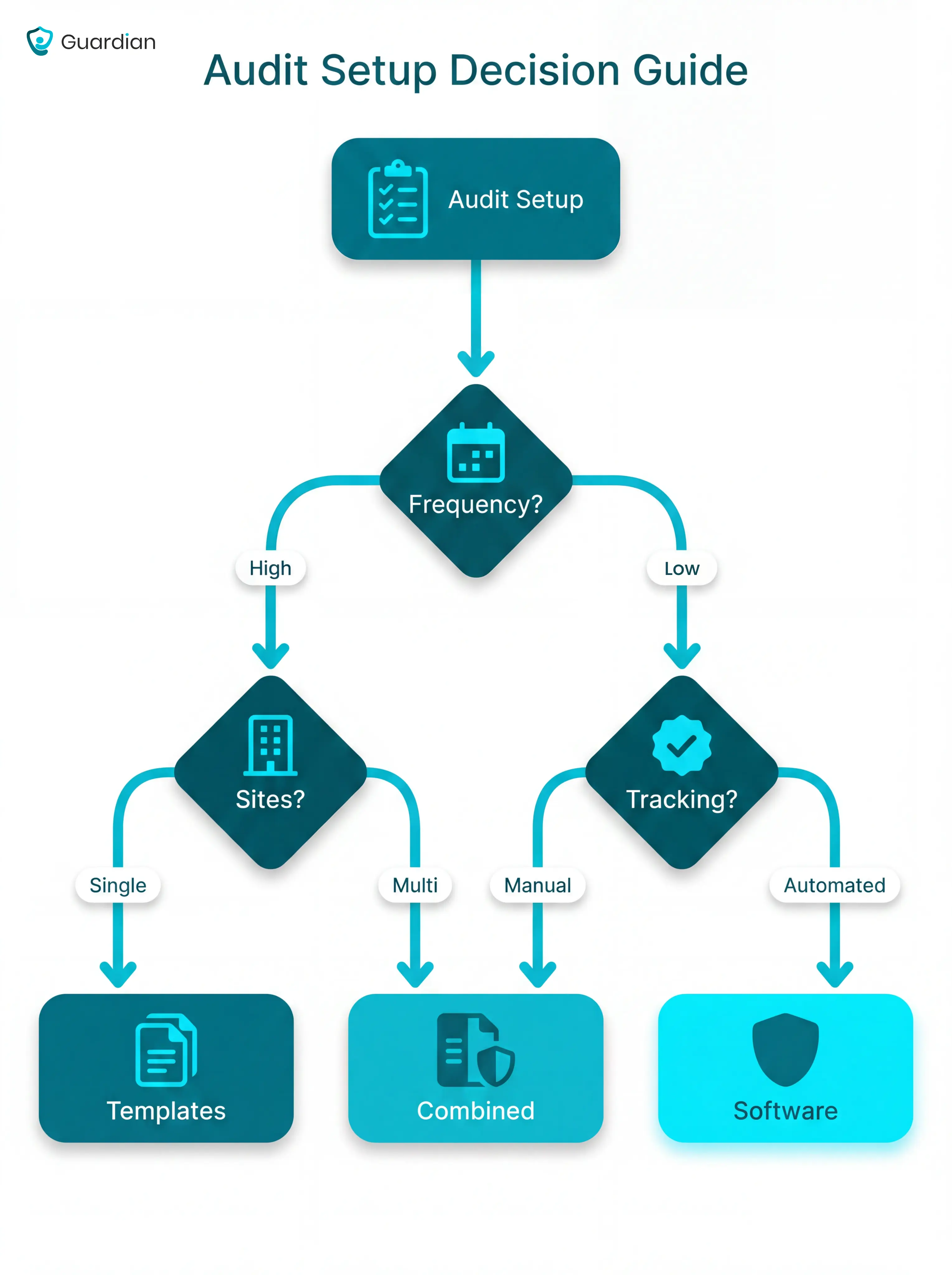
Use templates when your audit workload is narrow and someone can reliably chase actions. Use software when audits happen often, across several areas or sites, and managers need live progress reporting.
Decision point | Audit templates | Audit software |
Format | PDF, Word, Excel, or printed checklist | Cloud platform or app |
Best fit | Single-site teams running fewer audit types | Multi-site or high-frequency audit teams |
Action tracking | Manual follow-up by the manager | Assigned actions, deadlines, and status tracking |
Reporting | Manual collation into spreadsheets or reports | Dashboards and management reports |
Cost | Often free; some packs cost extra | Usually charged per user, site, or month |
Main risk | Findings get recorded but not closed | More setup, training, and subscription cost |
A practical threshold: if one home runs only a small number of audit types each month, templates can be enough. If several departments or sites need action tracking, software usually earns its place.
The cost comparison is simple on paper. Free templates cost nothing to download, while paid audit software can range from low monthly user fees to site-based subscriptions.
The hidden cost is staff time. Manual audits still need someone to collate findings, write action plans, chase owners, and prepare reports for managers or inspectors.
How we assessed these tools
This is an editorial assessment, not a live trial. The tools were reviewed against care-home audit scenarios using public product information, published pricing where available, CQC relevance, action tracking, deployment format, and operational fit.
We did not run audits inside a care home, test tools with staff, or verify vendor claims in a live setting.
The review used the same criteria for each tool:
Deployment format: We looked at whether the tool is a wireless system, cloud app, browser platform, or static PDF/Word template.
Audit coverage: We checked which care-home areas the tool helps review, such as falls, infection control, dignity, safety checks, or operational records.
CQC relevance: UK tools were assessed for fit with CQC expectations, including safe care and treatment under Regulation 12.
Action tracking: We separated tools that turn findings into tracked corrective actions from tools that leave follow-up to managers.
Cost structure: We compared free templates, monthly software pricing, and quote-based systems without treating low cost as enough on its own.
Operational fit: We considered whether the tool suits a single care home, multi-site operator, home care team, or a specific audit need.
CQC alignment mattered most for UK care homes. US-based tools were included only where the checklist structure or fall-review process could still help, with a clear caveat that managers must map findings back to UK requirements.
When deployment format drives the audit trail, the audit-ready wireless nurse call comparison weighs compliance, routing, and reporting.
The 7 best care home audit tools
The seven tools below cover different levels of audit maturity, from free templates to systems that capture operational data automatically.
Use the list as a shortlist, then check each tool against the audit gaps in your own home.
Tool | Best fit | Format |
Guardian | Operators who need live safety and operational records alongside audit evidence | Wireless sensor platform |
GoAudits | Care teams that want digital inspections and automated corrective actions | Cloud audit app |
Care Audit Tool | UK providers that want structured care-home audits and action plans | Browser-based audit platform |
Infection Prevention Control monthly audit tool | Homes reviewing infection prevention routines | Static audit template |
Dignity in Care audit tools | Teams reviewing resident dignity and care experience | Free downloadable templates |
UNMC fall audit tools | Managers reviewing fall incidents or fall-prevention processes | US healthcare templates |
ACHC audit checklist format | Teams that want a general checklist model to adapt | US accreditation checklist format |
1. Guardian
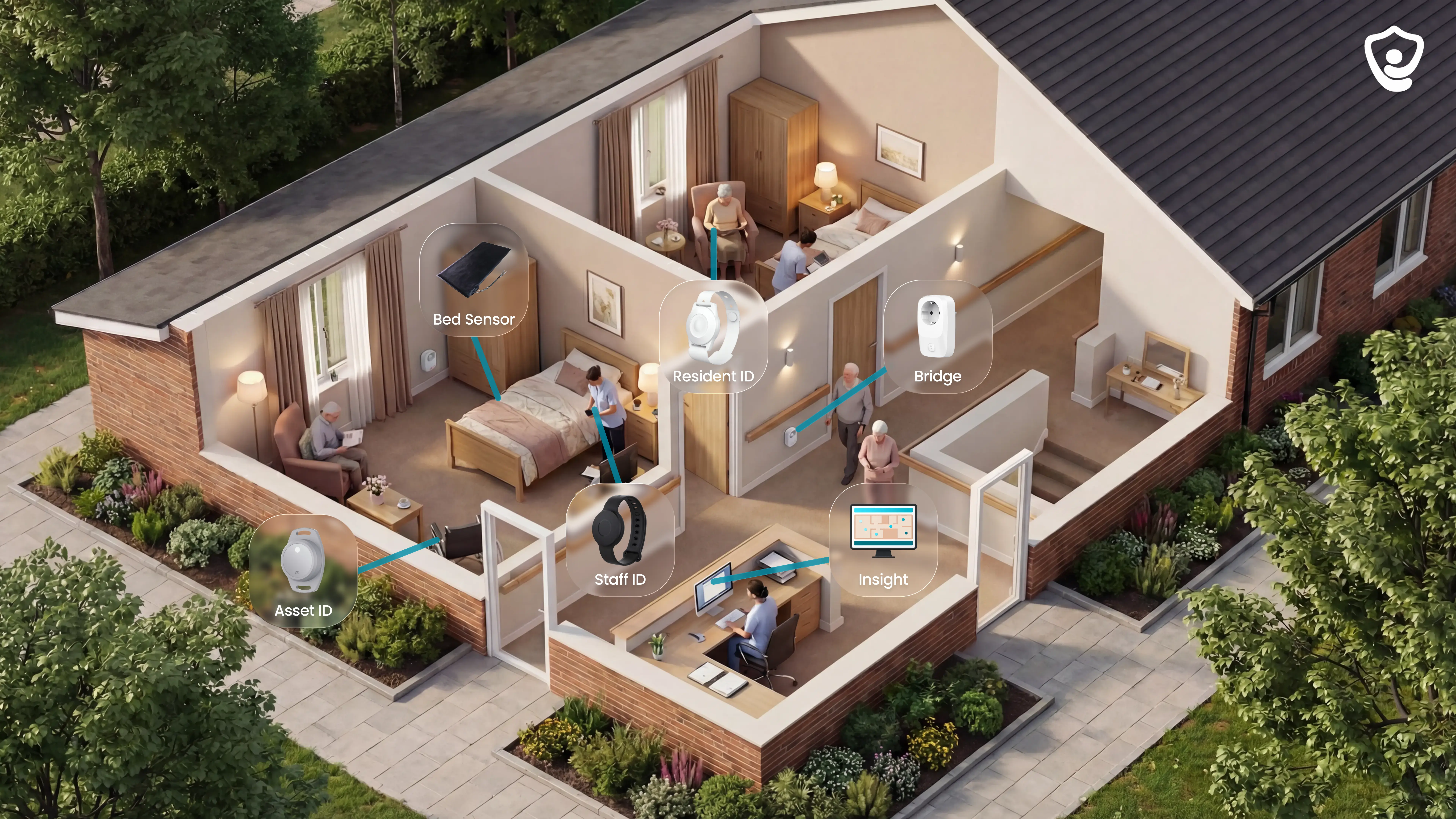
Guardian is a wireless, camera-free operations platform for care homes and home care teams that need live safety evidence between manual audits.
Guardian maps sensors, SOS wristbands, staff response, resident activity, vehicles, and assets onto one live view.
Managers can see what happened, where it happened, and how quickly staff responded.
Best for
Guardian is best for care homes, nursing facilities, and home care teams that need continuous safety monitoring, verified visit records, and fleet visibility alongside their audit process.
Manual checklist tools capture what staff record during an audit session. Guardian captures what happens between those sessions.
Best-fit settings usually have one or more of these pressures:
High fall risk: bed exits, night-time movement, and slow response concerns need live visibility.
Unclear response times: managers need timestamped evidence of when alerts fired and when staff arrived.
Location gaps: staff need floor, room, and bed context instead of a generic alarm.
Pilot-first rollout: Guardian can start with one ward, home, or team before wider deployment.
Home care visibility: automatic visit records and fleet location help managers verify visits across a moving team.
Asset location: asset tracking helps teams find medical equipment without search-and-call delays.
What it helps you audit
Guardian helps you audit live safety activity that paper forms and checklist software cannot capture on their own.
The core data comes from sensor events and staff response records:
Bed exit sensors: show when a resident leaves bed, with the alert tied to the room on the floor plan.
Motion sensors: flag room-level activity and inactivity patterns during higher-risk periods, including night shifts.
SOS wristbands: let residents or staff trigger an emergency alert from the point of need.
Door sensors: support exit and restricted-area monitoring without cameras.
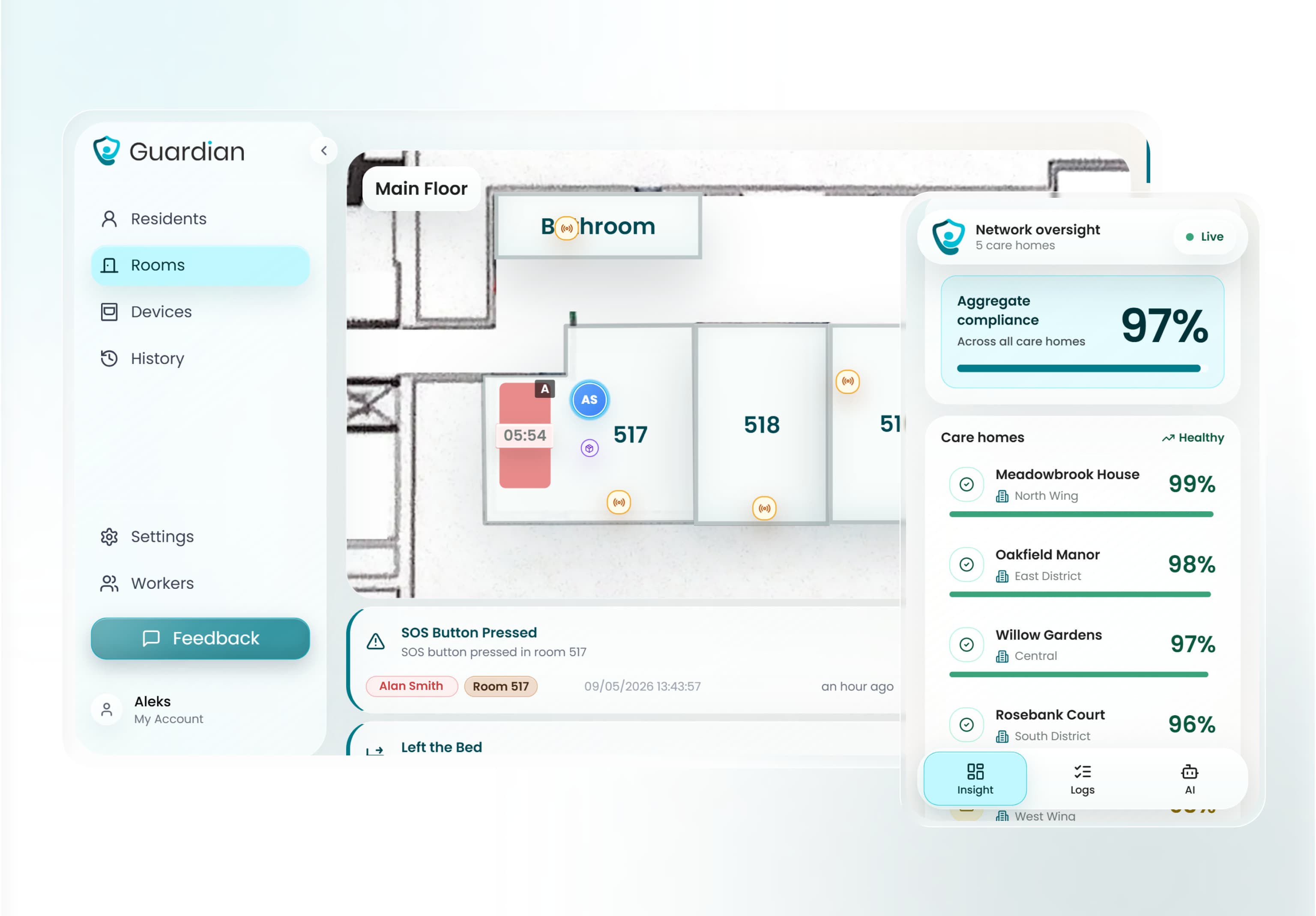
Automatic logs: record alert time, location, staff acknowledgement, and response activity.
Automatic visit records: Guardian logs caregiver arrival, visit duration, shift time, and end time, producing timestamped visit evidence for managers, payers, and inspectors.
That gives managers an incident history based on events, rather than memory, handover notes, or forms completed after the fact.
How it supports CQC readiness
Guardian supports CQC readiness by adding an objective evidence layer for safety and responsiveness.
Use the data for two inspection conversations:
Safe: response logs show when SOS calls, bed exits, falls, and restricted-area alerts fired, with location and response trail.
Responsive: visit frequency, night-time activity, and response patterns help managers see where care routines need adjusting.
Guardian supplements checklist-based CQC tools. Policy and documentation audits still need a separate structured process.
Use Guardian when the missing evidence is operational: what happened on the floor, where staff went, and how long response took.
Pricing
Guardian has no public B2B price list.
The commercial entry point is a structured 6-8 week pilot in one ward, home, or team. Scope is set during workflow mapping, based on the rooms, sensors, and use cases being tested.
The pilot framework tracks the operational numbers that decide rollout: response times, visit verification rates, incident-prevention data, alert quality, and asset-location speed.
Guardian's target outcomes are practical:
Reporting time: roughly halve admin time on visit and shift reporting.
Alert quality: roughly halve unnecessary alerts through smart rule configuration.
Search time: at least double the speed of locating a resident, caregiver, or asset.
The pilot is designed to produce numbers before rollout:
Response times: nurse calls, SOS events, exits, and safety alerts.
Incident data: falls detected, exits caught, and restricted-area entries flagged.
Visit evidence: timestamped records for staff activity and response.
ROI: a written impact report with rollout recommendations.
Software-only audit tools are easier to compare by seat or site price. Guardian pricing depends on hardware scope as well as platform access.
Limitations
Guardian is built for live operational evidence, so it will not replace every audit tool in a care home.
You will still need checklist or documentation tools for areas such as:
Medication management: MAR checks, administration errors, and controlled-drug documentation.
Dignity and person-centred care: staff reflection, resident feedback, and policy evidence.
Infection prevention and control: cleaning checks, PPE practice, and hygiene compliance.
CQC-formatted templates: inspection-ready question sets mapped to standards.
Guardian fills the sensor data gap those tools leave open. It shows what happened between audits, with floor-plan context and response records attached.
Tell us where you want to test Guardian. We'll reply with scope and next steps in 2 business days.
2. GoAudits
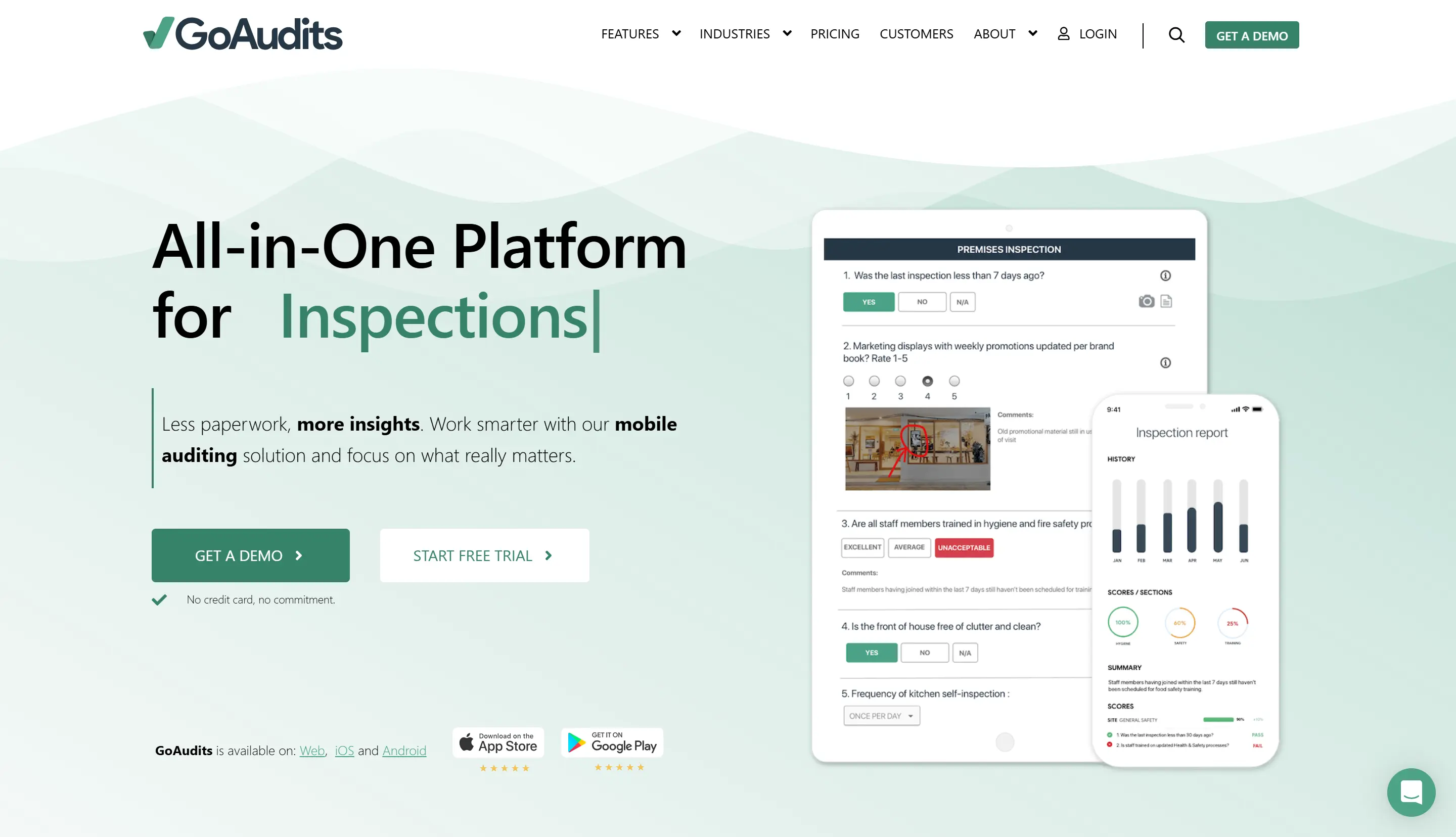
GoAudits is a SaaS audit platform for digitising care home checklists, completing audits on mobile devices, and tracking corrective actions across locations.
Best for
GoAudits fits care providers moving from paper audits to mobile checklists, especially when ward staff need to complete checks from phones or tablets.
Its public materials list iOS and Android access, cloud sync for submitted audits, and central reporting.
Useful workflow points include:
Ward-floor auditing: Staff can complete and submit audits from a smartphone or tablet instead of carrying printed forms.
Automatic action plans: Failed items can become corrective actions with owners, due dates, and completion status.
Multi-site reporting: Managers can review audit results from different locations in one dashboard.
What it helps you audit
GoAudits lists a care home template library for common audit areas.
The library can cover areas such as:
Medication management: Checks for medicine handling, records, and related controls.
Dignity and respect: Questions linked to care quality and resident experience.
Infection control: Structured checks for cleanliness, hygiene, and IPC routines.
CQC evidence themes: Templates can support Safe, Effective, Caring, Responsive, and Well-led evidence where those labels remain in local use.
Template customisation is available without a developer. Teams can add, remove, and reorder questions inside the editor.
Existing paper checklists or spreadsheets still need to be rebuilt or adapted inside GoAudits.
How it supports CQC readiness
GoAudits supports CQC readiness by turning audit failures into tracked actions for inspection evidence folders.
When an item is marked non-compliant, GoAudits can create a corrective action with:
Assigned owner: The staff member responsible for follow-up.
Due date: The deadline for completing the action.
Completion status: A visible record managers can review.
Action history: Evidence that the issue was logged and monitored.
This gives registered managers a clearer inspection trail for CQC evidence folders than static spreadsheets or PDF checklists.
GoAudits remains a scheduled-audit tool. It relies on staff entering findings during checks, rather than capturing live resident activity or incident response times.
Guardian adds the live safety layer beside GoAudits: wireless bed, motion, and wristband sensors mapped to digital floor plans, plus automatic incident records.
Pricing
GoAudits uses per-user pricing, so UK providers should confirm current plan rates, taxes, exchange rates, and contract terms before budgeting.
That model is simple for a small audit team, but the total rises as more staff need access.
Plan | Price | Notes |
Starter | $10 per user / month | Core digital checklist and reporting features |
Enterprise | $30 per user / month | Advanced management reporting and multi-site features |
Limitations
GoAudits needs setup before checklists match a provider's local policies and CQC evidence expectations.
Before rollout, check four practical points:
Local policy fit: Confirm library templates match your medicines, IPC, dignity, and safety policies before staff use them.
Migration time: Existing questions need rebuilding or adapting inside GoAudits, based on current source material.
Access cost: Per-user billing can rise when auditors, managers, and regional leads all need seats.
Scheduled evidence only: Audit findings depend on staff completing checks, so live resident events still need another data source.
Guardian fills the live-safety layer beside GoAudits. Wireless bed, motion, and wristband sensors can trigger location-aware alerts and create incident records while GoAudits handles audit evidence.
3. Care Audit Tool
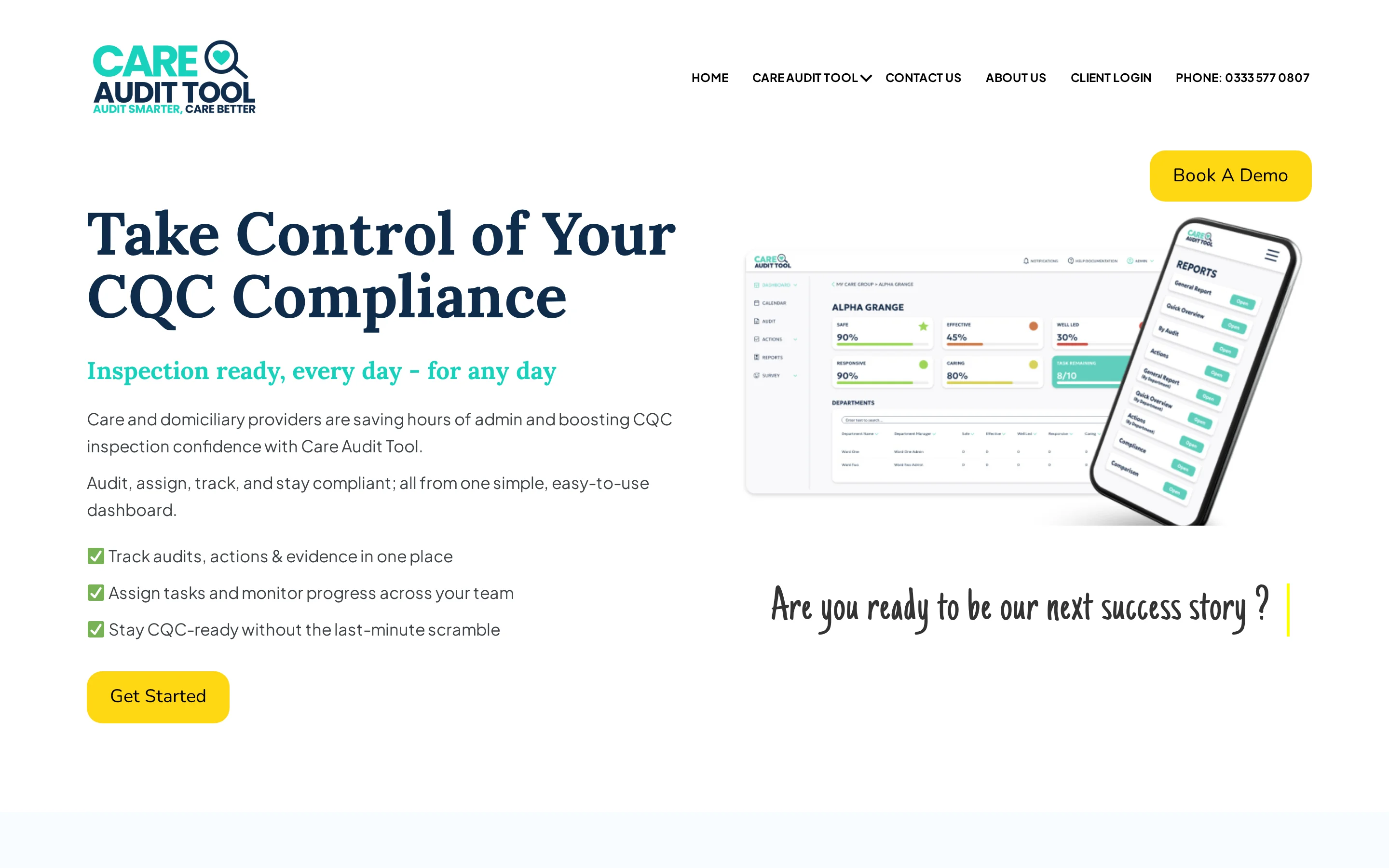
Care Audit Tool is a UK compliance platform for structured audits, risk assessments, and action tracking mapped to CQC Fundamental Standards.
Best for
Care Audit Tool fits England-registered care homes that want a browser-based audit system focused on CQC evidence.
Its per-site billing is useful for a single location with several auditors, because the monthly cost is tied to the site rather than each user.
The workflow suits homes where audit ownership sits with:
Registered managers
Quality leads
Compliance leads
What it helps you audit
Care Audit Tool covers structured checklists across CQC care domains, with questions mapped to Fundamental Standards and regulatory reference numbers.
Staff complete audits through a cloud-hosted browser interface on a PC, tablet, or smartphone.
When an answer is marked non-compliant, the platform can create a CQC-relevant task instead of leaving the auditor to write an action from scratch.
Key workflow points include:
Browser-based audits: Staff can complete checklists without printed forms.
CQC mapping: Questions are tied to named Fundamental Standards and should be checked against the current CQC assessment framework.
Automatic tasks: Non-compliant answers can trigger corrective actions.
Audit trail: Managers can track what was found, who owns the action, and whether it has been closed.
Care Audit Tool suits CQC-mapped evidence better than unusual audit types that sit outside standard care home compliance categories.
How it supports CQC readiness
Care Audit Tool supports inspection preparation by linking audit questions to CQC standards and turning failed answers into assigned tasks.
Map exported evidence to current CQC quality statements and any local folders using the five legacy KLOE headings.
A typical corrective task can include:
Relevant CQC standard: The regulation or standard linked to the finding.
Required action: The correction needed to close the gap.
Assigned staff member: The person responsible for follow-up.
Due date: The deadline for completing the task.
This creates a clearer evidence trail than a static PDF audit, where the follow-up action may sit in a separate notebook, spreadsheet, or email thread.
Pricing
Care Audit Tool uses per-site billing rather than per-user billing. Confirm current Core and Enterprise rates before budgeting.
Plan | Price | Billing model |
Core | £75/month | Per site |
Enterprise | £149/month | Per site |
This differs from GoAudits' per-user model, so the break-even point depends on how many staff need access.
Limitations
Care Audit Tool is built around scheduled audits and CQC compliance evidence. It does not provide continuous monitoring between audit cycles.
Use it for evidence management, then decide how you will handle gaps between audits:
Between audits: What records bed exits, falls, or movement changes before the next scheduled checklist?
Daily evidence: Who records safety events while routine care is happening?
Non-standard audits: Which local checks need custom wording outside the standard CQC categories?
Regulatory scope: CQC mapping applies to England, so services outside England need local regulator mapping.
Guardian takes a live-monitoring role where Care Audit Tool stops at audit evidence. Sensors mapped to a floor plan show where a safety event happened, so staff are not relying only on scheduled checks.
4. Infection Prevention Control monthly audit tool
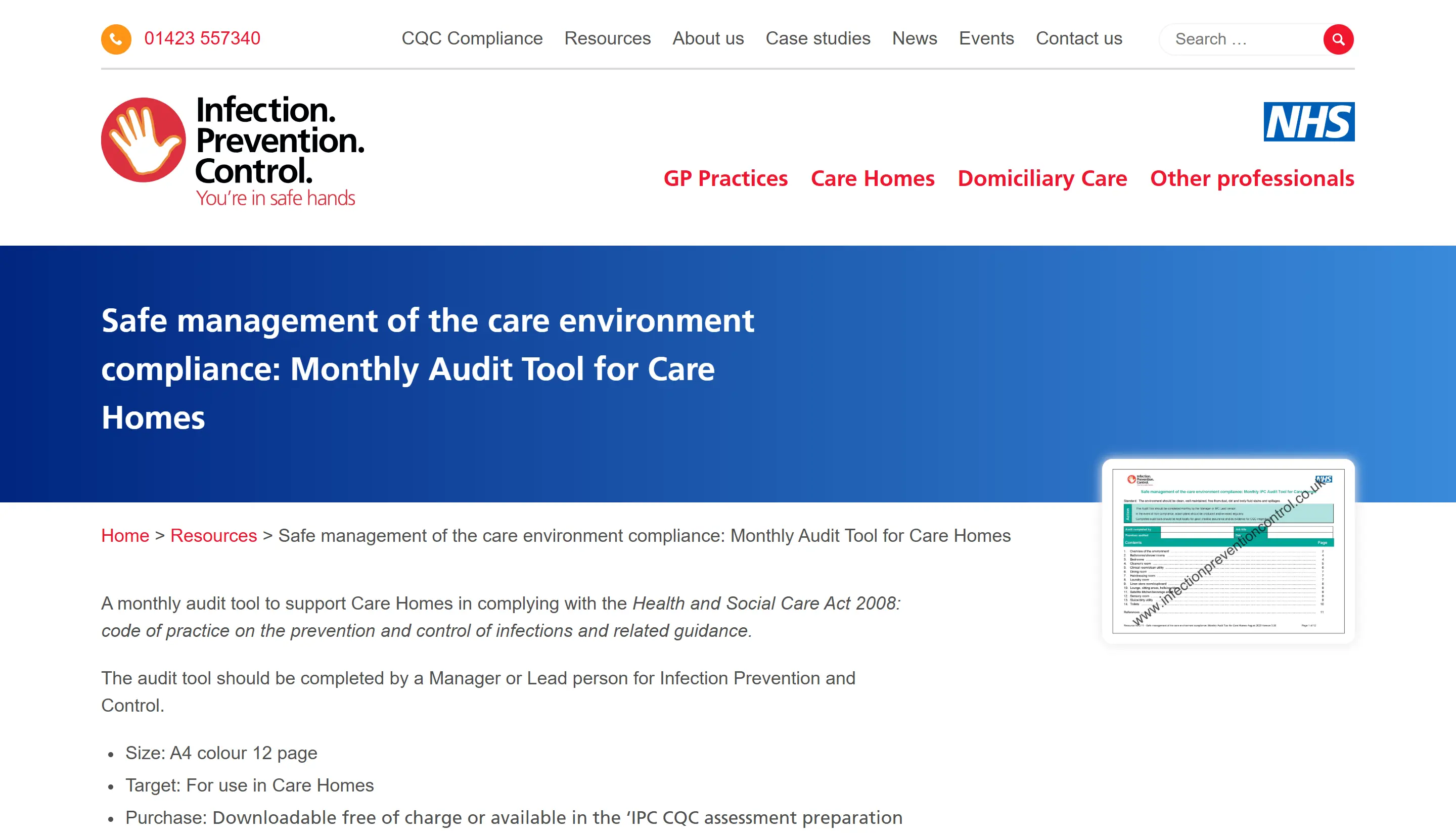
The Infection Prevention Control monthly audit tool is a set of NHS-authored PDF checklists for UK care providers.
It supports checks linked to the Health and Social Care Act 2008 IPC code of practice.
Best for
Useful for compliance leads and IPC leads who need a free, NHS-aligned template for routine infection control evidence.
The NHS authorship matters because the forms follow an IPC framework reviewed by CQC and local infection control teams.
Cost: Individual monthly audit PDFs are free to download.
Regulatory fit: Use the forms alongside the Health and Social Care Act 2008 IPC code, DHSC guidance, CQC expectations, and UKHSA infection guidance.
Workflow fit: The format suits teams that already keep inspection folders or local audit files.
What it helps you audit
The IPC tool breaks infection control into monthly modules by area, so the auditor can check one part of the home at a time.
Modules can cover defined areas, for example:
Cleaner's room
Dining room
Clinical areas
Each completed PDF becomes a monthly record for that part of the care environment.
Area checks: Separate forms help avoid turning one IPC audit into a facility-wide paper exercise.
Monthly evidence: Repeated completion creates a rolling set of records.
Inspection prep: Filed audits can support CQC conversations about ongoing IPC monitoring.
Format and access
Each template is an A4 PDF that can be downloaded individually at no cost. The documents can be printed or completed as fillable forms.
A full CQC preparation pack may also be listed separately. Confirm the current price before purchasing, as the pack sits outside the free monthly IPC PDFs.
There is no software licence or login required.
Local teams still manage:
Storage
Version control
Follow-up tracking
Limitations
The IPC tool records a monthly snapshot. Follow-up work depends on the care home's own process after the PDF is completed.
Plan for the work the PDF leaves with the team:
Create actions: Failed items need a separate action plan with an owner and due date.
Store evidence: Teams may print, complete, scan, and file PDFs across a year of audits.
Link incidents: Harm-related IPC findings need a link to local incident records and Regulation 20 Duty of Candour checks.
Stay in IPC scope: Use separate evidence routes for medication, dignity, falls prevention, and other CQC domains.
Cover live safety: The PDF has no sensor data, live alerts, or continuous monitoring.
Guardian closes a different loop: real-time safety monitoring. Wireless bed, motion, and wristband sensors create location-aware alerts while the IPC PDF remains a periodic audit record.
5. Dignity in Care audit tools
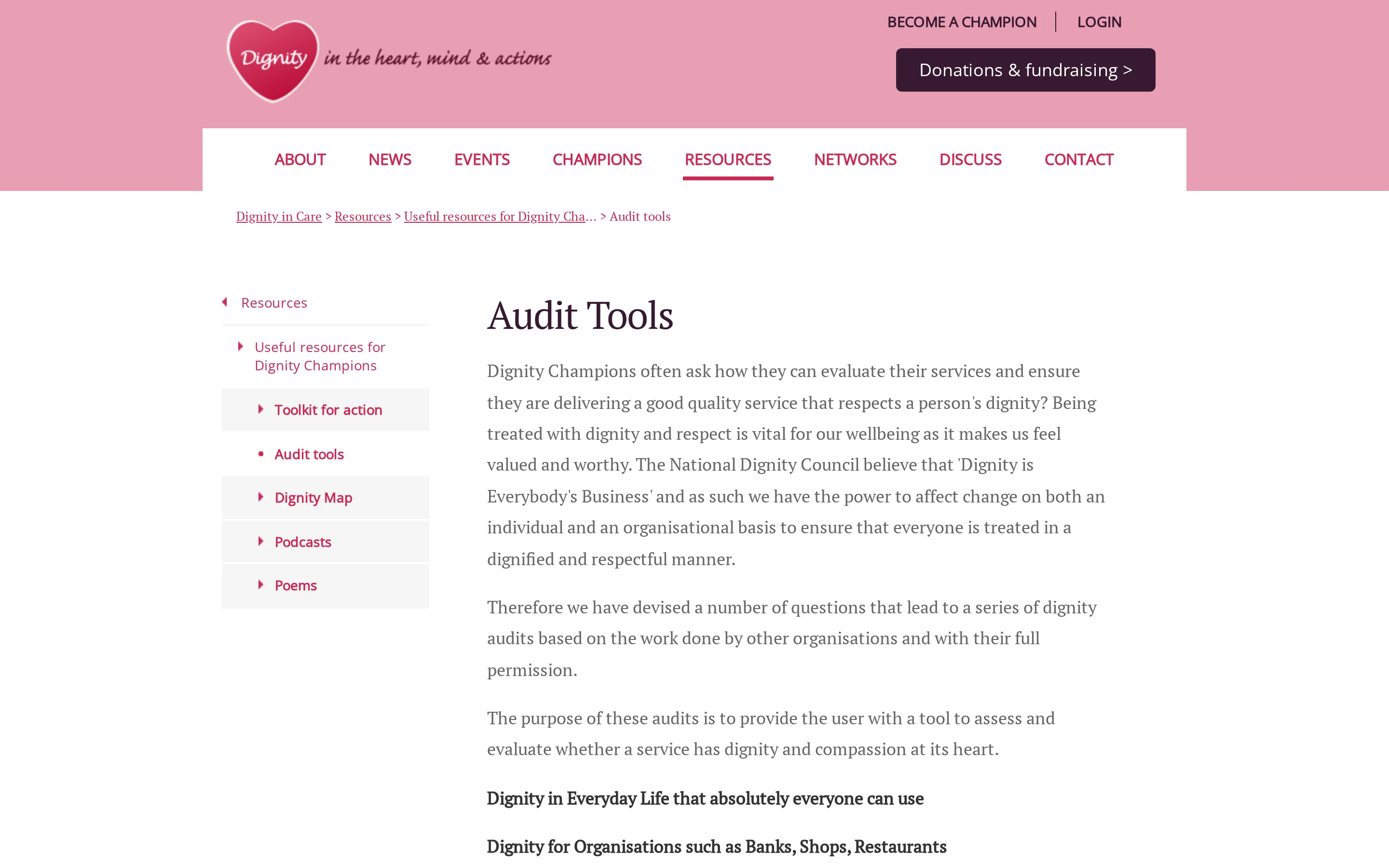
The Dignity in Care audit tools are free self-reflection checklists from the National Dignity Council. They help care homes discuss dignity, privacy, respect, and daily conduct.
Best for
Best for UK care homes that want a light-touch reflection exercise around the CQC Caring key question.
Skills for Care signposts the National Dignity Council resources for adult social care teams in England.
Cost: Free to access.
Audience: Managers, dignity champions, and care teams can use them for reflective review.
Scope: The focus is dignity, respect, privacy, and everyday staff conduct.
What it helps you audit
The checklists ask staff to view care from the resident's point of view.
The output is a self-assessment, not a scored operational audit.
The scope is narrow:
Covered: Caring, dignity, respect, privacy, communication, and compassionate care.
Outside scope: Other CQC key questions need separate audit evidence.
Evidence type: Self-assessment notes rather than timestamped operational data.
Format and access
The tools are static PDFs from the National Dignity Council website. Homes can print them or save completed copies locally.
The PDF format has no scoring or cloud storage. Homes need a local filing process for inspection evidence.
Limitations
The main gap is follow-up. A completed PDF can show reflection, but it cannot show whether a concern became a task.
Use the tools with a separate action log:
Self-assessed evidence: Staff judge practice themselves, so results need manager review.
No task ownership: A gap does not create an owner, due date, or reminder.
Narrow CQC coverage: The tools support Caring reflection, so other CQC key questions need separate evidence.
Use Guardian beside dignity audits where safety evidence is missing. Bed exit records and response times can support Safe-domain review.
6. UNMC fall audit tools
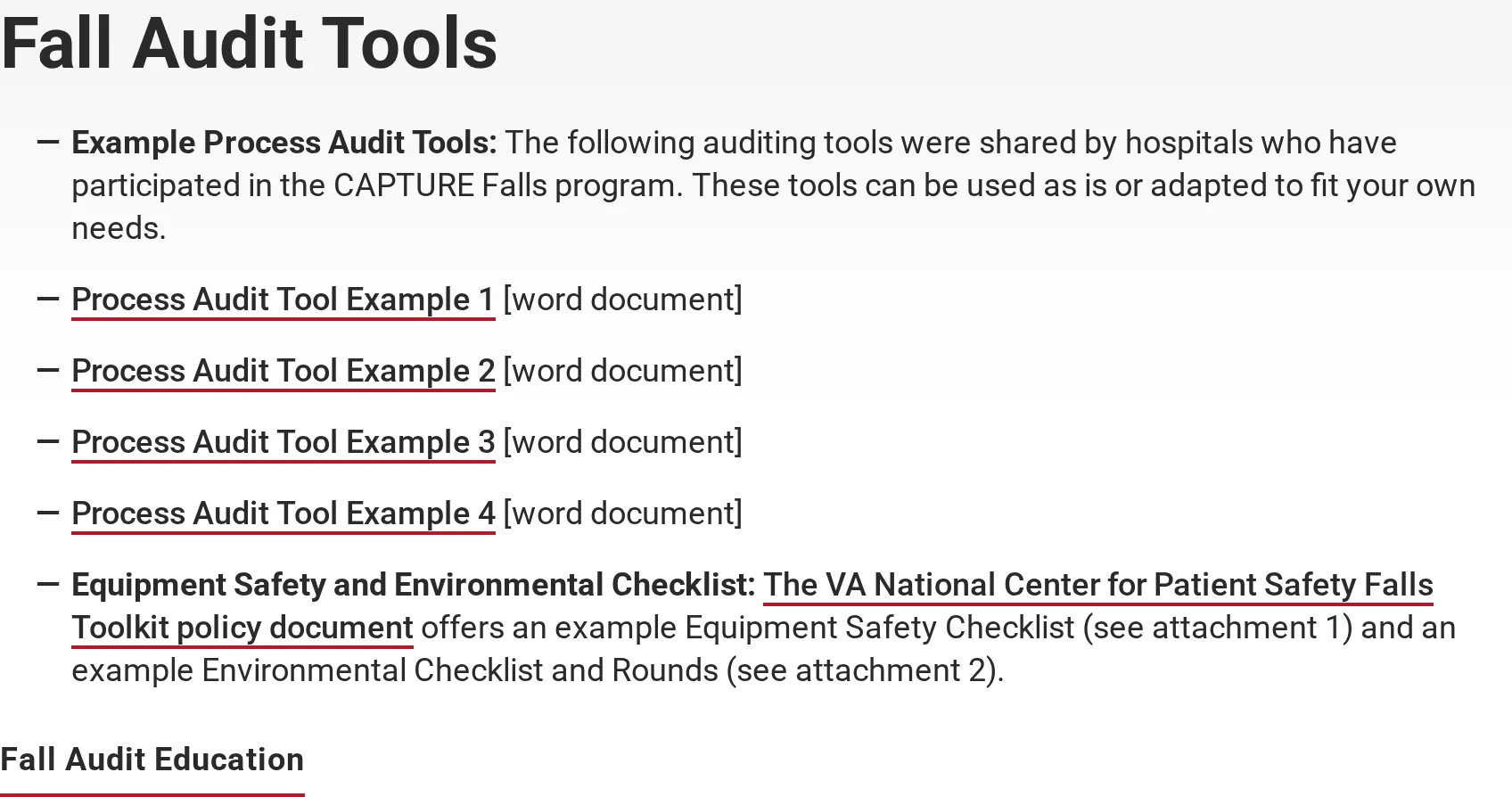
The UNMC fall audit tools are free Word templates from the University of Nebraska Medical Center for the CAPTURE Falls programme.
UK care managers can borrow the audit logic, then replace the US clinical and regulatory references.
Best for
UNMC fits teams that want a fall-specific template they can edit around their local prevention protocol.
Use the templates to check protocol fidelity:
Fall-prevention scope: The tools focus on falls, rather than medication, infection control, dignity, or wider care home governance.
Protocol checks: The audit asks whether defined prevention steps have been completed, documented, and followed consistently.
Hospital origin: The templates were built for US hospital settings, so care homes need to adjust language and workflow.
What it helps you audit
UNMC helps audit whether fall-prevention steps happen when staff use the protocol.
Common checks include:
Risk assessment completion: Has the fall risk assessment been completed at the required point?
Intervention follow-through: Were prevention steps applied for people identified as higher risk?
Documentation match: Does the care record show the same actions required by the protocol?
Periodic review: Has a staff-led audit been completed at the agreed interval?
The format is manual. A lead auditor completes the Word document, reviews gaps, and assigns any follow-up outside the template.
UK relevance caveat
UNMC is useful for protocol fidelity; it is not mapped to CQC inspection language.
Remap the template before using it for UK inspection preparation:
CQC references: Add the relevant CQC Fundamental Standards and current assessment language.
Legal framework: Check the adapted audit against the Health and Social Care Act 2008 requirements for your service.
Care home workflow: Replace hospital assumptions with care home routines, staffing roles, and post-fall pathways.
Clinical sign-off: Have a registered manager, clinical lead, or governance lead verify the adapted version.
The transferable idea is simple: audit whether fall-prevention work happens as planned. Replace the US references before using the template in a UK care home.
Format and access
The UNMC tools are downloadable Word documents from the University of Nebraska Medical Center.
The Word format keeps access simple:
Cost: Free to download, with no subscription or per-user fee.
Editing: Teams can change wording, scoring, and local responsibilities.
Storage: Completed audits need to be saved, shared, and tracked through local file systems.
Workflow limits: Results do not feed a mobile app or central audit trail.
That makes UNMC a template source, not a care home audit management system.
Limitations
UNMC's limit is context. The template tests fall-protocol fidelity, but the source material is not built for CQC inspection preparation.
Check before use | Why it matters |
UK regulatory language | CQC and Health and Social Care Act references need adding. |
Local fall pathway | Roles, escalation, and post-fall review should match the care home's own process. |
Follow-up tracking | Word documents do not assign owners or show completion evidence. |
Guardian is relevant when a fall-risk audit needs live safety evidence. Bed exit alerts and response records give the review a timestamped trail.
7. ACHC audit checklist format
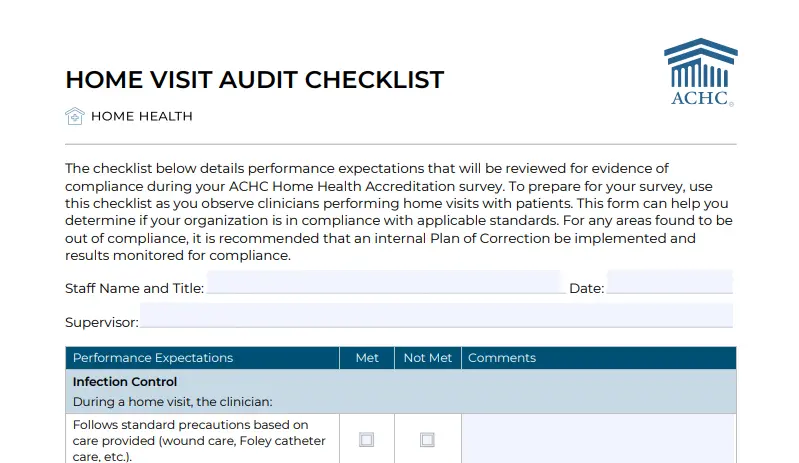
ACHC checklists are structured PDFs mapped to ACHC accreditation standards for US home health and hospice organisations.
UK care homes should treat ACHC as a format example. CQC remains the relevant UK regulator.
Best for
ACHC checklists are for US home health and hospice organisations seeking or maintaining ACHC accreditation.
What it helps you audit
ACHC checklists show how to link each question to a named accreditation standard.
The useful design choice is the table-style mapping:
Checklist element | What it does |
Standard number | Shows which ACHC requirement the item relates to |
Evidence prompt | Tells the auditor what document, record, or process to check |
Compliance status | Lets the team mark whether the requirement is met |
Plan of Correction | Records the manual follow-up needed for non-compliant items |
Corrective action stays manual. A non-compliant item needs a Plan of Correction and separate tracking for owners, dates, and completion.
UK relevance caveat
ACHC has no direct compliance value for UK care homes.
UK providers are regulated by the Care Quality Commission under the Health and Social Care Act 2008. A UK audit tool needs CQC mapping.
The crossover value is format only:
Useful idea: Map each audit item to the exact standard it evidences.
Wrong framework: ACHC standards are US accreditation criteria.
Separate systems: A group operating in both countries would need separate US and UK audit mappings.
Format and access
ACHC checklists are static PDFs accessed through ACHC accreditation routes.
The format is simple, but the limits matter for UK teams:
Access: Use depends on ACHC accreditation routes, not general UK template libraries.
Completion: PDFs can be printed or filled in manually.
Reporting: The PDF does not sync results to a dashboard or generate trend analysis.
Limitations
ACHC's limits are jurisdiction and follow-up.
The checklist can help with structure only:
US standards: ACHC standard numbers do not map to CQC assessment evidence.
Manual correction: The PDF records the plan, but completion evidence needs a separate tracker.
No live safety data: The checklist cannot capture room-level events or response times.
For UK care homes, Guardian belongs beside CQC-linked audits when you need live safety evidence. ACHC standard mapping does not cover that gap.
What a good care home audit tool should include
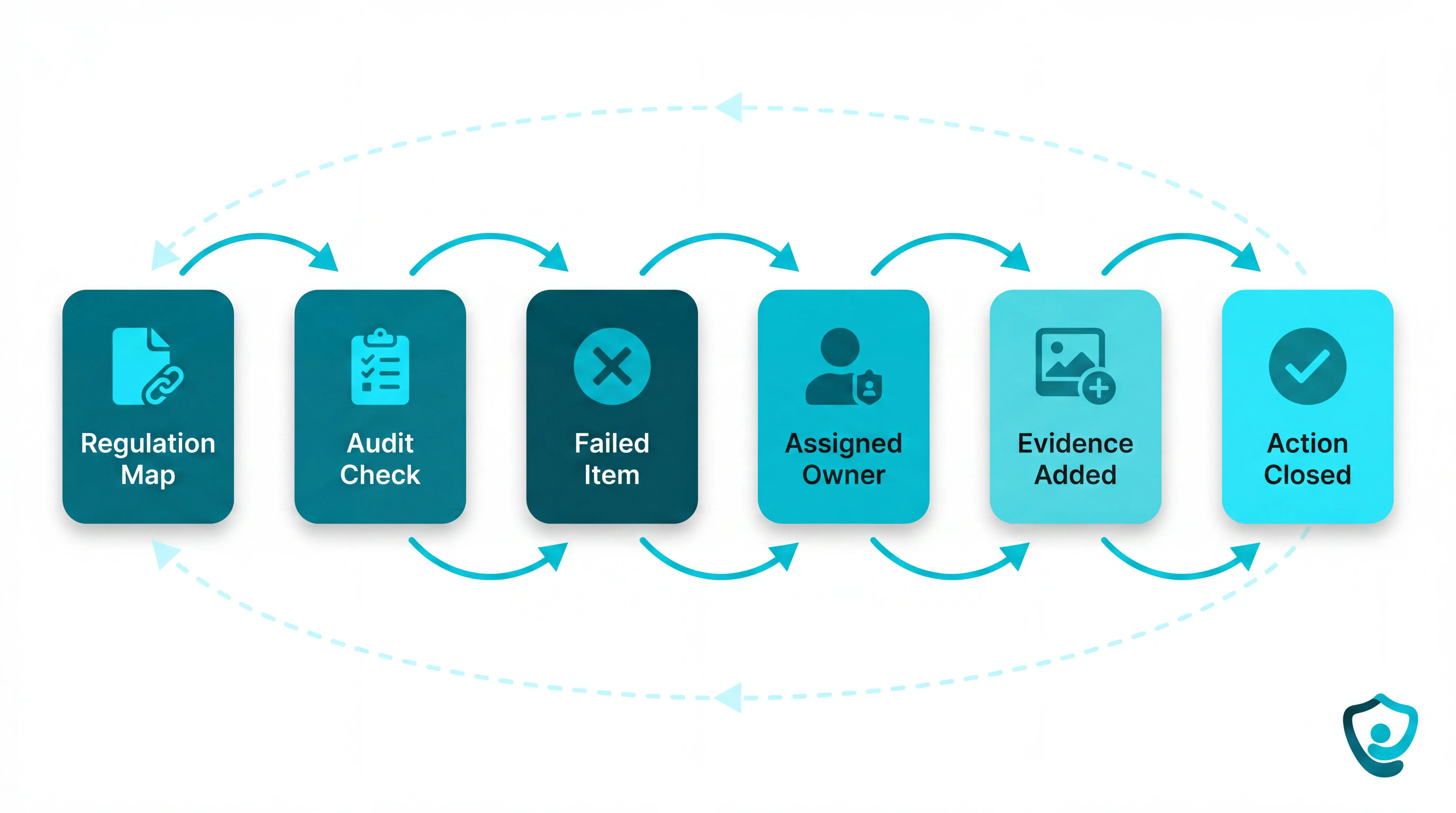
A good care home audit tool should do more than store completed checklists. It should show which regulation each question supports, create a record of follow-up work, and help managers see whether the same risk is appearing across wards or sites.
Use these criteria before you choose a tool or build your audit calendar.
Criterion | What to check | Why it matters |
Regulation mapping | Each audit question should map to the relevant framework, such as CQC Regulation 12 for safe care, Regulation 17 for good governance, or Regulation 20 for Duty of Candour. | Staff can trace a failed item back to the requirement being inspected, instead of guessing why the question exists. |
Automated action tracking | A failed answer should create an action with an owner, deadline, evidence field, and completion status. | Inspectors look for a closed loop: the issue was found, assigned, corrected, and evidenced. |
Point-of-care usability | Staff should be able to complete checks on the ward, add photos or notes, and submit the audit without retyping into another system. | Paper, Word, and PDF templates can work, but version control and evidence gathering become harder as audit volume grows. |
Operational safety data | Audit findings should sit near incident records, falls logs, medication errors, response times, or other safety indicators where possible. | A monthly audit captures one moment. Live operational data helps managers see what changed between audit dates. |
Multi-site reporting | Group managers should see open non-compliances, overdue actions, and upcoming audit dates across every ward or home. | A provider running 5 homes across 8 audit areas can create hundreds of separate files a year without central reporting. |
Core audit areas every care home should cover
Every audit calendar needs a core set of recurring checks. The exact frequency can vary by provider, but the audit areas below should not depend on inspection season.
Medication management: Check MAR records, storage, administration processes, near misses, and medicine-related incidents. Serious medicine incidents should follow the provider's CQC reporting pathway, including statutory notification where required.
Infection control: Review hand hygiene, PPE use, cleaning schedules, waste handling, laundry processes, and outbreak procedures. This sits under CQC Regulation 12, because infection prevention is part of safe care and treatment.
Falls prevention: Go beyond counting falls. Check whether each fall had an immediate injury assessment, whether head injury and fracture risk were considered, and whether medication or environmental causes were reviewed afterward.
Care planning: Confirm that each resident has a current care plan, risk assessment, consent record, and review history. CQC Regulation 12 expects providers to assess risks to each person and do what is reasonably practicable to reduce them.
Staffing: Audit rota coverage, skill mix, agency use, training records, supervision, and whether staffing levels match resident acuity. CQC Regulation 17 makes this a governance issue, because leaders need reliable records to manage risk.
Dignity in care: Check whether residents are supported with privacy, personal care, food choices, communication needs, and daily routines. Dignity audits belong alongside clinical audits because inspectors assess caring practice separately from safety paperwork.
When none of these tools close the loop on their own
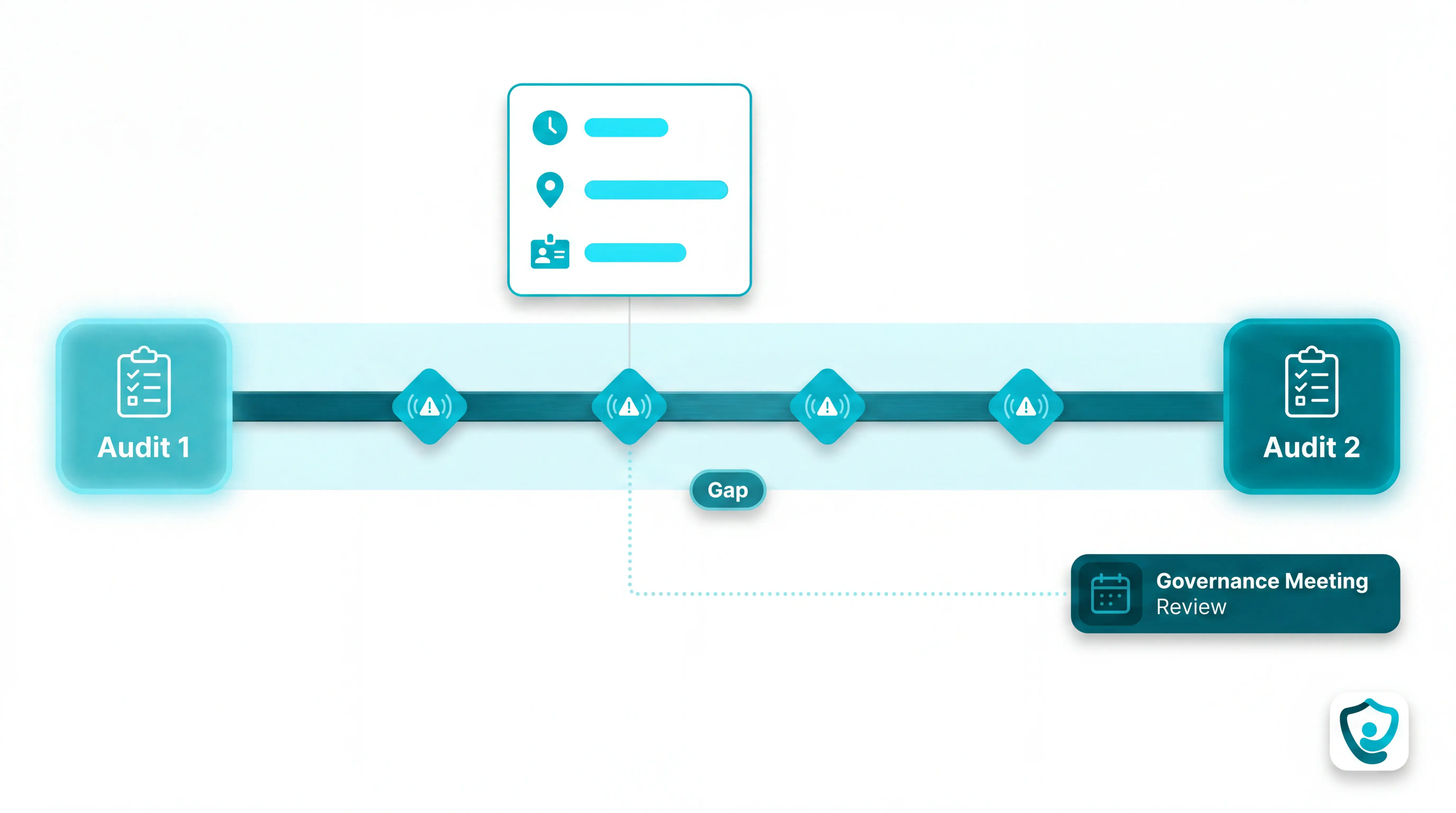
Point-in-time audit tools answer a narrow question: did the home complete the required check at the point of review?
That evidence usually covers:
Policy evidence: whether required checks and reviews were completed
Staff observations: what the auditor saw or recorded during the review
Action plans: what the home agreed to change next
It does not show the live interval between checks.
That is the audit gap most tools leave behind: a strong compliance record cannot stand in for resident outcome data.
When an incident happens between audits, CQC Regulation 20, the Duty of Candour, turns the event into a documented obligation.
Providers need to show:
What happened: resident activity, alert type, location, and time
Who responded: caregiver name or role, acknowledgement, and arrival
What changed: follow-up action, prevention step, and review trail
A checklist can support the review, but the timeline has to exist first.
Closing the loop needs a live record of:
Event timing: when the alert or activity happened
Resident location: the floor, room, and bed connected to the event
Staff response: acknowledgement, arrival, and follow-up
Real-time safety data your audit tool can't capture? Guardian fills that gap
Guardian gives care homes the live safety layer that audit tools miss. Staff see which room, which bed, and which alert type, with a timestamped response record created as each event happens.
After each shift, managers can pull the alert log, see who responded and when, and have a timestamped record ready before the next audit.
Guardian monitors the safety signals that checklists cannot capture on their own:
Bed exit risk: passive bed sensors flag when a resident leaves bed, with the room and bed attached to the alert
Falls and SOS: resident wristbands can detect fall events or send a direct SOS to staff phones
Room activity: motion sensors can track unusual movement patterns without cameras, where configured for the pilot
Response evidence: Guardian logs alerts, acknowledgements, and response times for incident review and management reporting
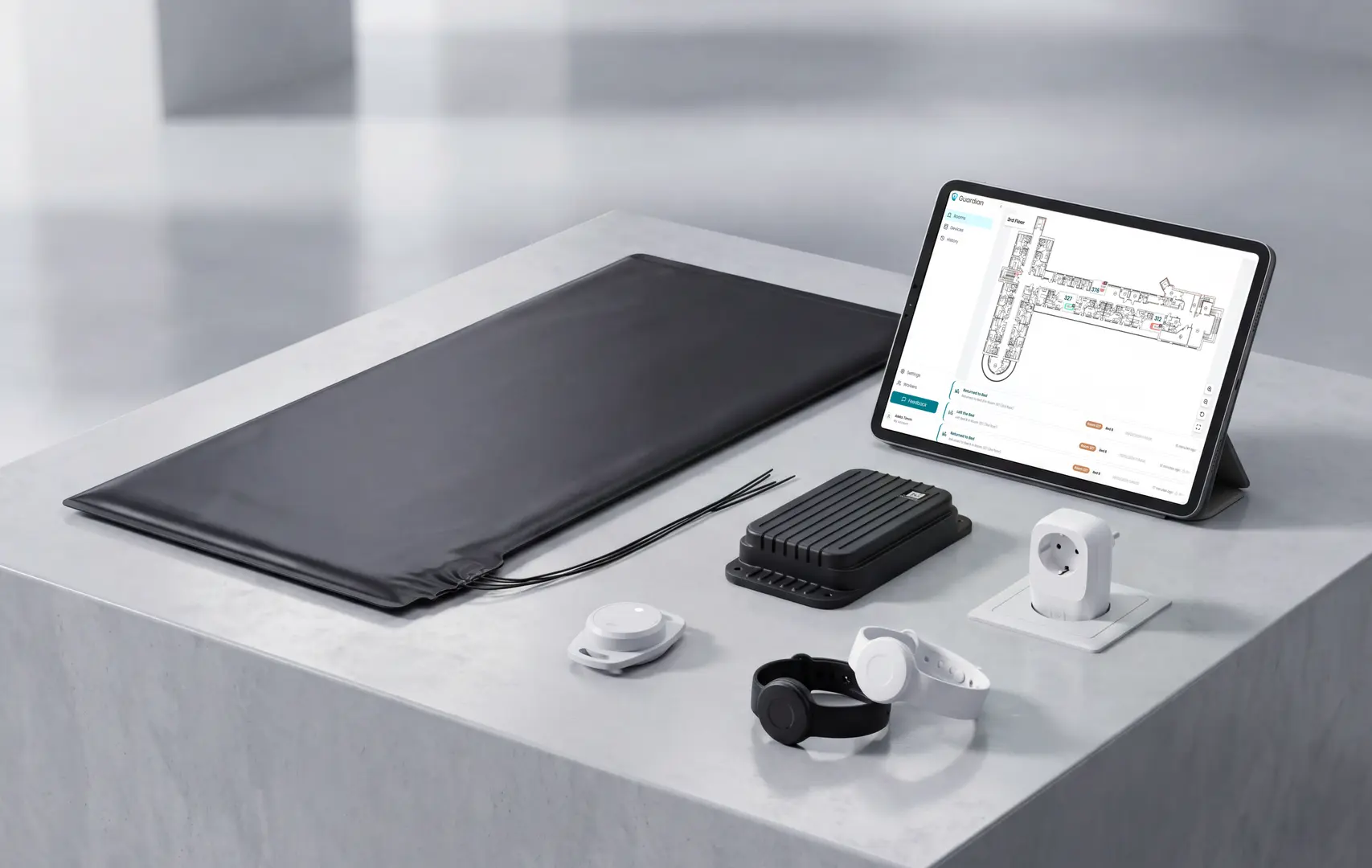
The pilot is built to prove the value before a wider rollout.
Choose the pilot scope: Tell us the ward, care home, or home care team where safety data is hardest to evidence.
Run live monitoring for 6-8 weeks: Guardian maps rooms and beds. Alerts and response activity are logged in the background.
Review the impact report: You get response times, staff feedback, ROI, and a rollout recommendation before deciding next steps.
Tell us where you want to test Guardian. We'll reply with scope and next steps.
Yes. Care homes must maintain governance systems for quality monitoring and risk reduction under the Health and Social Care Act 2008 (Regulated Activities) Regulations 2014.
Regulation 17 is the main audit requirement. It requires clear systems for:
Quality monitoring
Risk control
Service improvement
Regular internal audits are the evidence that those systems are working.
CQC 2024/25 national ratings data shows why the audit trail matters:
29% of rated care homes were Requires Improvement in State of Care
4% were Inadequate in the same national dataset
33% fell below Good, so inspection evidence needs to be easy to find
These are national ratings for England, not a finding about any one home.
There is no single legal frequency for every care home audit. Set the schedule by risk, with high-risk areas checked more often and incident reviews triggered after safety events.
Regulation 12 covers safe care and treatment. It makes these duties ongoing:
Risk assessment for people using the service
Safe equipment and premises where care is delivered
Infection control systems that reduce preventable harm
CQC also expects evidence under Safe and Well-led, so each audit record should show the finding and named action owner.
Audit frequency should match the risk level. Monthly IPC checks suit routine environmental controls, while falls and medication incidents need review after they happen.
Regulation 20 is the Duty of Candour requirement. After a notifiable safety incident, providers must tell the affected person what happened and keep a written record.
Internal audits are usually led by the Registered Manager or another named senior staff member. The provider remains accountable for the governance system.
The audit type should decide the lead:
IPC audits usually sit with the IPC lead or clinical lead
Medication audits usually sit with a nurse or medicines lead
Governance audits usually sit with the Registered Manager or Compliance Officer
Regulation 12 requires safe systems, but it does not name one role for every audit.
External auditors can review your systems, and CQC inspectors test the evidence during inspection. Those reviews do not replace the provider's own internal checks.
For incidents, Regulation 20 keeps ownership with the provider. The provider must investigate and keep evidence that the affected person was informed.
Usually, yes. The tools in this list cover different parts of the audit picture, so a practical setup combines a compliance platform with specialist templates.
Use the tool type that matches the audit area:
GoAudits and Care Audit Tool: broad CQC-style checklists and action tracking
IPC monthly audit tool: infection prevention checks for care environments
Dignity in Care tools: dignity and resident experience prompts
UNMC fall audit tools: fall-risk review templates with a UK relevance caveat
Guardian: real-time sensor data that can supplement periodic audit records
Care technology adoption is common but uneven. A government technology survey found 73% of adult social care providers in England used at least one care-related technology.
Tool choice still needs to map back to current CQC quality statements. If your team still keeps legacy KLOE folders, map the same evidence across:
Safe
Effective
Caring
Responsive
Well-led
Treat the 73% figure as national context for England. Individual care homes still need an audit setup that matches their own risks.
A workable setup usually has three layers:
Compliance platform for scheduled checklists and action owners
Specialist templates for high-risk areas such as IPC or falls
Operational data from systems such as Guardian, where live alerts can support later reviews
Choose tools that reduce gaps in daily records instead of adding another spreadsheet to maintain.

Author
Aleks Timm
Aleks Timm leads Guardian and builds privacy-first operations technology for care homes and home care providers. Teams get location-aware alerts they can act on, clearer situational awareness, and measured insight into how care work actually runs.
Read MoreRecommended reads
Keep reading
10 Best Nurse Call System Suppliers and Care Operations Monitoring Platforms for Hospitals and Care Facilities
Explore the best nurse call system suppliers and care operations monitoring platforms to boost response, compliance, and care...
Read more
11 Best Nursing Home Software Options: What Actually Works
11 Best Nursing Home Software Options: Compare tools for live alerts, compliance, and EHR integration to find what actually works.
Read more
10 Best Room Monitors for Elderly Home Care
10 Best Room Monitors for Elderly Home Care: compare top options for safety, alerts, and peace of mind to find the right fit for...
Read more