

11 Best Nursing Home Software Options: What Actually Works
In this article
A resident falls. The care team needs a clear alert before the incident becomes paperwork.
Start by finding the gap in your current workflow:
Live safety alerts
Visit proof
Compliance evidence
EHR-connected documentation
This guide compares 11 nursing home software options by job, from nurse call hardware to PointClickCare and MatrixCare integration questions.
What nursing home software actually covers
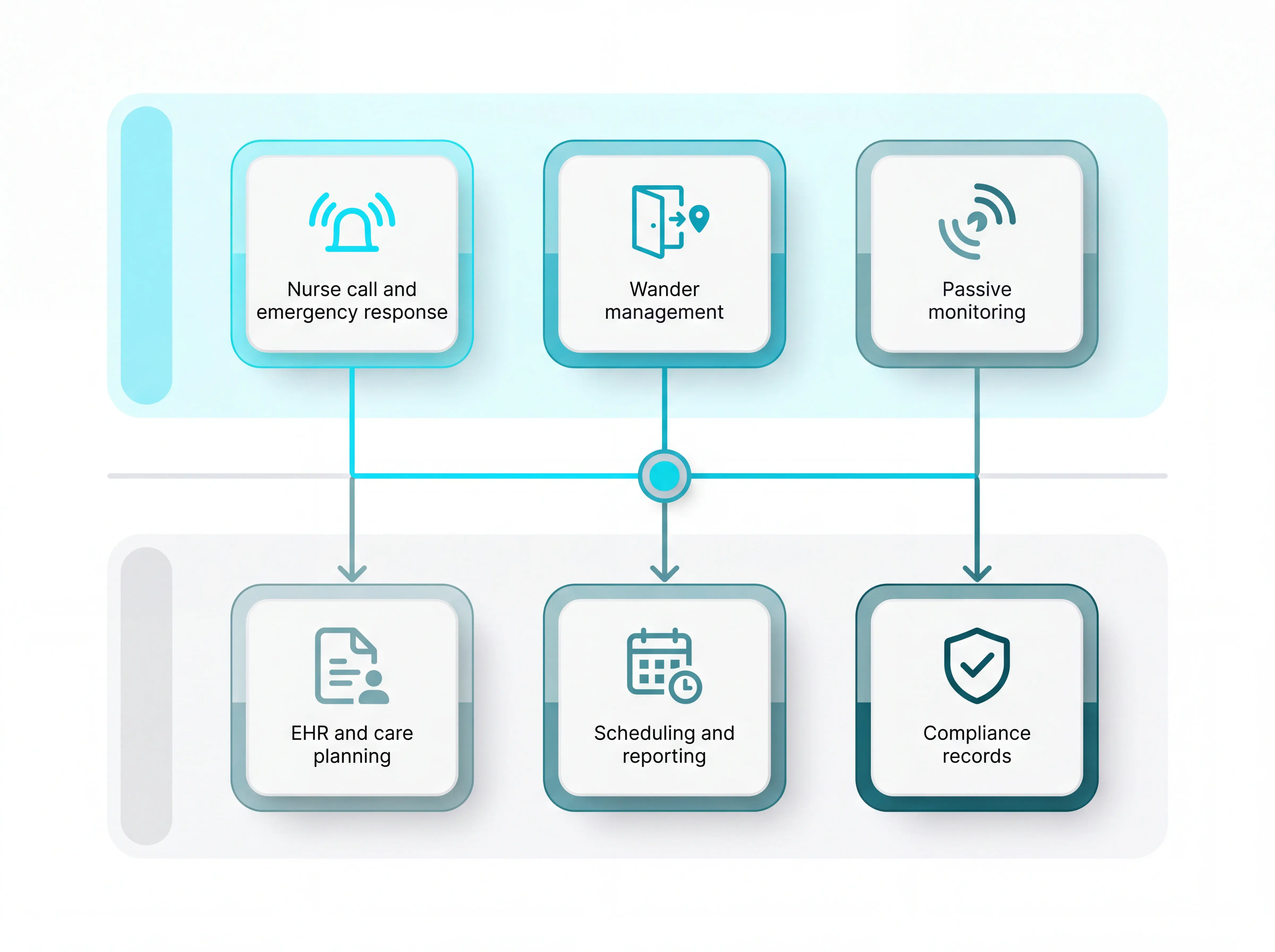
Nursing home software spans two connected layers: resident safety during the shift and management records after the shift.
Safety and monitoring layer
Nurse call and emergency response tools route distress alerts to staff.
Wander management uses wearables, door sensors, or location signals to flag exits and restricted-area movement.
Passive monitoring uses motion, bed, and environmental sensors when residents cannot or will not press a button.
Admin and compliance layer
EHR and care-planning systems such as PointClickCare and MatrixCare hold the clinical record and daily care plan.
Scheduling tools manage rotas and timesheets. Reporting tools package end-of-shift records for review.
Compliance checks should map records to the rules that apply in your setting, such as CMS Conditions of Participation, NFPA 101, or GDPR.
Connection matters. Separate systems mean the incident record sits in more than one place.
At a glance: all 11 systems compared
The table splits the 11 tools into two groups: hardware-led nurse call platforms and broader communication or monitoring systems. Use it to shortlist systems before reading the individual notes.
Tool | Category | Deployment | EHR Integration | Wander Management | UL Certified | Fee Structure |
Guardian | Nurse call & emergency response | Wireless sensors + wearables | Yes | Yes | Not listed | Project-based quote |
RCare | Nurse call & emergency response | Wireless nurse call | Yes (PointClickCare) | Yes (via Accutech) | ETL to UL 1069 & UL 2560 | No recurring fees |
PalCare | Nurse call & emergency response | Cloud-based wireless | Yes (ALIS/Medtelligent) | Yes | Not listed | Cloud model + $25/pendant |
Westcom NCS | Nurse call & emergency response | Wired/wireless hybrid | Yes | Not listed | UL 1069 compliant | No recurring license fees |
Caretronic | Nurse call & emergency response | Wired, wireless, or hybrid | Yes (NurseTab device) | Yes (DementiaCare) | DIN VDE + UL 1069 | Quote via configurator |
Intercall Systems | Nurse call & emergency response | Primarily wired | Not listed | Not listed | UL 1069 certified | Quote-based |
Ascom | Healthcare communication & monitoring | IP-based modular | Yes | Yes | UL 1069 & UL 2560 | Enterprise quote; $9,600/yr RemoteWatch |
Secure Care Health Systems | Healthcare communication & monitoring | Distributed hardware | Not listed | Yes (DoorGUARDIAN) | BBB A+ distributor | Quote + service contract |
Symtech Solutions | Healthcare communication & monitoring | Custom wireless | Not listed | Yes | UL-approved systems | Custom project quote |
RFT | Healthcare communication & monitoring | Wireless + RTLS | Partial (CODE ALERT) | Yes (CODE ALERT) | UL 1069 & UL 2560 (Pro) | Enterprise quote; financing available |
Sensio | Healthcare communication & monitoring | Passive sensor + cloud | Yes (PCS Digital Care) | Yes | Not listed | Subscription + hardware |
If you are reviewing options now, start with one workflow:
Falls and bed-exit alerts
Wandering and exit alerts
Night checks
Proof of visit
Guardian can map that workflow to a live-alert pilot before you replace existing EHR or care-planning software.
Nurse call and emergency response systems
These six systems sit at the front line of resident safety.
The care-home-specific nurse call guide breaks down wired, wireless, and hybrid architectures with pilot-scoping advice for each.
They handle three jobs:
Detect emergency events
Route alerts to staff
Log the response
Detection varies by system:
Resident-activated buttons or pendants
Wired nurse call panels
Passive wireless sensor networks
1. Guardian
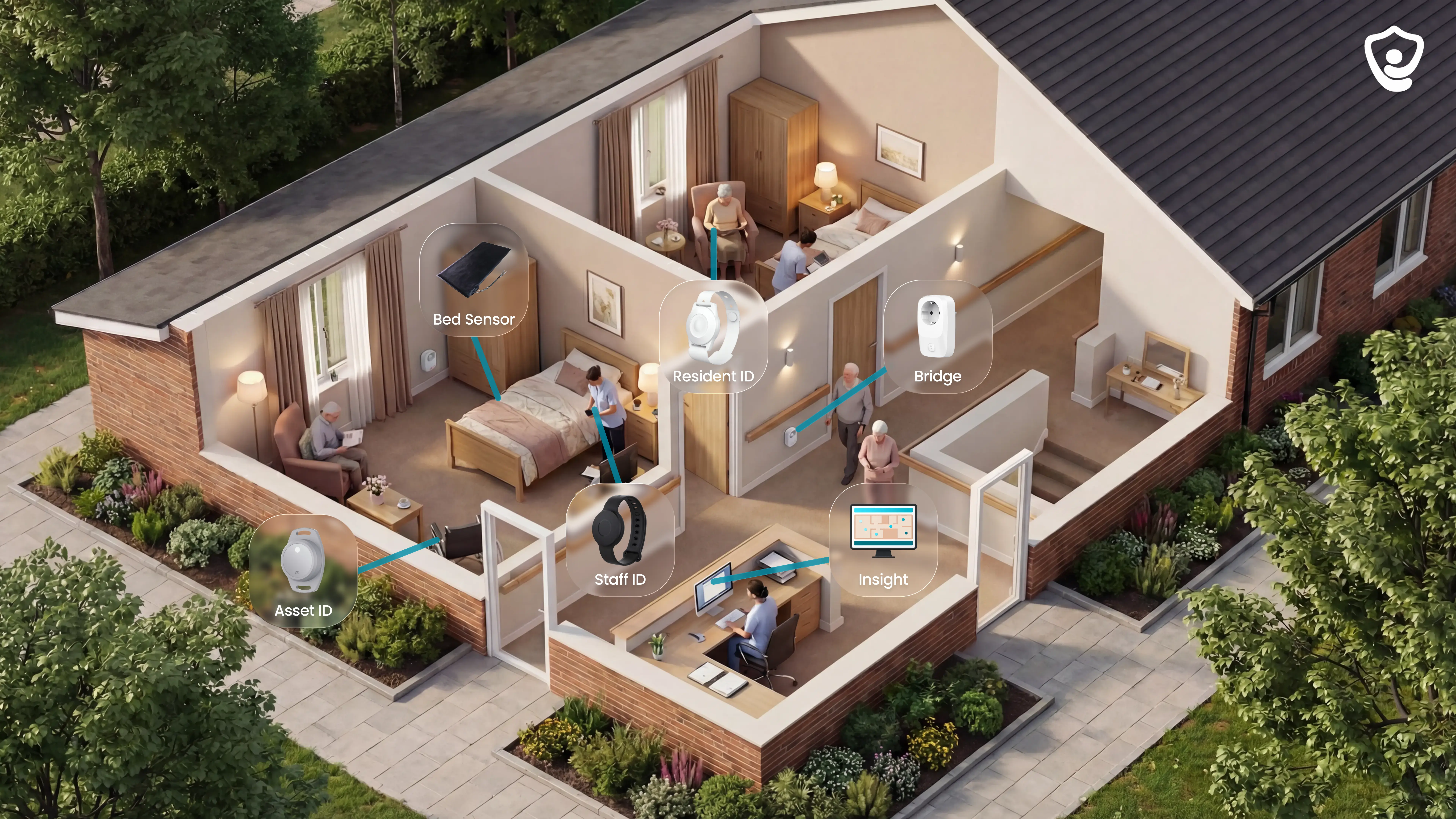
Guardian is a wireless, camera-free monitoring system for care homes that need live visibility beyond basic nurse call.
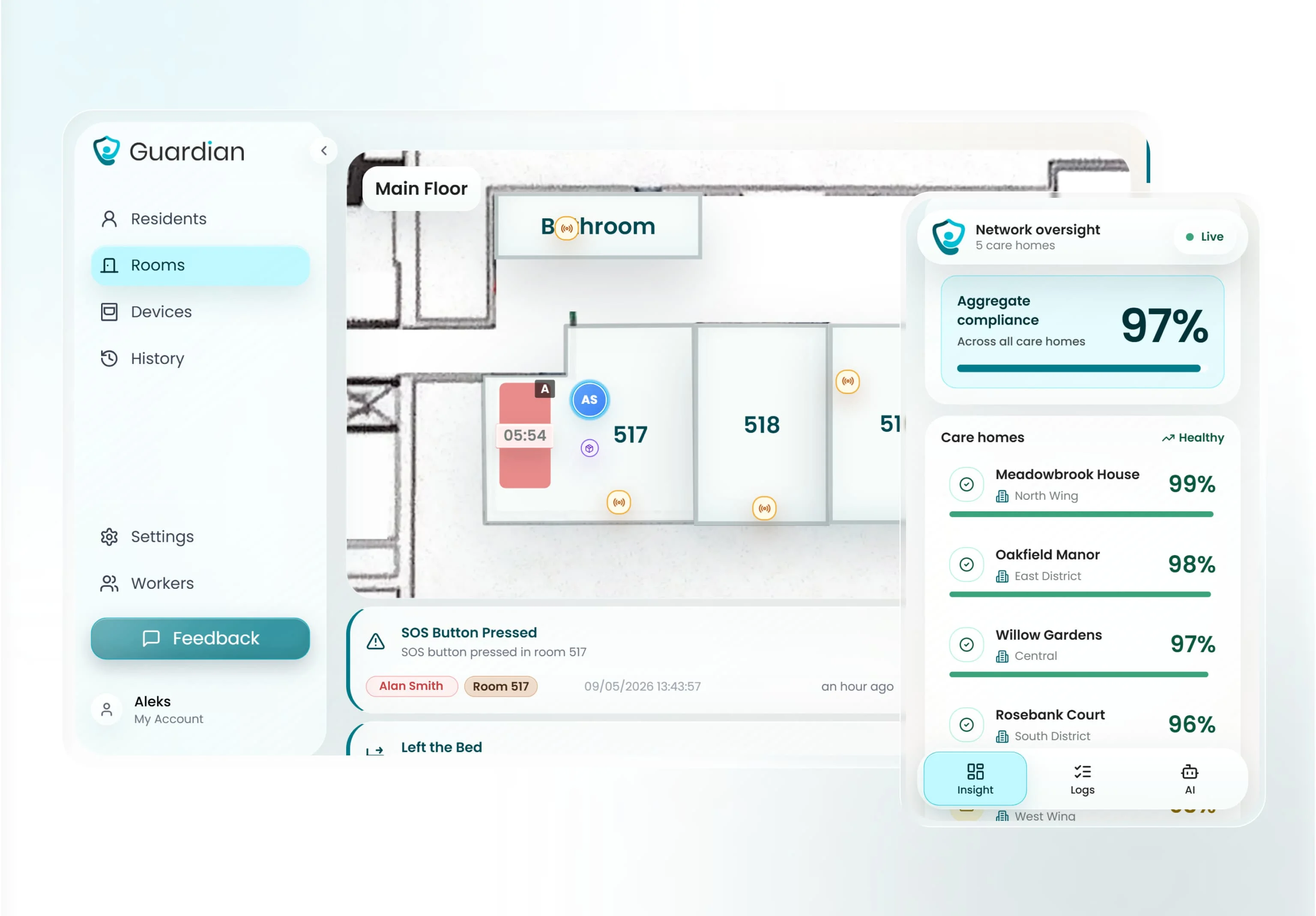
Guardian Insight turns sensor and device signals into live alerts and an operations dashboard managers can review after each shift.
Use Guardian when a call button leaves operational questions unanswered:
Location-aware alerts: staff see the resident, room, and alert context on the device already in use.
Passive monitoring: bed, motion, door, fridge, and stove sensors create safety signals without cameras.
Automatic records: visits, alerts, and response-time data are captured as the shift happens.
Operational visibility: residents, caregivers, vehicles, and key assets sit in one live view.
Best for
Guardian fits care homes and home care providers that already have care plans, rotas, and clinical systems, but still lack a live record of what happened between rounds.
A good first pilot area is a ward or team where managers already know the gap and can compare results after 6 to 8 weeks.
Look for one of these starting points:
Filter routine alerts: configure rules so staff see events that need action while routine movement stays in the activity record.
Spot missed rounds during the shift: live visit records show which rooms still need attention.
Support compliance conversations: show families, funders, and inspectors the visit and response-time records from Guardian Insight.
Protect privacy: monitor room-level safety signals without putting cameras in resident rooms.
Coordinate mobile care: see caregiver visits, vehicles, and clients across a home care service area.
What it is
Guardian combines device signals with Guardian Insight, the live dashboard staff use during a shift.
Resident wearables: residents can press for help when they are able to use a device.
Caregiver SOS bands: staff can raise an alert from the floor.
Passive room sensors: bed, motion, door, fridge, and stove sensors add context without cameras.
Trackers and finders: vehicles and shared equipment can be located from the same system.
Passive monitoring makes Guardian useful when a pendant is on the bedside table. A bed-exit or door event can still create an alert for staff to check.
Where it fits in the nursing home software stack
Guardian sits beside the systems that handle administration and clinical documentation.
Guardian covers live physical activity and turns that activity into operational records.
That makes Guardian useful for operational questions staff need during and after a shift:
Operational question | What Guardian shows |
Who needs help now? | Resident, room, and alert context on staff devices. |
Which visits happened? | Visit and shift activity captured from live events. |
How long did response take? | Response-time data for managers to review after the shift. |
Where is the equipment? | Last known location for shared devices. |
What should we adjust? | Pilot data for wards, workflows, and alert rules. |
Key capabilities to verify
Verify Guardian against your real floor plan before judging the feature list.
During workflow mapping, check:
Sensor coverage: confirm bed, motion, door, fridge, and stove sensor placement for your room layouts.
Wi-Fi readiness: check coverage across wards, corridors, staff areas, and home care handoff points.
Alert rules: define what should trigger action, such as out of bed for more than 15 minutes at night.
Device workflow: decide whether alerts go to phones, tablets, nurse station screens, or a mix.
Visit records: confirm which events need to be reported for managers, families, funders, or inspectors.
Home care visibility: map how caregiver visits, vehicles, and clients should appear in Guardian Insight.
Pricing and implementation notes
Guardian scopes care home pricing through the pilot; public self-serve prices are unavailable today.
The pilot runs for 6 to 8 weeks in one ward, home, or team, with scope agreed during workflow mapping.
Implementation is scoped to avoid a new IT project:
Installation: wireless, pre-configured hardware avoids drilling, cabling, pagers, and a new IT project.
Pilot report: response-time data, visit verification, staff feedback, and an ROI view for rollout planning.
Questions to ask before demoing Guardian
Use the demo to test your own operating model.
Ask these questions before you decide where to pilot Guardian:
Which ward or team has the clearest safety or reporting gap today? Start where baseline data is easiest to compare after 6 to 8 weeks.
Which events need immediate alerts? Separate urgent risks from routine activity before rules are configured.
Which residents cannot rely on wearables? Plan passive sensor coverage from the start.
Which records do managers need after each shift? Define the visit, alert, and response-time reports you want to see.
Which devices do staff already use? Keep alerts on phones, tablets, or nurse station screens where work already happens.
What would count as pilot success? Agree the response-time, reporting, and workflow measures before go-live.
Use the answers to choose the first pilot area and define the baseline you want to compare after go-live.
2. RCare
RCare is a wireless nurse call and monitoring system for long-term care, with ETL-tested compliance to UL 1069 and UL 2560 standards and a stated no-recurring-fees pricing model. The sections below break down its fit, capabilities, pricing structure, and the questions worth asking before a demo.
Best for
RCare is most relevant for skilled nursing facilities that need a wireless nurse call system with published UL 1069 and UL 2560 certification.
It also fits buyers who want a no-recurring-fees pricing model, as long as the quote makes clear what support and integrations include.
Verify these points early:
Certification: RCare states ETL testing to UL 1069 ed. 7 and UL 2560.
Care setting: UL 1069 matters where skilled nursing rules require certified nurse call signaling.
Wander coverage: RCare uses an Accutech Security LS2400 integration for wander management, not native RCare elopement hardware.
EHR connection: RCare publishes native PointClickCare integration for resident and room data.
What it is
RCare is a wireless nurse call and resident monitoring system for long-term care environments.
Its published architecture centers on wireless nurse call signaling, resident monitoring, UL-certified emergency response, and PointClickCare data sync.
The PointClickCare connection is useful where room assignments change often. Resident and room data can flow into the nurse call setup instead of being re-entered manually after every move.
Where it fits in the nursing home software stack
RCare sits in the emergency response layer of the nursing home software stack.
It can replace wired call points or older wireless nurse call systems when the facility wants certified nurse call signaling without pulling new cable.
Scope boundaries to confirm:
Nurse call: Covered natively through RCare's wireless system.
Resident monitoring: Covered as part of the RCare nurse call and monitoring setup.
EHR setup data: PointClickCare resident and room data can sync into RCare.
Wander management: Handled through Accutech Security LS2400 partner hardware.
Charting workflow: Not proven from the available evidence, so verify whether alert events write back to the EHR.
Key capabilities to verify
The main checks are certification scope, EHR depth, and the partner wander workflow.
UL scope: Ask whether the exact pendants, pull cords, repeaters, receivers, and software quoted are within the ETL-tested UL 1069 ed. 7 and UL 2560 configuration.
PointClickCare sync: Confirm whether the integration only imports resident and room data, or also writes nurse call events back into resident records.
Documentation load: Watch the demo for duplicate entry after an alert, especially acknowledgement, response, and resolution steps.
Accutech integration: Confirm whether LS2400 hardware needs separate cabling, licensing, installation, or support.
Pricing and implementation notes
RCare's no-recurring-fees positioning is a notable pricing difference in this list, but the quote still needs line-item review.
Ask what is included after installation:
Software updates: Included, optional, or billed separately.
Technical support: Included for a defined period or charged per agreement.
Firmware upgrades: Covered for installed devices or billed per unit.
PointClickCare maintenance: Included in the purchase or treated as integration support.
Replacement hardware: Covered by warranty, maintenance plan, or per-device pricing.
Implementation is still a site-survey project. Confirm whether RCare uses dedicated RF hardware, existing Wi-Fi, or a proprietary mesh network in your building.
If wander management is in scope, ask for the Accutech LS2400 costs in the same proposal. That prevents the nurse call and wander budgets from arriving as separate surprises.
Questions to ask before demoing RCare
Bring these questions to the first demo so the conversation stays concrete.
Certification: Is the exact hardware configuration quoted for our facility ETL-tested to UL 1069 ed. 7 and UL 2560?
Certification evidence: Can you provide documentation for the pendants, repeaters, receivers, and software version included in the proposal?
PointClickCare sync: Does the integration write nurse call events back into resident records, or only import resident and room data?
EHR changes: If we change PointClickCare versions or move EHR later, what work and fees are required?
No recurring fees: What is excluded from the model, including support, updates, firmware, and integration maintenance?
Hardware replacement: Are lost or damaged pendants and sensors covered by warranty, maintenance, or per-unit billing?
Wander management: Is the Accutech LS2400 integration pre-tested, or does it require custom configuration?
Support ownership: If RCare and Accutech are quoted together, who owns first-line support when an alert fails?
3. PalCare
PalCare is a cloud-based wireless nurse call and emergency alert system with integrated wander management and ALIS/Medtelligent EHR synchronization.
Best for
PalCare is most relevant for memory care settings that want cloud nurse call, wander management, and access control handled in one workflow.
The practical caveat is certification. If a skilled nursing setting requires UL 1069, PalCare’s public materials do not give enough evidence to treat that as resolved.
What it is
PalCare is a cloud-based wireless nurse call and emergency alert system. Configuration and event data are managed through the cloud rather than a local server.
Its memory care angle is the built-in combination of call alerts, wandering controls, and access control. That makes it different from systems where wander management is handled through a separate partner module.
The documented EHR connection is ALIS by Medtelligent. The stated sync covers alerts and safety events, so teams should verify exactly which fields move both ways.
Public materials also mention $25 pendant replacement hardware. Treat that as a hardware replacement figure only, not a full system price.
PalCare does not publicly cite UL 1069 certification in the available evidence. That matters because some skilled nursing requirements specify hospital-grade nurse call standards.
Where it fits in the nursing home software stack
PalCare sits in the nurse call and resident safety layer, with a narrower EHR touchpoint through ALIS.
It can reduce the need for separate tools across:
Nurse call: wireless resident calls and emergency alerts
Wander management: resident movement controls for memory care areas
Access control: door or area controls tied to wandering workflows
EHR documentation: alert and safety event sync into ALIS
The remaining gaps are mostly verification gaps. Facilities still need to confirm certification status, subscription structure, network requirements, and whether ALIS is the only practical EHR path.
Key capabilities to verify
Check these items before treating PalCare as a fit for a regulated nursing environment:
UL 1069 status: confirm whether PalCare is certified, and whether your state or accreditor requires that certification.
ALIS sync depth: ask which fields sync two ways, including resident profiles, room assignments, care plans, alerts, and safety events.
Wander hardware: verify transmitter range, battery life, door hardware compatibility, and how exceptions are handled.
Cloud reliability: ask for uptime commitments, data residency, internet failover, and local alert behavior during outages.
Reporting: confirm what audit logs, response-time records, and incident exports are available for managers.
Pricing and implementation notes
PalCare publishes a $25 pendant replacement figure, but that does not describe the full system cost.
Because PalCare is cloud-based, buyers should expect a conversation about software licensing, hosting, support, and implementation. The public evidence does not define the subscription structure.
Cloud deployment also makes the facility network part of the implementation plan. Confirm Wi-Fi coverage, cellular backup, alert routing, and what happens if the internet connection drops.
Questions to ask before demoing PalCare
Use the demo to close the public information gaps, not just to view the alert screen.
Certification: Is PalCare UL 1069 certified, and which skilled nursing compliance frameworks have accepted it?
EHR integration: Which ALIS fields sync two ways, and does the sync run in real time or by scheduled batch?
Other EHRs: Can PalCare connect to EHR systems beyond ALIS, and is that native API work or middleware?
Wander hardware: What are the transmitter range, battery life, and door-locking requirements?
Cloud resilience: What alerts still work during internet outages, and what redundancy is included?
Pricing: What is the full fee structure for software, cloud hosting, support, implementation, and replacement hardware?
4. Westcom NCS
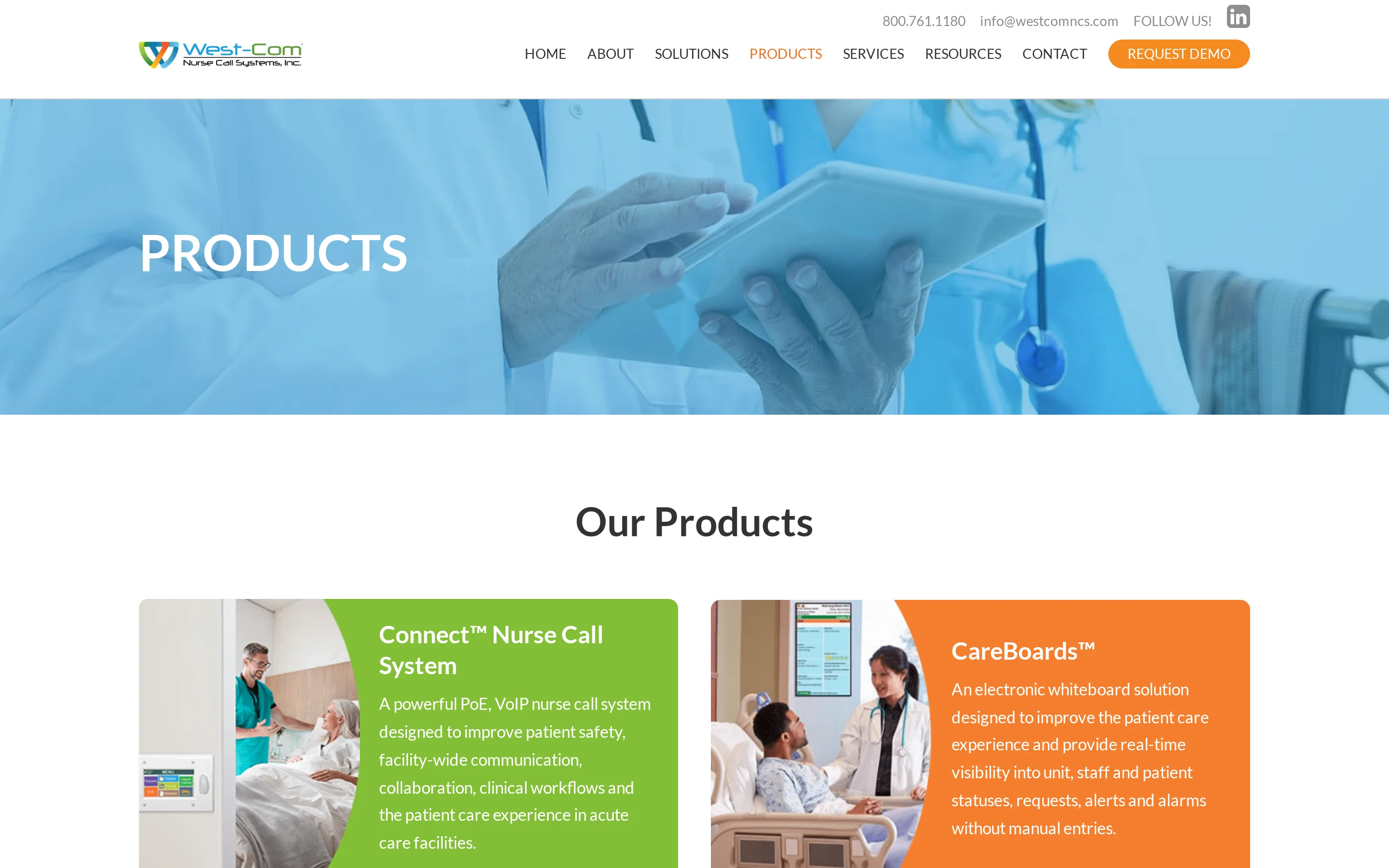
Westcom NCS is a hybrid nurse call system combining wired reliability with wireless emergency call capabilities through its OneCare platform, built for skilled nursing settings.
Best for
Westcom NCS fits skilled nursing facilities evaluating nurse call infrastructure first, not an all-in-one care platform.
Its no-recurring-software-license model may suit operators that prefer capital expenditure, optional service contracts, and local infrastructure planning over a cloud subscription.
What it is
Westcom NCS OneCare is a hybrid wired and wireless nurse call system. It can layer wireless emergency call devices over a wired backbone, which matters for facilities trying to retain existing cabling.
The system is positioned for UL 1069 compliant nurse call use. Verify that certification against the exact devices, controllers, and configuration in your quote.
Its EMR connection claim needs careful review. Treat “direct EMR integration” as marketing language until Westcom names the specific EHR platforms, versions, data fields, and reference sites already validated.
Where it fits in the nursing home software stack
OneCare sits in the nurse call and emergency response layer. It covers resident call signaling, wireless call points, and infrastructure routing before events flow into reporting or EHR systems.
It does not replace the wider care software stack.
Verify what remains outside the quoted scope:
Wander management: Confirm whether elopement detection is included or requires a separate system.
EHR documentation: Confirm which events write back to the EHR, and which remain in Westcom reporting.
Analytics: Confirm whether response-time reporting is built in, exported, or handled elsewhere.
Mobile workflows: Confirm how alerts reach staff phones, pagers, corridor displays, or nurse stations.
Key capabilities to verify
Do not verify OneCare at the product-family level only. Nurse call risk sits in the installed configuration, not the brochure.
Ask for written evidence covering:
UL 1069 scope: The exact hardware models, firmware, power setup, and notification paths included in the certification.
EHR validation: The named EHR platforms Westcom has integrated with directly, without middleware.
Data flow: The call events, timestamps, acknowledgements, cancellations, and staff actions passed into the EHR.
Legacy cabling: The cabling types, controller requirements, and testing process for an existing facility.
Wander coverage: The resident exit, door, and memory care workflows included or excluded from the quote.
Pricing and implementation notes
The pricing point to verify is not only “no recurring license fees.” It is the full cost of ownership across hardware, service, replacements, integration work, and future expansion.
Implementation can involve three workstreams:
Cabling assessment: Inspect the existing wired backbone before assuming reuse.
Wireless coverage mapping: Test rooms, corridors, nurse stations, and known dead zones.
Integration scoping: Document the EHR workflow before treating direct connection as confirmed.
Westcom also emphasizes lifetime technical training. Clarify whether that applies to new staff, later system upgrades, and post-installation workflow changes.
Questions to ask before demoing Westcom NCS
Use the demo to test the claims that affect implementation risk, not only the call-button workflow.
UL 1069: Which exact quoted components are covered by UL 1069, and can you provide the certification documentation?
EHR integration: Which EHR platforms have validated direct integrations today, and has OneCare integrated with our specific EHR version?
No middleware: What software, interface engine, API layer, or vendor service is still required to move data into our EHR?
Reference site: Can we speak with a facility using the same EHR connection and similar nurse call configuration?
Wander management: Does OneCare cover elopement workflows, or do we need a separate partner system?
Partner support: If a wander system is added, who owns integration support when alerts or records do not match?
Service contract: What parts, labor, firmware updates, training, and support response times are included?
Training: Does lifetime technical training cover staff turnover and future upgrades, or only the original installation?
5. Caretronic
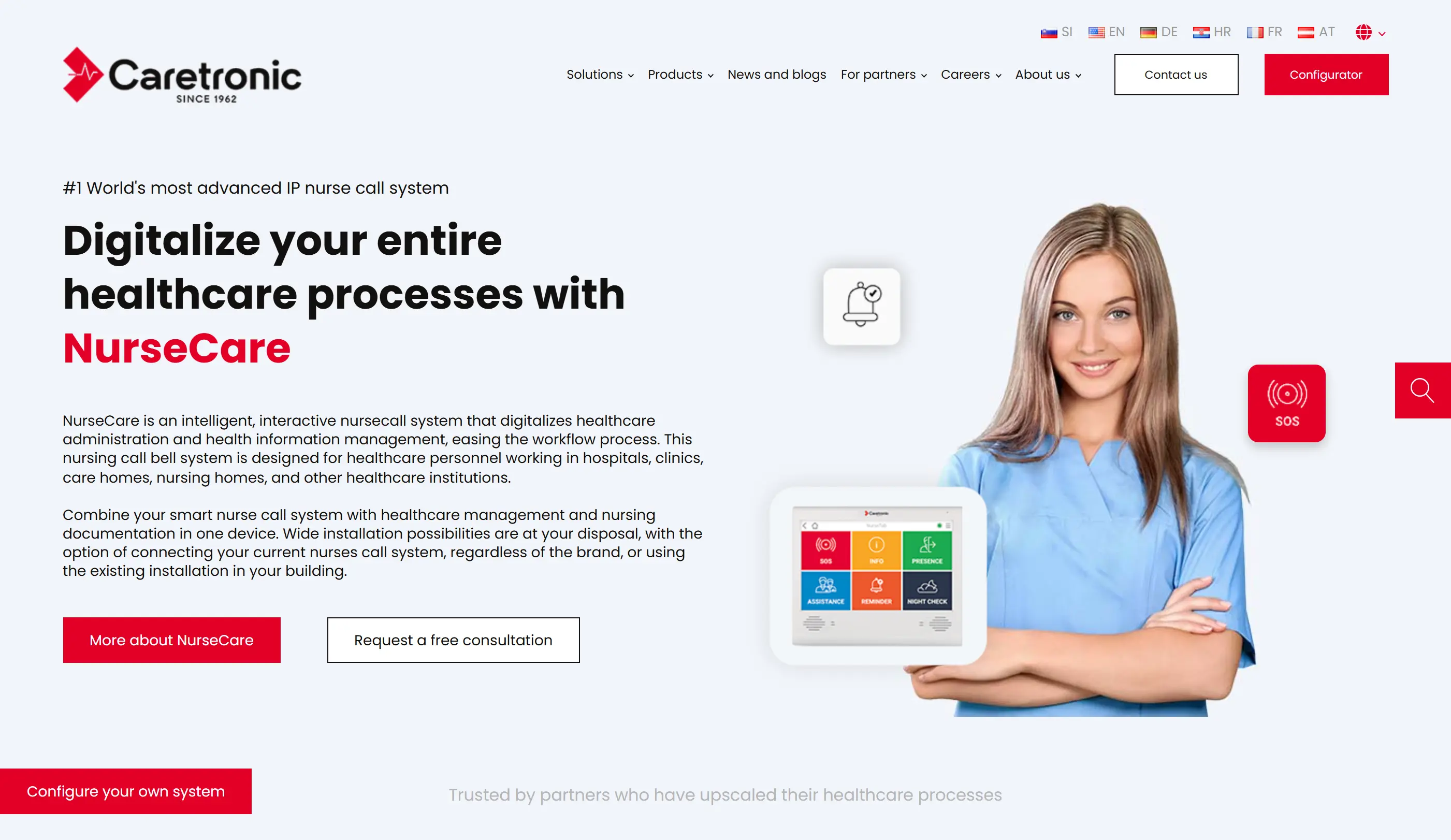
Caretronic’s pitch is bedside workflow without another workstation: nurse call, care logging, and NurseTab room terminals inside one IP-based system.
The catch is simple: EHR integration and click reduction need proof in your environment.
Where Caretronic makes sense
Caretronic belongs on the shortlist when a facility wants nurse call, room terminals, and dementia door alerts in one infrastructure project.
The buyer risk is assuming NurseTab has already solved bedside documentation. Test it against the exact EHR and care-note workflow.
Score the fit on three points before a quote:
DIN VDE 0834 and UL 1069 coverage must match the quoted configuration and geography.
NurseTab should prove EHR integration and click-count reduction on your actual care-note workflow.
DementiaCare should show wristband range, door-specific alerts, and whether doors lock or only notify staff.
How NurseTab changes the workflow
Caretronic is built around room-level hardware, with NurseTab terminals as the workflow centerpiece.
Examine NurseTab as a bedside documentation claim, not a confirmed time-saver until staff test the clicks.
Use the demo to prove five functions:
Emergency call signaling from room-level devices.
Care logging at the point of care.
Nursing documentation that reaches the right record.
Wired, wireless, or hybrid deployment.
EHR connectivity, including named systems and middleware.
Stack fit and limits
Caretronic sits in the nurse call, room workflow, and memory care monitoring layer.
Caretronic goes beyond pendant signaling by adding room terminals and dementia door alerts. The EHR remains the system of record until integration is proven.
Map the quote to four layers:
Nurse call: emergency calls, room terminals, and staff routing.
Bedside workflow: NurseTab documentation and care logging in the resident room.
Legacy infrastructure: wired, wireless, or hybrid deployment where existing wiring may be retained.
Dementia monitoring: wristband transmitters and door-specific alerts through DementiaCare.
Proof points to demand
Before design sign-off, test the configuration against your room list, existing panels, and EHR setup. Use a 5-minute response-time target for high-priority alerts.
Check | Decision rule |
UL 1069 scope | Confirm edition, market coverage, and whether wireless components need UL 2560. |
DIN VDE 0834 scope | Use it only if certification applies to the quoted configuration and geography. |
EHR integration | Demand named EHR or EMR systems and any middleware requirements. |
Data flow | Real-time sync should be demonstrated; batch updates may leave staff duplicating work. |
DementiaCare behavior | Time wristband range, door-specific alerts, and whether doors lock or only notify staff. |
Legacy compatibility | Require supported wiring, panel generations, and protocols for the current system. |
Cost drivers
Caretronic does not publish simple per-bed pricing in the available material. Its digital configurator generates a custom quote from facility specifications.
No public recurring subscription or license structure is stated, so the configurator process should cover total cost over time.
Ask the configurator output to separate these cost lines:
Cost line | What changes the price |
Room hardware | NurseTab terminals, call points, and room devices. |
Deployment type | Wired, wireless, or hybrid installation. |
Legacy reuse | Existing wiring or panels that can stay in place. |
DementiaCare scope | Wristbands, monitored doors, and door hardware. |
Software terms | Recurring license, support, maintenance, and update costs. |
Integration work | EHR connection, middleware, testing, and workflow mapping. |
Questions before demoing Caretronic
Send these questions before the demo so Caretronic has to answer against your floor plan and EHR.
Which edition of UL 1069 is covered, and does the configuration include UL 2560 wireless certification?
Is DIN VDE 0834 relevant to this deployment, or only to European configurations?
Which EHR or EMR systems does NurseTab integrate with natively?
Does NurseTab sync documentation in real time, or does it batch updates later?
How many clicks does a standard care note take on NurseTab compared with the current workflow?
Can a standard care note be completed with fewer clicks than our current workflow, and can we count the clicks live during the demo?
Which wristband transmitters work with the doors and receivers already planned for the site?
What recurring software, support, maintenance, or update fees apply after installation?
6. Intercall Systems
Intercall is the safe, narrow choice: wired nurse call hardware for facilities that want UL 1069 signaling without a cloud platform.
The buyer risk is buying the familiar panel and discovering documentation, reporting, and wander management still sit elsewhere.
Where Intercall gets narrow
Intercall belongs in a narrow procurement lane: small or rural homes with existing wired infrastructure and a preference for US-made, UL 1069-certified hardware.
For Vista, the practical ceiling is 150 calls per system. Larger sites should compare Legend or Equinox before assuming Vista fits.
Hardware scope
Intercall is mainly an infrastructure replacement, so product-line selection matters more than software features.
Line | Scope to confirm |
Legend and Equinox | Analog systems for established wired nurse call installations. |
Vista | Visual-tone system with low-maintenance analog signaling and a 150-call limit. |
UL 1069 | Documented as meeting the US hospital signaling and nurse call safety standard. |
Treat Intercall as replacement nurse call infrastructure. EHR, workflow automation, and live operations software need separate proof or separate systems.
Stack gaps to plan around
Intercall sits in the emergency call and staff signaling layer.
It can preserve a familiar wired workflow where residents use fixed call points and staff respond through the nurse call system. The available evidence does not show native EHR or EMR integration, so clinical documentation still needs a separate system.
The gaps are where buyers get burned:
Clinical documentation still needs PointClickCare or another EHR workflow unless a dealer proves otherwise.
Wander management should be scoped separately if elopement risk is part of the brief.
Operational reporting should be treated as separate from visit verification, staffing analytics, and care workflow software.
Checks before quoting
Compare Vista, Legend, and Equinox against the building plan before price comparison. The wrong line can under-size call capacity or over-scope the install.
Check | What to prove |
Call capacity | Vista’s 150-call limit covers current rooms, planned beds, and peak call volume. |
Wiring compatibility | Existing cable runs, stations, and panels can be reused, or rewiring is priced clearly. |
UL 1069 scope | Quoted devices, control units, and stations are included under the certification. |
EHR data | Call events can export to documentation, or they remain isolated in nurse call hardware. |
Wander coverage | Door monitoring is included, or memory care requires a separate elopement system. |
Budget shape
No public Intercall pricing was available in the KB search. No recurring software subscription fee is documented either, so evaluate it as a hardware and installation project unless the dealer quote says otherwise.
Ask the dealer quote to separate:
Equipment
Installation labor
Cable reuse or rewiring
Replacement parts
Support terms
Facilities avoiding Wi-Fi dependency should expect a more infrastructure-led implementation.
Questions before demoing Intercall Systems
Send a floor plan first, then ask these questions against each unit, wing, and panel.
Which line fits our facility? Does Vista’s 150-call limit apply, or do we need Legend or Equinox for our layout?
Can event logs prove acknowledgement within a 5-minute target? Ask for limits by unit, wing, or panel, not just for the whole system.
Can we reuse existing wiring? Confirm whether the installation can use current cable runs and wall stations.
Is any hybrid or wireless setup available? Ask this specifically for wings where new wiring is impractical.
Where does call data go? Confirm whether event data connects to your EHR or stays inside the nurse call system.
Which separate system covers wander management if Intercall does not? Ask before memory care gets left outside the project scope.
Integrated healthcare communication and monitoring software
Intercall marks the end of the simple nurse call lane: fixed call points, wired panels, and limited software depth.
The next category asks a harder question. Can one platform route nurse calls, staff alerts, resident-location events, and device data without drowning staff in alarms?
Use the broader systems below only if you can measure that lift. In pilots, look for 5-minute high-priority response and a 30–50% nuisance-alert reduction target without suppressing exit risks.
7. Ascom
Ascom looks attractive when nurse call is only one part of the problem. The same architecture can carry staff alerts, wander events, and device data, but the network becomes the project.
When Ascom enters the conversation
Ascom becomes a serious evaluation when a home has 80 to 100 residents and wants one architecture for nurse call, wander management, staff safety, and clinical integrations.
Smaller homes should pilot priority areas first, often 5 to 10 rooms, because full-site rollout depends on alert rules, network coverage, and support capacity.
Architecture to inspect
Ascom teleCARE IP is a modular platform where nurse call units, wander modules, staff wearables, and integrations operate as IP nodes.
That architecture shifts the evaluation from bedside buttons to facility-wide routing, escalation, and failure handling.
Start with the components that change operational load:
Component | Proof to request |
Nurse call units | Hardware included at resident, room, and nurse-station level. |
Wander management | IP67 resident wearables, location granularity, and exit-point behavior. |
Staff safety | Staff wearables or mobile alert workflow, including Staff Safety as a Service fees. |
System integrations | Live EMR, EPR, care management, and medical device connections for your environment. |
Ascom can integrate alert data with clinical records and care workflows, but the named systems matter. Ask for live reference sites on your specific EMR or EPR.
Stack role
Ascom sits beside the EHR. It does not replace charting, billing, care planning, or medication administration software.
Its role is to capture and route physical-world events, then pass relevant alert and event data into connected clinical or care management systems where configured.
Ascom is an enterprise communication and monitoring layer. Evaluate the network, alert rules, integrations, and support model before judging handset behavior.
Failure scenarios to test
Test the architecture with failure scenarios and measured drills.
IP fault tolerance: ask what happens when a primary switch, server, or network segment goes offline.
UL certification: confirm which quoted components and configurations are covered by UL 1069 and UL 2560, and whether those standards apply in your jurisdiction.
Wander accuracy: test resident wearables on your floor plan, including corridors, exits, lifts, and dead zones; measure exit latency from threshold crossing to staff notification.
EMR or EPR integration: get the exact systems already live-integrated, plus what data moves in each direction.
Staff safety costs: separate any Staff Safety as a Service pricing from hardware, installation, and RemoteWatch.
Give Ascom one live scenario: a resident approaches a restricted exit while a staff member presses a safety alert in another wing.
Record what appears, where it appears, who receives it, and what audit record is created.
Cost lines that matter
Ascom pricing is not publicly listed for the full system. Hardware, installation, software licensing, integrations, and partner services are quoted through Ascom’s authorized channel partners.
The fixed figure to budget separately is RemoteWatch IT monitoring at $9,600 per facility per year. That covers remote IT monitoring of the system infrastructure, not the full nurse call or wander management deployment.
Implementation depends on the facility’s IP network. Before treating the quote as complete, confirm whether you need upgrades to wired or wireless coverage across resident rooms, corridors, exits, nurse stations, and priority monitoring areas.
Ask for the first-year cost broken out by:
Line item | Ask Ascom to separate |
Hardware | Nurse call units, wearables, location equipment, and supporting devices. |
Installation | Cabling, network work, configuration, and partner labor. |
Software | Core licensing plus any recurring modules. |
Monitoring | RemoteWatch at $9,600 per facility per year. |
Expansion | Cost to add wings, floors, or resident rooms after the pilot. |
Questions before demoing Ascom
Send these questions with a floor plan, network diagram, and target pilot area before the demo.
Architecture: “If the primary IP switch or server goes offline, which alerts continue and which stop?”
Certification: “Which parts of this exact configuration are covered by UL 1069 and UL 2560?”
Integrations: “Which EMR, EPR, or care management systems are you already live with, and can you show a reference site on ours?”
Wander management: “Are wearables RFID at readers or RF transmitters broadcasting to receivers, and what exit latency should we expect on our floor plan?”
Pilot scope: “Can we start with 5 to 10 priority rooms, and what data decides whether we expand?”
Cost: “What is the total first-year cost, including hardware, installation, RemoteWatch at $9,600 per year, software, and any Staff Safety as a Service fees?”
Expansion: “What changes commercially and technically when we move from one pilot area to the full facility?”
8. Secure Care Health Systems
Secure Care earns its place because DoorGUARDIAN makes wander management more concrete than many broader platforms. The company is Ohio-based and serves a five-state regional territory.
Where Secure Care is relevant
Secure Care is relevant only when every building sits inside the five-state service territory and the priority is hardware-led wander management.
DoorGUARDIAN is the benchmark feature to inspect: selective resident monitoring paired with magnetic door locking at controlled exits.
Hardware-led service model
Secure Care acts as a regional distributor and field-service partner for care facility hardware, including wander management, nurse call, and fall prevention configurations.
The model is building infrastructure with service support. Fire alarm, CCTV, and access-control coordination matter more than software dashboards.
Public verification points to keep separate:
Verification point | What it means |
Distributor rating | Secure Care Health Systems holds a BBB A+ distributor rating. |
Hardware certification | Public documentation does not list UL 1069 certification for every distributed hardware brand. |
EHR connection | Native EHR integration is not publicly listed, so alert documentation needs a separate workflow. |
Building-safety fit
Secure Care sits in the physical safety and building-infrastructure layer, while EHR, charting, scheduling, and nursing documentation stay elsewhere.
DoorGUARDIAN can add selective magnetic door locking, so involve access control and life-safety teams early. Bring the fire alarm vendor in before product selection.
Wander management checks
Use the first call to test safety logic, code constraints, and maintenance load before anyone prices hardware.
Check | What to prove |
Resident selection | Selective monitoring means only tagged residents trigger door action; blanket monitoring treats every approach the same. |
Door action | Confirm whether the system alerts, delays, locks, or releases, and under which alarm conditions. |
Transmitter method | Ask whether devices use RFID reader checks or RF transmitters, plus battery-test workflow and expected range. |
Exit latency | Time the gap between threshold approach, staff notification, and door release behavior. |
Building integrations | Show fire alarm, CCTV, access control, and nurse call interfaces. |
Service coverage | Confirm each building is inside the five-state field territory. |
Maintenance | Separate preventative maintenance from paid call-outs and emergency response terms. |
Implementation reality
Secure Care pricing is quote-based and depends on hardware mix, installation complexity, and service contract level inside its five-state territory. Wander management, nurse call, and fall prevention change the scope.
Implementation is a field-service project inside Secure Care’s five-state territory. The facility must coordinate access to life-safety, door-control, and alarm infrastructure.
Questions before calling Secure Care Health Systems
Ask these before the first call if elopement prevention is the main use case:
Territory: Does your five-state service territory cover all of our buildings, including any out-of-region sites?
Hardware brands: Which brands are included in this quote, and which UL 1069 or UL 2560 certifications apply to each one?
Door locking: How does DoorGUARDIAN comply with local fire code and NFPA 101 egress requirements in our state?
Alert records: If our EHR needs a digital audit trail of wander alerts and door-lock events, how is that data captured or exported?
Maintenance: What is included in the preventative maintenance plan, and what on-site response time is guaranteed for hardware failures?
9. Symtech Solutions
Buyers should judge Symtech as a facilities project first: nurse call, RTLS, door control, and room controls engineered around one Mid-Atlantic building.
Where Symtech is credible
Mid-Atlantic facilities replacing nurse call hardware, adding RTLS, or tying elopement doors into one installed system.
Buyers outside Symtech's service footprint should treat on-site hardware support as a contract risk.
Ask for the urgent support SLA before design begins. Nurse call outages need named escalation owners, not vague service language.
What Symtech actually installs
The sale is design, installation, and service around the building.
Typical pieces include:
Acuity Rapid Response wireless nurse call
Jeron nurse call routing
Resident locating pendants
Elopement door workflows
Digital whiteboard room controls
Patient digital whiteboards are the distinctive piece. Residents can adjust temperature and lighting from the same room device used for nurse calls.
For wandering, confirm whether the design uses RFID at exits, RF location beacons, or both. RFID proves threshold crossing; RF coverage supports broader zone or room location.
Stack fit and integration risk
Symtech belongs in the building operations layer:
Nurse call and room alerts
Resident locating and RTLS coverage
Elopement doors and restricted areas
Lighting, temperature, and whiteboard controls
Do not budget it as an EHR or national cloud workflow platform. Public materials reviewed here do not confirm native EHR APIs or certified long-term care documentation integrations.
Alarm routing appears to run through Jeron and Acuity hardware paths. Ask how alert history leaves that environment when incident evidence must land in the EHR.
That separation can work when charting stays manual. Buyers get burned when survey evidence requires response logs that staff cannot export cleanly.
Proof points to test on site
Run these checks on the actual wing layout during the walkthrough:
Confirm the exact UL standard, edition, and certificate tied to the quoted Acuity Rapid Response hardware.
Ask for one sample EHR export or incident log, using your facility's reporting workflow.
Test one transmitter across four spots: shared room, bathroom, doorway, and corridor.
For exits, benchmark staff notification within 30 seconds and acknowledgement within 5 minutes during a live drill.
Confirm resident room controls, staff limits, lockouts, and defaults after power or network interruption.
Quote drivers and service risk
Symtech appears quote-based and project-scoped.
Cost line | What to isolate in the quote |
Facility design | Beds, wings, floors, buildings, and coverage gaps. |
Nurse call endpoints | Wall stations, pendants, pull cords, staff devices, and central displays. |
RTLS coverage | Location accuracy, zone count, and infrastructure density. |
Door points | Monitored exits, restricted areas, locks, and elopement workflows. |
Room controls | Lighting, temperature, and digital whiteboard integration. |
Implementation usually has five gates:
Site survey and coverage design
Installation and commissioning
Door hardware testing
Staff handover
Support plan for failed endpoints
Facilities outside the Mid-Atlantic should get the installer name, commissioning owner, and urgent support SLA in writing.
Decision rules before the Symtech demo
Use pass/fail checks before booking a site assessment:
Reject a proposal that cannot provide the UL certificate tied to the quoted Acuity Rapid Response hardware.
Require an incident-log sample if your EHR needs response evidence.
Run a live transmitter test in four locations: shared room, doorway, corridor, and restricted exit.
Set an alert benchmark: staff notification within 30 seconds and acknowledgement target within 5 minutes.
Get a written on-site response SLA before relying on Symtech outside its primary service region.
Ask whether residents can change lighting or temperature within staff-defined limits.
10. RFT
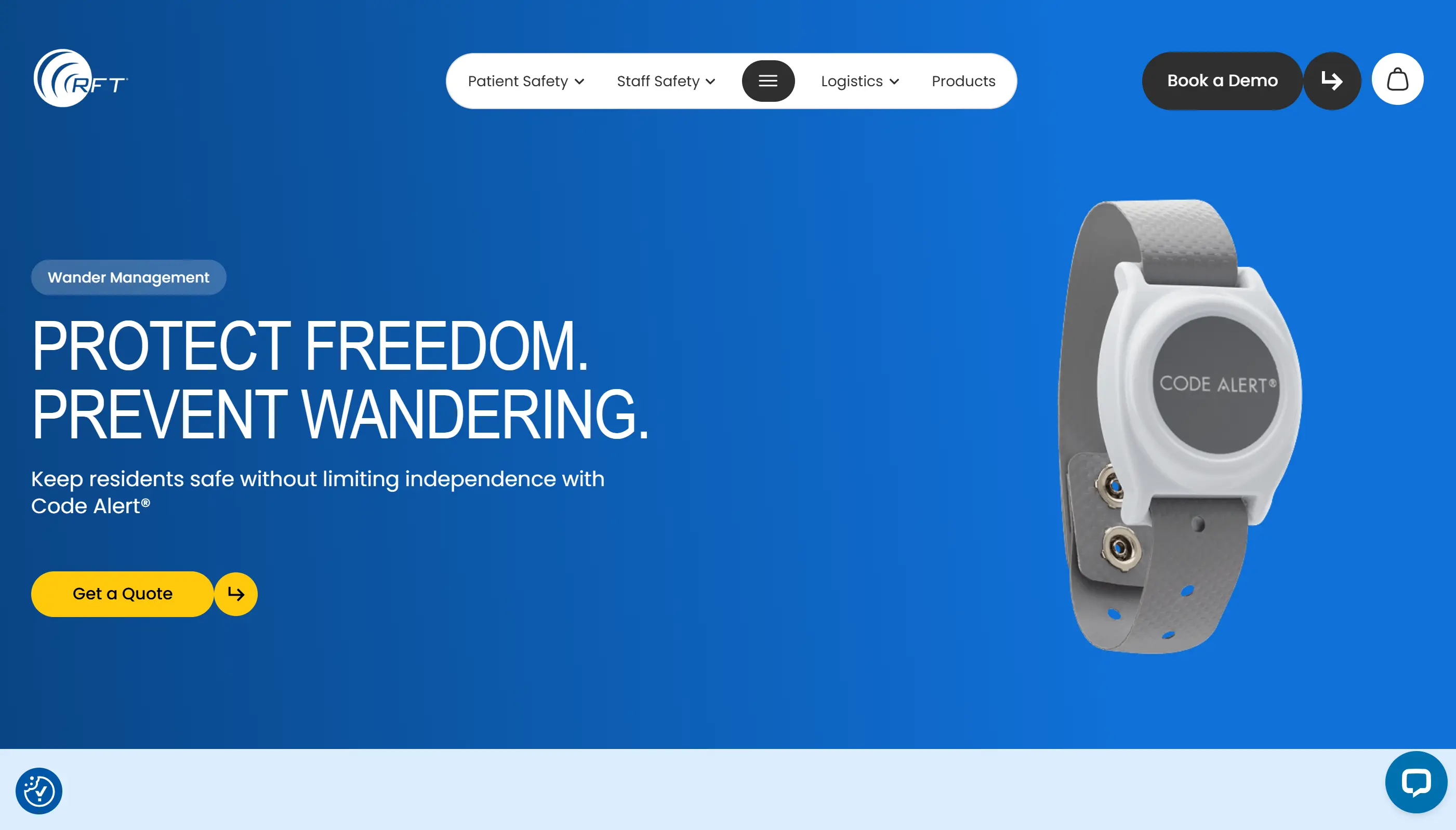
RFT's main advantage is certified facility signaling, but buyers can overread CODE ALERT as clinical integration. CODE ALERT is RFT's own nurse call, RTLS, and wander software rather than an EHR integration.
Where RFT has the clearest case
Certified wireless nurse call replacement with room-level RTLS
Memory care exits where transmitter alerts must trigger staff notification and door response
Facilities that can verify exact UL 1069 and UL 2560 SKUs before contracting
RFT gets risky when a buyer assumes CODE ALERT replaces EHR documentation. Treat clinical record export as unproven until RFT shows the exact file, API, or middleware path.
What CODE ALERT actually is
Quick Response Pro is the certified nurse call side. Research for this entry identified UL 1069 and UL 2560 certification for that variant.
CODE ALERT Enterprise is RFT's own operating software for alerts, room-level RTLS, and wander event logs, rather than an EHR integration.
Four pieces decide whether RFT works in a real building:
Piece | What to verify |
Certified signaling | Quick Response Pro hardware and exact UL scope. |
Room location | Whether CODE ALERT resolves room, shared-room, and doorway edge cases. |
Wander transmitters | Wrist or ankle RFID transmitter behavior at monitored exits. |
Door response | Which locks engage, who can override, and how events are logged. |
Stack role and EHR boundary
RFT belongs in the safety signaling layer, between nurse call hardware, room-level RTLS, and elopement doors.
Keep the EHR boundary separate during procurement. RFT can generate alert and event data, but clinical documentation needs a verified export or integration path.
Public research for this entry did not verify named EHR integration partners or APIs for CODE ALERT Enterprise.
The building-system strength is exit monitoring tied to locking hardware. In memory care, test staff notification and physical door behavior in the same drill.
Performance tests to run
Run timed drills and document checks before ranking RFT:
Match every quoted SKU to UL 1069 or UL 2560 documentation before comparing price.
Walk a transmitter toward a protected exit and time threshold crossing to staff notification; use 30 seconds as the alert-delivery benchmark.
Trigger a nurse call and require staff acknowledgement within 5 minutes during the drill.
Set a pilot target of 30-50% fewer non-actionable exit alerts after configuration.
Confirm exit sensitivity can be set by area, because blanket monitoring can overload staff in mixed-risk wings.
Export one week of sample CODE ALERT events in the format your reporting process requires.
Cost and certification traps
RFT pricing was not public in the available research.
Cost item | Why it matters |
Certified hardware | Quick Response Pro may price differently from non-certified Quick Response variants. |
CODE ALERT Enterprise | Confirm annual licensing, updates, and maintenance. |
Transmitters and batteries | Wander programs scale by resident count and replacement cycle. |
Installation and training | Door hardware and staff drills can change first-year cost. |
Credit application | RFT offers a credit application, but terms were not public. |
Pre-demo decision checks
Score RFT against these requirements before the demo:
The quote must map each certified SKU to UL 1069 or UL 2560 documentation.
CODE ALERT Enterprise must show event exports in your reporting format; EHR connectivity is a separate requirement.
The wander test must show threshold crossing, door behavior, staff notification, and event log entry in one drill.
Ask for comparable false alarm and latency data from a memory care wing.
First-year total must include installation, training, batteries, replacement transmitters, software updates, and maintenance.
11. Sensio
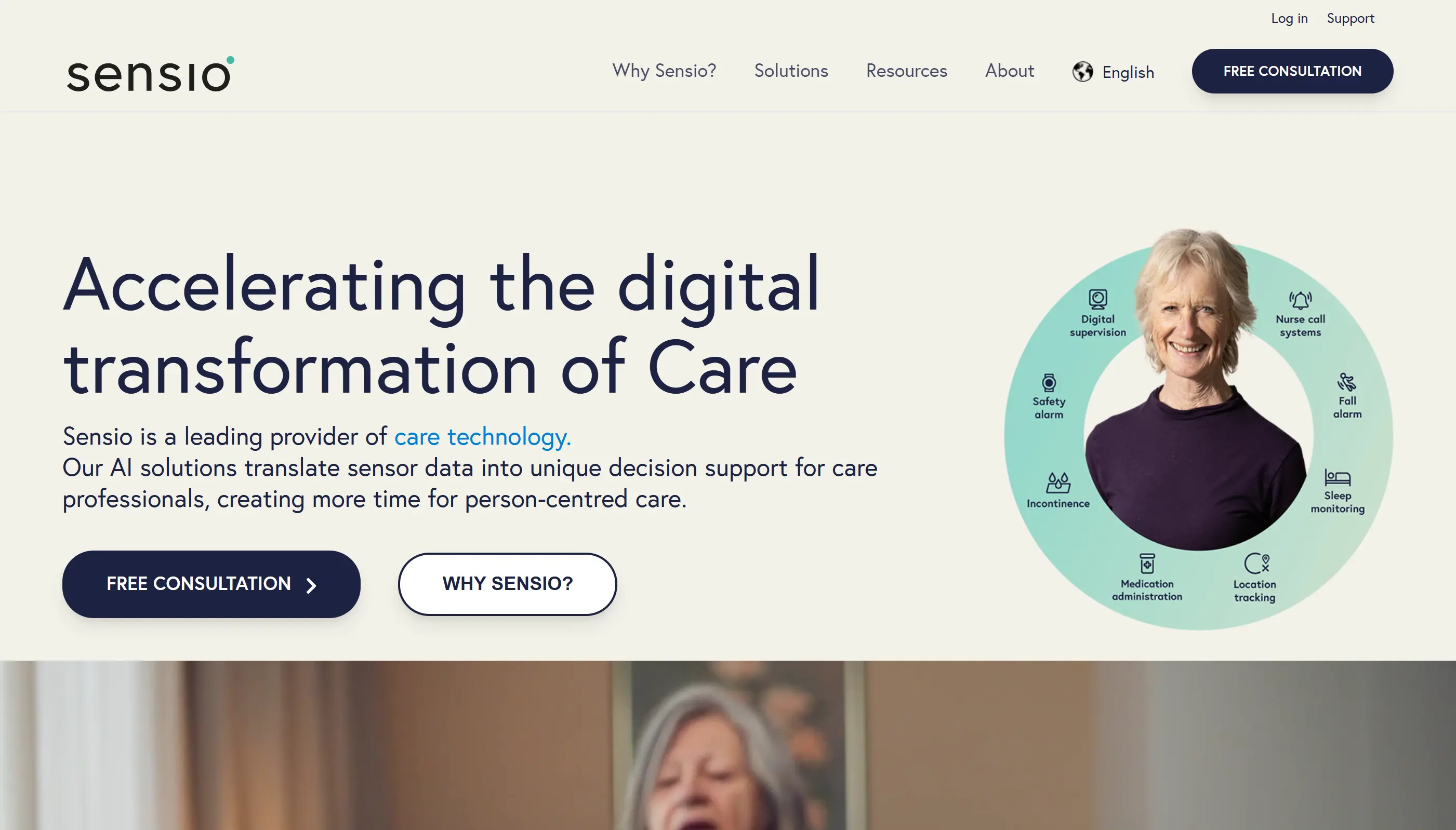
Read this first: Sensio RoomMate belongs here as a passive monitoring benchmark rather than a straightforward US skilled nursing nurse call choice.
Without UL 1069 evidence, US buyers should treat Sensio as a supplement unless their authority having jurisdiction agrees otherwise.
Sensio changes the buyer question from nurse call coverage to passive room monitoring: RoomMate watches falls, bed presence, and activity without cameras.
Where Sensio belongs in the shortlist
Passive monitoring benchmark for UK, Nordic, and European care homes
Room-level fall and activity alerts without cameras
A supplement candidate where residents may miss, refuse, or forget pendant use
US skilled nursing buyers need written regulatory confirmation before treating Sensio as primary nurse call infrastructure.
What RoomMate monitors
RoomMate watches five room-level signals:
Falls
Body position
Bed occupancy
Room presence
Changes in activity patterns
The system is meant to catch events when self-activation fails.
Sensio 365 is the software layer around RoomMate. Available information points to cloud subscription pricing plus per-room hardware, with PCS Digital Care Planning named as an integration to verify.
Stack role and regulatory boundary
Decide which role you are buying before procurement.
Role | Decision rule |
Monitoring layer | Use Sensio to add fall, bed, presence, and behaviour alerts to staff workflows. |
Nurse call replacement | Only consider this path where local rules accept passive monitoring in place of certified nurse call. |
Care planning input | Require live integration evidence before counting activity data as part of the resident record. |
Wander management | Test whether exit alerts are selective by resident or blanket alerts for every doorway event. |
In US skilled nursing, separate passive monitoring from certified nurse call. Get written confirmation from the authority having jurisdiction before replacing UL 1069 or UL 2560 infrastructure.
Room tests and governance checks
Run the evaluation in a resident room:
Measure alert delivery and acknowledgement in one shift drill; use 30 seconds for device notification and 5 minutes for staff response.
Use 30-50% fewer non-actionable alerts as a pilot target after configuration.
Ask for false alert data from rooms with similar ceiling height, furniture placement, lighting, and resident mobility.
Check how staff tune night checks, repositioning, cleaning, and routine movement.
Confirm PCS Digital Care Planning and any EHR connection are live in your region.
Verify hosting region, retention rules, audit logs, and role-based access under GDPR.
For wander alerts, distinguish resident-specific monitoring from blanket door alarms, then test exit latency.
Cost model and rollout constraints
Sensio pricing is not publicly listed in the verified material for this entry.
Cost line | Procurement question |
RoomMate hardware | How many ceiling sensors are needed per room type? |
Sensio 365 | Is cloud access billed per room, resident, facility, or contract? |
Installation | Who handles survey, mounting, network checks, and alert routing? |
Integration | Is PCS Digital Care Planning live for your region, and what does EHR work cost? |
Support | Are tuning, staff retraining, and false-alert review included after go-live? |
North American facilities should complete the regulatory check before procurement. Sensio may be a monitoring supplement where certified nurse call is mandatory.
Pre-demo evidence to demand
Demand evidence before watching an interface demo:
Show RoomMate results from rooms with matching ceiling height, furniture density, lighting, and resident mobility.
Provide fall-alert latency, false-positive rate, and staff acknowledgement data from comparable deployments.
Explain how night checks, cleaning, and routine repositioning are filtered without hiding true falls.
Confirm PCS Digital Care Planning details, then classify your EHR connection as native, custom, or roadmap-only.
Show whether wander alerts are resident-specific, door-specific, or blanket alarms across a zone.
Document hosting region, retention settings, audit logs, and role-based access.
For US skilled nursing, state whether Sensio is a supplement to UL 1069 or UL 2560 nurse call infrastructure.
How to choose nursing home software by workflow need
Choose nursing home software by the workflow gap, the evidence you need, and the role that owns the next action.
Start with a 7-day baseline from your own shifts, then use this table to narrow the shortlist.
Workflow gap | Prioritise this layer | Examples to compare | What to verify |
Slow nurse calls | Nurse call routing | Intercall, Westcom, RCare, PalCare | Response logs and escalation rules |
Unmeasured response times | Reporting dashboard | RCare, PalCare, Guardian | Time-stamped acknowledgements |
Restricted-area exits | Wander management | Secure Care, RFT, Ascom | Exit alerts and door control |
Undocumented rounds | Point-of-care records | Caretronic, Guardian, EHR tools | Visit and event audit trails |
Monitoring data silos | Native EHR integration | RCare, PalCare, Ascom | Resident and room data sync |
Alert fatigue | Smart alert rules | Guardian, Ascom, Sensio | Noise filtering by workflow |
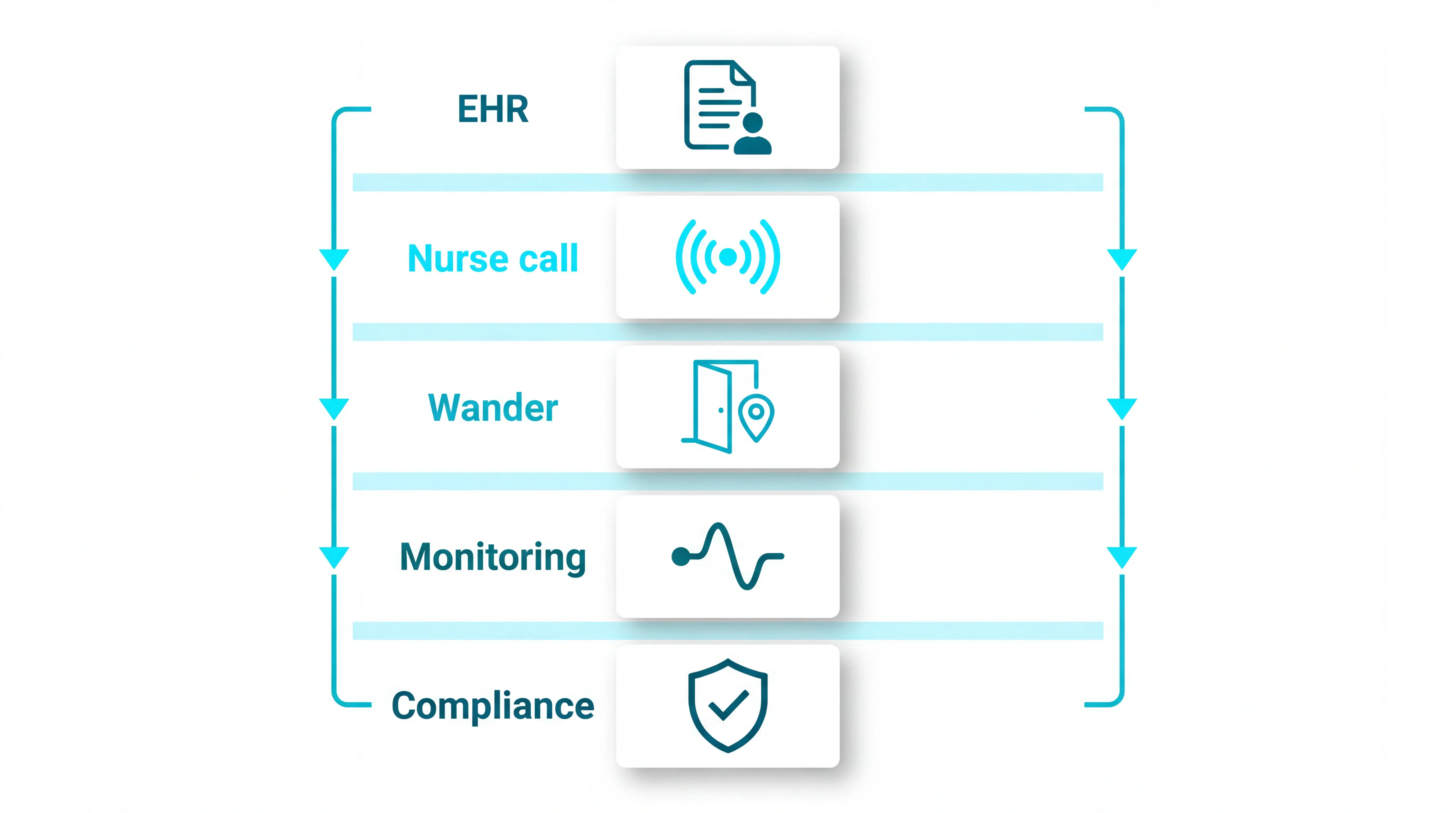
Wondering how these facility platforms compare against broader home-and-facility options? The facility-versus-home senior monitoring roundup covers eight systems across both settings.
For unanswered calls, measure a 7-day baseline before demoing anything. Shortlist systems that can show call, acknowledgement, arrival, and resolution timestamps against a 5-minute response target.
Treat elopement risk as a dedicated wander-management layer, then compare the detection method before the brand name.
RFID wristbands: identify the resident at a doorway or checkpoint, which helps with selective monitoring.
RF transmitters: broadcast to receivers over an area, which can suit blanket monitoring zones.
Exit latency: ask how many seconds pass between door approach, alert delivery, and staff acknowledgement.
Door workflow: confirm who can silence, release, or override the alert during fire procedures.
For documentation gaps, name the record before you shop:
Risk assessment: what risk changed, and who reviewed it.
Escalation note: the alert owner and next action, with a timestamp.
Medication action: the medication decision and reason.
Post-fall review: the follow-up action and review owner.
The official CQC Regulation 12 expects providers to show safe care, risk mitigation, and prompt escalation.
Label the gap before demoing a vendor. The label tells you which metric to test during a pilot.
Coverage gap: Events happen with no alert, no location, or no record.
Overload problem: Low-risk alerts crowd the dashboard; aim to reduce low-value volume by 30-50% without suppressing high-risk events.
Integration gap: Staff enter the same event in the EHR and the alerting system.
Workflow gap: The alert fires, but the next owner and response window are unclear.
Use the gap label to set the buying rule:
Coverage: add the missing sensor or location layer.
Overload: change routing before adding alerts.
Integration: require a named interface owner.
Workflow: assign the next action to a named role on every shift.
What these systems still need from staff
Software can improve visibility, records, and response workflows. Staff still make the clinical decisions and act on the signal.
Check four human-operating limits during selection:
Clinical judgment: Automated alerts should support a clinician’s assessment and local care policy.
Resident baseline knowledge: An alert means more when staff can see what is normal for that resident, including usual movement, sleep, risks, and behaviour.
Staffing capacity: A system can detect an event; a trained person still has to answer.
Interoperability work: Digital records still need clean interfaces before managers can reduce duplicate documentation.
Implementation matters as much as product choice. For every high-risk alert, define the operating rule before go-live:
Owner: which role receives the first alert.
Window: when escalation starts, such as after 5 minutes.
Route: who receives the second alert.
Record: where the action is logged.
When staffing is stretched, use software to triage events and create evidence for review. Keep response duties assigned to trained staff on every shift.
ASPE notes that workforce shortages are a barrier to effective technology use in residential long-term care, because alerts still need people to act on them.
Run a tabletop test with one fall-risk resident and one exit-risk resident.
Within 5 minutes, staff should be able to confirm:
Who: resident and assigned responder.
Where: room, bed, doorway, or zone.
Action: first step and escalation route.
Record: where the response is logged.
Why care homes add Guardian on top of their existing nursing home software
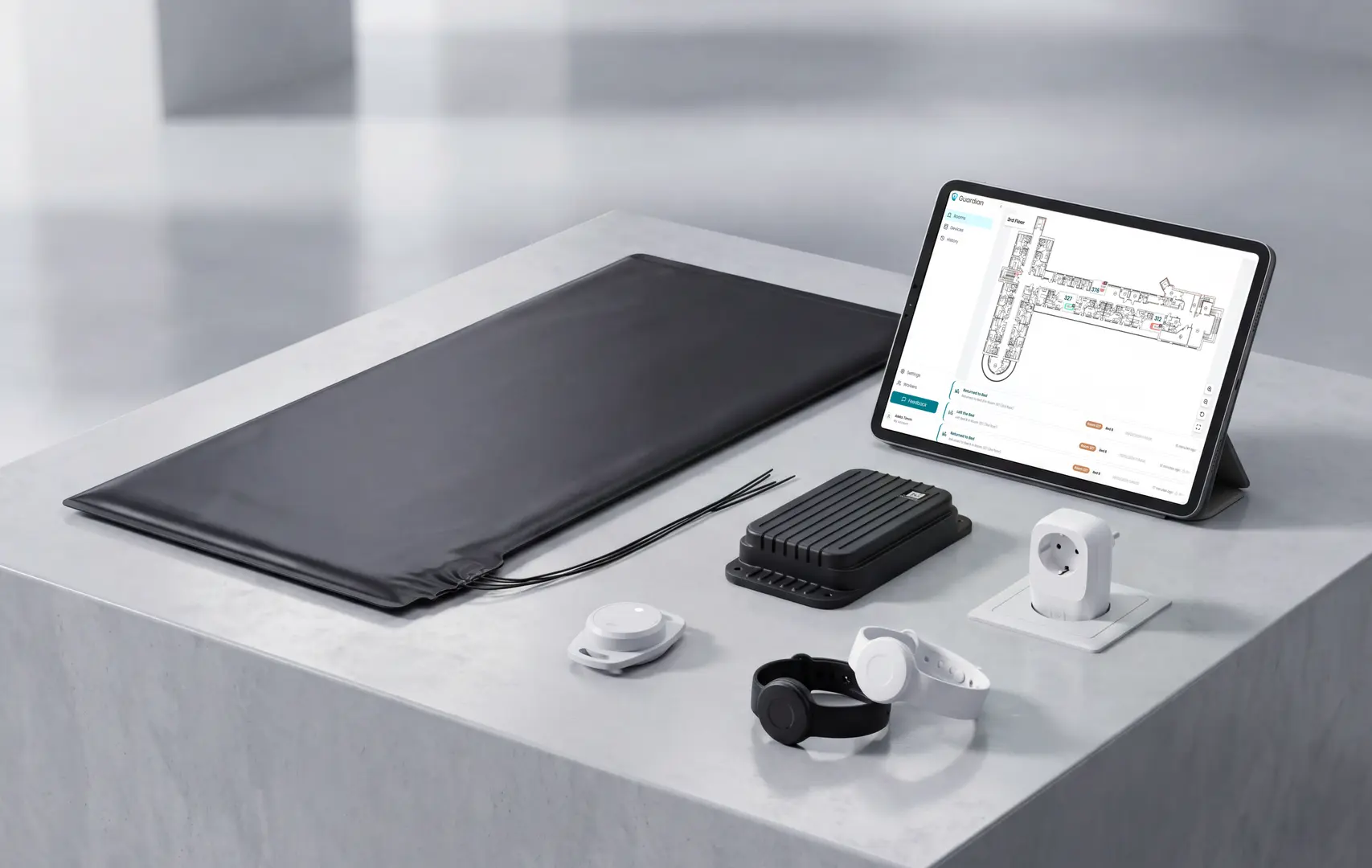
EHR, scheduling, and billing software keep care plans, rotas, and invoices moving. Guardian covers the physical activity those systems only receive after a note is written.
Add Guardian when you need a live record of what happened between planned rounds:
Camera-free sensors: room-level activity is visible without cameras in resident rooms.
Location-aware alerts: staff see who needs help, where to go, and what triggered the alert.
Staff devices: alerts reach phones, tablets, or nurse station screens already used by the team.
Automatic records: visits, alerts, and response-time data are captured for handover and management review.
Pilot Guardian in one ward, home, or team for 6 to 8 weeks. You get response-time data, visit verification, staff feedback, and an ROI view before deciding on rollout.
The common pattern is EHR/charting software plus separate operational tools, rather than one all-in platform.
PointClickCare and MatrixCare are common EHR names in US long-term care.
They usually sit beside separate operational layers:
Nurse call: call points, routing, escalation, and response logs.
Monitoring: fall alerts, bed-exit alerts, and wander management.
Operations: staffing workflows, medication workflows, billing, and reporting.
In the US, EHR adoption in long-term and post-acute care was over 78% in 2018. In England, 72% of adult social care providers had digital social care records by mid-2024.
The usual stack includes:
Clinical records: assessments, care plans, charting, billing, and medication records.
Communication systems: nurse call, staff messaging, and escalation workflows.
Monitoring tools: fall alerts, bed-exit alerts, wander management, and location-aware response.
Operations tools: staffing, visit verification, reporting, assets, and fleet visibility.
High adoption still leaves integration work. Buyers should test whether care records and monitoring alerts produce one shared resident timeline.
Yes. Nursing home software often includes EHR and charting, especially in larger long-term care settings.
That usually includes:
Care plans and assessments: clinical needs, risks, and reviews.
Medication records: administration records and medication queries.
Progress notes: daily observations and incident follow-up.
Billing and compliance: evidence for audits and reimbursement.
Smaller residential care settings may lag because of cost, infrastructure, and implementation support.
EHR coverage has clear edges:
Resident safety: bed-exit alerts, fall detection, and wander alerts often sit in a separate system.
Staff response: nurse call and escalation workflows may connect to an EHR, but often run independently.
Operational proof: visit verification, response times, asset tracking, and live location usually need a dedicated operations layer.
Examples in this article include RCare's PointClickCare connection and PalCare's ALIS integration.
Before a demo, ask for one sample resident update:
Direction: one-way export or two-way sync.
Timing: immediate sync, scheduled batch, or manual push.
Support: vendor, IT team, or middleware owner.
Nursing home and assisted living software overlap, but nursing homes usually need deeper clinical charting, federal compliance evidence, and higher-acuity response workflows.
Key differences:
Nursing homes: CMS Conditions of Participation, MDS assessments, Care Area Assessments, care planning, and iQIES submission.
Assisted living: state-level rules, medication management, resident engagement, family communication, and ADL-focused care plans.
Shared safety layers: nurse call, monitoring, wander management, and fire-door workflows often sit outside the EHR; validate each against local policy.
US buyers should also check NFPA 101 life-safety requirements before connecting door locks, delayed egress, or wander-management hardware.
Assisted living procurement sits under different state-level rules than skilled nursing — the assisted-living nurse call systems breakdown maps those regulatory differences to system requirements.
Many systems in this article support EHR integration, but depth ranges from two-way resident sync to basic API connections that need middleware.
Documented examples in this list include:
RCare: native PointClickCare integration for two-way resident and room data sync.
PalCare: ALIS integration for two-way alert and safety event synchronization.
Ascom: integrations with EMR, EPR, and care management systems.
Interoperability remains difficult in long-term and post-acute care, especially where teams still use manual re-entry or scanned documents.
Before selection, score each integration on four points:
Data set: resident profile, room, risk status, or event record.
Direction: one-way feed or two-way sync.
Frequency: live update, scheduled batch, or manual export.
Owner: vendor, internal IT, or middleware partner.
For UK and EU providers, GDPR Article 32 makes security controls and auditability part of integration design.

Author
Aleks Timm
Aleks Timm leads Guardian and builds privacy-first operations technology for care homes and home care providers. Teams get location-aware alerts they can act on, clearer situational awareness, and measured insight into how care work actually runs.
Read MoreRecommended reads
Keep reading
10 Best Room Monitors for Elderly Home Care
10 Best Room Monitors for Elderly Home Care: compare top options for safety, alerts, and peace of mind to find the right fit for...
Read more
10 Best Home Care Software Solutions Compared
Compare the 10 best home care software solutions and find the right fit for scheduling, compliance, monitoring, and team...
Read more
Nurse Call Systems for Care Homes
Nurse call systems for care homes: compare wired, wireless and hybrid options to boost resident safety, cut response times and...
Read more