

10 Best Home Care Software Solutions Compared
In this article
Missed visits, blind spots between shifts, and unclear response times all create the same problem: care teams are forced to manage from guesswork instead of clean records.
Home care software promises to close that gap, but the category is messy. Some tools manage scheduling and billing, some support clinical documentation, and others focus on real-time monitoring and resident safety.
This guide helps compare those differences without treating every platform as the same kind of system. It looks at operational fit, pricing visibility, compliance support, field usability, and monitoring-first use cases.
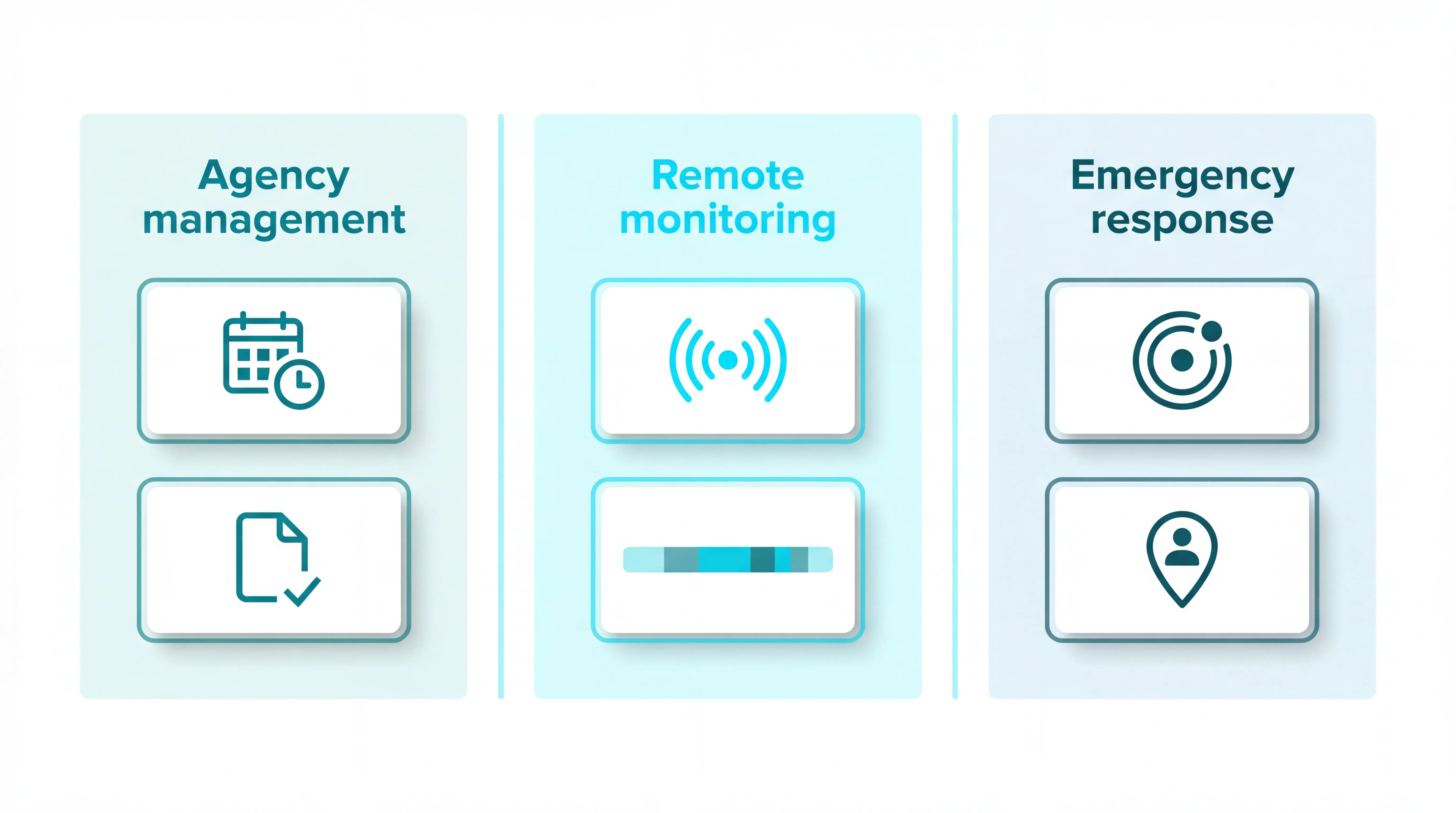
The 10 solutions below cover:
Agency management platforms
Remote monitoring systems
Emergency response options
Already know you need live safety visibility rather than a scheduling platform? Guardian pilots in one ward or team in 6–8 weeks, with no drilling, cabling, or IT project. Try it now
What is home care software?
Home care software is a digital system for coordinating care delivered in a person's home or supported living setting. It can manage visits, records, billing, staff workflows, safety alerts, or some combination of those jobs.
The term gets confusing because buyers use it for several different categories.
In the UK, digital record adoption is rising fast. As of October 2025, 90.4% of people receiving care from CQC-registered providers were supported by a Digital Social Care Record, up from 84.1% the prior year, according to government statistics.
Home care vs home health vs senior monitoring software
Home care agency software: Built for non-medical care providers managing schedules, visits, EVV, billing, payroll, and caregiver coordination.
Home health software: Built for clinically regulated home health teams that need care plans, medical documentation, compliance workflows, and patient records.
Senior monitoring software: Built to track safety signals through sensors, wearables, or alerts, often without asking staff to log each visit manually.
How we evaluated these solutions
We evaluated these solutions by how well they fit real care operations, not by feature count alone.
A platform that looks complete on paper can still fail if pricing is unclear, staff will not use it, or it does not match the care setting.
Pricing transparency: Setup costs and ongoing licensing fees matter because providers cite cost as a major barrier to digital adoption in the CQC report.
Compliance support: Strong tools help teams document risks, care plans, incidents, and response activity in line with Regulation 12.
Deployment simplicity: We gave weight to systems that reduce training load, avoid heavy IT projects, and work for teams with high staff turnover.
Functional fit: We separated agency management, clinical home health, passive monitoring, and emergency response because each solves a different operational problem.
Field usability: Mobile access, clear alerts, simple caregiver workflows, and low-friction reporting matter more than long menus of back-office features.
Quick comparison: best home care software at a glance
Use this table to separate agency administration, monitoring-first care visibility, passive senior monitoring, and emergency response tools before reading the full entries.
Tool | Category | Best For | Standout Capability | Starting Price |
Guardian | Agency management | Home care agencies needing integrated scheduling and billing | Unified scheduling, billing, and EVV in one platform | Contact for quote |
WellSky | Agency management | Large-scale agencies needing enterprise-grade clinical management | Ambient AI documentation reduces charting time by up to 50% | Contact for quote |
Envoy at Home | Passive senior monitoring | Families monitoring seniors with dementia who cannot wear devices | Tracks 35 behaviors via 8 adhesive sensors, no cameras or wearables | $99/mo + $399 one-time equipment fee |
Nomo Smart Care | Routine-based monitoring | Caregivers needing routine monitoring with 911 dispatch integration | RapidSOS integration sends incident data directly to 911 dispatch | $19.99/mo + $249.99 one-time kit fee |
Lifeline Canada | Medical alert service | Independent seniors in Canada needing mobile emergency response | GPS-enabled pendant with 24/7 Canadian Response Centre | From $34.95/mo |
Best monitoring-first and agency management platforms
The comparison table separates the main tool types at a glance. The sections below cover all 10 tools in full, starting with the two operating needs that split this category: monitoring-first care visibility and agency management.
Guardian belongs here because it helps operators see what is happening now, with alerts and automatic records. The agency platforms that follow focus more on scheduling, billing, EVV, payroll, and compliance workflows.
1. Guardian
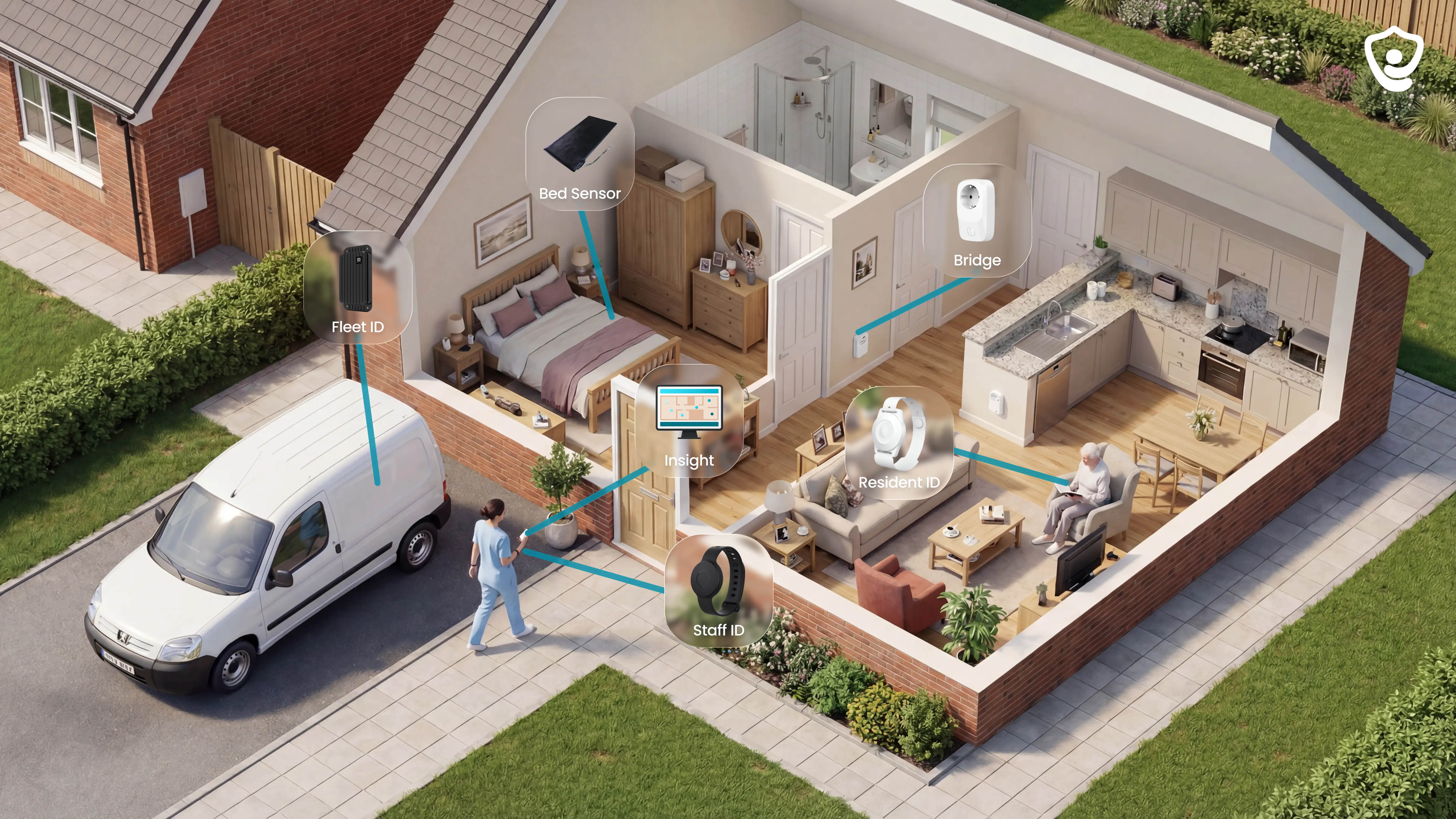
Guardian is the monitoring-first option here for care homes and home care operators that need live visibility across residents, staff, rooms, vehicles, and assets. It gives teams camera-free monitoring, actionable alerts, and automatic records in Guardian Insight.
Best for
Care homes that need room-level visibility without cameras in resident spaces.
Nursing managers who want faster, clearer alerts with resident and room context.
Home care operators that need visit records, vehicle visibility, and response-time data.
Quality leads who need cleaner evidence for families, inspections, and incident reviews.
What it helps manage
Resident safety: falls, exits, bed activity, room movement, and routine changes.
Caregiver response: SOS alerts, acknowledgement times, and staff location context.
Visit verification: caregiver visits, shift start and end times, and response records.
Fleet visibility: vehicles and mobile teams on a live map.
Asset tracking: equipment, mobility aids, and other items that otherwise disappear during a shift.
Key features
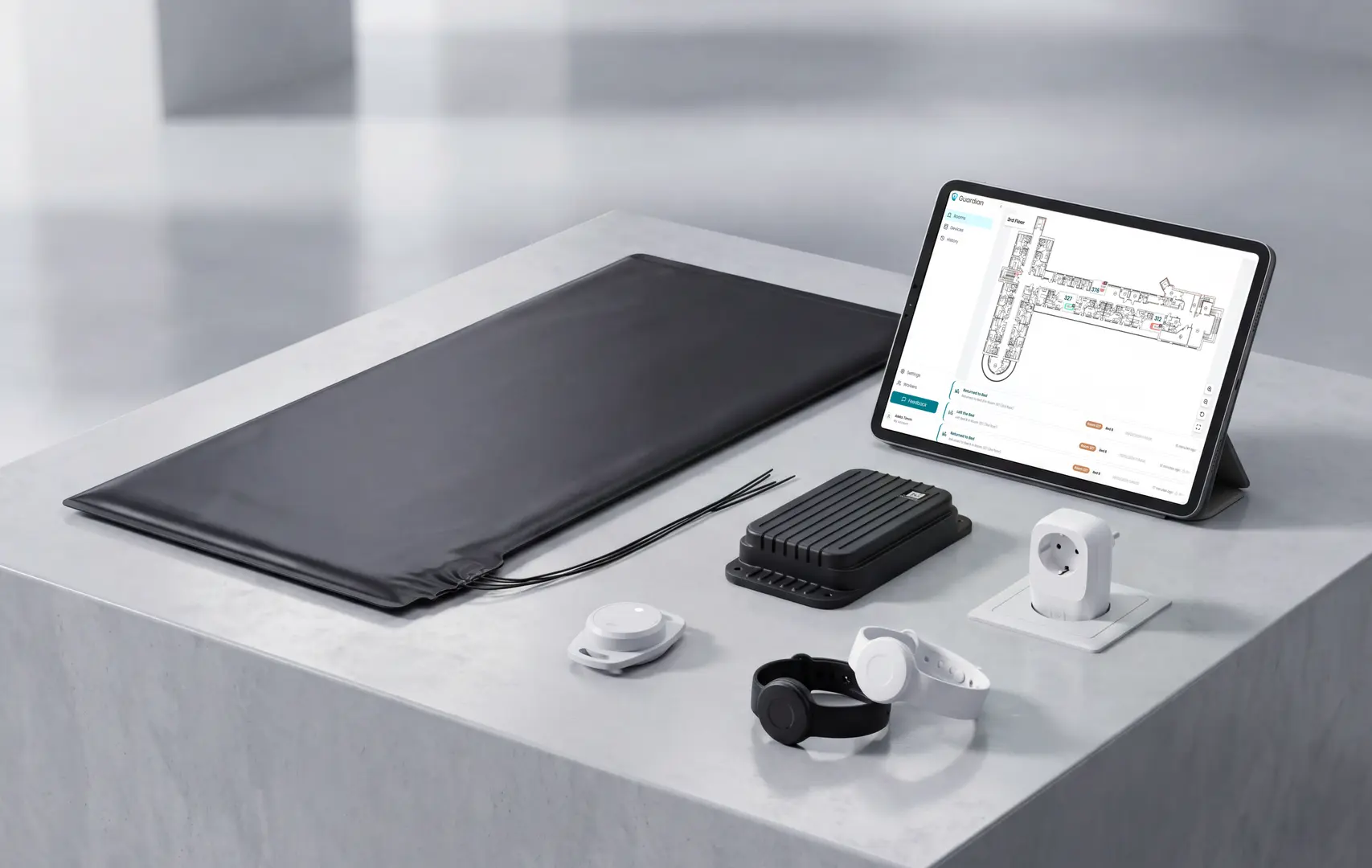
Guardian combines passive sensors, wearables, trackers, and alerts in one operations view.
Camera-free monitoring: bed, motion, door, fridge, and stove sensors track activity without video.
Wearable alerts: resident wristbands and caregiver SOS bands add direct call-for-help coverage.
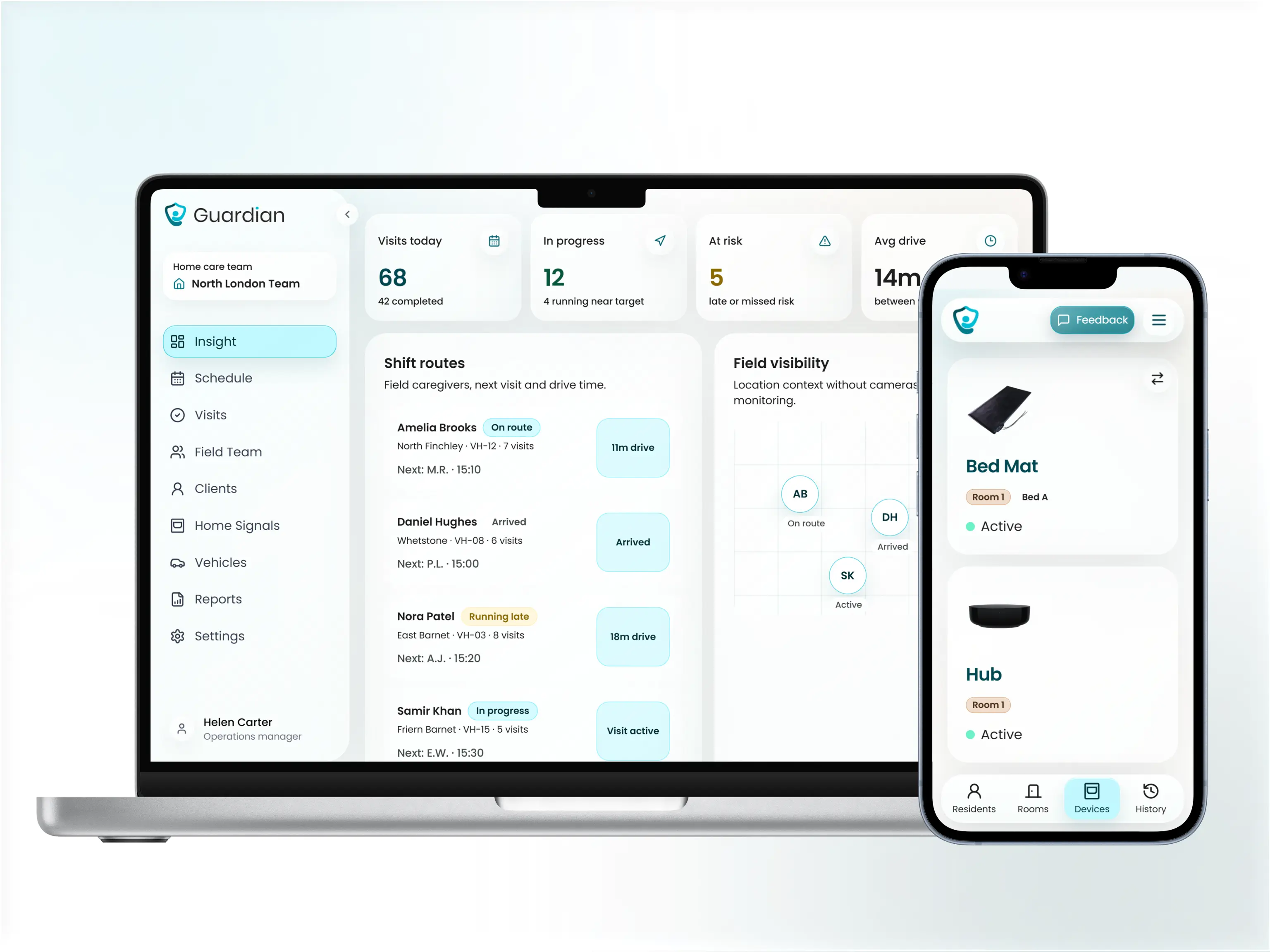
Guardian Insight dashboard: residents, caregivers, vehicles, assets, and alerts sit in one live view.
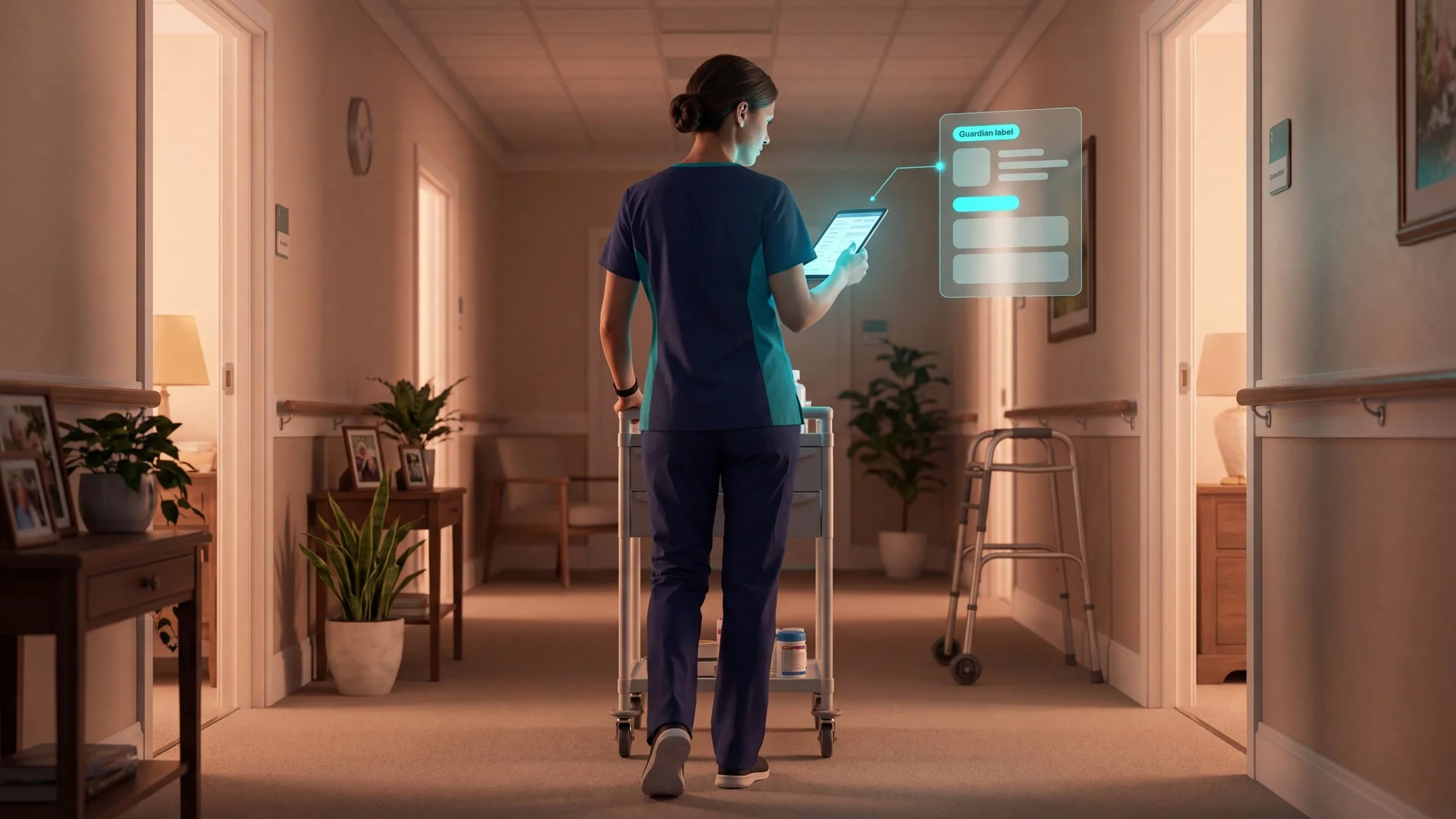
Actionable alerts: staff see the resident, event, and location on devices they already use.
Automatic records: visits, incidents, shift timing, and response times are logged in the background.
Fast deployment: a ward can go live in about a week, with no drilling, cabling, or IT project.
Where it appears strongest
If a manager cannot prove who checked which resident, when an alert was acknowledged, or where a caregiver was during a visit, Guardian fits that gap.
When cameras are unacceptable, Guardian tracks room activity through bed, motion, door, fridge, and stove sensors while preserving privacy and dignity.
The 6–8 week pilot ends with a written impact report covering response times, incident records, and an explicit ROI calculation. Operators use that report to decide which ward or team to scale next.
Potential fit concerns
Agency back-office scope: choose another platform if billing, payroll, claims, or traditional scheduling are the main requirement.
Requires workflow mapping: the pilot works best when you know which ward, team, or use case you want to test first.
Built for operations teams: small family-only monitoring needs may be better served by simpler consumer devices.
Pricing visibility
Guardian does not publish a self-serve price or consumer plan.
The commercial entry point is a structured 6–8 week pilot in one ward, home, or team. After the pilot, you receive an impact report, ROI calculation, and rollout recommendation.
Fit checklist
Guardian fits when you need:
Live visibility across residents, caregivers, and vehicles
Camera-free monitoring with room-level alerts
Automatic incident records and response-time evidence
Asset and fleet tracking
Choose a different platform when the priority is:
Billing, payroll, or Medicare claims
EVV administration or traditional agency scheduling
Tell Guardian where you want to test the system. The team will reply with scope and next steps.
2. WellSky
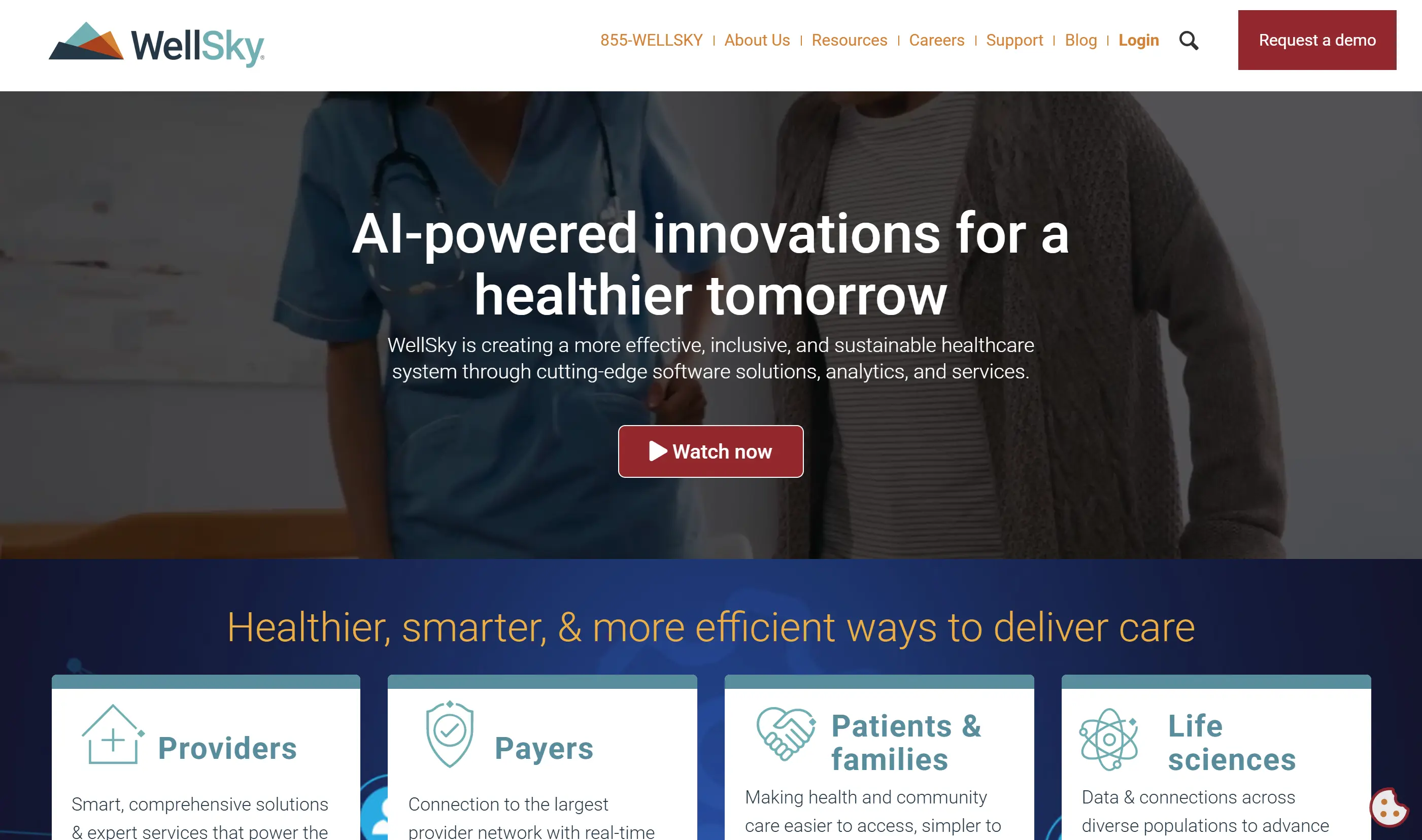
WellSky is a post-acute and home-based care software platform covering scheduling, clinical documentation, EVV, billing, payroll, claims, reporting, and analytics.
The platform is built for agency operations rather than passive in-home monitoring. WellSky’s home health materials position it for larger providers with high visit volume, clinical documentation, claims, and reporting needs.
Best for
WellSky fits larger home health, hospice, and personal care agencies that need clinical documentation, EVV, billing, claims, and reporting in one system.
It fits agencies managing high visit volume, Medicare claims, and multi-service care coordination. It is less relevant for teams looking for a sensor-based resident monitoring layer.
What it helps manage
WellSky helps agencies manage the operational, clinical, and financial side of home-based care.
Intake and referrals: Track new patients, referrals, and care starts.
Scheduling: Coordinate daily visits, clinician tasks, and field staff.
EVV: Verify visits and support compliance workflows.
Billing and claims: Manage Medicaid, Medicare, and payer-related workflows.
Payroll and reporting: Connect operational data to back-office processes.
Clinical documentation: Support charting, visit notes, and care records.
Key features
WellSky’s feature set centers on agency administration, clinical documentation, revenue cycle work, and field team workflows.
WellSky Scribe: Uses ambient AI documentation to reduce manual charting work inside the WellSky workflow.
EVV support: Captures visit verification data for compliance and operational oversight.
Offline field access: Supports clinician workflows when connectivity is limited.
Predictive analytics: Helps agencies review care and performance trends.
Billing and payroll tools: Supports financial workflows for personal care and home health providers.
Partner integrations: Connects with outside systems through an integration ecosystem.
Where it appears strongest
WellSky’s clearest fit is high-volume agency administration: billing, clinical documentation, revenue cycle support, and reporting.
WellSky Scribe is the main documentation differentiator. It is aimed at reducing clinician charting burden by turning visit conversations into structured documentation inside the WellSky workflow.
Potential fit concerns
WellSky is not positioned as a passive in-home safety monitoring system.
No passive sensor layer: Reviewed product materials do not describe in-home sensor hardware for between-visit monitoring.
No dedicated emergency dispatch: The platform supports agency workflows, not a monitored emergency response service.
Custom pricing: Agencies need to request pricing rather than compare public plans.
Agency-first scope: The product is designed for care operations, documentation, billing, and reporting.
Pricing visibility
WellSky does not publish standard pricing for this product category.
Pricing appears to depend on agency type, service lines, modules, implementation needs, and scale. Agencies need to contact WellSky for a quote rather than selecting from a public rate card.
Fit notes
WellSky fits agencies that need a broad operating system for home health, hospice, or personal care administration.
High visit volume across field teams
Medicare claims, billing, EVV, and documentation as core workflows
Clinician charting load as a staffing or retention issue
Predictive analytics and reporting inside an agency platform
A different tool fits better when the main need is passive resident monitoring between scheduled visits, dedicated emergency dispatch, or transparent pricing before a sales conversation.
3. AxisCare
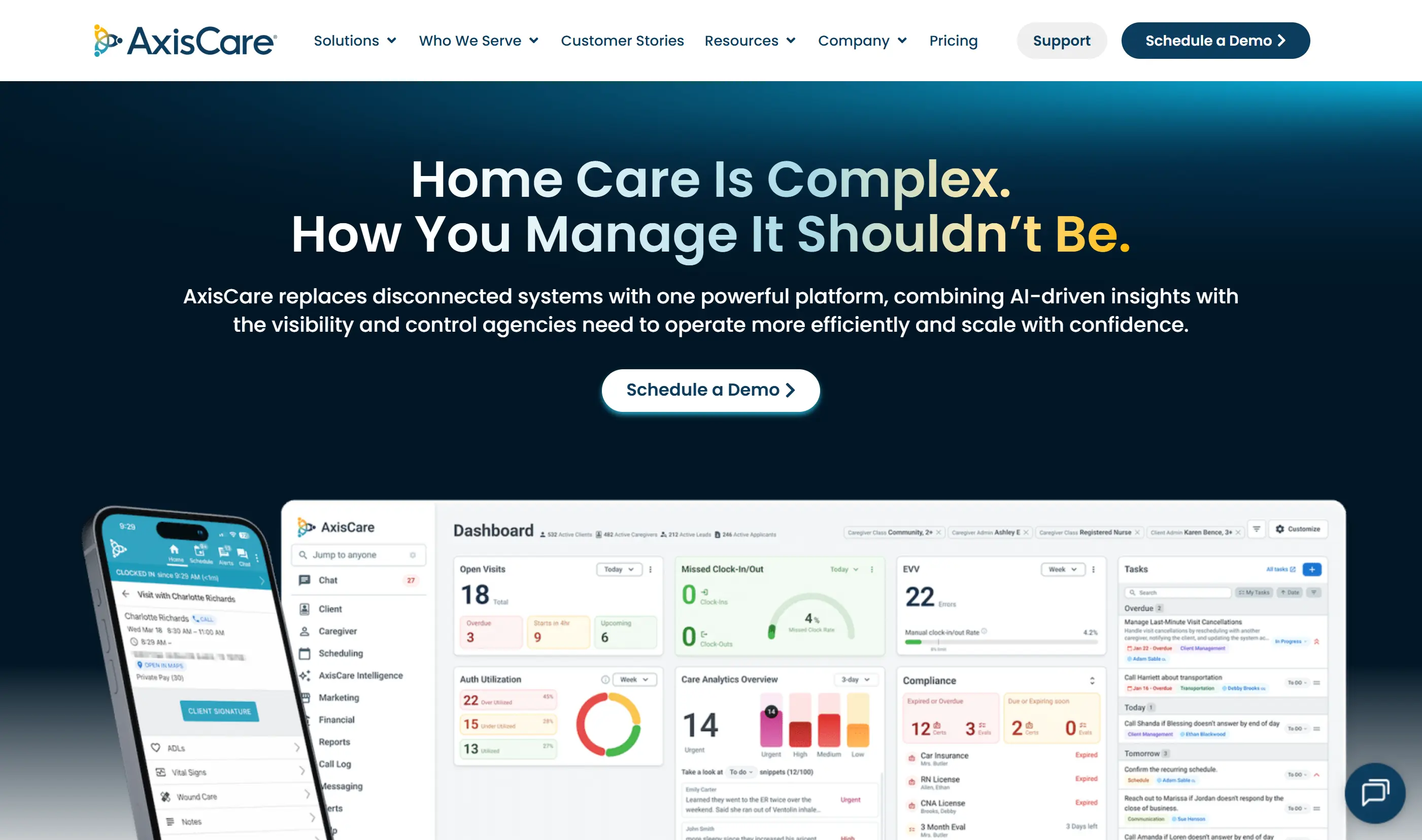
AxisCare is a home care agency management platform covering scheduling, EVV, billing, payments, caregiver mobile workflows, reporting, analytics, and integrations.
The platform is designed for agency operations rather than passive home safety monitoring.
Best for
AxisCare fits non-medical home care agencies that need scheduling, EVV, billing, caregiver communication, and operational reporting in one platform.
Its pricing page groups agencies by client count, from small providers to enterprise-scale organisations, but it does not publish standard monthly prices.
What it helps manage
AxisCare helps agencies manage daily home care operations across office teams and field caregivers.
Scheduling: Build visits and match caregivers to clients.
EVV: Capture visit time, location, and service data.
Billing and payments: Manage billing workflows and secure payment processing.
Payroll workflows: Connect caregiver time data to back-office processes.
Mobile communication: Keep caregivers and administrators connected.
Reporting: Track performance through dashboards and custom reports.
Key features
AxisCare’s feature set focuses on scheduling, caregiver coordination, compliance, and agency performance.
Automated scheduling: Supports caregiver matching and real-time schedule updates.
Caregiver app: Gives field staff access to schedules, EVV, documentation, and messaging.
Admin app: Lets office teams review operations from mobile devices.
Care analytics: Uses AI-supported review to identify risks in care notes.
Business intelligence: Provides dashboards, custom reporting, and visit insights.
Integrations: Offers an integrations marketplace, API options, and workflow automation through AxisCare Amplifier.
Where it appears strongest
AxisCare’s clearest fit is daily agency coordination: scheduling, EVV, billing, caregiver mobile tools, and reporting in one workflow.
The mobile app coverage matters for distributed teams. Caregivers can manage schedules, documentation, messaging, and EVV from the field, while administrators monitor operations without being tied to a desk.
Potential fit concerns
AxisCare is an agency management platform, not a passive monitoring or emergency response platform.
No published prices: Agencies need a custom quote.
Sales-led evaluation: Full cost and configuration require direct contact.
Agency workflow focus: The platform centers on scheduling, billing, EVV, and reporting.
Limited monitoring scope: It does not replace passive in-home sensors for between-visit visibility.
Pricing visibility
AxisCare does not publish standard plan prices.
Its pricing page separates agencies into size bands by client count, including small, medium, large, and enterprise categories. Agencies need to request a tailored quote.
Fit notes
AxisCare fits agencies that need a central operating platform for non-medical home care.
Scheduling and caregiver coordination are daily bottlenecks
EVV compliance is a core requirement
Billing, payments, payroll workflows, and reporting need to sit together
Caregiver and administrator mobile apps are important
A different tool fits better when the main need is passive monitoring between caregiver visits, dedicated emergency dispatch, or public pricing for fast budget comparison.
4. AlayaCare
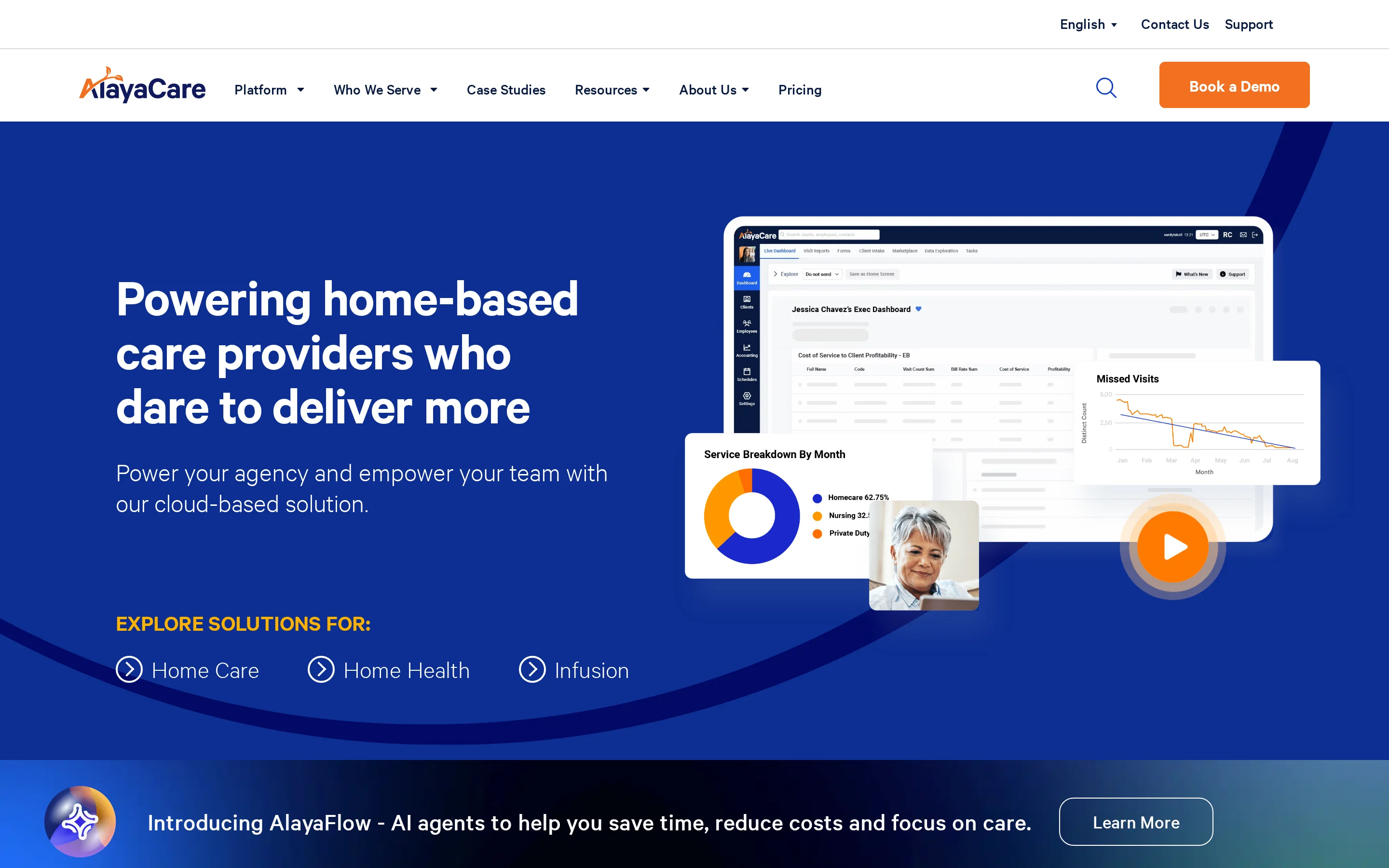
AlayaCare is a cloud-based home care software platform for scheduling, clinical documentation, EVV, billing, payroll automation, reporting, analytics, and integrations.
The platform is built for providers that want to manage care delivery and back-office workflows in a single system.
Best for
AlayaCare fits home care and home health organisations that need scheduling, point-of-care documentation, EVV, billing, payroll, compliance, and analytics across care operations.
It is an agency workflow platform rather than a passive in-home resident monitoring system.
What it helps manage
AlayaCare helps agencies coordinate both care delivery and administrative work.
Scheduling: Manage visits, shift offers, and staff assignments.
Clinical documentation: Capture care records and point-of-care information.
EVV: Support visit verification and compliance workflows.
Billing: Manage invoicing and revenue cycle tasks.
Payroll automation: Connect visit and time data to payroll processes.
Reporting: Review operational, compliance, billing, and workforce data.
Key features
AlayaCare’s feature set covers scheduling, care delivery, revenue cycle work, and analytics.
Scheduling tools: Support visit coordination, SMS notifications, and shift acceptance.
Point-of-care access: Gives care workers access to client information on desktop and mobile.
EVV support: Tracks visits for compliance and operational accuracy.
Billing and payroll automation: Connects care activity to financial workflows.
Analytics: Provides dashboards, customizable reporting, trend analysis, and predictive AI.
APIs and integrations: Supports connections with existing technology stacks.
Where it appears strongest
AlayaCare’s clearest fit is agency operations that combine clinical workflows, back-office administration, billing, payroll, and analytics in one cloud platform.
The platform also places a clear focus on data visibility, including operational dashboards, customizable reports, and predictive analytics.
Potential fit concerns
AlayaCare is not positioned as a passive in-home sensor or emergency dispatch platform.
No public plan prices: Pricing requires a direct quote.
Implementation detail varies: Final scope depends on modules, integrations, and agency workflows.
Agency operations focus: The platform centers on care management, documentation, and back-office work.
Monitoring gap: Agencies needing passive between-visit safety data may need a separate monitoring layer.
Pricing visibility
AlayaCare describes its pricing as value-based and adapted to agency growth.
It does not publish plan prices, per-user fees, or a standard starter tier. Agencies need to request pricing through a sales process.
Fit notes
AlayaCare fits agencies that want a broad cloud platform for care delivery and back-office operations.
Scheduling, clinical documentation, EVV, billing, and payroll need to sit together
Field teams need mobile access to client and care information
Reporting, dashboards, and predictive analytics matter
API-supported integrations are important to the workflow
A different tool fits better when the main need is passive resident monitoring between visits, dedicated emergency dispatch, lightweight scheduling only, or public pricing before vendor contact.
5. Axxess
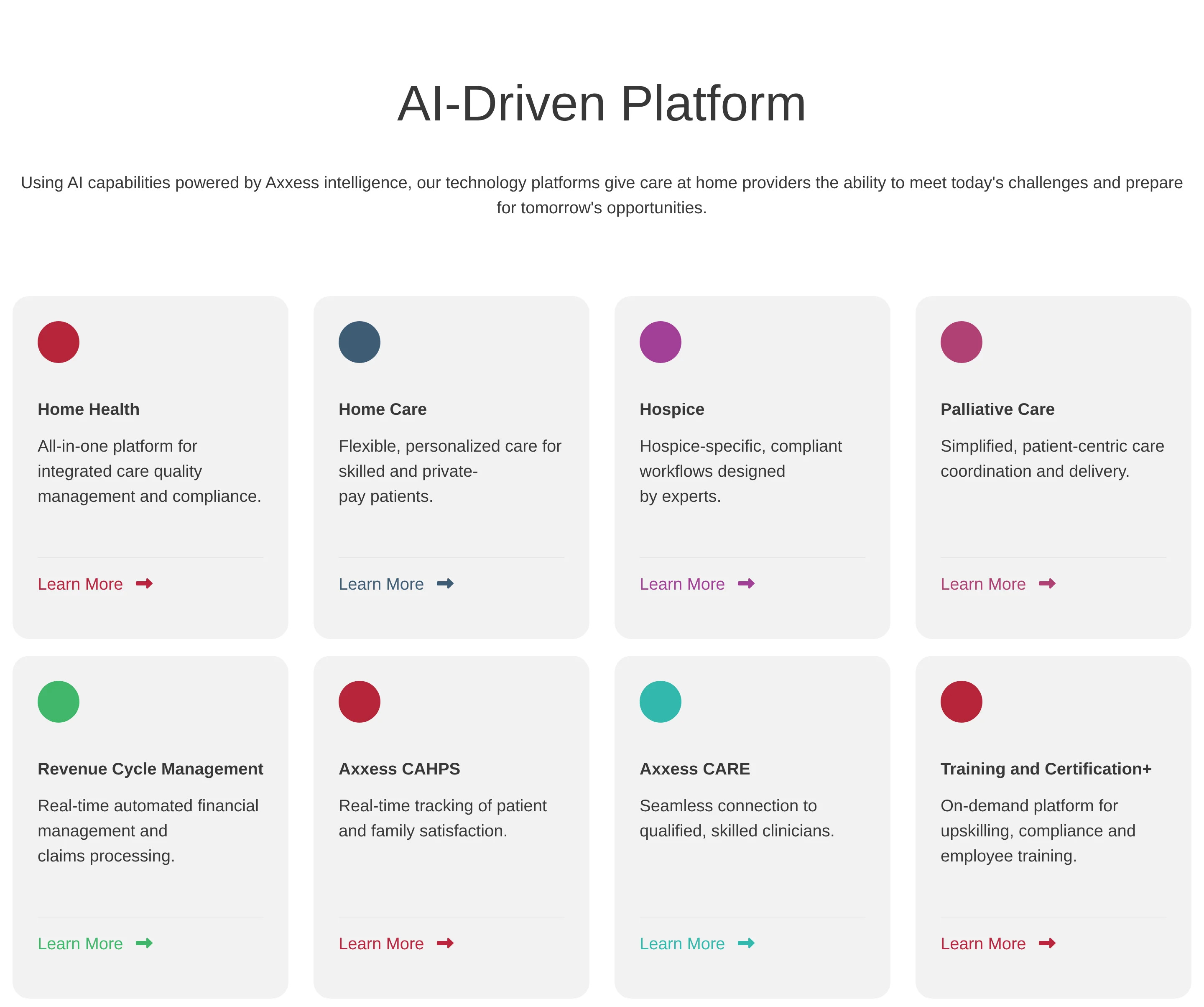
Axxess is a home health and home care agency platform for clinical, scheduling, EVV, billing, and mobile field workflows.
The platform is built around agency operations rather than passive in-home monitoring or live resident safety hardware.
Best for
Axxess fits home health and home care agencies that need clinical documentation, scheduling, billing, EVV, and field staff workflows in one system.
It is most relevant when the same organisation needs both point-of-care documentation and back-office revenue workflows.
What it helps manage
Area | What it covers |
Clinical work | OASIS documentation, care plans, and compliance workflows |
Scheduling | Visits, shifts, staff coordination, and real-time tracking |
EVV | Visit verification and signature capture |
Billing | Claims, eligibility checks, payer workflows, and reporting |
Mobile work | Care plans, schedules, documentation, communication, and visit tracking |
Key features
Clinical documentation: Point-of-care documentation, care plans, and compliance workflows for home health teams.
Scheduling: Real-time visit scheduling and tracking for office teams and field staff.
EVV: Visit verification tools, including point-of-care verification and signature capture.
Billing: Revenue cycle workflows, claims submission, eligibility checks, and reporting.
Mobile workflow: Mobile apps for care plans, schedules, documentation, visit tracking, and communication.
Where it appears strongest
Axxess is most relevant when an agency’s main problem is clinical, operational, and billing workflow management across home health or home care services.
The platform fits teams that need field documentation, visit verification, claims, and scheduling to work from the same operational record.
Potential fit concerns
Axxess is not positioned as a passive safety monitoring platform for residents at home.
Agency workflow focus: It fits care delivery administration more than live sensor, asset, or resident location workflows.
No public prices: Public product pages do not list plan prices.
Module scope matters: Buyers need to confirm which clinical, billing, and mobile workflows are included in their quote.
Pricing visibility
Axxess does not publish clear public plan pricing for these products.
Expect quote-based pricing through sales, with final cost shaped by product modules, agency size, and service lines.
Fit notes
Axxess fits agencies that need clinical documentation, scheduling, EVV, billing, and mobile field work in one agency platform.
A different tool fits better when the main problem is passive resident monitoring, live safety alerts, vehicle and asset visibility, or a public price for quick budget comparison.
6. CareSmartz360
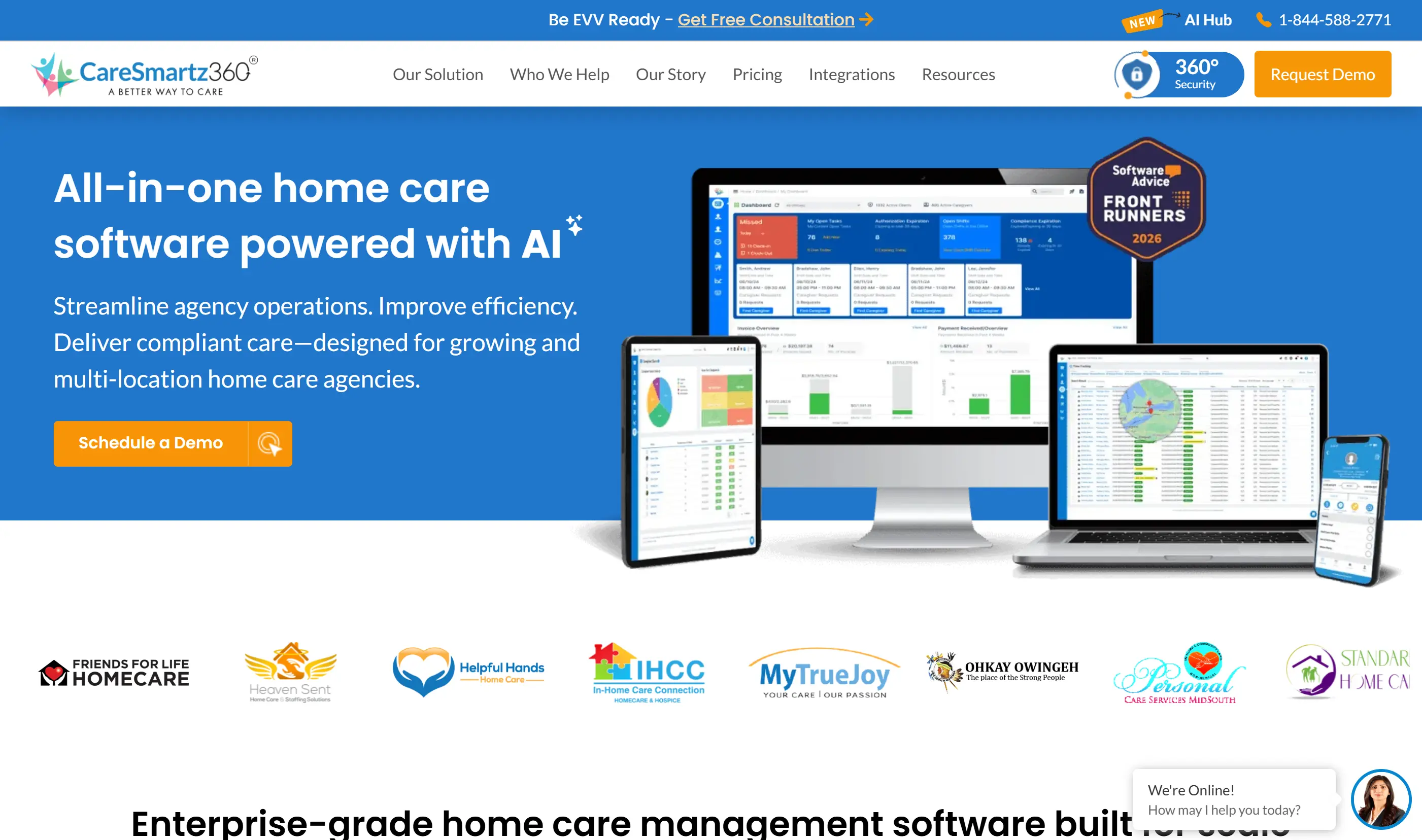
CareSmartz360 is an agency management platform for home care providers. It focuses on scheduling, EVV, billing, payroll, caregiver communication, and administrative coordination.
The platform fits agencies managing daily visits and back-office work rather than care homes looking for room-level resident monitoring.
Best for
CareSmartz360 fits home care agencies that need to manage caregiver schedules, verified visits, billing, payroll, and mobile field communication.
It is aimed at agency operators that want scheduling, finance, compliance, and caregiver coordination in one system.
What it helps manage
Area | What it covers |
Scheduling | Recurring and ad-hoc shifts |
EVV | GPS and telephony visit verification |
Billing | Invoicing, payer workflows, and revenue cycle support |
Payroll | Payroll-ready caregiver hours and agency workflows |
Mobile work | Caregiver and staff mobile apps |
Key features
Scheduling: Calendar-based scheduling for recurring visits, ad-hoc shifts, and coordinator oversight.
EVV: State-compliant visit verification using GPS and telephony options.
Billing: Billing and invoicing workflows, including multi-payer support.
Payroll: Payroll processing support for caregiver hours and agency operations.
Caregiver app: Mobile access for schedules, visit tasks, communication, and field updates.
Where it appears strongest
CareSmartz360’s clearest fit is daily home care operations, especially scheduling, EVV, billing, payroll, and caregiver coordination.
The product is built around the agency workflow from visit planning through verified care delivery and payment operations.
Potential fit concerns
CareSmartz360 is built for home care administration, not continuous resident monitoring.
Agency-first scope: It focuses on schedules, caregivers, EVV, billing, and payroll.
Less relevant for care homes: Care homes seeking room-level resident visibility may need a different system.
Pricing requires sales contact: Public pricing pages describe tiers but do not list fixed prices.
Pricing visibility
CareSmartz360 uses quote-based pricing.
Its public pricing page groups plans by active client volume, including 0-100, 101-249, 250+, and franchisor tiers, but does not publish fixed prices.
Fit notes
CareSmartz360 fits agencies that need one platform for scheduling, EVV, billing, payroll, and caregiver communication.
A different tool fits better when the main need is passive monitoring between visits, live room-level alerts, resident location, or emergency response infrastructure.
Best remote monitoring and senior safety solutions
Remote monitoring and senior safety tools protect the individual at home rather than manage a care agency's back office.
The three solutions below use sensor networks, wearables, and emergency dispatch integrations to track behavior and trigger alerts without cameras or constant caregiver presence.
7. Envoy at Home
Envoy at Home is a passive in-home monitoring system for families tracking an older adult's daily routines without cameras, microphones, wearables, or button presses.
It uses an 8-sensor adhesive kit and a Wi-Fi hub to monitor more than 35 behaviors, including activity changes, meal-skipping signals, and potential fall-risk patterns.
Best for
Envoy at Home is aimed at family caregivers supporting seniors who may forget, refuse, or remove wearable alert devices.
That passive setup matters for cognitive impairment. The senior does not need to press a pendant, charge a watch, or accept cameras inside the home.
What it helps manage
Envoy focuses on daily living patterns inside the home:
Routine changes: movement, door activity, and room-level behavior shifts.
Meal signals: refrigerator or cabinet openings can help flag skipped meals.
Fall-risk indicators: activity changes can trigger caregiver alerts.
Custom rules: families can set alerts around specific sensors and time windows.
It does not manage agency scheduling, billing, payroll, EVV, or caregiver task assignment.
Key features
8-sensor starter kit: adhesive, battery-powered sensors for motion, doors, and cabinets.
Wi-Fi hub: connects in-home sensors to caregiver mobile alerts.
No wearables: monitoring does not depend on the senior carrying a device.
No cameras or microphones: useful where privacy or refusal is a barrier.
35+ behaviors: tracks routine signals beyond simple motion detection.
Expandable layout: extra sensors cost $29.99 each.
Where it fits
Envoy fits private homes where the main problem is visibility into daily routines, not agency operations.
The clearest use case is a senior living alone who will not reliably use a pendant or smartwatch. Families can still see whether key routines are happening.
Potential fit concerns
Internet dependency: alerts stop if the home internet connection goes down.
No professional dispatch: alerts go to family caregivers, not a response centre or 911.
No outdoor tracking: there is no GPS layer for wandering outside the home.
No agency workflow: it does not include scheduling, EVV, billing, or payroll tools.
Pricing visibility
Envoy at Home has one visible pricing model: $99 per month plus a $399 equipment fee for the 8-sensor starter kit.
Cost component | Amount | Notes |
Monthly subscription | $99/month | Single visible tier |
Equipment fee | $399 | Hub and 8 sensors |
First-year total | ~$1,587 | Excl. taxes and shipping |
Additional sensors | $29.99 each | For larger layouts |
Fit and gaps
Envoy's fit is narrow but clear: passive, camera-free monitoring for one private home where the senior is unlikely to use wearable alerts.
The main gaps are emergency dispatch, outdoor location, and care agency management. Larger homes may also need more than the standard 8-sensor kit.
8. Nomo Smart Care
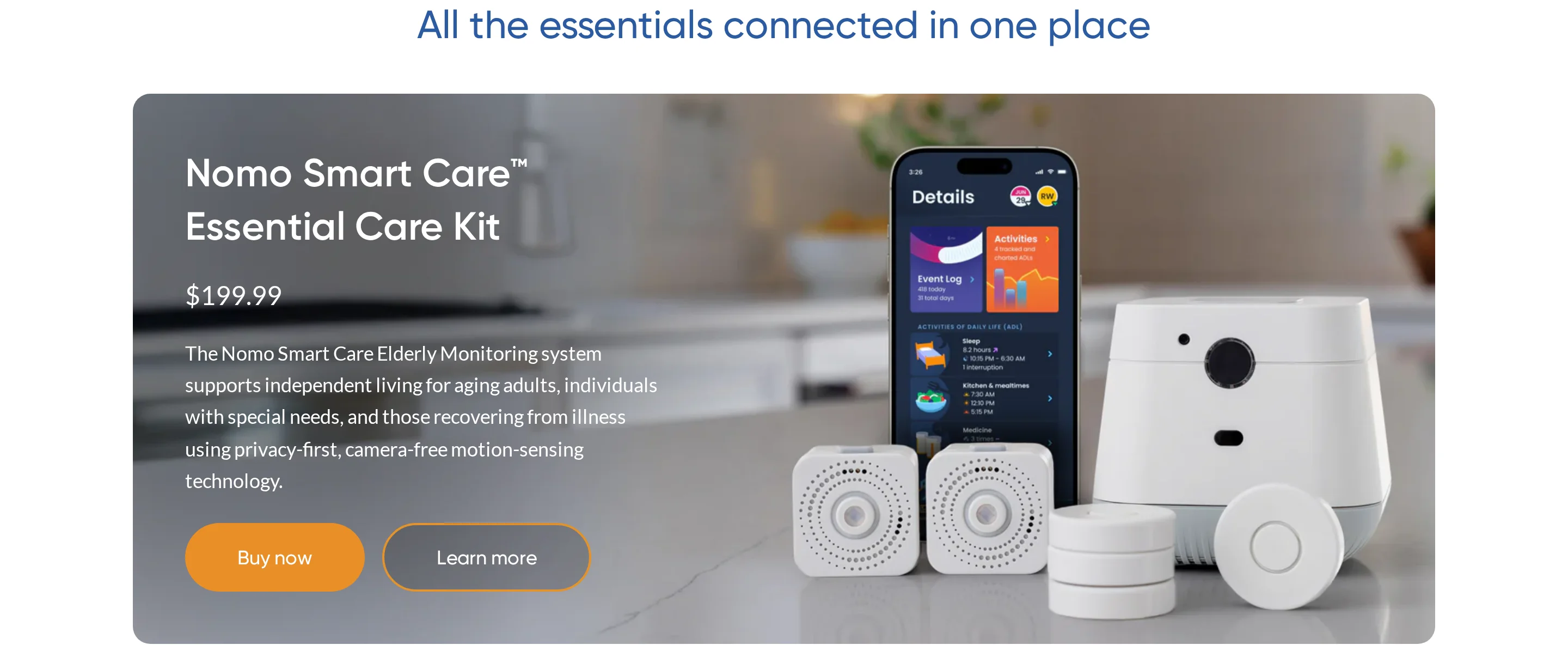
Nomo Smart Care is a home monitoring system built around a Hub, room Satellites, wearable Tags, AI routine baselines, and caregiver alerts.
It is positioned for families monitoring one older adult at home, especially where passive routine tracking and emergency escalation are both required.
Best for
Nomo Smart Care is aimed at single-occupant homes where caregivers want to monitor routine changes without installing cameras.
Its motion-based data is less clear in shared homes. The system does not distinguish between multiple occupants, so another person's movement can affect inactivity alerts.
What it helps manage
Nomo uses AI to learn a senior's usual patterns over time, then alerts caregivers when those patterns change.
It can monitor signals such as:
Sleep routines: changes in overnight movement or rest patterns.
Meal activity: kitchen or cabinet activity tied to expected routines.
Medication access: Tags can attach to cabinets or other household items.
Room movement: Satellites detect motion and activity by area.
Care coordination: Care Circle lets multiple caregivers receive updates.
Key features
Hub: central device that connects sensors, Tags, the app, and cloud services.
Satellites: room-level motion and sound devices with motion-triggered night lights.
Tags: wearable pendants or item trackers for cabinets, doors, and objects.
AI baseline: learns routines before flagging deviations.
Care Circle: supports multiple family or professional caregivers.
RapidSOS: sends incident context to 911 dispatch centers through the Essential+ plan.
Where it fits
Nomo's main fit is a single senior living independently, where routine deviation may be more useful than a simple panic button.
The night-light function also adds a practical layer for nighttime movement. It does not remove fall risk, but it can support safer navigation after dark.
Potential fit concerns
Nomo does not publish false-positive or false-negative rates for fall detection, so buyers cannot compare its fall detection accuracy against a public benchmark.
Other constraints to check include:
Shared homes: motion sensors cannot isolate the senior from other occupants.
Tag dependency: fall detection relies on the wearable Tag being used correctly.
Subscription risk: annual plan cancellations after the trial may not receive prorated refunds.
In-home scope: Nomo does not provide outdoor GPS tracking.
Pricing visibility
Nomo Smart Care pricing has two visible layers: the Essential Care Kit and the Essential+ monitoring subscription.
Cost type | Item | Price | What it includes |
Hardware | Essential Care Kit | $249.99 | Hub, 2 Satellites, Tags |
Subscription | Essential+ plan | $19.99/month | Alerts, call center, RapidSOS |
Fit and gaps
Nomo is most clearly scoped for one older adult at home, with caregivers using routine alerts, Care Circle updates, and RapidSOS-backed escalation.
Nomo's wearable-Tag caveat is one trade-off in the Nomo fall-detection systems roundup across home and facility options.
The key gaps to verify are fall detection reliability, shared-household accuracy, annual billing terms, and lack of outdoor tracking.
9. Lifeline Canada
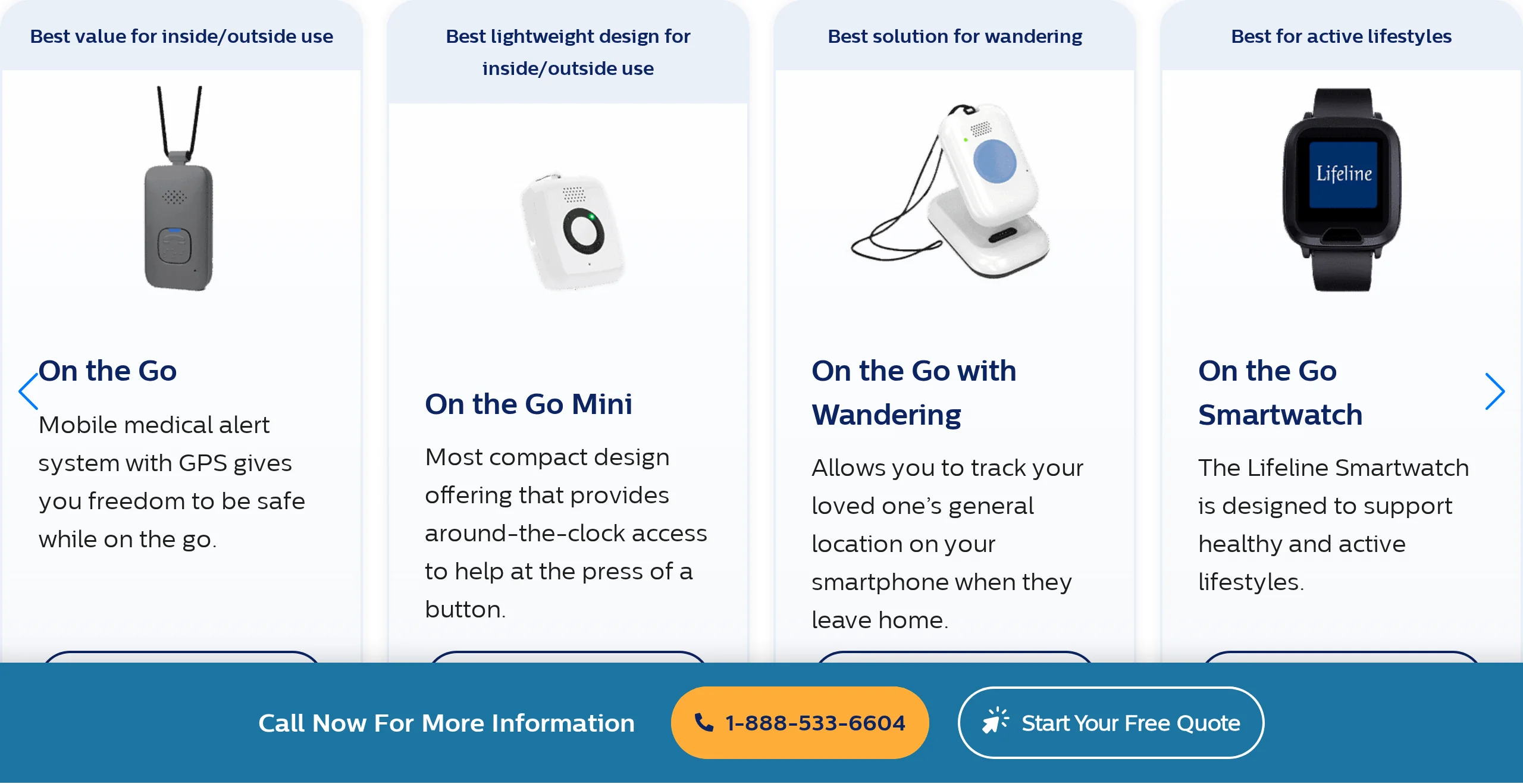
Lifeline Canada is a wearable medical alert service for Canadian seniors who need monitored emergency response at home and while mobile.
Its product line includes HomeSafe, On the Go, Smartwatch, and the AutoAlert fall detection add-on.
Best for
Lifeline Canada is built for independently living seniors who want a wearable alert button connected to 24/7 Canadian Response Centres.
The mobile plans add GPS and Wi-Fi positioning, which matters when the senior leaves home regularly.
What it helps manage
Lifeline manages emergency response rather than care agency operations.
It supports:
In-home alerts: HomeSafe uses a base station and wearable button.
Mobile alerts: On the Go adds location support outside the home.
Fall detection: AutoAlert can initiate help without a button press.
Response coordination: Canadian Response Centres contact emergency services or listed responders.
It does not include scheduling, billing, payroll, EVV, or caregiver visit management.
Key features
HomeSafe: in-home base station with landline or cellular connectivity.
On the Go: mobile pendant with GPS and Wi-Fi positioning.
Smartwatch: wrist-worn alert option for users who prefer a watch format.
AutoAlert: optional automatic fall detection add-on.
24/7 response: Canadian Response Centres handle emergency escalation.
Where it fits
Lifeline's clearest fit is emergency response for seniors who can tolerate a wearable device and need monitored escalation beyond family app alerts.
The On the Go plan adds outdoor location support, which passive in-home sensor systems do not provide.
Potential fit concerns
Published BBB records show 152 complaints over three years, with many focused on billing disputes, cancellation difficulty, and charges after equipment return.
Other documented issues include:
Support delays: complaints mention long hold times and unresolved escalations.
Signal reliability: users report in-home signal loss between pendant and base station.
Fall detection accuracy: AutoAlert complaints include false alarms and missed falls.
Battery concerns: some users report pendant battery life under 24 hours.
Wearable dependency: the system depends on the senior keeping the device available.
Pricing visibility
Lifeline Canada plans start at $34.95 per month for HomeSafe. Mobile and smartwatch plans cost more, and upfront equipment or activation fees may apply.
Plan | Monthly price | Hardware type | Key capability |
HomeSafe | $34.95/mo | Base + button | In-home coverage |
On the Go | $39.95–$49.95/mo | Mobile pendant | GPS + Wi-Fi location |
Smartwatch | ~$49.95/mo | Wrist device | Watch-based alert |
AutoAlert | +$15/mo | Add-on | Fall detection |
Fit and gaps
Lifeline Canada is a monitored medical alert service, not home care management software.
Its fit centers on wearable emergency response, Canadian call handling, fall detection, and outdoor location. Its gaps are passive in-home monitoring, visit verification, agency operations, and documented billing or support friction.
10. Tunstall Healthcare
Tunstall Healthcare provides telecare, remote monitoring, and emergency response technology. Its model is hardware-led, with connected devices, monitoring services, and response workflows for people living independently or in supported settings.
It sits closer to telecare infrastructure than agency management software.
Best for
Tunstall fits organisations that need telecare devices, personal alarms, remote monitoring, and monitored emergency response services.
Typical buyers include housing providers, local authorities, care services, and supported living organisations.
What it helps manage
Area | What it covers |
Telecare | Personal alarms and connected devices |
Monitoring | Remote alerts and wellbeing checks |
Response | Monitoring centre coordination and escalation |
Hardware | Hubs, triggers, sensors, and accessories |
Settings | Homes, housing, care services, and supported living environments |
Key features
Telecare hardware: Digital home units, personal triggers, wearables, sensors, and accessories.
Remote monitoring: Connected alerts for safety, wellbeing, and independent living support.
Emergency response: Monitoring and response services that help triage alerts and coordinate action.
Managed services: Options for outsourced monitoring, response, and service support.
Care infrastructure: Products for housing, local authorities, and care service environments.
Where it appears strongest
Tunstall’s clearest fit is a telecare hardware ecosystem with monitored emergency response, especially across supported living, housing, or community care services.
The platform is useful when the buyer needs devices, monitoring, escalation, and service support rather than a software-only agency administration tool.
Potential fit concerns
Tunstall is not built around billing, payroll, scheduling, or EVV.
Not agency management software: Agencies still need separate tools for visits, billing, payroll, and caregiver workforce management.
Hardware-led model: Buyers should expect device deployment and service design, not a software-only rollout.
Pricing is not public: Official product and service pages do not show plan prices.
Pricing visibility
Tunstall does not publish clear public pricing for its telecare and monitoring services.
Pricing appears to be quote-based and dependent on product mix, service model, and deployment scope.
Fit notes
Tunstall fits buyers that need telecare devices, monitored alerts, and response workflows across homes or supported settings.
A different tool fits better when the main need is agency scheduling, billing, payroll, EVV, or monitoring-first care operations inside a specific ward or home care team.
Best home care software by use case
With all 10 tools reviewed, the routing table below maps each one to the operational problem it solves best.
Use case | Best-fit tool | Primary user | Best when |
Agency administration | AxisCare, AlayaCare, Axxess, CareSmartz360 | Agency operators | Scheduling, EVV, billing, payroll |
Enterprise clinical operations | WellSky | Large providers | Documentation, claims, visit volume |
Monitoring-first care visibility | Guardian | Care homes and operators | Live safety view, incident records |
Passive in-home monitoring | Envoy at Home, Nomo Smart Care | Families and care teams | Sensor alerts, routine changes |
Emergency dispatch coverage | Lifeline Canada, Tunstall Healthcare | Seniors and families | 24/7 response escalation |
Telecare and remote safety | Tunstall Healthcare, Lifeline Canada | Telecare programs | Pendants, response centers |
Key features to look for in home care software
Do not evaluate home care software by feature count alone. These five criteria tell you whether the system will actually reduce risk, admin work, and staff friction.
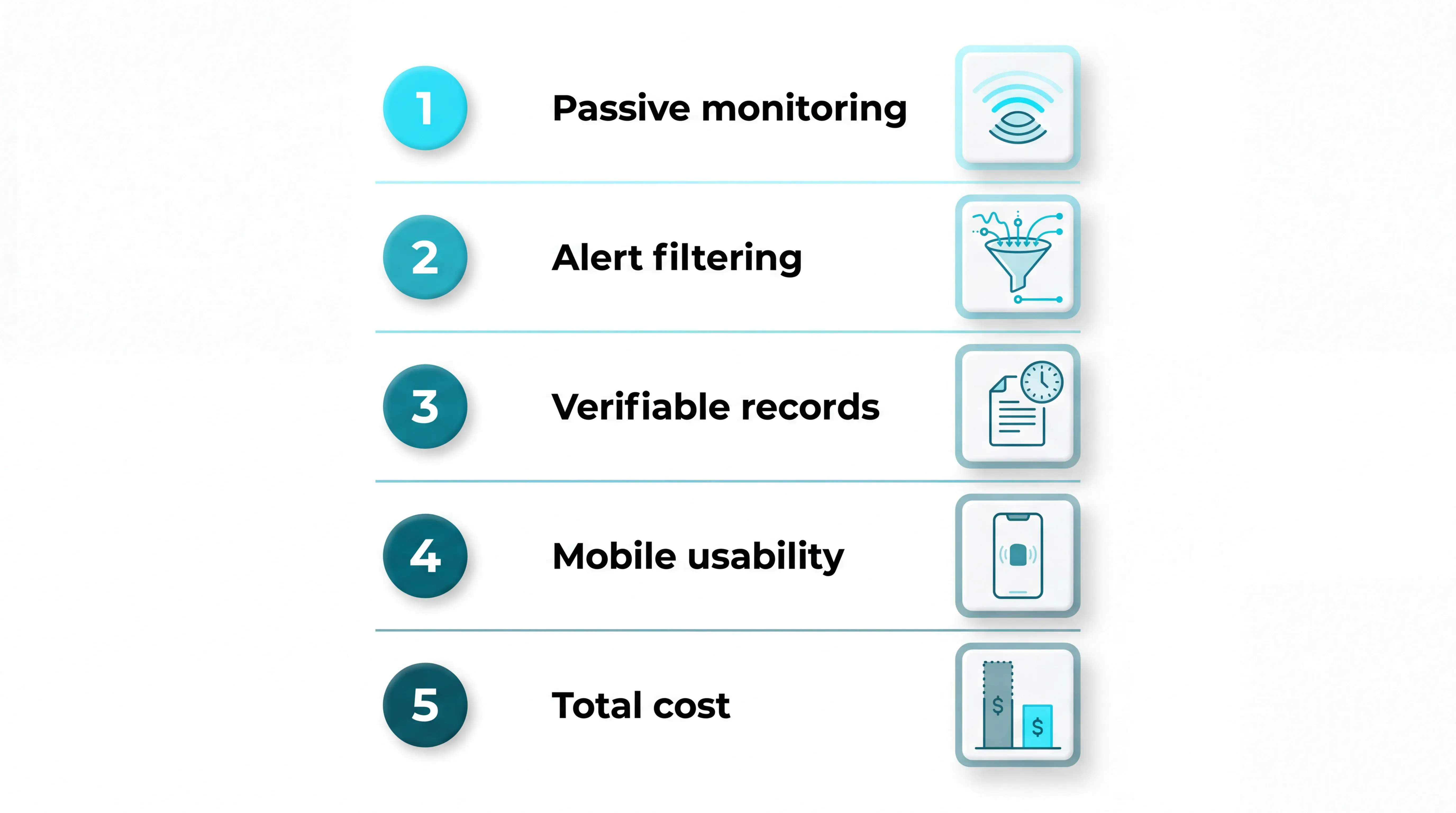
Passive vs button-dependent monitoring: LeLaurin et al. (2019) found 80% of older adults with call alarms did not activate them after a fall, so ask whether safety depends on a button, pendant, or wearable.
Alert filtering: Look for configurable rules by time, threshold, routine, or location, so caregivers see genuine changes instead of every normal movement.
Verifiable records: Look for time-stamped EVV, incident logs, response records, and evidence that supports Regulation 12.
Caregiver mobile usability: In high-turnover or zero-hours teams, choose tools staff can use on a phone, with fast onboarding, clear alerts, and minimal portal-hopping.
Total cost beyond subscription: Compare software fees, hardware, training, replacement devices, and deployment disruption; drilling, cabling, or long IT projects can cost more than the invoice.
When agency management software isn't enough
Agency management software is still the right foundation for rota planning, billing, EVV, payroll, and care documentation. It tells you what was planned, who attended, and what was recorded.
That is not the same as live safety visibility.
The gap usually appears in three places:
Between visits: when a client falls, wanders, or misses a routine before the next scheduled call.
Overnight: when bed exits, room activity, or door events need attention without a camera.
During unscheduled events: when staff need a live location and incident record, not just a note afterward.
Some agency platforms add monitoring modules, so do not assume every vendor leaves the same gap. Check whether the system captures real-world safety events automatically, or only records visits and tasks.
Guardian sits on the monitoring-first side of that decision. It is the stronger fit when a care home or operator needs live safety visibility, room-level context, and automatic incident records, not traditional billing or scheduling software.
Resident safety gaps your software can't fill? See how Guardian works
Home care software keeps schedules, visits, billing, and payroll moving. It usually records a safety event after the fact; Guardian adds the sensor layer that helps staff see it while it is happening.
If that is the gap you need to close, look at Guardian as a pilot in one ward or team, not as another scheduling platform.
Our pilots have already detected over 30 incidents and unlocked over €1,000/month in caregiver capacity from real customer data. We turn those events into clean response-time, incident, and ROI evidence.
Pilot Guardian in one ward or team for 6–8 weeks, without disrupting daily care.
Tell us where you want to test the system. We'll reply with scope and next steps.
Yes. Most home care software handles billing and payroll by turning scheduled or completed visits into invoices, pay runs, and records for funders or families.
Billing modules typically generate individual or bulk invoices from shift records, then route charges to private clients, insurers, local authorities, or other third-party payors.
Payroll usually draws from caregiver hours, tasks, and visit notes, with some platforms exporting data to accounting or payroll tools instead of processing pay internally.
EVV closes the loop by confirming who delivered the visit, when it happened, and where, so finance teams are not working from unverified schedules.
Yes, many platforms integrate with EMR or EHR systems, but the depth varies. A basic sync may share demographics and care plans; a stronger integration updates medication, notes, and clinical changes across systems.
Day to day, this means caregivers can see medical history, current instructions, and care-plan changes without checking separate systems.
Adoption is high, but interoperability still varies. A system can hold digital records without exchanging every medication update, note, or care-plan change automatically.
FHIR can help systems exchange structured health and social care data, such as care plans and end-of-life wishes, but it does not make every product interoperable automatically.
Check each vendor's integration list, available APIs, supported data fields, and whether setup needs custom work from your EMR partner.
Yes, most home care software platforms include mobile apps for caregivers to manage schedules, clock in and out, and document visits in the field.
Common field app functions include:
Core scheduling: Caregivers view assigned shifts, set their availability, and clock in or out to verify visits.
Field documentation: Staff write care notes, use voice-to-text features, complete templates, and access client details.
Expense tracking: Some apps let staff log mileage and upload receipts directly.
Mobile access is structurally important because the home care workforce is highly fragmented. Caregivers work on flexible, remote contracts and rarely report to a central office.
A mobile app serves as their primary connection to real-time care plans, schedules, and safety alerts.
EVV (Electronic Visit Verification) records the date, time, location, and caregiver identity for each home care visit. In the US, it is required for Medicaid-funded personal care and home health services.
For agencies, EVV matters because billing, compliance, and visit records need to match actual care delivery. It helps finance and quality teams work from verified visits, not planned schedules.
The availability of EVV depends on the type of platform you choose:
Agency management platforms: Tools such as WellSky, AxisCare, AlayaCare, Axxess, and CareSmartz360 commonly include EVV or visit-verification workflows.
Guardian operations monitoring: Guardian is not an EVV or billing platform. It creates proof of service for families and funders from caregiver arrival times, visit durations, and response times.
EVV compliance: State-mandated EVV still needs a dedicated agency management platform.
Remote monitoring systems: Envoy at Home, Nomo Smart Care, and Lifeline Canada do not include EVV because they are consumer-facing safety systems, not agency tools.

Author
Aleks Timm
Aleks Timm leads Guardian and builds privacy-first operations technology for care homes and home care providers. Teams get location-aware alerts they can act on, clearer situational awareness, and measured insight into how care work actually runs.
Read MoreRecommended reads
Keep reading
11 Best Nursing Home Software Options: What Actually Works
11 Best Nursing Home Software Options: Compare tools for live alerts, compliance, and EHR integration to find what actually works.
Read more
10 Best Room Monitors for Elderly Home Care
10 Best Room Monitors for Elderly Home Care: compare top options for safety, alerts, and peace of mind to find the right fit for...
Read more
8 Best Nurse Call Systems for Hospitals & Care Facilities
Discover the 8 best nurse call systems for hospitals and care facilities—compare features, reduce alert fatigue, and find the right...
Read more