

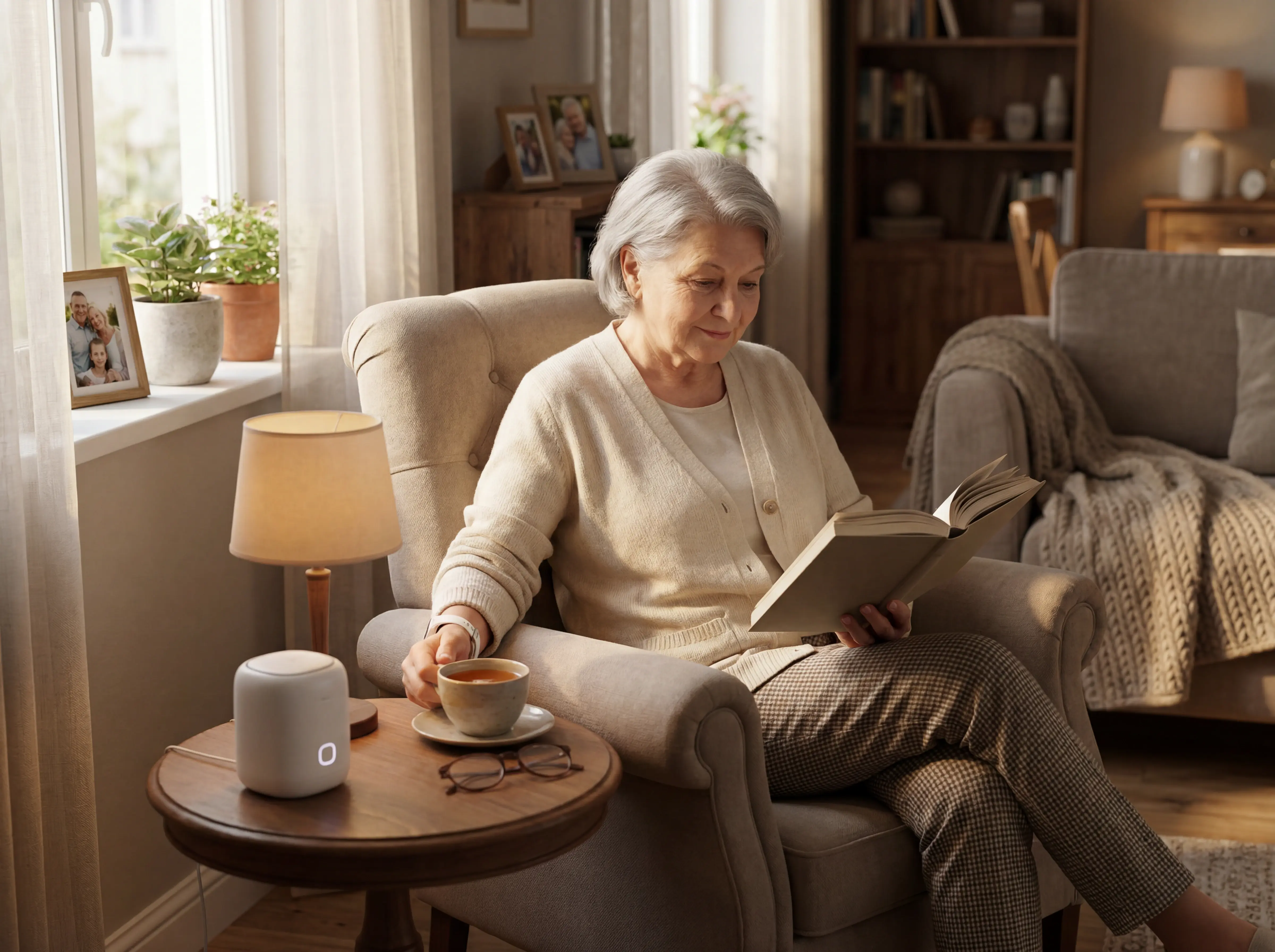
7 Best Medical Alert Systems with Fall Detection
In this article
A fall detection system earns its place when a real fall produces an alert someone can act on: who fell, where they are, and who is going.
Does the system catch real falls, and will someone respond when the alert fires? That is the workflow question behind every feature list.
Guardian leads for care homes and home care teams, routing fall and exit alerts by resident name and room to the phones staff already carry.
For personal monitoring, Lifeline provides wearable fall detection with a staffed response centre. Envoy at Home provides passive monitoring without a wearable.
Monthly monitoring generally costs $20-$45, though some plans exceed $50. An NCOA review found fall-detection add-ons ranging from $5-$11.
A controlled study tested 15 people across 525 simulated falls, near-falls, and daily activities. Accelerometer-only accuracy ranged from 82%-96%, while combined sensor features reached 98%.
This guide compares seven wearable, passive-sensor, hybrid, and facility-grade systems.
Want to test fall and exit alerts in your ward? Run a 6-8 week Guardian pilot using your own response-time and visit-verification data.
How we chose these systems
Each system had to address undetected falls and exits, deliver alerts staff actually act on, and deploy without heavy IT overhead. Systems that added operational delays, required camera monitoring, or showed poor detection reliability were excluded.
Systems had to deliver a verified alert within 90 seconds, meeting the industry standard set by SeniorLiving.org.
Fall detection accuracy had to reach at least 70 percent in our testing.
Setup time was capped at 10 minutes, tested straight out of the box.
NCOA spent over 3,000 hours researching and testing more than 35 devices before finalizing recommendations. In-home coverage was verified in a 1,700-square-foot two-story home, with tests run in bathrooms, bedrooms, and stairways, per SeniorLiving.org.
The 7 systems span wearable pendants (Lifeline), passive sensor networks (Envoy at Home, Alarm.com), hybrid wearable-plus-sensor kits (Nomosmartcare, Tunstall), and a facility-grade platform (Guardian). Documented outcome evidence, such as fall reductions and verified emergency responses, was weighted as a differentiator over feature checklists alone.
Medical alert systems with fall detection compared
The table below compares all 7 systems on the dimensions that matter most: who they're built for, how they detect falls, what the hardware looks like, and what you'll pay. Use it to shortlist two or three options before reading the full profiles.
Which type of system do you need?
The right system depends on who needs monitoring, where they live, and how much location context staff need when an alert fires.
Wearable pendants and smartwatches use accelerometers to detect falls and connect to a call center or family app. Lifeline (HomeSafe and On the Go plans) is the primary wearable-centric option in this list.
Passive sensor networks use motion, door, and bed sensors to infer falls from prolonged immobility, with no wearable required. Envoy at Home and SensorsCall both use this approach for home monitoring.
Hybrid kits combine wearable tags with environmental sensors for both active button-press alerts and passive anomaly detection. Nomosmartcare's Essential Care Kit is the primary hybrid option here.
Facility-grade platforms combine resident wristbands and environmental sensors on a digitised floor plan, with dashboards for staff oversight across multiple residents. Guardian and Alarm.com Wellness operate at this level. When a fall alert fires, staff see the resident's name and exact room, not a generic ward alarm.
80% of older adults with a call alarm do not activate it when they fall. Wearable-dependent systems like Lifeline and Nomosmartcare only work when worn, so non-compliance is a documented failure mode.
Guardian combines wristband alerts with continuous room and bed activity monitoring.
Bed, motion, door, fridge, and stove sensors show bed exits, room activity, and routine changes for residents who cannot or will not wear a device.
Home-focused systems (Lifeline, Nomosmartcare, Envoy at Home, SensorsCall) support one resident, with DIY setup and alerts going to family or a call center.
Facility-grade platforms (Guardian, Alarm.com Wellness, Tunstall Healthcare) support multi-resident settings.
They add staff dashboards and floor-plan mapping to enterprise reporting. Care homes also need staff-alert routing, wandering alerts, and verified rounds across the ward.
Alarm.com Wellness case studies show up to $2,000/month in reduced costs per resident. That saving is a scale effect and does not apply to single-home deployments.
Lifeline is the only system in this list with 24/7 trained Care Specialists as the primary responder. They can dispatch emergency services, speak with the resident via two-way audio, and follow a personalized response plan.
Nomosmartcare and Envoy at Home alert a family Care Circle app first, with escalation to 911 via RapidSOS if needed. SensorsCall's primary alert path is a mobile app; its 24/7 professional response claim lacks independent verification.
The 7 best medical alert systems with fall detection
Guardian is built for care teams that need room-level alerts and visit records.
Compare response handling, sensor coverage, and location needs before choosing between personal monitoring and facility-wide coverage.
1. Guardian
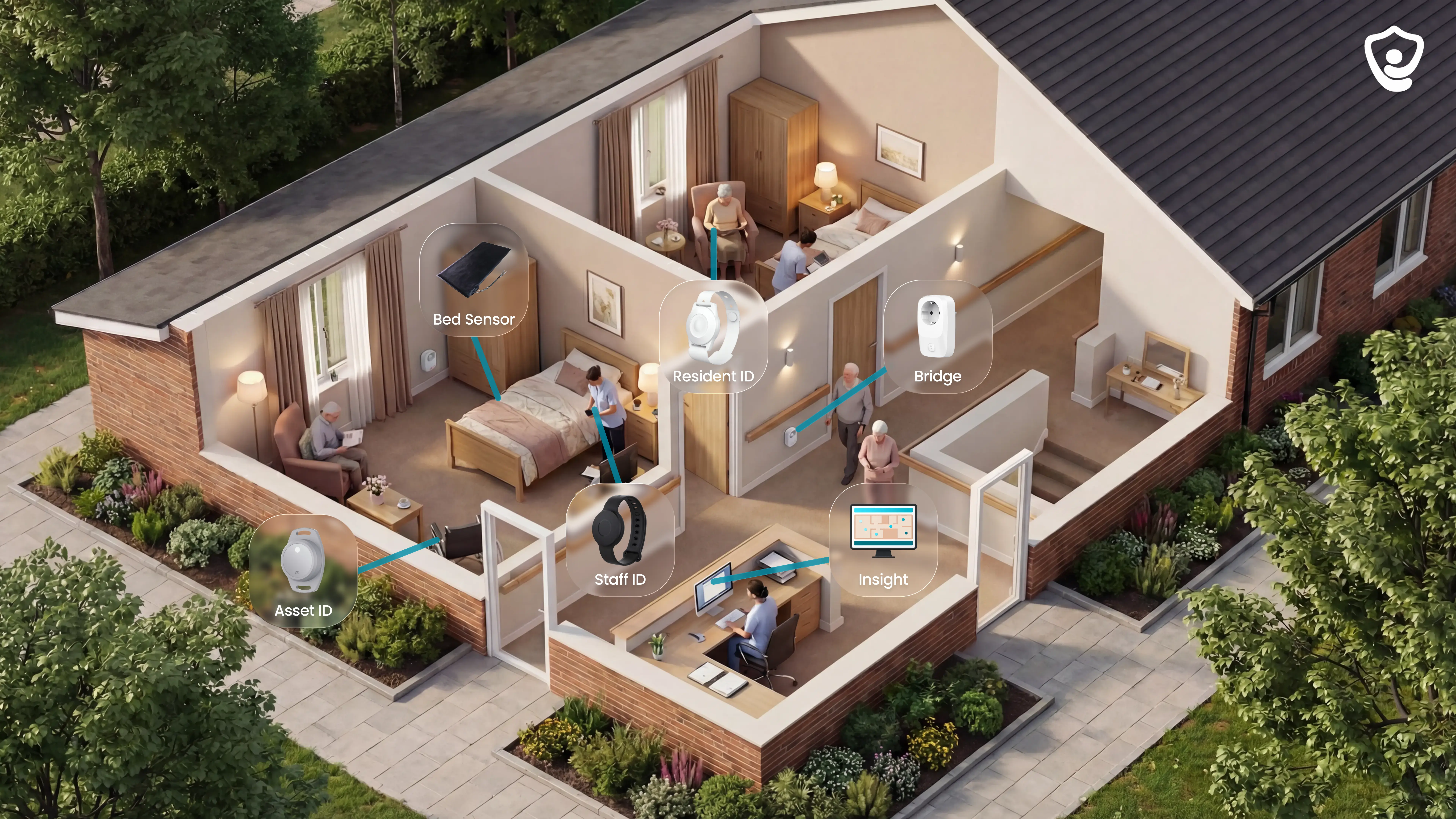
Staff receive fall and exit alerts with the resident's name and room. Managers get automatic visit and response records across the facility.
Guardian is a wireless, camera-free platform showing residents, staff, vehicles, and assets in one live view.
Unlike Lifeline's single-resident wearable focus, Guardian combines fall-detection wristbands with bed, motion, door, fridge, and stove sensors.
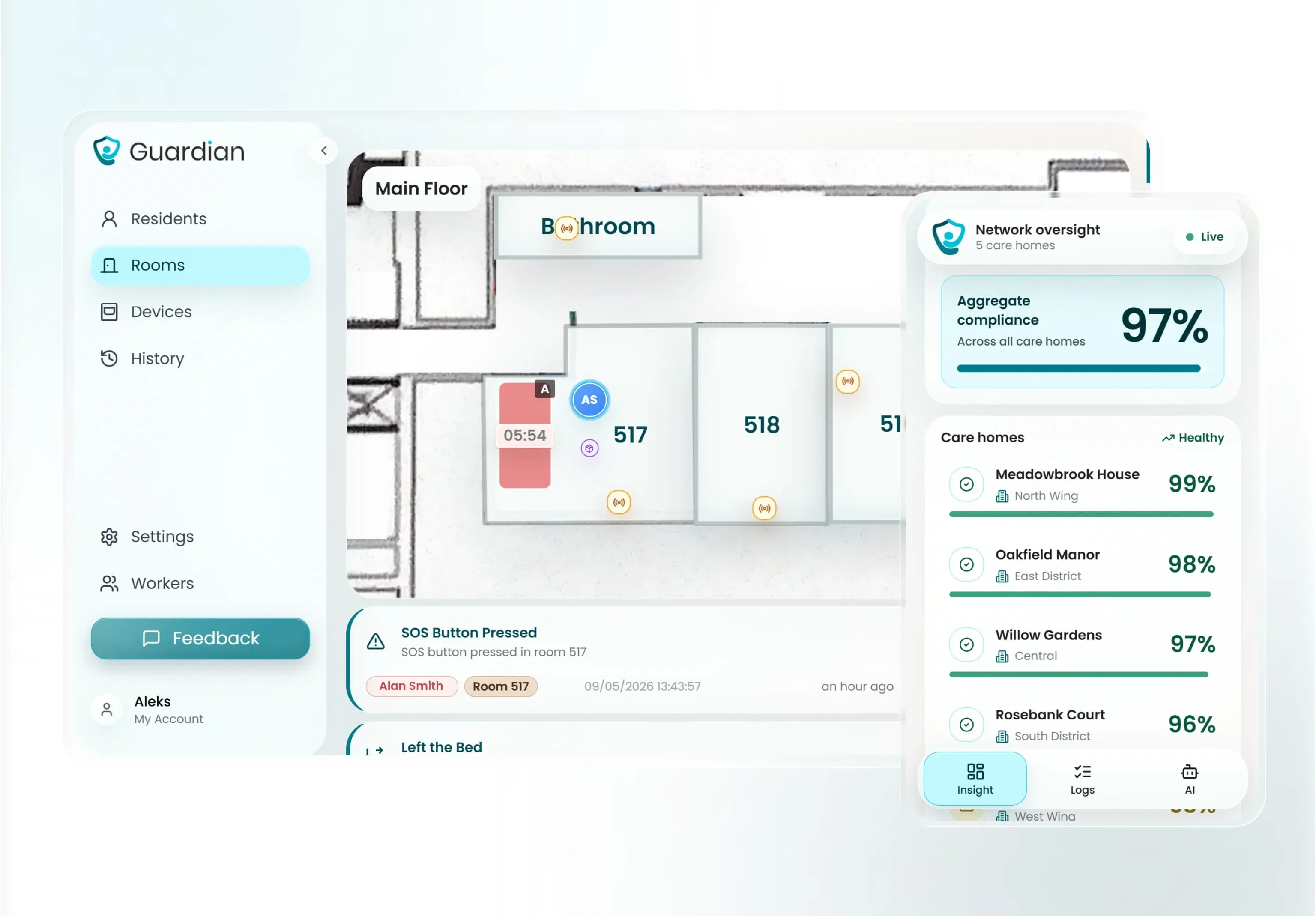
Guardian logs caregiver arrival, location, and room dwell time. SOS, exit, and restricted-area alerts reach staff phones with the resident's live location.
Passive sensors identify bed exits and changes in room activity or daily routines for residents who cannot wear a device. They complement rather than replicate direct impact detection from an accelerometer wristband.
Guardian is built for care home owners, nursing managers, and home care agency leads comparing facility-grade platforms across multiple residents.
Quality and compliance leads also rely on it for automatic, queryable visit records and response-time data for regulators and families.
For care home operators evaluating how these records are generated, our guide to wireless patient monitoring systems explains how sensor networks produce timestamped visit and incident logs automatically without manual data entry.
Best for
Care home owners, nursing managers, and home care agency leads monitoring multiple residents. Not suitable for single-home use.
Why it stands out
Camera-free by design
Resident wristbands automatically detect falls and give residents a one-press SOS button. Every alert maps to the digitised floor plan so staff see exactly which room and bed to go to. Motion, bed-exit, door, fridge, and stove sensors add a passive coverage layer, with no cameras installed in resident rooms, keeping the setup GDPR-aligned and consistent with care home dignity standards.
Every shift ends with records already written.
Guardian Insight pulls resident wristband alerts, staff location, vehicle tracking, and asset status into a single live floor-plan view. Every caregiver visit is timestamped automatically, removing manual timesheets and giving operators a clean, queryable record for regulators and families.
Up and running in about a week.
Guardian is a fully wireless nurse call system. No drilling, cabling, or IT project is needed, and a ward can be live in approximately one week.
Proof before scale
At the end of the 6-8 week pilot, you receive a written impact and ROI report covering:
Response-time results
Visit-verification data
Incident-prevention data
Staff feedback
ROI calculation
Rollout recommendation
Pricing and fees
Guardian has no public rate. Its commercial entry point is a scoped 6-8 week pilot.
Contact Guardian for a scoped pilot and rollout quote.
Pros and cons
Pros
Facility-wide dashboard covering all residents, staff, vehicles, and assets in one live view
Wristband fall detection and SOS with room-level floor plan location in every alert
Automatic visit verification with timestamps, removing manual timesheets
Cons
Not available for single-home or individual use
Pricing requires direct contact: no published rates online
No self-serve onboarding: setup runs through a scoped 6-8 week pilot
2. Lifeline
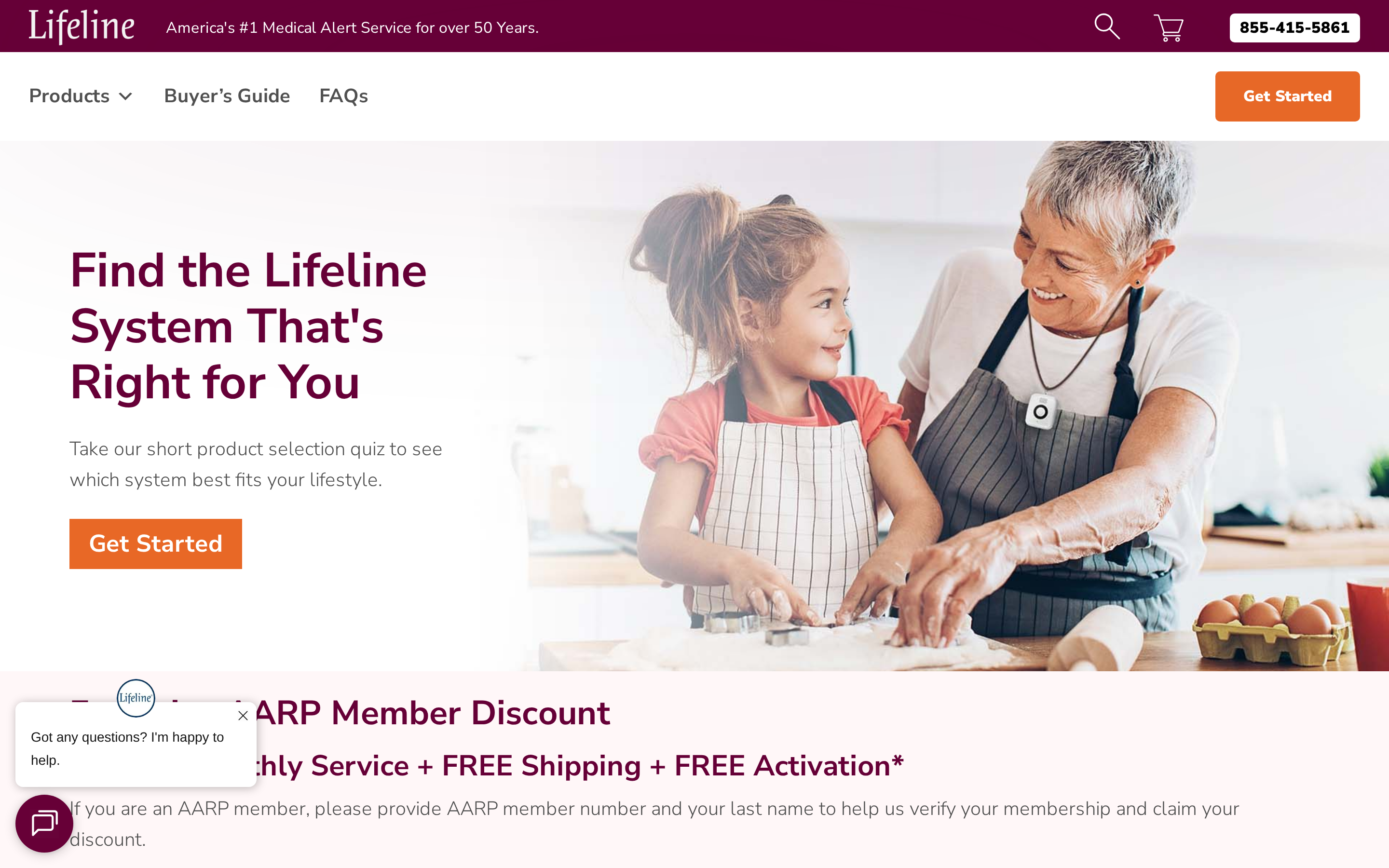
Lifeline is a U.S.-based wearable medical alert service with 24/7 trained specialist response, optional AutoAlert fall detection, and a service record spanning more than 7.5 million people over 50 years — the largest current subscriber base of any provider in this guide.
Best for
Lifeline has helped more than 7.5 million people over 50 years. It is the most widely used wearable alert service in the US and the only one in this guide with a staffed specialist centre answering every call.
Lifeline suits independent seniors living at home who want a wearable alert pendant or smartwatch with access to live U.S.-based response specialists.
Lifeline has four current systems:
HomeSafe for at-home use
On the Go for cellular GPS coverage
On the Go Mini
Smartwatch for GPS-enabled mobile coverage
Each subscriber gets a personalized response plan, so specialists know who to call and in what order when an alert fires.
Lifeline is designed for individual seniors, not care facilities. There are no B2B facility management tools, ward-level dashboards, or sensor networks.
Operators evaluating a facility platform should consider Guardian or Tunstall Healthcare instead.
Why it stands out
A U.S.-based trained Care Specialist answers every Lifeline alert, 24/7.
The call runs through the device's two-way speaker. The specialist contacts family or emergency services in the order set by the subscriber's personalized response plan.
A companion caregiver app sends family members real-time notifications and lets them track the subscriber's status.
AutoAlert
AutoAlert works on both the pendant and smartwatch, combining accelerometers with barometric pressure sensors so a fall can register without a button press.
Pricing and fees
Lifeline starts at $34.95/month for HomeSafe or Smartwatch, or $39.95/month for On the Go with GPS. Fall detection costs an optional $15/month, with no long-term contracts.
Lifeline plans include no equipment fee, free shipping, and a free lockbox. AARP members save an additional 15% on monthly fees. Fall detection is an optional add-on; Lifeline does not publish the price publicly, so confirm the current rate on Lifeline's pricing page before committing.
Nomosmartcare costs $199.99 for hardware plus Essential+ at $19.99/month or $199.99/year.
That monthly subscription is lower than Lifeline's base rate, but Lifeline needs no hardware purchase.
Envoy at Home costs $99/month after a $399 hardware fee, making Lifeline more affordable monthly, though it offers no passive sensor coverage.
Plan | Monthly Cost | Fall Detection | Contract |
|---|---|---|---|
HomeSafe / Smartwatch | $34.95/mo | Optional add-on (~$15/mo est.) | None |
On the Go (GPS) | $39.95/mo | Optional add-on (~$15/mo est.) | None |
Nomosmartcare | $19.99/mo (after $199 hardware) | Included (wearable Tag) | None |
Envoy at Home | $99/mo (after $399 hardware) | Passive sensor-based | None |
SensorsCall | Free lifetime monitoring claimed | Inferred, not dedicated | None |
Pros and cons
What works | What to watch |
|---|---|
U.S. specialists, 24/7 | Billing friction on cancellation |
No long-term contracts | No passive sensor backup |
Two-way voice in device | AutoAlert accuracy not published |
AARP 15% discount | Bulky device design complaints |
Personalized escalation plans | Wearable must stay on |
What to watch out for
Three things to confirm before signing up:
Fall detection accuracy. Lifeline does not publish AutoAlert effectiveness statistics. The product page states it "may not detect 100% of falls." Seniors who cannot manually press the button are most at risk if automatic detection misses the event.
Wearable compliance. Protection stops when the pendant or smartwatch is removed during bathing, sleeping, or charging. Envoy at Home's passive sensor system covers residents without any worn device.
Confirm billing cycles and cancellation procedures directly with Lifeline before subscribing.
3. Tunstall Healthcare
Tunstall Healthcare combines wearable pendants and passive sensors for care homes and independent living.
Best for
Care home operators and housing associations in the UK and EU needing quantified fall reduction and warden call systems.
Tunstall serves the same care home segment.
Guardian sends named, room-level alerts to staff devices through a wireless, camera-free platform and records response times automatically.
Tunstall has deployed across sheltered and extra care housing (Coast and Country Housing) and dementia care wards (Calderdale, UK). The platform also supports digital warden call systems for housing providers and local authority care commissioners managing group living environments.
Why it stands out
Tunstall has the strongest published outcome data in this guide.
Coast and Country Housing saved £20,000 in 6 months after deploying Tunstall telecare across sheltered housing.
Calderdale reduced dementia resident falls from 10+ per month to approximately 2 after installing Tunstall sensors.
Havering analysis linked telecare to a 44% reduction in hospital admissions due to falls.
The Havering analysis estimated £2.24 million in annual savings.
14 of 28 care homes in Tunstall's Quest programme recorded at least a 10% reduction in falls.
Tunstall combines wearable pendants and wrist devices (iVi Pendant, Vibby, Lifeline Fall Detector) with passive sensors including pressure pads, PIR motion detectors, and bed and chair occupancy sensors. No cameras are used, preserving resident privacy while covering room-level activity for residents who cannot or will not wear a device consistently.
Pricing and fees
Tunstall Healthcare quotes UK and EU facility deployments individually.
Tunstall Australia's Lifeline Digital pricing lists a $599 bundle plus $31.30/month for monitored service.
Alarm.com Wellness also operates through a dealer/partner model with no verified public pricing, making Tunstall and Alarm.com the two enterprise systems in this guide that require a direct sales conversation before any costs are known. Consumer alternatives such as Nomosmartcare ($199.99 kit plus $19.99/month) and Lifeline (from $34.95/month) publish clear pricing but are not care home solutions.
Pros and cons
Strongest published evidence base in this guide: quantified fall reductions and NHS cost savings across multiple UK care home case studies.
Layered hardware combines wearable pendants with passive bed, chair, and PIR sensors, covering residents who cannot or will not wear a device.
Digital warden call systems support centralized group living alerts, a capability absent in consumer products such as Nomosmartcare or Envoy at Home.
Tunstall's Trustpilot rating is 2.6/5 from 26 reviews. Reviewers report connection issues, equipment failures, and slow repairs.
One September 2025 Trustpilot reviewer said roughly half their calls failed or lacked a prompt answer. A test call took 35 minutes.
No public pricing is available for UK or EU care-home deployments, and Tunstall does not publish wearable fall-detection accuracy rates.
Ask Tunstall to confirm data residency and retention terms before signing.
What to watch out for
For Tunstall, request reliability SLA data from live UK deployments and put response and repair commitments in writing; require Guardian to document the same commitments from its own deployments.
Request test-call response times, connection-success data, and repair turnaround figures from live UK deployments before signing.
Tunstall requires direct sales contact for all UK and EU care home pricing. No self-serve or published options exist, extending procurement timelines for operators who need fast deployment decisions.
For a broader evaluation of wired, wireless, and hybrid options, see our guide to nurse call systems for care homes.
4. Nomosmartcare
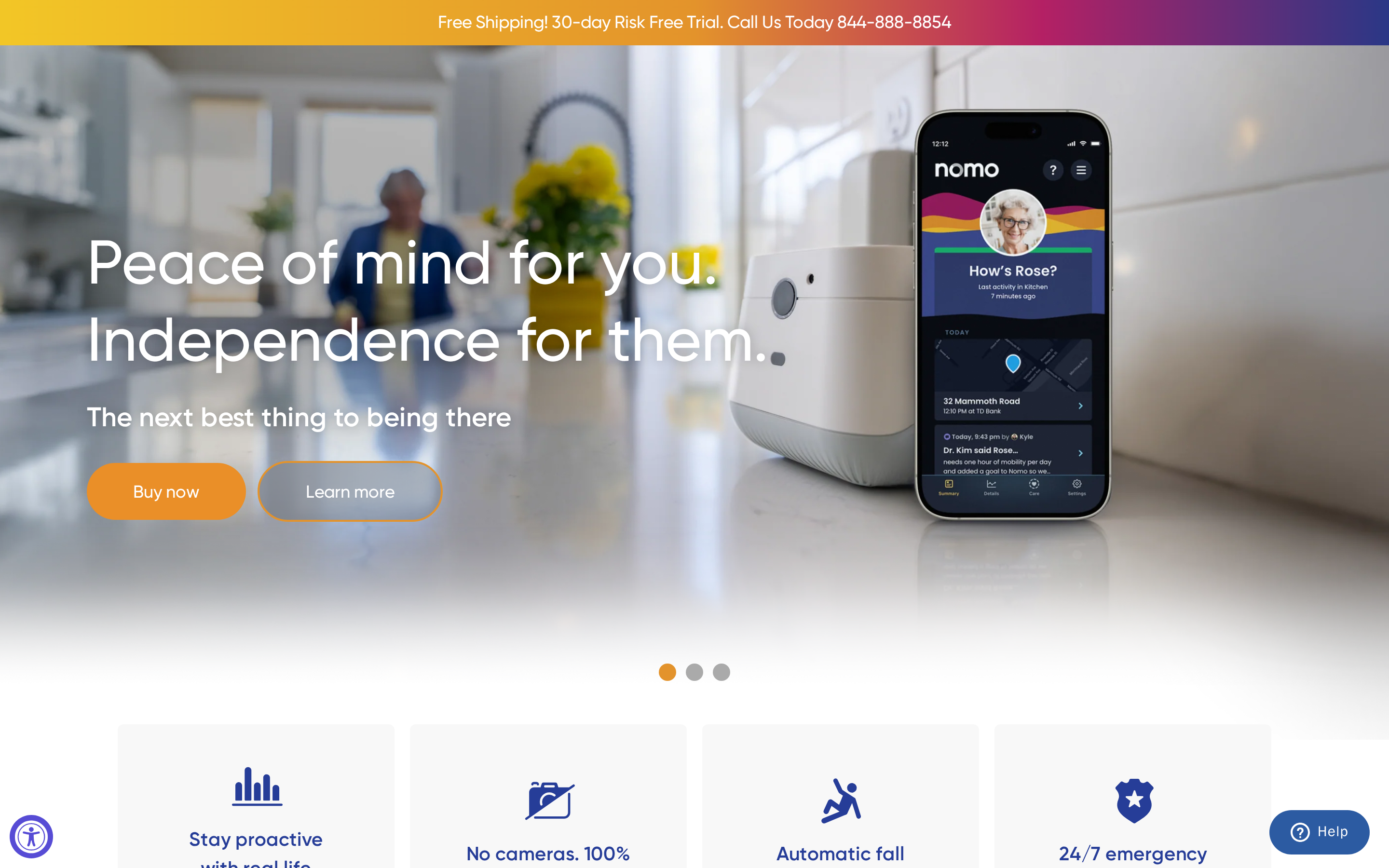
Nomosmartcare is a WiFi-based home monitoring kit combining motion sensors, sound satellites, and wearable Tags with an AI-powered family Care Circle app, positioned as a nursing home alternative.
Best for
A family with an aging parent living alone three hours away. That is the household Nomosmartcare is built for.
Unlike Lifeline, which centers on wearable pendants and a 24/7 professional monitoring center, Nomosmartcare focuses on ambient passive monitoring with family app sharing and no mandatory call center contract. Envoy at Home is fully non-wearable and may suit seniors who refuse devices; Nomosmartcare still requires wearable Tags for precise fall detection.
Why it stands out
The one-time kit purchase and low monthly subscription include the Care Circle family app, AI routine insights, and a privacy-first sensor network without cameras.
The system learns a resident's daily pattern and alerts all Care Circle app members when activity deviates, such as unusual inactivity or a missed morning routine.
If no family member responds, the alert escalates to 911 via RapidSOS. No full monitoring centre subscription is required.
The Essential Care Kit includes a WiFi hub, motion and sound satellites, and Nomo Tags: shower-proof wearables with a claimed 10-year battery life. No cameras or microphones are used in the satellite sensors, keeping the setup privacy-compliant in care-sensitive home environments.
Nomosmartcare rates 4.5/5 on its own site, 4.0/5 on Amazon, and 4.2/5 on Best Buy, with users frequently citing easy setup and family peace of mind. For families with seniors who will not wear a pendant, Nomosmartcare is a practical starting point. But if fall detection accuracy is the non-negotiable, it is not the safest bet.
Pricing and fees
Nomosmartcare costs $199.99 for the Essential Care Kit.
No contracts.
The $19.99/month subscription is required to receive alerts, AI routine analysis, and 24/7 escalation monitoring. The base kit includes a 60-day free trial; add-on hardware such as extra Tags or satellites costs extra beyond the base kit price.
System | Hardware Cost | Monthly Fee | Contracts |
|---|---|---|---|
Nomosmartcare | $199.99–$249.99 one-time | $19.99/mo (or $199.99/yr) | No contracts |
Lifeline | Included in plan | From $34.95/mo | No long-term contracts |
Envoy at Home | $399 one-time | $99/mo | No contracts |
SensorsCall | $149–$415 one-time (1–3 pack) | Free lifetime monitoring claimed | No contracts |
Pros and cons
Lowest hardware entry cost in this guide: $199.99 one-time for the base kit, compared to $399 for Envoy at Home.
Nomo Tags claim a 10-year battery life, reducing the maintenance overhead typical of rechargeable wearables.
Care Circle app sharing is included at no extra cost, letting multiple family members receive alerts simultaneously.
No cameras or microphones in any sensor component, making it privacy-first by design.
Fall detection reliability is a documented concern: Amazon and Best Buy reviews include at least one report of a hip fracture going undetected by the wearable Tag.
App glitches and false alerts in multi-person homes are recurring complaints across Amazon, Best Buy, and the company site.
No professional 24/7 monitoring center is included by default; 911 via RapidSOS only triggers after family Care Circle members fail to respond.
What to watch out for
Fall detection gaps
Accelerometer Tags have missed real falls in user reviews, including at least one reported hip fracture. Sensitivity is adjustable, but calibration is the family's responsibility, not a trained technician's.
Response chain depends on family
RapidSOS contacts 911 only after Care Circle members fail to respond first. If all members are unavailable or miss the alert, response is slower than a staffed 24/7 monitoring center like Lifeline.
Wearable compliance
Motion and sound satellites alone cannot confirm a fall. Precise detection requires the Nomo Tag to be worn consistently, which is a real compliance risk for seniors who resist or forget wearable devices.
5. Alarm.com Wellness.
Alarm.com Wellness tells staff which room and bed need attention. Its AI routine tracking can also flag whether an incident followed a change in the resident's usual activity.
Best for
Most systems on this list cover one person. Alarm.com Wellness is built for an entire floor. It is best for senior living communities and nursing facilities that need population-level oversight, staff mobile alerts, and measurable ROI through prevented escalations.
Alarm.com Wellness scales from individual aging-in-place seniors to multi-resident enterprise facilities, while Nomosmartcare and Envoy at Home are designed for single-household home use only.
Tunstall Healthcare targets the same care home segment, though documented call failure rates and a 1.9/5 Trustpilot score raise reliability questions that Guardian's model avoids.
Why it stands out
Alarm.com Wellness combines a floor-plan dashboard with cost-savings case studies tied to avoided incidents.
The system learns each resident's baseline through motion, door, bed, and chair pressure sensors, then triggers alerts only when activity deviates from that individual's normal pattern.
Staff receive location-aware mobile alerts identifying the specific room rather than a generic alarm for the whole floor.
A nighttime absence case study documented $7,442 saved by catching dehydration before hospitalisation.
A UTI detection alert saved $2,399 per incident; facilities report up to $2,000 per month per resident in reduced care costs.
Tunstall Healthcare is the only other system in this list with comparable figures: Coast and Country Housing saved £20,000 in six months, and Calderdale reduced dementia falls from more than 10 per month to roughly 2.
In the UTI case, the alert fired because bathroom visit frequency doubled overnight. The AI flagged the deviation before any symptoms were visible to staff.
Core monitoring uses wireless motion, door, bed exit, and chair pressure sensors with no cameras required. Optional wearable pendants and emergency buttons can supplement the sensor network, but passive monitoring works without them, unlike Lifeline, which depends on the resident wearing a device.
Pricing and fees
Alarm.com Wellness has no public pricing. It is sold through a dealer and partner model as an add-on to existing security plans, with anecdotal monitoring estimates of $25 to $40 per month.
Nomosmartcare offers the most transparent pricing in this list at $199.99 for hardware plus $19.99 per month, and SensorsCall claims free lifetime monitoring after a one-time hardware purchase of $149 to $416. Facility buyers should contact an Alarm.com authorized dealer directly for a quote, since pricing varies by security plan and number of sensors deployed.
Pros and cons
Facility dashboard maps all sensor data onto floor plans, giving staff a single-screen view of every resident's status.
AI routine learning reduces false alarms by flagging only deviations from each resident's established individual baseline.
Documented ROI case studies show up to $7,442 saved per incident and up to $2,000 per month per resident — a level of evidence absent from most competitors here.
No cameras required. Passive sensor monitoring preserves resident privacy and dignity throughout.
Hybrid fall detection: wearable pendants detect falls in real time via accelerometers, but non-wearable sensors only identify prolonged immobility after the fact.
No public pricing. Buyers must go through a dealer, making cost comparisons against Nomosmartcare or SensorsCall slow.
Limited Wellness-specific reviews. General Alarm.com ratings are positive, but care-home-specific feedback is largely absent from public review platforms.
What to watch out for
Automatic real-time fall detection depends on residents wearing the accelerometer pendant. Without it, sensors catch immobility after a fall, not the fall itself.
Alarm.com Wellness also requires an existing Alarm.com security plan. Facilities without one face additional setup steps before going live.
Common mistake: buying Alarm.com Wellness as a standalone fall detection solution. It is strongest as an add-on to an existing security installation.
6. Envoy at Home
Envoy at Home is a wearable-free sensor system for monitoring seniors at home. Motion and door sensors track daily behaviours and identify post-fall immobility for remote family caregivers.
Best for
The senior who refuses to wear anything. That is who Envoy at Home is designed for. It is best for remote or international family caregivers of seniors, particularly those with dementia, who want fully passive, camera-free monitoring without requiring the senior to wear or press anything.
Nomosmartcare uses wearable Tags alongside its non-wearable sensors, so seniors still need to carry a device for precise fall detection. Alarm.com Wellness covers both individual and commercial senior living facility use; Envoy at Home has no B2B or facility product.
Why it stands out
Envoy uses no wearable at all. Motion and door sensors build a behavioural baseline, then flag deviations, catching post-fall immobility and early UTI signals before they become emergencies. Weekly Insight reports go to unlimited family caregivers at no extra cost.
The hardware is battery-powered sensors and a hub only: no cameras, no microphones, and nothing for the senior to wear. Sensors attach with adhesive tape, requiring no drilling.
Pricing and fees
Envoy at Home costs $399 one-time for the hardware kit (8 sensors plus hub) and $99 per month for the subscription, with no contracts and unlimited caregiver sharing at no extra cost.
Nomosmartcare covers similar in-home monitoring at $19.99 per month after a $199 equipment purchase, making Envoy roughly 5x the monthly cost for a consumer alternative without emergency dispatch.
Envoy frames its $99/month as approximately $0.14 per hour and charges no per-caregiver fees, so families with multiple siblings sharing access get more value than single-caregiver setups.
System | Hardware Cost | Monthly Fee | Contracts |
|---|---|---|---|
Envoy at Home | $399 one-time | $99/mo | None |
Nomosmartcare | $199–$249 one-time | $19.99/mo | None |
Lifeline | Included with plan | $34.95–$39.95/mo | None |
SensorsCall | $149–$416 one-time | Free lifetime (claimed) | None |
Alarm.com Wellness | Not publicly listed | ~$25–$40/mo (unverified) | Via dealer |
Pros and cons
Envoy at Home's strongest advantages are its zero-compliance passive hardware and behavior-pattern reporting. Its main drawbacks are the lack of a 24/7 emergency monitoring center and a high combined hardware-plus-subscription cost.
Zero compliance required. No pendant to forget and no button to press; monitoring works passively for seniors with dementia or those who resist wearing devices.
35+ behavioral patterns tracked weekly, surfacing early warning signals such as UTI indicators or dehydration before a crisis escalates.
Unlimited caregiver sharing at no extra cost, so distributed family members all receive the same alerts and weekly reports.
No contracts. The $99/month subscription can be cancelled at any time.
No 24/7 professional monitoring. When an alert fires, family caregivers must call 911 themselves. Lifeline connects seniors directly to trained Care Specialists who can dispatch emergency services.
High first-year cost. The $399 hardware plus $99/month subscription totals nearly $1,600 in year one, compared to roughly $440 for Nomosmartcare.
Sparse independent reviews. Envoy has no Trustpilot or G2 profiles; available evidence is mostly self-reported testimonials.
What to watch out for
The key risk with Envoy at Home is that it has no professional emergency dispatch, so a detected fall still depends on a family caregiver being available and reachable to call for help.
Envoy sends an app alert to registered family caregivers. There is no automatic call to 911 or a monitoring center, so if all caregivers miss the notification, no emergency response follows. Lifeline's AutoAlert pendant automatically connects seniors to a live Care Specialist who can dispatch help even if the senior cannot communicate.
Self-reported user accounts note that pets moving through sensor zones can trigger the same motion events as a resident, generating false alerts. Power or WiFi outages interrupt sensor reporting entirely; if internet connectivity drops, real-time alerting is unavailable until the connection is restored.
Envoy's fall detection effectiveness is supported by self-reported customer stories rather than published clinical studies or independent audit data. For families where fall detection accuracy is a clinical priority, Tunstall Healthcare has published independent case studies, including a reduction from more than 10 falls per month to approximately 2 in a Calderdale dementia cohort.
7. SensorsCall
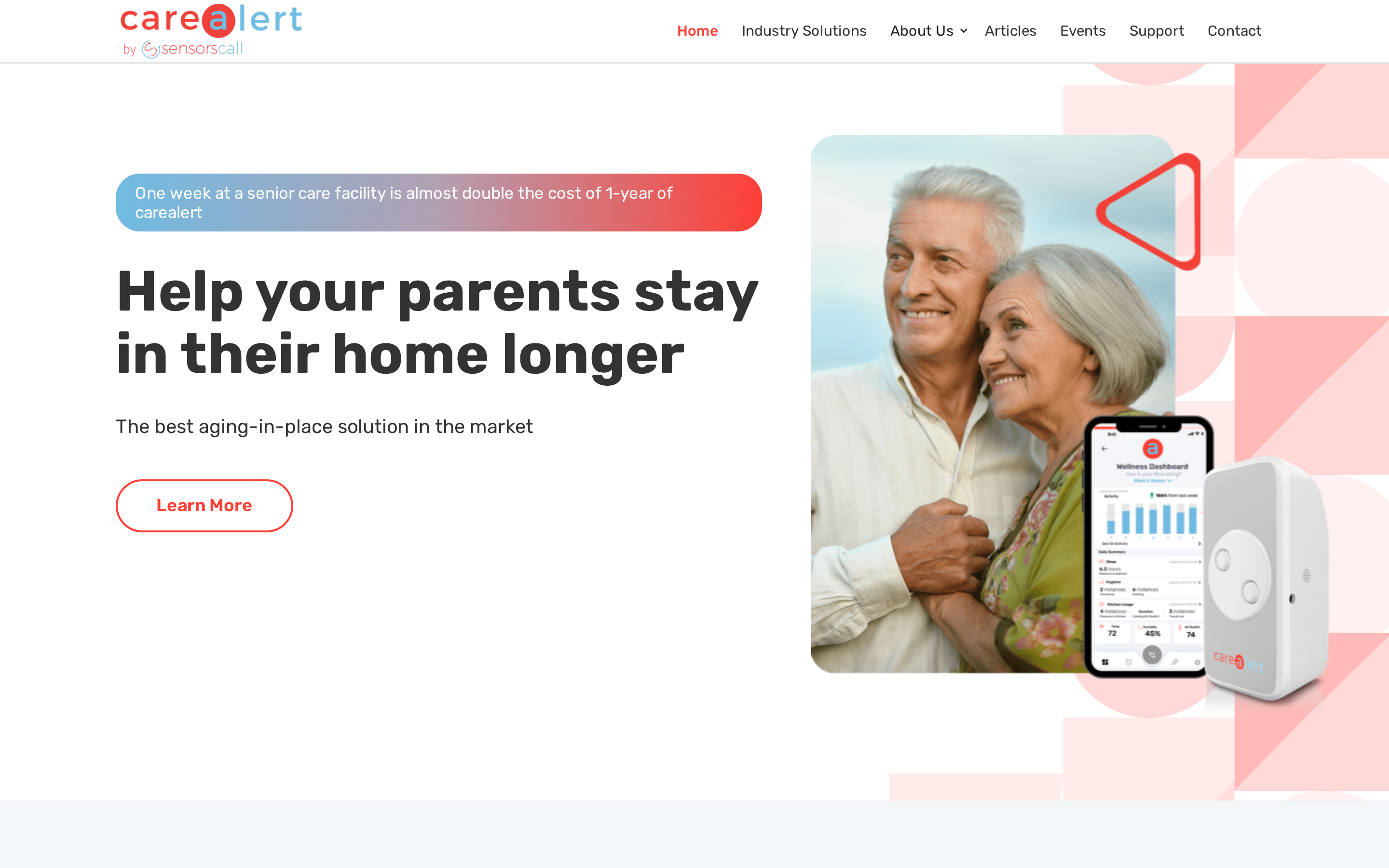
SensorsCall CareAlert is a plug-in nightlight-style device that tracks activity patterns and sends anomaly alerts through an app.
It requires no wearable. SensorsCall's monthly-fee information conflicts across its site.
SensorsCall is the only system on this list with a claimed free lifetime monitoring model and no required wearables, separating it from Lifeline (from $34.95/mo) and Envoy at Home ($99/mo). Its fall detection is the weakest here: the device infers falls from anomaly signals rather than a dedicated accelerometer.
Best for
A family that needs coverage but cannot commit to a monthly fee. SensorsCall is the only option here with a claimed one-time cost model.
SensorsCall is better described as a routine-monitoring and anomaly-detection tool than a dedicated fall-response system. Fall inference is indirect, triggered by unusual vibrations, sounds, or prolonged inactivity rather than impact detection. The product targets families with aging-in-place seniors, dementia patients at home, and home care agencies.
Why it stands out
Professional care agencies can use SensorsCall alongside an existing care dashboard instead of monitoring a separate consumer app.
Each CareAlert nightlight packs motion, sound, temperature, and vibration sensors into a single plug-in unit. SensorsCall also supports two-way intercom, programmable voice reminders, battery backup, an open API for third-party integrations, and an enterprise dashboard for professional care agencies.
Setup takes roughly 10 minutes:
Plug CareAlert units into standard wall sockets in the rooms you want to cover.
Download the app and create a Care Circle.
Set baseline activity windows for the resident.
Run a test alert to confirm connectivity.
No cabling, no drilling, no technician needed.
Pricing and fees
SensorsCall uses a one-time hardware purchase model with no verified monthly fee: 1-pack $149, 2-pack $280, 3-pack $415 to $416, plus claimed free lifetime monitoring.
SensorsCall pricing is unclear. The product page claims free lifetime monitoring, while the homepage lists $19/month.
Get the fee that applies to your plan in writing before purchasing.
System | Hardware Cost | Monthly Fee | Fall Detection Included |
|---|---|---|---|
SensorsCall CareAlert | $149 (1-pack) / $280 (2-pack) / $415–$416 (3-pack) | $0 claimed (homepage shows $19/mo — verify) | Indirect inference only |
Envoy at Home | $399 (8 sensors + hub) | $99/mo | Passive post-fall immobility detection |
Lifeline | Included in plan | From $34.95/mo | Optional AutoAlert add-on |
Nomosmartcare | $199.99–$249.99 | $19.99/mo | Accelerometer-based (reliability varies) |
Pros and cons
No wearables required — plug-in nightlights remove the compliance issues common with pendants (Lifeline) or Tags (Nomosmartcare).
Lowest total cost on this list — one-time hardware purchase with claimed lifetime monitoring undercuts Envoy at Home ($99/mo) and Lifeline ($34.95/mo+).
Battery backup, two-way intercom, voice reminders, and open API expand utility well beyond basic alerting and suit agency deployments.
Indirect fall detection only — no dedicated accelerometer; relies on vibration, sound, and inactivity anomalies that can miss quiet or out-of-range falls.
Near-zero independent reviews — no G2, Capterra, or Trustpilot profile exists, and the only identifiable Reddit review was negative, citing alert overload.
Unverified ROI claims — SensorsCall cites case study cost savings, but no independent audit or published methodology is available to verify these.
What to watch out for
An alert fires at 3am. If a caregiver misses it, nothing happens next. SensorsCall has no monitoring centre.
Fall detection is indirect. Detection depends on anomaly signals — vibration, sound, prolonged inactivity — which miss falls that happen quietly or outside sensor range. For wearable-grade automatic detection, Envoy at Home or Lifeline AutoAlert are more reliable.
SensorsCall has no profile on G2, Capterra, or Trustpilot. The only independently identifiable user review found was on Reddit, and it was negative, citing alert overload.
Buyers who need a proven review record will find Nomosmartcare's 4.5/5 site reviews and 4.0/5 Amazon rating easier to verify.
Each of the 7 systems uses a different approach under the hood. Here is what those approaches actually do, and where each one has limits.
How fall detection works, and what it won't do
No system catches every fall. Here is why.
Fall detection is a useful safety layer, but it works differently than most people expect and has real limits worth understanding before relying on it.
How does automatic fall detection work?
Automatic fall detection uses accelerometers, barometric pressure sensors, and machine learning algorithms to identify a fall and trigger an alert without user action.
Accelerometers detect sudden changes in speed consistent with a fall event.
Barometric sensors detect pressure shifts when a person's elevation drops rapidly.
Algorithms layer on top of raw sensor data to filter out false alarms from activities like sitting down quickly or dropping the device.
Once a fall is detected, the device automatically calls a monitoring center without requiring a button press. Lifeline's AutoAlert uses this same accelerometer and barometric sensor combination on pendants and smartwatches, connecting users to 24/7 U.S.-based trained specialists.
Fall detection devices process raw sensor data using machine learning and AI to classify fall events with greater accuracy than simple threshold rules. These models improve as more data is collected, though sufficient real-world fall data remains limited.
Known limitations to keep in mind
Published accuracy figures largely come from simulated falls rather than live commercial deployments. Manufacturer percentages usually reflect controlled simulations, not independent studies of actual falls in homes or facilities.
Combined sensors and features achieved up to 98% classification accuracy.
Accelerometer-only accuracy ranged from 82% to 96%, with chest placement performing best.
Sensors placed on the trunk, foot, or leg showed the highest effectiveness across multiple studies, though accuracy figures varied widely.
Nomosmartcare user reviews include at least one report of the system missing a real hip fracture fall.
Non-wearable systems like Envoy at Home infer falls from prolonged immobility rather than direct impact, catching post-fall situations rather than the fall event itself. SensorsCall explicitly states it does not provide fall detection equivalent to wearables, relying instead on unusual vibrations, sounds, or prolonged inactivity as indirect signals.
Common mistake: Treating automatic fall detection as the primary safety layer rather than a backup. Every provider recommends pressing the button manually when possible. Automatic detection is designed for situations where the person cannot press anything, not as a replacement for deliberate activation.
The detection method also affects the cost: dedicated accelerometer systems like Lifeline charge a monthly add-on fee, while passive systems like SensorsCall bundle detection into a one-time hardware purchase.
What these systems really cost
The monthly rate is only part of what you will pay.
Base monitoring typically costs $20-$45/month, though some plans reach $50/month.
Lifeline: $15/month for eligible systems
Nomosmartcare: included in the $19.99/month Essential+ plan
Three fees that often appear after you've chosen a base plan:
Activation fees range from $75 to $200 when first starting service, depending on the provider.
Equipment protection plans add $5–$7/month and cover loss, theft, or damage to devices that cost up to $300 to replace.
Some providers charge separately for hardware (purchase vs. lease model); check the final cart page before purchasing to see the full cost breakdown.
How the systems in this article compare on overall cost:
Lifeline — from $34.95/month (subscription, no one-time equipment fee on base plan)
Envoy at Home — $99/month after a $399 one-time equipment fee
Nomosmartcare — $19.99/month after a $199.99–$249.99 one-time kit
SensorsCall — one-time $415–$416 for a 3-pack; free lifetime monitoring claimed
Tunstall Healthcare — quote only, no public pricing
Alarm.com — quote only, available through dealer and partner channels
What to look for when choosing
The right system reduces operational risk across three failure points: undetected falls, missed exits, and weak visit records.
1. Automatic detection — does the system work without pressing a button?
In a BMJ cohort, call alarms were not used in 113 of 141 falls among people over 90 who were alone, unable to get up, and had an alarm.
Automatic and passive detection reduce reliance on a button that participants in this cohort often did not use.
Accelerometer wearables can supplement coverage, but only when the device stays on.
Check passive sensor coverage in bathrooms and stairways. Guardian bed and motion sensors can cover high-risk rooms while reducing dependence on a wearable.
Check that any hardware carries UL certification or an equivalent safety approval for continuous use in care settings.
2. Wear compliance — will the person actually keep it on?
Pendants and lanyards are frequently refused or removed, especially by people who find them bulky or visible. Passive sensor systems remove the compliance problem entirely, but coverage is limited to rooms with installed sensors. Waterproof wearables matter specifically for bathrooms, which are a high-risk fall zone and where devices are often removed.
Pro tip: run a one-week trial before committing. Log every removal, especially during bathing and sleeping.
If the device comes off more than twice in a week, assess passive monitoring for the rooms where the person spends time.
3. Monitoring response — who answers the alert, and how fast?
A professional 24/7 monitoring centre can dispatch emergency services when the user cannot communicate their location.
Lifeline uses U.S.-based trained specialists. Its Trustpilot rating is 3.8/5 from 1,116 reviews.
One September 2025 reviewer reported failed or delayed calls and a 35-minute test call.
Envoy at Home and SensorsCall route alerts to family caregivers, so response depends on someone being available. The linked-provider evidence makes a 90-second benchmark useful when comparing monitoring centres.
4. Connection type and coverage in your area
At-home devices use landline, cellular or WiFi. Confirm that the base-station range covers the full property, including wards and outbuildings.
GPS devices use LTE cellular for people who travel beyond the base station. Check mobile coverage in the areas they regularly visit.
5. Total cost including add-ons, not just the monthly rate
Check activation fees, equipment charges and fall-detection add-ons. Check the cancellation policy and warranty for daily wear, water exposure and accidental damage.
Compare senior monitoring systems roundup options when you need wider monitoring, visit records or facility coverage beyond a fall-focused product.
Check for activation fees, fall detection add-ons, and equipment fees. Check whether visit verification data and incident records meet your national regulator's evidencing requirements, as this affects procurement justification. If your facility bills Medicare or Medicaid, check whether the monitoring system produces records compatible with CMS documentation requirements. Cancellation policy matters as much as the starting price. Look for a minimum one-year device warranty: hardware worn daily is subject to water exposure and accidental damage.
Prove the impact in one ward first
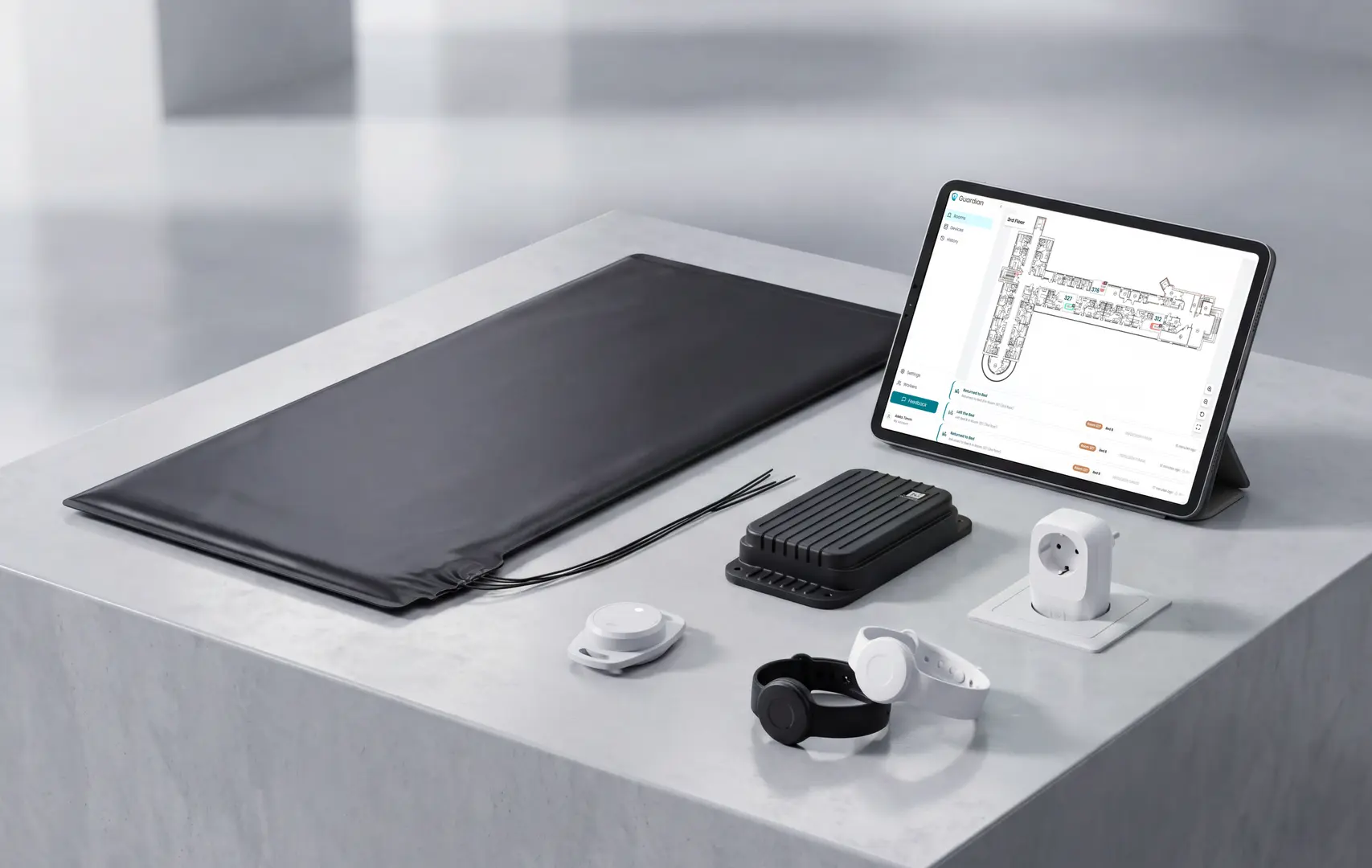
A 6–8 week pilot in one ward measures your own response times, visit verification, and ROI before you scale.
A 6–8 week pilot ends with a written impact and ROI report. You get your own numbers, not vendor benchmarks.
Three things change when you run Guardian in a live setting:
Real response time data from your own alerts, not vendor benchmarks
Automatic fall and exit alert records showing what triggered, when, and how fast staff responded
Visit verification logs replacing manual timesheets with automatic records
Configurable alert rules showing how noise reduces once rules are tuned to your ward
AARP has previously partnered with Lifeline (formerly Philips Lifeline) as a recommended provider for its members. For current recommendations and any active member discounts, check AARP's website directly at aarp.org.
Nomosmartcare, Envoy at Home, and SensorsCall use WiFi for in-home connectivity, which also makes it straightforward to extend sensor coverage without new cabling. Lifeline On the Go uses cellular LTE for out-of-home coverage when WiFi is unavailable.
Devices range from wearable pendants, wrist devices, and smartwatches to plug-in sensors, bed and chair pressure pads, and door sensors. Care settings often combine a wrist wearable with passive room sensors that cover areas where the wearable is likely to be removed. No single form is required; different types are designed to complement each other. For care home or home care deployments, run a 6–8 week pilot on a single ward to verify what works in your setting.

Author
Aleks Timm
Aleks Timm leads Guardian and builds privacy-first operations technology for care homes and home care providers. Teams get location-aware alerts they can act on, clearer situational awareness, and measured insight into how care work actually runs.
Read MoreRecommended reads
Keep reading
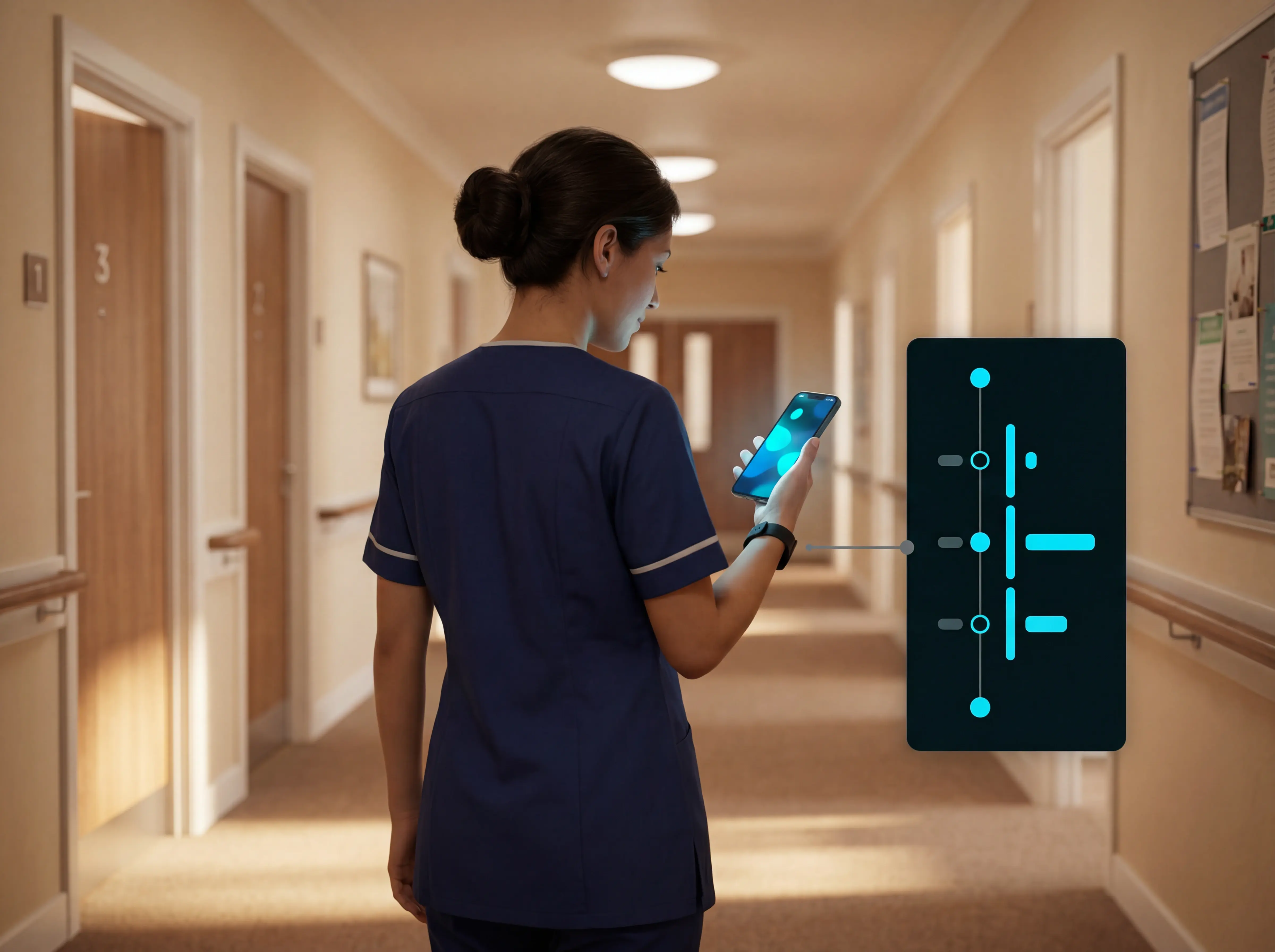
WiFi nurse call system guide for care homes
WiFi nurse call systems explained: alerts, clean records, and no wiring—compare options and choose the right setup for your care...
Read more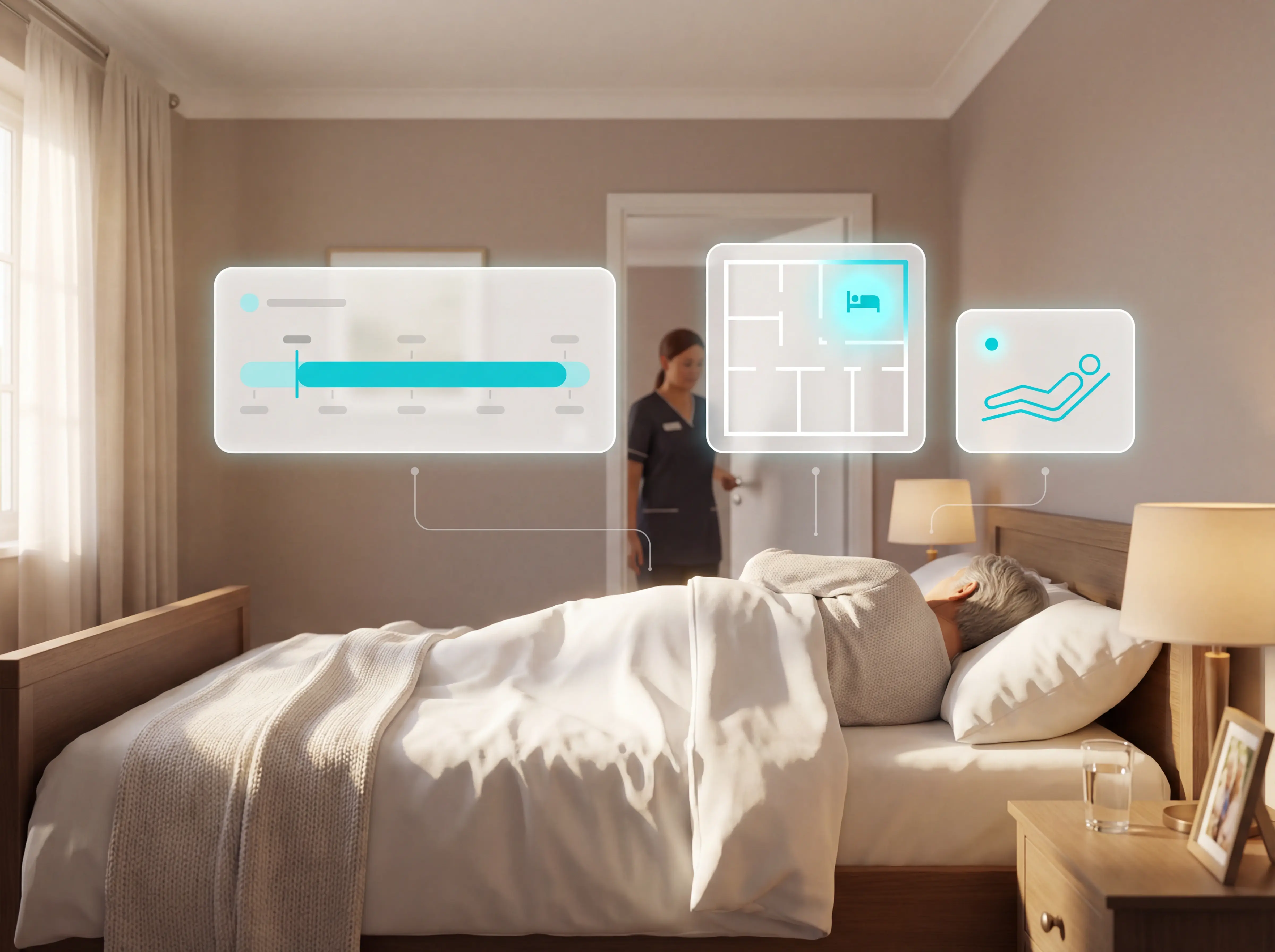
Patient bed alarms for elderly & hospital care
Patient bed alarms help prevent falls in elderly and hospital care. Compare alarm types, choose the right sensor, and protect...
Read more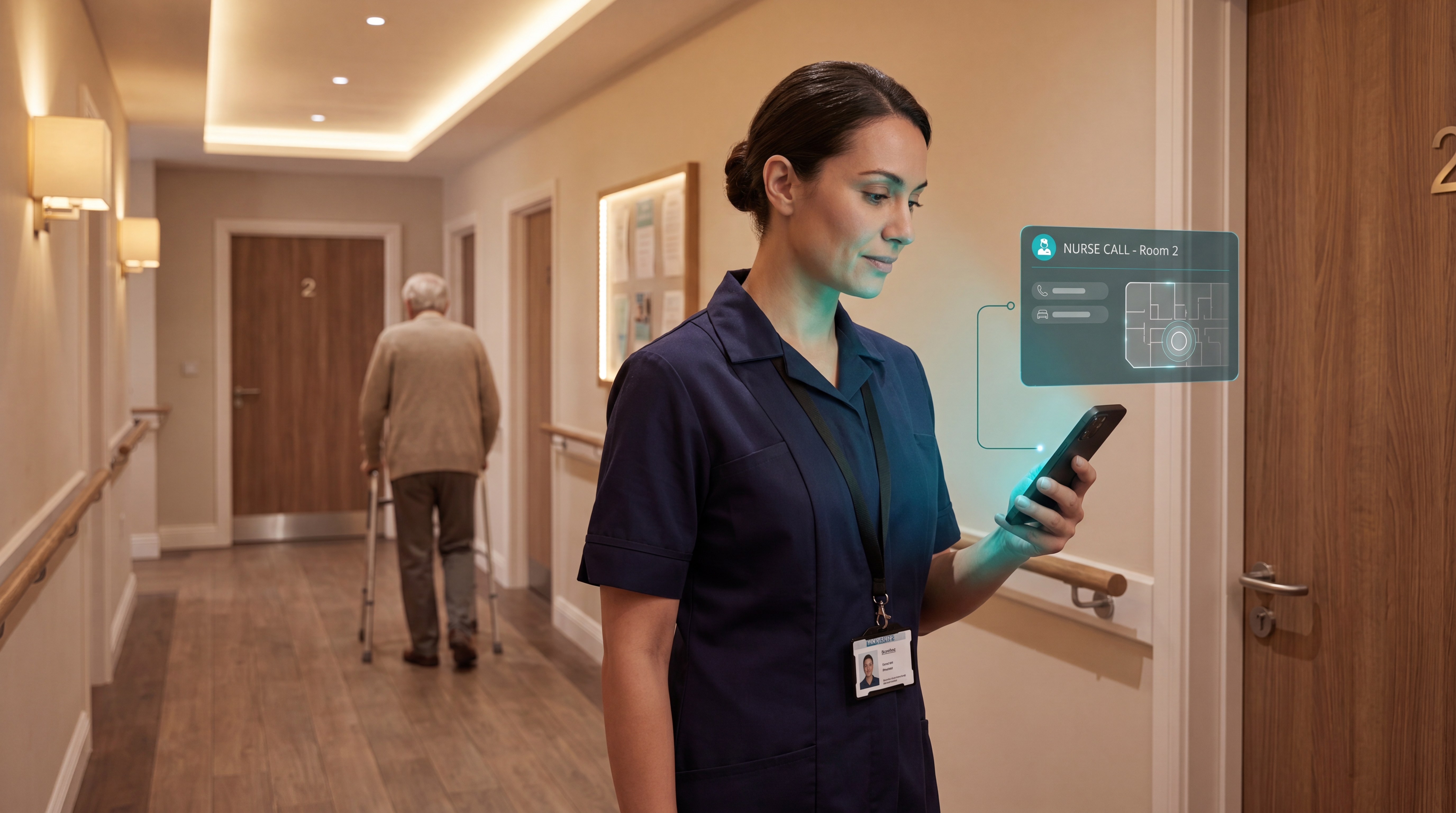
Smart Nurse Call Systems for Care Homes and Home Care Providers
Smart nurse call systems for care homes and home care providers: compare features, improve response times, and choose the right...
Read more