

10 Best Room Monitors for Elderly Home Care
In this article
A monitor only helps if it catches the problem when the resident cannot press anything, and routes the alert with enough context to act on.
Ten options are compared below: passive sensor networks, wearable PERS devices, simple call systems, and voice-activated alerts.
Ten options follow for care home managers, home care providers, and families comparing the same devices at home.
Each entry covers what it does well, where it falls short, and who it suits.
What are room monitors for elderly?
Room monitors for elderly range from Guardian's camera-free sensor systems to video/audio monitors and physical call-button systems.
The right choice depends on privacy, Wi-Fi reliability, and whether caregivers need local or remote alerts.
Room monitors for elderly use passive sensors to track daily patterns without visual surveillance. Motion sensors, door contacts, and bed pressure pads build a baseline of normal activity, then flag deviations.
Common deviations the system flags include:
A missed morning wake-up
An extended absence from bed
A front door opened at an unusual hour
Nomosmartcare and Alarm.com both learn individual routines over 2 to 4 weeks before going live. This reduces false positives by distinguishing a resident's normal 3am bathroom trip from a genuine out-of-bed risk event.
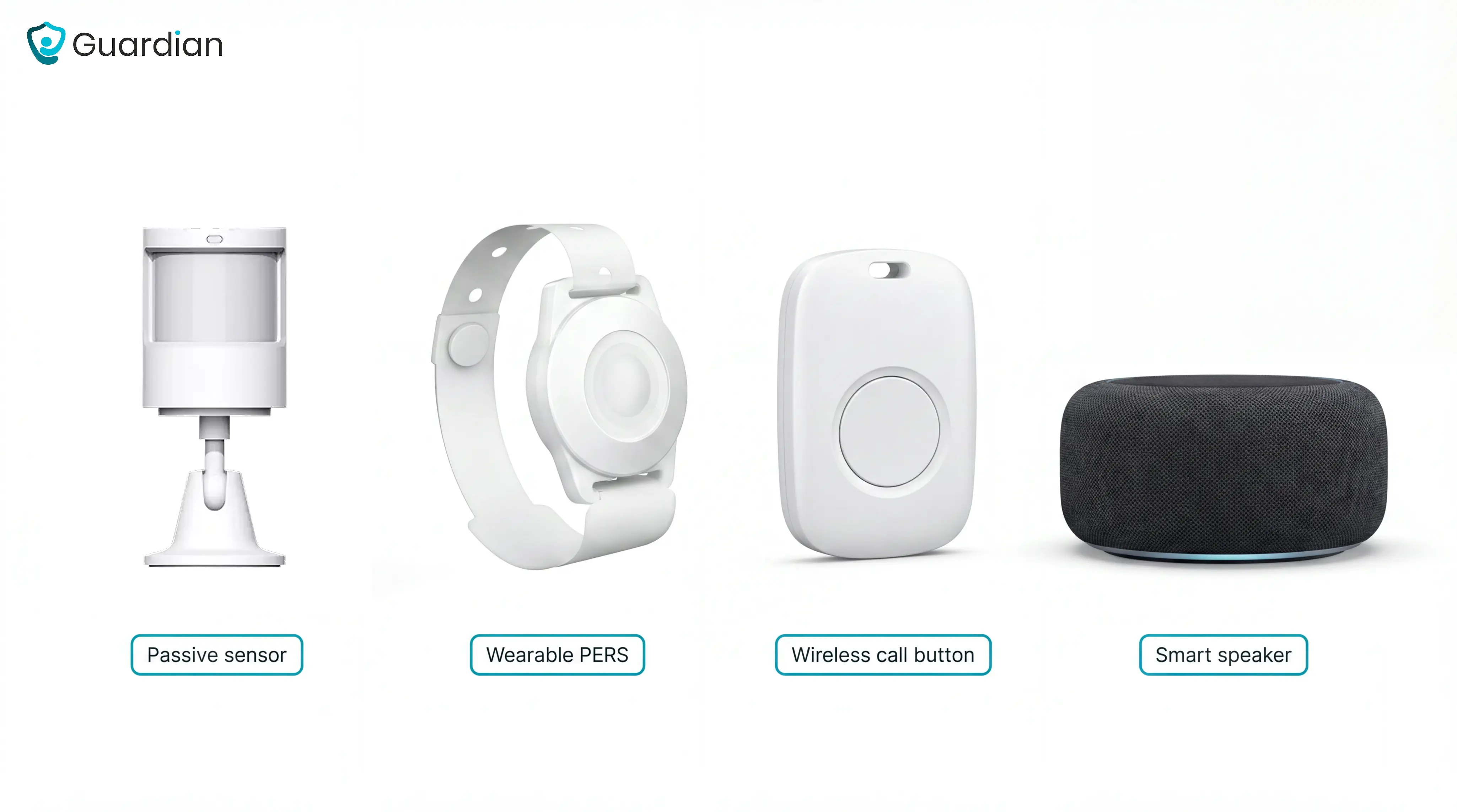
Four main types are available, each suited to a different care situation:
Passive sensor networks (Guardian, Envoy at Home, Alarm.com) place motion and door sensors throughout a home or facility. No action required from the senior.
Wearable PERS devices (Lifeline) use a button the senior presses, or auto-detect a fall, to connect to a 24/7 response center.
Simple wireless call systems (CallToU, Smart Caregiver) send a signal from a pressure pad or button to a portable pager. No app, no subscription.
Voice-activated systems (Amazon Echo with Alexa Emergency Assist) let seniors call for help verbally and can detect sounds like smoke alarms.
Older adults may not hear a standard alarm, respond quickly to an incident, or be able to call for help after a fall. A room monitor that detects problems passively removes the assumption that a senior can self-report.
Room monitors extend independent living in elderly home care by giving remote family caregivers visibility into daily safety patterns. They reduce reliance on constant check-in calls, which can feel intrusive for seniors who want to maintain their autonomy.
What to look for in a room monitor for seniors
The most important factor is whether the system detects problems passively, without requiring the senior to press a button, and whether it routes alerts with enough context for a caregiver to act immediately.
Seven criteria separate systems that work from ones that add noise without improving safety.
Criterion | What good looks like / red flag |
|---|---|
Passive detection | Continuous monitoring without resident action. Red flag: button press or pendant required. |
Alert context | Room, bed, and urgency included. Red flag: generic motion alert only. |
Privacy design | Sensor-only bedrooms and bathrooms. Red flag: cameras or always-listening microphones. |
Wearable compliance | Works when a resident refuses or forgets a device. Red flag: pendant or wristband required. |
Two-way audio | Clear caregiver communication where audio monitoring is appropriate. |
Emergency call button | A physical SOS button for immediate help when the resident can activate it. |
Pricing structure | Clear costs and contract terms. Red flag: custom quotes with cancellation complaints. |
Integration capabilities | Connects with nurse-call, EHR, or home-automation workflows. Guardian routes location-aware alerts to staff devices; Tunstall supports facility nurse-call deployments. |
Scalability | Supports growth from one room to wards or home-care teams. Guardian uses floor-plan and fleet views; Tunstall is built for multi-resident facilities. |
Passive detection — does the system monitor continuously without any action from the resident? CQC frameworks expect proactive rather than reactive approaches.
Alert context — does the notification include room, bed, and time elapsed, or just a generic alarm?
Privacy design — sensors-only, no cameras, no microphones in bedrooms and bathrooms.
Wearable compliance — does the system work if the resident refuses or forgets to wear a device?
Pricing structure — one-time purchase vs. monthly subscription, and whether long-term contracts apply.
Active systems (call buttons, pendants) require the senior to press something. During a fall, a cognitive episode, or any moment when the device is not within reach, that requirement fails.
Passive sensors monitor continuously without any action from the resident: bed exit pads, motion detectors, and door contacts. Systems like Envoy at Home and Nomosmartcare are built entirely around this model.
CallToU and Amazon Echo rely primarily on manual triggers or voice activation, making them a poor fit for residents with dementia or limited mobility. CQC inspection frameworks increasingly expect care homes to demonstrate proactive rather than reactive monitoring.
An alert that says "motion detected" with no room or urgency context is nearly useless. Caregivers who receive undifferentiated alarms begin to tune them out, which is how real emergencies get missed.
Tunstall gives an example of targeted alerts falling from 500 to 50 per shift. That ratio is a useful benchmark when evaluating any system. (Tunstall, Residential and Nursing Care brochure.)
Look for configurable thresholds and delay rules, so a brief 2am bathroom trip does not trigger the same alarm as a resident who has been on the floor for 20 minutes.
Questions to ask before buying:
Ask for live alarm reports from installed homes or wards. Check how many alerts staff receive per shift and how many are acknowledged.
Ask how long the learning period takes. A vendor should explain when alert patterns settle and what staff need to adjust during setup.
Ask whether delay rules change by time of day. For example, set door alerts to trigger only between 10pm and 6am or delay a bed-exit alert long enough for a normal bathroom trip.
Ask who configures the rules. Find out whether caregivers can change thresholds themselves or must wait for vendor support.
Ask what happens before and after installation. Record a 4-week baseline for falls, response times, or false alarms, then compare it with the first month of live use.
Good systems are configurable. Better buying decisions come from seeing the alert logic, not just hearing the feature list.
Alert volume matters less than whether staff know the room, bed, and urgency level. Caregiver alert systems explains how that routing layer works.
Camera-based systems create privacy and dignity concerns in bedrooms and bathrooms. Passive systems use motion and door sensors instead, keeping cameras out of private spaces.
Wearables introduce a separate compliance problem: a senior with dementia is unlikely to keep a pendant on consistently. Systems that work without anything worn by the resident (Envoy at Home, SensorsCall, Nomosmartcare) remove this failure point entirely.
Amazon Echo's always-listening microphone is a common objection for families who want passive monitoring without audio surveillance.
Privacy and wearable design affect the ongoing cost decision. Simple one-time-purchase systems (Smart Caregiver, CallToU, SensorsCall) have no ongoing fees, but the tradeoff is limited analytics and basic alerting with no 24/7 support.
Subscription-based systems cost more over time but can include ongoing software improvements and professional monitoring:
Envoy at Home: $99/month ($1,188/year)
Lifeline: starts at $34.95/month with an annual plan.
Long-term contracts are a documented pain point. Buyer complaints about Life Alert and MobileHelp specifically cite difficulty canceling and unexpected charges months after cancellation.
Seven of the 10 systems in this list are designed for individual home care (Smart Caregiver, Envoy at Home, SensorsCall, CallToU, Nomosmartcare, Amazon Echo, and Lifeline) and do not scale to multi-resident facilities. For home caregivers, the key question is how many rooms or zones the system covers and whether a single pager or app receives alerts from all of them at once.
Facility-oriented systems need floor plan mapping, staff routing, and multi-resident dashboards. Alarm.com, Tunstall, and Guardian are the only options in this list built for that environment.
The 10 best room monitors for elderly home care
Start with the care setting and who will respond to the alert:
Care facilities and home-care fleets: Guardian shows locations on a floor plan, routes alerts to staff, and tracks home care vehicles.
No-subscription home monitoring: Smart Caregiver or SensorsCall, for local alerts without monthly fees.
Professional response with analytics: Lifeline, for a wearable response service and activity reporting.
The 10 best room monitors for elderly home care are:
Guardian - wireless sensor network with real-time floor-plan dashboard for care homes and home care service providers
Smart Caregiver - no-subscription bed/chair exit sensors with wireless pagers for home caregivers
Alarm.com - ML-driven activity pattern monitoring for homes and care facilities
Tunstall Healthcare - scalable wireless nurse call system for UK/EU care homes
Envoy at Home - passive AI motion sensors detecting 35+ behaviors without cameras or wearables
SensorsCall - plug-in AI nightlight sensors with free lifetime monitoring
Nomosmartcare - AI motion and fall-detection kit with app-based routine insights
Lifeline - wearable PERS system with 24/7 professional response center
CallToU - no-WiFi wireless call buttons and pagers with fast 5-minute setup
Amazon Echo - voice-activated urgent response through Alexa Emergency Assist, using existing Echo hardware
1. Guardian: camera-free monitoring for wards and home care fleets
Guardian is a wireless, camera-free operations and safety platform for care homes and home care providers, built around a digitised floor plan.
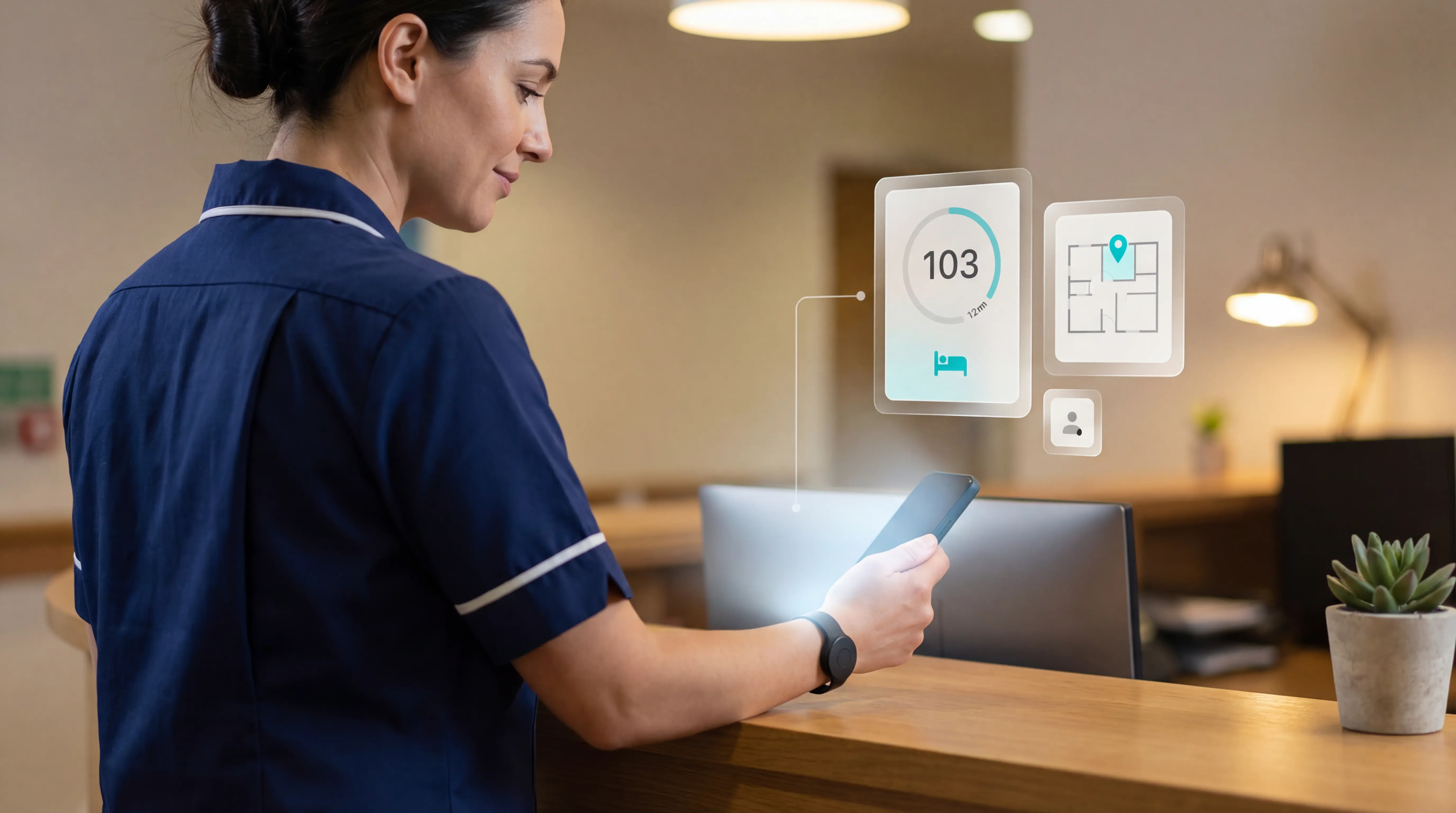
Location-aware alerts. Every alert names the floor, room, and bed instead of sounding a generic beep somewhere down the corridor.
Concrete context. At 2am, staff can see "Room 4, Bed B, resident left bed 3 minutes ago" on their phone.
Guardian also covers two settings single-room monitors do not: multi-resident wards and home care operations where staff move between clients throughout the day.
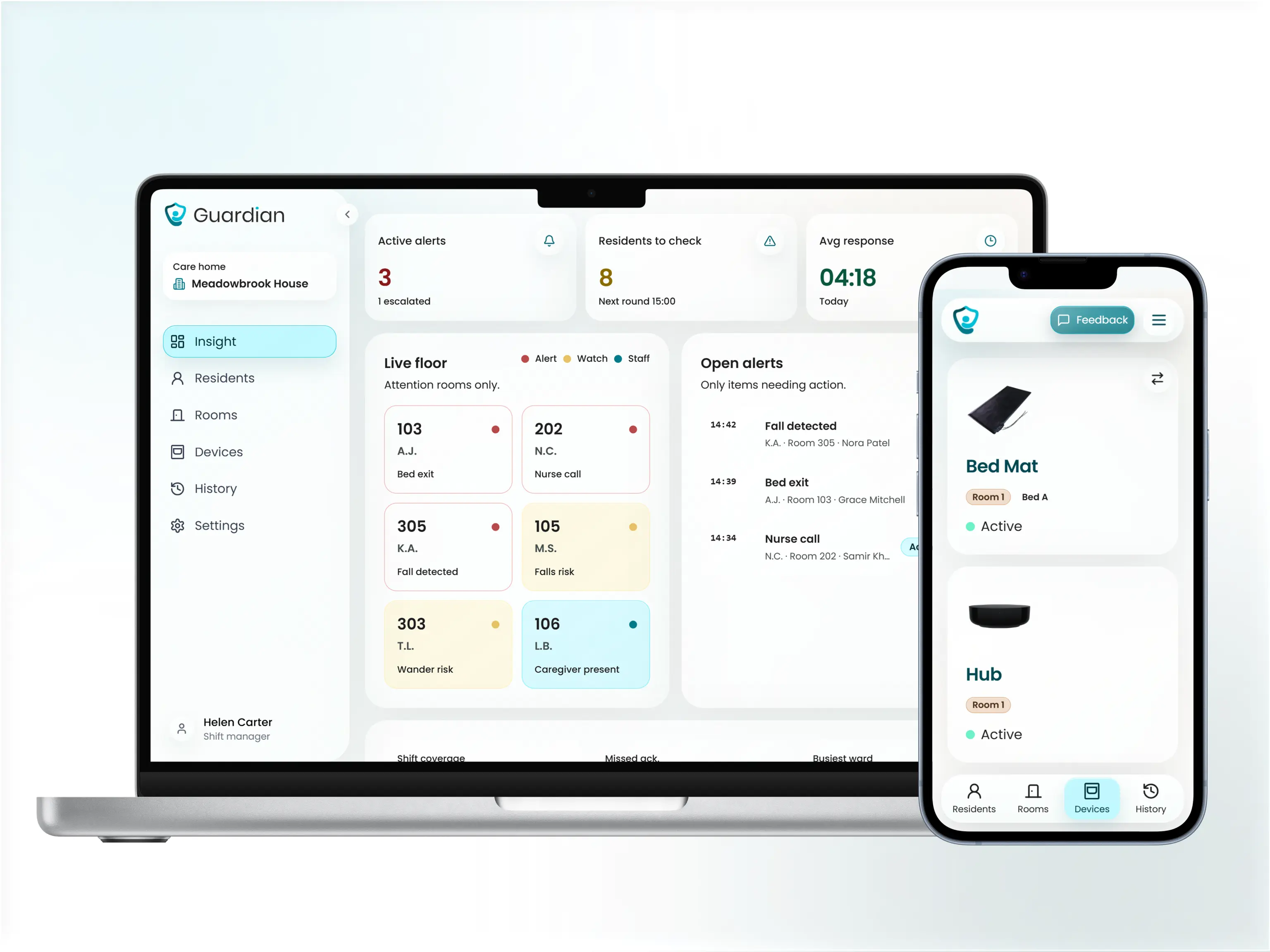
Unlike pendant-based systems that require a resident to press a button, Guardian sensors work passively. Bed exit, motion, door, and temperature sensors detect activity without any action from the resident.
Care home managers, ward nurses, and facility operators are the people who most often choose Guardian.
Specialist or special-care units and mental-health facilities can use the same floor-plan alert routing, incident response, and visit records.
For elderly home care, Guardian works with service providers whose staff visit multiple clients, rather than with individual families.
Built for the ward, not the living room
Guardian fits care homes and nursing facilities where staff need to know exactly which room and bed needs attention. It also fits home care providers coordinating multiple client visits, where verified arrival times and activity between visits matter as much as in-room alerts.
Where it stands out
100% wireless. Sensors attach with adhesive pads, no drilling or cabling required. A ward can be live in roughly one week.
Works on existing devices. Alerts go to smartphones, tablets, or nurse station computers through a web portal. No new hardware to buy.
Location-aware alerts. Every notification shows the floor, room, bed, and how long ago the event occurred.
Smart alert rules. Staff can adjust alert thresholds to cut down false alarms, so a brief bathroom trip does not trigger the same response as a longer bed exit.
Passive monitoring. Bed exit, motion, door, and temperature sensors detect activity without asking the resident to press or wear anything.
Start with a pilot. Guardian runs a 6 to 8 week pilot on 5 to 10 priority beds in one ward. The impact report then shows response times, incidents detected, staff hours saved, and an ROI calculation.
Automatic records. Guardian logs visits, shift timing, and response times in the background, replacing paper rounds and end-of-shift notes.
Resident and asset location. Staff see where residents, caregivers, and assets are right now on a live floor plan, not just where an alert fired.
Night summaries. Guardian tracks residents' routines and generates night summaries, so staff can see changes from a resident's usual pattern before they escalate.
Automatic visit records. Guardian logs when a caregiver arrives, how long they stay, and when the visit ends. Home care providers get clean proof of service without manual timesheets.
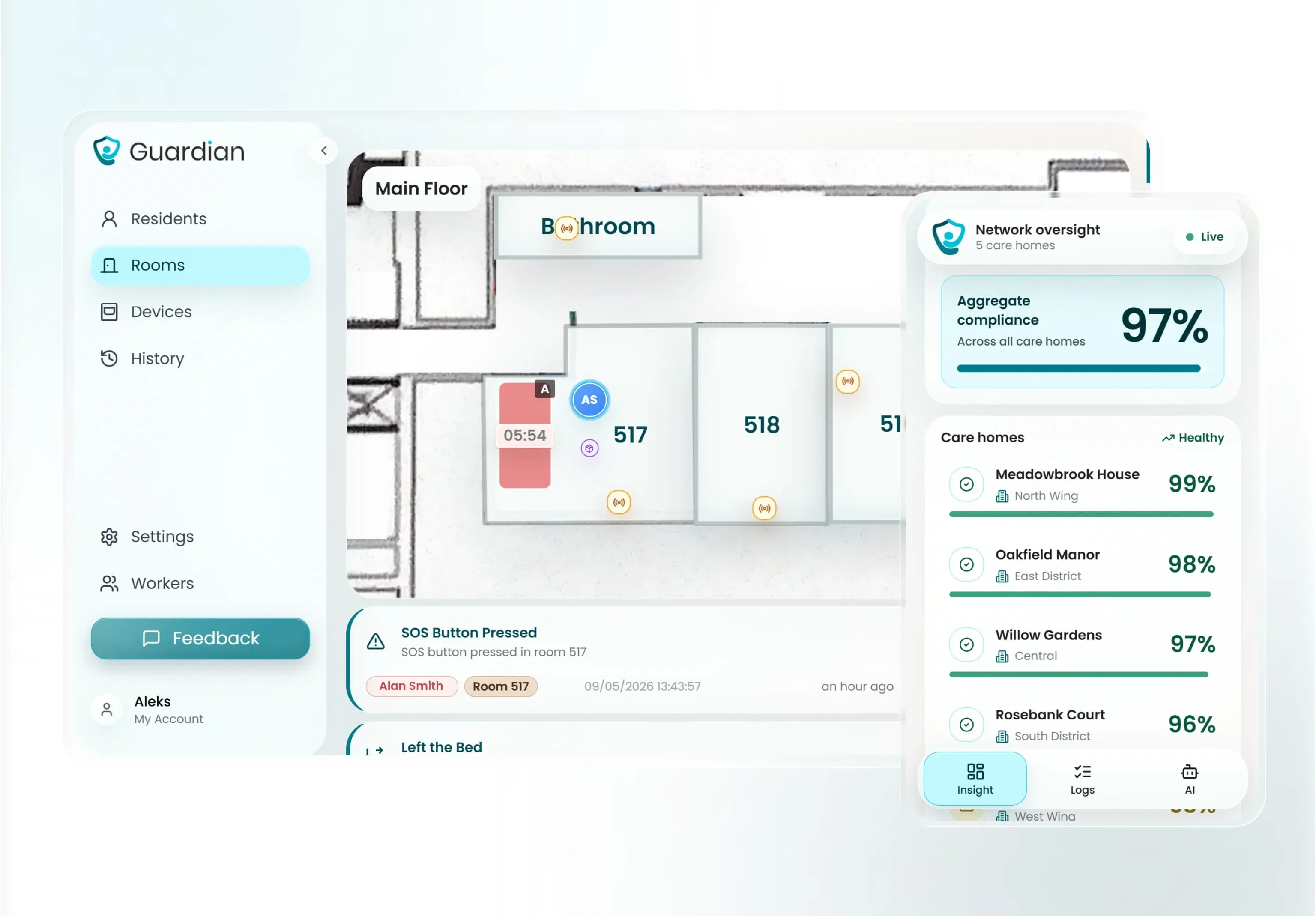
For a broader comparison of safety alerts, visit proof, compliance evidence, and EHR documentation, see our nursing home software options guide.
Fleet tracking. A live map shows where home care vehicles are and how a team's day is running across clients. No chasing status updates by phone.
Activity between visits. Motion, door, and fridge sensors track how a client is managing at home between visits, so providers can review that activity alongside the visit log.
GPS safety watch. An optional GPS-enabled watch shows a client's live location outside the home, so providers and families can act quickly if someone becomes disoriented or fails to arrive where expected.
Agencies comparing visit proof, safety signals, and wider operations software will find more in our home care platform comparison.
Questions to ask before your pilot
Does the pilot cover one ward or multiple wards?
Is the floor plan digitised before go-live, with each sensor mapped to the right room and bed?
Does the impact report include response times, incidents detected, staff hours saved, and an ROI calculation?
Limitations
Guardian is built for care settings, not general smart-home use or single-room setups. It does not list prices, and every installation starts with a structured pilot.
Pilot
Guardian runs on a pilot-first basis. There are no listed prices. The pilot covers 5 to 10 priority beds over 6 to 8 weeks and includes a full impact report before any commitment.
2. Smart Caregiver
Smart Caregiver uses local sensors and pagers for single-home monitoring. Alarm.com Wellness is sold through licensed providers and requires a dealer quote.
The right fit for
Family caregivers at home looking after a senior with dementia or high fall risk will get the most from this system. The focus is bed exit, chair exit, and floor mat alerts for single-room or single-home setups.
Setup requires no app, no Wi-Fi, and no account. The wireless pager receives alerts out of the box, which makes it a practical choice for non-technical caregivers.
Smart Caregiver publishes customer reviews on its own product pages.
Key strengths
Smart Caregiver sells its products as one-time purchases with no subscription.
Video monitor: $59.95
Motion-sensor system: $69.95
Motion sensor with caregiver pager: $59.95
Build-your-own system: from $46.90
Bed alarm with caregiver pager: $99.95
(Smart Caregiver product listings.)
SensorsCall starts at $149 per pack and CallToU at $19.99 (SensorsCall and CallToU product listings). Both are subscription-free.
The core system uses pressure pads, floor mats, and motion detectors. It avoids cameras and cloud dashboards, so resident data is not transmitted or stored remotely.
Sensors and pagers are wireless with up to 300ft range on select models. Veteran discounts and free shipping are available directly from the brand.
Where it gets complicated
Alerts are local only, delivered through a wireless pager or in-room monitor. There are no remote app notifications, activity summaries, or trend reports.
Smart Caregiver fits single-room and single-home setups, not multi-resident facilities. There is no floor-plan dashboard, no staff routing, and no shared resident view for a ward team.
For a broader look at how alert routing and sensor types compare across different setups, see our caregiver alert systems buying guide.
What to ask
Does the pager range fully cover your home layout or floor plan, including bathrooms and outdoor areas?
Can multiple pagers receive the same alert at the same time?
Evidence is limited to on-site reviews and social media testimonials. No independent clinical studies or efficacy trials are cited on the product site.
Pricing
Sensor type | What it detects | Alert method | Current listed price |
|---|---|---|---|
Bed exit pad | Resident leaves bed | Wireless pager | ~$60-90 |
Chair or seat pad | Leaves chair or recliner | Wireless pager | ~$60-90 |
Floor mat | Steps onto floor | Wireless pager | ~$60-90 |
Motion sensor | Room movement and presence | Wireless pager | $69.95 |
Video monitor | Visual room view | In-room screen | $59.95 |
Wireless pager add-on | All listed sensors | Sound or visual alert | Included or add-on |
Multi-pager setup | All listed sensors | Multiple receivers | Varies by kit |
3. Alarm.com
After a 2-4 week learning period, Alarm.com's wellness platform uses a passive sensor network analyzed by machine learning to detect changes in daily routines across one or more residents.
Home users get real-time app alerts and routine summaries; care facility operators get an enterprise dashboard with staff prioritization. It is one of the few products in this list that serves both segments.
Where it fits
Care home operators and families usually consider Alarm.com for different reasons.
Facilities get multi-resident dashboards with prioritized staff alerts. Families get proactive routine analysis tied to a smart home security setup.
Alarm.com fits best when one vendor needs to cover both home monitoring and facility oversight. Smart Caregiver stays focused on single-room monitoring instead.
Why it stands out
Three things genuinely differentiate Alarm.com from the rest of this list:
Machine learning on passive sensors. The system learns each resident's routine over 2-4 weeks, then flags deviations before they become incidents. That predictive layer is rare at this price point.
No cameras required. Sensors monitor activity without recording video or audio. An optional Wellcam is available for families who want visual confirmation, but it is not part of the core system.
Centralized facility dashboard. Care home operators see all residents in one view with alerts sorted by urgency, which reduces the guessing of which room to attend to first.
Questions to ask your dealer
Request an itemized quote covering equipment, installation, monitoring, Wellness add-ons, and facility-dashboard access.
Setup, configuration, and support depend on the dealer relationship. That makes the buying process less transparent than one-time systems like Smart Caregiver, SensorsCall, or CallToU.
Ask these questions before signing:
Request alarm frequency reports from live installations that match your care setting
Ask how the 2-4 week learning period affects alerting during the first month
Confirm whether facility dashboards are included in the base subscription price
4. Tunstall Healthcare
Tunstall Healthcare has been building care monitoring systems since 1957.
Its Carecom platform is built for residential and nursing care facilities, not individual home caregivers, making it the most facility-focused option on this list.
Alarm.com is the closest competitor with a scalable multi-resident dashboard, but Tunstall is specifically engineered for nurse call integration and UK/EU compliance requirements. Buyers in North America will find limited documented market presence compared to Lifeline or Alarm.com.
For facilities outside the UK and EU, Guardian covers the same floor-plan alert routing without the compliance overhead or the Trustpilot concerns.
Right care setting
Tunstall Healthcare is best for nursing home managers in UK and EU facilities needing auditable compliance tools, staff efficiency gains, and scalable wireless nurse call for multi-resident dementia wards.
Tunstall works best for residential and nursing care facilities with complex monitoring needs, particularly large dementia wards where geofenced, location-aware alerts are essential.
Park View Nursing Home, a 41-bed UK facility, replaced an 18-year-old wired nurse call system with Tunstall Carecom.
Tunstall's compliance framework is built around UK and EU regulations, including GDPR alignment. Care home operators in North America should evaluate Alarm.com or Lifeline instead, both of which serve thousands of US and Canadian organizations.
What makes it different in a UK facility
Four things make Tunstall stand out among facility-grade systems: wireless nurse call integration, targeted geofenced alerts that cut alarm fatigue, privacy-first sensor design, and auditable compliance reporting for UK care regulations.
Geofenced smartphone alerts fire only when a resident leaves a defined safe zone.
The sensor suite covers the full care environment without cameras:
Bed and chair occupancy sensors detect when a resident gets up
PIR motion detectors track movement in rooms and corridors
Fall detection sensors flag falls without any resident action
Door exit sensors alert staff when a resident approaches an exit
50-metre wireless range, 1-2 year battery life for easy retrofitting
All sensors are GDPR-compliant for UK and EU settings. The Carecom platform includes auditable incident reporting and trend analysis for CQC compliance. Consumer-grade alternatives like Smart Caregiver and CallToU offer no analytics at all.
Limitations
Tunstall does not publish pricing. All contracts are custom-quoted based on facility size and configuration.
Tunstall scores 2.6 out of 5 from 26 Trustpilot reviews, with recurring complaints about device reliability and support responsiveness (Trustpilot).
Nomosmartcare holds a 4.2/5 Best Buy rating (Best Buy). In a peer-reviewed 2021 randomized trial of 370 older adults using PERS, the group receiving CareSage-style predictive analytics plus tailored nurse-led interventions had 68% fewer 90-day readmissions than the usual-care group.
Tunstall is a facility-grade system and is not designed for individual home caregiving. Families monitoring one person at home should consider Envoy at Home (passive AI sensors, $99/month) or Smart Caregiver (no subscription, from around $90).
Pricing
Tunstall does not list prices publicly. An Australian variant is priced at approximately $31 AUD per month, but this is not representative of UK or EU facility contracts. Alarm.com and Lifeline are similarly custom-quoted at the facility level.
When requesting a Tunstall quote, include the following to get an accurate proposal:
Number of residents on each ward you want to cover
Ward types (dementia, general, high-dependency) since alert rule complexity affects cost
Existing infrastructure (whether you need to replace a wired nurse call system or start from scratch)
Compliance reporting needs (CQC audit trails, GDPR data handling, incident log exports)
5. Envoy at Home
Envoy at Home is a passive AI motion sensor system for home-based dementia care that detects 35+ behaviors without cameras, microphones, or wearables.
Envoy at Home is a privacy-first passive sensor system for monitoring activity without cameras, microphones, wearables, or a help button.
It is the only tool in this list built exclusively for unsupervised seniors with cognitive decline who reject wearables or video monitoring. Lifeline relies on a wearable help button and Amazon Echo requires voice commands, both of which assume the user will actively engage.
Who it is designed for
Families caring for a senior with dementia who lives alone and rejects wearables or cameras are the clearest fit.
Weekly Insight reports are meant to support ongoing conversations with doctors, not just day-to-day family monitoring.
Key strengths
Envoy at Home's strongest differentiators are passive behavior tracking, strict privacy controls, and simple home installation.
The sensor network tracks 35+ passive behaviours across fall, safety, wellness, and cognitive categories.
Representative examples include:
Falls: fall events
Wandering: changes in movement patterns
Missed meals: changes in meal routines
Routine deviations: changes from usual daily patterns
No cameras in private rooms
No microphones listening in the background
No wearables to charge, wear, or refuse
No local device storage on the sensor itself
Encrypted communications across the system
Caregivers get real-time app alerts across all 35 behaviour types. Unlimited caregivers can share one account, which suits families splitting coverage across siblings or relatives.
Battery-powered sensors attach with double-sided tape
No wiring or tools required
Virtual setup support is included
DIY setup avoids dealer scheduling and install fees
Questions to ask before buying
Envoy at Home is one of the most feature-rich options in this list, but it is also one of the most expensive.
Before buying, ask these questions:
What is included in the base subscription? Ask how many monitored behaviours come with the standard plan and which ones require premium tiers.
Can Weekly Insight reports be exported in a format doctors accept? "Shareable with doctors" is useful only if clinics can actually use the file format.
How long is the learning period? Ask how many days or weeks the system needs before alerts settle into a reliable baseline.
What does alert volume look like during calibration? Get a clear answer on how noisy the first phase is, especially for families already stretched thin.
The product is built for single-home use. It does not offer a multi-resident dashboard, floor-plan mapping, or facility reporting.
Independent validation is still limited. Public evidence appears to rely on company testimonials and report mentions, not large third-party review platforms or published studies.
Pricing
Envoy at Home costs $99/month plus a one-time hardware fee of approximately $399. Year-one total: roughly $1,587.
For context:
SensorsCall: $149 one-time (1-pack) or $415 (3-pack), no monthly fee
Nomosmartcare: Kit pricing varies by channel and promotion, so confirm the current hardware price at checkout.
Envoy at Home costs roughly 3.6 times as much in year one as Nomosmartcare on monthly billing, with the gap widening over time. (Based on the listed year-one prices.)
System | Hardware cost | Monthly fee | Year-one total |
|---|---|---|---|
Envoy at Home | $399 | $99 | ~$1,587 |
Nomosmartcare | $249.99 | $9.99 | ~$369 |
SensorsCall | $149 | $0 | $149 |
Lifeline HomeSafe | Included | $34.95 | ~$420 |
6. SensorsCall
SensorsCall is a privacy-first passive sensor system for home elder care. Its plug-in nightlight sensors track room activity and environmental conditions without cameras or wearables, with free lifetime monitoring and no subscription fee.
SensorsCall and Smart Caregiver are the only tools in this list with no ongoing subscription costs. Smart Caregiver uses pad-and-mat sensors; SensorsCall uses outlet-plug nightlight sensors that also track environmental data.
The right setup
SensorsCall makes sense for cost-conscious families who want room coverage today and do not want a monthly bill.
It fits single-home care best. Multi-pack options can cover several rooms, but the system is not built for large facilities or multi-resident dashboards.
Key strengths
SensorsCall's appeal is simple: fast setup, no subscription, and a useful mix of room activity and environmental data.
Plug-in setup takes minutes, not an installer visit
No monthly fee keeps long-term cost predictable
Temperature, humidity, and air quality add context beyond motion alone
Routine-based alerts flag deviations like a missed wake-up
Daily reports and activity logs are included at no extra cost
The privacy tradeoff is minimal because there are no cameras or wearables.
What it does not do
SensorsCall is lighter on validation and advanced analytics than the stronger AI-led products in this list.
SensorsCall focuses on routine and environmental alerts rather than facility-grade response analytics.
The system learns a resident's routine and flags deviations, but it does not offer the deeper behavior categorisation found in Envoy at Home.
Scaling is limited.
No floor-plan dashboard for larger properties
No multi-resident management for facility use
Multi-pack coverage is the main way to expand beyond one room
A 2 to 4 week learning period can mean more alerts during calibration
Pricing
SensorsCall uses a one-time hardware purchase with free lifetime monitoring: 1-pack at $149, 3-pack at $415, and no monthly fees.
At $149 for one sensor, SensorsCall costs more upfront than Smart Caregiver or CallToU.
Subscription tools add $240 to $1,188 per year in recurring fees, which SensorsCall avoids. The 3-pack at $415 covers multiple rooms with one payment.
What SensorsCall monitors | What it tracks | Alert triggered when | Included in all packs |
|---|---|---|---|
Motion activity | Room movement and presence | No movement during expected active hours | Yes |
Daily routine baseline | Normal activity pattern built over 2–4 weeks | Resident deviates from established routine | Yes |
Temperature | Room temperature in Celsius or Fahrenheit | Room too hot or too cold | Yes |
Humidity | Moisture level in the room | Unusual dampness or dryness detected | Yes |
Air quality | CO2 and air composition | Poor ventilation or air quality drops | Yes |
Activity logs | Timestamped event history | Available on demand for care review | Yes |
7. Nomosmartcare
Motion satellites, fall-detection tags, and app insights track room activity without cameras.
Nomosmartcare sits closest to Alarm.com and Envoy at Home in monitoring depth, but targets home B2C use rather than nursing facilities. It adds passive AI sensors and optional RapidSOS 911 integration, going well beyond Smart Caregiver's no-analytics approach or Lifeline's wearable-only model.
Suits best
Post-surgery recovery and dementia care are where Nomosmartcare earns its place.
Passive satellite sensors reduce the day-to-day burden on families. AI fall-detection tags add another layer when a resident will tolerate them.
The app tracks sleep duration and mobility patterns, which can help families watch recovery milestones after surgery.
Better for homes than facilities because Care Circle sharing supports families, not multi-resident floor plans
Better for dementia care than wearable-only tools when a resident will not reliably press a help button
Better for recovery tracking than basic bed alarms because the app adds sleep and mobility trends
Key strengths
Connect the Wi-Fi hub, place the satellite sensors, attach the fall-detection tags. No wiring, no installer, no configuration beyond the app.
The system runs a 2-week learning period to map the resident's normal routine. After that baseline, anomaly alerts are tuned to reduce false positives.
App features include behavioral summaries, customizable goals, real-time notifications, and sleep tracking.
Questions to ask
Is RapidSOS integration active in your region?
How do the fall-detection tags work if a resident removes them?
What happens to alert history if the subscription lapses?
The Essential+ plan includes 24/7 emergency services and RapidSOS integration (Nomo bundles page).
Nomosmartcare holds a 4.2/5 rating on Best Buy and 4.5/5 on its own site. Coverage from ZDNet, PR Newswire, and a Lumo-Lab case study adds outside validation.
Limitations
Without Essential+, the hardware alone does not provide RapidSOS 911 dispatch or full app alerts.
SensorsCall and Smart Caregiver carry no monthly fees, making them lower total-cost options for families who only need passive alerts.
Nomosmartcare is limited to single-home deployments. There are no floor-plan dashboards or multi-resident management tools. Tunstall Healthcare is purpose-built for care homes, with documented deployments such as the 41-bed Park View Nursing Home.
Analytics cover behavioral summaries and customizable goals but do not reach the ML-driven predictive alerts in Alarm.com or the 35-behavior tracking in Envoy at Home. If those capabilities matter, either of those platforms is worth the higher cost.
Pricing
Nomosmartcare's Essential Care Kit costs $199.99.
Essential+: $19.99/month after a 30-day trial, or about $440 for the first year with monthly billing.
Annual billing: $199.99/year after the 30-day trial.
SensorsCall costs $149 with no subscription, but it has no fall-detection tags or 911 integration (SensorsCall product listing).
Envoy at Home costs $399 plus $99/month.
8. Lifeline
Lifeline is a wearable-based medical alert system with 24/7 response monitoring, optional fall detection, and senior living analytics.
Lifeline sits between wearable-based PERS systems and full passive sensor networks.
It is stronger than Amazon Echo for emergency response because it includes a 24/7 professional response center and optional auto fall detection.
It is weaker than Alarm.com, Tunstall Healthcare, and Envoy at Home for passive room monitoring because the resident still needs to wear the help button.
Tool | Best fit | Monitoring style | Key tradeoff |
|---|---|---|---|
Lifeline | Emergency response first | Wearable button plus base station | Less passive than sensor networks |
Alarm.com | Pattern-based wellness alerts | Room sensors with analytics | Dealer-based setup |
Envoy at Home | Passive home monitoring | AI motion and door sensors | Higher monthly fee |
Amazon Echo | Low-cost voice emergency help | Voice activation and sound alerts | $5.99/month for Prime members; requires speech |
Where it earns its place
Lifeline is best for seniors and facilities that prioritize professional emergency dispatch over passive room-based behavior monitoring.
It has served more than 7.5 million people over 50 years and supports more than 2,500 organizations.
Senior living teams can also access CareSage analytics for population health monitoring across a resident base.
Envoy at Home is a better fit if you need passive monitoring without asking residents to wear anything. For non-tech-savvy users who want a straightforward emergency alert without apps or smart speakers, LifeFone At-Home Cellular is a frequently cited alternative.
Use case | Lifeline fit |
|---|---|
Senior wants 24/7 emergency response | Strong fit |
Facility wants dispatch plus population analytics | Strong fit |
Home caregiver wants passive room sensors | Weak fit |
Dementia care with poor wearable compliance | Weak fit |
Clinical evidence
A 2021 randomized trial studied 370 older adults already using PERS.
CareSage-style predictive analytics and tailored nurse-led interventions produced 68% fewer 90-day readmissions than usual care.
Peer-reviewed evidence gives Lifeline a different kind of credibility than vendor case studies. If clinical validation matters to a care team, Lifeline moves higher on the shortlist.
Every plan includes a 24/7 response center with personalized response plans, so calls reach a trained agent instead of a family member's voicemail.
Optional auto fall detection adds passive backup for users who may not press the button in time.
Business subscribers get CareSage analytics dashboards for population-level health monitoring across a resident base.
Supporting more than 2,500 organizations gives Lifeline a reliability and integration track record that smaller systems like Smart Caregiver and CallToU cannot match at scale.
Limitations
Lifeline has no passive room sensors. The resident must wear the help button for the system to work.
Alarm.com, Tunstall Healthcare, and Nomosmartcare all detect activity through room sensors without requiring any action from the resident.
Wearable dependence is a real barrier for residents with dementia who remove or forget to wear the device. The system also requires the user to stay within voice range of the base station to speak to an agent, a known limitation shared with other base-station PERS systems according to Wirecutter's review.
If this matters most | Better fit than Lifeline |
|---|---|
Passive room monitoring | Alarm.com |
Privacy-first no-wearable home monitoring | Envoy at Home |
No monthly fee | Smart Caregiver or CallToU |
Dementia care with low device compliance | Tunstall Healthcare or Envoy at Home |
Pricing
Lifeline HomeSafe starts at $34.95/month with an annual plan. Business deployments use custom pricing.
At $34.95/month, Lifeline costs more than Amazon Echo Emergency Assist at $5.99/month.
Alexa Emergency Assist connects “Alexa, call for help” to a 24/7 Urgent Response agent who can request police, fire, or ambulance services (Amazon Emergency Assist). Urgent Response is not 911.
Smart Caregiver and CallToU are cheaper long term because they use one-time hardware purchases with no monthly fees.
Envoy at Home runs $399 upfront plus $99/month, so Lifeline is the lower monthly-cost option between the two.
9. CallToU
CallToU is a no-WiFi wireless call button and pager system for affordable, reactive elderly home care alerts without subscriptions.
CallToU fills the ultra-basic end of this list. It sits below AI sensor systems like Envoy at Home and Nomosmartcare, which passively track behavior patterns without any resident input. Unlike Smart Caregiver, which also skips subscriptions and cameras, CallToU drops WiFi entirely on most models, keeping it functional where internet access is unreliable.
The right fit
CallToU makes sense for home caregivers who want the simplest possible alert setup.
No WiFi, no app, no monthly bill.
It works best when the goal is basic call-for-help coverage, especially for hearing-impaired caregivers who benefit from vibration alerts or homes with unreliable internet.
Three scenarios where CallToU outperforms pricier alternatives:
Home dementia care: one-button SOS design reduces cognitive load for residents who cannot operate a smartphone app.
Mobile caregivers: pager receivers are portable and work up to 500-1,000ft, unlike the fixed base stations used by Lifeline's HomeSafe.
Hearing-impaired caregivers: vibration-mode pager alerts provide a notification method not available on most alternatives in this list.
CallToU's practical appeal comes from straightforward in-home use:
Low upfront cost: current listed prices run from $19.99 to $156.99
Fast setup: most kits work in about 5 minutes, with no drilling or app setup
Offline alerts: the pager system runs without a router or internet connection
Low upfront cost: one-time purchase pricing runs from $19.99 to $172.99
Portable paging: vibration or sound alerts reach caregivers around the home
The real tradeoff
CallToU only helps after someone presses a button or triggers a mat.
There is no passive monitoring for inactivity, wandering, or behavior changes.
There are no dashboards, logs, or staff-routing tools either. For care homes or higher-risk monitoring, Guardian and Tunstall are built for that job.
Pricing
Current listed CallToU products range from $19.99 to $156.99 with no monthly fees. The camera model is listed at $109.99 (CallToU product listings).
Subscription-based alternatives cost more over time but include passive AI monitoring that CallToU does not offer.
Product type | Current listed price | Subscription |
|---|---|---|
Entry call button + pager kit | From $19.99 | None |
Wireless call button system | $40-$80 by kit | None |
Video monitor with 2-way audio | $109.99 | None |
Multi-button, multi-receiver system | Up to $156.99 | None |
10. Amazon Echo (Alexa Emergency Assist)
Amazon Echo with Alexa Emergency Assist turns compatible Echo speakers into an urgent alert system for seniors.
Who should consider this
Amazon Echo with Alexa Emergency Assist fits seniors who can reliably speak to Alexa and already use Echo devices at home.
It is a low-cost voice route to emergency help.
Key strengths
Non-Prime pricing: Alexa Emergency Assist costs $7.99/month or $79/year
Low monthly cost: Alexa Emergency Assist costs $5.99/month or $59/year
Large contact list: each alert can notify up to 25 emergency contacts
Voice-first setup: seniors can call for help without wearing a pendant
Sound detection: Echo devices can notify families about smoke alarms, CO alarms, and glass breaking
Where it gets risky
Alexa Emergency Assist depends on the user being able to speak.
No passive trigger: Alexa cannot detect a fall when a senior cannot speak after a fall or stroke.
Voice range matters: the senior must be close enough to an Echo device to say the trigger phrase.
Learning curve: Wirecutter notes that smart speakers can be difficult for people unfamiliar with them.
Privacy: families may object to an always-listening microphone in a bedroom or living area.
Question to ask: Is Alexa Emergency Assist available in your country?
Amazon does not offer the service in every region, so families should confirm local availability before buying Echo hardware for care use.
Pricing
The subscription costs $5.99/month or $59/year, which saves about $13 a year.
Echo Dot hardware starts around $40, and covering 3 to 4 rooms can add roughly $120 to $400 in one-time device costs.
That keeps Amazon Echo among the cheapest subscription options here. CallToU and Smart Caregiver can still cost less over time because they have no monthly fee.
With all 10 systems covered, the table below pulls the key differences together so you can compare them side by side.
Room monitors for elderly compared: types, features, and cost
Room monitors for elderly range from camera and audio units to passive sensor systems, call buttons, wearables, and smart-speaker alerts.
The right fit depends on privacy, Wi-Fi access, and whether staff need an alert on site or remotely.
Facility support varies by response model, resident capacity, and whether staff need location-aware alerts.
Why care teams choose Guardian over a camera
Fall prevention, staff workload, and resident dignity. Most systems make you pick two.
Guardian sensors detect:
Bed exits when a high-risk resident gets up at night
Unusual inactivity that deviates from established daily patterns
Nighttime movement that signals restlessness before a fall occurs
Guardian monitors without cameras or footage, preserving resident dignity.
Guardian records visits, shift times, and response timestamps automatically, replacing paper rounds and the need to piece together records at the end of a shift.
Alerts land on the phones and tablets your team already carries, with the room, bed, and floor plan pinpointed. Staff reach the right resident in seconds, not minutes spent hunting down which room triggered the alarm.
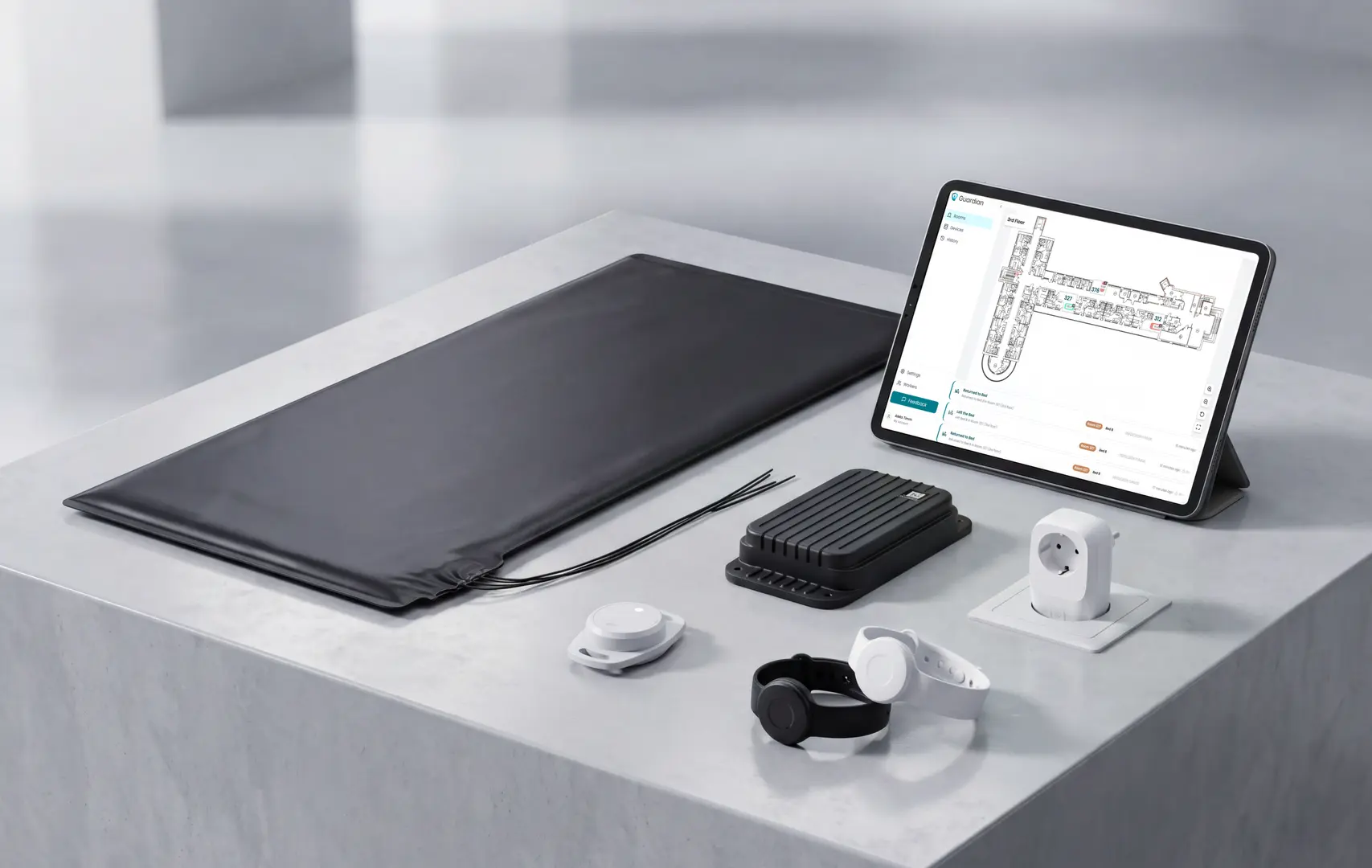
Guardian routes alerts to caregivers so they can respond to real incidents rather than make rounds across the whole ward. The pilot's ROI calculation includes the staff hours freed by targeted visits alongside incident data.
The pilot covers 5 to 10 priority beds in one ward. After 6 to 8 weeks, you can review response times, incidents attended, staff hours saved, and a monetary ROI calculation. Home care providers run the same pilot across one team, replacing manual timesheets with verified visit records and a live view of the day.
Prove the impact in your own ward, without disrupting daily care.
If you have questions or concerns about using Guardian in your care setting, we can talk them through.
Baby monitors can be used for basic elderly monitoring via audio or video surveillance at low cost (under $100, no monthly fees), but they are reactive tools requiring caregiver attention — they do not automatically detect falls, inactivity, or behavioral changes, and camera-based monitoring in bedrooms raises dignity and consent concerns for older adults.
Baby monitors cost under $100 with no monthly fees and give caregivers night vision and two-way audio. For light-touch reassurance, that can be enough.
The gap shows up at night or when a caregiver steps away. Baby monitors have no automatic detection for falls or prolonged inactivity, so the caregiver must be watching the feed to catch a problem.
Passive sensors, such as motion detectors and bed exit pads, work in the background without a camera. A 2024 scoping review in Taylor & Francis found older adults prefer non-visual monitoring over cameras, citing autonomy and data-sharing concerns.
Motion and depth sensors are the most effective nighttime option. A study published in PMC found they achieved a 48% reduction in nighttime falls, a 49% reduction in paramedic visits, and a 68% reduction in A&E admissions in dementia units.
Depth sensors like eNightLog detect bed exits with 99% accuracy across thousands of events, outperforming pressure mats, which average 85.9% accuracy.
AHRQ materials emphasise individualised, multicomponent fall-prevention plans. AHRQ PSNet notes that recent systematic reviews did not find evidence supporting chair or bed alarms in long-term care.
A room monitor is less intrusive when the resident or representative agrees, it collects only safety data, and named caregivers control access.
More than 72% of 119 older adults accepted motion-sensor monitoring and data sharing, while 60% reported privacy or security concerns.
Consent, data minimisation, and restricted access support the same privacy expectations set by CQC practice and GDPR.
Privacy depends on what the system records.
Sensor-only systems: Motion or bed-exit monitoring can support safety without capturing images or footage.
Camera-based monitoring: A JMIR mHealth review found privacy concerns about data collection or access in 13 of 15 studies.
Guardian uses camera-free room and bed sensors to detect activity and exits without recording images.
A pilot can test those alerts on one ward or home care team before any rollout decision.

Author
Aleks Timm
Aleks Timm leads Guardian and builds privacy-first operations technology for care homes and home care providers. Teams get location-aware alerts they can act on, clearer situational awareness, and measured insight into how care work actually runs.
Read MoreRecommended reads
Keep reading
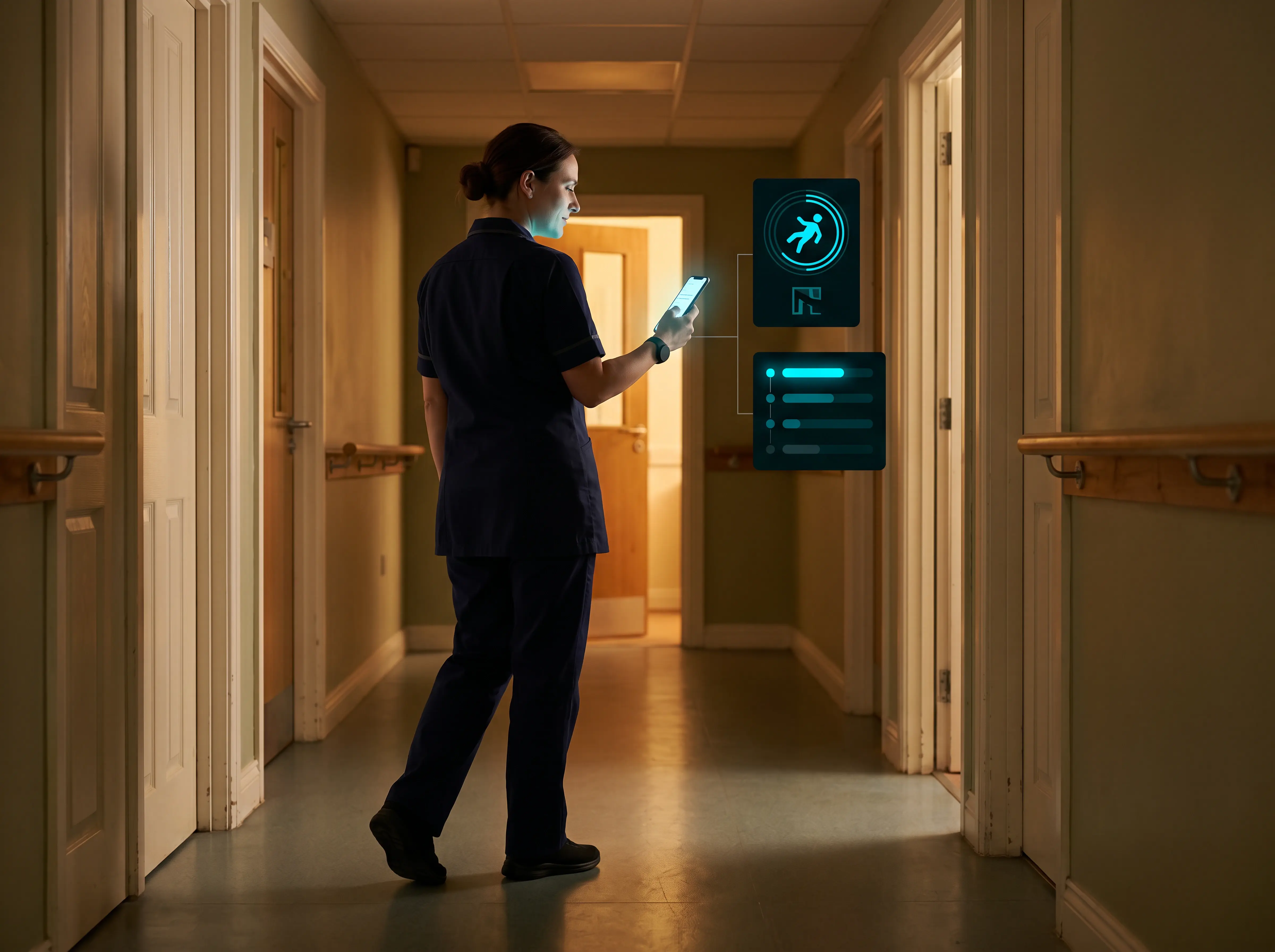
Wireless Patient Monitoring Systems for Care Homes
A complete guide to wireless patient monitoring systems, connected sensors, alert logic, care-home deployment, privacy, and...
Read more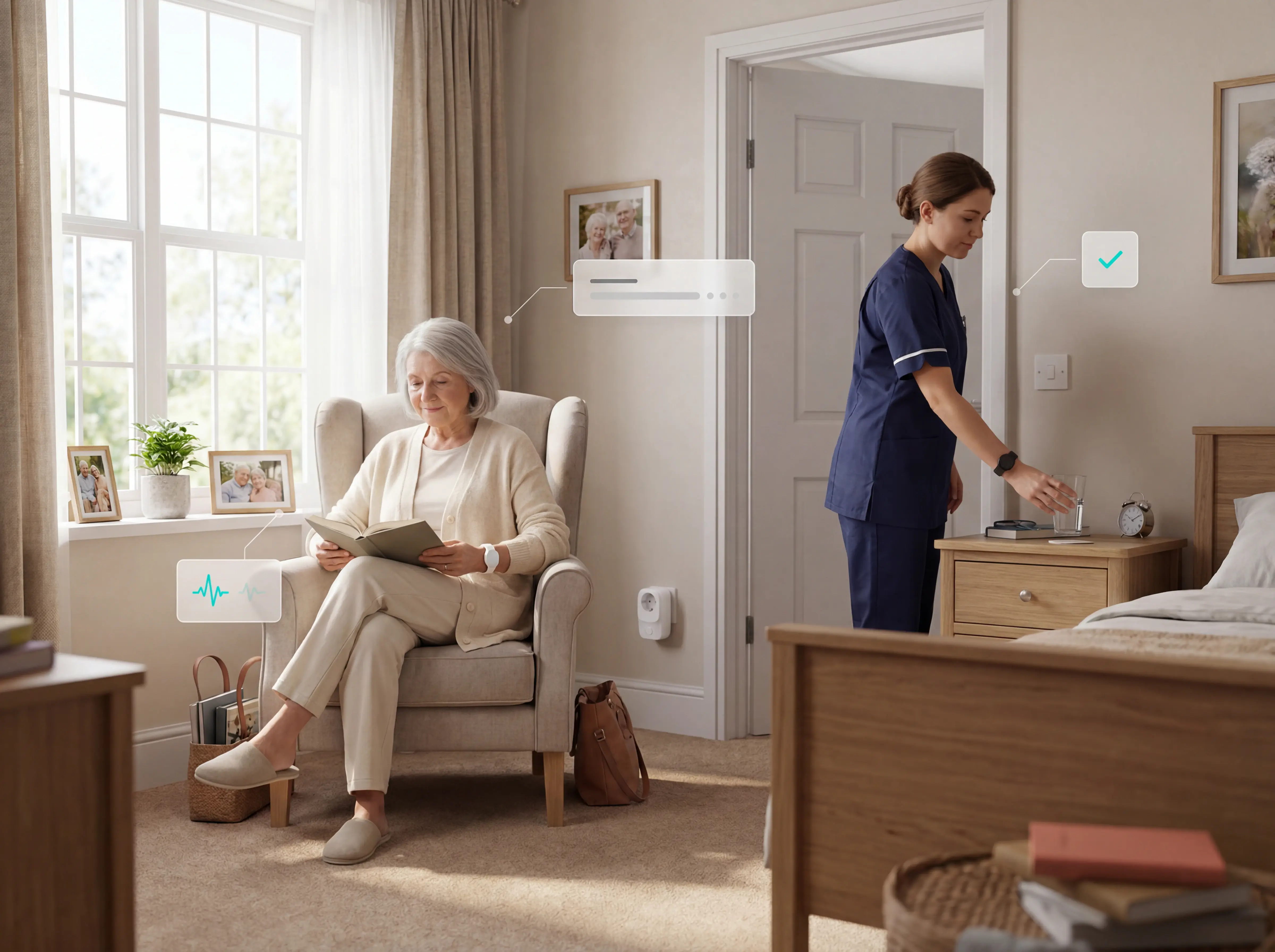
Remote patient monitoring: a complete guide
Remote patient monitoring: the complete guide to sensors, benefits, and buying tips for safer care homes and better resident...
Read more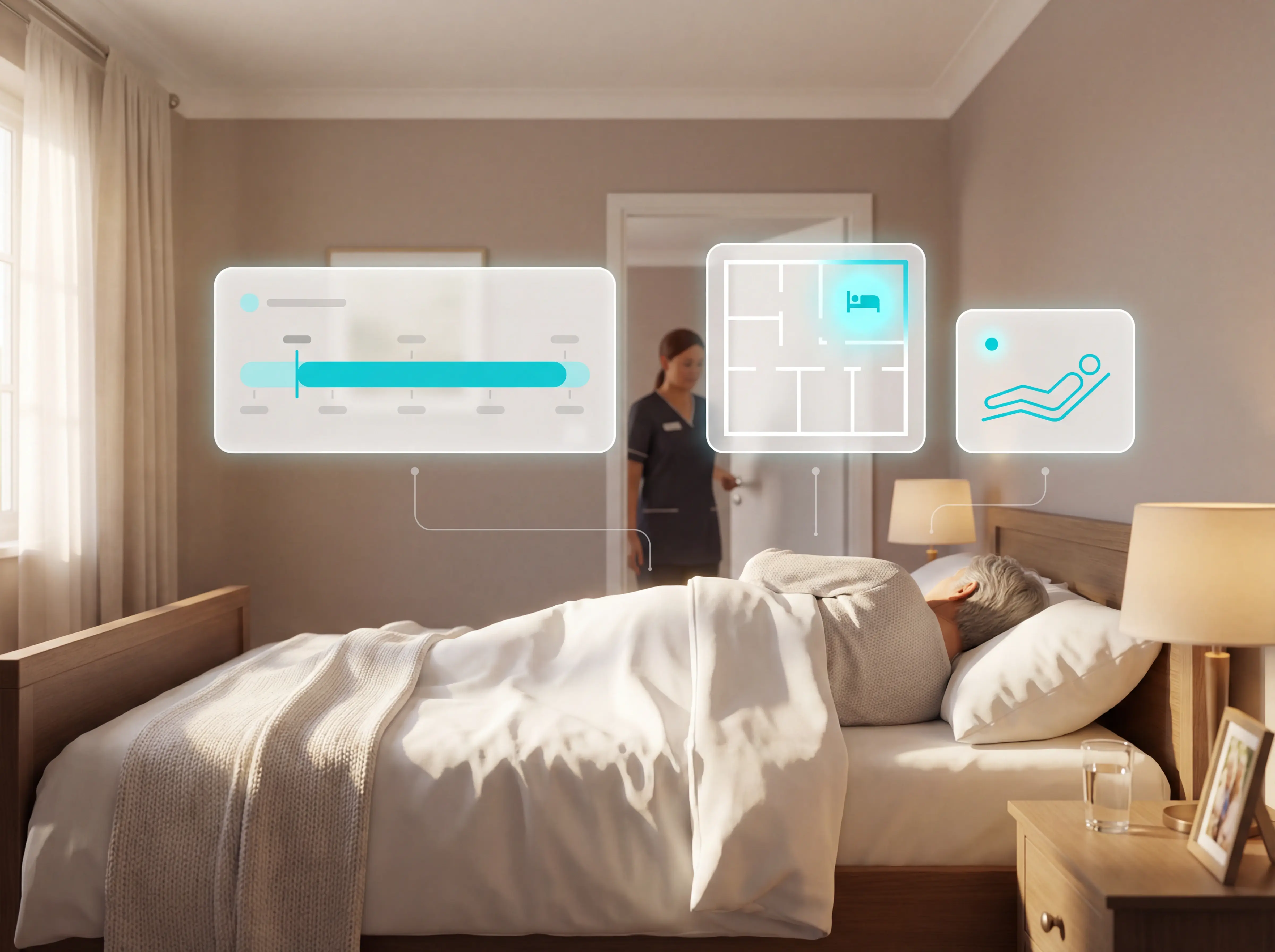
Patient bed alarms for elderly & hospital care
Patient bed alarms help prevent falls in elderly and hospital care. Compare alarm types, choose the right sensor, and protect...
Read more