

Wander Guard System: How It Works, Types, and Costs
In this article
Care home managers usually search for a wander guard system after a gap appears in the shift record, the night round, or the incident response.
Night rounds take hours when records sit across paper logs, shift notes, and manual reports. When something happens, managers need a clear record of where the resident was and when.
This guide explains what a wander guard system is, how the detection-to-alert loop works, and what care teams should check before comparing systems.
Already evaluating options for your ward? See how a Guardian pilot works.
What is a wander guard system?
A wander guard system is a safety monitoring system used in care homes, memory care units, and senior living facilities to detect when an at-risk resident approaches an unsafe area, enters a restricted room, or reaches an exit.
In practice, the system helps staff act before wandering becomes elopement, an unattended fall, or a missing-resident search.
At-risk residents often include people with dementia, Alzheimer's disease, or other cognitive impairments.
A well-configured wander guard system reduces unsupervised exit risk without restricting normal daily movement.
A wander guard system usually combines three signals:
Resident identity: a wristband, tag, pendant, or assigned room profile tells the system which resident needs protection.
Location risk: door readers, room rules, or restricted-area settings tell the system where extra attention is needed.
Care action: alerts show staff who needs help, where to go, and why the alert was raised.
How a wander guard system works
A wander guard system works by turning movement near a monitored area into a staff alert.
The alert should tell caregivers who needs help and where to go.
Traditional door-based systems detect a resident wearable near an exit. Platforms like Guardian also use room-level location, bed-exit rules, and restricted-area settings to spot risk before a resident reaches the door.
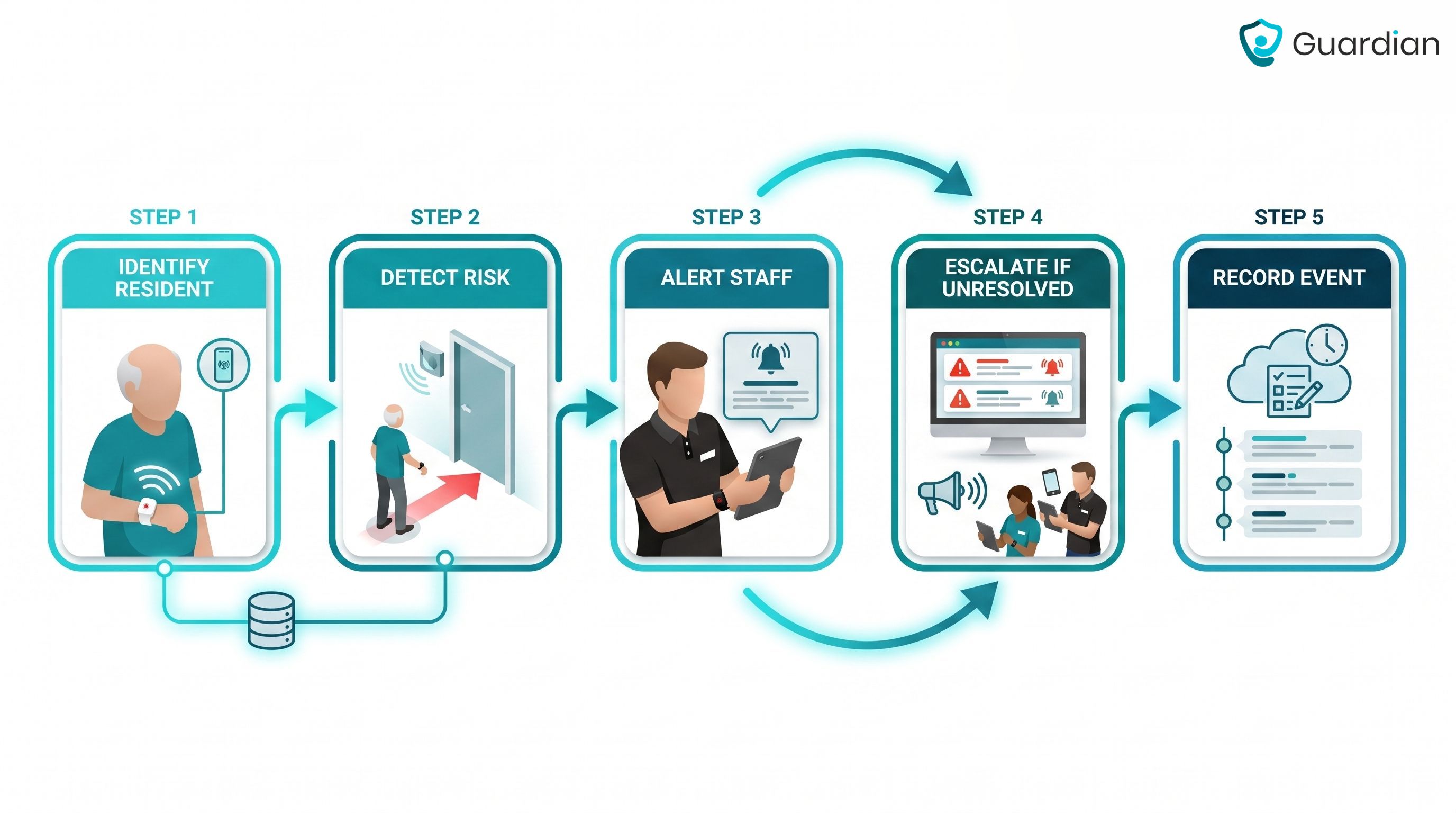
The basic loop is simple:
Identify the resident: the system recognises a wristband, tag, pendant, or resident profile.
Detect the risk: the resident approaches a monitored exit, leaves bed for longer than expected, or enters a restricted room.
Alert the right staff: caregivers receive the resident name, location, and alert reason on the devices used during the shift.
Escalate if needed: if the restricted-area risk persists, the alert can be escalated instead of sitting unseen.
Record the event: the incident record helps managers review what happened before staff arrived.
In Guardian Insight, a room can be flagged as restricted. If an at-risk resident enters that room, staff receive an alert and the incident can escalate if the risk continues.
Core components of a wander guard system
Door sensors still matter, but useful alerts need three pieces of context:
Identity: which resident or wristband triggered the rule.
Location: the room, doorway, or floor-plan area staff should check.
Event context: what happened, such as an exit, restricted-room entry, bed exit, fall alert, or inactivity rule.
Typical setup sequence:
Digitise the floor plan and tag each room, door, and restricted area.
Assign a wristband or sensor profile to each at-risk resident.
Configure rules for each resident, such as bed exit after 11 p.m. or restricted-room entry at any time.
Test alert delivery to staff devices and verify response times before go-live.
Resident wearables
Resident wearables give the system a named signal for each person. In Guardian, the resident wristband is part of the Internal Positioning System, so alerts can carry identity, room-level location, and event context.
Common wearable formats include:
Wristbands: for residents who can comfortably wear a device through the day.
Neck-worn SOS buttons: for residents who prefer a pendant-style trigger.
Fall-detection wristbands: where movement data can support automatic alerts.
Wearable-optional setups: where bed, door, and routine sensors cover residents who cannot reliably wear a device.
Passive sensors and configured rules help cover moments when a resident forgets, removes, or cannot press a button.
Door controllers and sensors
Every protected exit, restricted room, and high-risk corridor needs a physical trigger. Door controllers and sensors supply that trigger, and Guardian Insight turns each event into a location-aware alert.
During setup, the floor plan is digitised and sensors are tied to specific rooms or doors. If a restricted room is flagged, staff can see where to go, not just that a buzzer sounded.
A useful door event includes:
Who: the resident involved, when resident identity is available.
Where: the room, doorway, or floor-plan area linked to the event.
What changed: a door opening, exit risk, or restricted-area entry.
Whether the risk persists: so the incident can be elevated instead of treated as background noise.
Alert and reporting software
After an incident, managers should not spend an hour rebuilding the timeline from paper notes and shift logs.
Guardian Insight receives wearable and sensor signals, applies configured rules, and sends alerts to phones, tablets, or nurse station computers with the resident name, room, and trigger.
Guardian Insight supports the daily workflow by showing:
Live alerts: resident name and room-level location.
Floor-plan context: the room, doorway, or area staff should check first.
Configured rules: bed-exit, inactivity, exit, or restricted-area events.
Activity records: response times, rounds, summaries, and incident patterns.
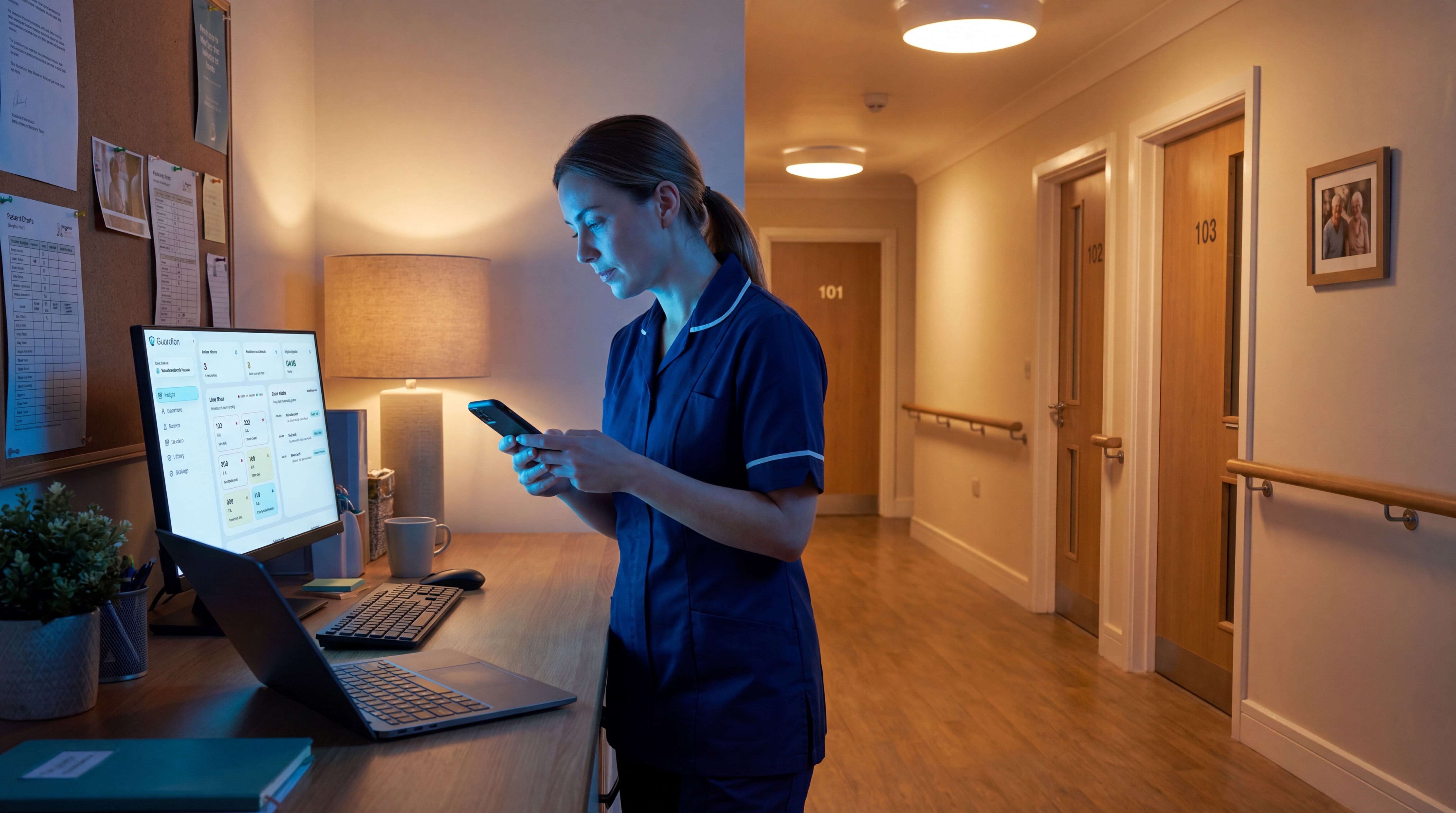
For care managers, the software record matters after the alert. Guardian Insight helps show what happened before the incident, who responded, and whether the same pattern is repeating.
Types of wander guard systems
Wander guard systems fall into three practical categories. They differ less by brand name than by what triggers the alert and how much location context staff receive.
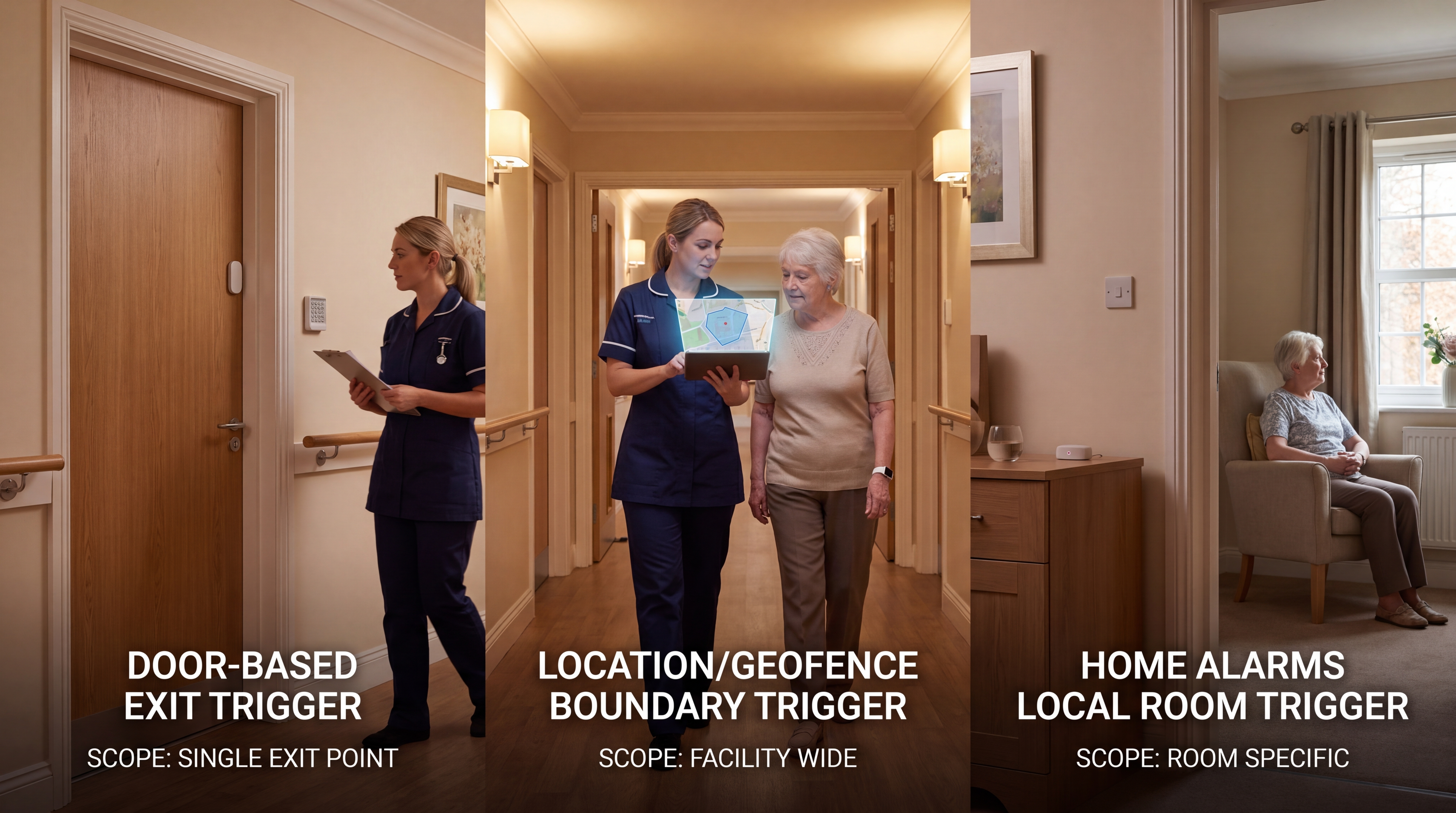
System type | What triggers alert | Best fit | Main limitation |
Door-based RFID/BLE | Wearable near an exit | Known care home exits | Exit point only |
Location/geofencing | Boundary crossing | Indoor and outdoor risk | Wearable and signal dependent |
Home alarms | Bed, chair, door movement | Home or single-room use | Local context only |
RFID and BLE door-based systems
RFID and BLE door-based systems pair a resident wearable with a receiver at a monitored exit. When the wristband or tag comes within range, the system triggers an alert for the assigned staff route.
This setup works best where the main risk points are known doors, lifts, stairwells, or secured corridors.
Detects: A tag entering receiver range at a door, lift, stairwell, or secured corridor.
Fits: Care homes that need alerts at known exit points.
Limitation: Staff get an exit warning, not continuous movement history across the home.
Wristband door alarms sit in this category: a wristband near a monitored door triggers an audible caregiver alert.
Location-based and geofencing systems
Location-based and geofencing systems watch movement against a defined safe area, rather than only one doorway. The system alerts staff when a wearable crosses a boundary or reports position outside the expected zone.
This approach gives more context for gardens, car parks, transport routes, and wider facility grounds where door-only monitoring is too narrow.
Detects: A wearable crossing a boundary or reporting position away from the building.
Fits: Residents who may reach gardens, car parks, transport routes, or the wider community.
Limitation: The system depends on a charged, worn device and a usable signal.
Tunstall Gem4 and Gem5 are GPS-tracked wearables with fall detection and an SOS button.
Like other wearable GPS devices, coverage depends on the resident keeping the device charged and worn.
Bed, chair, and door alarms for home caregivers
Bed, chair, and door alarms are lighter-weight room monitoring tools for one room, one flat, or one high-risk resident. They are not full institutional wander management systems.
Bed alarms: Pressure pads trigger when weight lifts from the bed.
Chair alarms: Seat pads trigger when someone stands from a chair.
Door alarms: Magnetic contacts trigger when a monitored door opens.
The limitation is scale: local alarms and pagers do not give managers a floor-plan view, shift record, or wider movement history.
Who needs a wander guard device?
Choosing the right system type depends partly on who you are monitoring and what risk looks like for each resident.
Wanderguard devices are for residents who can move independently but cannot reliably judge where they are, where exits lead, or when leaving becomes unsafe.
That often includes people with dementia or Alzheimer's, but diagnosis alone is not the trigger. The trigger is observable elopement risk.
Common signs that monitoring is warranted include:
Dementia or Alzheimer's: the Alzheimer's Association says 6 in 10 people with dementia will wander, and risk rises when a mobile resident is no longer reliably oriented to place or danger.
Other cognitive conditions: acquired brain injury, developmental disability, or psychiatric disorientation can also create unsafe wandering or exit-seeking.
Exit-seeking behaviour: repeated attempts to leave the unit, follow staff out, open locked doors, or “go home” at unsafe times.
Location confusion: not recognizing the room, ward, building, or route back from shared areas.
Prior elopement: any previous unsupervised exit, near-miss, police call, or family-reported wandering episode.
Admission risk: new residents whose routines, triggers, and exit patterns are not yet known.
The setting can be a memory care unit, assisted living facility, nursing home, or private home. For family caregivers, door and bed-exit alarms are common when moderate-to-severe dementia makes supervision unreliable overnight.
For care homes, monitoring is also a documentation and liability issue:
Liability exposure: ECRI cites an average closed-claim cost of about $360,000 for elopement, and its hazardous wandering toolkit says upwards of 10% of nursing-home lawsuits involve elopements.
Survey risk: CMS Appendix PP links accident prevention to elopement risk identification, care planning, supervision, monitoring devices, and emergency response.
Intake timing: ECRI also reports that 45% of elopements occur within 48 hours of admission, so intake screening should not wait for the first incident.
Local duties: Some local rules add elopement risk assessments, supervision plans, and physical security measures for memory care residents.
A manual button is not enough for residents who may forget, freeze, or be unable to call for help. Passive, automatic monitoring gives staff a signal before a missing-person search becomes the safety plan.
The Alzheimer's Association tells caregivers to call 911 if a person with dementia is not found within 15 minutes.
The same guidance warns that up to half of people missing for 24 hours suffer serious injury or death. That is the operational case for early, location-aware alerts.
Those setting differences sit inside a broader home-and-facility senior monitoring roundup, which compares single-room, home, and ward-wide systems.
What to look for in a wander management system
Evaluate the wander guard system by how well it works during a real shift. Four practical criteria matter most:
Alert routing and false alarm control: Can staff see who needs help, where, and how urgent the event is?
Integration with nurse call and access control: Can the system fit the doors, workflows, and call points already in place?
Installation, maintenance, and battery management: Can the team keep the system working without constant IT support?
Cost drivers and budget planning: Does the budget account for hardware, software, installation, training, replacements, and ongoing support?
Some facilities also check life-safety rules, restraint-free care expectations, and monitoring-device requirements when specifying wander management systems for memory care units.
Alert routing and false alarm control
Choose a wander system that tells staff where to go, what happened, and which alerts need action. The Joint Commission has warned that alarm fatigue can make safety signals easier to miss.
Common mistake: routing every door event to the whole shift. That trains caregivers to mute the system instead of trusting the alert queue.
In Guardian Insight, configurable rules can filter routine activity while keeping urgent safety signals visible.
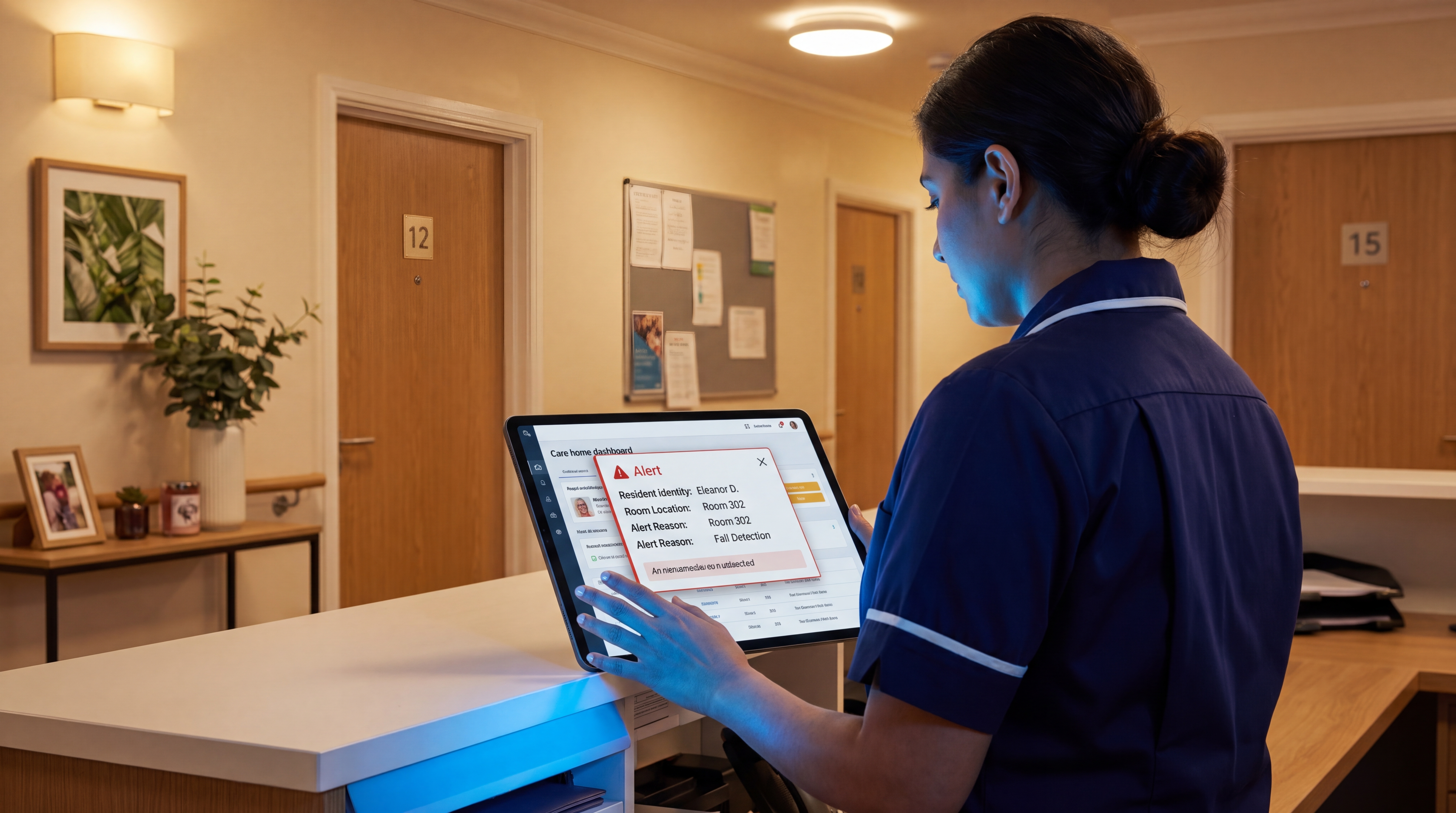
Room-level context: Alerts should name the resident, room, and trigger so staff know where to go before calling around.
Pre-incident context: Staff should see recent bed, door, or motion activity so the alert explains what changed before the incident.
Resident-specific thresholds: Rules should reflect baseline routines, because a normal bathroom trip should not be treated like a night-time exit risk.
Suppression rules: Low-priority triggers should be silenced during predictable windows, while SOS, exit, and urgent safety alerts stay non-suppressible.
Role or zone routing: Alerts should reach the assigned caregiver or zone team instead of broadcasting every event to the whole shift.
Pilot evidence: Run a 6–8 week ward pilot and compare alert volume, acknowledgement time, response time, duplicates, and staff-rated actionable alerts. Ask the vendor for a live alert-volume report from a comparable ward.
Why fragmented systems cost you at 2 a.m.
Integration quality is about staff attention. A wander system should put exit, nurse call, and safety signals into the workflow staff already watch.
Fragmented systems create scattered records, manual reporting, and incident histories that are hard to find.
When an alert, a nurse call response, and a door event each live in a different system, reconstructing what happened overnight means pulling from multiple sources. That is where the hours go.
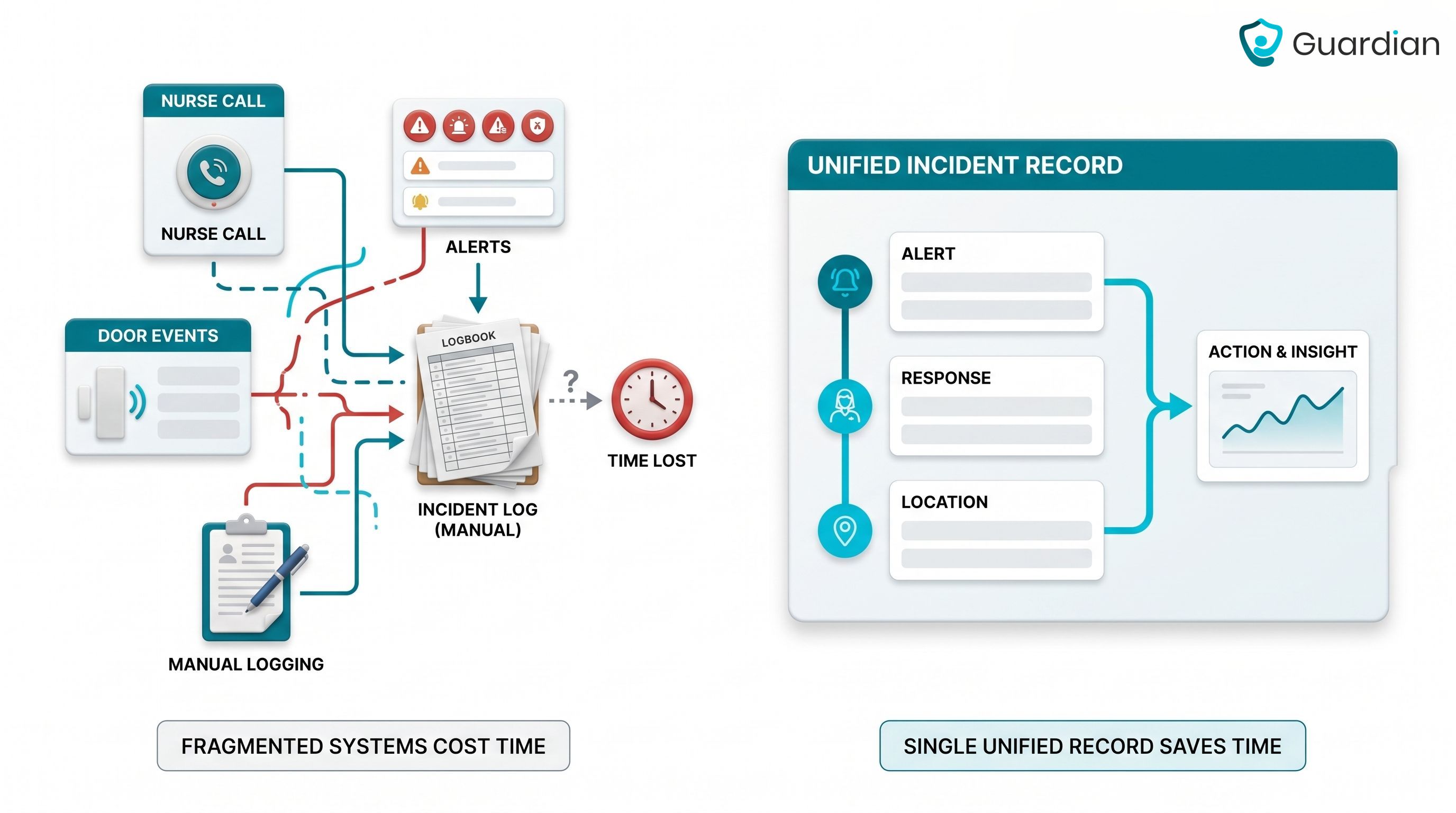
Use these six checks during procurement:
Shared alert channel: alerts reach the phones, tablets, or nurse station screens staff already use for nurse call response.
Single incident record: alert, response, and location history stay in one place, not across paper notes or separate dashboards.
Access-point context: door and restricted-area alerts name the resident, the exit, and whether the event needs immediate action.
Workflow fit: caregivers do not need to watch a second buzzer, pager, or wall display during rounds.
Night-round support: managers can review movement, unanswered alerts, and response times without walking every corridor.
Integration test: one caregiver can find the alert, location, resident, and incident record without opening a second system.
Ask the vendor to show how one overnight incident appears in the record the next morning.
The same pilot data will show whether integration gaps exist: unmatched alerts, delayed response times, or records that need manual reconstruction.
If nurse-call integration drives the shortlist, the care-facility nurse-call roundup compares routing, records, and integration depth.
Installation, maintenance, and battery management
Installation should be judged on disruption first. A live care setting cannot pause rounds while contractors drill walls, run cables, or test door controllers.
Question | What to check |
How fast can one ward go live? | Guardian describes ward deployment in about one week, including delivery and installation (FAQs). |
What physical work is required? | Confirm whether sensors use adhesive placement, or whether doors, walls, and nurse stations need drilling or cabling. |
How are cables handled? | Hub power cables should be routed away from walkways, beds, and unplugging risk. |
What is checked before go-live? | Verify every sensor, SOS button, hub, and cable before the installation team starts work. |
Battery management matters because silent sensor failure creates a false sense of safety.
The system should show battery status centrally, before staff discover a dead device during an incident.
Before purchase, ask the vendor to commit to:
Central battery visibility: managers can see device status from one portal, not by checking each room manually.
Low-battery alerts: the system warns staff before a sensor or button goes dark.
Clear replacement rules: Guardian says the SOS button battery lasts up to two years, sends low-battery notifications, and replacement batteries are sent free of charge (SOS button).
Routine maintenance scope: confirm whether routine sensor servicing requires specialist engineers, callout fees, or planned downtime.
Common mistake: assuming a quiet system is a working system.
A discharged pendant or disconnected sensor generates no alert unless the platform actively monitors device health. Ask vendors whether the system alerts staff when a device goes offline, or only when movement is detected.
What you pay over 24 months
Budget for a wander management system across 24 months. Activation, programming, shipping, and installation labour are the costs operators underestimate.
Model the comparison with the same cost buckets for every vendor:
Cost driver | Model as | Watch for |
Resident devices | Per resident | Wearables, tags, pendants |
Exit coverage | Per monitored exit | Doors, lifts, stairwells |
Ward rollout | Per ward | Labour and installation disruption |
Software | Monthly x 24 | Alerts, portal, reporting |
Batteries | Device life cycle | Paid replacements or charging |
Support | Contract term | Engineer visits, callouts |
Recurring monitoring changes the 24-month picture quickly, especially when a system bills per resident, device, or monitored service.
For consumer medical-alert services, use the vendor's current published pricing and contract terms. Do not use forum pricing as a benchmark for care-home procurement.
Use this 24-month formula during procurement:
Upfront cost: hardware, activation fees, programming fees, shipping, and installation labour.
Recurring cost: monthly software or monitoring multiplied by 24.
Maintenance cost: batteries, replacements, support contracts, and engineer visits.
Scale cost: resident count, monitored exits, ward layout, and rollout phases.
Guardian is priced from the pilot. The 6–8 week pilot ends with a written ROI report showing your actual response times, visit verification rate, and cost-per-ward.
Rollout pricing is set from evidence, not a rate card. Ask what one ward will prove and what the rollout cost looks like from there.
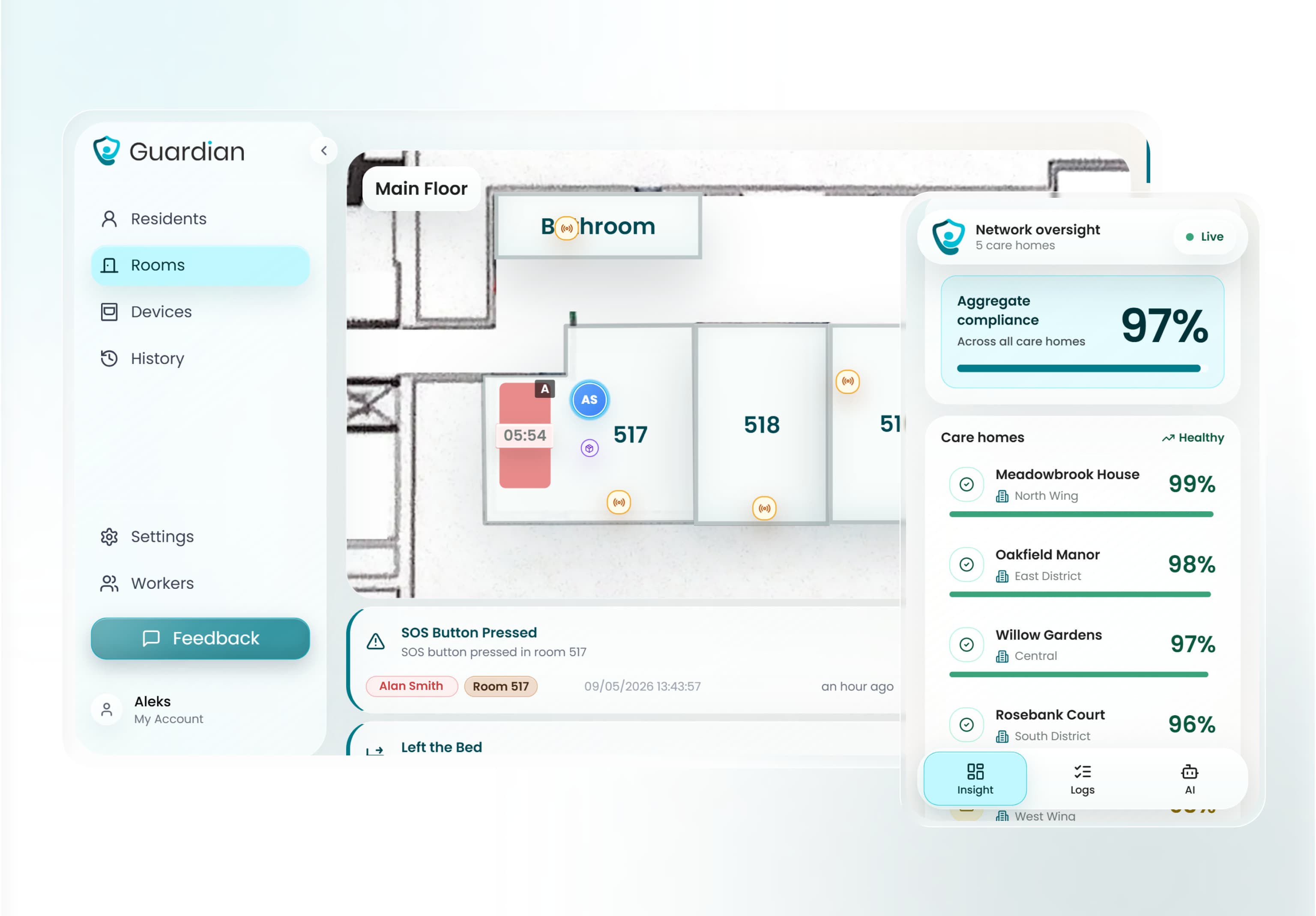
How Guardian works in a memory care setting
One floor plan, every alert in context.
Guardian records which resident is where, then sends staff an alert with a name, room, and reason on the devices they already carry.
Setup happens before go-live.
Guardian digitises your floor plan and links each wireless sensor to a specific room or door. The wireless, pre-configured setup can go live in about a week, with no drilling, cabling, or IT project.
In a memory care setting, Guardian applies the buying criteria in practical ways:
Map every alert to a place: floor-plan mapping shows the room, bed, or zone connected to the event.
Flag restricted rooms: staff receive alerts when a resident enters a kitchen, stairwell, medication room, or other high-risk area.
Protect residents who cannot press a button: bed, motion, door, and SOS sensors work passively in the background.
Filter routine movement: smart rules can roughly halve unnecessary notifications, so caregivers act on safety signals rather than background movement.
Escalate persistent risk: restricted-room incidents can continue escalating when the risk has not been resolved.
Example: if a resident flagged for exit-seeking leaves their room after 10 p.m., Guardian Insight sends the assigned night caregiver an alert naming the resident, the room, and the bed-exit rule before the resident reaches the corridor.
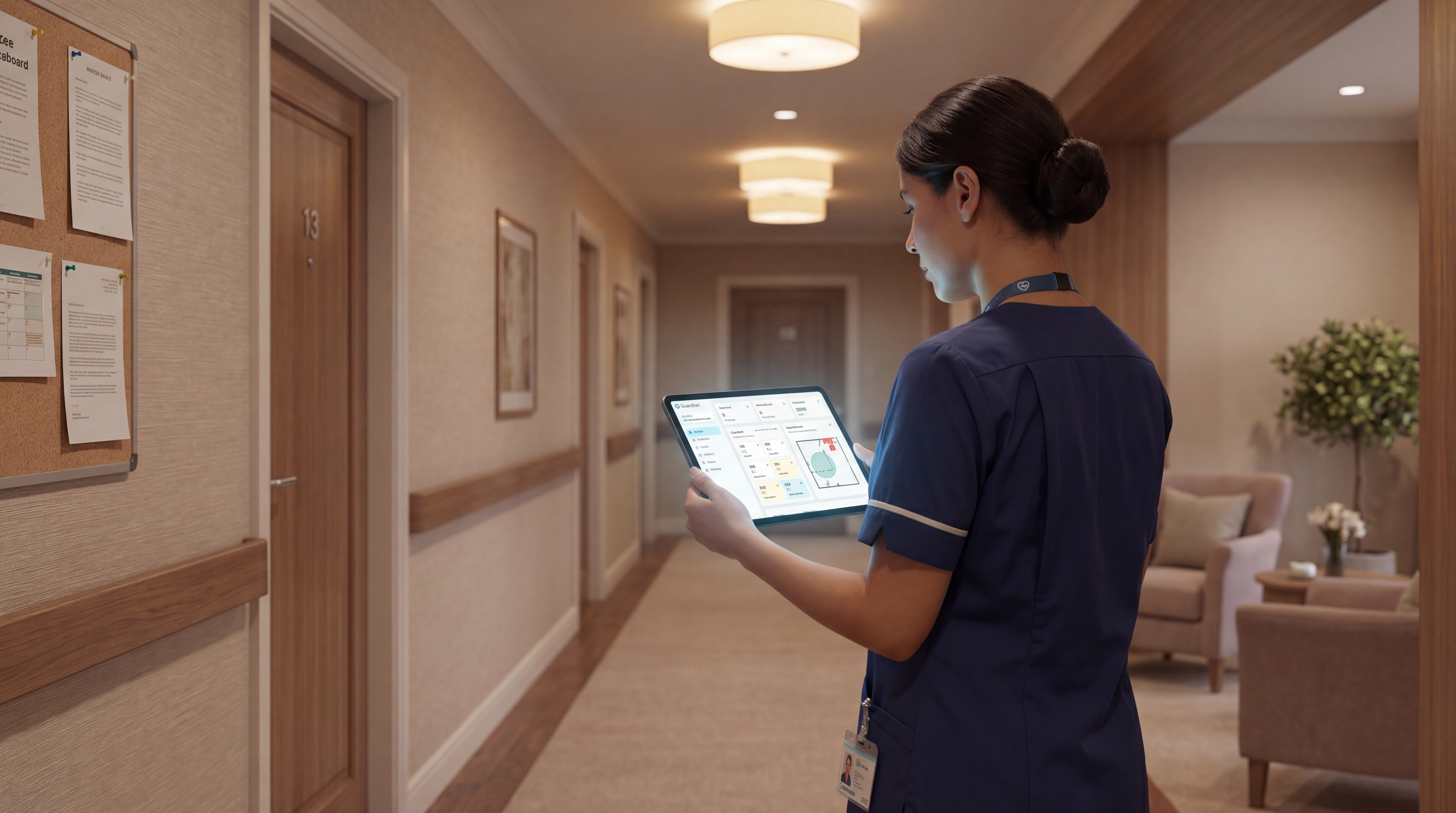
Guardian is camera-free by design. Caregivers get a name, a room, and a reason, enough to respond without watching anyone on screen.
A Guardian pilot is scoped to one ward, home, or team. The next 6–8 weeks collect response times, visit verification, incident data, staff feedback, ROI, and a rollout plan for the next area.
The pilot gives your team a clear test: fewer unnecessary alerts, faster location of residents or assets, and clean records at the end of the shift.
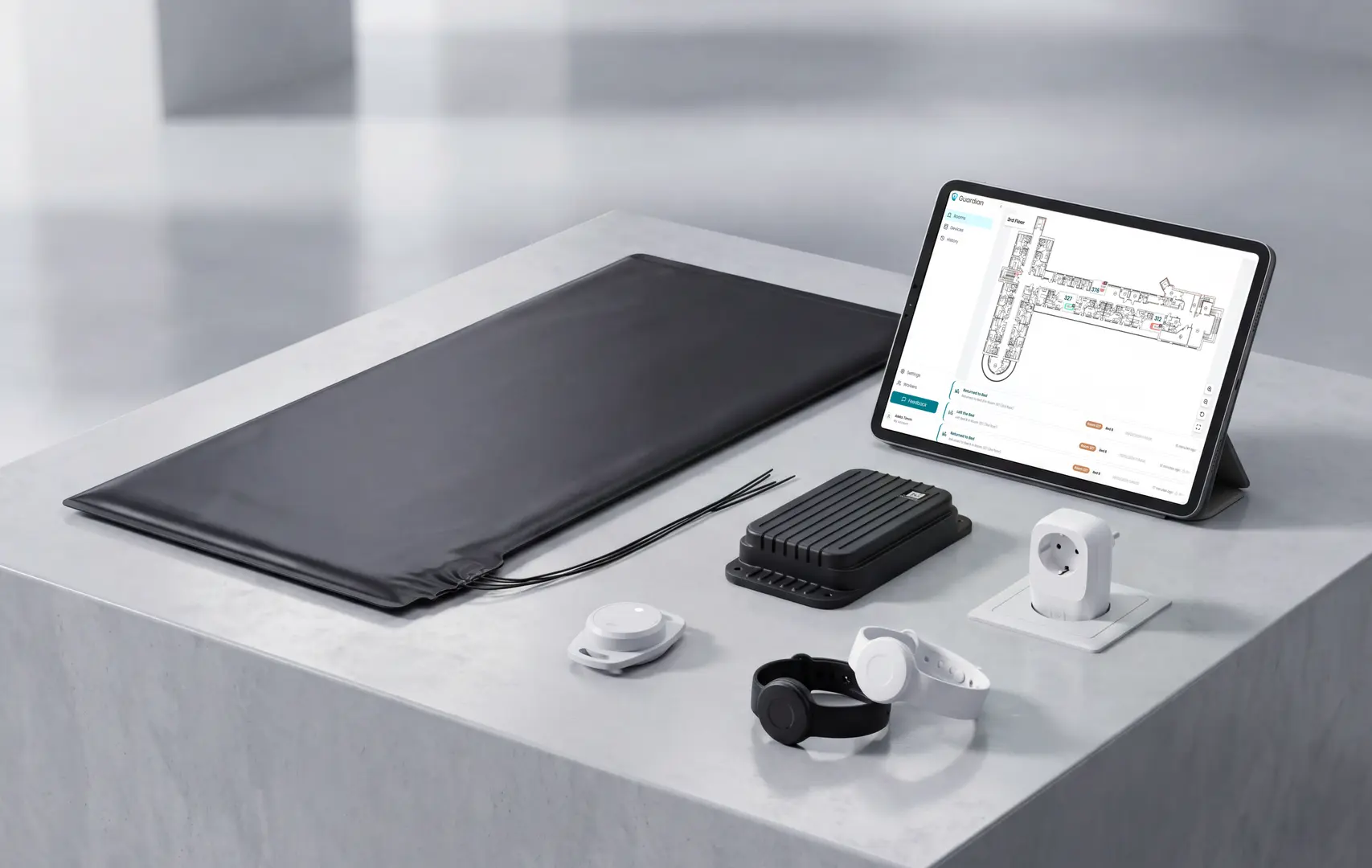
Start your Guardian pilot
If you are choosing a wander management system, choose one that protects privacy and still gives staff live context.
Guardian is camera-free and wireless. Guardian Insight maps wristbands, sensors, rooms, and alerts into one live view.
Tell us which ward you want to start with. In 6–8 weeks, you will have your own response times, visit verification rate, and a written ROI report.
We scope the pilot and usually reply within 2 business days.
WanderGuard is a wander management product line from Securitas Healthcare.
For buyers, the key point is ownership and support route. WanderGuard is not a generic door alarm; it is a facility-grade wander management product from an established healthcare safety vendor.
Check WanderGuard by confirming the monitoring system is online, then testing each protected exit with a live tag and verifying that staff receive the alert.
Use the site’s own monitoring dashboard or nurse-call interface; do not rely on software status alone.
Confirm the controller, receivers, door hardware, and alert routes show online.
Check each resident tag is assigned, charged or in date, and visible to the system.
Walk a test tag toward each protected exit and confirm the door or alert response.
Verify the alert reaches the correct staff device, screen, pager, or nurse-call point.
Record any failed location, delayed alert, or silent device for maintenance.
For Guardian sites, the equivalent check is done in Guardian Insight: confirm sensors are active, then walk-test rooms or exits and verify live alert delivery.
Wander guard wearables carry different IP ratings depending on the model. Check the published IP rating before assuming water safety.
For example, the WanderGuard BLUE wearable tag is listed as IP67-compliant. IP67 means dust-tight and protected during submersion in fresh water up to 1 metre for 30 minutes.
For Guardian, the resident wristband is IP67. It is shower-safe, bath-safe, hand-washing safe, and designed for continuous wear without removal.
IP67 limits
Not prolonged swimming: IP67 is a 30-minute submersion rating, not an open-ended swim rating.
Not high-pressure water: Pressure washers, strong jets, or similar exposure need separate manufacturer approval.
Not salt or pool water: Salt water and chlorinated pools are not covered unless the manufacturer says so.

Author
Aleks Timm
Aleks Timm leads Guardian and builds privacy-first operations technology for care homes and home care providers. Teams get location-aware alerts they can act on, clearer situational awareness, and measured insight into how care work actually runs.
Read MoreRecommended reads
Keep reading
9 best wireless caregiver alert systems for seniors
Discover the 9 best wireless caregiver alert systems for seniors: compare alerts, tracking, and costs to choose the right solution...
Read more
Best wireless nurse call systems for hospitals and care facilities
Compare the best wireless nurse call systems for hospitals and care facilities—see key features, compliance tips, and top picks...
Read more
8 Best Nurse Call Systems for Hospitals & Care Facilities
Discover the 8 best nurse call systems for hospitals and care facilities—compare features, reduce alert fatigue, and find the right...
Read more