

Nurse call systems for assisted living facilities
In this article
This guide covers the main types of nurse call systems used in assisted living, the features that matter in care settings, how Guardian approaches monitoring without call lights or cameras, and what to ask vendors before you buy.
What is a nurse call system for assisted living?
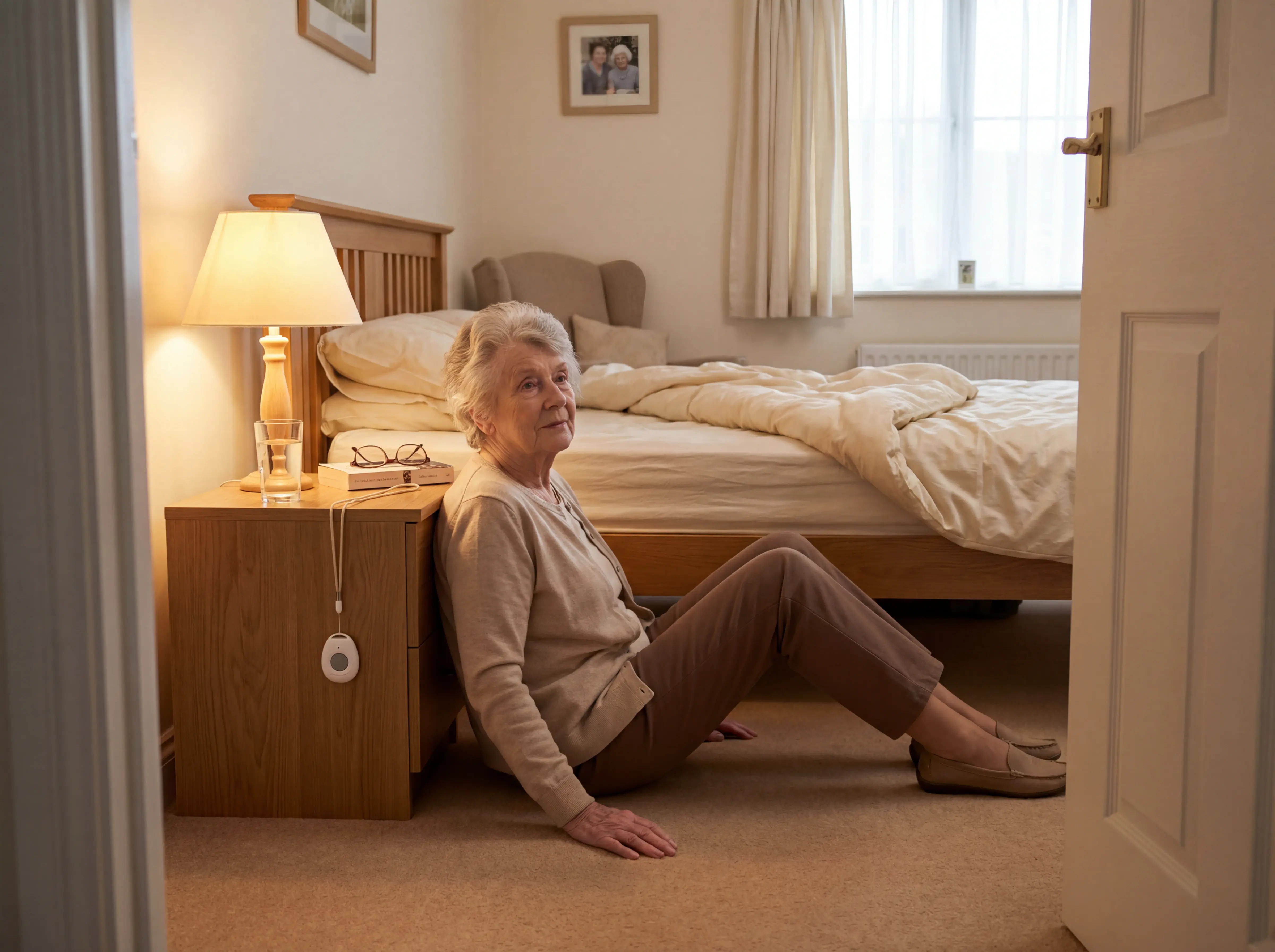
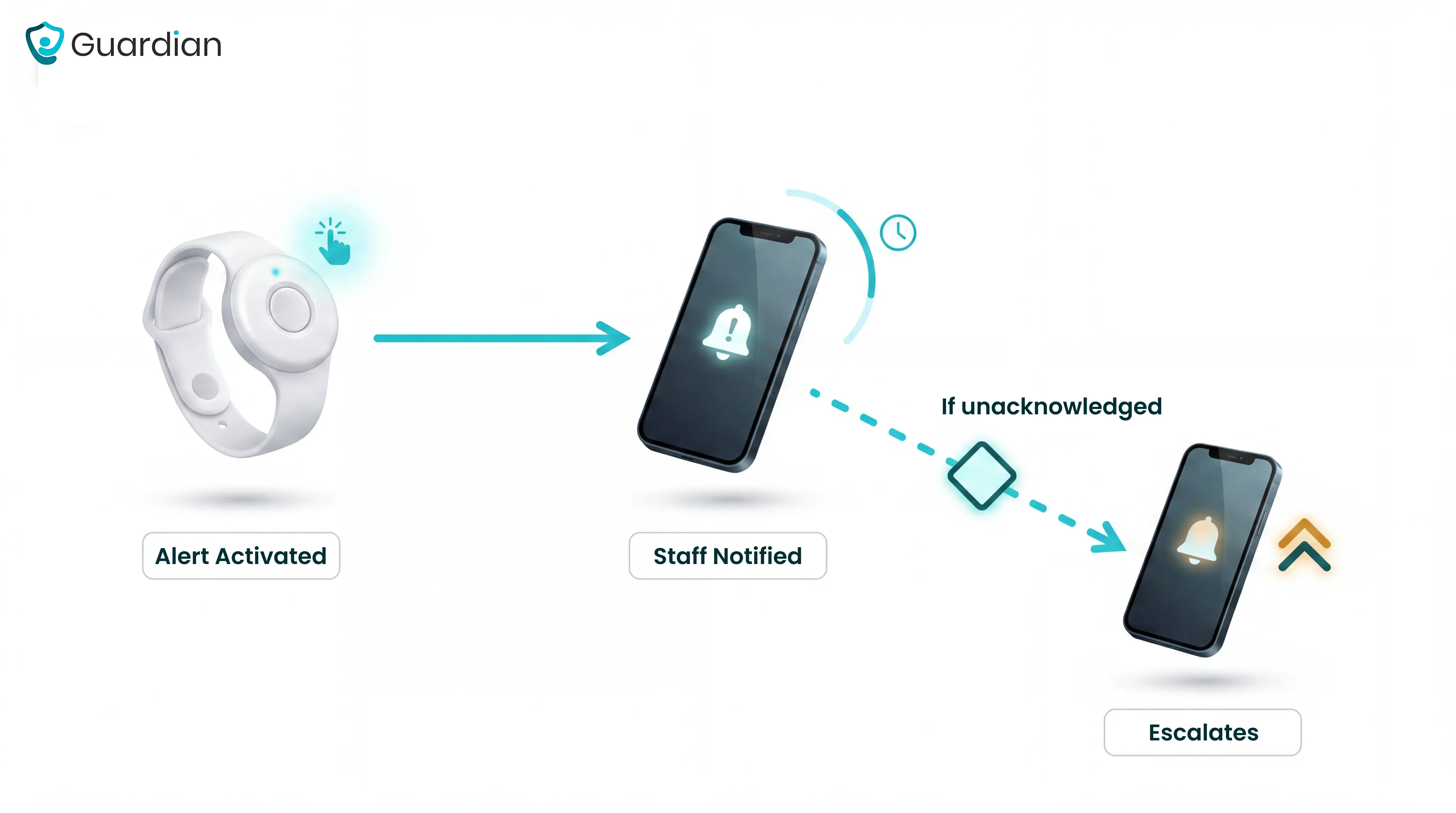
A resident activates an alert via a pendant, wall-mounted call button, or automated sensor. The signal routes to caregivers as a mobile notification, audible alarm, or pager message.
Modern systems add wearable wristbands and passive sensors, such as bed exit detectors and door contacts, that trigger alerts without requiring the resident to press anything. That matters most for residents who cannot call for help themselves.
If the first caregiver does not respond within a set window, the alert escalates automatically to a supervisor, then to the on-call manager.
Nurse call systems also produce verifiable response records. Those records support regulatory compliance and give managers the documentation they need when inspectors or families ask questions.
Resident-initiated calls and non-invasive passive sensors are equal input modes. Together, they cover events a resident cannot report.
Privacy-first hardware preserves dignity, a higher priority in residential care than in acute hospital settings.
How assisted living differs from hospitals and skilled nursing
Assisted living systems prioritize mobile alerts, fall detection, and wander management for caregivers working across a residential setting.
Hospital and skilled nursing systems support acute monitoring through centralized, wired infrastructure.
Assisted living residents typically need help with activities of daily living such as bathing, dressing, and medication management. They do not require continuous medical monitoring or skilled nursing interventions.
Hospitals and skilled nursing facilities manage acute illness, post-surgical recovery, and complex chronic conditions. These settings require licensed nursing oversight around the clock.
The average assisted living resident is 87 years old, ambulatory, and managing two or more chronic conditions. Wander management and fall detection are higher priorities here than in hospitals, where residents are more likely to be bed-bound.
Assisted living is state-regulated, not federally regulated like Medicare/Medicaid-certified SNFs. Standards for medical staffing and equipment vary significantly by state.
The right system category depends on both your facility layout and the compliance baseline your state requires.
Types of nurse call systems
Type | Install time | Infrastructure | Location precision | Best for |
Wired | Weeks | Full cabling | Room-level | New builds |
Wireless | Days | RF or Wi-Fi | Room-level | Retrofits |
Hybrid/RTLS | Varies | Existing + RTLS tags | Sub-room | Memory care |
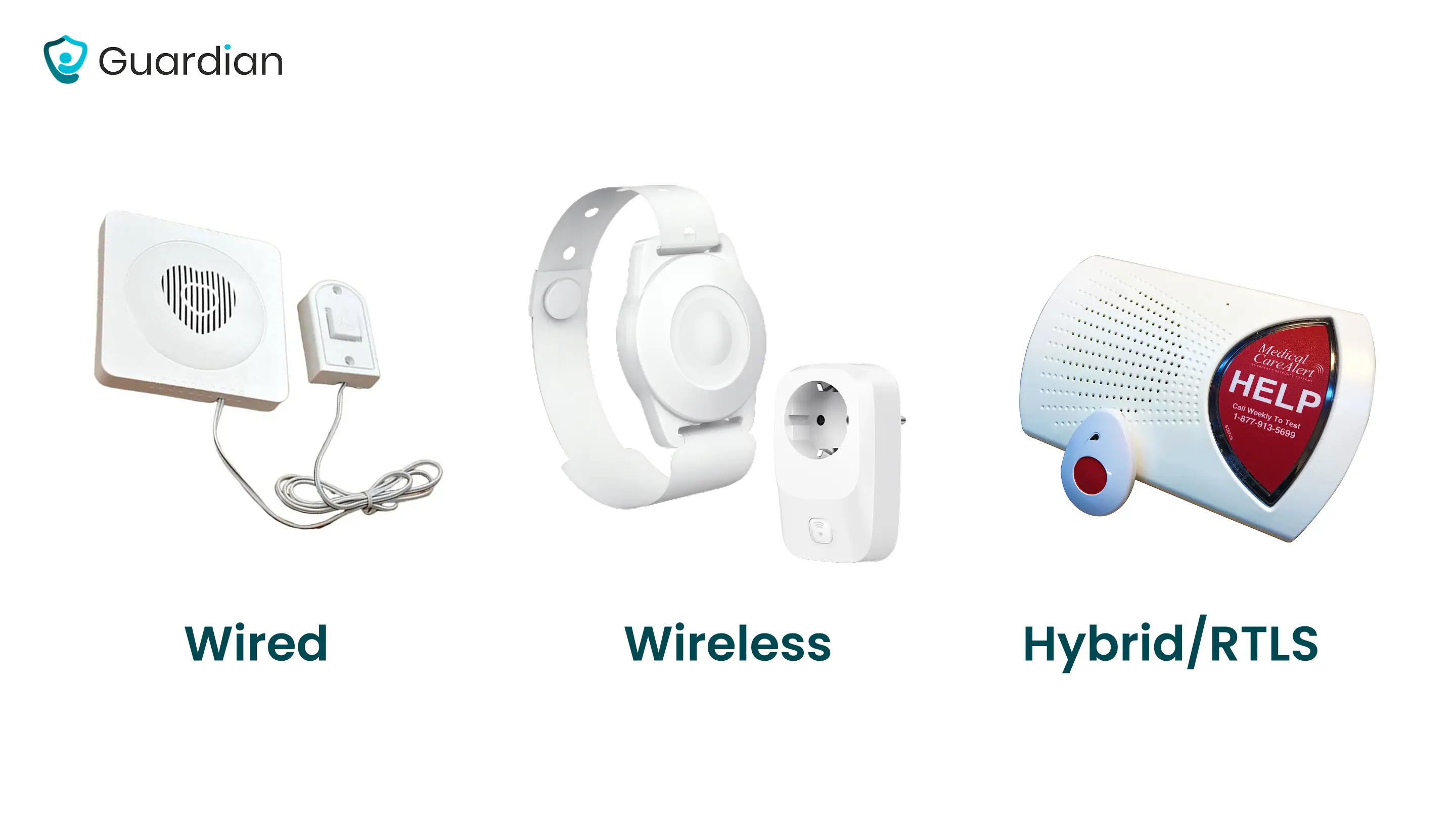
Each trades installation complexity for coverage flexibility and location accuracy. The right fit depends on your facility layout, budget, and resident acuity level.
Wired systems
Wired is worth pricing if your facility is mid-build. Retrofitting an occupied ward carries a disruption cost that rarely justifies the investment.
Wired installation means running cable through walls, ceilings, and conduit across the entire facility. In a live care home, that work disrupts daily operations for weeks.
Cornell Communications' Visual Nurse Call 4000 is a wired platform with custom system sizing for senior living.
Wired systems that meet UL 1069 or UL 2560 standards are required in skilled nursing facilities, making compliance a common driver of wired adoption.
For a ward already running on a stretched team, weeks of installation disruption is a real operational cost.
Wireless systems
Advantages: Wireless systems can provide full-facility coverage without cabling and scale quickly by adding devices to the existing network. Securitas Healthcare's wireless offerings illustrate this deployment model.
iAlert Systems is one example of an all-in-one wireless nurse call platform, combining call buttons, wearable devices, and in-room sensors in a single network.
Limitations: Wireless deployments can face interference risks, which dedicated frequencies or encryption can help mitigate. Caretronic's hybrid design notes provide practical context for balancing wireless flexibility with system reliability.
Guardian is a wireless, camera-free monitoring system that covers a ward in about a week with no drilling or cabling.
Resident wristbands detect falls and send SOS alerts with one press.
Bed exit, motion, and door sensors cover residents who cannot or will not wear a device.
Alerts reach staff phones with the resident's name and exact room location.
Configurable smart rules filter routine activity so alerts reflect real events.
When comparing options, check whether the system fits existing staff workflows and produces measurable response times. Our guide to matching a monitoring system to your setting covers both questions.
Hybrid and RTLS-enabled systems
Hybrid and RTLS-enabled systems combine wired or wireless call infrastructure with real-time location tracking, pinpointing residents and staff to room level or finer.
That sub-room precision tells staff where an alert started and supports wander management in memory care.
IP-based hybrid systems such as Ascom teleCARE IP use existing network infrastructure for alert and wander management without a full hardware replacement.
The category matters, but within any category, four specific features separate systems that hold up under pressure from those that add noise.
Features that matter most in assisted living
Assisted living nurse call systems balance life-safety coverage with resident dignity.
Alert routing and escalation
An alert that reaches the wrong caregiver, or no one, is functionally the same as no alert at all.
A well-configured routing rule prevents that gap through time-based escalation:
Alert fires to the caregiver assigned to that resident's wing.
No acknowledgement within 90 seconds, and the alert widens to the floor supervisor's phone.
After three minutes, the on-call manager receives it.
Guardian routes alerts to staff phones with the resident's name and room, so the right caregiver responds without a PA announcement or panel check.
Escalation timing is configurable per alert type. A fall-sensor trigger should escalate faster than a routine call button press.
Pendants, call stations, and SOS buttons
Pendants, call stations, and SOS buttons are the three main resident-side call-initiation devices. Pendants are wearable and mobile, call stations are fixed room units, and SOS buttons are single-purpose emergency triggers.
Residents with dementia or limited dexterity may not reliably press a pendant. Larger, single-purpose SOS buttons reduce the dexterity barrier, but cognitive decline can prevent button use entirely.
Pendants are the fastest resident-initiated path to help. They work best alongside passive detection, not instead of it, because a resident who falls or has a cognitive episode may not reach for the button.
One common mistake: facilities issue pendants but do not train residents on when and how to use them. In memory-care wings, passive bed and motion sensors cover those residents regardless of whether they are wearing a device.
That device mix is easier to compare in the senior emergency alert guide for care settings with mixed resident needs.
Reporting, analytics, and staff accountability
A system that requires manual report pulls will not produce clean records at the moment a regulator asks for them.
Wander management and location awareness
Motion and door sensors handle this without cameras, preserving resident privacy while tracking boundary crossings in real time.
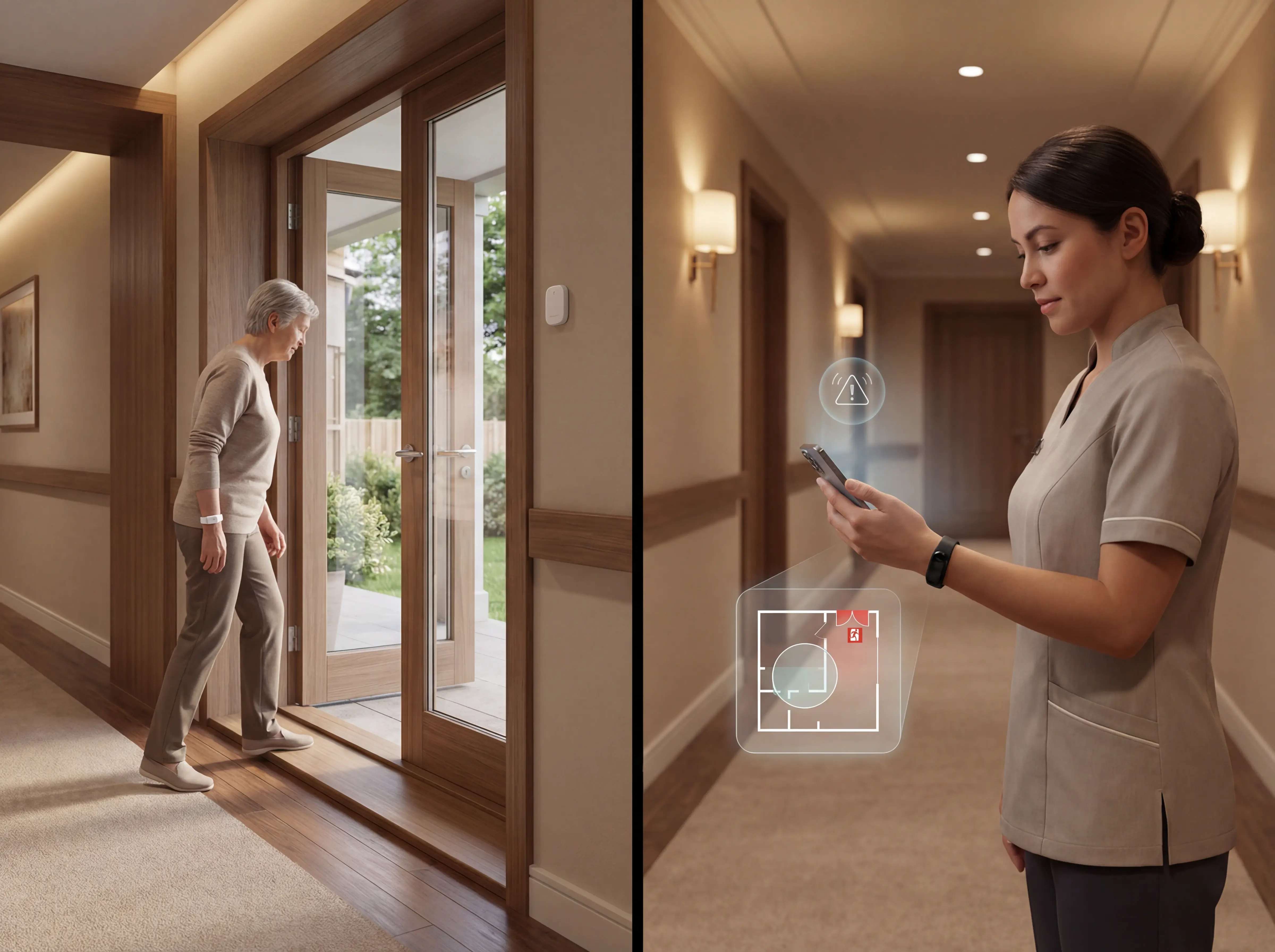
Here is how a configured wander-management workflow runs:
A resident with a dementia diagnosis is flagged in the system as elopement-risk.
Door sensors on monitored exits are mapped to that resident's profile.
When the resident approaches within sensor range, an alert fires to the assigned caregiver's phone with the resident's name and exit location.
Staff intercept before the door opens.
How Guardian works in an assisted living facility
Guardian detects falls, bed exits, and SOS events through wearable wristbands and passive sensors.
Installation requires no cameras or cabling.
Guardian wristbands and sensors install wirelessly across the facility in about a week:
Resident wristbands: fall detection and one-press SOS, worn throughout the day
Bed exit sensors: alert when a resident leaves bed, with configurable time thresholds
Motion sensors and door contacts: room-level activity detection and exit monitoring for residents not wearing a device
SOS call buttons: fixed wall units as a backup to the wristband in bathrooms and communal areas
Residents who cannot or will not wear a wristband are still covered. Bed sensors detect a night-time exit. Motion sensors track room-level activity. Door contacts flag changes in routine.
How Guardian works, step by step:
Wireless sensors (motion, bed exit, SOS) install across the facility. No cabling.
Each sensor maps to a resident and room in the Guardian Portal.
An event fires. Guardian sends an alert to staff phones with the resident name and room.
Staff respond. The portal logs the response time automatically.
At shift end, the report is already written in the dashboard.
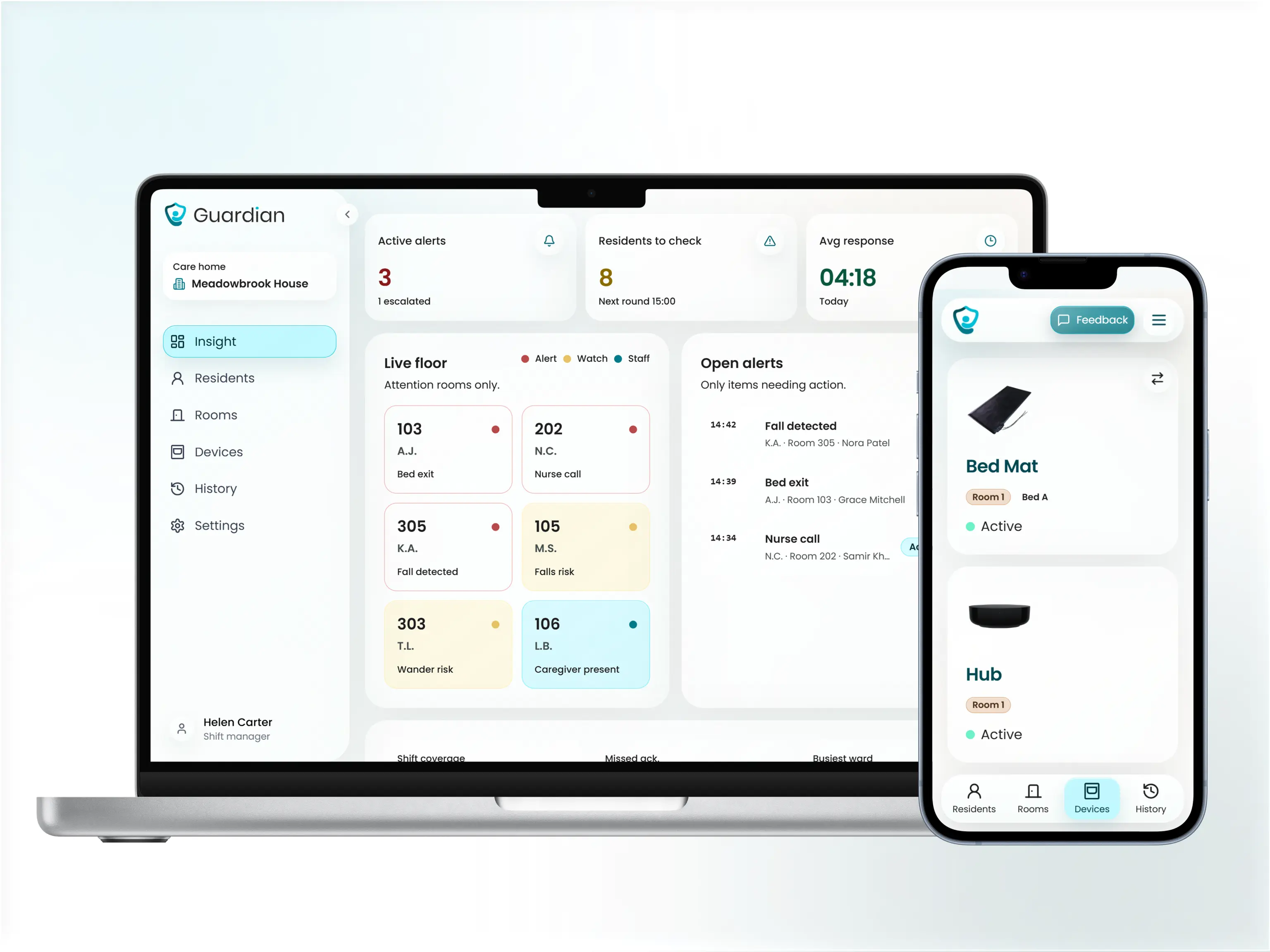
Configurable smart rules filter out routine activity so caregivers are not buried in notifications. A resident who regularly gets up at 2 a.m. does not generate an alert every night unless the pattern changes.
When an event does require attention, the alert includes:
Location: the exact room on the facility floor plan
Event type: fall detection, wristband SOS press, bed exit, motion change, or restricted-area entry
Resident context: prior night exits or proximity to a restricted zone
The Guardian Portal is a web-based dashboard that maps sensor data onto facility floor plans. Administrators see a facility-wide view of safety metrics, not just per-incident records.
Guardian is one approach. The buying criteria below apply regardless of which platform you are evaluating.
How to choose the right call bell system for your facility
Feature lists are a poor buying guide. What matters is whether the system reliably detects events when residents cannot activate it themselves, and whether it produces the verifiable records your facility needs when regulators or families ask questions.
Will the system detect events when residents cannot or will not activate it? A well-configured system distinguishes routine activity from events needing a response through smart rules, not raw sensor triggers.
Does it reduce alert noise, or add to it? In care homes Guardian has monitored, caregivers in high-acuity wings routinely receive over 150 alerts per shift. Systems without configurable filtering accelerate alert blindness.
How disruptive is installation, and how long until staff can actually use it? Wireless systems deploy in days; wired retrofits in active facilities routinely take weeks. Ask vendors: days from signed contract to first live alert on a staff device.
Does the system produce records you can show regulators and families? Facilities that cannot produce clean timestamped records of rounds, response times, and incidents are exposed when inspectors arrive. A system that generates those records automatically removes the manual reconstruction problem.
For a more detailed breakdown of system types, installation timelines, and compliance considerations specific to residential settings, see our nurse call systems guide for care homes.
Evaluation criteria
Assess alert reliability and smart filtering
Configurable smart rules suppress non-urgent events (for example, ignoring a bed exit that resolves within five minutes at night). Ask vendors for their alert-to-actionable-event ratio.
Verify location awareness and wander management
Fixed wall buttons tell you a button was pressed; they do not tell you where the resident is. Room-level location cuts the time between alert and caregiver arrival, since staff go directly to the right room rather than checking multiple areas. Wander alerts should route to staff phones in real time, not only to a fixed nurse station display.
Check deployment speed and infrastructure
Wireless systems deploy in days; wired retrofits in active facilities routinely take weeks. Ask vendors: days from signed contract to first live alert on a staff device.
Verify reporting and compliance records
Verify the system meets UL 1069 or UL 2560 requirements if your state references these standards in licensing requirements. Confirm reports generate automatically rather than requiring manual pulls. A system that requires manual report pulls will not produce clean records at the moment a regulator asks for them.
Scalability and vendor support
A system that works on one ward should scale to the full facility without a new procurement process.
Confirm how it connects to your current network, EHR, or PointClickCare workflow.
Confirm round-the-clock technical support is included in the contract rather than billed as an add-on. In a round-the-clock care environment, an overnight system fault is a safety event rather than an IT ticket.
Use these five criteria as your shortlist filter. Then ask vendors to show you the answers, not tell you.
Ask: Does the vendor provide on-site training and documented escalation procedures for support issues outside business hours?
Ask: Can you expand to another ward or upgrade the system without signing a new contract?
Questions to ask vendors before you buy
Ask: When an alert fires, does staff see the resident's name, room number, and zone, or just a building-level notification? Can you show that in a live demo?
Ask: Does the wander management feature alert staff before a resident exits a restricted zone, or only after the exit has occurred?
Request a live walkthrough of the alert workflow, not a slide deck.
Ask for a sample shift report, incident log, and response-time summary from an active facility.
Confirm whether reports generate automatically or require a manual pull at shift end.
Find out exactly how the system produces records during a regulatory inspection.
Nurse call systems are not federally required in US assisted living facilities. Requirements vary by state.
A 2005 ASPE review found 31 states required bedside nurse call systems and 36 required bathroom/toilet emergency call capability. State requirements have evolved since; check your current state licensing agency for up-to-date rules. AHCA/NCAL state regulatory resources are a reliable starting point.
Facilities in states without a mandate still need a reliable way to respond to falls, exits, and SOS events quickly. Guardian covers those use cases with resident wristbands for fall detection and SOS, backed by wireless bed, motion, door, and wall-button sensors for passive coverage. No cameras, no cabling.
Costs depend on facility size, system type, and whether your building needs new cabling. Per-room installed costs typically run $2,500–$10,000. Nursing Call Systems Market Report
Wired and wireless systems carry meaningfully different upfront costs:
Wired — higher install cost due to cabling and trunking labor; roughly 30–50% more per room than wireless
Wireless — lower upfront cost because no new cabling is needed; faster to deploy
Annual software maintenance — typically 15–18% of purchase price per year for updates and support
The clearest way to understand cost for your facility is to run a scoped pilot and read the ROI report it generates.
Not all wireless nurse call systems need Wi-Fi. Guardian runs over your existing facility network, so adding a device in a new room means connecting it to the network you already have. No new hubs, no cabling.
Other wireless systems operate on dedicated RF networks using 900MHz mesh or frequency-hopping protocols, fully independent of your 802.11 Wi-Fi. Wireless Nurse Call
Wi-Fi is only needed when staff use mobile apps for alert delivery. Guardian's core alerts reach phones, tablets, and nurse station screens through the same network staff already use.
Guardian manages delivery and on-site setup. Hardware is typically live in about a week.
The pilot starts with a workflow mapping session to identify the highest-value use cases for your ward. From there, Guardian configures devices, trains caregivers, and delivers an impact report at the end of the 6–8 week pilot. Request a pilot to get scope and timeline for your facility.

Author
Aleks Timm
Aleks Timm leads Guardian and builds privacy-first operations technology for care homes and home care providers. Teams get location-aware alerts they can act on, clearer situational awareness, and measured insight into how care work actually runs.
Read MoreRecommended reads
Keep reading
Remote patient monitoring: a complete guide
Remote patient monitoring: the complete guide to sensors, benefits, and buying tips for safer care homes and better resident...
Read more
Smart Nurse Call Systems for Care Homes and Home Care Providers
Smart nurse call systems for care homes and home care providers: compare features, improve response times, and choose the right...
Read more
WiFi nurse call system guide for care homes
WiFi nurse call systems explained: alerts, clean records, and no wiring—compare options and choose the right setup for your care...
Read more