

9 Best Digital Care Planning Systems (Free & Paid)
In this article
Choosing a digital care planning system is no longer just about replacing paper care plans. For care operators, the test is whether records, alerts, tasks, and safety data help staff act faster during a busy shift.
This editorial review looks at the category from an operator’s point of view. It covers digital social care record systems, medical alert tools, passive sensors, and Guardian’s operational monitoring layer.
If you need live safety evidence as well as care records, pilot Guardian in one ward or team and review the impact before rollout.
What makes a good digital care planning system?
A good digital care planning system makes care easier to deliver, verify, and improve. It should give staff the right information at the point of care, then leave managers with records they can trust.
Use these four criteria as the lens for the product reviews below.
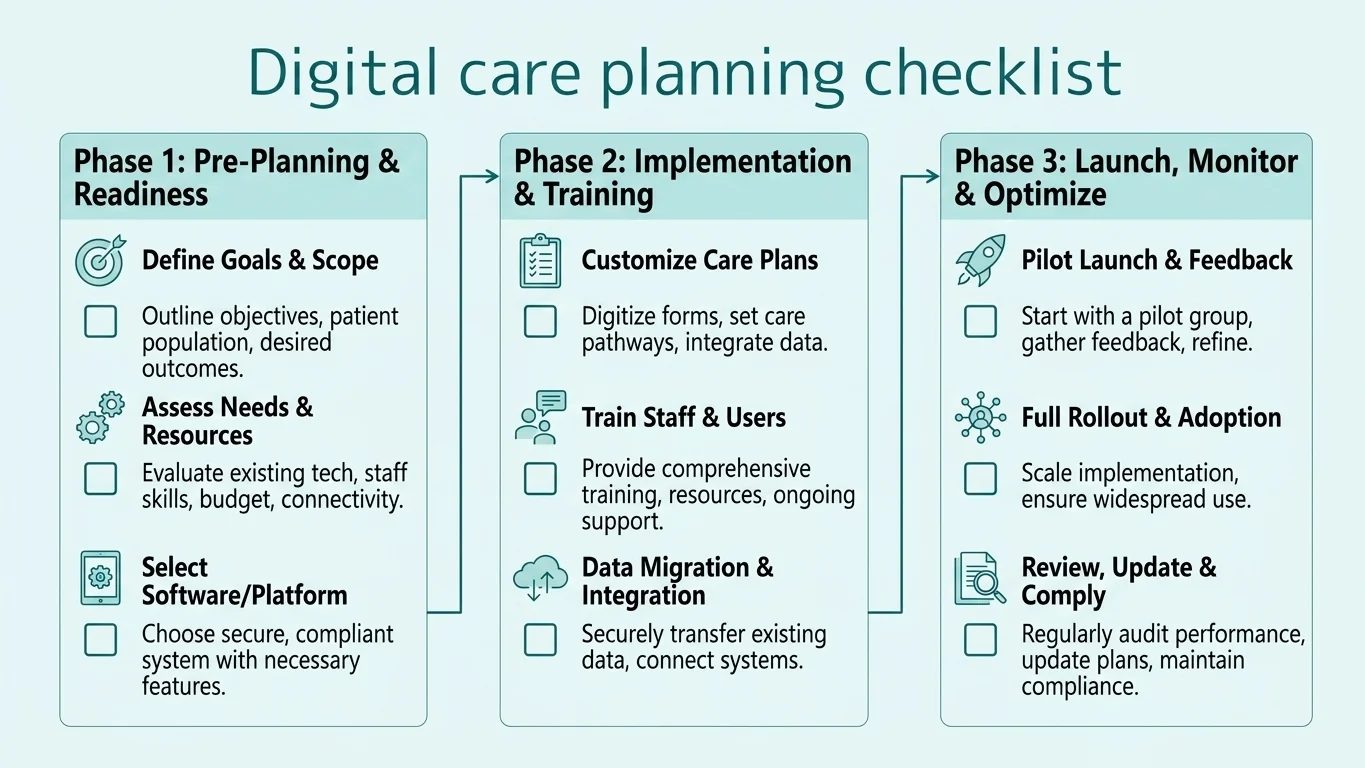
The CQC references below apply to UK providers. In Estonia and other EU settings, map the same test to your national framework: care plan depth, point-of-care recording, alert routing, and audit trails.
Care plan depth and person-centred profiles
A strong system should capture the full person, not just the task list. Look for structured profiles that make preferences, risks, interventions, and goals visible in one place.
At minimum, the record should include:
Health background, daily routines, and personal preferences
Completed assessments and identified risk factors
Assigned care interventions and responsible staff
Progress notes, goals, and changes over time
Communication notes for relatives, clinicians, and emergency responders
For UK providers, care planning is also a safety obligation. CQC Regulation 12 expects providers to assess risks, plan care safely, and act on changing needs.
Point-of-care recording and mobile access
Point-of-care recording means staff log observations, updates, and completed tasks during care delivery, not hours later at a desk.
Effective mobile access should support:
Quick care notes from phones or tablets
Instant access to resident plans and risk information
Offline or low-connectivity workflows where relevant
Clear prompts that do not slow staff down
The operational benefit is speed and accuracy. England's adult social care provider statistics show CQC-registered provider adoption reached 80% in July 2025.
Alerts, task management, and handover tools
Good care planning software turns daily work into visible, trackable actions. Tasks, reminders, and alerts should reach the right staff member, then record completion automatically.
Look for three things:
Routing: alerts go to the team or person who can act.
Prioritisation: urgent risks do not sit beside routine reminders.
Handover evidence: incoming staff see timestamped notes, not verbal summaries.
Noise control matters. If every reminder feels urgent, staff stop trusting the system, and genuine risks become easier to miss.
Alert fatigue is the bridge to the noise-aware nurse call systems comparison, which compares routing, logging, and facility fit.
Compliance evidence and audit trails
A digital care planning system should make inspection evidence easier to produce. Every care interaction, medication sign-off, risk update, and incident note should create a clear audit trail.
Strong audit trails include:
Time-stamped entries with staff attribution
Version history for care plan changes
eMAR records where medication is in scope
Incident and response-time reporting
Exportable reports for managers and inspectors
This is where digital records can outperform paper. They help providers show what happened, when it happened, who acted, and whether the care plan changed afterwards.
Inspection evidence leads naturally to the CQC-ready care home audit tools comparison for checklists, software, and action tracking.
The 9 best digital care planning systems
The tools below cover four categories: hardware-only fall alert systems, passive home sensor monitors built for family caregivers, dedicated medical alert services with professional response centres, and full digital social care record platforms for UK care providers.
The broader software landscape sits in the resident-safety nursing home software guide, where monitoring and records are compared together.
Each entry covers what the tool actually does, who it suits, and where it falls short, so you can match the system against your setting rather than marketing claims.
1. Guardian
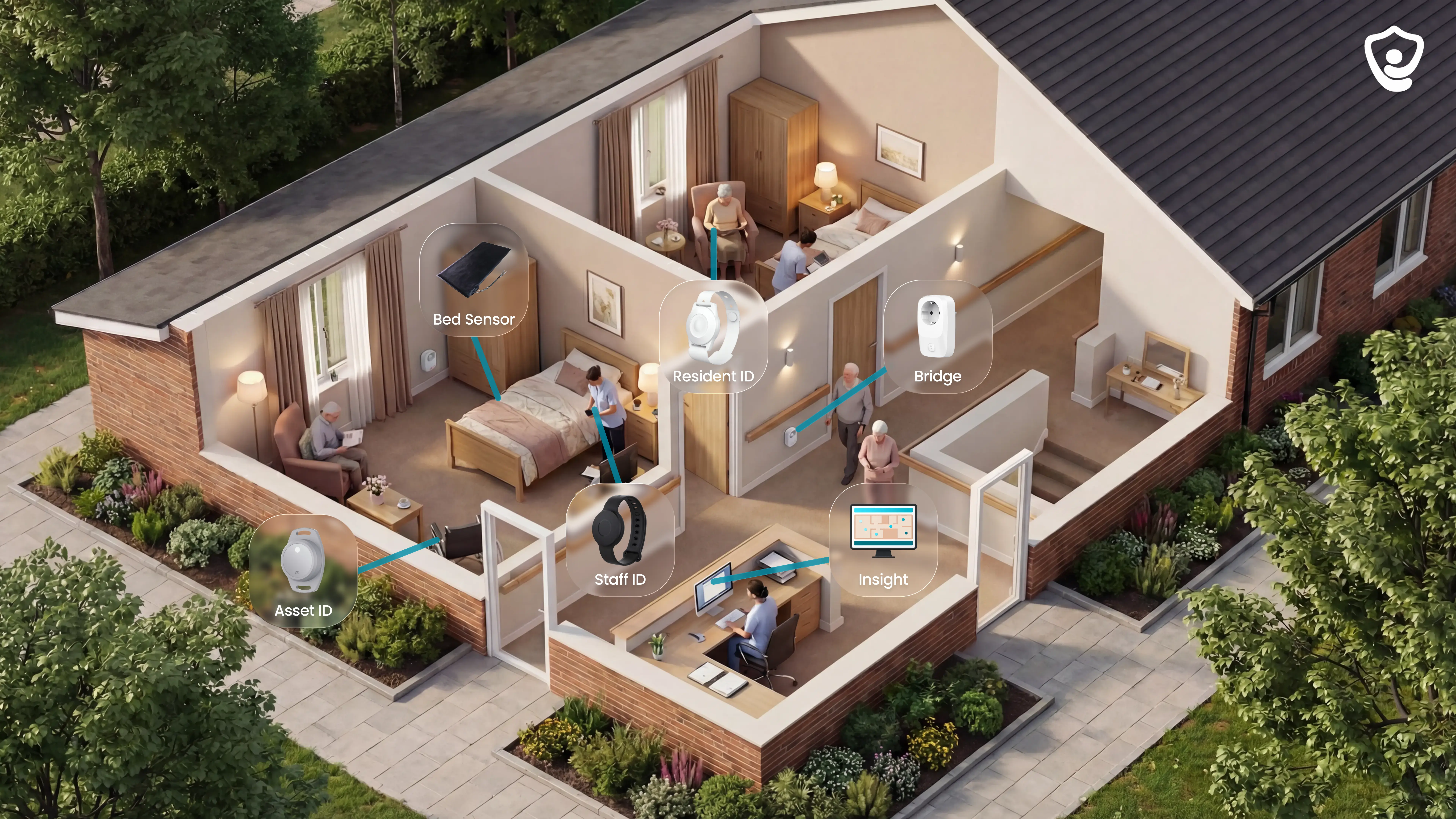
Guardian is a real-time safety and operations layer for care homes and home care providers using digital care planning workflows.
Guardian gives managers live evidence of resident movement and staff response, while creating records in the background.
Use Guardian when the care plan exists, but managers still need evidence that staff reached the right room at the right time.
Best for live safety evidence
Care home operators who need night staff to see the exact room when a high-risk resident leaves bed.
Home care providers who need automatic visit evidence across client calls.
Nursing and operations managers who need fewer nuisance alerts and a response-time record after each incident.
Quality and compliance leads who need incident records ready for family meetings and inspection reviews.
What staff see in practice
Guardian Insight dashboard: When an alert fires, staff see the resident and room in one live view, with the incident record attached.
Camera-free monitoring: A bed or motion signal can show that a resident is active at night without filming the bedroom.
Wearables when they help: A resident wristband can detect a fall, while a caregiver SOS band sends an urgent staff alert. GPS watches support lone-worker safety outside the home.
Smart alert rules: Guardian supports three rule types.
Time-based: out of bed for more than 15 minutes at night
Threshold: repeated movement that crosses the agreed risk level
Behaviour profile: activity outside a resident's usual pattern
SOS buttons remain hardcoded and cannot be suppressed. A tuned ward should aim for 30-50% fewer low-value alerts without hiding urgent calls.
Automatic records: Guardian logs the operational evidence behind each alert and visit as work happens.
Wireless deployment: A ward can usually go live in about 1 week.
Choose one ward or home care team.
Record a 4-week baseline before installation.
Map the floor plan to rooms, beds, and doors.
Place wireless sensors and wearables without drilling or cabling.
Run the 6-8 week pilot, tune alert rules, and review the impact report.
Guardian fits beside your digital social care record as the evidence layer. It shows whether planned care happened, when alerts were answered, and where patterns are changing.
Measure the pilot against a 4-week baseline, then compare the same metrics during the 6-8 week live period.
Response time: track average minutes from alert to staff arrival, then compare the live pilot against the baseline.
Fall prevention: count potential fall situations attended before escalation. Guardian's Estonia pilot recorded 30 attended situations on one ward.
Alert quality: compare total daily alerts and false alarms before and after tuning. Target 30-50% fewer low-value alerts.
Capacity: estimate staff time returned from automated records and fewer nuisance alerts. Guardian's pilot model estimates up to €1,000/month in caregiver capacity for one ward.
Where Guardian fits beside care planning software
Consumer homes: Guardian is built for care organisations with staff workflows, not family-only monitoring.
Care-plan editing: Keep your digital social care record for care-plan creation. Guardian adds live alerts and response evidence.
Buying route: Guardian is scoped through a pilot because each setting needs mapped rooms, rules, and reporting.
Pilot setup: The first decision is the pilot scope, followed by the alert rules and outcome metrics.
What to ask vendors
Ask vendors for proof before you commit:
Can they show alarm frequency reports from live installations?
Which alerts are non-suppressible, such as SOS calls?
What is the 24-month cost, including devices, onboarding, support, and replacements?
Which before-and-after metrics appear in the pilot report?
A red flag is a vendor that cannot show alert volume before and after tuning.
Pilot and pricing
Guardian does not publish a public care home price list. The next step is a scoped 6-8 week pilot for one defined service area.
2. Smart Caregiver
Smart Caregiver is a hardware-only fall prevention system for local sensor alerts.
It alerts a nearby caregiver when a resident leaves a monitored spot, such as a bed or doorway.
Best fit for home monitoring
Smart Caregiver suits home caregivers and small care settings that need instant local alerts without software, Wi-Fi, or monthly fees.
It is a single-purpose alerting system, not a digital care planning platform.
Use case: one resident at home or in a small unit who needs a bed, chair, floor mat, or doorway alarm.
Alert path: a nearby caregiver carries the pager and checks the resident directly when a pad or mat triggers.
Setup: local 433 MHz wireless alerts can run without Wi-Fi, app accounts, or monthly software.
Scale: one pager monitors up to six sensors, which suits a small footprint rather than a whole care home.
Records: staff still need a separate care record for notes, handover, and compliance evidence.
A night caregiver can hear the pager and check the resident before a bed exit turns into an unwitnessed fall.
For regulated care providers, the gap is documentation. Smart Caregiver does not record care plans, eMAR activity, daily notes, or CQC evidence.
What the sensors do
Smart Caregiver works best when each sensor is tied to a specific risk point.
For example, place the pager with the staff member who can reach that room first.
Bed and chair pads: a caregiver is paged when a high fall-risk resident stands up from bed or a favourite chair.
Floor mats: a mat beside the bed or door alerts staff before the resident reaches a corridor.
Multi-zone pager: one pager can watch up to six sensors in a small home setup.
Alert modes: chime, vibration, or voice prompt can fit night-time monitoring without waking the whole house.
Local setup: the alert path stays on hardware, with no app account or cloud dashboard.
The voice recording can play a short reminder to stay seated before the caregiver reaches the room.
Check the stated wireless range inside your own building. Walls, floors, and layout can reduce it.
Where it falls short
Smart Caregiver is not designed to manage care records.
It sends alerts, but it does not create a timeline of what happened afterwards.
Care records sit elsewhere: use a DSCR for structured care plans.
Medication logs need another system: Smart Caregiver does not replace an eMAR.
Inspection evidence is separate: CQC reporting needs a dedicated record system.
Integrations are limited: plan for standalone hardware rather than API or EHR links.
Accuracy evidence is thin: ask for verified false-alert data before wider use.
Test pager reliability, battery behaviour, and sensor transmission before wider use.
The system also scales by adding hardware. Larger homes may need several pagers, which makes alert ownership harder to manage.
Before buying, ask the supplier:
Range test: Will the pager work through your exact walls and floor layout?
Sensor plan: Which sensor type fits the movement risk you need to monitor?
Failure handling: What happens when batteries weaken or a sensor stops transmitting?
Hardware cost
Smart Caregiver is sold as one-time hardware purchases with no subscription fee.
Check current pricing before purchase. The reviewed hardware range ran from $24.95 for a basic motion sensor kit to $129.95 for a wireless bed alarm system.
Product | Price | Subscription |
|---|---|---|
Motion sensor with pager | $24.95 | None |
Wireless bed alarm system | $129.95 | None |
This pricing model keeps ongoing cost low, but it also reflects the product scope. Compliance documentation and care planning need another system.
3. SensorsCall CareAlert
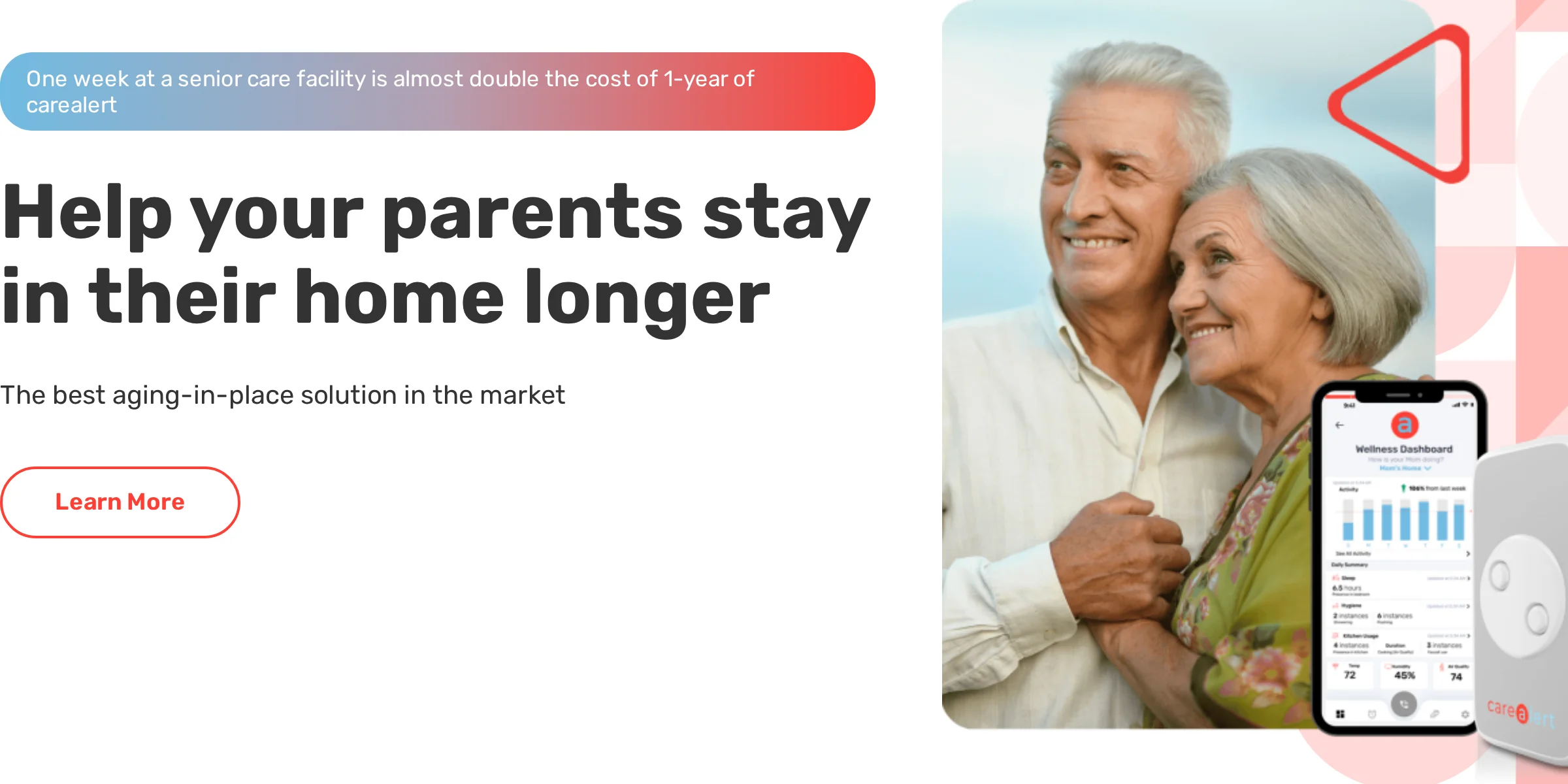
SensorsCall CareAlert is a plug-in monitoring device for families supporting an older person living at home.
It uses passive motion and environmental sensing to detect changes in routine without cameras or wearables.
Best fit for families
SensorsCall CareAlert is aimed at family caregivers who want remote visibility into daily activity in a private home.
It is not positioned as a professional care record system or a nursing home monitoring replacement.
Daily check-in: relatives can see whether a parent moved around the home and avoided long inactive periods.
Privacy need: passive sensing avoids cameras and wearables.
Care boundary: eMAR and CQC evidence still sit outside the family app.
Emergency path: alerts go to family caregivers, so response depends on who is available.
A late bathroom visit followed by long inactivity can prompt a relative to call before arranging a welfare check.
It does not replace a DSCR for care records, medication logs, CQC evidence, or formal handover.
How CareAlert monitors the home
CareAlert combines passive sensing with a caregiver mobile app.
The device builds a routine baseline, then flags deviations that may need a check-in.
Motion sensing: a relative can see that the hallway stayed quiet after the usual wake-up time.
Environmental sensing: the device can flag home condition changes that may need a check-in.
Routine detection: baseline changes show when a parent stops following normal morning or night patterns.
ADL clues: meal and hygiene routines help families spot changes early.
Two-way intercom: a caregiver can speak through the device before deciding whether to visit.
The bathroom monitoring can flag long inactivity periods or changes in hygiene routines.
Where to be cautious
SensorsCall CareAlert is limited by its consumer home-care scope.
Its own documentation states that it is not a substitute for professional nursing home care or immediate medical attention.
Emergency cover is informal: response depends on family caregivers seeing the alert.
Medication records sit elsewhere: CareAlert does not replace an eMAR.
UK compliance needs another system: CQC evidence and handover logs are outside the product.
Resident profiles are limited: use a DSCR for care plans and formal documentation.
Setup needs testing: pair devices, trial alerts, and check mobile notifications before relying on them.
Because CareAlert depends on timely mobile alerts, test notification speed and fallback contacts before relying on it.
Cost and service questions
CareAlert pricing should be checked against the current SensorsCall offer because service terms can vary by package.
Use the hardware price and any quoted app or monitoring fee to build a first-year cost before buying.
Cost item | Price | Notes |
|---|---|---|
Starter pack | $416 | Three sensors |
Monthly service | $19.99 | Required subscription |
First year | About $656 | Hardware plus service |
Ask SensorsCall which features the service covers before comparing CareAlert with local-only alarms.
Confirm what still works if the service plan ends, especially local alerts and caregiver notifications.
Ask the vendor before purchase:
Subscription status: Is the monthly service required for alerts, or only for remote app features?
Notification timing: What delay should families expect for push alerts?
Fallback plan: What happens during broadband, power, or app outages?
4. Nomosmartcare
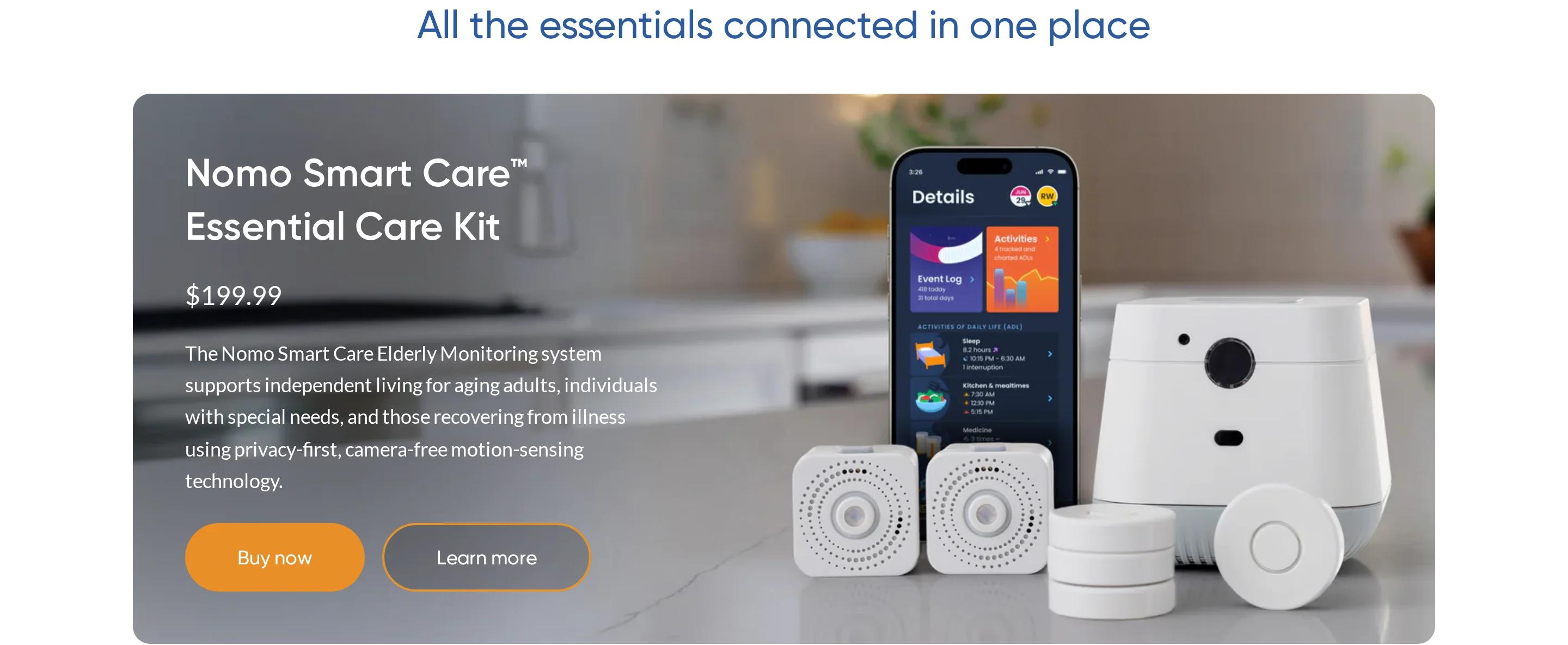
Nomosmartcare is a camera-free home monitoring system for family caregivers.
Its hub and sensors track routines, while wearable tags can support alerts or item tracking.
Best fit for family care circles
Nomosmartcare fits family-led monitoring where several relatives or trusted contacts need shared visibility into one senior's home routine.
Home routine: relatives can check whether normal wake-up and room activity happened.
Shared care: the Care Circle sends alerts to multiple trusted contacts without extra per-user fees.
Privacy: camera-free sensors and tags fit homes where video would feel intrusive.
Professional records: eMAR and CQC evidence need another system.
This is a consumer home monitoring product, not a professional care planning platform.
It does not include resident care plans, formal health profiles, eMAR, or CQC documentation tools.
What the kit tracks
Nomosmartcare tracks routines and alerts caregivers when activity differs from the expected pattern.
Its monitoring is built around everyday movement rather than only emergency button presses.
AI baseline: learns normal wake, sleep, and room-use patterns before flagging changes.
Motion sensors: show whether expected activity happened in the rooms that matter.
Bed sensors: alert when a high fall-risk senior leaves bed at night.
Wearable tags: can be worn by the senior or attached to a medicine cabinet or door.
Care Circle: shares alerts with relatives or trusted contacts.
RapidSOS: can send incident details to participating 911 centres in the US.
A tag on a medicine cabinet can show whether a usual routine happened, without placing a camera in the home.
The RapidSOS integration is relevant for US emergency escalation, where incident details can be sent to participating 911 centres.
Risks to check before relying on it
Nomosmartcare has several limits for professional care settings.
The main procurement concern is wearable fall detection during real incidents.
Fall detection needs proof: ask for data on sensitivity and real-world missed falls.
Annual billing can lock in spend: confirm cancellation and refund terms before choosing yearly.
Medication records sit elsewhere: use another system for eMAR.
Care plans are outside scope: formal resident documentation needs a DSCR.
UK compliance reporting needs another tool: CQC evidence is outside the family app.
Ask Nomosmartcare before relying on fall alerts:
Fall evidence: What events does the Tag detect, and what incidents can it miss?
Emergency routing: Who receives the alert first, and when does RapidSOS receive details?
Refund terms: What happens if you cancel after an annual payment?
Current pricing questions
Nomosmartcare pricing should be verified on the current checkout or quote because earlier monthly figures may be outdated.
Treat pricing as two possible parts: hardware and any service plan tied to alerts or app access.
Cost item | Price | Notes |
|---|---|---|
Essential Care Kit | Sold separately | Hub and sensors |
Monthly subscription | $9.99 | Required for alerts |
Annual plans | Available | No prorated refunds |
Monthly billing is safer for a first trial if refund terms are unclear.
Compare the current subscription with the hardware cost and the product's consumer-home scope.
5. Envoy at Home
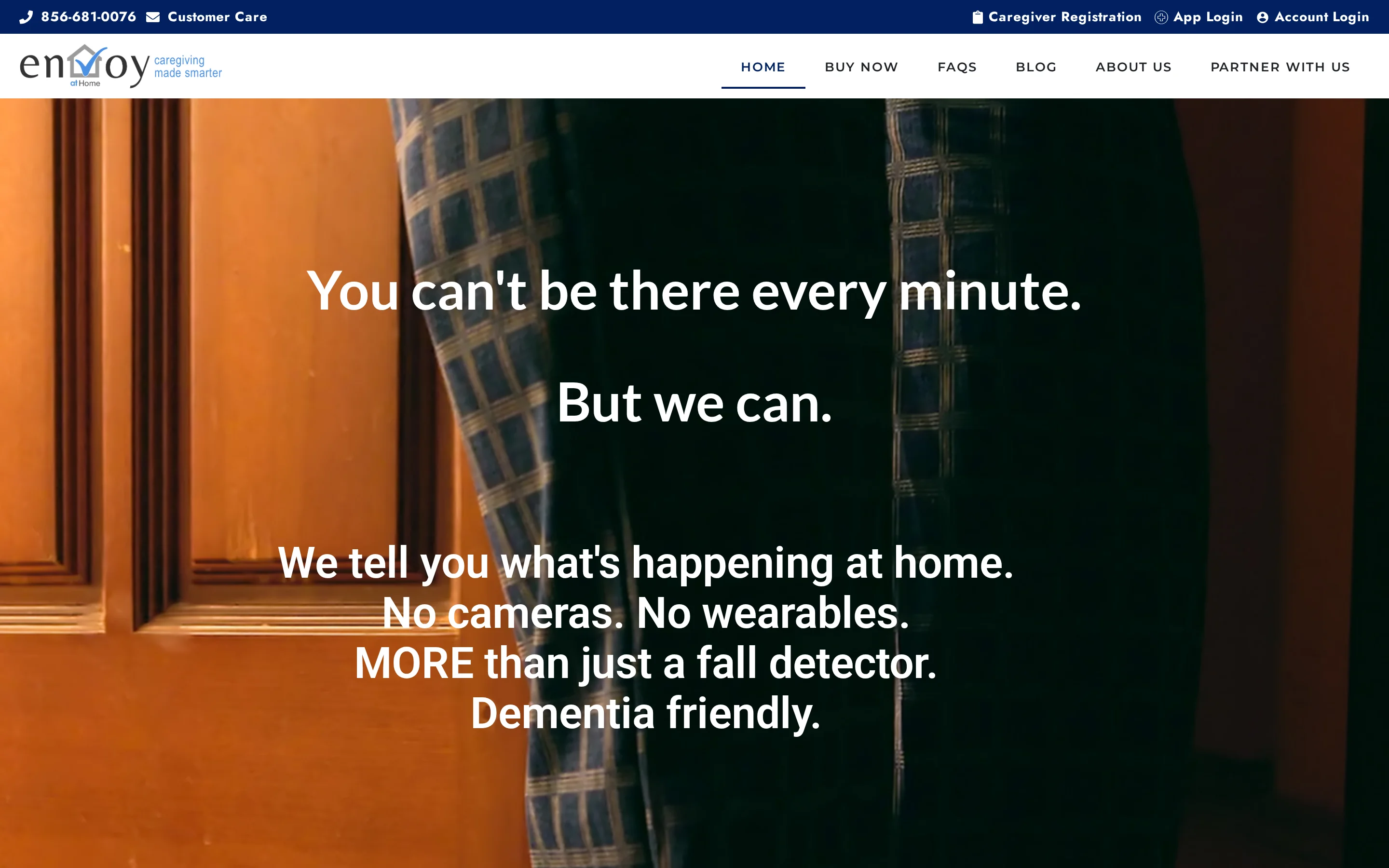
Envoy at Home is a passive home monitoring system for family caregivers. Its sensors surface changes in room movement and object use without cameras.
Best fit for private households
Envoy at Home fits a parent who will not wear a pendant or interact with an app. The family gets oversight without cameras.
That matters for dementia-related monitoring, where resistance to visible devices can make traditional medical alerts unreliable.
What families see day to day
The system turns household sensor activity into family alerts and behaviour summaries.
Passive monitoring: a relative can see whether morning movement started without asking the senior to press a button.
Behaviour signals: alerts can flag skipped meals and movement changes.
Custom rules: caregivers can set a message when a monitored location fires at an unusual time.
Mobile alerts: family members get notifications when activity falls outside expected patterns.
Insight reports: check whether the AI summary gives a clear next action, or just turns sensor events into another report to review.
Expandable hardware: larger homes can add sensors where routines matter most.
Limits for regulated care
Envoy at Home is not built as a professional digital care planning system.
Care records sit elsewhere: Envoy does not hold care plans or daily notes.
Medication recording needs another tool: eMAR is outside the product.
Response depends on family availability: alerts do not route to a 24/7 professional dispatcher.
Home internet matters: the hub cannot send alerts or data when the connection drops.
Regulated care needs more evidence: CQC-style documentation is outside the household monitoring workflow.
Ask Envoy before choosing a package, and put the daily caregiver in the demo so interface issues show up early:
Annual terms: What are the current monthly and annual prices, and which discounts apply?
Sensor map: Which locations should be monitored for your parent's routine?
Outage handling: What happens if the hub loses power or internet?
Cost to confirm
Envoy at Home uses hardware plus a paid monitoring subscription. Ask for the current equipment fee and both monthly and annual subscription options before calculating first-year cost.
Item | Cost | Notes |
|---|---|---|
Starter equipment | $399 | One-time hardware fee |
Subscription | $99/month | No listed annual discount |
Extra sensors | $29.99 each | Added per device |
First year | About $1,587 | Before taxes and shipping |
6. Lifeline
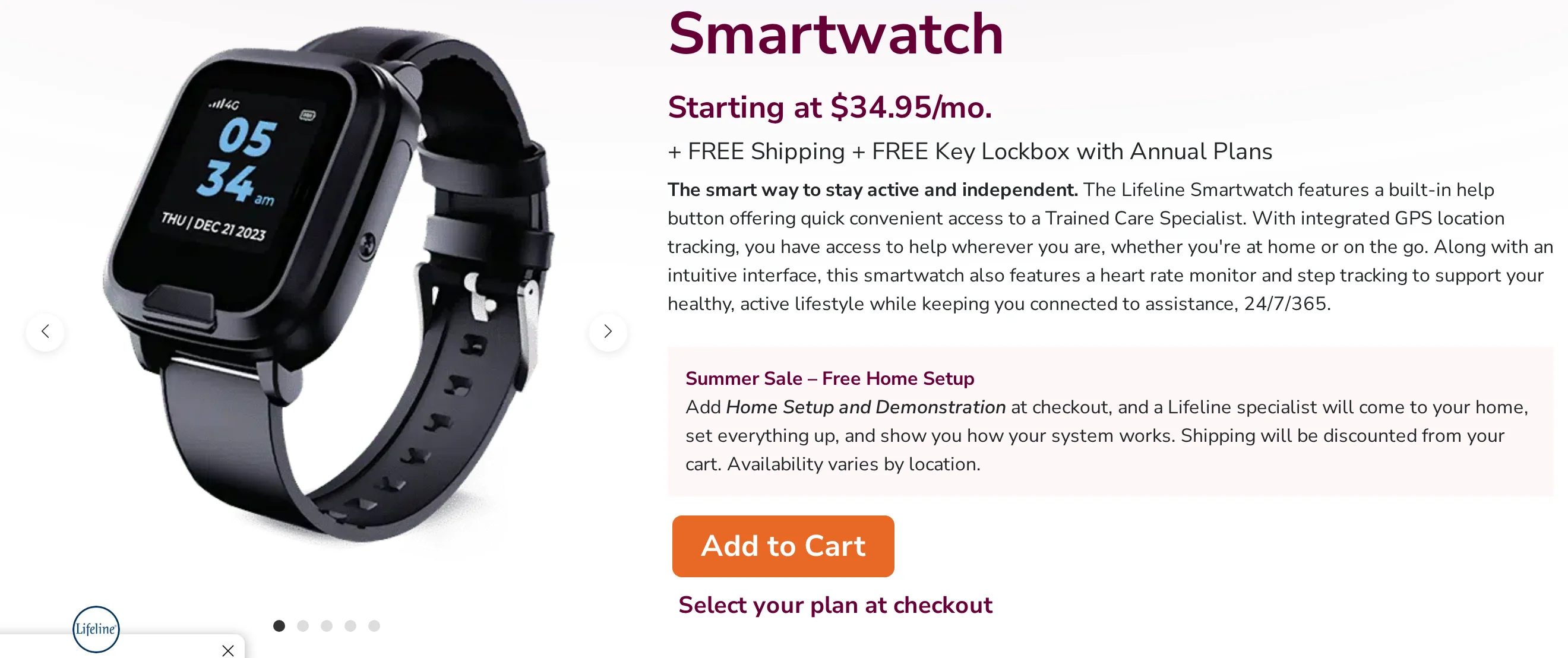
Lifeline is a medical alert service built around wearable help buttons and 24/7 response centres. Treat it as emergency escalation support, not digital care planning software.
Best fit in practice
Lifeline is mainly built for one older adult who needs a simple route to help after a fall, acute incident, or outdoor emergency.
For a care home, Lifeline belongs beside a DSCR rather than inside it. Care plans, staff notes, audits, and eMAR stay in another system.
What the alert service covers
The core workflow is simple: the resident presses a button, or fall detection fires, and the response centre contacts help using the care details on file.
Wearable help buttons: A pendant or watch gives the resident one action to take when they cannot reach a phone.
AutoAlert fall detection: The add-on can call the response centre when a fall is detected without a button press.
Mobile location: GPS and WiFi positioning help responders find a user outside the home during an emergency.
Response centre handling: Lifeline staff answer alerts 24/7 and coordinate the next contact or emergency services.
Base unit backup: In-home units can keep calling during a power cut, depending on battery status.
Personal Care Plan: Emergency contacts and health details give responders basic context.
Where Lifeline falls short for care providers
The procurement mistake is treating Lifeline like a care record. Ask what data the provider can export after an alert and how complaints or missed events are investigated.
Daily care records stay elsewhere: Care plans and inspection evidence stay in the DSCR.
Medication workflows need another system: eMAR sits outside Lifeline's product scope.
Signal strength needs testing: Test wearable-to-base coverage in bedrooms, bathrooms, and corridors before rollout.
Battery routines need ownership: Assign charging checks to a named person before the service goes live.
Fall detection needs a conversation: Ask how false alerts and missed events are reviewed.
Support escalation should be documented: Ask for response and escalation times in writing.
Pricing and watch cost
Lifeline is a monthly medical alert subscription, with upfront equipment or activation fees on some plans. The Smartwatch plan should be checked separately because device pricing and monthly monitoring are listed apart.
Plan | Monthly cost | Notes |
|---|---|---|
HomeSafe | $34.95/mo | Setup and hardware fees apply |
On the Go | $39.95-$49.95/mo | GPS and WiFi location |
Smartwatch | About $49.95/mo | Watch form factor |
AutoAlert add-on | About $15/mo | Optional fall detection |
7. Tunstall Healthcare
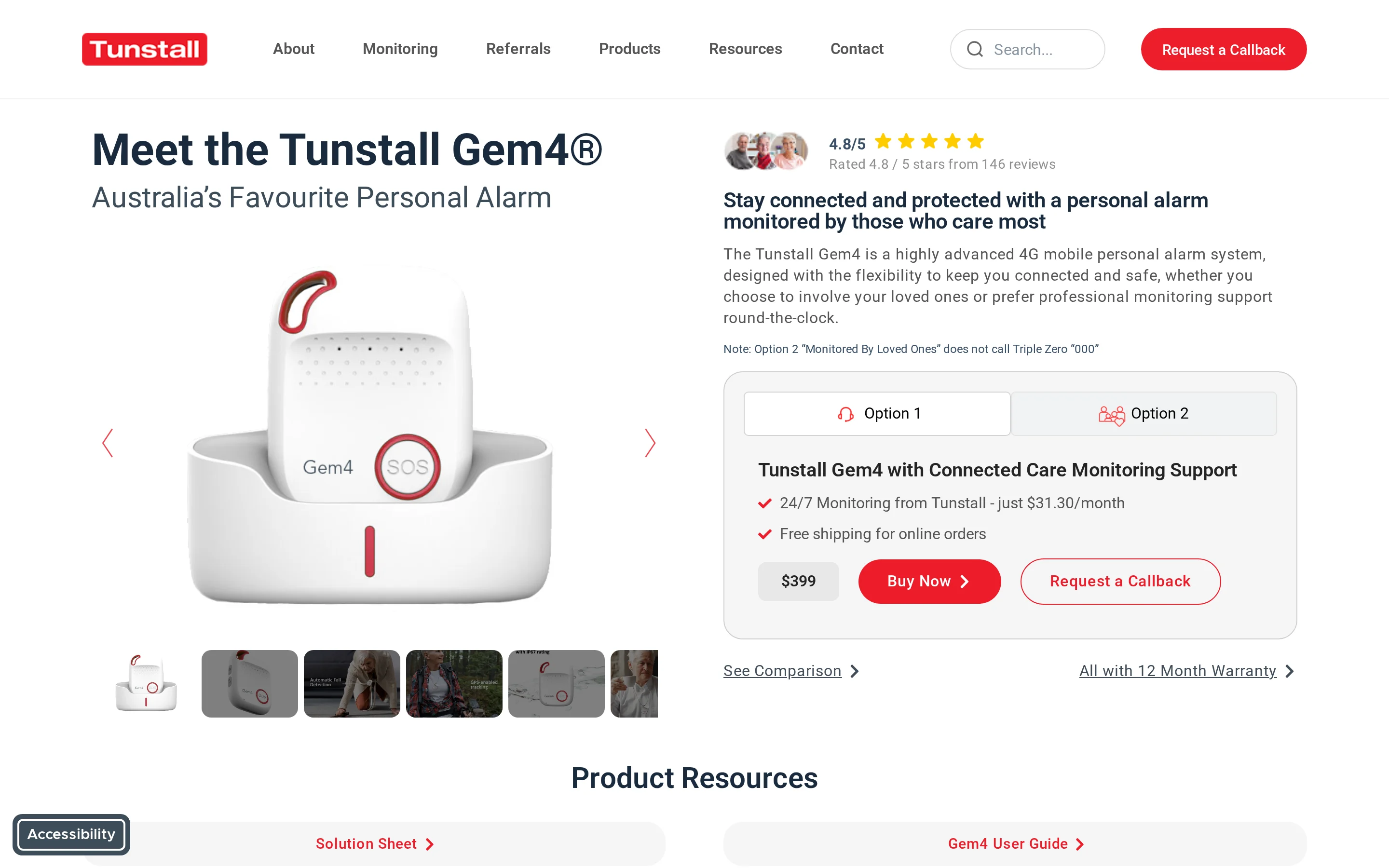
Tunstall Healthcare is a telecare provider for community, residential, and population-scale monitoring programmes. The offer is infrastructure-led: alarms, sensors, monitoring software, and response centre workflows.
Best fit in practice
Tunstall fits councils, healthcare organisations, and larger providers that need telecare across many users or sites.
Use the demo to follow one night-time alert from sensor trigger to responder action. The care record still needs a separate DSCR.
What the telecare stack covers
Look at Tunstall as a stack, not a single pendant. A useful demo should show the device, alert route, responder script, and reporting screen together.
Wearable alarms: Gem4 and Gem5 devices support SOS, GPS, and fall detection for users at risk.
Mobile location: GPS helps responders locate a user who leaves the property during an incident.
Environmental sensors: Options cover different risk points around the home.
Response centre routes: 24/7 monitoring hubs receive alerts and escalate to responders or emergency services.
Telecare software: Monitoring tools help teams manage alerts across larger programmes.
Security credentials: Tunstall states ISO 27001 and Cyber Essentials compliance.
Procurement checks
Ask Tunstall how telecare events flow into your existing care record. If staff must retype every alert, the audit trail will split across systems.
Care records remain separate: Tunstall handles telecare events rather than structured care plans, notes, KLOE evidence, or audit trails.
Medication signing needs another workflow: eMAR requires a separate DSCR or medication system.
Range must be tested on site: Ask for the listed range for each unit, then test it through your walls, doors, and likely response routes.
Connectivity may depend on estate age: Certain older units still need a physical landline.
Service feedback needs context: Ask for response-time, uptime, and complaint-handling data from comparable programmes.
Pricing snapshot
Tunstall's listed Australian pricing combines upfront hardware with month-to-month monitoring.
Ask for a 24-month total cost that separates:
Devices
Monitoring
Replacement hardware
Response centre arrangements
Option | Upfront cost | Monitoring fee | Notes |
|---|---|---|---|
Gem4 or Gem5 | $399 | $31.30/month | Includes SIM data |
Lifeline Digital bundle | $599 | $31.30/month | Discounted hardware bundle |
Lifeline + Vibby | $499 | $31.30/month | 3 months included |
8. Nourish Care
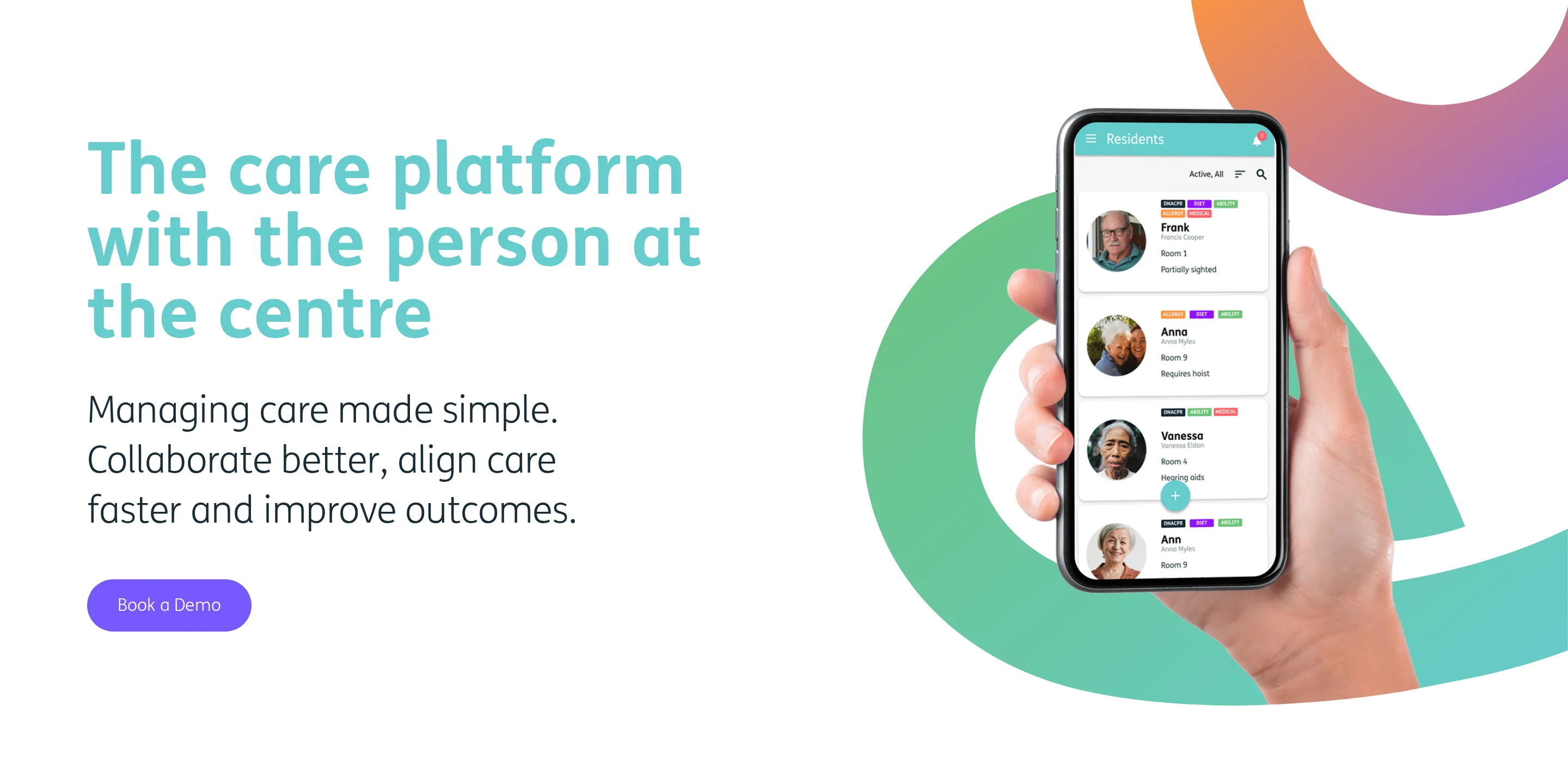
Nourish Care is an NHS-assured digital social care record platform for UK residential, nursing, and home care teams. Its practical value is turning daily care into inspectable evidence.
Best fit in practice
Nourish fits UK providers that need digital care plans, point-of-care records, and CQC evidence in one DSCR system.
Start with one unit or service, digitise current care plans, then review the first week of handovers against paper gaps.
NHS-assured DSCR: Nourish is listed as an NHS Assured Supplier for digital social care records.
Interoperability and DSPT: Ask how PRSB-aligned records, exports, and NHS DSPT evidence are handled during implementation.
CQC evidence mapping: Use setup to map records against KLOE/SWF prompts and the CQC single assessment framework.
Audit trails: Managers can review who recorded care, when tasks were completed, and which resident record changed.
Day-to-day workflow
On a morning round, a carer records personal care and fluid intake at the point of care. The manager can review the note before handover.
Point-of-care recording: Staff update notes and care plans while support is being delivered, rather than batching notes later.
Task management: Teams assign resident-specific tasks and evidence completion during the shift.
Handover tools: Resident status tags and alerts show which residents need follow-up before the next shift starts.
Medication records: A dedicated module supports medication administration recording when it is included in the rollout.
Safety insights: Managers can review incident trends by resident to spot recurring risks.
Specialist flags: Wound care needs and dietary routines can be tracked on the resident record.
The main value is record quality. Managers can review time-stamped evidence by resident and care activity instead of reconstructing care from paper notes.
Integration and sensor gaps
Nourish is software-first. Ask how interoperability will work before signing the contract.
Passive sensing needs partners: Bed exits and door events require external hardware or integrations.
Emergency response stays with the provider: Nourish does not provide an external 24/7 monitoring centre.
Live floor visibility needs another layer: Resident and room activity views require other systems.
That matters when managers need current floor visibility as well as documented care.
Pricing and rollout questions
Nourish Care uses quote-based pricing. Ask for an implementation plan with data migration and staff training named separately.
Typical cost drivers include:
Provider size: Number of residents or service users.
Modules selected: Core records, medication module, and insights tools.
Locations covered: Single service or multi-site rollout.
Implementation scope: Data migration and training needs.
9. Log my Care
Log my Care is a UK digital social care record system for care plans, daily records, and CQC evidence. eMAR and outcomes tracking can be part of the workflow.
Best fit in practice
Log my Care fits smaller UK care providers moving from paper records to DSCR without a large upfront commitment.
The free Starter tier lowers the entry barrier for services with up to 10 service users.
Paper-to-digital transition: Start with one service, create resident profiles, and compare digital handover notes with the old paper file.
CQC evidence: Audit trails can help managers prepare evidence against KLOE/SWF prompts and the CQC single assessment framework.
Low upfront cost: The Starter plan is free for small teams.
Interoperability and DSPT: Ask how exports, APIs, and NHS DSPT evidence are handled before rollout.
Recording workflow
Picture a late shift where a resident refuses supper and needs a follow-up note. Staff log the event once, and managers can review the evidence later.
Digital care records: Resident profiles and care plans sit in one workflow with daily notes.
eMAR add-on: Medication signing and stock oversight can be added when the service is ready.
Outcomes tracking: Goals and progress can be recorded against each resident.
Safety insights: Managers can review incident patterns to spot recurring risks.
Compliance evidence: Audit trails support CQC preparation and internal governance checks.
Log my Care is useful when replacing paper is the first priority. It is less focused on live physical-world monitoring.
Manual-workflow gaps
Ask during procurement how many observations still rely on staff remembering to type an update. That answer matters for night shifts and high-risk residents.
Passive sensing needs partners: Room activity and bed exit events require third-party hardware.
Incident detection still depends on people: Staff must record observations unless another monitoring system creates the trigger.
Emergency dispatch sits outside the product: Log my Care does not provide an external 24/7 response centre.
Interface expectations should be tested: Run a short staff trial if your team prefers newer monitoring-first tools.
For privacy-conscious buyers, the evaluation question is how much of the workflow still depends on manual staff entry. Also ask how exports or APIs connect with existing systems.
Pricing and scale
Log my Care is the only tool in this list with a free operational tier for active care providers.
Plan | Price | Service users | Key inclusions |
|---|---|---|---|
Starter | Free | Up to 10 | Records, logs, profiles |
Pro | From ~£100/month | 10, scales up | eMAR, compliance, insights |
The free tier makes a paper-to-digital start easier, but paid modules and scale still matter as the service grows.
Digital care planning systems compared
The main difference is scope. Some tools record care, some detect activity, and some only route emergency alerts.
Tool | Category | Best fit | DSCR / records | Passive sensing | Pricing model | Main limitation |
|---|---|---|---|---|---|---|
Guardian | Operations monitoring | Care homes needing live visibility | Audit records, not DSCR | Native sensors | Scoped 6–8 week pilot | Not full care planning |
Smart Caregiver | Hardware alerts | Local bed and chair alerts | No | Pads and mats | One-time hardware | No audit records |
SensorsCall CareAlert | Home monitoring | Family remote reassurance | No | Environmental sensing | Hardware plus subscription | Not care planning |
Nomosmartcare | Home monitoring | Passive home activity checks | No | Home activity sensors | Hardware plus subscription | Limited provider workflow |
Envoy at Home | Home monitoring | Family oversight at home | No | Passive home sensors | $1,587+ year one | High first-year cost |
Lifeline | Medical alert service | Emergency response coverage | No | Fall detection | Monthly subscription | Not care documentation |
Tunstall Healthcare | Telecare platform | Telecare and monitoring teams | Partial or integrated | Telecare sensors | Quote-based | Complex scope |
Nourish Care | DSCR platform | CQC-ready care records | Yes | Third-party integrations | Quote-based | No native sensors |
Log my Care | DSCR platform | Small providers digitising records | Yes | No native sensing | Free plus paid plans | Manual logging focus |
If the priority is UK CQC-ready documentation, start with DSCR tools. For Estonia and other EU settings, map the same test to your national inspection framework.
If the priority is live safety visibility, look for passive sensing and alert routing, not records alone.
When sensor-based monitoring fills the gap electronic care plans leave
DSCR tools centre on the care record; sensor-based monitoring covers what happens between records.
Electronic care plans and DSCRs are still essential. They show the agreed care plan, the latest notes, medication tasks, and the evidence a manager needs after care has been delivered.
The gap is time. A resident can fall, leave bed, miss a meal, or stay inactive for hours before the next round creates a record.
Falls create a live monitoring problem because the record is often written after the event. The US HHS OIG found that 43% of major-injury nursing home falls with hospitalisation were not reported in required assessments.
Care records capture | Sensor-based monitoring detects |
|---|---|
Planned checks, tasks, and care notes | Bed exits, prolonged inactivity, room movement, and door events as they happen |
What staff recorded after a visit | What happened between visits, including events no one witnessed |
Manual alerts raised by residents or staff | Passive signals when a resident cannot, will not, or forgets to press a button |
Audit trails for managers and inspectors | Real-time prompts that help staff act before the next scheduled round |
Manual emergency buttons still have a place, but they are not enough for high-risk residents. They only work when the person is conscious, able to move, wearing the device, and remembers to press it.
Passive monitoring fills the safety gap without putting cameras in private rooms:
Bed sensors flag night-time exits and long periods out of bed.
Motion sensors show whether normal room activity has stopped.
Door sensors help staff spot wandering risk or restricted-area entries.
Stove, fridge, and appliance sensors reveal routine changes that a care note might miss.
The record still matters. Sensors simply give staff a live signal before that record becomes an incident report.
Real-time resident safety with Guardian
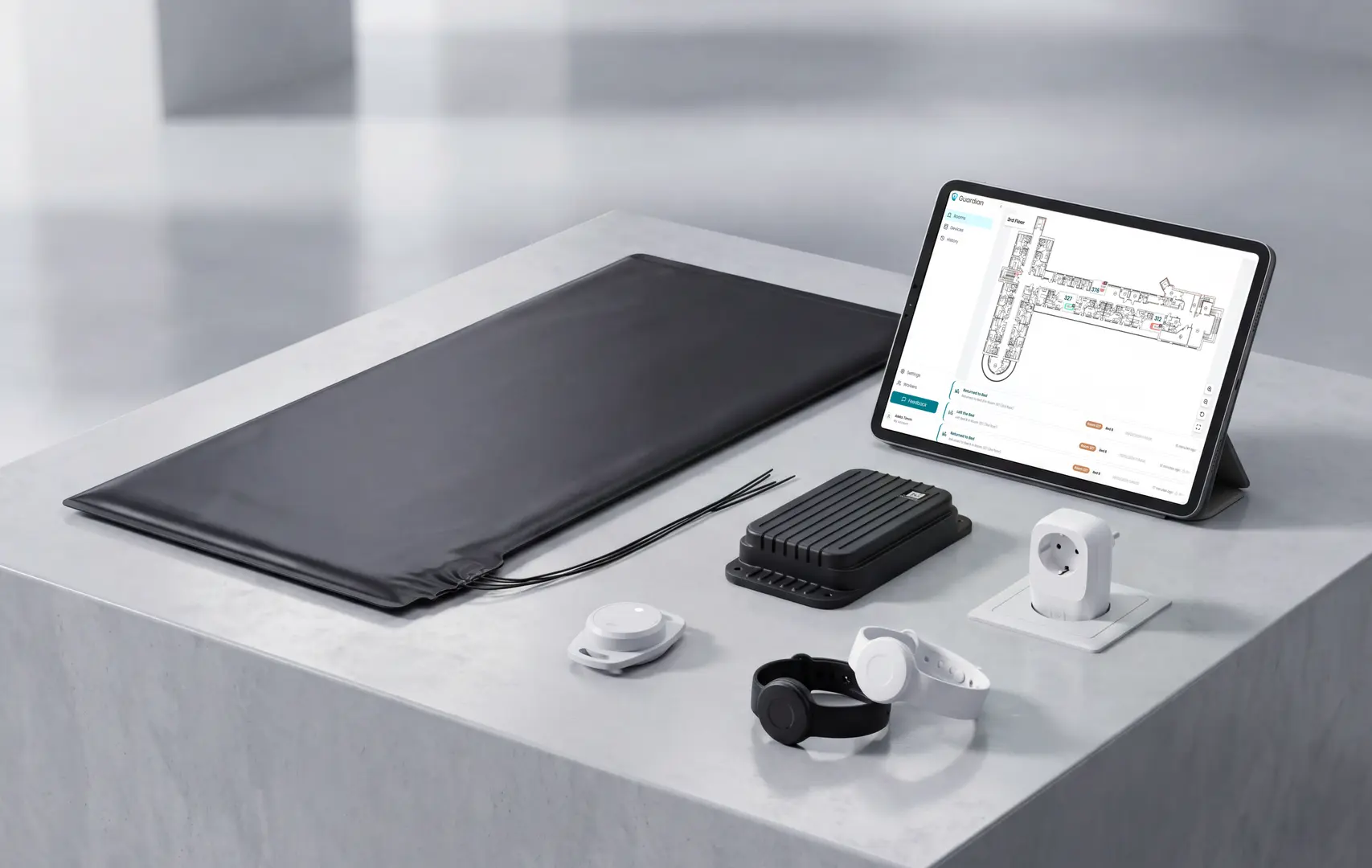
Guardian adds the real-time safety layer that care records cannot provide on their own.
When a sensor or wearable triggers an alert, staff see the resident, the event, and the room-level location on a floor map. They know where to go without checking a wall panel, chasing a note, or asking who last saw the resident.
Guardian helps teams act on the moment, then keep the evidence automatically:
Room-level alerts for bed exits, SOS events, exits, and restricted areas.
Digital floor maps that show where the event happened.
Camera-free sensors for privacy-conscious monitoring in rooms and shared areas.
Automatic records for incidents, response times, and operational review.
Pilot Guardian in one ward or one home care team first. In 6-8 weeks, you get an impact report with response times, incident patterns, and ROI, without disrupting daily care.
Digital social care records are electronic care records used instead of paper files. They usually hold a person's health details, care needs, routines, preferences, risk notes, and daily observations.
They are also live records. Authorised staff can update them during a shift, so handovers and reviews are based on the latest information rather than yesterday's notes.
Adoption is now high: government statistics show 90.4% of people receiving CQC-registered care were supported by a DSCR in October 2025.
Provider uptake has risen: the DHSC 2025 Adult Social Care Provider Technology Survey put CQC-registered provider adoption at 73% in February/March 2025, up from 41% in December 2021.
NHS sharing is possible, but limited: social care notes are often narrative, so sharing through NHS-style standards such as FHIR may need custom FHIR profiles.
The UK policy context explains why DSCR adoption now appears in procurement conversations.
Yes, for England's DSCR adoption programme. A NIHR rapid evaluation describes the target as 80% of CQC-registered providers using a DSCR by March 2024.
The target date was later extended to March 2025.
That date has passed, but adoption is still uneven. The practical question now is not whether to go digital, but how to do it without creating extra work for staff.
Progress is clear: the DHSC 2025 technology survey found 73% adoption in February/March 2025. Provider statistics later reported 80% by July 2025.
Coverage keeps rising: government statistics show 90.4% of people receiving CQC-registered care had DSCR support by October 2025.
Costs still block rollout: The DHSC survey found 73% of providers cited setup costs and 70% cited ongoing licensing fees as major barriers.
Training matters: The same survey found 52% of providers cited staff training and high turnover as barriers to consistent digital use.
Switching from paper care plans is usually manageable, but it is not just a software install. The hard part is getting clean starting data and helping staff record care consistently at the point of care.
Expect the work to sit in five areas:
Staff training: carers need time to learn the system before it becomes part of normal rounds, handovers, and reviews.
Data migration: core care plans, risk assessments, medication notes, contacts, and preferences need checking before go-live.
Interface friction: if routine notes take too many taps or clicks, staff are more likely to delay recording.
Dual-running risk: keeping paper and digital records in parallel can feel safer, but it often doubles the workload.
Incremental rollout: starting with one service, home, or record type is usually easier than changing everything at once.
This transition is now common. Adult social care provider statistics reported 80% CQC-registered provider-location adoption by July 2025.
Paper records make data sharing harder because teams must transfer and reconcile information manually.
Some do, but only for record capture. Offline mode helps staff write notes during a Wi-Fi drop, but it does not replace connectivity for live alerts or team updates.
For care managers, split the readiness check into two groups:
Works offline: completed care notes, daily logs, and cached records stored locally until the connection returns.
Example: Nourish Care stores records on-device during outages and syncs automatically when connectivity resumes.
Needs connectivity: real-time alerts, sensor dashboards, and multi-user handover updates.
Site check: test Wi-Fi across bedrooms, corridors, and handover areas before rollout.

Author
Aleks Timm
Aleks Timm leads Guardian and builds privacy-first operations technology for care homes and home care providers. Teams get location-aware alerts they can act on, clearer situational awareness, and measured insight into how care work actually runs.
Read MoreRecommended reads
Keep reading
7 Best Care Home Audit Tools for Care Homes (Compared)
7 best care home audit tools compared: find CQC-ready options, pricing, and action tracking to streamline audits and improve...
Read more
10 Best Nurse Call System Suppliers for Care Facilities
Explore the best nurse call system suppliers and care operations monitoring platforms to boost response, compliance, and care...
Read more
10 Best Home Care Software Solutions Compared
Compare the 10 best home care software solutions and find the right fit for scheduling, compliance, monitoring, and team...
Read more