

Wireless Pressure Mat Alarms: What to Check Before You Buy
In this article
A resident gets out of bed. A door opens at night. A staff member needs the alert to reach the right place, without adding another cable across the floor.
A wireless pressure mat alarm can help, but only when the mat type, size, and sensitivity match the risk you are trying to manage.
This guide explains what to check before buying, where pressure mats work well, and where a mat alone can still leave gaps in a care home or home care workflow.
If you are buying for a care setting, it helps to start small: one ward, clear response targets, and a review date. That is the same structure we use for a Guardian pilot.
How a wireless pressure mat alarm works
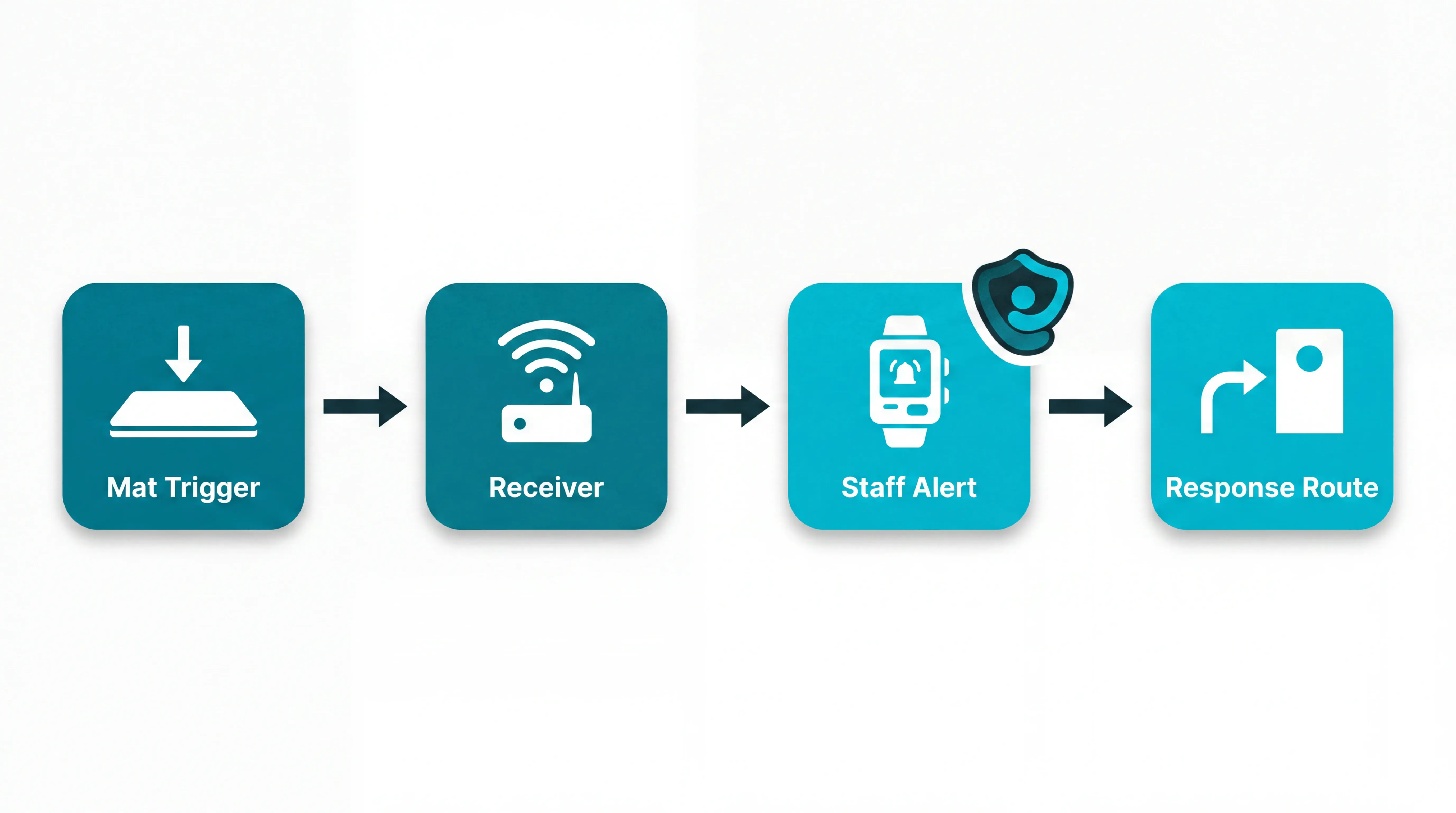
A wireless pressure mat alarm has two parts: a pressure-sensitive mat that detects weight and a separate wireless receiver that sounds the alert.
When someone steps on or off the mat, the mat sends a radio signal to the receiver. The receiver then triggers a chime, alarm, or pager-style notification, depending on the system.
For buyers, the main question is whether the mat, transmitter, and receiver work together reliably in the setting where staff need to respond.
Complete system vs replacement mat
A complete system includes both the pressure mat and the receiver. A replacement mat is only the pressure pad, bought for use with a receiver you already own.
Choose a complete system for a new installation unless you are certain your existing receiver supports the replacement mat.
Check these points before buying a replacement:
Frequency and protocol: Many consumer systems use 433 MHz RF, but this is common, not universal.
Brand pairing: Mats and receivers usually pair within the same brand; cross-brand pairing is often unsupported.
Receiver capacity: Some receivers support multiple mats, while others are designed for a single paired sensor.
Stock consistency: Replacement mats make sense when a facility already uses the same receiver model across rooms.
Wireless vs corded: the practical tradeoff
Wireless mats send the signal to a receiver placed elsewhere, often at a nursing station or caregiver location. Some systems advertise ranges up to 300 feet, but walls, doors, and building layout can reduce that in practice.
Corded mats connect directly to an alarm unit by cable. That removes pairing and battery questions, but it also keeps the alarm unit near the mat.
The tradeoff is practical:
Wireless systems reduce cable trip hazards and let staff place the receiver where someone will hear it.
Corded systems can be simpler for one room, especially when the cable can be secured safely.
Wireless systems need battery checks in the mat transmitter or sensor unit.
Corded systems avoid battery maintenance but are harder to scale across several rooms.
In a single low-risk room, corded may be enough. In multi-resident care settings, wireless is usually easier to manage because alerts can reach staff without running cables through doorways or corridors.
The cable-free nurse call comparison maps how wireless alert networks handle pagers, displays, and apps.
Choosing the right type for your situation
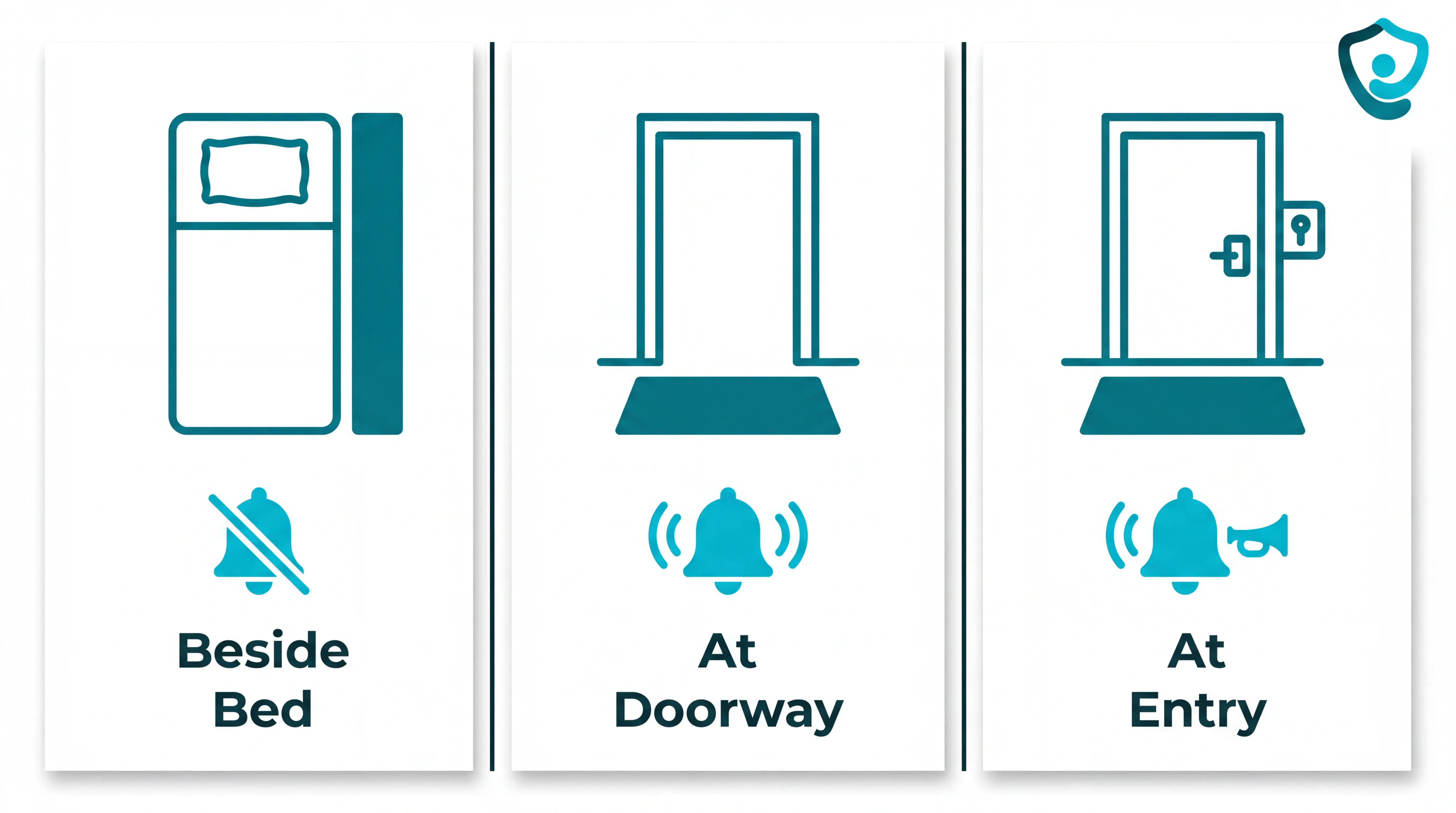
Choose the pressure mat by the moment you need staff to catch, then test whether the alert changes response time.
Risk scenario | Best position | Alert style |
|---|---|---|
Bedside fall risk | Beside the bed | Silent staff alert |
Wandering risk | Doorway or threshold | Chime or staff alarm |
Entry/security risk | Controlled access point | Chime or local horn |
Procurement test
Ask each vendor to prove the mat changes response rather than only detecting movement. Use questions that force operational answers:
Which alerts were attended in a live deployment?
What response-time target did staff use?
How many false alarms happened in the first week?
What happens when the battery or wireless link fails?
For a care setting, set a measurable benchmark before you buy: response target, attended-alert count, false-alarm rate, and a review date.
A procurement test should include routing logic; the care-setting caregiver alert guide details sensor mix, escalation, and noise control.
Use the response-tested caregiver alert guide to pressure-test false alarms, routing, and attended-alert evidence before buying.
Bedside fall-risk alerts
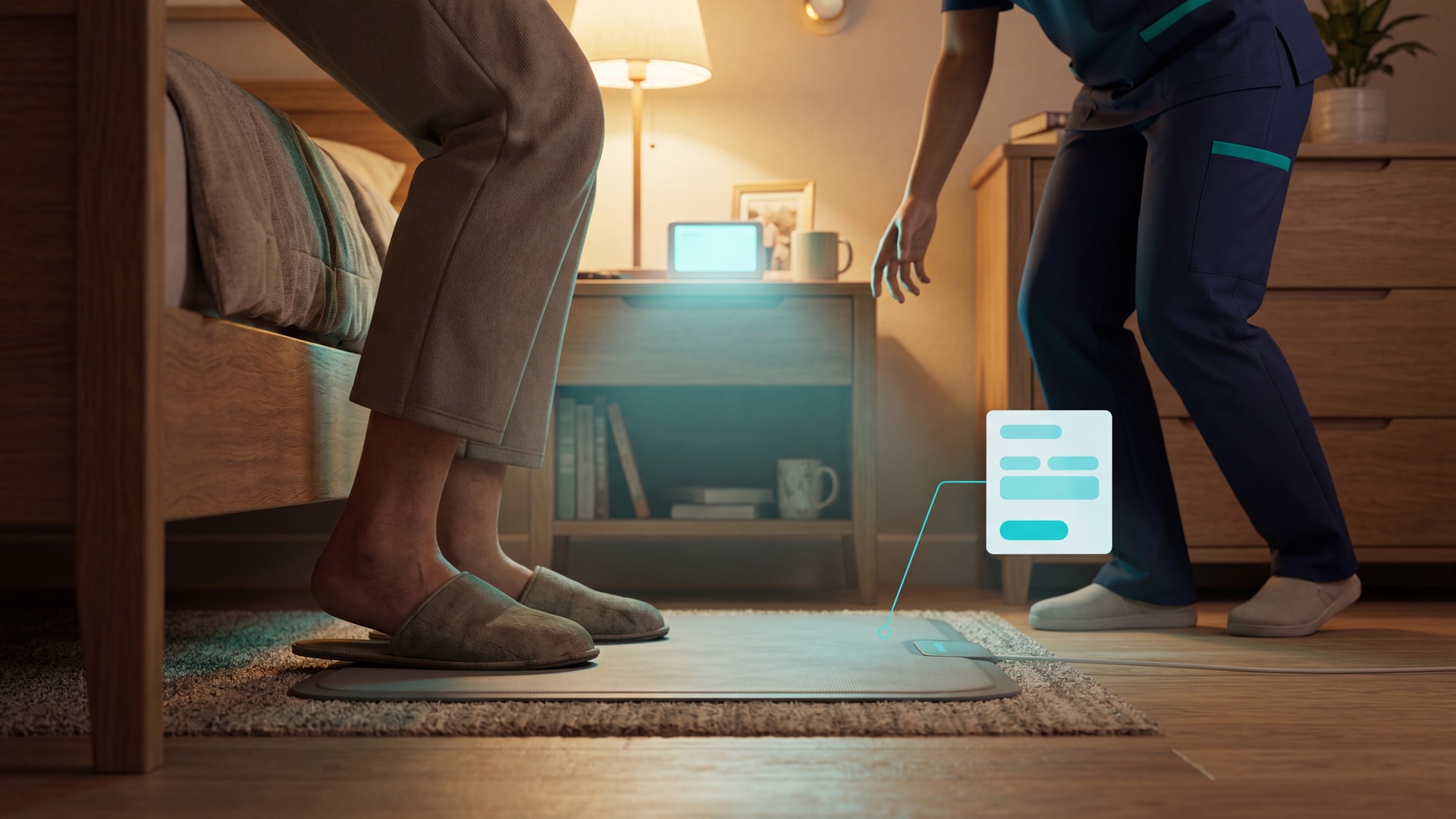
A bedside pressure mat is for a resident who gets up unsupported during a known risk window, especially night toileting or post-fall observation.
The alert fires when both feet land on the mat. Staff need the signal on a receiver, pager, phone, or nurse-call panel before the resident starts walking.
Falls are a routine care-home risk, but population figures do not decide mat placement. The CDC says 1 in 4 U.S. adults aged 65+ report a fall each year, while NICE NG249 points teams back to resident-level assessment.
For bedside use, buy around the response moment:
Route the alert away from the bed; a loud bedside sound can startle a confused resident.
Test the path from the mat to the staffed point with doors closed, because brochure range is measured in easier conditions.
Ask what the caregiver sees: the alert should identify the resident, location, and event type.
Set a false-alarm review point after the first week; repeated nuisance alerts teach staff to wait before moving.
Good bedside evidence is operational:
Attended alerts
Median response time
False alarm rate
Battery or connectivity failures
Set a named response target for high-risk alerts, then check whether staff can meet it on live shifts.
Bedside mats catch one moment; the bedside fall-detection systems roundup compares wearables, passive sensors, and facility platforms.
Doorway and wandering alerts
A doorway pressure mat is for exit risk. Buy one only where crossing a threshold should trigger a named action.
Place the mat at the threshold, rather than deep inside the room. In a care home, start with external exits and stairwells.
Do not accept a brochure claim about receiver modes. Ask the supplier to demonstrate the exact receiver quoted.
Off mode should be easy to confirm visually, so staff know the threshold is supervised.
Chime mode belongs on low-risk movement where a caregiver needs awareness rather than an emergency response.
Alarm mode belongs on true exit risk where staff must interrupt the crossing.
Volume should match distance and setting. Ask for the quoted dB range on the exact receiver, then test audibility from the staffed point with doors closed.
In a family home, chime mode often makes sense at night. In a facility, alarm mode belongs on true exit-risk thresholds with an agreed response owner.
Entry and security alerts
Entry and security mats monitor access points. They belong in a site-control plan rather than a bedside fall-prevention plan.
Alert design changes with that job. Security mats may need local sound, while clinical mats should avoid waking residents.
Use entry/security configurations where a crossing needs action:
External doors: Detect entry or exit outside normal access routines.
Hallways: Monitor movement through controlled internal routes.
Balconies: Flag access to higher-risk outdoor areas.
Large sites: Map mats to named zones, then make sure the receiver display shows the door or area staff should check first.
For facility-wide senior monitoring systems, check receiver capacity in writing before buying. Large multi-zone setups usually work only inside matched packages, so confirm the receiver, mats, and zone labels as one system.
In facilities, mode selection should be tied to shift timing, not left at a default that fires all day. Use defined alert windows:
Overnight hours
Restricted-access periods
Specific doors
Review nuisance alerts after 7 days before expanding coverage.
Specs that actually matter
Once you know which risk moment you are covering, check whether the mat's specifications can deliver the alert the workflow needs.
Product listings publish the same basic numbers. The useful question is what each number changes for staff on a real shift.
Use these 4 specs as buying filters:
Mat size: Does it cover the resident’s real step-off zone?
Range and alert type: Will the alert reach staff without creating ward-wide noise?
Pressure sensitivity: Will it detect a real exit without firing on pets or dropped items?
Power and lifespan: Can maintenance plan battery checks and mat replacements before failure?
Mat size and coverage area
Mat size determines whether the alarm sees the exit at all. A smaller mat can look neater, but it may miss the exact footfall you bought it to catch.
Mat size | Best fit | Buying note |
|---|---|---|
9 x 15 inches | Narrow step-off zones | Chair or doorway use |
21.75 x 13.75 inches | Hidden under light mats | Entry or room threshold |
24 x 36 inches | Bedside floor coverage | Common fall-risk size |
24 x 60 inches | Wider floor coverage | More margin for wandering |
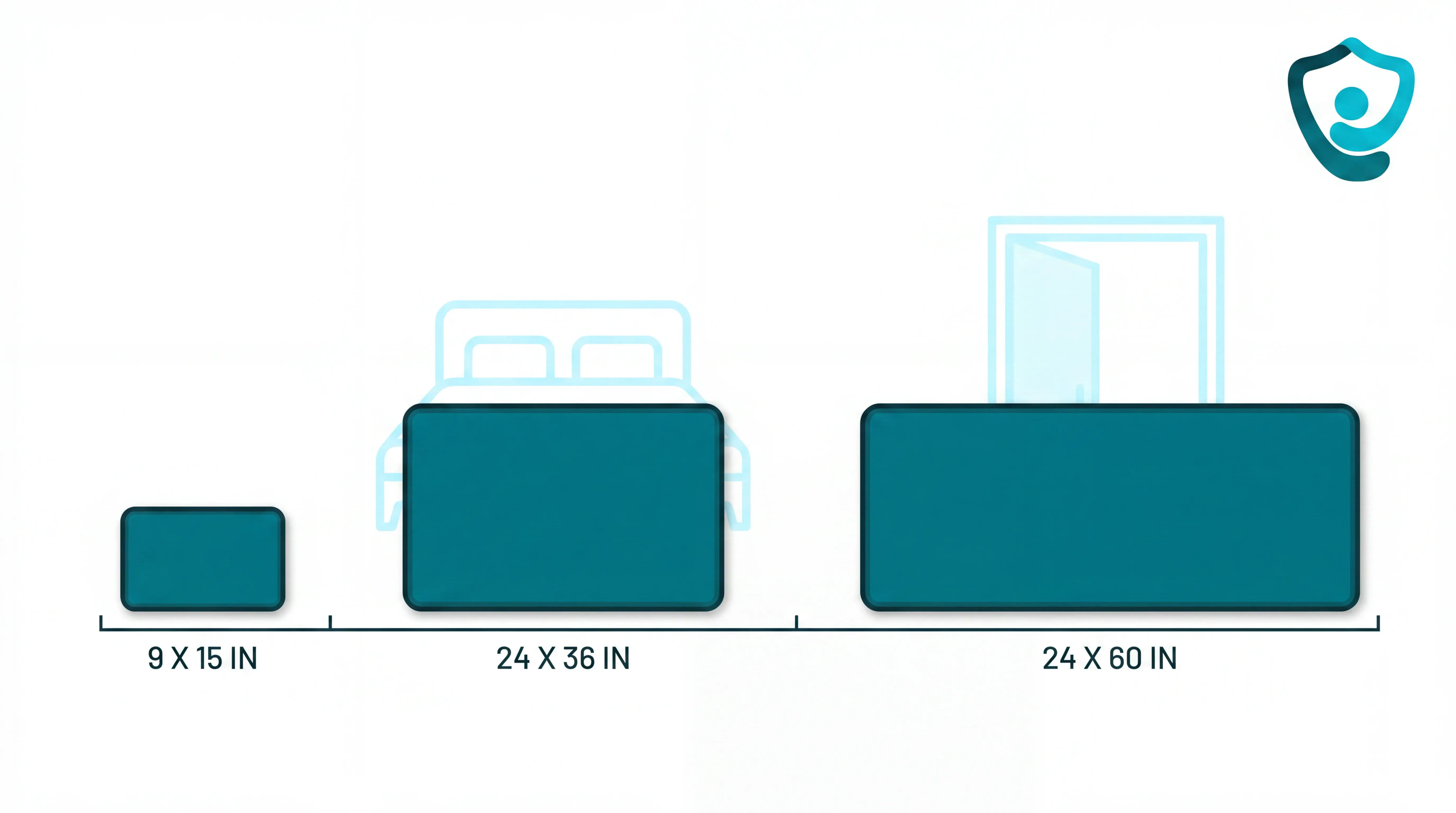
For bedside fall risk, 24 x 36 inches is usually the practical starting point because it covers more of the resident’s exit path.
For doorways or chairs, 9 x 15 inches or 21.75 x 13.75 inches may be enough because the target zone is narrower.
Range, alarm volume, and alert type
Treat the quoted receiver range as an open-area number, then allow for walls, doors, lifts, and distance from the nurse station.
In larger homes, frequency matters too:
300 MHz systems: Often adequate for short indoor links, but more vulnerable to distance and building layout.
900 MHz systems: Usually better for longer runs and signal penetration through walls.
Facility-grade systems: Should identify which room or mat fired, not just that an alarm sounded.
Volume is a staff workflow decision as much as a loudness spec. A 105 dB alarm may be useful for a single home, but it can create alarm fatigue in a shared ward.
Check for adjustable modes before buying:
65 dB: Low-volume chime for quieter periods.
75 dB: Mid-level alert for normal daytime monitoring.
105 dB: High alarm for urgent or noisy environments.
Chime, alarm, or off: Useful when risk changes by time of day.
Pressure sensitivity and false alarms
Sensitivity decides what counts as a real event. Too low, and the mat fires constantly; too high, and a light step may not register.
Threshold | What it means | Watch for |
|---|---|---|
1 to 1.5 lb | Ultra-sensitive trigger | Dropped items, pets |
15 to 25 lb | Standard adult-use range | Pet-triggered alerts |
60 lb | Pet-resistant trigger | May miss very light pressure |
For most adult care use, a 15 to 25 lb threshold is the normal starting point. It should detect a standing adult without reacting to every light object.
If cats or small dogs can cross the mat, look at 60 lb pet-resistant variants. They are designed to block most small-pet activations while still responding to adult foot pressure.
False alarms create workflow risk. On a busy shift, repeated nuisance alerts teach staff to pause, check the screen, or wait for a second signal before moving.
Review the pattern after 7 days:
Which mats fired without a resident exit?
Which alerts reached the wrong responder?
Which settings changed response time?
Keep the sensitivity setting that catches the risk moment without training staff to ignore the alarm.
Power source and mat lifespan
In wireless systems, the transmitter usually holds the battery while the mat acts as a passive pressure pad.
Plan maintenance around 2 signals:
Low-battery notification: Staff replace batteries before the transmitter goes silent.
Mat-only replacement: Staff replace the worn pad without buying a full new system.
Daily-use mats need a planned replacement cycle. Foot traffic, wheelchair wheels, cleaning, and folded edges shorten the stated service life.
Placement and setup
Placement is simple, but it has to match the risk window: the first step out of bed, or the first step through a doorway.
Before you test it with a resident, set up the hardware in order:
Insert a fresh 9V battery into the alarm unit or monitor.
Connect the weight-sensing pad to the alarm unit or transmitter supplied with the kit.
Place the monitor in a hallway, nurses' office, or another room within wireless range.
Wall-mount the alarm unit if it needs to stay out of the resident's reach.
Step on the mat yourself and confirm the alert reaches the monitor before relying on it.
For bedside use:
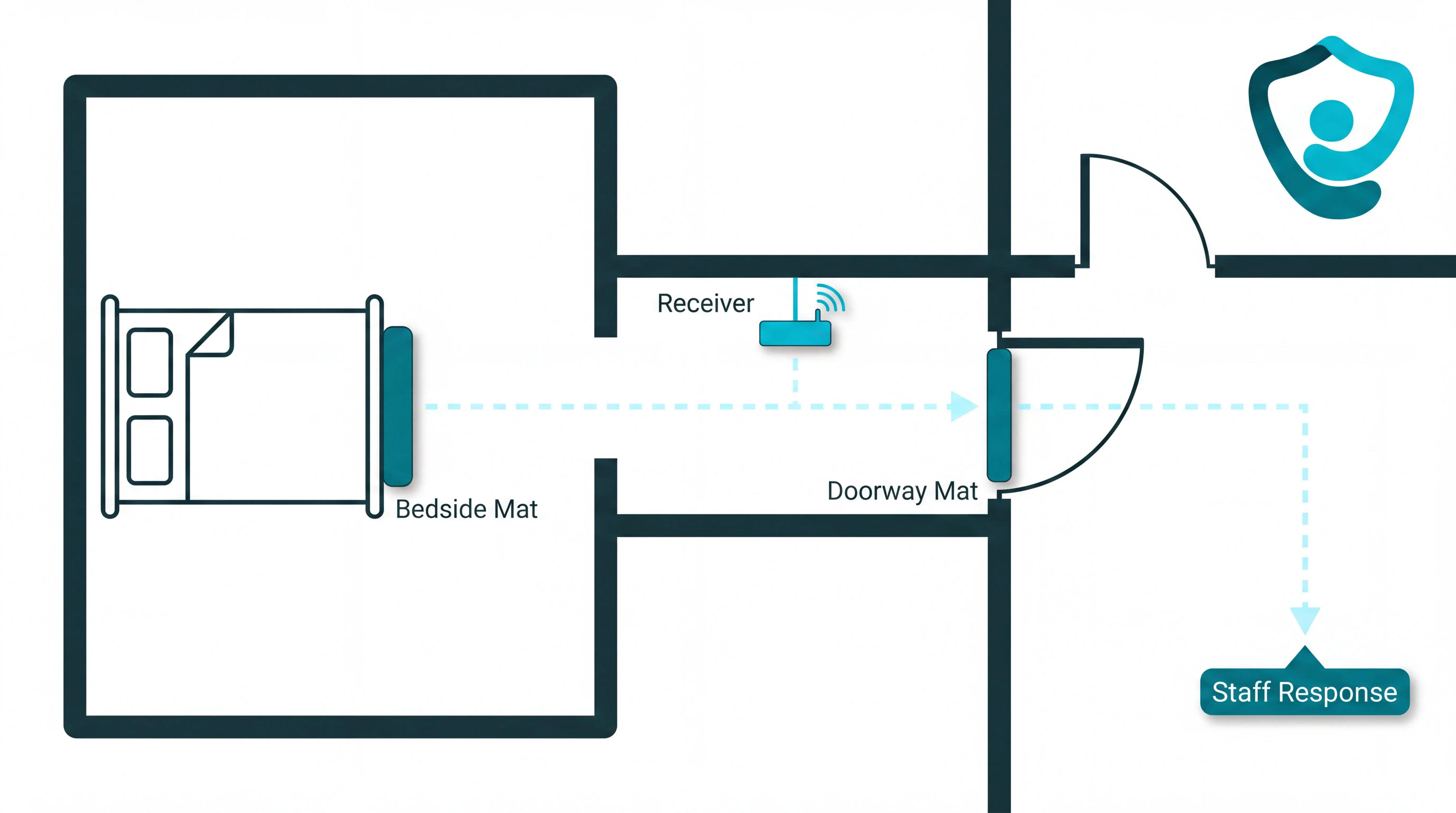
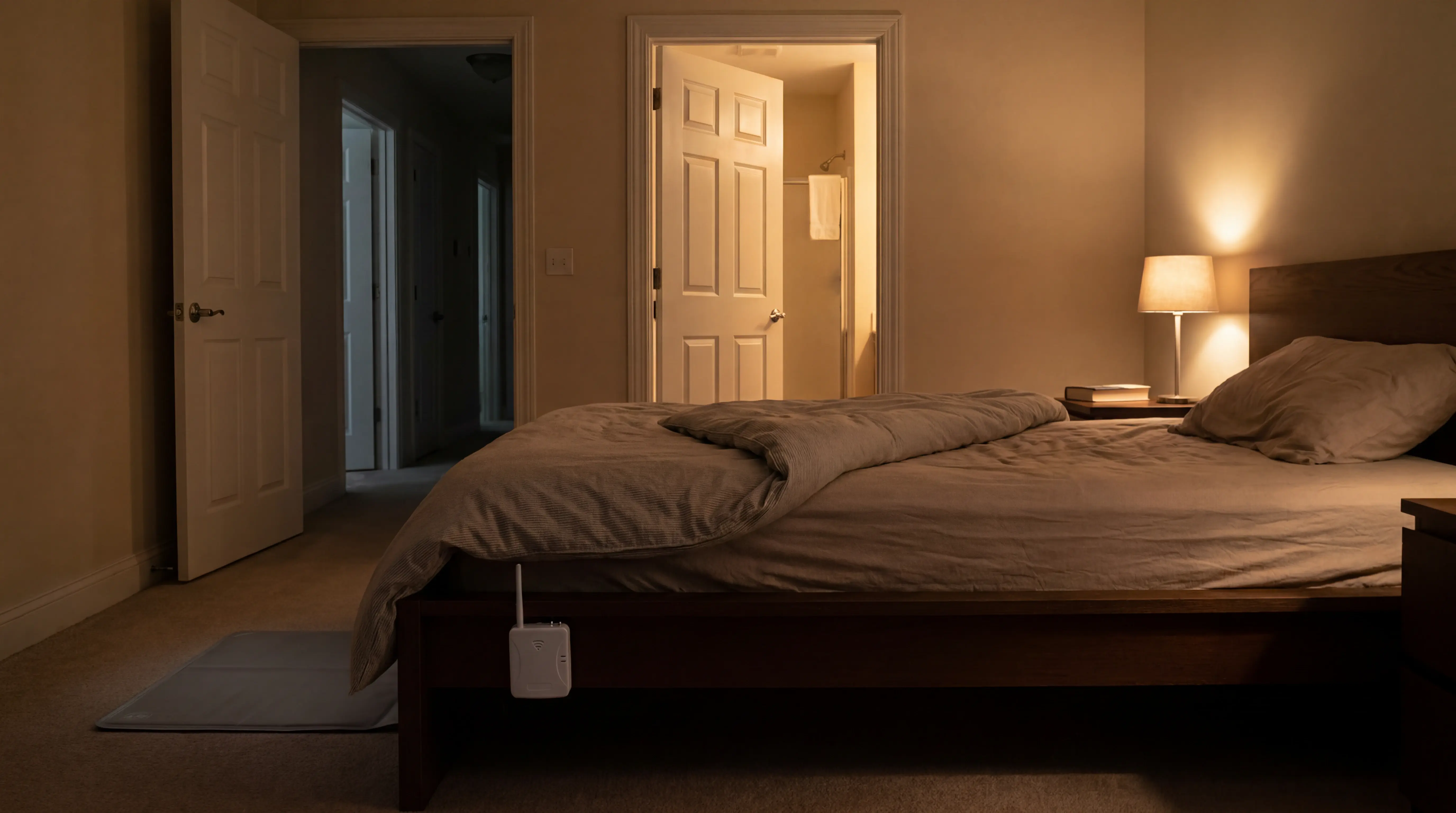
Align with the exit edge: Place the mat directly beside the bed, where the resident's feet first touch the floor.
Keep it flat: Avoid curled edges, rugs, or furniture legs that create trip risk or uneven pressure.
Move the sound away: Put the monitor outside the room if the alarm could startle the resident.
For doorway use:
Cover the threshold: Lay the mat flat across the doorway so the first exiting footfall triggers the alert.
Check door clearance: Make sure the door opens cleanly without dragging or shifting the mat.
Use it for one exit risk: A doorway mat tells you that someone crossed that point, not where they went next.
Common mistakes before you buy
Before you buy, check whether the mat can create a usable response on the floor.
Buying a replacement mat when you need a full system.
Replacement listings sell only the floor pad. Before raising a purchase order, ask: "If I step on this mat, what device makes the sound or sends the alert?"
If the answer is "your existing monitor", you are buying a replacement part.
Ignoring power source in a 24/7 setting.
Battery monitors suit occasional use. Continuous traffic can drain C batteries quickly.
Confirm whether a compatible AC adapter is available, so staff are not managing avoidable battery swaps mid-shift.
Treating every movement as an alert.
An alarm that fires for harmless movement becomes background noise. Scope each mat to one action before it goes live.
Trigger: What movement should create an alert?
Responder: Who receives it first?
Route: Where does the alert appear?
Record: Is the event logged for review?
Corrective action: Avoid using one mat as a general activity monitor. It should flag a defined risk, such as leaving bed or crossing a doorway.
Choosing a family-grade mat for a facility workflow.
Family mats are usually built for one resident and one responder. Care settings often need more.
Central routing: Alerts must reach the right staff member, not just one pager.
Multi-resident visibility: Managers need to see more than one room, bed, or doorway.
Escalation rules: Missed alerts need a next step.
Reviewable records: Teams need evidence for incident review and quality checks.
Corrective action: Ask whether the system fits your medical-device responsibilities and documentation process before purchase.
For UK providers, MHRA guidance on managing medical devices expects organisations to manage selection, maintenance, training, and records for medical devices.
For U.S. nursing facilities, CMS State Operations Manual guidance treats position-change alarms as devices that need resident-specific care-plan documentation, especially when the alarm limits movement or cannot be removed by the resident.
When a pressure mat alone isn't enough
A pressure mat answers one narrow question: has someone stepped onto this mat?
That is useful at the bedside or doorway, but it does not tell staff what happened next, where to go, or whether a pattern is building over time.
A single mat can miss important scenarios:
Bathroom falls: A bedside mat will not detect a slip after the resident has already reached the bathroom.
Corridor and common-area falls: Once the resident moves beyond the sensor zone, the mat has no view of what happens next.
Falls before contact: If someone collapses before reaching the mat, no weight reaches the sensor and no alert fires.
Unpressed call buttons: A resident may be unconscious, confused, unable to reach the button, or not wearing it.
Wandering patterns: A mat may flag one exit, but it cannot show repeated night movement or changing routines by itself.
Adding more sensors helps only when the alerts are configured well. If every movement becomes the same urgent alarm, staff start to tune out the noise.
If records matter as much as alerts, the pattern-aware remote monitoring roundup compares facility and home workflows.
When one floor pad leaves gaps, the single-mat elderly room monitor roundup compares passive sensor options.
That is why pressure mats work best as part of wider passive monitoring. Staff need clear action in the moment, and managers need behaviour patterns over time.
Where Guardian fits when one mat isn't enough
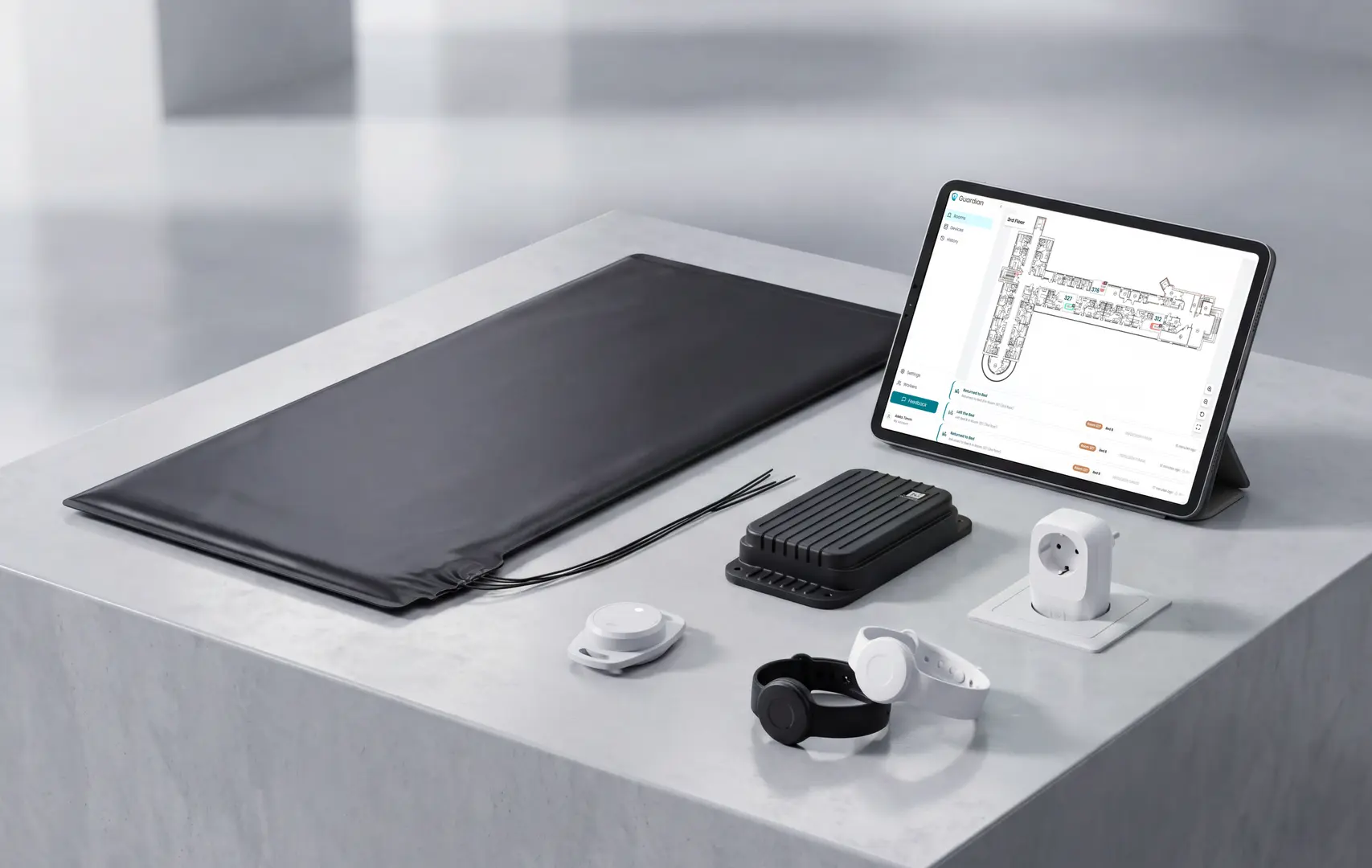
Guardian provides the wider layer: room context, alert routing, and response records.
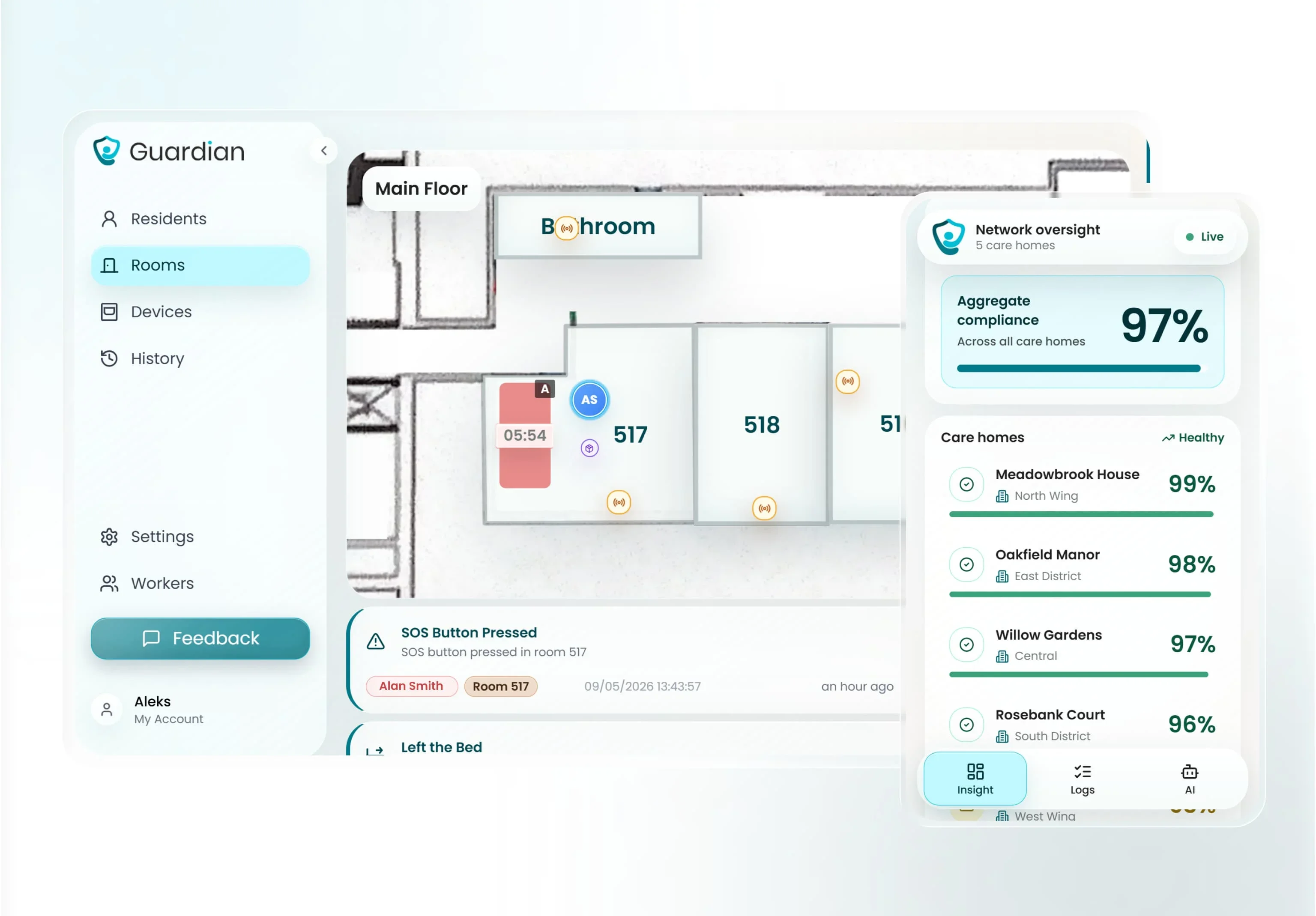
Guardian is camera-free, and sensors map alerts to the room, bed, and resident record.
Guardian layer | What staff see | Why it matters |
|---|---|---|
Sensor network | One hub can connect SOS buttons, motion sensors, bed-exit sensors, fridge sensors, and stove sensors. | Care teams can monitor risk beyond one mat. |
Room context | Bed-exit and SOS alerts are tied to a specific room or bed. | Staff know which door to open first. |
Floor plan | Sensors appear on a digital floor plan. | The alert points to the right location. |
Activity history | Alerts and response times are logged automatically. | Managers can review what happened without chasing notes. |
Privacy | Guardian uses sensors instead of cameras. | Residents keep privacy in bedrooms and shared areas. |
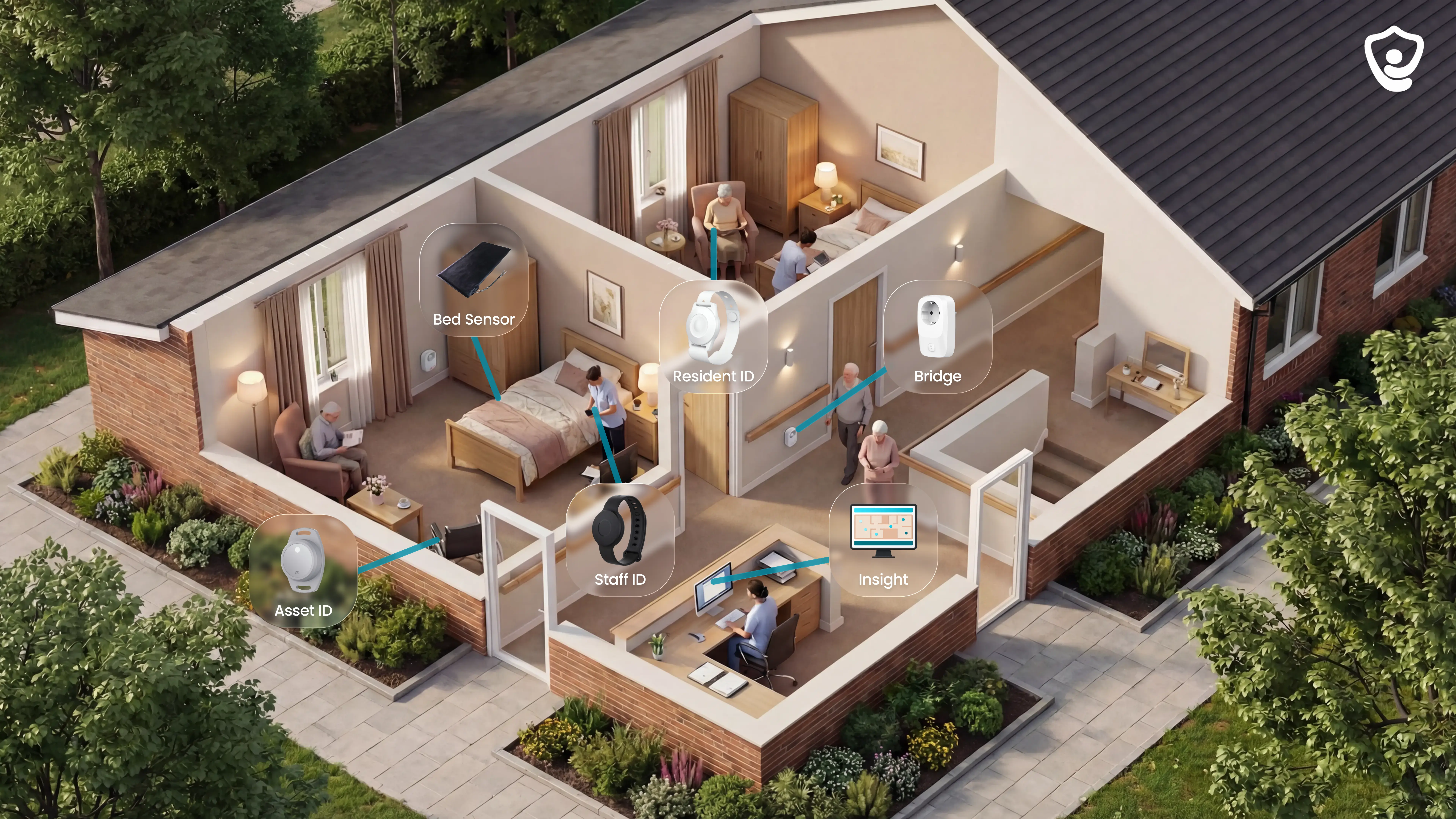
In a night-time bed exit, the first signal should lead staff to a room, not just a noise.
A bed-exit, SOS, or motion sensor creates the alert.
The floor-plan view shows the linked room or bed.
The response time is recorded for the pilot report.
A Guardian pilot starts with one ward before any wider rollout.
Sensors attach with adhesive strips, so the home avoids drilling and new cabling.
A ward can usually go live in about a week, depending on scope.
Run 6-8 weeks of monitoring before deciding whether to expand.
The final report turns live ward data into an ROI case and rollout plan for management.
Judge Guardian by operational evidence from the ward.
Pilot question | What to track | Reference point |
|---|---|---|
Are staff arriving fast enough? | Minutes from alert to staff arrival. | A 5-minute staff-arrival benchmark for high-risk residents. |
Are risks being caught earlier? | Fall-risk situations attended before an incident. | The Estonia pilot recorded 30 attended fall-risk situations on one ward. |
Is alarm noise improving? | Total alerts and repeated false alarms after tuning. | Alert volume should fall as rules match the ward routine. |
Can management see the business case? | Track staff time saved, avoided escalation cost, and rollout effort. | The Estonia pilot modelled about 1,000€/month in extra care capacity. |
A cat or small pet can trigger the alarm if the mat is a standard or high-sensitivity model.
Use the weight threshold as the first check:
If pets have access to the room, default to a pet-resistant threshold or move the mat outside the pet route. Do not ask staff to manage avoidable pet alarms.
Pressure mat alarms can work on carpet, but carpet thickness changes how reliably the mat feels pressure.
Use the carpet pile as the practical guide:
Default to a flat, low-pile surface for overnight fall-risk use. If the room has thick carpet or soft underlay, test the real approach direction and add a rigid non-slip insert before relying on the mat.
Yes, one monitor can pair with multiple mats, but the limit depends on the receiver, not the mat.
For a single resident room, a small multi-component monitor may be enough. For multi-room or ward coverage, look for a zoned or modular system instead.
For single-resident home use, a small multi-component monitor can be adequate. For a care ward, start with a zoned system from day one; retrofitting zones later creates extra procurement and testing work.
Wireless pressure mats integrate with [care-home nurse call systems](/blog/nurse-call-systems-for-care-homes) only when the receiver can pass the alert into that workflow.
Basic mats often alert a local monitor or caregiver pager. Facility panels usually need a compatible output relay, central hub, or base station.
Do not assume native integration. Confirm the relay output, hub, or panel-compatible receiver before buying, then test the alert on the [live nurse-call path](/blog/nurse-call-systems-for-care-homes) before placing the mat.

Author
Aleks Timm
Aleks Timm leads Guardian and builds privacy-first operations technology for care homes and home care providers. Teams get location-aware alerts they can act on, clearer situational awareness, and measured insight into how care work actually runs.
Read MoreRecommended reads
Keep reading
Wireless Emergency Call System: Alerts Staff Can Act On
Wireless Emergency Call System helps staff get clear, actionable alerts fast. Compare types, boost response times, and choose the...
Read more
10 Best Room Monitors for Elderly Home Care
10 Best Room Monitors for Elderly Home Care: compare top options for safety, alerts, and peace of mind to find the right fit for...
Read more
9 Senior Remote Monitoring Systems Compared
Senior remote monitoring systems compared for safer alerts, privacy, and clear records—find the best fit for home or care settings.
Read more