

Wireless Emergency Call System: Alerts Staff Can Act On
In this article
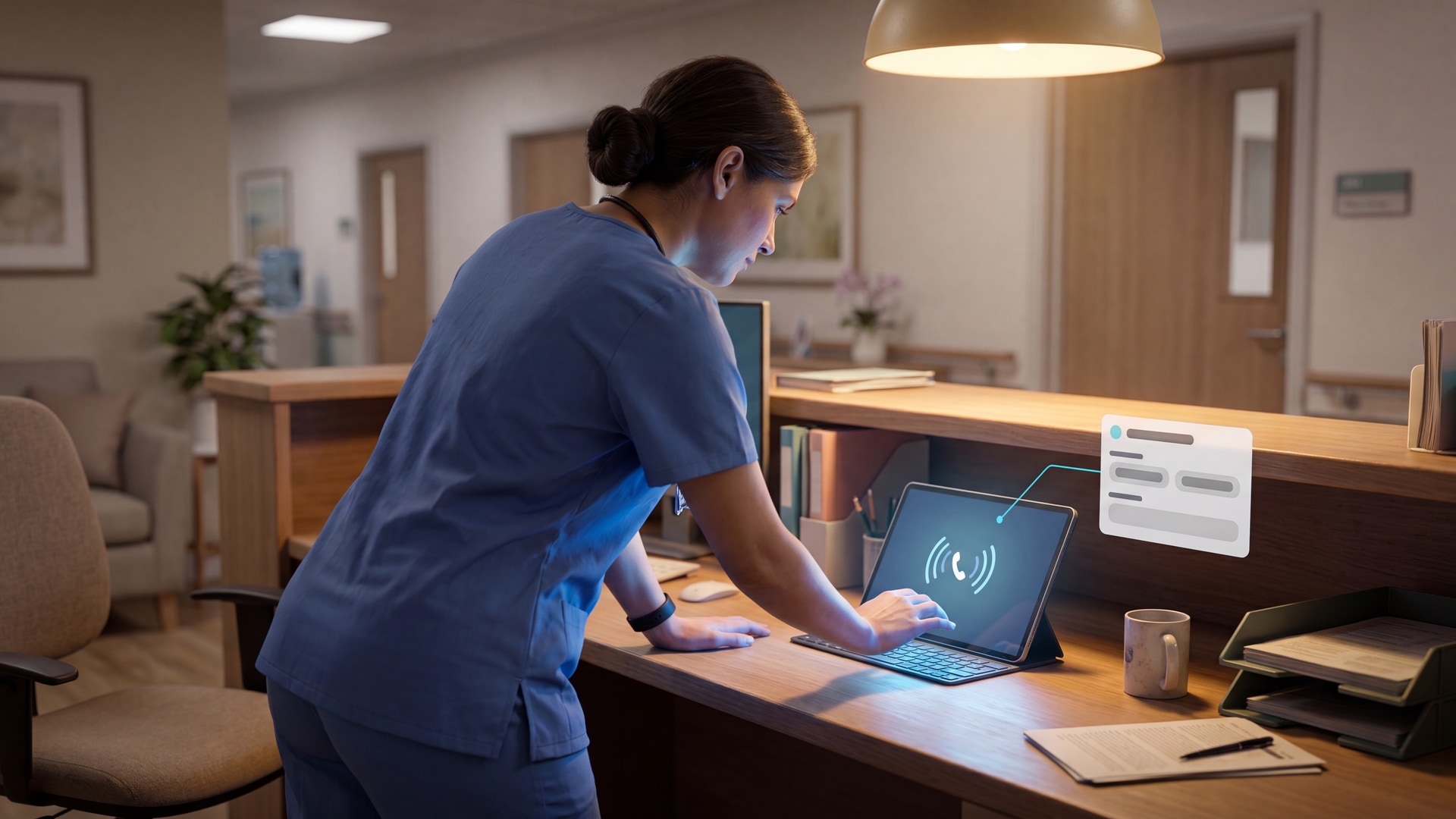
An alert sounds. You need to know which resident needs help, where the alert came from, and who is already responding.
Wireless systems avoid hardwired nurse-call cabling, which helps in older buildings, temporary wards, and phased refurbishments.
Your best setup depends on coverage, alert routing, device fit, and the records you need after an incident or inspection.
Want to test wireless alerts before a full rollout? Start with a Guardian pilot on one ward or with one care team.
What is a wireless emergency call system?
A wireless emergency call system lets a resident or client call for help without hardwired cabling between the trigger point and the staff alert device.
Assess the system in three layers:
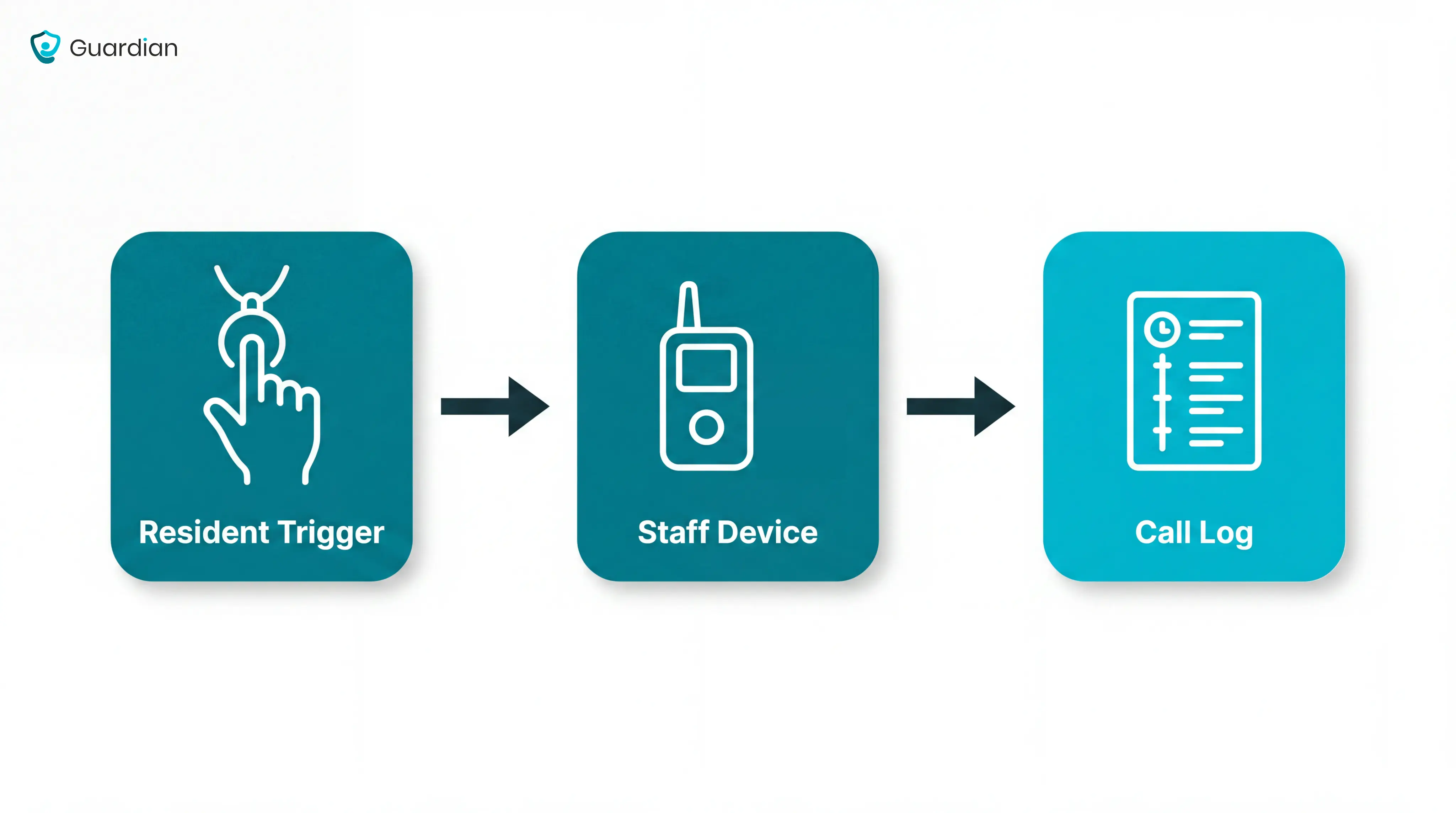
Resident trigger devices: pendants, wristbands, pull cords, wall buttons, or passive sensors that start the alert.
Staff alert channels: pagers, nurse-station panels, mobile phones, watch receivers, or email notifications that show where help is needed.
Transmission methods: radio frequency, cellular, or IP-based signals that carry the alert across the building or care setting.
Common examples:
In a care home, a bathroom pull cord may send the room number to the nurse station.
In home care, a wearable SOS button may alert the right responder while the client is away from a wall-mounted call point.
The main job is simple: turn a resident call or sensor event into a clear alert staff can act on quickly.
Once you know the alert pathway, choose the system type that fits your setting.
The alert-pathway caregiver systems comparison separates local pagers, app alerts, and facility platforms before vendor shortlisting.
Types of wireless emergency call systems
Choose the system type by the alert pathway, then test that pathway before you buy.
Pro tip: Set pilot targets before you fit devices. Treat them as starting points, not supplier guarantees.
Average response time under 5 minutes for routine call-button events
Acknowledgement logged for every alert
A measurable drop in duplicate or low-priority alerts after tuning
Type | Best fit | First question to ask |
|---|---|---|
Home caregiver alert systems | One person living at home | Can the person reach and press the trigger during an emergency? |
Bathroom pull-cord and call light systems | Fixed high-risk rooms | Can the trigger be reached from the floor, toilet, and shower area? |
Wireless nurse call systems for senior living | Multi-room care settings | Can alerts route by zone, shift, and staff role? |
Integrated emergency response platforms | Providers combining alerts with sensor data | Which events need escalation, and which should be logged quietly? |
Home caregiver alert systems
Use a home caregiver alert system when you support one person at home, usually with a family caregiver, home care worker, or monitoring contact.
Where it fits: Private homes, assisted home care, and independent living where one person needs a simple help route.
How alerts reach people: A pendant, wrist button, or wall button can trigger a phone call, app alert, SMS, or monitoring-centre response.
Operational constraint: Manual buttons fail when the person cannot reach the device, press it, or explain what happened.
Useful backup: Passive sensors can add automatic alerts when no manual call is made.
Bathroom pull-cord and call light systems
Use bathroom pull-cords and call lights where a resident may be alone, wet, or unable to reach a wearable.
Where it fits: Bathrooms, bedrooms, patient rooms, and other fixed points where a resident may need immediate help.
How alerts reach staff: A pulled cord or call light can activate a visible, audible, or digital alert at the nurse station or staff device.
Operational constraint: Fixed triggers cover known risk points, but they do not follow residents through corridors, lounges, or gardens.
Neutral examples: Frequency Precision, National Call Systems, and Cornell Communications all appear in this category.
Wireless nurse call systems for senior living
Use wireless nurse call systems when residents move across rooms, shared spaces, and shifts, and alerts must reach on-duty staff reliably.
Where it fits: Multi-room facilities where residents move between bedrooms, dining rooms, corridors, and outdoor areas.
How alerts reach staff: Resident calls can route from pendants or fixed call points to staff handsets, phones, call displays, or connected nurse call systems.
Operational constraint: High alert volume makes routing, escalation, acknowledgement, and standards checks part of the buying decision. For US healthcare projects, ask how the nurse call pathway relates to UL 1069.
Why response matters: Track the time from alert to staff arrival during the pilot, with outliers reviewed by shift and location.
Neutral examples: Cornell Communications and Systems Technologies both market wireless nurse call systems for senior living settings.
Integrated emergency response platforms
Use an integrated emergency response platform when emergency calls need to sit alongside wider safety, activity, or environmental data.
Where it fits: Facilities or home care providers that need emergency alerts alongside wider safety and activity data.
How alerts reach staff: The software layer can prioritise events, route alerts to the right role, and record acknowledgement and response.
Data sources: Emergency pendants, fall detectors, smoke alarms, flood sensors, carbon monoxide sensors, vital-sign devices, and biometric devices may feed into the same platform.
Operational constraint: More signals create more responsibility to filter noise, set escalation rules, and show staff which alert needs action first.
Neutral examples: Tunstall Healthcare, SensorsCall, and CaretroniC all appear in the broader integrated-response category.
Core components of a wireless emergency call system
Once you know the system type, check the 5 parts that turn a resident's call into action.
Part | Job | Failure mode to check |
|---|---|---|
Resident triggers | Let residents call from a fixed point or wearable device. | Gaps appear when mobile residents only have fixed call points. |
Passive sensors | Detect bed absence, chair exit, floor-mat pressure, or unusual motion. | Poor placement creates false alarms or misses high-risk movement. |
Receivers or hubs | Pick up RF or Wi-Fi signals and pass the call on. | Dead spots turn a resident call into a silent failure. |
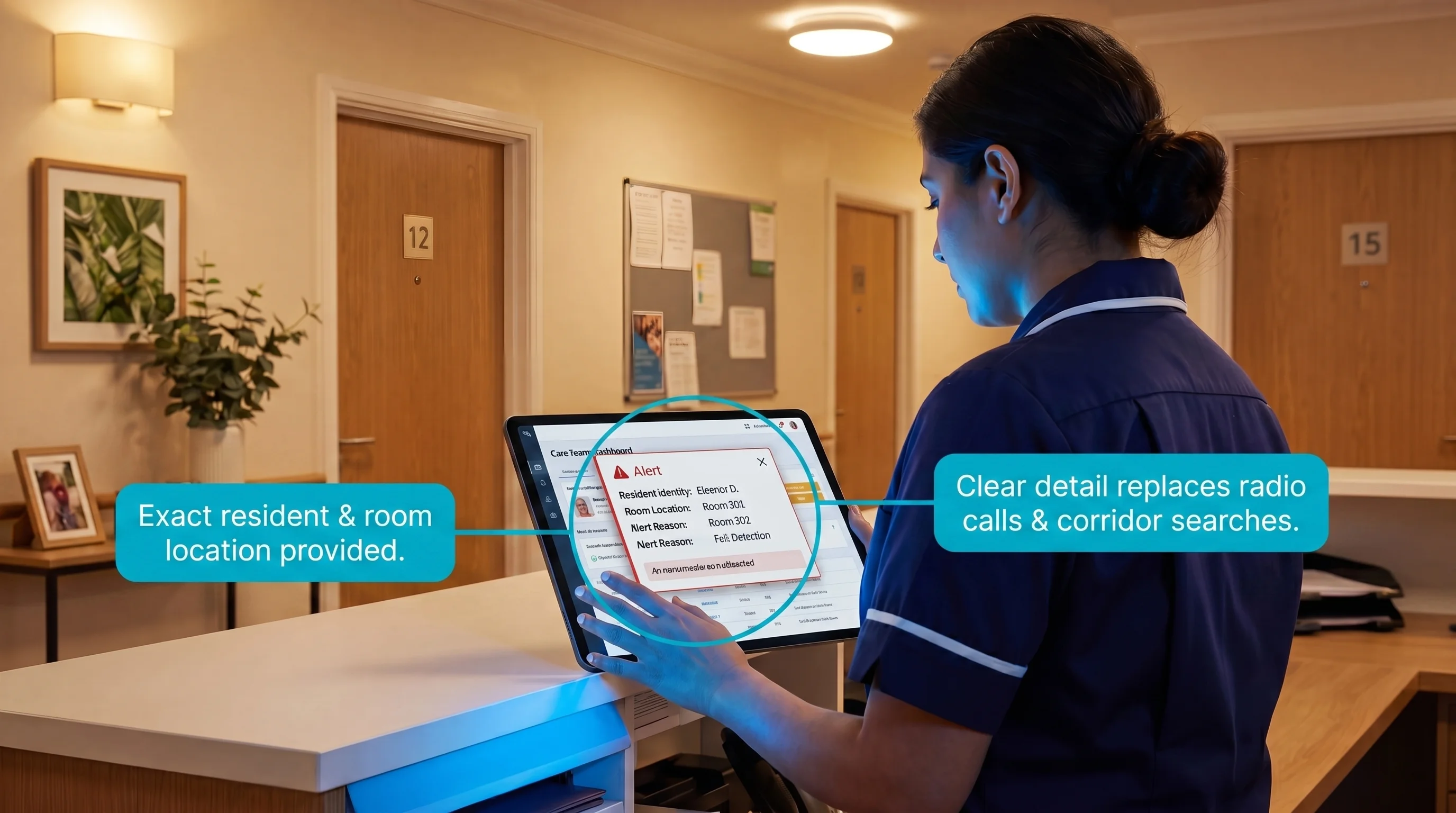
Staff notifications | Show exact location and urgency on the device your team uses. | Generic messages send your team searching instead of responding. |
Management software | Create a shift record from trigger to resolution. | Missing records make incident review guesswork. |
Hardware detects the event. Software proves how your team responded.
Once you know what each part does, compare how different systems handle the moments that matter most.
Key features to compare
Compare wireless emergency call systems against 3 operational tests:
Will the signal reach every room where calls happen?
Will the right person receive a clear alert?
Will the system leave a record you can trust?
Use those questions before comparing brands or asking for quotes.
Coverage and signal reliability
Coverage is the first test because a missed signal makes every other feature irrelevant.
Ask vendors to show a floor-plan test with recorded pass/fail points. Brochure range does not account for lift shafts, concrete cores, or metal fire doors.
Coverage factor | What to test | Failure mode |
|---|---|---|
Real-room range | Run calls from bedrooms and bathrooms on the actual floor plan. | A pendant works in reception but fails behind a closed fire door. |
Building materials | Test around concrete cores, brick walls, lift shafts, metal doors, and dense equipment. | Signals drop exactly where residents are likely to need help. |
RF or Wi-Fi | Confirm whether alerts use dedicated RF, facility Wi-Fi, or both. | A weak network turns a working button into a delayed notification. |
Mesh networking | Ask whether nodes repeat signals across floors. | One blocked path can isolate a whole corridor. |
Standards | Ask whether ETL listing to UL 1069 applies to your nurse call use case. | You avoid treating a consumer alert device as regulated signaling. |
Your site survey should test the places where residents actually call:
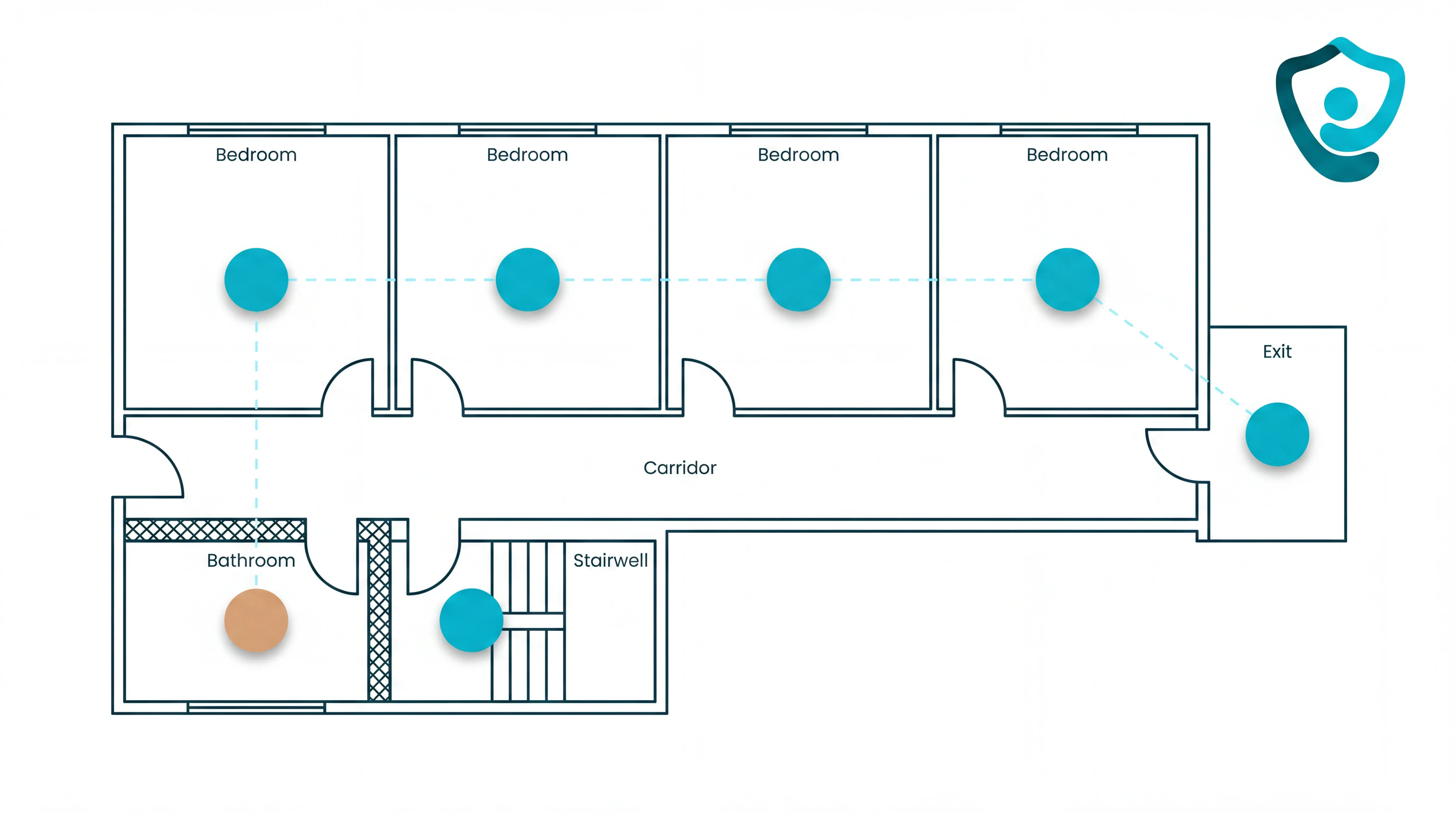
Bedrooms and bathrooms
Corridors and stairwells
Outdoor exits and known dead zones
Alert routing and escalation
Alert routing decides who receives the call, what the message says, and what happens if nobody acknowledges it.
Routing choice | What you should confirm | Failure mode |
|---|---|---|
Delivery channel | Alerts reach the devices your team actually watches on that shift. | A call lands on a pager, panel, or phone nobody is checking. |
Escalation path | Unacknowledged calls move to the next caregiver or nurse station within your response window. | One busy carer becomes a single point of failure. |
Message detail | The alert shows exact location, device type, and urgency. | Your team has to radio colleagues, check corridors, or guess where to go. |
Alarm fatigue belongs in routing because repeated low-value alerts change behaviour. Your team starts waiting for confirmation instead of moving.
Use 3 rule types during pilot tuning:
Time-based rules hold non-urgent repeat movement alerts for a short window before sending another notification.
Threshold rules suppress duplicates from the same sensor after the first alert is acknowledged.
Behaviour profiles set different rules for residents who normally move at night or need immediate assistance.
Keep these alerts outside suppression rules:
Resident-initiated SOS, call button, or pull-cord calls
Bathroom emergency calls
Bed-exit or door-exit alerts for residents on high-risk care plans
Use a measurable drop in repeat low-priority alerts as a tuning target, not a guarantee. Emergency calls should still fire immediately.
Common mistake: Routing every alert to everyone feels safe during setup. It floods watches and panels, so urgent resident calls compete with routine movement alerts.
Build rules around your rota. A night shift needs different routing from a day shift with roaming carers.
Reporting, call logs, and analytics
Reporting turns a call system into an operational record.
At minimum, the software should capture the full alert timeline from trigger to resolution. If the record cannot show who acknowledged the alert, you cannot investigate missed handovers.
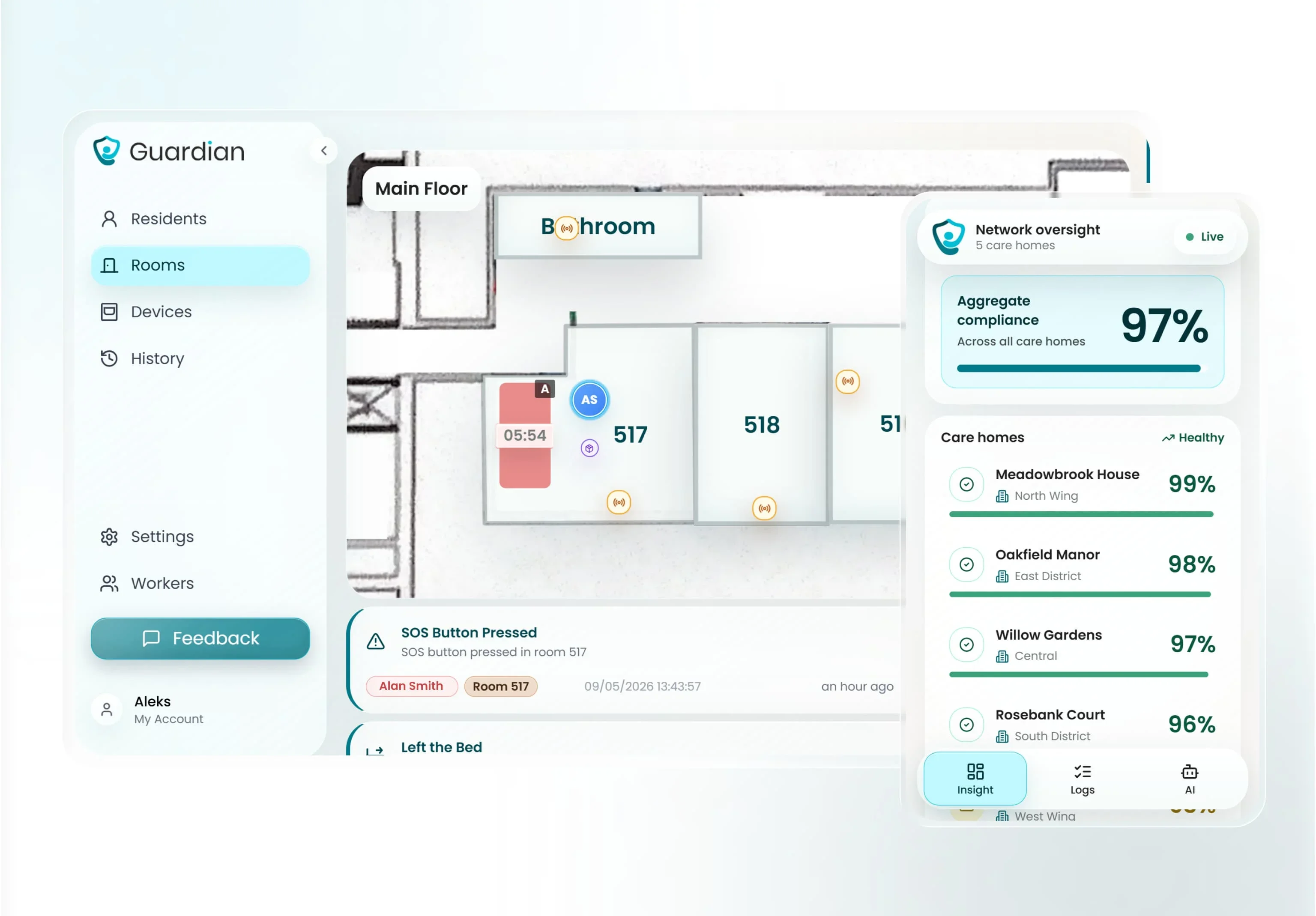
Compare reporting by the decisions you need to make after the shift.
Reporting view | What you should see | Failure mode |
|---|---|---|
Response timeline | Acknowledgement and resolution time by shift, room, or unit. | Slow handovers stay hidden if you only review total call counts. |
Dashboard | Repeated delays, high-call rooms, unresolved alerts, and peak alarm times. | You tune based on anecdotes instead of patterns. |
Signal quality | Repeat and low-confidence events separated from urgent calls. | False positives look like workload, so you cannot judge whether rules need adjustment. |
Export record | Incident-ready records for family questions, internal audits, and regulator evidence. | You lose the evidence trail after the shift ends. |
Filtering matters because sensor data is rarely perfect. A wireless bed-absence sensor study reported a false-positive rate of about 31%, which shows why you need review and tuning.
The strongest reporting setup gives you a short review loop: spot the pattern, adjust the rule, then check whether response times or false alerts changed.
Use the same response-time target you set before installation, then adjust it by acuity and layout during pilot review.
Wireless vs wired vs hybrid: which infrastructure fits?
Choose infrastructure around the building, not the brochure. Wired, wireless, and hybrid systems can all work when the layout, response model, and maintenance plan fit.
Facility situation | Infrastructure fit | Why it works |
|---|---|---|
New build or major refurbishment | Wired | Cabling can be planned before walls, ceilings, and nurse stations are finished. |
Existing care home with residents on site | Wireless | Devices can be added without opening walls or disrupting daily care. |
Working wired backbone with coverage gaps | Hybrid | Existing call points stay in place while wireless devices extend coverage. |
Mobile staff or residents moving across floors | Wireless or hybrid | Alerts can travel to handheld devices instead of relying only on fixed panels. |
Wired infrastructure: Best for new construction or major refurbishment, when installers can plan wall and ceiling routes before care starts.
Fixed call points still only help when the resident can reach the button, pull cord, or wall unit. Retrofitting wired infrastructure into an active care setting means noise, room access, ceiling work, and temporary coverage planning.
Wireless infrastructure: Best for existing facilities where construction work would interrupt care. Devices can be placed where risk happens: bedsides, bathrooms, corridors, exits, and staff work areas.
Wireless coverage still needs planning:
Signal range: Check long corridors, stairwells, lifts, basements, and thick walls.
Network design: Use encrypted channels or dedicated frequencies where the system supports them.
Device placement: Test alerts from the exact rooms and bathrooms where residents will use the system.
Maintenance: Assign ownership for batteries, device checks, and fault alerts.
Wireless is usually strongest when speed matters. A live ward, retrofit project, or temporary care area can often be covered faster with wireless devices than with new cabling.
Hybrid infrastructure: Best when the wired backbone still works but coverage gaps remain.
Answer these questions before rollout:
Which alerts come from fixed call points?
Which alerts come from mobile or passive devices?
Where does staff see, acknowledge, and escalate every alert without duplicate alarms or dead zones?
Matching the system to your care setting
Match the system to the care setting before comparing devices. Resident acuity, building layout, and staffing model decide whether simple call buttons are enough or a broader response platform is needed.
Care setting | Main requirement | What to prioritize |
|---|---|---|
Independent or assisted living | Residents can usually ask for help | On-demand buttons, pendants, and clear escalation rules |
Memory care or dementia units | Residents may not press a button reliably | Bed exit, motion, door, and exit alerts with passive monitoring |
Skilled nursing or rehabilitation | Higher acuity and regulated response expectations | Real-time location, escalation routing, and automatic incident records |
Hospice or end-of-life care | Comfort, dignity, and fast staff awareness | Quiet alerts, room-level context, and settings that avoid unnecessary alarm noise |
Multi-site or mixed-acuity operators | Different care levels under one management team | A scalable platform with one view across wards, homes, or teams |
Check three fit points before rollout:
Layout: Multi-story buildings, long corridors, thick walls, bathrooms, and wet rooms all need coverage testing before a system is approved.
Staffing: Mobile caregivers need alerts on handheld devices, while a fixed nurse station panel may be enough for smaller settings with a central response point.
Alert load: Understaffed teams need smarter routing, not more noise. Rules that separate routine movement from genuine risk help staff respond to the alerts that need action.
Scalable senior monitoring systems make sense when the setting needs live visibility, automatic incident records, multiple device types, and one management view.
Billing and payroll sit outside emergency call infrastructure. Those workflows need separate tools, even when they matter to the same care operation.
Once the system type fits the setting, the next question is how to get the system running without disrupting care.
Planning and deploying your system
Deploy the system in 4 phases: check the building, place the hardware, configure the dashboard, then test the live workflow with staff before go-live.
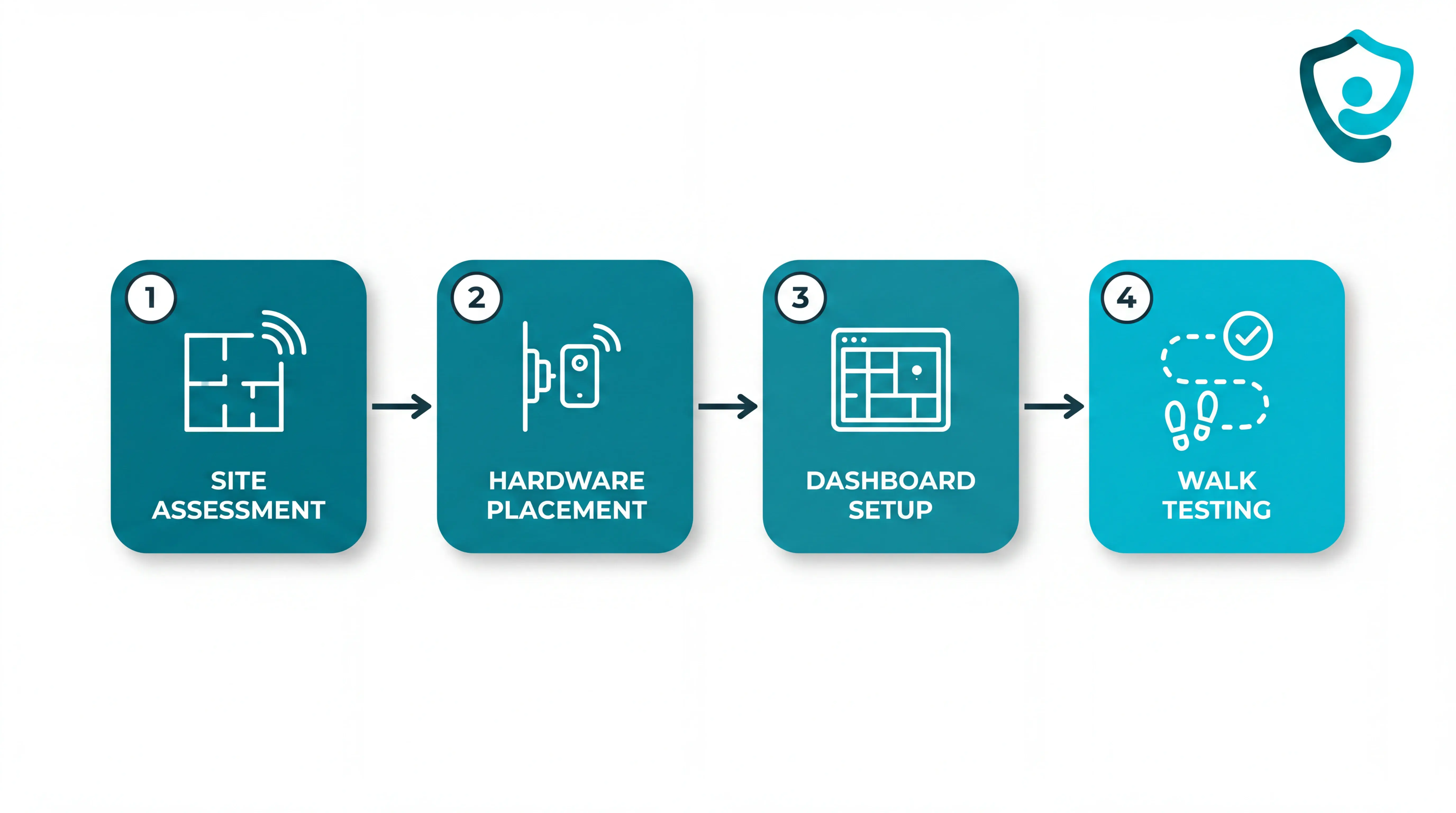
Assess the site and rules first. Check Wi-Fi, cellular, or RF coverage in bedrooms, bathrooms, corridors, lounges, lifts, stairwells, and external doors. Confirm where signal drops happen before deciding sensor locations or escalation routes.
Plan for scale and confirm lone-worker risk requirements where the system will support home care visits.
Place the hardware. Verify the kit against the installation checklist before work starts: sensors, SOS buttons, hubs, cables, mounts, labels, and spares.
Use pre-programmed wireless components where possible, so staff are not waiting on cabling or a long IT project.
Place sensors where the event happens: bed exits beside high-risk beds, door sensors at exit points, motion sensors across the expected route.
Power the hub from a stable outlet, connect it to the modem or network point, then confirm the hub is online before pairing sensors.
Configure the dashboard and floor plan. Digitise the floor plan and name rooms the same way staff use them during handover.
Link each sensor, SOS button, wearable, and hub to a specific room, bed, resident, or zone.
Confirm every connected device shows active status in the dashboard before staff rely on alerts.
Set alert thresholds around resident routines, such as night-time bed exits that last longer than the agreed safe window.
Run walk tests, training, and a phased pilot. Walk each monitored route from the normal entry point and confirm the right alert reaches the right staff device.
Test weak spots: bathrooms, stairwells, external doors, thick walls, and rooms furthest from the hub.
Train staff on device assignment, alert acknowledgement, escalation, dashboard use, and what each alert type means.
Start with a scoped 6 to 8 week pilot on one ward, team, or set of priority beds before rolling the system across the site.
Review pilot data for response times, false-alert patterns, staff feedback, and maintenance load before expanding.
Questions to ask before you buy
Use procurement questions to test the operating model, not just the hardware list. A good answer should show how the system behaves during a busy shift.
Question | Why it matters | What to look for |
|---|---|---|
How many alerts are actionable? | Frequent false alerts create alarm fatigue and slow response to genuine emergencies. | Ask for the ratio of actionable alerts to total alerts per ward, per shift. |
What drives false alerts? | Bed sensors, motion sensors, and wearables all behave differently in real rooms. | Look for adjustable rules by resident, room, time of day, and risk level. |
How do alerts reach staff? | App pushes, SMS, calls, dashboards, and wall panels are noticed differently during night shifts. | Confirm escalation paths, acknowledgement tracking, and backup routing when the first responder does not act. |
Does each alert include location? | Staff lose time when an alarm says something happened but does not name the room or zone. | Look for floor, room, bed, resident, and alert type in the notification. |
Will the system fit daily workflow? | A system that adds extra devices or new habits may fail after installation. | Ask whether alerts reach phones, tablets, or nurse-station screens staff already use. |
What does installation require? | Wireless still needs planning, power, network checks, device pairing, and staff time. | Request a written deployment plan with kit contents, hub placement, sensor mapping, testing, and training. |
What is the full cost over several years? | Hardware-only quotes can hide software, maintenance, training, storage, support, and extra-user charges. | Ask for an itemised multi-year cost covering licences, batteries, diagnostics, integrations, and out-of-hours support. |
What are the contract and exit terms? | Operators need control over resident records and incident history if the supplier relationship ends. | Confirm cancellation terms, data ownership, standard export formats, hardware return rules, and notice periods. |
Ask one final question before signing: can the supplier prove fit in your own care setting?
A scoped 6 to 8 week pilot should define the ward or team, the use cases, the baseline metrics, and the rollout decision criteria. The output should be an impact report, ROI calculation, and clear next step.
If you want to see how those questions play out in one ward, Guardian's pilot is built to answer them with your own data.
How Guardian fits into your wireless emergency call setup
Guardian adds operational context to wireless emergency calls for care homes and home care teams.
Staff see the resident location and responder options. The same workflow records the response for later review.
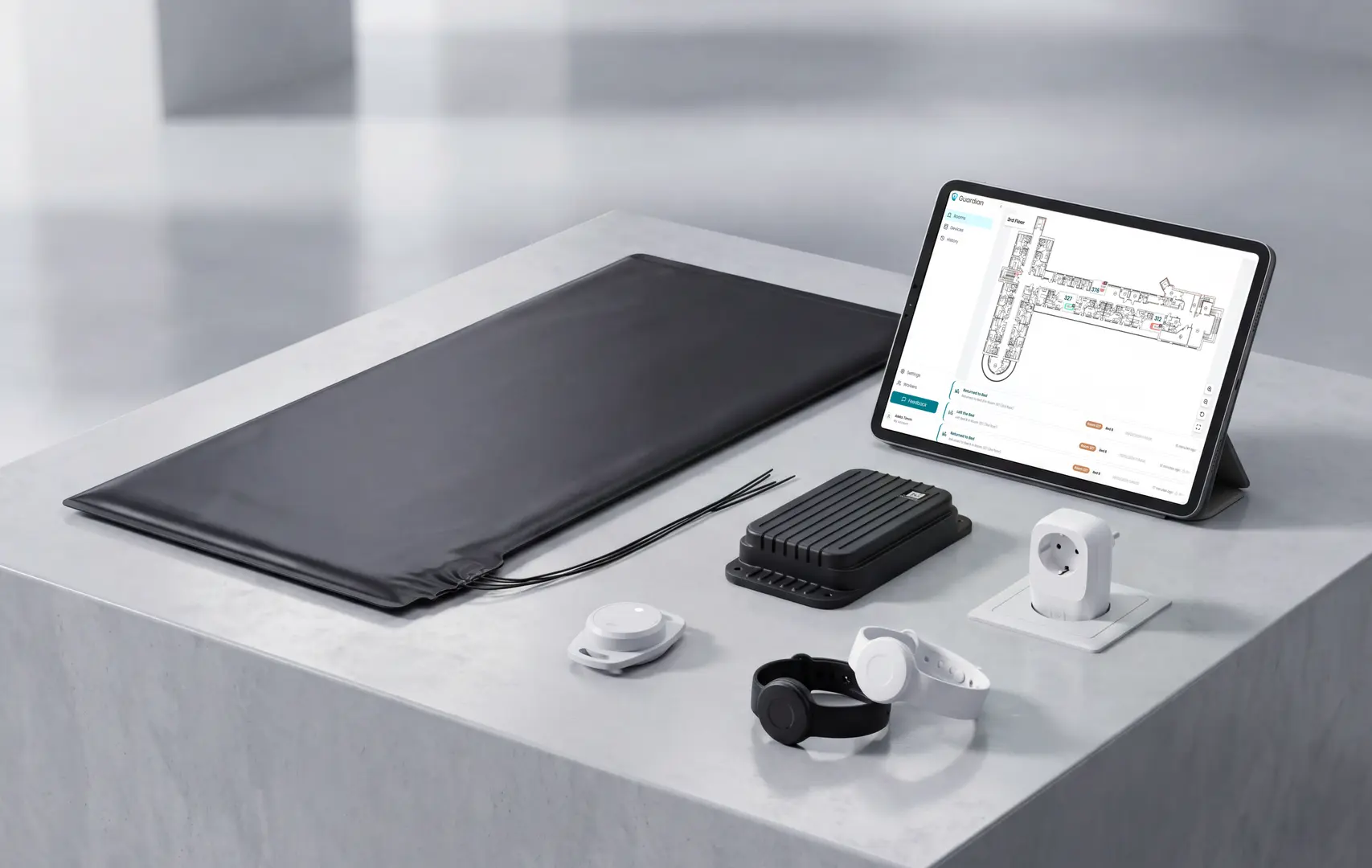
Gap left by standalone setups | What Guardian adds |
|---|---|
Alarm without room or bed context | Alerts show the resident, event type, and location on existing phones, tablets, or nurse station screens. |
No live view for responders | Bed exit, SOS, and safety alerts appear on a digitised floor map or live operations view. |
Privacy risk from video monitoring | Wireless sensors and wearables support residents without cameras in private rooms. |
Weak evidence for rollout | The first week can cover a digitised floor plan and 5 to 10 priority rooms. |
In an Estonia ward pilot, Guardian tracked more than 20 incidents and identified more than €1,000 per month in caregiver-capacity savings. Treat those as pilot results, not a guaranteed outcome.
For external ROI context, research in npj Digital Medicine found early intervention monitoring cut hospital costs by 31% and ambulance calls by 49%.
Pilot length: 6 to 8 weeks on one ward.
Baseline: response times and fall incidents before installation.
Alarm volume: daily alert counts before and during the pilot.
Decision pack: staff feedback and an ROI calculation, with a rollout plan for the next ward.
Use the quoted range as an initial screening number, not a design promise. Basic call-button kits, nurse call models, and mesh systems all publish different open-air ranges.
Open-air figures usually shrink inside a care home once signals meet fire doors, concrete, lifts, and equipment. Test your building before you approve the system.
Before procurement, walk the building with the vendor and test the routes staff actually depend on:
Test concrete corridors with bedroom doors and fire doors closed.
Check fire doors between wings during the live range test.
Check lift lobbies and stairwells for dead spots between floors.
Mark each failed test point on the floor plan, then ask the vendor to retest after adjustment.
The call-button layer can work without facility Wi-Fi when it uses RF signalling. Resident devices send events to a local receiver or base unit.
That local call path can keep working without public internet when the system is designed that way. Ask the vendor to show which connection carries the emergency alert first.
IP-based systems still need planned network coverage when alerts move through a gateway or staff device. Treat network coverage as part of the life-safety design.
Wi-Fi becomes part of the critical path in these cases:
Staff phones or tablets receive mobile app alerts over the facility network.
Wi-Fi-native buttons: the button sends the event over the facility Wi-Fi.
Cloud dashboards need internet access for remote status and manager review.
Plan maintenance around the device class, not one battery promise. Battery life changes by model, alert frequency, radio type, and room conditions.
Use the manufacturer's battery table as the source, then build the replacement schedule by device type:
Pendants and emergency wristbands: accept a multi-year claim only when the vendor table names that exact model.
Wander wristbands and RFID tags: check beacon rate, tag design, and replacement process before rollout.
Wall or handheld call buttons: put them on a scheduled test cycle, then replace batteries to the vendor schedule.
Bed-exit sensors: give high-use rooms closer attention because frequent events shorten battery life.
Do not rely on a paper spreadsheet for battery safety. A central status view should warn staff before a care device stops transmitting.
A wireless nurse call system can be UL 1069 compliant, but the certificate must match the installed configuration. Verify the product line and model numbers before you rely on the claim.
US buyers should check product-level evidence before using a wireless system in a hospital or skilled nursing facility. UK and EU buyers can use UL evidence in due diligence alongside local rules.
UL 1069 is the UL Standards & Engagement standard for hospital signaling and nurse call equipment in US healthcare facilities.
Request the current UL Listing or Intertek ETL record for the exact system.
Check installation conditions because field changes can affect compliance.
Do not rely on brochure wording alone. Review the vendor's product-level listing record and match it to the hardware, software, and installation conditions your contractor will use.
Ask for evidence in this order:
Which hardware models and software versions are listed?
Does the certificate name UL 1069, UL 2560, or both?
The system scope: Confirm whether the complete installed system is covered, or only selected hardware components.
What installation conditions must your contractor follow for the listing to remain valid?
For UK homes, how will the evidence support CQC expectations and local risk assessments?
Treat UL 1069 compliance as a document check. A usable claim has a listing record your compliance lead can match to the installed system.

Author
Aleks Timm
Aleks Timm leads Guardian and builds privacy-first operations technology for care homes and home care providers. Teams get location-aware alerts they can act on, clearer situational awareness, and measured insight into how care work actually runs.
Read MoreRecommended reads
Keep reading
Wander Guard System: How It Works, Types, and Costs
Wander guard system guide: reduce missed exits, speed staff response, and keep cleaner resident records for care homes and memory...
Read more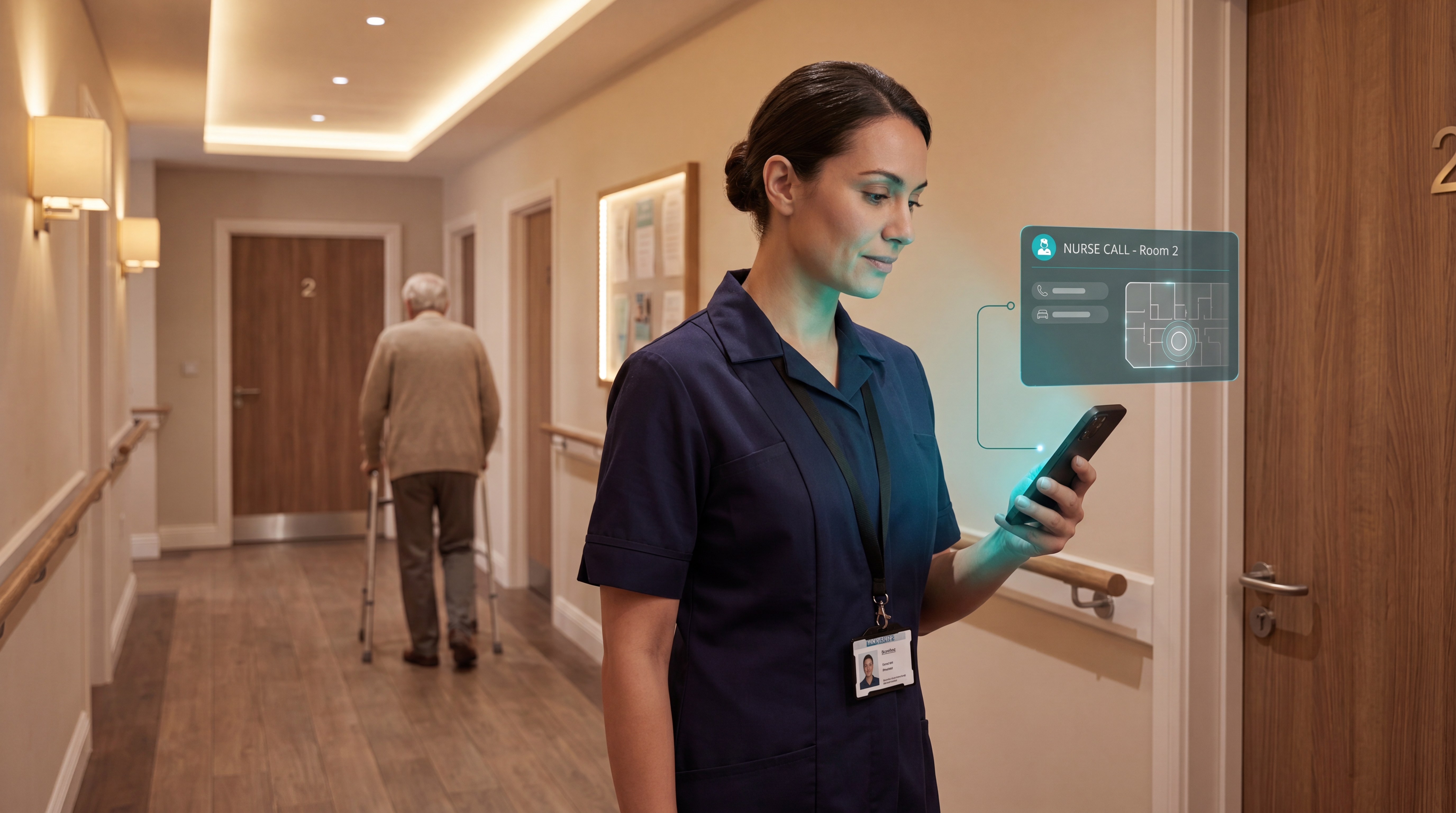
Smart Nurse Call Systems for Care Homes and Home Care Providers
Smart nurse call systems for care homes and home care providers: compare features, improve response times, and choose the right...
Read more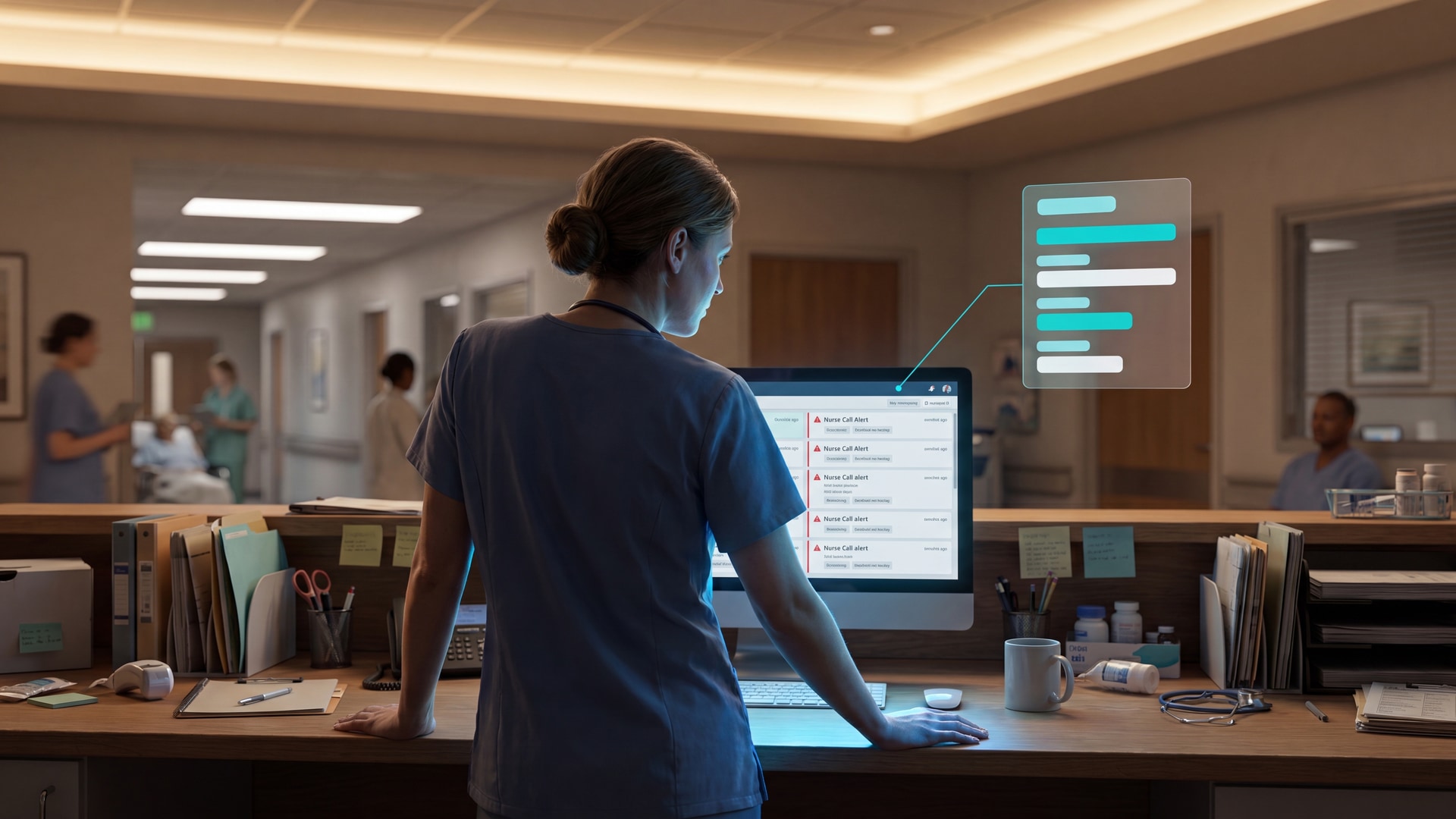
10 Best Nurse Call System Suppliers for Care Facilities
Explore the best nurse call system suppliers and care operations monitoring platforms to boost response, compliance, and care...
Read more