

Motion Sensors for Elderly Safety and Fall Prevention
In this article
At 2:14 a.m., a resident gets out of bed without pressing a call button. The night round is still two rooms away.
By the time staff find them, the record is thin: when did they stand, which route did they take, and how long were they alone?
Motion sensors help most when they turn silent movement into an earlier, cleaner signal.
This guide explains what motion sensors detect, where a movement sensor alarm helps, and where it needs support from other checks, without using cameras in residents' rooms.
If you run a care home or home care team and want to move from single-sensor alerts to a full operations view, Guardian's 6-8 week pilot is the place to start. Try it now
What motion sensors actually do (and what they don't)
Motion sensors detect movement and stillness in a defined area, then flag changes that may need staff attention.
A motion sensor sends a motion-present or motion-absent signal. It records no video, images, or audio.
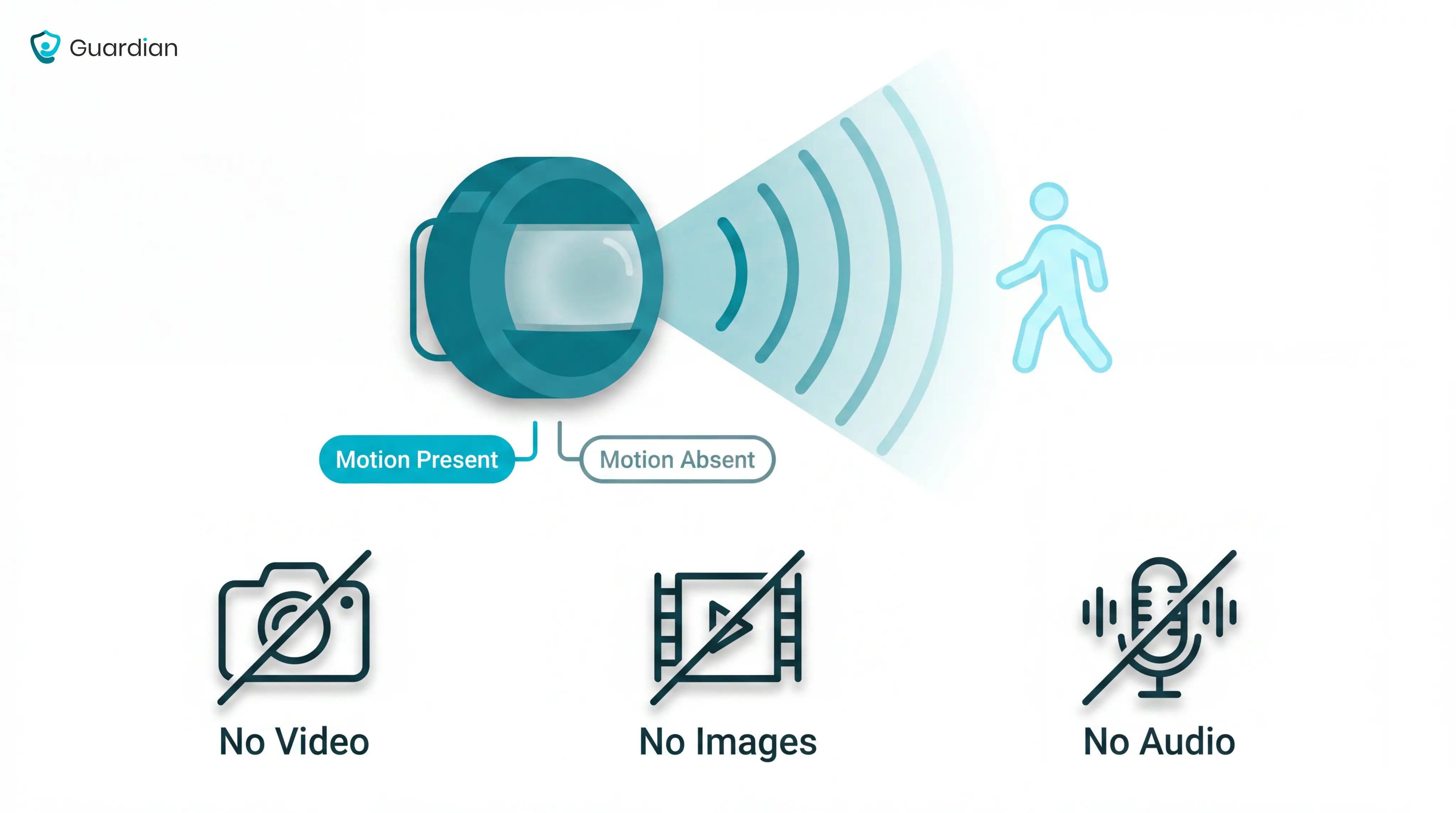
Over time, those signals build a simple activity pattern. If movement appears at an unusual time, or no movement appears when a resident is usually up, the system can trigger an alert.
That makes motion sensors useful for bed exits, hallway movement, bathroom routes, and door monitoring. They give staff a prompt to check, not a full explanation of what happened.
Key limits to understand before buying:
They cannot identify every person. In a shared room, a basic sensor may know that someone moved, not which resident or carer moved.
They cannot explain intent or cause. Movement could mean a carer visit, a resident pacing, a trip to the toilet, or a fall nearby.
They can create alarm fatigue. If alerts fire too often or at the wrong threshold, staff may start treating them as background noise.
They do not replace manual calls. A resident who can press an SOS button still needs that option, especially when they can explain what happened.
Common use cases: where motion sensors help most
Motion sensors help most when a resident moves at the wrong time, takes an unsafe route, or does not return when expected.
They are strongest around three practical risks: bed exits, exit doors, and night-time routes to bathrooms, stairs, or corridors.
Bed exits and nighttime movement
Bed exits matter because risk rises when staffing is thinnest. Night movement often happens in low light, before a resident has a walking aid or staff support.
The World Health Organization reports that adults over 60 suffer the greatest number of fatal falls. Treat bed exits as a high-priority alert, not just a routine movement event.
A bed exit alert gives staff a chance to respond before the resident reaches the bathroom, corridor, or stairs.
Early warning: movement near the bed or room entrance can trigger an alert as soon as the resident gets up.
Better rounds: staff can prioritise the resident who is already moving, rather than checking rooms in a fixed order.
Cleaner records: each alert creates a time-stamped event, so managers can review response patterns after the shift.
Wandering and exit door monitoring
Exit monitoring is useful when a resident may leave a safe area without recognising the risk.
The alert is not just “a door opened.” It should help staff understand whether someone left at an unusual time, failed to return, or moved toward an area that needs supervision.
Night-time exits: staff can be notified when an external door opens outside normal routines.
Dementia support: alerts give caregivers a chance to redirect a resident before they reach a car park, road, or unlocked gate.
Return checks: a door event can be reviewed against later movement, so staff know whether the person came back inside.
Hallway, stair, and bathroom route monitoring
Many falls happen on the route, not at the starting point. The highest-risk moments are often the short trips between bed, bathroom, corridor, and stairs.
Route monitoring helps staff spot when movement stops where it should not.
Bathroom delays: if someone enters the bathroom and no return movement follows, staff can check before the next routine round.
Stair risk: movement near stairs at night can be treated as higher priority than ordinary room activity.
Corridor context: mapped sensors can name the corridor segment, bathroom, or room where movement stopped.
Less guesswork: staff know where to go first, rather than searching the whole floor after a vague alarm.
Types of motion sensor systems
Choose the system by alert route, not by sensor label. In a care home, the key question is who receives the alert and what they can do next.
The alert-route nurse call guide shows how wired, wireless, and hybrid setups carry those responsibilities.
Standalone audible alarms
A standalone audible alarm sounds at the point of detection. Treat it as a local prompt, not a ward monitoring system.
Use only when: a staff member is already assigned to the immediate area.
Treat the alarm as temporary cover for a known risk, then review whether that risk needs routed alerts.
Common mistake: placing a loud alarm in a resident room can startle the resident and wake others, while still failing to reach staff.
Move a resident into a routed workflow with named responders when the same local alarm triggers repeatedly.
Motion sensor with caregiver pager
With a pager system, the sensor sends a signal to a portable receiver on the caregiver's belt or pocket. This closes the gap between alarm and response.
Before rollout: test receiver range across the full shift route, including staff areas with closed doors.
Best fit: one named responder covers a small number of rooms and can hand over the receiver at shift change.
The limitation is ownership. A pager that beeps for everyone quickly becomes an alert that no one owns.
Common mistake: adding extra receivers without setting escalation rules.
Decide the first responder and backup before the pager goes live.
Expandable and app-connected systems
Expandable systems connect multiple sensor types to an app or hub. For care operators, the value is context: staff see where an alert came from and what changed.
Start with mapping: link every sensor to a specific location before alerts go live.
Route by role: send alerts to the staff member who can act during that shift, with a backup route for busy periods.
Use exception alerts: notify staff when activity breaks a normal routine, rather than reporting every movement.
Prioritise the highest-risk rooms: add more sensors only when each extra alert has a clear owner and response rule.
Expand by risk: add a new sensor only when it answers a named care question.
Do not connect every available device just because the hub allows it. Extra signals increase workload unless routing is clear.
Before rollout, document three rules:
Thresholds: which events create an alert
Ownership: who responds on each shift
Review: when noisy alerts get changed
Motion sensors vs other monitoring options
Choose monitoring around the risk window first. Then check whether the resident can participate and what privacy standard your care home must meet.
Monitoring option | What it detects | Privacy impact | Key limitation |
|---|---|---|---|
Motion sensor | Movement or unusual stillness | Low: no video | Shared spaces can blur identity |
Camera | Visible activity | High: records private spaces | Poor fit for bedrooms, bathrooms |
Bed exit sensor | Leaving the bed | Low: pressure or infrared | Covers one moment only |
Wearable | Falls or SOS press | Low: no video | Depends on consistent wearing |
Door sensor | Opening or closing | Low: no video | Misses room-level movement |
Fixed SOS button | Resident emergency press | Low: no passive monitoring | Needs resident to act |
Operational verdict: Start with passive, non-video signals for bedrooms and bathrooms.
Use cameras only where governance is clear and the space is appropriate.
Use resident-action alert tools only when participation is realistic:
Wearables: The resident must keep the device on and charged.
Fixed SOS buttons: The resident must reach the button during stress or after a fall.
Passive sensors: The system still watches when the resident forgets a device or cannot press.
Bed exit sensors are useful for one risk moment: the resident leaving bed. They do not show what happens once the resident is moving.
Use the buying criteria below to test three operator decisions:
Alert route: who receives the alert and who backs them up
Privacy level: what the system detects without recording private care
Escalation process: what happens when the first responder is busy
What to look for before buying
The best system is not the one with the longest feature list. It is the one staff trust, residents tolerate, and managers can use when something needs to be proved later.
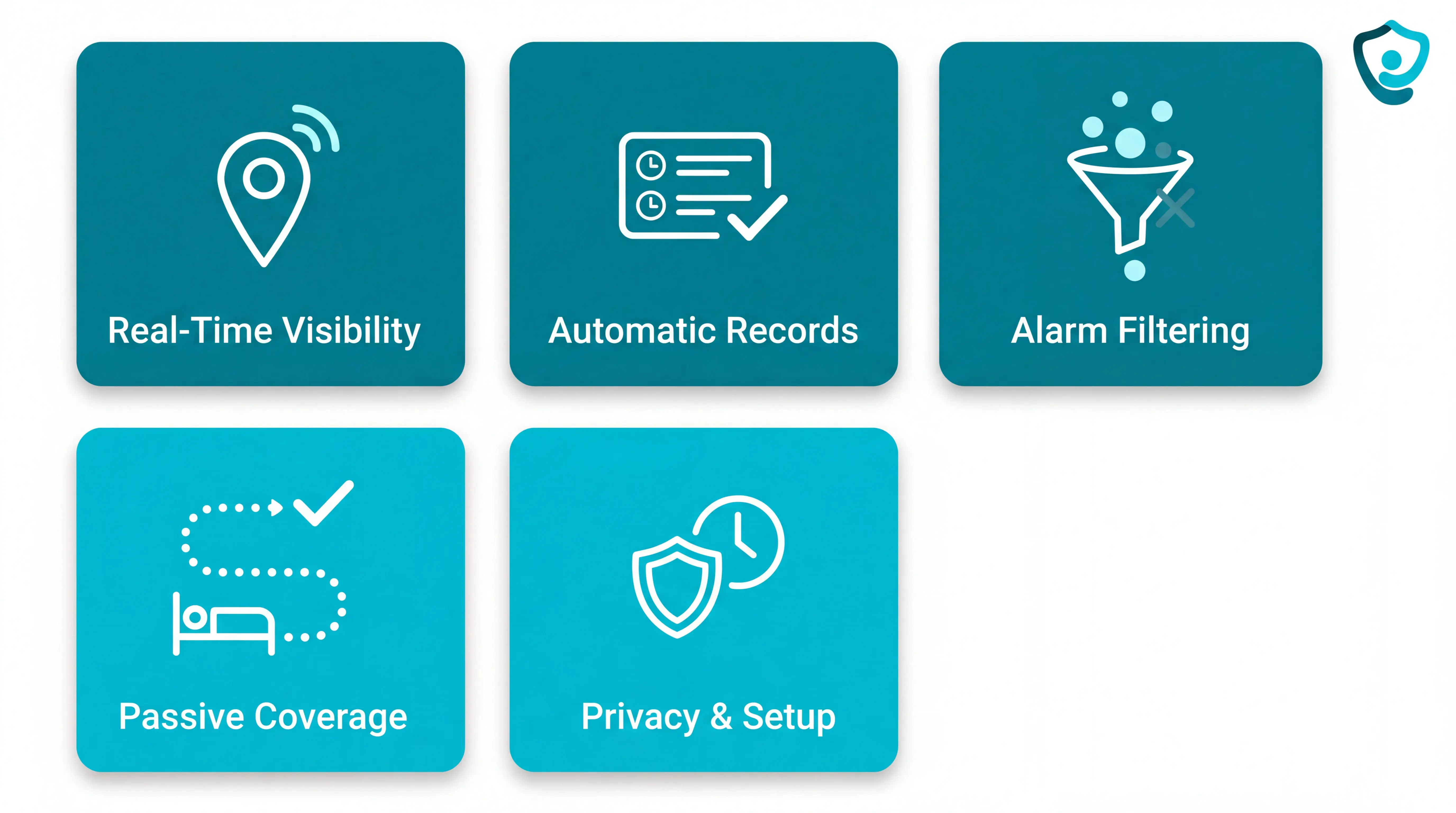
Before buying, assess five practical criteria:
Real-time visibility: look for alerts that show what happened, where it happened, and who owns the next step. Set your own response-time target for high-risk alerts and ask vendors what live installations show.
Automatic incident records: choose a portal that logs alert, acknowledgement, and response timestamps. That audit trail gives managers the evidence families and inspectors increasingly ask for.
False alarm filtering: check for time-based, threshold, and routine-based rules. Ask for alarm-frequency data from real deployments, not demos.
Passive coverage and workflow fit: press-button alarms depend on the resident recognising the problem, reaching the device, and acting. For high-risk residents, require coverage from first movement to return check, with a named first responder and backup.
Privacy, installation, and maintenance: check consent, access permissions, data retention, battery ownership, and setup time. Use about a week as a benchmark for a wireless first-ward setup; anything longer needs a clear reason.
If your main need is billing, payroll, or Medicare claims processing, a care management or back-office platform may be a better fit than a safety monitoring system. Match the tool to the operational gap you are actually trying to close.
For vendor-level choices, the operational senior monitoring comparison sorts systems by setting, workflow, and records.
How to place and set up a movement sensor alarm
Set up every movement sensor in the same order: place it for the risk zone, run a walk test, then confirm it shows active in the dashboard.
Battery-powered sensors give you more freedom because you can test the best position before fixing them in place. Plug-outlet sensors are simpler to power, but the socket often decides the position, not the resident's route.
Use this setup sequence before relying on alerts:
Choose the risk zone: bed exit, doorway, hallway junction, or route to the bathroom.
Place for the first movement: aim the sensor where the resident first enters the monitored area.
Run a walk test: enter from the normal direction and check that the alert fires where staff need it.
Check the dashboard: make sure every sensor shows active before the system goes live.
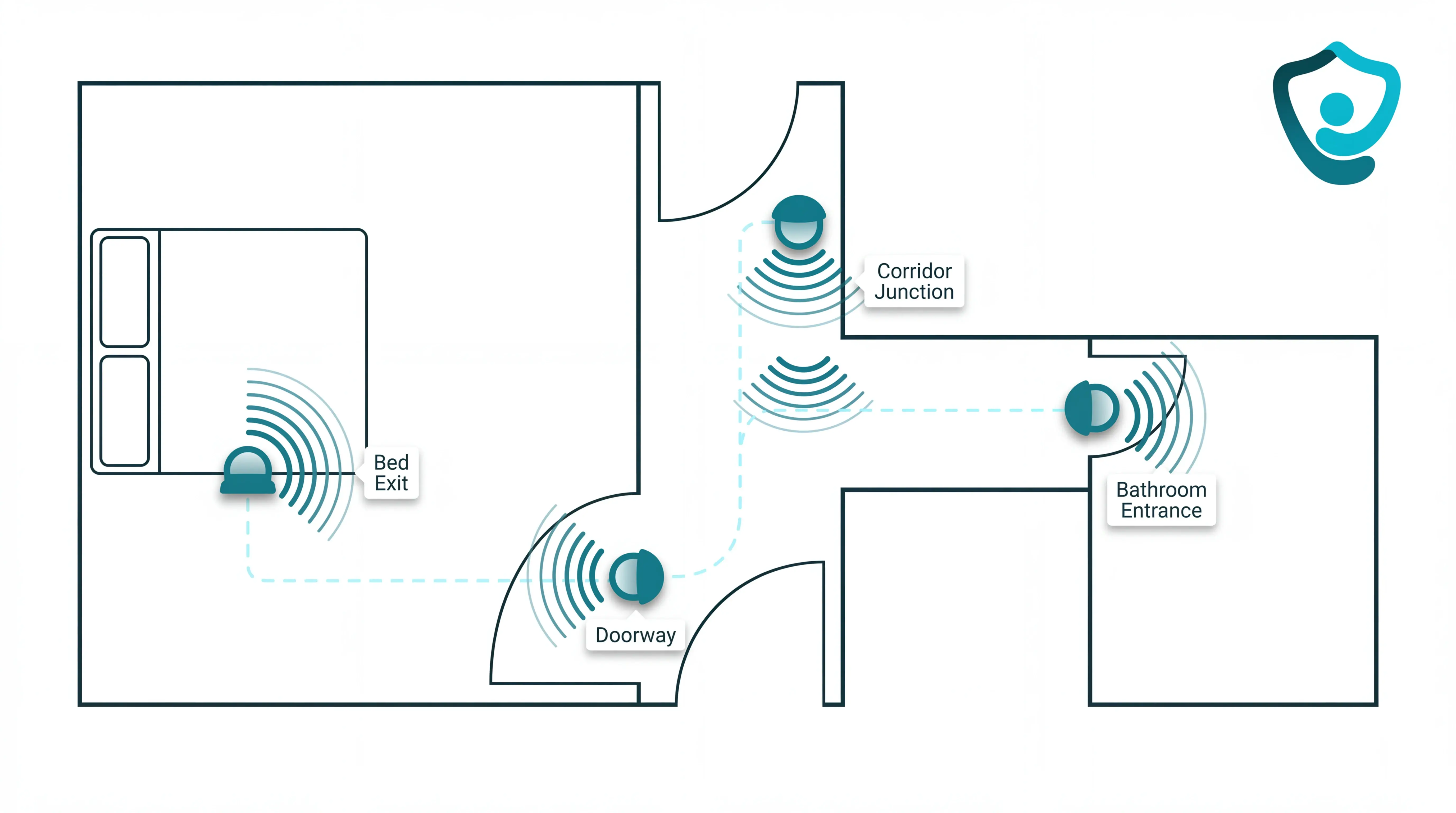
If the walk test misses the first movement, move the sensor before changing the care routine. The right placement should match how the person actually moves through the room.
Battery-powered deployments raise routing questions too; the cable-free nurse call comparison separates pager, display, and app models.
Positioning for bed exits
Start with bed exit placement if you are monitoring residents at higher risk overnight.
Place the bed exit sensor for the moment the resident starts to leave the bed, not for the middle of the room.
Use this checklist:
Side of bed: place the sensor on the side the resident normally uses to stand.
Door-side angle: angle it so movement from bed toward the door crosses the detection zone.
Landing area: cover the floor zone where the resident's feet first touch down.
Mounting point: avoid placing it above the bed head, because that can delay the signal until the resident has already moved further.
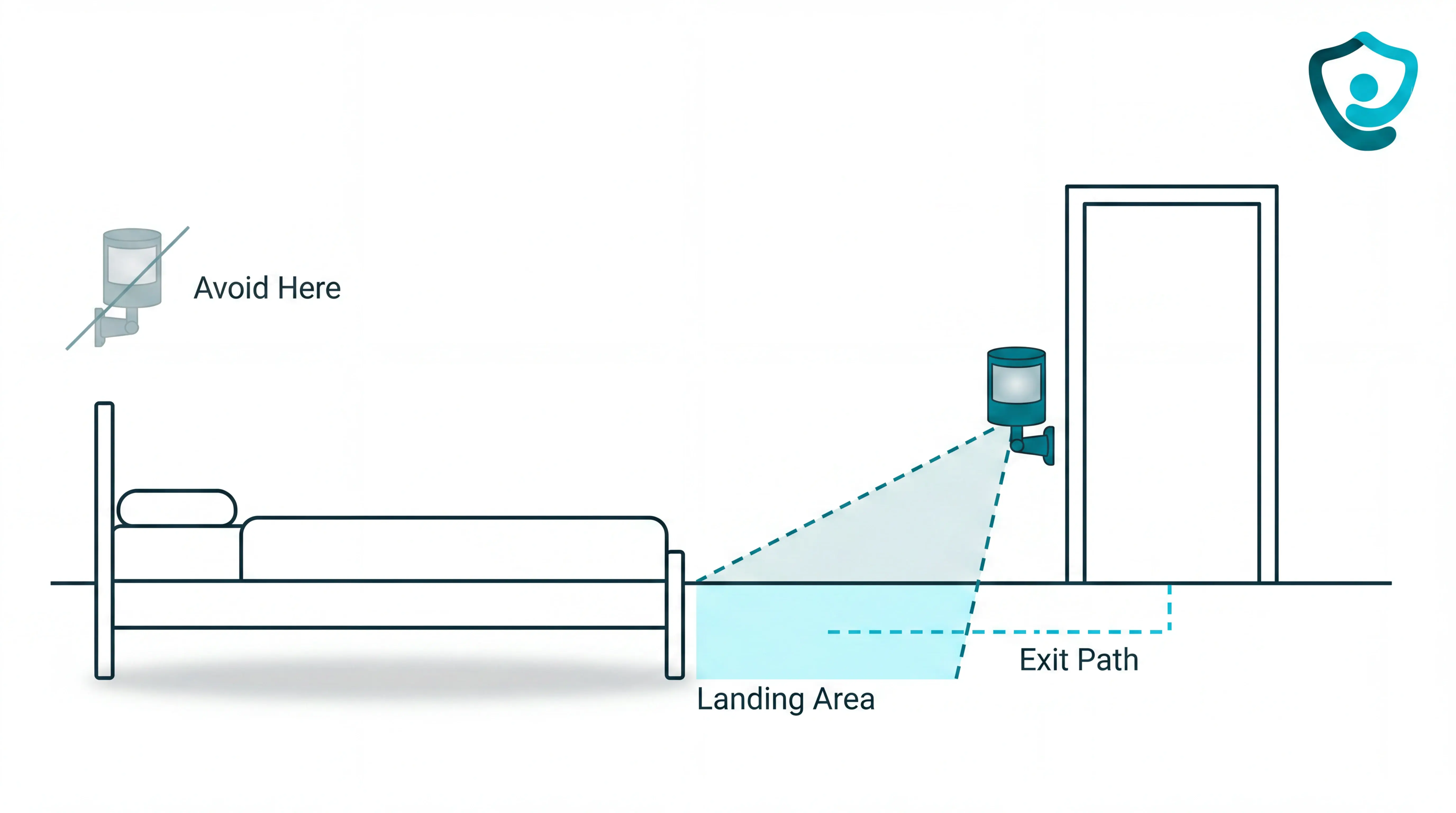
Test the exact exit path staff worry about. Sit on the bed edge, stand, take the first step, then walk toward the door and confirm the alert fires early enough to act.
Run the same test under the conditions staff rely on during night rounds. If the room is usually dim at 2 a.m., test it that way rather than only testing in daytime setup conditions.
Doorway and hallway placement
For doorways, mount the sensor on the interior face of the frame so it detects someone entering the room first. The goal is to catch the movement that matters, not every person passing along the corridor.
For hallways, think in routes rather than full corridor coverage.
Check these positions first:
Room entrances: above the interior side of the door opening.
Corridor junctions: where residents turn toward bedrooms, bathrooms, stairs, or exits.
Known night routes: the path staff already monitor during rounds.
Trial placements: temporary positions for battery-powered units before final fixing.
After placement, walk the corridor from each entry point and enter each monitored room as a resident would. If one route does not trigger cleanly, reposition the sensor and repeat the walk test.
Finish by checking the dashboard. Doorway and hallway sensors should show active before managers depend on them for alerts or incident records.
Avoiding false alarms: pets, vents, and angle
False alarms usually come from three setup problems: pets crossing the sensor field, warm air moving through a PIR detection cone, or an angle that covers too much room.
Pets in the sensor field
Cause: A pet can trigger a PIR sensor when the animal moves through the same heat-detection cone as a person.
Change: Mount the PIR sensor above typical pet movement and angle the sensor downward, then check any pet-immune rating in the datasheet.
Verify: Keep shelves, sofas, and cabinets out of the detection path, because a cat at sensor height can look like human-height movement.
Vents, radiators, and sunlight
Cause: PIR sensors detect infrared heat changes, so warm air from a forced-air vent can look like movement.
Change: Move the sensor so vents, radiators, and south-facing windows sit outside the detection cone.
Verify: If the sensor cannot move, lower sensitivity one level and test whether genuine movement still triggers an alert.
Detection angle
A sensor aimed too broadly catches routine activity. A sensor aimed too narrowly leaves blind spots.
Aim at the expected path, such as a doorway, bed exit route, or corridor line. Run a walk test from the main entrance at normal pace, then repeat from the bed, bathroom, and doorway before relying on alerts.
Privacy, dignity, and talking to the person you care for
Treat monitoring as a care-plan decision rather than a gadget install.
Before installation, set the privacy record:
Standard: align with NICE NG97, Mental Capacity Act principles, and Alzheimer's Society guidance.
Risk: name the fall, wandering, or night-time pattern the sensor covers.
Location: record the room route, en-suite doorway, corridor, or external exit.
Access: state which staff role receives alerts and when relatives are told.
Review date: agree when placement and alert thresholds will be checked.
Use one script across resident reviews and handovers:
“Will the sensors disturb me?” Camera-free motion and door sensors run silently. Basic activity monitoring does not require the resident to wear or charge a device.
“What if the resident refuses?” Treat refusal as a care decision. Respect the decision when the resident has capacity, and consider a hallway route instead of bedroom monitoring.
“Is this a camera?” Passive sensors detect movement or contact events only. No identifiable images, video, or audio are recorded, which is the right default for bedrooms and en-suites.
“Who sees the data?” Use role-based accounts and ban shared logins. Relatives should see only the information agreed in the care plan.
For operators, the test is simple: can staff explain the sensor without making the resident feel watched? Fix the deployment plan before installing when the answer is no.
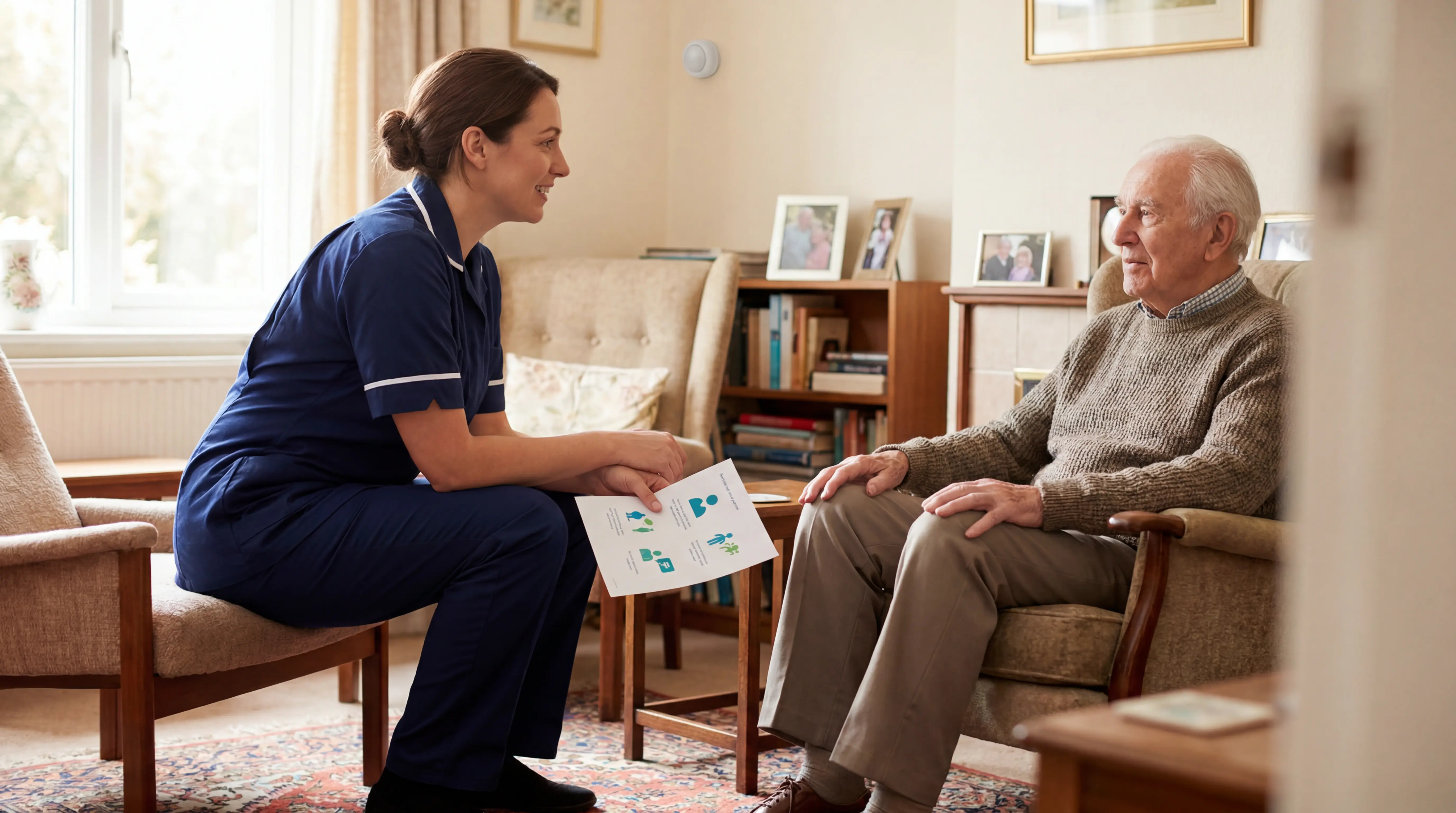
Build the explanation into induction and handover. The same wording should be used by:
Night carers
Deputy managers
Registered managers
When a motion detector alarm isn't enough
A single motion detector is enough only when the care question is binary: movement happened, or no movement happened.
Use this decision rule before buying more standalone alarms. For dementia cases, use NICE NG97 and the person's care plan as guardrails for personalised risk planning.
After a fall: Escalate when the resident cannot reliably call for help. A sensor plan should cover the route where falls are likely, such as the bed-to-bathroom path.
For dementia wandering: Escalate when staff need route history after a night-time door event. The record should show whether the resident returned to bed or kept moving.
For door events: Escalate when timing matters, such as an external door held open at 2 a.m. Contact sensors show which door opened and when.
For alert fatigue: Treat repeated false alerts as a safety risk. Cvach's 2012 review found 72% to 99% of clinical alarms were false; care homes should tune thresholds around each resident's routine.
Run the escalation as a measured pilot:
Baseline for 4 weeks: record falls, night checks, exit-door alerts, false alarms, and average acknowledgement time.
Pilot for 6-8 weeks: add bed, room, door, or hallway sensors for the highest-risk residents.
Compare the results: keep the plan only if alerts drop, context improves, or staff reach residents faster.
Where Guardian fits when a single sensor isn't enough
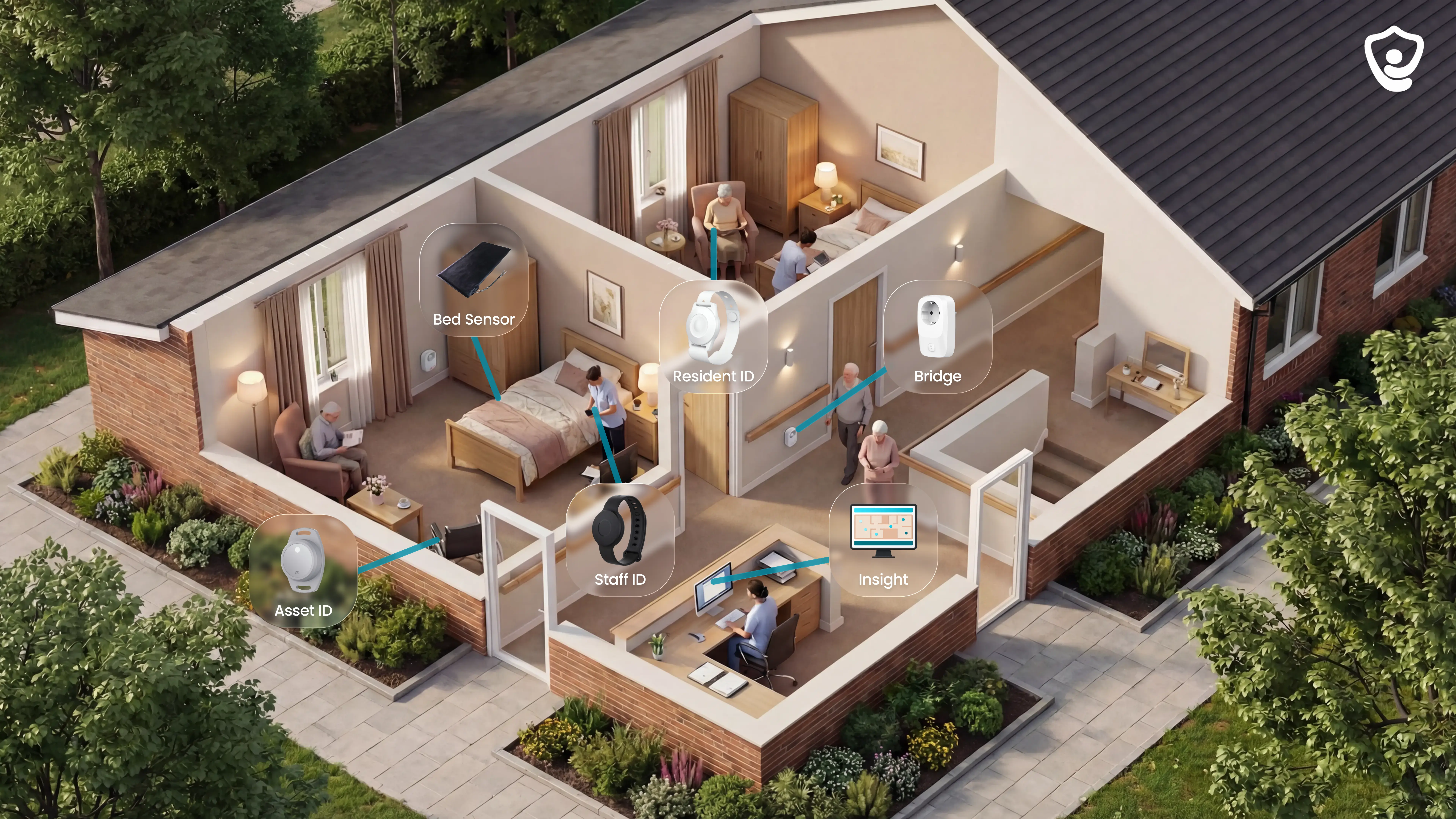
A single motion sensor records one event. Guardian is built for the gap between alerts and operations records: it combines camera-free wireless sensors with Guardian Insight, so staff see the event, location, and record together.
Multi-sensor coverage
Use Guardian when one alert needs context from several signals:
Bed exit plus motion: know when a resident leaves bed, then whether they move through the room or hallway.
Door plus motion: spot exit risk and understand whether movement followed.
SOS plus passive sensing: give residents a direct help button, with automatic backup when they cannot press it.
Ambient sensors: notice changes in routine without cameras, including fridge or stove activity.
Room-level alerts, not generic notifications
Guardian Insight maps alerts to your facility floor plan. Staff see the resident, room, and event type, rather than a vague alarm that sends everyone searching.
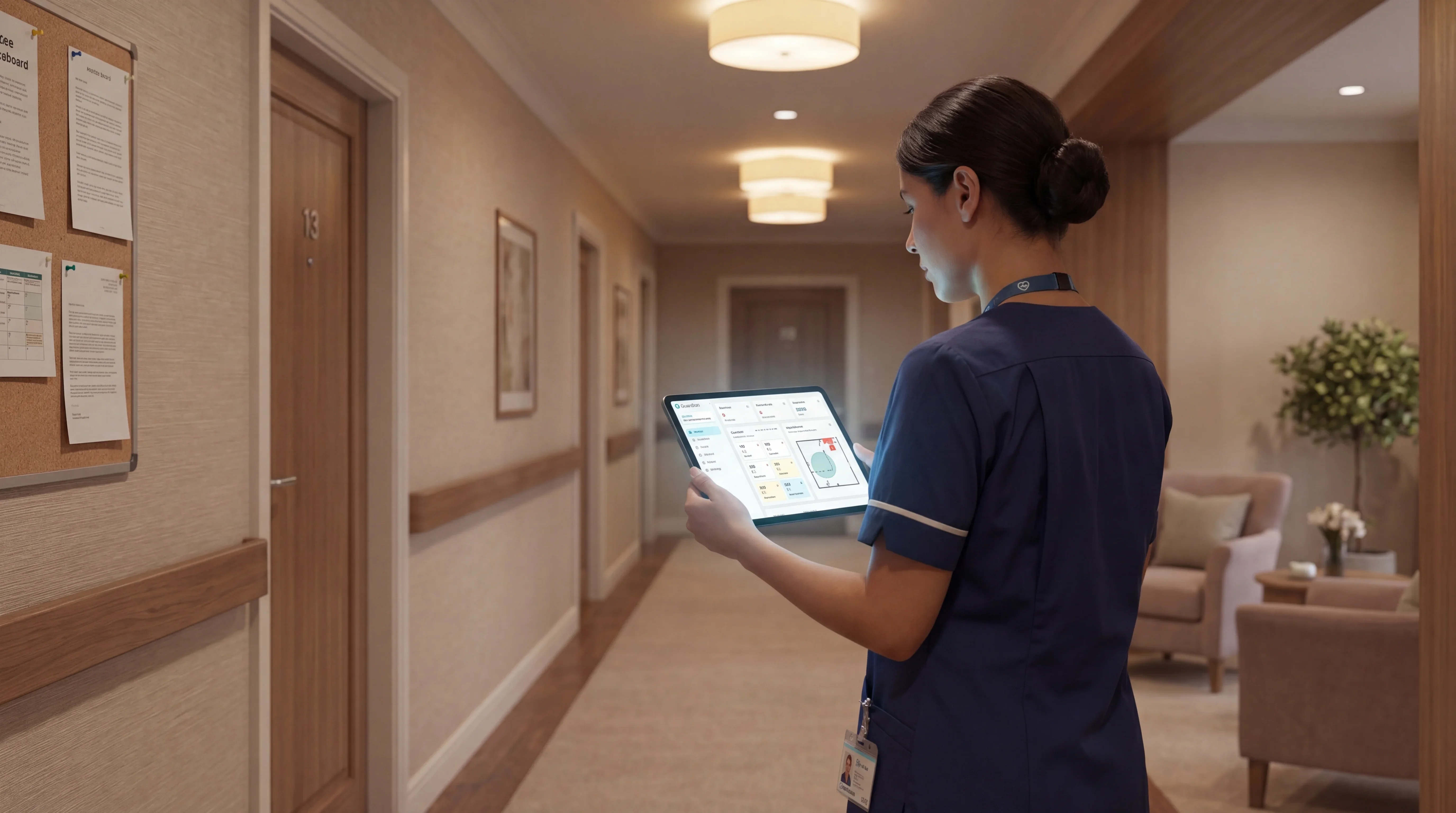
This matters at night, during handover, and on high-risk corridors. The alert tells staff where to go and why.
Smart rules reduce noise
Guardian filters alerts by rule, so caregivers respond to exceptions, not every sensor ping. Smart rules can roughly halve unnecessary alerts when thresholds match the care plan.
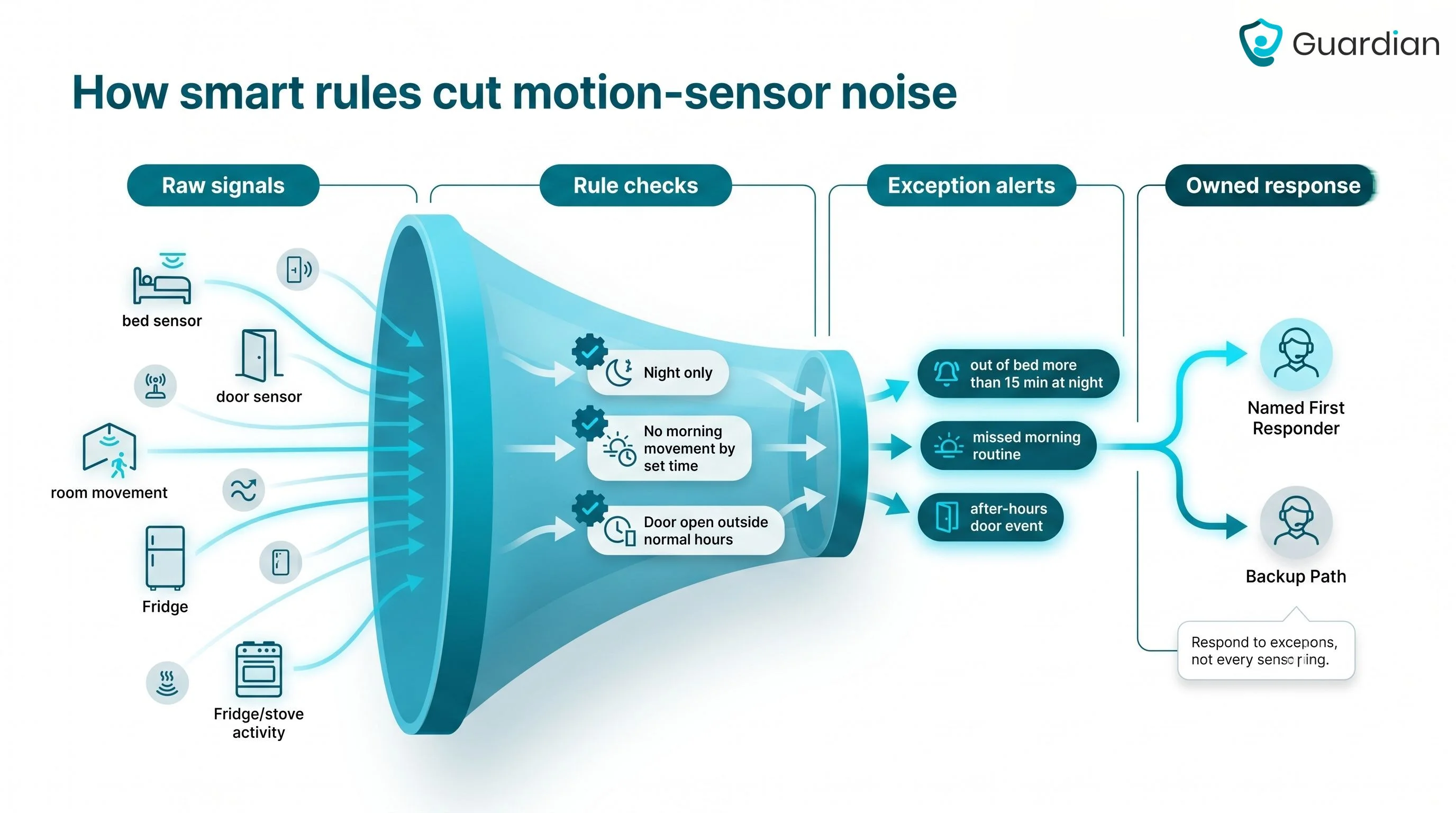
Example rules:
Out of bed for more than 15 minutes at night
No morning movement by a set time
Door open outside normal hours
Pilot first, then rollout plan
Guardian starts with one ward, home, or team. The pilot runs for 6-8 weeks, with wireless setup and no cabling, drilling, pagers, or camera installation.
You receive a written impact report with response times, visit verification, alert quality, and a clear ROI calculation.
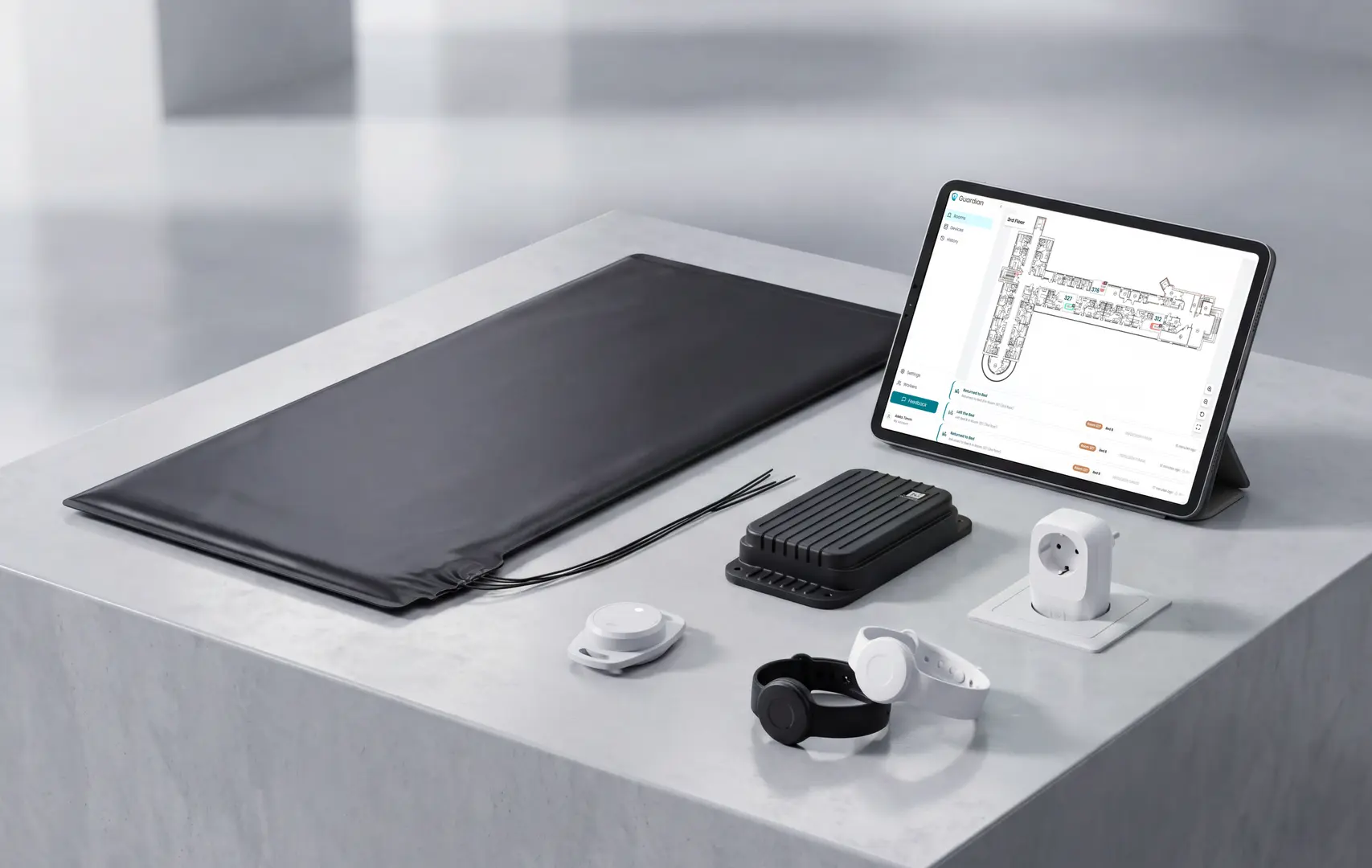
Care operators should monitor routines rather than watch video for residents or clients who live alone. The system should flag meaningful changes and route alerts to the responsible team.
Set a baseline: define expected sleep and daytime activity for each resident, so alerts are measured against their usual routine.
Use thresholds: trigger an alert when a resident misses an expected routine within the agreed care window.
Choose the alert route: send notifications to the on-duty team first, then family or an external monitoring team when the care plan requires escalation.
Keep monitoring camera-free: use motion, door, and bed sensors to show safety patterns without recording private video.
Motion sensors can support dementia care when rules are built around wandering risk, missed routines, and passive alerts. They should supplement staff checks and documented care plans.
Detect exits early: door and property sensors can alert the care team when a resident leaves or tries to leave.
Track non-return: wander management systems can flag when a resident leaves a defined area and does not return within the expected time.
Avoid button dependency: passive alerts help when a resident forgets, removes a wearable, or cannot press a pendant.
Reduce false alarms: routine-based rules are more useful than alerting on every movement, especially when sleep patterns are irregular.
Yes. App-connected or monitored motion sensor systems can send phone alerts to care staff when movement, inactivity, or door events match an alert rule.
Push notifications: staff can receive an alert when movement, inactivity, or a door event falls outside the care plan.
Escalation calls: monitored services can use phone calls for higher-risk events because calls are harder to miss than app alerts.
Dashboard view: apps or web portals can show daily patterns for a resident, not only the latest alarm.
Smart rules: time windows and delay thresholds help reduce repeat notifications and alert fatigue.
Battery life depends on device type, trigger frequency, wireless signal, and how often the sensor reports to the hub. Treat manufacturer ratings as planning inputs, then verify battery status inside the live system.
Wearable SOS pendants: check the published device rating, but assign a named owner for charging or replacement checks.
Wander management tags: confirm whether the tag is sealed, replaceable, or rechargeable before rollout.
Bed exit and motion sensors: high-use locations need more frequent battery checks because routine movement creates more transmissions.
Guardian sensors: the Portal shows battery status for each sensor on the facility floor plan, so staff can find weak batteries before coverage drops.
The final rollout check is simple: every monitored room needs visible maintenance after installation.

Author
Aleks Timm
Aleks Timm leads Guardian and builds privacy-first operations technology for care homes and home care providers. Teams get location-aware alerts they can act on, clearer situational awareness, and measured insight into how care work actually runs.
Read MoreRecommended reads
Keep reading
Remote patient monitoring: a complete guide
Remote patient monitoring: the complete guide to sensors, benefits, and buying tips for safer care homes and better resident...
Read more
Smart Nurse Call Systems for Care Homes and Home Care Providers
Smart nurse call systems for care homes and home care providers: compare features, improve response times, and choose the right...
Read more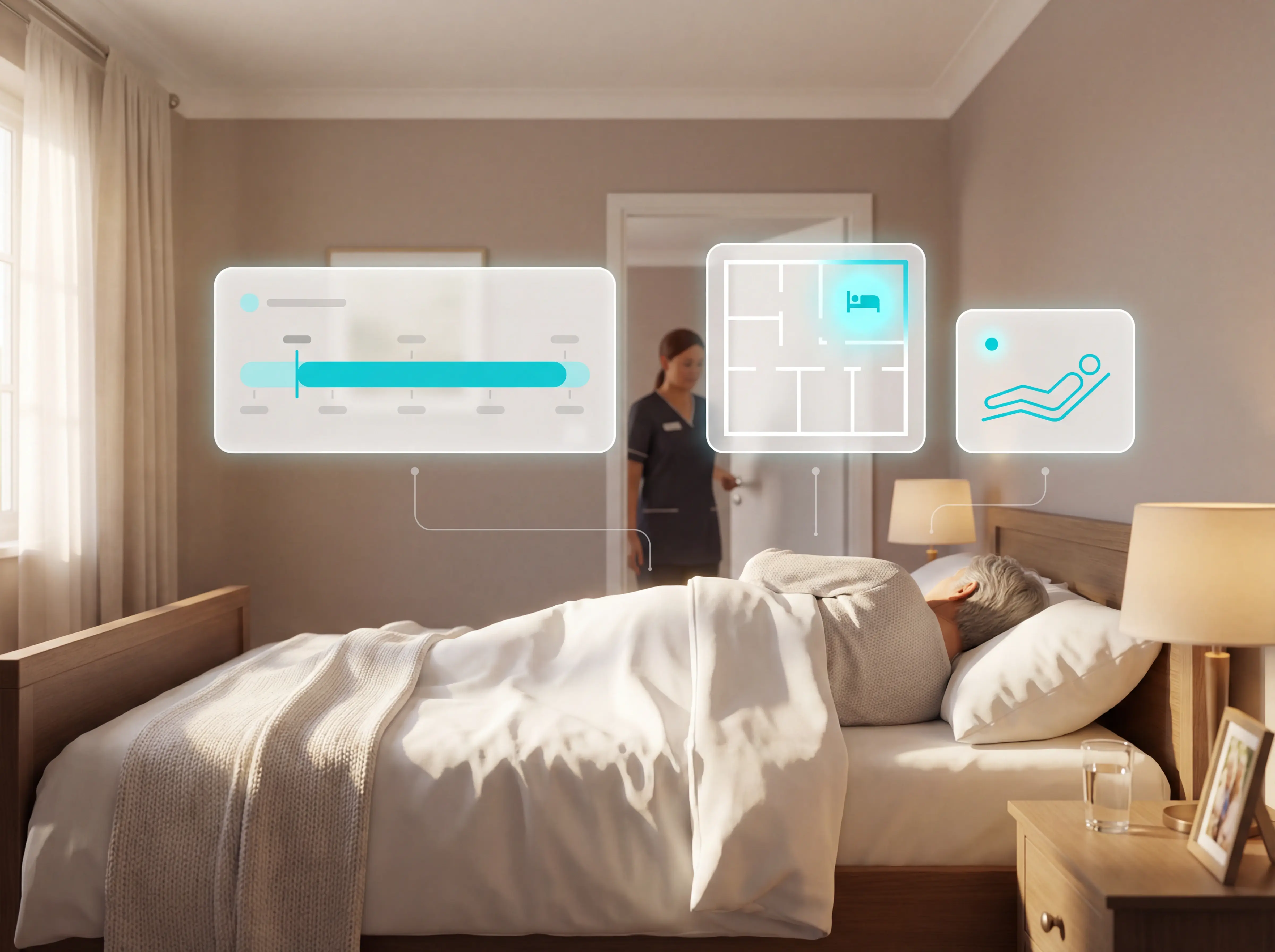
Patient bed alarms for elderly & hospital care
Patient bed alarms help prevent falls in elderly and hospital care. Compare alarm types, choose the right sensor, and protect...
Read more