

9 Best Call Bell Systems for Elderly Home Care
In this article
Call bells depend on the resident pressing a button. The gap is manual activation: falls and medical events can happen when the resident is hurt, unconscious, or the pendant is sitting on the nightstand.
Care homes and home care teams judge call bells on two things: passing inspection and responding fast. Alerts need location context, usable records, and fewer false alarms for staff.
This guide compares nine call bell systems, from basic wireless pagers to monitored platforms, by alert path, range, setup needs, and home-care reliability.
The main test is practical: can staff or caregivers see where help is needed, and can the system catch events a manual button misses?
Running a ward or a fleet? Guardian is built for alerts with room-level location and automatic records. Request a pilot.
Quick answer: start with a wireless caregiver pager
Start with a pager when the caregiver is elsewhere in the home. Add monitored or sensor-supported coverage when alerts must reach outside the house or cover missed button presses.
The resident keeps the button on a wristband, pendant, or bedside point. The caregiver carries a receiver or uses a plug-in receiver that chimes, flashes, or vibrates.
A pager button stops working the moment the resident cannot use it. Manual alerts fail if the person is unconscious, immobile, forgets to wear the device, or cannot press it after a fall or sudden medical event.
Passive sensors cover the gap left by manual buttons. Guardian adds motion, bed-exit, and SOS coverage in one system, so monitoring extends beyond one button press.
Which type do you need?
Choose the category by caregiver location and alert trigger. A nearby bell covers earshot; pagers cover the same home; monitored or sensor-supported systems cover remote response and missed presses.
Type | Best when | Typical limitation |
|---|---|---|
Nearby bell | Caregiver is within hearing distance | No remote alerting |
Wireless caregiver pager | Caregiver is elsewhere in the same home | Range depends on walls and floors |
Wi-Fi or monitored alert | Caregiver is away from home | Setup can be more involved |
Pager plus sensors | Fall or wandering risk is part of the problem | More hardware to place and test |
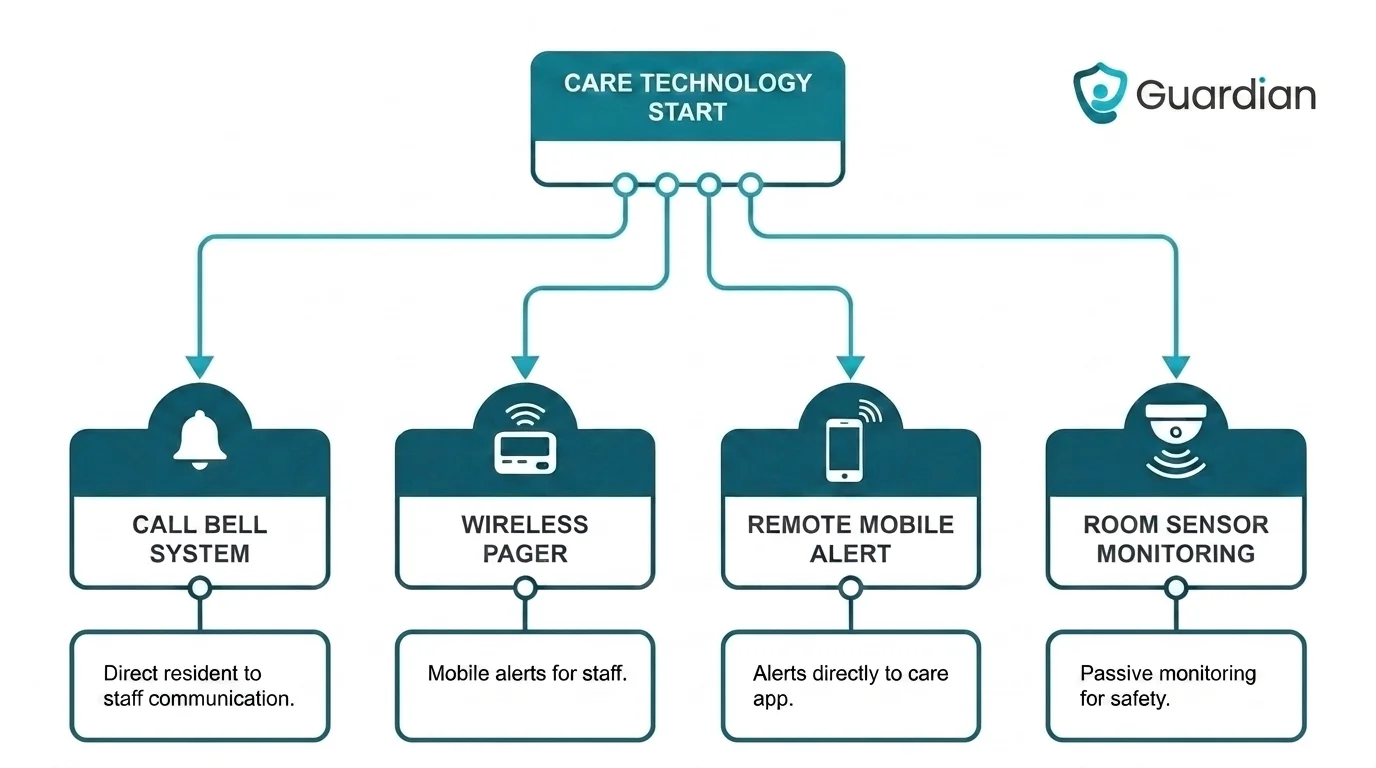
Someone nearby: a hand bell or basic bedside bell
Use a hand bell or bedside bell only when the caregiver stays within earshot.
The main limit is reach. A hand bell or bedside bell only works when someone is already close enough to hear it, so it covers a shared room or an adjacent space, not a house.
It also shares the flaw of every manual alert: it does nothing if the person is unconscious, cannot move, or cannot ring it after a fall.
Same home: a wireless caregiver pager
Use a wireless caregiver pager when the resident needs a button in one room and the caregiver may be in another.
A wireless pager keeps the button with the resident but routes the alert to a receiver the caregiver carries or plugs in elsewhere. That is the change from a basic bell: the caregiver no longer has to be within earshot.
CallToU is a typical example, shipping a receiver with SOS buttons and quoting 500 to 1,000 feet of range depending on model and environment.
Before buying, check three things: range through your actual walls, how the receiver alerts (chime, flash, or vibration), and whether you need an app.
CallToU-style local-radio pager kits need no Wi-Fi or monthly fee. App-linked variants, such as KERUI with Tuya Smart, matter when a caregiver leaves the house.
Away from home: a Wi‑Fi or monitored alert
Use remote alerts when help requests need to leave the house and reach a caregiver or monitoring service.
When nobody is in the home, the alert has to travel. Cellular and monitored devices such as SkyAngel911 (4G with two-way voice to 911) and Medical Guardian MGMini (24/7 monitoring and GPS, on a subscription) push help requests to responders outside the house.
Guardian handles the away case differently. SOS events fire as immediate automated alerts rather than passive notifications, and Guardian Insight lets care teams manage escalation contacts and set custom rules for inactivity or a broken routine.
Besides a button press, a remote alert can be triggered by the environment. Automated phone calls tend to get noticed faster than an app notification or SMS, which matters in an emergency.
Guardian monitors activity across the home or fleet and alerts care teams automatically when it detects a possible safety concern. Its activity insights read motion, door, fridge, and stove sensors to track daily patterns, with no cameras.
Remote alert path | Example systems in this article/context | What changes |
|---|---|---|
Local chime or pager only | Basic caregiver pagers | Alert stays inside hearing range |
Cellular or monitored remote alert | Medical Guardian MGMini, SkyAngel911 | Alert reaches responders away from home |
Remote sensor-triggered alert management | Guardian | Alert can trigger from SOS, inactivity, or routine anomalies |
Fall or wandering risk: pair it with sensors
Add sensors when the main risk is an unreported fall or a door exit the resident may not call in.
A button covers only the emergencies the resident can report. Sensors cover the ones they cannot.
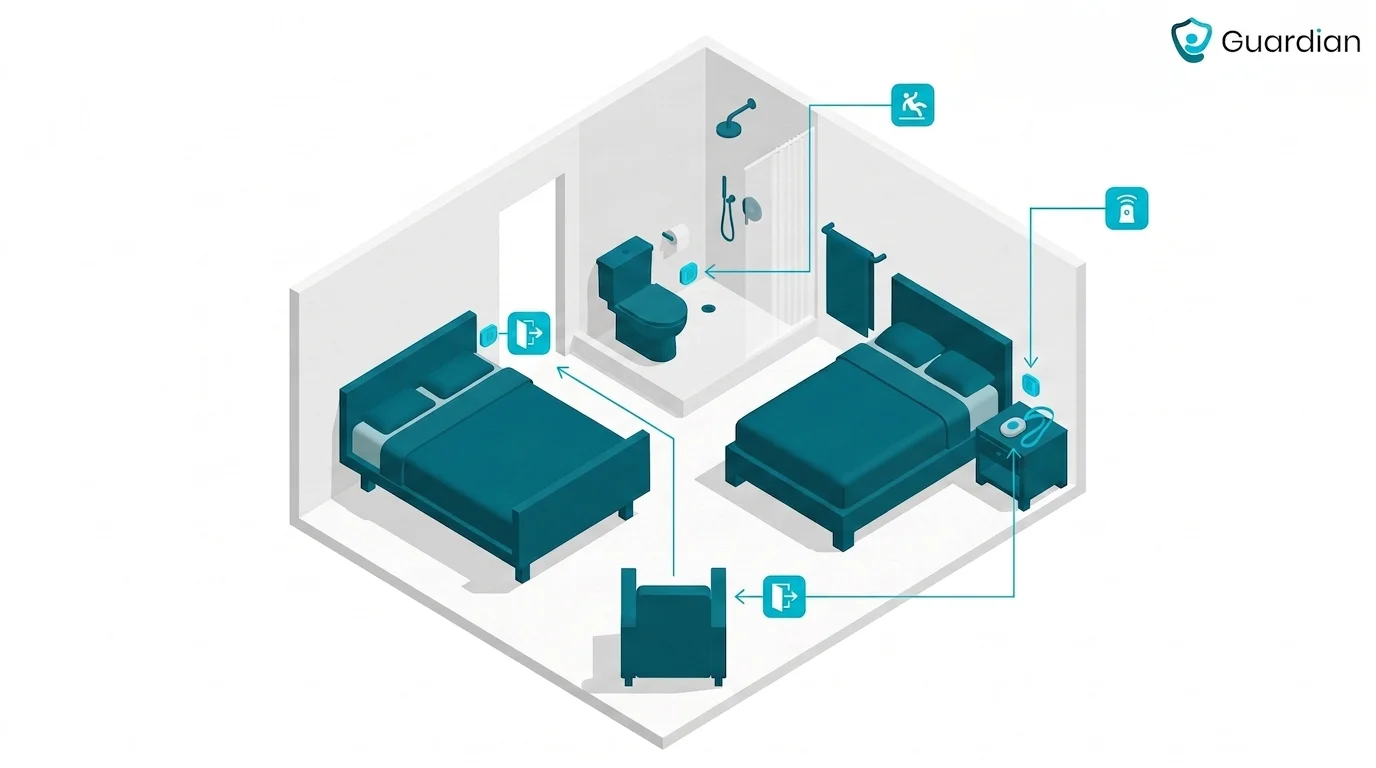
Guardian pairs the call bell with passive coverage so a missed press is not a missed event:
Motion, bed-exit, and SOS sensors run on one monitoring network.
A fall-detection wristband uses a built-in accelerometer and sends the caregiver the live location.
Real-time alerts fire when a resident exits the building or enters a restricted area.
Sensor support varies by system, so match the risk to the hardware:
Secure® / PSC Caregiver Alert System pairs with bed, chair, and floor mats plus PIR motion detectors and pull-cord alerts.
KERUI supports SOS buttons, motion sensors, and door sensors on one receiver.
Tunstall Healthcare integrates fall detectors, smoke, flood, and carbon-monoxide sensors with a monitored base station.
CallToU and Liotoin focus mainly on waterproof SOS buttons rather than motion or exit sensors.
System type | Examples | Detection method |
|---|---|---|
Button-first pager | CallToU, Liotoin | Manual press only |
Pager with accessory sensors | RCA, KERUI | Pressure mats, motion, door, pull-cord |
Sensor network with remote alert management | Guardian | Motion, bed-exit, SOS, fall, exit alerts |
The 9 best systems
The systems below cover local pager kits and monitored emergency communicators. Sensor-supported platforms are included where the call bell also needs passive coverage.
1. Guardian
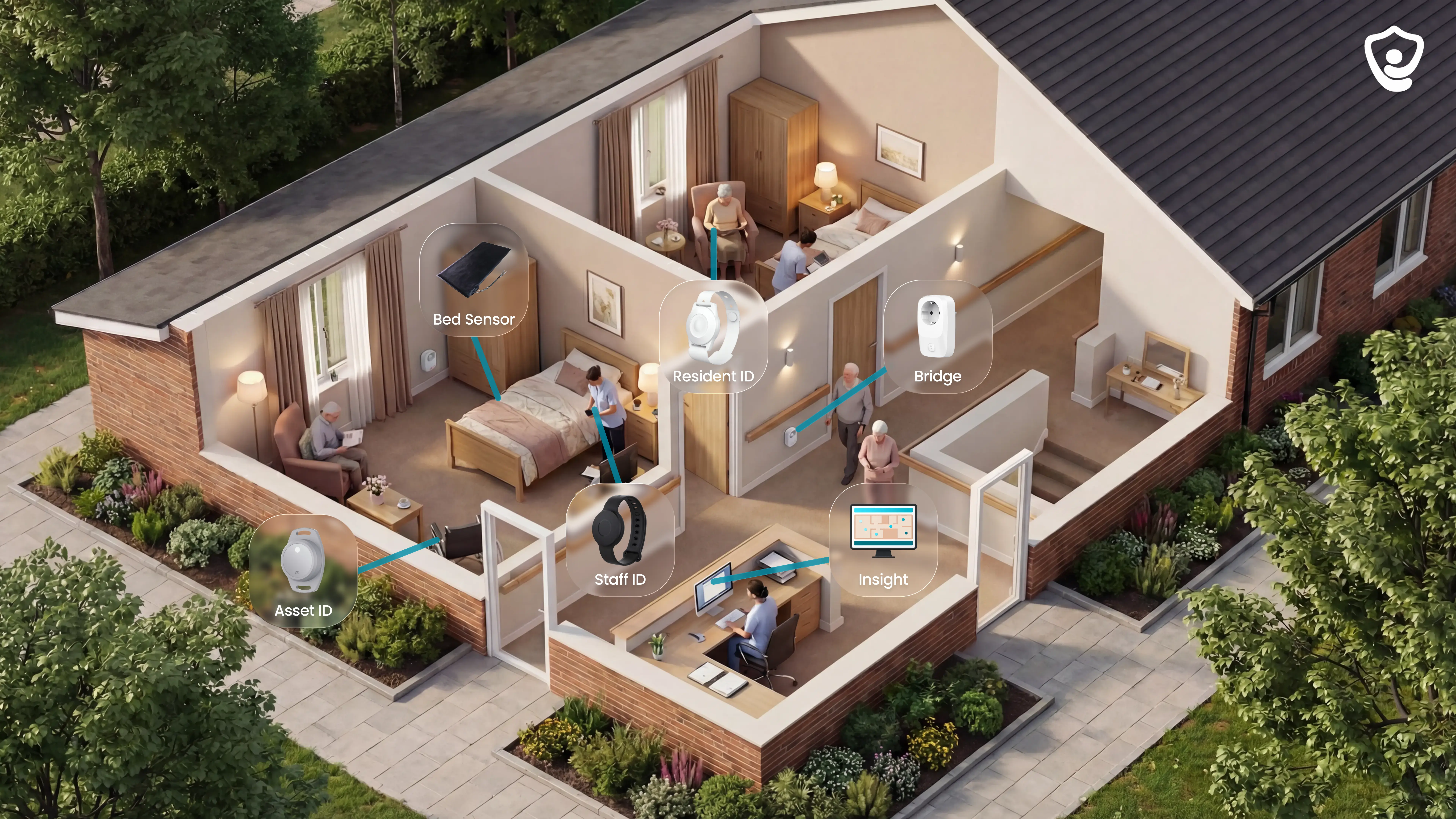
Guardian is a wireless alert and monitoring system for care homes, nursing facilities, and home care teams. It combines wristbands, in-room sensors, trackers, and Guardian Insight for room-level alerts, automatic records, and live maps.
One setup covers four jobs:
Resident and caregiver wristbands for SOS events
Bed, motion, door, fridge, and stove sensors for passive monitoring
GPS safety watches, vehicle trackers, and asset trackers for location visibility
Guardian Insight for maps, alerts, and records
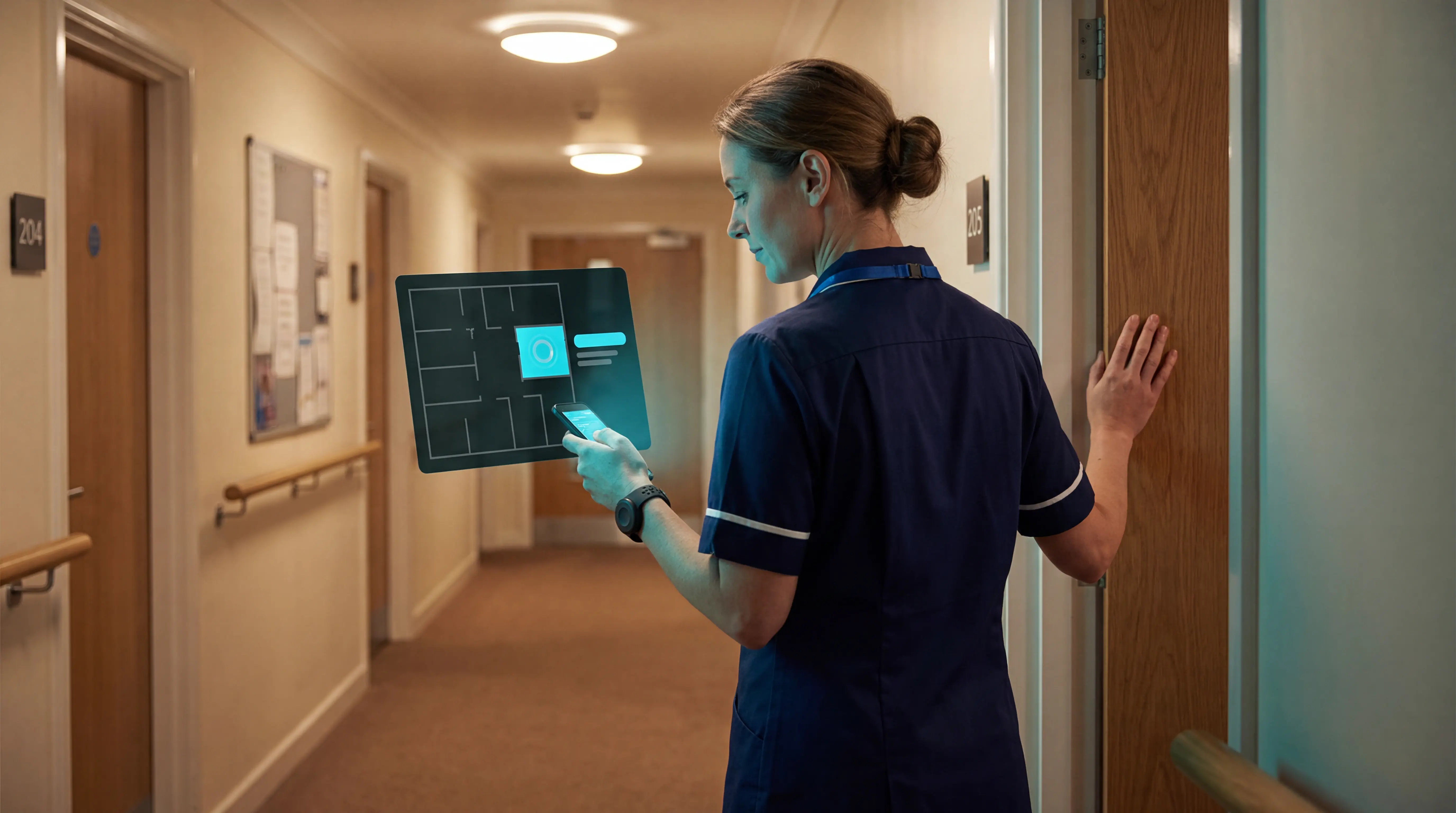
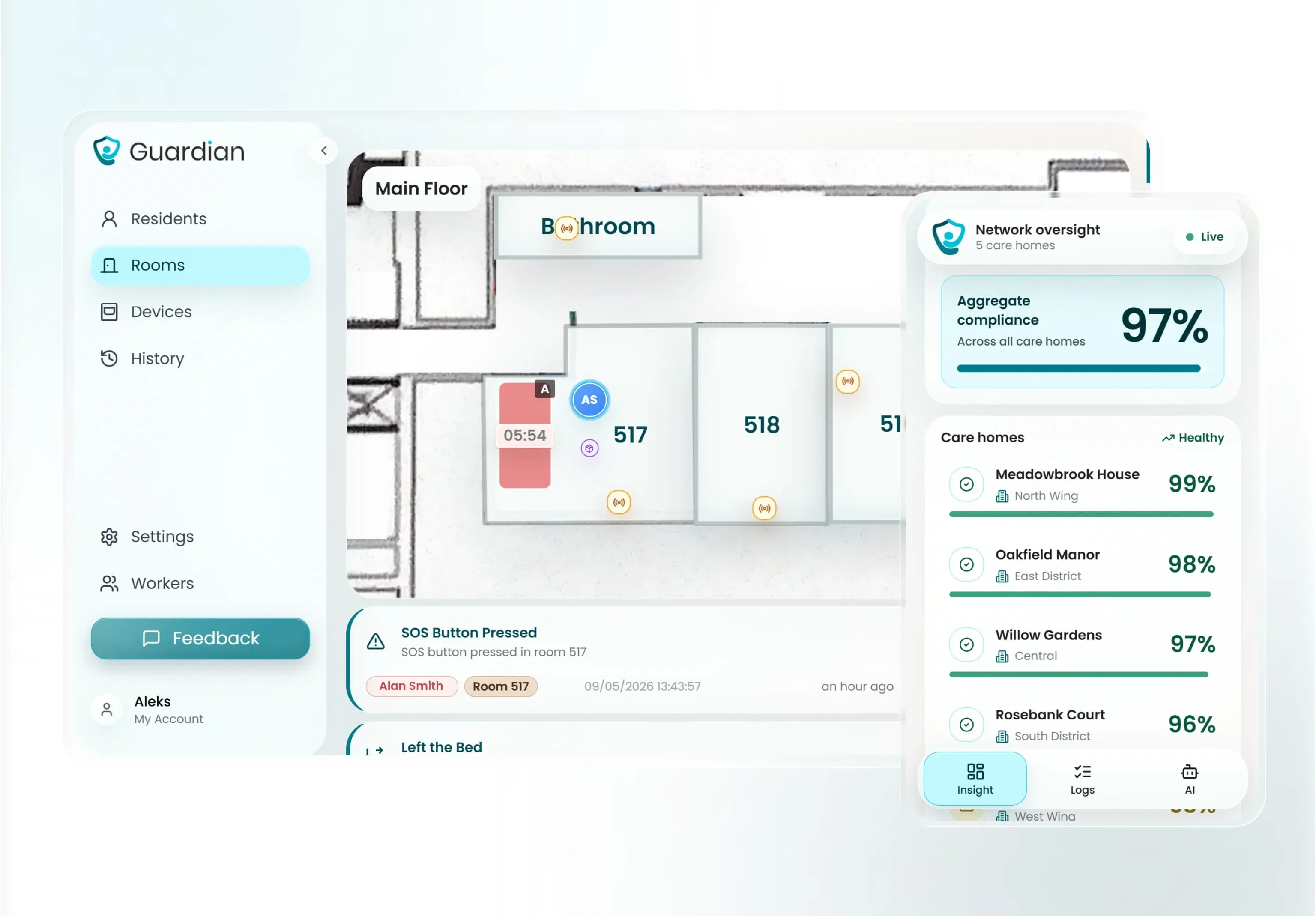
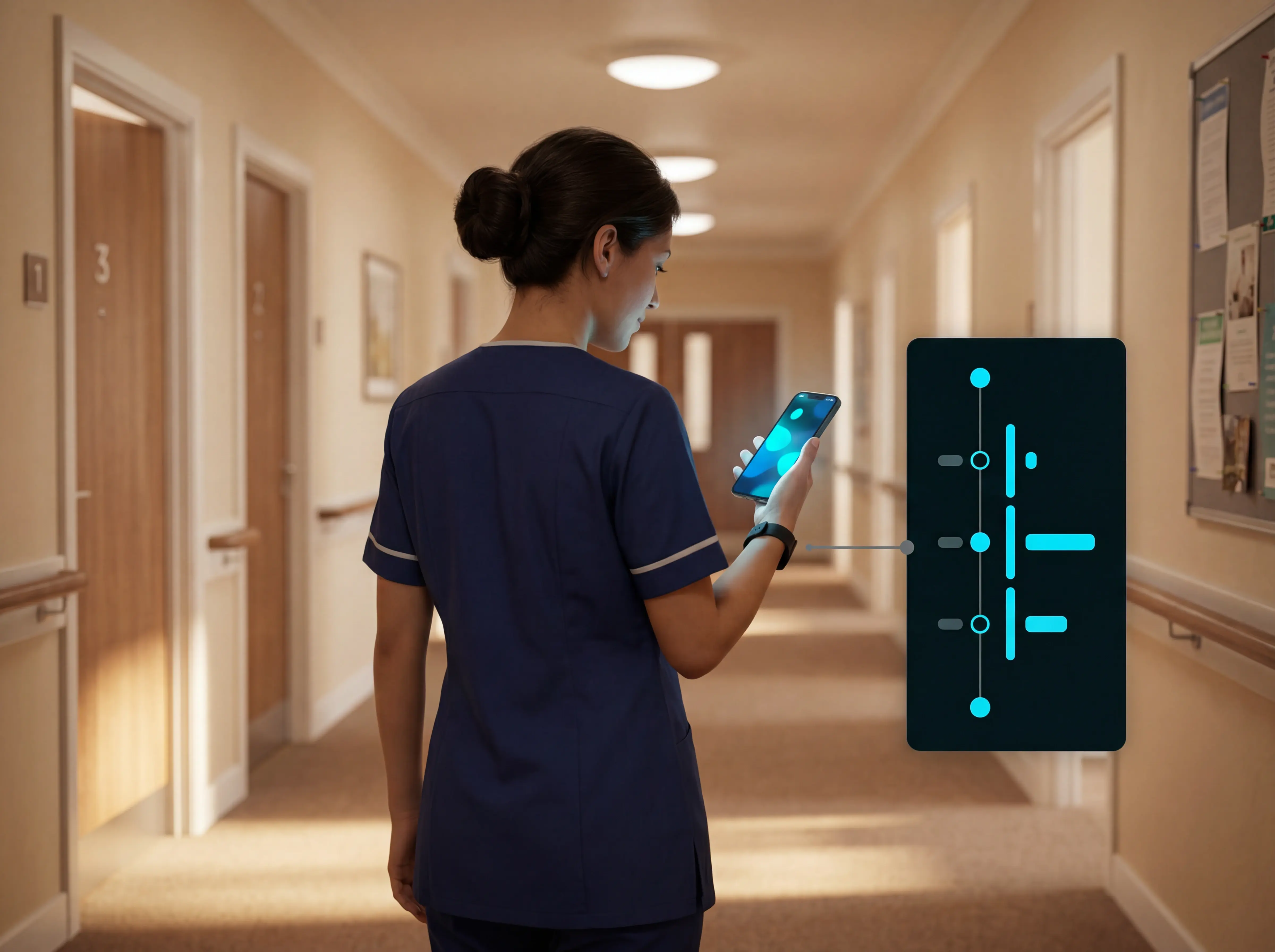
Alerts land on the phones, tablets, or nurse station screens staff already use. Each one carries the resident's name and room-level location on a digitised floor plan, so nobody has to guess where to go.
By comparison, a pendant, wall button, or smartwatch gives a resident one way to call for help. Guardian gives care teams one place to see button presses, sensor events, locations, and records.
What it feels like to use
For staff, Guardian works as a live floor-plan view that flags named incidents and records visits and response times automatically.
Instead of a hallway buzzer or a paper handover, staff watch a live floor plan. Guardian Insight shows residents, caregivers, alerts, vehicles, and assets in one view on a digitised map.
Every sensor is tied to a specific room or bed during setup, so an alert points staff to the exact spot, not a vague zone.
Records are created in the background. Guardian Insight logs caregiver visits, shift times, and response times, so staff spend less time reconstructing a shift from memory.
During the pilot, Guardian compares manual reporting and timesheet effort before and after rollout.
There is no extra pager to buy or carry. Alerts go to the smartphones, tablets, or nurse station computers staff already have, so you are not maintaining a separate device fleet.
Wearables and passive coverage
Coverage comes from both wearables and passive sensors. Wristbands and watches handle SOS alerts, while bed, motion, door, fridge, and stove sensors monitor routine changes in the background.
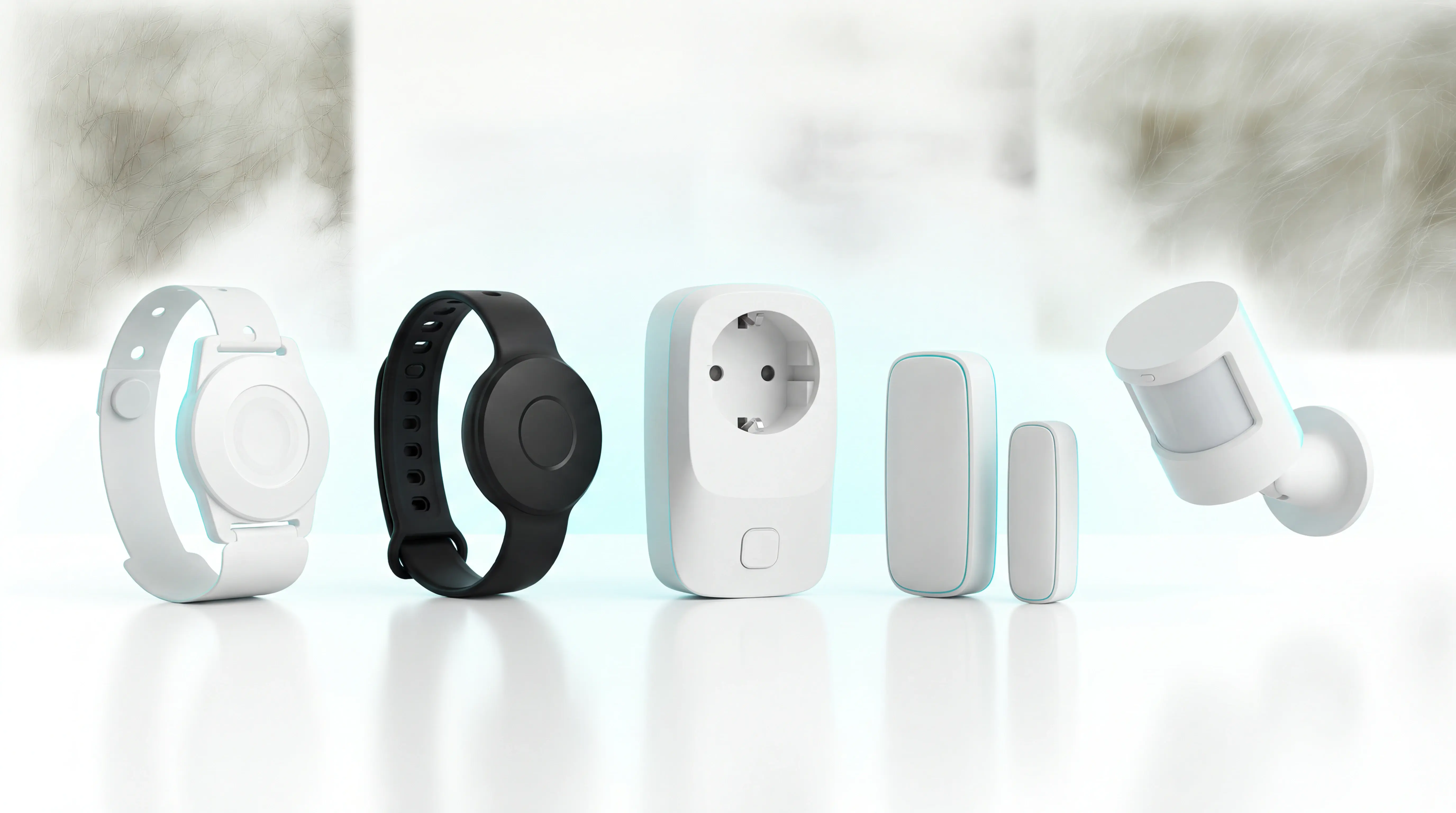
Wearables cover the incidents a resident or caregiver can signal. Guardian uses resident wristbands, caregiver SOS bands, and GPS safety watches, with SOS built into the resident wristband rather than sold as a separate gadget.
The coverage does not stop when a device comes off. Guardian is wearable-optional, not wearable-dependent, so residents who cannot or will not wear a band are still monitored.
Bed sensors detect getting up at night.
Motion sensors track room-level activity.
Door, fridge, and stove sensors flag changes in routine, and custom rules can alert on inactivity or a fridge left unopened.
Passive sensors matter when a resident cannot press a pendant. Bed and room signals flag an overnight fall risk or a silent exit for staff review.
How alerts reach staff
Staff alerts arrive on phones, tablets, and nurse station screens, with the resident name and room-level location shown on a mapped floor plan.
Alerts reach staff on the devices assigned to the care team. A standard rollout uses staff phones, tablets, or nurse station screens instead of a separate pager fleet.
Falls, exits, nurse calls, and restricted-area entries arrive with the resident's name and room-level location. The dashboard shows the mapped room, so staff know where to respond.
A fixed wall buzzer depends on someone noticing a sound or light nearby. Guardian sends the event to a staff device with location attached.
How it cuts false alerts
Configurable alert rules use routines, duration, and inactivity thresholds, so normal movement is handled differently from incidents that need a response.
Rule-level filtering cuts false alarms. For example, out of bed for more than 15 minutes at night treats brief repositioning differently from a prolonged absence.
Rules can also key off routine or inactivity, for example no movement for a set period or an appliance that should have been used but was not.
The pilot tracks alert quality as well as alert volume, using the ratio of actionable alerts to total alerts. Any reduction in avoidable alerts is compared with the ward baseline.
Rule tuning matters for nurse trust. Staff are more likely to act quickly when routine movement and true incidents are separated by clear rules.
Setup, rollout, and fit
A 6 to 8 week pilot starts with one ward live in about a week, using pre-configured wireless devices mapped to the facility floor plan.
The pilot starts in one ward, home, or care team. Guardian then provides a written impact report, ROI calculation, and rollout plan for the operator.
During setup, Guardian digitises your floor plan and links each sensor to a room or bed.
The first deployment is short because the hardware is pre-configured and 100% wireless, with no drilling or cabling. A ward can go live in about a week, typically starting with 5 to 10 priority rooms.
Care homes, nursing facilities, and home care teams use Guardian for four jobs:
Verified visit records
Response-time reporting
Live location
Camera-free monitoring
Access starts through the pilot, rather than a public pendant subscription.
2. Smart Caregiver Wireless Caregiver Call Button System
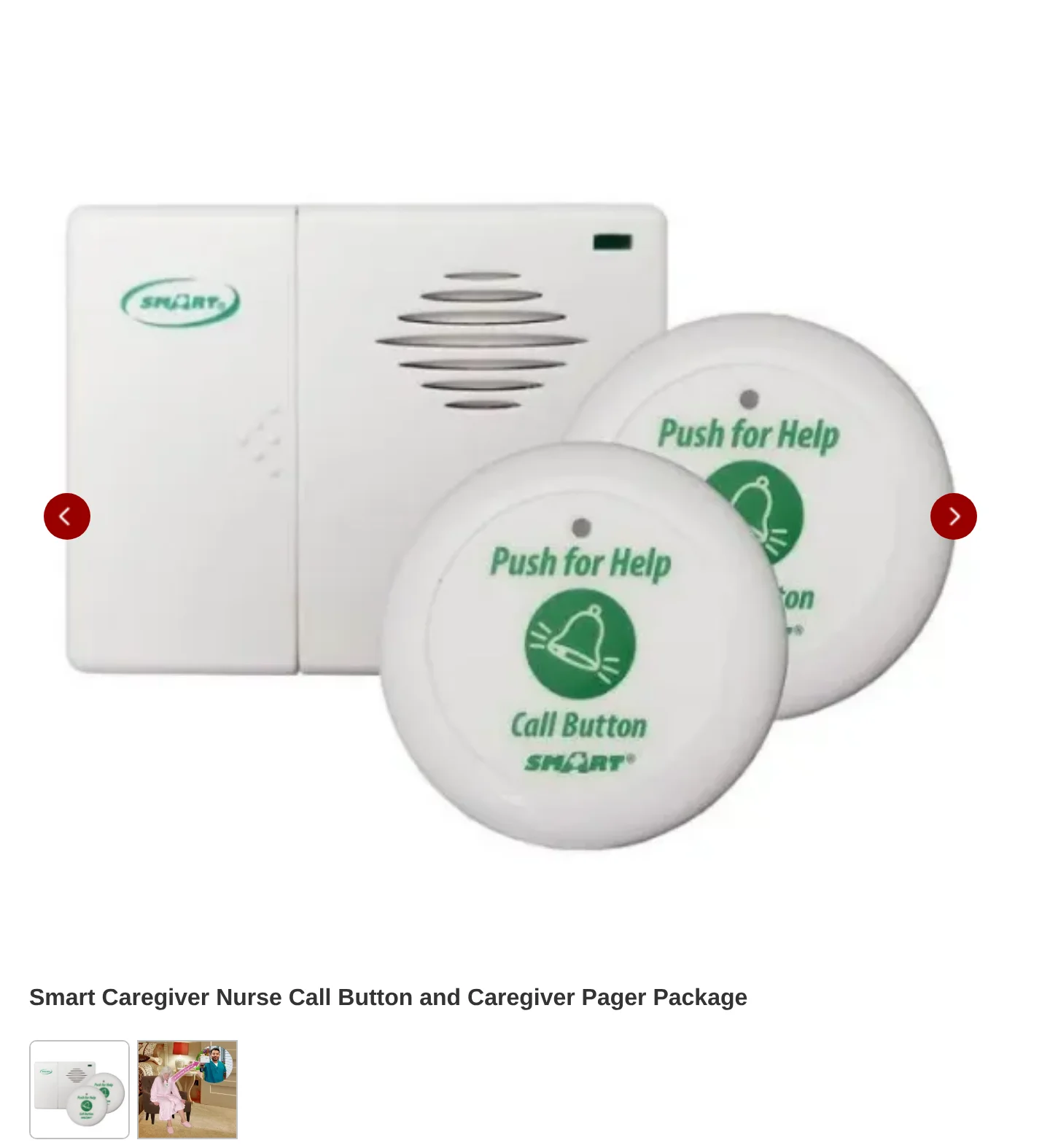
Smart Caregiver Wireless Caregiver Call Button System is a local wireless alert kit that pairs wearable call buttons and sensor accessories with a portable pager.
The important split is between Smart Caregiver's portable pager kits and its separate corded fall-prevention monitors. The wireless pager alerts a caregiver with chime, tone, or vibration; the voice units play a local spoken reminder in the room.
So compare the wireless pager tier on local alerting, range, and sensor accessories, not on portable voice playback.
Aspect | Smart Caregiver | Daytech | Liotoin |
|---|---|---|---|
Alert type | Chime, vibrate, voice recording | Ringtone, flashing alerts | Chime-based alerts |
Sensor support | Call buttons plus bed, chair, floor, motion accessories | Call buttons and wrist transmitters | SOS call buttons |
Typical range in article data | 300 feet | 100 to 300 feet | 600+ feet |
Best for
Smart Caregiver suits a home where the caregiver stays on-site and wants local alerts without cloud monitoring or an app. The portable pager can watch up to six sensors, so a bed, chair, and doorway trigger can share one receiver.
KERUI covers a similar accessory range but adds Tuya app variants, whereas Smart Caregiver stays local.
It also covers fall prevention. Smart Caregiver sells cord-free bed pad systems that alert the pager when pressure leaves the pad, useful for bed-exit monitoring.
RCA pairs with a similar mix of bed, chair, floor mat, and motion sensors, while CallToU focuses mainly on waterproof SOS buttons.
Home-care need | Smart Caregiver fit |
|---|---|
Caregiver is elsewhere | No app or remote cloud monitoring in article data |
Caregiver is in the same home | Portable pager receives local alerts |
Fall or bed-exit concern | Bed pad and other sensor accessories pair to pager |
Single button only | Supported, but not the only configuration |
Key public specs
Range tops out at 300 feet over 433 MHz wireless, with one Smart Caregiver pager monitoring up to six sensors and alerting by chime, tone, or vibration.
Smart Caregiver documents up to 300 feet between the sensor pad and pager, over 433 MHz wireless, with no Wi-Fi required.
That range sits at the shorter end of this list: Liotoin lists 600-plus feet and Retekess TH103 lists 656 feet in open areas.
One pager can monitor up to six individual sensors, with chime, vibrate, and voice-recording alert modes. Portable receivers, waterproof buttons, and neck or wrist wearables are also part of the range.
Spec | Smart Caregiver |
|---|---|
Published range | Up to 300 feet |
Wireless standard noted | 433 MHz |
WiFi required | No |
Pager capacity | Up to 6 sensors |
Alert modes | Chime, vibrate, voice recording |
Distinctive feature
The practical value is accessory breadth: one pager can cover a call button plus bed, chair, floor, or motion triggers.
The accessory mix is the useful point. A bed pad can alert on bed exit; a call button covers a deliberate help request.
Daytech, Liotoin, CallToU, and Retekess TH103 stay closer to manual call buttons, tones, flashing, vibration, or siren alerts.
It reaches past a basic call bell through its accessory line. Cord-free bed pads alert on bed exit, and call buttons notify instantly when pressed, while sensor accessories add passive monitoring for movement and exits.
CallToU stays close to waterproof SOS buttons, whereas RCA supports a comparable mat-and-motion spread.
Standout area | Smart Caregiver | Most tone-only pager kits in this article |
|---|---|---|
Voice playback | Recorded spoken message on trigger | No voice playback listed |
Sensor breadth | Buttons plus bed and motion accessories | Often button-centric only |
Monitoring style | Local pager-based hardware | Local pager-based hardware |
Watch out for
Range is the first limit: Smart Caregiver tops out at 300 feet, and user reviews describe reliability problems on certain units.
The 300-foot ceiling is the practical constraint. It is a documented technical limit, and walls or structural obstructions cut the effective distance further.
By comparison, Liotoin lists 600-plus feet, Retekess TH103 lists 656 feet, and CallToU lists 500 to 1,000 feet depending on model and environment.
Two reliability issues stand out: reported clicking or shutdown problems, and no app monitoring. User reviews describe units making erratic clicking sounds and shutting down unexpectedly even with fresh batteries.
KERUI offers Tuya app variants for phone notifications, and Guardian uses a web dashboard with real-time alerts across devices.
Limitation | Smart Caregiver |
|---|---|
Published wireless range | 300 feet |
Real-world range impact | Walls can reduce effective distance |
Remote app alerts | Not listed |
Reported reliability issue | User report of clicking and shutdowns |
3. Daytech Wireless Caregiver Pager
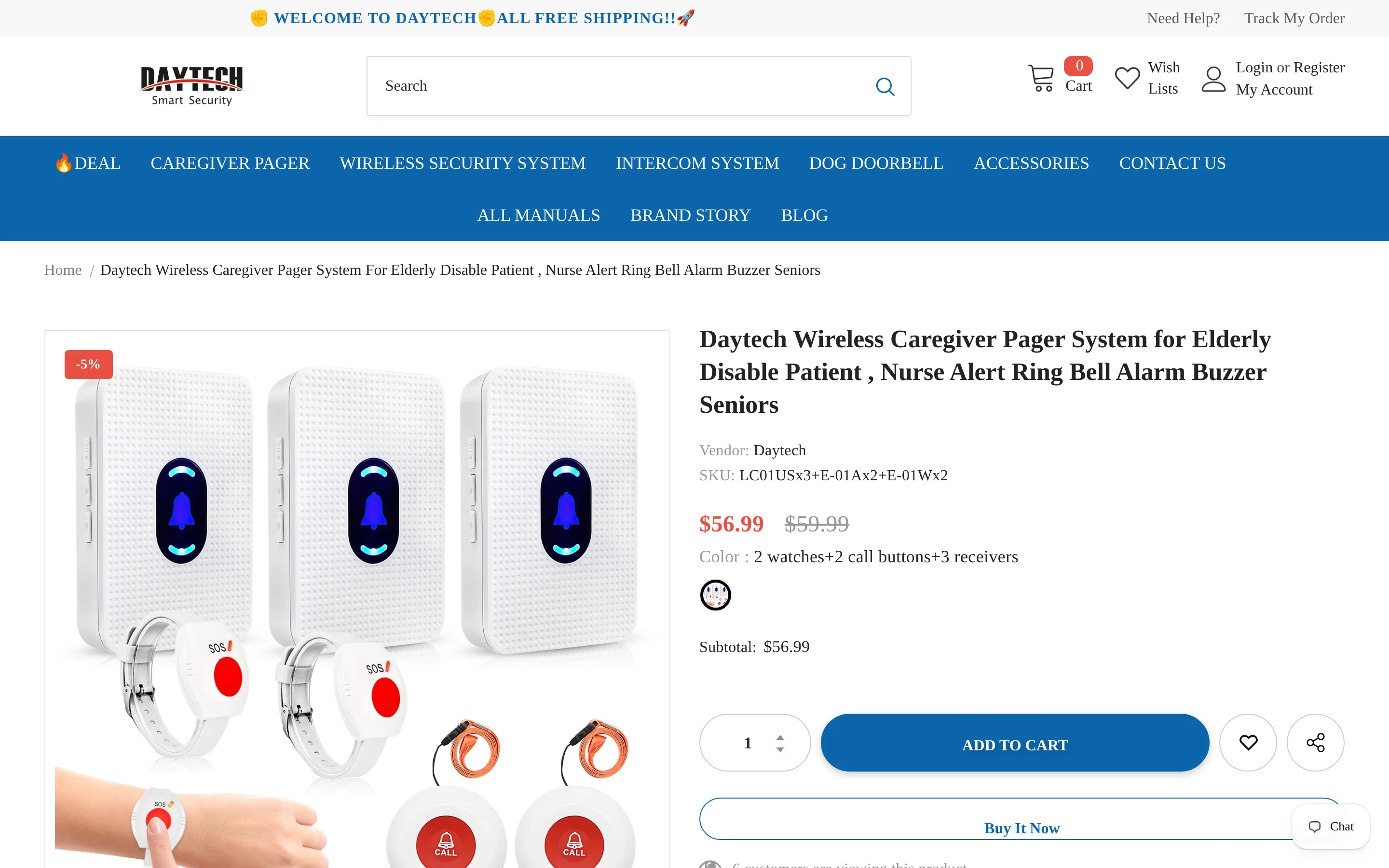
Daytech Wireless Caregiver Pager is an expandable wireless chime system with plug-in receivers, battery transmitters, and customizable tones and volume settings.
Plug-in receivers plus battery-powered transmitters put alerts at fixed points around the house. That is different from Freedom Alert, which centres on a landline voice pendant.
It is a local radio system with no app control, whereas KERUI adds smartphone notifications on select Tuya-based variants.
Aspect | Daytech | Other tool in article |
|---|---|---|
Alert method | Local chime and flashing alerts | Freedom Alert: two-way voice through landline |
App access | No app integration | KERUI: smartphone notifications on select variants |
Best for
Daytech fits a larger home that needs several alert points. A common kit ships with 2 watches, 2 buttons, and 3 receivers, and more receivers or transmitters can be paired for wider coverage.
That multi-receiver spread contrasts with shorter-range single-receiver kits, which can leave gaps in a bigger house.
Home need | Daytech fact |
|---|---|
Several alert points around the house | Common kit includes 3 receivers |
More than one caregiver or room | Pairs multiple receivers and transmitters |
Key public specs
The core setup is local RF: button or wrist transmitters, plug-in chime receivers, tone and flash alerts, and expandable pairing.
Alerts reach the caregiver as ringtones and flashing signals through standard radio hardware. There is no two-way voice; among the systems here, only Freedom Alert offers that through a landline base.
On expandability, Daytech supports pairing multiple receivers and transmitters for larger coverage. For reference, Retekess TH103 supports up to 20 call buttons on one receiver, and KERUI up to 30 transmitters or accessories.
Spec area | Daytech |
|---|---|
Transmitters | Call buttons and wearable wrist transmitters |
Receivers | Plug-in chime receivers |
Alert modes | Ringtones and flashing alerts |
Voice | No two-way voice |
App access | No app integration |
Expandability | Multiple receivers and transmitters can be paired |
Distinctive feature
The practical detail to note is power recovery: receivers return to the user's saved maximum volume after an outage.
One practical detail: Daytech receivers return to the user's saved maximum volume after a power outage. That means the receiver comes back on at full volume instead of silent or low after a power cut.
The rest of the alert setup centres on loud, customizable chimes with adjustable volume. Liotoin is also chime-based, though the comparison data here does not note the same power-outage volume restoration.
Power recovery: receivers return to the saved maximum volume after an outage.
Alert style: customizable chimes with adjustable volume.
Main contrast: Freedom Alert handles voice calls instead of local chimes.
Watch out for
Remote monitoring is the gap. There is no smartphone alerting, two-way voice, or passive bed-exit detection in the Daytech setup.
Daytech has no app-based alerting or smartphone integration. If remote notifications matter, Guardian maps alerts in a web dashboard across devices, and KERUI sends smartphone notifications on select Tuya variants.
On safety coverage, Daytech is limited to call buttons and wrist transmitters; the comparison here lists no bed pads, chair pads, motion, or door sensors for it.
For passive detection, Guardian includes motion, bed-exit, and SOS sensors, RCA pairs with bed, chair, and floor pads plus PIR motion, and Smart Caregiver adds pressure pads and mats.
Limitation | Daytech | Tools in this article that cover it |
|---|---|---|
Smartphone alerts | No app integration | Guardian, KERUI |
Two-way voice | No voice link | Freedom Alert |
Passive sensors | No bed-exit or motion sensors listed | Guardian, RCA, Smart Caregiver |
4. Liotoin Caregiver Pager
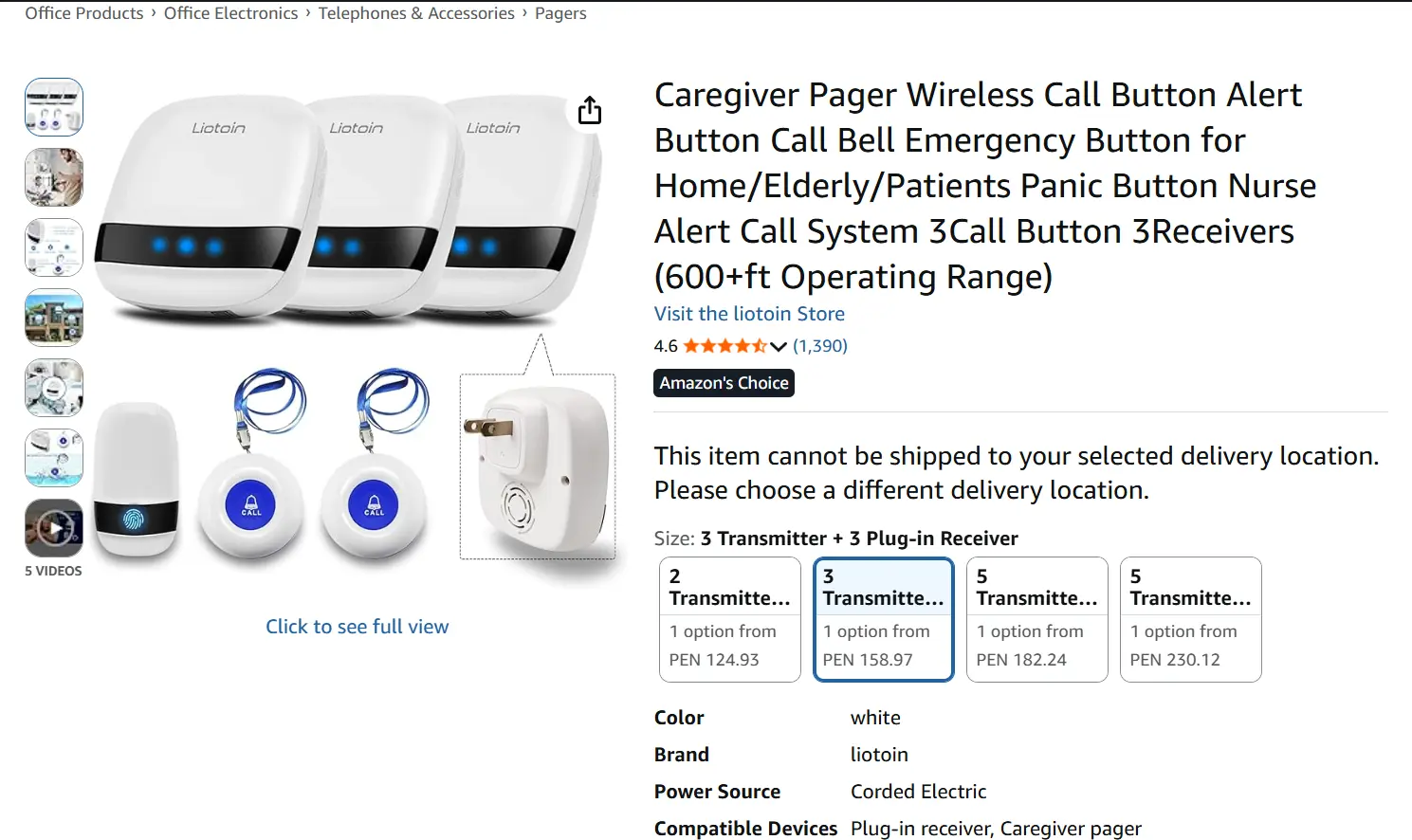
Liotoin Caregiver Pager is a wireless SOS pager kit with multiple call buttons, local chime alerts, and long in-home signal range.
Range is the headline difference: Liotoin advertises 600-plus feet of open-area coverage, against Smart Caregiver's 300 feet and Daytech's 100 to 300 feet depending on button type.
Dimension | Liotoin Caregiver Pager | Smart Caregiver | Daytech |
|---|---|---|---|
Alert type | Local chime-based pager | Audible chime or vibration | Ringtone and flashing alerts |
App support | No app or WiFi | No app or WiFi | No app or WiFi |
Range | 600+ feet open area | 300 feet | 100 to 300 feet depending on button type |
Best for
For long-range SOS button calling, Liotoin gives a household 600-plus feet of open-area range without an app or sensors.
Use it when:
Alerts can stay on paired in-home receivers.
You want up to 3 transmitters and 2 receivers in the starting kit.
You only need manual SOS buttons, not motion, bed-exit, or door sensing.
CallToU covers a similar local-pager use case with 500 to 1,000 feet quoted range on some models. Guardian covers motion, bed-exit, and web-dashboard alerts when the call bell also needs passive monitoring.
Key public specs
Expect a chime-based RF pager kit: 600-plus-foot open-area range, multi-button pairing, and no voice or app layer.
The specs that matter day to day are simple:
Range: 600-plus feet, about 180 metres, in open areas.
Alerts: chime-based only, with no two-way voice.
Connectivity: none; monitoring stays on local hardware.
Kit: usually up to 3 transmitters and 2 receivers, expandable with extra buttons.
In context, Retekess TH103 lists a similar 656-foot open-area range and supports up to 20 call buttons on one receiver. KERUI adds optional smartphone notifications on select Tuya variants, which Liotoin does not.
Spec | Liotoin Caregiver Pager | Retekess TH103 | KERUI |
|---|---|---|---|
Range | 600+ feet open area | 656 feet open area | About 500 feet open area |
Voice communication | No | No | No |
App support | No | No | Yes on select variants |
Expandability | Additional buttons can be paired | Up to 20 call buttons | Up to 30 transmitters/accessories |
Distinctive feature
The useful difference is starting hardware: up to 3 transmitters and 2 receivers, with 600-plus-foot open-area range.
Two traits stand out: the 600-plus-foot range and a starter kit of up to 3 transmitters and 2 receivers. That is more starting hardware than a one-to-one setup like Smart Caregiver's basic TL-5102TP.
In real use, multiple transmitters let a household place buttons in separate high-need spots, such as bedside and bathroom, without buying a second system.
RCA supports extra sensor types like bed, chair, floor mat, and PIR motion, while Liotoin stays in the simpler manual-button category.
Differentiator | Liotoin Caregiver Pager | Smart Caregiver | RCA Wireless Caregiver Alert System |
|---|---|---|---|
Open-area range | 600+ feet | 300 feet | Up to 500 feet |
Starting hardware style | Up to 3 transmitters and 2 receivers | Basic one-to-one on TL-5102TP | Portable pager with sensor accessories |
Accessory type focus | Manual SOS buttons | Buttons and sensor pads | Sensor pads, PIR, pull-cord alerts |
Watch out for
No voice link, no app notifications, and no passive sensors keep Liotoin in the local alert-only category.
After the button press, Liotoin sends a chime only, with no two-way voice. Freedom Alert is the only tool here with full two-way voice through a pendant and landline base.
Alerts also cannot leave the house: there is no smartphone or cloud connection, so everything stays on the in-home receivers. Guardian routes alerts through a web dashboard across devices, and KERUI sends smartphone notifications on select Tuya variants.
It also detects nothing on its own. Liotoin is limited to SOS-style call buttons and does not pair with motion, bed-exit, or door sensors in the data here.
Guardian includes motion, bed-exit, and SOS sensors, and RCA pairs with bed, chair, floor mat, PIR, and pull-cord accessories.
Limitation area | Liotoin Caregiver Pager | Tool in this article with that capability |
|---|---|---|
Two-way voice | No | Freedom Alert |
App or remote notifications | No | Guardian, KERUI on select variants |
Passive sensors | No | Guardian, RCA |
Local chime-only alerts | Yes | Most basic RF pagers here use local alerts only |
5. Retekess TH103 Caregiver Pager
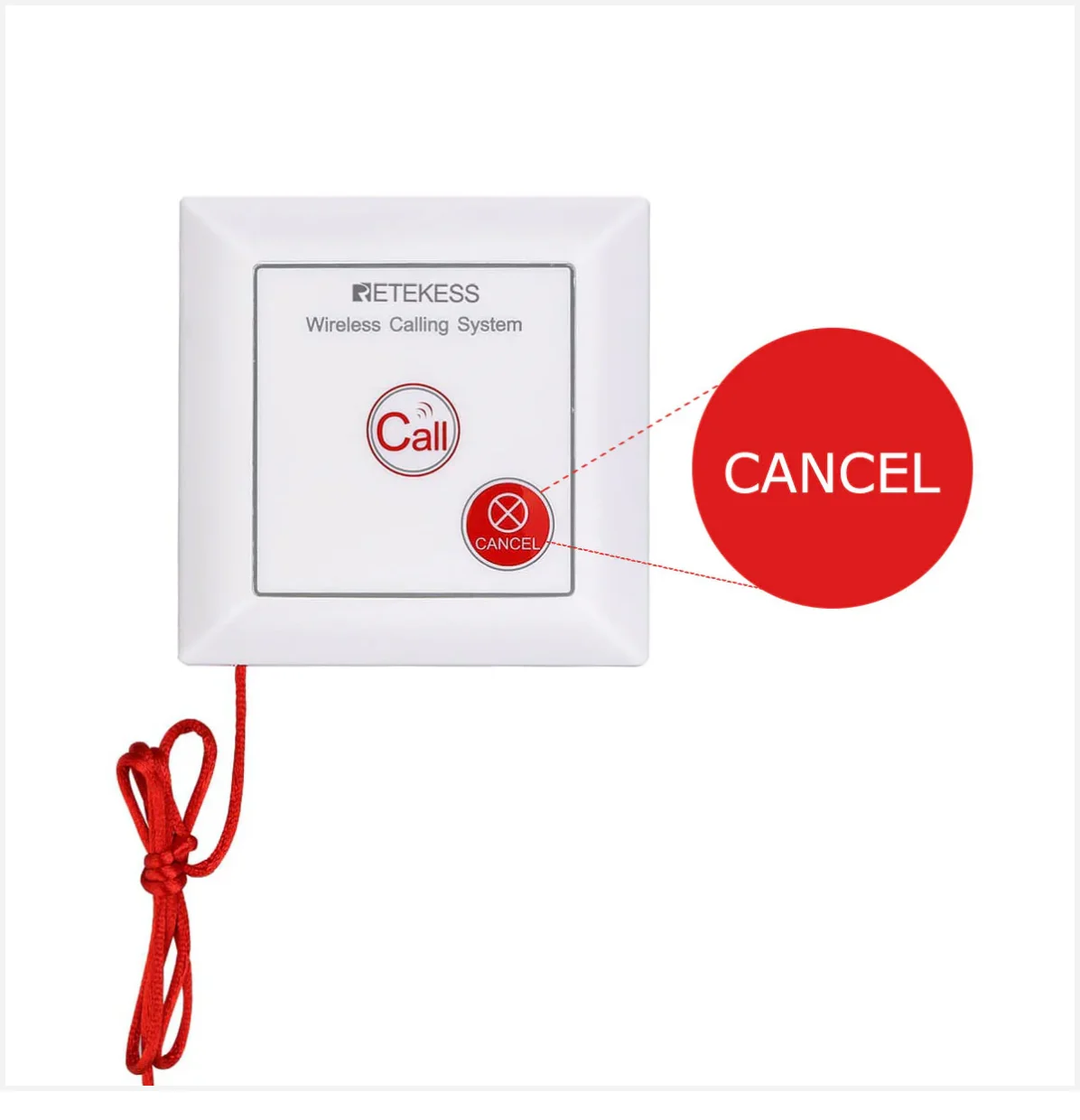
Retekess TH103 Caregiver Pager is a wireless emergency alert system with a bedside receiver, strobe-light siren, and pull-rope or call-button activation.
The distinguishing feature is physical: a pull-rope trigger paired with a strobe-light siren, the only such combination in this list.
It has no two-way voice, which Freedom Alert offers through a landline base, and it stays on local manual triggering rather than the motion, bed-exit, and SOS sensors Guardian uses.
Dimension | Retekess TH103 | Named comparison |
|---|---|---|
Activation | Pull-rope and call button | CallToU uses button-based SOS transmitters |
Visual alert | Strobe-light siren | Daytech uses flashing alerts without pull-rope focus |
Voice link | Absent | Freedom Alert includes two-way voice |
App monitoring | Absent | KERUI includes Tuya app support on select variants |
Best for
The pull-rope is its defining trigger. A rope is easier to grab than a small press button for someone with limited hand dexterity, which suits bedside and bathroom placement.
CallToU uses waterproof buttons and wearable transmitters instead, and RCA adds pull-cord alerts plus bed, chair, and floor monitoring that TH103 does not cover.
Use case | Retekess TH103 | Compared tool |
|---|---|---|
Easy-to-grab emergency trigger | Pull-rope or call button | CallToU: button-focused SOS transmitters |
Manual help call plus passive monitoring | Manual call only | RCA: manual alerts plus pads and PIR sensors |
Key public specs
The published numbers are 656 feet in open areas and up to 20 paired call buttons on one receiver, with no app or voice link.
On paper, TH103 lists a 656-foot (200-metre) open-area range and supports up to 20 call buttons on one receiver.
For comparison, Smart Caregiver reaches up to 300 feet, and KERUI claims about 500 feet while adding Tuya app notifications that TH103 lacks.
Spec | Retekess TH103 | Named comparison |
|---|---|---|
Open-area range | 656 ft | Smart Caregiver: 300 ft |
Paired transmitters | Up to 20 | Smart Caregiver basic systems: up to 6 sensors |
Smartphone integration | No | KERUI: Tuya app on select variants |
Two-way voice | No | Freedom Alert: yes via landline |
Distinctive feature
The pull-rope plus strobe-light siren is the specific design choice, and it suits bedside or bathroom placement.
The strobe-light siren adds a visual alert alongside the audible one, which helps when a caregiver might not catch a tone alone.
Daytech uses ringtone and flashing alerts but not a dedicated pull-rope, and Liotoin reaches 600-plus feet yet stays chime-based without the pull-rope-plus-strobe combination.
Distinctive trait | Retekess TH103 | Other tools named |
|---|---|---|
Pull-rope trigger | Yes | Daytech: no pull-rope note in matrix |
Strobe-light visual alarm | Yes | Liotoin: chime-based |
Local offline setup | Yes | KERUI: app-connected variants available |
Watch out for
The safety gap is passive coverage. TH103 waits for a pull-rope or button press, with no app monitoring, two-way voice, bed-exit sensing, or motion sensing.
The gaps to weigh before buying:
No app or dashboard. Guardian uses a web dashboard for real-time monitoring across devices; KERUI sends Tuya app notifications on select variants.
No two-way voice. Freedom Alert is the only tool here with pendant-based voice calling to contacts or 911.
No passive sensing. TH103 is limited to call buttons and pull-rope, while Guardian and Smart Caregiver add motion or bed-pad monitoring.
Limitation | Retekess TH103 | Tool in this article with that capability |
|---|---|---|
App or dashboard monitoring | Absent | Guardian, KERUI |
Two-way voice | Absent | Freedom Alert |
Passive bed-exit or motion sensing | Absent | Guardian, Smart Caregiver, RCA |
Manual trigger only | Yes | RCA and Guardian add sensor-based monitoring |
6. KERUI Caregiver Pager System
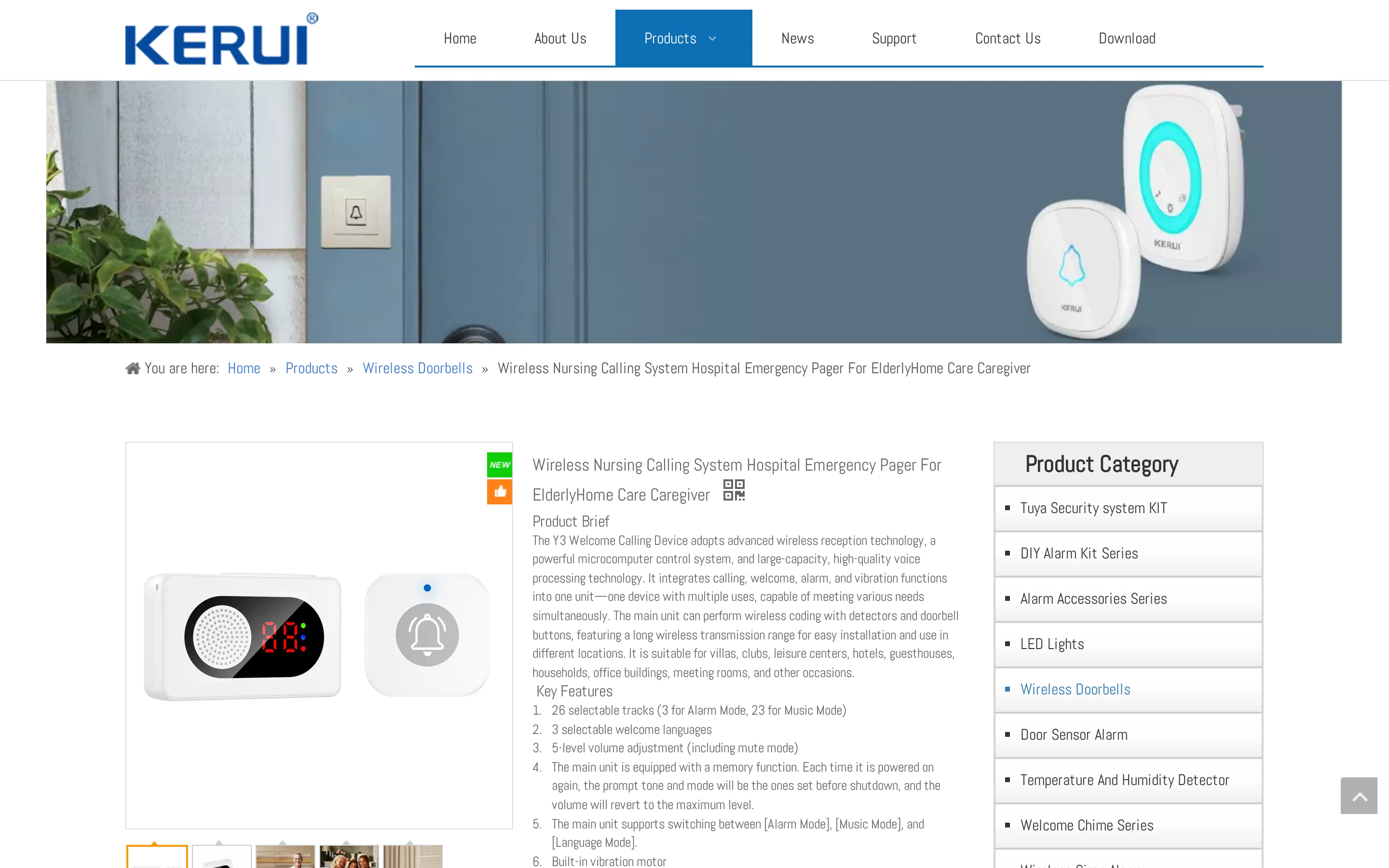
KERUI Caregiver Pager System is a hybrid wireless alert system with local chimes and optional Tuya app notifications for SOS, motion, and door alerts.
KERUI is the one system here that combines local pager alerts with optional Tuya smartphone notifications on select variants, so it can chime in-house and push to a phone from the same setup.
Capability | KERUI | Other tools named in this list |
|---|---|---|
Smartphone alerts | Tuya app on select variants | Daytech and Liotoin stay local only |
Accessory types | SOS, motion, door sensors | CallToU focuses mostly on SOS buttons |
Best for
That hybrid fits a home where a caregiver is sometimes in another room and sometimes out of the house. Alerts go to local chimes and, on select variants, to the Tuya Smart app.
Daytech stays on standard radio tones without app connectivity, and CallToU's app support is partial, split across separate WiFi products that may carry monthly fees.
Home-care need | KERUI detail |
|---|---|
Caregiver in another room | Local chime receiver |
Caregiver outside local hearing range | Tuya app notification on select variants |
Key public specs
KERUI publishes about 500 feet of open-area range, up to 30 paired accessories, and support for SOS, motion, and door sensors.
Open-area range sits around 500 feet, with the receiver pairing up to 30 transmitters or accessories.
Retekess TH103 lists a longer 656-foot range, while RCA caps its portable pager at four paired devices, so KERUI sits high on expandability here.
Spec | KERUI | Named comparison |
|---|---|---|
Range | About 500 ft | Retekess TH103: 656 ft |
Paired accessories | Up to 30 | RCA pager: up to 4 |
Sensor support | SOS, motion, door | CallToU: mostly SOS buttons |
Distinctive feature
The main distinction is phone notification support on select Tuya variants, alongside SOS, motion, and door accessories.
Beyond a basic SOS-only kit, KERUI supports SOS buttons, motion sensors, and door sensors on one receiver.
Liotoin is built around SOS call buttons without motion or door sensors, and Smart Caregiver adds bed, chair, and floor pads but no app connectivity.
Differentiator | KERUI | Named contrast |
|---|---|---|
Phone alerts | Tuya app on select variants | Smart Caregiver: no app |
Accessory breadth | SOS, motion, door | Liotoin: SOS only |
Watch out for
Check the exact variant before buying.
No two-way voice: alerts stay as local chimes or phone notifications. Freedom Alert is the voice-call option in this list.
App access is variant-specific: phone notifications depend on Tuya-linked models. Guardian uses a web dashboard across staff devices instead of a consumer smart-home app.
7. CallToU Caregiver Pager
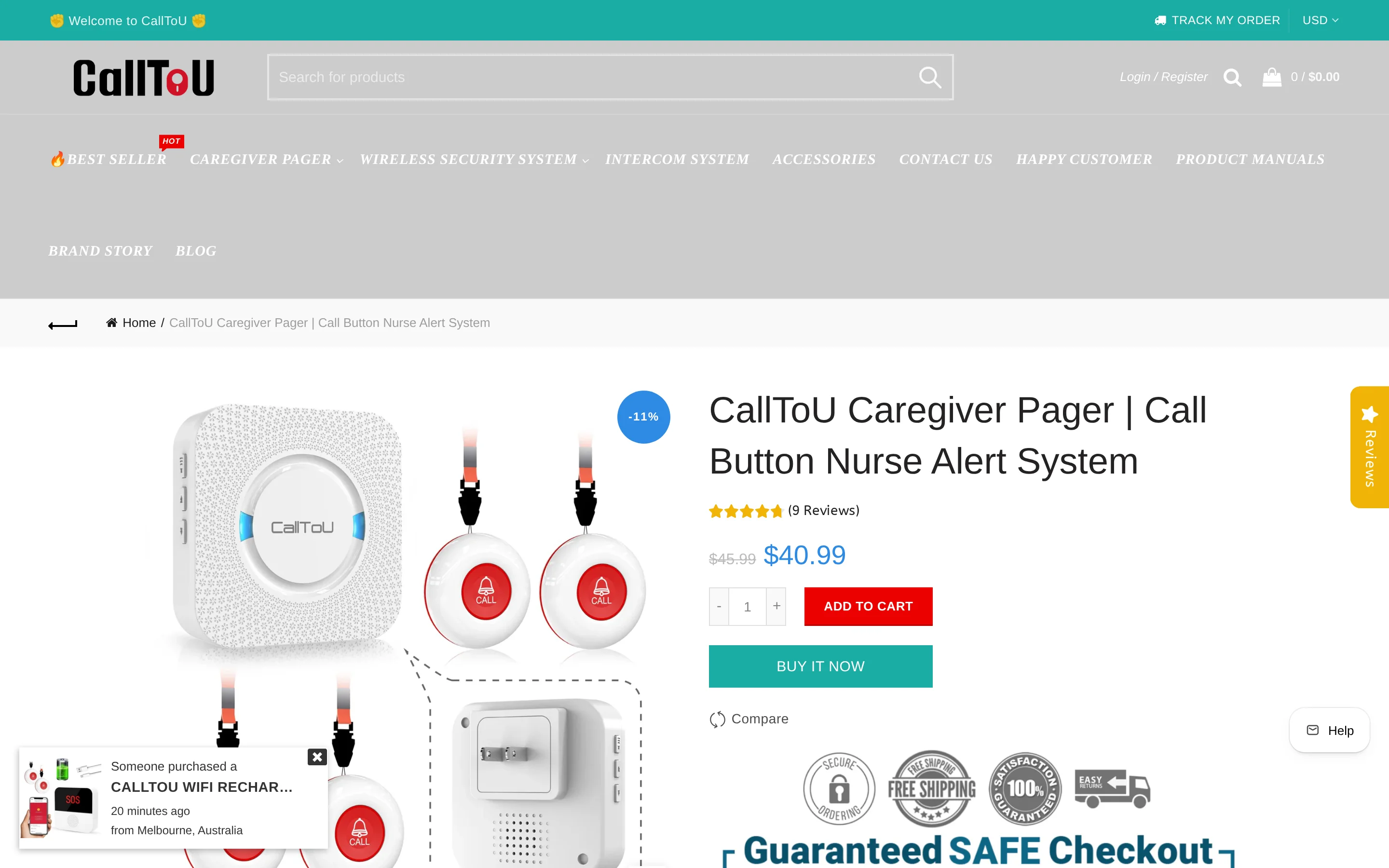
CallToU Caregiver Pager is a wireless caregiver alert system with waterproof SOS buttons, local receivers, and some app-linked variants for remote alerts.
CallToU uses tone and vibration alerts and quotes a wide range, 500 to 1,000 feet depending on model and environment.
It has no two-way voice, which only Freedom Alert offers here, and its documented range runs well past Smart Caregiver's 300 feet.
Tool | Alert method | Remote phone alerts | Quoted range |
|---|---|---|---|
CallToU Caregiver Pager | Tone or vibration | Optional on WiFi variants | 500 to 1,000 ft |
Freedom Alert Caregiver Communicator | Two-way voice | No app | About 600 ft line of sight |
Smart Caregiver Wireless Caregiver Call Button System | Chime or vibration | No | 300 ft |
Best for
CallToU fits a household wanting long-range button alerts with simple receivers, plus an optional remote-phone variant. Listings describe plug-in and portable receiver options and waterproof SOS buttons for home use.
The optional app-linked variants set it apart from an offline-only kit like Liotoin.
Home-care need | CallToU fact | Named contrast |
|---|---|---|
Bathroom or bedside button placement | Waterproof SOS buttons | Liotoin focuses on SOS button transmitters but has no app connectivity |
Caregiver moving around the house | Plug-in and portable receiver options | Smart Caregiver centers on pager-style receiving with shorter documented range |
Some remote phone alerting | WiFi variants with app notifications | Freedom Alert uses landline voice calling instead of app alerts |
Key public specs
Published range runs from 500 to 1,000 feet depending on model, with waterproof SOS buttons and plug-in or portable receivers.
Quoted range varies by source: CallToU's site states up to 1,000 feet for its wrist call system, and product listings state over 500 feet on other models. Waterproof SOS buttons and both plug-in and portable receivers are standard.
RCA adds sensor pads and motion detectors, whereas CallToU centres on waterproof SOS button configurations.
Spec | CallToU | Named contrast |
|---|---|---|
Range | 500 to 1,000 ft depending on listing/model | Smart Caregiver: 300 ft documented |
Trigger type | Waterproof SOS buttons | RCA: button plus mats and motion sensors |
Receiver types | Plug-in and portable receivers | Freedom Alert: landline base with pendant |
Distinctive feature
The product line splits into two paths: offline pager models for in-home alerts, and separate WiFi variants with smartphone notifications.
Useful differences:
Offline or WiFi choice: core kits stay local, while select variants send phone notifications.
No monthly fee listed on app-linked variants: check the exact listing before buying.
Top quoted range: some models advertise up to 1,000 feet, compared with Retekess TH103's 656-foot open-area figure.
Smart Caregiver and Liotoin stay hardware-only in the data here. KERUI also offers Tuya app integration on select variants.
Watch out for
Model choice matters. Core CallToU kits are button-based and local; app features and remote alerts sit in separate variants.
Beyond button presses, CallToU offers little passive coverage; it focuses almost entirely on waterproof SOS call button configurations.
Guardian adds motion, bed-exit, and SOS sensors without cameras, and RCA pairs with bed and chair pads, floor mats, PIR motion, and pull-cord alerts.
App and remote alerts are not standard on every model. Core models are offline, and WiFi variants are sold separately on some versions.
KERUI integrates with the Tuya Smart app on select variants, and Freedom Alert uses landline voice calling instead of app alerts.
Limitation | CallToU fact | Named tool that covers the gap |
|---|---|---|
No passive monitoring sensors | Button-focused SOS system | Guardian: motion and bed-exit sensors; RCA: mats and motion detectors |
No two-way voice | Tone and vibration alerts only | Freedom Alert: two-way voice through landline |
App alerts vary by model | Some variants have WiFi and app notifications | KERUI: Tuya app on select variants |
8. Freedom Alert Caregiver Communicator
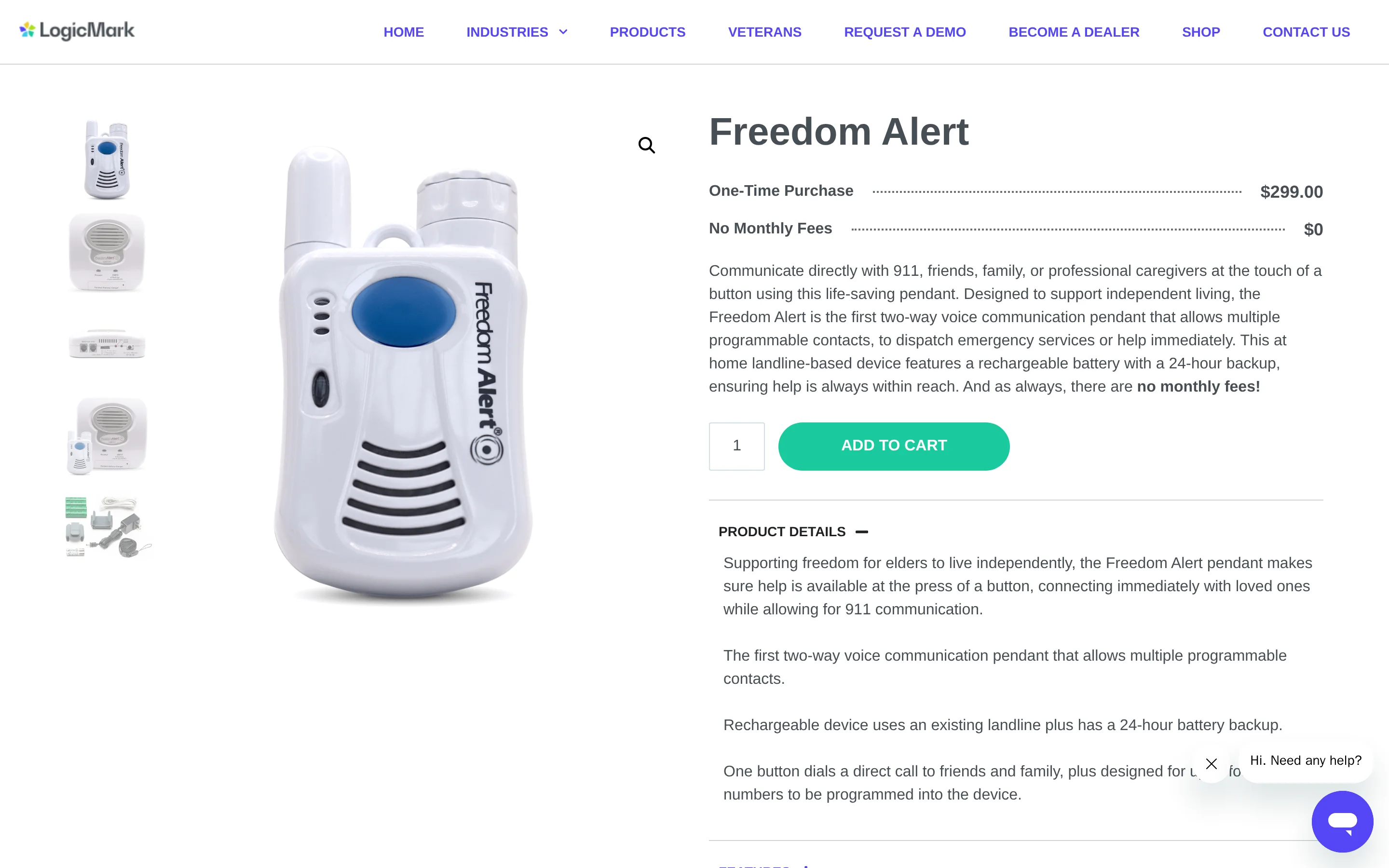
Freedom Alert Caregiver Communicator is a landline-based emergency communicator with a wearable pendant for two-way voice calls to contacts or 911.
Freedom Alert is the only system here with full two-way voice through the wearable pendant, letting the user talk to a contact or 911 after triggering.
Smart Caregiver, Daytech, and CallToU use tones, chimes, flashing, or vibration only, with no pendant-based voice conversation.
Capability | Freedom Alert Caregiver Communicator | Examples from other tools in this article |
|---|---|---|
Alert method | Two-way voice call through pendant and landline base | Smart Caregiver and Daytech use audible or vibrating pager alerts |
Remote/app access | No app integration | Guardian has a web dashboard. KERUI has Tuya app support on select variants |
Extra sensors | Pendant-focused system only | Guardian uses motion, bed-exit, and SOS sensors. RCA pairs with mats and PIR sensors |
Best for
It fits a senior with landline service who wants voice contact with family rather than a chime alone. Calls route from the pendant to four programmed contacts through the base unit.
The system forwards to 911 without monthly fees, keeping it closer to a one-time hardware purchase than a monitored service.
A different type suits some homes better. Guardian fits settings that need passive monitoring from motion, bed-exit, and SOS sensors rather than waiting for a button press.
CallToU fits homes that only need ringtone or vibration alerts across multiple buttons, without voice.
Home care need | Freedom Alert | Other tool in this article |
|---|---|---|
Direct conversation after alert | Pendant voice call to contacts or 911 | CallToU: tone or vibration only |
Passive activity monitoring | Not included | Guardian: motion, bed-exit, SOS |
Local multi-button paging | Limited compared with pager kits | CallToU: multiple buttons and receivers |
Key public specs
The core setup is a pendant, a landline base, four stored contacts, home-range wireless coverage, and no app connection.
The pendant supports two-way voice through the landline base, which can call up to four programmed contacts and forward to 911 with no monthly service fee.
The main setup limits are structural:
It is landline-dependent, with no smartphone app or web dashboard.
Range is about 600 feet line of sight, covering an average home or yard.
Multiple pendants can share one base, but escalation is capped at four contacts.
KERUI, by contrast, pairs with up to 30 transmitters or accessories.
Spec | Freedom Alert Caregiver Communicator | Cross-reference |
|---|---|---|
Voice communication | Yes, two-way through pendant | Daytech: no voice |
App connection | No | Guardian: web dashboard. KERUI: app support on select variants |
Range | About 600 ft line of sight | Liotoin: 600+ ft in open areas |
Expandability | Multiple pendants, 4 contact limit | KERUI: up to 30 transmitters/accessories |
Distinctive feature
The pendant voice link is the defining feature: after activation, the user can speak through the landline base and reach contacts or 911.
The voice link is what makes it unusual here, built into the pendant rather than a separate hub. RCA focuses on chime alerts and sensor pairing without voice, and hub-based two-way voice on some systems depends on staying near the central speaker.
Its ownership model also differs. Freedom Alert has historically sold as a one-time hardware purchase around $300 for the landline base.
By contrast, SensorsCall CareAlert uses a hardware-plus-service model: about $416 upfront plus a $19.99 monthly subscription for connectivity, AI routine processing, and caregiver app access.
Standout factor | Freedom Alert | Examples from other systems |
|---|---|---|
Live voice after alert | Pendant-based two-way voice | RCA, Daytech, CallToU: tones and paging only |
Emergency escalation | 911 forwarding through landline | Most local RF pagers stop at in-home alerting |
Ownership model | Historically one-time hardware purchase | SensorsCall: upfront hardware plus monthly service |
Watch out for
A landline is the constraint. Freedom Alert has no app integration and no support for motion, bed, or door sensors.
The setup limit that matters most is the landline dependency; there is no smartphone app.
KERUI can push smartphone notifications on select Tuya variants, and Guardian uses a web dashboard for real-time alerts across devices, covering remote workflows Freedom Alert does not.
On monitoring, Freedom Alert is a single-pendant voice system and does not support external motion, bed-exit, or door sensors.
Guardian includes motion, bed-exit, and SOS sensors for activity monitoring beyond a manual call, and RCA pairs with bed and chair pads, floor mats, PIR motion, and pull-cord alerts.
Limitation | Freedom Alert | Tools in this article that cover the gap |
|---|---|---|
No app or dashboard | Landline only | KERUI: app notifications on select variants. Guardian: web dashboard |
No passive sensors | Pendant only | Guardian: motion and bed-exit sensors. RCA: mats and PIR motion |
Fixed escalation structure | Up to 4 programmed contacts | KERUI: larger transmitter/accessory network |
9. RCA Wireless Caregiver Alert System
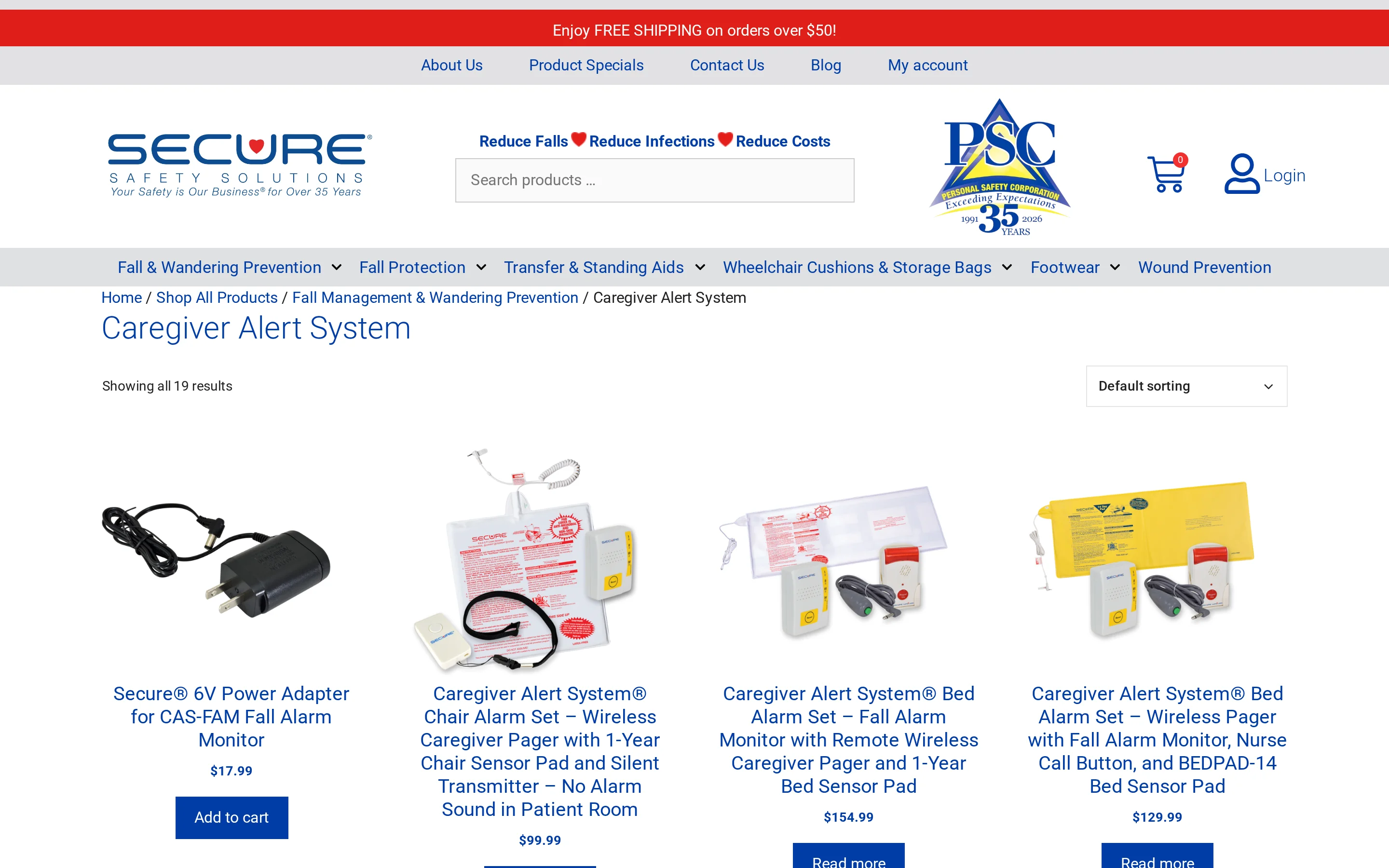
RCA Wireless Caregiver Alert System is a local RF pager kit that pairs one portable receiver with up to four pressure mats or motion sensors.
RCA is a sensor-first pager: it pairs with bed pads, chair pads, floor mats, PIR motion detectors, and pull-cord alerts rather than leading with a wearable button.
That separates it from CallToU, which focuses mainly on waterproof SOS buttons, and Daytech, which centres on call buttons and wrist transmitters.
Tool | Primary alert style | Sensor support | Remote/app option |
|---|---|---|---|
RCA Wireless Caregiver Alert System | Portable pager | Bed, chair, floor, motion, pull-cord | No |
CallToU Caregiver Pager | Tone/vibration receiver | Mainly SOS buttons | Optional on separate variants |
Daytech Wireless Caregiver Pager | Tone/flashing receiver | Buttons and wrist transmitters | No |
Best for
RCA fits a home caregiver who wants bed, chair, floor, or motion alerts without Wi-Fi. It supports bed pads, chair pads, floor mats, PIR motion detectors, and pull-cord alerts.
Smart Caregiver covers similar pressure sensors, though its standard range is 300 feet against RCA's 500.
A home with more than a handful of sensors will outgrow it. The portable pager pairs with only four peripherals.
KERUI supports about 30 transmitters or accessories on one receiver, and Guardian scales across multiple residents from a central dashboard.
Use case | RCA | Comparable tool |
|---|---|---|
Bed or chair exit alerts | Yes | Smart Caregiver: yes |
Simple SOS button calling | Not the main focus | CallToU: main focus |
Large multi-sensor expansion | Limited to 4 devices | KERUI: up to 30 accessories |
Key public specs
RCA publishes up to 500 feet of open-air range, with one portable pager paired to as many as four peripherals.
RCA lists an effective range of up to 500 feet in open air. For reference, Retekess TH103 lists 656 feet and Smart Caregiver lists 300 feet.
The pager pairs with bed and chair pressure pads, floor mat sensors, PIR motion detectors, and pull-cord alerts, up to four peripheral devices in total.
Spec | RCA | Retekess TH103 | Smart Caregiver |
|---|---|---|---|
Published range | Up to 500 ft | Up to 656 ft | Up to 300 ft |
Sensor types | Bed, chair, floor, PIR, pull-cord | Buttons, pull-rope | Bed, chair, floor pads |
Max paired transmitters | 4 | Up to 20 buttons | Varies, some pagers up to 6 sensors |
Distinctive feature
The design choice is sensor-first: bed, chair, floor, motion, and pull-cord triggers feed a local pager.
RCA monitors passive triggers, pressure pads, and motion detectors, not just resident-pressed buttons.
Liotoin and CallToU, by contrast, are built mainly around SOS button configurations.
That sensor mix is uncommon in this list; few systems here pair a pager with both pressure mats and PIR motion. Daytech does not extend into pressure-pad monitoring, and KERUI supports motion and door sensors but centres on a home-alarm receiver rather than a four-sensor pager.
Main trigger: pressure pads, PIR motion, and pull-cord accessories.
Where it differs: Liotoin and CallToU focus on SOS buttons.
Practical limit: sensor coverage stays local to the pager.
Watch out for
Step away, and this system stays silent. There is no Wi-Fi, app, remote smartphone monitoring, or two-way voice.
The other ceiling is scale: one pager pairs with only four devices.
Freedom Alert is the only tool here with pendant-based two-way voice, KERUI supports about 30 transmitters, and Guardian scales to multi-resident monitoring from one dashboard.
Limitation | RCA | Tool in this article that covers it |
|---|---|---|
Phone or web alerts | No | Guardian, KERUI on select variants |
Two-way voice | No | Freedom Alert |
Large expansion beyond 4 devices | No | KERUI, Guardian |
Systems compared: alerts, range, setup, and limits
Compare each system by response path first, then by range and setup burden. Failure mode matters more than the number of tones.
Group the systems by what happens after an older adult asks for help. Local pagers handle in-home alerts; monitoring systems add sensors and either app routing or voice calls.
Smart Caregiver runs local pager alerts and supports pressure bed, chair, and floor pads.
KERUI adds optional Tuya app notifications plus SOS, motion, and door sensors.
Freedom Alert is the only one with two-way voice, over a landline base and pendant.
Guardian uses motion, bed-exit, and SOS sensors through a web dashboard, not just manual presses.
Retekess TH103 lists 656 feet in open areas. Smart Caregiver lists 300 feet, while KERUI and CallToU publish their own open-area ranges.
Treat every published range as an open-area ceiling, not a room-by-room guarantee. Test the system where the alert must work:
Through bedroom and bathroom walls
From the farthest room to the receiver
With the receiver in its normal outlet
After battery changes
The higher-risk gap is manual activation: a button-only system cannot help when the person cannot press it.
System | Alert type | Published range | Setup style | Main limit |
|---|---|---|---|---|
Guardian | Web dashboard alerts from SOS, motion, and bed-exit sensors | Whole-home or facility wireless coverage | Installed multi-sensor network | Pricing requires quote and setup is heavier than plug-in pagers |
Smart Caregiver | Portable pager alerts from call buttons and optional pressure pads | 300 ft | Local RF hardware | Basic kit range is shorter than several rivals |
Daytech | Plug-in receiver chimes with watch or button transmitters | 100 to 300 ft depending on transmitter | Plug-in RF kit | No app layer and shorter range on wrist transmitters |
Liotoin | Chime alerts from waterproof SOS buttons | 600 plus ft | Local RF hardware | No sensors beyond call buttons |
Retekess TH103 | Strobe siren and pull-rope or button activation | 656 ft | Local RF hardware | No app and no two-way voice |
KERUI | Local RF alerts with optional app notifications | About 500 ft | RF kit with optional Tuya app setup | Two-way voice is absent |
CallToU | Tone or vibration alerts from waterproof call buttons | 500 to 1,000 ft | Local RF hardware | App support is only partial on separate variants |
Freedom Alert | Pendant-triggered two-way voice calls through landline | About 600 ft line of sight | Landline base unit | Landline dependence and no external sensors |
RCA | Pager alerts from mats, motion sensors, and pull-cord accessories | Up to 500 ft | Local RF hardware | Portable pager pairs with only 4 devices |
Choosing the right call bell for home care
Choose a wireless caregiver pager by mapping the response path first. Confirm who hears the alert, then test the rooms where help is most likely needed.
Match the alert to the caregiver
The right call bell starts with the response path, then the hardware.
Who hears the alert
Which rooms the caregiver covers
What action follows the chime, vibration, or call
Alert fit question | What to verify |
|---|---|
Can the caregiver hear or feel the alert immediately? | Receiver mode: loud chime, flashing light, vibration, or phone call |
Can the older adult trigger it easily where help is needed? | Button size, press effort, wearability, and waterproof placement |
Will it still work in the furthest room every day? | Range through walls, battery upkeep, and test routine |
Check button size, placement, and waterproofing
Start with the older adult's hands and habits. The trigger has to be easy to activate, easy to reach where help is needed, and safe near water.
Ease of use comes first. A pull-rope trigger like the Retekess TH103's suits users who struggle with small press buttons or have limited hand dexterity.
A wearable pendant, as on Freedom Alert, only works if the person keeps it on, so match the trigger to whether the resident will actually wear or reach it.
Then decide where the button lives day to day. Waterproof buttons, as on Liotoin and CallToU, handle the splashes and humidity of a bathroom, so one can sit near the shower and another by the bed.
A fixed button only helps if it sits where risk is highest: bed, chair, toilet path, or shower entrance.
Physical check | Why it matters | Example tools in this article |
|---|---|---|
Large or alternative trigger | Small buttons can be hard for arthritis or weak grip | Retekess TH103, Freedom Alert |
Wearable versus fixed placement | The alert must be reachable at bed, bathroom, and hallway risk points | Freedom Alert, CallToU |
Waterproof button housing | Bathroom and shower-adjacent use expose buttons to splashes and humidity | Liotoin, CallToU |
Test the range and maintenance reality
Test range and power before daily care depends on the pager. Confirm alerts reach the caregiver through the actual walls and floors, then set a weekly battery routine.
Enough range depends on your layout, not the box.
Smart Caregiver: up to 300 feet
Daytech: about 100 feet on wrist buttons and 300 feet on standard buttons
CallToU: about 500 to 1,000 feet, depending on the local RF model
Those open-area numbers change once walls and floors are in the way, so the farthest room is the one to test.
Battery-powered transmitters with plug-in receivers, as on Daytech and Liotoin, need scheduled battery checks. Use an outlet that no one switches off.
KERUI app variants add phone setup and notification permissions. Assign one caregiver to check alerts and phone settings on the same schedule as battery checks.
System example | Published/open-area range | Maintenance reality to verify |
|---|---|---|
Smart Caregiver | Up to 300 feet | Battery checks on transmitters. Confirm coverage in bedroom and bathroom |
Daytech | About 100 feet wrist, 300 feet standard button | Different accessories can behave differently across the same home |
CallToU | About 500 to 1,000 feet depending on model | Open-area number still needs room-by-room testing |
KERUI | About 500 feet | App variants add phone setup and notification management |
Setup checklist for caregivers
A caregiver call bell setup checklist covers placement, range testing, and maintenance before daily care depends on the system. It confirms where buttons go, whether alerts reach the caregiver, and when batteries get checked.
Place buttons where help is most likely needed
Place call buttons at the bedside, in the bathroom, and in other high-risk rooms, or keep one wearable on the person.
Prioritise transfer points first, especially bathroom and bedside routines. Use a lanyard only when the person will keep the wearable button on.
Remember the limit of any manual button: it does nothing if the person is unconscious, cannot move, or forgets to wear it after a fall.
Placement option | Why it matters |
|---|---|
Bedside | Fast access during transfers and nighttime needs |
Bathroom | High fall-risk location |
Wearable lanyard | Keeps alert available between rooms |
Test every room before relying on it
Test the button and receiver in every room you plan to use, especially through walls, bathrooms, and the farthest parts of the home.
A listed range is not a guarantee in your home. Daytech, for example, rates standard call buttons at 300 feet but wrist buttons at only 100, and plug-in receivers depend on where each one sits.
Walk the button through each relied-on room before daily use, including bathroom tile and the farthest corner from the receiver.
What to test | What to confirm |
|---|---|
Bedroom to receiver | Alert reaches caregiver |
Bathroom to receiver | Signal passes through tile and walls |
Farthest room | Alert still triggers reliably |
Practice the alert and check batteries
Practice pressing the alert until it feels automatic, then check button and receiver batteries on a regular schedule.
A manual button only works if the person can remember and press it under stress, so practice makes it automatic. Run a press-and-respond drill until the routine sticks.
For batteries, use status reporting when the system has it. Guardian flags battery and coverage live; basic button-and-receiver kits need manual checks every week or two.
Routine | Purpose |
|---|---|
Practice the button press | Builds recall during stress |
Confirm caregiver hears the alert | Verifies response path |
Check batteries on schedule | Reduces dead-device risk |
When a simple call bell is not enough
A simple call bell gives one manual way to ask for help. Guardian adds passive monitoring and alerts that tell staff where to respond.
A manual call bell breaks in a predictable way: it needs the resident conscious, mobile, and able to remember and press it. A fall, a faint, or a forgotten pendant, and the button reports nothing.
Guardian closes that gap with passive coverage:
Motion, door, fridge, stove, and bed sensors plus wearables mean monitoring does not hang on a single press.
A fall-detection wristband uses an accelerometer to alert even when nobody presses anything.
Each sensor maps to a specific room or bed, so an alert carries exact location instead of a generic buzz.
Extra sensors should not create extra noise. Guardian routes notifications through alert rules, then sends them to the smartphones, tablets, and nurse-station computers staff already use.
Each nurse call lands with the resident's name and live location. A rule like out of bed for more than 15 minutes at night filters routine movement from actionable events.
Need state | Simple call bell | Guardian |
|---|---|---|
Person can press for help and caregiver is nearby | Manual button or bell | Also works through SOS wristband |
Fall or medical event prevents button press | No automatic detection | Automatic fall detection wristband and passive sensors |
Need to know exactly where to go | Local sound only | Named alert with live location and mapped room context |
Too many routine notifications | Not applicable, but no filtering logic | Smart alert rules send only actionable events |
Guardian adds passive monitoring for care homes
Guardian pairs camera-free sensors with alerts that show who needs help and where. Staff see the resident, location, and event in a web dashboard.
When no one can press the button, care staff need passive monitoring.
Manual alerts depend on the resident being able to:
Stay conscious
Move an arm or hand
Wear the device
Remember to press for help
Passive monitoring runs in the background, with no action needed from the resident. Wireless sensors and SOS devices feed the dashboard, so staff see the event without a button press.
False alerts erode staff trust and cause alarm fatigue. The SOS button has raised edges to reduce accidental presses while staying easy to trigger on purpose.
Guardian Insight maps sensor data to your floor plan, so every alert shows the room or bed instead of a generic pager signal.
Guardian keeps cameras out of rooms. Sensors send alerts to care teams through Guardian Insight during a shift, without video surveillance.
Monitoring runs through smartphone and web dashboards. The local radio pagers in this list stop at local alerts or base-unit calls.
Use a Guardian pilot to test passive monitoring on one ward before a wider rollout.
Map rooms and beds to live alerts
Train care teams on the dashboard and response rules
Review alerts, acknowledgement time, and staff feedback after 6 to 8 weeks
Approach | What triggers help | What the caregiver sees |
|---|---|---|
Basic call bell | Manual button press only | A local pager or chime alert |
Guardian | Passive sensor activity plus SOS button | Contextual alerts through a web-based monitoring view |
Basic hand bells and RF caregiver pagers do not need Wi-Fi. Smart Caregiver, Daytech, and Retekess TH103 use local radio signals between the call button and receiver. A manual hand bell needs no Wi-Fi, battery, or mains power.
Internet access matters when alerts need to leave the local receiver. KERUI adds Tuya app notifications on select variants, while Guardian uses network access for its web dashboard and multi-device alerts.
Battery life depends on the device. Published examples range from systems with no batteries to a CR2032 transmitter rated for up to three years with regular use. CallToU also uses a CR2032 transmitter and lists a low-power reminder.
Build battery checks into the care routine for wireless pagers. Manual hand bells remove that maintenance task, but only work when someone nearby can hear them.
Yes, when the system supports multi-receiver pairing. Daytech, Liotoin, and CallToU let one call button pair with multiple receivers, so one press can alert caregivers in separate rooms.
Check receiver capacity before adding more buttons. Retekess TH103 lists up to 20 buttons per receiver, while KERUI lists about 30 transmitters or accessories.
Basic RF caregiver pagers are usually one-off hardware purchases. Monitored, cellular, and app-based systems can add monthly fees, especially when alerts leave the local receiver or include emergency dispatch.
Published examples vary by provider. SensorsCall CareAlert lists $19.99 per month for connectivity and app access. Lifeline HomeSafe plans start around $34.95 per month, with mobile plans up to $49.95 per month. Nomo Smart Care requires a paid subscription for real-time alerts and 911 dispatch.
Use a call button in the shower only when the exact model lists a waterproof rating for wet-area use. One caregiver call button lists IP55 protection, while CallToU lists an IP66 elderly-care watch button. Liotoin also lists waterproof buttons for bathroom use.
Waterproof does not mean maintenance-free, so check for moisture or corrosion. A manual button still depends on the resident being able to press it after a fall. For higher fall risk, pair it with passive monitoring or another check-in method.

Author
Aleks Timm
Aleks Timm leads Guardian and builds privacy-first operations technology for care homes and home care providers. Teams get location-aware alerts they can act on, clearer situational awareness, and measured insight into how care work actually runs.
Read MoreRecommended reads
Keep reading
WiFi nurse call system guide for care homes
WiFi nurse call systems explained: alerts, clean records, and no wiring—compare options and choose the right setup for your care...
Read more
Remote patient monitoring: a complete guide
Remote patient monitoring: the complete guide to sensors, benefits, and buying tips for safer care homes and better resident...
Read more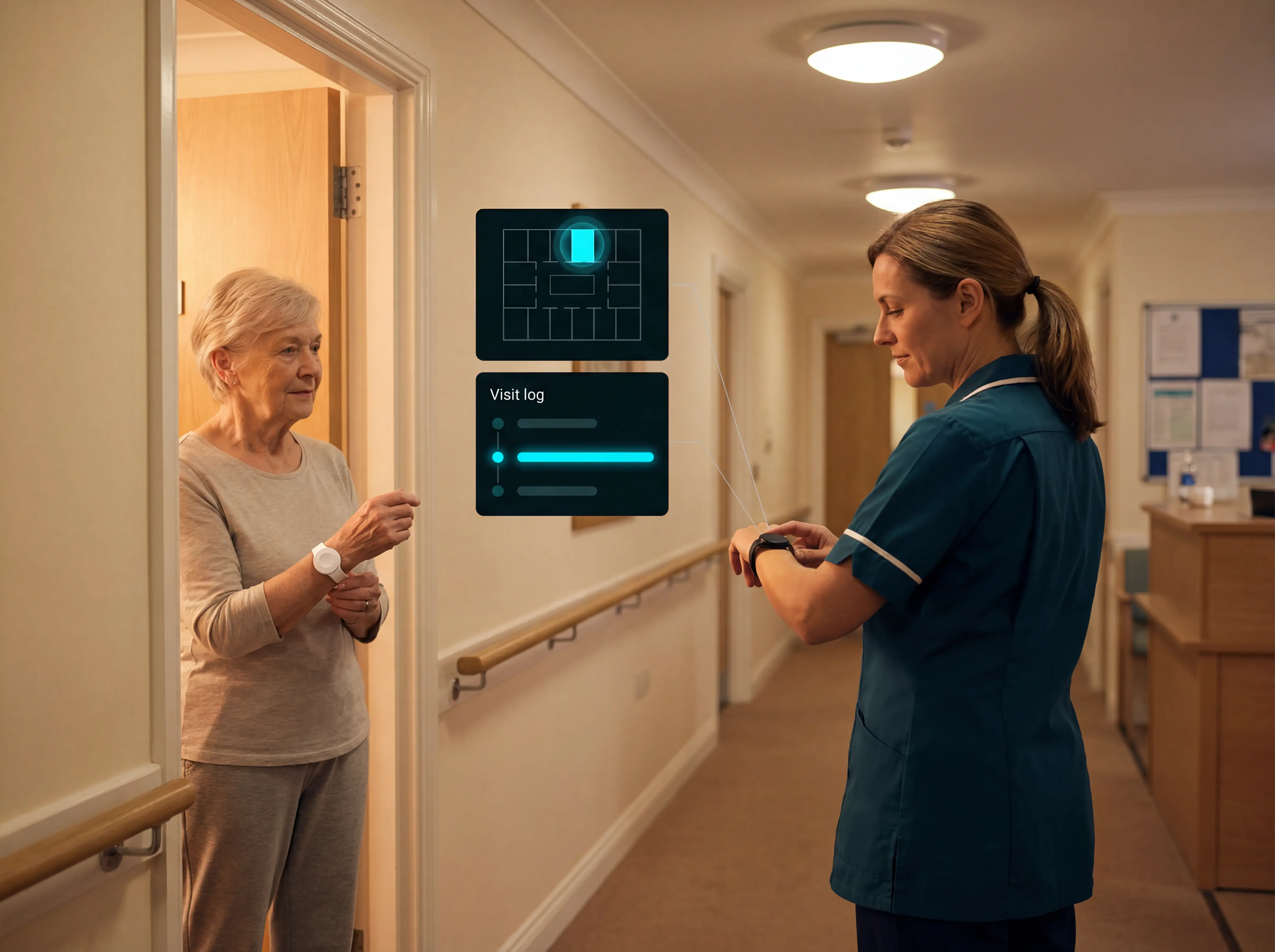
Nurse call button systems for care homes and hospitals
Nurse call button systems for care homes and hospitals: compare smart alerts, sensors, and response tracking to improve safety and...
Read more