

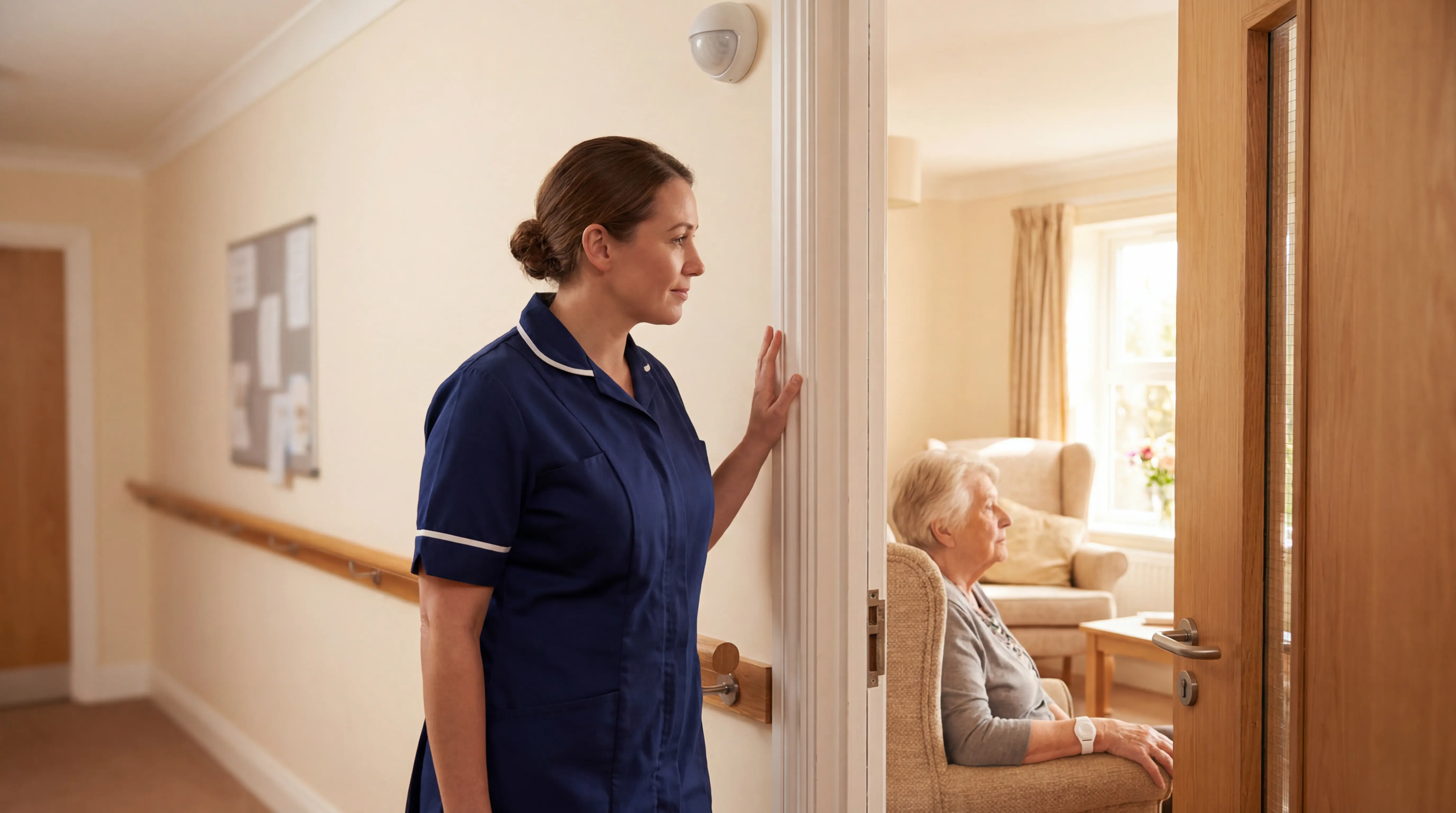
7 Best Monitoring Devices for Dementia Patients
In this article
The comparison below covers simple home devices, family app systems, facility perimeter alerts, and professional care-operations platforms, judged on who receives the alert, what context arrives with it, and what record remains afterwards.
The legal notes are UK-oriented. They flag NICE NG97, Mental Capacity Act decisions, UK GDPR, and Data Protection Act duties. Outside the UK, check the local capacity, privacy, and data protection rules before rollout.
Quick picks: which monitoring system fits which job?
Use this as a starting point. The right choice still depends on who responds when the alert fires.
What to look for in a dementia monitoring device
Start with the resident’s main risk, then test whether monitoring still works as memory, cooperation, or mobility changes. NICE NG97 supports personalised care planning, so link monitoring to a documented risk instead of blanket surveillance.
Also test alert volume. Frequent non-actionable alarms create alarm fatigue.
Set thresholds, escalation rules, and clinical review points before rollout. A bed sensor should distinguish normal repositioning from a genuine exit.
Primary risk: Choose first for wandering, falls, bed or chair exits, medication routines, or daily supervision. Confirm who reviews escalated alerts and adjusts rules when the resident’s condition changes.
Active vs passive: Treat button-press alarms as backup, not the whole plan, when residents may not activate them.
Progression and wearability: Check whether the device still works if the resident removes it, forgets charging, or resists unfamiliar objects.
Alert routing and context: Prioritise alerts that show resident identity, event type, and room or location, not just a generic alarm.
Privacy and setup fit: Prefer camera-free, low-maintenance systems, and record why data collection is proportionate for the care setting.
Primary risk and monitoring goal
Sort devices by the first risk you need to control. A resident who leaves the building needs a different system from a resident who gets up at night and falls beside the bed.
Primary risk | Best-fit device type | Care setting fit |
|---|---|---|
Outdoor wandering | GPS watch or geofence tag | Home care, open sites |
Restricted-area exits | Door sensors or location tags | Memory care wards |
Bed or chair exits | Pressure pads or bed sensors | Night shifts, high-risk rooms |
Falls or immobility | Wearable plus passive sensors | Care homes, mixed acuity |
Routine changes | Motion and contact sensors | Home care, supported living |
Sleep disruption or agitation | Motion sensors + activity trackers | Home care, care homes |
Medication or hydration routines | Fridge sensors + connected health devices | Home and supported living |
Across every setting, alert context is the operational filter. Staff need to know who the alert is for, what happened, and where to go before response time can improve.
Night-time fall risk is unpacked in the bed-exit alarm systems guide, covering motion and pressure-pad options.
Active vs passive monitoring
Use the active/passive split before comparing brands.
Active monitoring: The resident presses a button or wears a charged device, so memory, reach, and cooperation affect reliability.
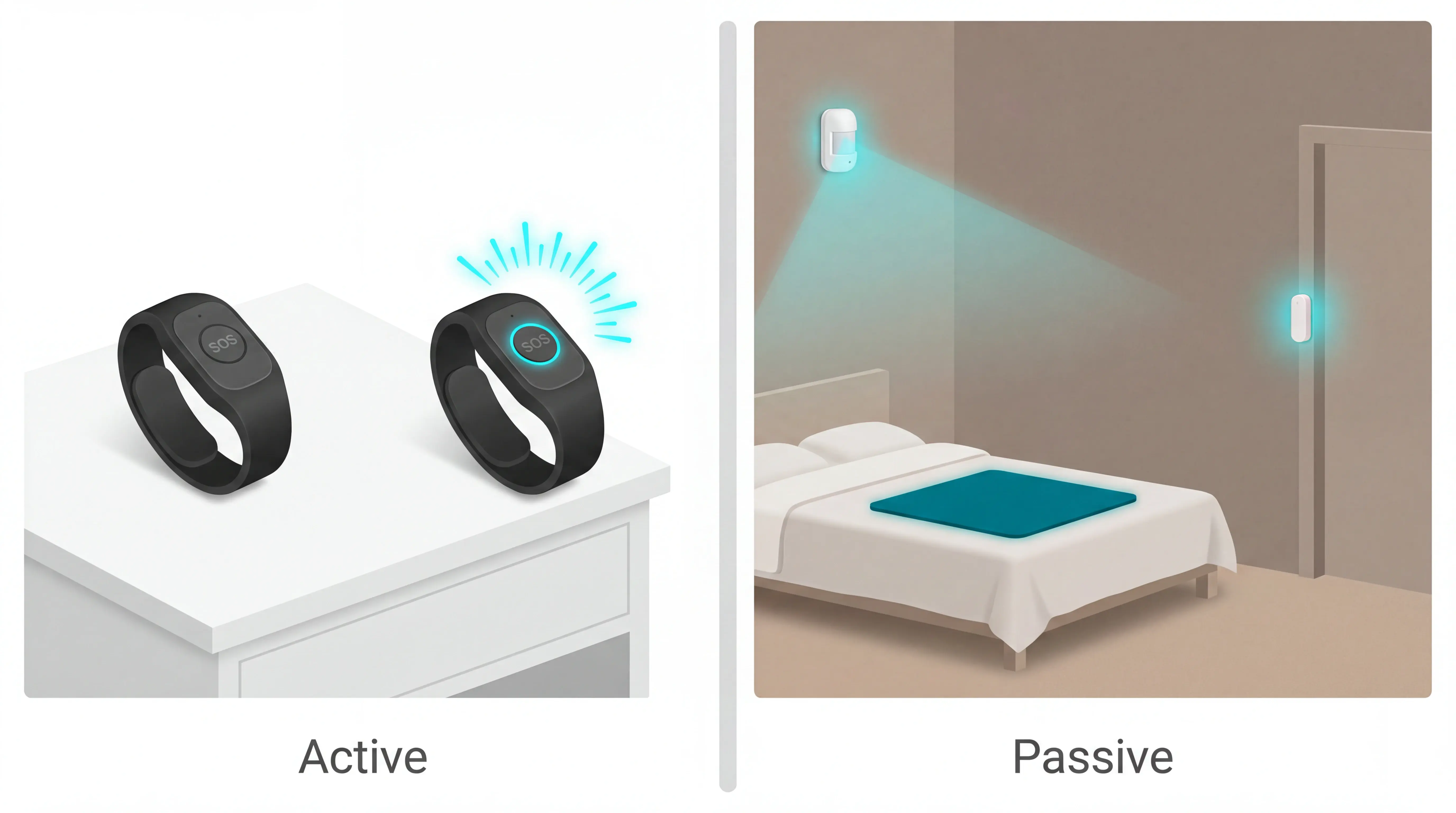
Early-stage fit: GPS trackers, watches, and pendants can work when the person accepts the device and staff or family manage charging.
As dementia progresses, passive coverage removes the need to remember a button. Keep emergency call buttons for residents who can still use them, but do not make the button the only route to help.
Privacy, consent, and intrusiveness
For UK care settings, use NICE NG97 for care planning and check capacity under the Mental Capacity Act before choosing monitoring.
Outside the UK, follow local capacity and privacy laws, including applicable US federal and state rules or Canadian federal and provincial rules.
If a resident cannot give informed consent, record a best-interests decision with family or the resident’s legal proxy.
The record should show the safety risk, the device chosen, and why monitoring is proportionate under UK GDPR and the Data Protection Act 2018.
Lower-intrusion options: Motion sensors, bed-exit pads, and door contacts detect events without recording images or audio.
Higher-intrusion options: Cameras need stronger justification, tighter access controls, and clear rules for bedrooms, bathrooms, and shared spaces.
Guardian
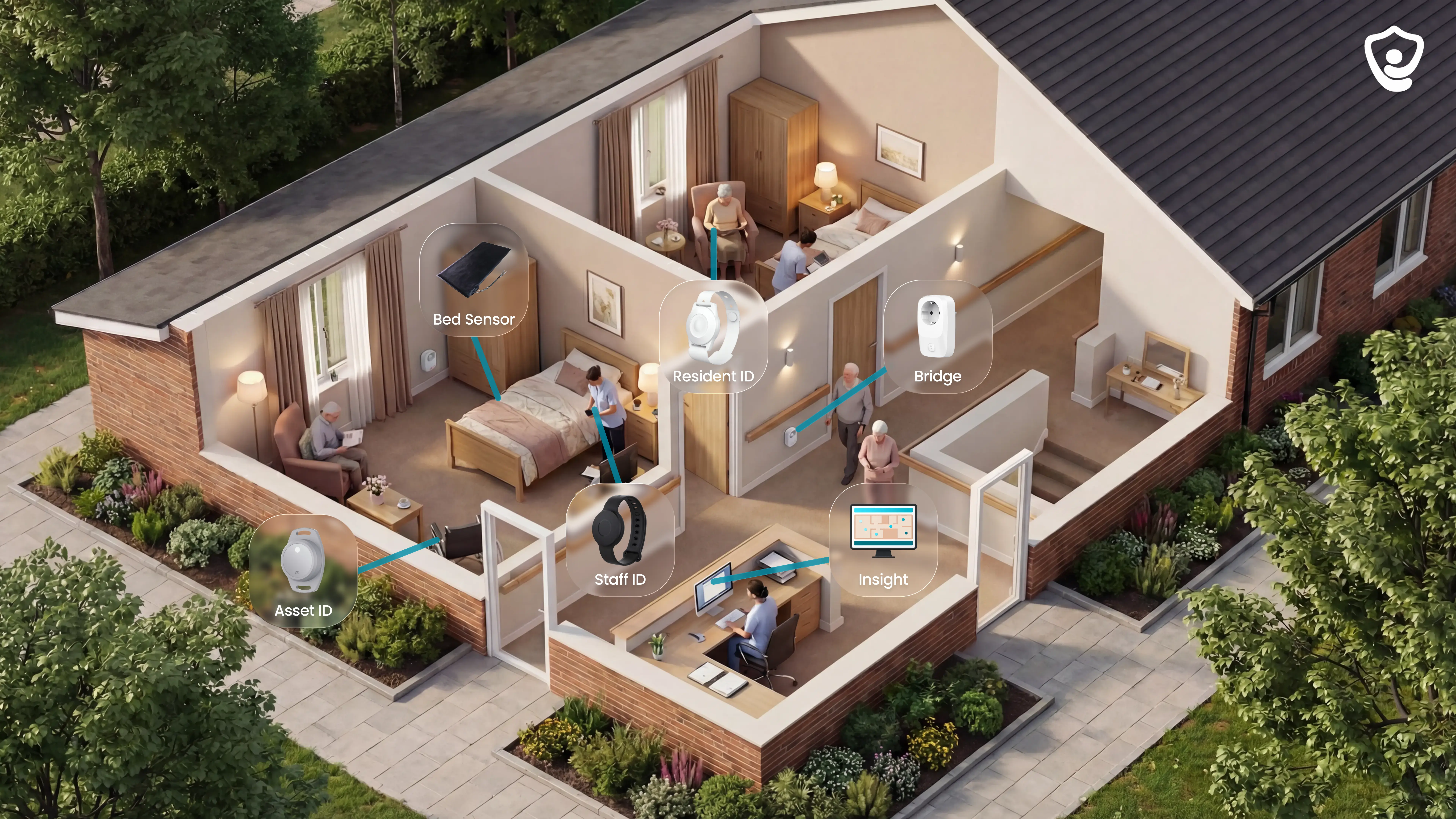
Guardian gives a care team one live view of residents, rooms, alerts, and response records. It is our camera-free platform that connects those signals instead of adding another single-purpose alarm.
The platform connects the main signals a care operator needs during a shift:
Residents: wristbands, bed sensors, motion sensors, and room-level activity.
Rooms: door, fridge, and stove sensors for routine changes.
Teams: caregiver locations, alerts, and visit records.
Operations: vehicles, assets, and Guardian Insight in one live dashboard.
What it monitors and how
Guardian monitors both active events and quiet changes in routine.
The sensor stack gives staff context at resident, room, and operations level:
Resident wristband: detects falls automatically and gives residents a manual SOS button when they can press for help.
Bed sensor: flags bed exits and overnight activity, useful for night-time fall and wandering risk.
Motion sensor: shows room-level activity without using a camera.
Door, fridge and stove sensors: highlight changes in movement, meals, and daily routines.
Vehicle and asset trackers: help managers see where home care vehicles and key equipment are during the day.
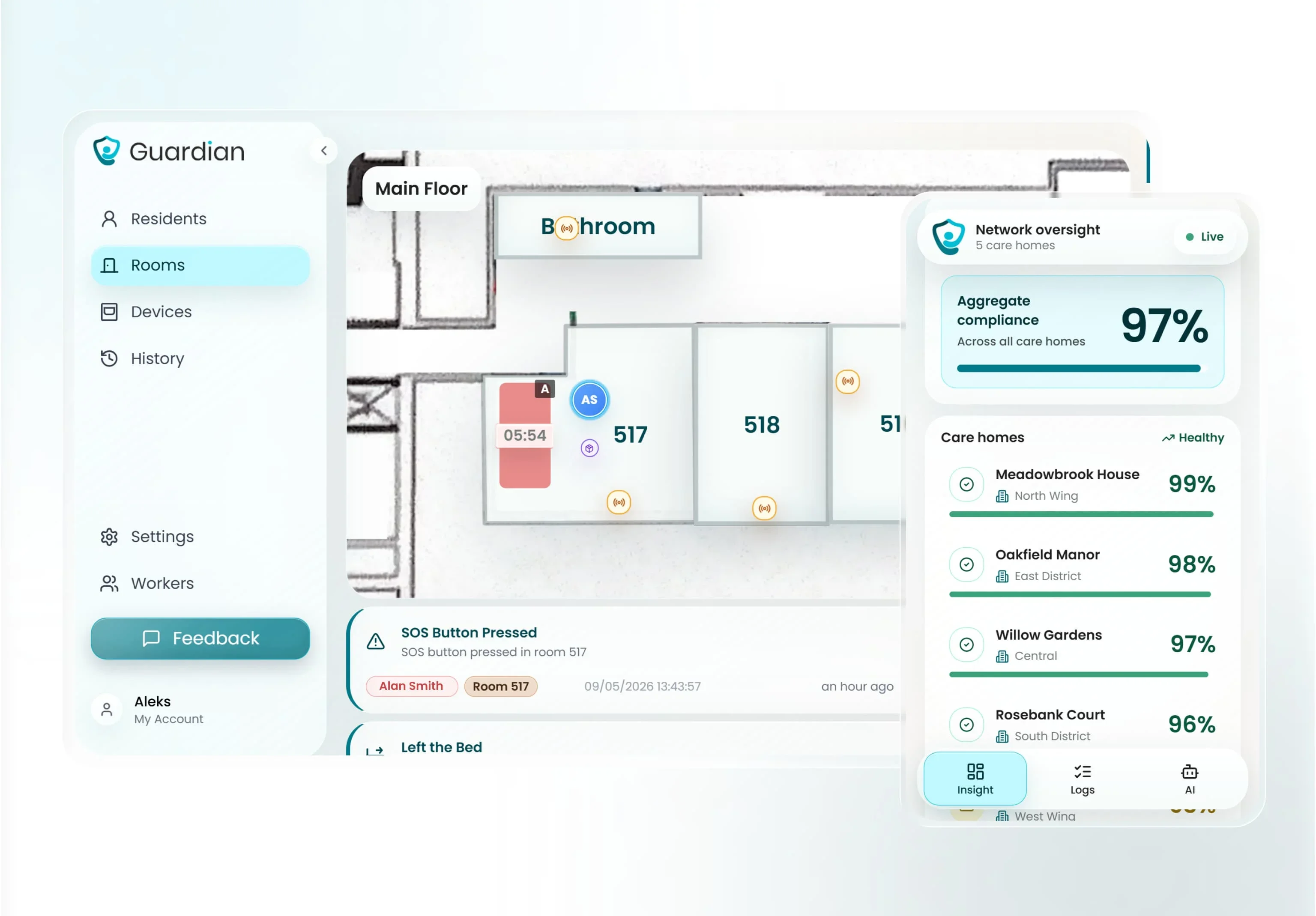
Every sensor is linked during setup to a specific room or bed, mapped onto a digitised floor plan, so staff see where to go rather than which zone to search.
That matters for dementia care because not every resident can wear a device consistently or press a button in the moment. Passive monitoring keeps the home informed without turning the room into a surveillance space.
Caregiver alerts and response
Guardian alerts go to the phones, tablets, or nurse station screens staff already use.
An alert is not just a tone. It gives the caregiver the context needed to act:
Who: the resident or caregiver connected to the event.
Where: room-level location, mapped to the floor plan.
What happened: fall, SOS press, bed exit, restricted-area entry, or another configured event.
What to do next: go straight to the right room or bed instead of searching the ward.
Smart rules help prevent the system from becoming another source of noise. A manager can set an alert such as “out of bed for more than 15 minutes at night” instead of notifying staff for every normal movement.
Guardian helps staff see the event, locate the resident, and leave a clean record of what happened.
Dementia stage fit and wearability
Guardian fits best when the question is not “will this resident press a button?” but “what coverage still works when they do not?”
Early to mid-stage: use the wristband for automatic fall detection and SOS support, especially when the resident tolerates daily wear.
Wristband-resistant residents: rely more on bed, motion, and door sensors, so monitoring does not collapse when the device comes off.
Late-stage dementia: passive coverage becomes the main layer because the resident may not self-report, press a button, or remember to keep a wearable on.
Night-time risk: bed-exit and room activity signals are often more useful than another pendant, because they catch routine changes without asking the resident to act.
Wearability still matters. The wristband is lower-profile than a pendant lanyard and is designed for continuous wear, including showering and bathing. The wearable adds signal, but the care model does not depend on it.
Setup, privacy, and cost
Guardian is wireless, pre-configured, and ready in about a week. No drilling, cabling, pagers, or IT project.
What setup involves:
Workflow mapping — an hour or two with operations leaders to choose the highest-value use cases.
Device configuration — sensors and wristbands set up before delivery.
Floor-plan mapping — rooms, beds, and alert routes connected to the live view.
Alert routing — notifications go to phones, tablets, or nurse station screens staff already use.
Privacy baseline — no cameras and no microphones in resident rooms.
Privacy by design
Dementia monitoring has to protect dignity, especially in bedrooms and bathrooms where video is not acceptable to families, residents, or regulators.
Guardian uses sensors and wearables to detect events without recording video or audio.
Pilot-first pricing
Guardian does not publish a public price list, consumer plan, or self-serve subscription.
That report is where pricing becomes practical:
Response times — how quickly staff respond to falls, exits, SOS events, and nurse calls.
Visit records — which checks and visits were automatically evidenced.
Alert quality — whether smart rules reduced noise and surfaced useful events.
Staff feedback — what changed for the people using the system every shift.
ROI calculation — what rollout would mean for your own care setting, not a generic estimate.
Fit check
Smart Caregiver Alarms
Smart Caregiver Alarms stay close to the room. Sensors trigger a paired pager or monitor instead of a phone app.
The product range is broader than a single pressure pad, but the workflow is still local. A caregiver needs to carry the receiver and stay inside the building's usable radio range.
What it monitors and how
Bed and chair pads: Detect when weight lifts from a mattress or cushion, so a caregiver knows the person may be standing up unaided.
Floor mats: Trigger when stepped on, usually beside a bed, chair, or doorway.
Door and window sensors: Alert when a monitored door or window opens, which helps flag possible exit attempts.
Motion sensors: Use passive infrared detection to notice movement in halls, bathrooms, or other watched areas.
Smart Caregiver handles indoor event monitoring only. A door sensor can tell a caregiver that a door opened, but it cannot show where the person went afterward.
Caregiver alerts and response
Smart Caregiver alerts go to a portable RF pager carried by the caregiver. The pager sounds, vibrates, or displays the triggered sensor label, depending on the receiver model.
Local range: Test the receiver in the rooms where staff will carry it, because walls reduce coverage.
On-site response: Basic kits do not send backup app alerts when the caregiver leaves the usable range.
Shared alerts: Some kits support more than one pager for nearby caregivers.
Sensor labels: Receivers may show labels such as "Bed 1" or "Front Door," depending on model.
Context: The alert identifies the triggered sensor, not a resident history or activity pattern.
Frequent pager interruptions can make staff slower to respond to genuine risk. Sensor placement, labels, and escalation rules matter before the kit goes live.
Dementia stage fit and wearability
Smart Caregiver suits residents who need passive supervision around beds, chairs, and doors, rather than a wearable device or GPS tracker.
That usually means mid-to-advanced dementia, where the main risk is an unassisted bed exit, chair exit, or doorway movement that a caregiver needs to hear quickly.
Smart Caregiver is less useful for early-stage dementia when the person still goes outside independently or can work around visible sensors.
No wearable burden: The resident does not need to remember, charge, or press anything.
Good for indoor exit risk: Bed pads, chair pads, and door alarms cover specific risk points inside the home or facility.
Indoor only: There is no GPS location view once the person leaves the monitored area.
Needs staff follow-up: Caregivers still need to check the room to understand what happened after the trigger.
Setup, privacy, and cost
Smart Caregiver is built around simple local hardware. Basic kits are plug-in or paired locally, usually through a pressure pad, door sensor, monitor, or pager receiver.
There is no camera, app dashboard, cloud account, or Wi-Fi requirement for basic operation. That keeps the privacy profile simpler than video monitoring.
The tradeoff is limited record-keeping. A local alarm can alert the caregiver nearby, but it does not create a care log, escalation trail, or facility-wide response view.
Setup: Place the pad or sensor, connect the alarm unit, then test the alert where the caregiver will actually hear it.
Privacy: Sensors detect pressure or door movement, not audio or video.
Cost: Basic two-piece sets are usually one-time hardware purchases rather than software subscriptions.
Ongoing fees: There are no subscription fees for basic hardware kits.
Operational limit: Wireless range and walls can matter, especially in larger homes or multi-room facilities.
Smart Caregiver is the broad local-alarm kit in this list. It is not a fit when the main risk is outdoor wandering, central reporting, or response evidence across a full care operation.
National Call Systems bed and chair sensor alarms
National Call Systems narrows the problem to bed and chair exits. The line centers on pressure pads and local alarm units for fall-risk routines.
This entry relies on published specs and buyer feedback, which point to GhostCord as the differentiator. Its timed-pad expiration feature is designed for facilities that replace sensor pads on a schedule.
For one home caregiver watching one bed or chair, that scheduled replacement workflow may add process they do not need.
What it monitors and how
National Call Systems bed and chair pads monitor one high-risk moment: weight leaving a mattress or seat. The pad triggers when the resident starts to get up, before staff have confirmed whether a fall happened.
The monitoring is passive, so the resident does not need to press a button, wear a pendant, or remember a routine.
What it detects: Weight leaving a bed or chair pad, including attempted standing from a monitored surface.
What resident action is needed: No button press, pendant, or charging routine.
What it misses: Movement after the exit, room activity, and doorway events unless separate sensors are added; fall impact is not confirmed.
Where it fits: A narrow warning point before staff confirm whether the resident has fallen.
Caregiver alerts and response
National Call Systems alarms use a local audible alert in the base setup. When the pad is triggered, staff must be close enough to hear the alarm and reach the resident.
That makes response time dependent on staffing, distance, background noise, and whether the alarm is recognised quickly.
The pad detects weight removal and the alarm sounds.
Staff go to the bed or chair location.
Staff check the resident and follow the care home's falls pathway if injury is suspected.
Frequent audible alarms can also create fatigue if they trigger too often. Keep the pad for a clear risk point, then assign who responds and who resets it.
Dementia stage fit and wearability
National Call Systems bed and chair alarms fit dementia stages where wearables become unreliable. The resident does not need to remember the device, keep it charged, or agree to wear it.
That makes the system more usable for residents who remove pendants, forget buttons, or cannot consistently explain that they need help.
The fit is narrow:
Early dementia: a pendant or call button may still work if the person understands and accepts it.
Mid-stage dementia: passive bed and chair monitoring can reduce reliance on memory.
Advanced dementia: pads can still alert on exits, but only from the monitored bed or chair.
The main gap is wandering after the exit. Once the resident is standing and moving, the pad no longer tracks their location or activity.
Setup, privacy, and cost
National Call Systems is a local-hardware option: pressure pads, alarm units, and cords rather than an app-based monitoring platform.
That keeps the privacy footprint narrow. The alarms do not need cameras, audio recording, resident profiles, or a cloud account to trigger a local alert.
Inventory workflow: Timed expiration suits care settings that manage pads across several rooms or residents.
Replacement pads: The main ongoing cost, especially in rooms where pads are used daily.
Home use fit: Timed expiration can be more than a family caregiver needs when monitoring one bed or chair.
GhostCord has limited technical documentation, so confirm compatibility and troubleshooting routes. National Call Systems is not a fit for room movement after an exit, live location, or central response records.
Nursing Home Aids bed and chair exit alarms
With Nursing Home Aids, the setup stays basic: a pressure pad connects to a local alarm unit. The products focus on bed and chair exits for nearby caregivers.
Compared with National Call Systems, this entry has less facility workflow built around pad replacement. The tradeoff is a familiar setup for close supervision.
What it monitors and how
The pad triggers when body weight is removed, usually after the resident has started to stand.
The alarm shows an exit event only, with no room movement or next-location view.
Basic units usually connect the pad to a bedside alarm with a cord.
The pad-to-alarm link does not require Wi-Fi or an online account.
Basic setups usually do not require a software subscription.
The category is easy to understand, but narrow. A pad alarm reports an exit from one surface, then staff need to check what happened.
Caregiver alerts and response
Nursing Home Aids exit alarms notify staff through a local sound at the bedside or chair alarm unit when pressure is removed from the pad.
Local audible alarms make response simple, but staff still need to be close enough to hear the unit and reach the room.
The alarm sounds near the resident, which fits close supervision in small areas.
Some models can pair with a wireless pager for a caregiver moving nearby.
Basic audible models do not send alerts to phones, apps, or a central dashboard.
The alert confirms an exit event, without a wider movement pattern or next-location view.
Frequent audible alarms can desensitise staff when alerts are not actionable. Set clear rules for when the pad should be used, who responds, and who resets the alarm.
Dementia stage fit and wearability
Nursing Home Aids fits mid-to-advanced dementia when button use or wearable compliance is unreliable. Resident action is not required.
Bed pads cover overnight bed exits from one monitored surface.
Chair pads cover standing risk during daytime rest or communal room use.
Coverage stops once the resident leaves the bed or chair.
Setup, privacy, and cost
Nursing Home Aids stays with local pressure-pad hardware. Basic setups work without connected monitoring.
Use a simple setup check:
Place the pad under the mattress or seat cushion.
Connect the cord to the alarm unit.
Test the alert from the room or nearby care station.
Privacy is straightforward because the device detects pressure changes only. Reporting stays manual.
Nursing Home Aids is the simpler bed-and-chair alarm catalogue. It is not a fit when the team needs central reporting, live location, or proof of response times.
Val-U-Care caregiver alert and memory-care safety systems
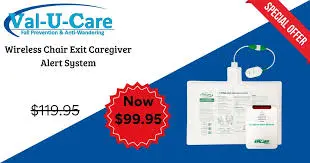
Val-U-Care sits in the simple-alarm end of dementia safety: pressure pads, floor mats, door contacts, and pager kits for fixed indoor risk points.
What it monitors and how
Val-U-Care's main distinction is the range of fixed indoor sensors that can be paired with local alarms or pager receivers.
Bed or chair pad: Alerts when weight lifts from a mattress or seat.
Floor mat: Alerts when a resident steps beside a bed, chair, or doorway.
Door contact: Alerts when a monitored door opens.
Pager unit: Sends the alarm to a nearby receiver when the selected kit supports it.
For dementia care, Val-U-Care covers fixed risk points where a resident stands, steps, or opens a monitored door.
Once the resident leaves the monitored point, the system stops giving context. There is no outdoor location, route history, or room-by-room activity record.
Caregiver alerts and response
Val-U-Care alerts caregivers through an audible alarm at the sensor unit or a wireless pager/receiver carried by staff, with no app-based remote notification or professional monitoring center.
Test pager coverage in the actual building:
Resident room to staff base
Through fire doors
Around stairwells and long corridors
The receiver alerts the person carrying it. Staff still need a local process for deciding who responds and who resets the alarm.
Repeated local alarms can disturb nearby residents overnight, especially when a pad triggers during normal repositioning or staff forget to reset the unit.
Val-U-Care fits close, simple response paths: one sensor, one nearby caregiver, and a reset routine everyone follows.
Dementia stage fit and wearability
Val-U-Care removes the wearable compliance problem because the resident does not need to keep a pendant, wristband, or watch on.
Passive pads are useful when a resident removes wearables or forgets how to use a call button. The resident does not need to charge, remember, or press anything.
The fit is practical during night shifts, when a resident may stand before remembering to call for help.
Early-stage dementia creates a different risk profile when the resident still leaves home independently. Val-U-Care stays indoors at fixed points.
A fixed pad or door contact covers known indoor risk points. GPS-style devices cover outdoor wandering after a resident leaves the building.
Setup, privacy, and cost
Setup stays light because Val-U-Care avoids three common requirements:
Wi-Fi pairing
Camera placement
App account configuration
Budget by hardware item, not monthly monitoring:
Alarm units or pager receivers
Replacement pressure pads
Batteries for standalone units
The cost model matches the narrow scope. The alarm only helps when staff are close enough to hear it or carry the receiver, and reporting remains manual.
Limited range is the main constraint, so the system is not a fit for remote monitoring, live location, or automatic care records. The privacy case is easier than camera monitoring because pressure pads and contact sensors detect movement without recording audio or video.
Val-U-Care is a close-range alert layer for fixed indoor points. Nomo moves the same safety question into daily routine patterns and app alerts.
Nomo Smart Care elderly monitoring system
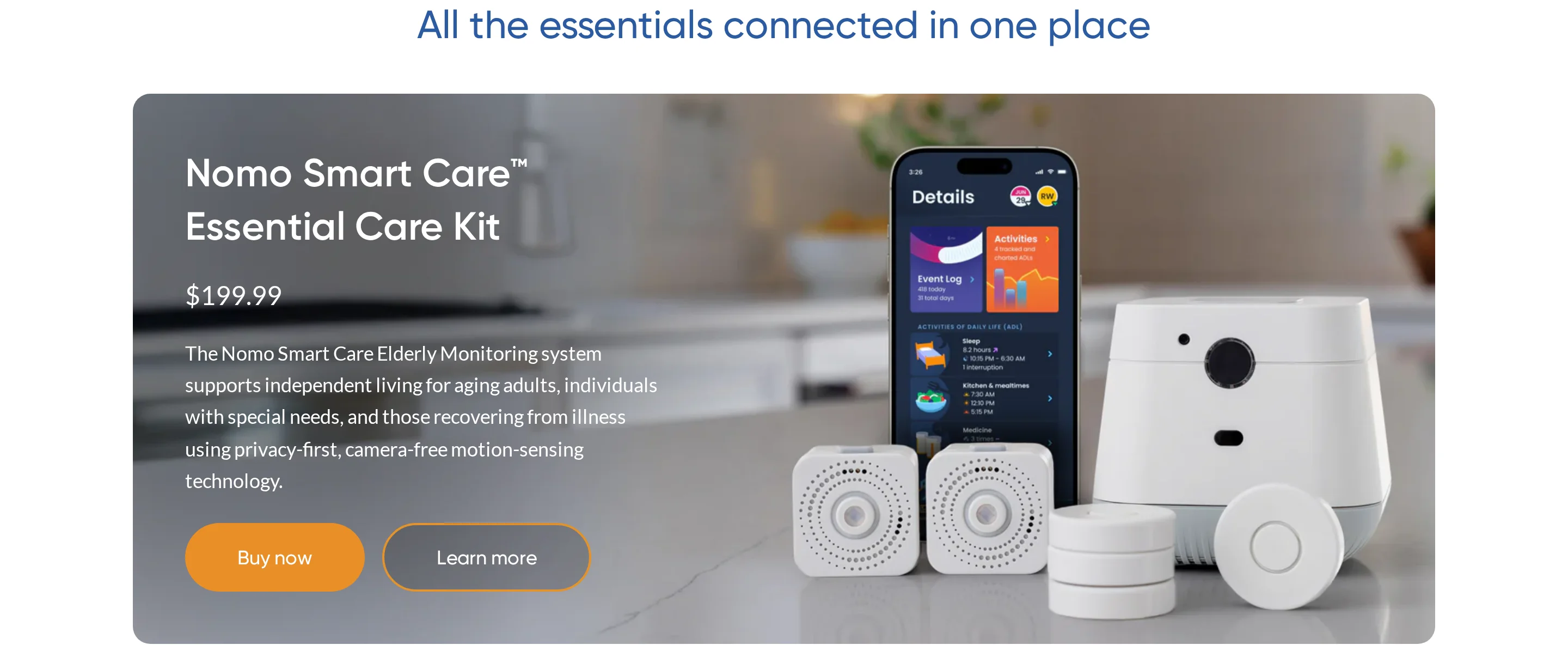
Nomo Smart Care watches home routines through sensors and shares changes with a care circle in the app. It is mainly a home and family oversight system, not a care-home dispatch workflow.
What it monitors and how
Nomo builds a home routine from several signal types:
Motion in key rooms
Appliance use, such as fridge activity
Bluetooth readings from compatible blood pressure monitors and thermometers
Nomo looks for changes from baseline routines. A missed fridge visit or long period without motion can prompt a caregiver to check in.
That makes Nomo a routine-monitoring system rather than a fall alarm. The app surfaces a pattern change; a caregiver interprets the situation.
For home supervision, sensor labels should match the action someone needs to understand:
Front door opened
Fridge unused
Bedroom motion absent
Caregiver alerts and response
Nomo sends app alerts to a designated care circle when the system sees routine changes or connected health readings that need attention.
Confirm the care-circle rules before purchase:
Maximum number of contacts
Role permissions
Whether every contact receives the same alert
Shared app alerts differ from staff dispatch with escalation rules. A care home needs its own triage pathway beside the app.
The KB does not document automatic escalation to emergency services. Response depends on someone in the care circle seeing the alert and acting.
Nomo's response model is remote oversight: a family member or caregiver gets an early prompt to call, visit, or send local help.
Dementia stage fit and wearability
Nomo removes the wearable compliance issue by relying on ambient sensors around the home instead of a pendant, watch, or resident-pressed button.
Nomo's ambient approach suits people who move around the home but cannot reliably manage a wearable. Motion and appliance sensors keep working when a pendant is removed or a smartwatch is left uncharged.
Daily routine is the main signal:
Eating or missing meals
Moving between rooms
Opening the front door
Nomo can still be useful in early dementia when the person lives at home and family want a view of daily activity. The system does not require the person to press a button.
The main gap is outdoor wandering. Nomo does not provide GPS, geofencing, or live location once the person leaves the home.
Setup, privacy, and cost
Installation is a consumer-style setup:
Place sensors around key areas.
Connect sensors to the app.
Invite the care circle.
Before buying, confirm three operational details:
How many sensors the home needs
How many care-circle members can receive alerts
Whether subscription terms change for multiple homes
Nomo avoids bedroom cameras because sensors do not record video or audio. Consent discussions should still cover what activity data is collected.
Ask three privacy questions:
Who can view activity history?
How long are records kept?
How is access removed when a caregiver changes?
Code Alert (RF Technologies)
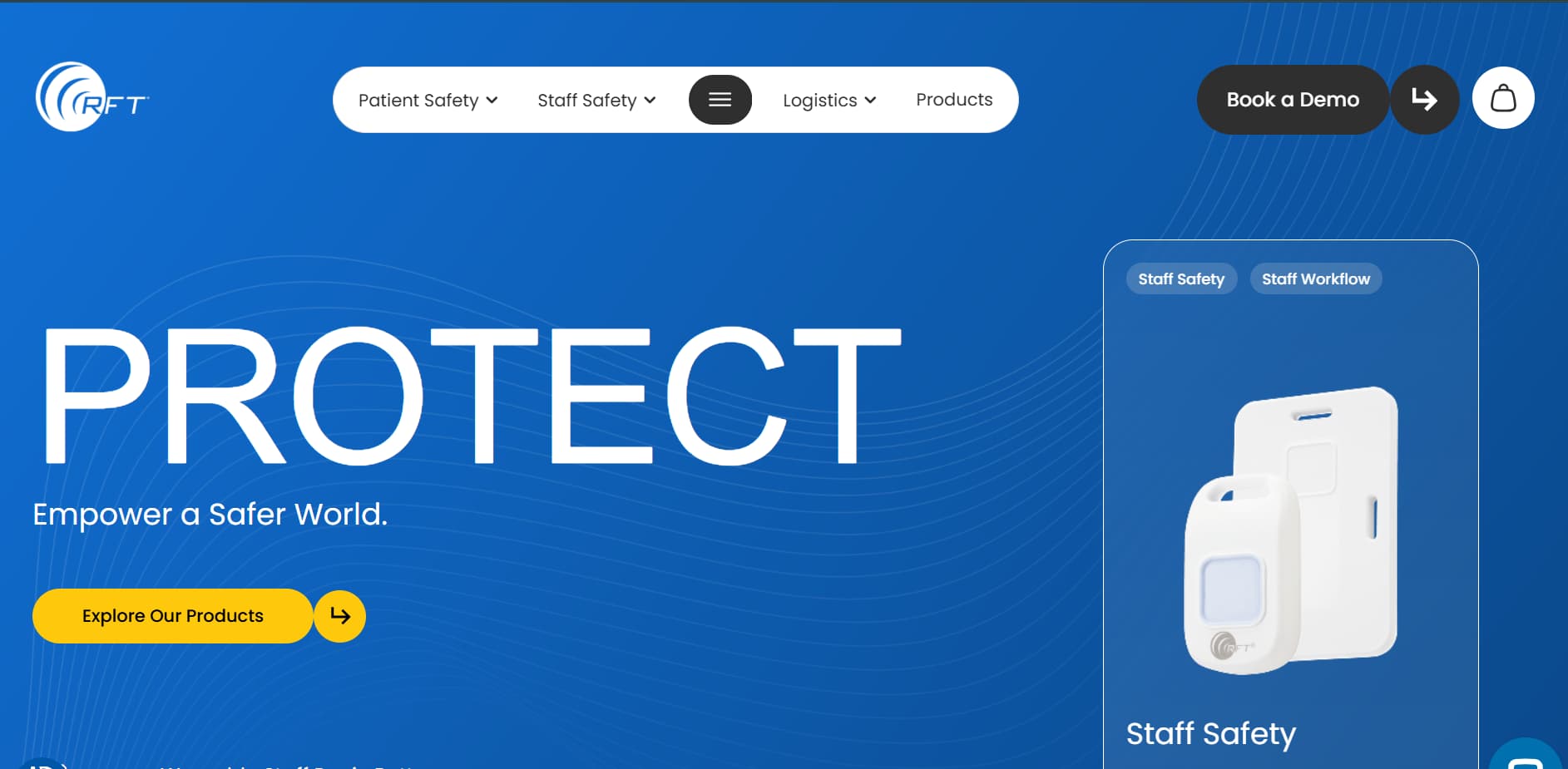
Code Alert is designed for wandering and perimeter events, including configured exits and restricted zones.
What it monitors and how
Typical alert points are fixed facility risks:
Exit doors
Restricted doorways
Unsafe corridors or zones
Confirmed context supports boundary and perimeter alerting.
Verify the tag workflow before rollout:
Wearing format: wristband, pendant, clip, or another tag style
Tamper alert: whether staff are notified if the tag is removed
Zone logic: how boundaries are named and tested on the unit
Caregiver alerts and response
Code Alert triggers facility alerts when a tagged resident crosses a configured boundary, such as an exit door or restricted zone.
Treat RFT Protect as a facility workflow: a nurses' station receiver or staff-facing alert point has to be watched and acted on.
That workflow assumes staff are on site and responsible for response. A solo home-care setup usually lacks that fixed receiver coverage.
Sensitive boundaries can create repeated alerts during normal movement, so test rules during a typical shift before going live.
Ask RF Technologies to demonstrate false-alarm controls:
Delay timers
Sensitivity settings
Adjustable zone rules
Dementia stage fit and wearability
Code Alert is mainly relevant when the resident is still mobile and indoor wandering or elopement is the primary concern.
The main fit issue is compliance. Staff need a routine for checking that the RF tag is still worn and assigned to the right resident.
The system depends on residents tolerating a tag. Repeated device removal shifts attention back to passive door, motion, bed, and chair sensors.
For residents who are no longer independently mobile, risk usually shifts to:
Bed exits
Chair exits
Transfers
Falls
RF tracking covers indoor wandering and perimeter risk. Bed, chair, motion, and door sensors cover movement that starts from a known room or surface.
Setup, privacy, and cost
Code Alert uses RF-based indoor boundary alerts, receiver-based workflows, and quoted pricing. Confirm exact components with RF Technologies before comparing systems.
Setup is more involved than placing a pressure pad because the system needs configured zones and receiver coverage.
Confirm before purchase:
Site survey and zone design
Tag assignment and replacement process
Nurses' station receiver workflow
Available context does not verify every software detail:
Phone app access
Mobile push alerts
Facility account controls
RF tracking avoids outdoor GPS trails, but a facility can still create indoor movement records. Consent and best-interests documentation still apply when capacity is limited.
The privacy case is easier to justify when monitored zones match documented risks, such as exit doors or restricted corridors.
Pricing is quote-based.
Ask RF Technologies for:
Hardware and receiver costs
Replacement-tag costs
Support or service fees
Code Alert requires a staffed response path, receiver coverage, and a clear tag-check routine. That makes it a facility system rather than a fit for one household.
Dementia monitoring devices compared
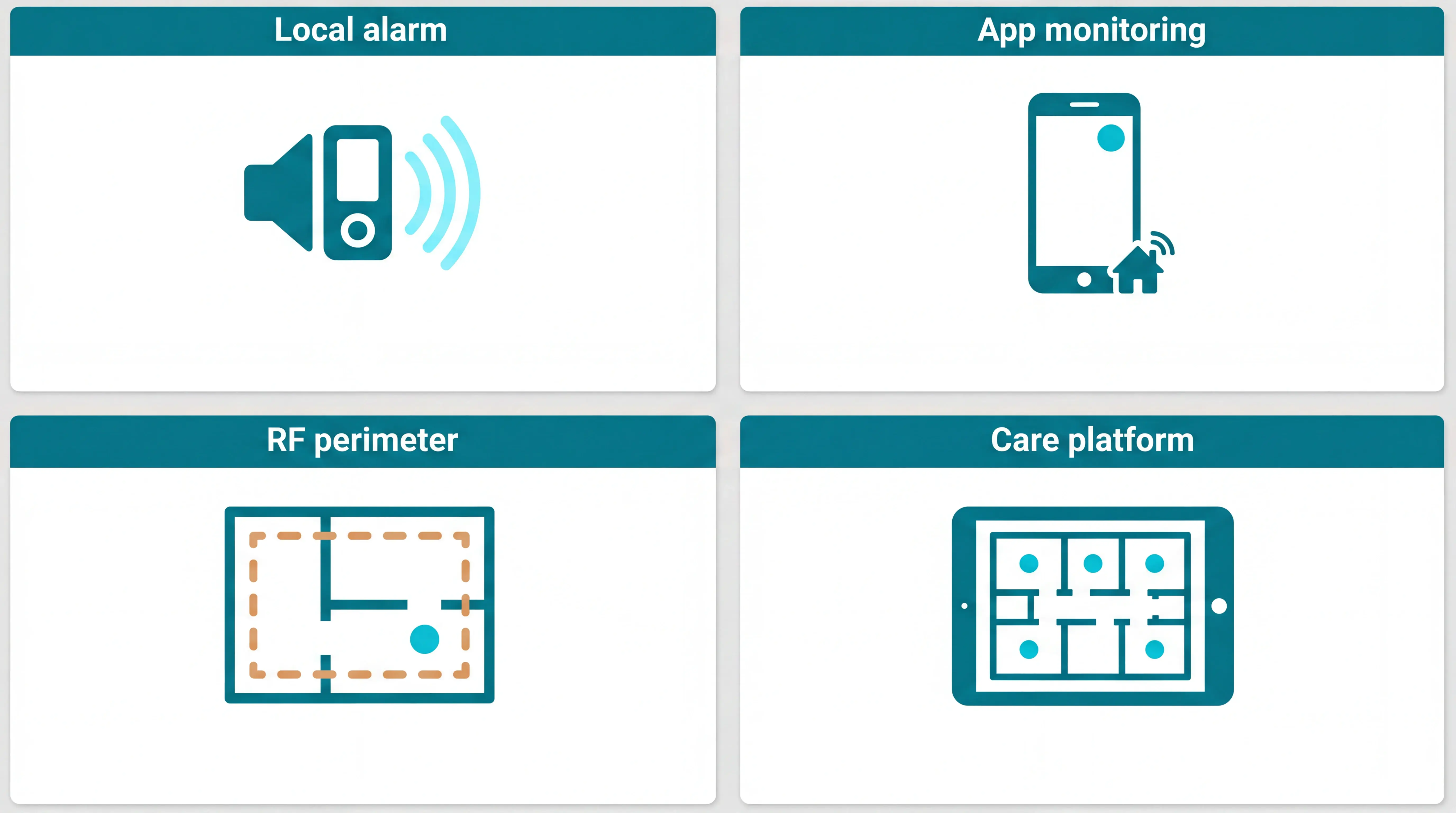
Use this table as a shortlist, not a purchase decision. First check the primary risk, whether the resident has to wear anything, and how much context staff receive with the alert.
Read the table with 4 fit points in mind:
Passive monitoring: Guardian, Smart Caregiver, National Call Systems, Nursing Home Aids, Val-U-Care, and Nomo all detect at least one event without the resident pressing a button.
Wearable exception: Code Alert (RF Technologies) depends on the resident wearing an assigned RF tag for perimeter alerts.
Coverage edge: Pressure pads and door sensors alert at fixed points, but they do not show what happens next.
Response path: App alerts, local alarms, pagers, and floor-plan alerts all fail if nobody owns the next action.
Where Guardian stops
For a single resident at home, pairing passive sensors with a remote monitoring service is often the stronger combination.
Systematic reviews of remote care interventions report improved carer psychological health and quality of life, alongside saved travel costs.
Keep these limits in mind before you request a pilot:
Consumer purchase path — Guardian is sold through a scoped pilot for care organisations, not a same-day checkout for one household.
Activation timing — the pilot starts with workflow mapping, floor-plan setup, and use-case selection.
Pricing visibility — Guardian has no public price list because rollout terms depend on the pilot scope and care setting.
Outdoor tracking — facility monitoring is the core use case; outdoor GPS safety watches are separate from the base ward sensor network.
Billing and scheduling — Guardian gives operational visibility and records, but does not replace rota, payroll, or invoicing systems.
Outdoor tracking boundary
Guardian can alert staff when someone leaves a bed, enters a restricted area, presses SOS, or triggers a fall event inside the care setting.
Standalone GPS trackers fit better when the main requirement is following one person through the community.
How to choose the right device for your situation
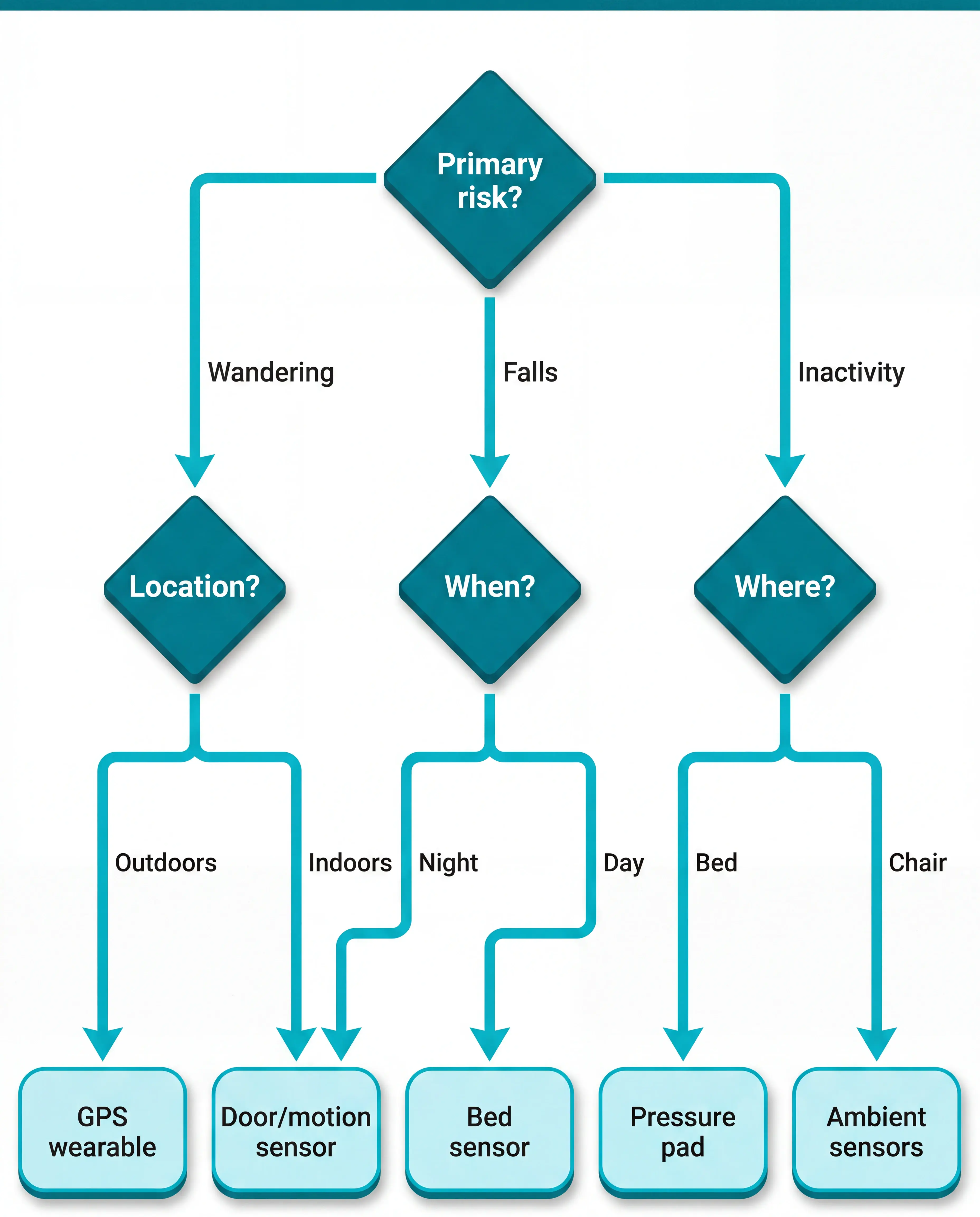
Choose in this order: risk first, wearability second, caregiver alert routing third. The device must match the event and send enough context to the right person.
Start with the event you most need to catch:
Outdoor wandering: use GPS wearables for live location outside the home or site.
Indoor wandering: use door sensors, corridor motion sensors, or RF perimeter tracking.
Falls and bed exits: use passive bed sensors, pressure pads, or motion monitoring.
Routine changes: use ambient sensors for motion, fridge use, stove use, or inactivity.
Fleming and Brayne reported in a BMJ study that, among 110 people over 90 in the Cambridge City over-75s Cohort, 66 had fallen and 53 of those 66 (80%) were unable to get up without help after at least one fall. Call alarms were widely available but were not used in most cases that led to a long lie on the floor. A later falls review provides broader context on fall-detection technology. For fall response, passive detection reduces reliance on a resident pressing a button.
If falls drive the decision, the button-independent fall-detection roundup compares response paths beyond pendant presses.
Then check the response chain:
Home setting: A bed sensor has little value if the caregiver is asleep elsewhere and no one receives the alert.
Care home setting: Prioritise routing that shows where the alert came from and which staff member should respond.
Match the device to the current dementia stage, not the stage at diagnosis.
Early stage: GPS watches, pendants, and SOS buttons can work when the person accepts reminders and charging.
Mid stage: door contacts, bed sensors, and motion sensors reduce reliance on memory.
Advanced stage: passive monitoring becomes the main layer because button use and wearability are unreliable.
Resident tolerance: Document whether the person accepts the device format and understands why monitoring is in place.
Alert rules: Match thresholds to staff capacity so brief movements do not trigger low-value alarms.
Subscription: Confirm the monthly, annual, or quoted cost before choosing a home system or facility rollout.
Support cover: Make sure more than one family member can access the app and support route.
When one device isn't enough, Guardian monitors the whole care operation
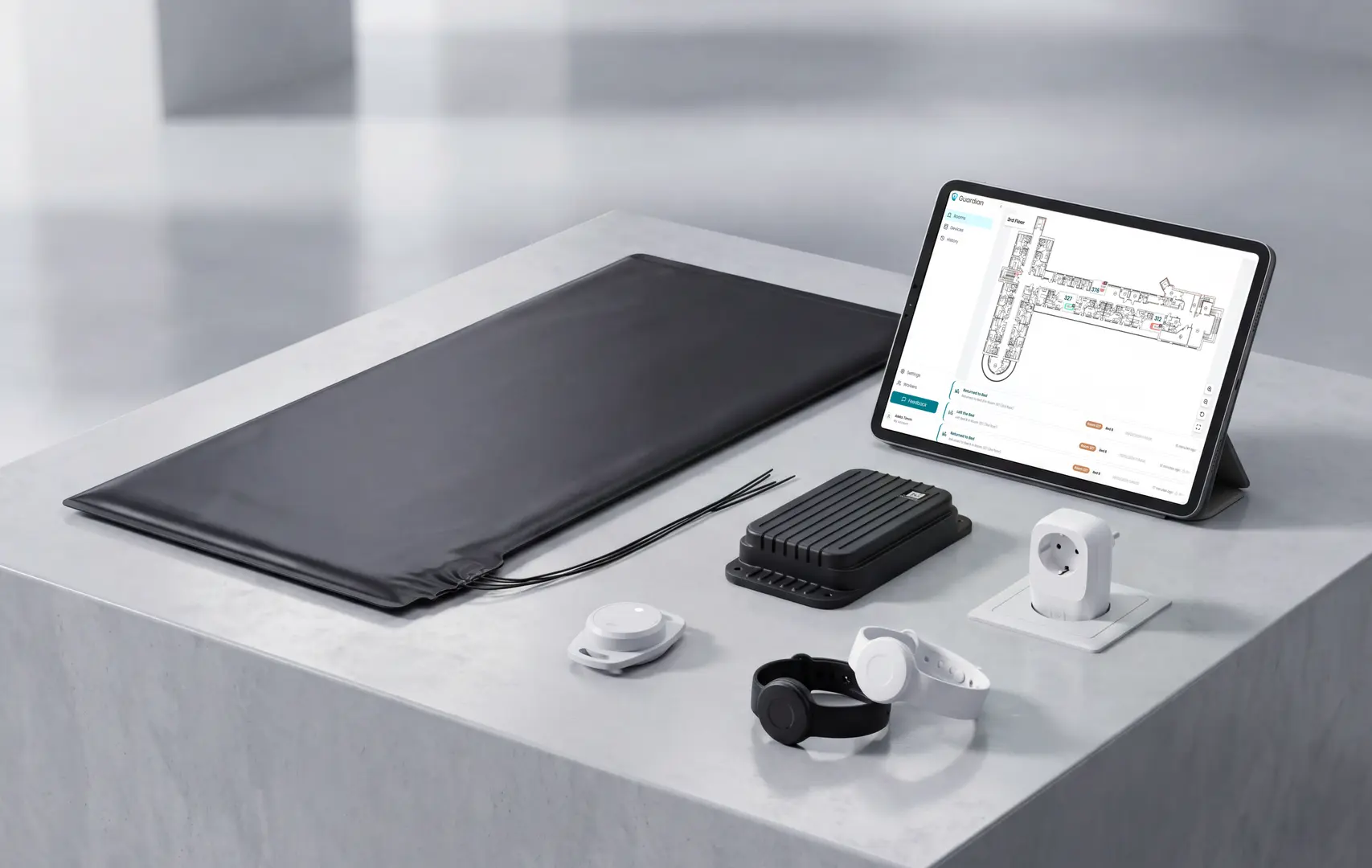
Guardian brings care-home monitoring into one camera-free view:
Passive sensors and wristbands feed the same live view.
Floor-plan alerts show the resident, event, and room.
Visit records sit alongside vehicle and asset records.
Pilot Guardian on one ward before a wider rollout. In 6-8 weeks, the impact report covers response times and incident trends, with staff feedback and ROI.
Yes. GPS wearables worn as pendants, watches, or clothing attachments let caregivers locate a dementia patient via smartphone or web app.
Under GDPR and mental-capacity rules, location tracking needs a lawful basis, consent or a best-interests record, and clear access rules.
Common GPS formats include watches, pendants, and clip-on devices. Some smartwatches also combine GPS with heart-rate data and fall alerts.
GPS is less reliable indoors. Use door sensors, RF tracking, motion sensors, or bed-exit monitoring to cover indoor risk, especially if the resident may remove the GPS device.
A person with dementia can consent to monitoring if they understand the specific device, weigh the benefits and risks, and communicate a choice.
Capacity is decision-specific. A resident may understand a door sensor but not continuous location tracking, and family preference does not override a capacitous choice.
If capacity is lacking, document best interests, least restriction, the specific risk being managed, and who approved the monitoring. Check whether Deprivation of Liberty Safeguards or a local equivalent applies if monitoring restricts movement.
Record preferences early after diagnosis where possible, including privacy, independence, and acceptable devices.
No. RF-based sensors and pressure-pad alarms can work without Wi-Fi, while GPS trackers and app-connected systems require cellular or internet access.
Non-Wi-Fi options usually communicate locally through RF tags, pressure-pad alarms, wired contact sensors, or pager receivers.
Guardian's facility hardware is wireless and pre-configured, so installation does not require drilling, cabling, or integration with existing IT systems.
Guardian sensors communicate wirelessly with a central hub, then alerts appear in the web portal on phones, tablets, and nurse station computers.
Home cameras can observe people with dementia remotely, but legal, privacy, and practical limits make them a poor substitute for dedicated sensor-based monitoring systems.
Camera use needs stricter governance in private or shared spaces, including capacity and consent, placement, access, retention, and deletion rules.
Cameras can show what happened after someone checks the feed, but they do not automatically manage bed exits, door openings, or prolonged inactivity unless extra software is added.
Passive sensors usually work better as the first layer. Motion sensors, door contacts, bed sensors, and fridge or stove sensors give staff event data without recording the resident.

Author
Aleks Timm
Aleks Timm leads Guardian and builds privacy-first operations technology for care homes and home care providers. Teams get location-aware alerts they can act on, clearer situational awareness, and measured insight into how care work actually runs.
Read MoreRecommended reads
Keep reading
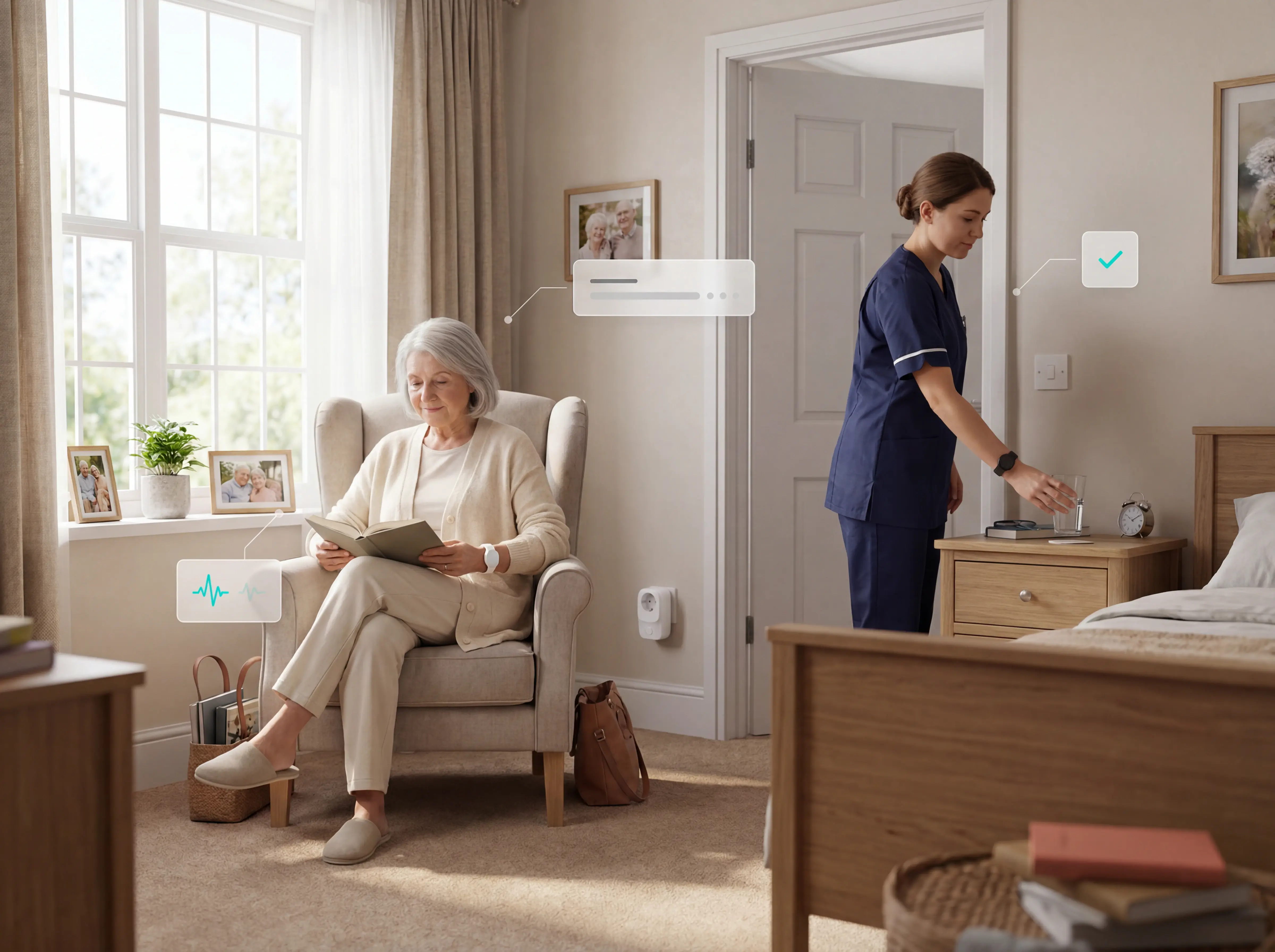
Remote patient monitoring: a complete guide
Remote patient monitoring: the complete guide to sensors, benefits, and buying tips for safer care homes and better resident...
Read more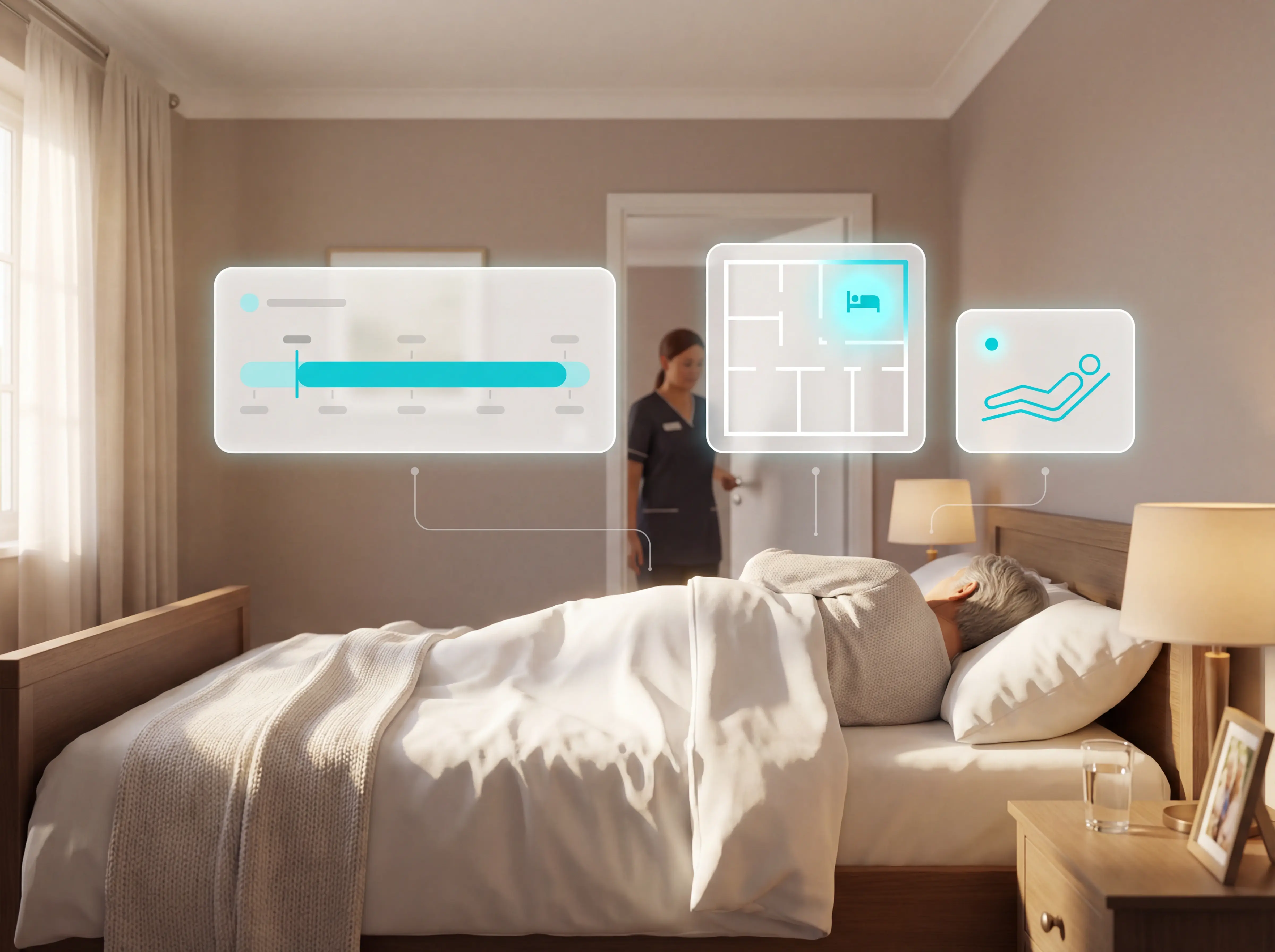
Patient bed alarms for elderly & hospital care
Patient bed alarms help prevent falls in elderly and hospital care. Compare alarm types, choose the right sensor, and protect...
Read more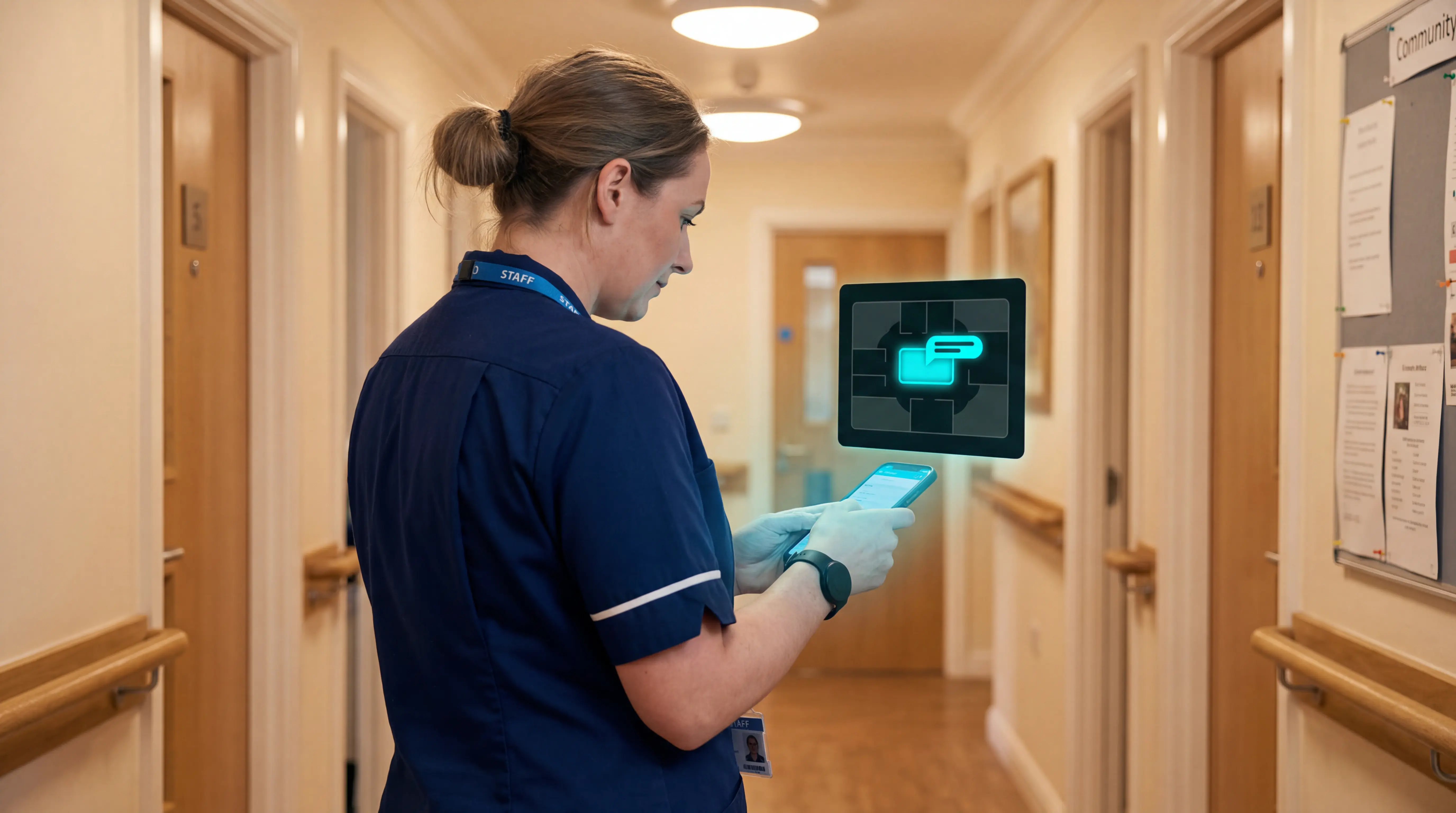
Indoor positioning systems for care homes
Indoor positioning systems for care homes help staff locate falls, exits, and nurse calls by room or bed, improving response,...
Read more