

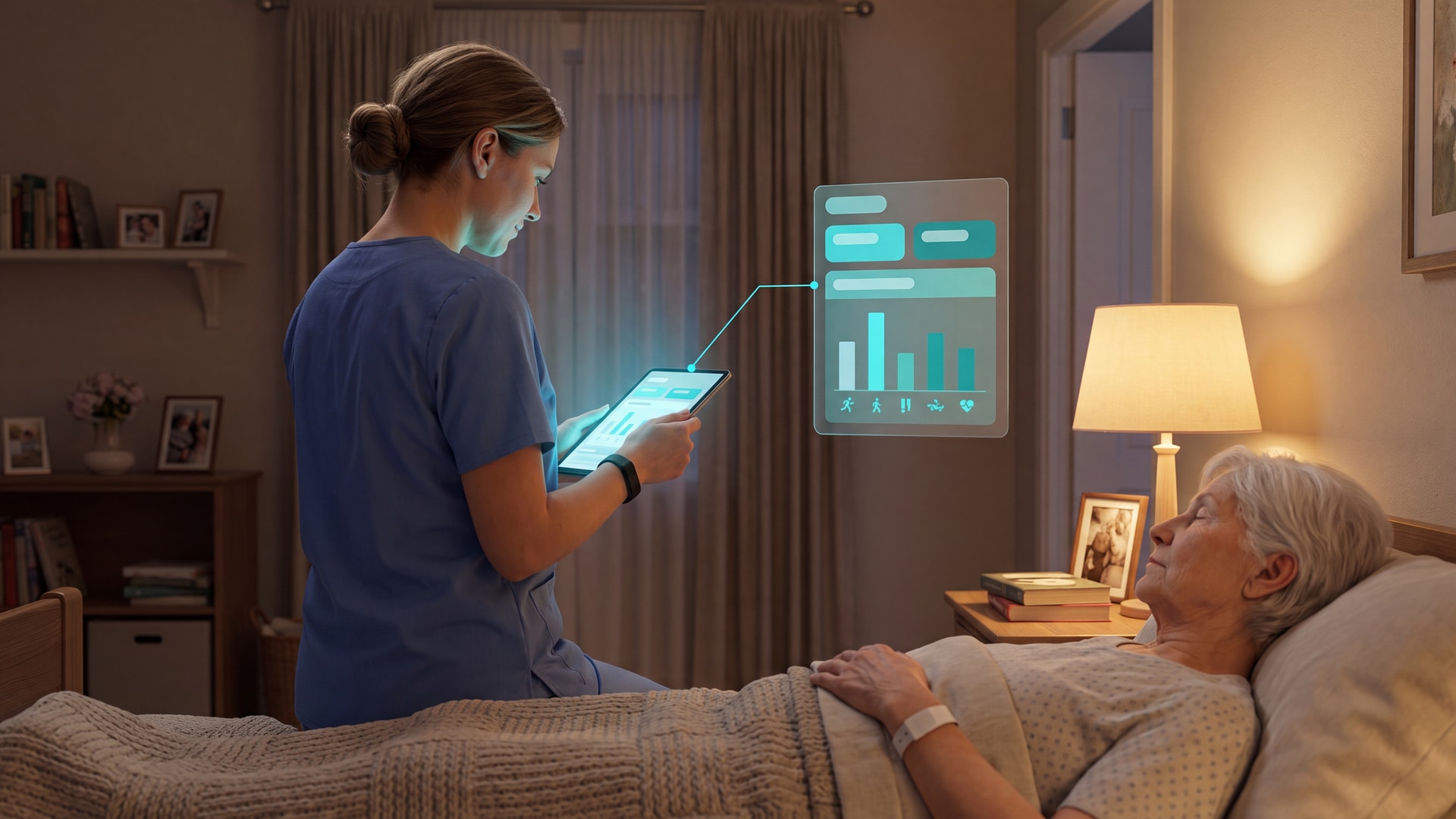
8 Patient Activity Monitor Tools, Ranked by Use Case
In this article
A "patient activity monitor" can mean anything from a $25 pager that beeps at the nurse station to a facility-wide wireless network. For a professional care home, only one thing decides whether it earns its place: does it get the right caregiver to the right room, fast, without burying the team in alerts?
That gap is why this guide exists. Care home directors and nursing managers searching for a patient activity monitor want to replace manual rounds and unverified safety checks with data they can trust. Most rankings blur simple home gadgets together with systems built for a busy floor.
We skip the clinical remote-monitoring clichés and rank tools by what actually matters on a shift: location-aware alerts, automatic records staff can evidence, and privacy that holds up without cameras. Each entry is judged on whether it adds noise or drives action.
By the end, you'll be able to match a monitoring tool to your facility's scale and staffing level, and move your team from reactive guesswork to response times you can measure.
What “patient activity monitor” means here
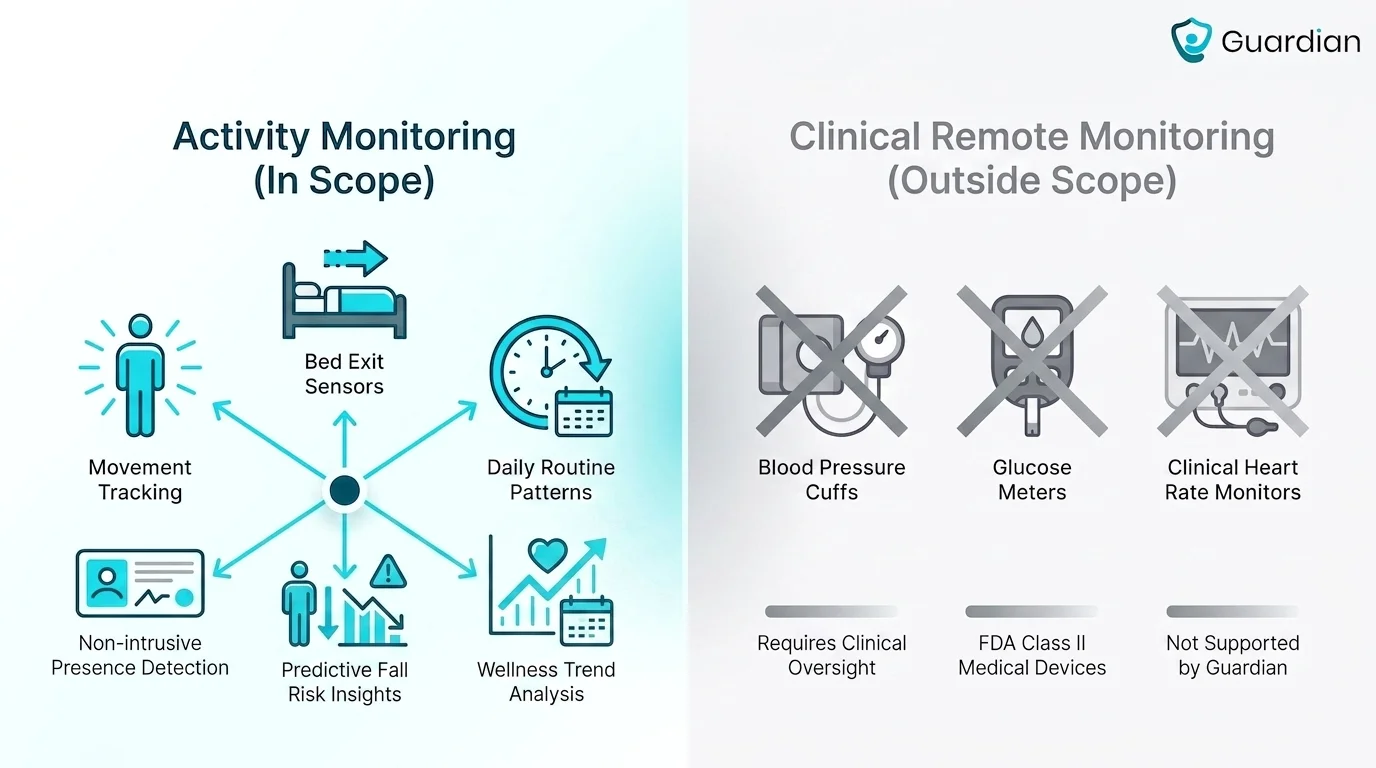
A patient activity monitor is a tool that tracks movement, routines, and safety-related activity instead of primarily measuring clinical vital signs.
These tools watch movement and routine, not vital signs. In practice that covers four things: passive motion sensing, bed or chair occupancy detection, wearable fall alerts, and routine-deviation monitoring that flags when a normal pattern breaks.
Why the emphasis on movement and bed exits? Because that's when the risk is highest. The Care Quality Commission reports that 75% of care home falls happen during night shifts, which makes nighttime movement and bed-exit activity the events worth catching first.
It also helps to say what's outside the scope here. This guide is not about remote patient monitoring (RPM), the clinical category that covers blood pressure monitors, glucose meters, smart inhalers, scales, apnea monitors, and maternity devices, all used to manage chronic and acute medical conditions from home.
Activity monitoring answers a different question: is the person moving, safe, and following their normal routine? One trap worth naming is relying only on a manual SOS button, since a resident may forget it, be unable to reach it, or lose consciousness before pressing it.
Included in this article meaning | Usually outside this article meaning |
|---|---|
Movement and room activity | Blood pressure and glucose monitoring |
Bed exit and occupancy alerts | Disease-specific clinical devices |
Routine changes, sleep, fall risk | Provider-managed chronic condition tracking |
Passive sensors and consumer wearables | Diagnostic or therapeutic monitoring hardware |
How we ranked these tools
Our ranking is a practical comparison of monitoring method, routine learning, communication, deployment scale, and pricing for different care settings.
Alert quality and workflow fit come first. Inaccurate alerts create alarm fatigue, and a system that fights how caregivers actually work gets switched off or ignored. Privacy sits close behind: 26% of senior living executives name it as their top technology concern.
From there, we scored each tool on five practical axes:
Monitoring method — passive sensors, wearables, or room-based hardware
AI routine learning — whether it learns habits or only reacts to events
Two-way communication — whether staff or responders can speak through the device
Deployment scale — single-user tool or facility-wide system
Pricing model — hardware-only cost versus ongoing subscription
Criterion | Why it affects ranking |
|---|---|
Monitoring method | Determines whether the tool is passive, wearable-based, or room-based |
AI routine learning | Separates reactive alert systems from habit-change monitoring |
Two-way communication | Shows whether staff or responders can speak through the device |
Deployment scale | Distinguishes single-user tools from facility-wide systems |
Pricing model | Clarifies hardware-only costs versus ongoing subscription fees |
1. Guardian
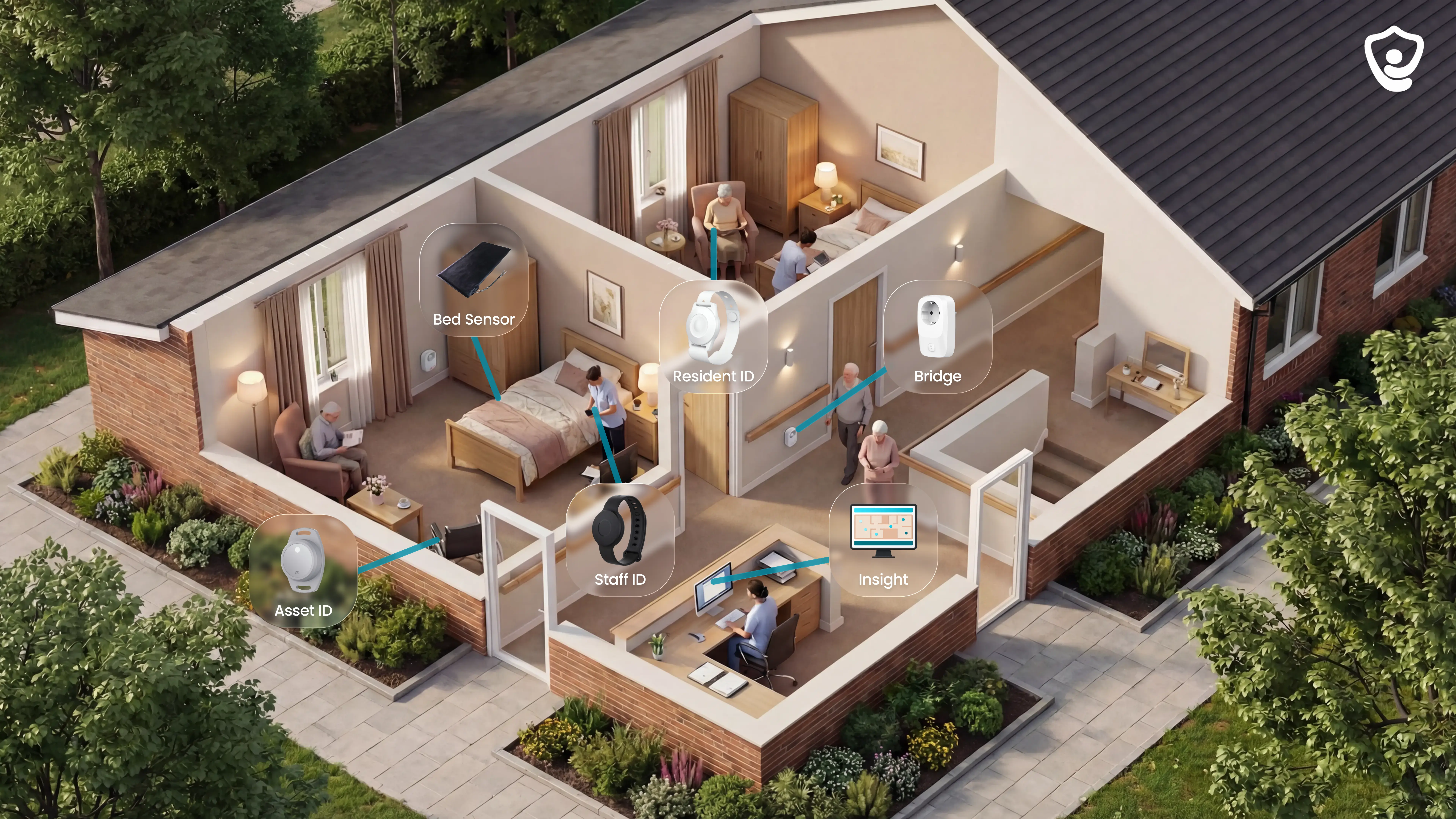
Guardian is a wireless, camera-free patient activity monitor platform for care homes and home care teams. It combines wearables, in-room sensors, vehicle and asset tracking, and the Guardian Insight dashboard so staff see live alerts, room-level location, and automatic records in one system.
Guardian covers more of the care operation than any other tool on this list. Instead of one slice of the problem, it brings into a single platform:
Resident wristbands, caregiver SOS bands, and GPS safety watches
Bed, motion, door, fridge, and stove sensors
Vehicle and asset trackers
The Guardian Insight dashboard
Resident wristbands, caregiver SOS bands, and GPS safety watches
Bed, motion, door, fridge, and stove sensors
Vehicle and asset trackers
The Guardian Insight dashboard
Most alternatives here handle a single input, a pendant, a smartwatch, or a fixed-point alert. Guardian pulls alerts, monitoring, location, and reporting into one operations view, so nothing lives in a separate tool.
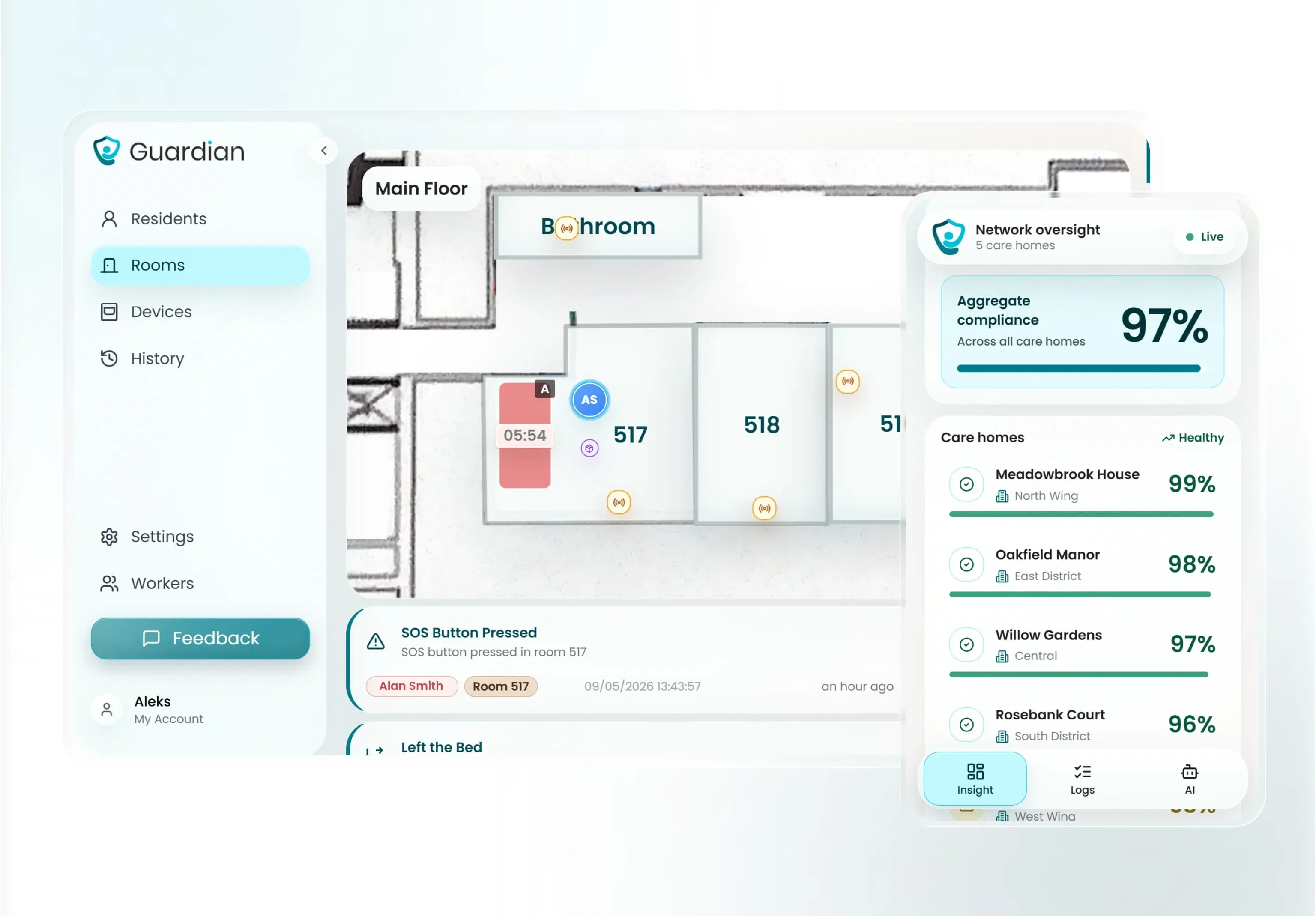
The workflow runs from detection to record without staff lifting a pen. Guardian turns sensor, wearable, vehicle, and asset data into live alerts inside Guardian Insight, then routes them to the phones, tablets, or nurse station screens staff already use. No extra pagers.
Every alert carries the resident's name and room-level location on a digitised floor plan, so caregivers go straight to the right room and the right part of the floor, not a broad zone. The same workflow that triggers a response also writes the record: visits, shift timing, response times, and incidents are logged in the background.
Passive monitoring is built in, not bolted on. Guardian is wearable-optional, not wearable-dependent: residents who can't or won't wear a device are still covered through bed, motion, door, fridge, and stove sensors.
The Guardian Portal can trigger custom alerts from inactivity or routine changes, like a fridge that hasn't been opened or no movement for a set period. That matters in a category where button-press dependency is a recurring weak point of pendant-based systems, because a person who has fallen may never reach the button.
Guardian shows every resident, caregiver, vehicle, and asset on a single live view. For a care home, activity and alerts map onto the facility floor plan; for home care, that same visibility extends to the fleet and field.
That is the practical difference from an individual wearable alert: you see the whole operation at once, not one wearer at a time.
Guardian runs without cameras or microphones, using non-intrusive sensors instead of video surveillance. Families and managers routinely name bedroom privacy as their first concern when weighing a monitoring system, and camera-free monitoring is fast becoming the baseline operators are expected to meet.
The hardware is wireless, pre-configured, and adhesive-mounted, so there's no drilling, cabling, or IT integration. A ward can go live in about a week.
The point of Guardian is proof you generate yourself, not claims. A pilot measures response times, visit verification, shift timing accuracy, alert quality, visibility, and ROI, then ends with a written impact report and a rollout plan.
Operators typically see their own response times, visit verification, and ROI in numbers within 6 to 8 weeks of starting a pilot. That replaces the manual reporting burden staff carry today with records that write themselves.
You stay in control of what counts as an alert. Guardian uses configurable rules, like out of bed for more than 15 minutes at night, so operators decide what's actionable in their setting rather than accepting a vendor's defaults.
Setup starts with mapping your workflows and picking the highest-value use cases, so the system fits how your team already works.
Who it's for: care homes and home care providers that want facility-wide or fleet-wide visibility. A single-user pendant or smartwatch may be a simpler route for one individual who only needs personal fall alerting.
Attribute | Guardian |
|---|---|
Monitoring method | Wearables, in-room sensors, vehicle and asset trackers |
AI routine learning | Yes, configurable rules for inactivity and routine changes |
Two-way communication | Alerts routed to staff phones, tablets, and nurse stations |
Deployment scale | Facility-wide and home care fleet |
Pricing model | Pilot-based, custom quote |
2. Nomo Smart Care
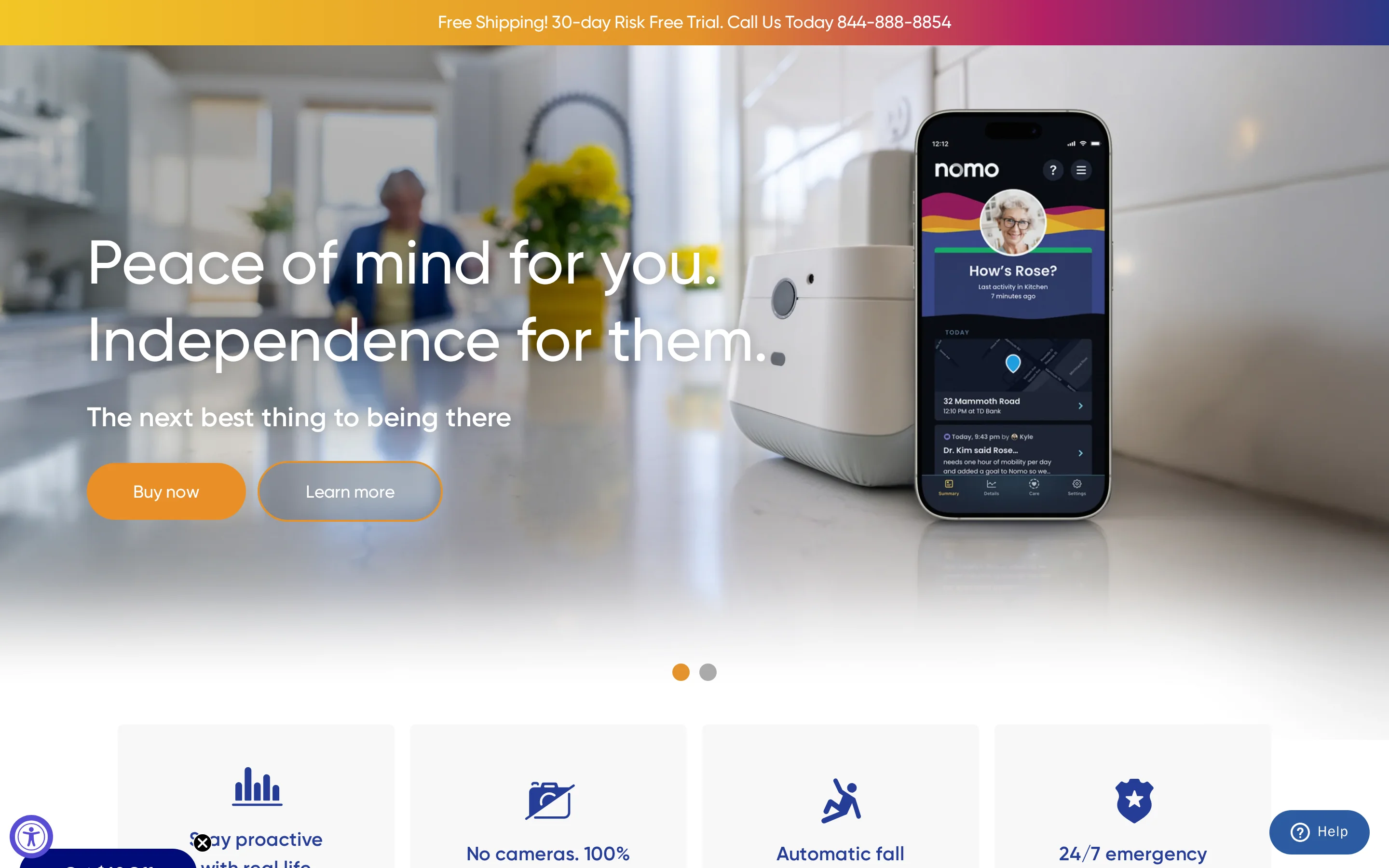
Nomo Smart Care is a home monitoring system that uses ambient sensors and Tags to learn routines and track specific daily interactions.
What sets Nomo apart here is that its Tags attach to objects, not just rooms. A Tag on a medicine cabinet, refrigerator, or door logs specific interaction events, so the system tracks whether a task happened rather than only whether someone moved.
That's a different model from the pad-and-mat approach some tools use, and Nomo also pairs its ambient sensors with optional wearable Tags for falls and orientation, which fully passive sensor systems leave out.
In practice, Nomo uses AI to learn a person's sleep cycles, meal times, and medication-access patterns, then flags deviations from that baseline rather than reacting to a single trigger.
The wearable Tags add a second layer. Worn as pendants, they use motion and orientation changes to trigger fall alerts, so the system combines routine learning with direct wearable detection.
The main limit is scope. Nomo is documented as a home-care system for aging parents, and the available evidence doesn't show facility floor plans or multi-resident dashboards, so it maps to a single household rather than a ward.
Reliability has also been questioned. Best Buy reviewers reported Tag fall alerts failing during real incidents, including one fall that resulted in a broken hip.
Nomo splits cost between hardware and a monthly plan:
Upfront: the Essential Care Kit is $249.99, including a Hub, two Satellites, and wearable Tags.
Monthly: the Essential+ subscription is $19.99 per month for app alerts and 24/7 professional monitoring.
That puts it in the middle of the field: cheaper upfront than the plug-in and passive-sensor systems, with a lower monthly fee than the higher-subscription options.
The setting Nomo maps to is the private home. It fits a family keeping an eye on an aging parent living independently, where object-level interaction data and routine learning are genuinely useful.
For group-living or care-home use, the evidence points elsewhere, since Nomo's documented deployment is the single household rather than a multi-resident floor.
Cost element | Nomo Smart Care |
|---|---|
Upfront hardware | $249.99 |
Monthly subscription | $19.99/month |
Included hardware | 1 Hub, 2 Satellites, wearable Tags |
3. Smart Caregiver
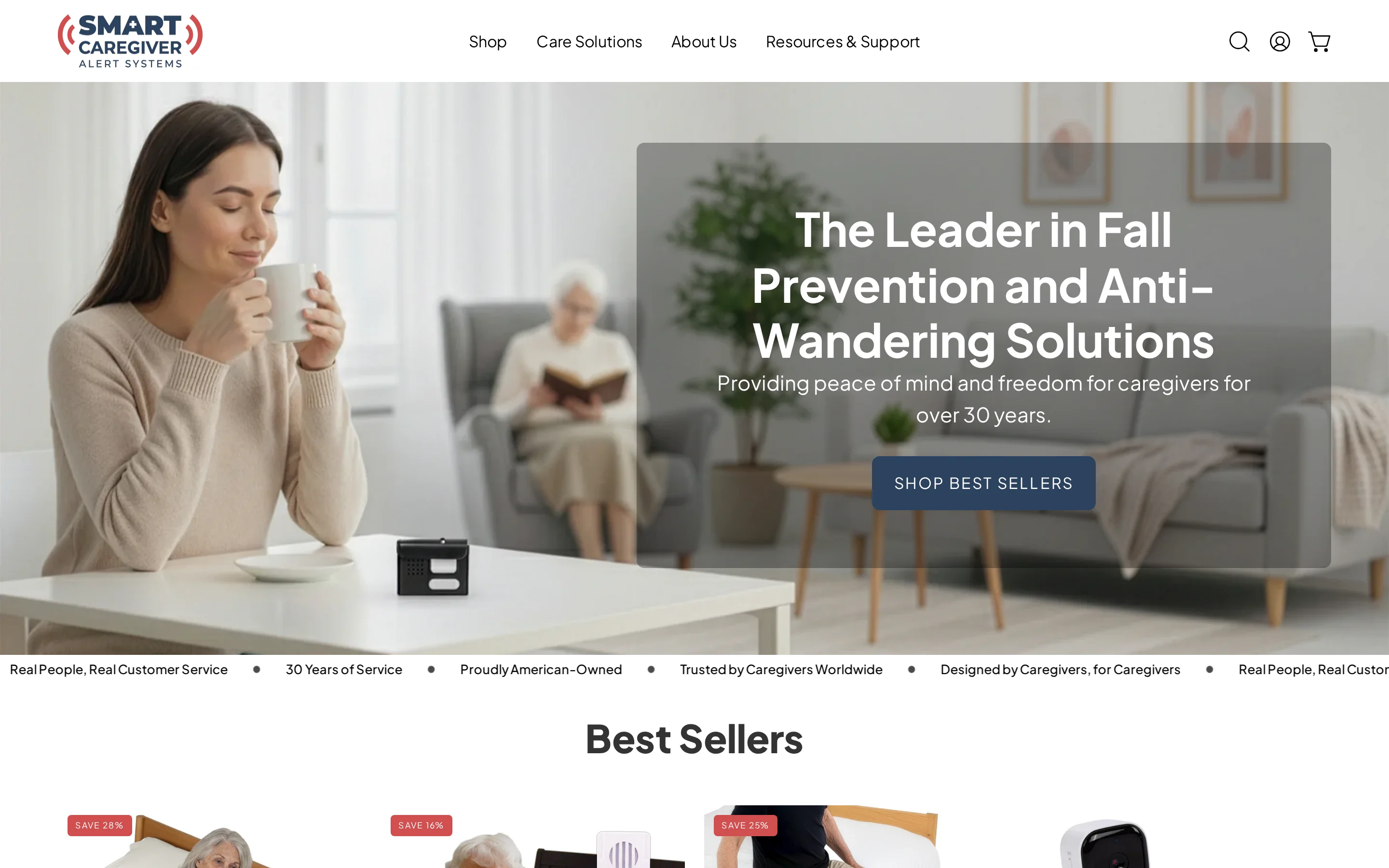
Smart Caregiver is a hardware-based patient alert system that uses pressure pads, floor mats, and pagers for local movement and bed-exit detection.
Smart Caregiver stands out here for two reasons. It's the only tool in this roundup with a hardware-only pricing model and no monthly subscription, and it sends alerts to local pagers and monitors rather than phone apps or a cloud dashboard.
That makes it a self-contained, on-site system: the signal goes from a sensor to a device on the same floor, with no account, app, or internet in the loop.
The detection layer is physical. Pressure-sensitive bed pads, chair pads, floor mats, and motion sensors register when someone rises, moves, or enters a restricted area.
Alerts can run as a chime, a vibration, or a recorded voice message triggered at the sensor. The voice option can play an instruction, for example asking a resident to stay in bed until a caregiver arrives.
Reach is the constraint that defines its scale. Smart Caregiver's wireless systems are limited to a 300-foot signal range, and walls cut the effective distance further, so coverage is room-to-room rather than building-wide.
Even so, the hardware is widely deployed: the company reports supplying more than 9,000 facilities for local caregiver paging and fall-prevention use.
What it doesn't do is just as important for a facility buyer. Smart Caregiver has no WiFi connectivity, mobile app, or centralized management software, and it doesn't log activity data for remote analysis or facility-wide reporting.
It's also reactive by design. The system alerts on an event but doesn't learn routines over time, so there's no baseline of normal activity to compare against.
Pricing is one-time and per-device, with no subscription:
Basic motion sensor system with pager: $24.95
Bed alarm system with wireless monitor and call button: $129.95
For a facility, that low entry cost buys reliable local alerting but not the software, records, or remote visibility that subscription systems include.
Tool | Monitoring method | Remote software | Pricing model |
|---|---|---|---|
Smart Caregiver | Pressure pads, floor mats, motion sensors, local pagers | No WiFi app or centralized software | One-time hardware purchase |
Nomo Smart Care | Ambient sensors plus optional wearable tag | Hub-based alerts with monthly plan | Upfront hardware plus subscription |
Lifeline | Wearable pendant or smartwatch button | Emergency response connection | Monthly subscription |
Tunstall Healthcare | PIR motion detectors plus bed and chair pads | Integrated telecare hubs | Hardware plus monthly monitoring |
4. Tunstall Healthcare
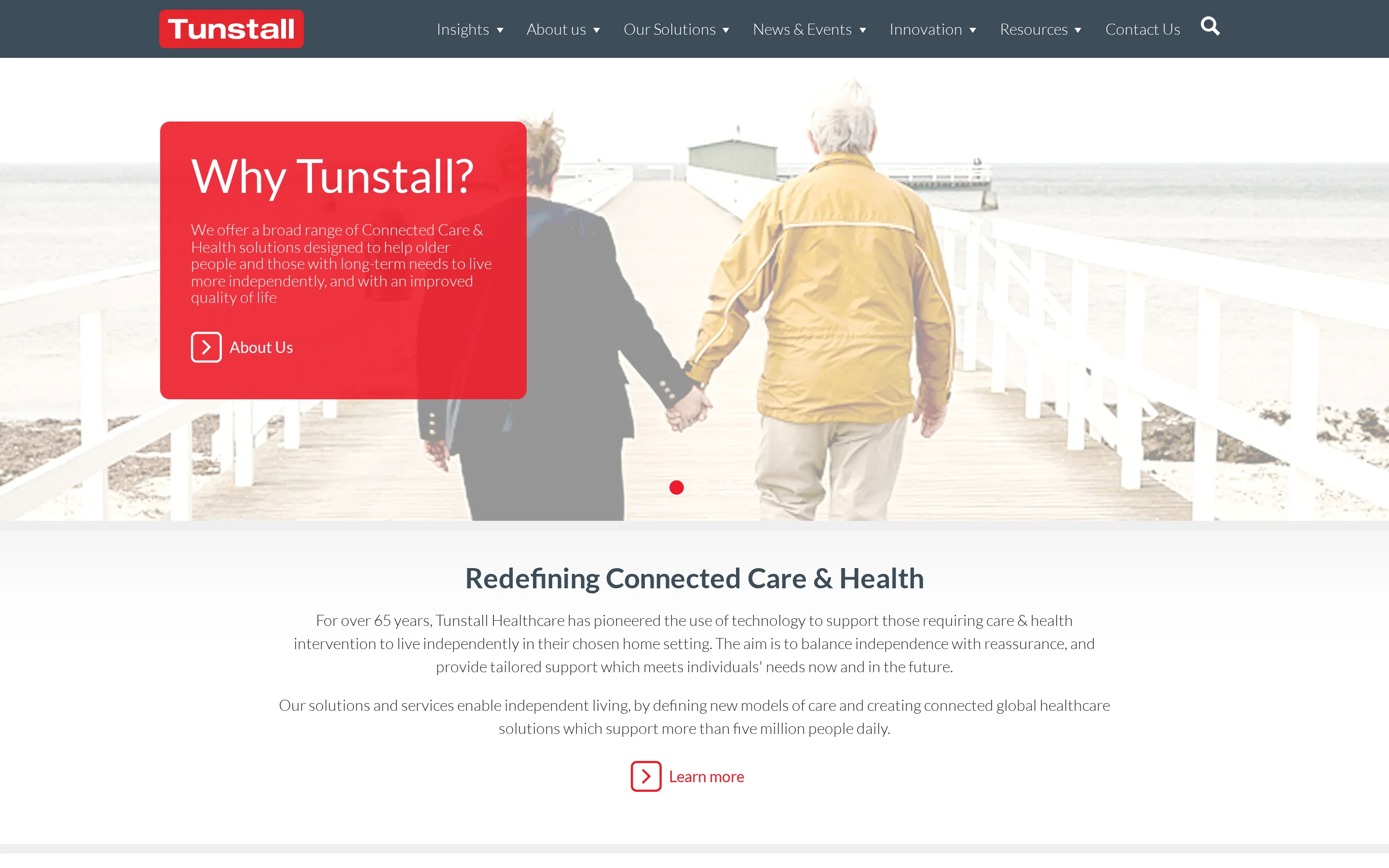
Tunstall Healthcare is a telecare monitoring system with PIR motion sensors, bed occupancy pads, and hub-based links to 24/7 monitoring centers.
Tunstall's monitoring is non-wearable at its core: PIR motion detectors plus bed or chair occupancy pressure pads track activity by sensing the room rather than a device on the person.
It does add optional wearables on top, but the base layer is passive room sensing, which suits residents who won't reliably wear or carry anything.
The catalog is broad. Tunstall covers in-home base units, mobile pendants, smartwatches, fall-detection devices, activity sensors, bed sensors, smoke sensors, epilepsy sensors, and key safes.
For mobile use, the Gem4 and Gem5 alarms work as wearable watches or pendants with GPS tracking, automatic fall detection, and a manual SOS button, so a wearer stays covered outside the home as well as in it.
Communication runs through Tunstall's Smart Hubs, which support two-way speech with 24/7 monitoring centres. The model is hub-to-centre: a home hub links wearable and safety sensors to a response centre that handles the call, rather than routing voice through individual room sensors.
The monitoring itself is non-invasive and camera-free, using fire, flood, gas, motion, and bed-exit sensors, with change detection used for proactive intervention as well as reactive panic alerts. Tunstall operates at large scale, reporting 1.4 million end users across 15 response centres.
Two constraints matter for a facility buyer. Tunstall's inactivity monitoring works off preset time periods rather than an AI-learned routine baseline, so it flags against fixed rules instead of a person's own pattern.
Range and infrastructure are the other limit. Standard in-home units cover about 20 to 30 metres from the base station, and some legacy units still require a physical landline, so aging hub hardware is a real consideration in a longer deployment.
Tunstall splits cost across hardware and monitoring:
Upfront hardware: $140 to $500, depending on the device and package.
Monthly monitoring: $31.30 per month for 24/7 emergency cover, with no annual-payment discount noted.
That sits it among the subscription-based systems rather than the hardware-only ones, with the recurring fee tied to the response-centre service.
Operationally, Tunstall targets aged care, disability support, and people with long-term conditions rather than general consumers, and in its Australian market that strategy is tied closely to NDIS and other government-funded channels.
It does reach into group-living and warden-call setups for care homes and supported living, so it isn't purely individual. But the product reads as built around individual telecare and independent living first, with facility use as an extension rather than a floor-plan-native design.
Cost element | Tunstall Healthcare | Cross-reference |
|---|---|---|
Upfront hardware | $140 to $500 | Envoy at Home: $399 upfront |
Monthly fee | $31.30 per month | Lifeline: starts at $34.95 per month |
Subscription model | Month-to-month. No annual discount noted | Smart Caregiver: no monthly subscription fees |
5. SensorsCall CareAlert
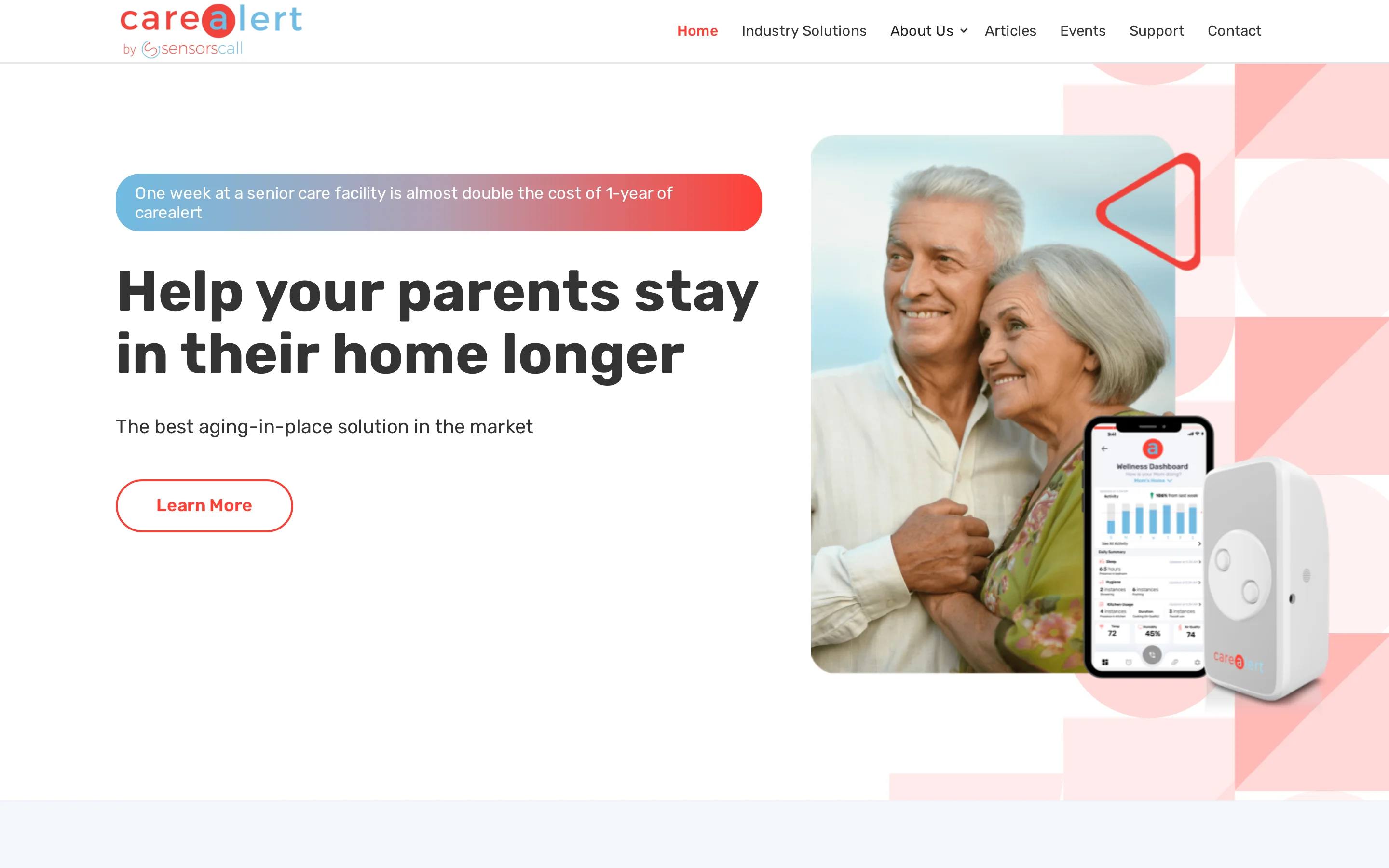
SensorsCall CareAlert is a plug-in home activity monitoring system with AI routine learning and a two-way intercom built into each sensor.
CareAlert puts the voice in an unusual place. Instead of routing speech through a central hub, SensorsCall builds a two-way intercom into each wall-plug sensor node, so a family member can speak directly into the room the sensor covers.
For someone checking in on a parent remotely, that room-by-room voice link suits direct check-ins on a single home rather than hub-and-app setups.
In practice, CareAlert monitors bathroom hygiene, kitchen usage, and sleep-related activity through passive environmental and motion sensing, with no wearable required.
It learns a daily routine and flags deviations from it, sending caregiver notifications through the companion app when something looks off.
The constraints put CareAlert firmly in the home, not the facility. SensorsCall states outright that it is not a substitute for professional nursing-home care or situations needing immediate medical attention, and it targets aging in place for relatively independent seniors.
Setup reliability is the other caution. App Store reviews cite pairing problems during setup and delayed or missing push notifications, which matter more in a care setting where a missed alert has consequences.
CareAlert pairs hardware with a monthly service:
Starter hardware: $416 for three sensors
Monthly service: $19.99 per month
Approximate first-year total: about $644 before shipping or taxes
That's a mid-range subscription cost aimed at a single home rather than a multi-room facility.
Cost element | SensorsCall CareAlert |
|---|---|
Starter hardware | $416 for 3 sensors |
Monthly service | $19.99/month |
Approximate first-year total | $644 before shipping or taxes |
6. Envoy at Home
Envoy at Home is a passive in-home sensor system that tracks 35-plus daily behaviors for seniors without wearables, cameras, or manual input.
Envoy at Home skips wearables entirely. It runs a 100% passive network of adhesive motion and contact sensors, with no device for the resident to wear, charge, or remember.
That suits seniors who resist wearables or have cognitive impairment, since coverage doesn't depend on cooperation. The tradeoff is that a fully passive system reads the room, not the person, so there's no direct fall-button or worn fall sensor.
Envoy's data layer is detailed. It monitors more than 35 specific behaviors in real time, including potential fall risks, meal skipping, and general activity changes.
Motion and contact sensors collect movement and door-activity data, and the system alerts caregivers when a routine deviates from the established pattern.
Envoy is built for the independent-living home. It targets family caregivers of seniors living on their own, and the standard kit reflects that: eight battery-powered adhesive sensors and one Wi-Fi hub, installed without wiring.
It's a single-home system by design, not a multi-resident floor with a central dashboard.
For a facility, two gaps stand out. Envoy has no two-way voice through its sensors, so communication runs through the caregiver mobile app rather than a live intercom in the room.
It's also a direct-to-consumer home system with no facility-wide floor-plan oversight in its documented model, and service is only available in the United States.
Envoy carries the highest recurring fee in this roundup:
Equipment: $399
Monthly subscription: $99 per month
Additional sensors: $29.99 each beyond the eight-sensor kit
Approximate first-year total: about $1,587 before taxes and shipping
That buys deep behavioral tracking for one home, but the monthly cost is the steepest here.
Pricing element | Envoy at Home |
|---|---|
Equipment fee | $399 |
Monthly subscription | $99/month |
Included hardware | Wi-Fi hub plus 8-sensor kit |
Additional sensors | $29.99 each |
Approximate first-year total | $1,587 before taxes and shipping |
7. Apple Watch
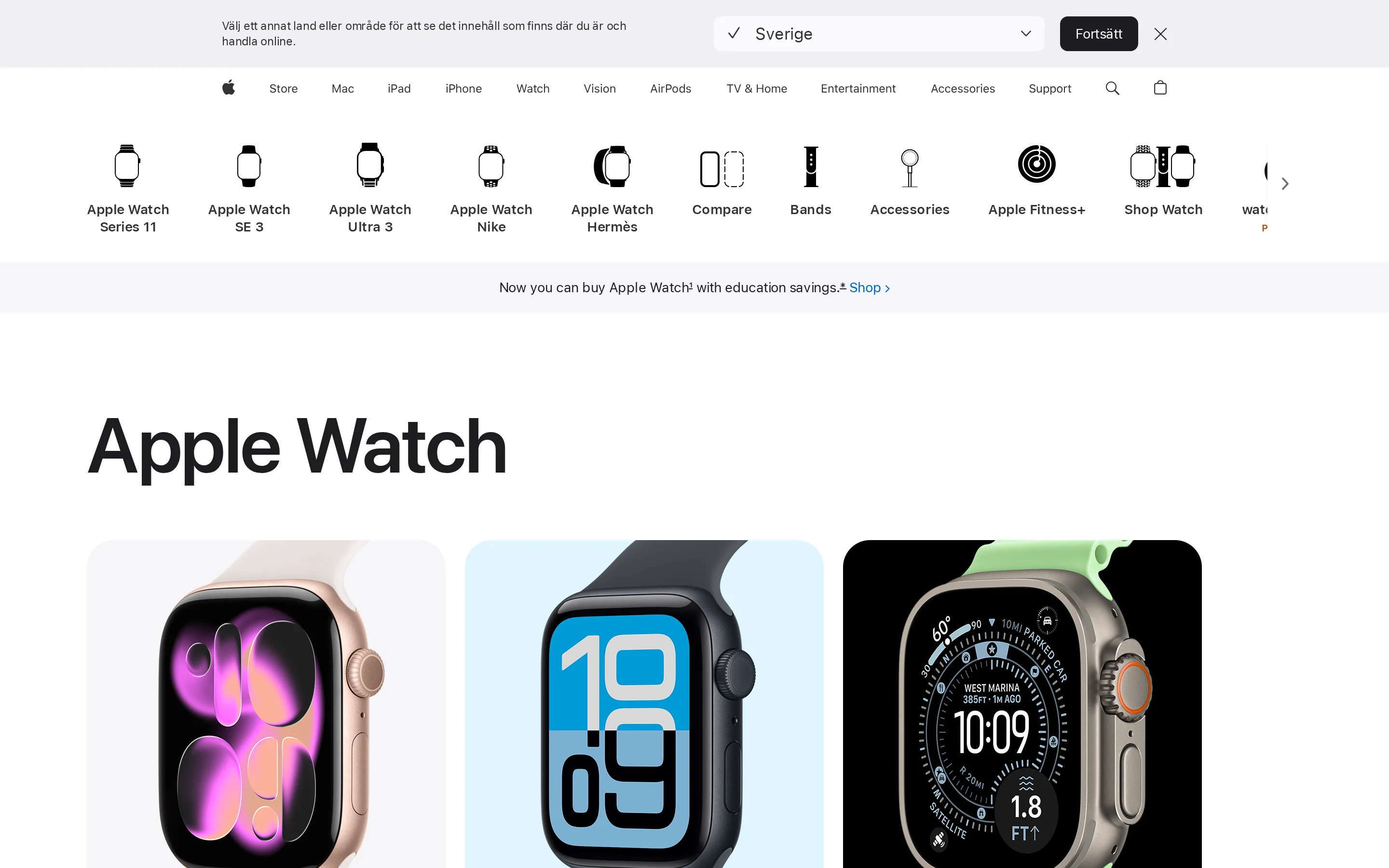
Apple Watch is a consumer smartwatch that tracks movement, heart rate, sleep, and forceful falls through wrist-worn sensors.
The obvious difference is that Apple Watch is a consumer device the person has to wear. Activity tracking and fall detection only work while the watch is on the wrist and charged.
That's a different model from room-based systems: it goes where the wearer goes, but it stops the moment the watch comes off.
In practice, Apple Watch tracks steps, heart rate, fall risk, sleep, and general activity trends. That data speaks to a person's day-to-day routine rather than room-level movement across a residence.
Interpreting a deviation is left to the user inside the Health app, so there's no care-team dashboard flagging when something looks wrong.
For communication, Apple Watch handles it on the device itself: cellular and Wi-Fi calling directly from the wrist, so a wearer can call for help without a separate base station or monitoring centre.
That's self-directed contact rather than a routed alert to a care team, which suits an independent individual more than a staffed facility.
For a facility, the gaps are clear. Apple Watch has no native multi-resident management software for facility-wide oversight, so there's no central view of a ward.
And because monitoring depends on the watch being worn and charged, coverage lapses whenever it's off the wrist, unlike fixed room sensors that stay in place at the point of care.
On cost, Apple Watch is a one-time hardware purchase of $249 to $799, with no native subscription required for core health tracking.
That makes it the cheapest ongoing option here for a single wearer, but the price buys an individual consumer device, not facility monitoring or records.
Tool | Monitoring model | Routine analysis | Communication | Pricing model |
|---|---|---|---|---|
Apple Watch | Wrist-worn smartwatch | Sleep and activity trends interpreted by user | Cellular and Wi-Fi calling from device | $249 to $799 upfront, no native health subscription |
Envoy at Home | Passive motion and contact sensors | 35+ behavioral situations | No two-way communication | $399 upfront plus $99 per month |
Lifeline | Wearable pendant or smartwatch button | Emergency response focused, not AI routine learning | Two-way voice to monitoring specialists | $34.95 to $49.95 per month plus hardware/setup |
8. Heritage Valley patient activity monitor
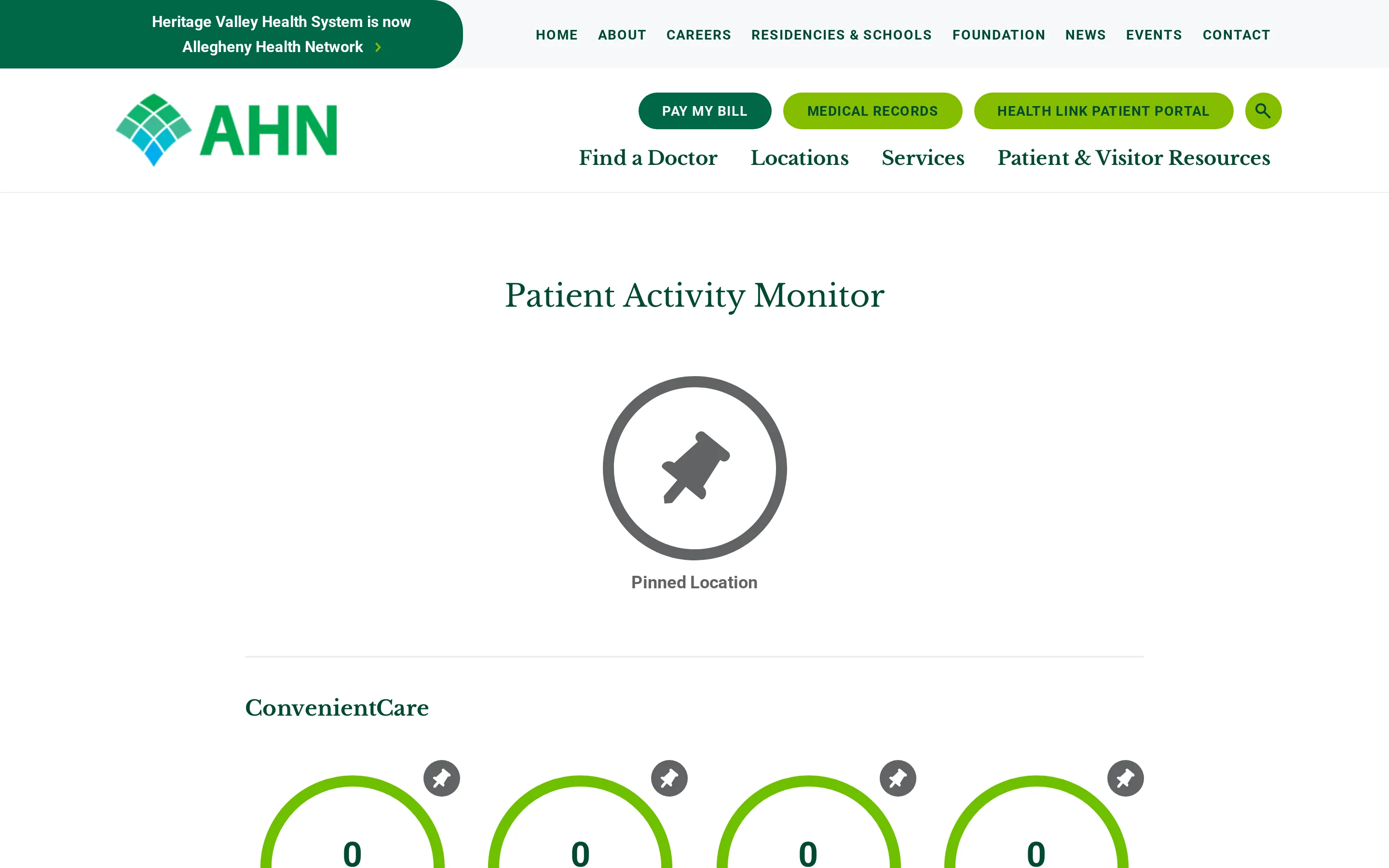
Heritage Valley patient activity monitor is a free public dashboard that shows real-time patient volume at specific Heritage Valley hospital departments.
Heritage Valley is the odd one out here, and that's the point. It doesn't monitor individual patients at all: it's a free public dashboard showing how busy specific hospital departments are, built for visitors deciding where to go.
It shows facility-wide volume, not person-level activity, so it has no room-level or bedside monitoring layer of any kind. If your search for "patient activity monitor" surfaced this, it's a reminder the term covers tools that have nothing to do with resident safety.
What it actually shows is real-time patient counts at Heritage Valley Health System locations in Pennsylvania, grouped into pinned locations, ConvenientCare, hospital emergency departments, and outpatient sites.
Each location displays a current patient count and an activity-level label. The public dashboard, for example, has shown figures like 34 patients (Medium) at the Beaver ED and 5 patients (Low) at the Sewickley ED, updated live.
Measured against every other tool here, the monitoring functions are simply absent. There's no wearable or room-sensor layer, no routine learning or behavior-change detection over time, and no two-way communication.
It's a visibility dashboard for the public, not a monitoring system for a resident.
Access is free, through the Heritage Valley website and mobile app, with no hardware to buy and no subscription.
That's the tell: unlike the paid hardware-and-subscription tools in this roundup, it isn't sold as a monitoring product at all, because it isn't one.
Aspect | Heritage Valley patient activity monitor | Compared tool |
|---|---|---|
Primary function | Public hospital-volume dashboard | Apple Watch: individual wearable activity and fall tracking |
Monitoring hardware | None | Smart Caregiver: bed, chair, and floor sensors |
Routine analysis | None | Envoy at Home: behavior-pattern detection from passive sensors |
Communication | None | Lifeline: two-way voice through emergency wearable |
Pricing | Free website and app access | Envoy at Home and Lifeline use paid plans |
Patient activity monitor tools compared
This comparison brings together the article's main decision points: whether monitoring is passive or wearable, whether the system learns routines or just reacts to events, how alerts are communicated, what the pricing model looks like, and whether the tool fits one person at home or broader care operations.
The clearest line through this list runs between home-focused tools and systems built for wider care operations. Nomo Smart Care, SensorsCall CareAlert, Envoy at Home, and Apple Watch are primarily individual or home-use options, while Tunstall Healthcare has documented use across independent living and group care, and Guardian is the one built floor-plan-first for facilities.
The second split is how monitoring is triggered. Apple Watch depends on a worn device, Smart Caregiver on physical pads and mats, and the passive systems on ambient sensors. Context matters here: 73% of UK adult social care providers report using at least one care technology, while 27% report using none.
Pricing models vary as much as the hardware. At the low end, Smart Caregiver uses one-time purchases from $24.95 to $129.95 with no subscription. In the middle sit Nomo ($249.99 plus $19.99/month) and SensorsCall ($416 plus $19.99/month).
Envoy at Home carries the highest recurring fee at $399 plus $99/month, while Apple Watch is hardware-only at $249 to $799 with no native health subscription. The table below lays each model side by side.
Tool | Primary monitoring style | AI routine learning | Two-way communication | Pricing model | Deployment scale |
|---|---|---|---|---|---|
Guardian | Institutional monitoring system | Yes | Yes | Custom quote | Facility scale |
Nomo Smart Care | Ambient sensors with optional tags | Yes | Yes | $199.99 plus $19.99/month | Home use |
Smart Caregiver | Pressure pads, mats, pagers | No | Partial | $24.95 to $129.95 one time | Home and local facility use |
Lifeline | Wearable help button | No | Yes | $34.95/month plus optional $15 fall detection | Individual use |
Tunstall Healthcare | PIR sensors and bed occupancy pads | Partial | Yes | Up to $500 hardware plus about $31.30/month | Independent living and group care |
SensorsCall CareAlert | Plug-in environmental sensors | Yes | Yes | $415 plus $19/month | Home use |
Envoy at Home | Passive sensor network | Yes | No | $399 plus $99/month | Primarily home use |
Apple Watch | Consumer wearable | Partial | Yes | $249 to $799 hardware | Individual use |
Heritage Valley patient activity monitor | Public facility volume dashboard | No | No | Free | Single health system locations |
How to choose the right fit for your care setting
The right fit is the tool whose monitoring method, alert workflow, privacy tradeoffs, pricing model, and real deployment scale match how care is actually delivered in your setting.
Start with scale, because it eliminates whole categories fast. Most tools here are built for one person at home: Nomo, SensorsCall, Envoy at Home, and Apple Watch are all oriented to consumer or single-user use, and only Guardian is designed for institutional, multi-resident oversight with a central dashboard.
Whatever you pick has to fit the daily routines and response capacity of the people actually providing care, not just detect an event in isolation.
Next, be honest about what residents and staff will actually use. A remote monitoring system only works if people use it, and some devices demand regular action that can feel like a chore.
Wearables (Apple Watch) depend on the resident wearing and charging a device.
Passive sensors (Envoy at Home) need no cooperation but read the room, not the person.
Pressure pads (Smart Caregiver) are reactive alerts, good for immediate bed-exit detection rather than broader behavior tracking.
Then weigh how much alert noise your team can absorb. Systems that learn a routine (Nomo, SensorsCall, Envoy at Home) can filter normal activity, while reactive-only tools like Smart Caregiver fire on every trigger.
The goal is to notify caregivers only when intervention is actually needed, so routine activity doesn't build into notification fatigue. Whatever the method, it has to be easy to use and easy to fold into existing workflows, or it won't survive contact with a real shift.
Finally, think past the alert to the response. An alert that no one can act on quickly is just noise, so check what happens after it fires.
[Diagram: patient activity alert workflow from sensor detection to location-aware notification, caregiver response, escalation, and automatic record]
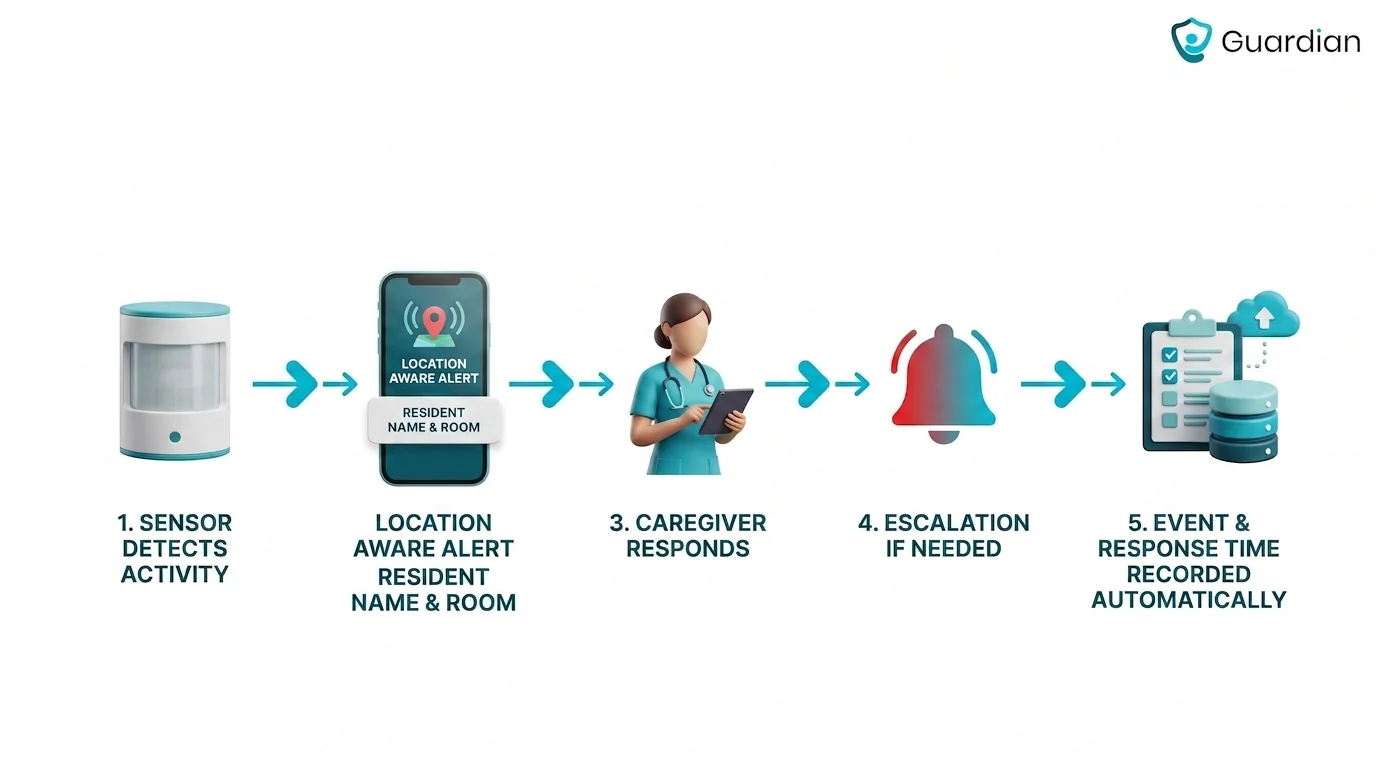
Two-way communication varies: Tunstall and Apple Watch support it, SensorsCall builds an intercom into each sensor node, and Envoy has none through its sensors. In a care home, the falls-management pathway runs from immediate assessment through injury checks to escalation, so the monitoring tool should feed that sequence rather than stop at a notification.
Last, pressure-test privacy, integration, and cost over the long run. Motion and door sensors are the privacy-preserving alternative to cameras when monitoring older adults, since they track daily patterns without putting a lens in a bedroom.
Data should be stored securely with access limited to who needs it, and the system should integrate with the records and workflows you already run. On cost, the models here range from hardware-only with no subscription (Smart Caregiver) to equipment plus recurring monthly fees (Tunstall, SensorsCall, Nomo, Envoy at Home), so budget for the ongoing fee, not just the box.
Criterion | What to check | Why it matters |
|---|---|---|
Deployment scale | Single-user home monitoring versus multi-resident oversight | Eliminates tools built for the wrong operating model |
Monitoring method | Wearable, passive sensor, pressure pad, or mixed setup | Determines resident compliance and what events are detectable |
Alert quality | Immediate triggers versus learned routines and filtered notifications | Reduces alert fatigue and improves staff response |
Response workflow | Two-way communication, escalation path, and care-team fit | Determines what staff can do once an alert appears |
Privacy and cost | Camera-free sensing, security, integration, upfront and monthly fees | Prevents adoption issues and long-term budget surprises |
A patient monitor tells you a person's current activity, vital signs, or emergency status, depending on whether it is an activity, remote, or bedside monitor.
An activity monitor reports movement and routine, not vital signs. Guardian tracks resident activity through motion, bed-exit, and SOS sensors feeding one dashboard, while Nomo Smart Care learns sleep cycles, meal times, and medication-access patterns from sensors and tags.
Remote monitors output something different. A pulse oximeter shows blood oxygen and pulse rate, while other remote devices report blood pressure or glucose.
Baseline context makes a reading meaningful. Caregivers should document typical behaviours and vital signs, then escalate changes from that personal norm rather than a generic threshold.
Activity monitor: movement, bed exit, room occupancy, routine changes, and SOS events.
Remote patient monitor: health metrics such as blood oxygen and pulse.
Bedside monitor: live physiological status and urgent changes in condition.
Activity monitoring and remote patient monitoring are non-emergency options that can flag changes early, giving a caregiver or clinician time to respond before a crisis.
Remote patient monitoring fits when the concern is ongoing status, not an acute emergency. Clinicians review health data between visits and can act when a reading changes.
Appliance use adds another layer. Fridge or stove activity can show whether expected daily routines are happening, so an unusual gap can prompt a caregiver check.
Remote patient monitoring: continuous health-data review for non-emergency changes.
Passive activity monitoring: routine and inactivity alerts that may need caregiver follow-up.
Emergency room: immediate evaluation for severe symptoms or urgent medical danger.
If symptoms are severe or urgent, contact emergency services rather than relying on a monitoring tool.
A patient activity monitor tracks movement and routines. Remote patient monitoring tracks physiological health data.
Remote patient monitoring connects clinicians to devices used to manage medical conditions, including blood pressure monitors, glucose meters, heart rate monitors, smart inhalers, scales, apnea monitors, and maternity care monitors.
A patient activity monitor tracks movement and routine instead. Nomo Smart Care follows sleep, meals, and medication access, while Envoy at Home tracks behaviours such as meal skipping and general activity changes.
Guardian follows daily movement across care settings and flags unusual activity or extended absences. Activity-monitor hardware includes motion sensors, bed sensors, contact sensors, pressure pads, and fall-detection wearables.
Patient activity monitor: movement, bed exits, room activity, and routine deviations for caregivers and facility staff.
Remote patient monitoring: physiological and condition data from medical devices for clinicians and care teams.
No. A patient activity monitor is a broader activity-tracking category, while bedside monitoring hardware usually detects movement at a bed, chair, or nearby floor area.
Smart Caregiver uses pressure-sensitive bed pads, chair pads, and floor mats for immediate movement alerts. Tunstall Healthcare uses PIR motion detectors with bed or chair occupancy pads.
Broader activity monitoring can follow routines across a room, home, or facility. Physiological devices such as blood pressure monitors and glucose meters sit in a separate category because they measure the body rather than nearby activity.
Smart Caregiver is the most bedside-focused tool in this article. Tunstall overlaps with bedside monitoring but extends into integrated telecare.
Envoy at Home uses a passive network of motion and contact sensors. Heritage Valley is different again, since it is a public facility-volume dashboard rather than an individual monitoring system.
Patient activity monitor: movement, routines, inactivity, location, or safety events across a room, home, or facility.
Bedside monitoring hardware: immediate bed, chair, or floor-level movement near the patient.
Physiological remote monitoring: vital signs and condition-specific measurements such as blood pressure, glucose, or ECG.

Author
Aleks Timm
Aleks Timm leads Guardian and builds privacy-first operations technology for care homes and home care providers. Teams get location-aware alerts they can act on, clearer situational awareness, and measured insight into how care work actually runs.
Read MoreRecommended reads
Keep reading
Wireless Patient Monitoring Systems for Care Homes
A complete guide to wireless patient monitoring systems, connected sensors, alert logic, care-home deployment, privacy, and...
Read more
Remote patient monitoring: a complete guide
Remote patient monitoring: the complete guide to sensors, benefits, and buying tips for safer care homes and better resident...
Read more
Caregiver alert systems for care homes
Caregiver alert systems for care homes help staff respond faster with room-level alerts. Learn what to buy to prevent harm and save...
Read more