

9 Best Sensors for Elderly Care: Care Homes, Dementia, and Home Monitoring
In this article
Falls and night-time bed exits can go unnoticed until the next round, leaving no record of when they happened—a brief descriptor that adds specifics (who it's for, what it does) follows in the scope line.
The WHO describes falls as the second leading cause of unintentional injury deaths worldwide, with adults over 60 having the highest number of fatal falls.
This guide covers both private-home monitoring kits and care-home systems. The right sensor depends on who receives the alert, where the alert appears, and what record remains after the response.
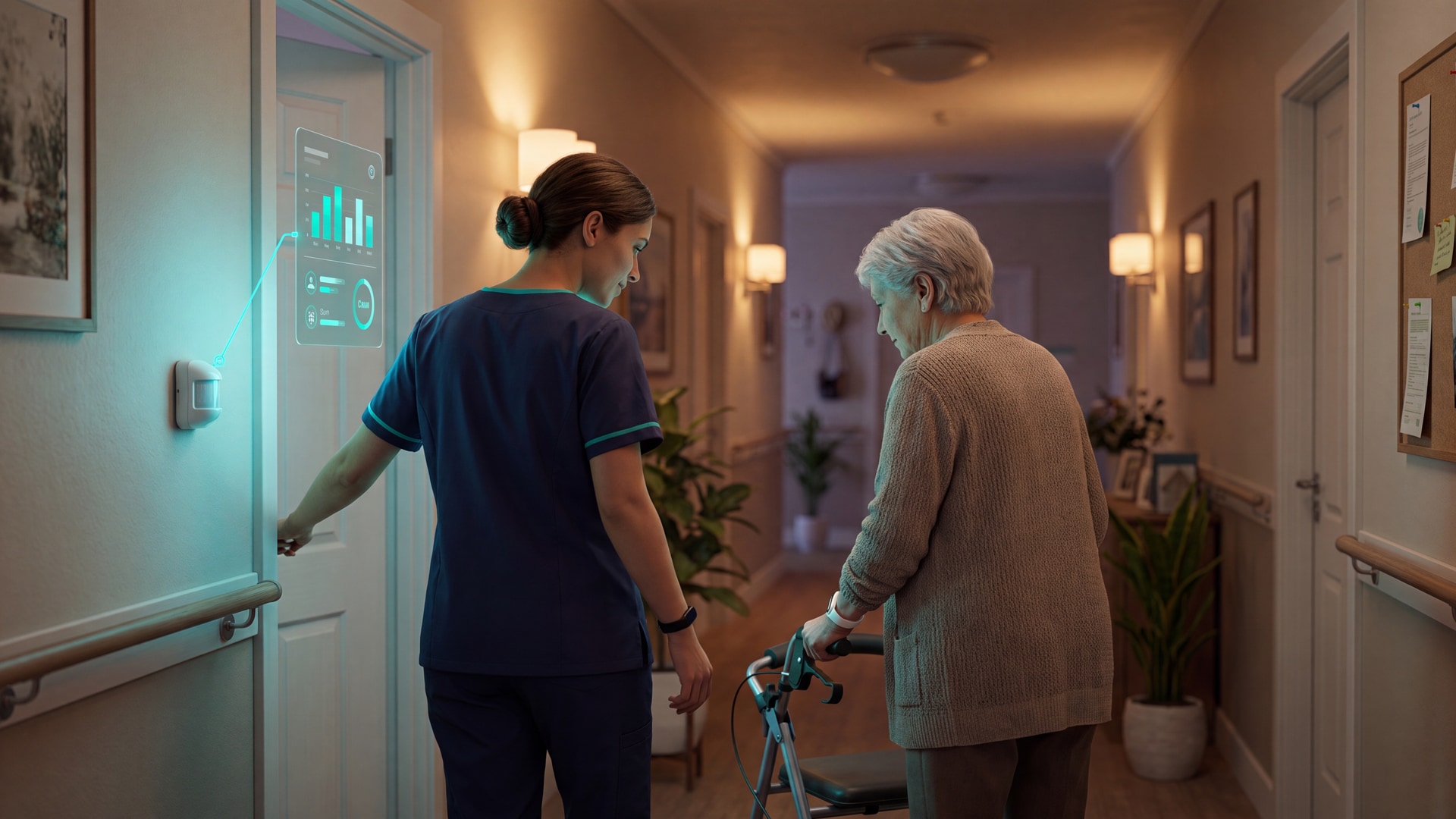
Bed, motion, door, and wearable sensors can flag night-time bed exits, wandering, inactivity, and SOS events. Facility-wide systems add room-level alerts and escalation dashboards on top of that.
What sensors for elderly care actually do
Start with the event the sensor can reliably notice. A sensor does not prevent harm by itself; it gives staff or family caregivers a chance to respond earlier.
The sensor type matters because each device watches for a different risk. A bed pad is useful for night-time exit risk, while a door sensor is better for wandering or restricted-area access.
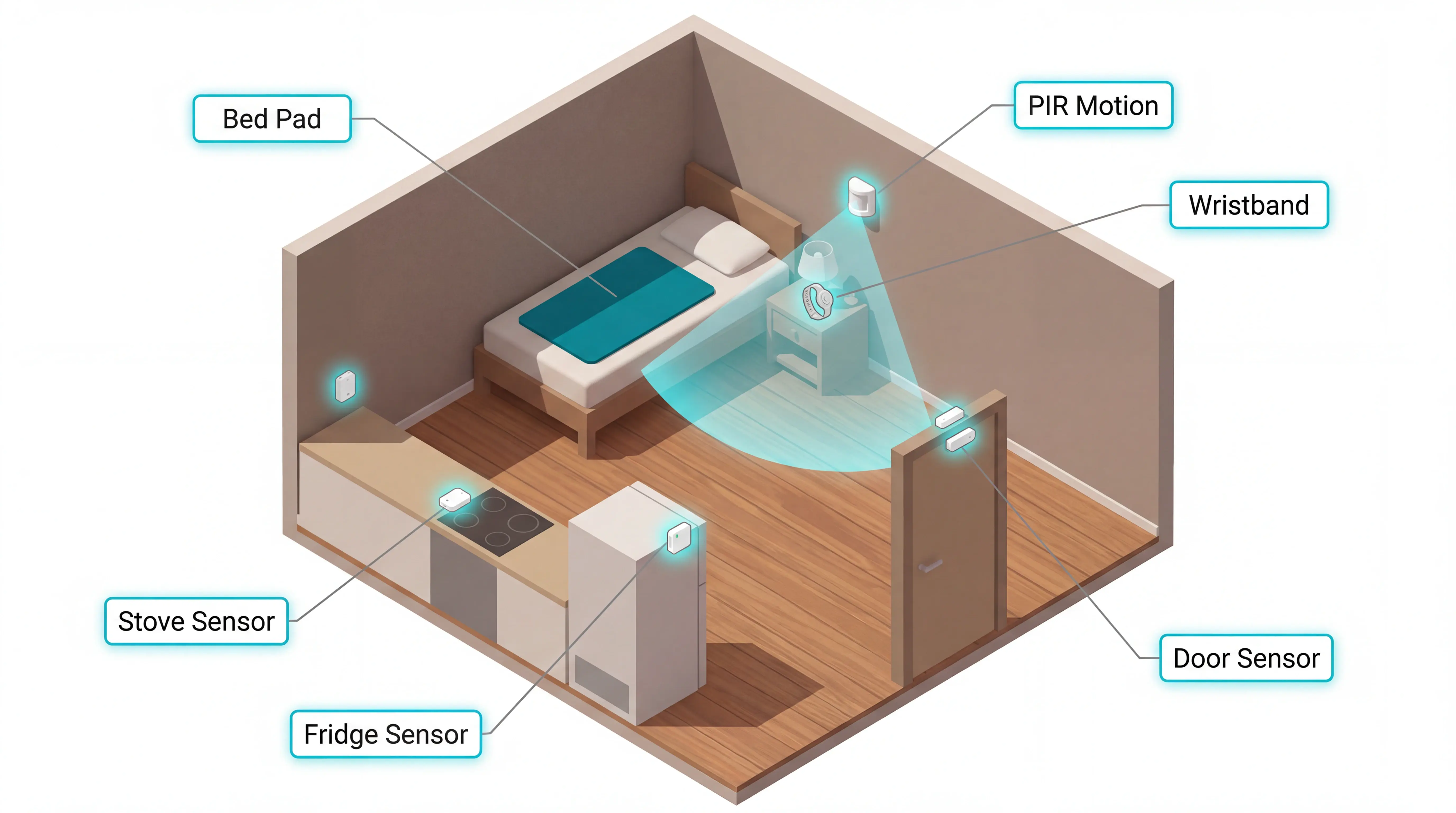
The main sensor types used in elderly care are:
Motion sensors: detect movement, doorway crossings, or prolonged inactivity in a room.
Bed and chair sensors: detect weight changes when a resident leaves a bed or chair.
Door sensors: detect exits from bedrooms, flats, kitchens, or restricted areas.
Wearable SOS buttons: send a manual distress alert when the resident or caregiver presses the button.
Environmental sensors: monitor routine signals such as fridge, stove, or room activity.
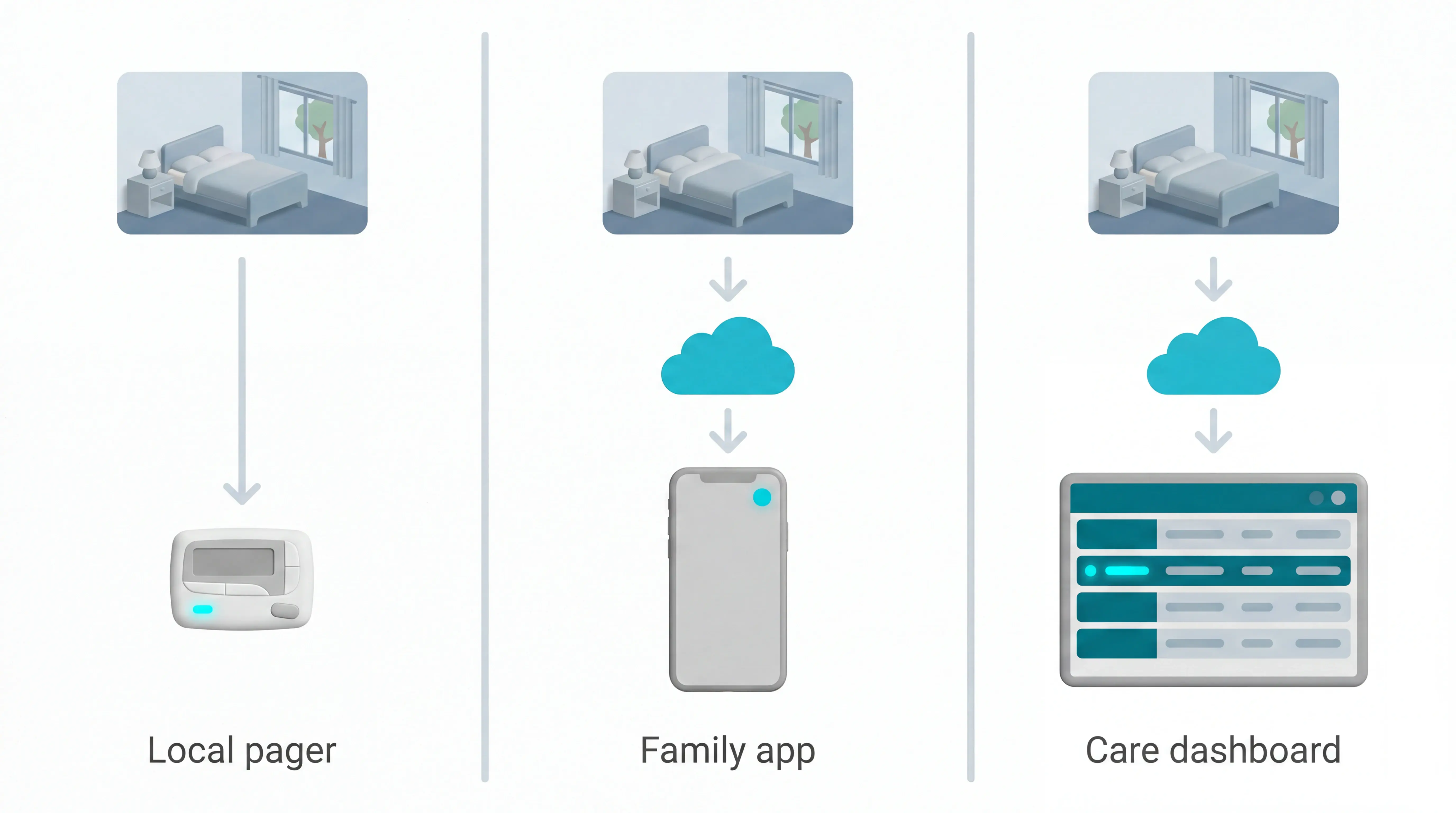
After a sensor triggers, the alert has to reach the right person fast. Basic systems may sound a local alarm or send a signal to an RF pager within the building.
Cloud-connected systems can send alerts to phones, tablets, or a dashboard. Facility systems may also attach the resident, room, and sensor type to the alert, so staff know where to go.
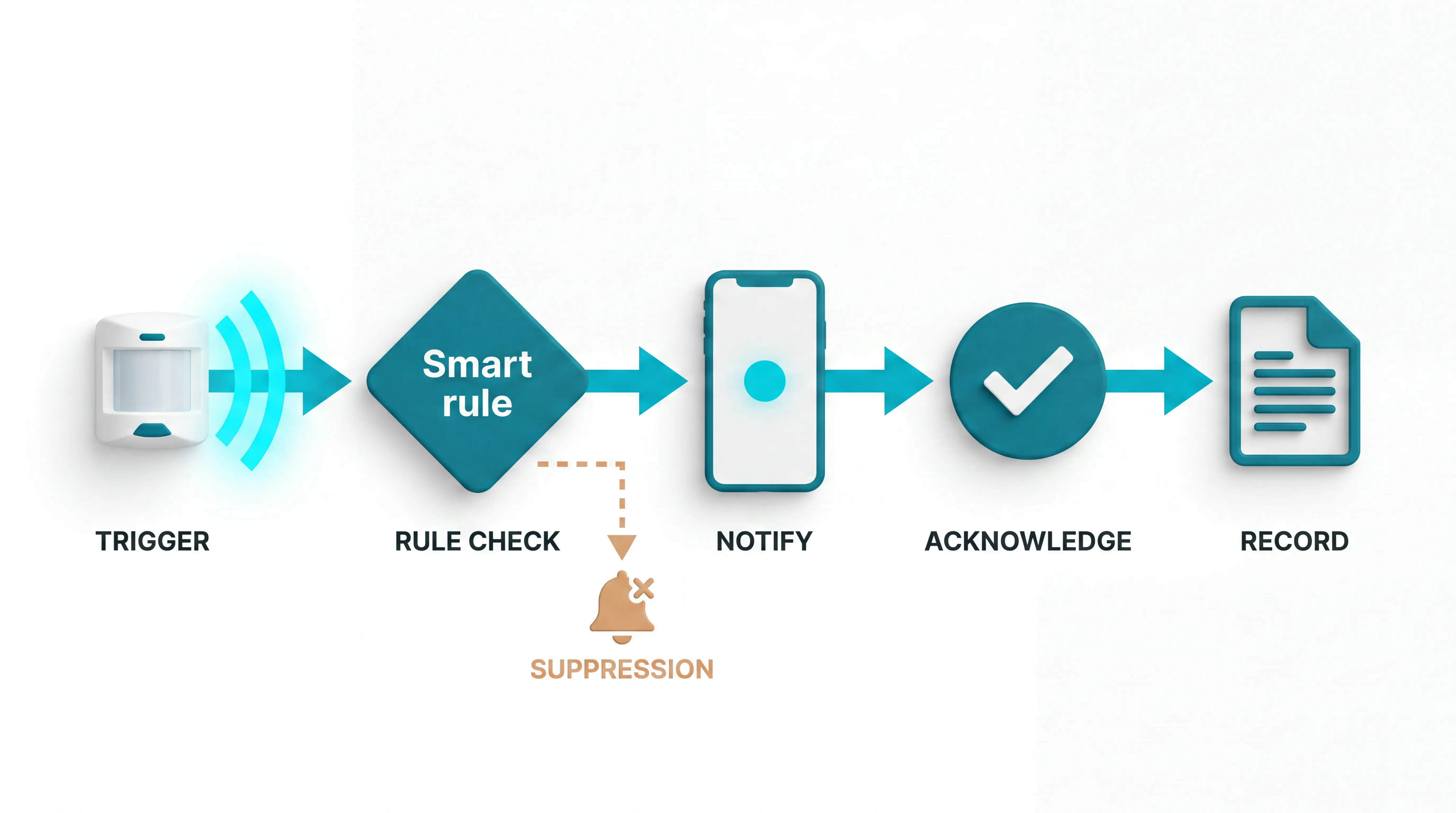
Routine monitoring adds another layer. The system watches for changed patterns, such as a resident leaving bed and not returning after a night-time exit.
Good systems use that context to:
Flag events that need care team attention.
Suppress low-value alarms that train staff to ignore notifications.
Quick chooser: which sensor fits your concern?
Match your primary concern to a sensor category first, then evaluate systems within that category on alert method and living situation fit.
Alert method matters as much as sensor type. Local RF pagers can suit one room, while cloud-connected dashboards suit teams that need room context and records.
Common mistake: Buying the sensor before choosing the alert workflow. A bed pad that only sounds locally can still fail a care home with multiple corridors.
Primary concern | Sensor type to look for | Systems in this article that fit |
|---|---|---|
Bed exit at night | Pressure mat / bed occupancy pad | National Call Systems, Nursing Home Aids |
Room or doorway wandering (home) | PIR motion sensor + local pager | Smart Caregiver, Val-U-Care |
Wandering in care facility or dementia ward | PIR motion sensor + nurse-call integration | Frequency Precision, RoomMate by Sensio |
Fall detection or pre-fall risk | 3D laser / ambient motion sensor | RoomMate by Sensio |
Inactivity and routine deviation monitoring | Multi-sensor kit + behavioral analytics | Envoy At Home, Nomo Smart Care, Guardian |
Emergency call (SOS) | Wearable pendant or hub-based panic button | Nomo Smart Care |
Facility-wide safety across multiple residents | Cloud-connected sensor network + dashboard | Guardian |
Once the concern is clear, use the product sections below to check whether each system fits the building and the care team's alert route.
The 9 best elderly care sensor systems
Every system below was evaluated on 4 axes: risk detected, alert route, private-home or care-home fit, and running cost.
Guardian appears first because it covers the widest care-home operational use case. The remaining systems move from simple local alerts to connected home and facility systems.
The number order is not a universal ranking. A one-room pager solves a different problem from a ward dashboard.
Pricing and compliance notes follow each supplier's main market. US retail products use dollar pricing and FCC checks; UK and EU care-home systems need CE, UKCA, GDPR, and nurse-call checks where applicable.
1. Guardian
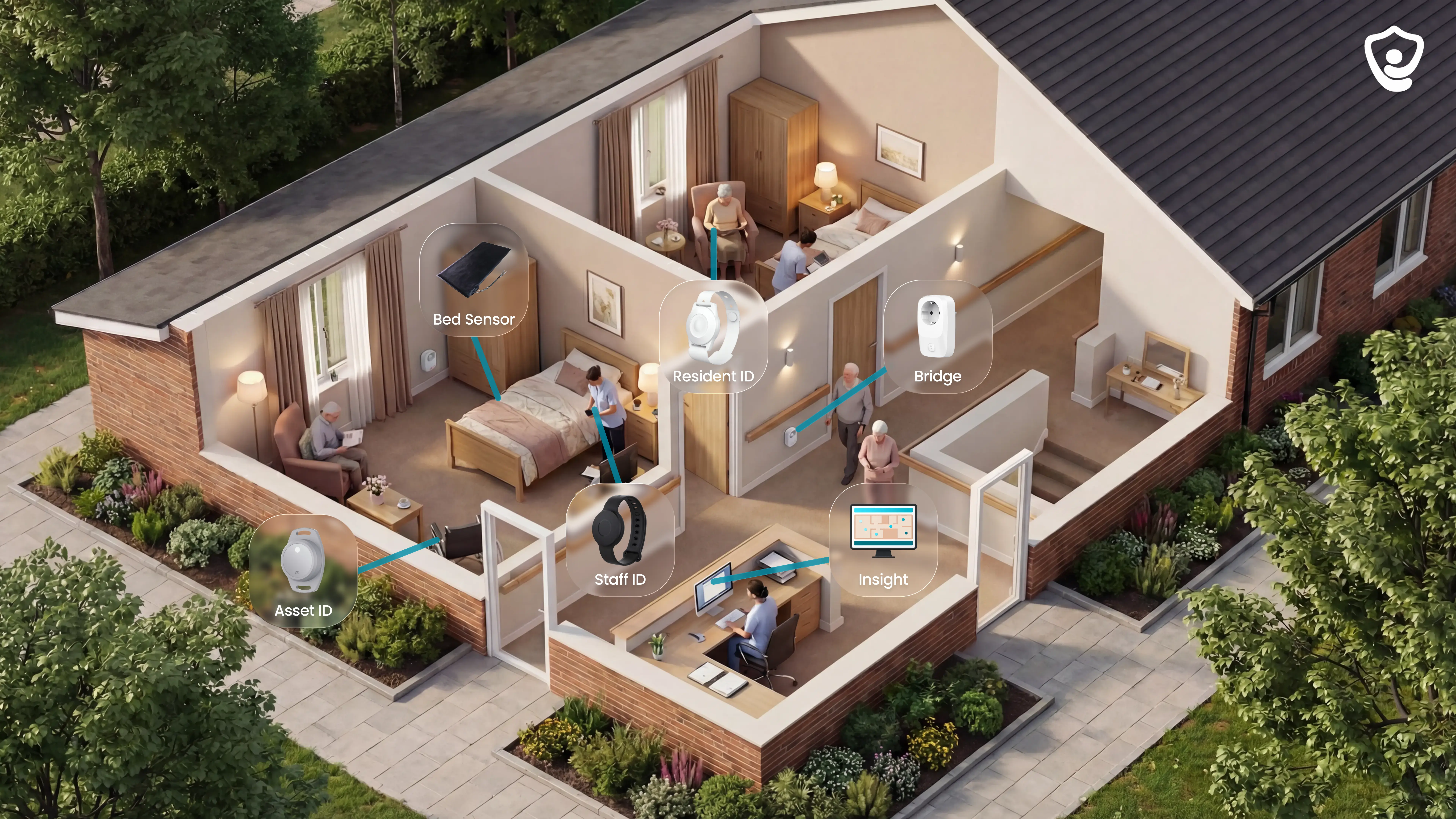
An alert identifies the resident and room. It also shows the event type and acknowledgement trail.
Managers can review the timestamped record after the shift because events are logged as they happen.
Guardian is a connected care system for care homes and home care teams. It combines room sensors, optional resident wearables, caregiver SOS bands, floor-plan alerts, and Guardian Insight reporting.
Guardian is useful when one bed pad or pager no longer gives enough context.
Guardian starts as a 6 to 8 week scoped pilot in one ward, home, or team, with rollout pricing set after the results are in (Guardian pilot terms).
Best fit: care homes and home care teams that need alerts, room context, and records.
Alert route: Guardian Portal on staff phones, tablets, and nurse station screens.
Main limit: pilot scope must be mapped before rollout terms are set.
Use Guardian when you need:
Resident safety signals: bed exit, motion, door, fridge, stove, SOS, restricted-area, wearable fall, and posture-based fall alerts where installed.
Staff context: caregiver SOS bands, visit records, shift timing, and response activity.
Live floor-plan view: Guardian Insight shows rooms, residents, staff, vehicles, and tracked assets on one dashboard.
Audit trail after the shift: automatic records for response times, visits, incidents, acknowledgements, and inspection evidence packs.
Guardian is built for care home directors, nursing managers, quality leads, and home care operators who need evidence from live shifts.
External early-intervention research shows why faster monitoring can matter.
One npj Digital Medicine trial indexed on PubMed found 31% lower annualised inpatient costs per patient in the intervention group than in the control group.
Guardian does not borrow that result. Its pilot report measures response, incident, and operating data from your own ward, home, or team.
Pilot in brief:
6 to 8 weeks in one ward, home, or team.
Setup and room mapping usually take about a week once scope is agreed.
Staff get a Guardian Portal walkthrough before go-live.
Final report with ROI inputs and rollout recommendations.
What it monitors (and without cameras)
Guardian monitors resident activity, staff safety, and daily routines without cameras or microphones.
Wearables are optional for baseline coverage. Bed, motion, door, fridge, and stove sensors can still flag routine changes when a resident will not press a button.
Core monitoring options include:
Bed sensors: detect getting up at night or extended time out of bed.
Motion, depth, and posture sensors: track room activity, unusual inactivity, and floor-level posture events where installed.
Door sensors: flag exits, restricted areas, or room entry events.
Fridge and stove sensors: show changes in routine, such as a fridge staying unopened.
Resident wristbands: add nurse call presses and wearable fall detection for residents who will use a device.
Caregiver SOS bands: let staff call for help with location attached.
GPS safety watches: support residents or clients at wander risk outside the home.
Guardian's fall coverage can combine wearable detection with room-based depth and posture signals where installed. Fall alerts do not rely only on a resident pressing SOS.
Each device is mapped to a room, bed, or live location during setup. When an event fires, Guardian shows the person affected, event type, room, and routine rule.
How alerts reach caregivers
Guardian sends alerts to smartphones, tablets, and nurse station screens through the Guardian Portal. Staff do not need extra pagers or receiver boxes.
Each alert carries the details caregivers need before they move:
Who: resident name, client name, or staff member.
Where: room-level location on the digitised floor plan or live map.
What happened: fall, bed exit, SOS press, exit, restricted-area entry, or inactivity rule.
When: timestamped event and acknowledgement history for reporting.
Location context answers the first question staff usually ask: which room needs attention? The alert already shows the room and event type.
Managers can configure rules around daily routines. For example, Guardian can alert when someone stays out of bed for more than 15 minutes at night or when a fridge has not opened by a set time.
Routine rules reduce vague pings. Staff see alerts tied to a specific time, room, resident, and threshold.
Care home vs home care fit
Guardian fits care homes and home care providers. Care homes usually need room-level coverage; home care teams usually need visit records, vehicle visibility, and passive home sensors.
For care homes, Guardian can cover:
Wards and priority rooms: bed, motion, door, fridge, and stove sensors linked to the floor plan.
Resident events: fall detection, nurse call presses, bed exits, and restricted-area alerts.
Staff safety: caregiver SOS wristbands with location context.
Management reporting: response times, incidents, coverage gaps, and shift records in Guardian Insight.
For home care providers, Guardian can cover:
Visit verification: automatic records of arrival, duration, and departure.
Fleet visibility: live locations for vehicles and care teams.
Client activity: in-home motion, door, fridge, and stove signals between visits.
Outside-home safety: GPS watches for clients at fall or wander risk.
A multi-ward care home benefits from the floor-plan dashboard and sensor coverage. A home care agency benefits from GPS visit logs and automatic reporting.
Both can start small. Guardian’s pilot begins in one ward, home, or team, so operators test the workflow before rollout terms are agreed.
Guardian Insight: the operations dashboard
Guardian Insight is the web dashboard behind Guardian. Managers use it to see live alerts and the evidence trail behind each response.
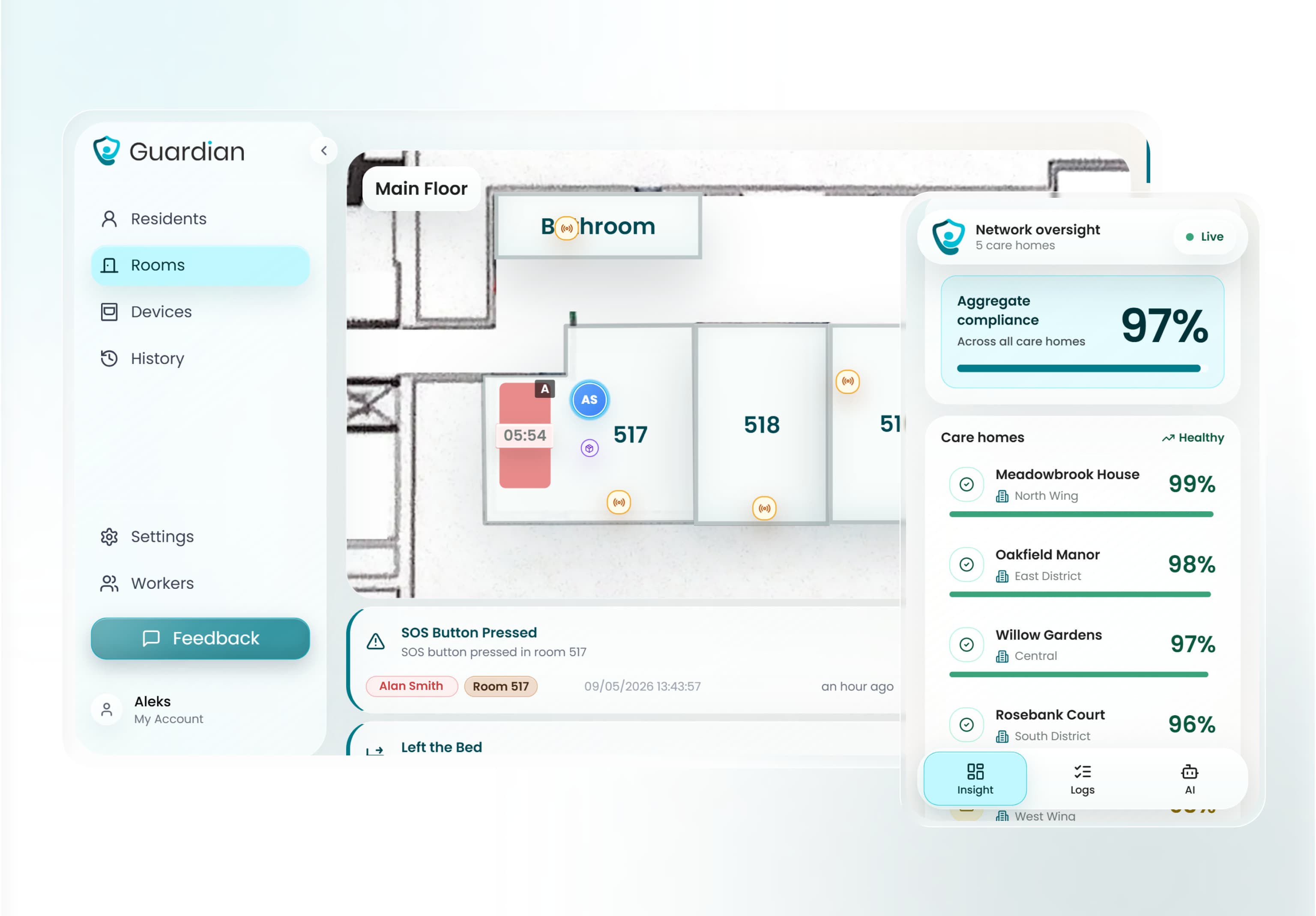
Guardian Insight changes by setting:
Care home: residents, rooms, caregivers, and active alerts on the digitised floor plan.
Home care: vehicles, visits, and client locations in the same view.
Managers can use Guardian Insight to see:
Active alerts: open falls, bed exits, SOS presses, exits, and restricted-area entries.
People and assets: residents, caregivers, vehicles, and tracked equipment.
Visit records: arrival time, departure time, duration, and shift timing.
Response data: event times, acknowledgement activity, and incident history.
Pilot metrics: baseline response times, live-pilot response times, incident counts, staff feedback, and ROI inputs.
Guardian Insight gives managers one place to check whether an alert was acknowledged, which room was involved, and whether the same incident pattern is repeating.
For UK operators preparing CQC evidence, Guardian's automatic logs can show alert time, acknowledgement time, response activity, and incident follow-up.
Guardian uses the same records in the pilot report, so ROI discussions start with ward or team data.
Deployment and pilot
Start with the ward, home, or team where risk is easiest to measure. For a care home, that often means the ward with the highest fall, night-time exit, or response-delay concern.
Pilot scope covers:
Floor plan: Guardian maps the building and links alerts to rooms or beds.
Priority rooms: the first sensor set usually covers 5 to 10 high-risk rooms.
Current alert flow: the team shows how alarms reach staff today.
Use cases: falls, bed exits, restricted areas, SOS, visit verification, or fleet visibility.
Agree baseline measures before installation: response times, fall incidents, alarm volume, and the current reporting work managers do after the shift.
Guardian then maps the floor plan, installs wireless pre-configured devices, and gives staff a 30-minute Guardian Portal walkthrough. A ward can usually go live in about a week once the pilot scope is set.
Run the live pilot for 6 to 8 weeks after go-live. Compare pilot activity against the same response, incident, and alarm metrics from the baseline.
The final report covers:
response times and incident data.
visit verification and staff feedback.
ROI inputs and rollout recommendations.
Guardian does not publish a standard subscription price. Commercial rollout terms come after the pilot scope and results are clear.
For procurement, ask Guardian which device standards, UKCA/CE documents, data-processing terms, and care-record evidence will be included before rollout.
Prefer a simple local pager? The next option keeps the scope to one room and one caregiver receiver.
2. Motion Sensor to Wireless Pager System by Smart Caregiver
Smart Caregiver's Motion Sensor to Wireless Pager System is a local 433 MHz RF kit. It pairs a passive infrared motion sensor with a portable caregiver pager for movement alerts inside a home or small care setting.
The basic motion sensor and pager set is a hardware-only purchase at $24.95, with no monthly fee (Smart Caregiver product listing). There is no floor-plan routing, team escalation, or response record.
Where this local pager setup makes sense
Smart Caregiver suits one nearby caregiver who needs a local movement alert for one resident, especially where Wi-Fi-based care alerts are not practical.
Placement | What the pager tells the caregiver |
|---|---|
Bedside | Resident movement near the bed has crossed the PIR sensor field. |
Doorway | A resident has moved through the monitored exit path. |
Multiple paired zones | The pager can identify different local sensor placements without adding Wi-Fi. |
Caregiver location | The person carrying the pager receives the local alert. |
The fit becomes narrower in a facility because local paging does not show floor-plan location, team routing, or reporting.
What the RF kit actually alerts on
The system uses passive infrared motion detection and sends alerts to a pager over 433 MHz RF. Treat coverage as building-dependent, then test the exact room-to-pager path.
The same pager platform can work with several Smart Caregiver sensor types:
Motion sensors: Detect movement across the sensor field.
Wireless bed pads: Trigger when pressure leaves the pad.
Door or exit sensors: Alert when a monitored door opens.
Portable pager: Sounds and/or vibrates when a paired sensor triggers.
No router, phone line, or internet connection is required. The caregiver responds directly to the pager alert.
What to test before relying on it
Common mistake: Treating a local pager as facility-wide coverage before testing bathrooms, corridors, and staff break areas.
Walls, floor layouts, and distance can reduce RF performance, especially across multiple rooms or floors.
Run a quick walk-test before relying on one unit:
Resident's bed
Bathroom route
Room doorway
Caregiver's usual location
Cost and subscription status
Smart Caregiver sells these as hardware purchases, with no required monthly subscription shown in this review.
The upfront-only model keeps budgeting simple. It also means no cloud storage, remote app access, or behavioral history is included.
Configuration | One-time price | Monthly fee | Subscription required |
|---|---|---|---|
Basic motion sensor and pager set | $24.95 (regular $49.95) | $0 | No |
Bed alarm system with wireless monitor | $129.95 | $0 | No |
Standards check: This is a US-oriented retail kit. For care homes, ask suppliers to document:
Nurse call compatibility
CE or UKCA compliance for the target market
FCC compliance for US RF equipment
If a listing cannot provide the documents, treat the kit as a local aid rather than a formal nurse-call replacement.
3. Wireless Bed Sensor Pads by National Call Systems
After motion-based paging, National Call Systems narrows the problem to bed exits. Its wireless bed sensor pads trigger a local alert when a resident's weight leaves the pad.
The GhostCord monitor is listed at $168.95, with the wireless bed pad replaced yearly on top of that (National Call Systems product listings). Alerts reach a compatible local monitor only, and no room activity record is kept.
When a bed pad is enough
A bed pad makes sense when the risk window is specific: a resident tries to stand before staff can help.
Good fit when:
Night staff need an early bed-exit alert.
The resident has limited mobility and needs help before standing.
Wi-Fi is unreliable or not available.
Staff can place the receiver where local chimes are heard.
The narrow scope is the point. National Call Systems monitors bed exits instead of building a whole-room activity picture.
What the pad sends to the monitor
The pad detects pressure changes on the bed surface and sends an RF signal to a compatible monitor, such as GhostCord or EconomyCare+.
The alert path is short:
The pad detects weight leaving the bed.
The RF signal reaches a compatible local monitor.
The monitor gives audible and visual notice on-site.
Remote alerts and activity history are not included.
National Call Systems also specifies annual pad replacement to maintain reliability. The replacement cycle matters more when a facility is tracking pads across several beds.
Where the pad stops helping
The pad covers one moment: weight leaving the mattress. It does not show what happens next in the room.
Staff still need to be within reach of the local monitor. Family members and off-site coordinators do not receive an alert from the pad system.
Cost to budget for pads
GhostCord is listed at $168.95. Replacement wireless bed pads run $69.95 for the 10x30 pad and $71.95 for the 20x30 wide pad (National Call Systems product listings).
GhostCord's timed-pad expiration feature is useful for facilities with scheduled inventory cycles. The same feature may be unnecessary for a home caregiver monitoring one person.
The recurring pad cost scales with the number of beds monitored. A single bed is simple to budget; several beds need a replacement schedule.
4. Wireless Bed Alarm System by Nursing Home Aids
Nursing Home Aids covers the same bed-exit window as National Call Systems, but as a complete cordless monitor bundle. The portable monitor uses chimes and a blinking light.
The complete cordless system is a one-time $121.95 purchase with no subscription (Nursing Home Aids product listing). Alerts stay local, on the cordless monitor or through a compatible nurse-call port, with nothing recorded remotely.
Conditions for a good fit
This system suits a single-resident room when someone on-site can keep the monitor nearby.
The fit depends on these practical checks:
The caregiver keeps the portable monitor nearby.
The chime volume is suitable for the resident and room.
The blinking light is visible from the caregiver's usual position.
Bed exit is the specific risk you are trying to catch.
For dementia care, test the volume at the lowest useful setting first. The alert should reach the caregiver without startling the resident.
Bed pad, monitor, and nurse call connection
The system uses a 20x30 inch pressure pad placed on the bed. When the resident exits, the pad sends a wireless RF alert to the cordless monitor.
Core coverage includes:
Bed-exit detection: Triggered by pressure leaving the pad.
Local monitor: Audible chime plus blinking light.
Range check: Test the pad-to-monitor signal in the room and nearby staff areas.
Internet requirement: None for local alerting.
Nurse call port: A 1/4-inch port supports physical connection to compatible nurse call infrastructure.
Compatibility check: A 1/4-inch port does not guarantee nurse call compatibility. Check the connector, alarm behavior, and facility acceptance rules before buying several pads.
Where the simple setup falls short
The system reacts to one event: pressure change on the bed pad. It does not collect activity patterns, show room location, or send remote notifications.
The portable monitor also creates a single point of response. If the caregiver is away from the monitor or outside effective range, there is no app, SMS, or dashboard backup.
Price and ongoing fees
The complete cordless bed-exit system with a 20x30 inch pad is listed at $121.95 as a one-time purchase.
No monthly subscription is listed for the local alarm system. The tradeoff is that reporting, remote oversight, and activity history are not part of the package.
5. Motion Sensor Alarm by Val-U-Care
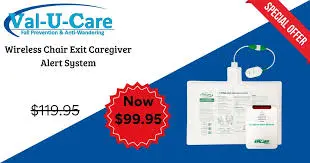
After two bed-pad options, Val-U-Care returns to motion sensing. The Motion Sensor Alarm is a PIR pager setup for local movement alerts.
The unit costs about $29.95 as a one-time hardware purchase, with no Wi-Fi, app, or subscription needed (Val-U-Care product listing).
Alerts go to a local pager. Motion detection is not fall detection.
Where a simple motion alarm is useful
Val-U-Care is built for a private home or small room where the caregiver is close enough for a pager alert to change the response.
Use cases are narrow:
Bedside stand-up alert: Place the PIR sensor so it sees movement out of bed, not normal turning under the covers.
Doorway monitoring: Aim the sensor across the exit path when wandering risk is the concern.
No-internet homes: Use the local pager when a router, phone line, or cloud account is unavailable.
Simple budgeting: The unit is a one-time hardware purchase, with no monitoring fee listed.
What the PIR pager can and cannot tell you
Val-U-Care uses passive infrared detection to sense body heat and movement in the sensor's field of view.
When motion is detected, the sensor sends a wireless RF alert to the portable caregiver pager.
The pager message is useful, but limited:
Movement happened: yes
Exact reason for movement: no
Response record: no
Remote family notification: no
Common mistake: Using a motion alarm as a fall detector. A PIR sensor detects movement, not impact, posture, or time on the floor.
Limit to plan around
Val-U-Care is local only, so the caregiver must be close enough for the pager alert to change what happens next.
The alert can show that motion happened. It cannot build a care record or notify someone off-site.
Buying note: Treat Val-U-Care as a room-level aid, not a nurse-call substitute. Ask for compliance documentation before using any local RF pager in a formal care-home workflow.
6. Motion Sensors for Elderly Care by Frequency Precision
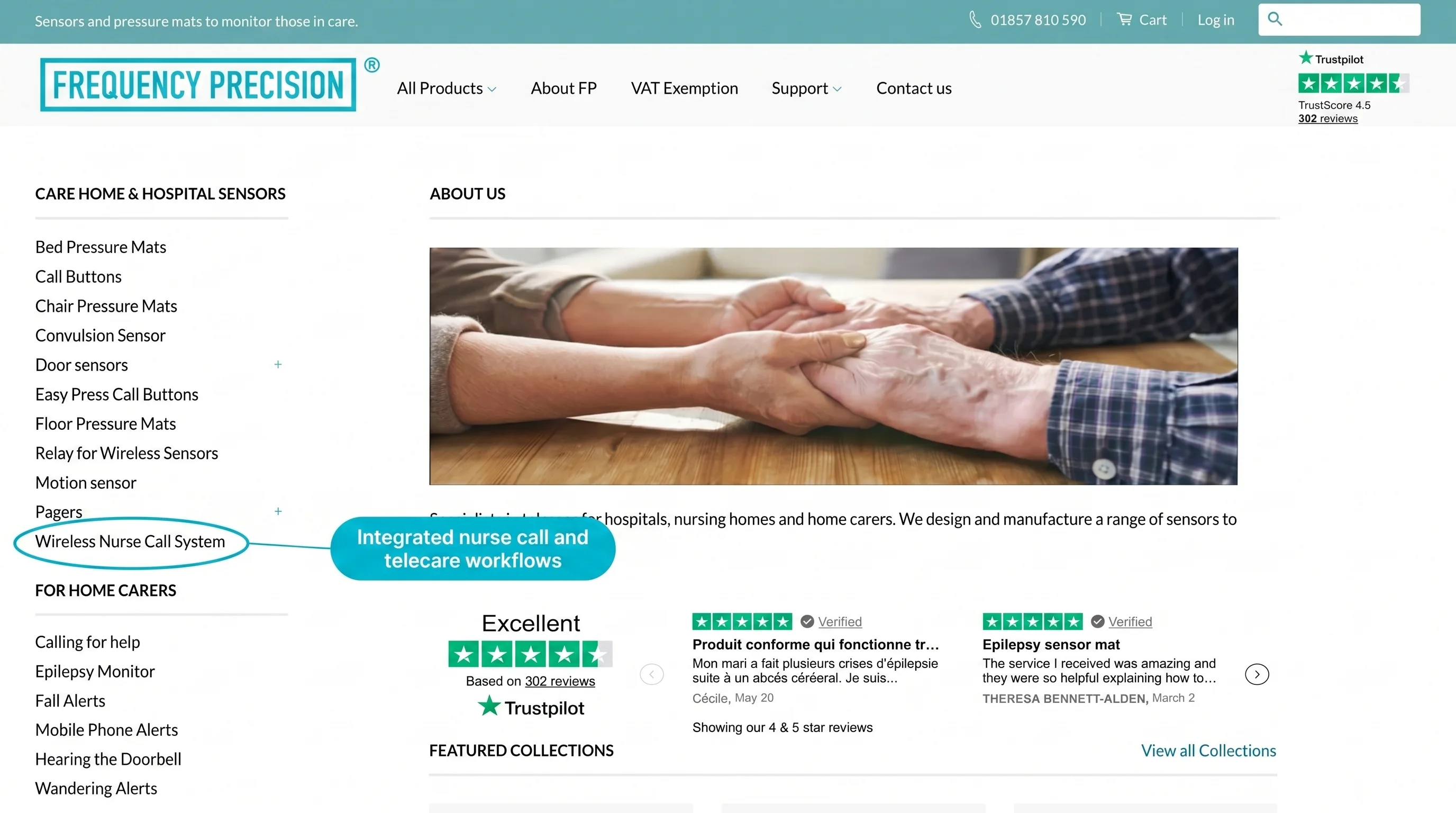
Frequency Precision's Motion Sensors for Elderly Care are UK-designed wireless PIR sensors for dementia wandering alerts.
The product is built around care home nurse-call workflows rather than consumer home monitoring.
Movement alerts route through a wireless relay into an existing UK or European nurse-call system, or to RF pagers carried by on-site staff.
Available product information does not show reporting, and the system is bought as a configured hardware kit rather than a subscription.
UK care-home fit
Frequency Precision is relevant for UK and European care homes that already use nurse-call infrastructure and want movement alerts to feed into that workflow.
The clearest use case is a dementia unit where staff need alerts for room exits, doorway movement, or wandering risk.
Useful conditions include:
Existing nurse-call system: The sensors can connect through a wireless relay interface.
On-site response model: Alerts are designed for staff already present in the building.
Camera-free monitoring: PIR sensors detect movement without video or audio.
Hardware purchase: Budget for a configured hardware kit rather than a monthly consumer app plan.
What the sensors send
The sensors use passive infrared detection to flag movement or room exits.
Alerts can be sent through wireless RF to on-site caregiver pagers or connected into compatible nurse-call systems.
Coverage depends on the hardware configuration:
Sensor type: Passive infrared motion detection
Primary use: Wandering and exit alerts for dementia care settings
Alert path: RF pager alerts or nurse-call relay integration
Remote alerts: Optional wireless base station for mobile phone delivery
Installation style: Wireless and non-invasive, with minimal wiring expected
Buying checks before rollout
Common mistake: treating an event-alert kit as a reporting platform.
Frequency Precision can tell staff that movement happened, but available product information does not show behavioral analytics, compliance reporting, or a floor-plan operations view.
Before shortlisting the system, ask whether the home also needs:
Activity reports across days or weeks
Compliance trails for response times and incident review
Remote oversight across more than one home or team
Standards checks: Ask about UK GDPR and Data Protection Act 2018 coverage, CE or UKCA marking, and BS EN 50134 alignment where telecare workflows apply.
7. Envoy At Home
Envoy At Home moves the monitoring model from on-site staff alerts to remote family oversight in the United States.
It uses motion and door contact sensors to track daily routines and send mobile app alerts to family caregivers.
The kit costs $399 up front plus $99/month, so a first year runs about $1,587 (Envoy At Home FAQ).
Alerts stay inside the family app. Envoy At Home is not an emergency dispatch service, and it is not sold outside the United States.
Remote family use case
Envoy At Home fits a data-comfortable family caregiver monitoring a parent who lives alone in the United States.
The system is aimed at passive oversight rather than emergency dispatch.
Its behavior tracking is most relevant for routine changes such as:
Meal skipping: Sensor activity can help flag missed kitchen or refrigerator routines.
Bathroom frequency: Changes in bathroom visits may prompt a caregiver check-in.
General activity shifts: Reduced movement can signal that a phone call or wellness visit is needed.
Door activity: Contact sensors can report entries, exits, or unusual door use.
Behavior data and alerts
Envoy At Home uses a hub with motion and contact sensors placed around the home.
The system looks for changes from the resident's normal routine rather than waiting for a button press.
Key coverage points include:
Sensor types: Motion sensors and door contact sensors
Monitoring style: Passive, with no wearable required from the senior
Camera policy: No cameras or microphones in the hardware
Alert path: Mobile app alerts and behavior reports for family caregivers
Customization: Custom rules based on specific sensor events, such as refrigerator door activity
Interpreting alerts
Envoy At Home gives caregivers behavior data, but the caregiver still has to decide what the change means.
Available product research also flags raw logs and an outdated user interface as sources of friction.
When an alert fires, the caregiver may still need to call the senior or arrange an in-person wellness check.
Envoy At Home is also limited to the United States, so international caregivers and non-US households cannot use the service.
Cost to model
Envoy At Home costs $399 for the equipment kit and $49.99/month for the monitoring subscription.
The starter kit includes a hub and 8 sensors. Additional sensors are listed at $29.99 each.
First-year cost is about $1,587 before taxes, shipping, or extra sensors (Envoy At Home FAQ):
Equipment: $399 one time
Subscription: $49.99/month
First year: $399 + 12 months of subscription
Discounts: Check current prepay terms before buying
8. Nomo Smart Care Elderly Monitoring System
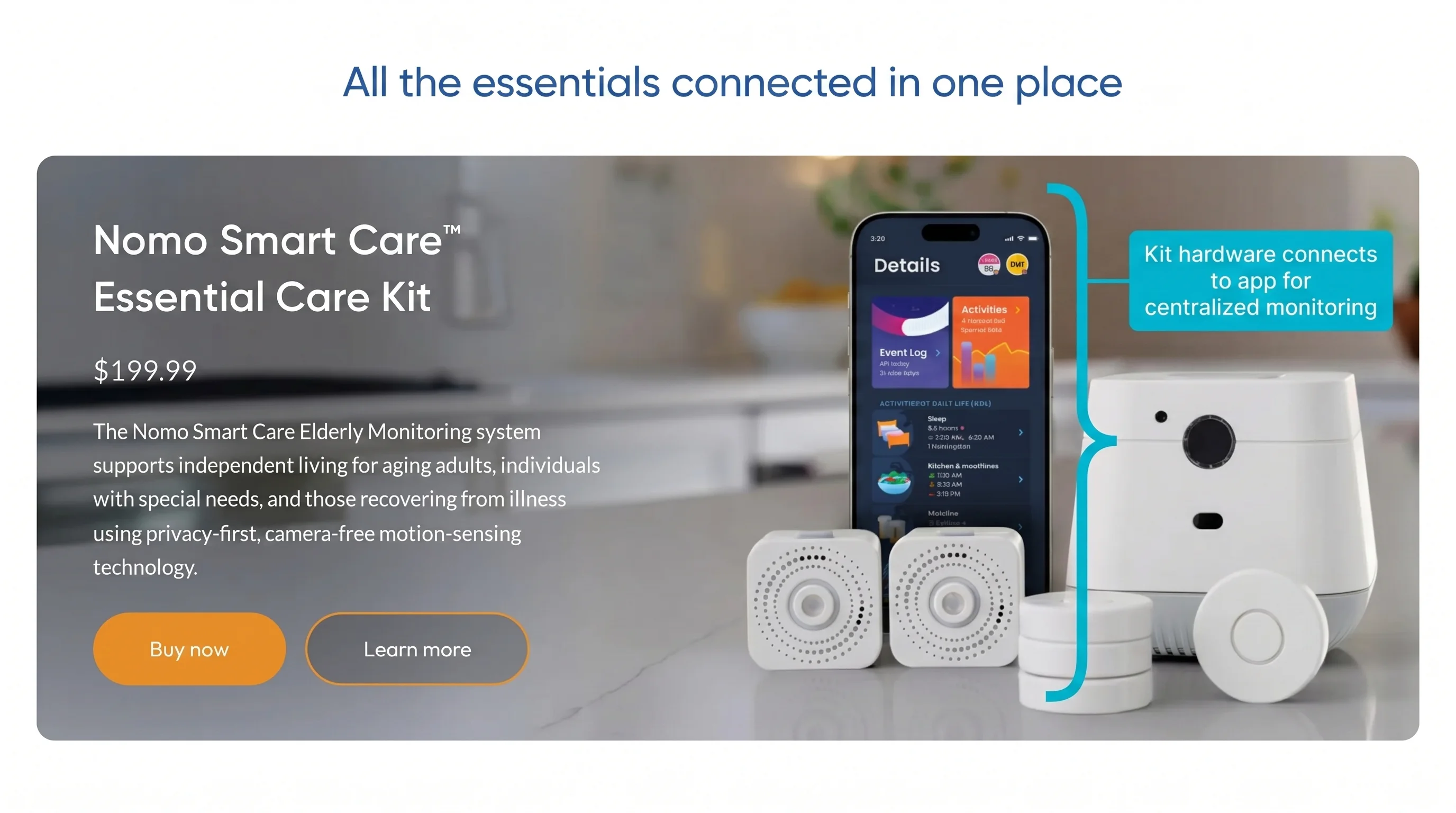
Nomo Smart Care is a hub-based home monitoring kit for older adults living independently. It tracks routines through motion Satellites, a bed sensor, and wearable or attachable Tags.
The Essential Care Kit costs $249.99 plus $9.99/month for app-based monitoring.
Alerts reach family caregivers through the cloud app. A shared home can blur the activity baseline the system learns, which is the main constraint to check.
Single-person home fit
Nomo is aimed at family caregivers monitoring one older adult at home, where routine changes matter more than facility-wide staff dispatch.
The clearest use case is a single-occupant home because the activity baseline depends on movement belonging to the person being monitored.
Key monitoring uses include:
Routine baseline: Learns sleep, meal, movement, and medication-access patterns over time.
Remote alerts: Sends app notifications when activity looks unusual or when a Tag event is triggered.
Night movement: Uses motion Satellites that can also act as night lights.
Simple home setup: Relies on Wi-Fi and a monthly app subscription rather than a local pager.
What the kit includes
The Essential Care Kit combines room sensors with optional Tags, so Nomo covers both passive routine monitoring and user-carried alerts.
Hub: Connects the kit and relays activity to the Nomo app.
Satellites: Detect room activity and can also act as night lights.
Bed sensor: Tracks bed exits and feeds sleep-wake data into the routine baseline.
Tags: Work as wearable panic buttons, fall-detection pendants, or attachable sensors for doors and cabinets.
Caregiver app: Logs activity and sends push notifications for routine changes, motion events, and Tag events.
Baseline and Tag limits
Common mistake: using Nomo in a busy shared home and expecting the baseline to identify who moved.
Treat the Tag as a backup alert layer, not the whole safety plan. User reports include missed fall alerts even after manual tests passed.
For evaluation, separate routine monitoring from Tag-based fall detection. If the main risk is falls in a care room, compare Nomo with room-based facility monitoring such as RoomMate.
9. RoomMate by Sensio
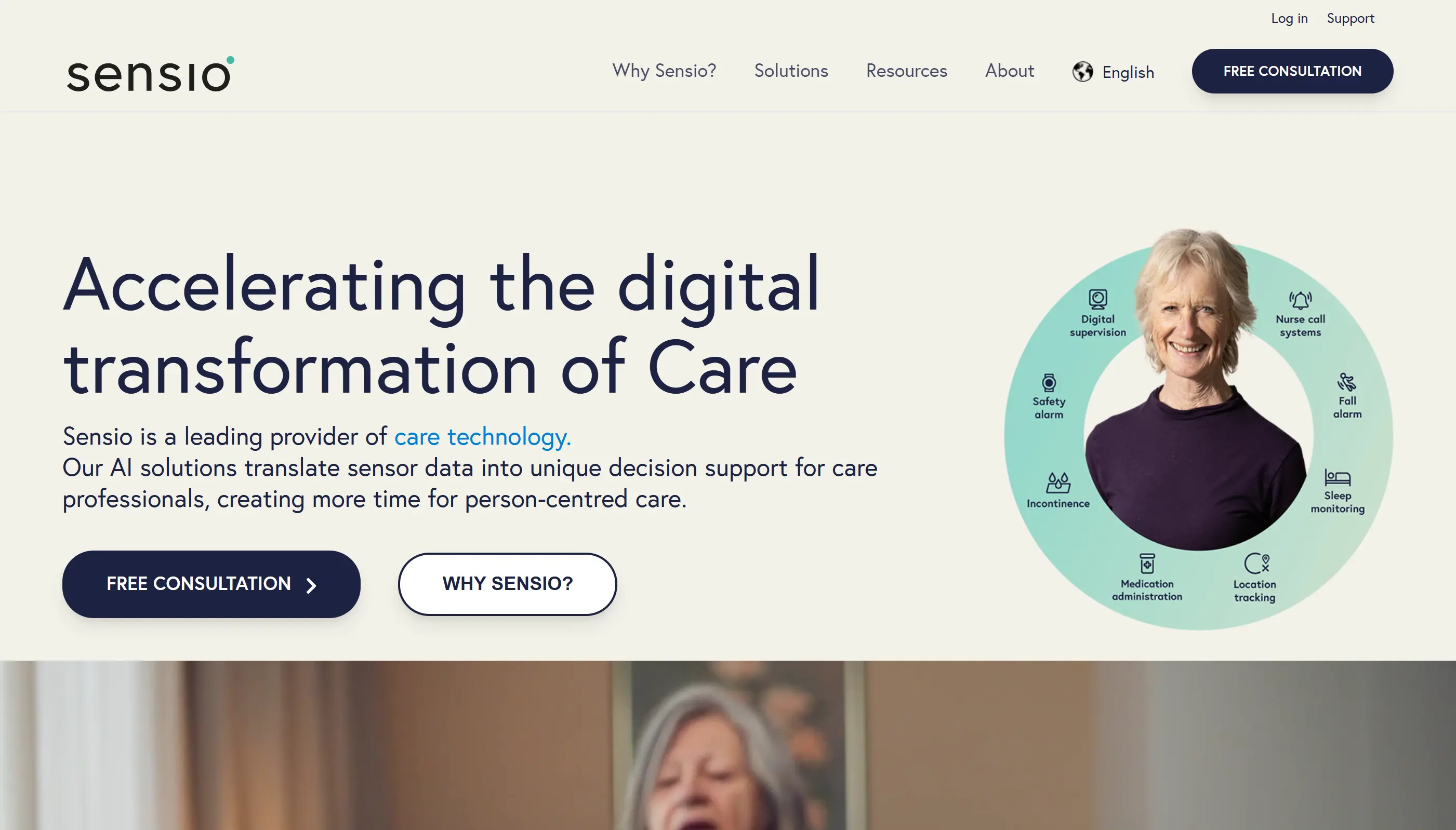
RoomMate by Sensio is a wall-mounted 3D depth-sensing system for care rooms. It detects falls and risky movement without requiring residents to wear a device.
RoomMate is mainly a UK and EU care-operator product, sold for professional deployment rather than retail home monitoring.
Sensor locations can need Power over Ethernet cabling, and software access sits inside a facility contract.
Staff alerts arrive through the Sensio Pocket or Vista apps.
Facility use case
RoomMate is designed for care homes and nursing facilities monitoring residents with high fall risk.
The resident does not need to press a button or wear a pendant, which matters for residents with dementia or cognitive impairment.
Typical use cases include:
High fall-risk rooms: Passive monitoring for residents who need closer observation.
Overnight supervision: Detection in darkness without adding cameras or night-time checks solely for visibility.
Care-plan review: Movement and posture data that can support changes before repeated incidents occur.
Wearable-free monitoring: No tag, watch, pendant, or resident action required.
3D room coverage
RoomMate uses 3D depth sensing rather than standard PIR, so the system can classify posture and position inside the monitored room.
Falls: Detects fall events inside the monitored room.
Pre-fall risk: Flags movement and posture patterns that basic PIR sensors would not classify.
Dark-room coverage: Maintains monitoring in complete darkness.
Staff alerts: Routes notifications through Sensio Pocket or Vista mobile applications.
Passive operation: Monitors the room without tags, pendants, or resident input.
Deployment checks
RoomMate is sold as an institutional system rather than a retail home-care sensor.
The practical barrier is installation scope. Sensors may need Power over Ethernet cabling, and the service model is built around facility deployment.
Key constraints to check before shortlisting RoomMate:
PoE cabling: Each sensor location may need network cabling and installation work.
Service contract: Software access, updates, and support sit inside a professional contract.
Standards checks: Ask about UK GDPR, Data Protection Act 2018, CE or UKCA marking, Cyber Essentials or ISO 27001, and nurse-call integration.
Smaller-home fit: Older wiring and limited IT capacity can make deployment harder.
Sensor systems compared: key axes at a glance
Use the product list above to spot candidates. Use the table below to rule out systems that fail your care setting.
Start with primary fit and alert reach. A local RF pager can work for one nearby caregiver, while app or dashboard alerts suit off-site family members or care teams that need records after the shift.
Compare the systems below by alert reach, analytics, setup, and wearable requirements:
Alert reach: RF pagers keep alerts within local range, often around 300 feet; cloud systems send alerts to apps or dashboards.
Analytics depth: Event-only systems report a trigger; analytics systems learn routines and flag changes in activity, meals, bathroom visits, or movement.
Infrastructure: RF kits avoid Wi-Fi, while cloud systems need a hub, internet connection, or facility network.
Commercial model: Hardware-only kits cost less upfront to run, while connected systems usually bundle monitoring software and updates.
Wearable dependency: Passive sensors work without resident action; wearables add SOS or fall detection when the resident will use them.
A low-cost alarm can still be the wrong fit when staff need routing and multi-room oversight.
System | Alert reach | Analytics | Setup and commercial model | Wearable requirement |
|---|---|---|---|---|
Guardian | Cloud dashboard and staff devices | Yes | Internet required; scoped 6-8 week pilot, rollout terms set after pilot | No |
Smart Caregiver Motion + Pager | RF pager, typically up to 300 feet | No | No Wi-Fi; hardware purchase | No |
National Call Systems Bed Pads | RF pager or local alarm | No | No Wi-Fi; replacement pads may be needed | No |
Nursing Home Aids Bed Alarm | RF pager or local alarm | No | No Wi-Fi; hardware purchase | No |
Val-U-Care Motion Alarm | Local alarm or pager | No | No Wi-Fi; hardware purchase | No |
Frequency Precision Motion Sensors | RF core; optional base station can relay alerts to a phone | No | No Wi-Fi for core kit; hardware purchase | No |
Envoy At Home | Cloud app alerts | Yes, 35+ behaviors | Hub and internet; equipment fee plus $99/month | No |
Nomo Smart Care | Cloud app alerts | Yes, AI baseline | Hub and internet; from $9.99/month | Optional |
RoomMate by Sensio | Facility monitoring platform | 3D pre-fall detection | PoE or network connection; facility contract | No |
Use the table to remove poor matches, then test the weak points before asking for a quote. The next section shows what to ask.
Fall-risk rows need their own lens; the pre-fall alert systems roundup separates wearable detection from room-based monitoring.
Common limitations worth knowing before you buy
Every sensor category has a failure mode. Use this section to check whether the system helps staff act faster or creates another alert stream.
Turn each risk into a vendor question before you shortlist a system:
Device type | Battery prompt |
|---|---|
SOS pendant | Can the device run for up to 5 years, and who records replacement dates? |
Bed-exit sensor | Is the expected life 6-12 months, and does the portal warn staff before failure? |
Guardian sensor | Is the sensor rated for up to 2 years, and are low-battery alerts visible in the portal? |
Rollout check: tune noise before rollout.
Ask whether the system can delay or suppress routine movements. A bed-exit alert after 15 minutes at night is more useful than a generic movement alert.
How to choose a system as care needs change
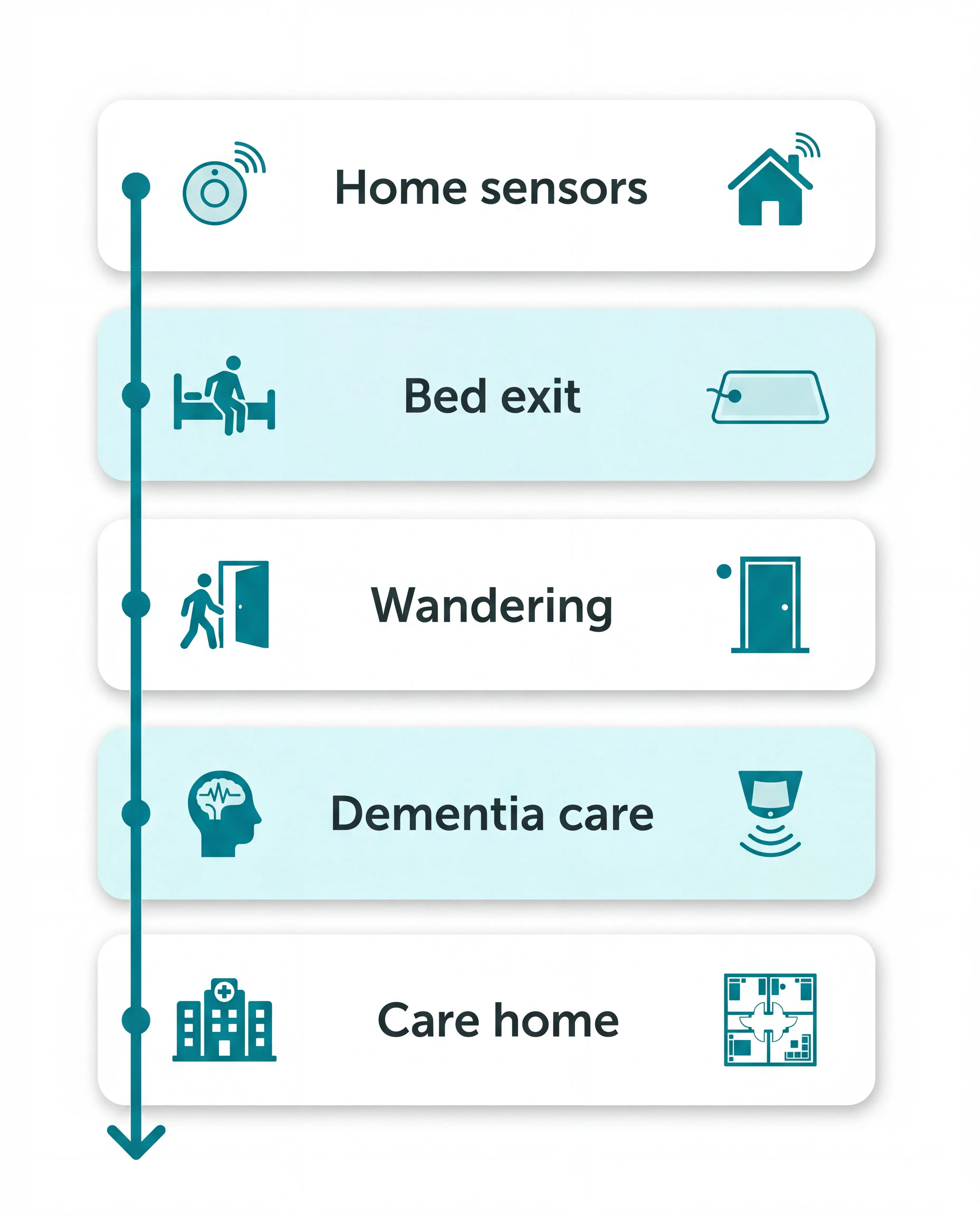
Choose a system that can grow with the care plan. A sensor that works today may fail when fall risk rises or care moves into residential support.
Common mistake: buying for today's single room and ignoring the next care setting. Ask whether the same system can support shared staff and multi-room routing later.
Use a simple care progression before comparing quotes:
Living alone with low risk: passive home sensors and app alerts.
Night-time bed-exit risk: bed pad or motion sensor near the bed.
Wandering risk: door sensors, restricted-area alerts, or GPS watch.
Dementia or high fall risk: passive monitoring that does not depend on a button press.
Care-home setting: room-level alerts, escalation, records, and reporting.
Ask every vendor for two documents before comparing quotes:
Live alarm frequency report: Ask for alarm frequency reports from live installations, including repeat-alarm controls and acknowledgement patterns.
24-month TCO breakdown: Ask for total cost of ownership across 24 months, from hardware and subscriptions through batteries, support, and rollout.
Then test the care plan with these questions:
Start with the risk window: Ask which event the system detects first, such as night-time bed exit or an unsupervised door opening.
Match alerts to responders: Ask who receives and acknowledges alerts, and whether managers can review logs after a shift.
Check the upgrade path: Ask whether one account can move from a one-room setup into assisted living with multi-resident visibility.
Protect privacy early: Ask who can access resident data and how long records are kept before installing bedroom or bathroom sensors.
Review settings regularly: Ask who can change thresholds after a mobility change, medication change, or new night-time behaviour.
Privacy belongs in the first vendor call. For senior living procurement, the Argentum 2025 Technology Report is a useful reminder to ask who can access resident data and how long records are kept.
For many care settings, start with passive monitoring, then add wearables only when the resident will use them and the alert has a clear response path.
The right sensor is the one that sends the right alert to the right responder, with enough context to act. For a single room, that may be a pager.
For a care home or home care team, the same alert needs room-level routing, resident context, and a record left after the shift.
Care-home routing decisions are the focus of the multi-room nurse-call guide, from escalation to response records.
See Guardian running in a real care setting
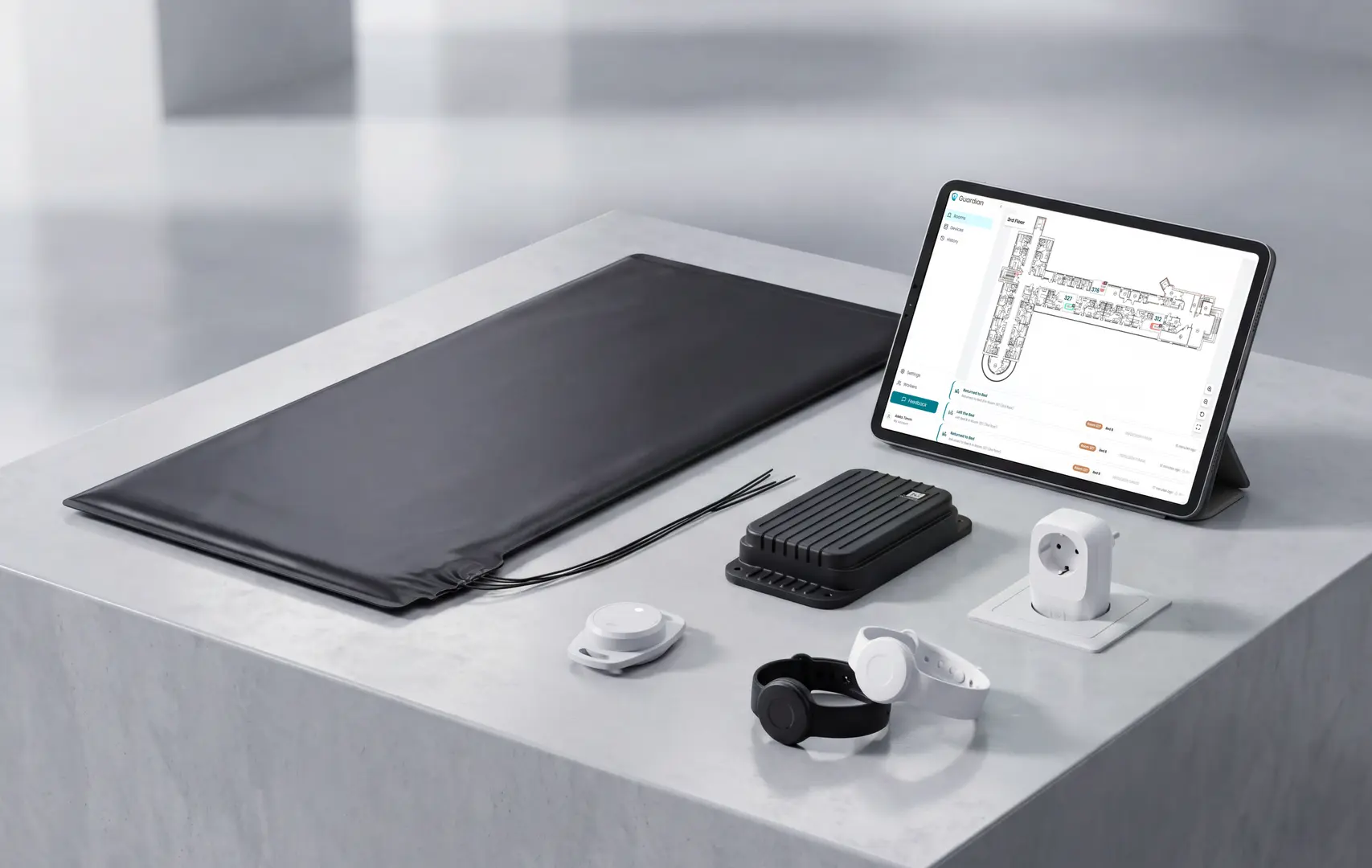
Standalone sensors can warn that something happened. Guardian adds the operations layer around the alert: floor-plan location, resident context, configurable rules, a live dashboard, and camera-free records.
Over 6-8 weeks, Guardian's anonymised pilot data describes a 40-bed care home that started with high alert volume and no reliable way to tell which alerts were genuine; a rule that filtered for residents remaining out of bed for more than 15 minutes at night cut alert volume roughly in half.
After 6–8 weeks, the pilot gave managers a cleaner operating picture:
Less noise: managers used rules such as alerting when someone stayed out of bed for more than 15 minutes at night (Guardian anonymised pilot data).
Cleaner records: the care home had its first clean incident log for inspectors.
Live context: floor-plan alerts showed staff where to go, instead of adding another generic alarm.
Next step: the written impact and ROI report showed what to roll out next.
For a parent living alone, start with a passive multi-sensor app system that sends alerts to a remote family caregiver.
Envoy At Home and Nomo Smart Care are examples covered in this guide. They monitor activity, bed exits, and routine changes without asking your parent to press a button.
Match the sensor type to the caregiving setup:
Remote family monitoring: use a cloud-connected app or dashboard system
On-site caregiving: use an RF pager system, such as Smart Caregiver, when someone is in the home to hear the alert
Bed-exit risk: use a bed pressure pad, such as National Call Systems, when the main concern is getting up overnight
Bed-exit pressure pads are more specific than room motion sensors for bed exits. The pad alerts when weight leaves the bed. A PIR motion sensor can also detect someone moving nearby.
Camera-free sensors are usually less intrusive than cameras because they detect movement, pressure, or door activity without recording images or audio.
Common examples are simple:
Motion sensors: detect movement in a room without images or audio
Bed pads: detect whether someone is in bed or has got up
Door sensors: detect opening or closing, including exits at night
That makes passive sensors suitable for bedrooms and bathrooms, where cameras are usually unacceptable.
Explain the purpose in plain language: the sensor supports independence and alerts help when a routine changes.
No. RF-only sensors can alert a local pager or receiver without Wi-Fi, but app and dashboard systems need an internet connection to reach remote caregivers.
The difference is simple:
RF-only systems: Smart Caregiver, National Call Systems, Nursing Home Aids, and Val-U-Care alert someone nearby
Connected systems: Envoy At Home, Nomo Smart Care, RoomMate, and Guardian send data to apps or dashboards
Hybrid setups: Frequency Precision can handle local RF alerts, with optional phone notifications through a base station
Choose RF when a caregiver is on-site. Choose connected caregiver alert systems when family or managers need alerts, logs, or routine changes from another location.
For dementia care, choose passive sensors before senior call buttons. A person with dementia may forget, remove, or be unable to press a button.
Prioritise sensors that cover the highest-risk moments:
Door and exit sensors: alert when someone leaves the home, ward, or restricted area
Bed sensors: alert when a high-risk person gets up at night
Motion sensors: show movement or unusual inactivity without asking the person to do anything
Configurable rules matter. An alert such as “out of bed for more than 15 minutes at night” is more useful than a notification for every movement.

Author
Aleks Timm
Aleks Timm leads Guardian and builds privacy-first operations technology for care homes and home care providers. Teams get location-aware alerts they can act on, clearer situational awareness, and measured insight into how care work actually runs.
Read MoreRecommended reads
Keep reading
Remote patient monitoring: a complete guide
Remote patient monitoring: the complete guide to sensors, benefits, and buying tips for safer care homes and better resident...
Read more
Patient bed alarms for elderly & hospital care
Patient bed alarms help prevent falls in elderly and hospital care. Compare alarm types, choose the right sensor, and protect...
Read more
WiFi nurse call system guide for care homes
WiFi nurse call systems explained: alerts, clean records, and no wiring—compare options and choose the right setup for your care...
Read more