

Home care platforms compared: visits, safety, proof
In this article
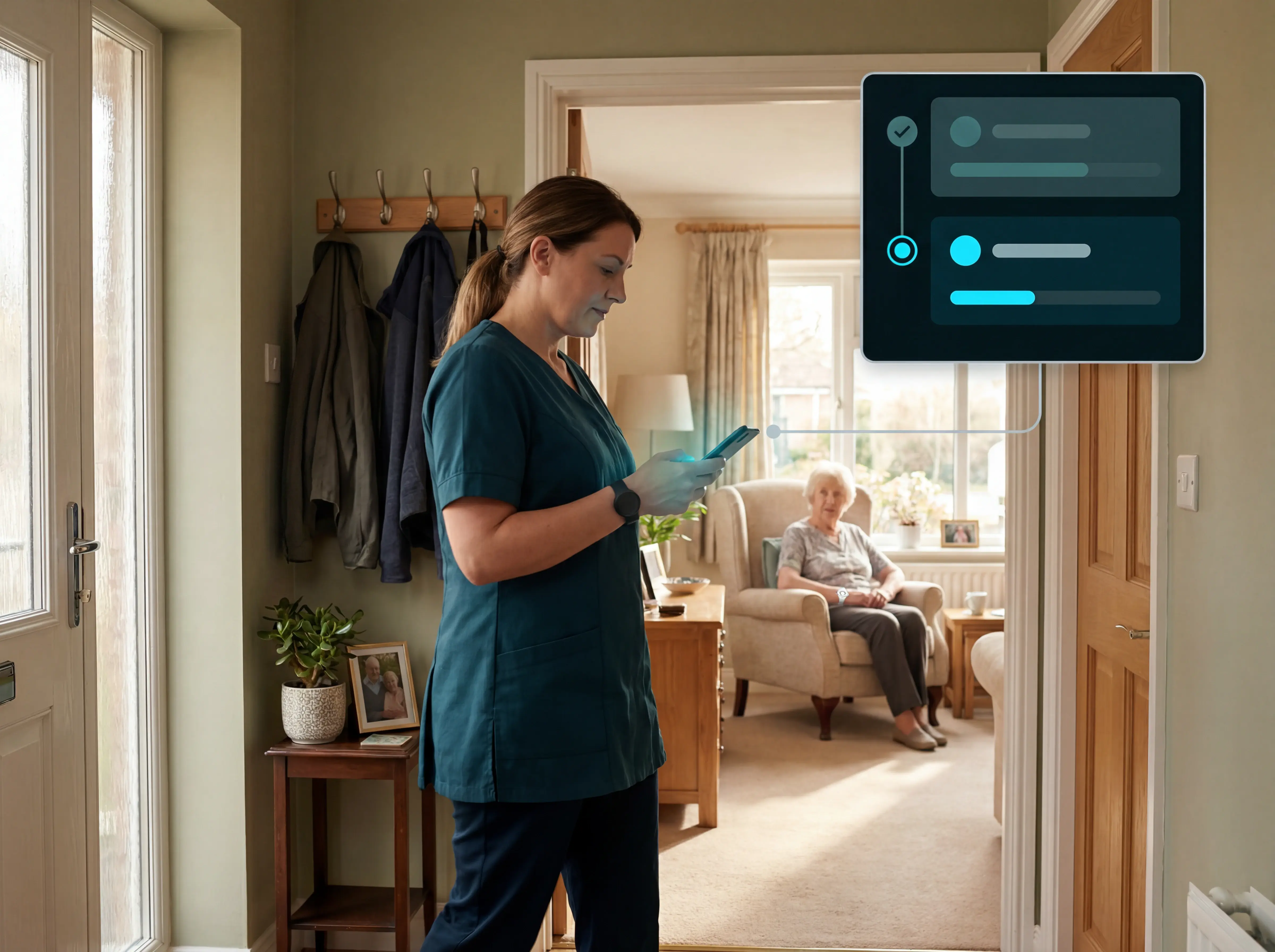
Home care platforms can make an agency calmer and more accountable, but only when the visit record is trustworthy.
Guardian's editorial team reviewed 9 platforms through that operational lens: who was scheduled, who arrived, what happened during the visit, and what the back office can prove afterward.
The strongest tools do more than organise rotas. They help care home and home care operators see risk sooner, reduce manual reconciliation, and give caregivers a system they will use.
What is a home care platform?
A home care platform is software that helps agencies manage scheduling, visit verification, care notes, billing, payroll, caregiver communication, and operational reporting in one workflow.
Adoption is widespread but uneven. Adult social care provider technology survey findings show 27% of providers in England, and 40% of micro-providers, still use no care-specific technology.
How we evaluated these platforms
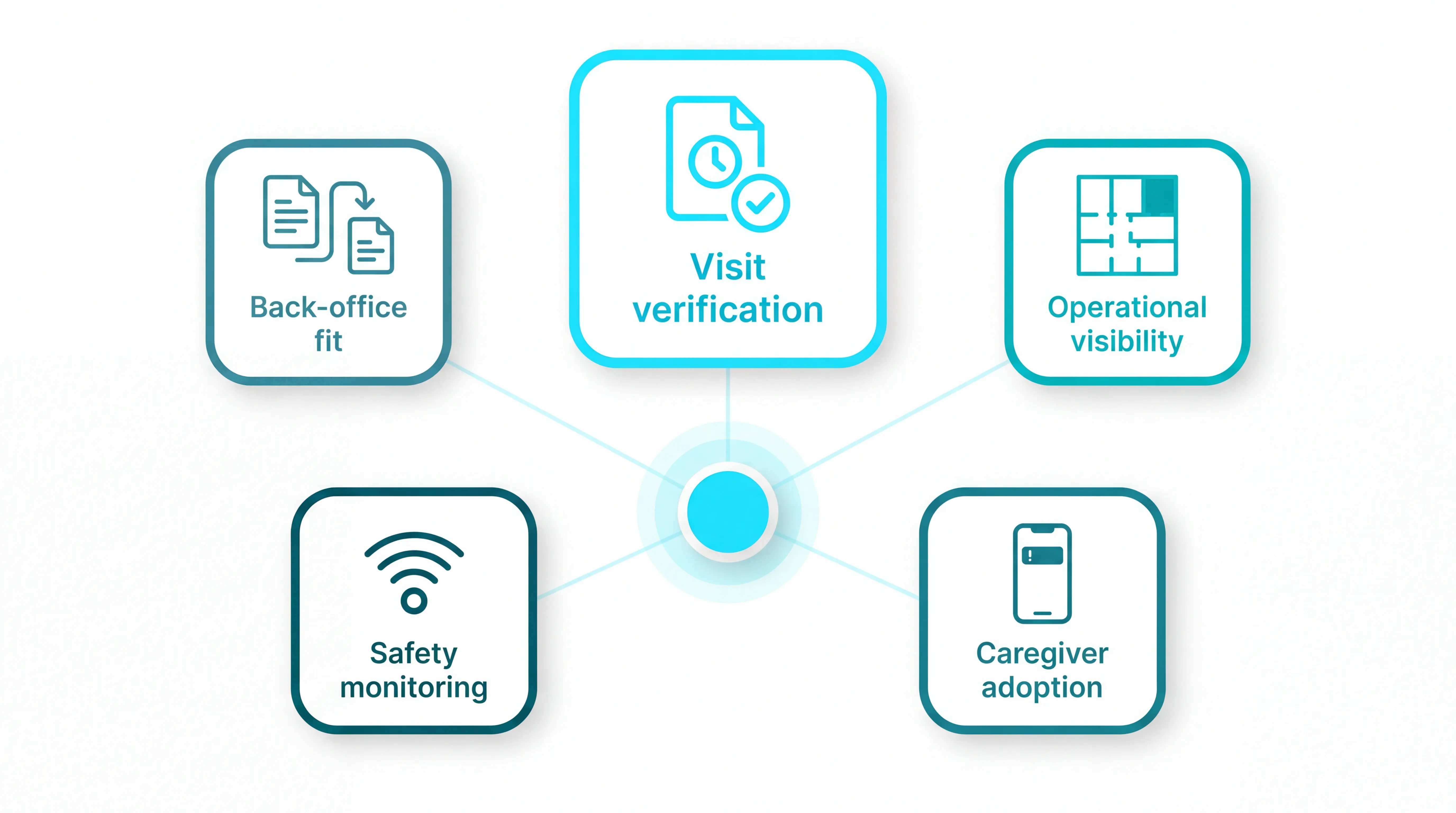
We evaluated each platform against the jobs operators rely on every day, with visit verification integrity weighted most heavily.
Visit verification integrity: We looked for reliable check-in and check-out records, edit controls, exception handling, audit logs, and payer-specific EVV or ECM workflow support.
Operational visibility: We assessed how clearly each platform shows schedules, open shifts, missed visits, real-time changes, and manager oversight across teams or locations.
Caregiver adoption: We favoured tools that reduce admin, work cleanly on mobile, fit existing routines, and avoid turning every shift change into extra documentation.
Resident safety monitoring: We treated passive monitoring, fall or emergency detection, privacy-preserving design, and between-visit risk signals as separate from workforce scheduling.
Back-office fit: We checked how well visit records flow into billing, payroll, reporting, permissions, and multi-location management without manual reconciliation.
Already know you need better monitoring and visit verification? Guardian runs as a 6-8 week pilot in one ward or team. Try it now.
Best home care platforms for agency operations
Agency operations platforms help teams run visits, staffing, documentation, billing, alerts, and monitoring. This group covers EHR systems such as WellSky and HHAeXchange, plus operations-and-monitoring platforms such as Guardian.
1. Guardian
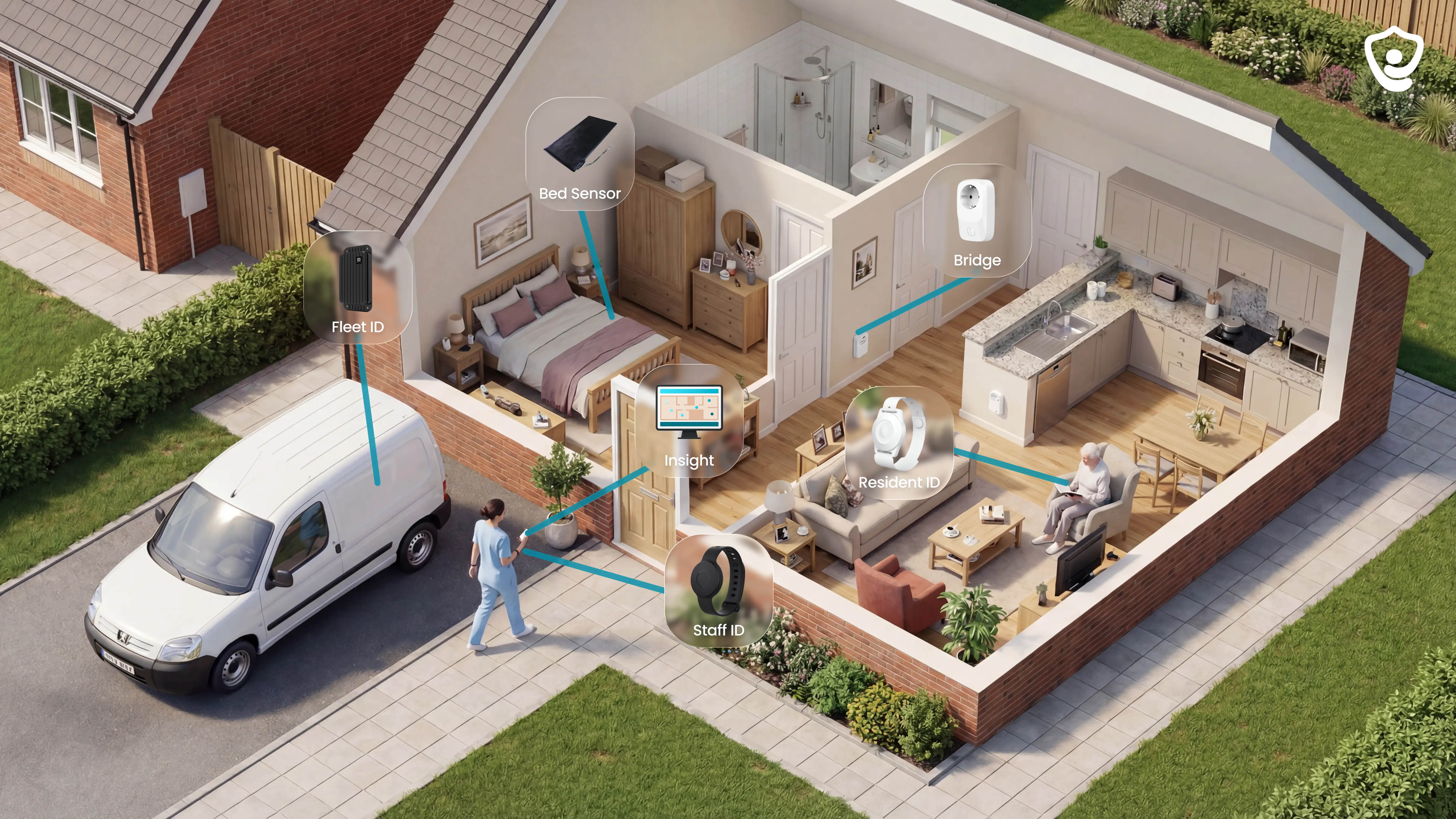
Guardian is a wireless, camera-free operations platform for care homes and home care agencies that brings monitoring, alerts, location, assets, vehicles, and visit records into one view.
We put Guardian first because most platforms in this category start from software administration. Guardian starts from the care operation itself: who is where, what happened, and which staff member needs to act.
It does not try to replace your EHR or billing system. It gives managers the live operational layer those systems usually miss.
Best for
Care home operators that need room-level alerts, automatic records, and a live view across wards.
Home care agencies that need visit verification, fleet visibility, and clearer proof of service.
Operations and nursing managers who want fewer manual checks, fewer paper reports, and faster escalation.
What it helps with
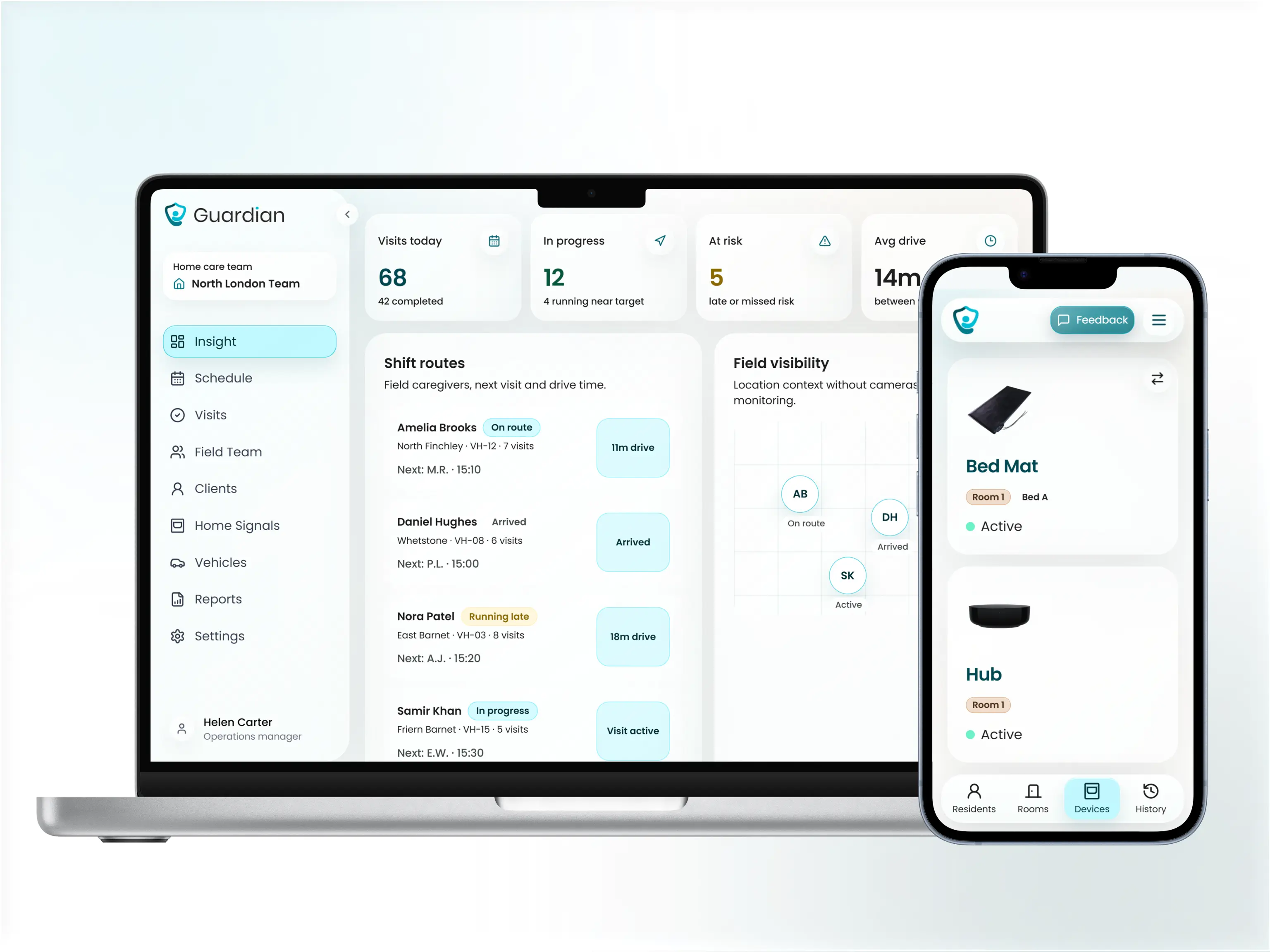
Missed or shortened visits: Guardian creates timestamped visit records automatically. If a 45-minute visit ends at 22 minutes, the exception appears in the dashboard the same shift.
Falls, exits, and SOS events: alerts include the resident and room-level location, so staff know where to go.
Restricted-area entries: door sensors, wristbands, and smart rules flag movement into areas that should stay supervised.
Asset and vehicle visibility: Guardian Insight shows residents, caregivers, vehicles, and key equipment in one operational dashboard.
Alert fatigue: configurable rules, such as "out of bed for >15 mins at night", can roughly halve unnecessary alerts so staff focus on events that need a response.
Standout capabilities
One operations view: wearables, in-room sensors, vehicle trackers, asset trackers, alerts, and visit records sit in Guardian Insight. Teams can at least double the speed of locating a resident, caregiver, or asset by using the live view instead of search-and-call.
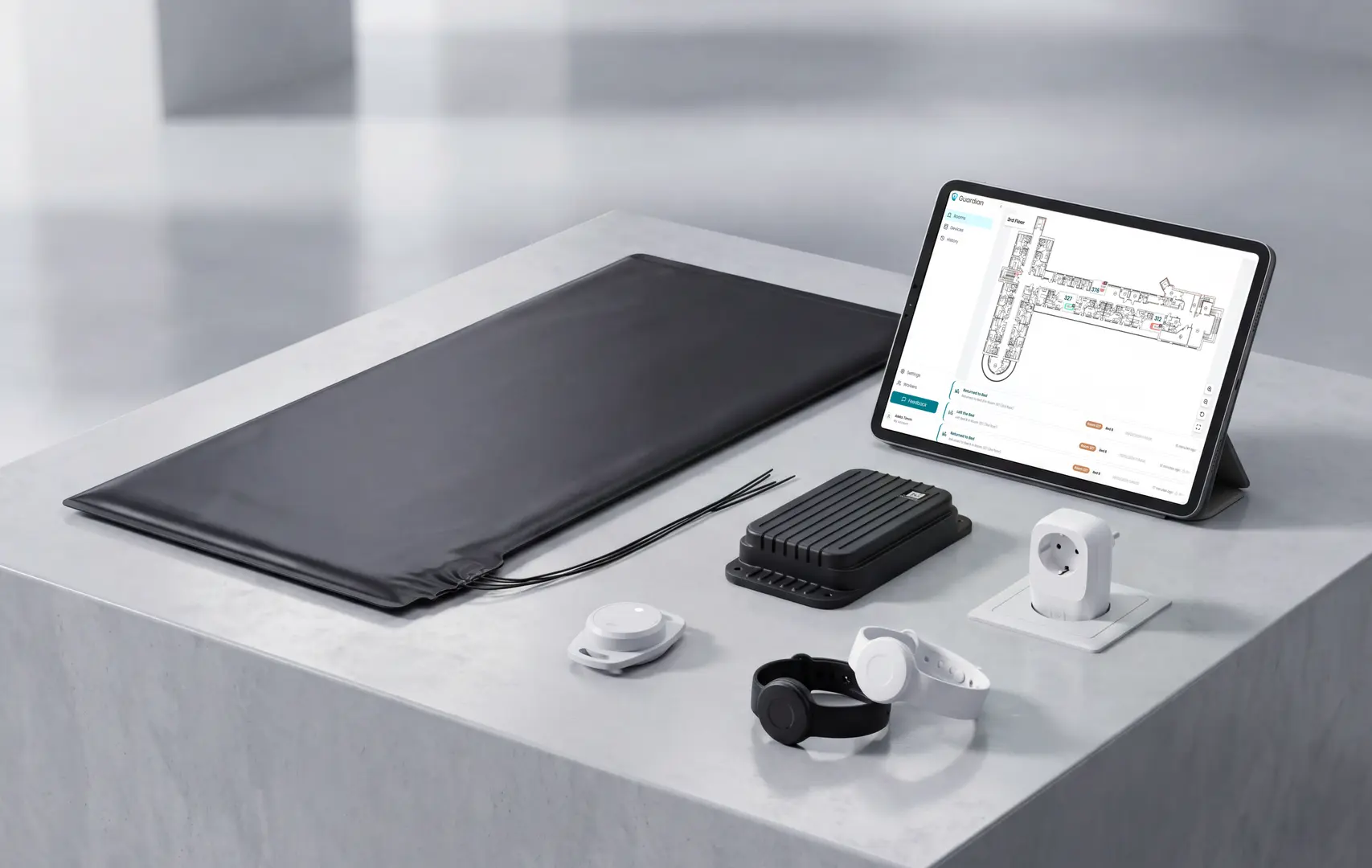
Camera-free monitoring: Guardian uses bed, motion, door, fridge, stove, wristband, and GPS signals instead of cameras or microphones.
Wireless deployment: devices are pre-configured, designed for Wi-Fi environments, and can go live in about a week.
Room-level response: alerts show the resident and location, not a vague alarm that staff have to interpret.
Proof before rollout: the 6-8 week pilot ends with a written impact report covering response times, visit verification rates, incident-prevention data, staff feedback, and a clear ROI calculation. You decide what to scale from your own numbers, not a vendor pitch.
Limitations to check
Not for private family-only monitoring: Guardian is built for care homes and home care providers, not single-household consumer use.
Not an EHR replacement: it does not handle clinical records, care planning, or regulated documentation workflows.
Not a billing platform: use it alongside your billing, payroll, or claims system rather than instead of one.
Needs operational buy-in: the best results come when managers are ready to map workflows and act on the data.
Pricing and contract notes
Guardian does not publish a standard price list for care homes or home care agencies. The commercial entry point is a scoped 6-8 week pilot in one ward, home, or team.
At the end, Guardian provides a written impact report with response times, incident-prevention data, staff feedback, ROI calculation, and rollout recommendations. Pricing for wider deployment is set from that scope.
Consider Guardian if…
You want proof of care delivery: visits, response times, and incidents should be visible without manual chasing.
You need monitoring without cameras: resident dignity and privacy are non-negotiable.
You run both fixed and mobile operations: wards, vehicles, caregivers, residents, and assets need to appear in one place.
You are not ready for another admin layer: the platform should reduce reporting work, not create more of it.
Tell Guardian where you want to test the platform. They will reply with scope and next steps for a pilot.
2. WellSky
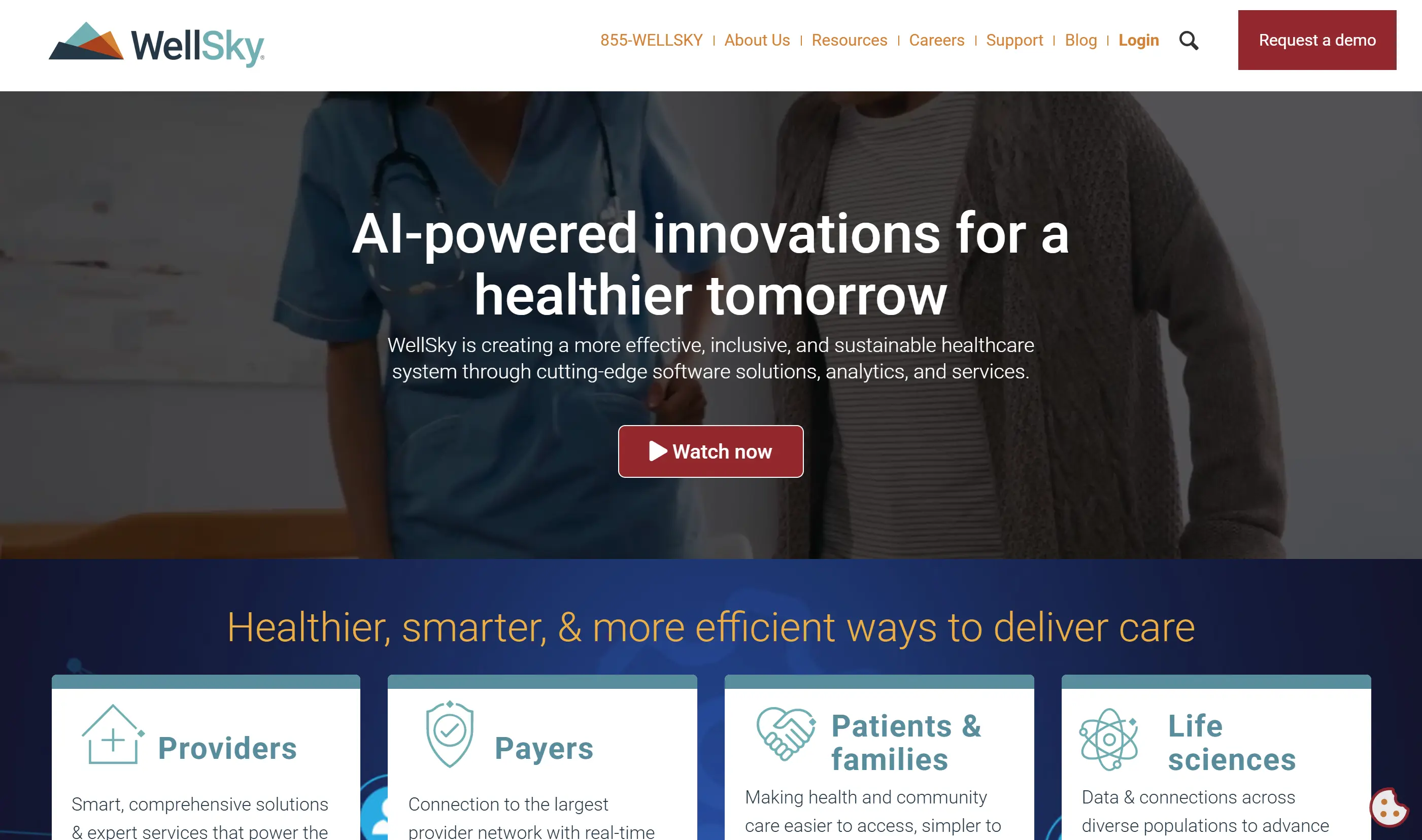
WellSky is an EHR, billing, and operations platform for home health and personal care agencies. Its center of gravity is documentation, Medicare claims, scheduling, EVV, and analytics, not in-home monitoring hardware.
Best for
Medicare-billable agencies: WellSky fits agencies that need EHR workflows, claims support, and documentation controls in one back-office system.
Multi-service care teams: It supports coordination across care types such as occupational therapy, home health care, and personal assistance.
Scaled operations: WellSky is built for agencies managing high visit volume, claims work, and reporting across large teams.
What it helps with
Medicare billing: WellSky runs automatic Medicare eligibility checks and supports direct claims submission from the platform.
Managed care administration: Orders, visits, and EOE worksheets can be handled inside the same workflow.
Scheduling and EVV: Agencies can manage daily appointments, caregiver tasks, documentation, and electronic visit verification from a shared system.
Financial reporting: Reporting connects operations, claims, and revenue cycle visibility for agency leaders.
Standout capabilities
OASIS documentation: WellSky includes tools for OASIS documentation and clinical coding, with AI support for chart completion.
WellSky Scribe: Its AI documentation feature helps generate care documentation from clinician workflows.
Predictive analytics: Home health analytics can flag patient-level hospitalization risk and support revenue cycle forecasting.
Software-first model: WellSky works from caregiver-entered records, EVV data, and software analytics rather than proprietary monitoring devices.
Limitations to check
WellSky is primarily a documentation, billing, and claims system. If you need live monitoring, evaluate it alongside a sensor or alert layer.
No native sensor layer: WellSky does not include proprietary sensors, wearables, or in-home monitoring hardware.
No active fall detection hardware: Its risk tools are predictive and documentation-led, not live incident detection from room sensors or fall devices.
No public rate card: Pricing is quote-based, so agencies need to request a demo or contact WellSky for terms.
Pricing and contract notes
WellSky does not publish a public price list. Pricing is quote-based, with commercial terms provided after direct contact with the company.
Demo-led pricing: Agencies need to request pricing rather than compare published plans.
AI feature notes: AI summarization is listed for existing U.S. WellSky clients at no additional listed cost.
Scope matters: Final pricing is likely to depend on agency size, product scope, and the care lines being supported.
Workflow fit
WellSky is relevant when the main requirement is a unified back-office system for clinical documentation, billing, scheduling, and EVV.
Claims volume: Agencies submitting Medicare or managed care claims at volume can use eligibility checks, direct claims submission, and EOE worksheet workflows.
Multi-discipline care: Agencies coordinating several care disciplines per client can keep scheduling and documentation in one structure.
Monitoring needs: Agencies that also need active in-home monitoring, fall detection, or sensor data need a second platform alongside WellSky.
3. Alora
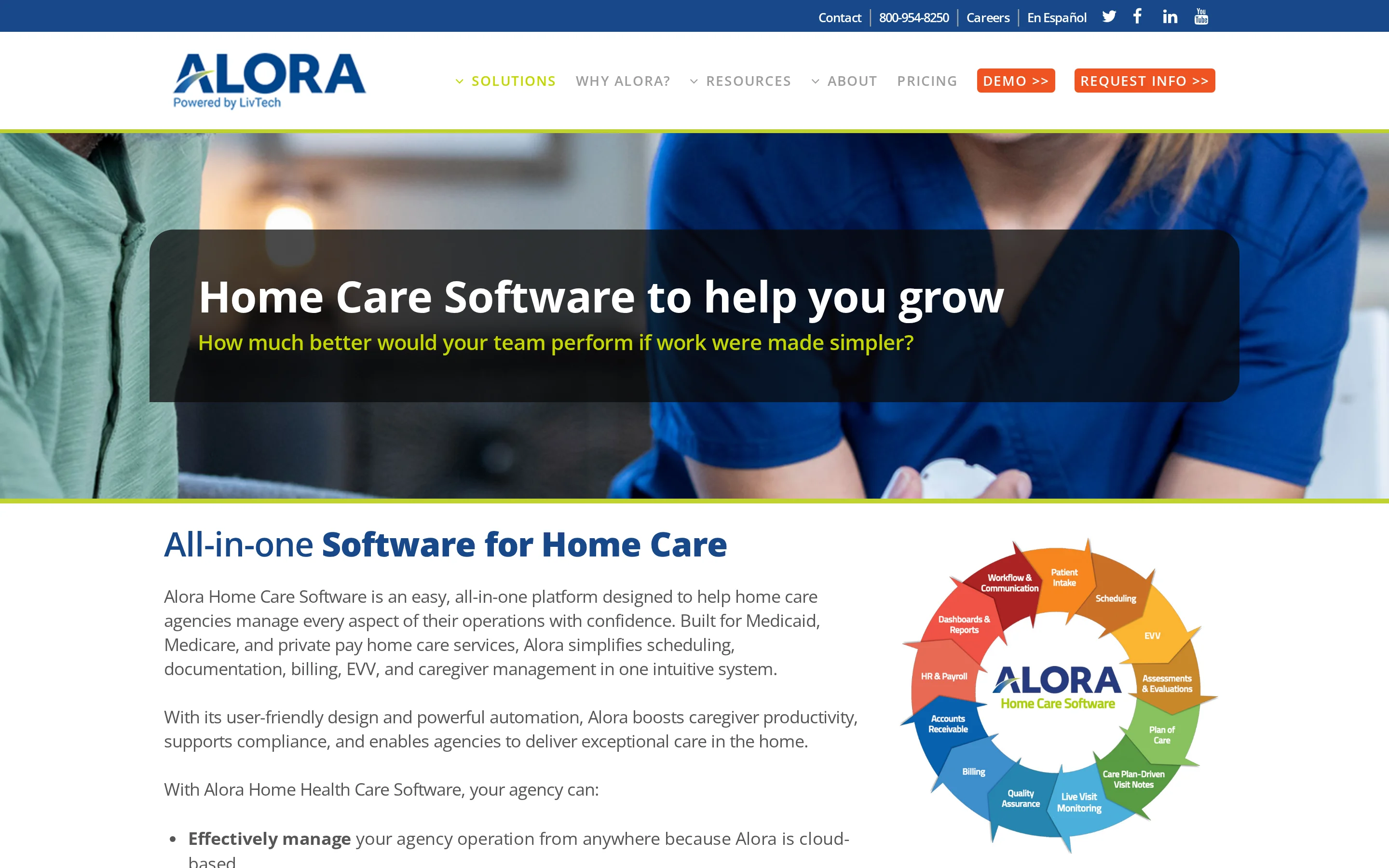
Alora is included as an agency-operations platform candidate, but the public materials reviewed for this article did not verify its exact module set. Diligence should focus on scheduling, EVV, billing, caregiver adoption, and records quality.
Best for
Agencies comparing traditional back-office home care systems, especially teams that want one workflow for schedules, visit documentation, billing handoff, and caregiver mobile use.
What it helps with
Use the vendor review to confirm the core operating workflow:
Scheduling: shift creation, caregiver assignment, open shifts, schedule changes, and missed-visit visibility.
EVV: clock-in and clock-out capture, location method, exception handling, and payer or state rule support.
Billing and payroll: how approved visits move into invoicing, claims, payroll, and reconciliation.
Caregiver adoption: mobile usability, alerts, offline behavior, training needs, and support for field staff.
Records: audit trails for who visited, when they arrived, how long they stayed, and what was documented.
Capabilities to verify
The current source set does not support naming verified Alora standout features. In a demo, ask to see the full path from schedule creation to caregiver documentation, EVV exception review, billing approval, and management reporting.
Also check whether supervisors can see operational issues quickly, not just after payroll or billing review. For agencies dealing with missed visits, that difference matters.
Limitations to check
The main limitation in this review is evidence depth. The source material reviewed did not confirm Alora’s pricing, EVV coverage, mobile app behavior, reporting depth, implementation timeline, or multi-location administration.
Check these points before shortlisting it:
EVV coverage: supported states, payers, and exception workflows.
Billing fit: Medicaid, private pay, long-term care insurance, and mixed payer handling.
Scale: permissions, branch reporting, and standardization across multiple offices.
Data visibility: whether managers get clean operational records or mostly administrative reports.
Pricing and contract notes
No verified public pricing is available in the current KB. Confirm subscription basis, setup fees, implementation support, EVV costs, billing modules, training, support, and contract length directly with Alora.
Operational fit
Alora belongs in the evaluation only after a vendor-confirmed feature review. The key question is whether it can turn daily schedules and caregiver documentation into clean, usable records without adding more back-office reconciliation.
4. AxisCare
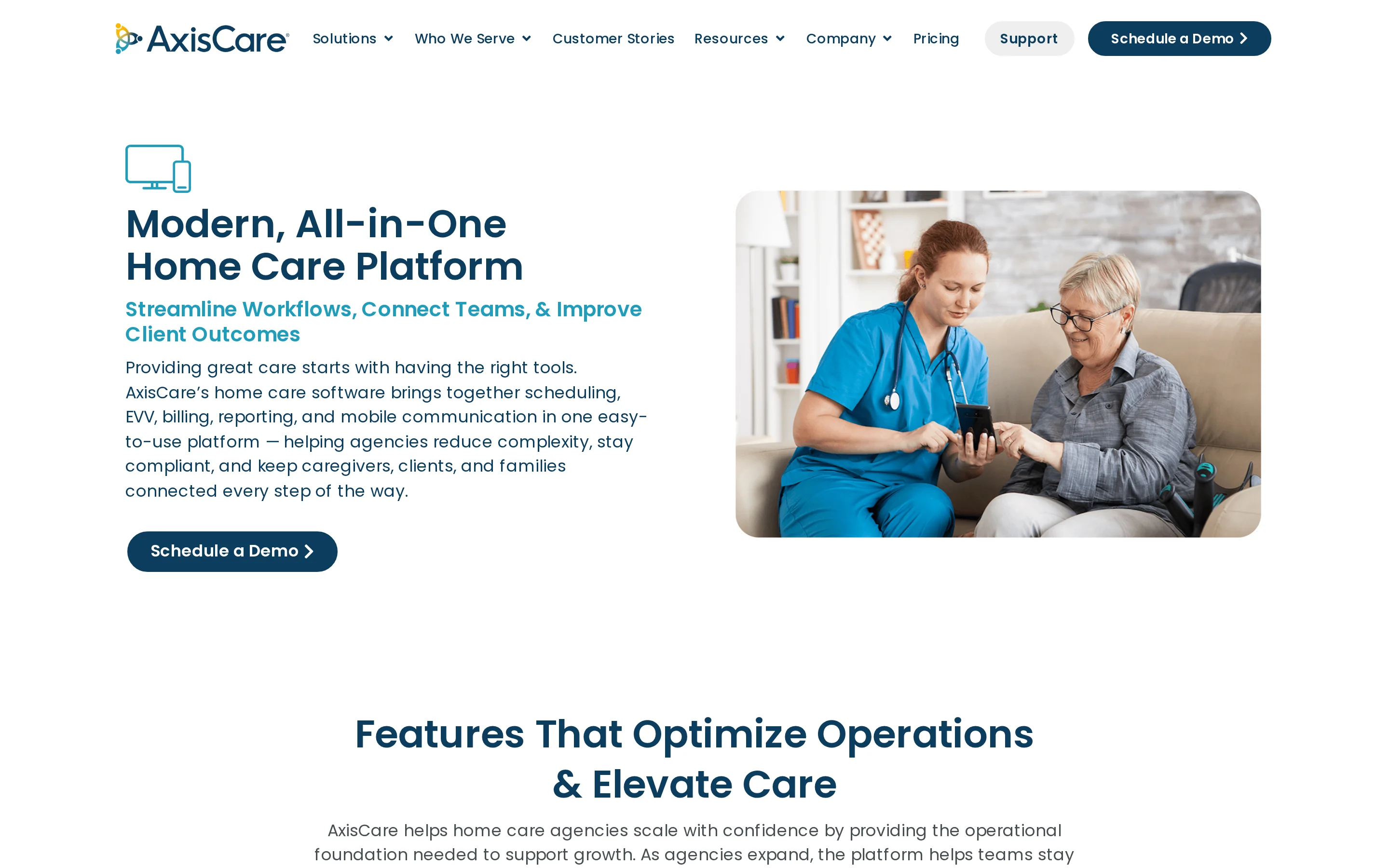
AxisCare is a home care agency software platform for scheduling, billing, and point-of-care documentation. Evaluate it as an agency operating system, not as a passive monitoring or resident safety layer.
Best for
Home care agencies that need tighter coordination between schedulers, caregivers, billing staff, and managers, especially as the operation moves from one office toward multiple teams or locations.
What it helps with
The source material reviewed for AxisCare centers on the administrative workflow that keeps visits moving:
Scheduling: planning caregiver visits and coordinating the daily service calendar.
Billing: supporting the back-office handoff from completed work into billing activity.
Point-of-care documentation: giving caregivers a way to record visit details at the time of service.
Agency coordination: keeping scheduling, field documentation, and billing closer together.
Standout capabilities
The useful theme is workflow continuity. Scheduling, visit documentation, and billing live in the same operational frame, which can reduce the gap between what was planned, what caregivers recorded, and what the office needs to process.
For operators, the demo should show how quickly a manager can answer three questions: who was scheduled, who completed the visit, and what documentation is ready for billing or review.
Limitations to check
The source material reviewed did not confirm AxisCare’s EVV methods, state coverage, payer integrations, caregiver app details, or multi-location reporting depth. Those need direct vendor confirmation.
Key checks include:
EVV detail: GPS, telephony, mobile app, exception handling, and state-specific compliance support.
Multi-location controls: branch permissions, roll-up reporting, and standardized workflows.
Caregiver adoption: how easy clock-ins, notes, changes, and alerts are for field staff.
Real-time visibility: whether managers see risk and missed-visit issues as they happen or mainly through reports.
Pricing and contract notes
No verified public pricing is available in the current KB. Confirm whether pricing is based on users, caregivers, clients, locations, modules, implementation, EVV, billing features, or support level.
Also ask about contract term, data migration, training, and the cost of adding locations. These details matter for agencies planning beyond one branch.
Operational fit
AxisCare belongs in the evaluation for agencies focused on schedule coverage, caregiver documentation, billing coordination, and back-office control. If the bigger gap is live monitoring between visits, compare it alongside a monitoring layer rather than treating it as the whole answer.
5. HHAeXchange
HHAeXchange is built around Medicaid-funded personal care operations, especially where EVV, payer rules, authorisations, and state-specific compliance shape daily work.
Best for
Agencies that need to manage Medicaid personal care visits against payer and programme requirements.
Medicaid personal care: Track visits, caregivers, clients, and service rules in one operating workflow.
EVV-heavy programmes: Capture visit evidence for services that must meet electronic verification requirements.
Payer-facing operations: Support the administrative work around authorisations, claims, exceptions, and billing readiness.
State-specific rules: Handle workflows where compliance depends on the state, contract, or managed care organisation.
What it helps with
HHAeXchange is less about passive monitoring inside the home and more about proving that authorised care was scheduled, delivered, verified, and prepared for payment.
Scheduling: Coordinate caregiver visits against client needs and approved service hours.
EVV capture: Record visit start, visit end, caregiver, client, and location evidence where required.
Exception handling: Identify visits that need correction before they become billing or compliance issues.
Claims workflow: Connect care delivery records to downstream billing and payer processes.
Provider-payer coordination: Give agencies a structured way to work inside payer-driven personal care programmes.
Standout capabilities
The main value is operational alignment with Medicaid personal care administration, not broad smart-home monitoring.
EVV-centred visit records: Visit verification sits close to scheduling, claims, and compliance workflows.
Programme rule handling: The platform is designed for environments where requirements vary by state or payer.
Authorisation awareness: Agencies can manage care delivery against approved services and visit rules.
Exception visibility: Missed, late, incomplete, or unmatched visits can be surfaced for review.
Network workflow support: Payers and providers can work from a shared operational structure where configured.
Limitations to check
Review the exact state programme, payer relationship, and implementation scope before treating HHAeXchange as a general home care platform.
Geographic fit: Capabilities may depend on the state, payer, or managed care organisation involved.
Operational focus: The platform is centred on visit administration, not in-room sensors or resident activity monitoring.
Agency experience: Workflow depth can add process overhead if the agency only needs simple scheduling.
Integration scope: Confirm how data moves between HHAeXchange, payroll, accounting, EHR, and existing billing tools.
Reporting needs: Check whether available reports match the metrics your team needs for families, funders, and regulators.
Pricing and contract notes
No public self-serve rate card was verified for HHAeXchange in the source material for this article.
Pricing and contract terms should be checked directly against agency size, state programme, payer requirements, EVV scope, implementation work, and support expectations.
Evaluation fit
HHAeXchange belongs in the agency-operations group when visit verification integrity, Medicaid personal care compliance, and payer workflow alignment matter more than family-facing monitoring features.
6. AlayaCare
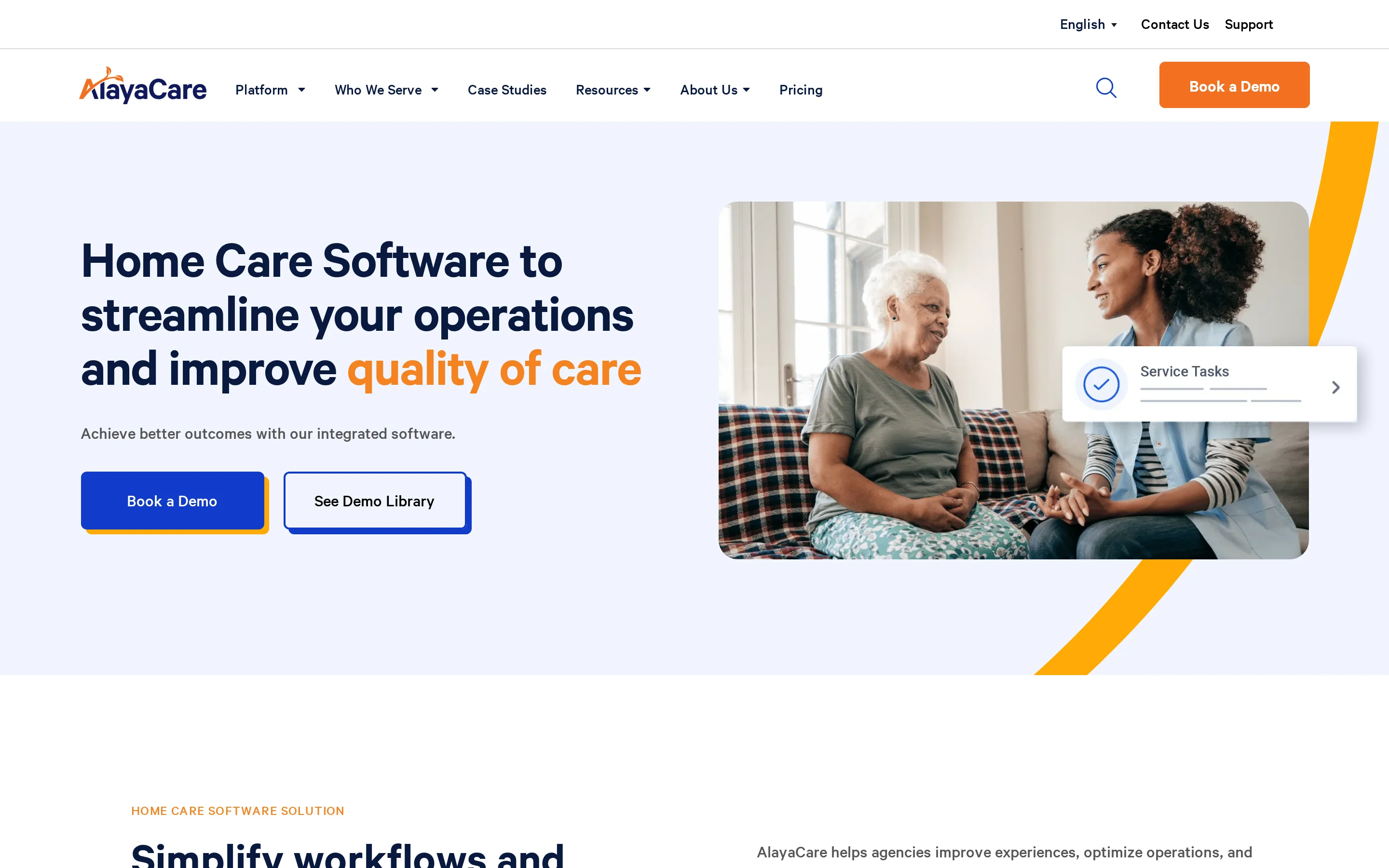
AlayaCare is a cloud-based home care software platform for agencies that need scheduling, documentation, client management, and care coordination in one operating system.
Best for
Home care agencies that want to manage office workflows and field documentation across client visits, caregiver schedules, and care plans.
Agency operations: Coordinate scheduling, documentation, client records, and back-office work.
Care coordination: Keep care teams aligned around visits, tasks, and client information.
Clinical documentation: Support structured notes and records for agencies with more formal care documentation needs.
Client communication: Give agencies a place to manage client and family-facing information where configured.
What it helps with
AlayaCare is primarily an operating platform for running home care services, rather than a dedicated fall detection or environmental monitoring system.
Scheduling: Plan visits, assign caregivers, and adjust rosters as client needs change.
Visit documentation: Capture care notes, completed tasks, and visit information from the field.
Client management: Maintain client profiles, care requirements, and service history.
Caregiver coordination: Give office teams and field staff a shared view of work that needs to be completed.
Back-office workflow: Support the administrative bridge between delivered care, records, and billing preparation.
Standout capabilities
The platform’s useful coverage is the connection between client records, field documentation, scheduling, and agency administration.
Cloud-based access: Office staff and care teams can work from a shared system rather than disconnected files.
Documentation workflow: Visit notes and care records are captured close to the point of care.
Operational visibility: Managers can see schedule changes, visit status, and client information in one workflow.
Client and family communication: Agencies can support communication around care where the relevant portal features are included.
Agency-scale structure: The system is designed for organisations managing ongoing care delivery, not one-off family monitoring.
Limitations to check
AlayaCare’s fit depends on the agency’s service mix, documentation requirements, and willingness to standardise workflows inside one platform.
Monitoring scope: Confirm whether the platform covers the physical safety signals you need, such as falls, exits, or room-level activity.
Implementation effort: Scheduling, documentation, and care-plan workflows need configuration and staff adoption.
Portal details: Verify exactly what clients and family members can see, edit, or receive as notifications.
Billing fit: Check whether billing workflows match your payer mix and local requirements.
Integration needs: Confirm how AlayaCare connects with payroll, accounting, EHR, EVV, and reporting tools already in use.
Pricing and contract notes
No public self-serve rate card was verified for AlayaCare in the source material for this article.
Pricing should be confirmed directly, including modules, implementation, training, support, user access, client or family portal features, and any integration work.
Evaluation fit
AlayaCare fits the agency-operations group because it addresses the core work of running home care: schedules, documentation, client records, care coordination, and back-office follow-through.
Best home care platforms for in-home support and care coordination
This category sits between agency back-office software and family monitoring tools. Envoy At Home does not manage schedules, billing, EVV, EHR records, or professional care teams; it monitors activity inside one private home so caregivers can spot routine changes between visits.
7. Envoy At Home
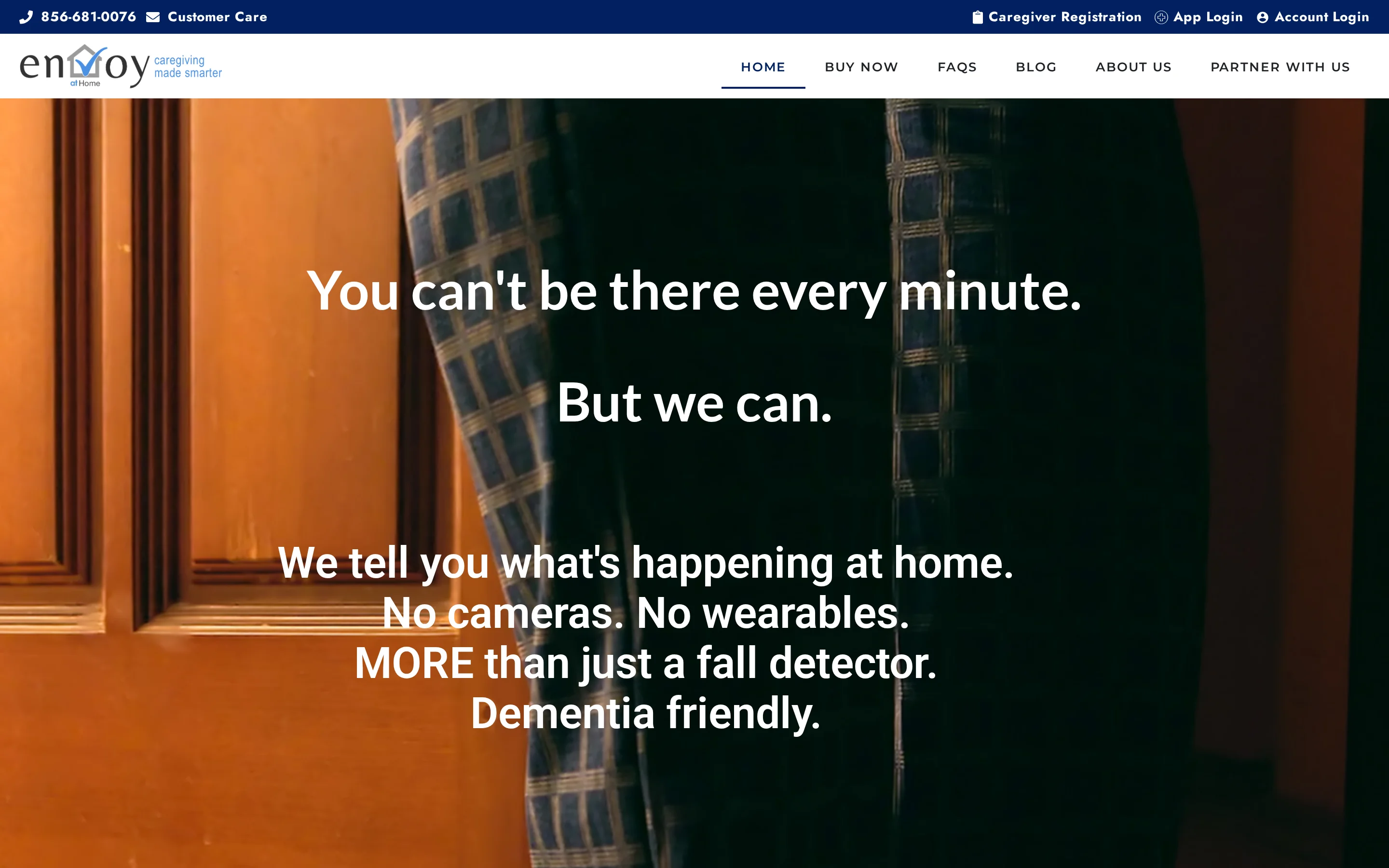
Envoy At Home is a passive home monitoring service for family caregivers. It uses adhesive sensors and a Wi-Fi hub to track routine changes without cameras or wearables.
Best for
Envoy At Home is built for families coordinating support for a senior living alone, especially when cameras or wearable devices would create privacy, dignity, or compliance concerns.
For operators reading this list, it is useful as a comparison point rather than an agency platform. It shows what passive in-home monitoring can capture, but it does not run staff workflows.
What it helps with
Envoy tracks dozens of behavior indicators and sends app alerts when activity patterns change. Examples include missed meals, lower movement, unusual door or cabinet activity, and signs that may point to fall risk.
The system is passive, so the senior does not need to press a button or wear a pendant. Family caregivers or care coordinators still need to interpret the logs and decide what action to take.
Standout capabilities
Envoy's main capabilities sit around home activity monitoring, not agency administration:
Passive sensing: No cameras, microphones, or wearables are required.
Behavior indicators: More than 35 behaviors can be monitored in real time.
App alerts: Unlimited family caregiver accounts can receive mobile alerts.
Custom rules: Sensors can be used for specific routines, such as fridge activity.
Simple hardware: The kit includes battery-powered adhesive sensors and a Wi-Fi hub.
Guided setup: Installation is self-directed, with virtual support available.
Limitations to check
Envoy At Home is not an agency back-office system. It does not include billing, EVV, EHR, rostering, payroll, or professional staff management.
It also does not provide active fall detection. The system infers possible risk from sensor patterns and inactivity, so urgent response still depends on the caregiver seeing the alert and following up.
Other checks matter before relying on it:
Internet dependency: If the home internet connection fails, monitoring and alerts are disrupted.
No visual check-in: The privacy-first design means caregivers cannot see or hear what is happening through Envoy hardware.
Raw data burden: The app provides logs and sensor data that caregivers still have to interpret themselves.
Pricing and contract notes
Envoy At Home publishes consumer-style pricing with a monthly subscription and a one-time equipment fee for the starter kit. That pricing is for single-household family monitoring, not agency or care home operations.
Additional sensors are sold separately. The available pricing evidence does not show a public agency plan, EHR bundle, or professional care-team tier.
Fit to check
Envoy At Home fits the family-monitoring side of the market: one home, passive sensors, mobile alerts, and family coordination.
For agencies or care home operators, the main takeaway is narrower. Envoy can illustrate what happens inside the home between visits, but it does not replace scheduling, billing, compliance reporting, or staff oversight software.
Between-visit visibility is the through-line; the home-and-facility monitoring roundup compares sensor approaches across both settings.
Best home care platforms for family caregiving and smart monitoring
Nomo Smart Care and Essence SmartCare sit at the family caregiving and smart monitoring end of the list. Like Envoy, they are useful comparisons for operators exploring remote monitoring, but they are not agency back-office platforms for scheduling, billing, EVV, or professional staff management.
8. Nomo Smart Care
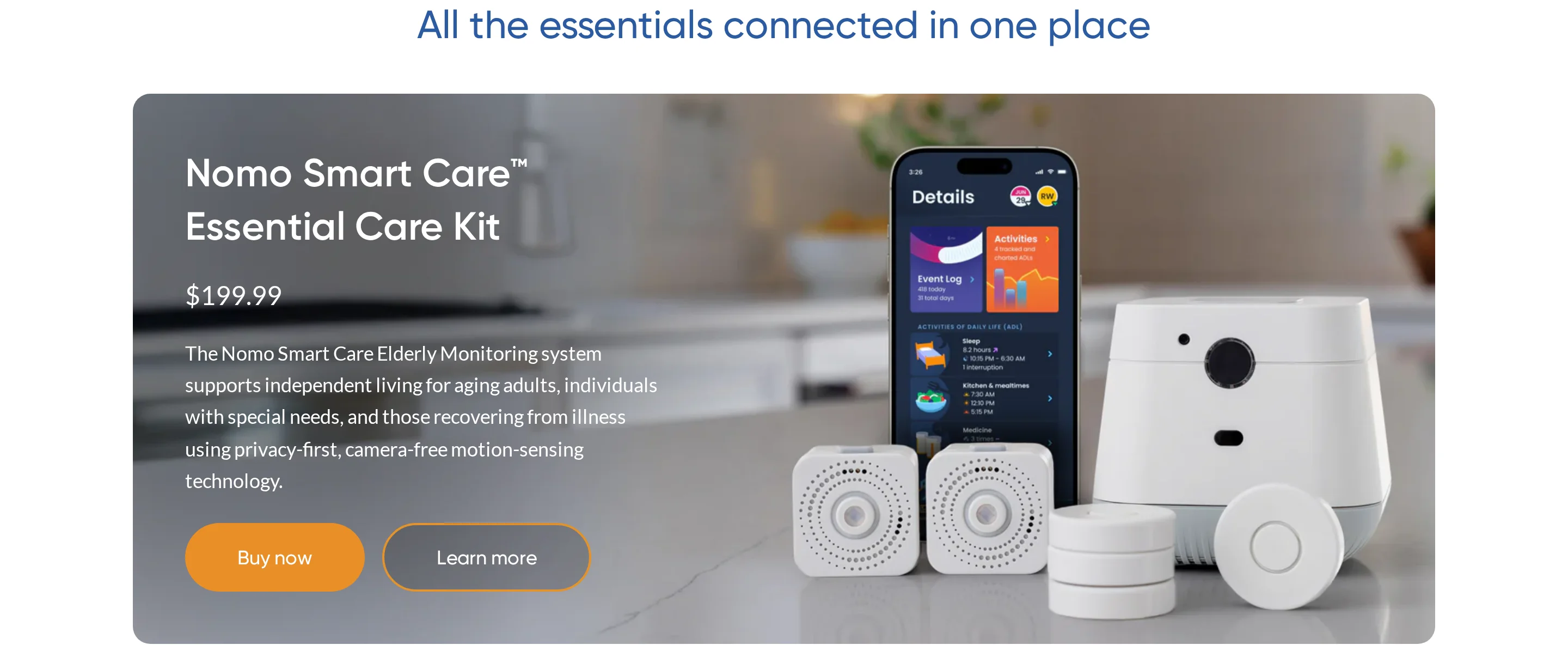
Nomo Smart Care is a consumer home monitoring kit built around a hub, satellite devices, adhesive tags, wearable tags, and a family-facing Care Circle app.
It is useful to compare here because it covers daily routine monitoring, fall alerts, and professional emergency dispatch, but it is not an agency operations platform.
Best for
Nomo Smart Care is aimed at families monitoring a senior living independently, especially when relatives and neighbours share responsibility through the Care Circle app.
The Care Circle model lets invited contacts receive alerts and coordinate around the senior's activity. It does not manage professional caregiver rosters, staff scheduling, EVV, billing, or care documentation.
What it helps with
Nomo focuses on routine awareness rather than professional care workflow management.
Daily routines: AI learning builds a baseline for sleep, meals, movement, and medication access patterns.
Deviation alerts: The system can notify caregivers when activity changes from the expected routine.
Medication access: Adhesive Tags can be placed on medicine cabinets or doors to log opening events.
Emergency help: Wearable Tags can act as SOS buttons and support fall detection.
Notable capabilities
Nomo's main difference is that the same Tag concept can be used for both object monitoring and personal alerts.
Care Circle sharing: Family members and trusted contacts can monitor the same senior through the app.
Multi-purpose Tags: Tags can be worn, attached to cabinets, or attached to doors depending on the monitoring need.
Camera-free setup: The system relies on sensors and tags rather than live video inside the home.
24/7 dispatch option: The Essential+ subscription includes professional monitoring and emergency dispatch.
Limitations to check
Nomo is a consumer monitoring product, so operators should separate its home-safety features from agency management requirements.
No agency back office: It does not include EHR, claims, billing, rostering, or visit verification workflows.
Wearable dependency: Fall detection depends on the Tag being worn and performing as expected.
Fall detection review: Ask how the Tag handles missed, uncertain, or unconfirmed falls before relying on it for urgent response.
No visual verification: The camera-free design supports privacy, but it also means staff cannot visually check an incident through the system.
Refund rules: Review cancellation, annual plan, and refund terms before buying.
Pricing and contract notes
Nomo publishes consumer-style hardware and subscription pricing for its Essential Care Kit and Essential+ monitoring plan.
Cost component | Price | Notes |
|---|---|---|
Essential Care Kit | $199.99 one-time | Includes the hub, satellites, and Tags |
Essential+ subscription | $19.99/month | Includes AI insights and 24/7 professional dispatch |
Annual subscription | Not publicly listed | No prorated refund if canceled mid-term |
Workflow fit
Nomo fits the family caregiving category more than the professional home care platform category.
For an operator, it is best understood as an in-home monitoring layer for private households. Separate systems would still be needed for staff scheduling, visit records, billing, compliance reporting, and clinical documentation.
9. Essence SmartCare
Essence SmartCare is a B2B telecare platform for providers, councils, and public sector programs that need remote monitoring across large residential populations.
The available evidence is thinner than for some other platforms in this article, so the safest comparison is at category level: telecare hardware, radar-based monitoring, provider dashboards, and custom procurement.
Best for
Essence SmartCare is built for large care organizations, municipalities, and channel partners running telecare programs across many homes.
Its public sector footprint points to a deployment model built for volume hardware rollout rather than individual family purchase.
What it helps with
Essence SmartCare helps providers monitor activity, risk signals, and resident wellbeing remotely.
Home monitoring: MDsense radar can monitor presence and movement without requiring a pendant or camera.
Fall detection: Radar-based sensing reduces reliance on a resident pressing or wearing a device.
Care oversight: CareView gives care organizations a centralized dashboard for activity data.
Telecare programs: The platform supports provider-led monitoring across many residences.
Notable capabilities
Essence's clearest technical difference is MDsense radar, which is separate from pendant-only or camera-led monitoring models.
Non-wearable sensing: Radar monitoring can support residents who forget, remove, or refuse pendants.
Provider dashboard: CareView is designed for organizational oversight rather than a single-family app.
Modular telecare: Public materials describe a platform that can combine multiple telecare devices and service modules.
Public sector scale: Public materials suggest experience with large hardware deployments.
Limitations to check
Essence SmartCare is not presented as an all-in-one home care agency management system.
No native EHR: Public materials do not show full clinical documentation or claims workflows.
No billing module: Pricing, reimbursement, and payer operations would need separate systems.
No staff scheduling: The platform focuses on monitoring and oversight, not rosters or shift planning.
No visit verification layer: Public materials do not show EVV-style proof of caregiver attendance.
Privacy review needed: Any camera-involved products should be reviewed carefully for resident privacy, consent, and local policy fit.
Pricing and contract notes
Essence SmartCare uses custom B2B pricing, with no public self-serve plan or standard monthly tier listed.
For councils and enterprise providers, procurement is likely to depend on hardware volume, service modules, channel partner terms, support requirements, and contract length. That makes it harder to compare against consumer kits on sticker price alone.
Workflow fit
Essence SmartCare belongs in the enterprise telecare category.
It is relevant when the buying process is a public sector or provider-led telecare procurement. It is less relevant for individual family buyers or agencies that mainly need EHR, billing, staff scheduling, and visit verification in one operations system.
Home care platforms compared: features at a glance
Use this table to shortlist by job: agency operations, EVV and billing, or in-home monitoring.
Platform | Primary focus | EHR / clinical workflows | Monitoring technology | Fall detection | Caregiver management | Pricing model |
|---|---|---|---|---|---|---|
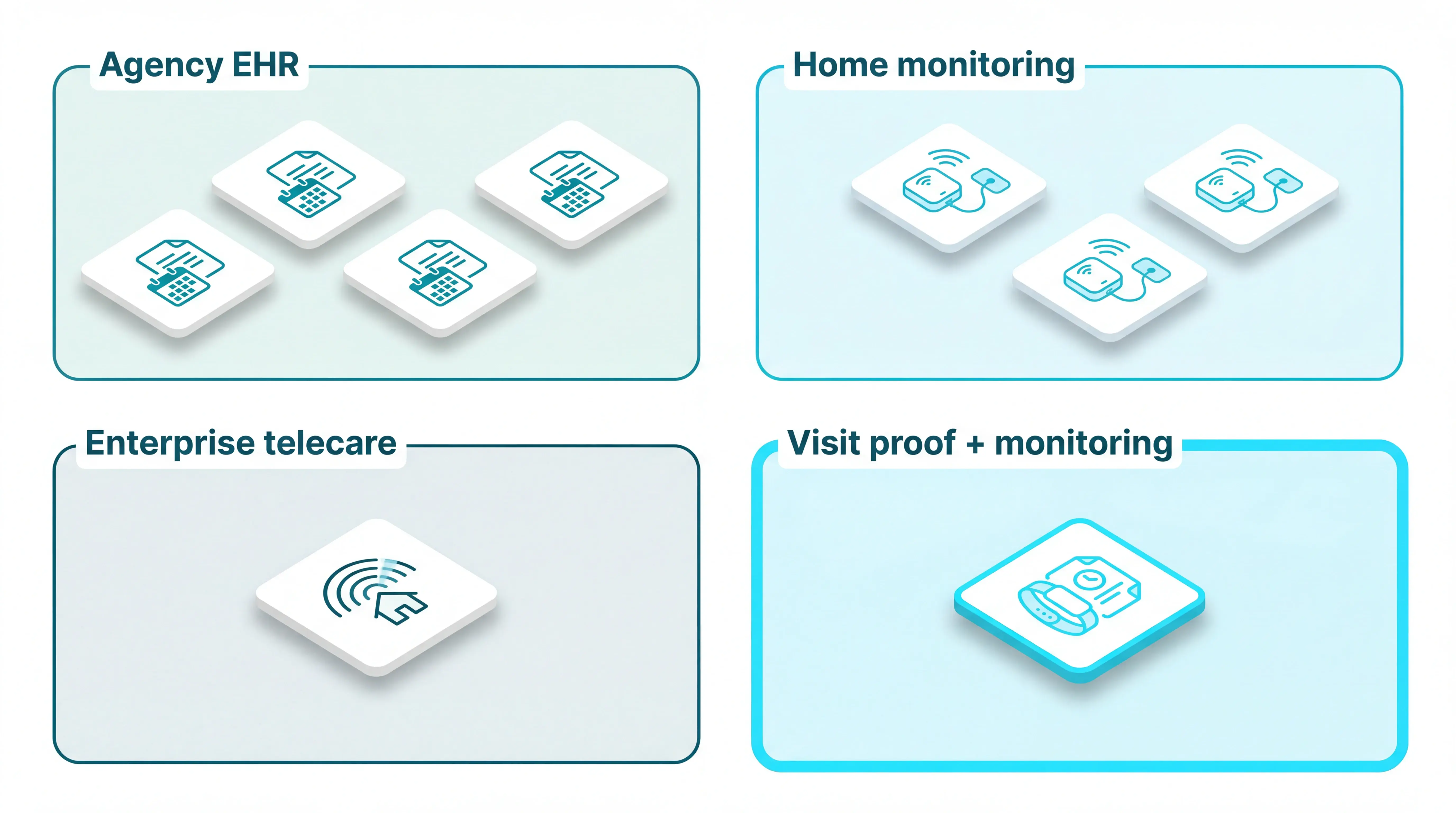
Guardian | Visit proof + monitoring | Visit verification, no full EHR | Sensors, wearables, GPS, vehicles | Wearable + sensor context | Visit logs, staff location, fleet view | Pilot first, quote-based rollout |
WellSky | Enterprise agency EHR | EHR, OASIS, billing, claims | Software analytics | Confirm with vendor | Scheduling and workforce analytics | Quote-based |
Alora | Agency operations | Clinical notes, billing, EVV | Software and mobile app | Confirm with vendor | Scheduling, EVV, payroll workflows | Quote-based |
AxisCare | Private-duty agency management | Documentation, billing, scheduling | Software and mobile app | Confirm with vendor | Scheduling, point-of-care, billing | Quote-based |
HHAeXchange | Medicaid personal care | EVV, authorizations, billing workflows | Software and mobile app | Confirm with vendor | Caregiver app and visit compliance | Quote-based |
AlayaCare | Cloud home care platform | Clinical documentation, back office | Software and mobile app | Confirm with vendor | Scheduling, client and staff management | Quote-based |
Envoy At Home | Family care coordination | Not an agency EHR | In-home passive sensor kit | Indirect pattern alerts | Family coordinators, not agency roster | Confirm with vendor |
Nomo Smart Care | Family routine monitoring | Not an agency EHR | Hub and adhesive tags | Wearable tag alerts | Care Circle, not agency roster | Confirm with vendor |
Essence SmartCare | Enterprise telecare IoT | Care dashboard, not billing-first | Radar and home sensors | Radar-based detection | Activity monitoring for care teams | Quote-based |
How to choose a home care platform
Choose the platform that can prove each visit happened, show what happened between visits, and produce records your managers can trust.
Visit verification integrity should come first. If clock-ins, exceptions, edits, and audit logs are weak, every downstream workflow becomes less reliable.
Evaluate each platform against these criteria:
Visit verification integrity: Confirm how the system records arrival, departure, location, edits, exceptions, and supervisor approvals.
Resident safety between visits: Check whether the platform only tracks staff activity, or also detects falls, exits, inactivity, bed exits, and urgent alerts. Most agency back-office platforms need a second monitoring layer for this work.
EVV and state fit: If Medicaid applies, verify your state’s exact EVV rules, payer formats, visit edit controls, and audit requirements.
Back-office workflows: Look for scheduling, billing, payroll exports, authorizations, documentation, and clean handoff from visit data to invoicing.
Caregiver adoption: Test the mobile app on the devices staff actually carry, including clock-in, notes, task lists, messaging, and care plan access.
Operational reporting: Prioritize reports that show missed visits, response times, cancellations, overtime, utilization, authorization usage, and caregiver performance.
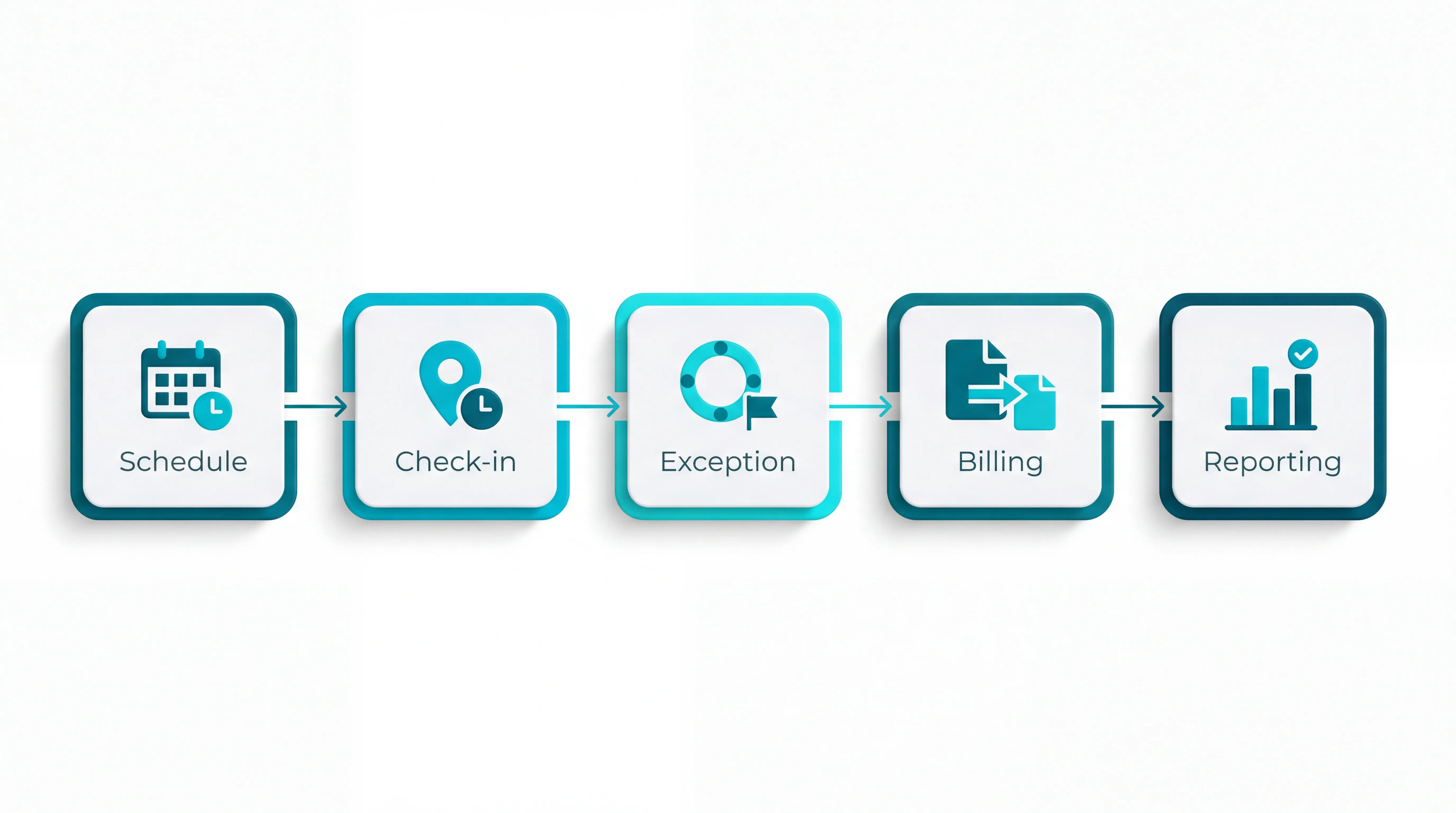
The right platform should reduce reconciliation, not create a second admin job. Ask vendors to walk through one real visit from schedule to proof, billing, reporting, and exception handling.
If resident-initiated escalation is the missing layer, the care-home nurse call guide covers routing, records, and alert fatigue.
Common mistakes when comparing home care software
The biggest mistake is treating a feature checklist as proof the platform will work in daily care.
A system can look complete in a demo and still fail if staff avoid the app, alerts create noise, or visit data cannot stand up to audit.
Avoid these comparison traps:
Testing the office view only: Caregiver app usability affects clock-ins, visit notes, task completion, and data quality.
Mistaking scheduling for safety: A rota tool can confirm who was assigned, but it may not show whether a client fell, wandered, or went inactive between visits.
Accepting generic EVV claims: Medicaid requirements vary by state, so ask for your exact payer workflow, exception process, and audit trail.
Treating audits as static checklists: Stronger audit tools for action tracking should record what failed, who owns the fix, and whether the action was closed, not just store a completed form.
Ignoring alert fatigue: Too many low-value notifications train staff to override or ignore the system, which makes real alerts easier to miss.
Buying separate tools without a data plan: Manual transfer between scheduling, billing, monitoring, and reporting systems creates reconciliation errors.
Judging by one KPI: EVV compliance, response time, or utilization alone can hide quality issues unless you review the whole workflow.
The monitoring layer most home care platforms leave out: meet Guardian
Most home care platforms help agencies schedule, document, bill, and report. Guardian adds the monitoring layer that shows what is happening around the visit, not just what was entered after it.
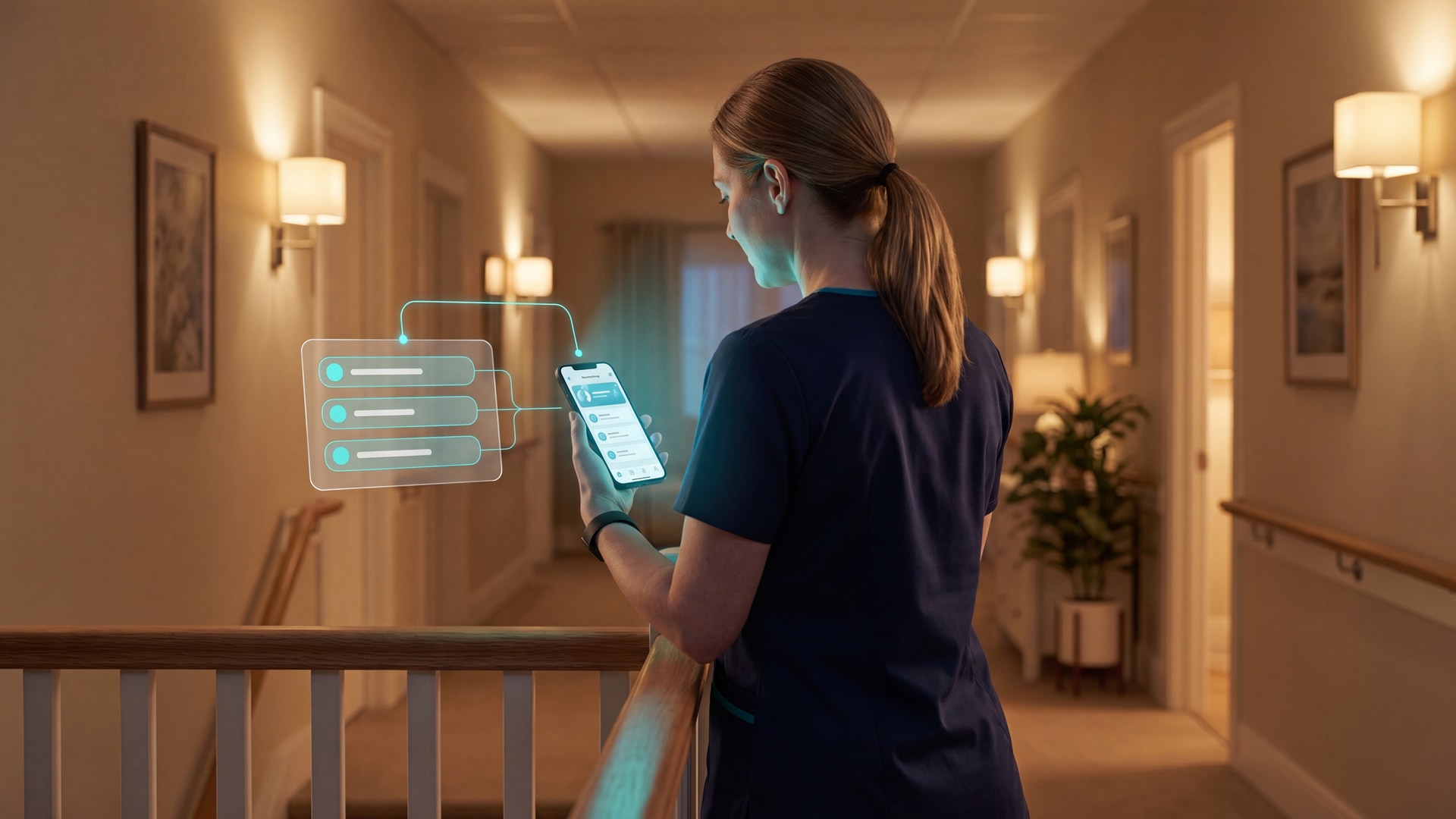
Guardian is built for camera-free, location-aware care operations. Staff can receive alerts with resident context and room-level location, so they know where to respond instead of chasing a vague alarm.
Pilot Guardian in one ward or team before you roll it out. The pilot runs with minimal disruption, then gives you an impact report and ROI view in 6–8 weeks
Yes. Home care platforms can work for small agencies, but the best fit is usually a focused rollout rather than a full enterprise overhaul.
Small providers often need the same controls as larger agencies: clean schedules, proof of visits, usable mobile tools, and simple reporting. The difference is tolerance for complexity.
For a small agency, prioritize:
Fast setup: Cloud software or wireless monitoring that does not require a long IT project.
Low admin load: Visit records, notes, and reports should be created during normal work, not rebuilt later.
Caregiver usability: A simple mobile app matters more than a long feature list.
Room to grow: Choose a platform that can support more clients, caregivers, or locations without forcing a migration.
Family-focused monitoring tools may suit informal care coordination. Agencies usually need stronger scheduling, EVV, billing, visit verification, and reporting controls.
Some do, but not all. Agency EHR platforms are more likely to support Medicare, Medicaid, EVV, billing, and claims workflows than monitoring-first platforms.
WellSky is built around enterprise EHR and billing workflows, including Medicare claims operations. HHAeXchange is commonly evaluated for Medicaid personal care, EVV, authorizations, and payer-connected workflows.
Check billing fit platform by platform:
Billing-first agency platforms: WellSky, HHAeXchange, Alora, AxisCare, and AlayaCare may support billing or EVV workflows, but confirm your exact payer and state rules.
Monitoring-first platforms: Guardian, Envoy At Home, Nomo Smart Care, and Essence SmartCare are not positioned as Medicare or Medicaid billing systems.
Hybrid stack: Many agencies pair a billing or EHR platform with a separate monitoring layer when they need both claims workflows and real-time safety visibility.
Before buying, ask the vendor to show your state EVV workflow, visit edits, exception handling, authorization checks, and audit-ready reports.
Family access depends on the platform. Some tools are built around family apps, while agency platforms may limit access to staff or offer family communication as an optional feature.
In practice, family access usually means secure updates, messages, alerts, care notes, schedule visibility, or activity notifications. It should always be controlled by consent, permissions, and privacy rules.
Platform patterns differ:
Family-first monitoring: Envoy At Home and Nomo Smart Care are designed for family coordinators and app-based updates.
Provider telecare: Essence SmartCare supports care-team monitoring and may involve family or responder workflows depending on deployment.
Agency platforms: AlayaCare and some agency systems may offer family portals or communication tools, but availability varies by package.
Operations-first platforms: Guardian focuses on professional care teams, alerts, visit proof, and operational visibility rather than a consumer family portal.
If family access matters, ask who can see what, who approves access, and whether family members receive live alerts or only summaries.
Implementation can take a few days, several weeks, or several months depending on the platform type and how much data, hardware, and training are involved.
Wireless monitoring systems are usually faster because they avoid cabling and deep EHR migration.
Full EHR and billing platforms take longer. They have to configure workflows, permissions, payer rules, data migration, and staff training.
The main timeline drivers are:
Hardware scope: Sensors, wearables, hubs, and room mapping must be installed and tested.
Workflow complexity: Scheduling, EVV, billing, payroll, and documentation rules add configuration time.
Integrations: Legacy systems and payer connections can extend the project.
Training load: High staff turnover makes consistent mobile-app use harder to embed.
Rollout style: One ward, team, or workflow is faster and safer than a whole-organization switch.
For Guardian, the entry point is a focused pilot in one ward or team, with an impact report in 6–8 weeks. For full EHR platforms, ask each vendor for a written implementation plan before signing.

Author
Aleks Timm
Aleks Timm leads Guardian and builds privacy-first operations technology for care homes and home care providers. Teams get location-aware alerts they can act on, clearer situational awareness, and measured insight into how care work actually runs.
Read MoreRecommended reads
Keep reading
9 Best Digital Care Planning Systems (Free & Paid)
9 best digital care planning systems for UK providers—compare free and paid tools for records, alerts, audits, and safer care...
Read more
10 Best Nurse Call System Suppliers for Care Facilities
Explore the best nurse call system suppliers and care operations monitoring platforms to boost response, compliance, and care...
Read more
11 Best Nursing Home Software Options: What Actually Works
11 Best Nursing Home Software Options: Compare tools for live alerts, compliance, and EHR integration to find what actually works.
Read more