

7 Best Call Buttons for Seniors in Care Homes and Home Care
In this article
The best call buttons for seniors depend less on button shape and more on who receives the alert, where they go, and what record is created.
In this guide, call buttons include bedside buttons, wearable pendants, caregiver pagers, monitored medical alert services, bed pads, and facility alert platforms.
About 80% of older adults who had a personal emergency response system did not activate it after a fall in LeLaurin et al. (2019). That is why passive monitoring and staff workflow matter as much as the button itself.
Quick picks: best call buttons by use case
Use this as the fast filter before the detailed reviews. Prices and plan names can change, so confirm current terms before purchase.
System | Best fit | Monthly fee | Main limitation |
|---|---|---|---|
Guardian | Care homes and home care teams that need location, routing, passive monitoring, and records | Pilot and quote | Not a one-person consumer pendant |
National Call Systems | Small on-site settings that want a local no-fee call point | No | Local monitor or pager only |
CallToU | One home where bathroom button coverage matters | No | No app, cloud record, or outside escalation |
Lifeline | One senior who needs a professional response center | Yes | Single-user service, not ward staff routing |
Nomo Smart Care | Family monitoring with app alerts and optional professional backup | Yes for Essential+ | Home Wi-Fi hub, not care-home operations |
Smart Caregiver | Local bed-exit or call-button paging for one nearby caregiver | No | Local pager range and hearing still decide response |
Val-U-Care | Pad-and-button bundles for on-site home care | No | Pads cover surfaces, not rooms |
This guide is written for care homes, home care agencies, and family caregivers comparing devices through a response-workflow lens. It includes consumer-style devices because many teams start there before moving to facility-grade monitoring.
Which type of call button does a care setting need?
Start with response ownership, not device shape. For UK providers, CQC Regulation 12, NHS clinical safety, and UKCA marking may matter.
For EU providers, ask for CE documentation, GDPR data-processing terms, and device-safety evidence where applicable.
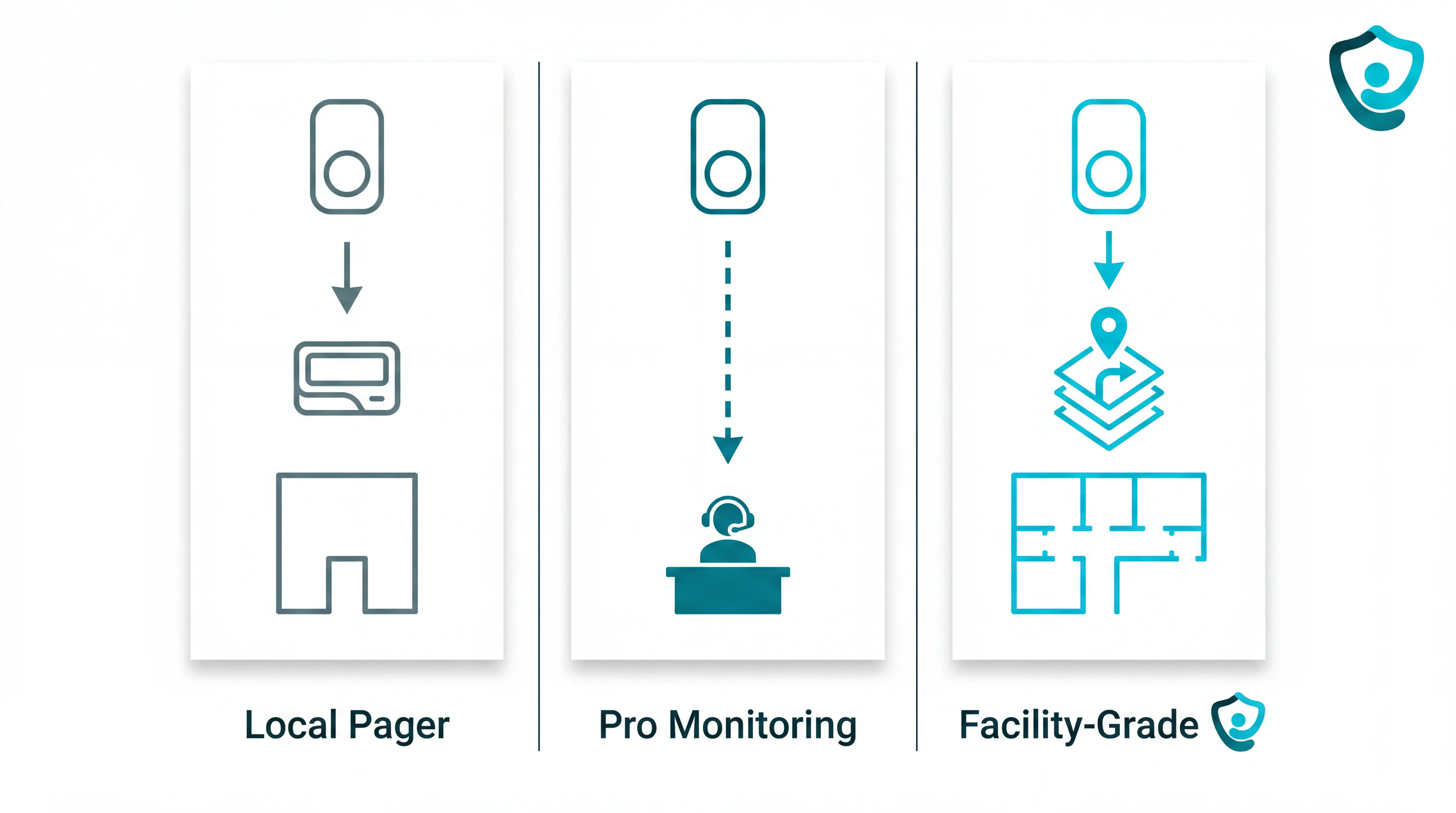
Local pager systems: Best for small homes or single units where a named caregiver stays within receiver range and can test coverage across bedrooms and corridors.
Professional monitoring: Best for home care packages where no staff member is on-site and a button press needs a staffed response center.
Facility-grade or passive monitoring: Best for care homes where alerts need resident location, staff routing, escalation, and backup when no button is pressed.
For operators, the cheapest button can still fail if alerts ring at an unattended desk or give no room-level location.
The care-home nurse call guide compares local pagers, routed alerts, escalation, and passive monitoring in care-home workflows.
What happens when a resident presses the button?
A button press starts the workflow. For an operator, the useful question is whether the alert reaches the right staff member with resident context and a recordable escalation path.
Local receiver: A pager or base station sounds on-site; cover depends on receiver range, wall layout and whether staff carry the device during rounds.
Mobile app: A Wi-Fi hub sends the alert to named carers or managers, which can suit home care and small supported-living settings.
Monitoring center: A staffed service answers, speaks to the resident if possible, and escalates to emergency services when needed.
Facility network: A care platform routes the alert to staff devices and links it to a resident, room, event type, and record. Guardian does this through the web portal and floor-plan view.
Alert destination changes staffing workflow. A buzzer asks someone to investigate; a routed, location-aware alert points staff to the room first.
Passive monitoring covers gaps when a resident cannot press the button. Bed activity, door sensors or fall detection can raise an alert for staff review.
The 7 best call buttons for seniors
The seven systems below cover the main alert paths, from on-site receivers and app notifications to facility routing and monitored services.
Each entry checks alert destination, fit, coverage, water resistance, monitoring model, records, and watch-outs so operators can compare without rereading the whole guide.
1. Guardian
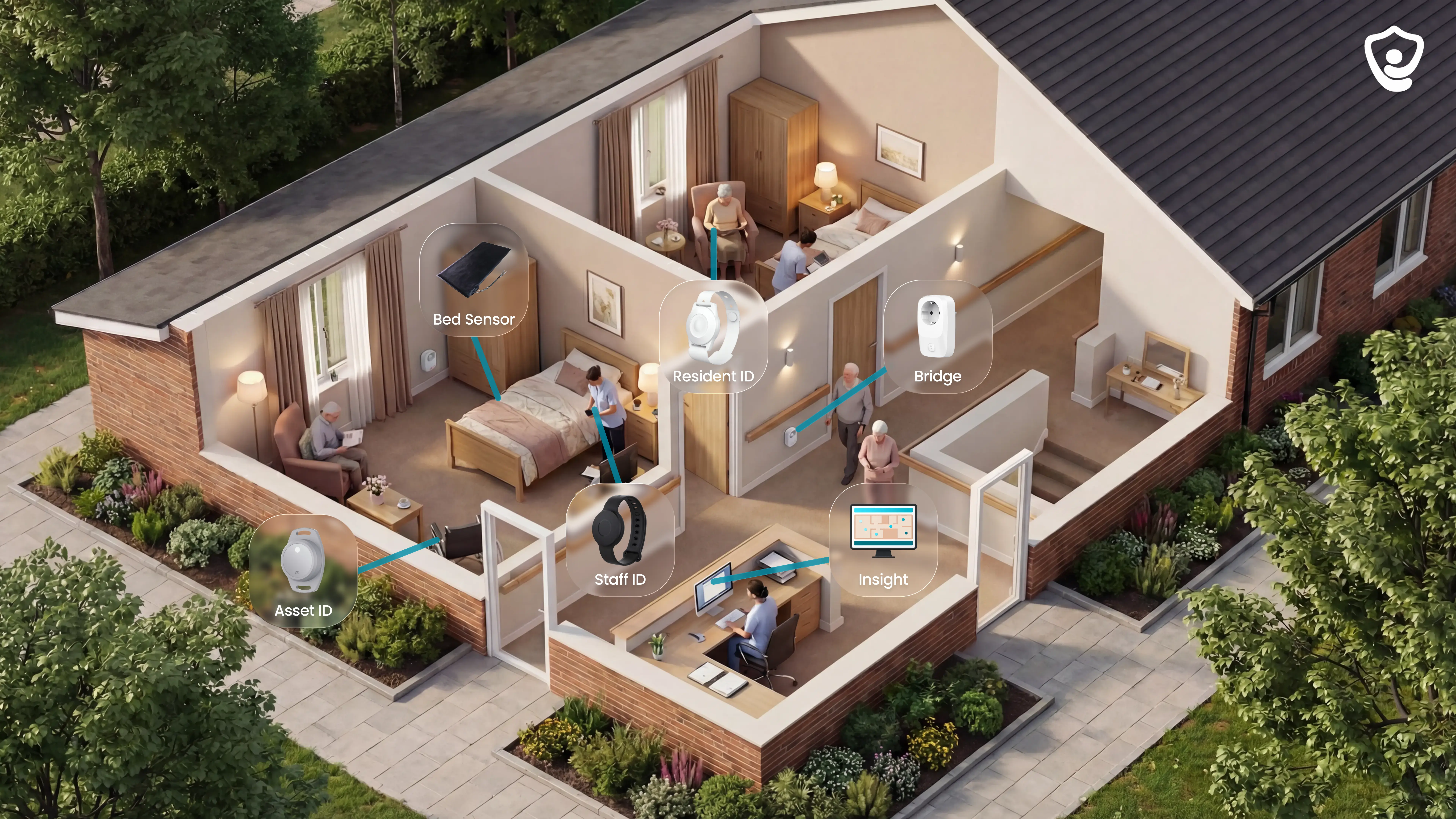
Guardian is a call-button system for care operators who need alerts, location, and response records in one workflow.
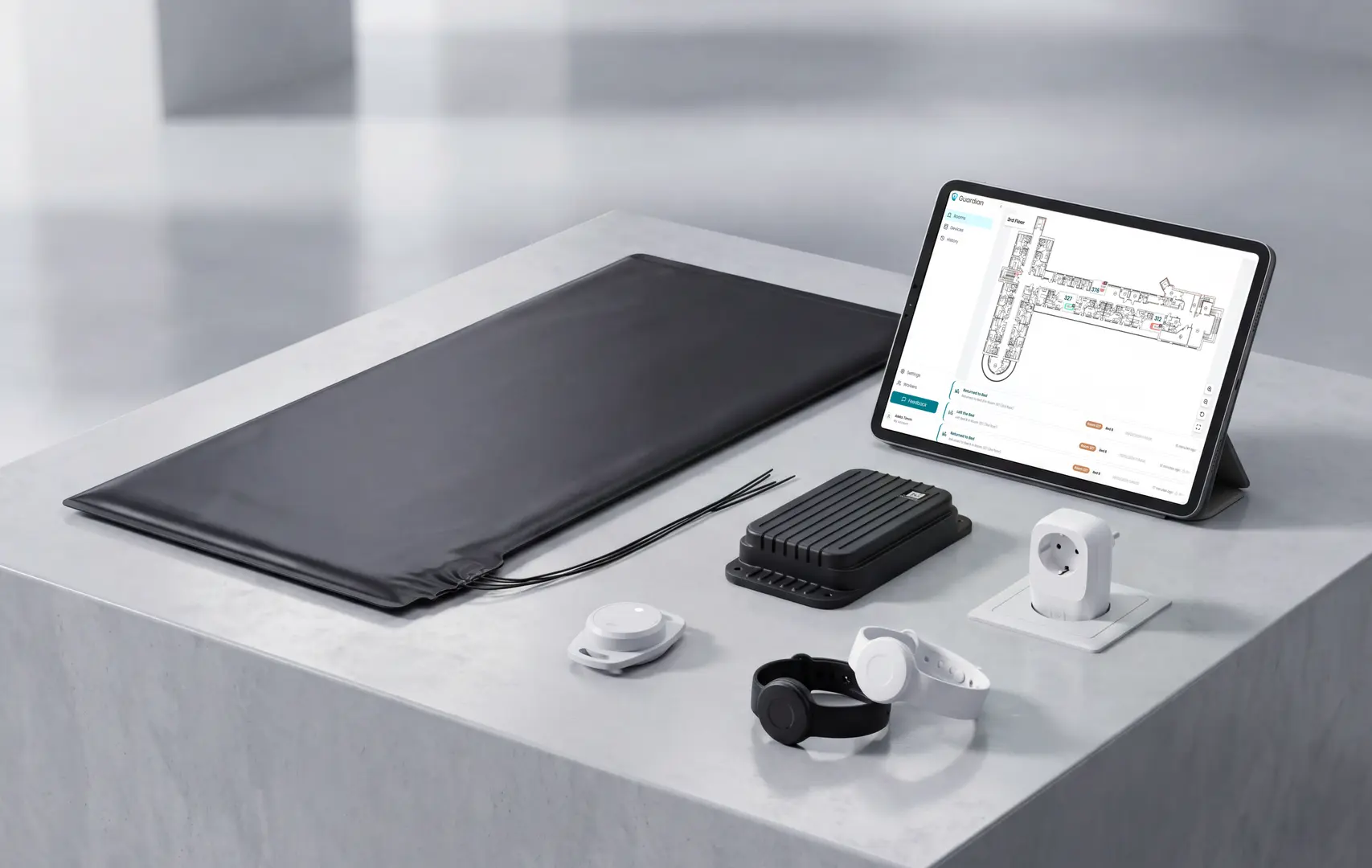
Guardian links each resident and room to a digitised floor plan. Staff see alerts on phones, tablets, or nurse station computers through the web portal.
A standard call button confirms that someone pressed for help. Guardian adds the context staff need to respond:
Who needs help: the resident or staff member linked to the alert.
Where to go: room-level location on the floor plan.
What happened: SOS, fall, bed-exit, or another configured event.
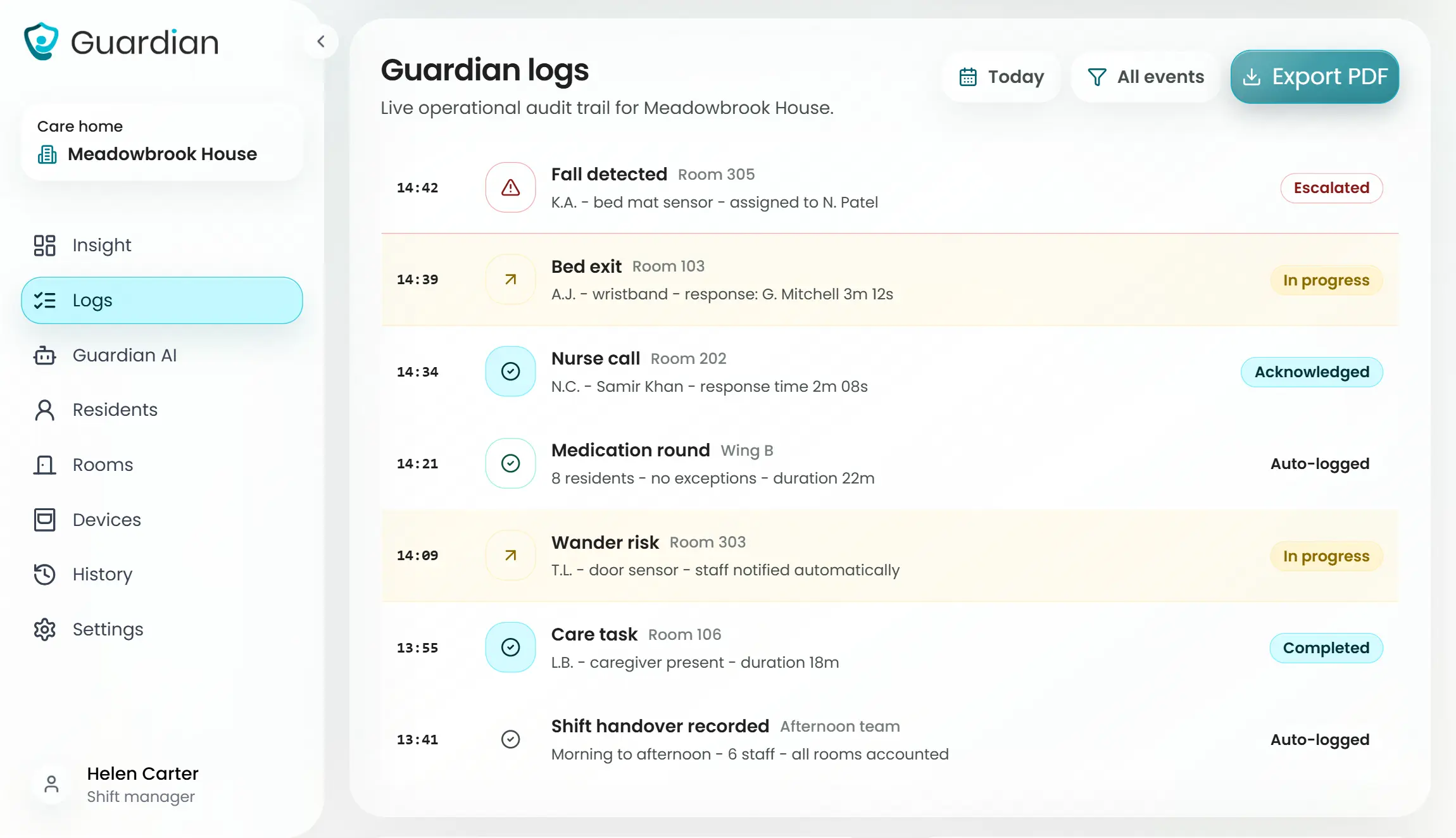
What managers can see: active alerts, response times, and operational status in Guardian Insight.
What stays private: camera-free monitoring in resident rooms.
Use Guardian when a missed response, unverifiable incident, or vague zone alarm creates operational risk.
Ask every vendor for measured pilot evidence before accepting claims about faster response or fall prevention.
Evidence point | Data to review | Why it matters |
|---|---|---|
Estonia pilot | 30 fall-risk situations attended on one ward. | Shows the pilot measures prevented escalations alongside button presses. |
Pilot response time | 5-minute average response time. | Gives managers a benchmark for their baseline comparison. |
Caregiver capacity | About €1,000/month in caregiver capacity unlocked. | Turns alert data into an operating-cost discussion. |
Health-cost context | npj Digital Medicine reported 31% lower hospital costs and 49% fewer ambulance calls with early intervention monitoring. | Helps management connect response data to ROI. |
Best for
Guardian fits care homes and home care agencies accountable for a ward, building, or fleet. For one family buying one button for one parent at home, a simpler pendant or local pager is more proportionate.
Care home owners who need fewer blind spots around falls, calls, exits, and delayed responses.
Operations and nursing managers who need open alerts and response speed visible during a shift.
Home care agency operators who need visit proof without timesheets or family workarounds.
Quality and compliance leads who need records for families, funders, or inspectors.
Frontline caregivers who need clear alert context without another pager.
How alerts work
Guardian sends events through the web portal to the staff devices already used on shift.
Guardian routes alerts to staff phones, tablets, and nurse station screens through the web portal. The workflow can be configured around the escalation process used on that ward or team.
Alert flow:
Identify the resident or staff member linked to the event.
Show room-level location on the digitised floor plan.
Label the event type, such as SOS, fall, bed exit, or another configured risk.
Open the map view so the nearest staff member knows where to go.
The point is simple: staff get a named event with a location, not a general buzzer.
Passive monitoring when nobody presses the button
Guardian keeps the SOS button for deliberate requests and adds passive room signals for events residents may not report.
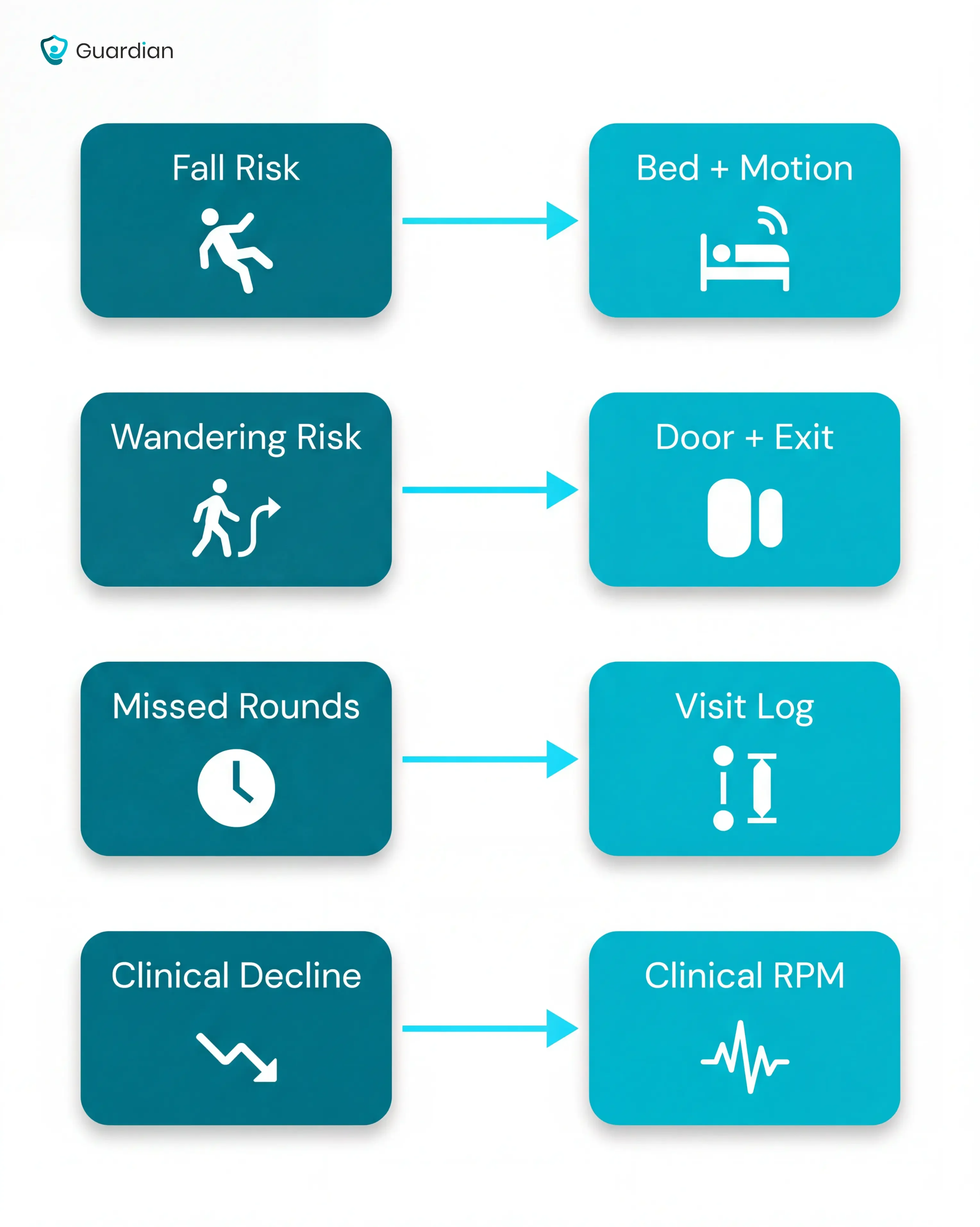
Passive monitoring helps after a fall or at night, especially when dementia makes wearable compliance unreliable.
Device | What staff learn |
|---|---|
Bed sensor | A resident got up at night or stayed out of bed longer than expected. |
Motion sensor | Room-level activity changed without cameras. |
Door sensor | A resident exited a room or entered a restricted area. |
Fridge or stove sensor | A home care routine changed between visits. |
Accelerometer wristband | A fall was detected while SOS remains available. |
If a resident refuses a wristband, bed and motion signals still show overnight patterns, including bed exits and return-to-bed timing.
Staff still make the care decision. Guardian provides context when a call button press never happens.
Smart rules that reduce avoidable alerts
Each Guardian signal can have a rule. Guardian can wait for the pattern that needs attention instead of notifying staff for every movement.
Configure rules by risk:
Night hours: monitor bed-exit risk only during the shift that needs the rule.
Bed-exit delay: notify staff if a resident stays out of bed for more than 15 minutes at night.
Resident thresholds: reduce repeat alerts for a resident who safely uses the bathroom at the same time each night.
Sensor rules: treat a door opening, missed fridge activity, and prolonged inactivity as separate risks.
Managers can review which alerts needed action and how fast the team responded.
Records that prove who responded
Guardian records caregiver visits and response times as the day unfolds. The same record can include shift timing and incidents.
Managers can answer a family question or inspection from the record instead of rebuilding a timeline from memory.
Guardian Insight view | What managers can check |
|---|---|
Residents and rooms | Active alerts on a digitised floor plan. |
Caregivers and shifts | Staff location and shift progress. |
Vehicles and assets | Home care cars, wheelchairs, lifts, and tracked equipment. |
Visit records | Arrival, duration, and completion without manual timesheets. |
Response records | Acknowledgement and handling time for each alert. |
The record gives managers the incident timeline and response-time pattern in one place.
6-8 week pilot and setup
Guardian is built to make one ward live without turning deployment into an IT project.
Wireless, pre-configured hardware avoids drilling and cabling. Staff do not need extra pagers or an EMR integration for the pilot.
Pilot sequence:
Map the workflow around residents, rooms, and event types.
Place pre-configured devices in the pilot setting.
Train staff on alert locations and action states.
Measure response times, incident data, staff feedback, and ROI.
The commercial entry point is the 6-8 week pilot. Guardian does not publish consumer pricing for this care-home offer.
The pilot is scoped around one ward, home, or team. A typical ward can be live in about one week.
The impact report covers:
Response times and incident data.
Staff feedback.
ROI and rollout options.
2. National Call Systems wireless call buttons
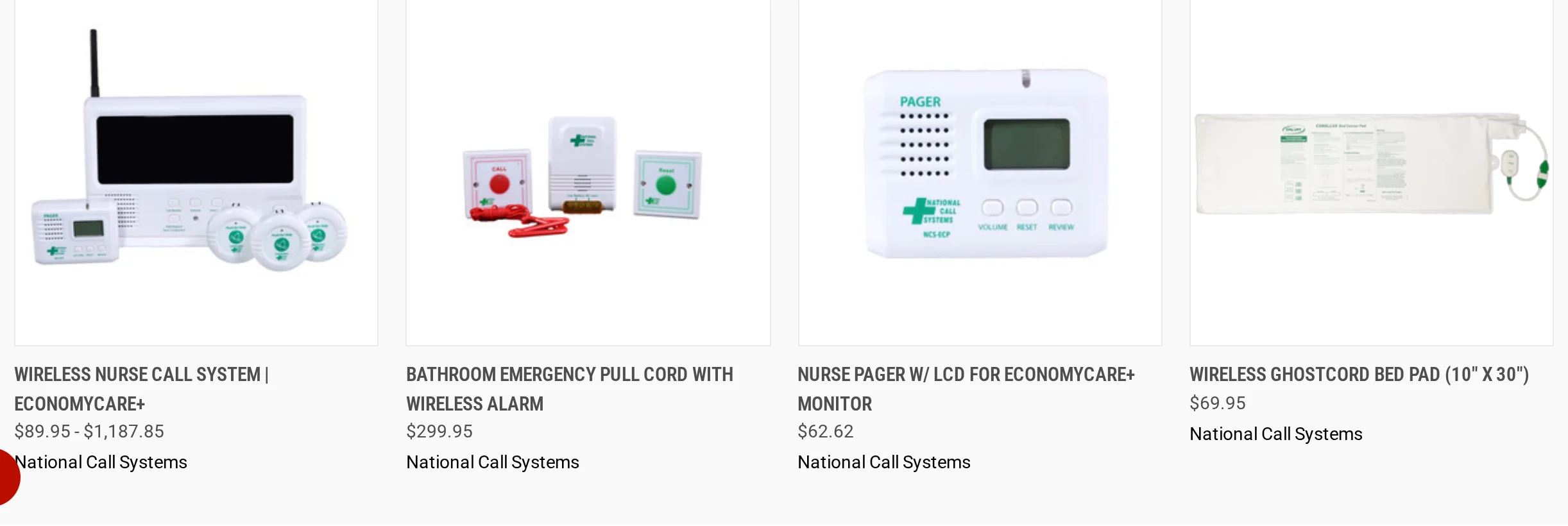
National Call Systems is a local wireless call-button setup. A resident presses a bedside button, and staff see the button ID on a nearby monitor or pager.
That setup suits on-site caregivers who can stay within receiver range. It skips Wi-Fi and mobile routing, so remote oversight sits outside the setup.
Best for
National Call Systems fits small facilities where staff stay near the monitor. Its role is a low-cost call point rather than a resident-record or response-management system.
One monitor can manage up to 40 wireless call buttons or sensors.
Alerts show on the local monitor or on the caregiver's LCD pager.
The setup avoids WiFi and smartphone configuration.
Remote visibility is outside the system's local paging model.
How alerts work
A button press sends a local RF signal to the monitor or pager. The display shows the button ID, so staff need a label sheet to connect the alert to a room or bed.
Label every button by resident, room, or bed before the first shift uses the system.
Keep the monitor visible, or assign the pager to a named caregiver.
Use a separate floor plan or handover sheet if staff need room context.
Pair the button with other checks for residents who may fall without pressing.
Key specs to check
Check the hardware against the actual building before buying. Range and button placement matter more than software options here.
Spec | What to verify |
|---|---|
Capacity | Up to 40 buttons or sensors per monitor. |
Button cost | Approximately $19.62 per button. |
Starter system | Complete systems start at approximately $90. |
Ongoing fee | No monthly subscription or monitoring fee. |
Bathroom placement | No published waterproof rating, so avoid submerged or wet-room placement. |
Range | Test RF coverage across the actual home, ward, or care setting. |
Watch-outs
Treat National Call Systems as an in-building call bell. If the pager is missed, no outside service picks up the gap.
If staff are away from the monitor, the call can sit unheard until someone returns to range.
If a resident cannot press after a fall, the system has no passive trigger.
Bathroom use needs a dry mounting point because there is no published waterproof rating.
Missed-call escalation needs a written local process because alerts do not route to an app or response center.
3. CallToU Wireless Caregiver Pager
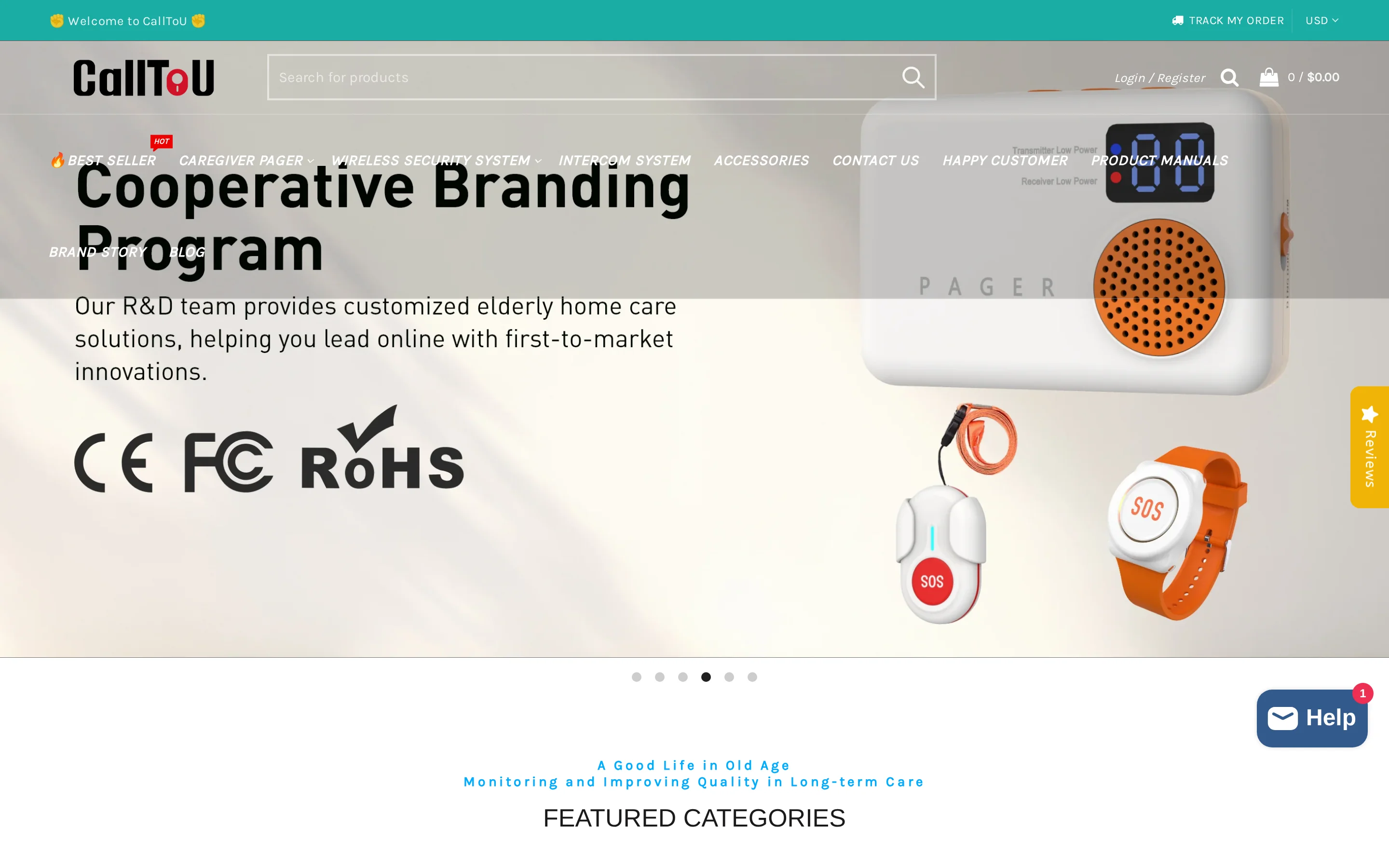
CallToU is a local pager system for one home. A senior presses a water-resistant button, and a plug-in receiver rings inside the house.
The receiver location decides whether the alert is heard. CallToU stays local, so escalation remains with the caregiver at home.
Best for
CallToU fits a single home where the caregiver is nearby and bathroom coverage is the main concern.
IP55-rated buttons can handle water spray in showers and bathrooms, but they should not be submerged.
Alerts ring nearby plug-in receivers rather than a cloud dashboard.
The purchase is hardware-only, with no monthly subscription.
Battery-powered buttons pair with wall receivers that stay plugged in.
How alerts work
Pressing the CallToU button sends an RF signal to a wall receiver. The receiver can play up to 55 ringtones at volumes up to 110 dB.
Placement check: put receivers where caregivers actually spend time, not only where an outlet is convenient.
Place wall receivers in high-use rooms instead of spare outlets.
Use different ringtones when more than one button is installed.
Keep expectations local because the system does not send phone notifications.
Write down who responds when the receiver rings, especially overnight.
Key specs to check
Match CallToU's specs to the rooms where care happens, especially bathrooms and bedrooms.
Spec | What to verify |
|---|---|
Waterproofing | IP55 protection against water jets from any direction. |
Receiver volume | Up to 110 dB. |
Ringtones | 55 selectable sounds for separating buttons or rooms. |
Button power | Battery-powered wireless buttons. |
Receiver power | Plug-in wall power, so no receiver battery replacement. |
Connectivity | No WiFi, app, or monitoring-center layer. |
Watch-outs
CallToU works only when someone hears the receiver. A loud alarm in the wrong room still fails the resident.
A fall without a button press creates no alert.
A missed ring stays in the home because there is no response-center escalation.
A family member away from the house will not see a phone notification or alert history.
A plug-in receiver can be too far away when the caregiver moves between rooms.
RF range needs testing with the doors, walls, and distance in that home.
4. Lifeline medical alert system
Lifeline is a monitored medical alert service for one person at home or on the go. The wearer presses a pendant or wristband, and the alert goes to Lifeline before family is contacted.
The service supports one wearer, not a ward or staff team. It does not provide floor plans, staff routing, or shift records.
Best for
Solo seniors who need Lifeline staff to answer when no local caregiver is nearby.
Fall-risk users who choose AutoAlert for pendant-based fall detection.
Families who want Lifeline to contact relatives or emergency services after an alert.
Care homes should treat Lifeline as a single-user alert service, not a staff-routing system.
How alerts work
Pressing the pendant or wristband sends a signal to the in-home base station. The base station calls Lifeline over landline or cellular connection.
A Lifeline associate asks what happened, then contacts family or emergency services when needed.
AutoAlert is a pendant option that can call Lifeline after a detected fall.
The home base station uses landline or cellular connection and includes backup battery support.
On the Go devices use cellular GPS triangulation and WiFi positioning for location sharing.
Alerts go to Lifeline first rather than only ringing inside the home.
Key specs to check
Verify Lifeline pricing directly before comparing plans. The monthly charge depends on device choice and billing term.
Item | What to verify |
|---|---|
HomeSafe | Ask for current landline and cellular pricing before choosing a billing term. |
On the Go | Confirm mobile-device pricing and any location-service requirements. |
Smartwatch | Confirm the current subscription cost directly with Lifeline. |
Upfront fees | Check every one-time fee before ordering. |
Fall detection | AutoAlert is pendant-specific and must be selected as an add-on. |
Watch-outs
Lifeline creates a response-center path for one wearer. Care homes get into trouble when they expect ward visibility from a single-user alert service.
Treat AutoAlert as a backup; BBB complaints mention false positives and missed fall events.
Test the wearable against the base station in the actual home before relying on in-home range.
Plan for service follow-up time; BBB records include long hold times, dropped calls, and unresolved service issues.
Care homes need a separate operations system for room maps and response records.
5. Nomo Smart Care 24/7 Medical Alert System
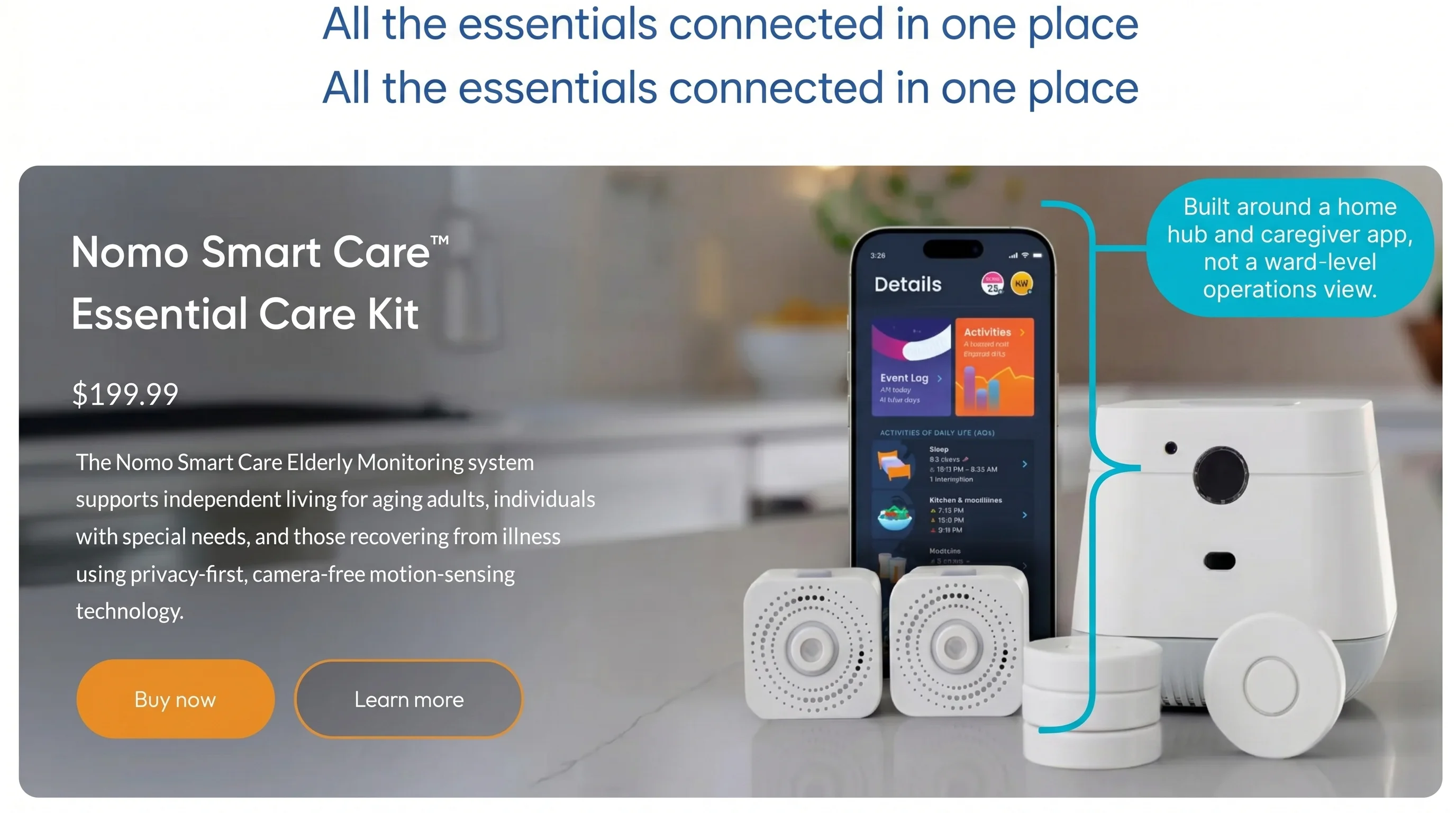
Nomo Smart Care is a WiFi-based medical alert kit for families monitoring one senior at home.
Its Essential+ plan is listed at $19.99 per month for app alerts and professional monitoring, but current plan terms should be confirmed before purchase. It is not positioned as a care home operations tool.
Best for
At-home seniors: One-person home monitoring with wearable Tags and a central Hub.
Family caregivers: App alerts can reach a Care Circle of multiple contacts.
Camera-free monitoring: Sensors track alerts and activity without live video inside the home.
Professional backup: The call center can act if caregivers miss an alert.
How alerts work
A Tag button press or detected fall sends an alert to the Nomo app, where caregivers in the Care Circle can be notified.
With the Essential+ plan, Nomo also routes alerts to a 24/7 professional call center. If caregivers are unreachable, the call center can contact emergency services.
Manual SOS: The senior presses the wearable Tag.
Fall detection: Tags detect movement and orientation patterns consistent with falls.
Care Circle: Multiple emergency contacts can receive app alerts.
Two-way voice: Voice communication runs through the Hub, not the wearable Tag.
Key specs to check
The Essential Care Kit is listed at $199.99 upfront, and Essential+ is listed at $19.99 per month for app alerts and professional monitoring. Confirm current plan terms before purchase.
Wi-Fi Hub: Requires a home broadband connection.
Wearable Tags: Suitable for bath and shower use.
Battery life: Tags are listed with a 10-year battery; confirm the exact Tag model before purchase.
Alert types: Manual SOS plus passive fall-detection triggers.
Cellular backup: No cellular backup is noted for the Hub.
Watch-outs
Nomo's limits are mostly about range, connectivity, and the difference between home monitoring and care operations.
Hub-bound voice: If the senior falls away from the Hub, they may not be able to speak through the system.
Subscription dependency: App alerts and professional monitoring require the $19.99 monthly Essential+ plan.
Wi-Fi dependency: A broadband outage can affect the system because no cellular Hub backup is specified.
Sensor-only context: Some users may want visual verification, which Nomo intentionally does not provide.
No care-home layer: It does not provide room-level maps, staff routing, visit records, or multi-resident reporting.
6. Smart Caregiver wireless caregiver call systems
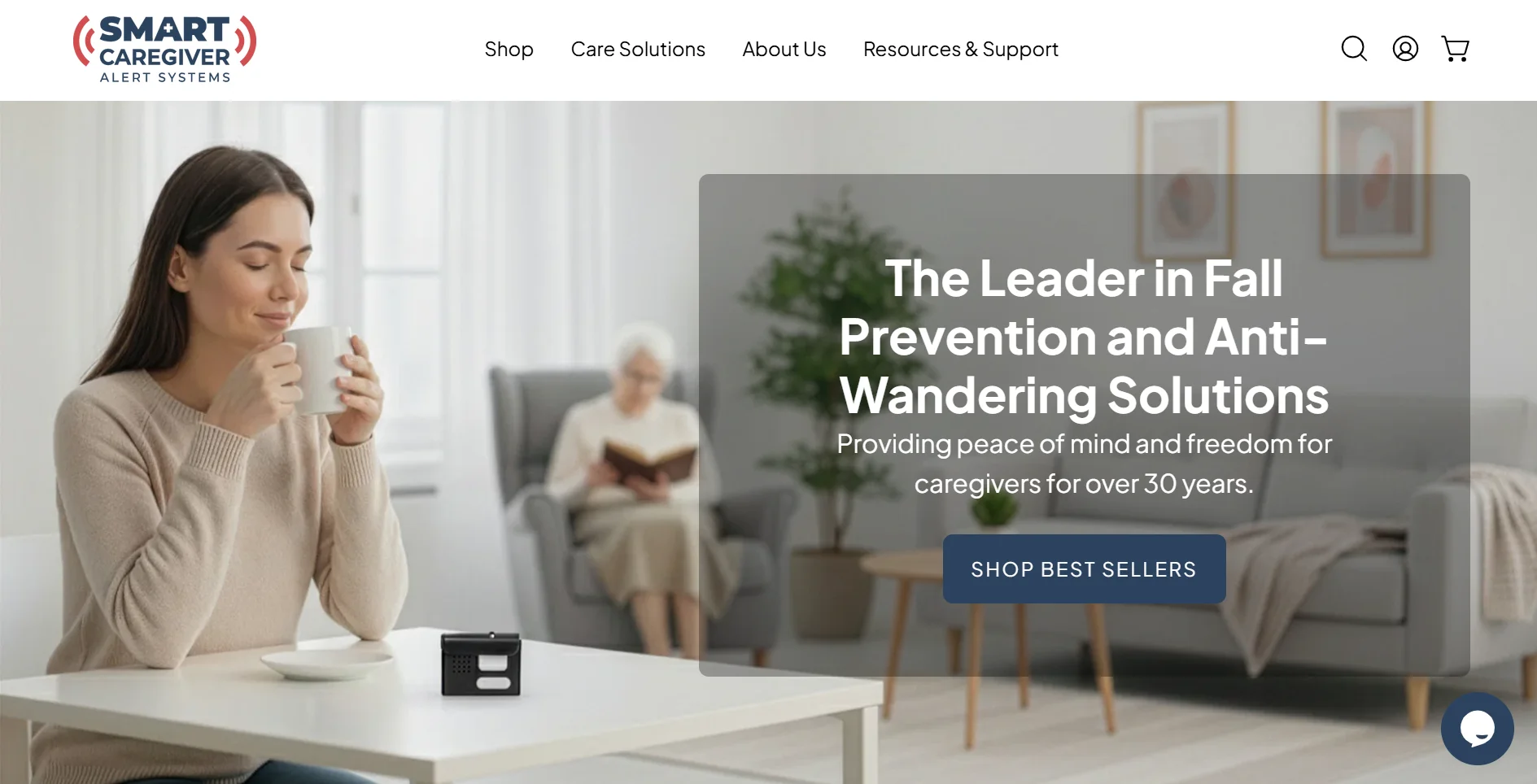
Smart Caregiver can page a nearby caregiver when a bed pad detects pressure leaving the mattress. That early local alert can matter during a night-time bathroom walk, before a fall-risk resident crosses the room.
Smart Caregiver is local hardware: call buttons and sensors send alerts to a nearby pager with no internet setup or monthly monitoring. Its 433 MHz RF link is published at up to 300 feet.
Best for
Smart Caregiver fits local, on-site care where one nearby caregiver is responsible for the pager.
Home dementia care: Bed and chair pads can alert when a resident gets up without pressing anything.
Single-room fall-risk monitoring: A bed-pad pressure release can notify the caregiver before a risky walk begins.
No-internet setups: The system works without Wi-Fi, an app, a hub, or cloud account setup.
Fixed-cost buying: Hardware is bought once, with no monthly subscription or professional monitoring fee.
How alerts work
Smart Caregiver is a local RF chain. Each trigger has one job: wake the caregiver pager.
The resident presses a call button, or a bed pad detects pressure leaving the mattress.
The transmitter sends a 433 MHz RF signal to the paired pager within the published range.
The pager sounds an audible alert; vibration-only output is not confirmed for the standard setup.
Because the pad is cord-free, there is no lead running from the bed to the caregiver device. That removes one cord from the bedside setup.
Key specs to check
Confirm the exact Smart Caregiver kit before buying; button-only kits and bed-pad bundles include different hardware.
Spec | What to verify |
|---|---|
Frequency and range | 433 MHz RF, published up to 300 feet before walls reduce distance. |
Typical pricing | Basic kits around $22.95-$49.95; bed alarm bundle around $129.95. |
Monitoring | Local pager only, with no professional monitoring or emergency dispatch. |
Wet areas | No confirmed waterproof or IP rating for standard call buttons. |
Watch-outs
Smart Caregiver's safety margin depends on a nearby caregiver hearing the local pager and acting quickly.
Test the 300-foot range across the routes staff rely on; walls can turn a published maximum into missed pages.
Keep the pager where staff can hear it. In shared rooms, a loud local alarm can wake residents and still miss the right caregiver.
Plan backup coverage during breaks. A local pager does not notify a monitoring center when the caregiver is out of range.
Treat bed pads as exit alerts only. A bathroom fall still needs a button press or another sensor.
Verify wet-room use before purchase, since standard call buttons do not have a confirmed waterproof rating.
7. Val-U-Care caregiver alert systems
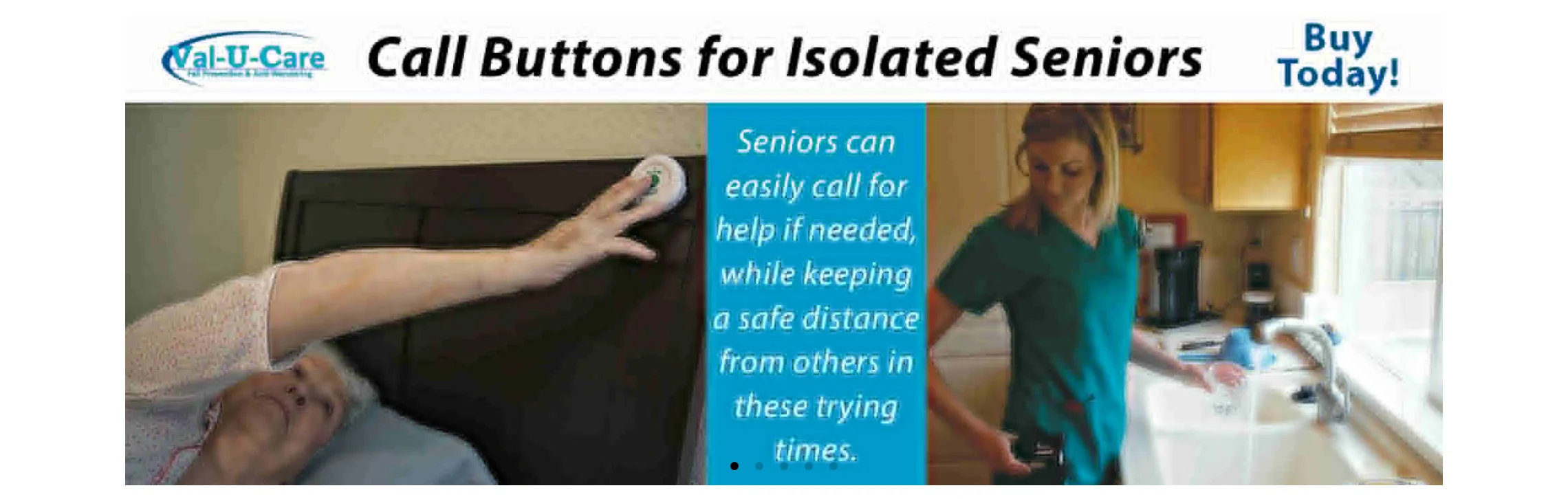
Val-U-Care can alert a nearby caregiver when a resident gets up from a covered bed or chair. The signal comes from the pressure pad before the resident crosses the room.
Val-U-Care is still a local alert kit. Available product information does not show digital routing or professional dispatch.
Best for
Val-U-Care fits on-site home care where the caregiver wants one local kit for manual calls plus bed or chair exits.
On-site family care: Alerts go to a local pager or monitor, so the caregiver needs to be in the same home or close by.
Bed and chair exits: Pressure pads trigger when the resident gets up from a covered surface.
Manual help requests: The call button gives the resident a way to ask for help when they can press it.
No-fee hardware: Bundled packages start from around $119.95, with no monthly monitoring fee.
How alerts work
Val-U-Care separates two alert paths. Pads watch known surfaces; call buttons depend on the resident pressing them.
Trigger or path | What reaches the caregiver |
|---|---|
Bed or chair pad | Local monitor or pager alerts when pressure leaves the covered surface. |
Call button | Local monitor or pager alerts after a manual press. |
Connectivity | Local signaling only; no app, Wi-Fi, internet connection, or monitoring center. |
Location detail | Device-level alert only; no floor plan, room map, or named resident profile. |
The pad is useful for predictable moments, such as getting out of bed at night or standing from a favorite chair after meals. Coverage stops in an uncovered hallway or bathroom.
Key specs to check
Val-U-Care publishes practical limits by product, so confirm the exact monitor and bundle before expanding a setup.
Starting package price is around $119.95 for bundled call-button and pad kits.
Wireless range is published at up to 300 feet under stated conditions.
Official system capacity is published by product; use the listed transmitter and receiver limits before adding rooms.
Water-resistance certification for standard call buttons remains unconfirmed.
Passive coverage comes from bed or chair pads; manual coverage still depends on the resident pressing the button.
Watch-outs
Val-U-Care becomes risky when a care plan treats a local pager like a monitored service.
Distance creates silence. A published 300-foot range can shrink through walls, and a missed page has no remote backup.
Pads cover surfaces, not rooms. A hallway or bathroom fall stays invisible unless the resident can press the button.
Local response needs a named person. Someone on-site must carry the pager during meals, breaks, and night checks.
Wet-area use needs written confirmation. A non-rated call button should not be built into a shower routine.
Side-by-side comparison
Use this table as a quick filter before the detailed entries. Confirm current pricing, plan names, water-resistance ratings, and response workflows with each vendor before purchase.
Tool | Alert Destination | Connection Type | Monitoring Model | Water Resistance | Starting Price |
|---|---|---|---|---|---|
Guardian | Web dashboard + portal (facility-wide) | Wireless sensor network | Facility-grade portal; pricing on request | Yes (healthcare-grade hardware) | Request quote |
National Call Systems | Central monitor unit or LCD pager | Local RF wireless | No subscription; one-time hardware | Not waterproof | ~$19.62/button; systems from ~$90 |
CallToU | Plug-in or portable receiver | Local RF wireless | No subscription; one-time hardware | IP55 waterproof | One-time kit purchase |
Lifeline | 24/7 professional response center | Landline or cellular | Subscription from $34.95/month | Water-resistant (shower-safe) | $34.95/month |
Nomo Smart Care | Smartphone app + optional pro agents | WiFi hub | Hardware $199.99 + $19.99/month app | Yes (bath and shower rated) | $199.99 hardware + $19.99/month |
Smart Caregiver | Portable vibration/voice pager (on-person) | Local RF wireless | No subscription; one-time hardware | Not confirmed waterproof | Kits from ~$22.95 |
Val-U-Care | Local wireless receiver | Local RF wireless | No subscription; one-time hardware | Not water-resistant rated | Packages from ~$119.95 |
After comparing device specs, the facility procurement supplier roundup helps separate hardware sellers, installers, and platforms.
Features that actually matter when choosing
Use these questions during vendor demos. Ask every supplier the same questions, then test the answers on one ward, one home, or one home care route.
Criterion | Failure mode | Question to ask vendors |
|---|---|---|
Alert routing and escalation | A local beep can be missed during handover, night rounds, or another incident. | Which staff role receives each alert, and what escalation runs after no acknowledgement? |
Resident and room context | Staff lose time when alerts show only a device ID or generic zone. | Can alerts show resident, room, bed, and event type on staff devices? |
Automatic detection | A resident may fall, sleep, or become confused before pressing a button. | Which risks are monitored without a button press, and how are false alerts tuned by resident? |
Bathroom and infection-control fit | A vague water-resistant claim may fail in showers or during cleaning. | What is the IP rating, cleaning guidance, battery process, and approved bathroom placement? |
Site coverage and resilience | Thick walls, lifts, basements, and multiple wings can create dead spots. | Will the vendor run a ward walk test and explain backup behaviour during WiFi, power, or hub failure? |
Records, standards, and governance | Care homes need evidence for audits, safeguarding reviews, complaints, and incident learning. | Which reports support the CQC Single Assessment Framework, and which NHS DTAC-style, GDPR, or CE/UKCA documents are available where applicable? |
Cost and pilot proof | Cheap hardware becomes expensive if response times and missed alerts cannot be measured. | What pass/fail thresholds will the pilot use for acknowledgement time, unanswered alerts, and total rollout cost? |
Records and escalation questions often spill into software; the records-and-routing software comparison sorts those options by workflow.
How to choose when the list leaves open questions
When the shortlist is close, run a small site test before a full purchase. Use one ward for each vendor, with the same staff roles and escalation rules.
Workflow map: Name the alert receiver for day and night shifts, then set the escalation rule after no acknowledgement.
Coverage test: Prove coverage in wet rooms, lifts, basements, and the furthest bedroom before relying on range claims.
Acknowledgement data: Compare pre/post acknowledgement time, response time, and unanswered alerts before rollout.
Staff feedback: Record whether alerts are clear, trusted, and practical during a normal shift.
Compliance evidence pack: Ask for data-processing terms, CQC inspection evidence support where relevant, and NHS DTAC-style, CE, UKCA, or GDPR documentation where applicable.
Rollout cost: Confirm hardware, subscription, replacement, training, and support costs before scaling.
When a call button is not enough
A resident call-button system covers the moment when a resident can press for help. That leaves a gap after a silent fall, during a night-time bed exit, or when dementia means the button is left on the bedside table.
About 80% of older adults with a personal emergency response system did not activate it after a fall.
For a care home, the safer test is the whole response chain:
Who receives the alert: a named role on shift, not an unattended desk.
Where staff go: resident, room, and event type shown before anyone starts searching.
What happens next: acknowledgement, escalation, and response time recorded automatically.
What covers the quiet gaps: bed, door, motion, and fall signals when nobody presses the button.
That is where facility-grade monitoring earns its place. Guardian keeps the SOS button, then adds room-level location, passive signals, routed alerts, and records managers can review after the shift.
No. Call buttons only need a monthly fee when the service includes app features, cellular connection, 24/7 professional monitoring, or cloud alert history.
No monthly fee: Local pager systems such as National Call Systems, CallToU, Smart Caregiver, and Val-U-Care alert a nearby receiver or pager.
Monthly fee: Services such as Lifeline and Nomo Smart Care add monitoring, app alerts, or response support.
Main trade-off: No-fee systems cost less, but they depend on someone being close enough to respond.
Some are water-resistant enough for bathroom or shower use, but not all. Check the product's IP rating before placing a call button in a wet area.
IP55 is a practical minimum for bathroom use because it covers dust protection and water jets. It does not mean the button can be submerged.
Confirmed bathroom use: CallToU lists IP55 water resistance, Nomo Smart Care tags are bath and shower rated, and Lifeline pendants are shower-safe.
No confirmed rating: National Call Systems, Smart Caregiver, and Val-U-Care do not show a waterproof rating in the available product information.
Yes. Many wireless call button systems let you pair multiple buttons to one receiver, so two people can each have their own button.
For a simple home setup, assign different tones or display labels where the system supports them. That helps the caregiver know which button triggered the alert.
Two buttons on one receiver can work for a home. In a care home, staff need named resident profiles, room-level location, and alert history so they know who called and what happened next.
No. Fall detection and a call button cover different emergencies, so they work best together.
The LeLaurin et al. finding from the introduction shows why this matters: many older adults with personal emergency response systems did not activate them after a fall.
Fall detection helps when someone cannot press for help, forgets the button, loses consciousness, or has a risky bed exit.
A call button helps when the person is awake, distressed, in pain, or needs support before a fall happens.
The safest setup gives staff both options, then tunes alert rules so caregivers keep trusting the system.

Author
Aleks Timm
Aleks Timm leads Guardian and builds privacy-first operations technology for care homes and home care providers. Teams get location-aware alerts they can act on, clearer situational awareness, and measured insight into how care work actually runs.
Read MoreRecommended reads
Keep reading
5 Best Elderly Fall Detection Devices for Homes and Care Teams
5 best elderly fall detection devices for homes and care teams, with reliable alerts, room-level context, and fast response options...
Read more
8 Best Senior Monitoring Systems
8 best senior monitoring systems reviewed to help you choose the right alert, safety, and location tracking solution for better...
Read more
9 Incident Reporting Systems for Resident Safety, Ranked
Compare 9 incident reporting systems for resident safety and find the best option to reduce paperwork, improve response times, and...
Read more