WiFi Nurse Call Systems

Real-time alerts. Clean records. No wiring.

After a fall, a wander, or a family complaint, the first thing inspectors and families ask for is records: who checked on the resident, when, and what happened.

This guide covers the main system types, the features that matter for day-to-day operations, and how to match a system to your facility.
Real-time alerts. Clean records. No wiring.

How it works

What is a WiFi nurse call system?

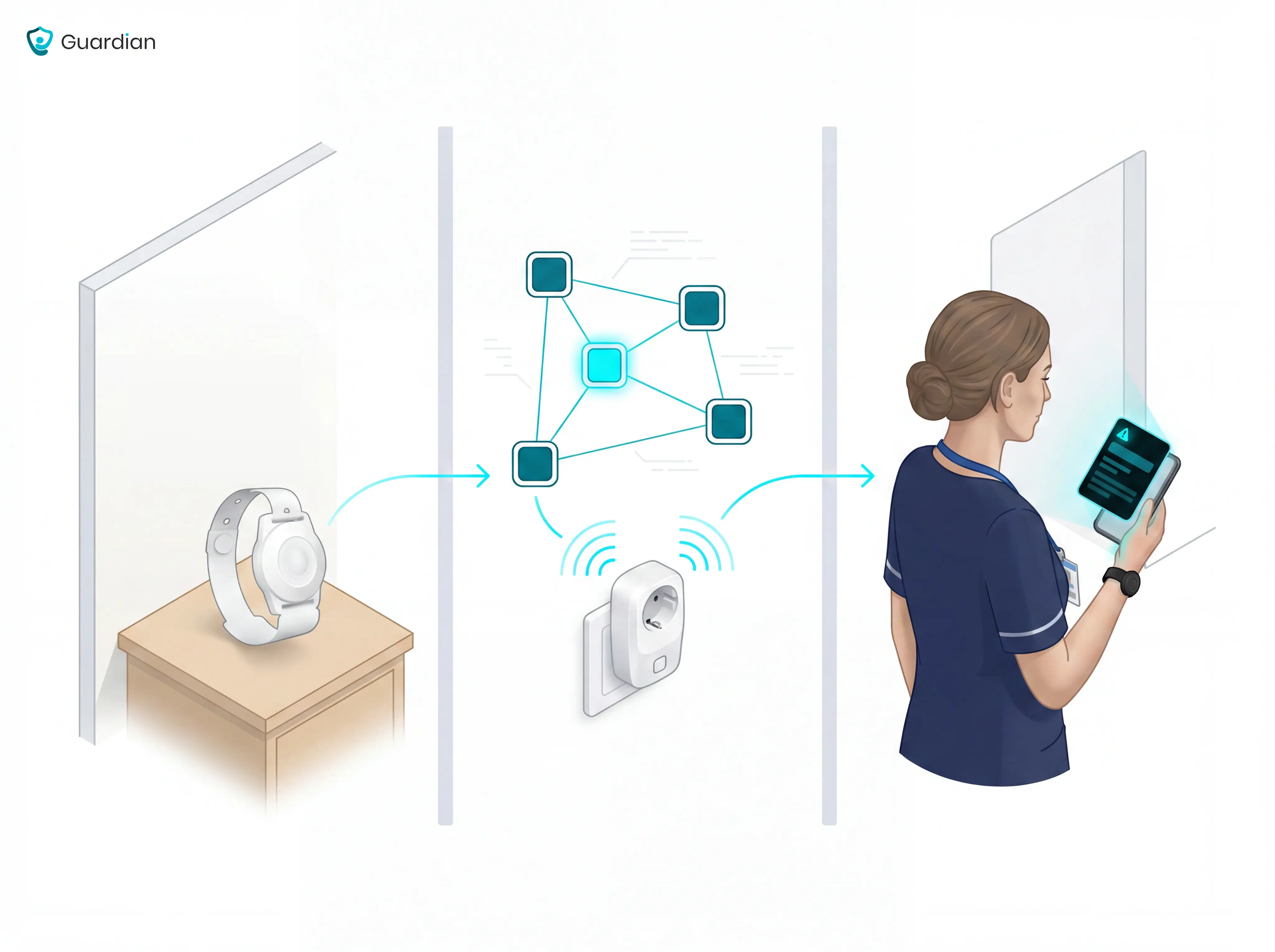
A WiFi nurse call system is an IP-based alert platform that connects patient call buttons and sensors to caregivers via a facility's wireless network.

When a resident presses a call button, the system sends data packets to specific device IP addresses on the facility network, routing the alert to the assigned caregiver's device. Alerts appear on smartphones, pagers, or a central display depending on the system's notification setup.

Call buttons and pull cords

Core hardware in patient rooms connects to a WiFi hub and routes alerts to caregiver devices instantly.

Existing network, no extra cabling

All data travels over the facility's existing IP network. No dedicated radio hardware or wall cabling required.

Sensors beyond the call button

Modern systems add bed exit sensors, motion sensors, and SOS buttons — all feeding into a central software portal.
What is a WiFi nurse call system?

System types

WiFi vs wireless vs wired: what's the difference?

WiFi is a type of wireless communication. Wired systems use physical cabling, wireless systems use radio signals (including WiFi and 900MHz RF), and WiFi specifically routes data over an existing IP network.
Column 1WiredWireless (RF)WiFi
InstallationCabling through walls, floors, and ceilings. Disruptive in operational facilities.Buttons mount where needed. No major construction.Routes over existing IP network. No separate cabling or RF hardware.
CoverageFixed to designated call points where cabling was installed.Extends throughout facility. 900MHz mesh options penetrate walls consistently.Facility-wide via existing network. Check for dead spots in older buildings.
Network dependencyStandalone. No network required.Operates on dedicated RF frequency. No WiFi dependency.Shares facility network. Encrypted communications. Interference managed through channel planning.

Choosing your infrastructure

When does a WiFi-based system make sense?

Whether WiFi is the right fit depends on your facility's infrastructure and coverage needs. Most existing care facilities suit WiFi well — but some scenarios favour dedicated RF or wired.

WiFi is the right fit when...

Cabling is impractical or cost-prohibitive to add.
Staff need mobile app-based alerts on smartphones they already carry.
The facility has a reliable existing WiFi network.
Quick deployment on existing infrastructure is needed, with setup running about a week per ward.
Consider dedicated RF or wired when...

Building is new construction with cabling planned from the start.
Network reliability cannot be guaranteed.
Thick walls create WiFi dead spots that RF coverage avoids.
DECT protocol is preferred for a licence-free band with lower interference in dense environments.

Features that matter

Alert routing and mobile notifications

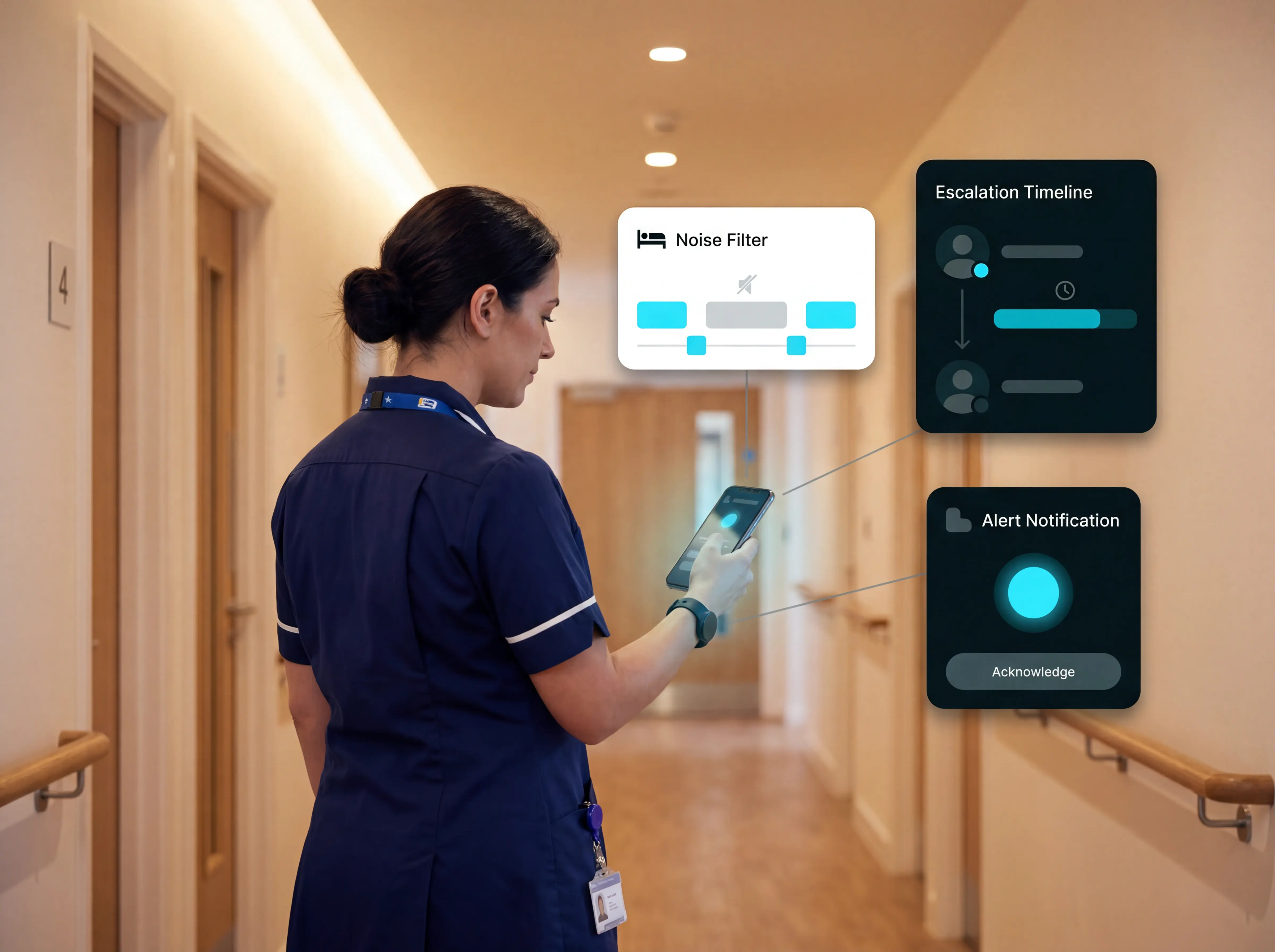
Good alert routing sends location-specific calls to the right staff device in real time, with escalation rules that prevent any alert from going unanswered.

High alarm volumes contribute to alarm fatigue — a recognised safety risk that increases the chance of real events going unnoticed. Smart rule configuration reduces notification noise without missing genuine safety events.

Real-time smartphone alerts

Modern smart staff alert systems push alert data and acknowledgments directly to staff smartphones and tablets, replacing fixed pager hardware.

Auto-escalation

Unacknowledged alerts forward to the next available caregiver or supervisor after a set timeout. Three to five minutes is the functional benchmark for fall-risk residents.

Smart noise filtering

Configurable rules suppress routine bed-exit alerts — for example, when a resident returns within five minutes — reducing non-actionable notifications.
Alert routing and mobile notifications

Features that matter

Reporting and analytics

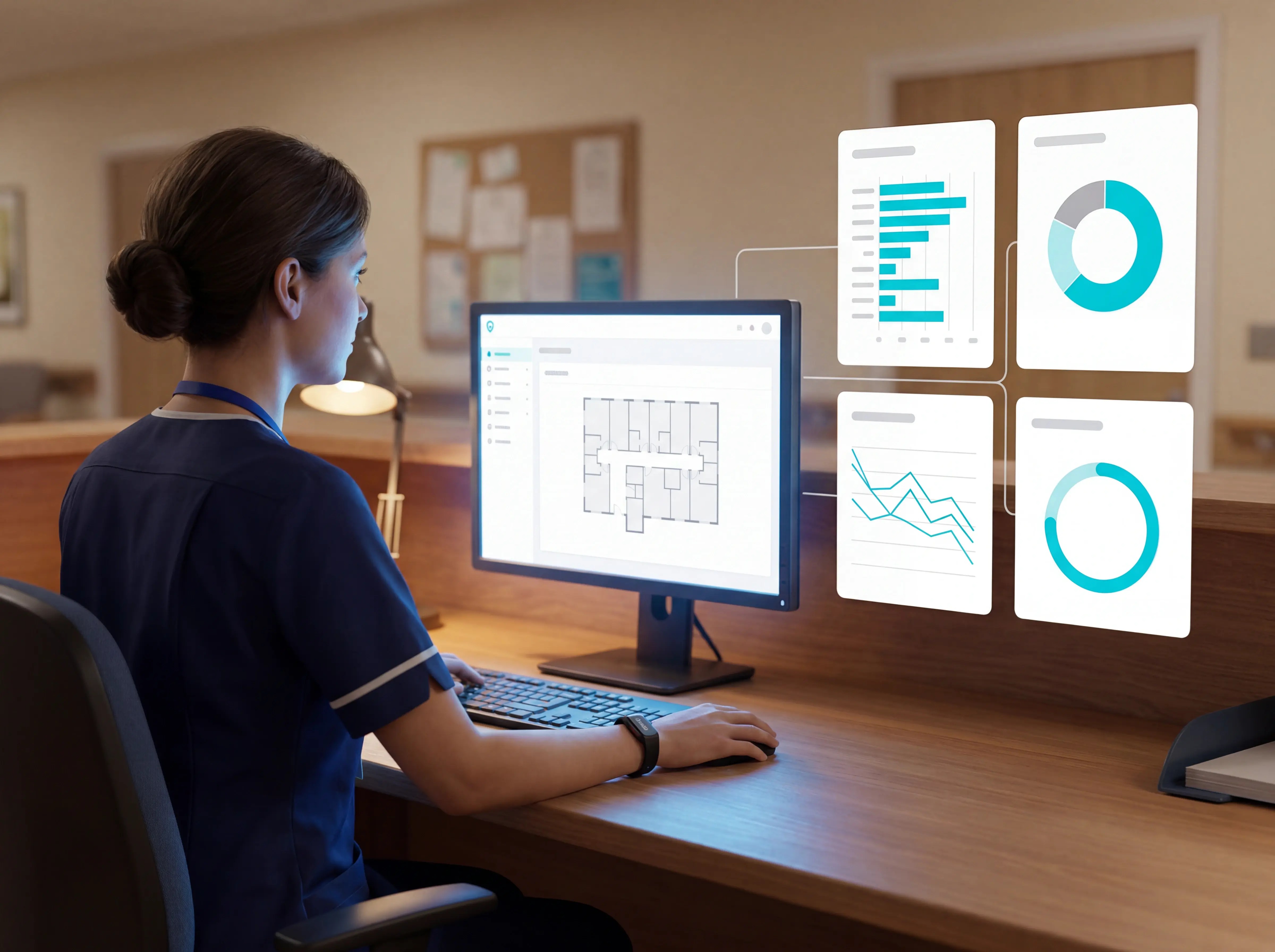
A modern call bell system logs every alert and response automatically. Reports are ready when a manager opens the dashboard — no manual entry after the shift.

Average response time to alerts

Track how quickly staff acknowledge and attend each alert, by ward and by shift.

Ratio of actionable to total alerts

A high ratio of non-actionable alerts signals that smart rules need tuning. Track this from week one.

Incidents per ward per month

Month-on-month incident data gives managers the evidence base for staffing decisions and compliance reviews.

Visit verification rate

Confirms that caregiver attendance was logged for every alert, giving a complete audit trail.
Reporting and analytics

Features that matter

Fall detection, wander prevention, and safety integrations

Research found that around 80% of older adults wearing a PERS did not use their alarm to call for help after a fall. Button-press dependency is a critical design flaw for high-risk residents.

Fall detection cannot rely on button-press at all. Auto-detect pendants or passive sensors are a requirement, not an upgrade.

Auto fall-detection pendants

Send alerts automatically when a fallen resident cannot press the call button. A wristband-plus-bed-sensor combination catches falls away from the bed and bed exits that precede fall attempts.

Wander prevention

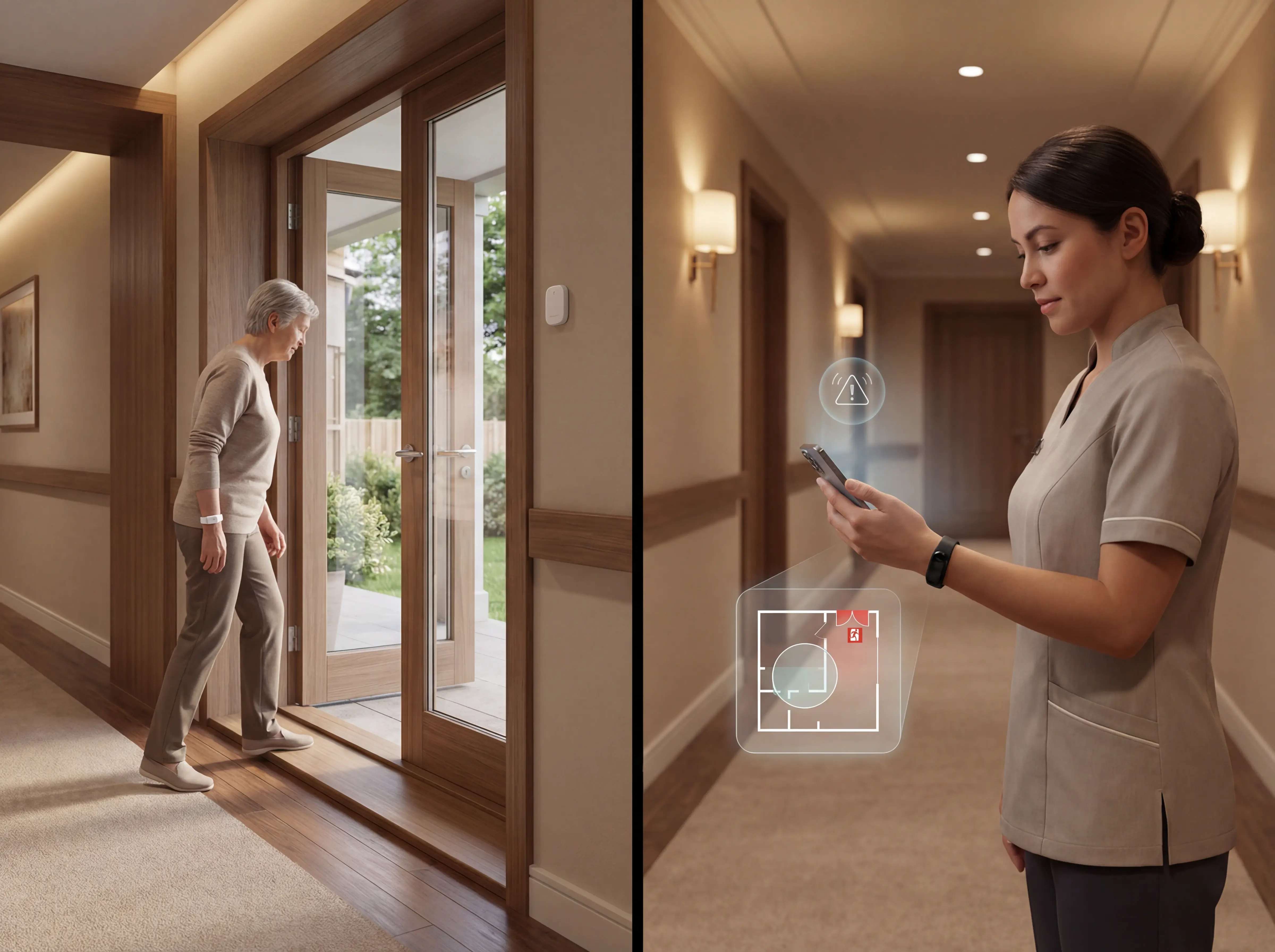
Perimeter monitoring zones, instant staff alerts, and customisable wander tags for at-risk residents. A live-location system alerts as a resident approaches a restricted area, giving staff more response time than a fixed wall sensor.

Single alert and reporting layer

All sensor types — motion detectors, smoke and CO detectors, door alarms — should route through one system. SOS and auto fall-detection alerts must be hardcoded as non-suppressible.

Passive bed exit sensors

Detect unusual activity automatically with no resident action needed. Critical for memory care residents who cannot or will not press a call button.
Fall detection, wander prevention, and safety integrations

Facility types

Choosing the right system for assisted living and residential care

The right nurse call system depends on resident acuity, cognitive ability, and regulatory requirements. In NHS and regulated UK settings, HTM 08-03 sets the baseline technical requirements for failsafe operation.

Assisted living monitoring systems should be easy for residents to use, privacy-first by design, quick to install, and built to route alerts to mobile staff in real time.

Mobile alert routing

Real-time notifications to caregiver smartphones or pagers, so staff receive alerts wherever they are in the facility.

Escalation logic

Unacknowledged alerts pass to a supervisor or second responder automatically, so no alert goes unanswered.

Audit trail minimum

Automated call logging, timestamped response records, and exportable audit trails. These are the records regulators and families request after an incident.

Regulatory alignment

System selection should match the regulatory standards and infrastructure requirements for your facility type. Ask vendors for a sample exported audit report from a live site.
Choosing the right system for assisted living and residential care

Facility types

Memory care and dementia units

Memory care residents cannot call for help and often will not. The whole safety model has to work around that.

Passive monitoring is non-negotiable in memory care. Dementia residents frequently remove pendants and wristbands — any system that depends solely on a worn device has predictable coverage gaps in the highest-risk population. Wearables and passive sensors solve different risks, and the care-setting fall-detection roundup compares both side by side.

Passive monitoring

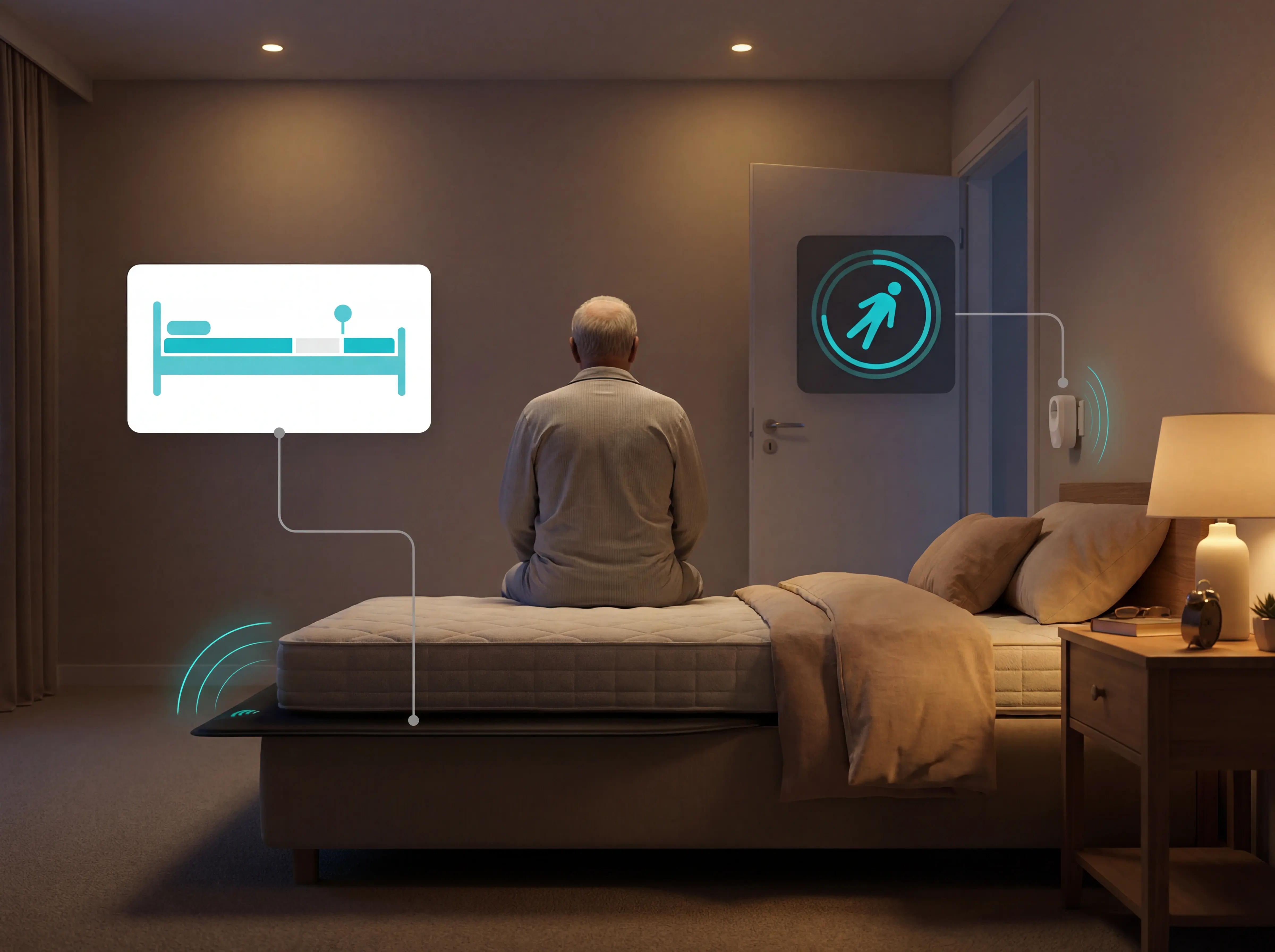
Bed exit sensors and motion sensors detect unusual activity automatically, with no resident action needed. A resident with advanced dementia who leaves their bed at 2am triggers an alert within seconds.

Bed exit sensors

Alert staff the moment a high-risk resident leaves their bed unassisted, before a fall occurs. Critical in memory care settings.

Smart alert logic

Filters routine movements from genuine risk events. Track the ratio of bed exit alerts requiring intervention — if that ratio is not improving over four weeks, sensor sensitivity thresholds need tightening.

Wander prevention with exit monitoring

Equal coverage across wander prevention, passive automated monitoring, and reliable fall detection is the minimum standard for memory care units.
Memory care and dementia units

Guardian in action

How Guardian works in a care home

Guardian gives care home staff real-time, room-level visibility of every resident, caregiver, and asset — with automatic records built in from day one. It is wireless, camera-free, and runs on existing WiFi.

Guardian Insight is the software layer that brings everything together: live location, alerts, automated reporting, and daily operational oversight in one platform.
01

Nurse call with live location

Residents call for help from a wearable wristband. Guardian sends an immediate alert with the resident's name and live location to the caregiver's phone. Fall detection is automatic — the wristband accelerometer fires an alert even if the resident cannot press anything.
02

Exit detection and bed sensors

Guardian alerts caregivers the moment a resident enters a restricted area or exits the building. Bed sensors track each resident's activity automatically — when they are in bed, when they leave, and how routines change over time. No resident action needed.
03

Automated reporting and audit trail

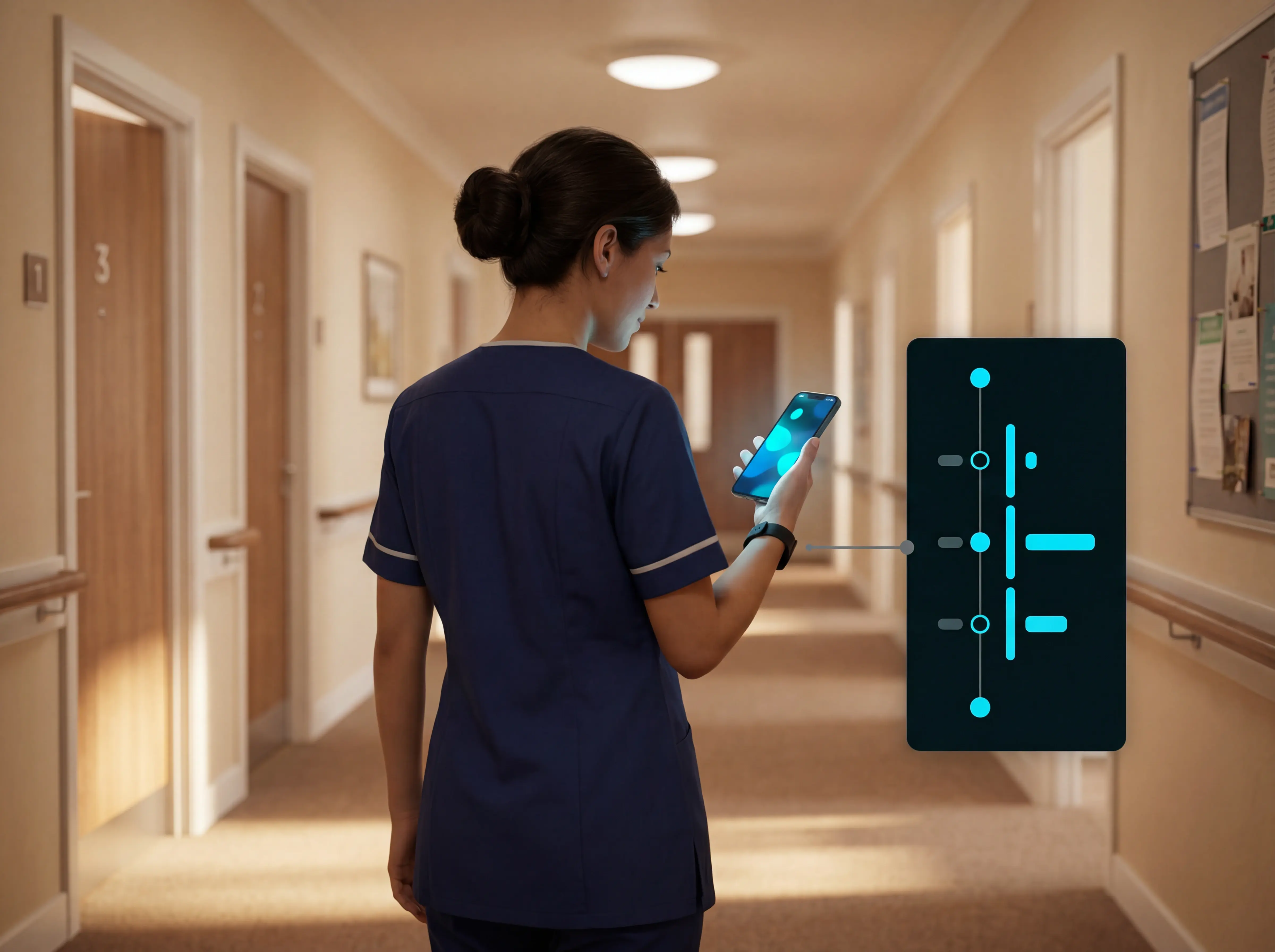
Guardian records when staff arrive, where they have been, and how long they stayed. Every visit is documented automatically — no manual notes, no end-of-shift guesswork. Reports are ready when a manager opens the dashboard.
04

Caregiver SOS and asset finder

Caregivers carry their own wristband and can call for help instantly with one press — without leaving the situation or searching for a phone. The asset finder lets staff locate any tracked equipment (wheelchair, lift, medical device) by name in real time.
05

Pilot: map, run, and review

Guardian pilots one care home, ward, or home care team. The process runs in three steps: map your workflows and priorities, run a focused pilot on the highest-value use cases, then review results and set rollout steps. You get real data on response times, visibility, and planning within 6-8 weeks.

Buyer's guide

Questions to ask before you buy

Most nurse call problems are not missing features. They are false alarms that erode staff trust, visit records that cannot be evidenced after an incident, and systems with no clear ROI. Each question below tests for one of those risks.

Will this make alert fatigue better or worse?

Ask whether alert rules can be configured to filter routine activity — for example, a resident out of bed for under 10 minutes. Ask for the ratio of actionable to total alerts at a reference site.

What if a resident removes the device?

Check whether the system includes passive, infrastructure-level detection (bed exit sensors, door sensors, motion sensors) that works independently of what the resident is wearing.

Can it produce records for inspectors?

Find out whether alert events, response times, and caregiver attendance are logged automatically. Check whether reports are queryable by date, resident, caregiver, and event type.

How much installation work is involved?

Ask for a realistic deployment timeline for a single ward, including WiFi assessment, device configuration, and staff training. A 'plug and play' headline rarely reflects what setup actually takes.

What are the contract exit terms?

Ask how the contract ends if the system underperforms. Check whether a structured pilot with a written ROI report is available before any multi-year commitment, and whether you can export historical alert logs on exit.

Ward pilot

See how Guardian replaces your nurse call system without the wiring

Guardian checks each criterion this guide covers: location-aware alerts with room-level precision, automatic response-time records, no drilling or cabling, and a camera-free design that preserves resident privacy and dignity.

A pilot runs on a single ward for 6-8 weeks with no disruption to daily care. It ends with a written impact and ROI report based on your own facility data, not vendor estimates.
Try it now

Common questions

FAQ

Does it work on your existing WiFi network? +
Guardian works on existing WiFi networks using 2.4 GHz wireless sensors that integrate with facility infrastructure without dedicated cabling. Nurse call modules operate on any 2.4 GHz network already in place, with no dedicated VLAN or enterprise-grade infrastructure required. Mesh architecture provides failover resilience so coverage continues if a single access point drops.
What happens if the WiFi goes down? +
WiFi nurse call systems lose central alerts, dashboards, and notifications during outages, while local sensor alarms often continue. During the July 2024 CrowdStrike incident, 34% of US hospitals experienced network disruptions with a median downtime of 5.1 hours — for a facility with 80 or more residents, five hours of alert blackout is a real staffing and liability scenario.

Facilities should plan for both technical failover options (self-healing mesh networks, hybrid wired/wireless architecture, battery-powered backup devices) and manual backup procedures (documented protocols, regular outage drills, paper-based records). Brief frontline teams on which alert functions remain active locally and which require network connectivity.
Do WiFi nurse call systems meet UL or CQC requirements? +
WiFi nurse call systems can meet UL 1069 certification and support CQC compliance when properly designed and maintained. RF Technologies' Quick Response Pro is UL 1069 certified; BEC Integrated Solutions and Intercall Systems also market UL 1069-listed wireless nurse call systems.

In the UK, systems are assessed under Health and Social Care Act 2008, Regulation 12 (Safe care and treatment). CQC inspects nurse call under the Safe domain, and HTM 08-03 (NHS England) requires systems to be safe, fit for purpose, and appropriate to clinical needs. Maintain regular testing records and keep documented audit trails as evidence of compliance.
How easy is installation and ongoing maintenance? +
Guardian sensors attach with adhesive strips and the hub plugs into a standard power outlet — no drilling, cabling, or contractor required. A single ward can be live within a day of unboxing.

Ongoing maintenance is low-effort: primary lithium sensors and pendants last 12-18 months under normal use. Proactive calendar-based swaps every 12 months prevent silent failures more reliably than reactive alert-only replacement. Scheduled monthly functional tests combined with quarterly battery and RF audits cover the majority of failure modes before they affect residents.