

7 best chair alarms for the elderly
In this article
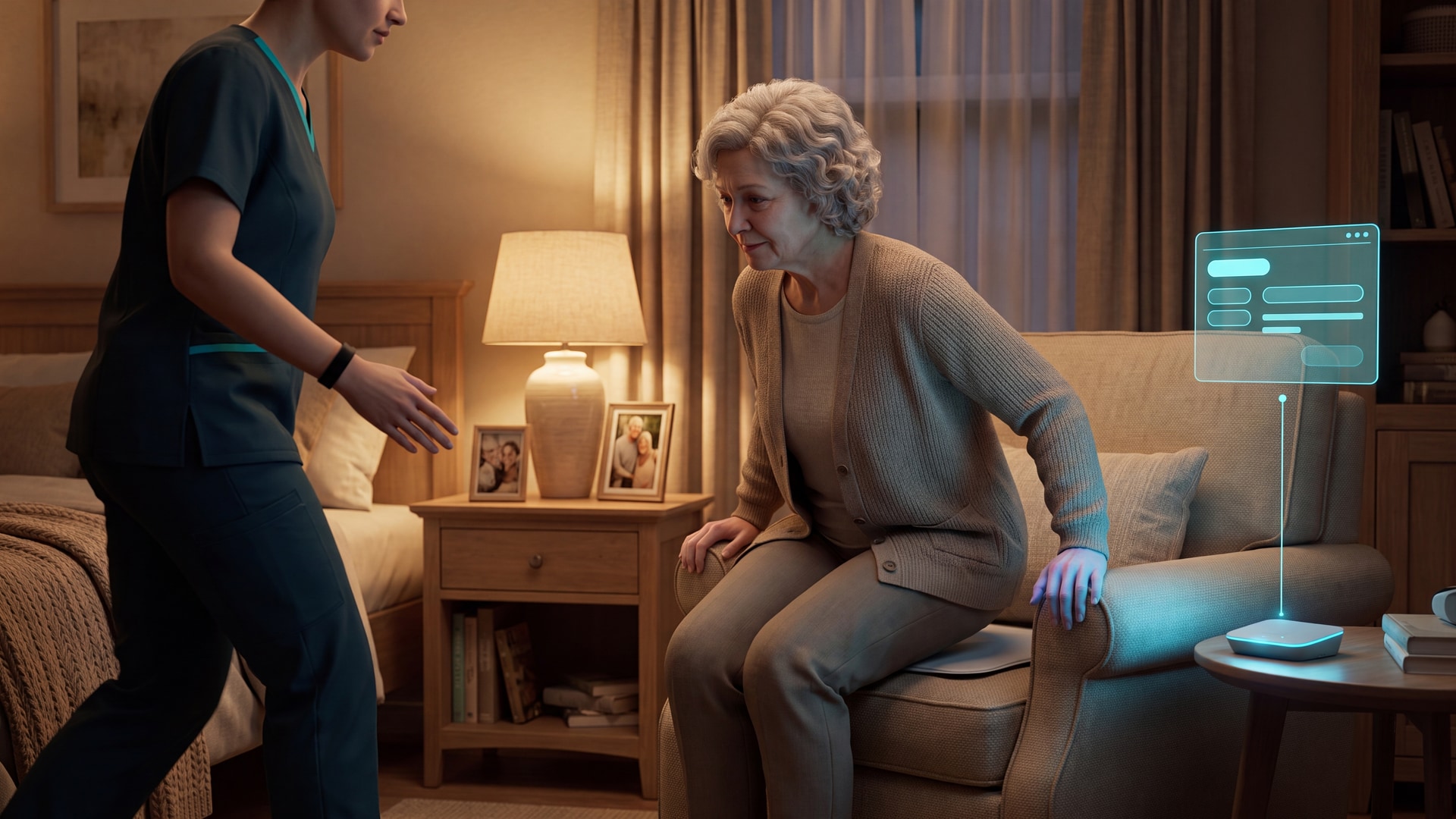
Falls are common in nursing homes and home care, but a chair alarm is still only a response tool. It can alert caregivers when a seated resident starts to stand or shift off a monitored chair.
They do not prevent falls by themselves. Response time, placement, resident fit, and alert routing decide whether the alarm helps in daily care.
This review compares alarms by delivery route and workflow fit. A loud pad helps less when staff cannot tell which resident needs help, or where the alert came from.
Review method. This is an editorial review based on public manufacturer and reseller specifications, published clinical and regulatory guidance, and workflow fit. It is not a hands-on test of every product.
Prices and product specifications were checked in June 2026 where public listings were available. Confirm current pricing, pad life, accessories, and nurse-call compatibility before purchase.
What a chair alarm actually does (and what it doesn't)
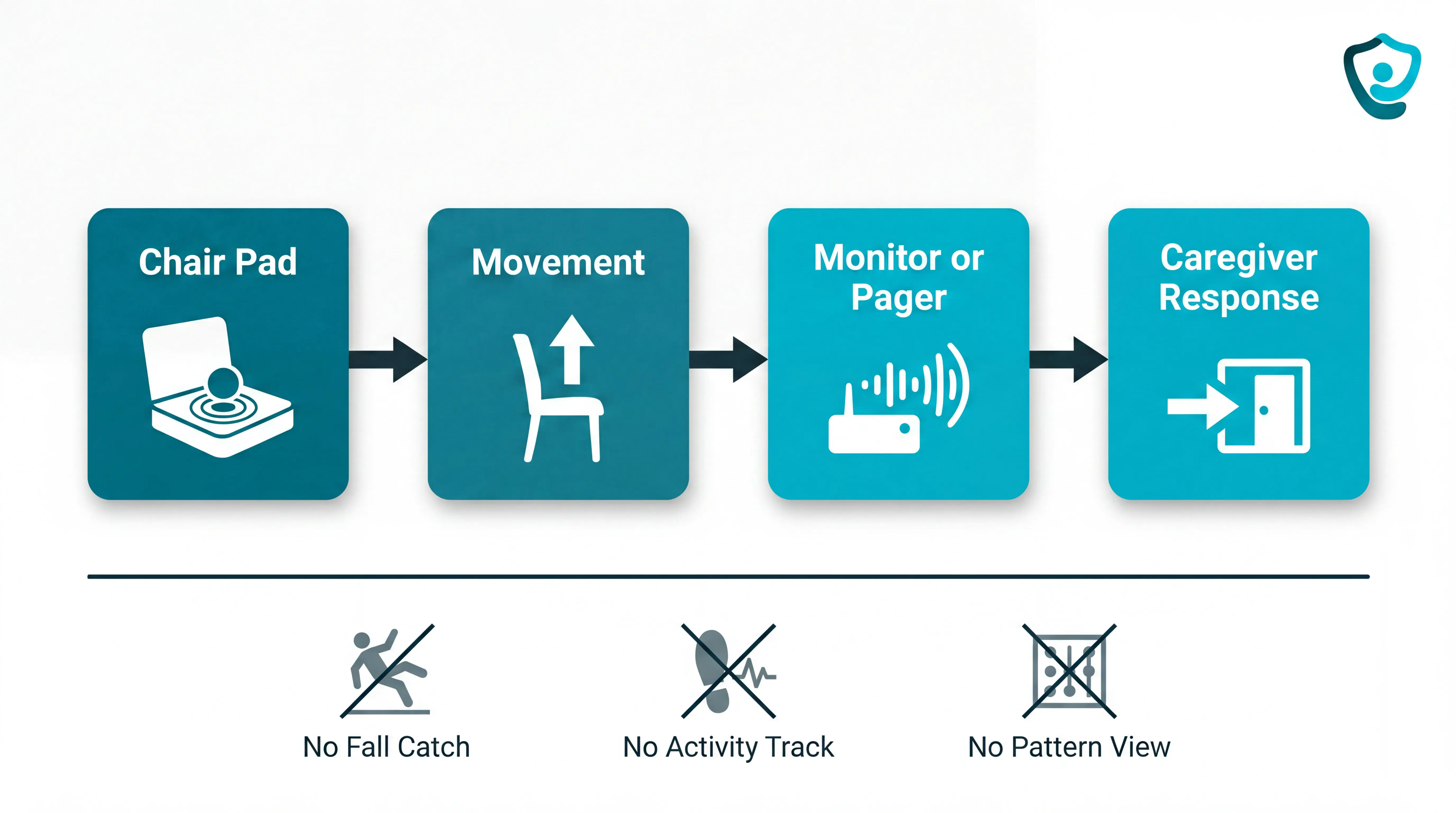
A chair alarm detects a seated resident leaving or shifting off a monitored chair, then sends a sound or signal to a caregiver. The alarm buys response time; it does not stop a fall.
Detection: Pressure pads sense weight leaving the chair; pull-cord systems fire when a clipped cord detaches, and seat-belt sensors fire when a belt is unclipped.
Alert routing: Basic corded monitors sound in the room; wireless and clinical-grade systems route alerts to a pager, nurses station, or nurse-call system.
Range and volume: Institutional local monitors often sit around 98 dB to 108 dB, while wireless pager kits commonly advertise ranges around 300 ft.
Limits: A chair alarm cannot detect a fall away from the chair, track wider activity patterns, or prevent alert fatigue when every movement becomes urgent.
Quick picks by caregiving situation
Use the table as a first-pass filter before reading the full product reviews. Start by matching the alert route to the care setting.
Guardian is included as a platform option for silent, staff-routed exit alerts, while the other picks focus on traditional chair-pad alarms.
Caregiving situation | Best pick | Why |
|---|---|---|
Home caregiver, frequently moving room to room | Smart Caregiver Cordless Chair Exit Alarm | Wireless pager with 300 ft range and voice-recorded guidance travels with the caregiver |
Tight budget, simple local alert needed | Chair Exit Alarm by Val-U-Care | Pressure pad and monitor at $29.95 with basic audible alarm at the chair |
Multi-zone monitoring (chair + bed + doorway) | Economy Cordless Chair Exit Alarm by Nursing Home Aids | 433-EC monitor supports up to 6 wireless sensors for $109.95 |
Nursing facility, nurse-call system integration | Chair Alarm by AliMed | Clinical-grade IQ Sensor Alarm with nurse-call compatibility and visual status lights |
High-noise facility environment | Chair Alarm by Direct Supply | Two volume settings reaching 108 dB for high-traffic ward environments |
Consistent pad-replacement reminders | Chair Alarm by National Call Systems | GhostCord pads with timed expiry (45-day, 90-day, 1-year) trigger automatic replacement alerts |
Facility needing remote activity analytics, not just a chair alarm | Guardian | Software-based platform with sensor network, dashboard, and exit alerts — no local audible alarm |
Dementia care: Voice-recorded guidance is useful when a familiar prompt is less distressing than a raw alarm.
Budget home use: A local pressure-pad alarm is the lowest-cost route when the caregiver stays nearby and only needs an audible prompt.
Facility workflow: Multi-room and nursing-facility buyers should prioritise remote delivery, sensor capacity, nurse-call fit, and records over raw alarm volume.
Editorial verdict
Best whole-facility option: Guardian, for care homes that need routed room-level alerts, reporting, and pilot evidence.
Best home wireless pager option: Smart Caregiver, when one caregiver stays within tested pager range.
Best low-cost local alarm: Val-U-Care, when a nearby caregiver only needs a chair-side audible alert.
Best nurse-call-compatible option: AliMed, when the facility can verify the interface and reset workflow.
For home use, start simple. A local alarm can work for one chair if someone is nearby, while a wireless pager is safer when the caregiver moves around the house. If nobody can respond quickly, a chair alarm does not replace overnight checks or wider activity monitoring.
Full comparison table
Product | Best for | Trigger type | Alert route | Wired or wireless | Public price or quote status | Pad life / upkeep | Main limitation |
|---|---|---|---|---|---|---|---|
Guardian | Care homes needing routed alerts and records | Passive room sensors, chair or bed exit sensors, wearable SOS and fall detection | Staff devices and nurse station screens | Wireless platform | Pilot path; no public consumer price | Sensor upkeep handled through the deployment plan | Not a standalone chair pad |
Smart Caregiver Cordless Chair Exit Alarm | One resident and a mobile nearby caregiver | Pressure chair pad | Portable pager | Wireless 433 MHz kit | Reseller bundle pricing can change | Confirm pad life and replacement cost | No documented voice prompt in the bundle reviewed |
Nursing Home Aids 433-EC kit | Lower-cost multi-sensor local setup | Pressure chair pad and compatible sensors | 433-EC monitor | Wireless sensors | $109.95 listed bundle | Price replacement pads over 24 months | No response record |
National Call Systems GhostCord | One resident with a fixed monitor nearby | Pressure chair pad | Fixed remote monitor with audible and visual cues | Wireless pad to monitor | $168.95 listed kit | Replacement tracking stays manual | Monitor placement decides coverage |
Val-U-Care Chair Exit Alarm | Lowest-cost chair-side alert | Pressure chair pad | Local monitor | Base kit is local corded hardware | $29.95 base kit | Standard pads need planned replacement | Easy to miss outside earshot |
AliMed IQ Sensor Alarm | Facilities with nurse-call infrastructure | Corded chair pad | Local alarm or nurse-call path | Corded pad with facility interface | $73.50 alarm and $33.25 pad listed | Pad options include 30-day, 180-day, and 1-year cycles | Interface and reset workflow must be verified |
Direct Supply Chair Alarm | Institutional catalog purchasing | Pressure chair pad | Attendant monitor | Standard setup is corded | Catalog-listed or quote-based | Timed pad options need a staff log | Limited public pricing detail |
The 7 best chair alarms for the elderly
The seven entries below cover two categories. Guardian is included for facilities that need whole-room monitoring, routed alerts, and reporting, while the other six are standalone chair-alarm products.
Each entry is reviewed by trigger type, alert delivery, wired or wireless setup, chair compatibility, and volume or notification options.
1. Guardian
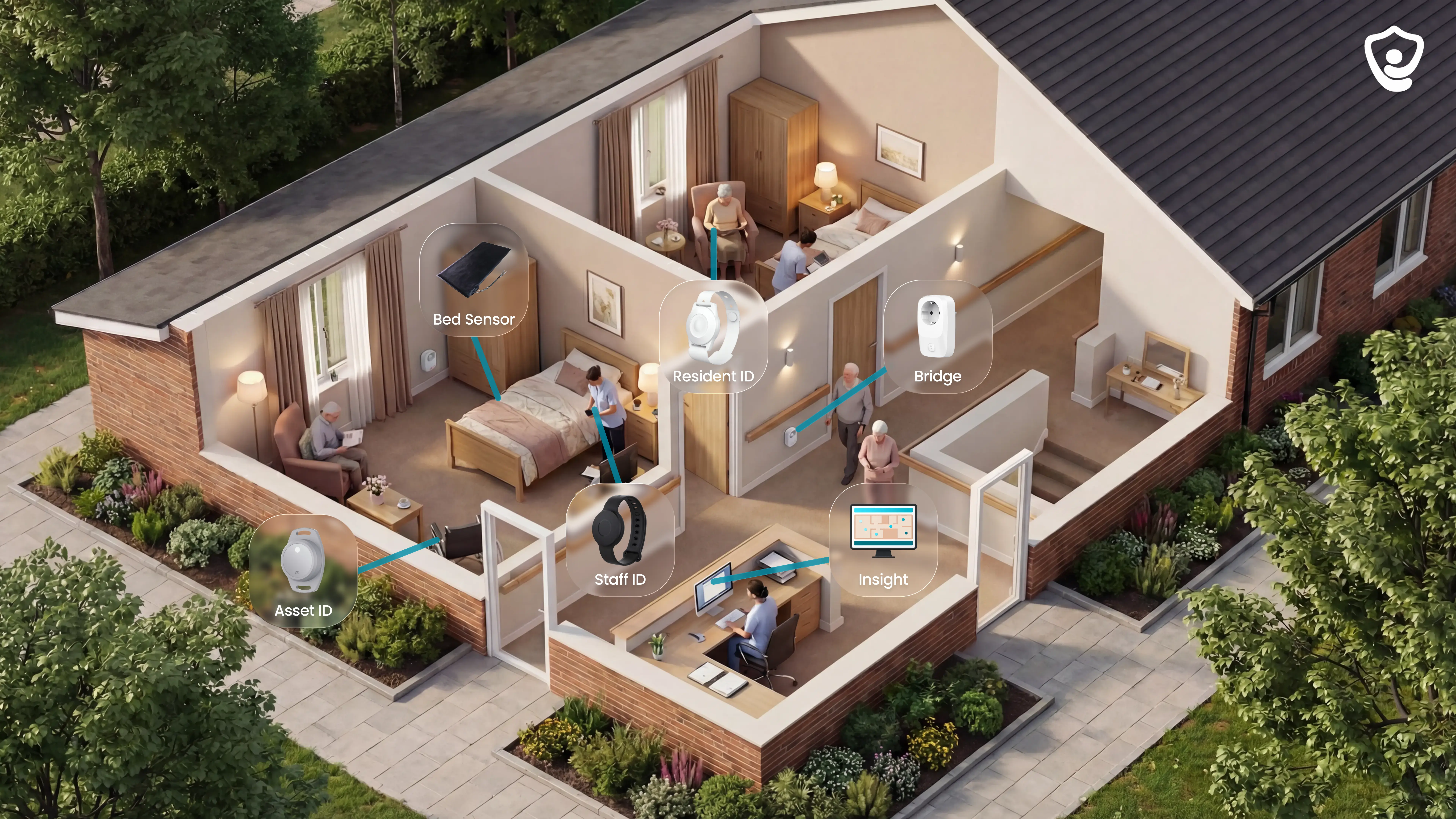
Guardian is the platform choice for care homes that want chair-exit alerts with building context and pilot evidence.
The system connects passive room sensors to staff devices and nurse station screens without cameras.
At a glance
Best for: Care homes that need routed room-level alerts and reporting.
Trigger: Passive room sensors, chair or bed exit sensors, door sensors, and optional wearable alerts.
Alert route: Staff devices and nurse station screens.
Price: Pilot-led commercial path, with no public consumer price.
Watch-out: This is not a low-cost standalone chair pad.
Use Guardian when the care setting needs these four things:
A bedside buzzer gives too little room and resident context.
Staff need alerts routed with the room, resident, and event type attached.
Managers want pilot data before a multi-ward rollout.
The care setting needs passive monitoring without cameras.
Alarm and trigger approach
Guardian uses passive detection first, so the resident does not need to press a pendant for routine events to register.
Core triggers include:
Bed and chair exit sensors detect when weight leaves the bed or seat.
Night absence rules can flag someone out of bed for more than 15 minutes.
Door sensors can alert staff to restricted-area exits and other door events.
Motion sensors show room activity patterns without cameras.
The optional wristband supports automatic fall detection and a manual SOS press.
A pad-and-cord alarm catches one seat event. Guardian links chair exits to room activity and fall alerts.
Alert delivery and caregiver notification
Guardian sends alerts to staff devices and nurse station screens through the web-based portal.
Each alert is meant to answer who needs help and where staff should go.
Alert detail | What staff see |
|---|---|
Resident | Name attached before staff reach the room |
Event | Chair exit, bed exit, fall detected, SOS press, or door event |
Location | Room-level place on the digitised facility floor plan |
Routing | Staff device or nurse station screen |
A bedside buzzer still leaves staff finding the source. Guardian sends the room with the alert, so the available caregiver can go straight to the room.
Smart rules and alarm fatigue
Guardian filters sensor events before staff phones ring. A chair shift can stay quiet until the rule says staff action is needed.
Smart rules can cover:
Night bed exit rules can alert after a resident has been out of bed for more than 15 minutes.
Fridge rules can flag missed food access when that routine is part of the care plan.
No-activity rules can escalate when a room is quiet for the period the care team defines.
Resident-level thresholds can match people with different routines.
Pilot reporting checks for a 30-50% reduction in daily alert volume after rules are tuned to the ward's routines, with no increase in missed incidents.
Setup and facility fit
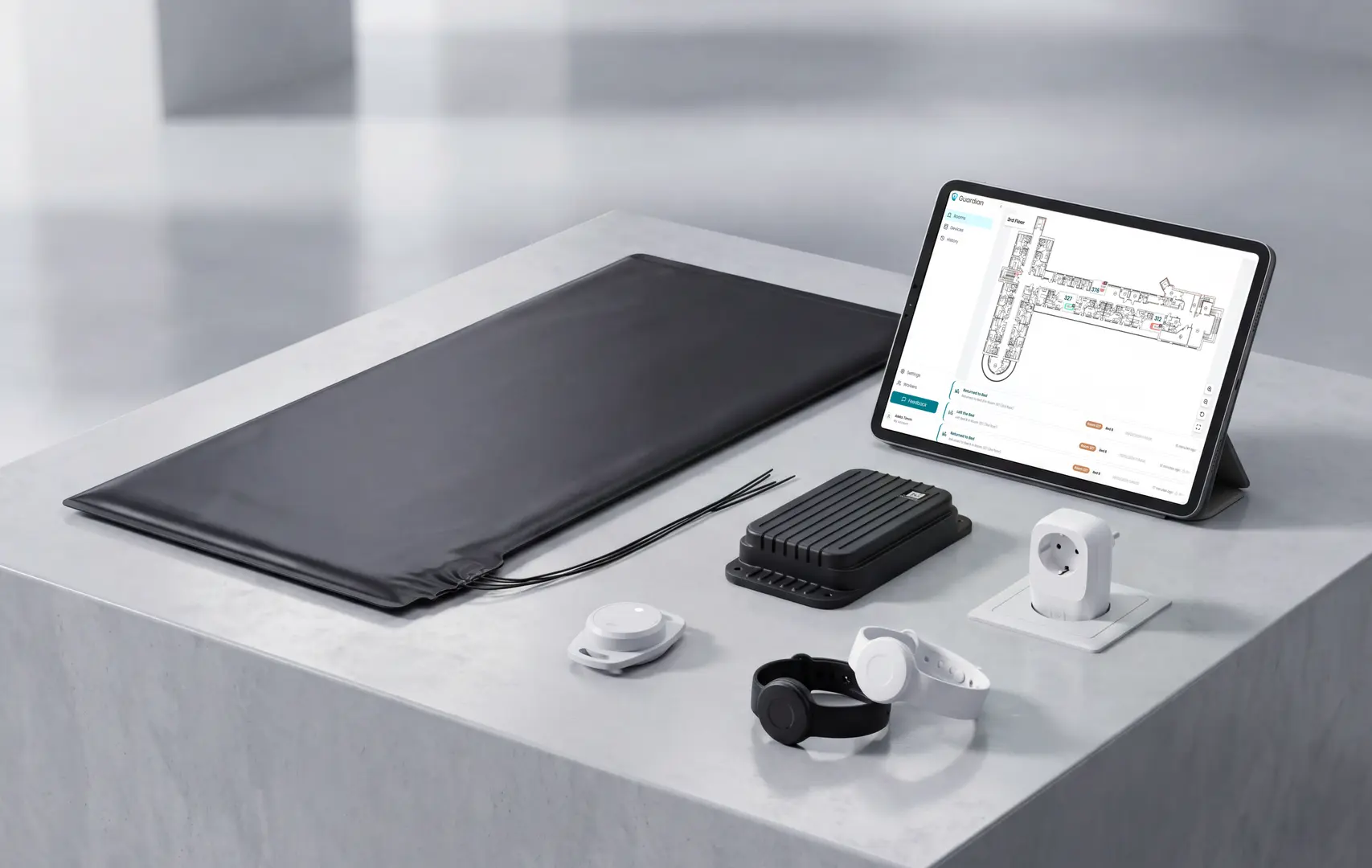
Guardian fits facilities where location changes the response. Wireless sensors and wearables arrive pre-configured, and a ward can go live in about a week.
Setup stays light:
Standard sensor placement avoids drilling and cabling.
The pilot can run without EMR integration.
Alerts use the Guardian portal instead of a new pager rollout.
Operations leaders spend one to two hours mapping routines to rooms and priority use cases.
A chair alarm can say someone moved. Guardian shows the resident and room, then adds nearby activity.
That setup work feeds the pilot measurement, where the ward tests changes in response times and alarm volume.
Pilot programme and evidence
Guardian's buying path is a 6 to 8 week pilot on one ward or care team.
Before installation, record a 4-week baseline. Use the same measures during the live pilot, so the before and after comparison is clear.
What to measure | Baseline before installation | Live pilot comparison |
|---|---|---|
Alert response time | Current time from alarm to staff action | Guardian alert acknowledgement and staff action time |
Fall incidents | Incidents and escalations over 4 weeks | Incidents and escalations during the pilot |
Alarm volume | Total daily alarm count | Total daily Guardian alerts after smart rules are tuned |
Visit verification | Existing visit records where available | Timestamped caregiver visits and durations |
Staff feedback | Current pain points from caregivers and managers | Notes from caregivers and managers using Guardian on shift |
The pilot ends with an impact report and a rollout recommendation for the next ward or site.
Commercial terms are set after the pilot, based on measured ROI and the care setting.
Tell us where you want to test Guardian. The team usually replies within 2 business days with pilot scope and next steps.
2. Smart Caregiver Cordless Chair Exit Alarm
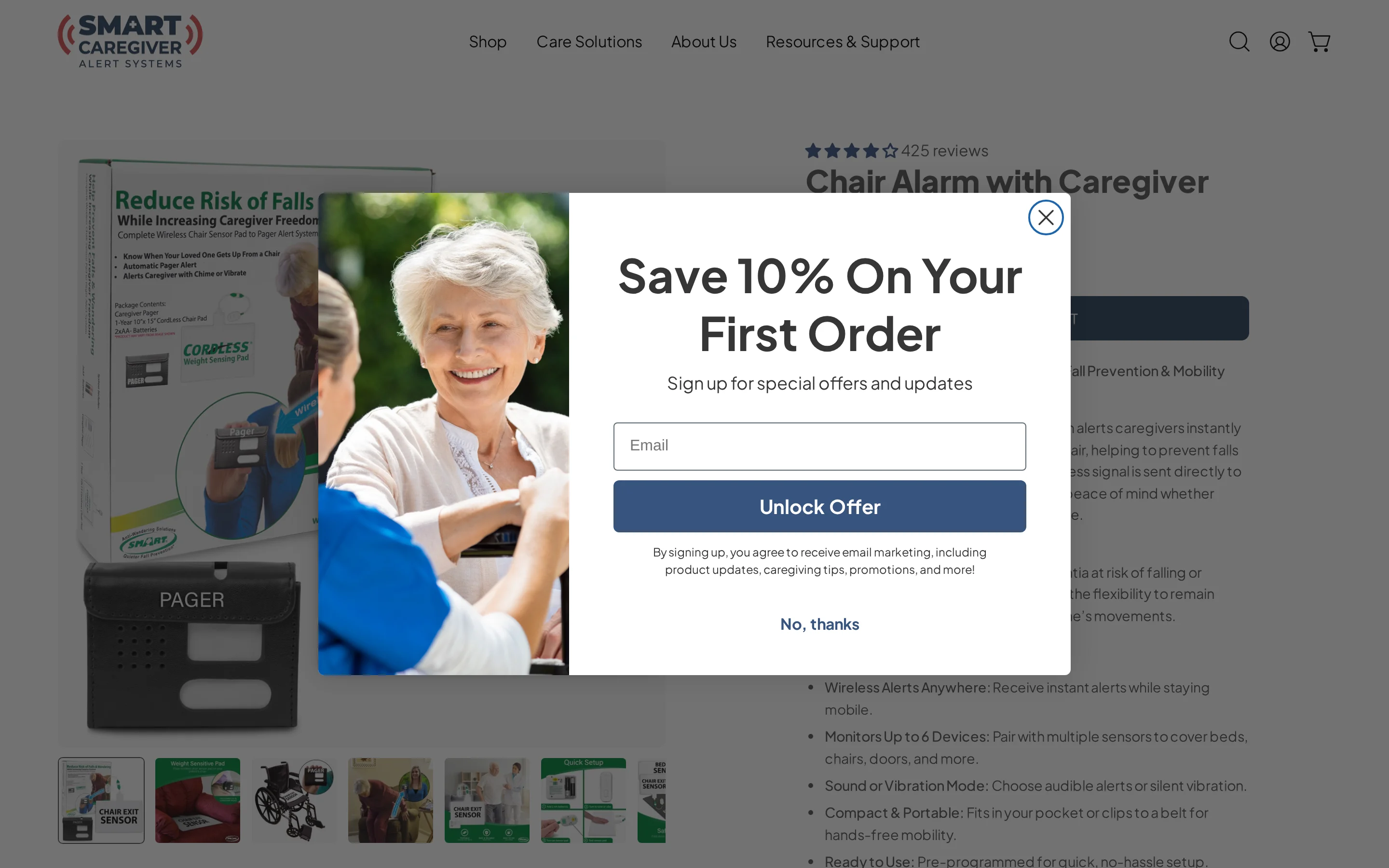
The Smart Caregiver Cordless Chair Exit Alarm is a wireless pressure-pad and portable pager kit for local chair-exit alerts.
It uses a 433 MHz signal and lists a 300-foot range, but the package should not be treated as a voice-prompt system.
At a glance
Best for: One resident and a caregiver moving within tested pager range.
Trigger: Pressure chair pad.
Alert route: Portable pager.
Range: Listed 300 ft range, subject to walls and floors.
Watch-out: This bundle is not documented as a recorded voice-prompt system.
Where this kit fits
This setup fits one resident, one chair, and a caregiver who stays within tested pager range.
This bundle is not documented as recorded resident guidance. It is built to notify the caregiver rather than play custom instructions to the resident.
Check the setup against daily movement patterns:
One pager can monitor up to 6 wireless devices, so a chair pad, bed pad, or motion sensor can share the receiver.
The alert stays local, so the caregiver must be close enough to hear or carry the pager.
Audible alerts can add noise in shared rooms, especially during night checks.
What happens at the chair
Pressure leaves the vinyl chair pad, and the pad sends a wireless signal to the portable pager over 433 MHz. The setup does not need Wi-Fi.
When the pager alerts, the caregiver still has to locate the resident and respond in person. The pager starts the response workflow and leaves follow-up to the caregiver.
The cordless design solves one chair-side problem:
No cord runs from the seat pad to a nearby alarm box.
The receiver can move with the caregiver inside the practical range.
Walls and floors can reduce the listed 300-foot coverage.
Maintenance to plan for
There is no automated pad-expiration alert in this package. Put the chair pad on a calendar replacement cycle instead of waiting for missed alarms.
Ask these questions before ordering:
What chair-pad lifespan does this bundle include?
What does a replacement pad cost over 24 months?
Will the pager reach the furthest room in your actual layout?
Total cost of ownership
Do not rely on an old one-line package price for this kit. Reseller bundles can change when pad size or accessories change.
The upfront hardware cost is only part of the purchase. Ask for a 24-month total that includes the recurring items.
Replacement chair pads should be priced with the expected replacement cycle.
Batteries should be listed if the monitor or pager uses replaceable cells.
Extra wireless sensors should be quoted before the pager is treated as expandable.
3. Economy Cordless Chair Exit Alarm Monitor with Chair Pad by Nursing Home Aids
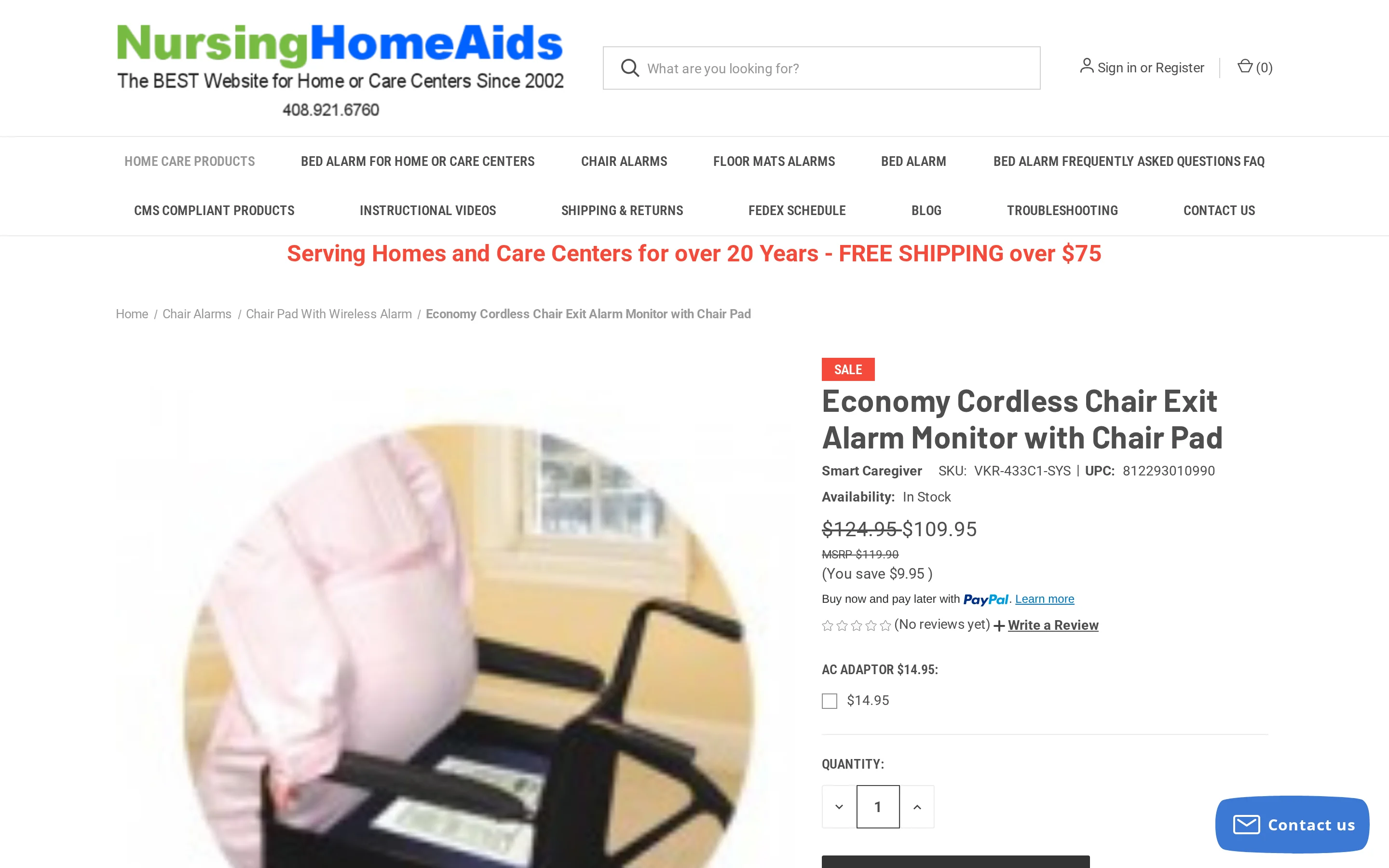
The Economy Cordless Chair Exit Alarm Monitor with Chair Pad by Nursing Home Aids is a wireless chair-pad bundle built around the 433-EC monitor. It lists up to 6 sensors and a 300-foot range.
At a glance
Best for: Lower-cost local wireless monitoring across several sensors.
Trigger: Pressure chair pad and compatible wireless sensors.
Alert route: 433-EC monitor.
Range: Listed 300 ft range, subject to layout.
Price: $109.95 listed bundle.
Watch-out: The monitor does not create a response record.
Budget fit, with limits
This is the cheaper version of the same local-wireless idea. The appeal is 6-sensor expansion without a software platform.
The lower price is only the first cost. Chair pads wear out, and replacement pads can erase the first-bundle saving.
Check these points before treating the kit as a facility answer:
Treat the package as local hardware because the listed setup centers on the 433-EC monitor.
Map the furthest chair or doorway before trusting the 300-foot range.
Price replacement pads across 24 months before comparing the first bundle price.
Receiver behavior
When pressure leaves the water-resistant vinyl chair pad, the transmitter sends a wireless signal to the 433-EC monitor. The monitor responds with sound and a blinking LED.
Volume settings help, but the alert is still tied to whoever can hear or see the monitor. Test the signal during a normal shift pattern.
The useful hardware facts are simple:
The chair pad transmits wirelessly, so there is no pad-to-monitor cord.
The receiver can sit away from the chair within the practical range.
One monitor can support up to 6 wireless components.
What you still have to manage
The 433-EC monitor gives an alert, but it does not create a response record. Families and staff still need a separate incident log.
Pad age is another manual job. Add the pad start date to the same log used for chair-exit events.
Confirm these details before checkout:
What is the expected life of the included chair pad?
What does each replacement pad cost?
How will staff record chair-exit alarms and response notes?
Price versus upkeep
The listed bundle price is $109.95 through specialist caregiving equipment resellers.
The value case depends on how many pads the monitor replaces or adds over time. A low starter price can still become a high-maintenance purchase.
4. Chair Alarm by National Call Systems
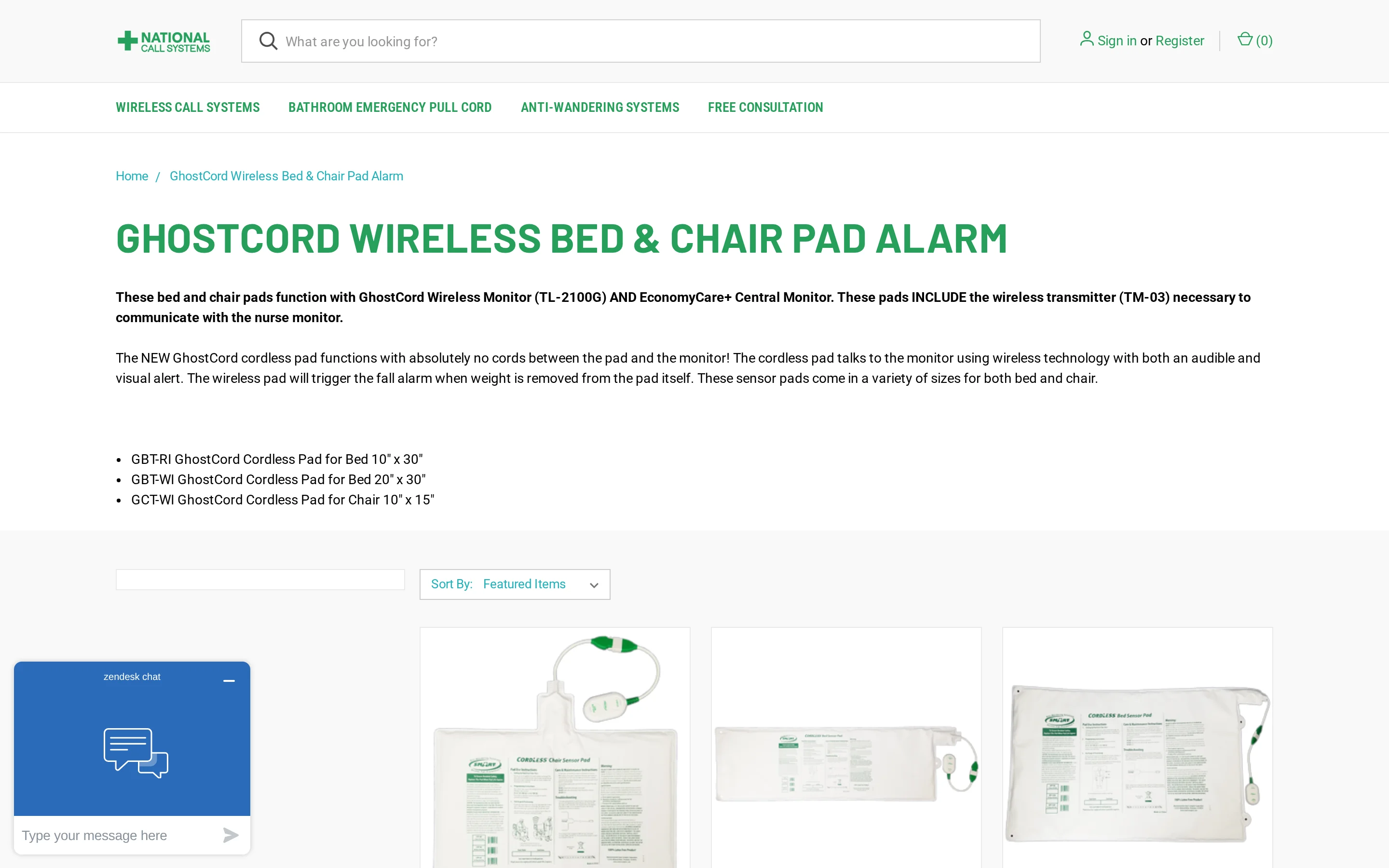
The Chair Alarm by National Call Systems is a GhostCord wireless chair pad kit built around a pressure pad, transmitter, and fixed remote monitor.
The kit is not documented as supporting automatic pad-expiration alerts, so pad replacement still needs manual logs.
At a glance
Best for: One resident in a small area where a fixed monitor will be noticed.
Trigger: GhostCord pressure chair pad.
Alert route: Fixed remote monitor with audible and visual cues.
Price: $168.95 listed kit.
Watch-out: Replacement timing needs a staff log or calendar.
Fixed-monitor fit
The fixed monitor requires a place where staff can hear or see it during ordinary work. A visible shared work area may work better than a closed bedroom.
Plan pad replacement outside the device. The monitor will not remind staff when the pad reaches the end of its expected life.
Confirm these details before buying:
Which chair pad is included with the $168.95 kit?
What replacement schedule does National Call Systems recommend for that pad?
What is the 24-month cost if every pad is replaced on schedule?
For one resident at home, the fixed monitor is the deciding constraint. If the caregiver moves out of earshot, the alarm can be missed.
Extra pads or floor mats may require a different compatible monitor setup. Confirm the exact configuration before buying.
What the GhostCord kit actually does
A pressure-sensitive chair pad sits on the seat. When the resident's weight leaves the pad, the GhostCord transmitter sends a wireless signal to the fixed monitor.
The caregiver receives local cues from the monitor:
The monitor sounds an audible alarm when a chair-exit event is detected.
The monitor flashes a light at the same time.
Pad replacement reminders need to live in a staff log or calendar.
Because the alert goes to a standalone monitor, placement matters. Test the monitor from normal work areas before relying on it.
Alert coverage limits
The fixed monitor can work in a small area, but it creates a coverage problem in mobile caregiving. The alarm only helps when someone notices it.
Run two checks before rollout:
Facility teams need a placement plan before rollout, especially around lounges and corridors.
Home caregivers need to test audibility during normal chores and night checks.
The available product information does not document adjustable volume levels or selectable tones for this GhostCord kit. Confirm volume and tone settings before ordering.
Upfront price and pad replacements
The GhostCord chair alarm kit is listed at $168.95 and includes the wireless monitor and one chair pad.
The total cost depends on replacement pads, not only the first box. Ask National Call Systems for a 24-month replacement-pad estimate before comparing against cheaper kits.
Which replacement pad matches this exact GhostCord kit?
How often should that pad be replaced in daily chair use?
Can the EconomyCare+ setup add floor mats without a second monitor?
5. Chair Exit Alarm by Val-U-Care
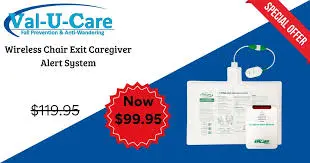
The Val-U-Care Chair Exit Alarm is a basic pressure-pad alarm for one chair or wheelchair. In the base kit, the alert sounds from the monitor near the resident.
At a glance
Best for: Low-cost local alerting for one chair or wheelchair.
Trigger: Pressure chair pad.
Alert route: Local monitor near the resident.
Price: $29.95 base kit.
Watch-out: The alert can be missed when the caregiver leaves earshot.
Narrow use case
A $29.95 local alarm is not a routed monitoring system. Val-U-Care fits a simple chair-side alert workflow, not facility-wide alerting.
The base kit has a narrow profile:
One chair, recliner, or wheelchair seat is covered.
One resident is monitored at a time.
A nearby caregiver must hear the local alarm.
Direct retail channels carry the product without procurement controls.
What the kit actually does
A water-resistant vinyl pressure pad sits on the chair surface. When the resident stands, the connected monitor sounds.
Wireless bundles are available at higher prices, but the base unit stays local. If the caregiver is in the laundry room, the alarm may still be missed.
Check the bundle before ordering:
Confirm whether the kit is local-only or wireless.
Match the pad size to the chair or wheelchair.
Ask how loudly the monitor sounds in a normal room.
Buying notes and total cost
The purchase price is low, but total cost of ownership includes replacement pads and staff tracking. Standard pads are managed on a one-year replacement cycle.
Ask the seller for the pad replacement schedule and a 24-month cost estimate for every chair you plan to cover.
6. Chair Alarm by AliMed
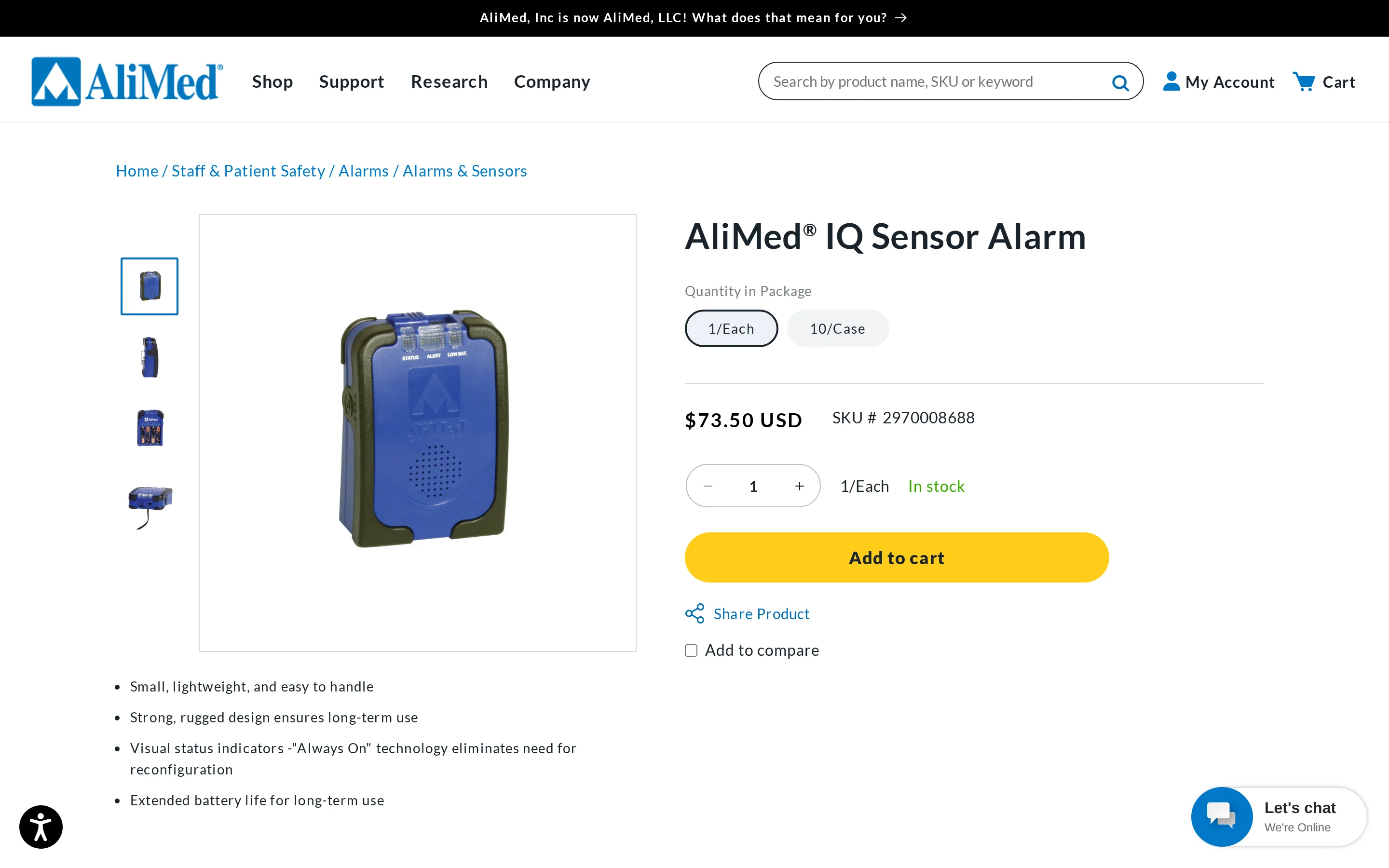
AliMed's chair alarm is a clinical procurement product built around the IQ Sensor Alarm and a corded chair pad. Its value depends on how well the alarm connects to your existing nurse-call process.
At a glance
Best for: Facilities that can connect chair alarms to an existing nurse-call process.
Trigger: Corded chair pad with IQ Sensor Alarm.
Alert route: Local alarm or nurse-call path, depending on configuration.
Price: $73.50 alarm and $33.25 chair pad listed.
Watch-out: Interface, cable, and reset procedure need written confirmation.
Procurement fit
AliMed is aimed at hospitals and nursing facilities buying through medical-supply procurement. The product makes sense only if staff can connect it to daily ward routines.
Procurement teams are buying a workflow across shifts, including reset behaviour and replacement discipline.
The institutional use case usually includes:
The facility has a nurse-call system that accepts external alarm input.
Staff check visual status lights before moving the resident.
Purchasing runs through medical-supply procurement rather than retail.
Nurse-call workflow in practice
The nurse-call connection is the feature to understand. The chair pad triggers the IQ Sensor Alarm, and the alarm can feed the event into facility alert infrastructure.
When configured that way, staff do not depend only on the sound at the chair. The event can surface through the same workflow staff already use for resident calls.
Map the chain before buying:
The resident leaves the chair pad.
The IQ Sensor Alarm receives the signal.
The unit follows your selected sound or silent mode.
The nurse-call connection passes the event into the facility alert path, if your infrastructure supports it.
Staff check the resident and reset the alarm.
Nurse-call compatibility is not enough on its own. The facility still needs the correct interface and a documented reset procedure.
Ward controls to verify
The ward-facing controls are practical:
Control | What to verify |
|---|---|
Volume | Silent mode through 100 dB, with selectable chime tones. |
Reset | Dual reset buttons support separate caregiver resets. |
Status | Always On lights show whether the alarm and sensor are active. |
Pads | 30-day, 180-day, and 1-year chair pads support planned replacement cycles. |
Pad durations are warranty options, not automatic expiry alerts. Facilities still need a replacement log and a stock owner.
Buying notes and total cost
The IQ Sensor Alarm unit is listed at $73.50, and the corded chair pad is listed at $33.25. Those prices are only the starting cost for a facility rollout.
Ask for a written TCO that includes:
Quote replacement pads by warranty length.
Include cables and adapters for nurse-call connection.
Add spare alarm units for damaged hardware.
Include staff time for testing and reset training.
Ask AliMed or your distributor:
Will this IQ Sensor Alarm connect to our nurse-call make and model?
Which cable or adapter is required for each chair location?
How is the alarm reset after a nurse-call event?
Can you quote 24 months of pads and hardware for our planned chair count?
7. Chair Alarm by Direct Supply
The Direct Supply Chair Alarm is an institutional catalog product for one-resident chair monitoring. This review relies on published specs and buyer feedback, not hands-on testing.
At a glance
Best for: Institutional catalog purchasing where a loud local alarm is acceptable.
Trigger: Pressure chair pad.
Alert route: Attendant monitor.
Volume: Published alarm levels include 98 dB and 108 dB.
Price: Catalog-listed or quote-based.
Watch-out: Public pricing detail is limited.
Catalog fit
Direct Supply sits in a B2B healthcare supply workflow. Family caregivers looking for open retail ordering may find the purchase path harder to evaluate.
Public specs point to a standard facility buying pattern:
Attendant monitors cover one resident at a chair or bed.
Published alarm levels include 98 dB and 108 dB.
Distribution runs through healthcare supply channels.
Alert coverage limits
The standard configuration uses a corded pressure pad connected to an Attendant monitor. When weight leaves the pad, the monitor sounds locally.
Wireless pad variants exist, but the standard wired setup does not add app alerts or remote paging. Loud alarms still depend on staff being close enough to hear and interpret them.
During meals and shift handover, a single loud sound may blend into other ward noise.
Buying notes and total cost
Published pricing is catalog-listed or quote-based rather than open consumer pricing. Treat the quote as the first line of a longer cost sheet.
TCO depends heavily on pad cycles. Direct Supply sells timed chair pads, including 45-day and 1-year options, without an automatic expiry alert.
Ask Direct Supply or your distributor:
What is the per-chair cost across 24 months, including replacement pads?
Which pad duration is included in the quoted bundle?
Are wireless pads available for the same monitor configuration?
How should staff track 45-day pad replacement dates?
Types of chair alarms explained
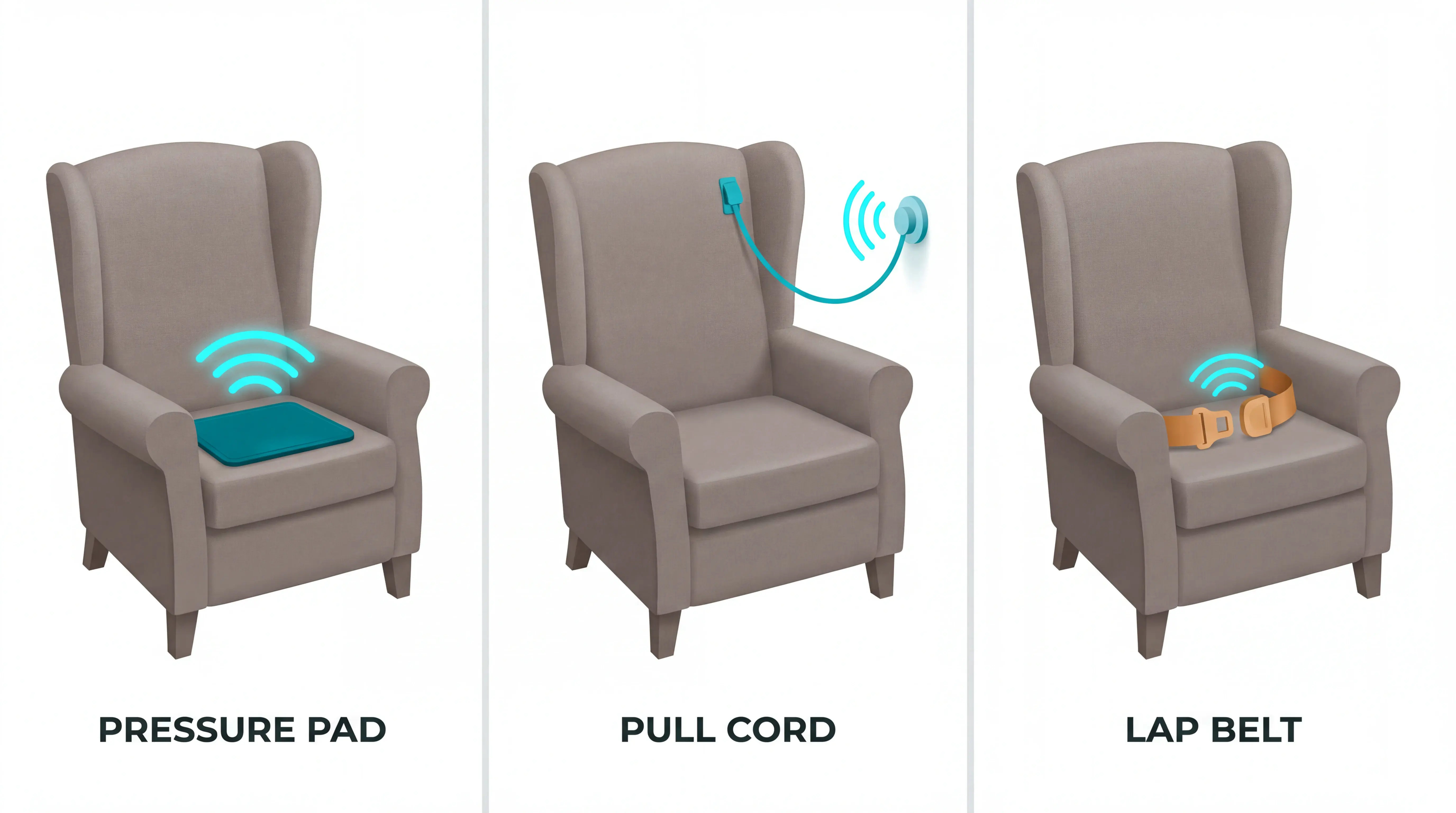
Chair alarms split into three categories by trigger: pressure pads, pull-cord or magnetic alarms, and seat-belt alarms.
The right choice depends on what movement you need to detect, how reliably the resident keeps equipment in place, and where the alert needs to go.
Pressure-sensitive chair pads
A pressure-sensitive chair pad is a weight-activated vinyl sensor placed on the seat. The alarm triggers when the resident stands, slides forward, or removes enough weight from the pad.
Pressure pads suit standard chairs, recliners, and many wheelchairs because the resident does not need to press a button.
Use this type when you need a passive exit alert:
Detects: Weight leaving the seat surface.
Main failure mode: False alarms from shifting position, poor pad placement, or a worn pad.
Best setting: Home care, small care settings, and facility rooms where seated exit risk is the main concern.
Alert options: Local chair alarm, wireless pager, or nurse-call compatible monitor, depending on the model.
Pad life drives total cost. Smart Caregiver and Nursing Home Aids describe vinyl chair pads as roughly 1-year items, while some institutional suppliers sell 45-day, 90-day, and 1-year pad options.
A pressure pad only records the exit moment. Passive room sensors can add context by tracking motion, door activity, or routine changes before and after the resident leaves the chair.
Pager-based pads solve only the handoff; the wireless chair-pad alert guide compares local receivers with routed workflows.
Pull-cord and magnetic alarms
A pull-cord or magnetic alarm clips to the resident's clothing. The alarm sounds when the resident moves far enough to detach the cord or magnet from the monitor.
This type avoids chair fit issues because the sensor is attached to the person, rather than placed under the resident.
Pull-cord alarms are useful in a narrower set of cases:
Detects: Forward movement that separates the cord, magnet, or clip.
Main failure mode: The clip is not attached, comes loose, or is removed by the resident.
Best setting: Residents who tolerate a clip and use chairs where pads do not sit flat.
Care note: Residents with dementia or confusion may remove the clip during the day.
Pull-cord alarms can be less noisy than pressure pads for residents who shift weight often. They are less reliable when the resident handles, hides, or removes anything attached to clothing.
Seat-belt alarms
A seat-belt chair alarm connects to a wheelchair lap belt, chest harness, recliner, or geri-chair positioning belt. The alert fires when the buckle is opened or the belt is unfastened.
Seat-belt alarms are mainly used for wheelchair-dependent residents who may try to stand without support or slide forward from the chair.
Check the care plan before using this type:
Detects: Belt release, buckle opening, or unsafe unfastening.
Main failure mode: The resident unfastens the belt without staff nearby, or the belt is used without clear documentation.
Best setting: Wheelchairs, recliners, and geri-chairs where a belt is already part of safe positioning.
Documentation: Include the device rationale, review schedule, and resident response in the care plan.
A seat-belt alarm should notify caregivers without physically preventing movement. If the belt restricts mobility or is used as a substitute for supervision, escalate the decision to the care team.
How to choose the right chair alarm sensor pad
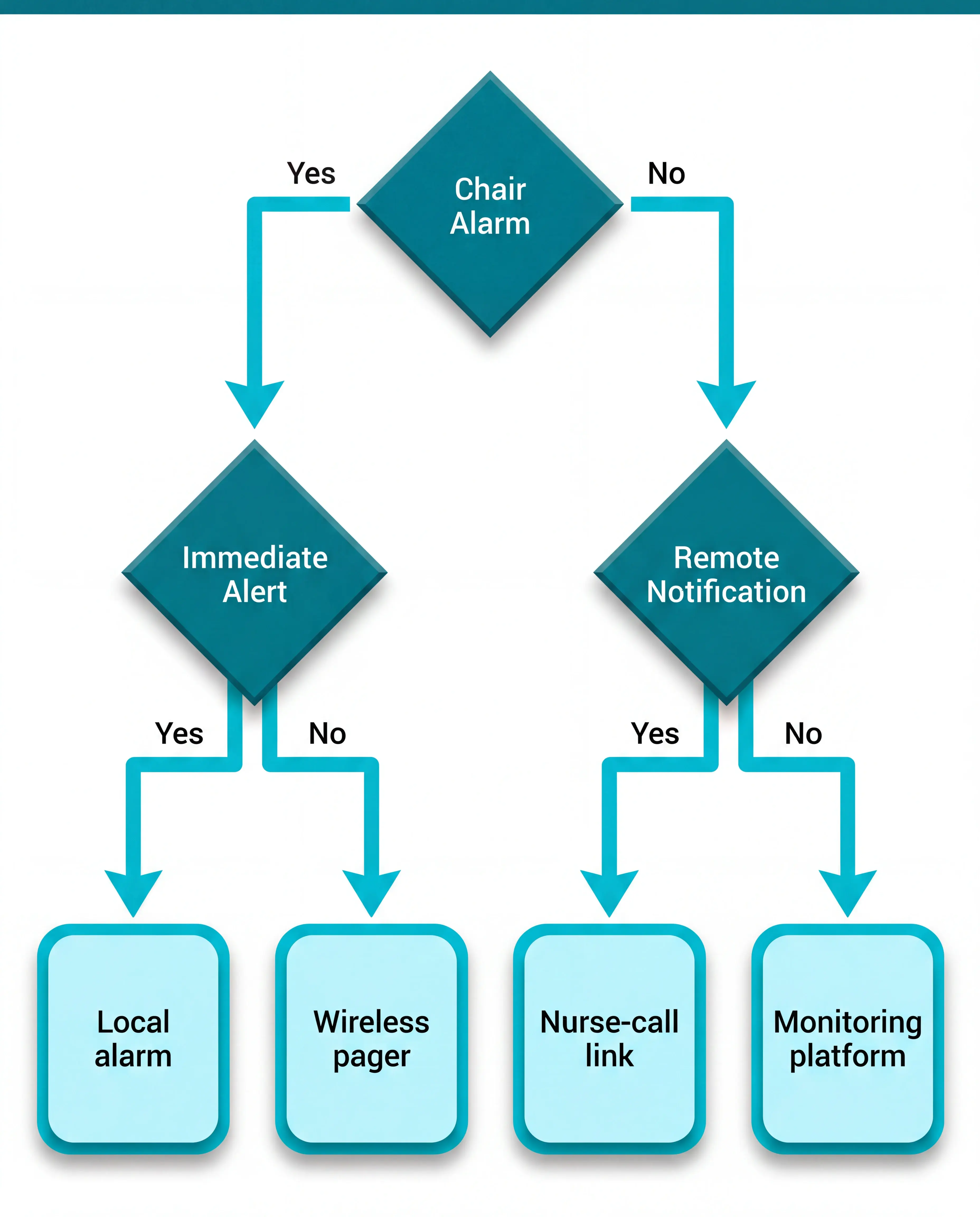
Choose a chair alarm sensor pad by starting with clinical fit and alert delivery. The criteria below cover the practical checks before you compare loudness.
Buyers often start with decibels. In daily care, the bigger question is whether the right caregiver receives the alert quickly enough to act.
Clinical fit: Align the device with the resident's falls assessment, care plan, and mobility goals, using NICE guidance as the clinical baseline.
Trigger type: Pressure pads detect weight leaving the seat; pull-cord alarms detect movement away from the monitor; seat-belt alarms detect buckle release.
Alert delivery: Local alarms rely on someone being within earshot, while wireless pagers and nurse-call links route the alert to staff moving between rooms.
Wired vs wireless: Corded systems avoid radio range issues, but cables need safe routing; wireless systems reduce cords, but walls and distance can affect signal.
Chair fit: Standard pads suit upright chairs and recliners, while narrow wheelchairs may need a smaller pad or a seat-belt style alarm.
Volume: Loud alarms in the 98-108 dB range suit noisy facility settings, but home care and dementia care may need adjustable or silent alerts.
Pad documentation: Check applicable certifications, cleaning instructions, and written compatibility with the monitor or nurse-call system.
Total cost: Use a 24-month cost view because pad replacement cycles vary by product.
Start with alert delivery.
A very loud chair alarm still fails if staff cannot tell which resident needs help or if the sound causes distress.
For a home caregiver, a local alarm or portable pager may be enough. For a facility, check whether the monitor connects to facility nurse-call systems or a carried receiver.
Test wireless range where staff actually walk:
Hallways: Confirm the receiver works outside the resident's room.
Closed doors: Retest with doors shut during a normal shift.
Multiple floors: Avoid assuming a listed 300-foot range covers stairs or lifts.
Match the device to the resident's movement pattern before buying:
Frequent shifting: Consider whether a pressure pad will create too many false alarms.
Clothing tolerance: Avoid pull-cord alarms if the resident removes clips or dislikes attached items.
Wheelchair use: Check seat width and whether a belt-release alarm is more appropriate.
Shared rooms: Prefer routed or quieter alerts when loud in-room alarms may disturb other residents.
Multi-zone monitoring: Look for monitors that can support more than one sensor, such as a chair pad plus bed pad.
Calculate the 24-month cost.
Sticker price only covers the first order. For pad systems, total cost changes once recurring items are counted.
Build the cost from:
Pads: Multiply pad price by the replacement cycle, especially for 45-day or 90-day pads.
Power: Include battery costs or replacement monitors if the alarm is used daily.
Receivers: Count pagers and nurse-call adapters for each shift or care area.
Staff time: Include setup testing, cleaning, documentation, and expired-pad checks.
Questions to ask vendors before buying.
After you narrow the sensor type, ask for operating evidence before ordering pads in bulk. Keep the detailed cost and compatibility checks in one place:
Alarm frequency: Can you share alarm-frequency reports from live installations with similar resident acuity?
False-alarm handling: How does the monitor help staff separate a true chair exit from shifting or repositioning?
Total cost: Can you provide a 24-month total cost of ownership breakdown across pads, batteries, receivers, spare parts, and integration?
Certifications: Which pad certifications and wireless approvals apply in our market?
Integration: Will the system connect to our nurse-call setup, or does it need a separate pager or receiver?
Replacement cycle: How do staff see when a 45-day, 90-day, or 1-year pad has expired?
Safety limits and setup checklist
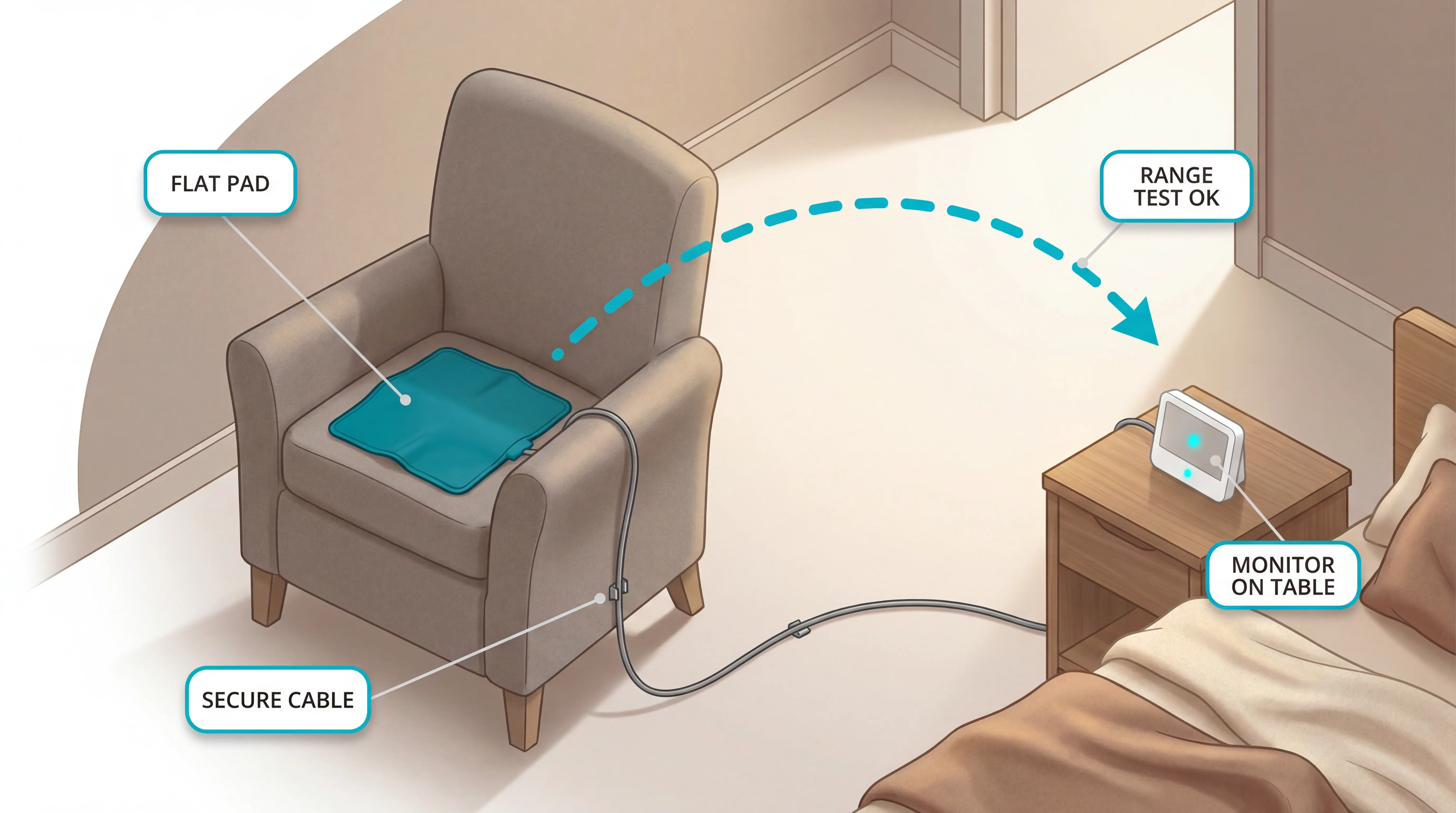
A chair alarm prompts timely response inside a documented fall-prevention plan. Setup should be tested, documented, and reviewed like any other resident safety measure.
Use this checklist before the first shift:
Place the pad correctly. Position the sensor flat on the seat surface according to the manufacturer instructions, with no folds, gaps, or cushion layers blocking pressure.
Test the full alert path. Ask the resident or a staff member to stand, then confirm the alarm reaches the person expected to respond.
Verify wireless range. Test the receiver from the hallway, nurse station, bedroom, bathroom area, and any normal staff location.
Set the volume for the setting. Use enough volume for staff to notice, but avoid unnecessary startle or agitation for residents with dementia or sensory sensitivity.
Track pad age and power. Log the pad replacement date, check batteries or power daily, and retest after cleaning or repositioning.
Document the rationale. Record why the alarm is being used, how staff should respond, and when the need will be reviewed.
Some wireless monitors can cover more than one zone. For example, a receiver that supports up to 6 wireless components can monitor a chair pad, bed pad, and motion sensor without separate alarm hardware for each point.
Doorway sensors raise a different safety question; the restricted-exit wander guard guide covers identity, location, and escalation.
Home caregivers should keep setup simple. A bundled pad-and-monitor kit is easier to manage than a system that needs facility wiring, nurse-call compatibility checks, or technical configuration.
Use a chair alarm inside a broader falls plan. WHO falls data identifies falls as the second leading cause of unintentional injury deaths worldwide.
Device choice matters after the falls plan; the care-team fall detection roundup compares wearable and passive options.
Review the setup when any risk marker changes:
Recent falls: Recheck whether the alarm gives staff enough time to reach the resident.
Cognitive change: Check whether the alert sound or attached clip increases agitation.
Medication changes: Reassess transfer risk after medicines that affect balance change.
Repeated unsafe exits: Update the care plan before relying on the same alert routine.
Chair alarms can also create problems when used poorly:
Startle risk: A loud alarm beside the resident may increase agitation or rushed movement.
Mobility restriction: Any belt, positioning device, or alarm attached to the body should be reviewed in the care plan.
Alarm fatigue: Frequent false alarms train staff to treat alerts as background noise.
Documentation gaps: CMS F604, or equivalent local standards, may require clear care-plan rationale for devices that affect movement or positioning.
When not to rely on a chair alarm alone
A chair alarm should alert staff to movement. It should not physically stop the resident from standing unless the care team has separately documented a positioning or restraint decision.
Do not rely on the same chair alarm setup without review when:
False alarms repeat: Staff may start treating alerts as background noise.
The resident becomes agitated: A loud local alarm can make movement more rushed.
No one can respond quickly: An alert does not help if staff or a caregiver are out of range.
The device restricts movement: Belts and body-attached devices need care-plan review.
Unsafe exits continue: Reassess the wider falls plan instead of adding volume.
Treat this as operational guidance. Involve the clinical lead and document the decision before routine use when a device could restrict movement.
When a chair pad isn't enough: how Guardian monitors the whole picture
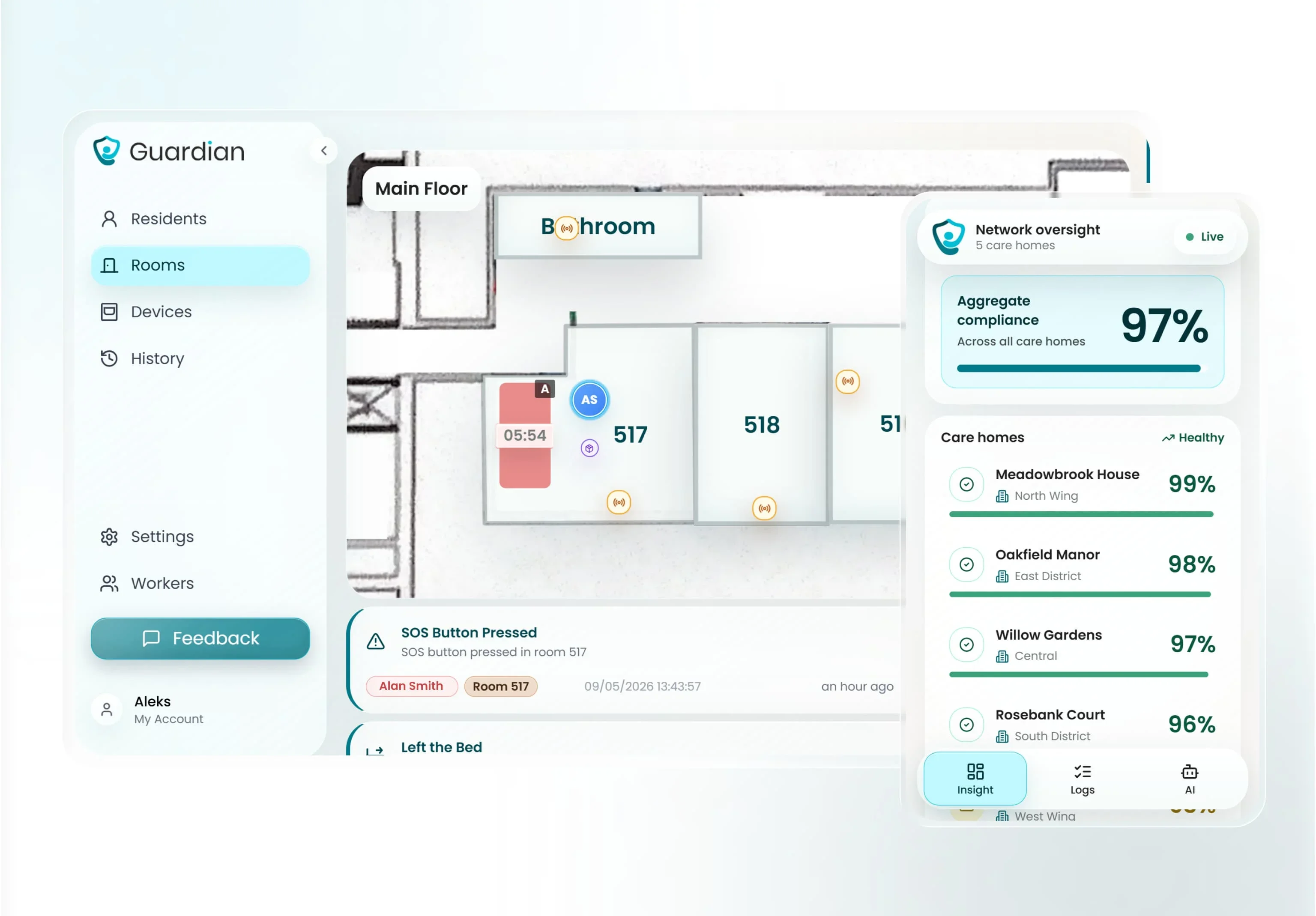
A chair pad can tell staff when a resident starts to stand. It cannot show earlier room activity, bed status, or which caregiver is closest.
Guardian Insight adds the missing context around the alert:
Bed status: See whether the resident left or returned to bed before the chair alert.
Room activity: Check motion and door activity around the same time.
Wearable alerts: Connect a button press or wearable alarm to the resident's location.
Caregiver location: See which caregivers are nearby before assigning the response.
Tagged equipment: Find a hoist, wheelchair, or other support when staff need it.
The alert then reaches the ward devices staff already use:
Resident: Staff see the resident name and assigned room.
Location: Staff see the room and bed on the floor plan.
Alert type: Staff see the configured event category.
Destination: The alert reaches the ward device assigned to that team.
Pilot Guardian in one ward or team. Bring the ward, resident group, current alarm problem, and any response-time or false-alarm concern you want to test.
Response times: See how quickly staff acknowledge and reach alerts.
Staff feedback: Learn what caregivers found clear or noisy.
Rollout questions: Identify what changes before adding more wards.
ROI view: Review what the pilot suggests for your own setting.
Send us the ward, care team, resident group, or alert problem you want to test. We usually reply within 2 business days with pilot scope and next steps.
Yes. Chair alarms can be used in care homes when the care plan explains why the alarm is needed, how staff will respond, and when the setup will be reviewed.
Rules vary by country, state, and care setting. Treat CMS, CQC, NICE, and local rules as governance checks, not one universal standard.
Document the same basics before using a chair alarm:
Reason: Link the alarm to a named fall-risk concern or care-plan goal.
Consent and capacity: Record resident or representative involvement under the local legal framework.
Less restrictive option: Note what staff tried before adding an alarm.
Review date: Set a date to check whether the alarm still helps.
In U.S. Medicare and Medicaid nursing facilities, CMS Appendix PP F604 covers restraints that limit freedom of movement. State policy can add local restraint-reduction expectations, so facilities should check state survey guidance too.
In the UK, the CQC does not publish a blanket chair-alarm ban. Use should fit the Mental Capacity Act 2005, resident best interests, and safe equipment practice under CQC Regulation 15, with clinical guidance such as NICE used where relevant.
For Estonia and other EU markets, check local clinical governance, procurement rules, and CE-marked product information before buying pads. CE marking is market-access evidence, not proof that a pad prevents falls.
Use the pad maker's service life as the replacement benchmark. The timer label matters more than how clean the vinyl looks.
A pad used all day under one resident wears faster than a pad used occasionally. Cleaning can also affect the surface, so test the pad during each shift check.
Use these timer labels as replacement benchmarks:
45-day pads: Short-cycle option for high-use settings.
90-day pads: Useful when replacement needs to follow a quarterly schedule.
1-year pads: Option for lower-use pads, but replace at the timer date rather than waiting for visible wear.
Replace a pad when it alarms while the resident is seated, stays silent when the resident stands, or reaches the timer date. Do not assume the monitor gives an expiry alert unless the exact pad and monitor combination documents it.
Yes. Chair alarms can work at home when a caregiver is close enough to respond to the alert.
For home use, look for:
Wireless pager: Lets the caregiver move around the house, often up to 300 feet from the chair pad.
Voice recording: Helps some people living with dementia respond to a familiar instruction instead of a generic tone, when the exact product supports it.
Multi-sensor support: Lets one pager cover a chair pad, bed pad, and doorway sensor.
Response time is the main limit. A chair alarm tells someone the resident stood up, but the alarm does not show routine changes, missed meals, or long inactivity.
Chair alarms fit best as one layer in a home safety setup. Passive activity sensors can cover gaps between visits when no caregiver is in pager range.

Author
Aleks Timm
Aleks Timm leads Guardian and builds privacy-first operations technology for care homes and home care providers. Teams get location-aware alerts they can act on, clearer situational awareness, and measured insight into how care work actually runs.
Read MoreRecommended reads
Keep reading
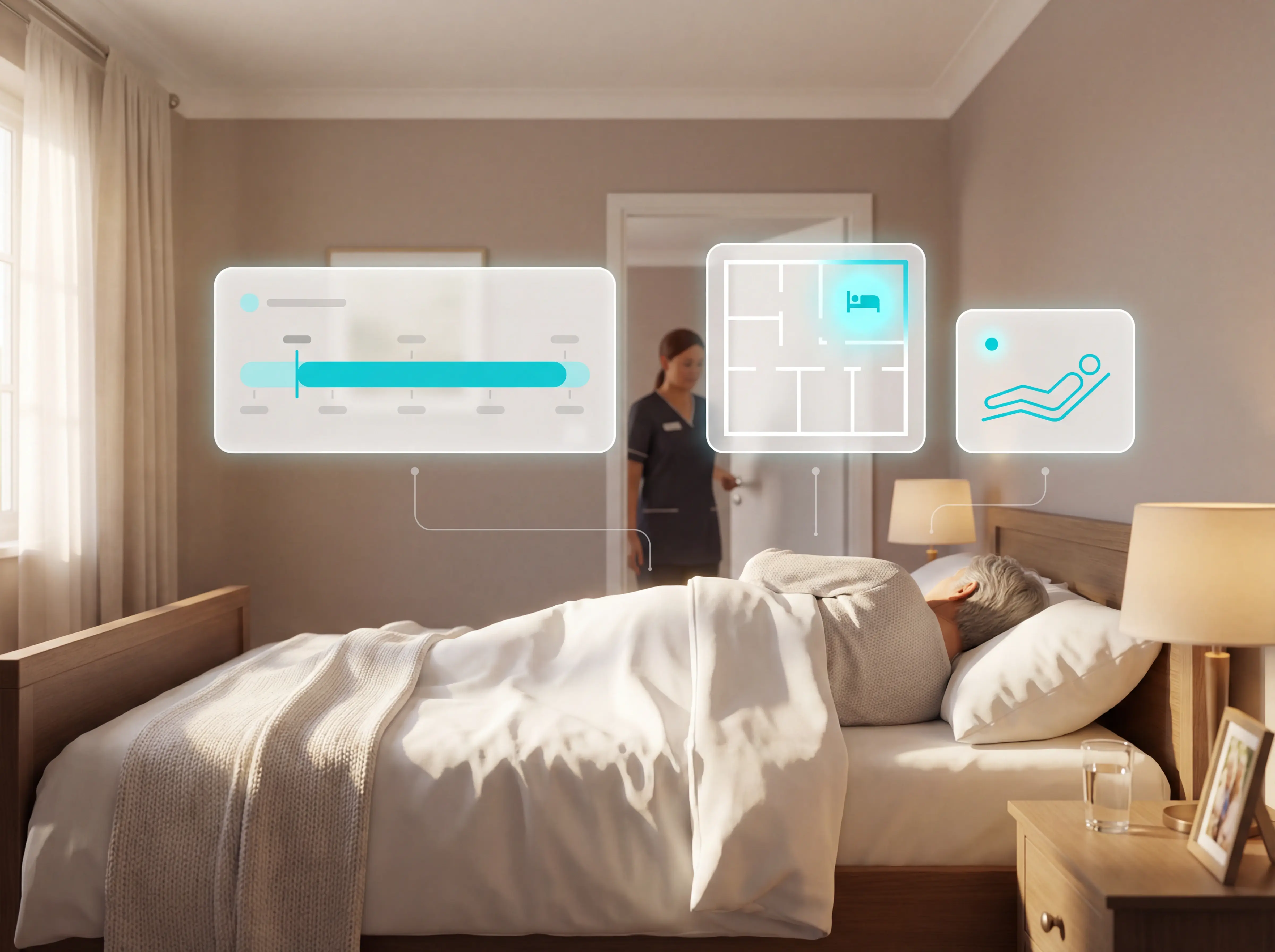
Patient bed alarms for elderly & hospital care
Patient bed alarms help prevent falls in elderly and hospital care. Compare alarm types, choose the right sensor, and protect...
Read more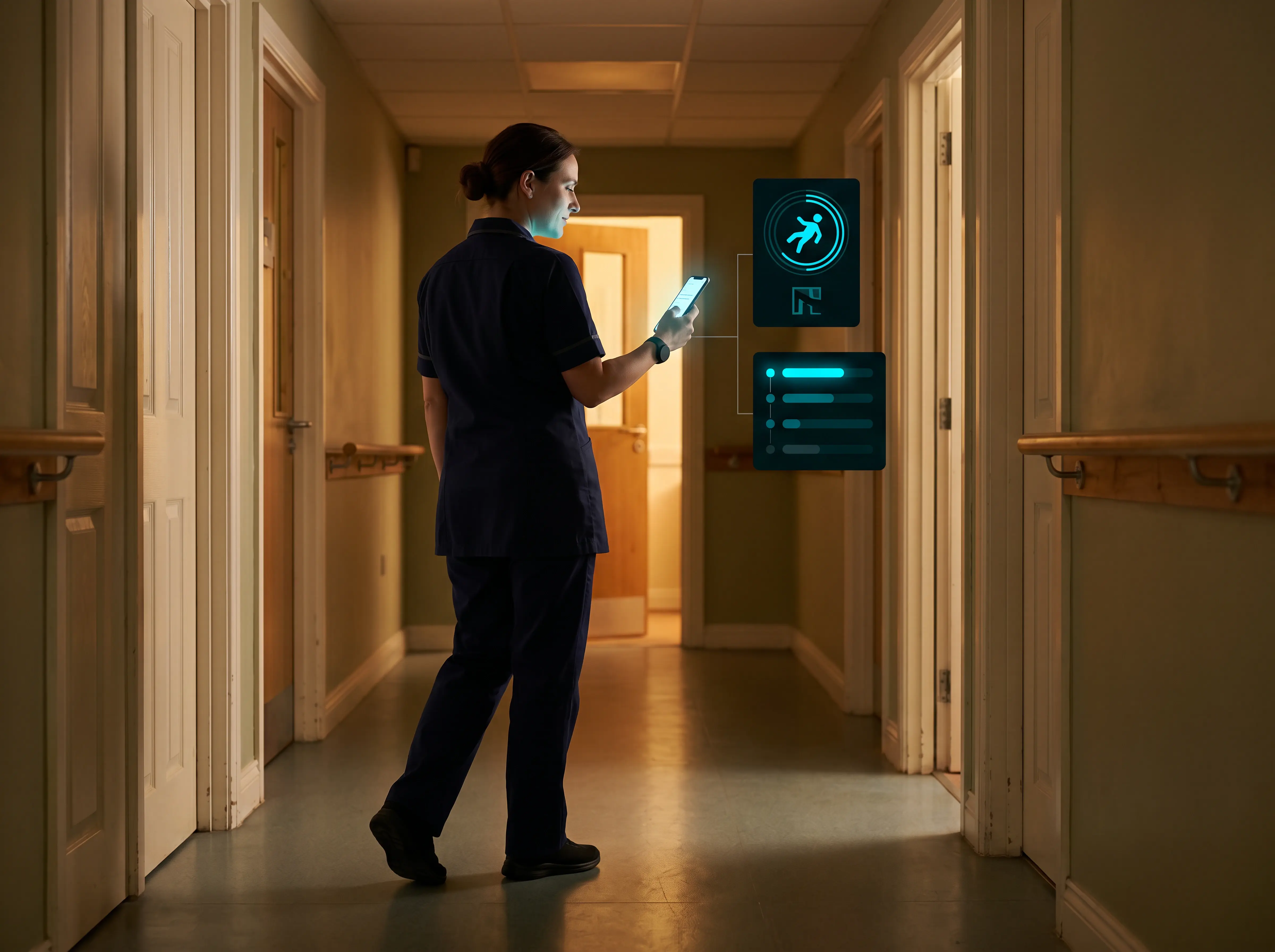
Wireless Patient Monitoring Systems for Care Homes
A complete guide to wireless patient monitoring systems, connected sensors, alert logic, care-home deployment, privacy, and...
Read more
Remote patient monitoring: a complete guide
Remote patient monitoring: the complete guide to sensors, benefits, and buying tips for safer care homes and better resident...
Read more