

7 Best Bed Alarms and Motion Sensor Systems for Elderly Safety
In this article
A bed alarm is only useful if the right staff member sees a clear alert in time.
This guide covers PIR motion alarms, pressure-pad bed-exit systems, and ward-level monitoring platforms because care teams compare them for the same job: buying time before a bed exit becomes a fall.
For one bedroom, a local receiver may be enough. For a care home, the bigger question is whether staff see the resident, room, and response context before handover.
Remote monitoring evidence supports that wider view. npj Digital Medicine reported 31% lower hospital costs and 49% fewer ambulance calls in a remote-monitoring intervention, not from bed alarms alone.
Buying lens: compare each alarm by alert timing, false-alarm risk, setup, response context, and care-setting fit.
Quick picks:
Need | Better fit |
|---|---|
Care home with multiple rooms and response records | Guardian Bed Sensor System |
One bedroom with a nearby caregiver | Smart Caregiver, CallToU, or Val-U-Care |
Facility already using nurse-call routing | National Call Systems or AliMed, where interfaces are compatible |
Simple under-mattress pressure pad | Nursing Home Aids or National Call Systems |
Fast scan before detailed comparison | Use the full comparison table below to check alert route, range, integration, and price caveats |
What a motion sensor bed alarm does
A motion sensor bed alarm creates a passive infrared (PIR) field around the bed. The alarm triggers when a resident gets up or moves out of range.
Pressure pads work differently. They need weight-based contact, while motion sensors detect movement before weight leaves the mattress.
That is why this guide includes both. In care settings, buyers usually compare them for the same night-shift job: spotting bed-exit risk early enough to respond.
Motion sensor vs pressure pad vs floor mat
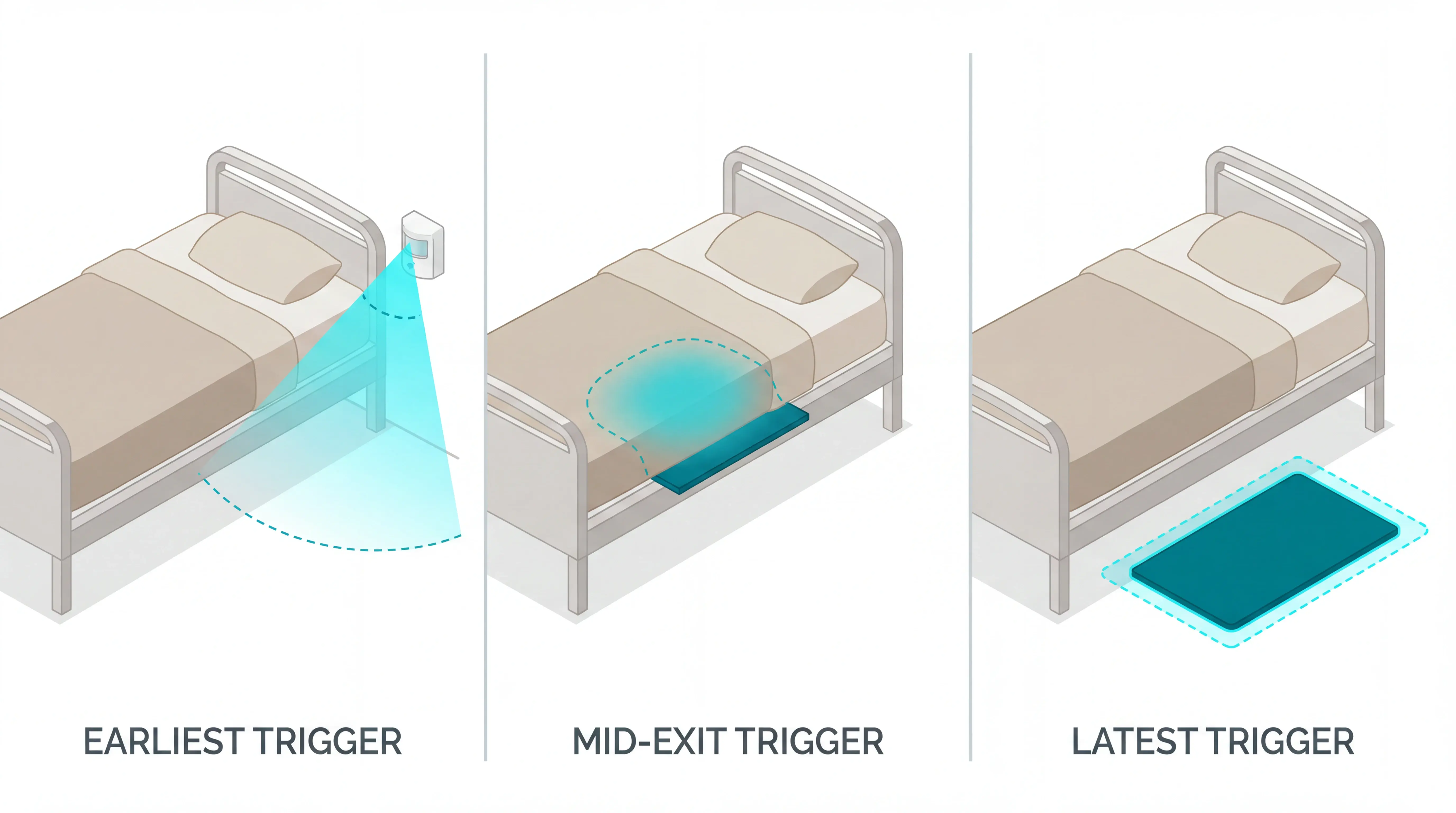
Motion sensors, pressure pads, and floor mats detect different moments in the same sequence: movement toward the bed edge, weight leaving the mattress, or a foot reaching the floor.
The earlier the trigger, the more time staff have. The trade-off is accuracy, because early motion can also mean a resident is turning, reaching, or adjusting bedding.
Use the sensor type as a response-design choice:
Motion sensor: earliest warning, best for restless residents, but needs tuning to avoid arm and room-movement alerts.
Pressure pad: middle timing, useful when weight removal is reliable and pad position can be checked each shift.
Floor mat: latest warning, useful as a secondary layer when staff need confirmation that a bed exit happened.
Sensor type | When it triggers | Main strength | Main caution |
|---|---|---|---|
Motion sensor (PIR) | Movement near the bed or bed edge | Earliest warning before full bed exit | Higher false alarms from arm movement or room activity |
Pressure pad | Weight leaves the pad surface | Clear bed-exit signal for stable bed setups | Pad shift or poor placement can miss the exit |
Floor mat | Foot touches the mat after exit | Simple confirmation that the resident is upright | Latest alert; better as backup than primary prevention |
How we selected these options
We treated each alarm as one part of a night-shift response workflow. This is a research-based comparison using manufacturer specs, seller listings, public product information, and Guardian product knowledge, not hands-on testing.
Selection lens: each alarm was judged against five criteria.
Sensor type: PIR motion, pressure pad, floor mat, or hybrid, based on when the alert fires.
Alert delivery: in-room sound, local receiver, pager range, or app notification.
Noise control: risk of false alarms from movement, pad drift, shared rooms, or routine repositioning.
Response context: whether staff know which resident, room, or bed needs attention.
Care setting fit: single-resident home, shared care-home room, hospital ward, and alignment with the home's falls-prevention protocol and NICE NG249.
Guardian Bed Sensor System
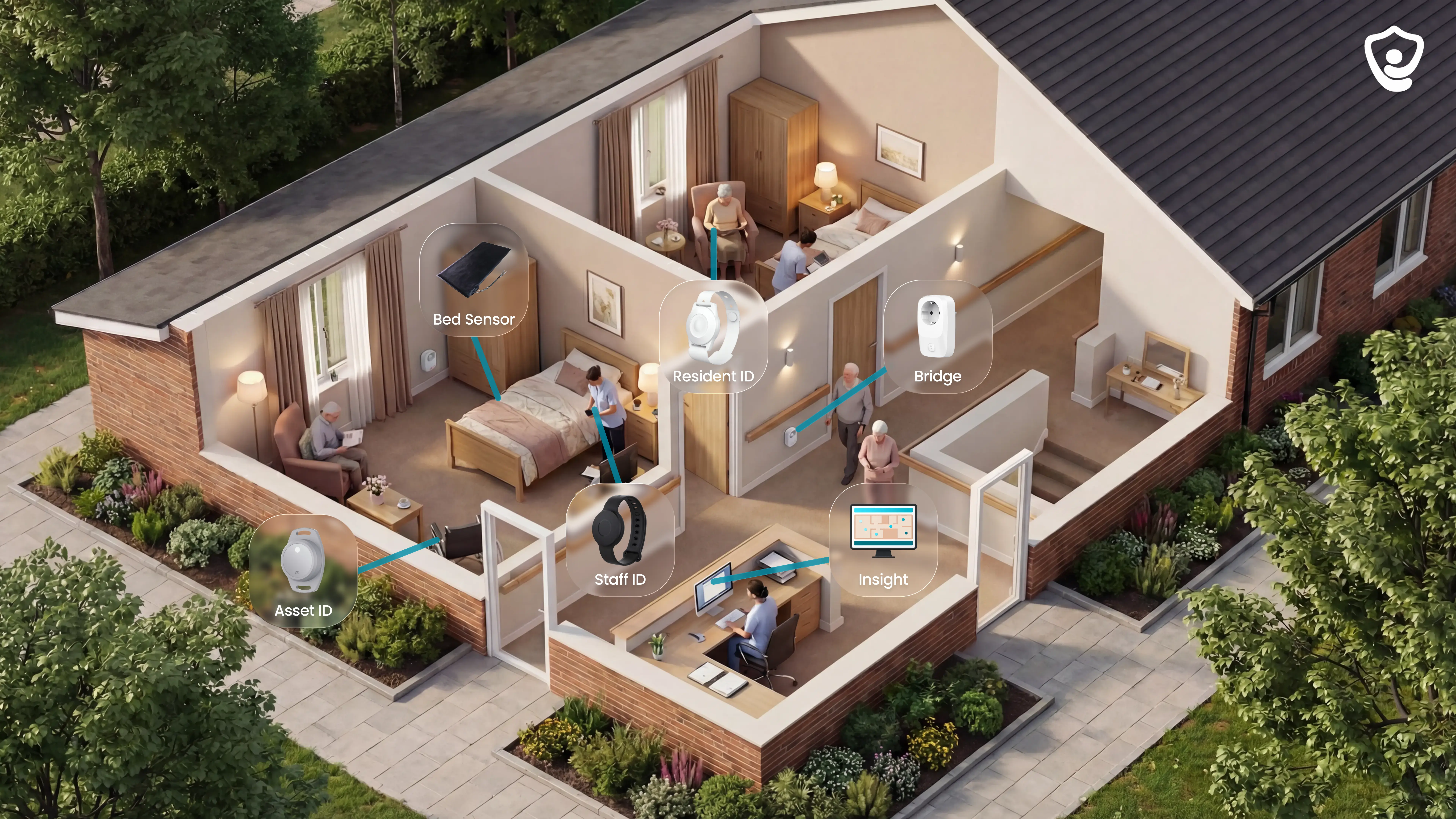
Best for ward-level visibility: Guardian is a monitoring platform for care homes that need bed-exit alerts, room context, and response records in one place.
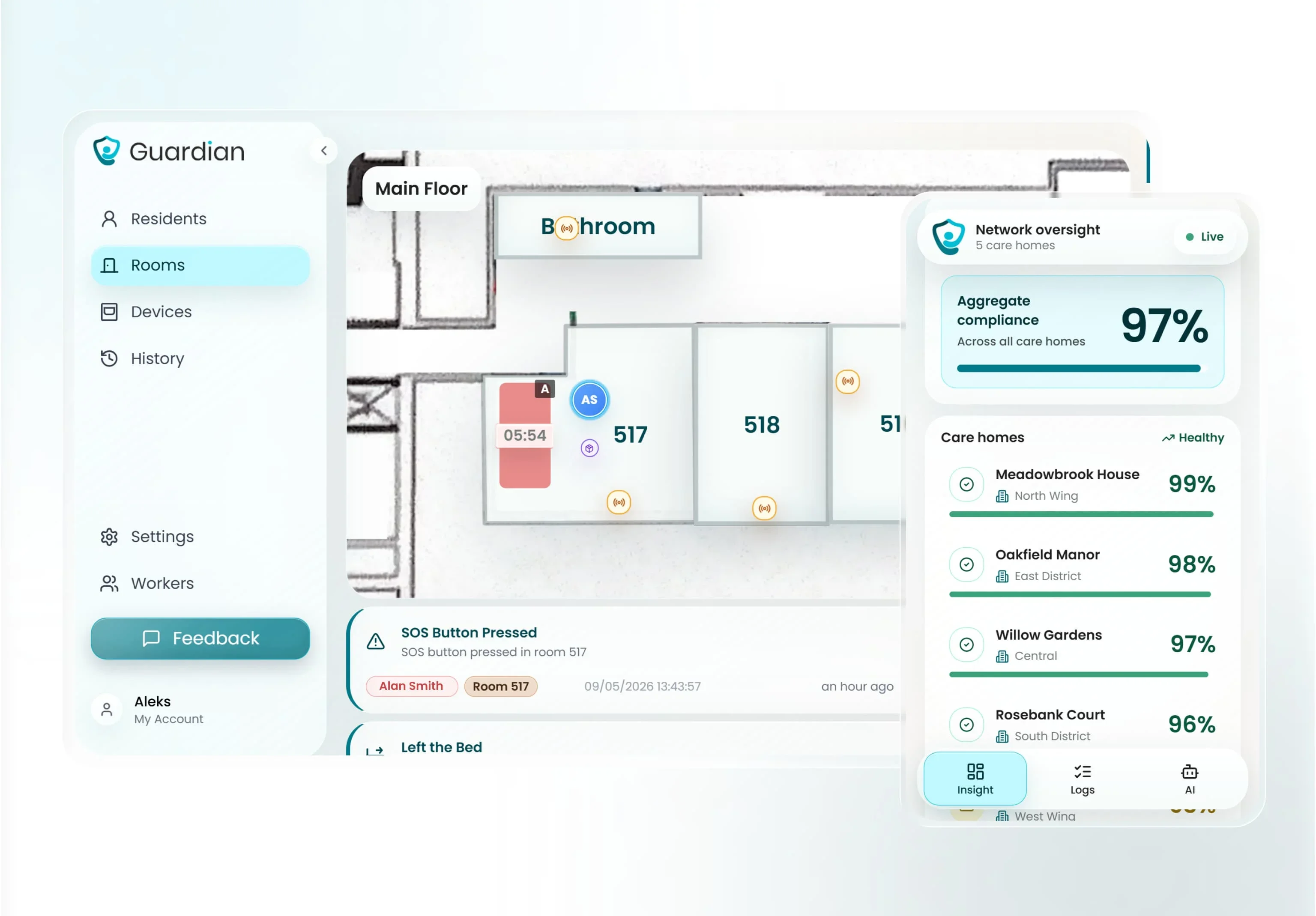
Guardian Insight connects bed-exit sensors, wearable call buttons, door events, and room activity in one dashboard. Alerts reach the web portal on phones, tablets, or nurse station screens, and Guardian can run alongside nurse-call; native legacy-panel integration is not included.
Guardian belongs in a bed alarm roundup because bed exits rarely happen in isolation. On a ward, staff need four facts fast:
Who: which resident needs attention
Where: floor, room, and bed on the digital floor plan
How long: whether the resident returned to bed or stayed out
Response: who acknowledged the alert and when
Guardian suits operators who need records as well as alarms. Bed-exit events, response times, and incident notes are captured for managers, families, and compliance reviews.
Operationally, Guardian is built for care home owners, operations managers, and nursing leads running one ward, a full building, or home care teams.
Smart bed-exit rules: set night-only monitoring and delay rules, for example "out of bed for more than 15 minutes at night", to reduce normal movement noise.
Camera-free coverage: monitor rooms without video, using bed, door, wearable, and activity signals.
Staff-device alerts: send notifications to phones, tablets, or nurse station computers already used by the team.
Wireless setup: attach sensors without drilling, cabling, or a new IT project.
Fast deployment: a ward can go live in about a week once the workflow is mapped.
Fit | What it means |
|---|---|
Best for | Care homes that need room-level bed-exit alerts, response-time records, and a clear pilot report before rollout. |
Watch out for | A standalone pager may be simpler for one private bedroom. Guardian is scoped through a 6-8 week pilot, with no public price. |
Run a 6 to 8 week ward pilot after recording a 4 week baseline:
Response times: minutes from first alert to staff acknowledgement and arrival, using 5 minutes as an internal benchmark for urgent high-risk bed-exit alerts.
Alert quality: daily alarm volume before and after night-only monitoring or delay rules are configured.
Incident-prevention data: attended bed exits from priority rooms, especially when a resident stays out of bed.
Staff feedback: whether Guardian alerts reach the right staff device or nurse station during live shifts.
ROI: ward data for rollout modelling, alongside wider remote-monitoring evidence, without treating bed alarms alone as a hospital-cost reduction claim.
For a bedroom-only setup, compare Guardian with the standalone alarms below.
Smart Caregiver Motion Sensor Alarm / Wireless Bed Alarm System

Best for a local no-Wi-Fi pager setup: Smart Caregiver is an RF alarm setup for homes where the caregiver is inside the same property. The product pages position the kits around no-Wi-Fi monitoring and portable pager alerts.
The setup can pair PIR motion sensors or pressure pads with a pager, so alerts keep working without Wi-Fi. Test the bedroom-to-kitchen path before relying on the advertised range.
The voice alert matters when the caregiver is nearby. A short recording such as “Please stay in bed” can play at the sensor before the caregiver pager rings.
Range check: Treat the advertised 300-foot range as a best-case figure, because building layout and receiver placement reduce RF performance.
Use a quick walk test before leaving the room:
Stand the pager where the caregiver actually sleeps or works.
Trigger the sensor from the bed edge, bathroom path, and doorway.
Repeat the test after moving furniture or closing fire doors.
Pricing found in seller listings starts around $24.95 for basic motion detector and pager kits. Higher bundles vary by receiver type, sensor count, and accessories, so check the current listing before comparing total cost.
Budget time for battery checks too. Bed-exit sensors are often managed on a 6-12 month check cycle, and a flat battery turns a local alarm into silence.
National Call Systems Bed Exit Alarm / Bed Sensor System
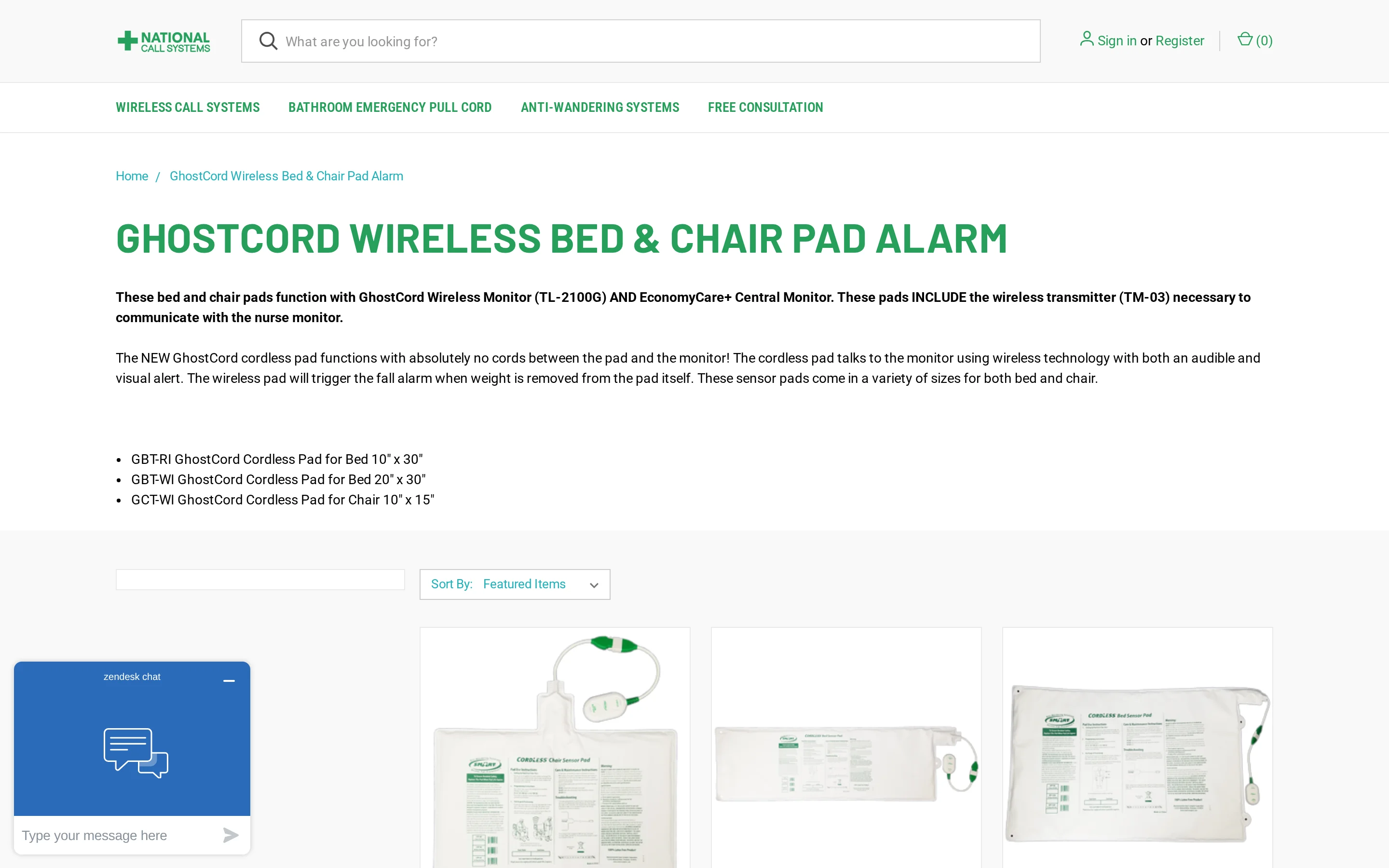
Best for pressure-pad facility workflows: National Call Systems' Bed Exit Alarm is a pressure-pad setup for facilities that already run nurse-call or pager workflows. This entry uses product specifications and buyer feedback, not hands-on testing.
GhostCord is the key product detail. The wireless transmitter sits inside the pressure pad, removing the exposed cord between pad and alarm unit.
Operational detail | What it means in practice |
|---|---|
GhostCord pad | Transmitter sits inside the pad, so there is no external pad-to-alarm cord to snag or unplug. |
Facility routing | Built for facility workflows, including memory care and assisted living units with nurse-call or pager routing. |
Listed price | GhostCord is listed at $168.95 in product listings. |
Pad replacement | Timed-pad expiration supports scheduled pad swaps and inventory checks. |
Battery risk | Use a 6-12 month wireless sensor battery check if the supplier does not give a shorter interval. |
Common mistake: Treating pad expiry as the only maintenance item.
Use the same ward round to sign off:
Pad replacement status
Transmitter battery check
Receiver test at the nurses' station
Nursing Home Aids Bed Alarm / Bed Exit Sensor System
Best for a simple pre-programmed pad kit: Nursing Home Aids Bed Alarm is a cordless pressure-pad bed-exit package for local room monitoring. This entry is research-only and based on available seller information, including pre-programmed hardware and included batteries.
Setup is simple. The system ships pre-programmed, so the caregiver can place the pad and test the alarm before the first night shift.
Treat it as a local bedroom or small-unit alert unless the supplier confirms pager range, pairing capacity, and facility routing.
Setup check: Test the pad under the resident's usual bedding, not on an empty bed frame.
Seller information lists the useful setup details:
Pre-programmed hardware: no pairing step before first use.
Included batteries: quicker setup, with planned 6-12 month checks after installation.
Audible or vibration alerts: local notice for the caregiver in the same room area.
Programmable voice: a resident prompt before staff intervene.
The available evidence does not show native nurse-call integration or facility pager routing. Confirm routing before buying for a care home that uses central alerts.
Val-U-Care Bed Exit Sensor / Motion Alarm System
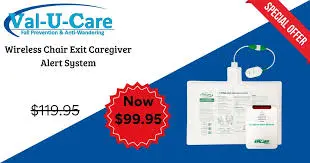
Best for one nearby caregiver: Val-U-Care is a simple local bed-exit alarm built around a pressure pad or motion trigger. It suits one bedroom where a nearby caregiver can hear the alarm or local pager.
The standing trigger is the useful part: the supplied material describes reliable activation when someone gets up. Battery or pad failure still needs a manual test routine.
Check | Val-U-Care detail |
|---|---|
Common mistake | Treating $29.95 as the starting price for a full system; the supplied listing only confirms the reviewed item price. |
Where it fits | One resident room where a nearby caregiver can hear the alarm or local pager. |
Battery check | Plan manual tests around the 6-12 month bed-exit sensor cycle, or sooner after frequent alerts. |
Limit | Local alerting does not provide facility-wide routing, escalation, or visit records. |
CallToU Bed Sensor Alarm Caregiver Pager Motion Sensor Alert

Best for a low-cost local PIR alert: CallToU is a local motion alert system built around a rotating PIR sensor and caregiver receiver. The supplied material does not verify IP55 waterproofing for the indoor bed sensor.
Treat the advertised 500-foot range as open-area range. Closed doors and ward corridors can reduce practical coverage, especially when the receiver stays plugged into one outlet.
Range check: Test CallToU through the actual corridor before relying on the 500-foot open-area claim.
Room fit: Use it for one resident room where the caregiver keeps the receiver nearby.
Receiver check: A plug-in receiver keeps alerts tied to an outlet unless the kit includes a portable receiver, so confirm the receiver type before buying.
Power risk: Low-cost battery sensors need scheduled tests; use a 6-12 month replacement cycle unless the manufacturer gives a safer interval.
Price context: The supplied material places CallToU around $19-$25 at time of review, but receiver type and accessories change the setup.
AliMed Bed Alarm / Fall Alarm System
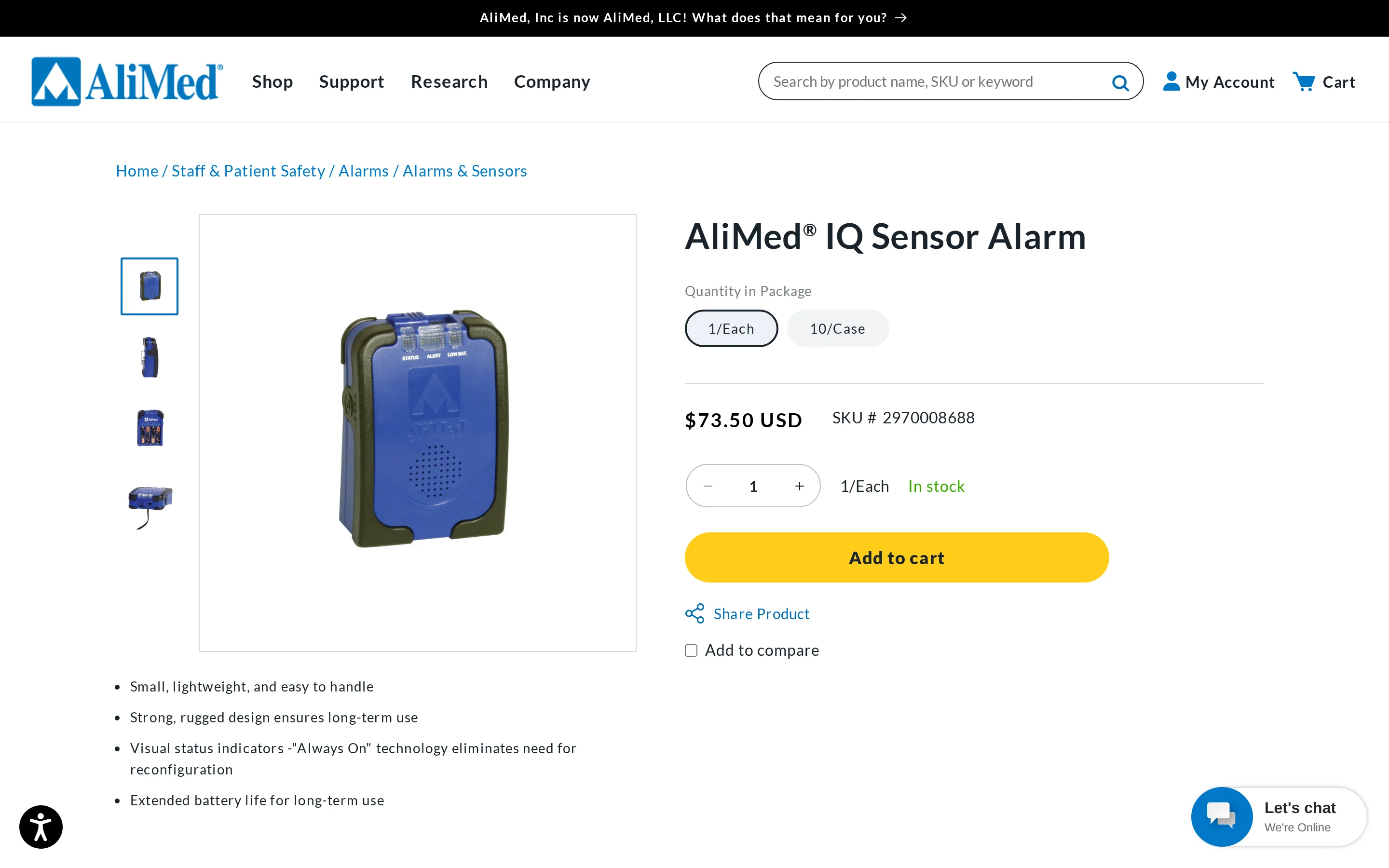
Best for sites using nurse-call as the response path: AliMed is an in-room PIR infrared motion alarm for clinical environments. The sensor mounts to a bed rail or wall and can connect to nurse call where that interface is used.
The supplied specs list an 80 dB local alarm and 24-foot detection range. Read the range as room-level coverage rather than ward-wide alert routing.
Capability | Confirmed detail |
|---|---|
Detection | PIR motion detection within the listed 24-foot range. |
Alert path | 80 dB in-room alarm, plus nurse-call compatibility where the facility uses that interface. |
Remote alerts | No wireless pager, remote receiver, or app alert is described in the supplied material. |
Power checks | The corded unit shifts checks from 6-12 month battery swaps to cable placement and power continuity. |
AliMed fits sites where nurse-call integration is already the response path. The comparison table below shows how each system handles alerts after movement is detected.
Motion sensor bed alarms compared
Use this table to compare the alarm type first, then the alert route. Prices are approximate and listed at time of review, so confirm the current kit, receiver, and replacement-pad cost before buying.
Care homes usually need one of three alert routes:
Room-level alerts: Staff know which bed needs help.
Nurse-call routing: Alerts join an existing facility system.
Mobile notifications: Staff receive alerts on phones or tablets.
Alarm | Sensor Type | Alert Delivery | Wireless Range | Alarm Volume / Mode | Nurse-Call Integration | Approx. Price |
|---|---|---|---|---|---|---|
Guardian Bed Sensor System | PIR motion / occupancy | Mobile app (Wi-Fi, unlimited range) | Unlimited (Wi-Fi) | Push notification (silent) | No | Quote-based |
Smart Caregiver | PIR motion + pressure pad (multi-device) | Portable pager / receiver (RF) | Up to 300 ft | Audible + voice recording | Partial (model-dependent) | $24.95–$129.95 |
National Call Systems | Pressure pad (GhostCord) | Central monitor / facility pager | Facility-wide | Audible tone | Yes (nurse-call network) | $89.95–$169.95 |
Nursing Home Aids | Pressure pad (under sheet) | Cordless monitor | Up to 300 ft | Audible chime | Partial (higher-tier bundles) | $109.95–$219.95 |
Val-U-Care | Pressure pad (vinyl, 10"×30") | Wireless caregiver pager | Local wireless | Adjustable-volume tone | No | $99.95 |
CallToU | PIR motion (360°, rotating) | Portable receiver | Local RF | 5 ringtones + vibration | No | $19.99–$24.99 |
AliMed | PIR motion (infrared, 24 ft range) | Local audible alarm only | None (local only) | 80 dB fixed tone | No | $74.75–$121.50 |
Battery check before rollout: Flat batteries create silent gaps, so ask each supplier how low-battery alerts appear and who owns replacements.
SOS pendants: Up to 5 years.
Bed-exit sensors: Usually 6-12 months.
Guardian sensors: Up to 2 years.
How to reduce false alarms
False alarms usually come from two places: the sensor sees normal movement as risk, or the alert rule sends every small event to staff.
Set up the sensor before you tune the software. A PIR bed alarm reacts to movement across its infrared field.
Use this checklist during installation:
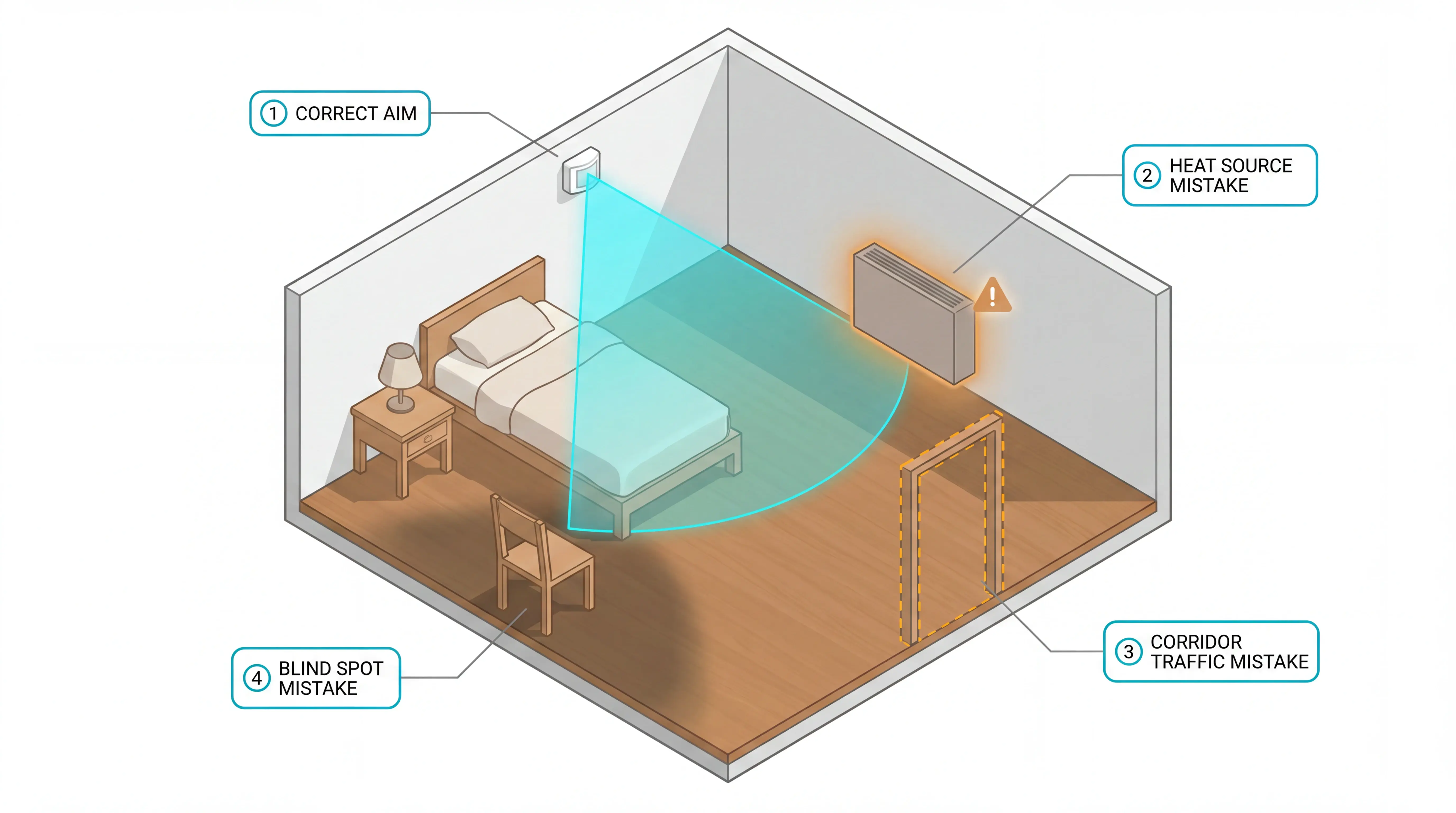
Aim at the bed-exit path: Cover the route from mattress to floor, not the whole room.
Avoid heat sources: Keep PIR sensors away from radiators, heaters, and direct sunlight.
Check the doorway: Make sure corridor traffic cannot break the sensor field.
Run a walk test: Enter from the main door and leave the bed as a resident would.
Retest after furniture moves: A chair, curtain, or bedside table can create a blind spot.
Then tune the alert rule.
A raw movement alert can be useful in one bedroom. On a ward, raw movement becomes noise during night checks.
Use these as internal pilot measures after smart rules are tuned:
Daily alert volume: Compare daily alert counts before and after baseline rules are adjusted, then review whether the reduction hides any urgent movement.
High-risk response time: Use a 5-minute response benchmark for urgent bed-exit alerts.
Guardian overnight rule: Start with an "out of bed for more than 15 minutes at night" rule for residents who often reposition or toilet independently, then adjust by care plan.
Repeat alerts: Review staff feedback and incident logs before changing thresholds.
Alarm fatigue affects whether staff trust alerts. In 2019, LeLaurin et al. found 80% non-activation of fall-prevention alarms in audited hospital use, so every alarm rule needs a follow-up check.
Keep the goal simple: staff should see alerts that need action, while normal movement stays out of the queue.
When alert routing drives trust, the alert-routing emergency call guide maps triggers, channels, and response records.
What bed alarms can and cannot do
Bed alarms give staff an earlier warning when a resident leaves bed or moves into a risk zone. The alarm still depends on a clear response plan.
Useful for:
Catching early movement before a resident stands.
Prompting staff to check a named room or bed.
Reviewing repeated exits against the resident’s care plan.
Weak for:
Stopping a resident from standing.
Covering corridors, bathrooms, or exits without extra sensors.
Replacing night-staff judgement.
Night-shift risk varies by resident mix and staffing pattern. Use local incident logs and inspection evidence, alongside the CQC State of Care report, when deciding where bed alarms fit.
Use bed alarms as one layer in a wider fall-reduction plan. Align settings with the resident’s care plan and NICE NG249 as part of the wider falls-risk review:
Match the alarm to the resident: A fast riser may need earlier detection than a resident who sits before standing.
Improve the room setup: Clear the floor path, lower the bed, and keep walking aids within reach.
Fix night visibility: Add lighting that helps residents orient themselves without waking the whole room.
Route alerts clearly: Staff need the resident name, room, and urgency level.
Review false alarms: Frequent non-critical alerts make genuine emergencies easier to miss.
Bed alarms work best when alerts buy staff time. Alerts lose value when the signal arrives without context, coverage, or a response process.
Beyond bedside alarms, the wider fall-detection devices roundup compares wearables, passive sensors, and monitored response models.
What to check before you commit
Before you buy, check how the alarm will behave in the room, corridor, and shift pattern. The bed alarm should support the resident’s care plan, inspection evidence, and local falls-prevention procedure.
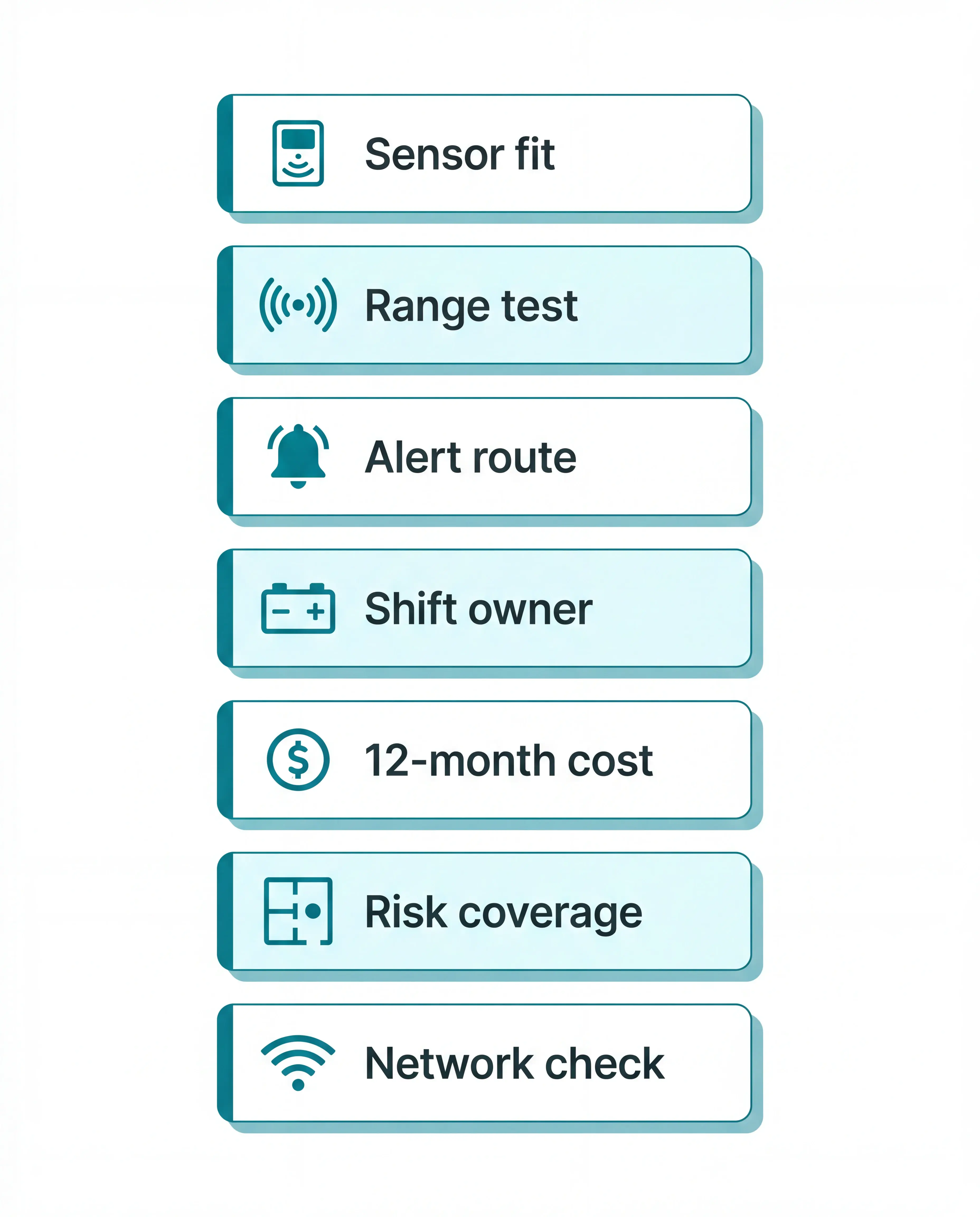
Check | What to verify before rollout |
|---|---|
Sensor fit | Match the sensor to the resident’s movement. PIR motion sensors can trigger when a resident sits up or moves into a set zone; pressure pads usually trigger when weight lifts from the bed surface. |
Range | Test the signal where caregivers actually go, including concrete floors, metal bed frames, walls, corridors, and closed doors. |
Alert delivery | Prioritise clear routing over volume. Loud bedside alarms can startle residents, while pager, vibration, or staff-device alerts can route the task to a caregiver. |
Shift survival | Assign an owner for pad position, battery dates, low-battery warnings, and replacement stock. A flat battery can leave a high-risk bed unmonitored. |
12-month cost | Add replacement pads, batteries, extra receivers, timed pad expiry, and accessory bundles to the kit price before comparing options. |
Full-risk coverage | A bedside unit detects one event in one location. Residents who wander, fall in bathrooms, or move between rooms may need door, motion, floor, or app-based alerts as well. |
Network coverage | For app-based alerts, test Wi-Fi or mobile coverage in bedrooms, corridors, and staff areas before relying on notifications. |
When one alarm is not enough, see the whole care setting
One alarm is useful at one bedside. Guardian gives care teams a wider view of movement risk across rooms, corridors, exits, and night-shift routines.
Use a 6-8 week pilot to answer three practical questions:
Which rooms create repeated night alerts?
How fast do staff reach each named room or bed?
Which smart rules reduce noise without hiding urgent movement?
Guardian maps alerts to your floor plan and creates records automatically. Previous Guardian pilot reporting has included 30+ detected incidents and about €1,000/month in modelled caregiver capacity, but the rollout case should use your own baseline data.
For a care home, the best fit is usually a system that routes alerts by resident and room, records response times, and covers more than the bed. Guardian is built for that ward-level job; a local alarm can work when one nearby caregiver only needs a bedside alert.
No. Local RF bed alarms connect the sensor and receiver directly, so the basic alert can work without a router or internet account.
App-based monitoring systems such as Guardian use facility network coverage to reach staff phones or screens. A bedroom dead zone can delay the alert as surely as a receiver left at the nurses' station.
Yes, when the alarm is passive and routed to staff. Pressure pads detect a bed exit without asking a resident with dementia to press a button or wear a pendant.
Use quieter caregiver-routed alerts where possible. A loud bedside alarm can startle the resident and make the bedroom feel unsafe.
Local RF receiver ranges vary by product. Many kits sit around 100 to 300 feet, while some advertise higher open-area figures that can drop quickly indoors.
Check the range by product type, then test the chosen kit in the actual bedroom and corridor:
Smart Caregiver: up to 300 feet between sensor and pager, before walls and ward layout reduce the margin
CallToU: advertised up to 500 feet in open area, so test the actual route between bed, corridor, and receiver before rollout
Val-U-Care: local RF pager setup, so confirm the listed range for the exact kit and test it indoors
National Call Systems: central nurse-call or facility infrastructure, so range depends on the installed system and site survey
AliMed PIR models: local room alarm, so remote receiver range may not apply
Guardian: app and dashboard routing over Wi-Fi or network coverage, so confirm coverage from the bedroom to the nurses' station
Plan around 6 to 12 months for bed sensor batteries, then verify the exact figure in the manufacturer's data sheet.
A flat battery is an alert failure. If a sensor dies during a night shift, staff may get no bed-exit warning.
For care homes, battery life needs an owner and a routine:
Log replacement dates: record the room number and the next planned battery change.
Check low-battery warnings: add battery alerts to shift handover.
Buy spares early: keep the correct battery type on site before a ward rollout.
Yes, but capacity is an operational limit. Facility monitoring systems such as National Call Systems or Guardian can route multiple bed alerts; local RF pagers depend on the pairing limit.
Check the pairing limit before buying a local RF kit. A ward-level rollout needs named bed alerts, because one generic pager tone can slow response.

Author
Aleks Timm
Aleks Timm leads Guardian and builds privacy-first operations technology for care homes and home care providers. Teams get location-aware alerts they can act on, clearer situational awareness, and measured insight into how care work actually runs.
Read MoreRecommended reads
Keep reading
Remote patient monitoring: a complete guide
Remote patient monitoring: the complete guide to sensors, benefits, and buying tips for safer care homes and better resident...
Read more
Patient bed alarms for elderly & hospital care
Patient bed alarms help prevent falls in elderly and hospital care. Compare alarm types, choose the right sensor, and protect...
Read more
Smart Nurse Call Systems for Care Homes and Home Care Providers
Smart nurse call systems for care homes and home care providers: compare features, improve response times, and choose the right...
Read more