Guardian care intelligence

Nurse call button systems for care homes and hospitals

Care homes use nurse call button systems to turn requests for help into visible, trackable work. Hospitals use them too.

A button only helps when staff see the alert, know which room to check, and can prove what happened afterwards. Without that, response times, resident safety, and records depend too much on memory.

This guide covers:
  • what nurse call systems do
  • which hardware matters
  • how to compare options for a care home
  • how modern systems reduce noise and leave cleaner evidence of care
Nurse Call Button Systems for Hospitals & Care Facilities

What is a nurse call button system?

A nurse call button system is a connected setup that lets residents request help and sends alerts to care staff. In care homes, the best systems show room location, record response activity, and support safety monitoring without relying on memory.

Nurse call systems matter because care teams need to respond quickly and prove what happened:
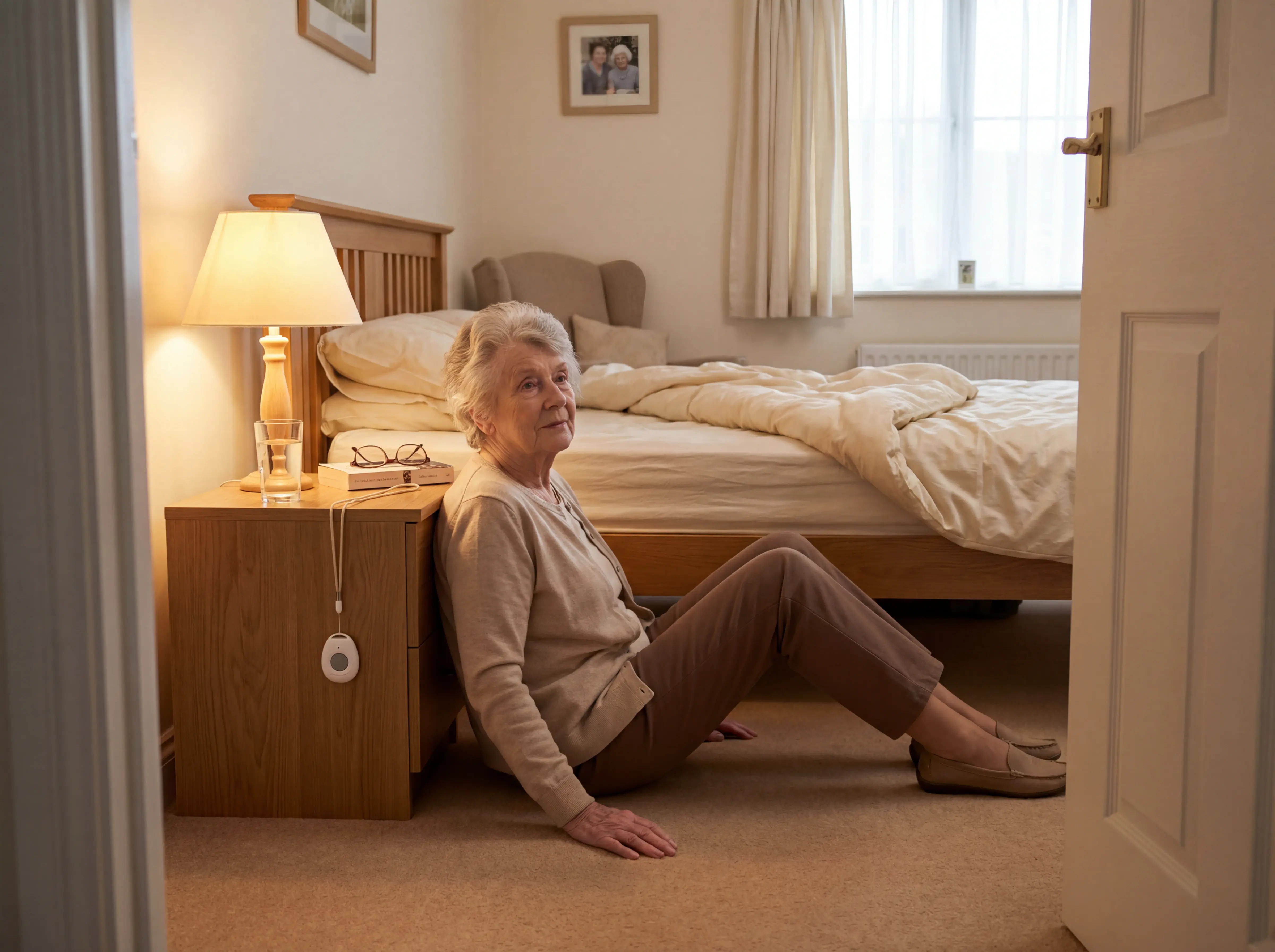
  • Falls need a traceable response: When a resident falls or calls for help, staff need location, time, and response history in one record.
  • Alert noise has a cost: Inaccurate monitoring alerts can create alarm fatigue, making staff less responsive to genuine emergencies.
  • Records matter after every incident: A clear call history helps managers review response times, handovers, and family or regulator questions without reconstructing events later.
What is a nurse call button system?

Types of nurse call hardware

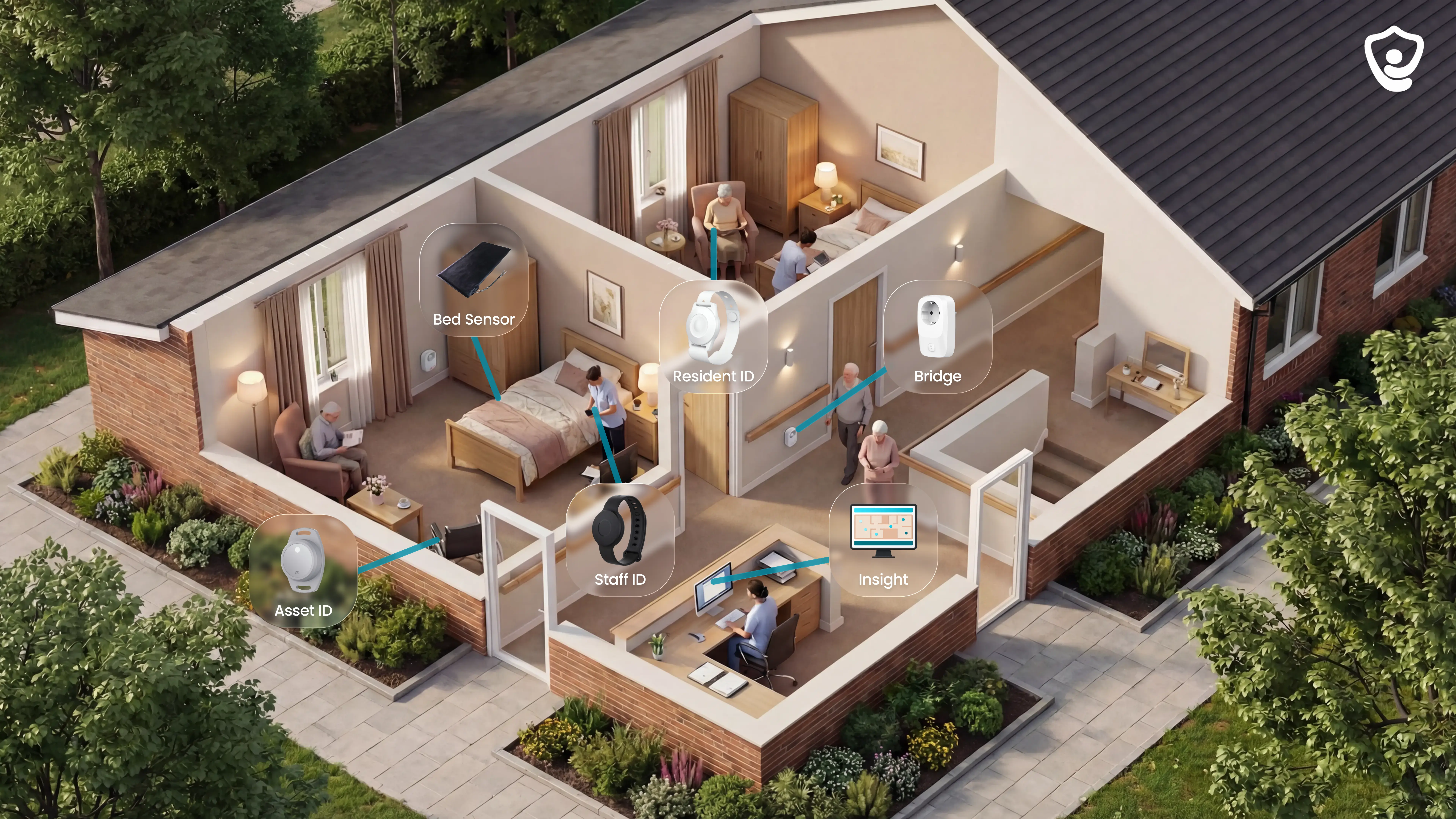
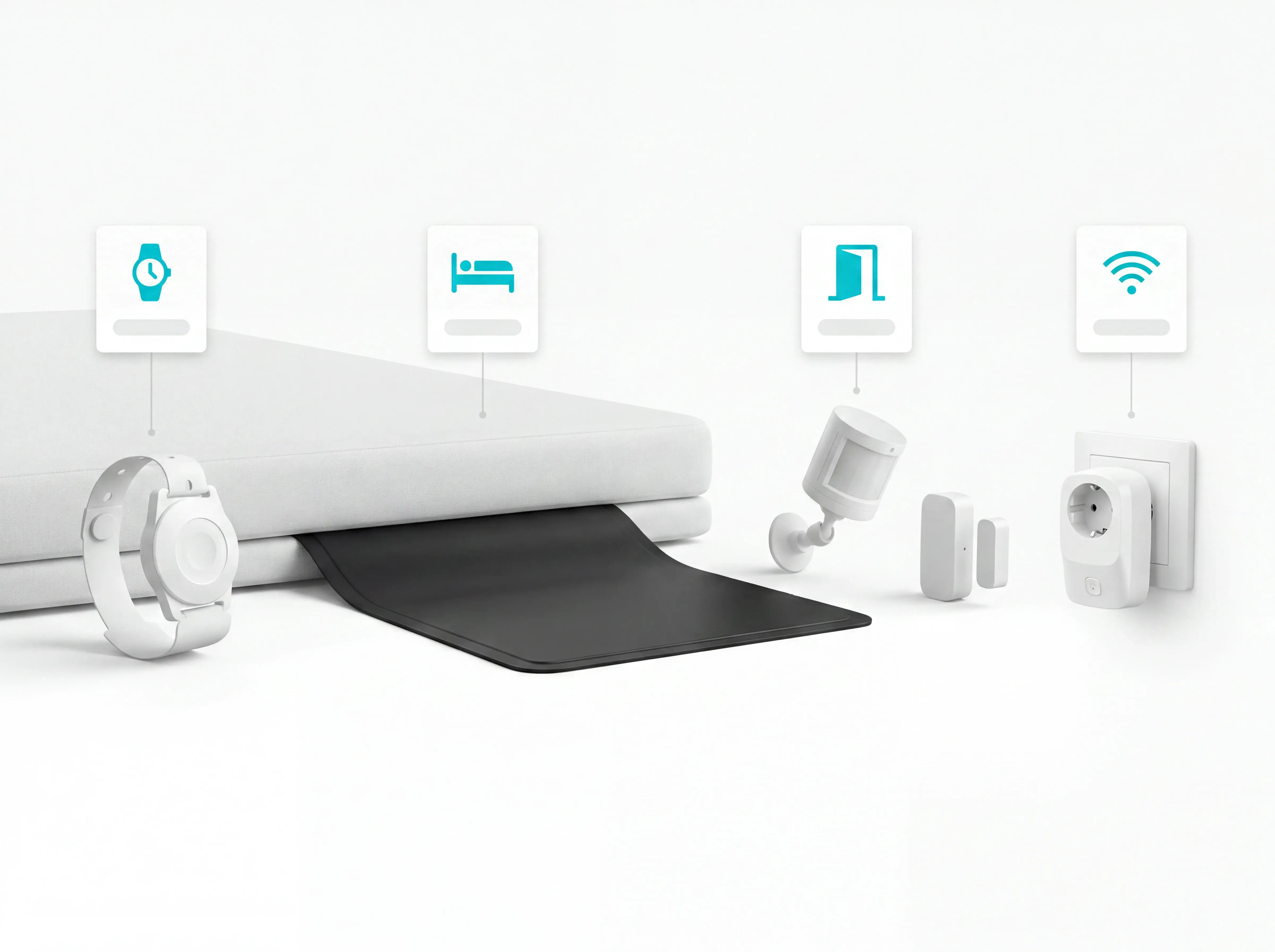
Nurse call systems combine four main hardware types: SOS buttons, bed sensors, motion and door sensors, and a central hub with a staff dashboard.

Fixed nurse call systems often use panels and cabling. Guardian uses Wi-Fi-based sensors and the same core parts without a fixed-cabling project.
Types of nurse call hardware

Hardware types

SOS call buttons and pendants

An SOS call button gives residents one physical action for urgent help.

The button can be worn as a pendant, carried on the body, or mounted on a wall.

In a basic system, the press creates an alarm on a panel, pager, handset, or staff dashboard. Guardian's SOS button sends an immediate automated phone call to caregivers instead of relying on a passive app notification.

Useful hardware details are small, but important:
  • Raised edges: make accidental presses harder during washing, dressing, or movement.
  • Simple activation: lets residents call for help without navigating a screen.
  • Location context: helps staff see which resident or room needs attention.

For care homes, SOS buttons work best as one input in a wider nurse call setup. Residents who forget, remove, or cannot reach a pendant still need bed, motion, and door sensors to cover the gaps.
Bed exit and pressure sensors

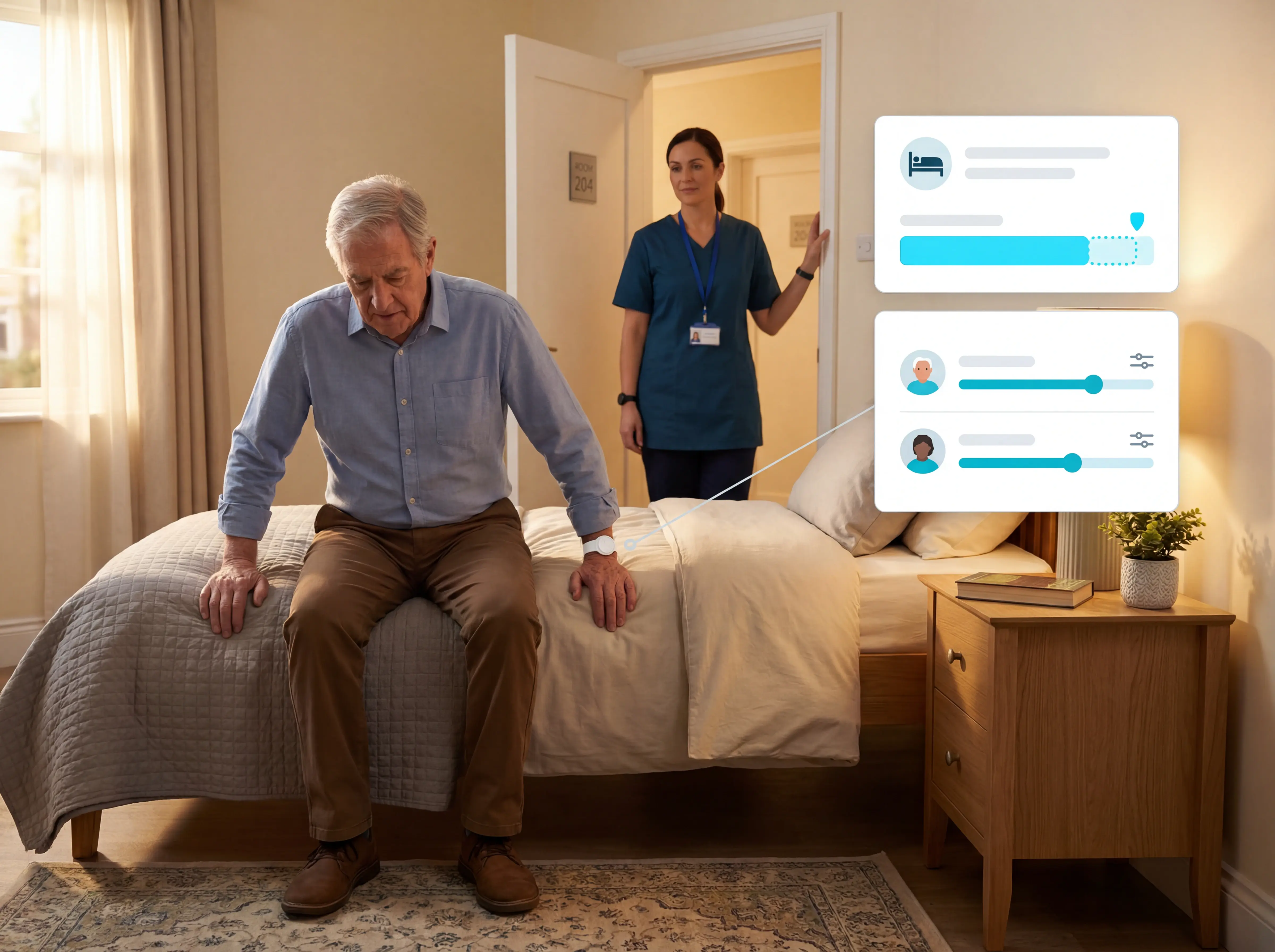
Place a bed exit sensor under the mattress and it fires when a resident lifts their weight off the pad.

Care homes use bed sensors for night-time wandering, transfer risks, and unsupervised bathroom trips.

Night-time risk often comes from transfers, wandering, and bathroom trips when staffing is thinner.

A bed sensor does not stop a fall by itself. It gives staff an earlier signal to check the room before a slow exit becomes an unwitnessed fall.

The right question: Can the system separate a normal bathroom trip from a risky delay, then alert staff before the next round?

Motion and door sensors

Not every resident can press a button.

Motion and door sensors cover the gaps with passive, camera-free monitoring.

Motion sensors

Track room-level activity without video. Useful when a resident cannot reliably press a pendant.

Door sensors

Flag exits from rooms, stairwells, or restricted areas. The alert comes from movement, not from the resident remembering to call.

Common mistake: alerting on every internal door opening. Staff stop trusting door alerts when routine daytime movement is treated like risk.

For external exits, set a night rule such as 10pm to 6am. Daytime door movement is routine; night-time exits rarely are.

Central hub and staff dashboard

All sensor types feed into one hub: bed, motion, door, and SOS.

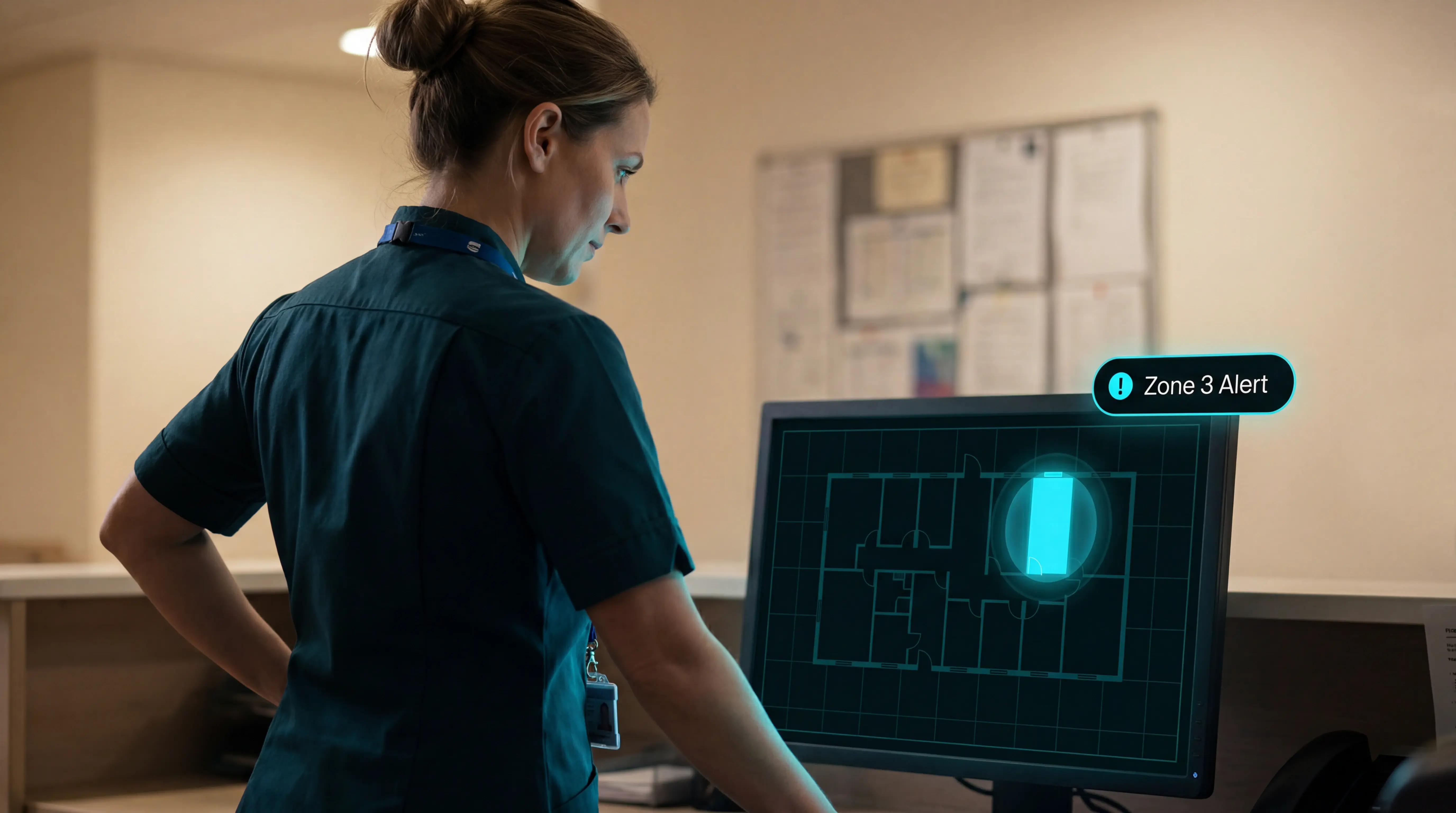
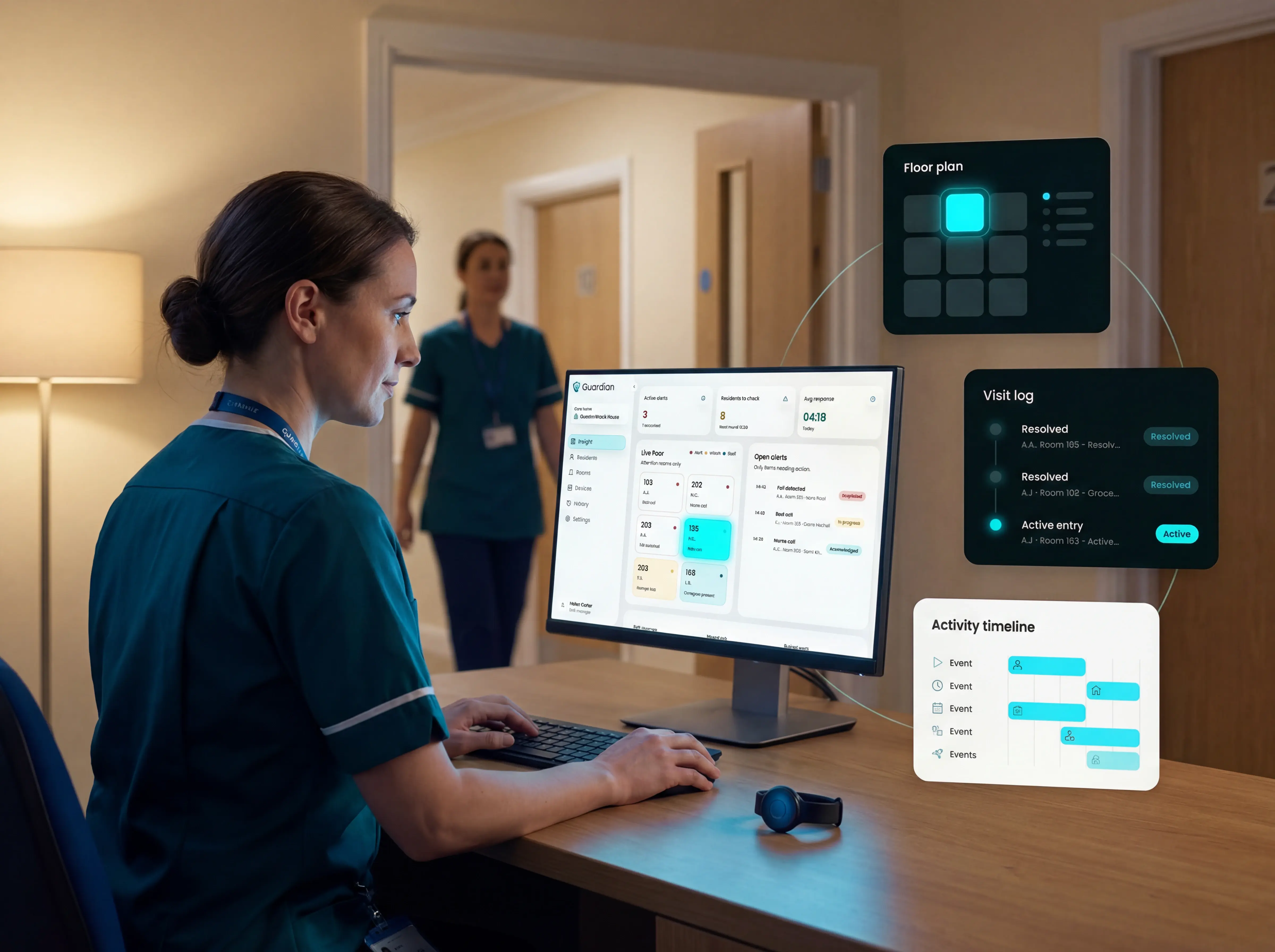
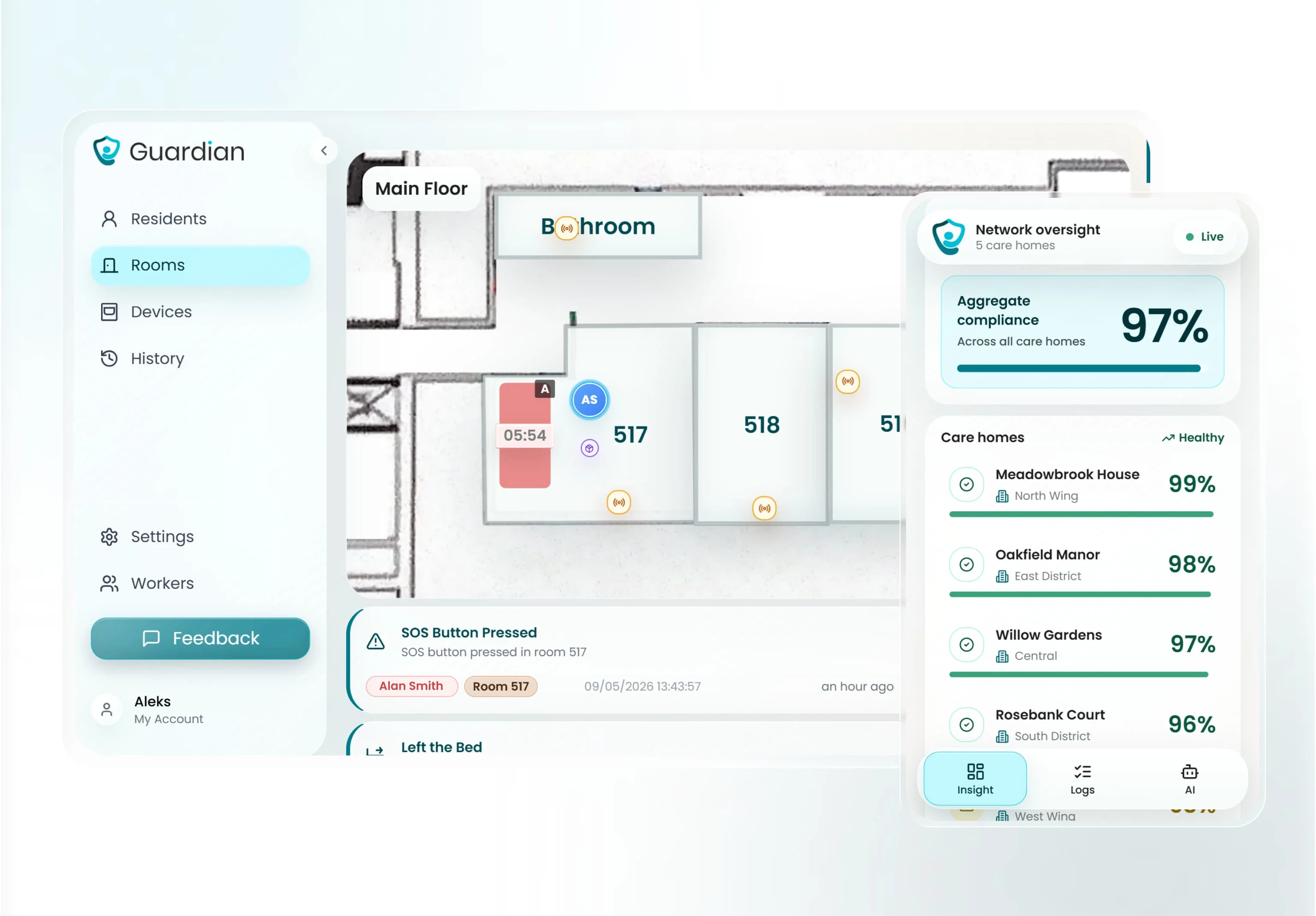
The hub connects to a staff dashboard that shows live alerts across the facility floor plan.

A Guardian hub can connect several sensor types:
  • SOS buttons for resident-initiated emergency calls
  • Motion sensors for passive room-level activity
  • Fridge sensors for changes in routine or access
  • Stove sensors for safety monitoring in supported settings

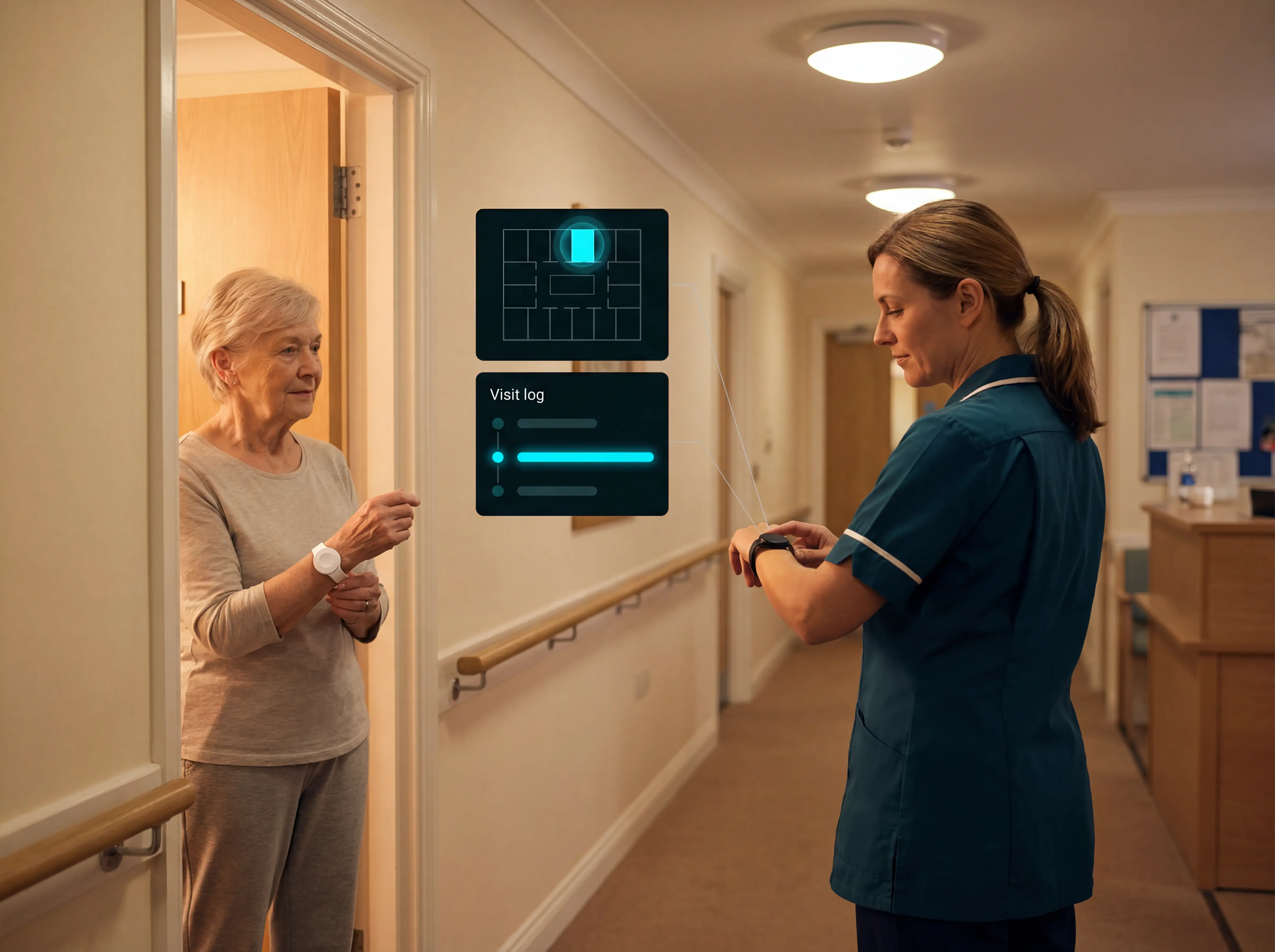
During setup, each sensor is linked to a specific room or bed on a digital floor plan. That mapping turns an alarm into a task: staff can see where to go before leaving the desk.

Alert quality matters as much as alert speed. Alarm fatigue contributes to staff ignoring or silencing legitimate alerts.

That risk rises when a ward generates 150 alerts per shift and staff cannot tell which alerts matter.

A good dashboard keeps alerts actionable by showing the resident, room, bed, and event type together. Guardian's floor-plan view uses that context so staff are not working from a generic buzz or zone number.

The dashboard should also help managers check device status. A missing battery warning, inactive sensor, or unmapped room should be visible before the gap becomes a missed alert.

What to look for in a nurse call system

A nurse call system should help staff find the right resident fast, reduce avoidable alert noise, and leave a clean record after every event.

Start with the rules care teams use most often: bed-exit delay and resident-specific thresholds. Emergency SOS calls should still bypass filters.
What to look for in a nurse call system

Evaluation steps

Five checks before you choose

Use these checks before you commit to a nurse call system. The right setup should reduce noise, protect privacy, fit the ward, and leave records you can use after every incident.
01

Smart rules that reduce alarm fatigue

Smart rules delay routine movement alerts, while emergency events still go straight to staff.

Check for bed-exit delay, resident-specific thresholds, time-based rules, and emergency bypass. SOS calls and confirmed fall alerts should never be delayed by conditional logic.

Test the rules against a real routine, such as a resident who usually gets up at 2am. The system should filter normal movement without teaching staff to ignore alerts.
02

Resident privacy and camera-free monitoring

Camera-free monitoring protects bedroom privacy by using passive sensors instead of video or audio recording.

Check for no cameras in bedrooms, data minimisation, passive coverage, and location-aware alerts. Staff should see what happened, where to go, and which resident needs attention.

There is a practical tradeoff. Without visual confirmation, staff still need to make a physical check after an alert.
03

Easy installation and setup

The system should fit around residents, rooms, and normal shift patterns. It should not need a building project, camera rollout, or weeks of IT work.

Check for wireless sensors, adhesive mounting, floor-plan mapping, camera-free coverage, and a low IT load. Staff should not need new pagers, servers, or structural changes.

On day one, confirm the floor plan, test how staff recognise alerts, and set one owner for room changes and rule updates.
04

Reporting and compliance support

Every nurse call should create a record that managers can review, export, and explain during an inspection.

The log should show alert trigger time, acknowledgment time, room location, response time, resolution time, and care notes. Vague incident summaries reconstruct poorly later.

The same records help answer questions about response times, escalation steps, repeated incidents, and staff accountability.
05

ROI from your own ward data

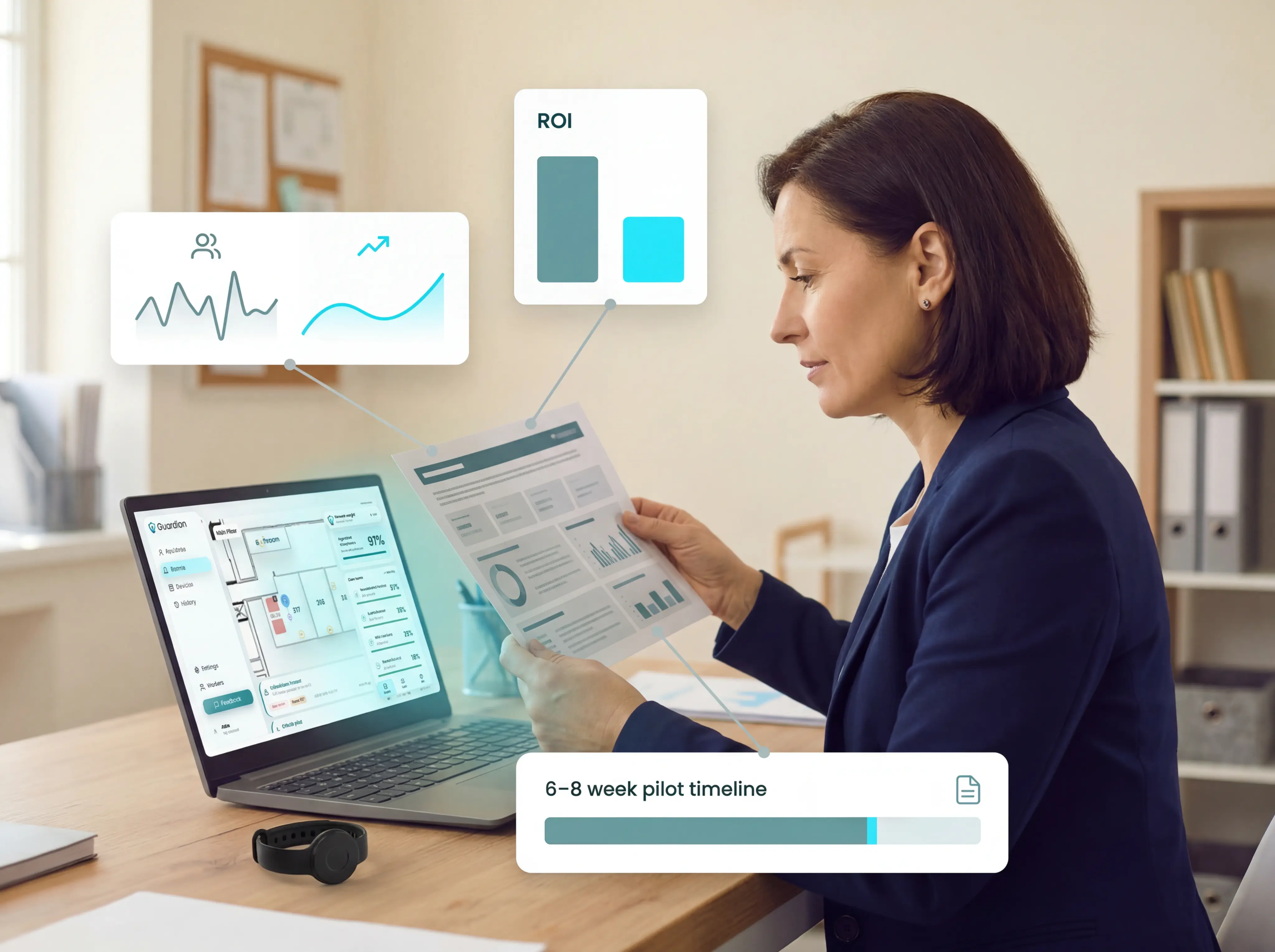
Use the target ward's recent incident log as the starting point. After a 6-8 week pilot, compare falls, admin time, alert volumes, and response times against that baseline.

Do not compare hardware costs only. Ask vendors for a 24-month total cost view that includes engineer visits, batteries, support, and any per-alert fees.

The ROI case should include staff time, incident patterns, response evidence, staff feedback, and the next rollout scope.

See live alerts across the ward

Guardian brings nurse call alerts, room sensors, and response activity into one live ward view.

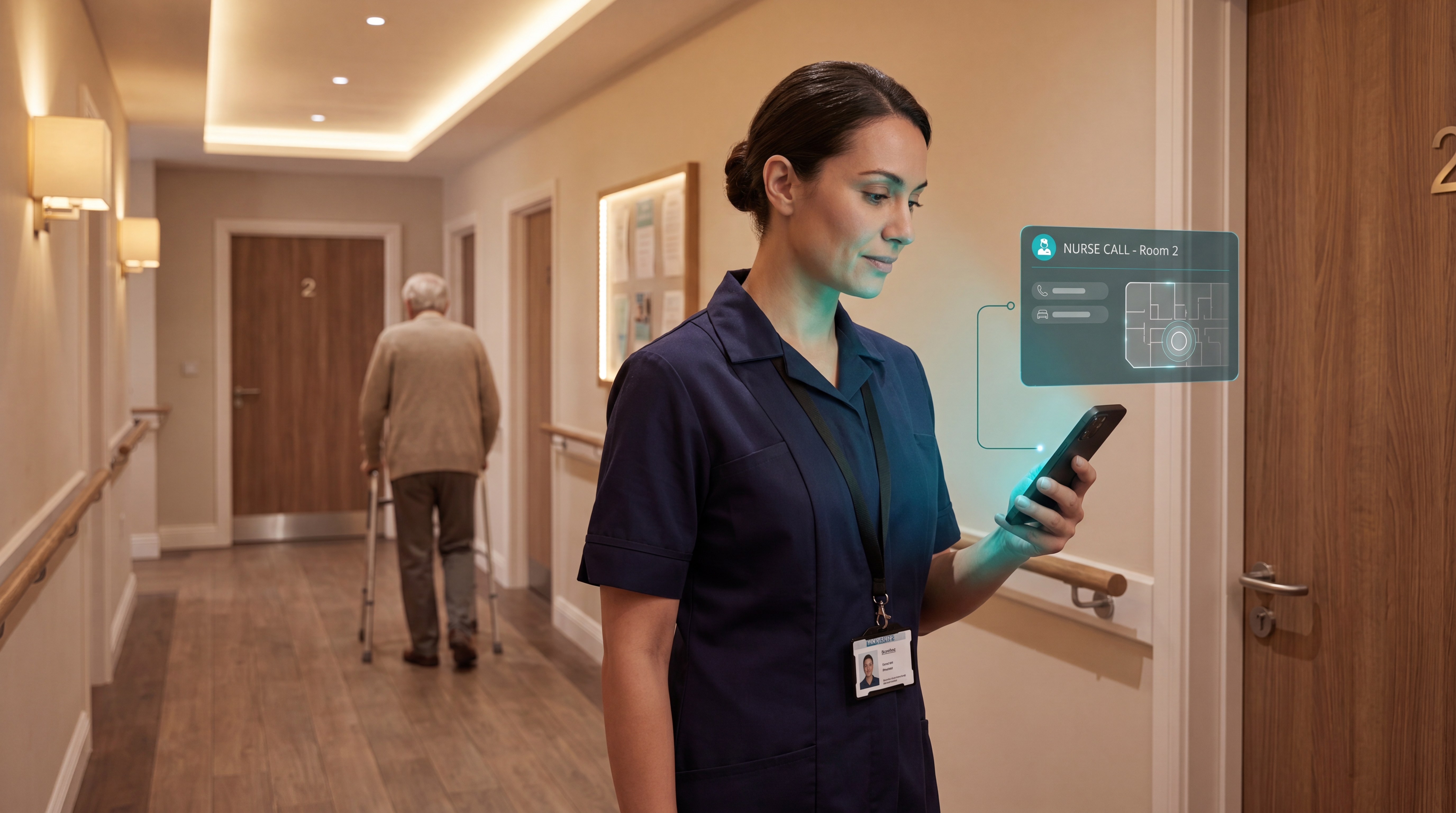
Staff see who needs help, where the alert came from, and which room or bed to check next.

The dashboard uses the care home's digital floor plan, so an alert is not just a generic buzz. It carries room-level context from the first day.

All sensor types feed into one hub: bed, motion, door, and SOS. During setup, each sensor is linked to a specific room or bed on the floor plan.

That mapping turns an alarm into a task. Staff can see where to go before leaving the desk.

Guardian sends SOS help requests directly to staff phones as an automated call, not a passive app notification.

The same view helps managers check device status. A missing battery warning, inactive sensor, or unmapped room is visible before the gap becomes a missed alert.
See live alerts across the ward

Use pilot data before rollout

The Guardian pilot runs for 6-8 weeks in one ward or care team.

The goal is to prove the workflow in your setting before any wider rollout decision.

Use the target ward's recent incident log as the starting point. Compare falls, admin time, alert volumes, and response times against that baseline.

At the end, you receive an impact report covering:
  • Response times: how quickly staff acknowledged and acted on alerts
  • Alert volumes: which rules created useful signal, and which should be adjusted
  • ROI calculation: the operational case for scaling Guardian beyond the pilot
  • Rollout recommendation: where Guardian should go next, based on your data

Do not compare hardware costs only. Use your own ward data to decide what to scale next.
Use pilot data before rollout

Cover gaps with camera-free sensors

Not every resident can press a button or keep a pendant on. Guardian covers those gaps with passive, camera-free monitoring.

No cameras are placed in resident rooms. Guardian uses Wi-Fi-based sensors and the devices staff already carry, so there is no fixed-cabling project to manage.

Guardian can bring several signals into the same ward view:
  • Bed exits: know when a resident leaves bed at night
  • Motion activity: see room-level movement without video
  • Door activity: flag exits from rooms, stairwells, or restricted areas
  • Temperature changes: spot room conditions that need attention

Door rules matter. Alerting on every internal door opening teaches staff to ignore the signal.

For external exits, set a night rule such as 10pm to 6am. Daytime door movement is routine; night-time exits rarely are.
Cover gaps with camera-free sensors

See Guardian's nurse call system in action

Pilot Guardian in one ward before you roll it out.

Guardian can be installed in about a week, then measured over a 6-8 week pilot against:
  • response times
  • incidents and near misses
  • alert volumes and rule quality
  • operational ROI

Tell us where you want to test Guardian. We'll reply with scope and next steps.
Try it now

Common questions

Does a nurse call system need a landline or Wi-Fi? +
No landline needed. Guardian runs over your existing Wi-Fi, and alerts reach staff on the phones, tablets, or nurse station screens they already use.

For a Guardian nurse call setup, the practical requirements are simple:
  • No phone socket or landline contract
  • No dedicated nurse call cabling through the building
  • Wi-Fi coverage in the areas where alerts and sensor data need to be received
  • Staff access through the web portal on phones, tablets, or nurse station screens

Guardian maps alerts onto the facility floor plan, so staff see the resident and room context instead of a generic alarm.
How long do the sensor batteries last? +
Guardian SOS button batteries last up to two years without charging. Bed, motion, and door sensor battery life depends on placement, activity level, and alert frequency.

Guardian monitors battery status and sends a low-battery alert before a sensor goes dark. Battery checks do not depend on memory.
How do I measure whether the system is working? +
Compare your ward's recent incident log with data captured during the 6-8 week pilot.

Your own baseline is more useful than any generic benchmark.

Use recent falls, missed checks, unanswered calls, response concerns, false alerts, and family or staff complaints from the target ward.

Do not invent a generic pre-Guardian response-time baseline. Use your incident history and agreed alert targets instead.

Set a target for high-risk alerts before the pilot starts, then compare actual acknowledgment times against it.

During the pilot, Guardian tracks the operational data needed for a fair comparison:
  • Alert timestamps and acknowledgement times
  • Staff response durations
  • Incident counts by type and location
  • False-alert patterns after smart rules are adjusted
  • Staff feedback on whether alerts are clear and usable

The post-pilot review should show what changed, where risk remains, and whether rollout makes financial sense. Guardian's pilot ends with an impact report, ROI calculation, and rollout plan.
Aleks Timm

Author

Aleks Timm

Aleks Timm leads Guardian and builds privacy-first operations technology for care homes and home care providers. Teams get location-aware alerts they can act on, clearer situational awareness, and measured insight into how care work actually runs.

Read More