


WellSky Home Health Review: Pricing, Pros, Cons and Buyer Fit
In this article
WellSky Home Health appears best suited to US home health agencies that want EHR documentation, scheduling, claims, reporting, and analytics in one platform.
The main watchouts are pricing transparency and mixed customer-review signals on support, offline work, and stability. Test those areas with real staff and workflows before signing.
This is a research-based review, not a hands-on test. It covers the US-focused Home Health product using official WellSky pages and public customer reviews checked on 19 July 2026.
WellSky Home Health in one minute
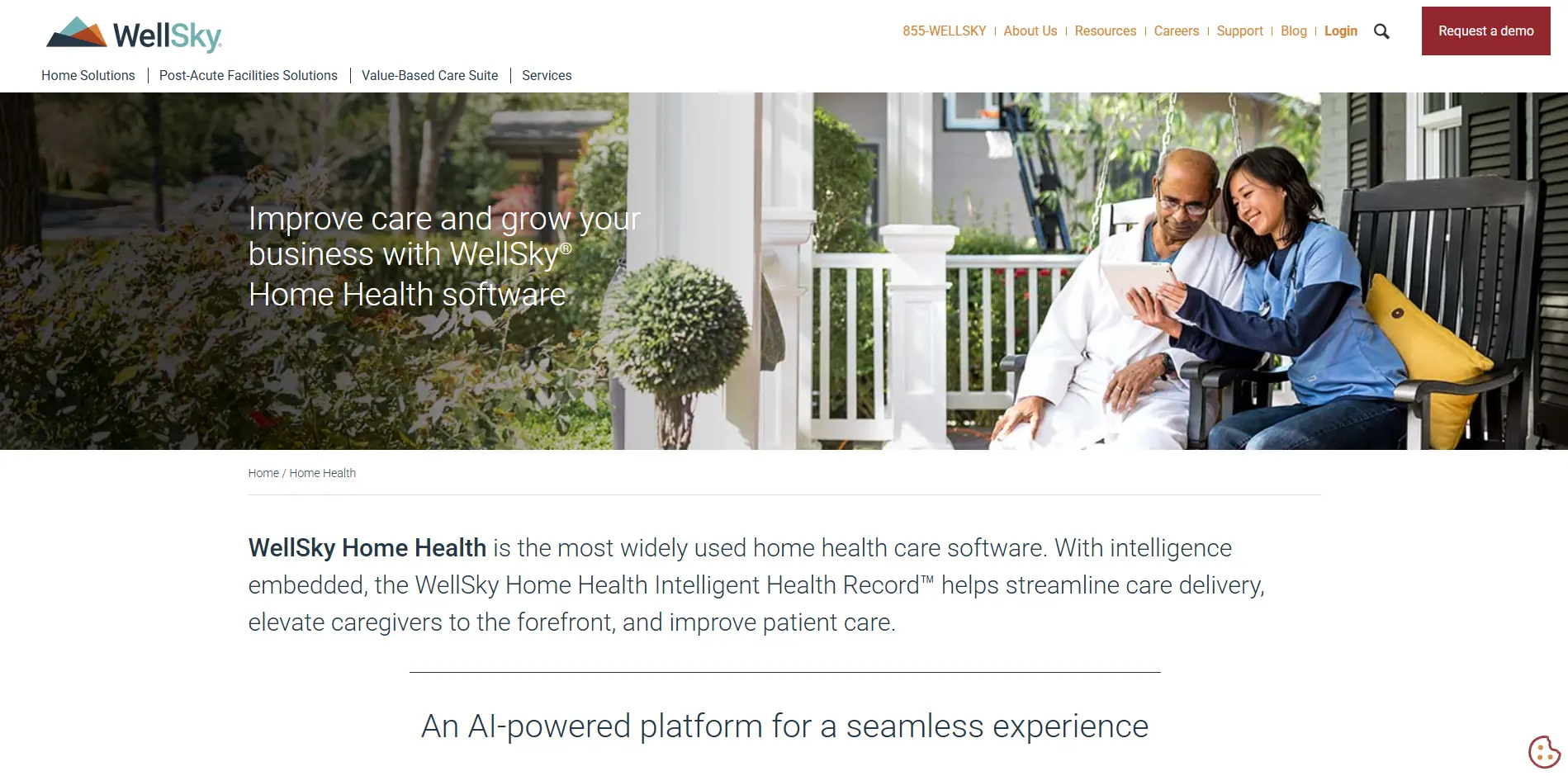
WellSky Home Health is a web-based EHR for US home health agencies. It connects intake, scheduling, clinical records, claims, financial reporting, and analytics.
Category and market: An EHR for US home health agencies. WellSky Hospice & Palliative is a separate product.
Core workflows: Intake, scheduling, care delivery, quality assurance, claims management, financial reporting, and predictive analytics.
Field work: WellSky states that connected-device access, offline capabilities, secure messaging, and real-time electronic visit verification are available.
AI workflows: WellSky names Scribe for ambient documentation, WILA for voice-assisted documentation, and AI-supported referral management.
Pricing: Software Advice lists pricing as available upon request. WellSky's product page does not publish a list price.
Best fit and watchouts: The suite merits a demo when an agency wants connected EHR and revenue-cycle workflows. Verify offline use, support, implementation, and total contract cost.
How this WellSky review was researched
The evidence is separated by source type, so official product claims, customer reports, and unresolved demo questions do not carry the same weight.
Review area | What it examines |
|---|---|
Ratings | Customer software review scores |
Pros and cons | Repeated benefits and complaints |
Workflow fit | Supported teams and use cases |
Pricing | Public details and missing information |
Demo checks | Claims buyers should verify |
Operational visibility | Limits beyond software records |
Customer ratings at a glance
Source | Audience | Overall rating | Notable detail |
|---|---|---|---|
Software customers | 3.4/5 | 100 reviews; ease 3.7; service 3.2; value 3.0 | |
Software customers | 3.4/5 | Ease 3.7; value 3.0 |
The 3.4/5 average hides a split experience. Recent reviews range from long-term users who find the system easy to use to owners and administrators reporting slow support and technical disruption.
Recent individual reviews make the trade-off clearer:
Ease of use: A regional clinical manager gave WellSky 5/5 in September 2025 and described years of positive use. An RN case manager gave it 4/5, including 5/5 for ease of use.
Capabilities with reservations: A director of clinical services gave it 4/5 and praised its capabilities, but gave a 3/10 likelihood-to-recommend score.
Support and stability: Three owners or administrators gave it 1/5 between January and July 2026. Their reports mention slow support, unresolved tickets, weak onboarding, and lost or missing documents.
These are individual customer reports, not controlled tests. Use them to shape demo checks around onboarding, support response, document recovery, and day-to-day usability.
WellSky pros and cons
Official product information supports the feature strengths below. The concerns come from customer reviews and need testing in the buyer's own environment.
Assessment | Evidence | Buyer implication |
|---|---|---|
Pro: connected agency workflows | WellSky's official page covers intake, scheduling, care delivery, quality assurance, claims, reporting, and analytics. | A single EHR may reduce handoffs between clinical and administrative work. |
Pro: field access and EVV | WellSky states that the product supports connected devices, offline work, and real-time electronic visit verification. | Test these functions on the devices and routes staff actually use. |
Concern: support and value | Software Advice lists customer support at 3.2/5 and value for money at 3.0/5 across 100 reviews. | Put support commitments and total contract costs in writing. |
Concern: offline use and stability | Recent displayed reviews include reports of offline-app limitations, glitches, forced logouts, and lost work. Other reviewers describe the system as easy to use. | Treat these as customer reports, then reproduce the workflows in a controlled demo. |
Who WellSky Home Health fits, and who should be cautious
WellSky Home Health is built for US home health agencies that want clinical, scheduling, EVV, claims, and reporting workflows in one EHR. Fit still depends on field use and contract terms.
Good fit: Agencies ready to test an integrated EHR and revenue-cycle workflow with clinical, billing, and administrative staff.
Separate hospice need: Evaluate WellSky Hospice & Palliative separately. Its charting, claims, and hospice workflows are not the Home Health product reviewed here.
Be cautious: A buyer needing proven offline performance, live care-home room monitoring, EU deployment, or transparent public pricing should confirm the category and evidence before proceeding.
WellSky pricing: what is public and what to ask
WellSky's Home Health page does not publish a list price. Software Advice lists pricing as available upon request, so a public total-cost comparison is not possible.
Ask every shortlisted vendor to price the same users, modules, locations, interfaces, support level, and contract term. Otherwise, the totals will not be comparable.
Cost area | What to request in writing |
|---|---|
Setup | Implementation, configuration, training, data migration, and named ownership for each go-live task |
Recurring access | User, location, module, storage, and usage fees, plus any minimum commitment |
Connections and add-ons | Fees for required interfaces, EVV services, analytics, AI tools, and optional modules |
Support | Included support channels, response targets, escalation routes, and charges for higher service levels |
Contract and exit | Full-term cost, renewal increases, termination terms, data export format, and assistance at contract end |
Separate one-time setup from recurring operating costs. Then compare full-term proposals against the same assumptions and acceptance criteria.
What to test in a demo
Do not rely on a polished feature tour. Use representative staff, devices, records, and connectivity, then record whether each test meets the pass condition.
Clinical-to-billing workflow
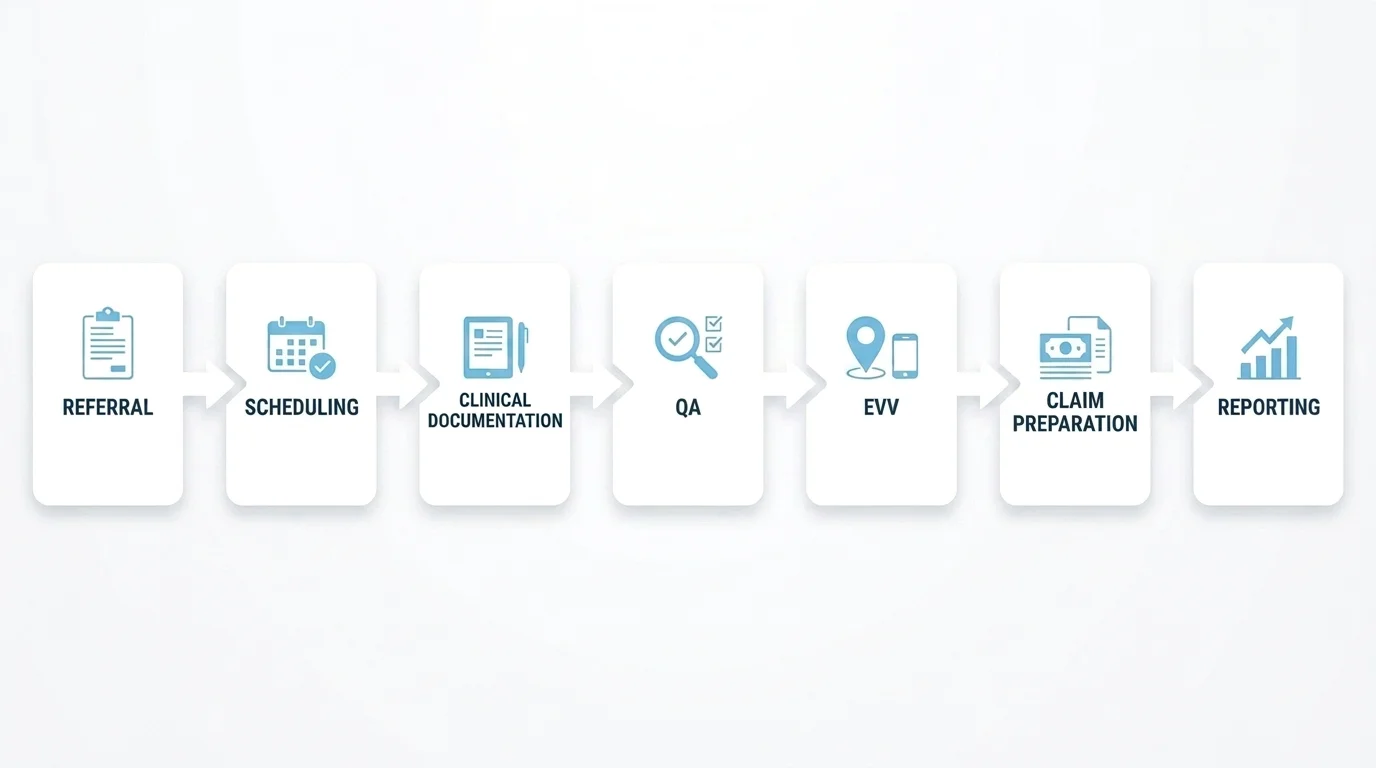
Action: Run a real visit from referral and scheduling through clinical documentation, QA, EVV, claim preparation, and reporting. Use the roles that will perform each handoff.
Pass condition: Each handoff has a clear owner, required data is entered once, and the visit closes without a parallel spreadsheet or messaging thread.
Offline use and system behaviour
Action: Complete and save a note without a connection, restore service, and inspect the sync result. Repeat with realistic page loads, session timeouts, and device switching.
Pass condition: No entered work disappears, sync status is clear, and staff can recover from a timeout without re-entering the note.
Permissions, audit trail, and export
Action: Use clinical, billing, manager, and administrator roles. Change a disputed visit, review the audit trail, and export the record in the format your compliance team would retain.
Pass condition: Users see only the data and actions their role requires. Changes retain timestamps and user attribution, and the export meets the agency's HIPAA and retention policies.
Implementation, support, and exit
Action: Request the implementation plan, training schedule, support commitments, escalation path, acceptance criteria, renewal terms, and data-export process before the meeting ends.
Pass condition: The proposal names each owner, deadline, fee, support target, and success measure. It also explains how the agency retrieves its data if the contract ends.
When software records aren’t enough
WellSky Home Health can hold the clinical and administrative record, and WellSky states that it supports real-time EVV. A care team may still need a separate system for physical events between documented visits.
The required evidence differs between a home health visit and a care-home shift:
Operational question | EHR or EVV record | Live operational monitoring |
|---|---|---|
Did a home visit happen? | WellSky states that EVV can provide real-time oversight and patient-signature proof of a visit. | Guardian can automatically record arrival and visit timing for an eligible EU home care team. |
What care was documented? | The EHR holds the clinical note, orders, changes, and billing record. | Guardian does not replace the clinical record. |
What happened in a care-home room? | Staff can document the event later, but a home health EHR is not a room-sensor platform. | Guardian can detect configured sensor events and attach room-level context to an alert. |
How did staff respond? | Confirm the available audit trail and reporting in the selected WellSky configuration. | Guardian records alerts, acknowledgements, visits, incidents, and response activity for shift review. |
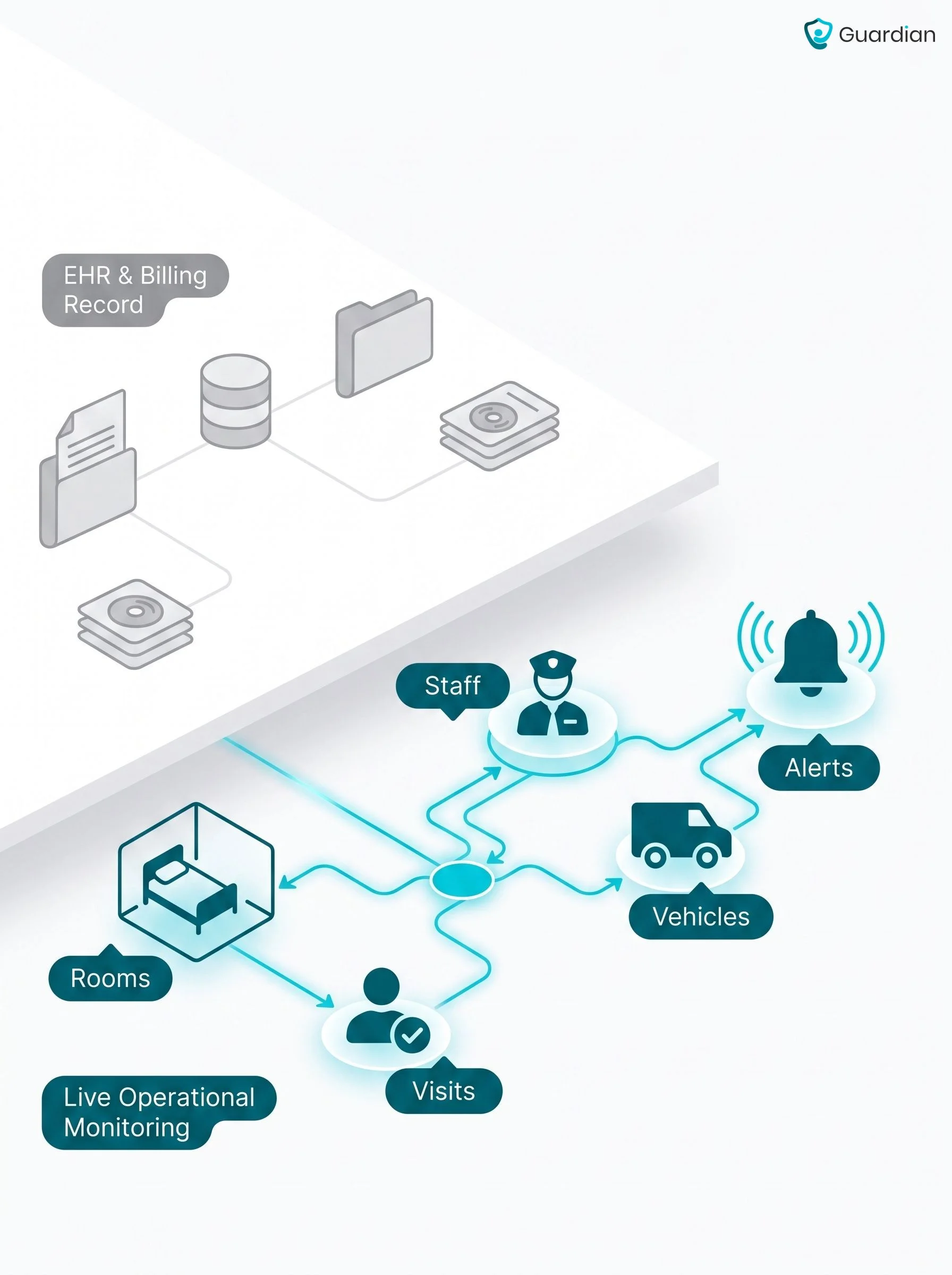
These are complementary layers. WellSky can remain the EHR and billing system, while Guardian adds camera-free operational monitoring and automatic records without requiring a WellSky data migration.
[Image: Two-layer diagram showing WellSky as the EHR and billing record, with Guardian as the live operational monitoring and automatic-records layer across rooms, visits, staff, vehicles, and alerts]
For the monitoring layer, see Guardian's care-home approach.
Where Guardian fits alongside WellSky
Guardian serves care homes and home care providers in the US, EU, and other markets. It is not a replacement for WellSky Home Health, which is an EHR and revenue-cycle platform.
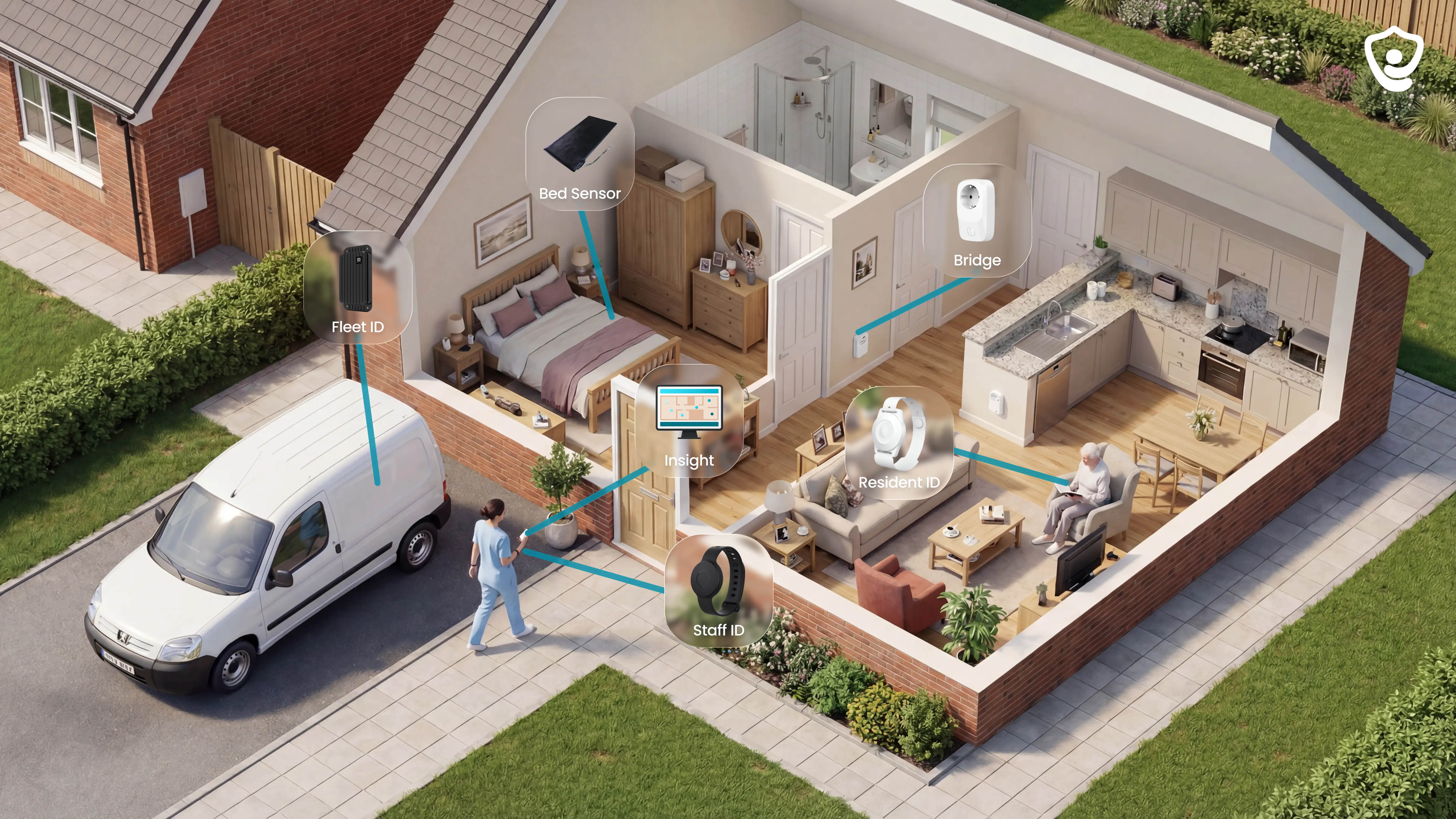
Guardian adds a camera-free, wireless layer for live alerts, location context, and automatic operational records:
In care homes: See configured resident-status signals, open alerts, and device status. Staff receive the event with room-level location on existing phones, tablets, or nurse-station computers.
In home care: Record caregiver visits and shift timing automatically, with a live view of staff, vehicles, and relevant alerts.
After the event: Review visit, incident, and response activity without reconstructing the shift from memory and paper notes.
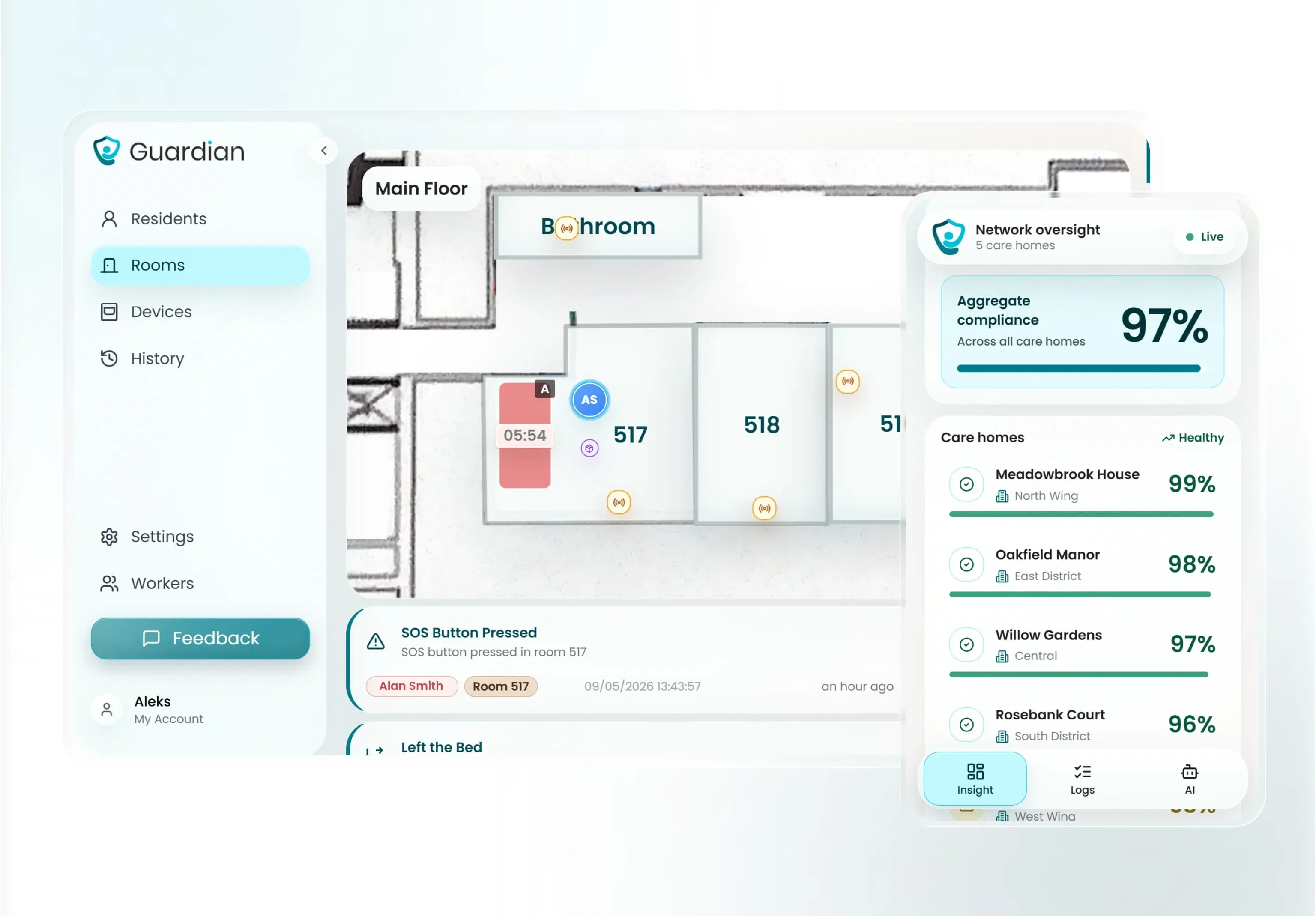
A ward can go live in about a week without drilling or cabling. Pilot one ward or home care team for 6–8 weeks, then use your own response-time, visit, and ROI data to decide whether to roll out.
Final recommendation
WellSky deserves a structured demo when a US home health agency wants EHR, scheduling, EVV, claims, reporting, and analytics in one platform. Do not sign until offline work, stability, support, permissions, implementation, and full-term cost pass written acceptance criteria.
Guardian becomes relevant when a care operator also needs live, camera-free visibility across rooms, visits, staff, vehicles, or alerts. Keep the EHR for clinical records and add Guardian for the operational layer.
Yes. WellSky maintains active official pages for Home Health, Hospice & Palliative, support, and product demos.
Yes. WellSky Hospice & Palliative and WellSky Home Health are separate products with different workflows.
Evaluate the hospice product separately if the agency needs hospice charting, claims, interdisciplinary care, bereavement, or related workflows.
Yes. WellSky describes Home Health as an EHR and Intelligent Health Record for clinical documentation and patient-record workflows.
The platform also covers scheduling, quality assurance, claims management, financial reporting, EVV, and analytics. Confirm the modules, permissions, interfaces, and HIPAA controls included in the proposed configuration.
No public list price was found on WellSky's Home Health page. Software Advice lists pricing as available upon request, so ask for the full-term cost in writing.
WellSky states that clinicians can work offline. Customer reviews are mixed, so test saving, reconnecting, syncing, session timeouts, and recovery on the devices and routes your team uses.
WellSky states that its messaging is HIPAA compliant. Buyers should still confirm role permissions, audit exports, hosting, data sharing, and the safeguards that apply to their exact configuration.
Request named owners, milestones, training, data migration, support response targets, escalation routes, acceptance criteria, and data-export terms. The public product page does not provide a standard rollout timeline.

Author
Aleks Timm
Aleks Timm leads Guardian and builds privacy-first operations technology for care homes and home care providers. Teams get location-aware alerts they can act on, clearer situational awareness, and measured insight into how care work actually runs.
Read MoreRecommended reads
Keep reading
WiFi nurse call system guide for care homes
WiFi nurse call systems explained: alerts, clean records, and no wiring—compare options and choose the right setup for your care...
Read more
Remote patient monitoring: a complete guide
Remote patient monitoring: the complete guide to sensors, benefits, and buying tips for safer care homes and better resident...
Read more
Smart Nurse Call Systems for Care Homes and Home Care Providers
Smart nurse call systems for care homes and home care providers: compare features, improve response times, and choose the right...
Read more