

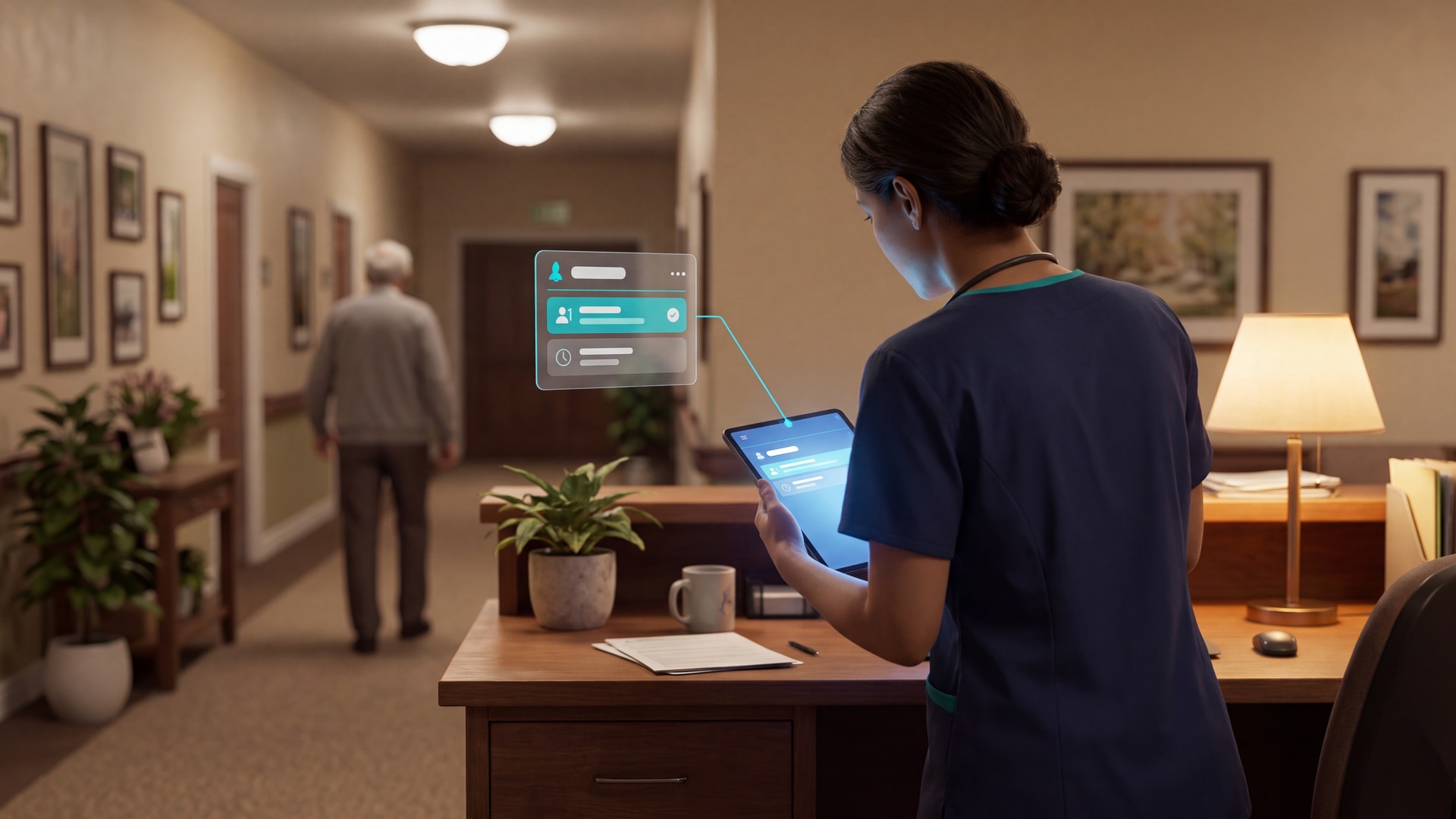
10 Best Smart Anti-Wandering Solutions for Senior Care
In this article
Bed, room, and exit sensors surface indoor movement. GPS and radio systems support recovery outdoors, but wearable-only coverage stops when a device is removed, forgotten, or left uncharged.
The right system depends on where the risk begins, who receives the alert, and what staff must do next.
Which type of wander-safety solution do you need?
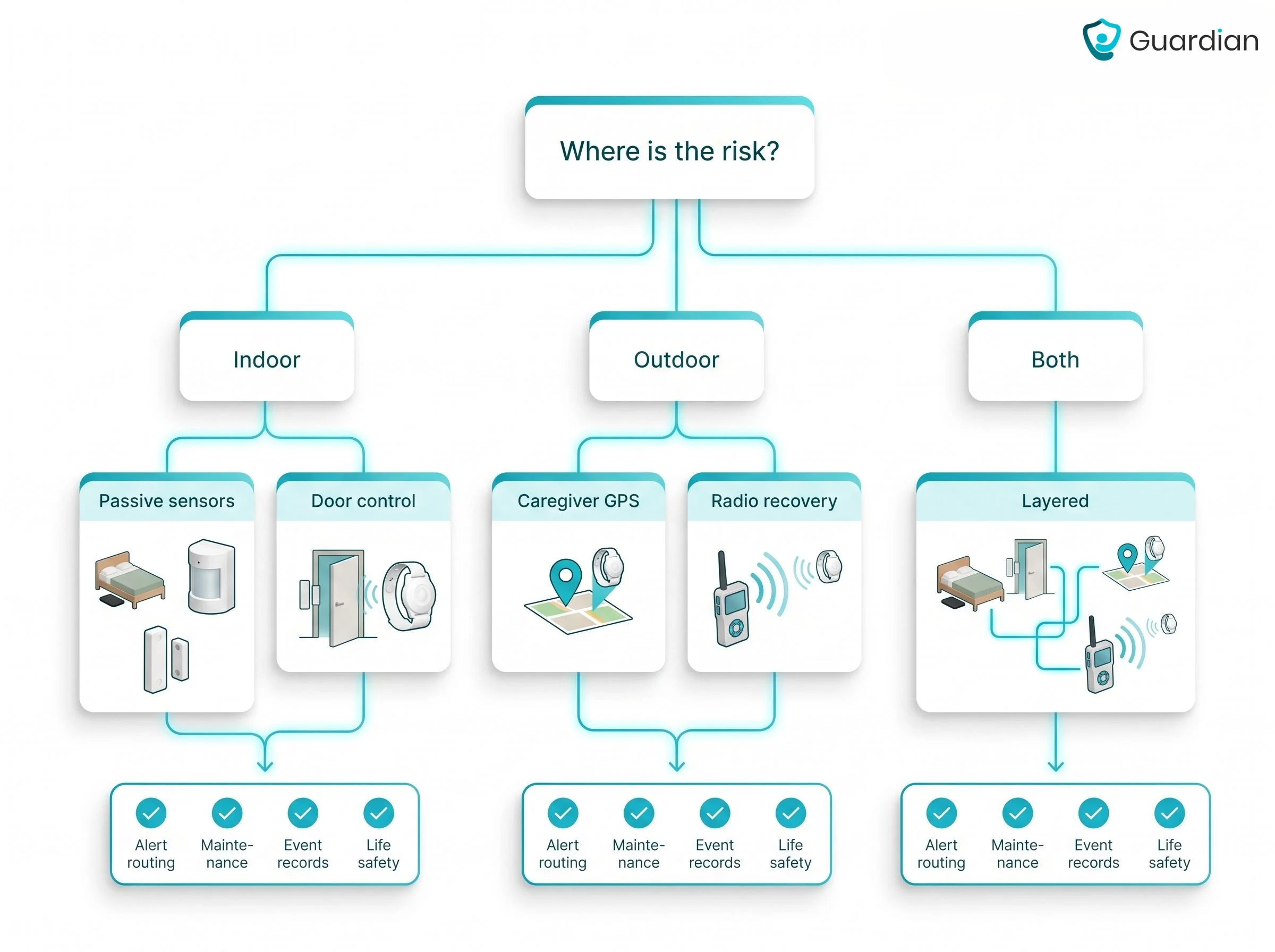
Choose by boundary first: indoor prevention, outdoor recovery, or both. Then decide whether alerts should sound at the exit or reach a named caregiver directly.
Indoor prevention: Door contacts, pressure mats, and bed-exit sensors flag movement before a resident leaves a room or building.
Outdoor recovery: Wearable GPS and geofencing locate a resident after the person crosses the set perimeter.
Alert routing: Audible alarms support nearby response, while silent receivers and mobile notifications reach roaming or off-site caregivers without sounding a room siren.
What makes a wandering solution 'smart'?
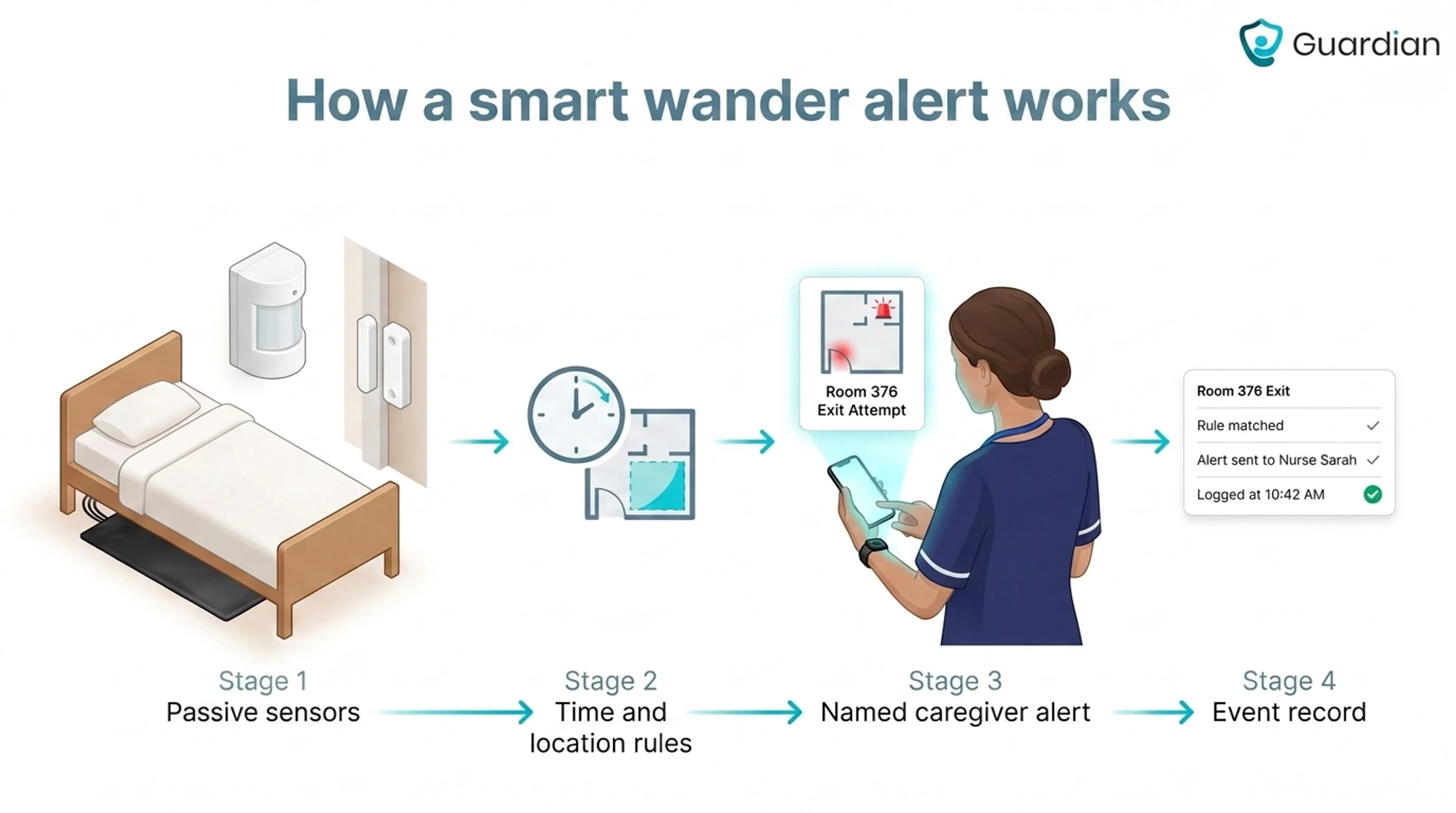
A smart anti-wandering system connects sensor data to decision rules and targeted caregiver alerts. Look for four capabilities:
Passive coverage: Concealed door, room, or bed sensors keep monitoring when a wearable is removed or a visible floor mat is avoided.
Context-aware rules: Schedules, geofences, and combined sensor signals separate routine movement from a boundary breach.
Targeted delivery: Mobile apps, pagers, or central dashboards send location context to the assigned caregiver and escalate an unacknowledged alert.
Event records: Movement history, alert acknowledgements, and response times let managers review patterns after an incident.
The 10 best smart anti-wandering solutions we evaluated
We ranked these options for professional care teams, giving more weight to passive indoor coverage, clear alert routing, event records, and low deployment burden. Guardian ranks first because it combines those functions in one system.
Outdoor recovery, wearable dependence, and the completeness of documented product information also affected placement. We compared four factors:
Detection: the event or movement the system can identify
Alert delivery: what staff or family receive, and where
Deployment: the hardware, installation, and connectivity involved
Caregiver workflow: how clearly the system guides the next response
1. Guardian
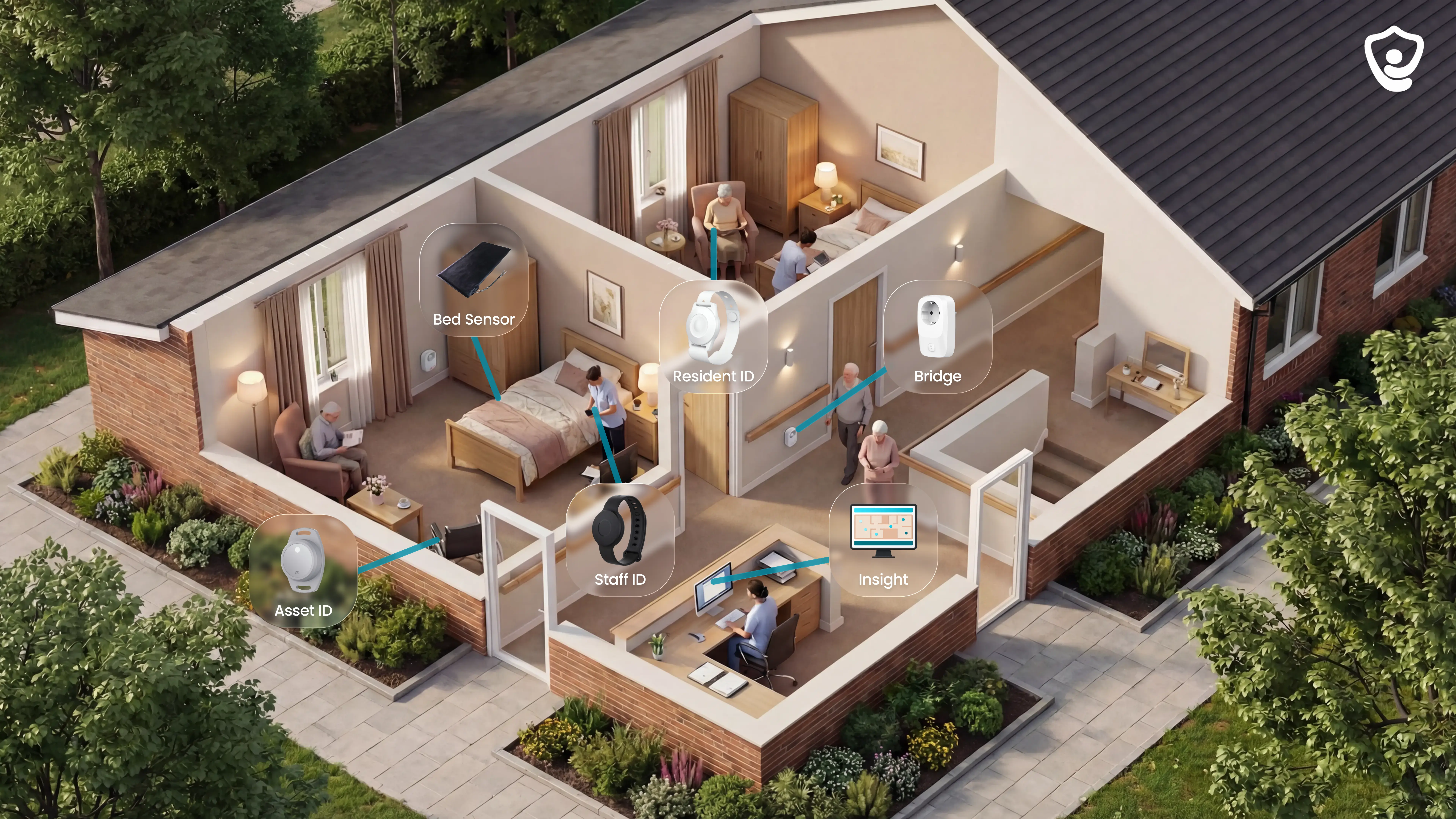
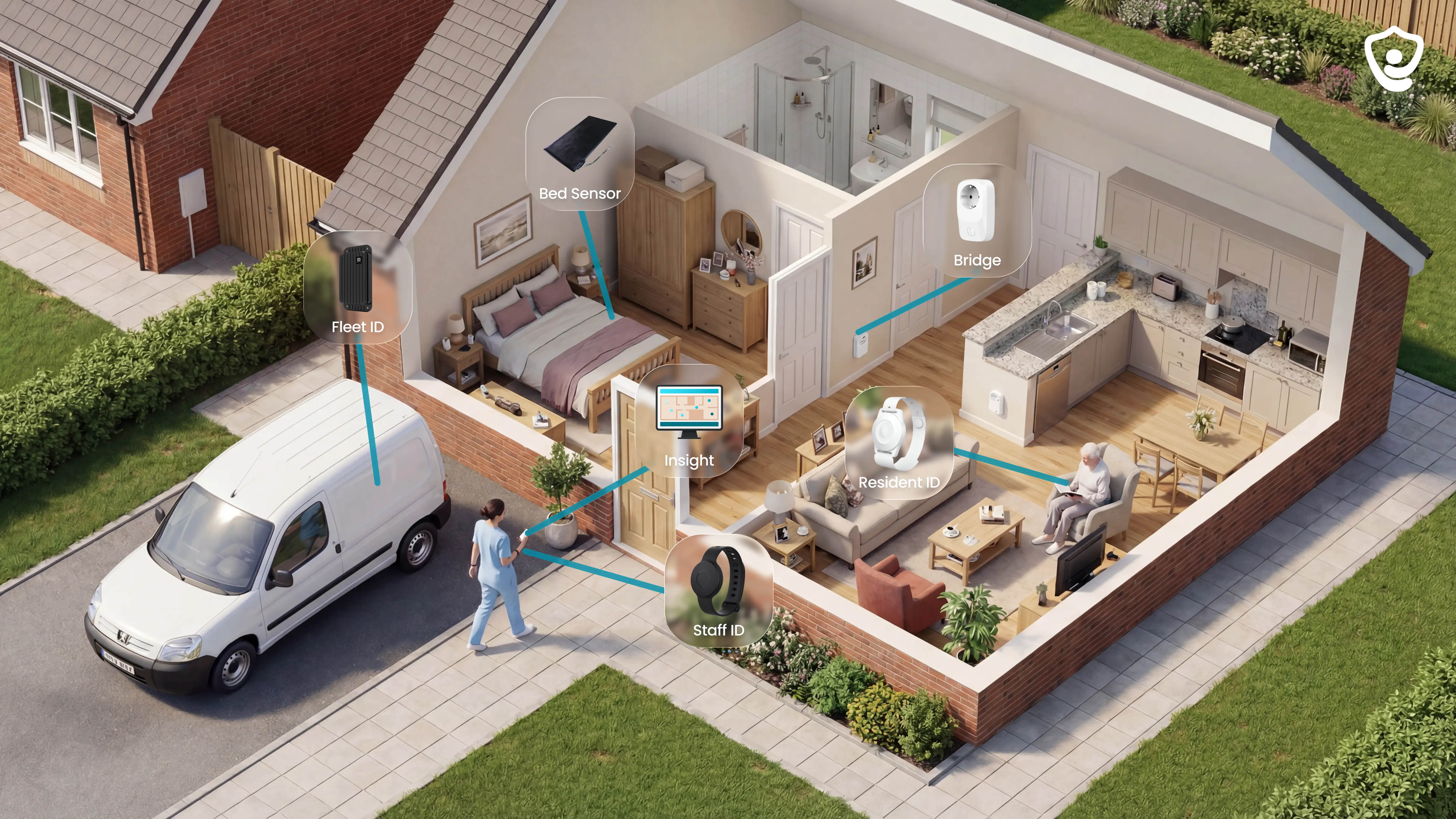
Guardian is a camera-free monitoring and operations system that connects passive sensors, optional wearables, and a digitised floor plan in Guardian Insight, its web-based live view. It covers gaps left by a single pendant or doorway alarm.
We built Guardian for care settings that need coverage beyond a single pendant or doorway:
Care homes: room, bed, corridor, and exit monitoring across a ward
Nursing wards: location-aware alerts sent to the staff devices already in use
Specialist and mental-health facilities: restricted-area alerts without cameras in private spaces
Home care: activity and exit monitoring between scheduled visits
Exit and restricted-area detection
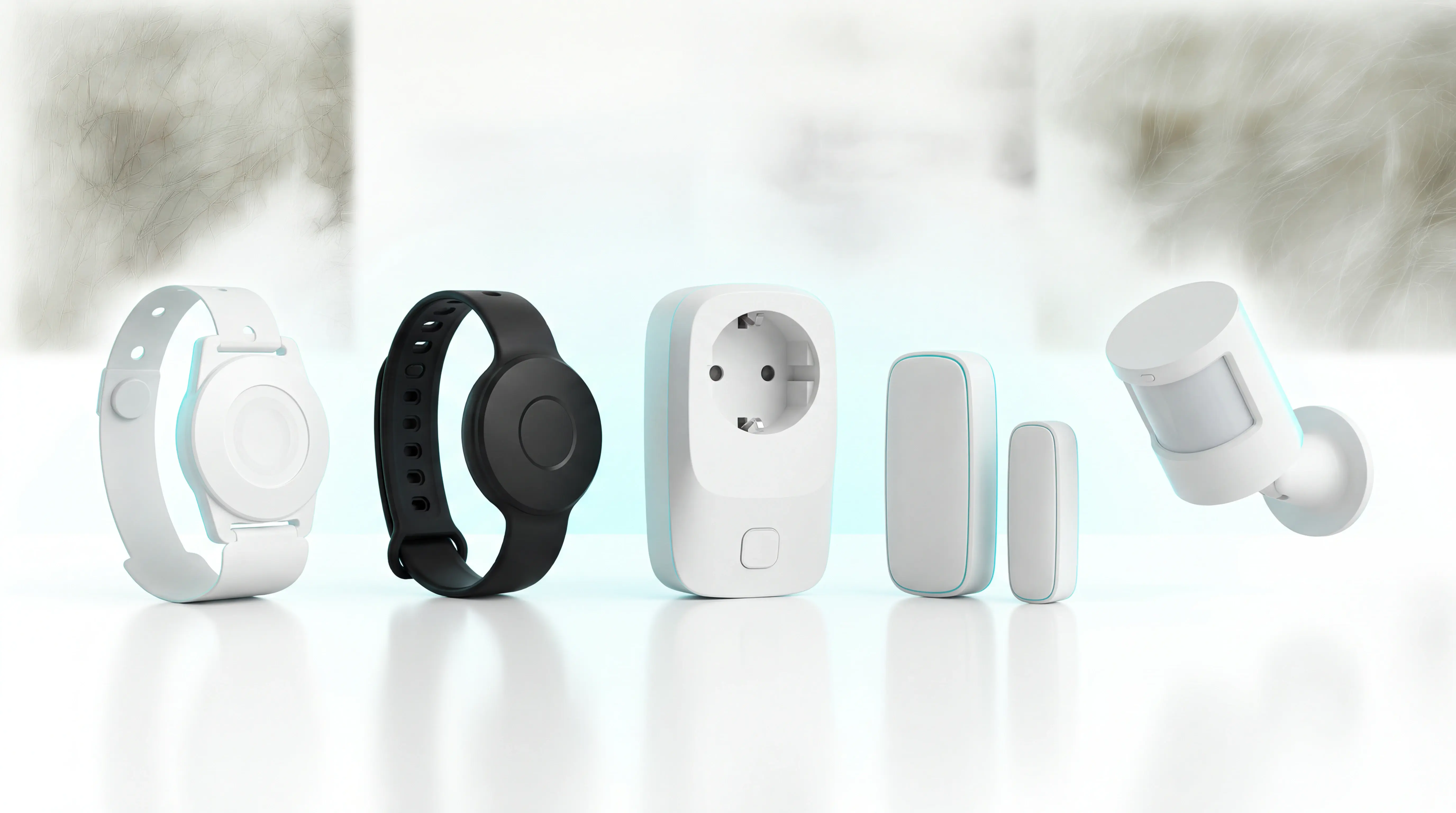
Guardian detects door openings and movement through monitored exits or restricted areas. Wireless door and motion sensors record the event automatically, so detection does not depend on a resident pressing a button.
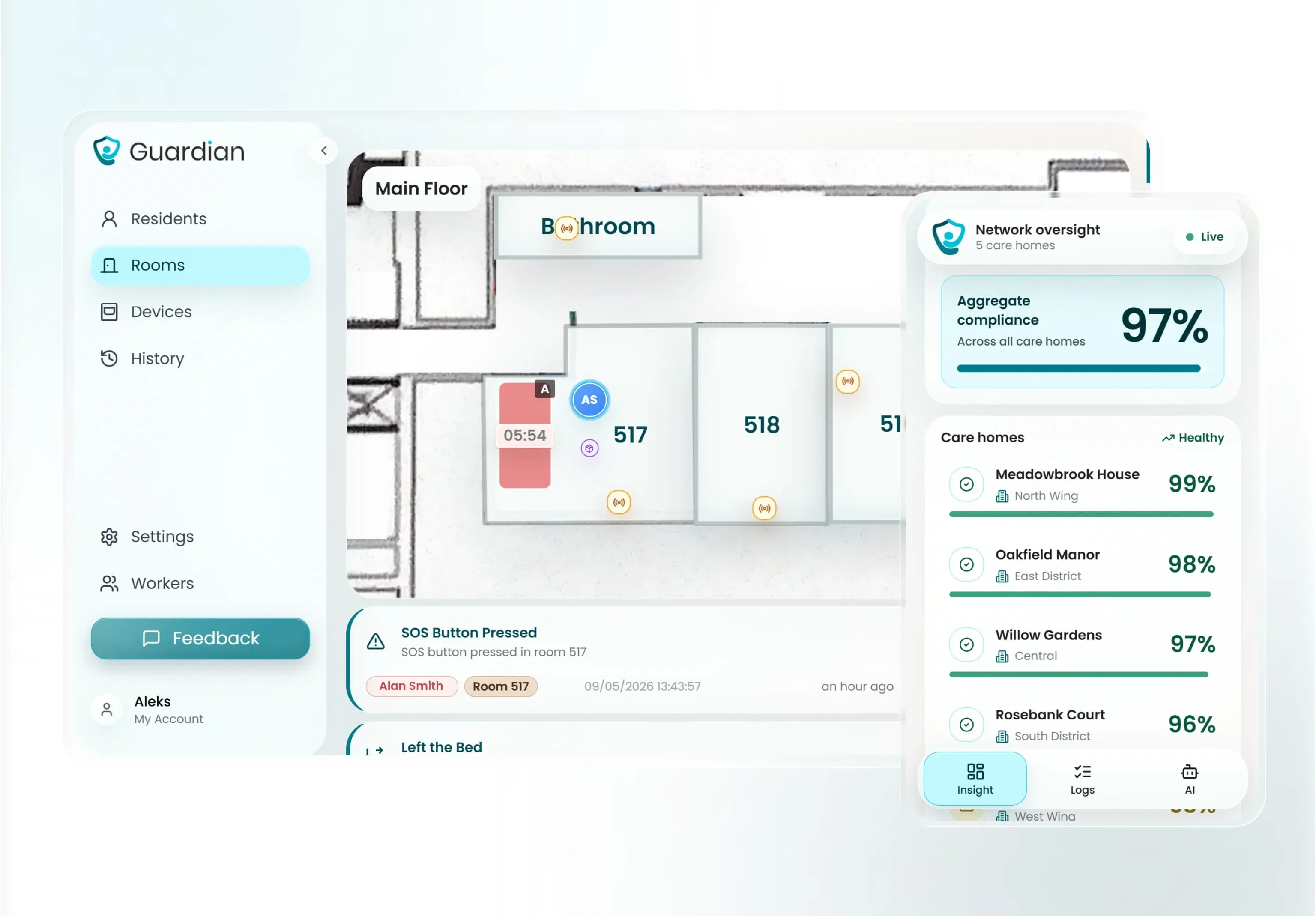
Each sensor is linked to a named room, doorway, or zone on the facility floor plan. Staff receive the location with the alert and can go directly to the relevant area.
Camera-free sensing also protects privacy in bedrooms and corridors. The system records events and movement patterns without producing video footage of residents.
Bed sensors and passive monitoring
Guardian monitors bed exits and room activity without requiring a resident to wear, charge, or remember a device. Optional wristbands add fall detection, SOS calls, and room-level location.
A typical night-time rule alerts staff after a resident has been out of bed for more than 15 minutes.
Passive sensors can cover four parts of the routine:
Bed sensors: record in-bed and out-of-bed status
Motion sensors: detect activity within a room or monitored area
Door sensors: identify room exits and boundary crossings
Fridge and stove sensors: add context about daily activity in home care
Alerts, location, and caregiver workflow
Guardian maps every sensor to a specific room or bed, then places active events on the digitised floor plan. Alerts can include the resident's name and exact room location.
Configurable rules filter alerts by timing and duration. Staff receive notifications for events that need intervention, rather than every routine movement.
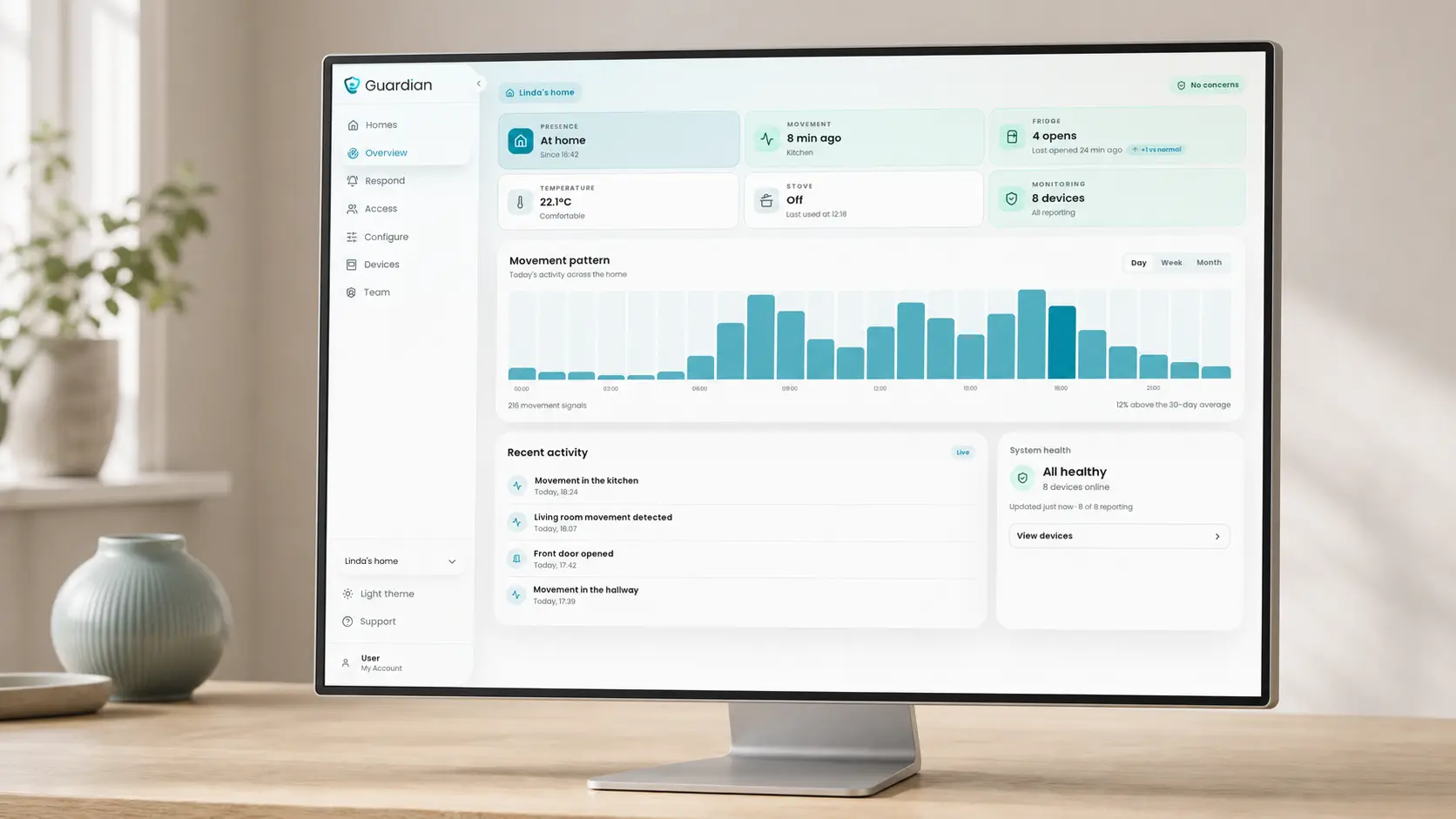
In home care, Guardian Insight maps active events, clients, and staff across the service area. Care-home deployments use the same alert context with a digitised floor plan.
The web portal runs on staff smartphones, tablets, and nurse-station computers. Care teams can respond from existing devices instead of adding another pager workflow.
Setup and deployment
Guardian uses pre-configured wireless sensors, so installation does not require drilling or structural cabling. A ward can go live in about one week after workflow mapping and floor-plan setup.
New deployments begin with a structured 6-8 week pilot in one ward, home, or team. Guardian manages setup and measures results using the operator's own baseline and event records.
Pilot measurement and pricing
The pilot tracks outcomes from the operator’s own baseline and event records:
Response times: how quickly staff act on exit and safety alerts
Near-misses: events caught before they become incidents
Record reconstruction time: staff time spent rebuilding what happened after an event
ROI: operational value calculated from the care setting's own data
The final impact report compares the baseline with recorded pilot events, then sets out the ROI calculation and rollout recommendation. Guardian has no public consumer price; the pilot is its commercial starting point.
2. AngelSense GPS Tracker
AngelSense is a wearable GPS tracker that helps caregivers locate a senior who wanders outdoors. It requires active monitoring and consistent device wear.
AngelSense is used after a person leaves home, an assisted-living setting, or a planned route. The tracker, charger, and clothing attachment are shown below.
Typical setting
AngelSense fits independently mobile seniors at high risk of outdoor wandering, especially when a family caregiver can watch location alerts and coordinate recovery.
The wearable format suits home care and community outings more readily than room-level monitoring. Sensory tolerance matters because the tracker only protects the wearer while correctly attached.
How detection and alerts work
Confirm the current geofence, voice-contact, SOS, and location-history functions before relying on them in a response plan.
Check how each enabled function routes an event to the responsible caregiver:
Geofences: whether caregivers can set safe zones and receive departure alerts
Voice contact: whether calls connect automatically without the wearer pressing a button
SOS control: whether the wearer can initiate an alert
Location history: what routes, arrivals, and timestamps caregivers can review
These details affect who receives an alert and how quickly someone can contact the wearer during an elopement event.
Deployment requirements
AngelSense requires more than attaching a tracker. A caregiver must manage placement, charging, and alert monitoring as part of the daily care routine.
Deployment planning should cover:
Wearing method: select a clothing attachment the senior will tolerate
Anti-removal setup: account for the extra work of securing and detaching the device
Charging ownership: assign a named caregiver to check and charge the tracker
Alert coverage: decide who monitors the app during outings and overnight
Care teams should confirm current device compatibility, cellular coverage, accessory options, and app requirements before rollout.
Main trade-off
AngelSense does not replace passive room, door, or bed monitoring. Its protection depends on the tracker being worn, charged, connected, and monitored by a caregiver.
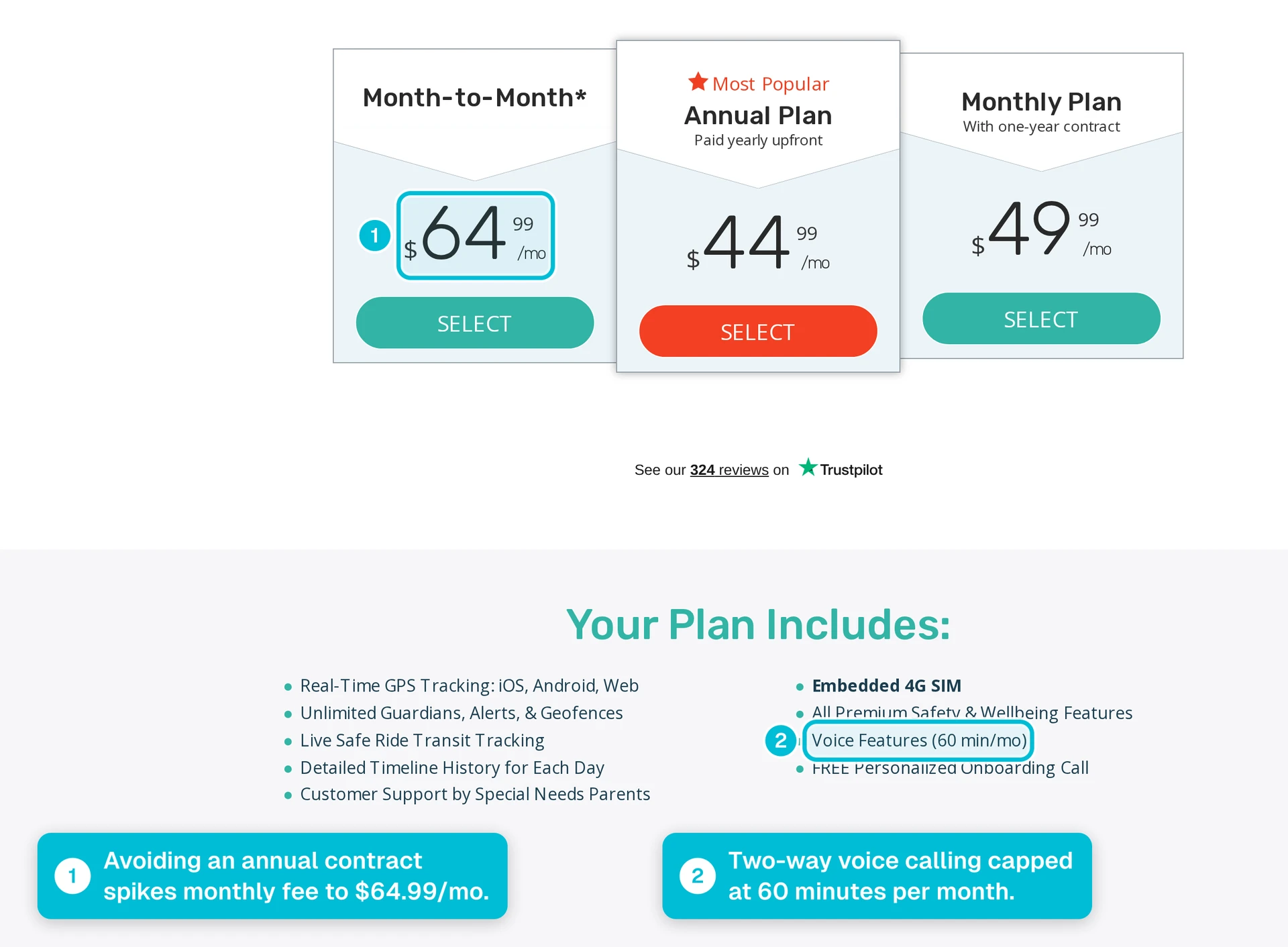
Subscription cost is another purchase checkpoint. Confirm the current monthly price, billing terms, and included communication functions before comparing total cost with facility-based monitoring.
3. WanderGuard BLUE by Securitas Healthcare
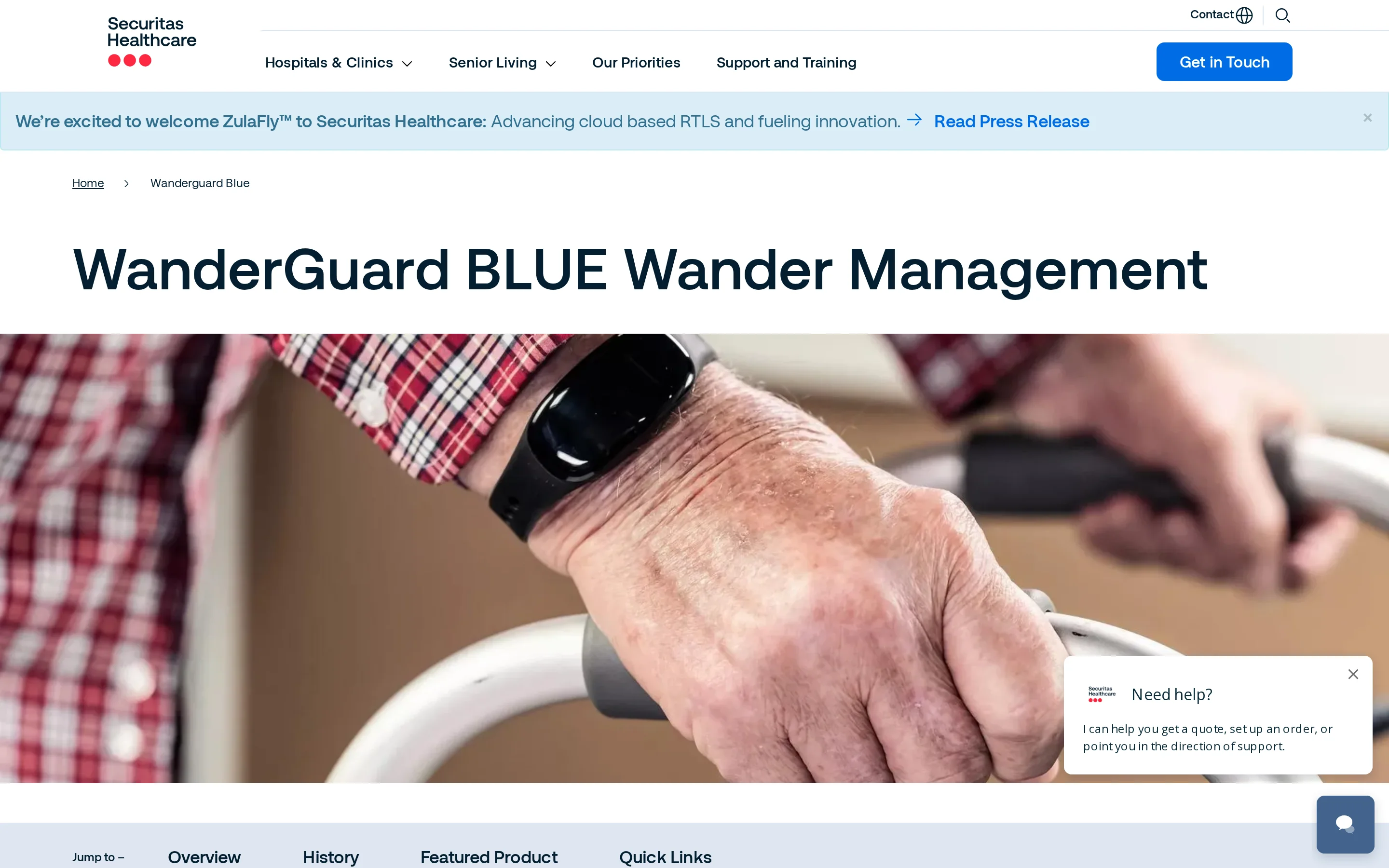
WanderGuard BLUE manages elopement risk at monitored exits and can provide indoor locating for enrolled residents. Residents wear RFID wristbands that identify them to the system.
At monitored exits: the system identifies an enrolled resident and triggers the configured door response and staff alert.
Indoors: staff can use the locating function to support the response after an alert.
Ask Securitas Healthcare for the current technical specification covering wristbands, door controllers, alert routing, and site requirements before procurement.
Typical setting
WanderGuard BLUE fits nursing homes and similar facilities whose main requirement is controlling movement through defined, monitored exits.
The fit depends on four conditions:
Protected boundaries: elopement risk is concentrated at specific doors
Staff response: caregivers can investigate promptly after an alert
Resident profiles: door behavior can reflect an enrolled resident's risk status
Physical search: the response plan does not depend on live indoor coordinates
Evidence available for this review does not establish whether the system is practical for a single residence. Installation scope and property requirements need confirmation from Securitas Healthcare.
How detection and alerts work
Supplier specifications should define how resident risk profiles affect door response, how staff receive alerts, and what indoor location detail remains available during the response.
Resident device: form factor, assignment process, battery life, and removal alerts
Door response: detection range, locking behavior, and authorized staff override
Staff notification: supported consoles, mobile devices, nurse-call connections, and escalation rules
Event record: alert timestamps, acknowledgements, and reporting options
These details determine whether the alert reaches the correct staff and whether managers can review the response afterwards.
Deployment requirements
A deployment assessment should account for the protected exits, existing access control, and local safety requirements.
Available evidence does not verify its wiring, server, magnetic-lock, or fire-alarm architecture. The deployment plan should therefore confirm:
Door hardware: controller, lock, power, override, and release requirements for each exit
Life safety: emergency-release behavior and compatibility with local fire and building rules
System integration: connections to existing access control, nurse call, or staff notification tools
Ongoing maintenance: device checks, battery replacement, testing intervals, and responsibility for repairs
WanderGuard BLUE has no verified public list price or complete implementation price. Buyers need a supplier quote that separates equipment, installation, integration, licensing, training, and maintenance costs.
Main trade-off
The main trade-off is installed infrastructure. WanderGuard BLUE combines monitored exits and indoor locating, but every alert still depends on maintained wristbands, configured doors, and a defined staff response.
The central trade-off is therefore clear:
Useful for: fixed-door perimeter control based on resident risk profiles
Limited for: room-level movement history or live location during a search
Budget impact: implementation cost can be a barrier, while public pricing is unavailable
Due diligence: tag specifications, notification routes, life-safety integration, and maintenance terms require supplier confirmation
4. Mobile Defender GPS by SecuraTrac
Mobile Defender is a portable GPS safety device from SecuraTrac. Available product information describes location tracking, geofence alerts, SOS calling, and fall detection.
Current information does not establish the exact geofence behavior, SOS workflow, fall-detection terms, battery routine, cellular setup, or indoor performance.
Typical setting
Mobile Defender fits people who need location support during community outings and can carry a charged GPS device consistently.
A portable tracker is less dependable for residents who remove wearables or leave without them. Closed care settings may need passive door, bed, or room sensors to detect movement without resident action.
How detection and alerts work
The supplier should demonstrate the complete path from a geofence, SOS, or fall event to the caregiver contacts responsible for responding.
Geofences: who creates zones and what event triggers an alert
Location updates: how often the caregiver view refreshes
SOS and voice: who receives the call and whether two-way speech starts automatically
Fall detection: whether detection is included, optional, or unavailable
Escalation: which contacts receive notifications when the first person does not respond
Deployment requirements
Deployment requires a charged device, cellular coverage, caregiver contacts, and a routine for reviewing location and low-battery alerts.
Before rollout, obtain written answers on:
Connectivity: supported cellular network and coverage requirements
Account setup: contact lists, geofence controls, and administrator access
Charging: stated runtime, cradle requirements, and low-battery alerts
Service: monitoring arrangements, replacement process, and contract terms
Request a written quote from SecuraTrac that separates the device, service plan, replacement terms, and any monitoring charges before comparing total cost.
Main trade-off
Mobile Defender protects the resident only while the device is carried, charged, and connected. The response plan needs routine battery checks and a clear process for a missing or offline device.
Test Mobile Defender's location view in bedrooms, corridors, stairwells, and outdoor areas before using it for location inside a care setting.
5. Wireless Bed Pad Alarm System by Smart Caregiver
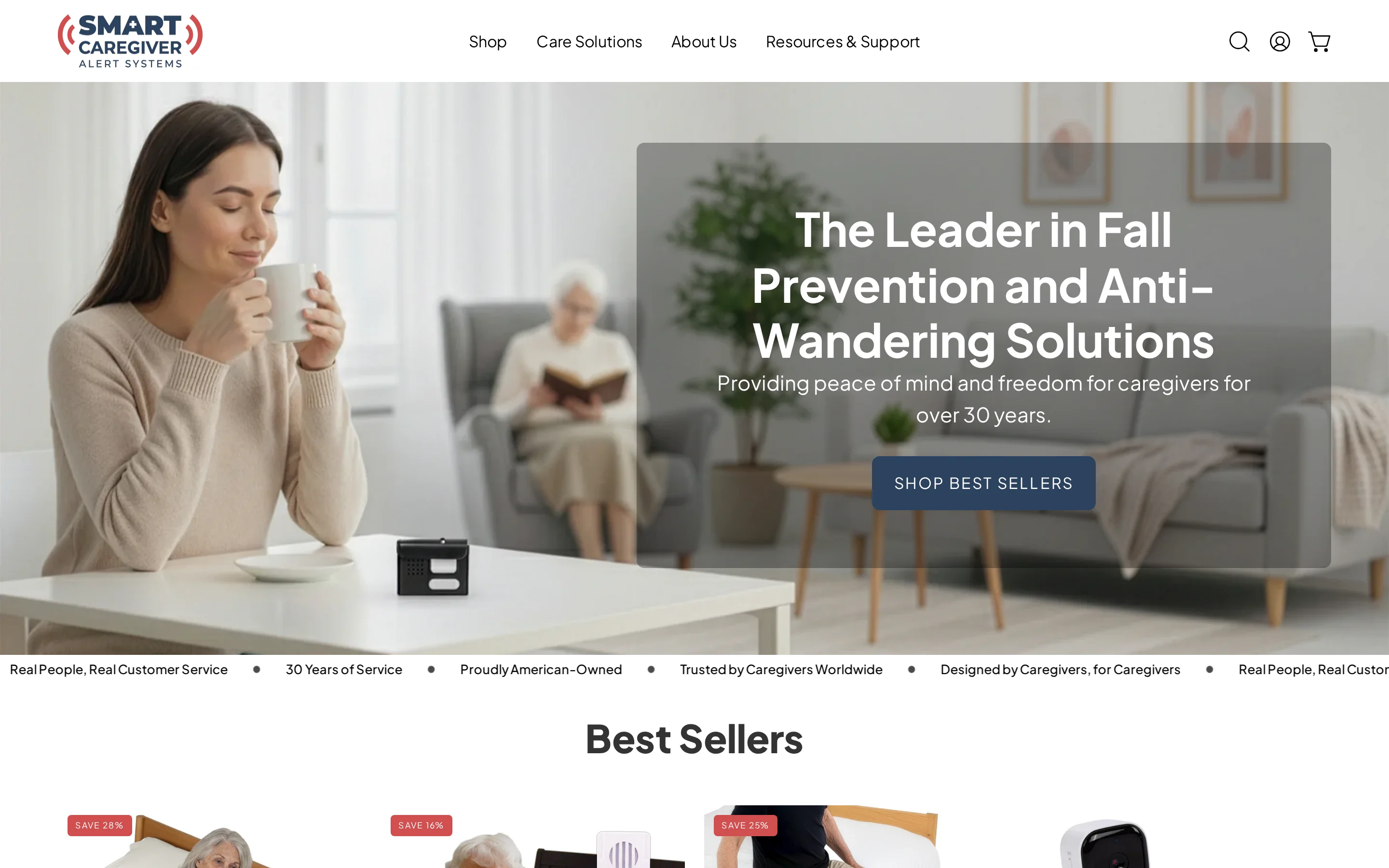
Smart Caregiver’s wireless bed pad system is a standalone pressure pad and portable receiver for immediate bed-exit alerts. Its scope is local monitoring rather than ongoing location tracking.
The hardware works without a subscription or monthly fee. Check Smart Caregiver’s official product page or ask an authorized seller to confirm the purchase price and included parts for the exact pad-and-receiver package.
Typical setting
The system is intended for one resident who needs a caregiver alerted when they leave bed without assistance.
A resident at risk during an unassisted transfer or prone to disoriented nighttime wandering
A private home, single room, or small residential setting with a nearby caregiver
An audible alert that prompts a direct caregiver response rather than a connected dashboard
Standalone hardware without a monthly service fee
Run a reception test along the caregiver’s normal route, including closed doors, walls, and different floors. Record any locations where the receiver does not receive the bed-exit alert.
How detection and alerts work
The pressure pad triggers a wireless signal when the resident’s weight leaves the sensing area. A portable receiver then sounds an audible alert for the caregiver.
Keeping the receiver away from the bedside can reduce noise near the resident. A position shift can resemble an exit if the resident rolls off the sensing area, so pad placement affects alert accuracy.
Deployment requirements
Deployment requires the correct pad, a compatible receiver, and a coverage test in the rooms where the system will operate.
Place the pad on the bed according to the instructions for the exact Smart Caregiver model.
Install the specified batteries or power supply, then pair the pad transmitter with the receiver.
Test an exit alert from the bed and every location where the caregiver expects to carry the receiver.
Record the model-specific pad replacement guidance and battery-check procedure for routine maintenance.
Pad lifespan and battery requirements vary by model. Verify both in the supplied manual instead of applying a generic replacement schedule.
Main trade-off
The main trade-off is limited context. After pressure leaves the pad, caregivers must locate the resident without direction of travel, floor-plan position, or a post-exit movement record.
Normal repositioning can produce a position-shift alert when pressure leaves the pad. Test the setup with the resident’s usual sleep movements and reassess placement if avoidable alerts interrupt overnight care.
6. Nomo Smart Care Elderly Monitoring System

Nomo Smart Care is a camera-free home monitoring system for an older adult’s routines. Passive sensors and a central hub send activity information to family members through a mobile app.
Nomo’s Essential Care Kit combines a central hub with home sensors. Confirm the included sensor types and quantities on Nomo’s official product page or in a written quote before ordering.
Typical setting
Nomo is for a single-occupant home where relatives want routine information without camera footage. The sensor system monitors only the rooms and transitions covered by its installed devices.
A bed exit or unusual room-to-room pattern still requires a family member or caregiver to notice the notification and check on the person.
How detection and alerts work
Nomo builds a baseline from activity around the home, then uses sensor events to identify changes in routine. Confirm which events generate immediate alerts and which appear only as routine activity information.
Room movement: motion sensors record activity in covered areas
Bed exits: the bed sensor registers when the person gets up
Routine changes: the system compares new activity with the established pattern
Remote notification: the hub passes event data to the companion app
This approach does not require the resident to press a pendant for routine monitoring. Sensor placement still determines which rooms and transitions the system can observe.
Deployment requirements
Deployment is a household installation rather than a wearable-only setup:
Place and power the central hub.
Position motion sensors along the routes that matter, such as the bedroom-to-bathroom path.
Install the bed sensor and test whether exits register correctly.
Connect the caregiver app and test the full alert path from sensor to phone.
Request a written quote from Nomo for the kit price and any recurring fee. Ask whether the hub uses broadband, mobile service, or both, and what happens to alerts during a power or connectivity outage.
Main trade-off
Nomo can surface unusual activity within the sensor-covered home, but outdoor location and recovery require a separate GPS or community-response layer.
7. Elopement Management by CenTrak
CenTrak Elopement Management is a facility real-time location system for monitored exits. Resident tags, exit-zone infrastructure, access-control integrations, and staff alerts form the facility workflow.
Typical setting
CenTrak is a surveyed facility deployment, not a single-room device. Its relevance depends on the number of monitored exits and the access-control and alert systems already in place.
The deployment model is most relevant where the project includes:
Multiple monitored exits across resident areas
Existing access control that responds to resident-tag events
Staff alert routing defined in the facility workflow
RTLS infrastructure shared with other location-based operational systems
A single residence without access-control or network infrastructure has a different procurement need. The site survey determines whether the required installation is proportionate to the facility's layout.
How detection and alerts work
The system detects an assigned resident tag in a monitored exit zone. The deployment specification should state whether staff can continue locating the resident after that event or only identify entry into the zone.
The deployment design defines whether an exit event triggers an alarm, an access-control action, or both. The selected response must match the facility’s safety rules and approved door hardware.
Require the proposal to name each alert endpoint, the event details staff receive, and the escalation path when the first alert is not acknowledged.
Deployment requirements
CenTrak requires a surveyed deployment rather than a plug-in installation. The implementation scope is shaped by each monitored doorway and the facility systems connected to it.
A deployment plan should cover four workstreams:
Survey exits: identify monitored doors, nearby power, cabling routes, and existing controllers.
Map integrations: define access-control behavior and staff-notification routing.
Assign resident tags: link each tag to the correct resident and risk policy.
Test the workflow: verify detection, door response, alert delivery, and escalation at every monitored exit.
Tag upkeep continues after installation. Staff need a routine for assignment checks, battery-status monitoring, strap or tag replacement, and reissuing tags when a resident's status changes.
CenTrak sets the installation schedule after a site survey. Timing depends on door count, cabling and power work, access-control integration, IT configuration, testing, and site access.
Main trade-off
CenTrak's main trade-off is deployment complexity. Facility-level RTLS can coordinate tags, exits, and staff routing, but it requires more planning and maintenance than a standalone doorway alarm.
Pricing is quote-based. Request a written quote from CenTrak after the site survey, covering monitored doors, cabling, integrations, tag quantity, and facility scope.
Ask the quote to separate:
RTLS and doorway hardware
Installation and access-control work
Software, integration, and support charges
Ongoing tag, battery, and strap replacement
8. Project Lifesaver Personal Locator System
Project Lifesaver is a radio-frequency search-and-rescue program for people at risk of wandering. A secured transmitter emits an identifying signal that trained responders follow with directional receivers.
The system supports recovery after someone is reported missing. It is not an automatic exit-alert system, GPS map, or caregiver tracking app.
Typical setting
Project Lifesaver fits a defined recovery workflow rather than continuous location monitoring. The local public safety agency must participate, hold the receiving equipment, and train responders to use it.
The model is relevant where:
Wandering risk is established: the enrollee has Alzheimer's disease, another form of dementia, autism, or a related condition associated with elopement.
A secured wearable is appropriate: the person can wear the program's wrist or ankle transmitter consistently.
A caregiver can monitor absence: someone is responsible for noticing that the person is missing and reporting it promptly.
Agency coverage is confirmed: the home, care setting, and likely search area fall within a participating jurisdiction.
How detection and alerts work
The transmitter broadcasts continuously, but a caregiver must notice the absence and contact emergency services before a search begins.
The response follows a clear sequence:
A caregiver notices the person is missing and contacts emergency services.
Dispatch confirms the enrollee and transmitter details.
Trained responders use vehicle-mounted or handheld directional receivers to acquire the radio signal.
Searchers follow the signal toward the transmitter's location.
Radio frequency and GPS solve different parts of the problem. GPS trackers can place a device on a map for a caregiver, while Project Lifesaver places the search equipment with participating responders.
Deployment requirements
Enrollment runs through a participating sheriff's office, police department, public safety agency, or local program partner. Project Lifesaver is therefore unavailable as a fully self-service retail tracker.
Caregivers retain an active maintenance role:
Test the transmitter signal every day with the supplied tester.
Keep the transmitter secured on the enrolled person.
Replace the battery and retaining band on the local program's required schedule.
Report faults or changes in the enrollee's details to the administering agency.
Charges and subsidies vary by local program. Ask the administering agency about enrollment costs, maintenance fees, replacement supplies, and coverage boundaries before relying on the system.
Main trade-off
Project Lifesaver supports recovery after an absence is reported; it does not close the interval between departure and discovery.
Jurisdiction matters too. A person who crosses into an area without trained responders or compatible receiving equipment can complicate the recovery workflow, so caregivers should confirm how neighbouring agencies coordinate searches.
9. Code Alert Wander Management by RFT
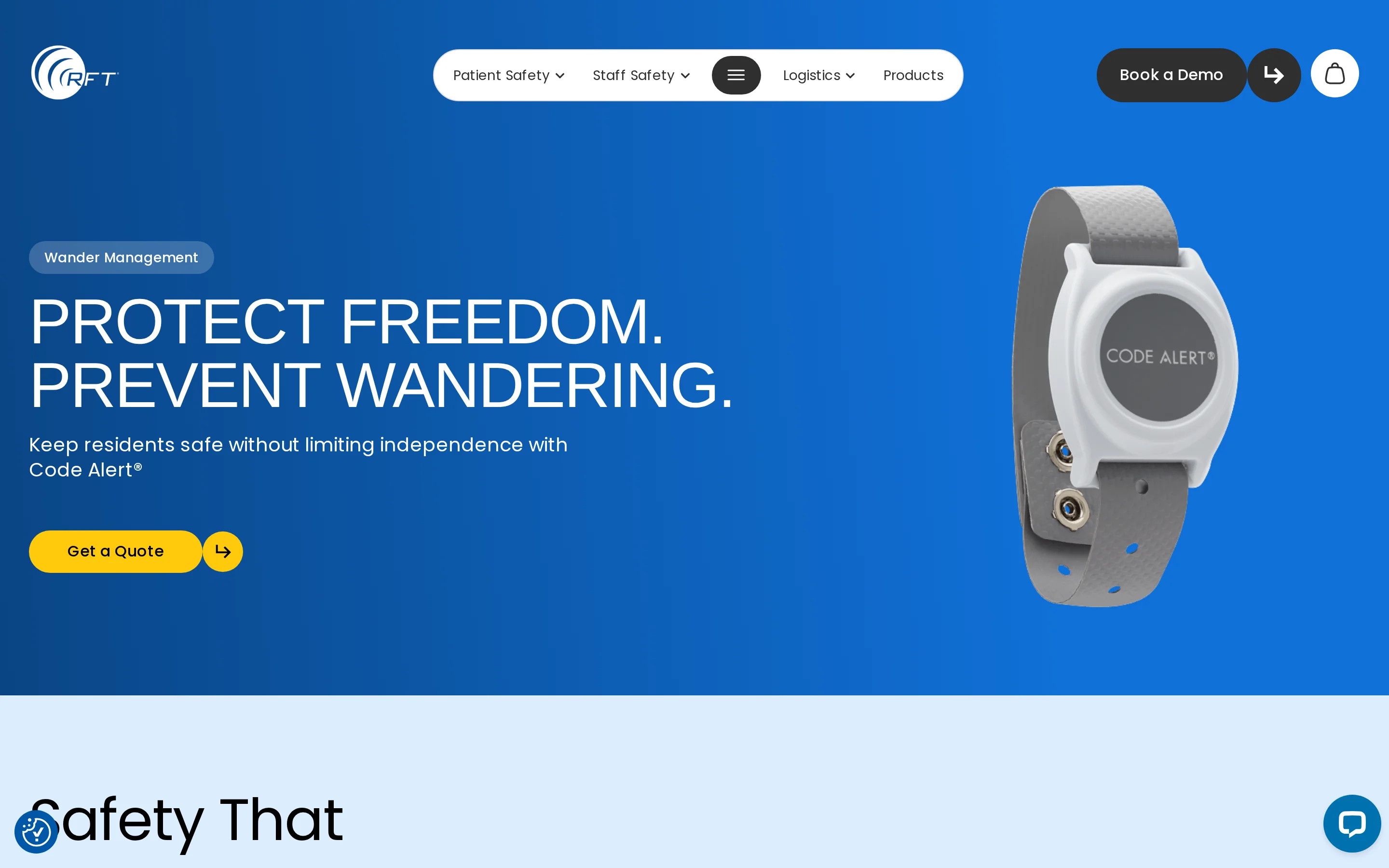
RF Technologies documents Protect as an RF-based indoor wander-management system for care facilities. A wearable transmitter communicates with the facility system, which sends alerts to a receiver at the nurses’ station.
RF Technologies’ documentation reviewed here does not identify the transmitters as RFID. Confirm with RF Technologies whether Code Alert is the current name for Protect before procurement.
Typical setting
The documented setup is for facility-based care, where staff monitor a nurses’ station receiver. It depends on facility infrastructure and does not use GPS.
Relevant settings include:
Memory care units: Indoor monitoring can support residents with known elopement risk.
Nursing facilities: A nurses’ station receiver can place alerts inside an existing staffed workflow.
Defined indoor areas: RF-based monitoring is intended for movement within the facility.
Centralised response models: Staff need a clear process for watching the receiver and assigning a response.
How detection and alerts work
Available documentation does not clearly define whether the relevant indoor event is a doorway approach, zone entry, or another movement condition. The confirmed alert destination is a nurses’ station receiver.
Before purchase, request written confirmation from RF Technologies covering:
Door controllers, magnetic locks, and detection-zone settings
Mobile alerts, pagers, and resident-specific doorway details
Connections to nurse call, fire alarms, and elevator controls
The resident identity and location detail included in each alert
Perimeter controls: Door controllers, magnetic locks and adjustable detection zones are unverified.
Staff routing: Mobile alerts, pagers and resident-specific doorway details are unverified.
System integration: Connections to nurse call, fire alarms and elevator controls are unverified.
Alert context: Buyers should confirm whether staff receive a resident identity and precise location or only a local system alert.
A nurses’ station alert can focus responsibility on a staffed point. Response still depends on someone monitoring that receiver and having an escalation route when the assigned carer is elsewhere.
Deployment requirements
RF Technologies documents Protect as a facility-based RF system. Request its installation specification to confirm cabling, antenna placement, server requirements, and any access-control work.
Facilities should establish the following before approving a deployment:
Request a door-and-zone plan showing required readers, cabling, and access-control changes.
Obtain written fire-alarm release behavior and elevator-control compatibility details.
Request the transmitter test schedule, battery-replacement procedure, and fault-reporting process.
Document who monitors alerts, who responds, and how unresolved events escalate.
These details determine retrofit burden and ongoing workload. They also affect whether the system can adapt when a unit changes its floor plan or access rules.
Main trade-off
Public pricing is unavailable, so the written quote should separate purchase, installation, maintenance, and service terms.
Local alerts can support a clear ward routine when the receiver is continuously watched. In a busy or decentralised facility, the same design may need nurse-call or mobile escalation to prevent an alert from waiting at the station.
10. Wander Management System by Secure Care Health Systems
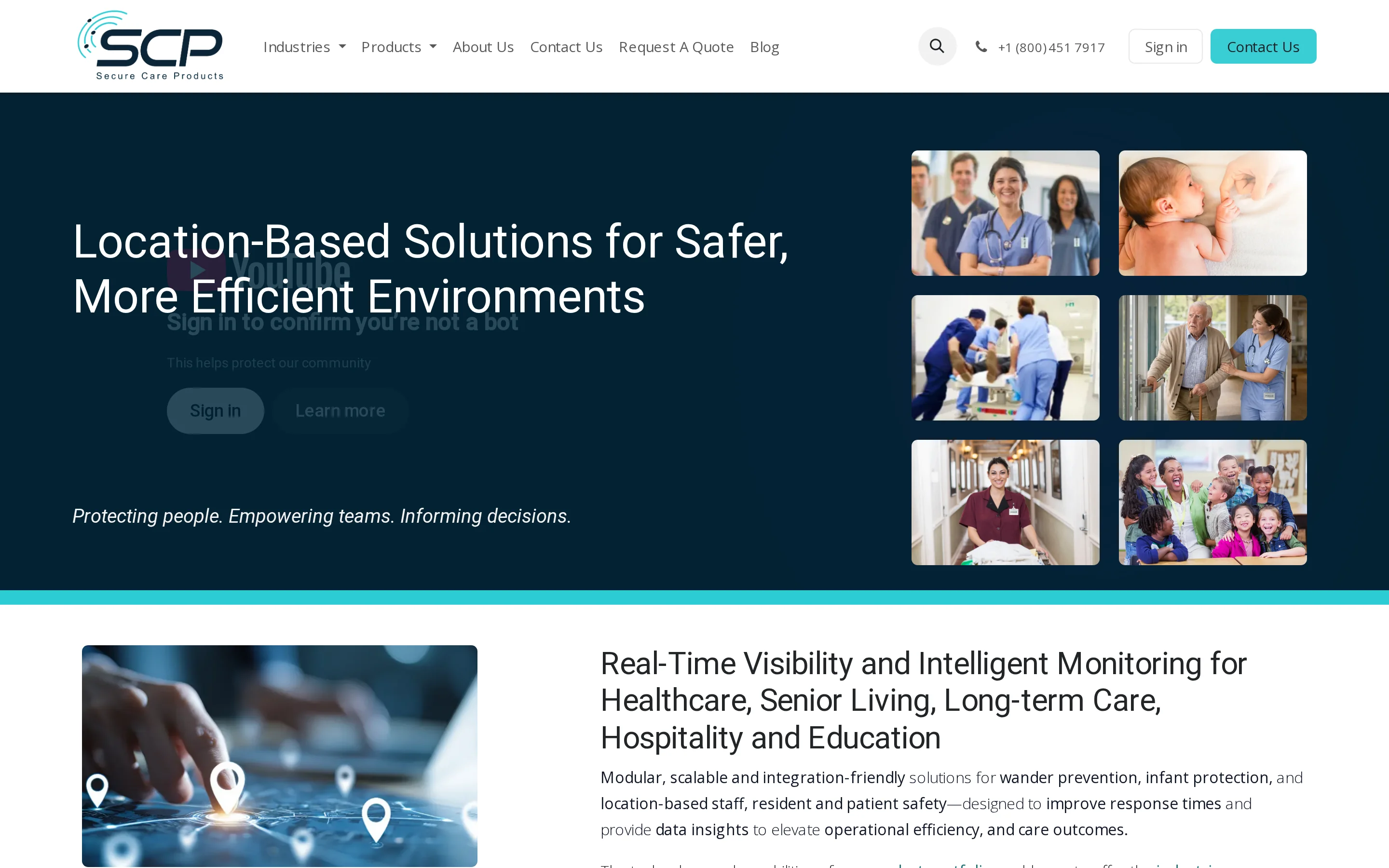
Secure Care Health Systems lists a Wander Management System for care facilities. Request the product specification before making a feature-level comparison of detection, alerts, door control, maintenance, and pricing.
Typical setting
Request written answers from Secure Care on:
Facility scope: Confirm supported building sizes, wings, stairwells, and monitored exits.
Door control: Check compatibility with existing locks, access control, and staff consoles.
Resident equipment: Review tag formats, fitting options, and wearability guidance.
Operational ownership: Assign responsibility for monitoring alerts, testing the system, and replacing resident tags.
How detection and alerts work
Secure Care’s product information reviewed for this comparison does not specify the detection method, adjustable exit fields, or automatic door locking. It also does not state whether alerts use a local alarm, a staff console, or another route.
Those distinctions affect the response workflow. A door alarm tells staff where an event occurred, while continued resident location requires a separate verified capability.
Deployment requirements
The deployment specification should define installation work, door-controller requirements, lock integration, central software, and ongoing maintenance responsibilities.
Request written details for:
Emergency door release and fire-alarm behavior
Exit-field calibration, acceptance testing, and staff training
Test frequency, records, and corrective-work responsibility
Tag battery life, replacement intervals, stock requirements, and disposal
Life-safety integration: emergency door release and fire-alarm behavior
Commissioning: exit-field calibration, acceptance testing, and staff training
Routine testing: test frequency, records, and responsibility for corrective work
Tag maintenance: battery life, replacement interval, stock requirements, and disposal
Main trade-off
Public specifications and pricing are incomplete. Compare costs only after the written quote separates equipment, installation, software, training, and tag replacement.
Request Secure Care’s guidance on wrist and ankle options, removal detection, and fitting for residents with cognitive impairment or skin sensitivity.
Smart anti-wandering solutions compared
The table compares the 10 systems by monitoring boundary, wearable dependence, and response model.
Monitoring boundary: Check where each system works, from a single room to a care-home perimeter or the wider community.
Caregiver workflow: Compare whether the resident must carry a device and how each event reaches the people responding.
Solution | System Type | Primary Environment | Detection Method | Alert Delivery |
|---|---|---|---|---|
Guardian | Passive Sensor Network | Care home / Assisted living | Motion, bed exit, and door sensors | Central portal and mobile notifications |
AngelSense GPS Tracker | Wearable GPS Tracker | Outdoor / Community | Continuous GPS and geofencing | Caregiver mobile app and voice call |
WanderGuard BLUE | Door / Perimeter Network | Memory care facility | RFID wristband and door controllers | Local door lock, visual strobe, and nurse console |
SecuraTrac Mobile Defender | Wearable GPS Locator | Community / Independent living | Cellular GPS with fall detection | Automated alerts and central station dispatch |
Smart Caregiver Wireless Bed Pad | Pressure Mat Monitor | Home / Single room | Weight displacement pad | Local receiver chime |
Nomo Smart Care | Hub & Radar System | Private residence | Radar motion and hub sensors | Smartphone app notifications |
CenTrak Elopement Management | Enterprise RTLS | Hospital / Senior care campus | Active RFID tags and ceiling exciters | Campus-wide console and integrated access control |
Project Lifesaver | VHF Radio Transmitter | Community search & rescue | Continuous radio frequency beacon | Manual receiver tracking by law enforcement |
RFT Code Alert | Perimeter Wander System | Skilled nursing facility | Transmitter bands and door controllers | Corridor displays and staff mobile devices |
Secure Care Wander Management | Door Security Network | Care facility | Coded door monitors and ID transmitters | Facility console and automatic door locking |
How to choose between these solutions
Choose a system by matching its monitoring boundary and response workflow to the resident's actual wandering risk.
Wearables help teams locate someone outdoors. They cannot be the only safeguard when a resident may remove the device, forget it, or leave it uncharged.
Operating boundary: Use bed, room, and door monitoring for indoor movement; GPS or radio location is needed once a resident moves beyond the property.
Wearable dependence: Check whether detection continues without resident action, especially for people who may remove or forget a wristband.
Alert routing and filtering: Decide who receives each event, on which device, and whether rules can suppress routine movement before it becomes alarm noise.
Installation burden: Compare a bedside pad or wireless sensor setup with door controllers, access-control links, cabling, and specialist installation across a facility.
Initial detection: Identify who or what notices the first event, especially when a resident cannot press a button.
Maintenance ownership: Assign charging, tag testing, battery replacement, and missing-device checks to a named role.
Alert context: Confirm whether staff receive the resident's identity, exact location, and an escalation when the first alert goes unanswered.
Beyond the boundary: Define the recovery process after the resident leaves the monitored room, building, or service area.
Event records: Check whether alerts, acknowledgements, and response times are retained for review.
Life-safety work: Include door release, fire-alarm behavior, access control, testing, and maintenance in the deployment plan.
What if one device isn't enough?
A layered setup can detect bed exit, room movement, and boundary crossing without relying on one wearable or button.
Cover the blind spot. A button depends on the resident pressing it, while a standalone mat detects pressure at only one point.
Build earlier context. A bed sensor marks the initial exit; optional room motion tracks continued movement, and a door contact identifies movement toward a boundary.
Filter the alerts. Unified rules notify staff only when a sequence meets a set condition, such as a prolonged night-time bed absence.
Why care teams choose Guardian over single-device wander alarms
We connect exit alerts, restricted-area events, bed activity and staff location in one floor-plan view. Your team gets the resident's name and exact room on existing phones, tablets or nurse-station computers.
Start with a 6-8 week pilot in one ward, home or team. We measure response times, near-misses and time spent reconstructing incident records against your own baseline.
You receive a written impact report, ROI calculation and rollout plan based on your operation, so the decision to expand rests on evidence from your care setting.
Many anti-wandering systems do not need a landline. Depending on the product, connectivity may use Wi-Fi, cellular data, local radio links, or installed facility infrastructure.
Battery life depends on the device and how often it transmits. GPS wearables need charging more often than low-power buttons or stationary sensors, so check the replacement schedule and low-battery alerts.
Coverage varies by plan, program, device, and supplier. Call the number on the member card and ask whether the equipment is covered, whether prior authorization is required, and whether an approved supplier must provide it.
No. Anti-wandering systems support staff response by sending alerts, but trained caregivers must assess the resident and provide any redirection or physical help.

Author
Aleks Timm
Aleks Timm leads Guardian and builds privacy-first operations technology for care homes and home care providers. Teams get location-aware alerts they can act on, clearer situational awareness, and measured insight into how care work actually runs.
Read MoreRecommended reads
Keep reading

Remote patient monitoring: a complete guide
Remote patient monitoring: the complete guide to sensors, benefits, and buying tips for safer care homes and better resident...
Read more
Indoor positioning systems for care homes
Indoor positioning systems for care homes help staff locate falls, exits, and nurse calls by room or bed, improving response,...
Read more
Smart Nurse Call Systems for Care Homes and Home Care Providers
Smart nurse call systems for care homes and home care providers: compare features, improve response times, and choose the right...
Read more