

10 Memory Care Technology Devices for Safer Care
In this article
Memory care leaders need to reduce falls and wandering without adding false alarms, intrusive monitoring, or avoidable staff work.
This guide compares 10 technologies across passive monitoring, privacy, alert clarity, and daily setup, from standalone home devices to connected systems for wards and distributed care teams.
What counts as memory care technology?
Memory care technology is specialized hardware and software designed to assist individuals with cognitive decline and support their caregivers.
The devices fall into four practical groups:
Safety monitoring: Bed-exit alarms, floor sensor pads, and ambient motion sensors detect movement without waiting for the resident to act.
Wander management: GPS wearables, door sensors, and geofencing alerts flag movement beyond a defined safe area.
Routine support: Automated pill dispensers, day clocks, and voice reminders prompt medication and daily activities through simple interfaces.
Cognitive engagement: Memory games, companion devices, and interactive displays support recall, conversation, and reassurance.
Care coordination and communication: Shared calendars, family updates, video check-ins, and caregiver messaging keep people informed, but do not detect safety events automatically.
The defining difference is reduced reliance on memory or manual input. Passive sensors can detect an event automatically, while alerts go to family caregivers or care staff who can respond.
At home, a standalone device may cover one defined need. Multi-resident settings often need connected alerts, clear escalation, and records that remain consistent across rooms and shifts.
The goal is to extend staff awareness between checks, especially during thinly staffed periods. Technology supports care decisions and response; it does not replace hands-on care.
How to choose the right technology
Choose memory care technology by matching the device to the resident, the risk, and the person responsible for responding. Passive monitoring, alert accuracy, privacy, maintenance, and escalation all affect daily use.
Use these criteria to judge whether a device will work in daily memory care:
Passive operation: Prefer detection that does not depend on the resident remembering a button, wearable, or spoken command.
Resident fit: Consider cognition, dexterity, sensory needs, and whether the person can reliably wear, charge, press, or speak to the device.
Alert quality: Check whether staff can adjust thresholds and distinguish urgent events from routine movement before repeated false alarms erode trust.
Maintenance and connectivity: Check charging, battery replacement, pad life, Wi-Fi or cellular needs, and what happens during an outage.
Alert routing: Confirm who receives the notification, what context it includes, how an unanswered alert escalates, and who owns the response on each shift.
Privacy, consent, and capacity: Review what data is captured, who can access it, and how long it is retained. The Argentum 2025 Technology Report found privacy was a concern for 26% of respondents, so ask what the system records in private spaces.
Setting fit: Match a standalone home device or multi-room facility system to the people, building, and staff workflow it must support.
Evidence before rollout: Test false alerts, response times, staff adoption, and the quality of event records before expanding beyond the initial setting.
Memory care technology compared at a glance
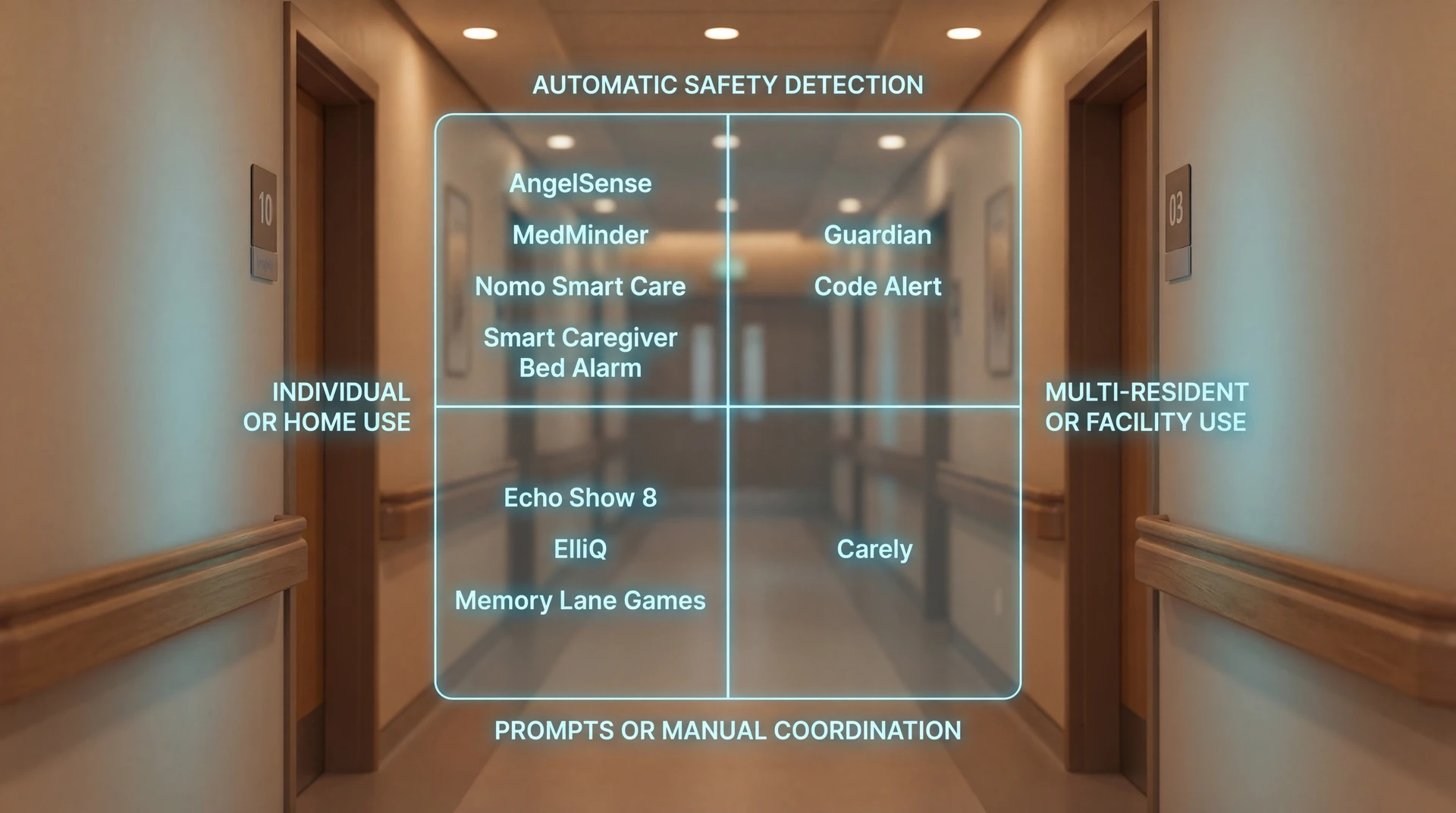
These technologies cover different jobs, so they should not be treated as direct substitutes. The product reviews below compare what each option detects, who receives the alert, and what daily use requires.
Use the entries as a shortlist by care need, not as proof that every product fits the same resident, household, or facility workflow.
The 10 best memory care technology devices
Guardian ranks first because it covers several memory-care workflows in one connected system. The remaining options follow the breadth and operational importance of the need they address; a lower rank does not imply poor performance within a narrow use case.
1. Guardian
Guardian is a wireless, camera-free safety monitoring platform for care homes and home care teams. Wearables, room sensors, and live floor-plan mapping keep each alert tied to a resident and location.
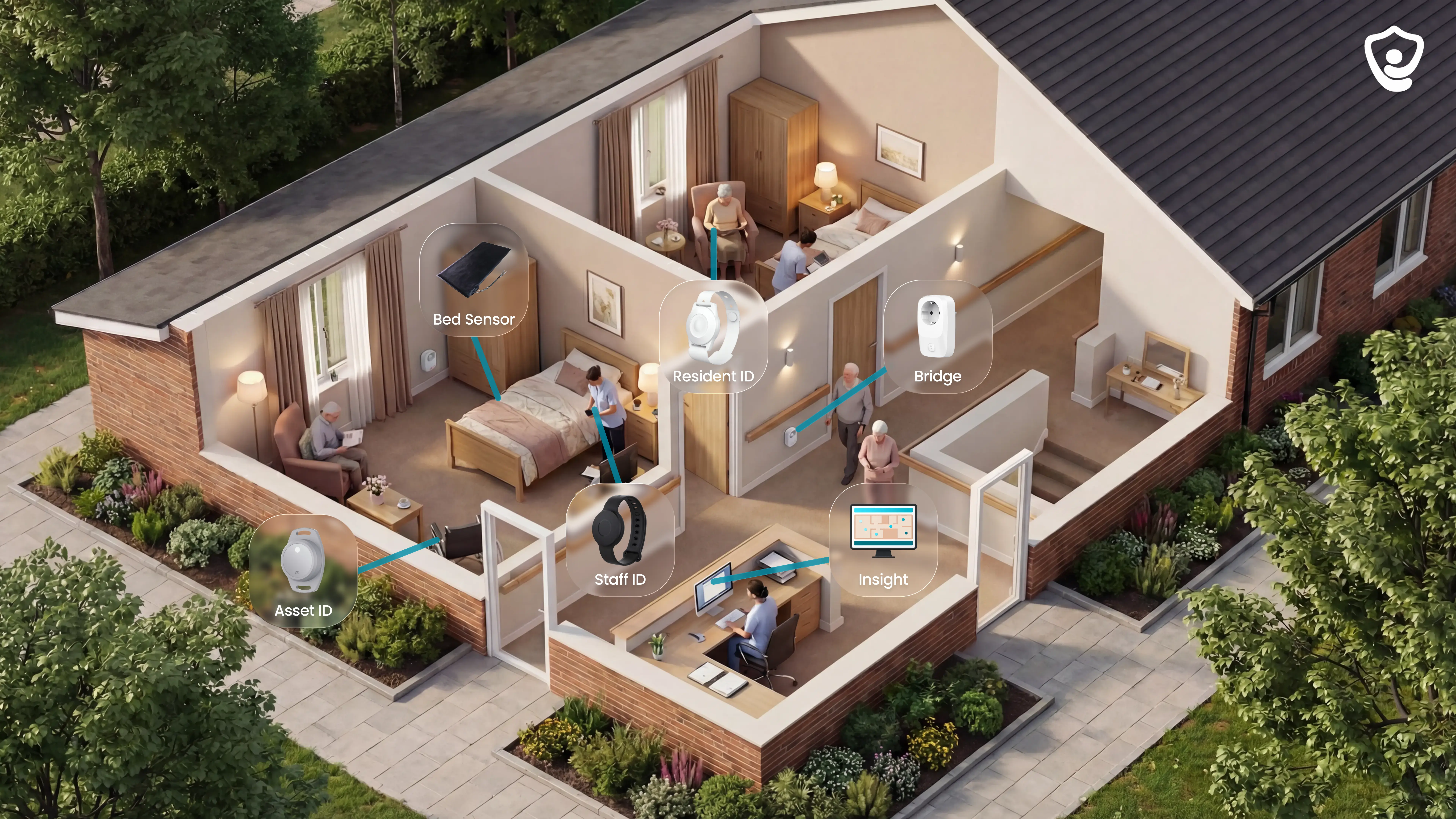
Guardian Insight puts resident wearables, passive room sensing, and live location context in one interface. Staff can open an alert and see the relevant resident and location without piecing together separate device feeds.
Guardian supports care homes, home care teams, specialist-care services, and mental-health facilities through the same camera-free monitoring approach.
Its core strengths are:
See alerts in context: Guardian Insight shows resident alerts and location context in one view.
Locate each event: digital floor plans connect an alert to a specific room or bed.
Cover active and passive risks: wristbands support active and automatic alerts, while passive sensors cover residents who cannot rely on a wearable.
Protect private rooms: bedrooms and bathrooms can be monitored without cameras or microphones.
Exit and wandering alerts with live location
Guardian detects door openings and boundary crossings, sending alerts with real-time floor map coordinates directly to staff devices.
Every relevant sensor is mapped to a room or bed on the digital floor plan. Alerts reach the phones, tablets, and nurse-station computers staff already use, without adding a separate pager workflow.
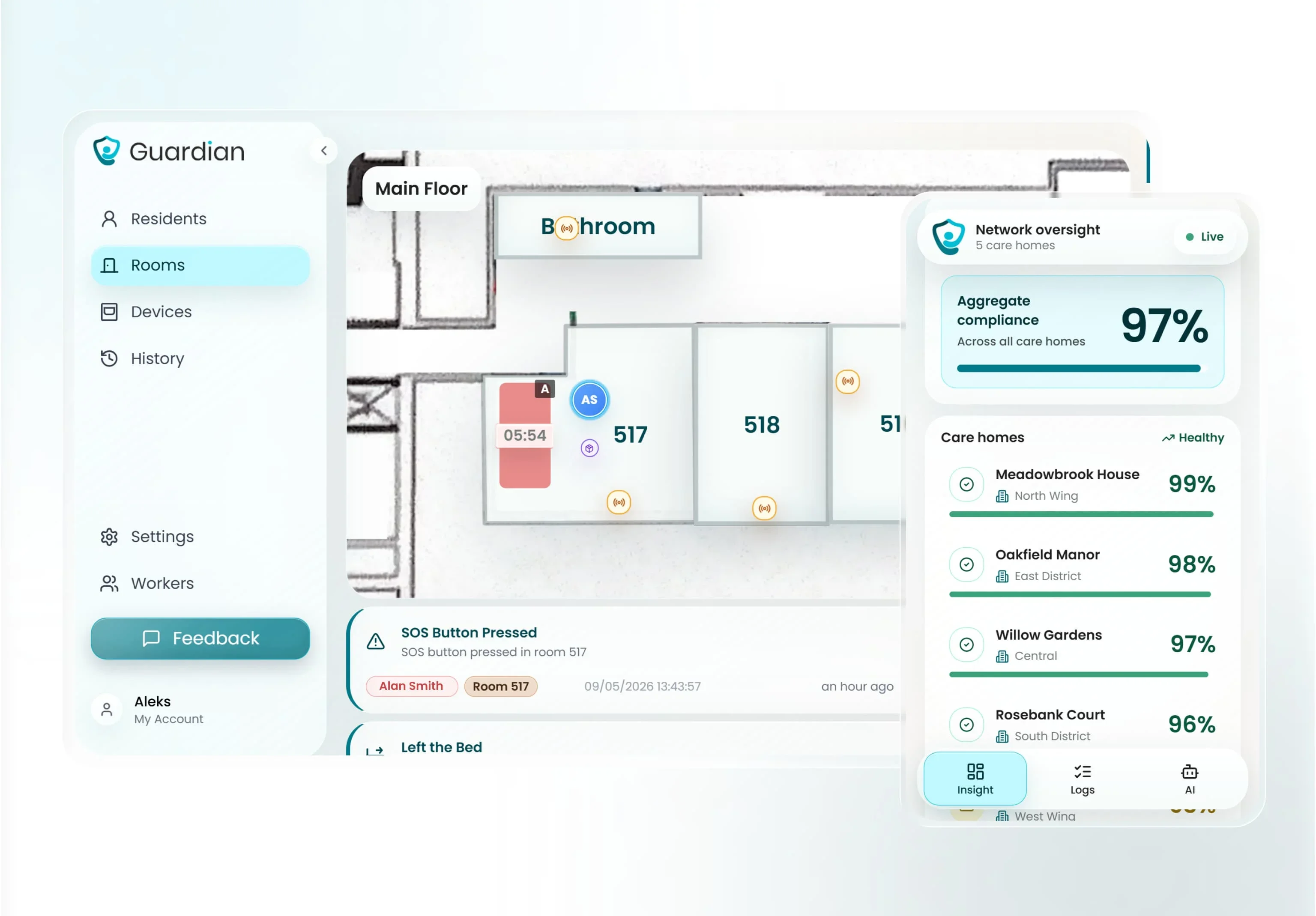
Guardian keeps room-level location visible after the initial trigger. Staff can follow movement through rooms and corridors instead of searching outward from the doorway that first raised the alert.
Automatic fall detection
Guardian's wristband detects falls automatically. Bed, motion, and room sensors extend coverage by detecting bed exits, inactivity, and changes in routine.
Guardian's wristband detects a fall through its built-in accelerometer and sends staff the resident's name and room location. The resident can also press the SOS button when able.
Automatic detection matters when memory loss, injury, or unconsciousness prevents a resident from asking for help. The alert reaches staff without depending on a manual button press.
Bed and room sensors cover residents who cannot or will not wear a wristband. A rule can flag an unexpected bed exit or more than 15 minutes out of bed at night, prompting a check before the next round.
Camera-free sensors for passive monitoring
Guardian uses motion, door, bed, and appliance sensors to track routines passively without recording video or audio.
Passive monitoring continues when a resident cannot or will not wear a wristband. Guardian Insight combines room and appliance events into a timeline rather than treating each sensor reading in isolation.
The sensor array can surface specific changes for staff to review:
Room activity: identify extended inactivity or an unexpected change in movement
Bed routine: record when someone gets up and returns to bed
Meals: flag missed kitchen or fridge activity against the usual routine
Bathroom patterns: show a change in visit frequency without recording video or audio.
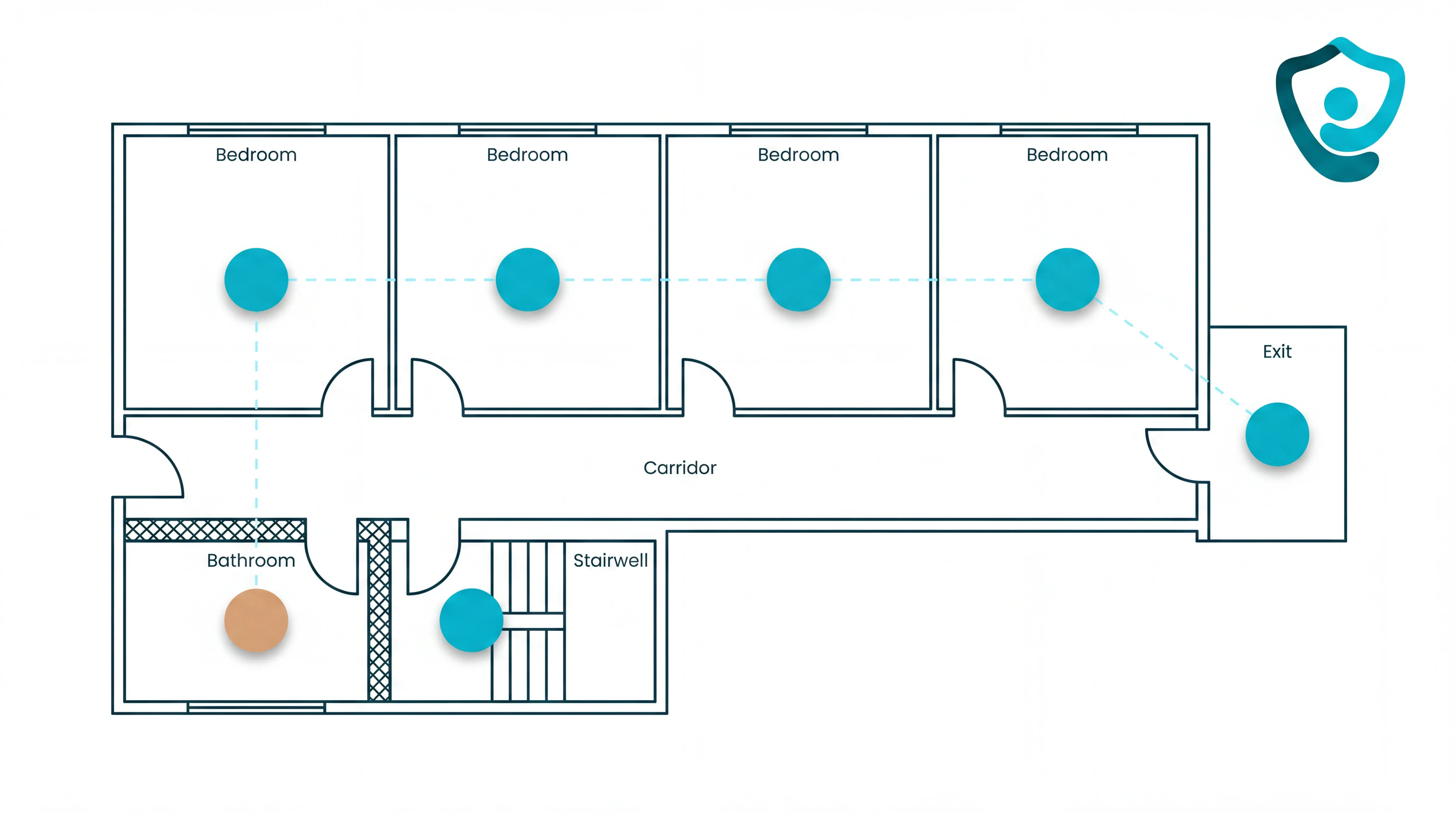
Guardian Insight turns those sensor events into a timeline staff can review. Bedrooms and bathrooms remain free from cameras and microphones, so teams gain operational context without storing footage from private living areas.
Caregiver alerts, reporting, and setup
Guardian automates visit logs and incident response reports while installing in approximately one week with pre-configured wireless hardware.
Each visit record captures caregiver arrival and duration, while call-event records capture when staff acknowledge and respond. Managers can review the shift without rebuilding it from notes and memory.
Teams can configure the operational path around local roles and routines:
Verify visits: record caregiver arrival and visit duration automatically
Measure response: track when a call event was raised and acknowledged
Escalate safely: route an unacknowledged alert to designated backup staff
Notify existing devices: send alerts to staff phones, tablets, or nurse-station computers
Guardian hardware arrives pre-configured and wireless. Adhesive-mounted sensors require no drilling, cabling, or integration into existing IT systems.
A scoped 6-8 week pilot can cover one ward, site, or home care team. The agreed measures can include response time, alert quality, staff feedback, and visit verification.
At the end, Guardian reviews the findings with the care team and sets out what to adjust, scale, or leave unchanged.
2. AngelSense Personal GPS Tracker
AngelSense covers one wearer during home and community outings through continuous GPS tracking and boundary alerts. It is not a room-level monitoring system for a ward or facility.
AngelSense focuses on outdoor wandering incidents, where a caregiver needs departure alerts, live location and a way to contact the wearer.
Four functions shape day-to-day use:
Live tracking and safe-zone notifications alert a caregiver when the wearer leaves a set area.
Anti-removal fasteners use a caregiver key, while harnesses, belt sleeves, and fabric pockets give families placement options.
The speakerphone can answer without the wearer pressing a button, so a caregiver can speak through the device.
A caregiver can trigger an audible alarm from the app when the wearer is close but out of sight.
The practical limitations affect daily use:
The tracker needs daily charging and correct placement. Caregivers also need a routine for returning it to the wearer.
Indoor accuracy: GPS location becomes less precise inside multi-storey buildings or structures with dense concrete and metal.
Someone must monitor alerts and respond. The tracker does not map room-level activity across a care facility.
AngelSense uses a hardware-plus-subscription model:
Upfront cost: The tracker is purchased separately from the cellular service.
Ongoing cost: Cellular service is separate from the hardware, so check the current commitment and full first-year cost before purchase.
Unlike Code Alert's configured facility exits, AngelSense follows one wearer beyond the building. Daily charging, placement, and caregiver response remain part of the routine.
3. MedMinder Automatic Pill Dispenser
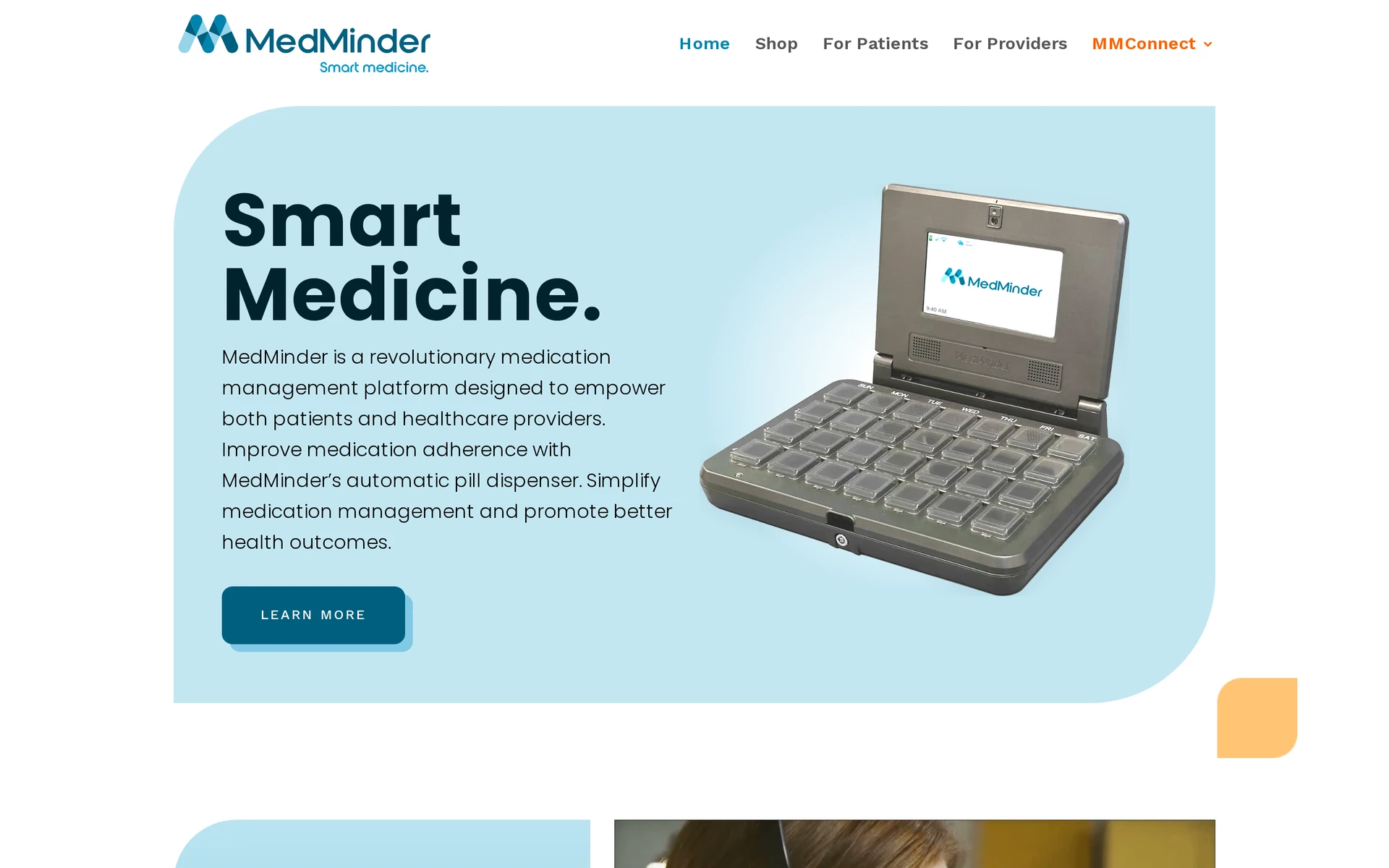
MedMinder is a cellular-connected automatic pill dispenser for scheduled medication. Locked compartments and prompts support prescribed dosing times.
The tray separates scheduled solid-pill doses. Locking models expose the scheduled cup, with lights, beeps, and a phone call prompting the resident.
Built-in cellular service sends missed-dose alerts by text, email, or phone and records compartment activity in a caregiver portal without relying on home Wi-Fi.
The dispenser cannot hold liquids, inhalers, or refrigerated medication. A caregiver refills the tray unless MedMinder Pharmacy supplies prefilled trays.
Charges depend on the selected dispenser and pharmacy arrangement, so subscription and pharmacy terms need confirmation during enrollment.
MedMinder controls access to scheduled pills and records missed doses; it does not monitor falls or wandering. Unlike an Echo Show reminder, it records compartment activity for caregiver follow-up.
4. Echo Show 8 with Alexa
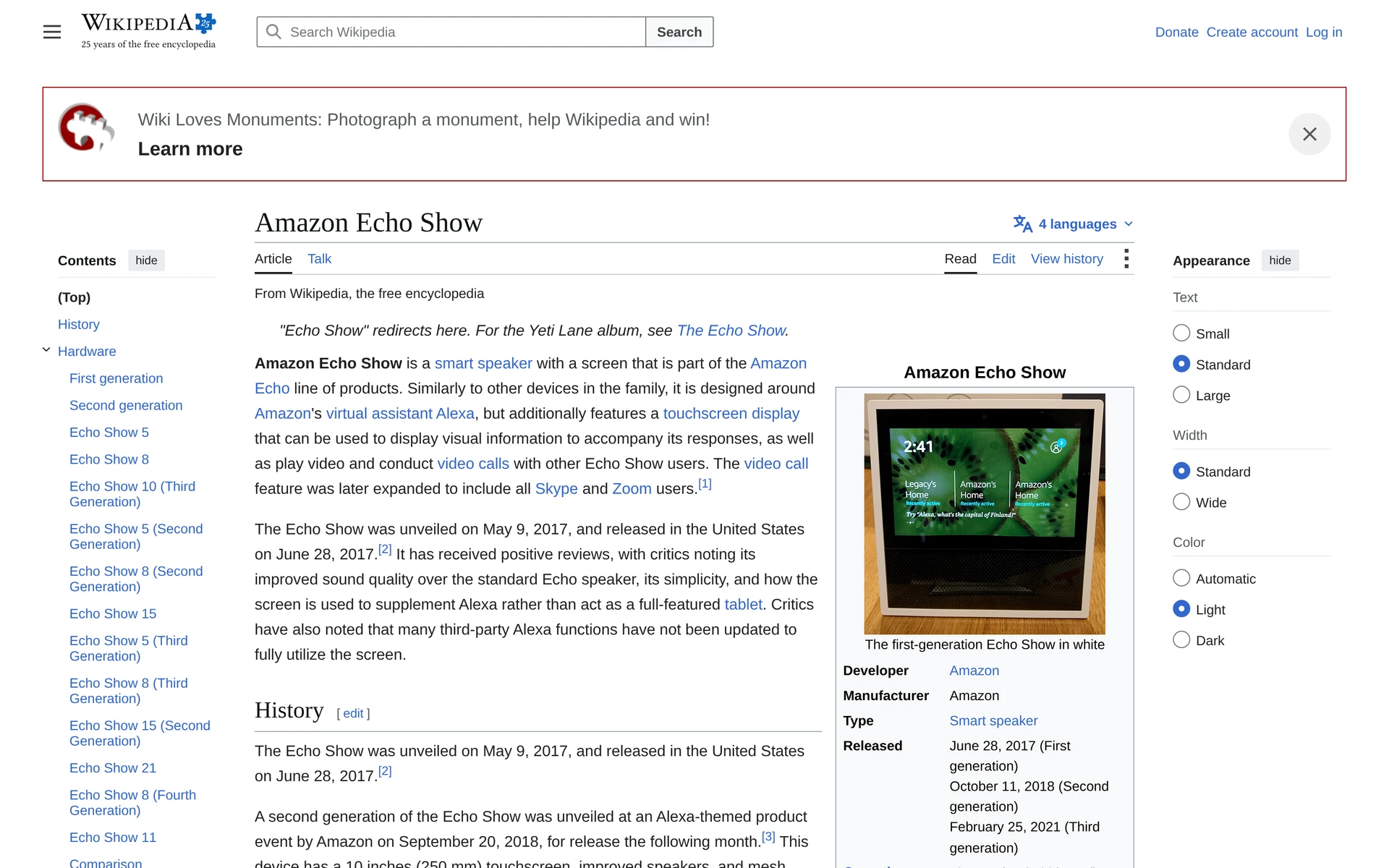
Echo Show 8 is a general smart display that can support memory-care routines through Alexa prompts, visual reminders, and permitted Drop In video calls.
Alexa can announce medication times and appointments. The 8-inch screen displays clocks, calendar entries, and photo slideshows.
Reminders play locally and do not create a medication-adherence record. Drop In can open a two-way video connection after both privacy permissions and approved contacts are configured.
Echo Show needs constant power and Wi-Fi. On its own, it does not provide dedicated fall detection, bed-exit monitoring, or wandering-response workflows.
Echo Show is a one-time hardware purchase, with pricing varying by generation and seller. MedMinder adds controlled dose access and missed-dose records, while Echo Show provides prompts and communication.
Its usefulness depends on the person continuing to respond to spoken or visual prompts. The Alzheimer's Association advises matching technology to current abilities and changing needs.
5. ElliQ
ElliQ provides proactive companionship and routine prompts for an older adult at home. Its wellness check-ins rely on conversation rather than passive clinical monitoring.
The device can start conversations without a wake word, then guide check-ins, medication reminders, cognitive games, and reminiscence activities through speech, movement, and light.
Routine support: Autonomous prompts can add structure for someone living independently with mild cognitive impairment or early-stage memory loss.
Family connection: Family members can send messages and photos or start video calls through the companion app; wellness check-ins can surface reported pain, sleep disruption, or low mood.
Safety boundary: ElliQ stays in one powered, Wi-Fi-connected location and does not track wandering, detect falls automatically, or provide emergency intervention.
Care context: Conversational and screen-based cues suit companionship and routine support; advanced dementia may require closer caregiver facilitation.
Access model: Consumer access includes hardware and an ongoing service arrangement. Institutional access depends on the programme or deployment, so confirm current terms directly.
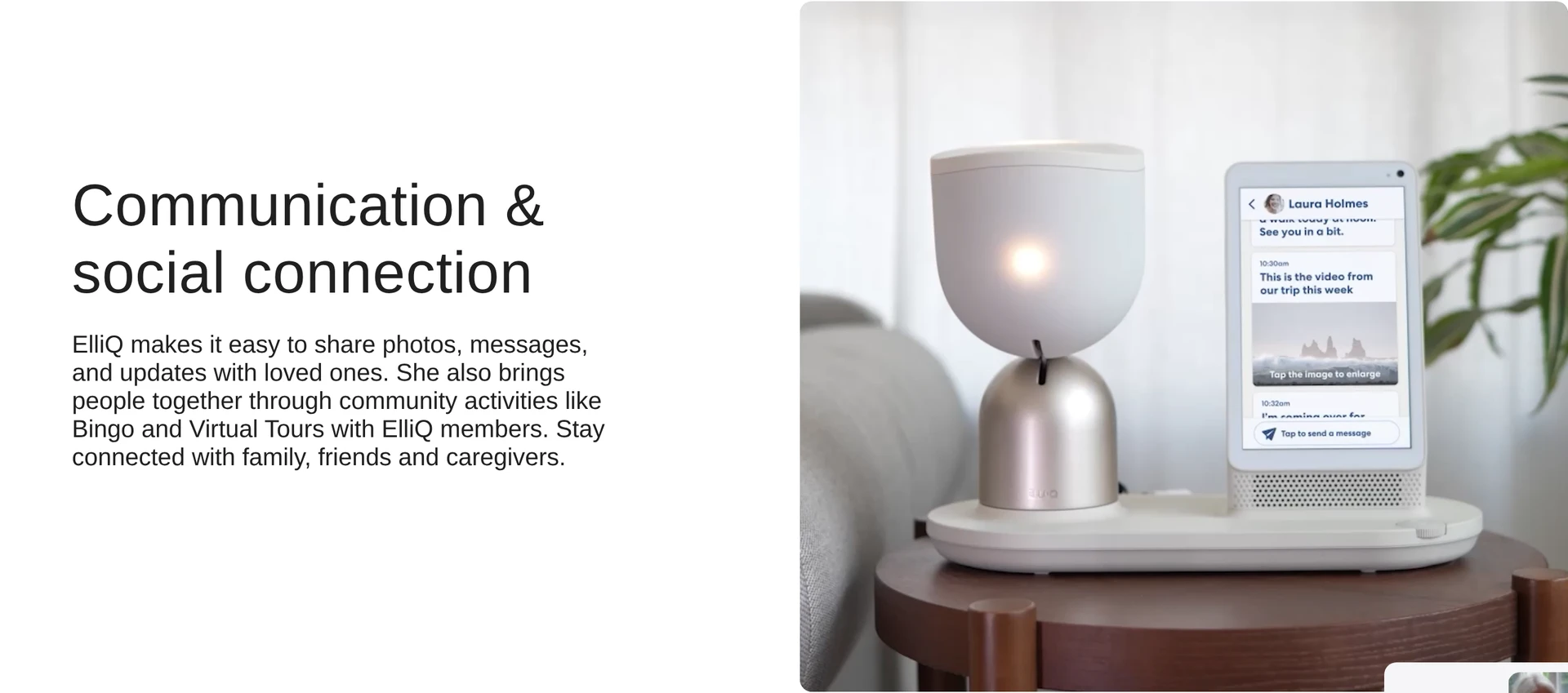
Compared with Memory Lane Games, ElliQ initiates voice interactions rather than waiting for a facilitated touchscreen session. A caregiver still needs to configure contacts, routines, and connectivity.
6. Memory Lane Games App
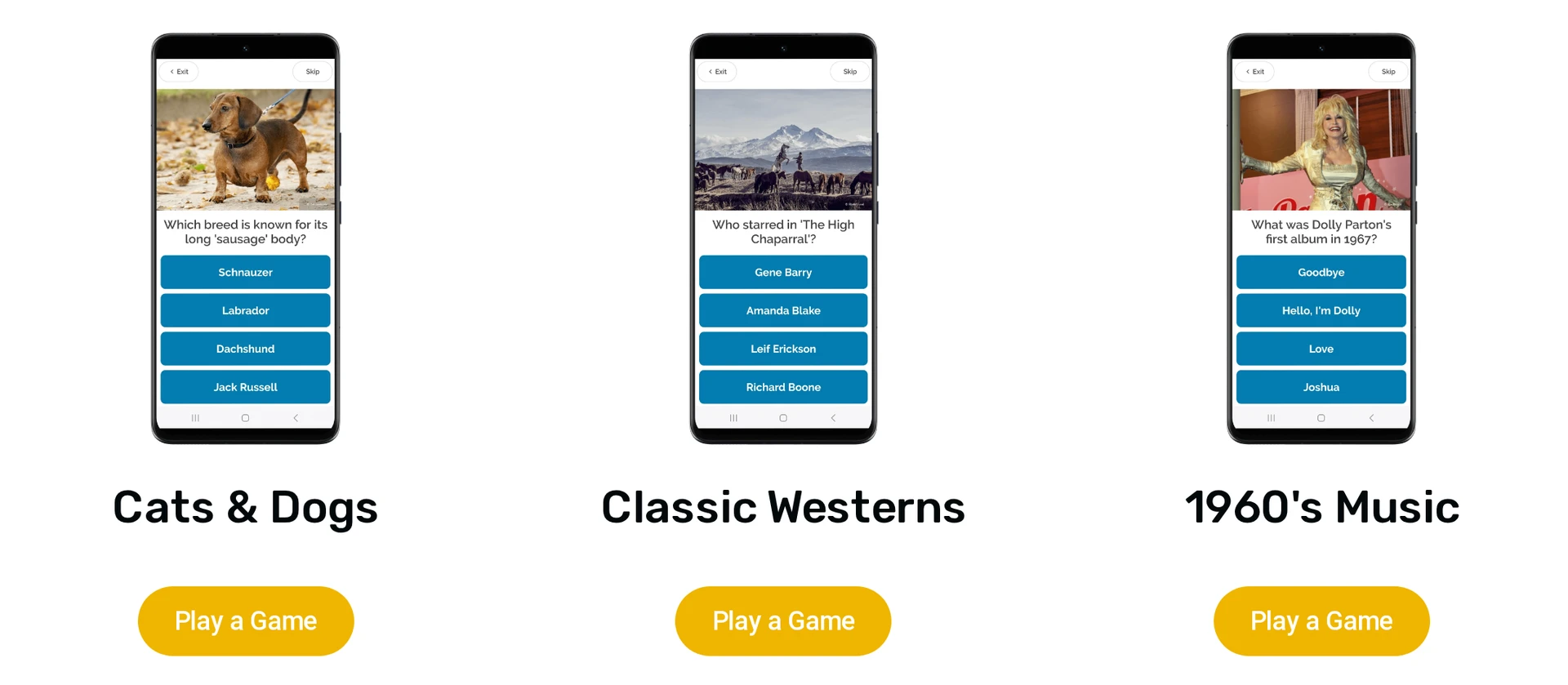
Memory Lane Games is a digital app centred on localised reminiscence trivia for people living with dementia.
The app groups content around places, decades, hobbies, and historical events. Simple choices and high-contrast visuals can make facilitated sessions easier for people with reduced dexterity or mild to moderate dementia.
Conversation cue: Familiar images and prompts give family caregivers and activity staff a repeatable way to start conversations without turning the session into a test.
During sessions: Staff can see responses as the activity runs, but the app does not create a live resident-status feed or automated safety report.
Monitoring boundary: Memory Lane Games does not track location, detect falls, or alert staff to wandering, and it requires a compatible touchscreen device.
Facilitated activity: One-to-one and group sessions may need a caregiver to open the app and guide each interaction for people with advanced memory loss.
Getting started: Access depends on the user or organisation plan. Confirm supported touchscreen devices and current care-home licensing before rollout.
7. Carely Caregiving App
Carely coordinates plans and family updates, but every entry depends on a family member or staff member adding it. It belongs here as a communication tool, not an automated safety monitor.
Its shared calendar and family feed keep plans and updates in one care circle.
Shared calendar: Tracks appointments, medication refills, and caregiver visits.
Family updates: The activity feed records mood notes, dietary updates, and visit summaries entered by family members or staff.
Facility feed: Carely Community publishes announcements, activity photos, and resident wellness updates to family feeds.
Message history: Direct and group messaging keeps updates attached to one care circle instead of separate family text chains.
Safety boundary: Carely relies on manual updates and has no automated fall detection, wandering alerts, or passive vital-sign monitoring.
Access: Carely Family supports private care circles, while Carely Community serves facility-to-family communication. Confirm current availability and organisation terms before deployment.
Carely keeps manually entered plans and updates in one shared record. Guardian records visits and response events automatically, so the two products solve different coordination problems.
8. Nomo Smart Care Elderly Monitoring System
Nomo Smart Care uses camera-free motion and bed sensors to record changes in daily routines at home.
Remote caregivers receive notifications through the companion app. Activity data can flag a changed routine, but cannot visually confirm what happened inside the home.
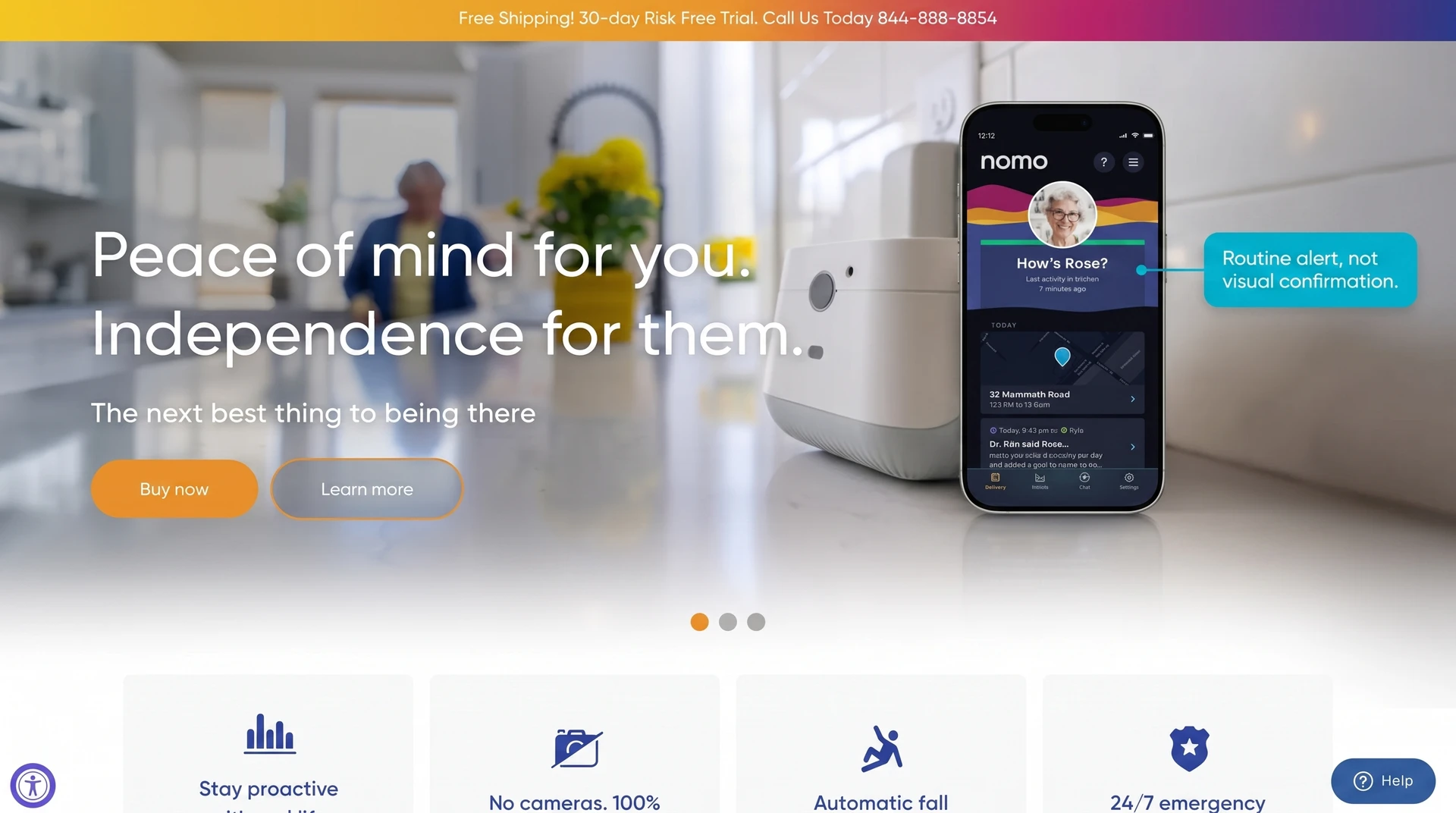
The system works best when a changed routine gives caregivers enough information to act:
Activity sensing: The hub and home sensors track movement patterns without recording video or audio.
Routine alerts: The app flags inactivity and unusual movement schedules.
Passive use: Residents do not need to press a button or wear a device.
Alert context: Baselines suit one resident, and caregivers receive no visual evidence to check an alert.
Monitoring plan: Professional monitoring requires an ongoing service plan. Confirm current availability and cost before purchase.
Care Kit: The Essential Care Kit is a separate purchase with a published retail price.
Nomo centres on family oversight for one person at home. It covers broader routine changes than a mattress-only Smart Caregiver alarm, but caregivers still need a response plan when sensor data cannot explain an event.
Image placeholder: Nomo Smart Care hub, motion sensors, bed sensor, and tags arranged as a labelled home installation kit.
9. Smart Caregiver Cordless Bed Exit Alarm
Smart Caregiver’s Cordless Bed Exit Alarm is built around a mattress pressure pad and a separate wireless monitor.
Strengths
Pressure-pad detection: A weight-sensitive pad sits on the mattress beneath the resident or fitted sheet and triggers when enough body weight leaves the pad.
Cordless connection: A small transmitter sends the alert to the separate monitor, avoiding a cable across the floor.
Remote alerting: The monitor can sit away from the bed in a hallway or caregiver station, within the rated range of the selected bundle.
Resident-friendly settings: Caregivers can silence the in-room alarm and use a chime, tone, or visual LED at the remote monitor.
Limitations
False alarms: Turning, shifting weight, or sitting up can trigger an alert even when the resident remains in bed.
For family care or a small residential room, the alarm gives a local bed-exit signal. A larger ward needs centralized alert routing and room-level records beyond a standalone monitor.
Replaceable pads: Moisture, cleaning, and physical wear limit pad life, so teams need a documented inspection and replacement schedule.
Single-event context: The monitor reports that pressure left the pad, without explaining what happened next.
Pricing
Starter bundle: The monitor and bed pad are purchased as hardware. Check that the selected bundle includes the required transmitter and alert unit.
Replacement pad: Replacement cost depends on pad type and rated service life.
Ongoing fees: The hardware has no subscription or monthly software charge.
The system reports that pressure left one bed pad; it does not confirm a fall or show what happened next. Guardian adds central routing, room context, and event records for multi-resident operations.
10. Code Alert Wander Management by RF Technologies
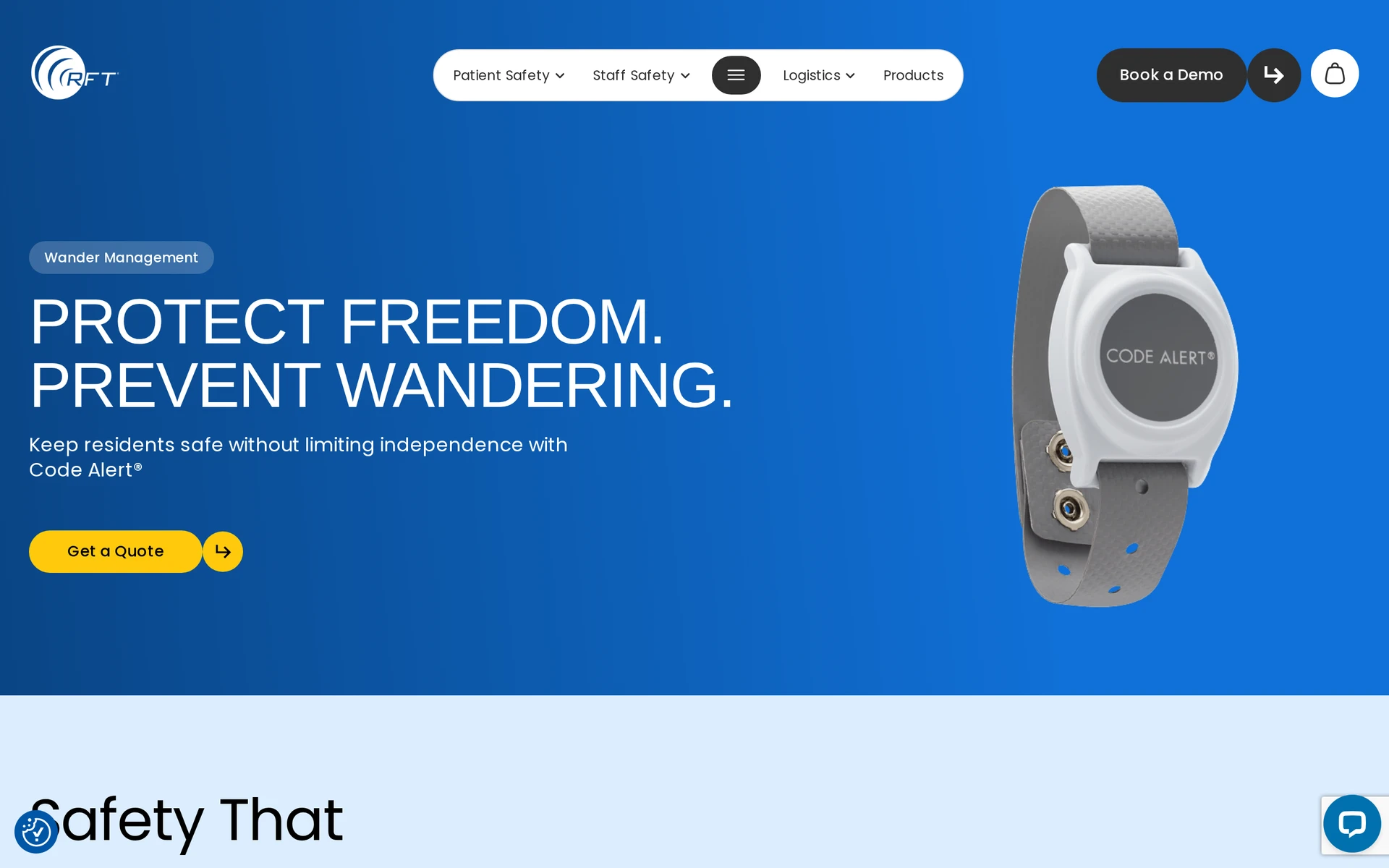
Code Alert is built around wearable RFID transponders and door-locking controllers at protected facility exits.
Strengths
Adjustable detection zone: Door-frame antenna loops detect an enrolled transmitter within the configured doorway area.
Exit control: The door controller can hold a magnetic lock closed when an enrolled transmitter enters the perimeter.
Identified alerts: Nursing consoles, hallway annunciators, or staff pagers can show the exit location and transmitter ID.
Life-safety integration: Configured fire-alarm connections release magnetic locks during an emergency, while optional nurse-call integration can carry alerts into existing workflows.
Each protected exit needs hardwired power, antenna wiring, and controller integration. Teams must review consent, capacity, emergency release, and local life-safety requirements before enabling door locking.
Limitations
Doorway-based detection: The system monitors configured exits rather than resident movement inside bedrooms or common areas.
No fall coverage: A perimeter alert does not detect a fall elsewhere in the building.
Wearable dependence: A resident may pull at or cut the transmitter band, which can create tamper alerts and require staff intervention.
Installation burden: Adding or moving a protected exit requires changes to fixed door hardware and wiring.
Pricing
Facility quote: RF Technologies does not publish a fixed retail price for Code Alert.
Configuration-based scope: Pricing is quoted per facility based on the number of protected doors, transmitter volume, and required integrations.
Code Alert fits configured facility exits with staff able to maintain fixed hardware. AngelSense follows one wearer outdoors, while Guardian adds wireless room-level movement and alert context inside care settings.
Safety, privacy, and setup checklist
A safe deployment needs proportionate monitoring, clear alert ownership, tested thresholds, reliable maintenance, and a setup matched to the building and care workflow.
Use this checklist before deploying memory care technology in a resident's room, shared space, or community setting.
Use the least intrusive suitable method: Review consent and capacity, then prefer camera-free motion, bed, and door sensing in private spaces where it can address the documented risk.
Set actionable alert rules: Notify staff about resident-specific risks, such as extended inactivity or an unusual bed exit, instead of every sensor event.
Secure the physical setup: Fix hubs and sensors firmly, protect power connections, route cables away from walkways, and document any hardwired door or controller work.
Check every assignment: Link each wearable, sensor, pad, room, or bed to the correct person and location before testing alerts.
Test the full response path: Confirm acknowledgement, escalation, outage behaviour, and handover steps on every shift that will use the system.
Plan maintenance: Record who charges wearables, changes batteries, replaces pads, checks sensors, and tests emergency releases.
Control the data: Set access, retention, incident review, and deletion rules before live monitoring begins.
What if you need more than one device?
Separate devices remain manageable when each covers a distinct need and the response path is simple. Fragmentation becomes a risk when staff must reconcile alerts, identities, locations, and records across several systems.
Separate devices can split alerts across apps and subscriptions, leaving staff to match related events themselves.
Before adding another device, count the apps, logins, subscriptions, batteries, and handover steps the team will need to maintain.
Apps: Can staff receive and acknowledge related events in one workflow, or must they switch interfaces during an incident?
Alerts: Does each notification identify the person, event, urgency, and owner? What happens if the first recipient does not respond?
Location: Does the alert identify only a device, or does it provide the room, bed, doorway, or live position needed to act?
Records: Are timestamps and acknowledgements stored consistently enough to review the incident without rebuilding it from several logs?
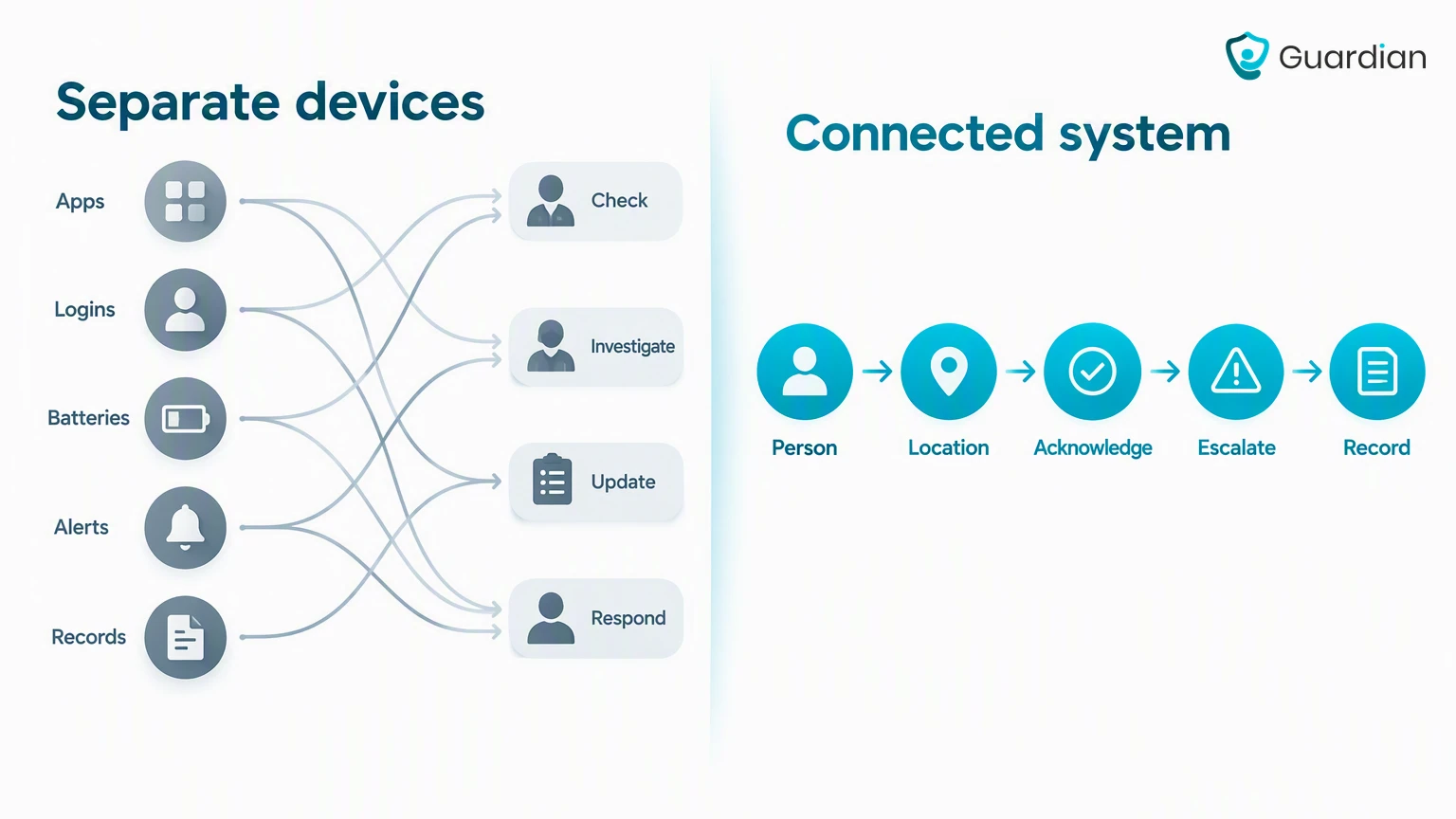
Guardian is the connected option when a team needs passive sensors, SOS events, room context, escalation, and automatic records in one operational view.
One system for wandering, falls, and monitoring: Guardian
Guardian fits teams that need one camera-free system for wandering, fall alerts, passive monitoring, and response records across a ward, site, or home care operation.
A scoped 6-8 week pilot gives the team its own response, alert, adoption, and visit data before a wider rollout.
Tracking can be ethical when it addresses a documented safety risk and uses the least intrusive suitable method. Agree the purpose, access, and review process with the person where possible, alongside family and the care team. Consent, capacity, and legal requirements depend on the care setting and jurisdiction.
An AirTag should not be treated as the primary wandering-response system because it does not provide continuous GPS monitoring or immediate geofence alerts. It may help locate an object such as a wheelchair, rollator, or handbag, but its anti-stalking alerts and sounds make it unreliable for a wandering emergency.
Technology can detect safety events and changes in routine, but it cannot replace hands-on care or clinical judgement. Staff still manage bathing, transfers, distress, reassurance, and the response to every alert.
Door and bed-exit sensors, appliance shut-offs, motion-activated path lights, and locked medication dispensers address common safety and routine risks. The Alzheimer’s Association outlines further technology safety considerations for caregivers.

Author
Aleks Timm
Aleks Timm leads Guardian and builds privacy-first operations technology for care homes and home care providers. Teams get location-aware alerts they can act on, clearer situational awareness, and measured insight into how care work actually runs.
Read MoreRecommended reads
Keep reading

Remote patient monitoring: a complete guide
Remote patient monitoring: the complete guide to sensors, benefits, and buying tips for safer care homes and better resident...
Read more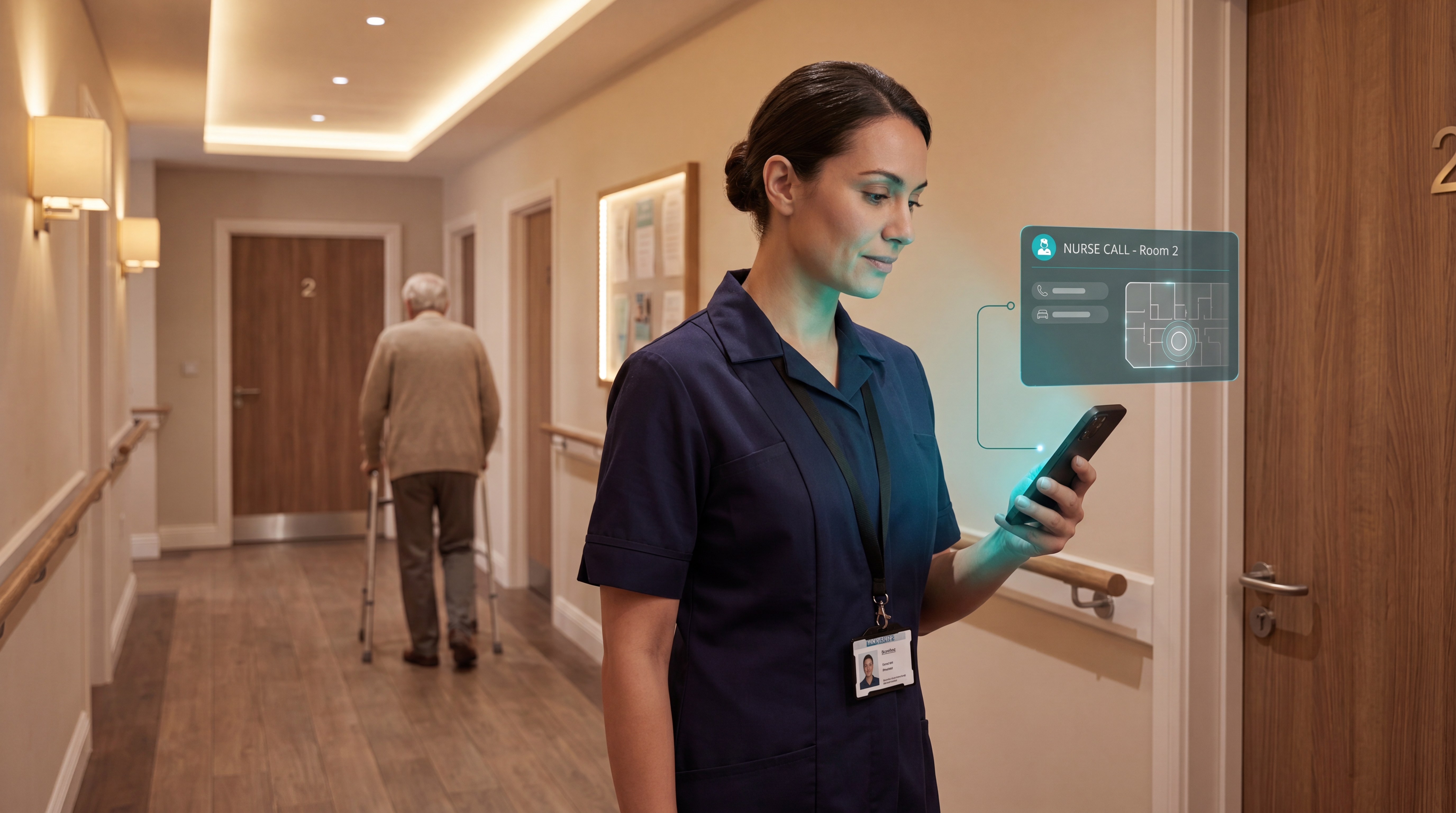
Smart Nurse Call Systems for Care Homes and Home Care Providers
Smart nurse call systems for care homes and home care providers: compare features, improve response times, and choose the right...
Read more
Caregiver alert systems for care homes
Caregiver alert systems for care homes help staff respond faster with room-level alerts. Learn what to buy to prevent harm and save...
Read more