

10 In-Home Medical Alert Systems Compared
In this article
An in-home medical alert system only works when an alert reaches someone who can act. Compare activation, coverage, response route, fall detection, and total cost.
Most entries are household subscriptions that connect one person to a monitoring center. Guardian is different: it is a provider-managed platform for home care teams and other professionally managed care settings.
We ranked the systems by activation method, response route, connection, stated range, backup power, fall detection, passive monitoring, contract terms, and intended setting.
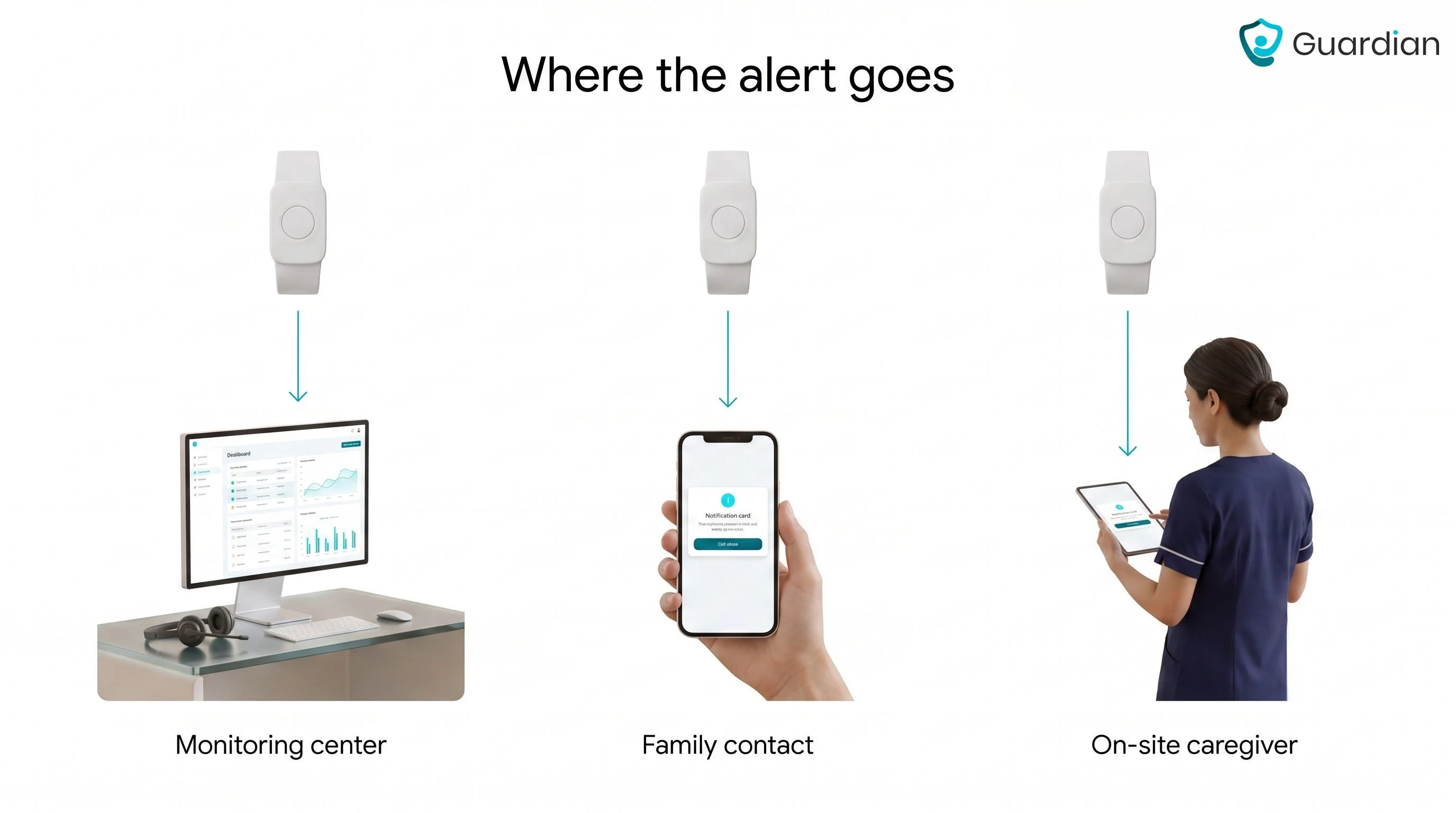
Start with the response route. A monitoring center, family contact, and on-site care team each create a different workflow after an alert.
What counts as an in-home medical alert system?
An in-home medical alert system detects or receives a request for help at home, then sends that alert to a monitoring center, personal contact, or care team.
A base station and wearable button are the most common setup. Voice activation, fixed buttons, fall-detection wearables, and passive sensors provide other ways to trigger an alert.
Automatic fall detection or passive sensors can flag a fall, unusual inactivity, or a routine change when the person cannot press a button.
Monitored system vs. unmonitored device vs. caregiver pager
The response route determines who receives the alert, who checks what happened, and who escalates it.
Route | Where the alert goes | What happens next | Operational dependency |
|---|---|---|---|
Professionally monitored system | A staffed monitoring centre | An operator speaks with the resident when possible, assesses the situation, and contacts a caregiver, neighbour, or emergency service as needed | The centre can respond around the clock, but the device still needs a valid trigger |
Unmonitored device | A designated contact or emergency service | The unit places a direct call or plays a recorded message, depending on the device | Response depends on the call reaching someone who can interpret and act on it |
Caregiver pager | A handheld receiver carried by a nearby caregiver | The caregiver checks the resident and escalates the incident when required | Coverage depends on a caregiver being on site, awake, within range, and carrying the receiver |
Automatic fall detection and passive sensors address a separate question: whether the system can trigger without deliberate action. Every route needs testing for missed events and false alerts before it becomes part of a care workflow.
Which setup fits your home?
The right setup depends on coverage, connectivity, wear habits, response route, staffing, activation options, and expandability.
Use these seven checks before comparing brands:
Coverage: Confirm the signal reaches every room and any outdoor area the person uses.
Connectivity: Match the connection type to the home's most reliable service, then check what happens during a power or internet outage.
Wear compliance: Check whether the person will wear, charge, and keep the device within reach every day.
Staffing: Confirm who receives alerts and whether backup coverage exists when the usual caregiver is unavailable.
Response route: Confirm whether a monitoring center, personal contact, or care team receives the alert and controls escalation.
Activation: Check whether the system can detect a problem when no button is pressed, especially if the person may be unconscious or confused.
Expandability: Check whether you can add sensors later without replacing the original base unit as the home or care needs change.
The 10 best in-home medical alert systems
The ranking favors reliable activation and a clear response route over headline range alone. Guardian ranks first for provider-managed care because it combines passive monitoring, room-level alerts, and operational records; the other entries mainly serve individual households.
System | Connection and stated limits | Activation | Commercial and response model |
|---|---|---|---|
Guardian | Wireless sensors; no consumer range figure | Passive sensors, SOS, optional fall-detection wristband | Scoped organizational pilot; alerts go to the care team |
Bay Alarm SOS Home | Landline or 4G; 1,000 ft; 32-hour backup | Button; optional fall detection | Consumer subscription; 24/7 monitoring center |
MobileHelp Classic Cellular | Cellular; 1,400 ft | Button; optional fall detection | Consumer subscription; 24/7 monitoring center |
LifeFone At-Home Cellular | 4G; 1,300 ft; 32-hour backup | Button; optional fall detection | Consumer subscription; U.S. response center |
Medical Guardian MGHome Cellular | 4G; 1,400 ft; 32-hour backup | Button; optional fall detection | Consumer subscription; 24/7 monitoring center |
LifeStation In-Home | Landline or cellular; 1,300 ft; 32-hour backup | Button; optional fall detection | Consumer subscription; 24/7 monitoring center |
Lifeline HomeSafe Standard | Landline or cellular; 350 ft; 30-hour backup | Button; separate fall-detection version | Consumer subscription; Canadian response center |
Aloe Care Essentials | 4G hub; 200-ft button range | Voice, button, activity sensing | Consumer subscription; currently listed as unavailable |
Medical Guardian MGHome Landline | Landline; 1,400 ft; 32-hour backup | Button; optional fall detection | Consumer subscription; 24/7 monitoring center |
Medical Alert Home System | Cellular; 800 ft; 30-hour backup | Button; optional fall detection | Consumer subscription; 24/7 response specialists |
1. Guardian
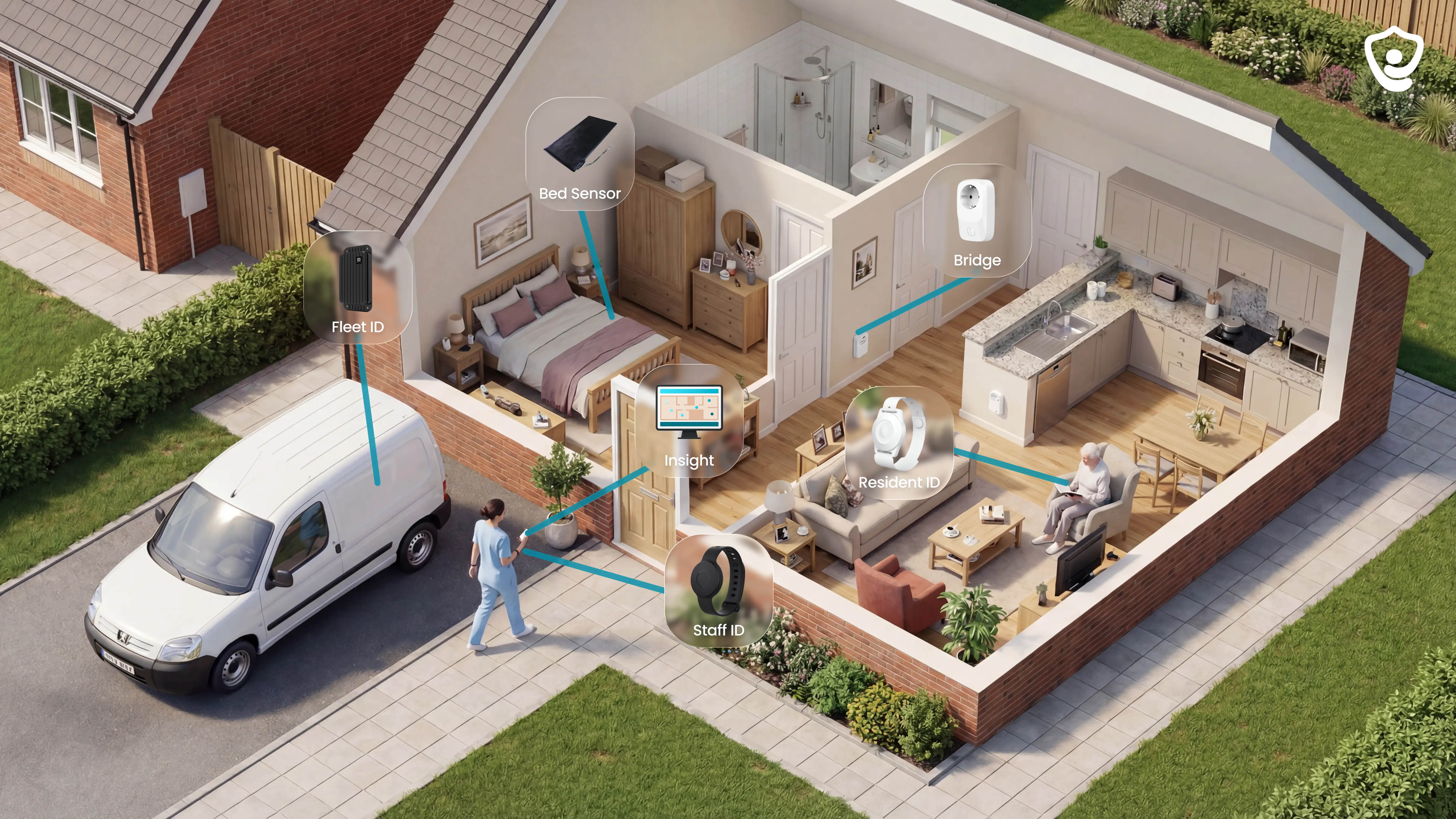
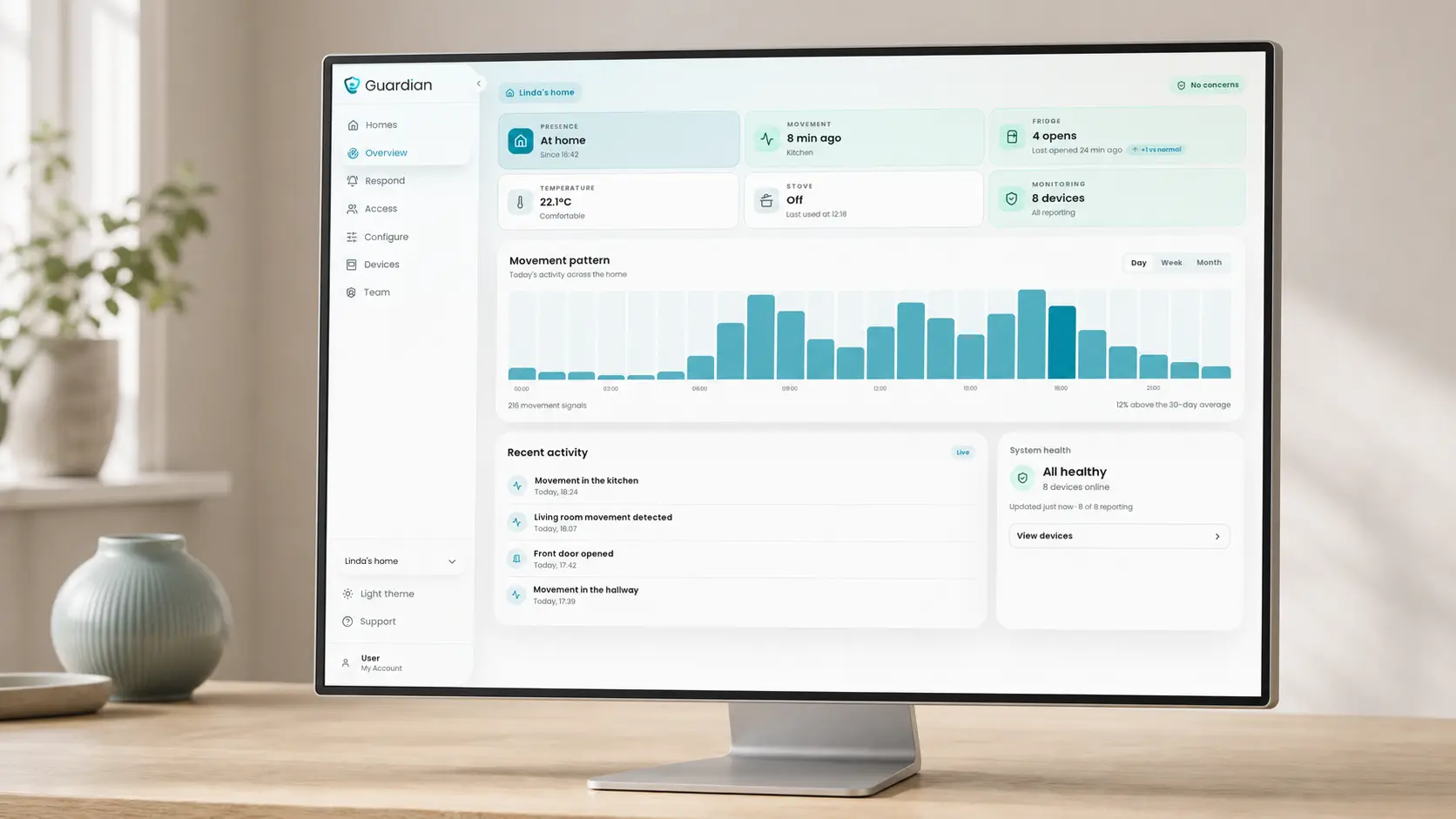
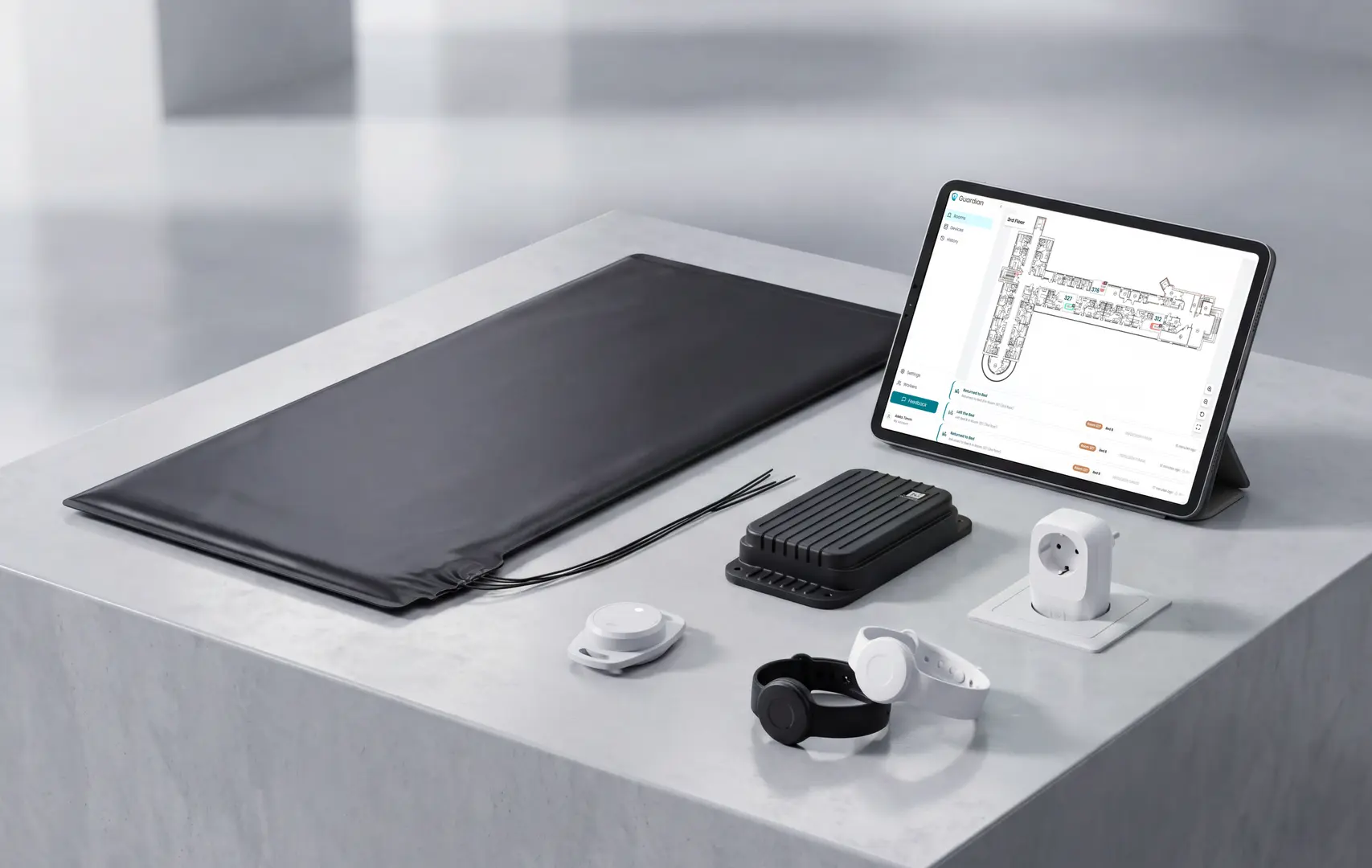
What Guardian monitors: motion, bed exits, and SOS alerts, mapped to a live floor plan without cameras.
On every alert: Guardian Insight shows the resident name, event type, and room or bed on a live floor plan. Staff can go to the reported location instead of searching the home.
In-home equipment and activation options
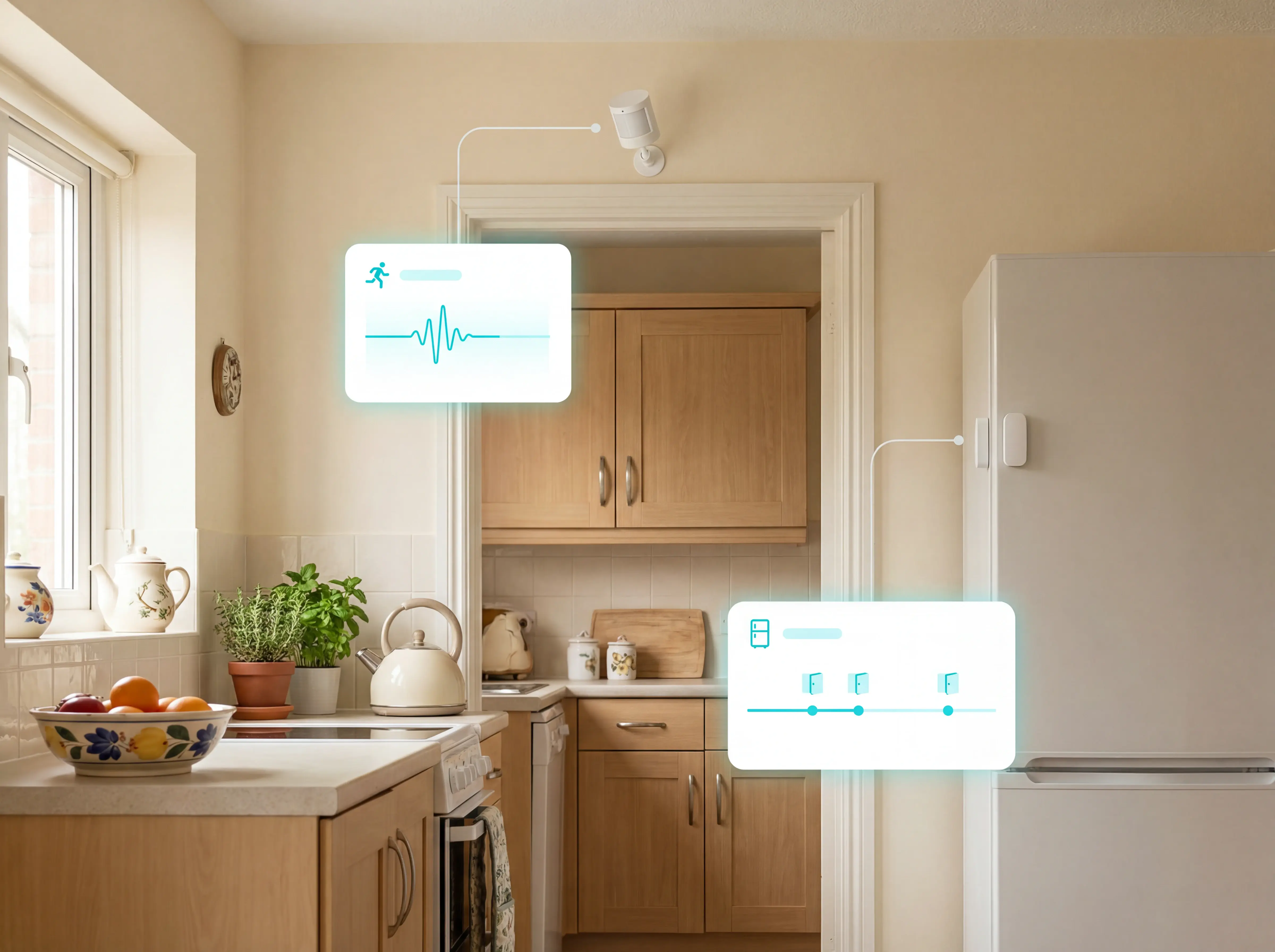
Motion, bed-exit, and SOS sensors make up the in-home kit. Passive activation does not require a pendant or camera.
Guardian's equipment mix is scoped to the resident, building, and care workflow. Available activation options include:
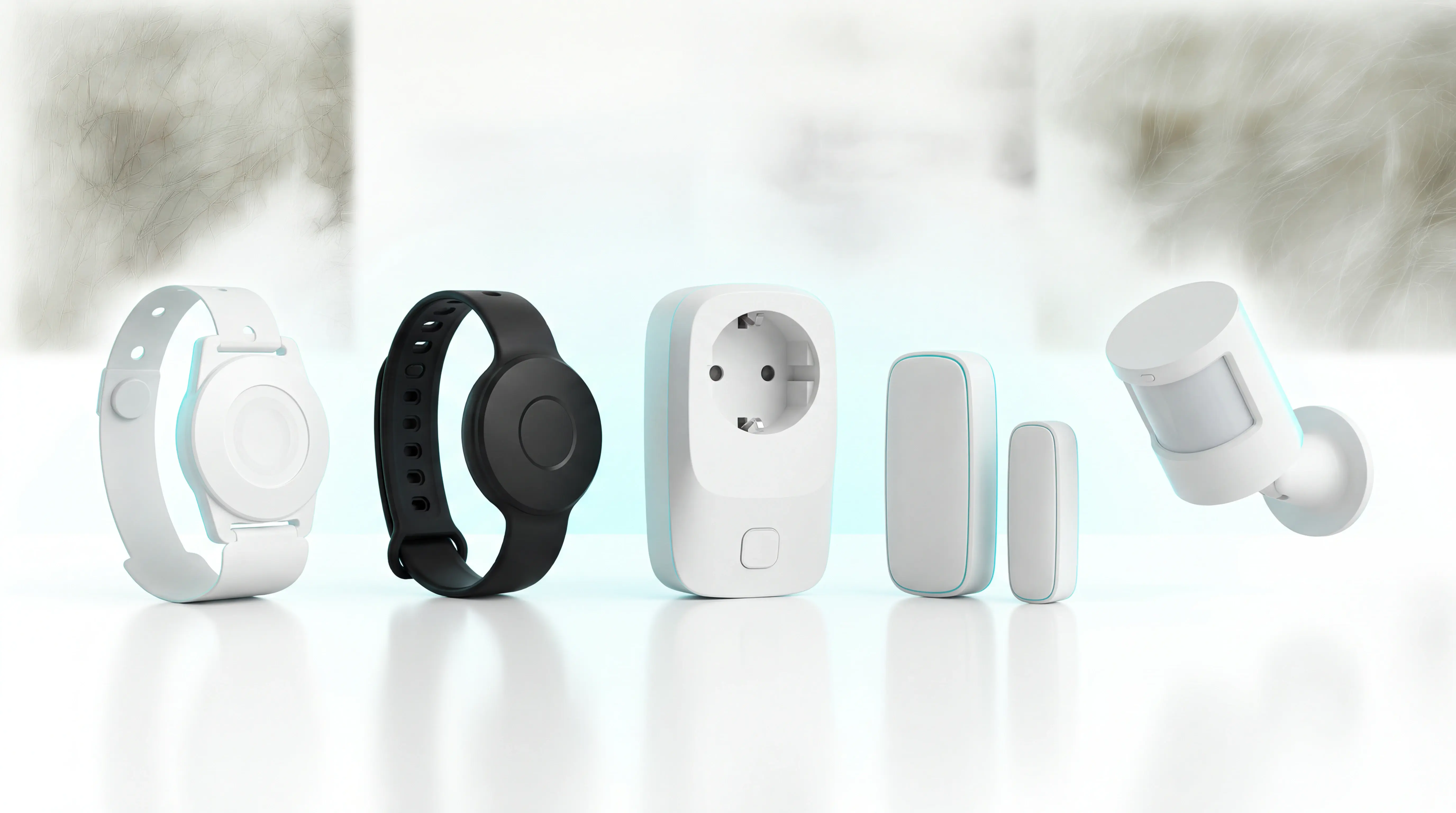
Motion sensors: radar and infrared sensing tracks room-level activity without requiring a wearable
Bed sensors: in-bed and out-of-bed status supports night-time monitoring and routine-change detection
Home activity sensors: door, fridge, and stove sensors record relevant changes between visits
SOS wristband: one press sends a location-aware emergency alert through Guardian Insight, showing the resident and room to the receiving caregiver
Fall-detection wristband: an accelerometer can trigger an alert when the resident cannot press the SOS button
Families and care staff can track a bed exit or change in routine without creating video footage of personal care.
Connection type and installation
Wireless, adhesive sensors require no landline, drilling, or cabling for installation.
Preconfigured devices send events to Guardian Insight, where alerts reach staff through browser notifications and a dedicated mobile app.
Caregivers can use existing smartphones, tablets, and nurse-station computers instead of carrying another pager.
Installation is non-invasive and a ward can go live in about one week. The physical setup follows four steps:
Walk through the site: an approximately one-hour review covers existing alerts and priority workflows.
Digitise the floor plan: each selected room, bed, and sensor receives a location in Guardian Insight.
Fit the sensors: Guardian starts with 5 to 10 priority rooms, using adhesive mounting with no drilling or cabling.
Activate staff access: alerts are tested on the phones, tablets, or computers used during the shift.
Automatic fall detection and room-level location
Guardian uses a fall-detection wristband for automatic fall alerts. Motion and bed sensors mapped to a floor plan can flag bed exits or unusual inactivity and identify the room involved.
Automatic fall detection comes from the resident wristband's accelerometer. A manual SOS press uses the same location-aware alert route.
GPS can identify a general outdoor position. Inside a mapped home or facility, Guardian ties the event to a specific room or bed, so the caregiver knows where to go.
Guardian applies configurable rules before routine activity becomes an alert. A night rule can wait until a resident has remained out of bed for more than 15 minutes instead of alerting on every brief movement.
Emergency handling stays separate. SOS alerts are never suppressed by smart filtering, and fall or exit events can be prioritised for the caregiver on shift.
Caregiver alerts and smart rule filtering
Guardian Insight applies smart rules to raw sensor events so caregivers receive alerts that need action while routine activity remains available in reports.
Smart rule filtering turns raw sensor events into notifications that match the care plan. Administrators can configure Guardian Insight to:
Delay routine bed-exit alerts until a chosen threshold is reached
Escalate fall and SOS events to the caregiver responsible for the shift
Flag exits or restricted-area entry with the resident's current location
Keep routine activity in reports without sending every event as an interruption
From Guardian Insight, authorized staff can:
See active events on the digitised floor plan
Check the resident, room, bed, timestamp, and event type
Manage emergency contacts and alert responsibilities
Review response times, visit records, and incident data
Access automatically generated shift and activity reports
Pricing and pilot terms
Guardian's commercial entry point is a scoped 6–8 week pilot in one ward, home, or team. Scope is agreed during workflow mapping, and Guardian does not publish a fixed price.
There is currently:
No public consumer or self-serve plan
No free tier or free trial
No published annual discount
No standalone price for Guardian Insight
The pilot lets you test Guardian in the setting where staff and residents will use it. The process is:
Map the workflow: agree the priority risks, rooms, alert rules, and measures of success.
Install and activate: digitise the floor plan, place the sensors, and set up staff access.
Run the pilot: collect 6–8 weeks of response, visit, incident, alert-quality, and staff-feedback data.
Review the evidence: receive a written impact report with an ROI calculation based on the agreed scope.
Plan the rollout: use the findings to decide whether and where Guardian should expand next.
The impact report records the agreed measures, calculates ROI, and recommends where to roll out next.
2. SOS Home by Bay Alarm Medical
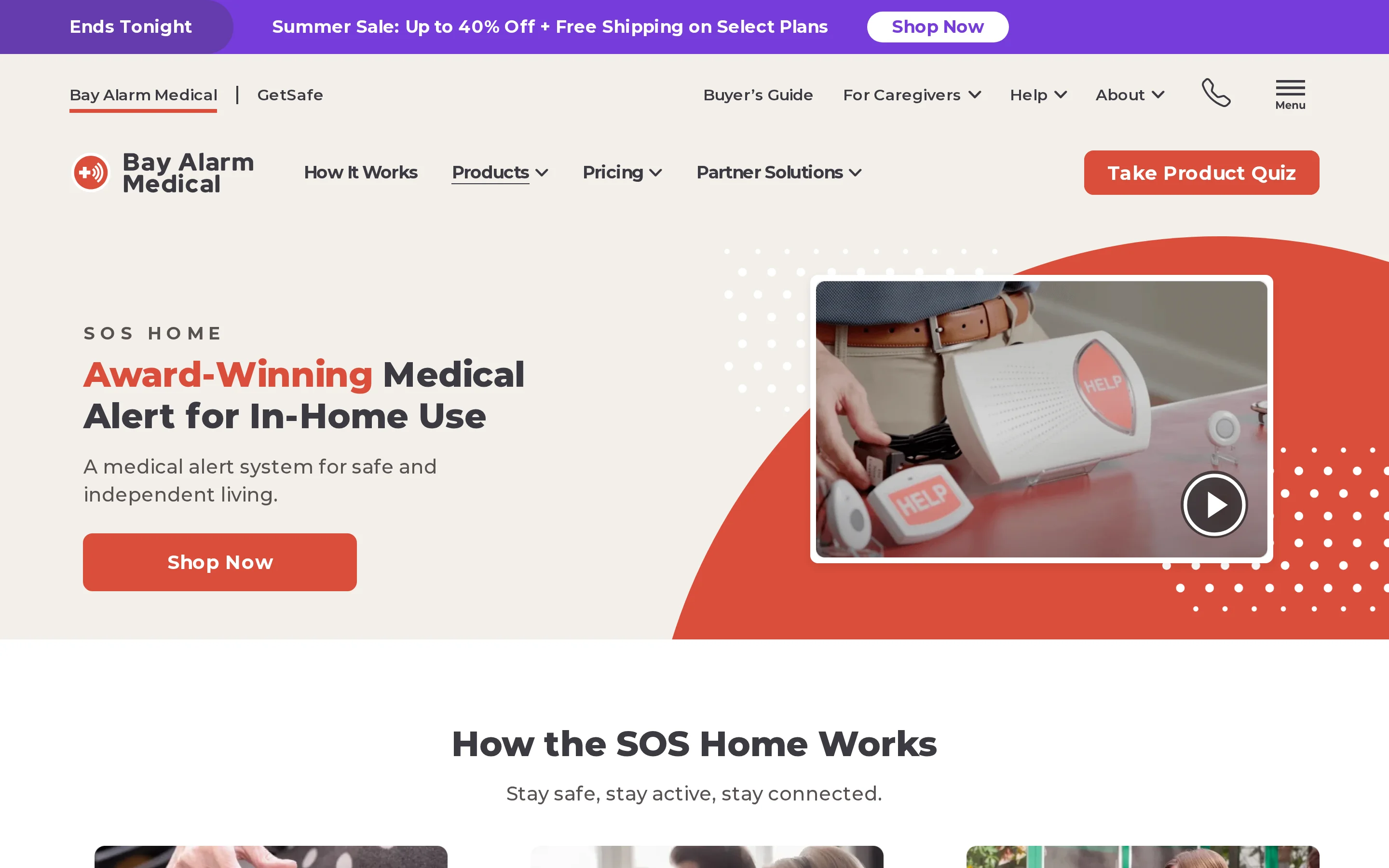
Bay Alarm Medical SOS Home is a monitored household system with landline or 4G connectivity, a base station, and a wearable help button.
In-home setup and coverage
The wearable has a stated range of 1,000 feet from the base station. Test it in the furthest rooms and outdoor areas the wearer uses regularly, since walls and floors can reduce usable coverage.
The base station has up to 32 hours of backup battery power during an outage. That figure applies to the base station, not the wearable button.
Automatic fall detection is available as an optional add-on. Without it, the wearer must press the help button to start an alert.
Cost and terms
Bay Alarm Medical advertises a 15-day risk-free trial and no long-term contract. Review cancellation and return instructions before ordering.
Ask for a written total before ordering. It should separate:
Monitoring: recurring service charge
Equipment: purchase or rental cost
Fall detection: any added device or service fee
Returns: shipping and restocking charges
Who it is designed for
In-Home Preferred fits a person who wants monitored SOS coverage at home and is comfortable wearing a help button. A jewellery-style accessory may suit someone who prefers a less clinical-looking wearable.
Bay Alarm Medical has U.S.-based call centres and a caregiver-oriented app. Check which support channels are included with the selected package.
Main drawback
Ask how an accidental alert is cancelled before activating the system. The cancellation process matters when a wearer cannot respond to the monitoring agent.
Without automatic fall detection, the system cannot trigger when the device is unworn, out of reach, or impossible to press.
3. Classic by MobileHelp
MobileHelp Classic Cellular is a monitored, cellular in-home system with a wearable button and optional fall detection.
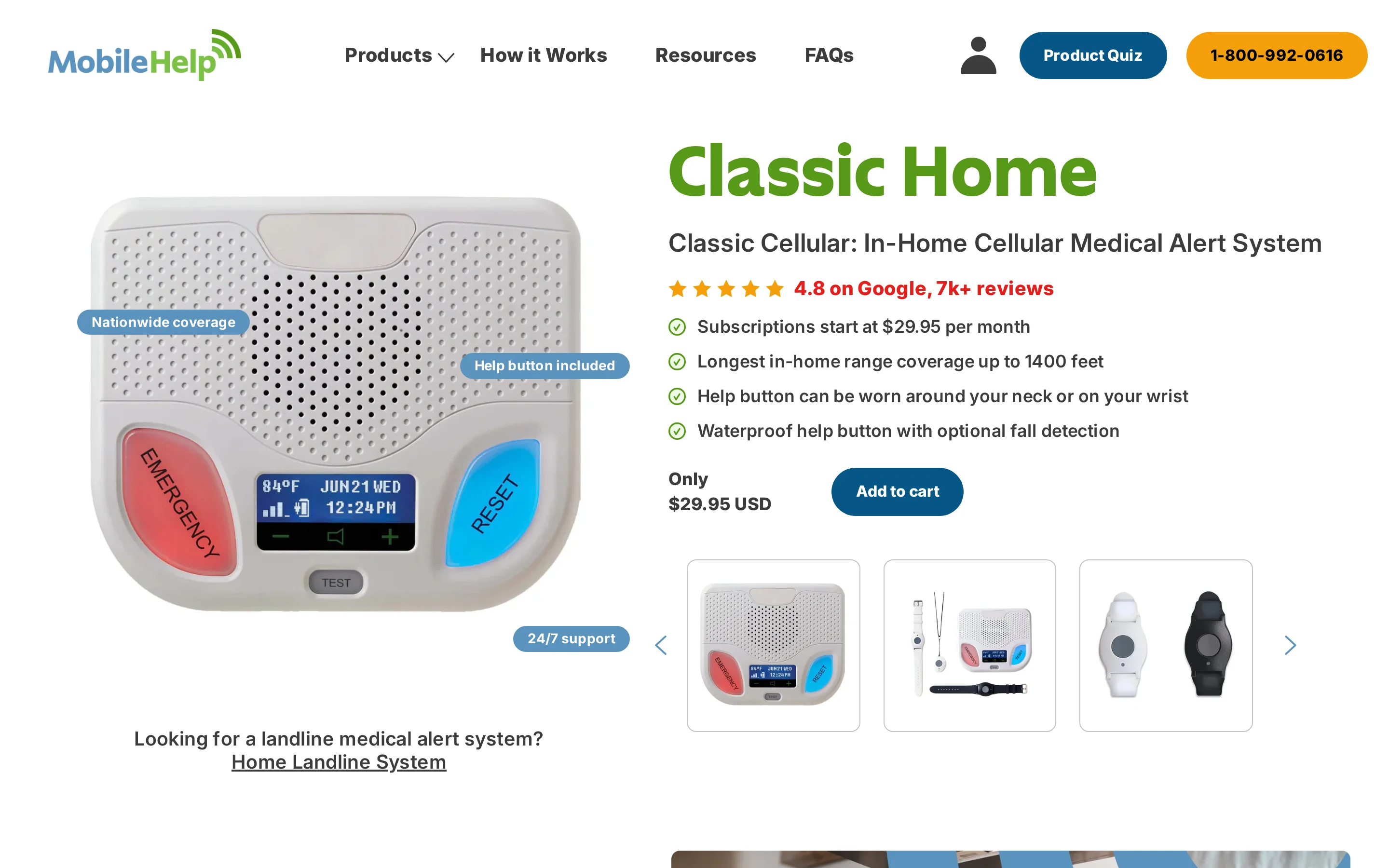
Its help button can be worn on the wrist or around the neck. The cellular connection does not require a landline.
In-home setup and coverage
Classic Cellular pairs a base station with a waterproof help button and a stated range of up to 1,400 feet.
The help button can work up to 1,400 feet from the base station under stated conditions. The base station has two-way voice communication, allowing the monitoring centre to speak with the resident after an alert.
Setup uses the supplied manual rather than a professional installer. Review the instructions before ordering if the person handling setup has impaired vision or limited dexterity.
Cost and terms
MobileHelp lists Classic Cellular from $29.95 per month, with no long-term contract. Compare these order items:
Monitoring: base service charge
Fall detection: optional add-on cost
Annual payment: may reduce the total
Warranty: lifetime equipment coverage
Automatic fall detection is listed at $10 per month. MobileHelp notes that it may miss some falls or send a false alert.
Confirm the first bill, renewal terms, return policy, and any annual-plan incentives before checkout.
Who it is designed for
Classic by MobileHelp fits households with a family caregiver who wants app-based monitoring and fast emergency response.
The MobileHelp caregiver app lets a family member follow alerts alongside the monitored resident. Its role is supplementary: Classic remains a monitoring-centre service rather than a family-only pager system.
Pressing the help button sends an alert to the monitoring centre, where staff can speak with the resident through the base station. Actual response time can vary with connection conditions and call volume.
Main drawback
The hardware is bulkier than slimmer pendant designs, which can make the wearable more visible under clothing. That matters for a resident who avoids wearing medical-looking equipment.
Ask MobileHelp how an accidental alert is canceled on the selected hardware and test that process during setup.
4. At Home by LifeFone
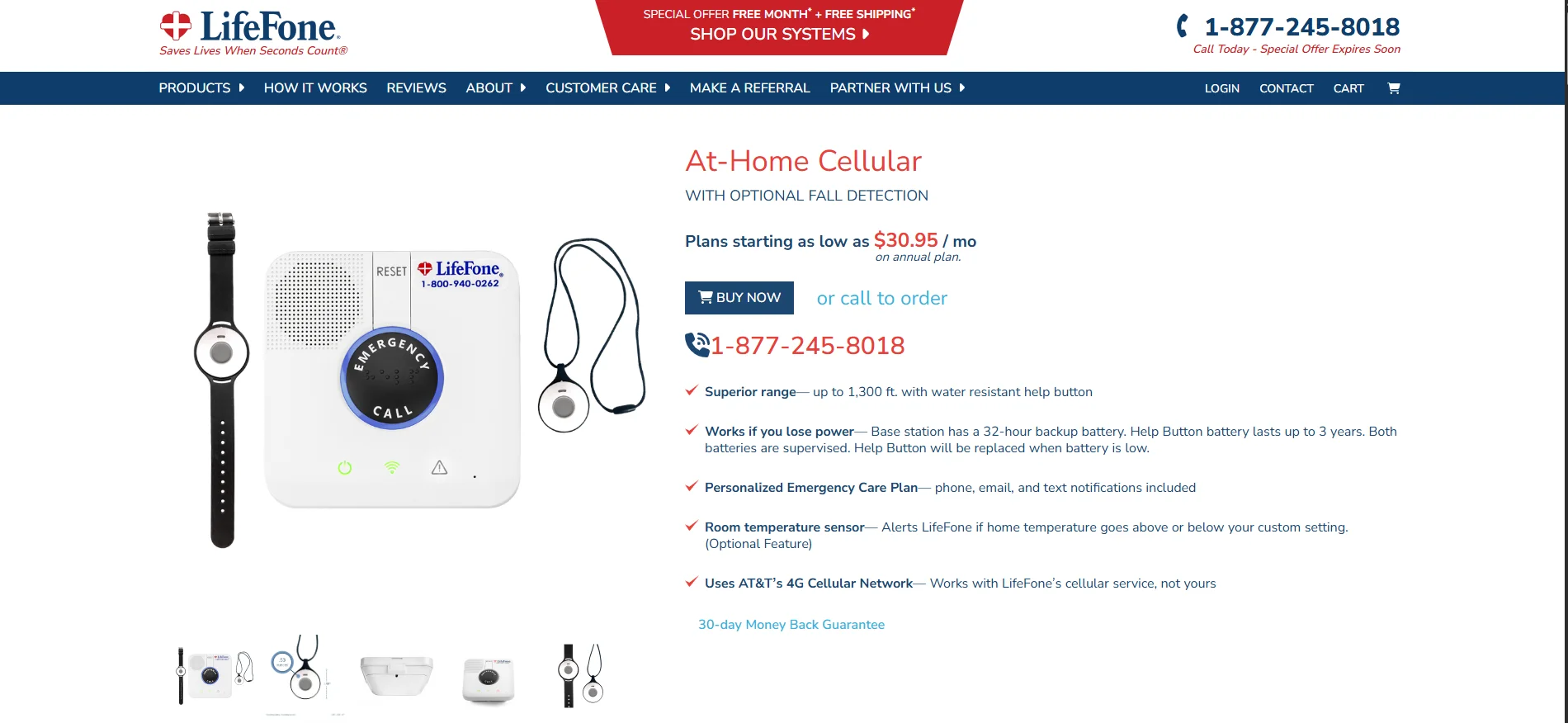
LifeFone At-Home Cellular is a 4G in-home system with a base station, wearable help button, and optional fall detection.
In-home setup and coverage
At Home by LifeFone pairs a base station with a wearable help button and covers up to 1,300 feet of range.
The 1,300-foot maximum does not guarantee full coverage through every wall or floor. Test the wearable button from bedrooms, bathrooms, the garden, and any detached area used regularly.
Automatic fall detection is available as a paid add-on rather than part of the standard help button. The pendant can place an alert after a detected fall, while the regular button remains available for manual activation.
The base unit has up to 32 hours of backup power during an outage.
Cost and terms
Automatic fall detection costs $5 per month. Include it in the recurring total when comparing plans.
The lifetime warranty covers manufacturing defects. Everyday wear and accidental damage require the optional protection plan, listed at $5 per month.
LifeFone includes a 30-day money-back trial. Review the return instructions before ordering, including any return-shipping or setup-charge conditions.
Who it is designed for
At-Home Cellular is designed for one household that needs a conventional monitored button without a landline.
Main drawback
Optional caregiver services and equipment protection can raise the total beyond the base monitoring plan.
Include caregiver access in the written quote when comparing LifeFone with other monitored systems. LifeFone describes this service as a caregiver portal.
5. MGHome Cellular by Medical Guardian
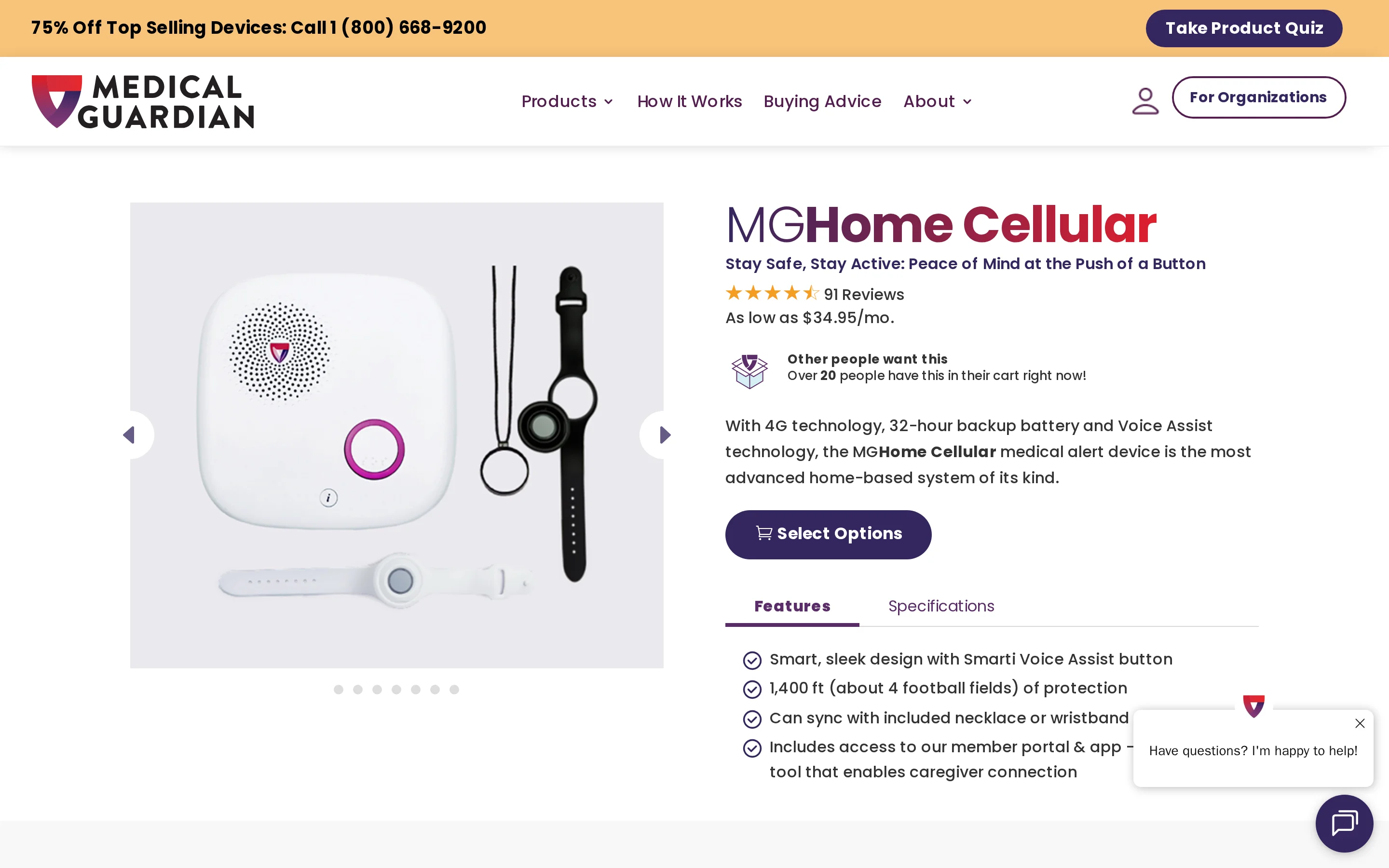
MGHome Cellular is a 4G in-home system with a base station, wearable button, 24/7 monitoring, and optional fall detection.
In-home setup and coverage
The wearable works up to 1,400 feet from the base station under stated conditions. The base has up to 32 hours of backup power.
Pressing the button contacts Medical Guardian's monitoring center. Optional fall detection can trigger an alert when the wearer cannot press.
The wearable sends the alert, but two-way voice runs through the base station. Test whether speech is clear from the furthest occupied room.
Medical Guardian lists fall detection as a $10-per-month add-on and says it does not detect every fall.
Cost and terms
MGHome Cellular starts at $34.95 per month before add-ons.
Before ordering, confirm the complete first-year total:
Monitoring: selected billing schedule and renewal price
Extras: fall detection, wall buttons, and additional wearables
Upfront costs: shipping, equipment, and activation charges
Read the service agreement for cancellation notice, refunds, equipment returns, and any fees tied to the selected billing period.
Who it is designed for
MGHome Cellular is designed for an individual household that wants monitored in-home coverage without a landline.
The member portal and app let care contacts communicate, manage tasks, and review account information.
The button's signal range does not guarantee voice coverage. Silent alerts follow the monitoring center's no-response process.
Main drawback
The main limitation is base-station voice. The wearable does not contain the two-way speaker used to talk with the operator.
6. In-Home Medical Alert System by LifeStation
LifeStation's In-Home Medical Alert System uses a landline or cellular base station, a wearable button, and 24/7 monitoring.
LifeStation advertises health-insurance discounts for qualifying customers. The provider must confirm eligibility and the final amount.
In-home setup and coverage
The help button can be worn as a neck pendant or on a wristband. The in-home base unit uses a plug-and-play setup, while the wearable keeps the call button within reach around the house.
The stated range is up to 1,300 feet. Automatic fall detection is optional, and the base station has up to 32 hours of backup power.
Cost and terms
LifeStation does not show a complete plan price on the product page. Get the recurring and upfront total in writing before ordering.
Ask whether a health-insurance discount applies to the selected plan and how long it remains in force.
LifeStation has a 30-day money-back period for the equipment and service. Review the return process, equipment condition requirements, shipping costs, and protection terms before relying on that policy.
Who it is designed for
LifeStation fits people who want a conventional in-home base unit with a pendant or wrist button, especially when a qualifying insurance discount reduces the monitoring fee. Free SMS alerts can notify designated caregivers without an app.
Main drawback
The main drawback is limited clarity around optional features and equipment terms. Automatic fall detection should be treated as unconfirmed until LifeStation states whether it is included or sold as a paid add-on.
Before ordering, confirm:
Fall detection: whether it is included, optional, and subject to an added monthly fee
Cancellation: the notice process and any charges despite month-to-month service
Equipment: ownership, return condition, replacement, damage, and protection terms
7. HomeSafe by Lifeline Canada
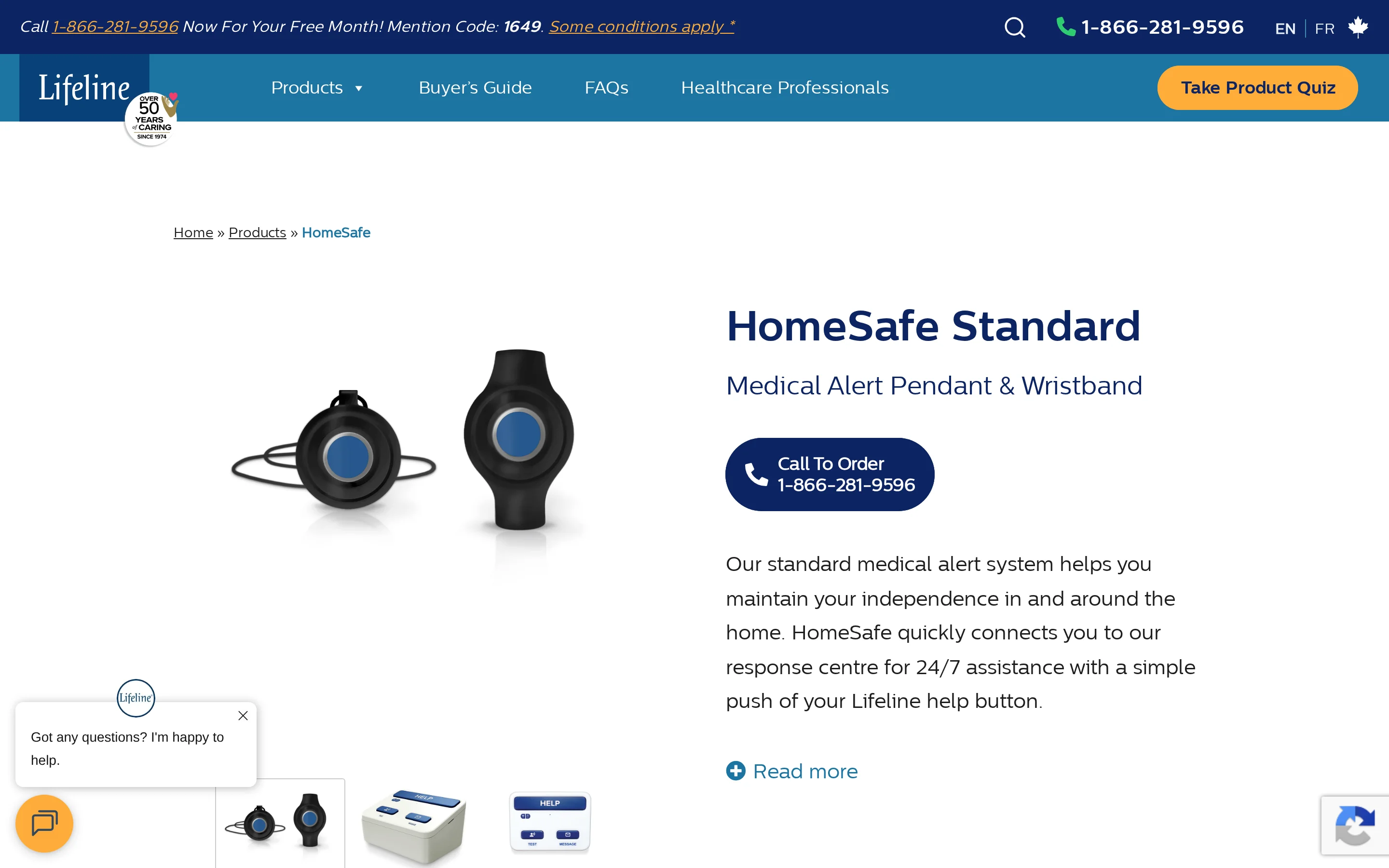
HomeSafe Standard by Lifeline Canada is a landline or cellular system with a waterproof pendant or wrist button and 24/7 access to a Canadian response center.
In-home setup and coverage
HomeSafe pairs a plug-in base station with a wearable help button. Confirm whether the service address supports a landline or cellular setup before ordering.
HomeSafe Standard requires a button press. Lifeline sells a separate HomeSafe with Fall Detection configuration for automatic activation.
Lifeline states that automatic fall detection cannot identify every fall.
The official stated radius is 350 feet, and the communicator has up to 30 hours of backup power.
Cost and terms
HomeSafe’s Canadian monthly price depends on the quoted configuration. Lifeline does not publish a complete Canada-specific price sheet covering connection types, AutoAlert, and upfront fees.
Lifeline does not publish a verified Canada-specific HomeSafe price sheet covering every connection and add-on combination. Request a written quote that separates:
Base monitoring: recurring HomeSafe subscription
Connection: landline or cellular equipment and any price difference
Fall detection: AutoAlert monthly surcharge
Upfront charges: activation, shipping, and equipment fees
Lifeline includes the equipment warranty in the monthly fee and does not require a long-term contract. Request a written quote for the chosen connection and fall-detection configuration.
Who it is designed for
HomeSafe is intended for one resident who is comfortable wearing a pendant and wants access to a monitored response centre from home.
Main drawback
HomeSafe Standard depends on the wearer pressing the button. Automatic fall detection requires the separate fall-detection configuration and still cannot identify every fall.
Individual BBB complaints mention false alerts, missed alerts, or support delays. These reports do not establish typical performance, but they support testing activation and support procedures during the initial term.
Confirm technical-support hours, replacement-device timing, monitoring-centre availability, and the escalation route for a failed test call.
8. Essentials by Aloe Care Health
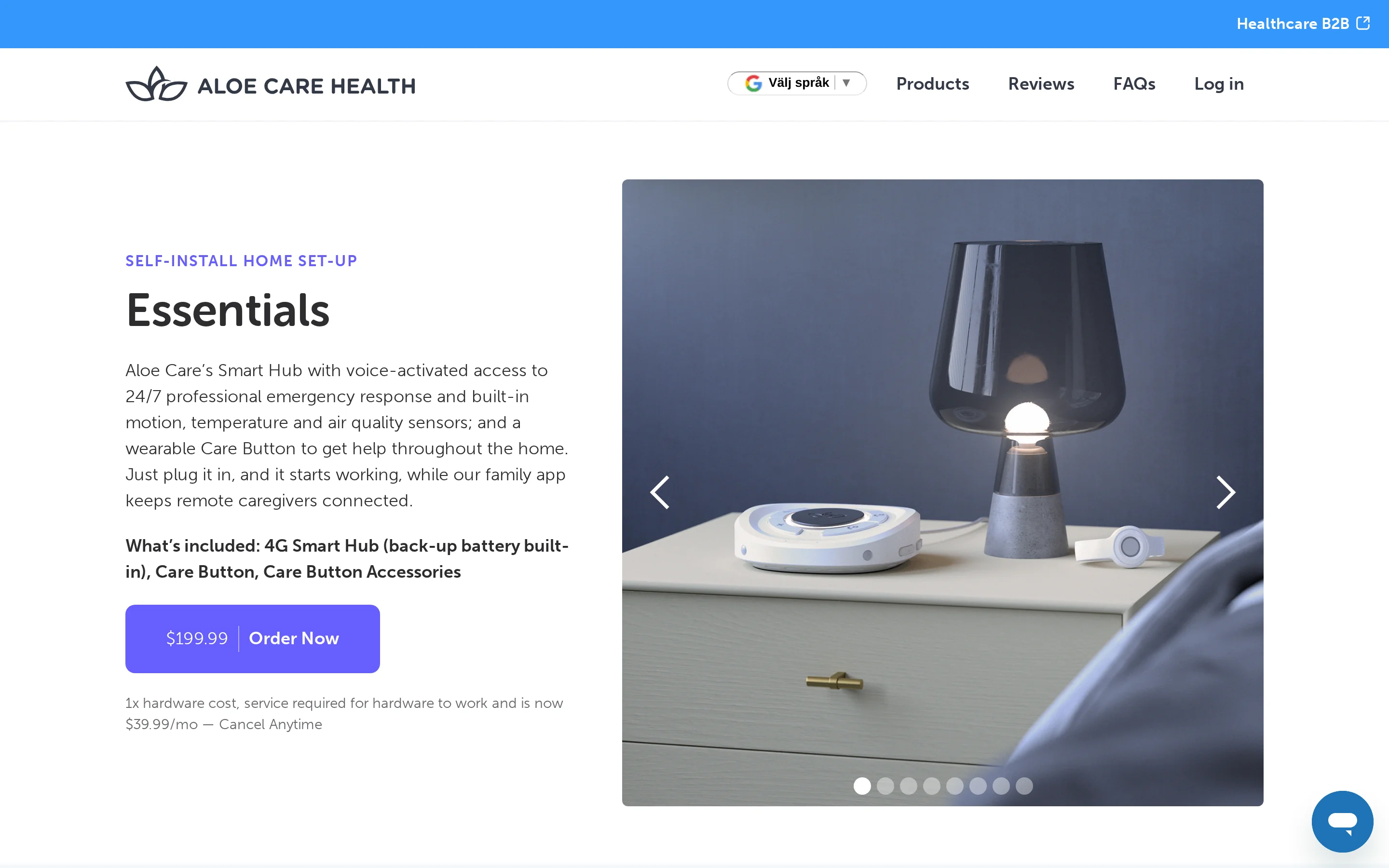
Aloe Care Essentials combines a voice-activated 4G Smart Hub, wearable Care Button, activity sensing, and professional emergency response.
In-home setup and coverage
The Care Button works up to 200 feet from the Smart Hub.
Voice activation is the hands-free route. Motion sensing and unusual-activity notifications can alert caregivers without requiring the resident to press anything.
The Smart Hub extends monitoring beyond emergency calls:
Home conditions: Tracks temperature and air quality.
Daily activity: Uses motion sensors to flag unusual activity patterns.
Caregiver collaboration: Shares alerts through a secure app so relatives and the monitoring centre can coordinate.
The listed care-button range is 200 feet from the Smart Hub. Walls, outbuildings and the hub's position can reduce usable coverage, so test every room and outdoor area the resident uses.
Cost and terms
Aloe Care lists a $199.99 hardware charge and $39.99 monthly service, but the Essentials page currently marks the package as unavailable.
Before relying on Essentials as an immediate option, confirm:
Availability: whether ordering has reopened
Hardware: whether the listed one-time charge still applies
Billing: Confirm month-to-month billing or any minimum commitment.
Extra charges: Check activation, shipping and cancellation fees.
Who it is designed for
Essentials by Aloe Care Health fits households wanting environmental and activity monitoring alongside emergency alerts, not just a basic pendant.
Temperature and air-quality readings add context for caregivers who cannot visit every day.
Main drawback
The main drawbacks are the 200-foot button range and the current lack of ordering availability.
9. MGHome Landline by Medical Guardian
MGHome Landline connects a base station and wearable help button to a 24/7 monitoring center through a home phone line.
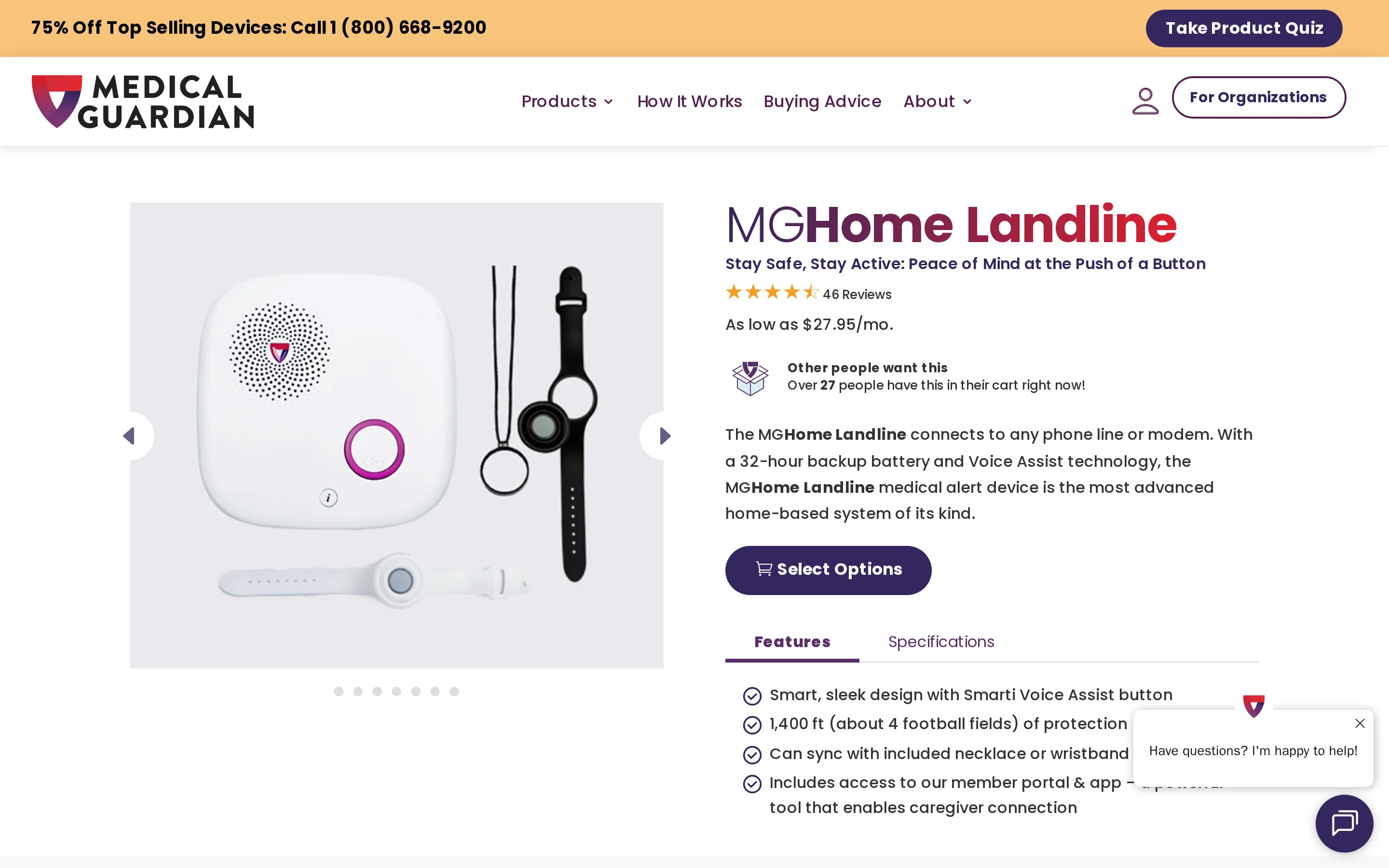
It is the landline counterpart to MGHome Cellular, with the same stated 1,400-foot range and 32-hour backup battery.
In-home setup and coverage
MGHome Landline connects to a phone line or compatible modem and includes a water-resistant wrist or neck button.
Two-way voice runs through the base station rather than the wearable.
A working landline is required. The system should be retested after any phone-service or modem change.
Test the button, base-station speaker, and monitoring connection from every occupied floor.
Cost and terms
Medical Guardian lists MGHome Landline from $27.95 per month. Confirm these order terms:
Monitoring: billing schedule and renewal rate
Upfront charges: equipment, activation, and shipping
Billing: monthly or annual terms
Cancellation: notice, refund, and equipment-return rules
Returns: deadline, condition, and shipping responsibility
Fall detection: optional at $10 per month
Who it is designed for
MGHome Landline is designed for a person who stays mainly at home and has a reliable phone line.
The wearable has no GPS or independent cellular connection, so coverage ends outside the base station's range.
Main drawback
The main drawback is its dependence on a working landline and base-station voice connection.
Medical Guardian says an alarm can be canceled from the help button during a short cancellation window. Test the exact sequence after setup.
10. Home System by Medical Alert
Medical Alert's Home System is a cellular in-home system with a base station, wearable button, and 24/7 response specialists.
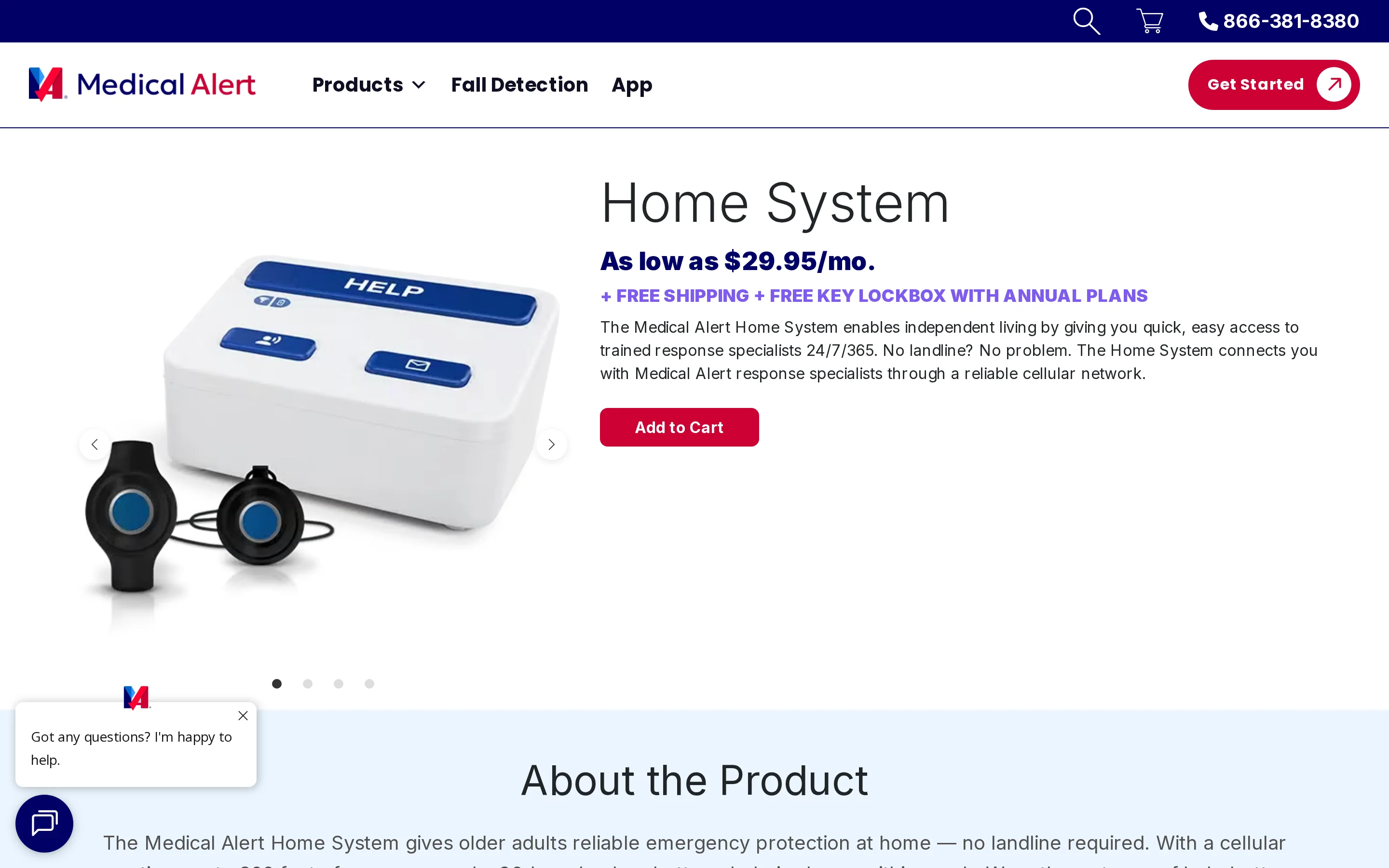
It does not require a landline or internet connection.
Its main specifications are:
Connection: cellular only
Pendant range: up to 800 feet from the base unit
Backup battery: up to 30 hours
Monitoring: emergency response specialists available 24/7/365
Fall detection: available with the Home System
In-home setup and coverage
The Home System is intended for self-installation and connects through a cellular network.
Setup is intended for self-installation. Visual instructions guide the process, while the base unit announces when it is charging and vibrates after connecting to the monitoring centre.
Cost and terms
Plans start at $29.95 per month. Automatic fall detection is optional.
Before ordering, ask Medical Alert to confirm:
The monthly monitoring rate
Any equipment or activation charge
The cost of fall detection
Cancellation and refund rules
The free mobile app lets family members check system status remotely. The app cannot cancel a monitoring call after a false alarm, so the user must speak with the response specialist through the base unit.
Who it is designed for
The Home System is designed for a household that wants self-installation and monitored coverage without a landline.
Spoken charging confirmation and a vibration after connection let the person installing the system verify both setup stages without a technician.
Main drawback
The main limits are the 800-foot stated range and 30-hour backup window, both shorter than some current in-home alternatives.
What an in-home medical alert system really costs
Use this section as a quote-checking framework. Compare the first-year total with the recurring monthly total rather than relying on an advertised base rate.
Use the provider's official quote or checkout page to fill in each cost line:
Base monitoring: plan, billing period, and connection type
Fall detection: monthly add-on and required wearable
Equipment and activation: purchase, rental, setup, and shipping
Device protection: optional or required coverage
Caregiver access: included users, alerts, and added fees
Calculate the first-year cost as 12 months of recurring charges plus one-time fees. The ongoing monthly cost is the base plan plus every recurring add-on you expect to keep.
Guardian has no published consumer price or self-serve plan. Care organizations enter through a scoped 6–8 week pilot, with commercial terms set for any rollout after the pilot.
Ask the provider for the full total in writing before ordering. Confirm whether promotional pricing expires and whether cancellation, replacement, shipping, or return charges apply.
How to test range, connectivity, and fall detection at home
Test range and connectivity by following the provider's test procedure at the farthest points you need covered. Check fall detection only as instructed, and never stage a real fall.
Follow the manual and tell the monitoring center whenever you are testing. Never stage a real fall.
Connect the base unit. Place it centrally in an outlet that a wall switch cannot turn off. Complete the connection steps for your model, then wait for its ready or connected indicator.
Make an official test call. Follow the provider's test-call sequence near the base. Tell the operator it is a test and confirm the address or location held on the account.
Map the working range. Use the provider's range-test mode while moving room by room to the property boundary. Record any basement, garage, yard, or upper-floor spot where the signal fails.
Check automatic fall detection safely. Use only the provider-approved test mode or movement method. Never drop onto a bed or sofa, throw the pendant, or improvise a fall simulation.
Test two-way voice. Speak from the furthest occupied room and confirm that both sides can hear clearly.
Test a silent alert. Use the provider-approved procedure and confirm what the operator does when nobody answers.
Check outage recovery. Confirm backup power starts, then verify the base reconnects after power or service returns.
Verify contact details. Confirm responders receive the correct address, access notes, and emergency-contact order.
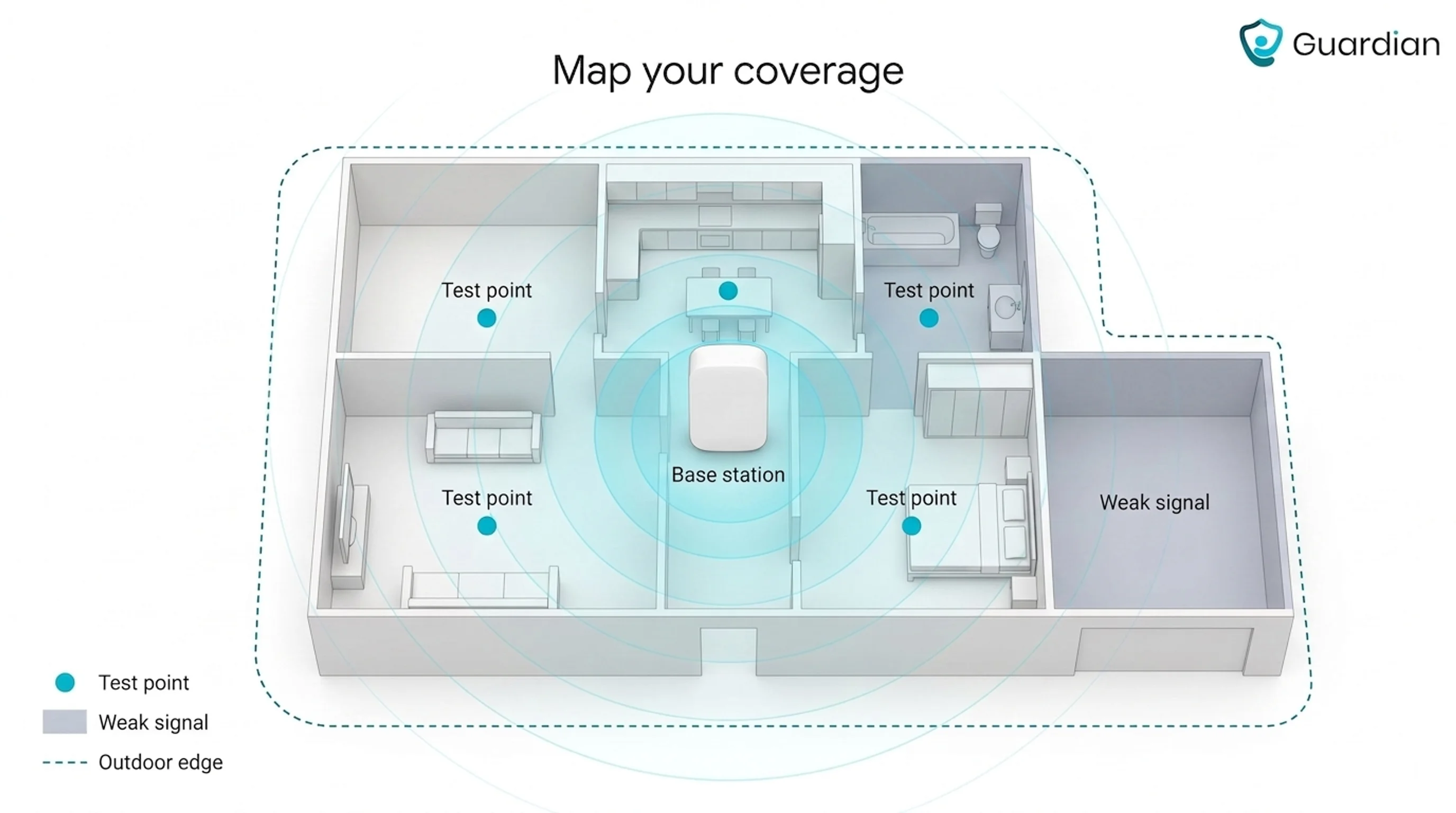
Keep a simple log with the test date, location, connection status, and outcome. Repeat the provider's schedule and retest after moving the base, changing phone or internet service, or replacing equipment.
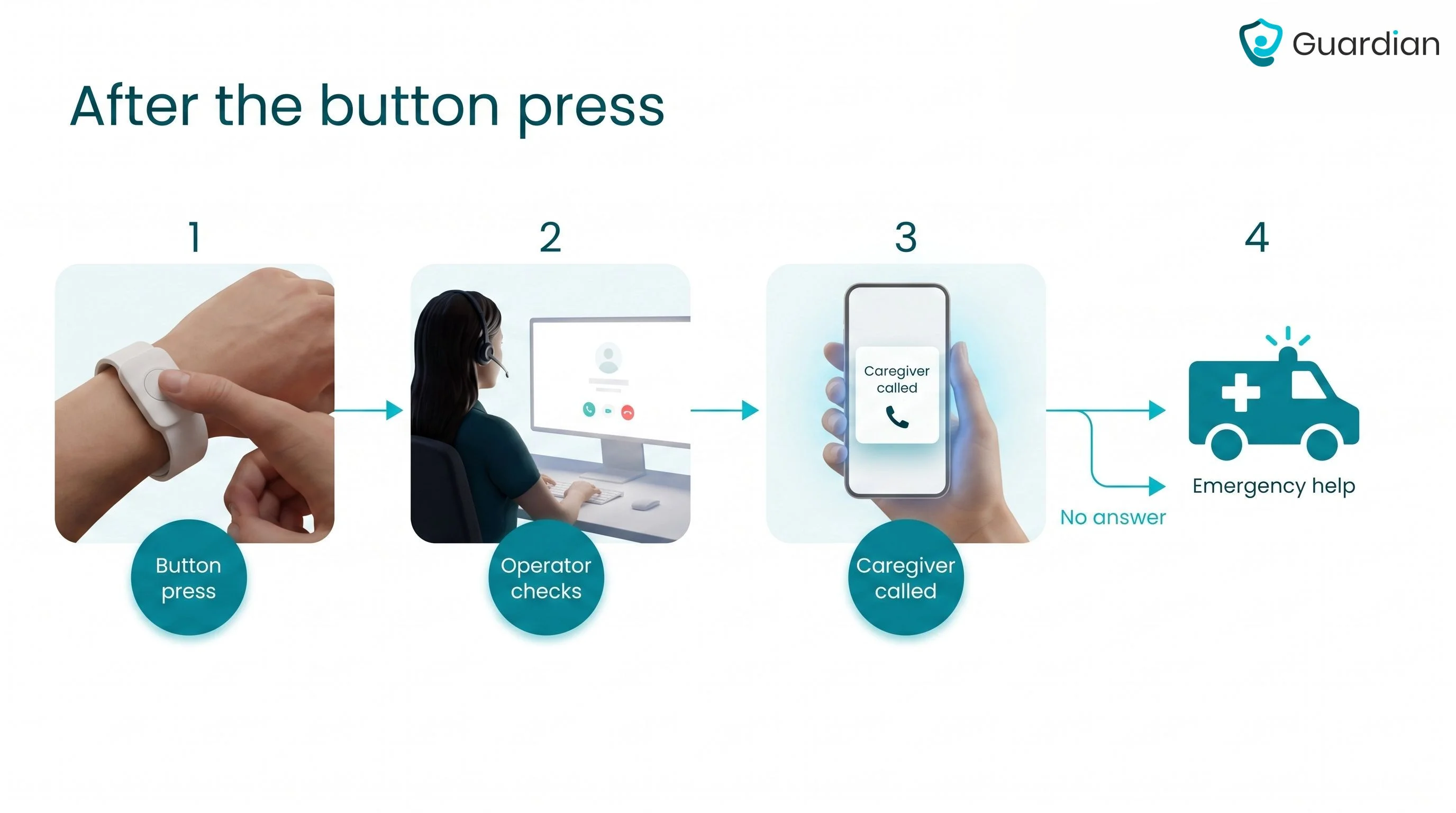
What happens after you press the button?
Pressing the button connects the system to a monitoring operator. The operator assesses the situation, then follows the account instructions to contact a caregiver, family member, or emergency service.
The alarm reaches the monitoring centre. The operator receives the alert and opens a two-way connection through the base station or wearable speaker.
The operator checks what happened. They ask whether you are hurt, where you are, and what kind of help you need.
The operator contacts help. Depending on the situation and your account instructions, they call a caregiver, family contact, or emergency medical services.
Silence triggers escalation. If you cannot answer after activating the alarm, the operator follows the provider's no-response procedure and may send emergency help.
Silence after activation still gives the monitoring centre an alarm to handle; an event with no button press gives a button-only system no signal. Passive sensors can flag unusual inactivity or routine changes as backup.
Want the same peace of mind without wearing a pendant? See Guardian
A pendant can be enough when one person will wear it consistently and a monitoring center is the right response route. Button dependency becomes a risk when the device is removed, out of reach, or impossible to press.
Guardian is the provider-level option for home care, care homes, assisted living, specialist facilities, and mental-health settings that need passive coverage and room-level alerts on staff devices.
Consider Guardian when the care workflow needs:
Activation without wear compliance: Radar, infrared, bed, door, fridge, and stove sensors record relevant activity without requiring a pendant.
A location-aware staff response: Alerts identify the resident, event, and room or bed on staff phones, tablets, or computers.
Manual help when appropriate: An optional SOS wristband provides a direct call route and can add automatic fall detection.
The 6–8 week pilot tests the workflow in one ward, home, or team. Its report records alert volume, response times, staff feedback, ROI, and the recommended rollout scope.
Original Medicare generally does not list medical alert systems among covered durable medical equipment. Some Medicare Advantage plans may offer extra benefits, so check the plan directly.
Medicaid benefits vary by state. Ask the state program and any long-term care insurer whether a medical alert service is eligible before ordering.
No. An in-home system may use a landline, built-in cellular connection, or Wi-Fi, depending on the model.
Systems with video, connected apps, or smart-home dashboards may need Wi-Fi. Standalone cellular wearables use the mobile network instead.
Yes, unmonitored medical alert systems have no monthly fee but connect only to 911 or pre-set contacts, not a monitoring center.
Consumer systems in this guide generally use recurring professional monitoring. Guardian instead uses a scoped organizational pilot and routes alerts to the care team.
Check whether the person will wear the button, can press it after a fall, and understands the cancellation process. Compare fall-detection options, the full recurring cost, and contract terms.
A button-only system receives no signal when the device is unworn, out of reach, or impossible to press.
The operator attempts voice contact, follows the account's emergency-contact protocol, and dispatches emergency services when the situation or lack of response requires it.
The two-way voice link can provide background sounds, while the registered address and available GPS or room-level location data help responders find the person.

Author
Aleks Timm
Aleks Timm leads Guardian and builds privacy-first operations technology for care homes and home care providers. Teams get location-aware alerts they can act on, clearer situational awareness, and measured insight into how care work actually runs.
Read MoreRecommended reads
Keep reading
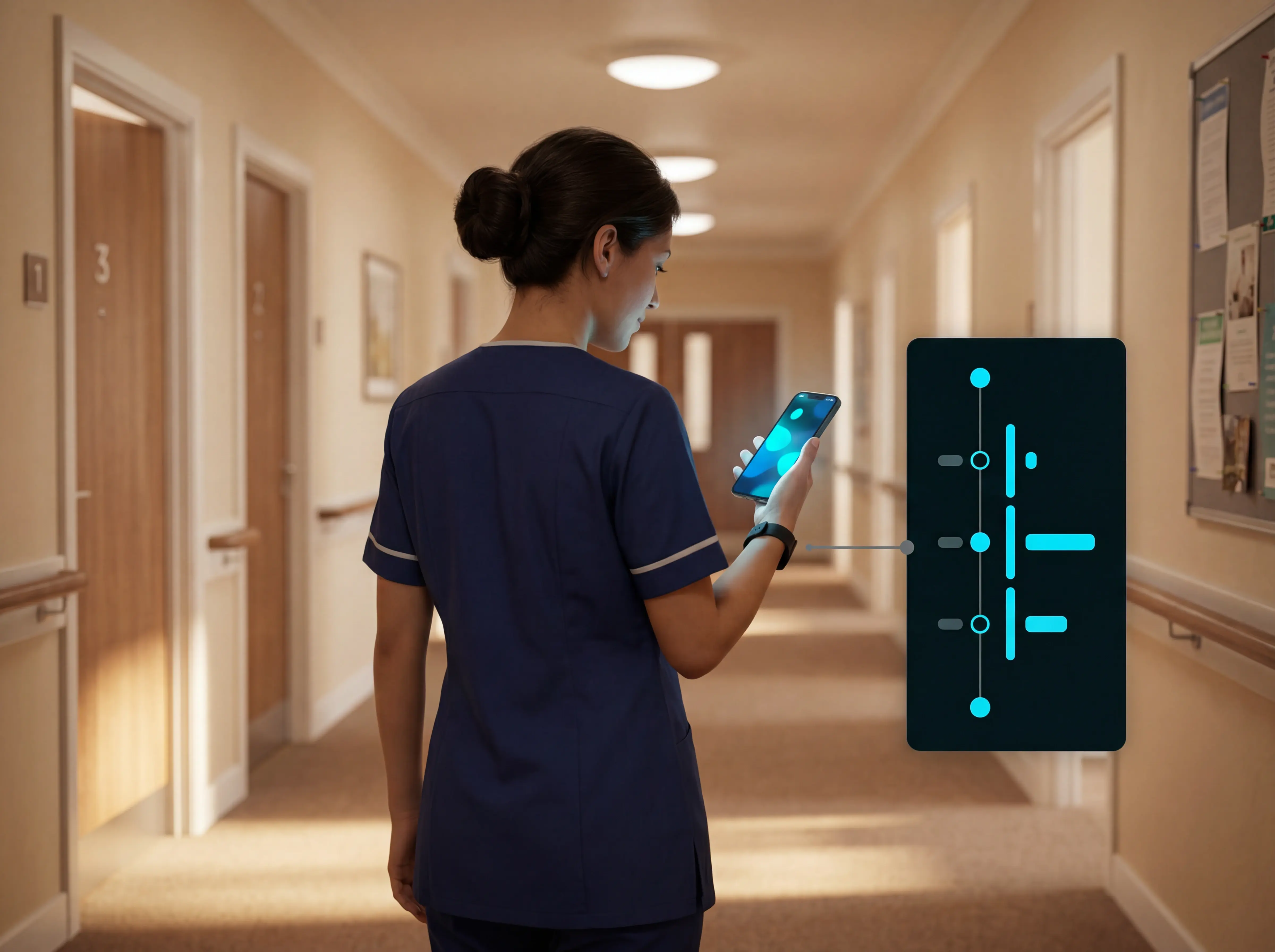
WiFi nurse call system guide for care homes
WiFi nurse call systems explained: alerts, clean records, and no wiring—compare options and choose the right setup for your care...
Read more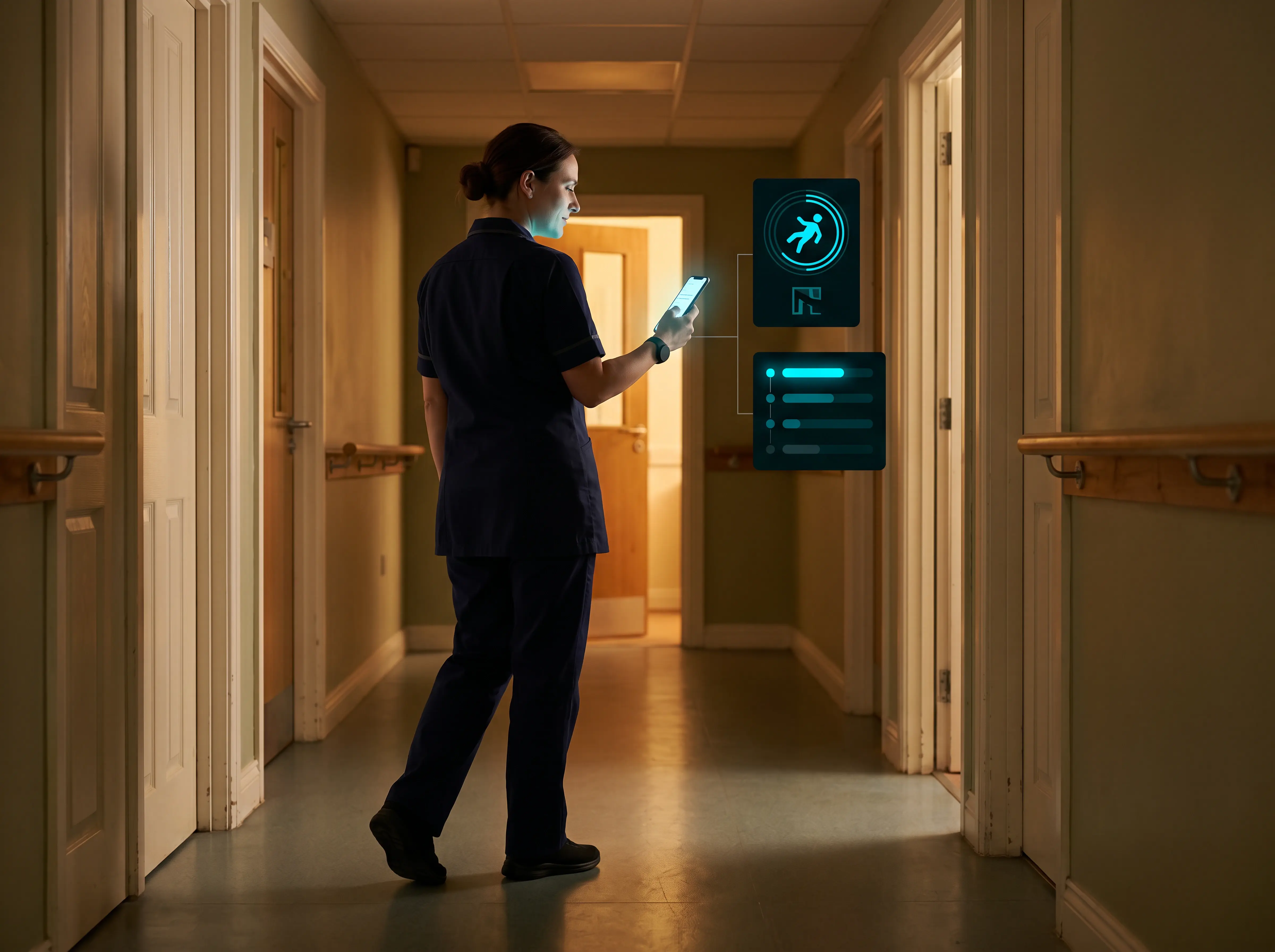
Wireless Patient Monitoring Systems for Care Homes
A complete guide to wireless patient monitoring systems, connected sensors, alert logic, care-home deployment, privacy, and...
Read more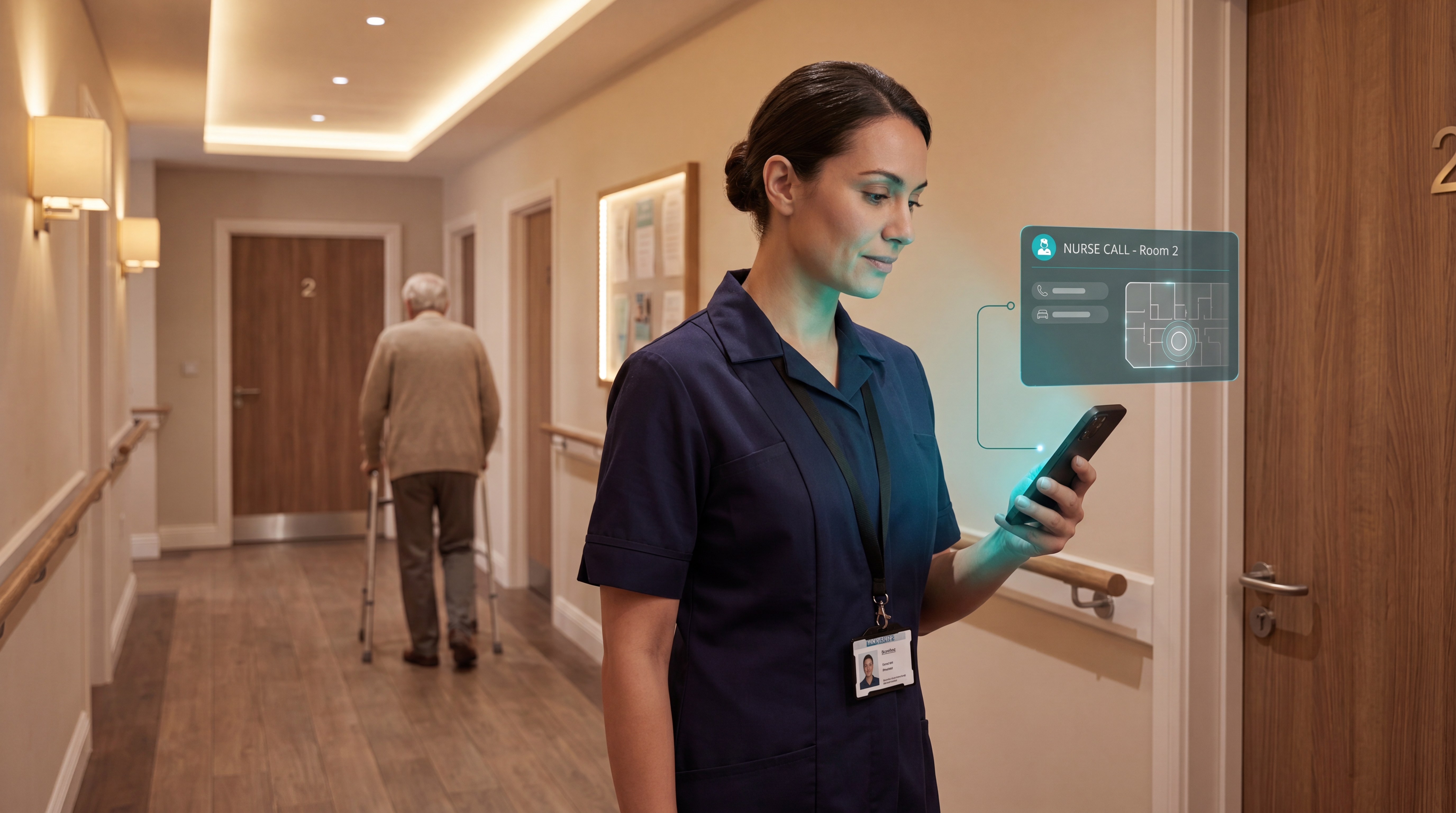
Smart Nurse Call Systems for Care Homes and Home Care Providers
Smart nurse call systems for care homes and home care providers: compare features, improve response times, and choose the right...
Read more