

Homecare Homebase Review 2026: Features, Pricing, and Verdict
In this article
Last reviewed: 19 July 2026. Homecare Homebase software reviews are polarized. Software Advice shows 2.8/5 from 53 verified reviews, while TrustRadius shows 6/10 from five reviews.
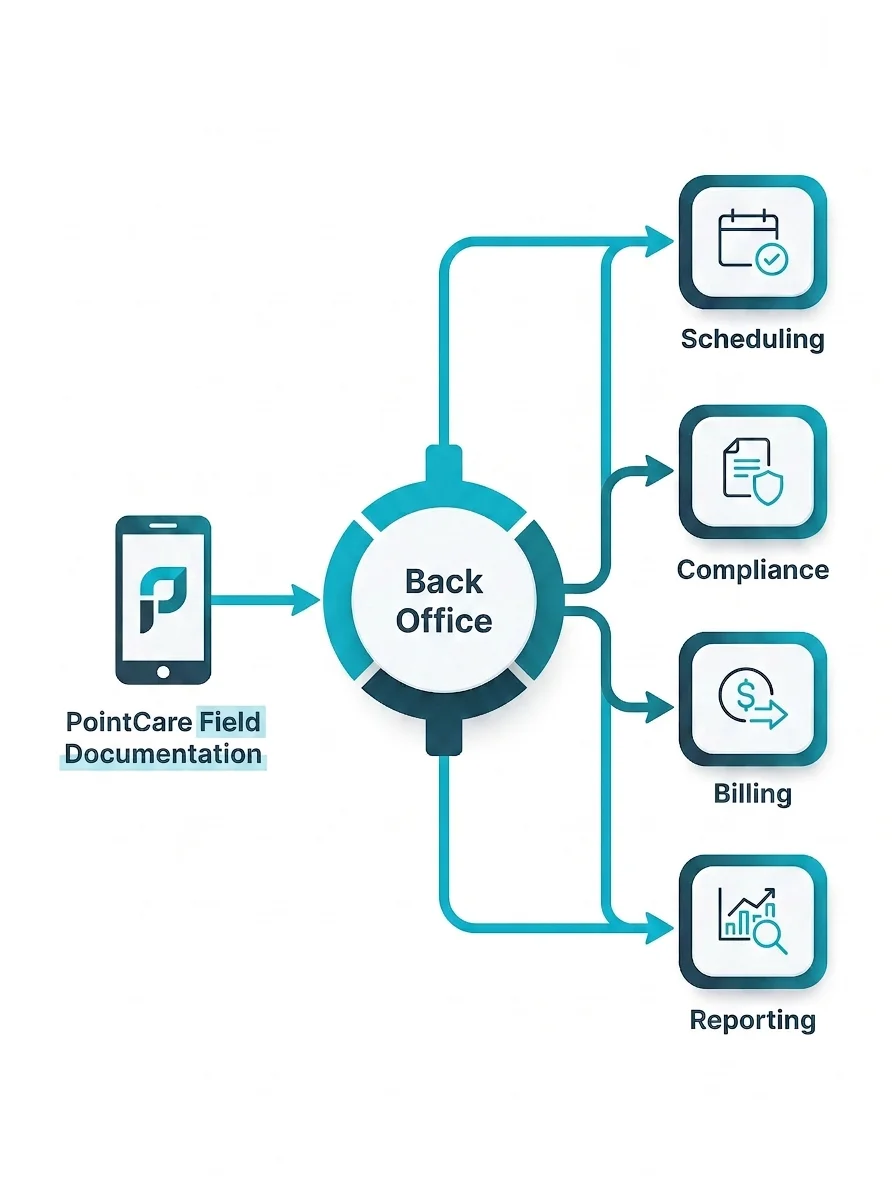
HCHB covers field documentation, scheduling, compliance, billing, and reporting for US home health, hospice, and personal care agencies. Shortlist it if that breadth fits your agency, but test PointCare workload, workflow flexibility, support, and total contract cost with your own staff.
This review helps you decide whether HCHB belongs on the shortlist, which workflows to test, and which contract terms to document before signing.
Homecare Homebase review: the short version
Homecare Homebase serves home health, hospice, and personal care agencies, from start-ups to enterprise groups. Its published scope covers mobile clinical documentation, agency administration, billing, compliance, workforce management, and reporting.
Published capabilities
PointCare: Guided Android documentation, OASIS and HOPE prompts, configurable forms, and offline work.
Back Office: Scheduling, claims, authorizations, clinical oversight, and financial reporting.
Extensions and services: Advanced analytics, intake, scheduling automation, AI tools, integrations, consulting, and managed services.
What verified reviewers report
Software Advice: 2.8/5 from 53 verified reviews on 19 July 2026. The distribution is polarized, with 20 one-star reviews and 12 five-star reviews. Reviewers praise breadth and reporting but repeatedly question documentation time, forced steps, navigation, and support follow-through.
TrustRadius: 6/10 from five reviews on 19 July 2026. The smaller sample pairs billing and order-tracking benefits with charting-time and add-on cost concerns.
HCHB requires a custom quote. Test real PointCare tasks, separate core products from extensions, and get implementation, training, support, renewal, and exit terms in writing.
How we evaluated Homecare Homebase
This is a source review, not a hands-on test. Guardian has not used Homecare Homebase and has no customer migration to report.
Source hierarchy
HCHB pages: Current product scope, implementation claims, extensions, and services.
Software Advice and TrustRadius: Verified user experience, ratings, and recurring workflow themes.
Public vendor information: Pricing availability, implementation detail, and contract questions.
Evidence was checked on 19 July 2026. Older reviews provide historical context, while recent reviews and a current-version demo should carry more weight for present-day usability and support.
Evaluation criteria
Clinical and administrative workflow coverage
PointCare task burden, Android requirements, and offline use
Reporting, billing, compliance, and data export
Implementation, training, support, and contract clarity
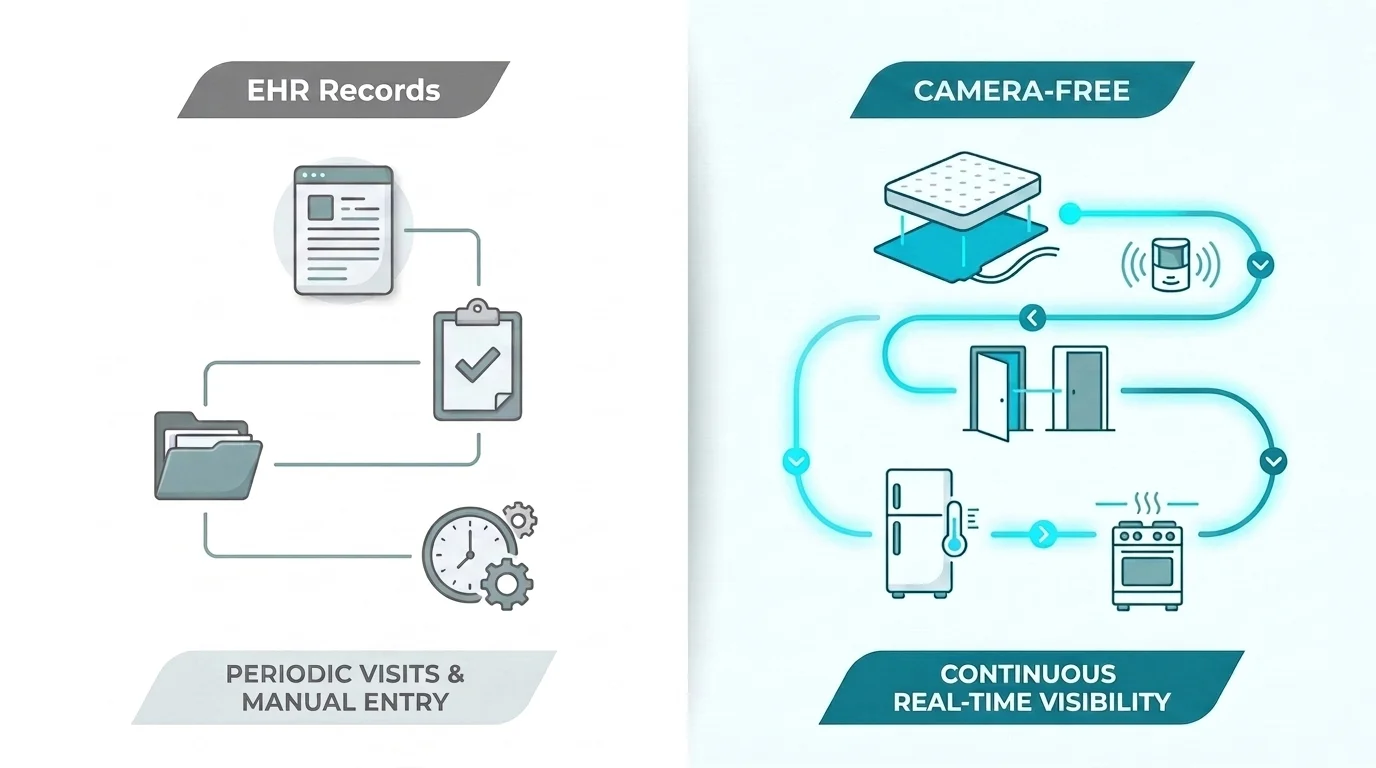
Live operational signals between documented visits
What Homecare Homebase does
Homecare Homebase is a home-based care EHR for home health, hospice, and personal care. PointCare supports field documentation, while Back Office handles agency administration and revenue-cycle workflows.
HCHB describes both as core products. Buyers should still confirm the contracted package because advanced analytics, intake, scheduling automation, AI tools, integrations, and managed services may sit outside it.
Core products
PointCare: Android visit documentation, guided prompts, OASIS and HOPE support, configurable forms, offline work, and later upload.
Back Office: Intake, scheduling, authorizations, clinical oversight, claims, staffing data, and financial reporting.
Included reporting: Confirm the standard operational and financial reports delivered during implementation.
Extensions and services
Analytics: Advanced dashboards, custom reporting, and role-based web access.
Workflow extensions: Intake Central, Smart Scheduling, Curate: Scribe, and Predict: Hospitalization Risk.
Services: Implementation, education, consulting, coding, revenue cycle, authorizations, and custom integrations.
Which roles should test HCHB before buying?
HCHB spans clinical, scheduling, billing, compliance, reporting, and field work. Include each affected role in the evaluation because one smooth manager report does not prove that field documentation or claim handling works well.
Give every role the same visit scenario. Time the task, record handoffs, and note where a user needs another person, screen, report, or vendor change to finish it.
Role | Why HCHB fits | Evidence strength |
|---|---|---|
Agency leaders | Scale and complexity across multiple locations | Moderate |
Compliance administrators | Regulatory workflows and oversight needs | Moderate |
Reporting and operations managers | Reporting depth and data-driven management | Moderate |
Field safety and resident-monitoring roles | Fit is less clear if live in-home visibility is the main need | Moderate |
What verified users report
The Software Advice review set is polarized: 20 one-star reviews and 12 five-star reviews contribute to a 2.8/5 average. Across recent and older reviews, users praise breadth, reporting, scheduling, implementation, and support for agency growth.
The same reviews repeatedly raise documentation time, repetitive prompts, rigid steps, navigation, refreshes, and support follow-through. TrustRadius shows a similar trade-off between billing and order tracking benefits versus charting time and add-on costs.
Older comments provide historical context, not proof of current behaviour. HCHB publishes configurable forms and pathways, so buyers should test the exact process they plan to use and give more weight to current-version demonstrations and recent support evidence.
Limitation | What the evidence says | Who feels it most |
|---|---|---|
Cost | High upfront and ongoing costs are flagged as prohibitive. | Small, budget-constrained agencies |
Learning curve | Broad functionality requires significant staff training. | Teams seeking simpler daily workflows |
Customization | Some users report limited flexibility for specific needs. | Organizations with non-standard processes |
Pricing: what is known and what to ask for
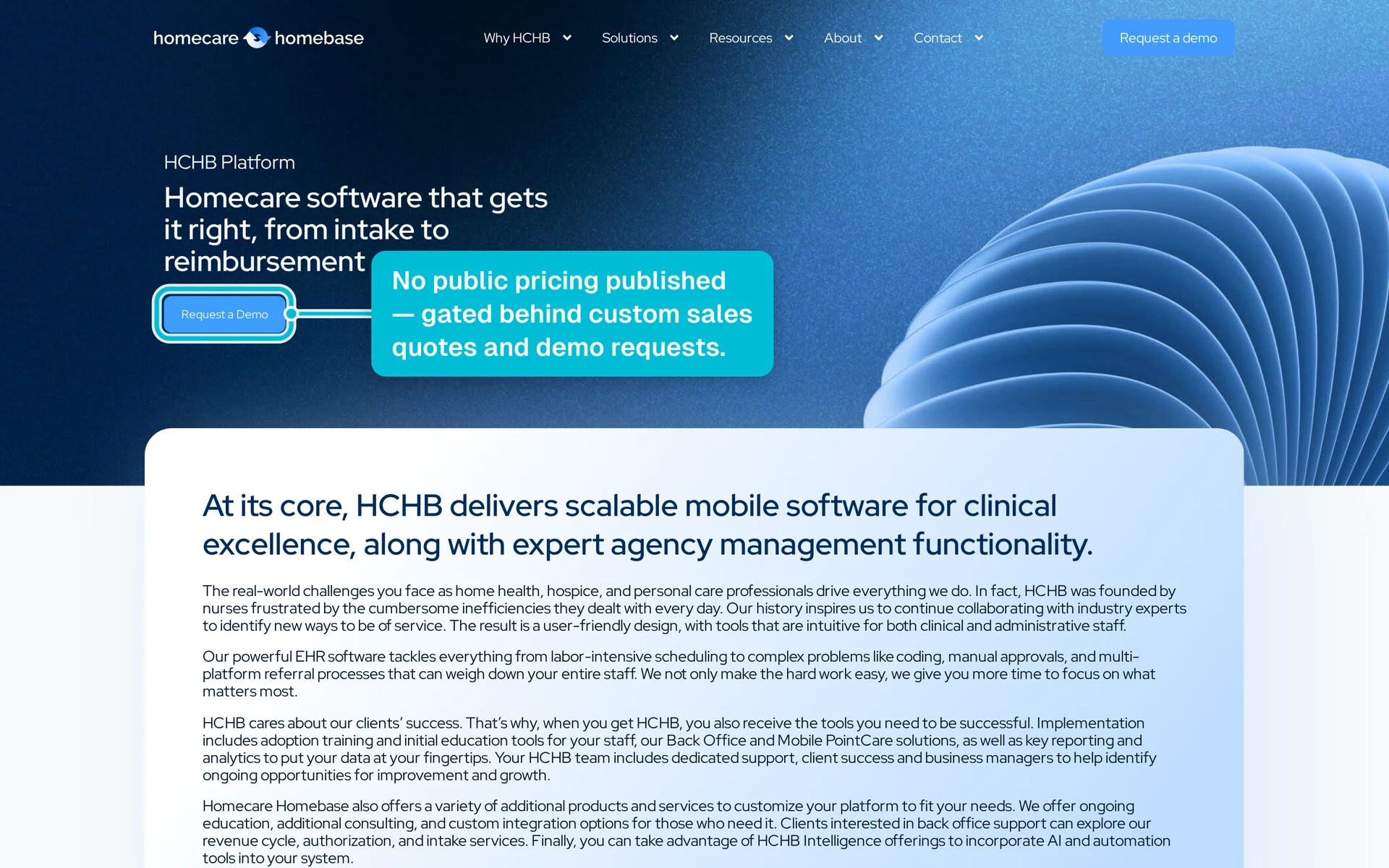
HCHB requires a custom quote. No vendor-verified standard price list was available on 19 July 2026, so treat third-party price fields as incomplete unless HCHB confirms them in writing.
Compare the full initial term with the likely renewal term. Ask how users, branches, patient volume, integrations, storage, or modules affect the quote without assuming that every variable carries a fee.
Ask HCHB to separate | Confirm in writing |
|---|---|
Implementation | Scope, migration, configuration, testing, vendor hours, internal hours, and go-live work |
Subscription | Included products, users, roles, branches, contract term, and support level |
Usage or growth | Any patient, census, transaction, storage, or expansion thresholds |
Add-ons and services | Extensions, integrations, consulting, training, revenue cycle, and other managed services |
Renewal and exit | Price increases, notice period, data export, transition help, and termination terms |
Implementation, training, and support
HCHB’s implementation page describes configuration testing, adoption training, initial education tools, and onsite, remote, or blended delivery. It also says support continues after go-live.
The public pages do not state a standard timeline, included hours, itemized cost, support coverage, or response SLA. Put those details, named owners, and acceptance criteria in the statement of work.
Questions that can change the buying decision
Data migration: Who owns extraction, cleansing, mapping, validation, limits, and failed-record correction?
Role-based training: Which PointCare and Back Office tasks are taught live, how many hours are included, and who trains new hires?
Interfaces and testing: Who builds, tests, monitors, and changes each interface or custom workflow?
Go-live support: What coverage, escalation route, response target, and named owner apply during go-live and after hours?
Acceptance: Which measurable tests must pass before payment, handover, or wider rollout?
HCHB and Guardian: records, live signals, and regional fit
HCHB is designed mainly around US home health, hospice, personal care, CMS, OASIS, HOPE, claims, and agency administration. Non-US buyers should confirm regulatory, billing, language, hosting, and support fit before comparing features.
Guardian serves professional care and support organizations across Europe, the UK, and the United States. It does not replace an EHR or clinical record.
The systems answer different operational questions. An EHR records planned and completed care, while sensors can create selected physical-world signals between visits.
Do not ask whether either system is simply “real time.” Ask what creates each update, how quickly it appears, who owns the response, and whether the history can be exported.
Operational question | HCHB evidence | What to verify | Guardian capability |
|---|---|---|---|
Was care planned and documented? | Schedules, care plans, PointCare notes, audit trails, and completed records | Timestamps, edits, identity, and export | Automatic visit and shift records can add physical presence and duration. |
What is the patient’s current status? | HCHB publishes real-time patient-status and care-plan updates | Source, refresh time, and whether an update requires manual entry | Sensors can add camera-free bed, motion, door, fridge, and stove activity. |
Where are staff, residents, vehicles, or assets? | Workforce assignments and field workflows are published | Whether location means assignment, check-in, GPS, or room-level position | Live floor plans and maps can show tracked people, vehicles, and assets. |
What happened during an alert? | Confirm the alert types and histories available in the proposed package | Trigger, location, acknowledgement, responder, resolution, and export | Location-aware alerts and timestamps can create a response record. |
What happened between visits? | Public EHR pages focus on care records, status, and agency workflow | Which passive signals or integrations capture activity between visits | Home sensors can record selected activity without cameras. |
What to test in a Homecare Homebase demo
Keep the demo out of presentation mode. Set pass or fail criteria first, then give the rep one realistic visit and follow it from PointCare through Back Office.
Demo checklist
Field documentation: Complete a visit, interrupt and resume it, correct a completed entry, and show the relevant OASIS or HOPE prompts.
Offline work and devices: Turn off connectivity, test normal synchronization, force a failed or conflicting edit, and explain Android device-management requirements.
Scheduling and authorizations: Change a schedule, authorization, visit type, or assigned clinician while work is in progress.
Billing and reporting: Trace the visit through claim preparation, exceptions, denial work, payment posting, supervisor reports, and exports.
Permissions, configuration, and support: Repeat tasks under each role, configure a form or pathway, and walk through support ownership and escalation.
Record time, clicks, errors, handoffs, and workarounds for each area. Mark each one pass or fail against the thresholds agreed before the demo.
Ask HCHB to confirm the demonstrated product version in writing. Record every step that requires an extension, managed service, future release, or vendor intervention.
Alternatives and complementary tools to compare
Build the shortlist around geography, care type, agency size, clinical scope, billing needs, and live-operations requirements. Verify every product through its current official pages and the same real-world demo scenario.
The three products below are direct home-based care software comparisons to investigate. Guardian is not an EHR replacement; it is a complementary operations layer for professional care organizations across Europe, the UK, and the United States.
Alternative | Evaluation axis | Ask to see |
|---|---|---|
WellSky | Analytics and reporting depth | Dashboard scope, exports, definitions |
KanTime | Home-health workflow usability | Mobile steps, exceptions, approvals |
MatrixCare | Post-acute interoperability | Referrals, records, interface ownership |
Enzo Health | AI-workflow governance | Sources, review, audit trail |
Run a Guardian pilot with your own operational data
Test Guardian in one care home, ward, or home care team. Measure response times, alert quality, visit evidence, and staff use before deciding what to roll out.
Guardian serves professional care and support organizations across Europe, the UK, and the United States. The pilot runs without replacing the clinical record.
Pilot process
Choose the care setting and map the workflows to measure.
Run the pilot for 6–8 weeks and collect real operational data.
Review the written impact and ROI report, then decide what to scale.
Tell Guardian where you want to test the system. You will receive a proposed scope and next steps, usually within two business days.
On 19 July 2026, Software Advice showed 2.8/5 from 53 verified reviews. TrustRadius showed 6/10 from five reviews, so treat its score as the smaller sample.
The reviewed HCHB platform page presents PointCare as an Android app. It does not confirm an iOS version, so verify current device support before setting agency policy.
HCHB connects completed clinical documentation with billing and revenue-cycle workflows, and it offers separate revenue-cycle services. In the demo, trace one visit through claim preparation, exceptions, submission, denial work, payment posting, and reporting.
Yes. HCHB says PointCare supports offline field documentation and later upload. Test failed synchronization and conflicting edits in the demo, not only a normal reconnect.
No standard vendor price list was available on 19 July 2026. Request an itemized quote covering core products, extensions, implementation, integrations, training, support, renewal, export, and exit.
HCHB markets to US home health, hospice, and personal care agencies. Its published segments include start-up, small and medium, large, and enterprise organizations.
HCHB does not publish one standard implementation timeline. Ask for phase dates, migration limits, training hours, testing, acceptance criteria, go-live support, and named owners in the statement of work.
The reviewed public pages describe patient-status updates, workforce data, mobile documentation, and agency workflows. They do not confirm native room-level bed, motion, door, or staff-presence feeds, so verify the current product and integrations directly.
HCHB publishes Back Office and PointCare as core products, with extensions and services around them. Ask HCHB to attach an access matrix showing what each role can use, which products need separate orders, and what changes the price.

Author
Aleks Timm
Aleks Timm leads Guardian and builds privacy-first operations technology for care homes and home care providers. Teams get location-aware alerts they can act on, clearer situational awareness, and measured insight into how care work actually runs.
Read MoreRecommended reads
Keep reading

Remote patient monitoring: a complete guide
Remote patient monitoring: the complete guide to sensors, benefits, and buying tips for safer care homes and better resident...
Read more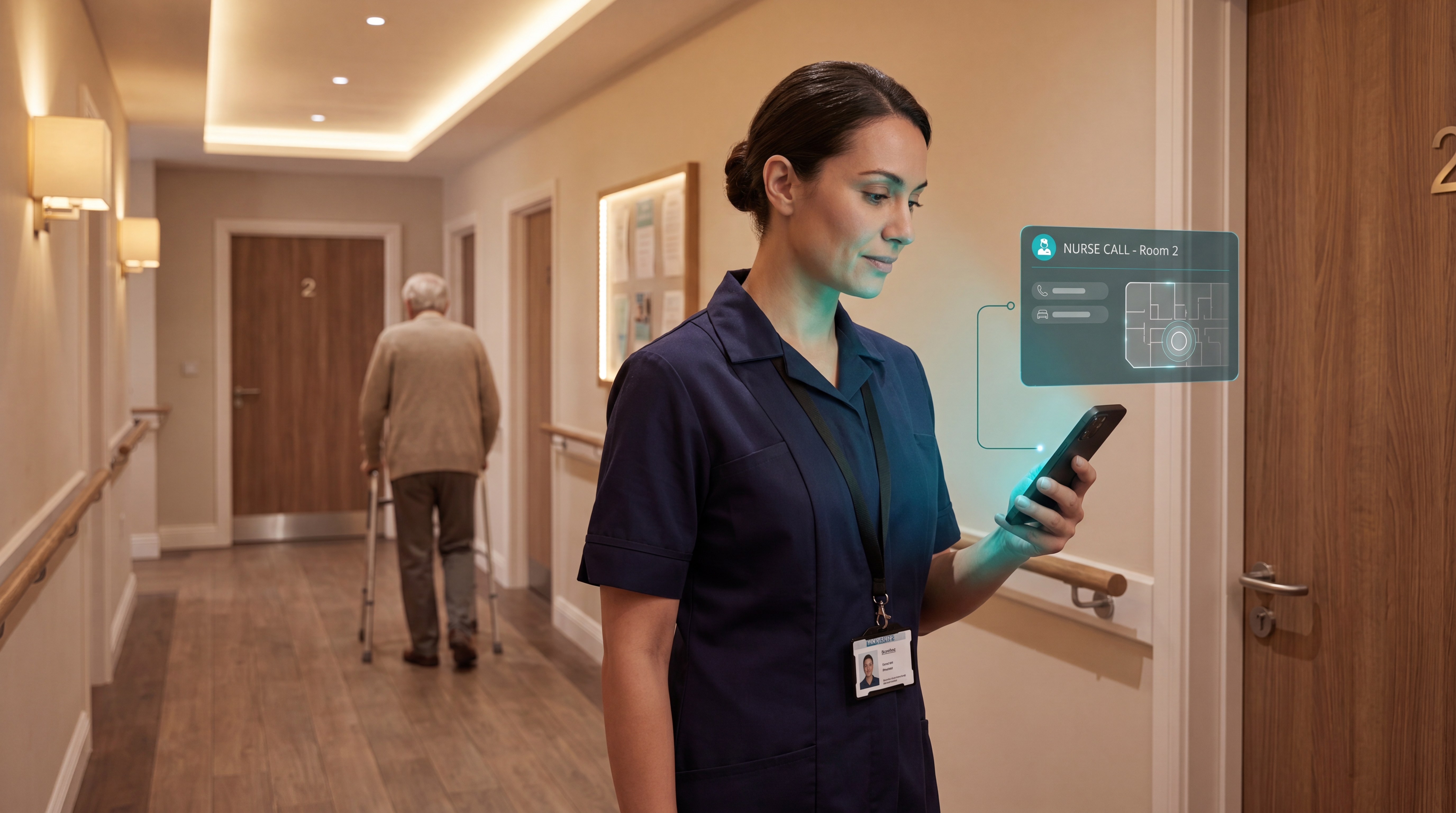
Smart Nurse Call Systems for Care Homes and Home Care Providers
Smart nurse call systems for care homes and home care providers: compare features, improve response times, and choose the right...
Read more
WiFi nurse call system guide for care homes
WiFi nurse call systems explained: alerts, clean records, and no wiring—compare options and choose the right setup for your care...
Read more