

6 Healthcare Compliance Software Platforms Compared
In this article
Healthcare compliance software can document frontline activity, manage training and policies, or support enterprise governance, risk and compliance (GRC). The right category depends on the evidence your organisation must produce.
Paper notes and spreadsheets leave gaps when an inspector asks for a complete timeline. Directors need records that connect each visit or alert with the response and follow-up.
The six entries compare different compliance jobs, starting with Guardian for automatic operational evidence. Regulatory coverage varies by country and setting, so assess each workflow against your organisation’s requirements.
Healthcare compliance software categories and platforms compared
In care settings, compliance software keeps required work recorded and the supporting evidence ready for review. The category divides into four primary jobs:
Operational evidence: Records visits, response times, incidents, events between scheduled checks, and follow-up.
Training: Tracks induction, required courses, competency records, and renewals.
Policy control: Maintains approved versions, review dates, distribution, and staff acknowledgements.
Enterprise GRC: Manages risks, controls, audits, remediation, and reporting across the organisation.
The products overlap in places, so compare them by the record you need to produce and the setting where the work happens.
1. Guardian
Guardian's care platform connects camera-free sensors, wearables and location tools with alerts and automatic records. Care homes, home care teams and other professional care settings can choose the workflows they need.
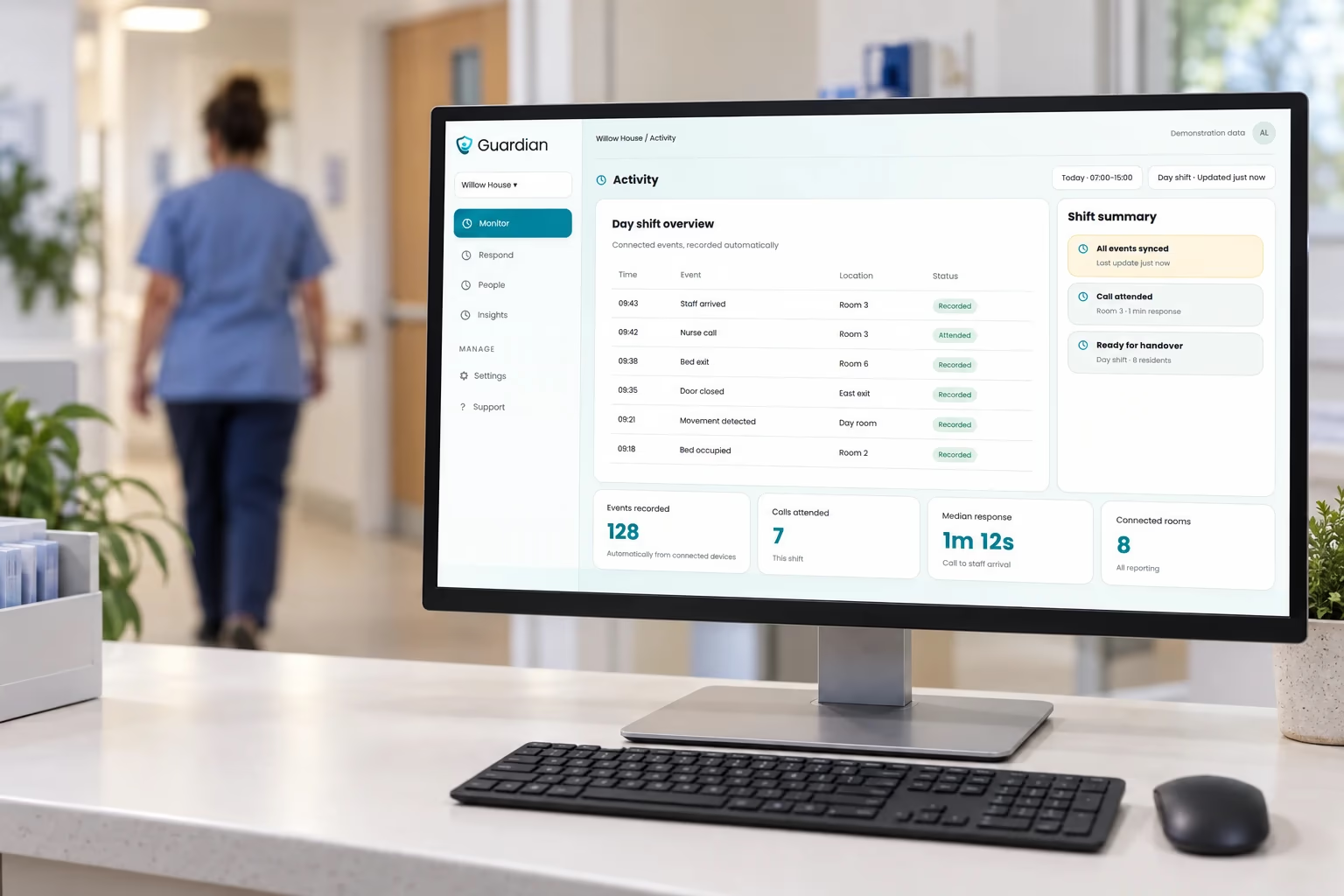
For this comparison, Guardian contributes evidence from care as it happens: visits, detected events, alerts and responses. Training, policy approvals and enterprise governance remain separate jobs.
Guardian Insight brings people, active alerts, vehicles and tracked assets into a live view. Managers can open visit and incident records when a question needs checking.
Guardian's professional use cases include:
Residential and assisted living: connect resident calls, detected falls and bed exits to room-level alerts and response records.
Home care: verify visits, view team vehicles on a live map and notice changes in activity between visits.
Special care: use camera-free activity signals with location and SOS alerts where they fit the people and setting.
Hospitals and municipal services: locate tracked equipment or coordinate visits and follow-up across participating teams, depending on the setup.
Automatic visit and response records
Guardian timestamps visits and alert responses as they happen. Facility teams can review room visits, while home care managers can check caregiver arrival and departure times.
Alert raised: the event and its timestamp.
Response recorded: staff acknowledgment and caregiver arrival.
Resident event: a fall or bed exit linked to the relevant room.
Visit verification: arrival and duration data for room visits or home care appointments, according to the setup.
A manager can open the timeline when a visit or incident needs review instead of piecing together separate paper entries. Staff still make the care and clinical decisions.
At the end of a scoped 6–8-week pilot, Guardian reviews the records with the care team and provides a written impact report, ROI calculation and rollout recommendation.
Location-aware alerts across care settings
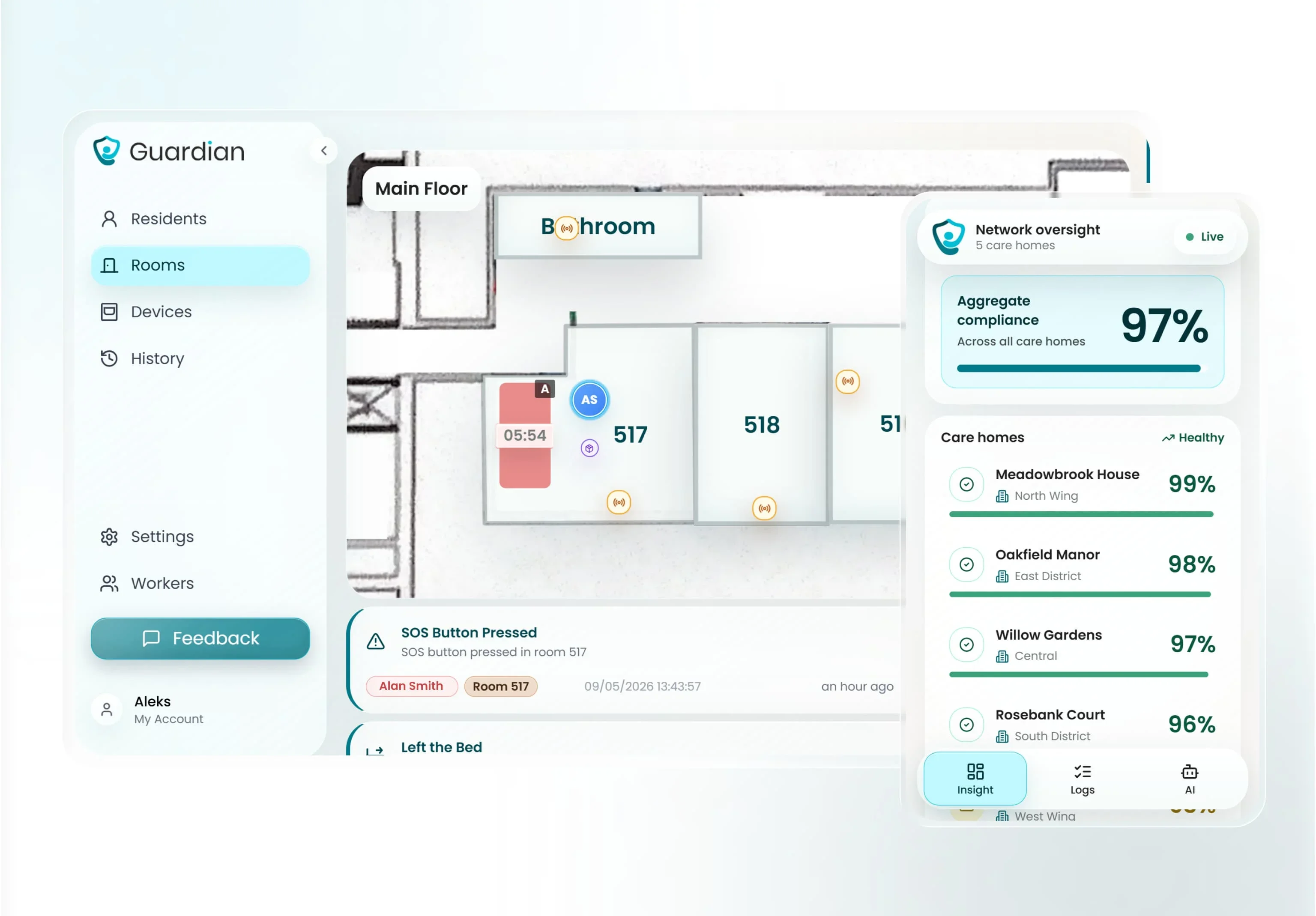
Guardian routes location-aware alerts to staff devices through a web portal. In a facility, a resident event can map to the relevant room on a digitised floor plan.
Rules can flag detected falls, bed exits, door events and inactivity when configured for the setting. GPS devices provide location outdoors where deployed.
Staff see the person or place that needs attention, while managers can review when the alert and response were recorded.
Camera-free monitoring across wearables and sensors
Guardian keeps private rooms camera-free while monitoring resident activity. The platform combines four input groups:
Radar and motion sensors: record presence or changes in room activity where installed.
Bed sensors: record bed exits and changes in overnight routines.
Door and appliance sensors: track exits and appliance use.
Wearables and SOS buttons: let residents or staff call for help with location attached.
Sensor events can prompt a check even when someone does not press a button. The alerts a team receives depend on the devices and rules chosen for that setting.
Deployment and pilot measurement
Guardian starts with a scoped pilot in one ward, home or team. Pre-configured wireless devices can bring a ward online in about a week without drilling or cabling.
Map the setting: agree which records, locations and alerts matter, from a facility floor plan to home care visits.
Choose a starting group: select a ward, home or team and the events or visits to measure.
Configure devices and alerts: connect the relevant sensors or wearables and route alerts to staff devices already in use.
Measure the pilot: review 6–8 weeks of visit, alert and response records against the starting baseline before deciding what to expand.
Guardian does not publish a list price for its professional platform. Pilot scope is agreed around the care setting, team and workflows.
2. MedTrainer
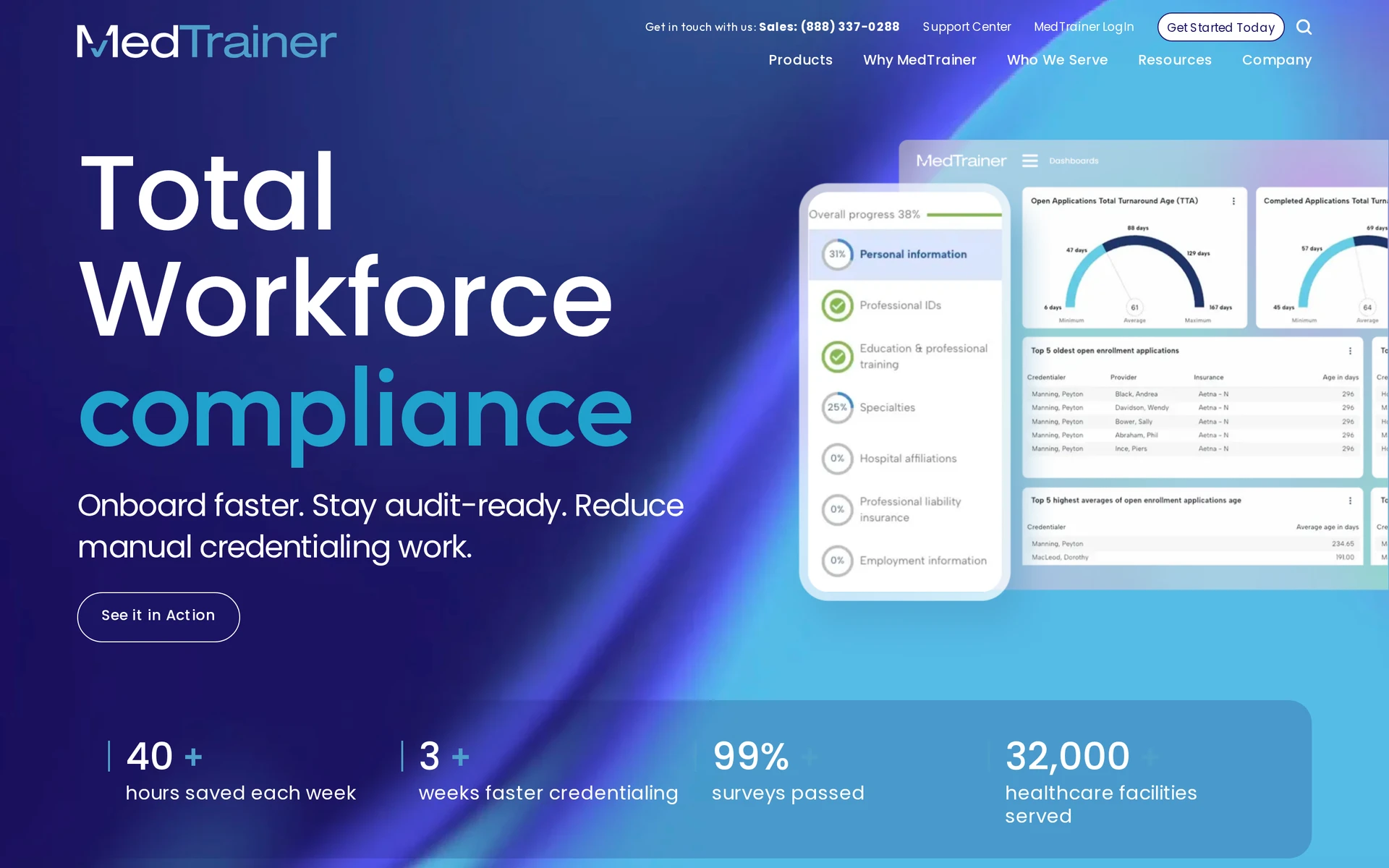
MedTrainer organizes workforce compliance and provider administration into separate modules for multi-site outpatient organizations.
Five modules support the administrative workflows described below. Policy and incident management share one module but create separate records.
Policy and incident management
Healthcare learning management
Provider credentialing
Payer enrollment
Exclusion monitoring
MedTrainer serves multi-site outpatient organisations combining workforce learning with provider administration. Its scope is broader than PolicyStat’s dedicated policy lifecycle, covering training, credentialing, payer enrolment, and exclusion monitoring.
Compliance workflows covered
MedTrainer covers six administrative compliance workflows:
Policies: maintain versions and distribute current documents for staff acknowledgment.
Incidents: collect staff-entered reports through mobile forms and route escalations.
Accreditation: organize readiness work and status reporting through dashboards.
Credentialing: maintain provider files and monitor exclusions.
Enrollment: manage payer enrollment and synchronize CAQH data.
Workplace records: store safety data sheets and routine compliance logs.
These records depend on staff or administrators entering and maintaining the information.
Training and onboarding automation
MedTrainer’s learning management system (LMS) covers healthcare training and continuing education, including professional credit options.
Training teams can:
Assign role-based paths for onboarding and recurring education.
Create internal courses for organization-specific procedures.
Import course packages from existing training libraries.
Track completion records alongside other workforce compliance data.
Pricing model
MedTrainer does not publish list pricing. Quotes depend on the selected modules and the organisation’s scope.
A quote request should define:
Licensed modules
Active user count
Number of providers
Managed credentialing support
Request a written proposal covering every selected module, user group, and managed service.
3. symplr Compliance
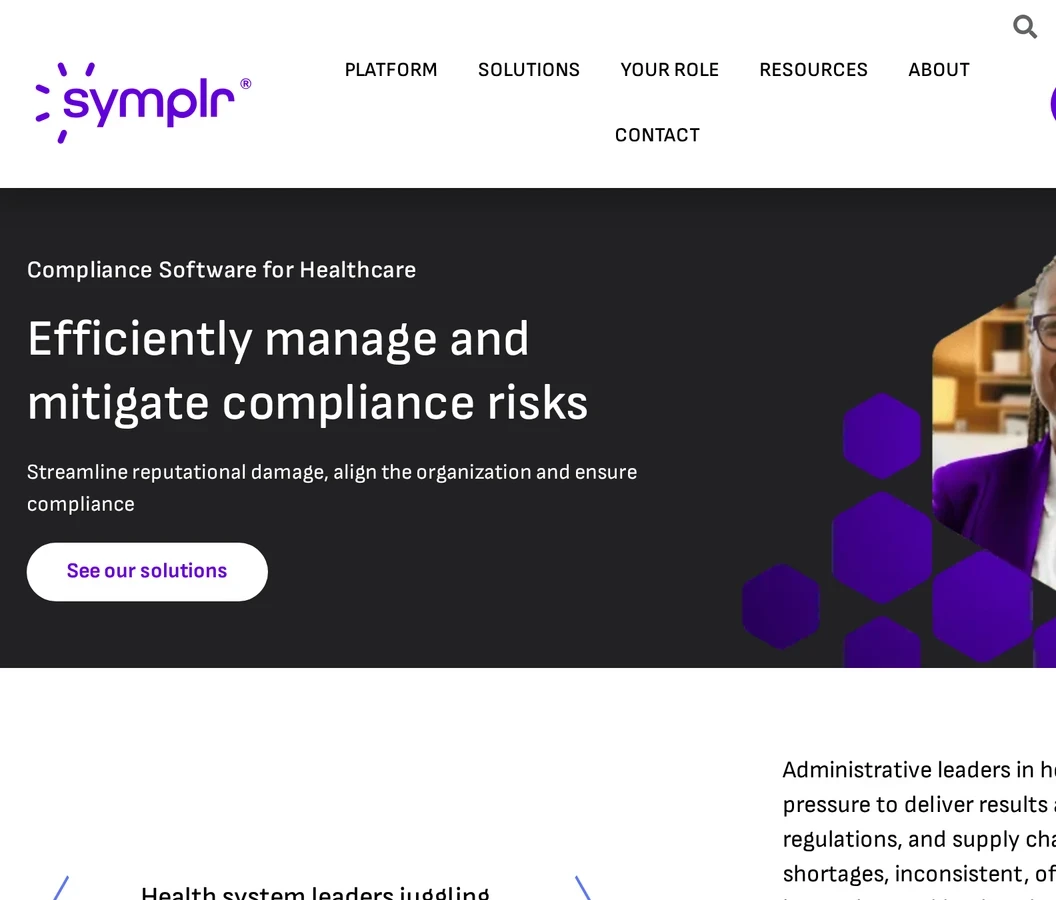
symplr Compliance serves health systems and health plans that need enterprise governance, risk, and compliance (GRC). Its electronic submission of medical documentation (esMD) workflow supports Medicare audit documents, while other tools cover health-plan obligations.
Its six workstreams are:
Core GRC: assessments and audits across facilities
Incident management: investigations and corrective actions
Policy governance: controlled policy and conflict workflows
CMS exchange: a native esMD Gateway for audit documents
Payer regulation: OIG health-plan guidance, No Surprises Act requirements, and transparency files
Member operations: provider-directory accuracy and grievances
Buyers include academic medical centres, integrated delivery networks, and health plans managing investigations across multiple facilities or submitting documents for Medicare review.
Payer governance and provider operations
Provider operations focus on payer governance and multi-facility GRC workflows rather than staff credentialing coursework.
Within that scope, teams can manage:
Directory governance: provider records used in payer directories
Grievances: member complaints and related follow-up
Investigations: incidents and corrective actions across facilities
Controls: surveys, conflicts, and policy workflows
symplr Compliance covers enterprise GRC and Medicare audit submissions rather than a standalone credentialing or learning system. The Guard addresses a narrower, guided HIPAA or OSHA programme for smaller practices.
Integration with operations systems
symplr’s Audit Detail Manager Gateway submits medical documentation through CMS’s esMD Gateway to a customer-designated Medicare review contractor. It is not a commercial-payer document exchange.
The documented integration scope covers:
Medicare audit submissions: send medical documentation through CMS’s esMD Gateway to a designated review contractor.
Regulatory work: OIG guidance, No Surprises Act requirements, and transparency files
Payer operations: provider directories and grievances
Confirm migration requirements, connector coverage beyond esMD, and any separate payer-document exchange directly with symplr.
4. PolicyStat by RLDatix
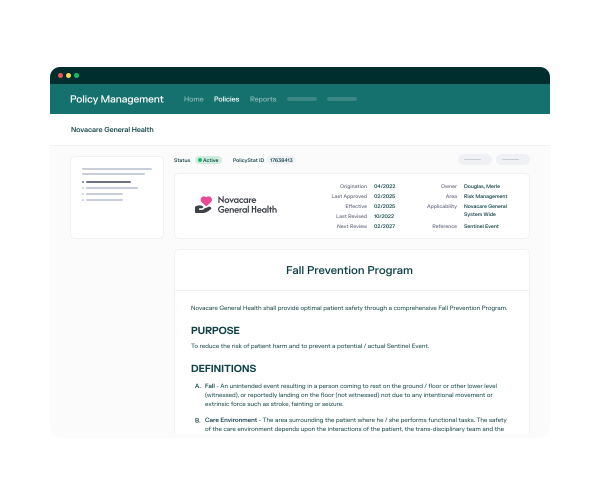
PolicyStat serves hospitals and clinical networks that need controlled policy authoring and point-of-care retrieval. It manages the policy lifecycle rather than incident, credentialing, or training-suite administration.
Policy lifecycle coverage includes:
Authoring: browser-based policy editing.
Comparison: redlines between controlled policy versions
Governance: approval routing and version history
Review: recurring attestations and archiving
Retrieval: full-text policy search at the point of care
Policy version control and review cycles
Authors revise controlled policies in PolicyStat's browser editor, without moving drafts through Microsoft Word.
The lifecycle follows four steps:
Draft or revise the controlled policy in the browser.
Compare redlines against the prior version.
Route the revision through the required approvals.
Archive the superseded version and schedule the next review.
Version history and workflow analytics give administrators a record of changes and visibility into each policy's review status.
Recurring review cycles return policies to owners on schedule.
Distribution and staff acknowledgments
PolicyStat combines current-policy retrieval with recurring staff attestations.
Distribution controls include:
Full-text retrieval: staff search policy content at the point of care
Recurring attestations: acknowledgments stay within the policy lifecycle
Archiving: superseded material remains separated from the current version
Search reporting: zero-result reporting requires the PolicyStatistics add-on, which reports queries that returned no results.
Confirm whether the PolicyStatistics add-on is included before relying on zero-result reporting.
Unlike MedTrainer’s broader learning and provider-administration suite, PolicyStat keeps course libraries and training administration outside its policy workflow.
5. The Guard by Compliancy Group
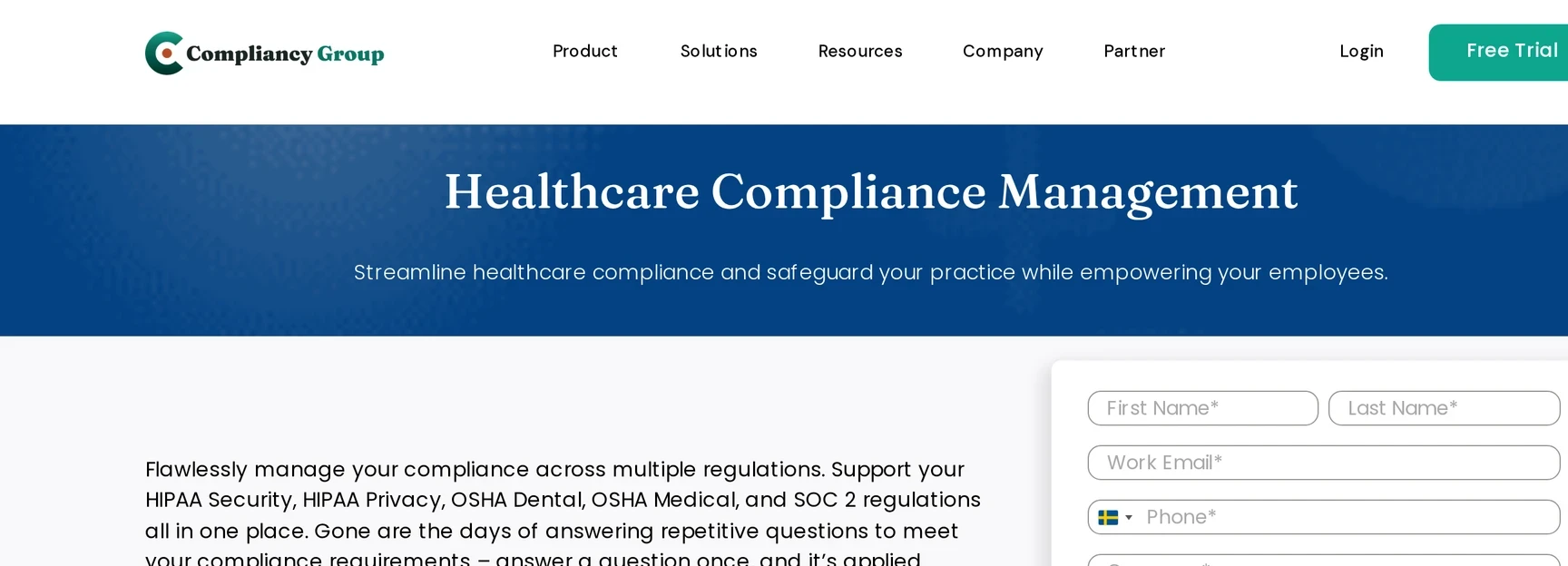
Small and midsize healthcare practices use The Guard to organize HIPAA or OSHA programs without hiring a full-time compliance officer.
The Guard centres on guided HIPAA or OSHA programme administration rather than care-floor monitoring. Compared with symplr’s enterprise GRC scope, it organises a smaller practice’s assessments, documents, training, and follow-up work.
The core program covers:
Risk work: HIPAA and OSHA risk assessments, gap tracking, and remediation records.
Program documents: Policy templates and workforce training.
Third-party checks: Vendor due diligence and exclusion screening.
Incident administration: Incident records, with optional incident or framework modules sold separately.
Published rates combine an annual platform commitment with monthly platform and per-employee charges.
Plan | Listed monthly price | Notes |
|---|---|---|
Foundation | From $99 | Billed annually; plus $8–$10 per employee monthly |
Growth | From $249 | Billed annually; plus $8–$10 per employee monthly |
Advanced | From $449 | Billed annually; plus $8–$10 per employee monthly |
Add-ons | From $299–$399 | Optional incident or framework modules |
HIPAA risk assessment and remediation
The Guard keeps HIPAA risk assessment and remediation records within the same guided program. A practice can document identified gaps, assign follow-up work, and retain the resulting record for review.
The wider workflow connects that risk work with policy templates, staff training, vendor checks, exclusion screening, and incident administration.
Compliance coaching support
Each published The Guard plan includes a named Compliance Coach. The coach guides HIPAA or OSHA program administration alongside the platform's assessments, templates, and training records.
6. Surglogs
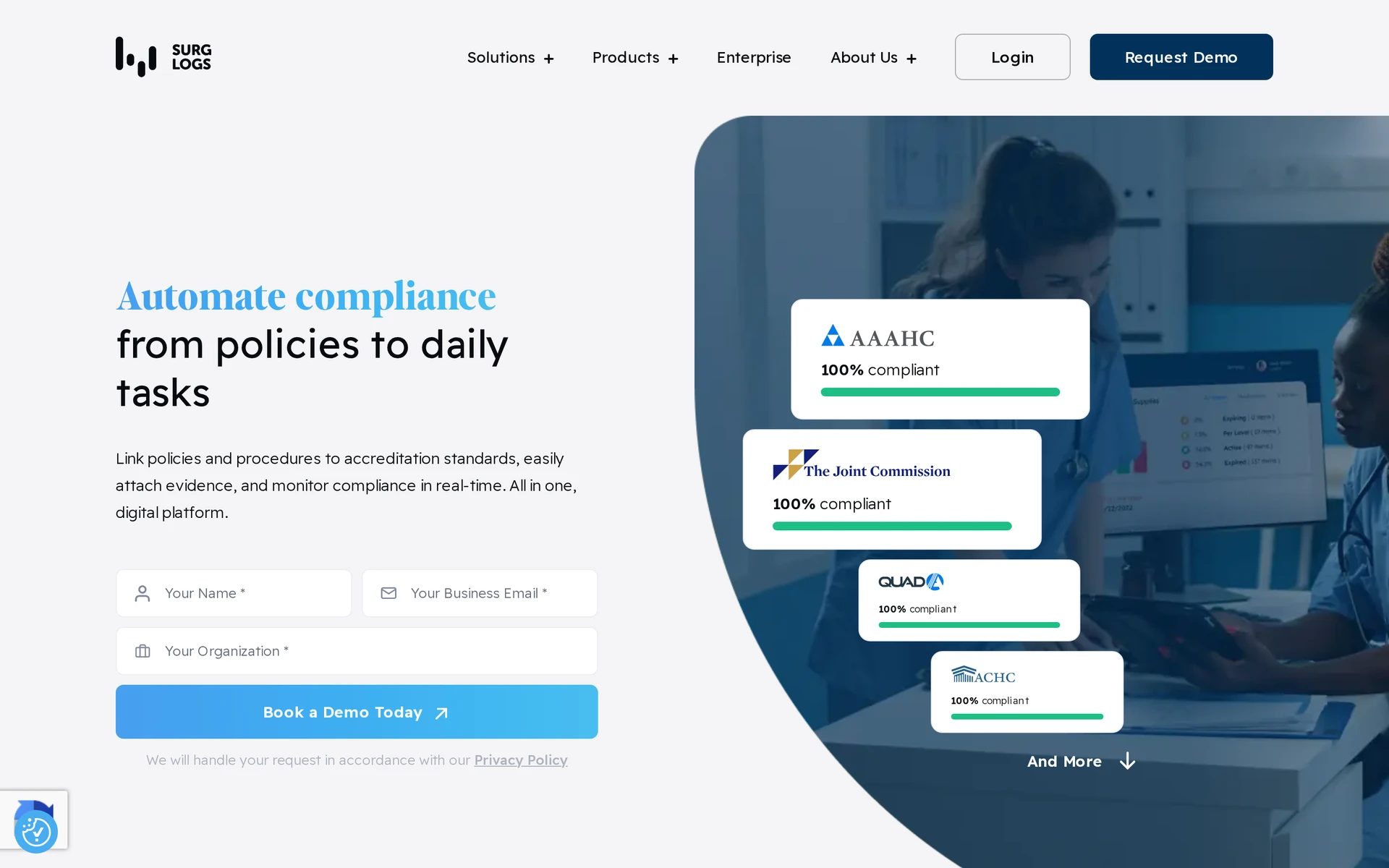
Surglogs replaces paper logbooks with searchable records for ambulatory surgery centres (ASCs). It is an adjacent option, focused on staff-entered ASC logs rather than Guardian’s automatically captured care-setting events.
Surglogs’ documented scope covers four connected areas:
Digital logs: environment, safety, and sterile-processing records.
Survey preparation: accreditation crosswalks and supporting documents.
Quality oversight: incident records and QAPI work.
Facility administration: credentialing and multi-facility reporting.
Digital checklists and inspection logs
Surglogs moves routine ASC checklists and inspection logs into searchable records. Staff enter environment, safety, and sterile-processing checks in one system.
The resulting history keeps completed checks and exceptions together, so administrators can retrieve the relevant record during an internal review or inspection.
Accreditation readiness reporting
Surglogs connects accreditation survey crosswalks with records an ASC maintains throughout the year. It also covers incidents, quality assessment and performance improvement (QAPI), credentialing, and reporting across facilities.
That structure lets administrators organize evidence around accreditation requirements rather than rebuilding the survey file from separate binders.
Healthcare compliance software compared: function, coverage, and pricing
Verdict: Care homes that must prove what happened on the floor should shortlist Guardian for automatic operational records. Administrative compliance platforms solve a different evidence job, so a care home may need both categories.
Tool | Primary healthcare compliance function | Coverage focus | Pricing |
|---|---|---|---|
Guardian | Sensor alerts, visit verification, incident-response timestamps | Care homes, assisted living, memory care, home-care EVV | Custom quote; refundable €200 trial-hardware deposit |
MedTrainer | LMS, policies, incidents, credentialing, payer enrollment | Multi-site outpatient workforce and provider roster | Custom by modules, users, roster volume |
symplr Compliance | Investigations, audits, CMS esMD, payer governance | Health systems, IDNs, health plans | Custom by beds or covered lives |
PolicyStat | Browser policy authoring, versions, attestations | Point-of-care policy retrieval | Custom by beds or staff; typical implementation around 6–8 weeks |
The Guard | Guided HIPAA/OSHA program, training, coaching | Small and midsize practices and BAs | $99 / $249 / $449 monthly plus $8–$10 per employee |
Surglogs | ASC logs, sterile processing, QAPI, survey crosswalks | ASCs and procedural networks | Custom annual quote by rooms and users |
How to pick the right one for your organisation
Pick the platform by working backwards from the exact record your organization must produce. Then test evidence capture, workflow fit, and total cost in that order.
Name the record. Define one must-prove output, such as a completed visit record or current policy acknowledgement. Confirm the product covers your setting and jurisdiction before comparing features.
Trace the evidence. Ask the vendor to show one record from event to export, including manual entries, approvals, retention, and access controls.
Test the real workflow. Test a shift and exception for operational monitoring, a revision and acknowledgement for policy software, an investigation for GRC, or assignment and renewal for training.
Calculate total cost and limits. Request a written total for the pilot or contract term, rollout, and support. Record which work must remain in your LMS, policy system, clinical record, or other platform.
Software or pilot scope
Deployment and required hardware
Training and integrations
Support and contract minimums
How Guardian starts creating operational records
Guardian can start producing timestamped operational records after a typical one-week wireless setup. The pilot then measures incidents, response times, and visit activity over 6–8 weeks.
Guardian adds operational evidence to the systems you already use. Training completion and policy control stay in your LMS or policy system.
How the Guardian pilot starts
Map the ward. We digitise the floor plan and select priority rooms based on incident patterns, care needs, and the workflows the pilot will measure.
Install wireless sensors. We link motion, bed and SOS devices to the relevant room or bed, so each event carries room-level context.
Start the record. Guardian timestamps alerts, staff acknowledgments, caregiver arrivals and response times as the ward runs.
Measure the pilot. Over 6–8 weeks, your team builds evidence on incidents, response times and visit activity using its own data.
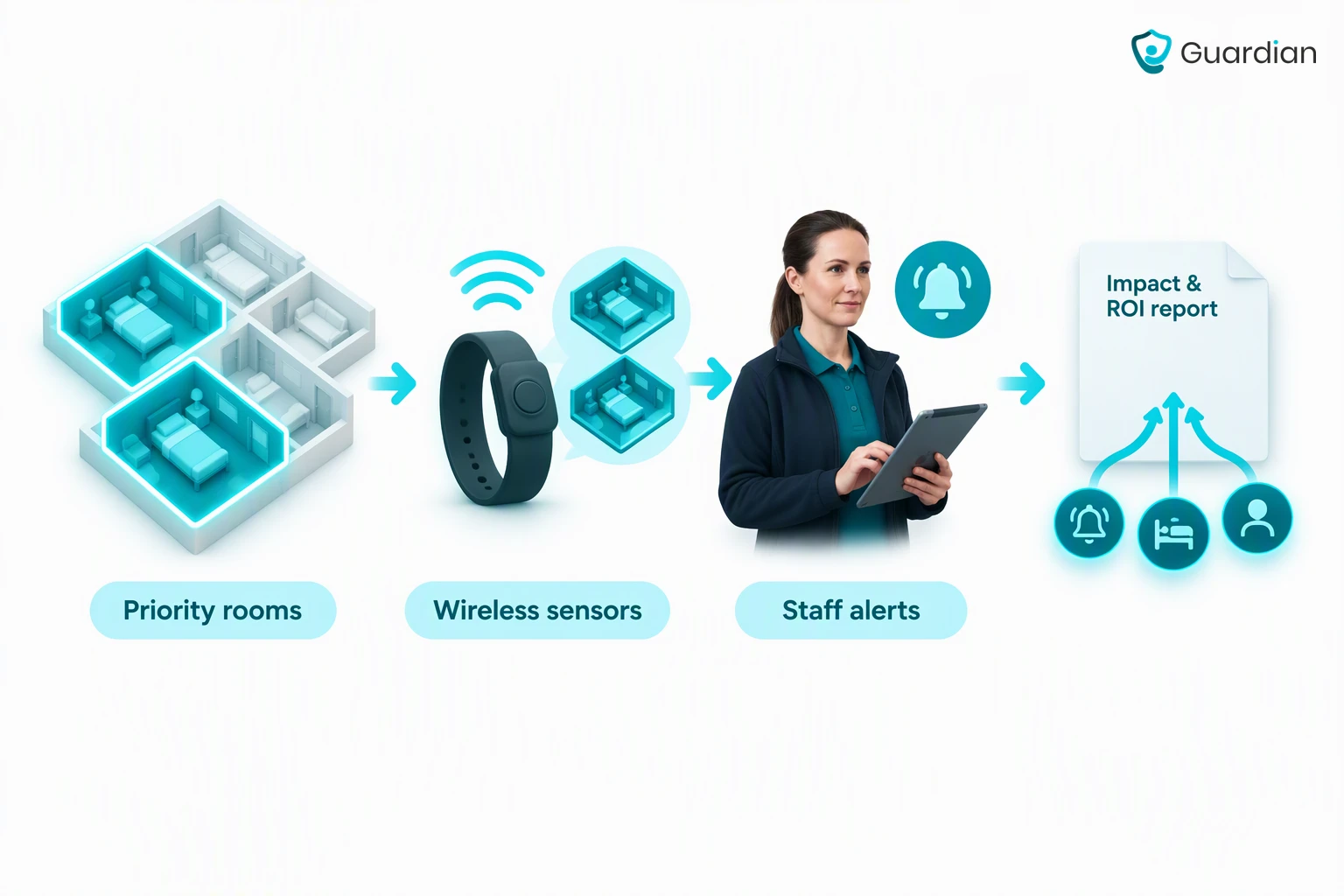
At the end of the pilot, we provide an impact report, ROI calculation, and rollout plan based on incident, response-time, and visit-activity data. Use your ward’s evidence to decide what to expand.
Healthcare compliance software can protect sensitive data, but security depends on the vendor’s documented controls, your configuration, and how staff use the system.
Encryption: Ask the vendor to document protection for data in transit and at rest.
Access: Verify unique user accounts, role-based permissions, and prompt offboarding.
Audit trail: Check whether the system records access and changes to compliance records.
Claims: If HIPAA applies, ask for evidence behind the vendor’s claims and have the contract reviewed by your compliance or legal lead.
Approved tools: Keep sensitive records out of consumer apps or public AI tools until your organization approves the service and its data-handling terms.
Size alone does not determine whether a care provider needs a platform. Use one when manual tracking cannot produce a reliable record of required compliance work.
Ownership: Name the person responsible for keeping compliance records current.
Policies and training: Track policy versions, staff acknowledgments, and completed training.
Incidents: Record each report, follow-up action, and closure.
Vendors: Keep service agreements and data-handling terms easy to find.
An LMS manages learning, including course assignment, completion, certification, and renewal. Broader compliance platforms may also cover policies, incidents, risk controls, provider administration, or operational evidence.
Some platforms combine learning with other compliance functions. Confirm which records the LMS creates and which must remain in a policy, incident, clinical, or operational system.
Yes, healthcare compliance software can replace manual tracking with searchable records and time-stamped audit history. The software cannot make clinical or legal judgments.
People still need to:
Investigate incidents and determine what happened.
Approve policies and corrective actions.
Confirm follow-up work is complete.

Author
Aleks Timm
Aleks Timm leads Guardian and builds privacy-first operations technology for care homes and home care providers. Teams get location-aware alerts they can act on, clearer situational awareness, and measured insight into how care work actually runs.
Read MoreRecommended reads
Keep reading
Smart Nurse Call Systems for Care Homes and Home Care Providers
Smart nurse call systems for care homes and home care providers: compare features, improve response times, and choose the right...
Read more
WiFi nurse call system guide for care homes
WiFi nurse call systems explained: alerts, clean records, and no wiring—compare options and choose the right setup for your care...
Read more
Wireless Patient Monitoring Systems for Care Homes
A complete guide to wireless patient monitoring systems, connected sensors, alert logic, care-home deployment, privacy, and...
Read more