

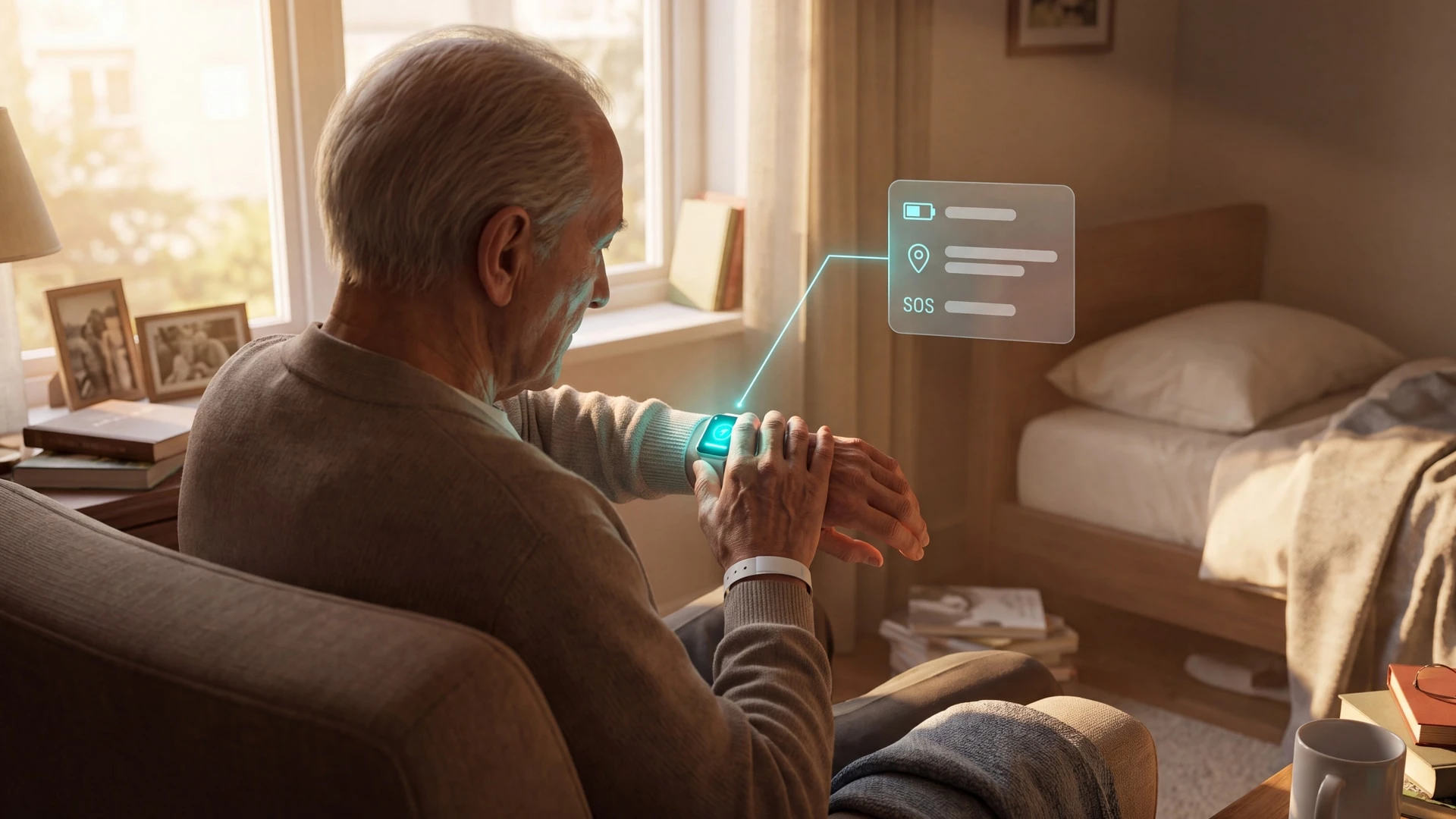
9 Best GPS Trackers for Elderly Adults Compared
In this article
A GPS tracker helps only when an older adult keeps it with them, it holds charge, and an alert reaches someone ready to respond.
This guide compares watches, pendants, tags, insoles, and provider systems for families and professional care teams.
We assessed each option by wear compliance, alert path, indoor and outdoor coverage, charging, response model, and ongoing cost. The guide does not imply hands-on testing.
Quick picks by care need
Families usually need one wearable or tag. Care providers need shared alerts, indoor context, staff workflows, and records across a service.
High-risk wandering: Consider AngelSense for secure wear or GPS SmartSole for concealed tracking. Confirm who receives safe-zone alerts and can respond.
Visible wearables get removed: GPS SmartSole hides tracking in footwear; Jiobit offers secure attachment options. Check whether shoes, clothes, or bags can separate from the person.
Independent older adult who can call for help: Tranquil, Theora Connect, MGMini, or Bay Alarm SOS Mobile put SOS access into a watch or pendant format.
Older adult already carries a phone: Coming soon, Hey Mom App will let a relative see shared location, phone battery, daily activity, and reminders in one view.
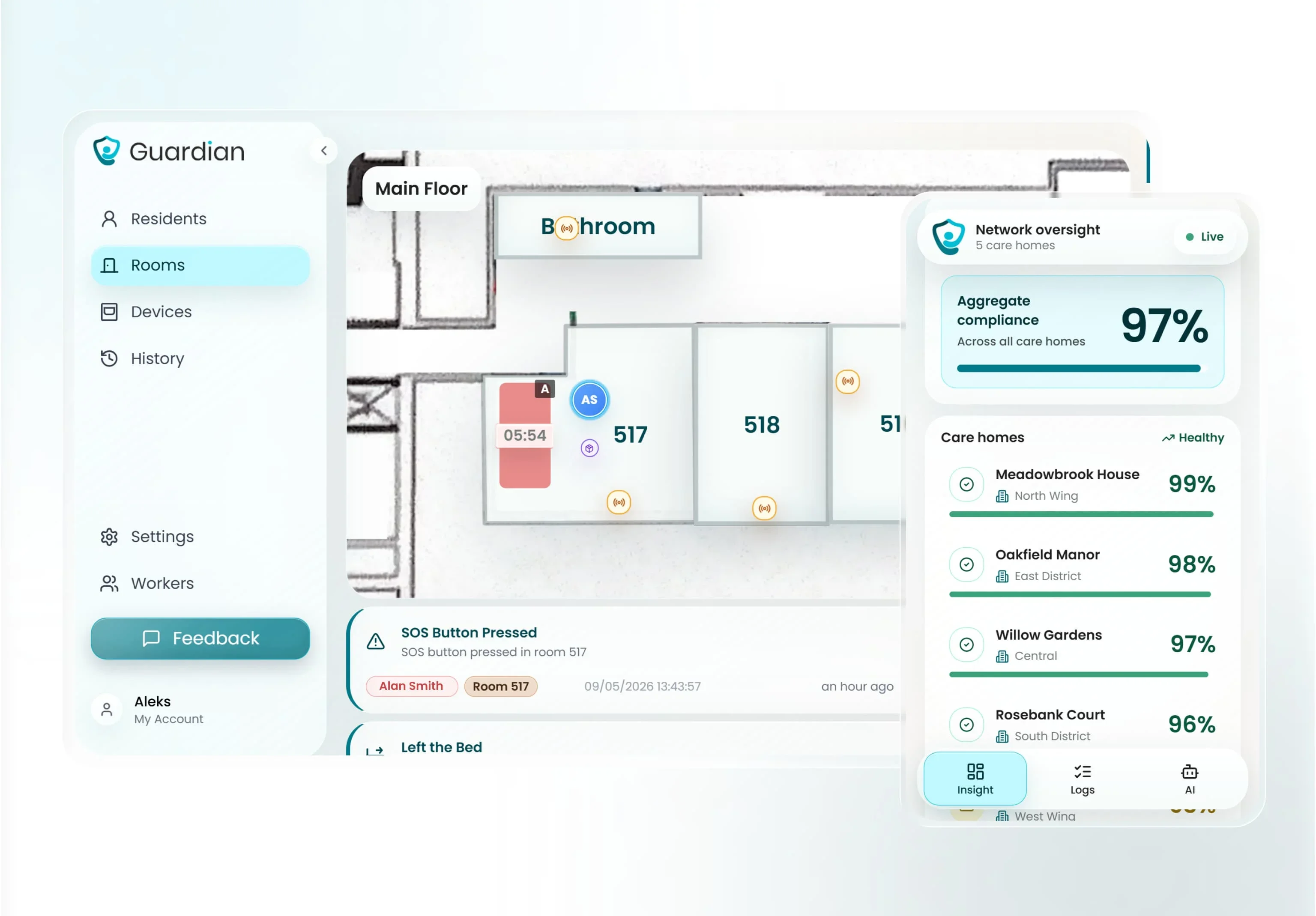
Professional care setting: Guardian combines GPS safety watches, room and bed sensors, staff alerts, visits, vehicles, and records in one provider workflow.
Low-risk item finding: AirTag can help locate belongings through Apple’s Find My network. It is not an emergency tracker or a substitute for a wandering-response system.
How to choose a tracker for an older adult
Choose a tracker that stays on and reaches a responder. Then confirm it works where the person spends time.
A tracker can shorten a search after wandering, but it cannot prevent wandering or replace supervision.
Wear and charging: Run a normal-day wear test. Check comfort, waterproofing, removal risk, charging frequency, and whether the responder receives a low-battery or offline alert.
Alert and response model: Test a geofence or SOS alert with the primary and backup responder. Confirm whether alerts are family-led, staff-led, or professionally monitored.
Phone-based tracking: A family location-sharing app can fit when the older adult reliably carries and charges a smartphone. Check permissions, coverage, battery alerts, and whether the phone stays with them.
Indoor, outdoor, and network fit: Test the device across normal routes and buildings. GPS, cellular, Wi-Fi, Bluetooth, and room-level sensors solve different location problems.
Privacy and total cost: Agree who can view location history and why. Then compare hardware, recurring service, replacement costs, minimum terms, and cancellation conditions.
GPS trackers compared
Compare the response model first, then check the format and operating limit. Among the options below, Guardian supports professional care operations, while the separate Hey Mom App is a coming-soon phone-based option for families.
Tracker | Format and primary use | Response model | Main operating limit |
|---|---|---|---|
Guardian | Provider platform for indoor and outdoor care operations | Shared staff alerts and records | Requires a scoped provider deployment |
AngelSense | Secure wearable for wandering risk | Caregiver app, safe zones, SOS, and speakerphone | Needs active caregiver monitoring |
Tranquil GPS Watch | Visible watch for location and SOS | Caregiver-led response | Depends on wear, charge, and supplier routing |
Jiobit Smart Tag | Attached tag for family location checks | Care team app and optional alert functions | Can follow clothing or a bag instead of the person |
GPS SmartSole | Concealed insole for wandering risk | Caregiver geofence and location checks | Only follows the tracked footwear |
Theora Connect | Watch with GPS, fall detection, and calling | Family or professional caregiver app | Visible wearable must stay charged and worn |
MGMini | Mobile medical-alert pendant | 24/7 monitored response | Fall detection is an add-on and wear remains essential |
Bay Alarm SOS Mobile | Mobile help button with GPS and two-way talk | 24/7 monitored response | Routine activity is not monitored |
AirTag (2nd generation) | Bluetooth item finder | Find My location only | No SOS, cellular connection, or emergency response |
The best GPS trackers for elderly adults
Each entry uses the same decision criteria: wear, alert path, location coverage, charging, response model, cost, and practical limit. An alert only helps when somebody acts on it.
1. Guardian
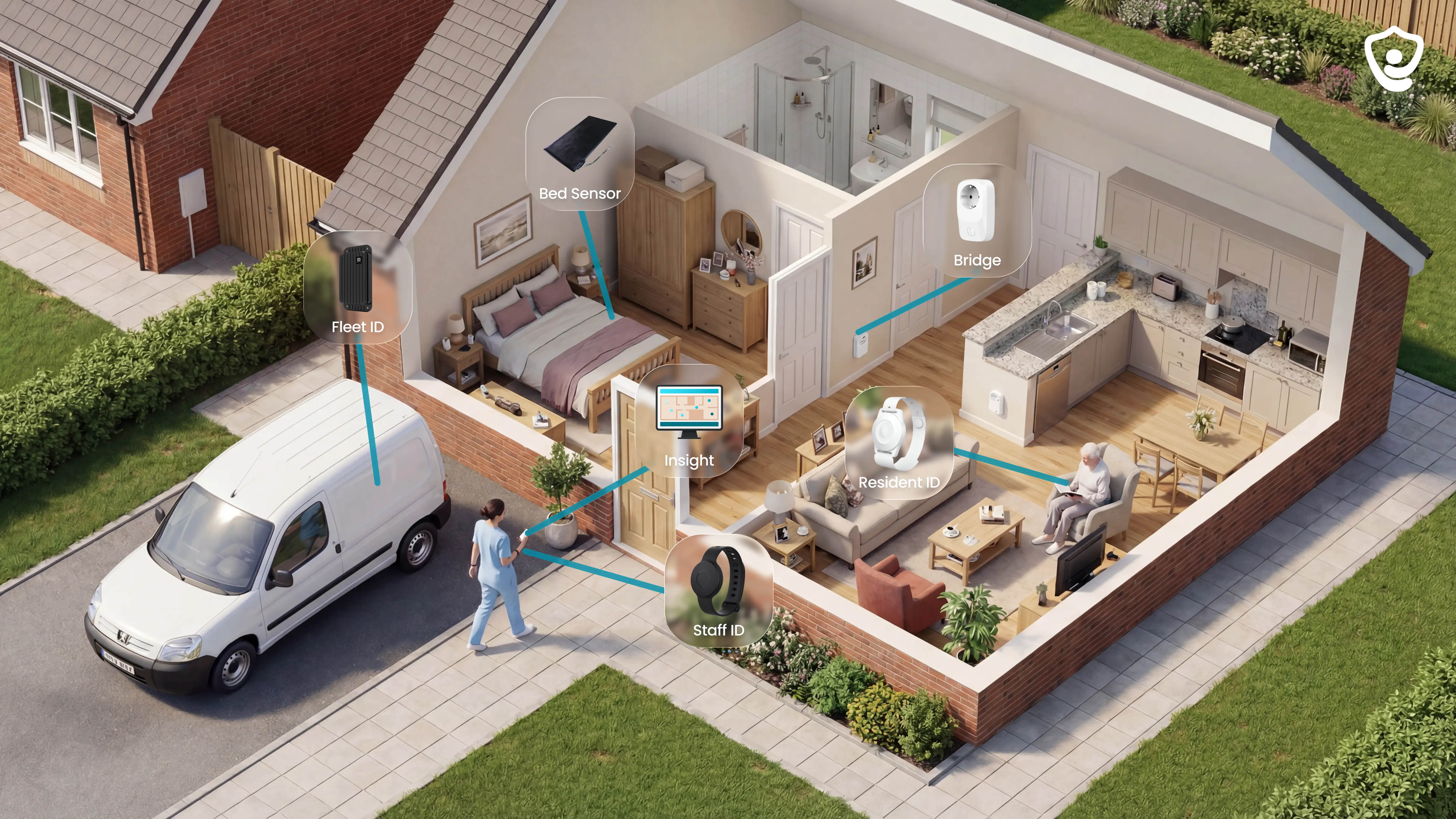
Guardian combines GPS safety watches, resident and caregiver wearables, room and bed sensors, vehicles, and assets in one live operational view.
Care providers use Guardian to coordinate shared responses across care homes, home care, specialist and mental-health services, including US operations.
For families, the separate Hey Mom App is coming soon and will show a relative’s shared location, phone battery, daily activity, and reminders.
Wireless sensors and optional wristbands send events to the Guardian Portal. Each event is linked to a resident, room, or bed on the digitised floor plan.
What it fits best
Use Guardian when a care team needs shared indoor and outdoor visibility, passive coverage, routed alerts, and operational records across residents, staff, vehicles, or assets.
The same portal supports different care models without reducing Guardian to one country or facility type:
Care homes and nursing facilities: room-level alerts help staff identify where to respond.
Specialist and mental-health facilities: configurable rules support location-aware oversight without cameras.
Home care operations: the portal combines in-home activity signals with staff and service records.
US care providers: Guardian can be scoped around the facility, team, and workflows in use.
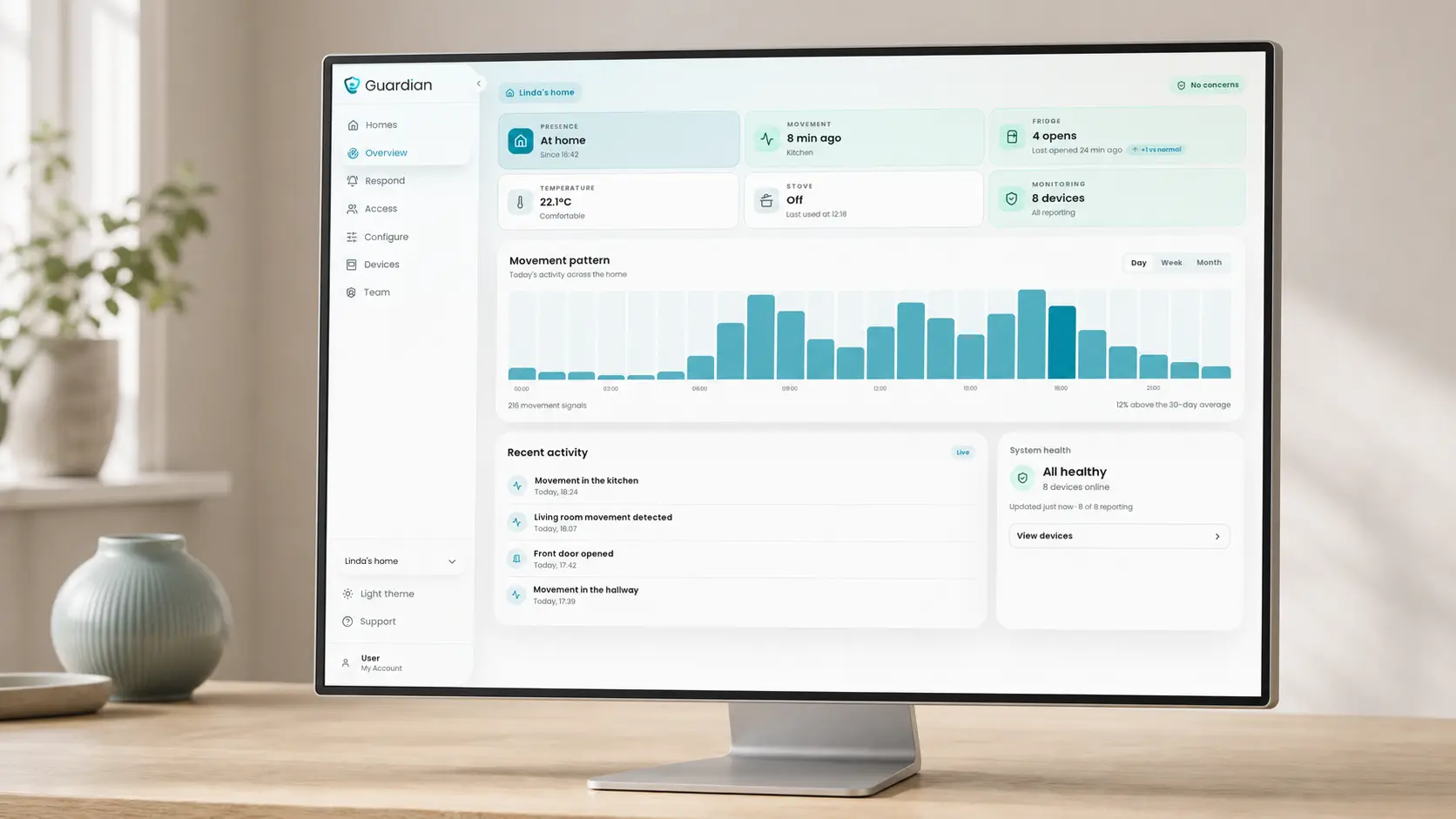
Passive monitoring suits residents whose safety cannot depend on remembering, reaching, or wearing a single device.
Residents at risk of night-time bed exits
People who may wander or enter restricted areas
Residents who cannot press an SOS button after an incident
People who prefer camera-free, passive monitoring
A wristband can add automatic fall detection, a manual SOS, and personal room-level location when it fits the resident’s care plan.
How location and alerts work
Indoor sensors create room-level context, while GPS wearables, vehicles, and asset trackers extend location awareness beyond the building.
Each event is linked to the resident, room, bed, wearable, vehicle, or asset that generated it.
A bed sensor identifies the bed linked to a night-time exit.
Motion sensors show activity in a room or hallway.
Door sensors identify exits and restricted-area entry.
A resident wristband sends SOS or fall alerts with the resident's room-level location.
Indoor alerts name the resident and linked room or bed, so staff know where to respond before they move.
Configured rules alert staff when an event needs attention.
Rules can cover:
No movement for a set period
A night-time bed exit
A building exit or restricted-area entry
A fall or manual SOS from a wristband
An expected routine event, such as fridge use, that has not occurred
The rules filter sensor activity before staff are notified. Routine movement does not trigger alerts by default.
Why it still works if wearables fail
Passive sensors keep sending activity signals when a wristband is unworn, out of reach, or cannot be used after an incident.
Room and bed sensors keep monitoring without a button press or wearable.
Passive sensors can flag a night-time bed exit or a monitored-door exit. They can also flag unusual inactivity or a missed routine event.
A night-time bed exit can still alert staff when the wristband is on a bedside table.
Monitoring has four layers, with passive sensors at its base and wristbands added where they suit the care plan:
Passive layer: bed, radar, infrared, door, fridge, and stove sensors monitor activity without cameras.
Resident layer: an optional wristband supports automatic fall detection, manual SOS, and room-level location.
Staff layer: a caregiver SOS wristband sends a location-aware request for help.
Portal layer: configurable rules turn sensor events into alerts for the right staff.
Residents can keep passive coverage while using a wearable for direct calls or automatic fall alerts.
What managers can prove with it
The Guardian Portal keeps a record of sensor events, emergency contacts, and routine alerts, each tied to a resident and location.
Managers can review:
Device activity and event timestamps
Alert history with resident, room, or bed context
Bed occupancy and room-activity indicators
Emergency contacts linked to the resident
During a review, the same record links a live alert to the event history.
For visits, shifts, and safety events, Guardian records what happened and where.
Automatic visit logs record caregiver arrival and visit duration.
Shift records compare scheduled and recorded timings.
Alert records retain the event and its room-level location.
Pilot reporting reviews response times, incident-prevention data, staff feedback, and ROI.
Managers can assess their own workflow before expanding Guardian.
Setup, rollout, and proof
Deployment starts with wireless sensors and portal setup. The pilot record informs any wider rollout.
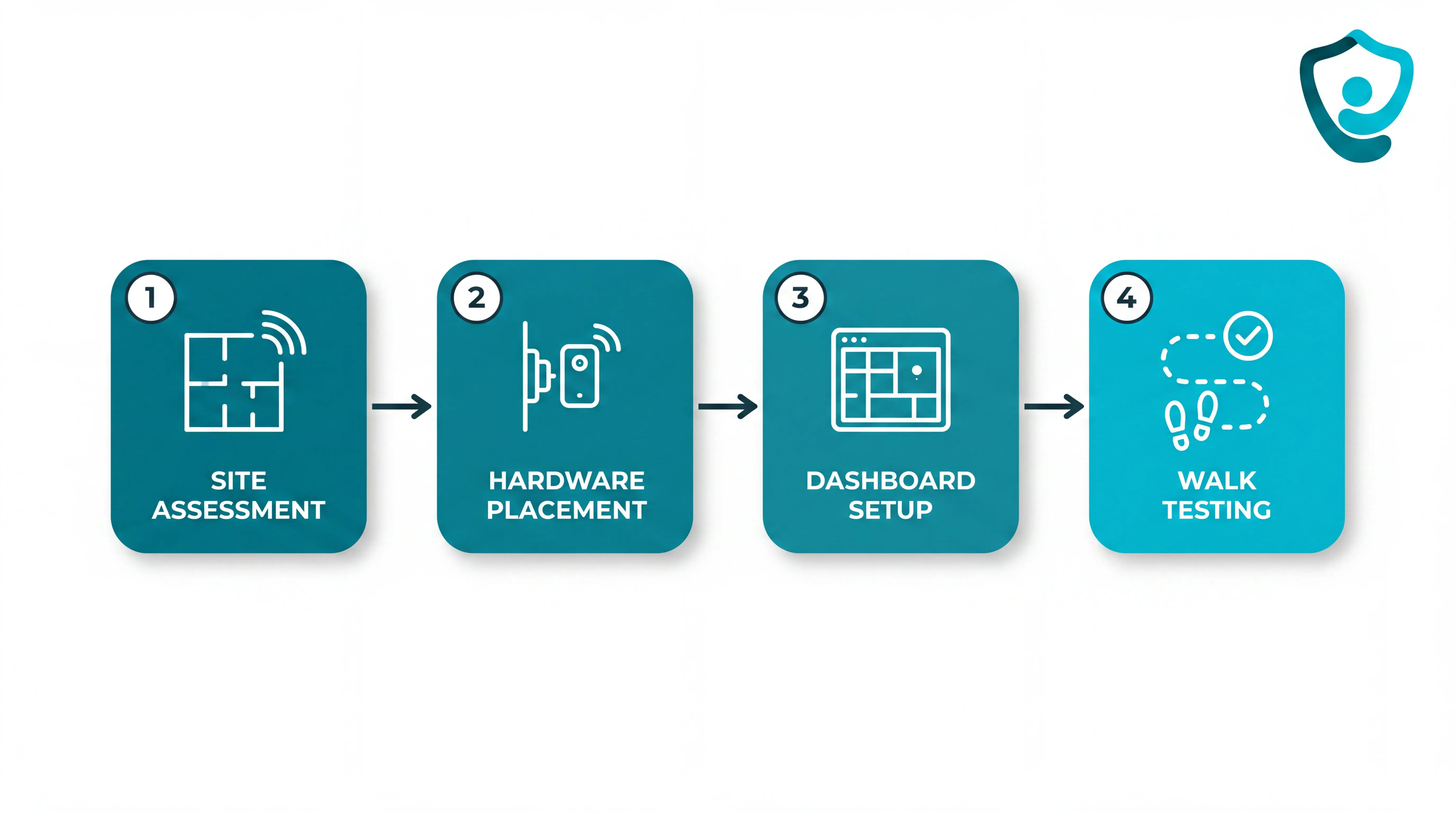
Wireless, camera-free setup avoids cabling and room surveillance.
Guardian maps the care workflow and selects priority rooms, beds, or home care use cases.
The facility floor plan is digitised in the portal.
The central hub and pre-configured sensors are installed.
Alert rules and delivery to existing phones, tablets, or nurse-station computers are tested.
Each installed sensor is linked to the resident’s location before monitoring starts.
A 6–8-week pilot runs in one ward, home, or care team. Guardian and the care provider agree the scope and measurement plan before installation.
The pilot includes:
Workflow mapping and use-case selection
Managed setup and staff training
Measurement against the agreed operational goals
A written impact, ROI, and rollout report
The pilot defines the operational scope and measures the case for rollout. Commercial terms for wider deployment follow that scoped work and the final ROI report.
The pilot record informs the rollout decision.
The final report includes:
Response-time records for the events in scope
Incident-prevention data recorded during the pilot
Staff feedback on the live workflow
An ROI calculation and recommendation for the next ward or team
You decide whether to expand with the pilot record in front of you.
2. AngelSense GPS Tracker
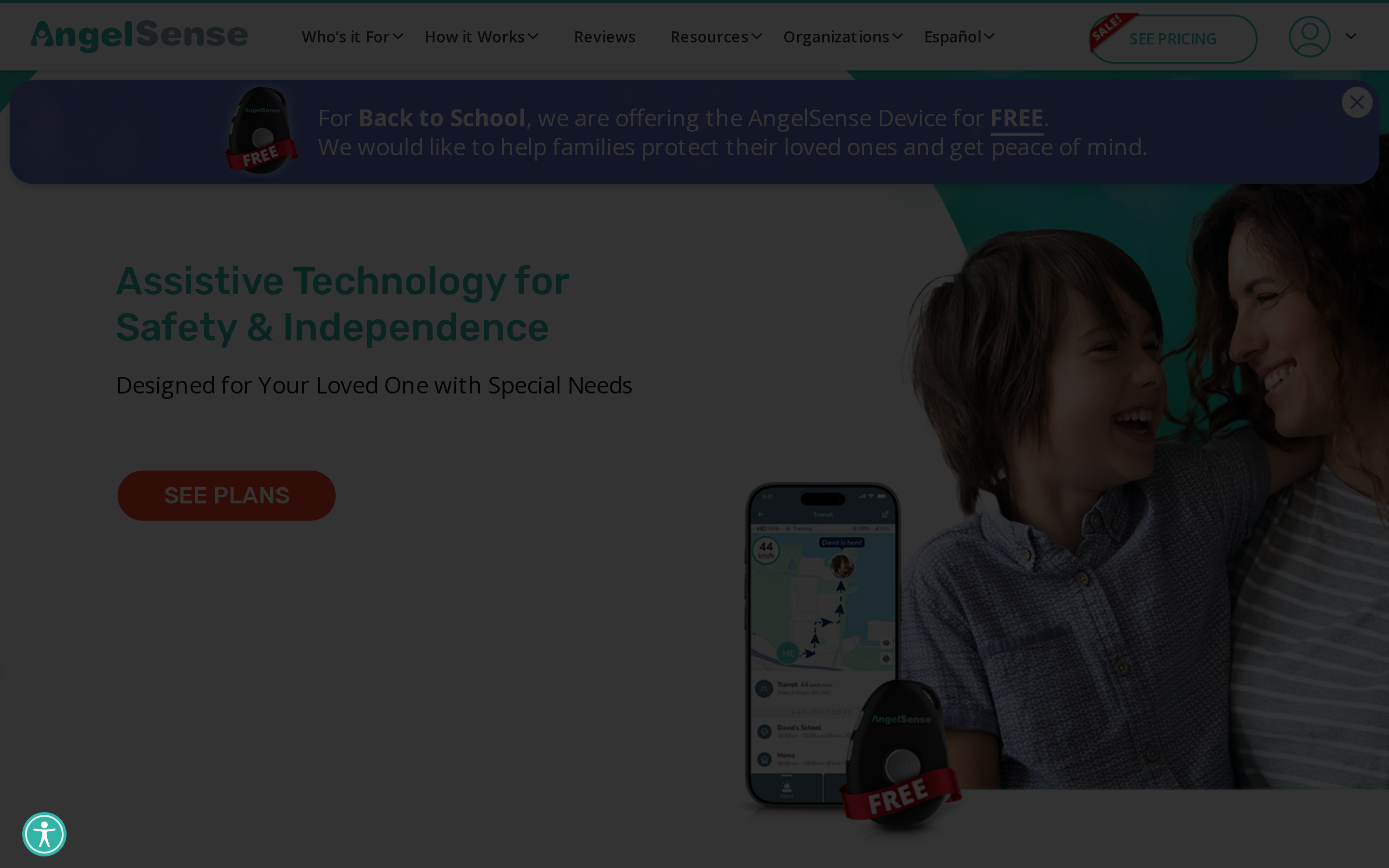
AngelSense combines live GPS, proactive safe-zone alerts, an SOS button, and an auto-pickup speakerphone. Secure wearing accessories support people at high risk of wandering.
That design can help when wandering risk is high, but it also creates a daily routine for the person managing the device.
Active caregiver monitoring
Active caregiver supervision is central to AngelSense. The device can support a wandering-risk response plan when someone can monitor notifications and act on them.
Alerts need a response plan
Location and response stay caregiver-led:
Live map: follow the wearer’s current location during movement
Geofence alerts: receive a notification when the wearer leaves a defined safe zone
Location history: review where the wearer has been after an incident
Two-way voice: speak with the wearer while arranging an in-person response
The alert is only the first step. A caregiver must interpret it and coordinate the next action, so the tracker works within a response plan rather than replacing one.
Keeping the device on
Secure attachment reduces the chance of the device being left behind, but the wearer still has to tolerate visible body-worn hardware.
Charging and correct placement become part of the caregiver’s routine. The caregiver must also watch battery status and alerts consistently.
Ongoing cost and daily burden
AngelSense lists service at $64.99 month to month, $49.99 monthly with a one-year contract, or $44.99 per month paid annually. Device cost depends on the selected wearable.
The month-to-month plan has no contract; the lower monthly rates use annual terms. Secure placement, charging, and alert monitoring remain part of the caregiver’s routine.
3. Tranquil GPS Watch
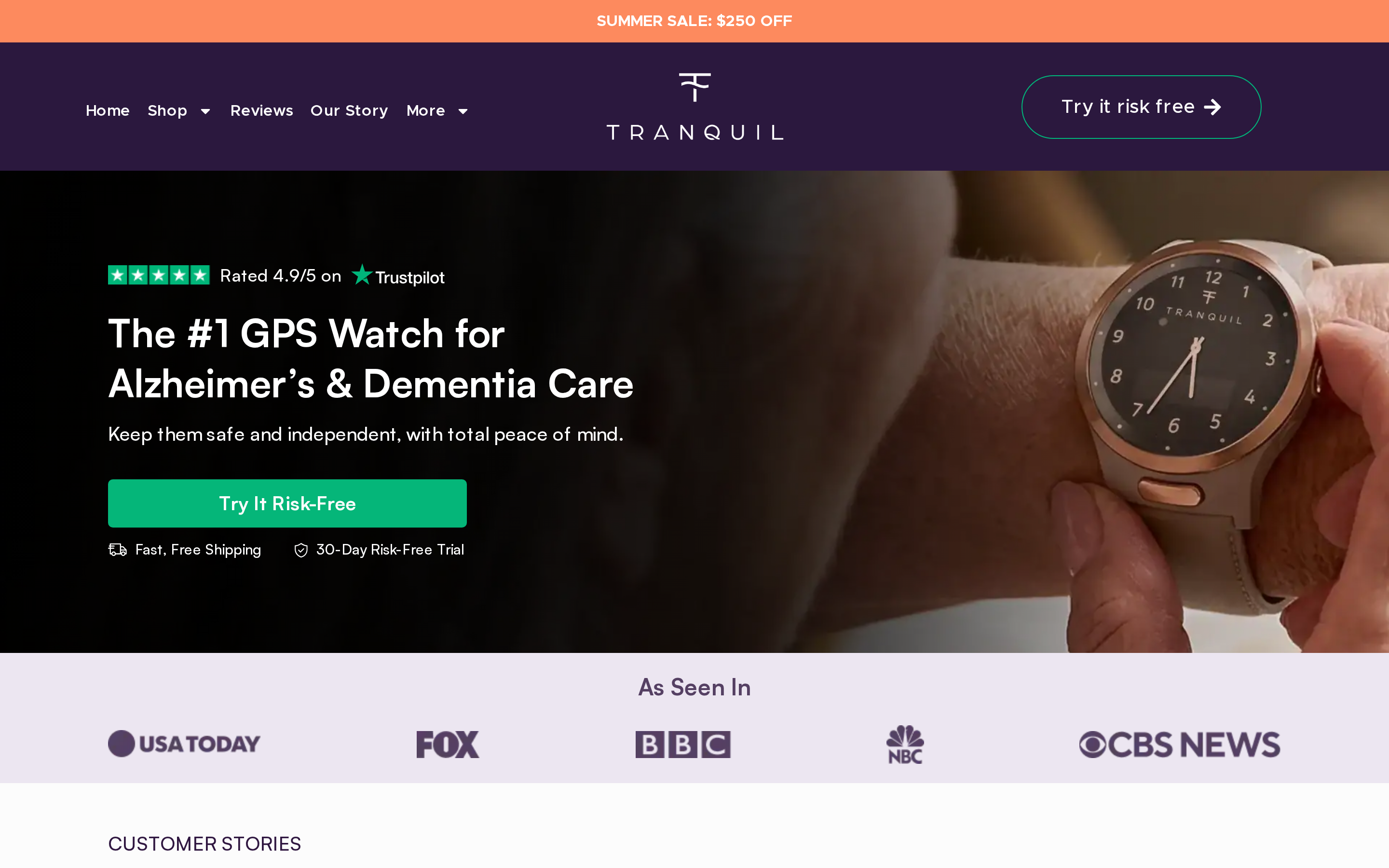
A Tranquil GPS Watch puts location sharing and an SOS control on the wearer’s wrist. Confirm how the supplier routes alerts before relying on the device.
The wrist design gives the wearer access to SOS, but it remains visible. GPS SmartSole hides tracking in footwear, while Jiobit attaches to clothing or belongings.
A wrist device requires acceptance
A visible watch requires acceptance of wrist wear and an understanding of the SOS control. Family members can use location sharing as part of a defined response plan.
Family members get the clearest use from Tranquil when the wearer understands the SOS control and accepts regular location checks. Test the watch through a normal day before making it part of the response plan.
Removing the watch or struggling to press SOS limits its role in the response plan.
Location updates and SOS
Location reporting reaches caregivers, while the SOS control lets the wearer request help from the wrist.
Remote location depends on the watch continuing to report. Test refresh timing across the places the wearer visits, then check how Tranquil reports an offline device.
Tranquil’s SOS control lets the wearer request help from the wrist. Confirm four response details with the supplier:
Recipient: who receives the SOS alert
Voice: whether the wearer can speak through the watch
Escalation: when emergency services are contacted
Failed connection: what happens if the watch is offline
Wear test and daily checks
Comfort, charging, and continued wrist wear determine whether the watch reports location when needed.
Build adoption around the wearer’s existing habits. Someone who removes watches at night or dislikes a wristband should complete a normal-day wear test before Tranquil becomes part of the response plan.
A household routine should cover four checks:
Worn: Confirm the watch is on before the wearer leaves.
Charged: Recharge it on a fixed household routine.
Connected: Check that location updates are arriving.
Tested: Test SOS using the supplier’s instructions.
Commercial terms and operating limit
Ask the supplier for one written quote covering the watch, connectivity, monitoring, minimum term, and cancellation conditions.
The quote should separate:
Watch hardware: purchase or rental cost
Connectivity: any required cellular service
Monitoring: any recurring response fee
Contract: minimum term and cancellation conditions
A removed or flat watch interrupts the workflow. An offline watch can do the same.
Repeated removal is a practical problem in dementia care. GPS SmartSole conceals the tracker, though it still depends on the right shoes.
4. Jiobit Smart Tag
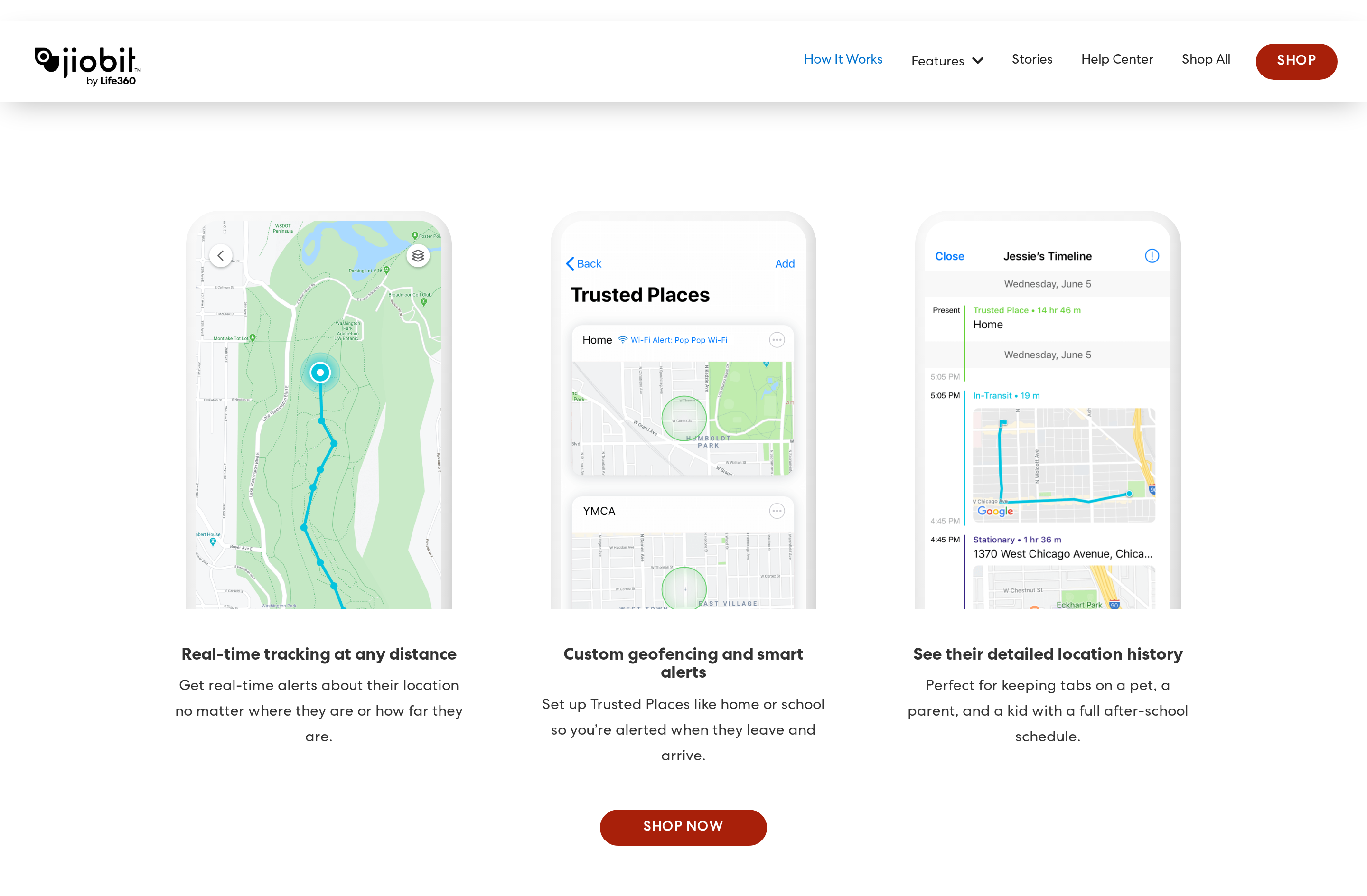
Jiobit Smart Tag gives a care team live location, trusted-place alerts, location history, and flexible attachment in a small tag.
Attachment is the central trade-off. A tag clipped to clothing or placed in a bag can follow the item after it separates from the person.
Discreet location monitoring
Jiobit supports caregiver-led location and boundary monitoring during outings or transport.
Jiobit also offers an alert button and SOS functions. Confirm which features and emergency services are active in the selected plan before making them part of the response path.
Unlike the Tranquil GPS Watch, Jiobit uses a small attached tag rather than a wrist display. That changes how the wearer starts an alert and how caregivers verify placement.
Location workflow and response
The phone app puts location and safe-zone alerts in the caregiver’s hands. Location history supports follow-up after an alert.
Caregivers use four parts of the workflow:
Location: Jiobit combines GPS and cellular positioning, with Wi-Fi and Bluetooth contributing indoors.
Safe zones: Phone notifications tell caregivers when the tag enters or leaves a defined place.
Location history: Caregivers can retrace movement before an alert.
Response: The caregiver checks the app, while enabled alert-button or SOS functions can start a separate help path.
Indoor readings depend more on nearby Wi-Fi and Bluetooth signals than GPS. Treat them as location guidance rather than room-level proof.
The caregiver remains responsible for location alerts and safe-zone response. Do not assume the selected plan includes active emergency dispatch without confirming it.
Attachment and charging
Less visible than a watch, the tag still has to stay with the older adult.
Attachment determines whether Jiobit follows the older adult or a separate item.
Check that the tag is with the person whenever it is clipped to removable clothing or stored in a bag.
Jiobit needs regular charging. Build charging into a repeatable care routine, then reattach the tag and verify its placement before the person leaves.
Cost and direct-help limit
Jiobit lists the device at $99.99 plus a monthly subscription. The service plan supports live location, alerts, and location history.
Current device and subscription costs belong in the operating budget because the service plan recurs.
The tag uses a small wearer alert control rather than a large medical-alert button. Test whether the person can find and activate it under stress.
For someone living alone, confirm whether the selected Jiobit plan provides the escalation path they need, not only caregiver location sharing.
5. GPS SmartSole
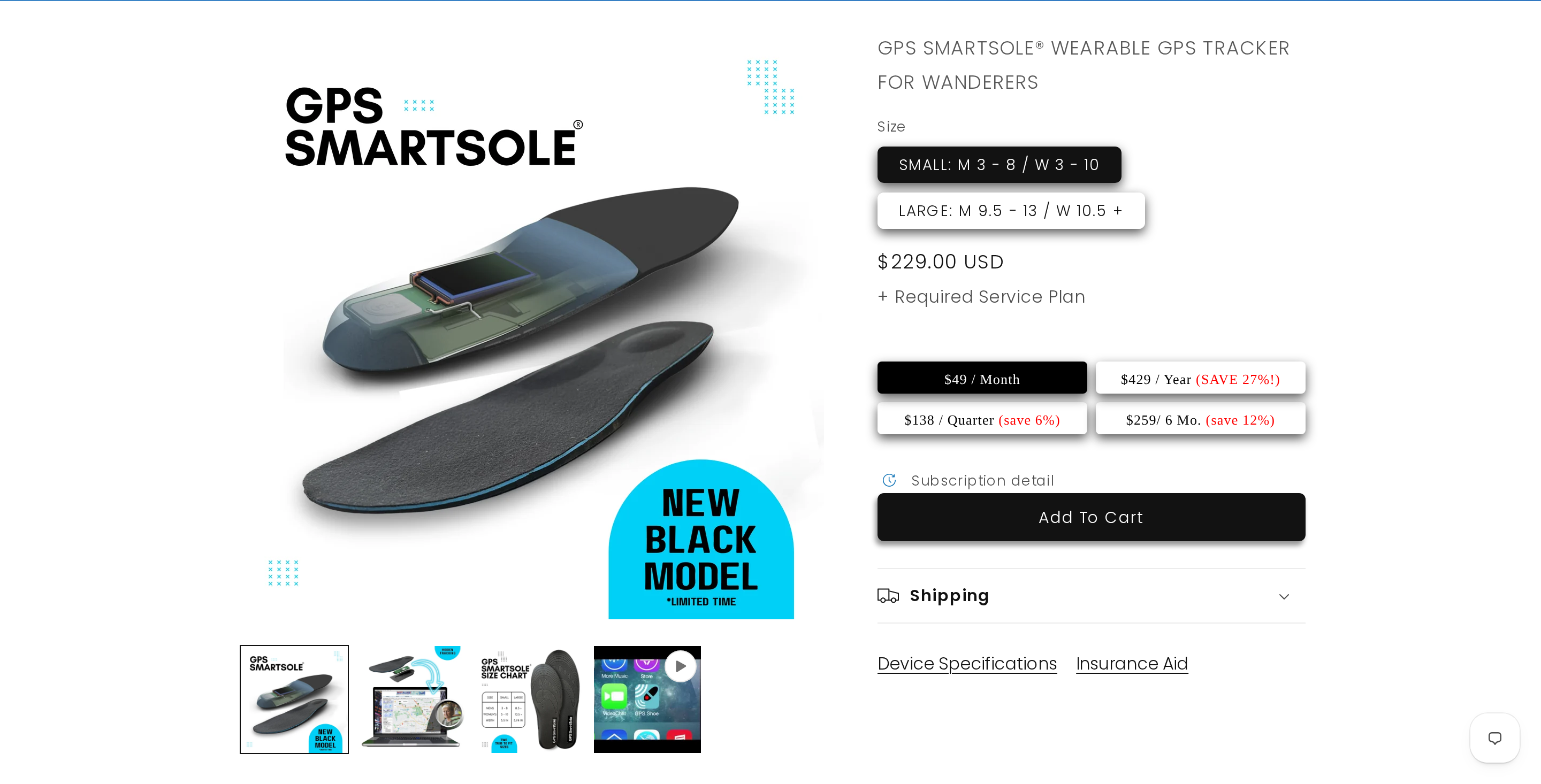
GPS SmartSole seals a GPS tracker inside a water-resistant shoe insert, keeping the device out of sight.
The setup can help when visible watches, pendants, or clip-on devices are removed.
That concealment only helps when the insole stays in the footwear actually worn. Tracking reliability falls when the person switches to slippers, sandals, or another pair.
Hidden placement and daily shoe use
Hidden placement matters when a person removes visible wearables but keeps the same shoes on.
Caregivers can check the shoe’s location without asking the wearer to carry a separate tracker.
Practical boundary
Visible watches only retain location data while they remain on the wrist. The insole does not give the wearer a direct SOS button or calling workflow.
Location checks and response limits
Caregivers can view location history and receive geozone alerts by text or email through the app or web portal.
Four conditions shape how well that response workflow works:
Location: GPS tracking is most useful outdoors or while travelling away from home.
Geofences: Boundary alerts matter only when a caregiver can respond after the wearer leaves the expected area.
Emergency help: The insole does not create a direct SOS or calling flow for the wearer.
Facility coverage: It is not room-level indoor incident monitoring or a staff-routing system.
The daily shoe routine
The insole only works when it is charged and inside the shoes the older adult wears that day.
Daily reliability depends on a consistent care routine:
Use the tracked pair: If the person leaves in slippers, sandals, or another pair, the tracker stays in the unused shoes.
Check the footwear: Confirm the insole is inside the shoes the person is likely to wear.
Assign charging: Make one caregiver responsible for keeping the tracker charged.
Check the fit: Keep the insole correctly positioned so the footwear remains comfortable enough to wear.
Cost and the trade-off
SmartSole uses a no-contract cellular service plan. The supplier recommends daily charging; a charge can last 2–4 days depending on use.
Compare the total service cost over the intended ownership period, including the insole and ongoing cellular tracking.
If a wandering event begins in footwear without the insole, the caregiver sees the tracked shoes rather than the person.
Before committing
Confirm the person wears one pair consistently and a caregiver can own charging plus geofence response.
6. Theora Connect
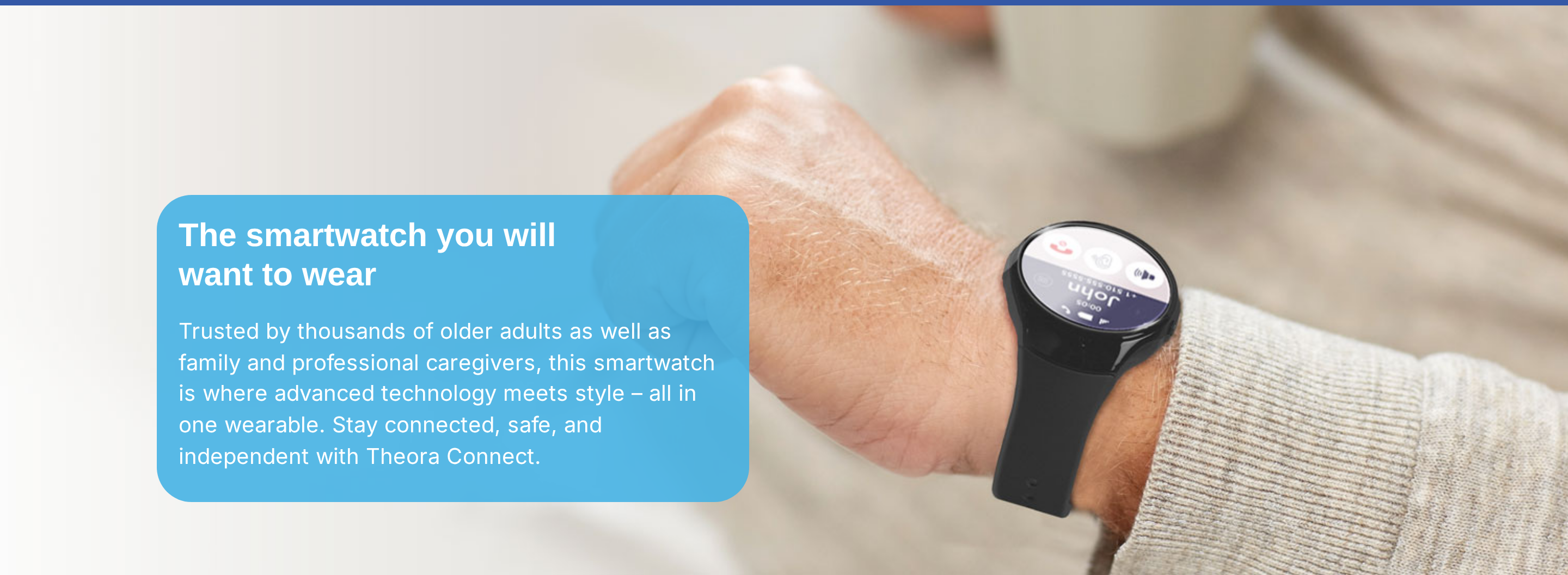
Theora Connect combines GPS tracking, smart fall detection, emergency SOS, hands-free auto-answer calling, and a caregiver app in a wrist-worn watch.
Its visible format makes wear status easy to check, but protection still depends on consistent wear and charging.
The familiar shape can fit an existing watch routine. The device can still be removed, forgotten, or left charging.
A visible watch routine
Theora Connect keeps location sharing and emergency contact controls on the wrist.
A familiar watch shape is easier to explain to someone who already wears one daily, and its presence is easy for a caregiver to confirm at a glance.
Removal risk still matters. A concealed or secured tracker addresses that risk more directly for someone who frequently takes wrist devices off.
Location, contact, and indoor limits
The caregiver app provides location and communication, while the watch supports SOS, fall alerts, and hands-free contact.
Confirm the exact caregiver workflow before relying on Theora Connect:
Location access: who can see the wearer and how often location refreshes
Emergency contact: whether the wearer starts a call or alert from the watch
Escalation: what happens when the first caregiver misses an alert
Battery status: whether a caregiver can see when the device is low or offline
Treat GPS watches as outdoor whereabouts tools rather than room-level indoor systems. Buildings can weaken satellite positioning, so confirm how Theora Connect reports indoor or no-signal periods.
Wear and charging checks
Charging habits, comfort, and consistent wear determine whether Theora Connect is available when needed.
The wearer can take the watch off for bathing or sleep, then forget to put it back on. Charging creates another failure point because the device can stay on the charger or run flat.
A fixed handoff reduces both risks. One person owns charging and confirms that Theora Connect is back on the wrist before the older adult leaves.
Commercial terms and daily limitation
Theora sells individual bundles online and quotes customised business deployments separately. Review the bundle and subscription together.
Review the published plan details alongside the service terms:
Individual hardware: wearable bundles are sold through Theora’s online store.
Service: check the subscription attached to the selected wearable bundle.
Caregiver access: confirm the family or professional accounts included with Theora Link Pro.
Business deployment: organisations receive customised system pricing.
Support: help with setup or device faults
Location or contact functions stop helping when the watch is off the wrist, uncharged, or left behind.
7. MGMini by Medical Guardian
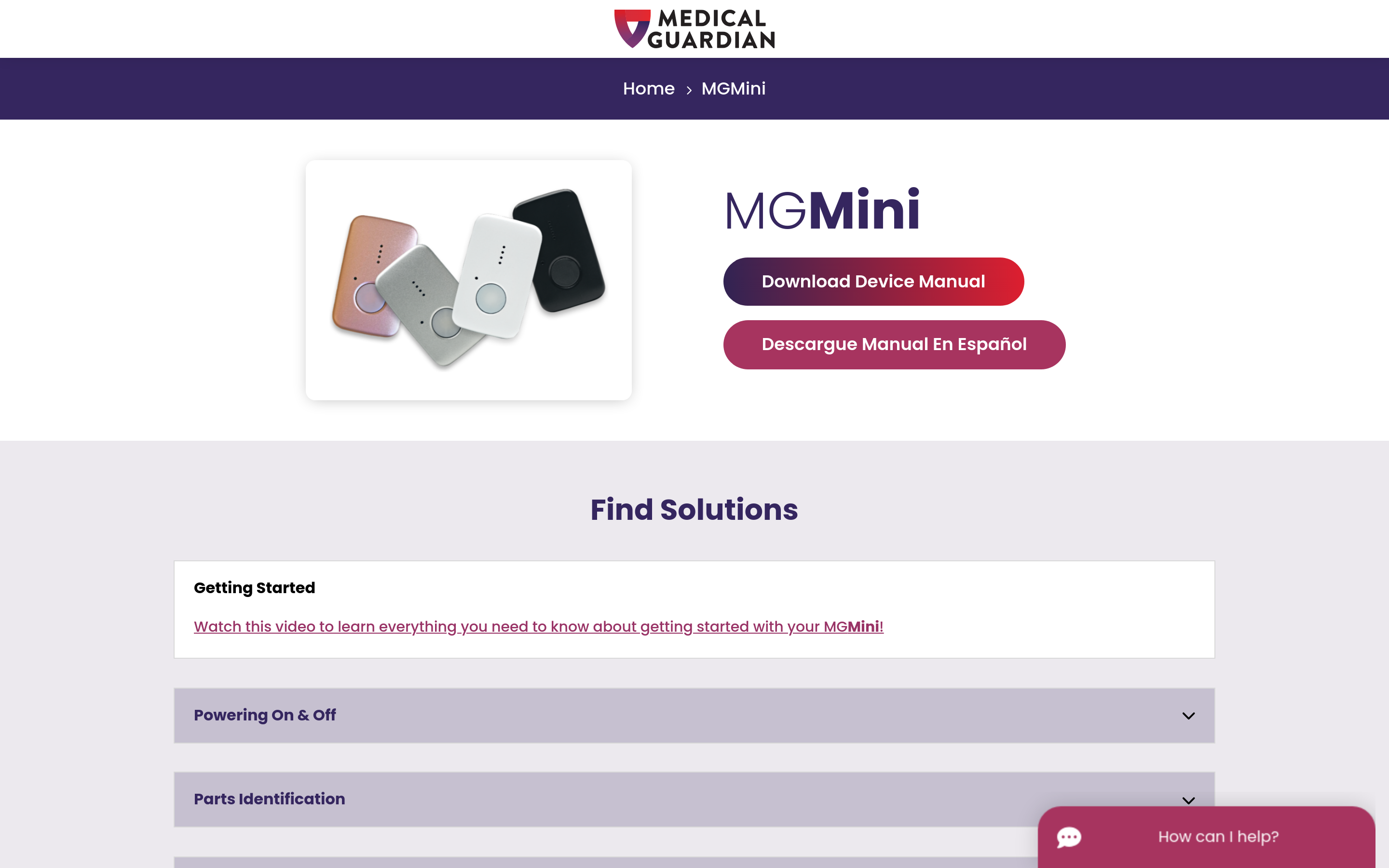
MGMini pairs a wearable help button with GPS location checks and monitored emergency response.
Medical Guardian offers fall detection as an add-on. Manual SOS still gives the wearer a direct way to start a monitored response.
MGMini by Medical Guardian combines mobile GPS with a one-button connection to a 24/7 monitoring centre.
What the pendant covers
MGMini supports time away from home, including walks and errands, when the pendant stays with the wearer.
That makes MGMini relevant for walks, errands, and travel with limited supervision. The workflow assumes the wearer notices an emergency and can use the help button.
Reliability falls when the pendant is not with the wearer or an emergency is not recognised.
Location checks and automatic fall response
A caregiver can check the pendant's location during an outing. MGMini's location feature is not continuous live tracking.
A missed arrival or unanswered call is the clearest use case. The caregiver can look up the pendant's location during the outing.
Pressing the help button starts a monitored response. When the fall-detection add-on recognises a fall, it can create an automatic alert without a button press.
Keeping the pendant usable
Daily use relies on the pendant being worn, charged, and kept with the older adult.
The dedicated button keeps the interface simple for someone who does not want a smartwatch screen. Comfort still determines whether the pendant remains around the neck.
Upkeep centres on two checks:
Battery: Recharge MGMini before it runs flat, because a dead battery removes GPS and help-button access.
Wear: Confirm the pendant leaves home with the wearer before each outing.
Subscription model and limitation
Subscription billing covers MGMini's monitored service. The main limitation is wear and charging: fall detection can alert automatically, but the pendant cannot help when it is left behind or flat.
Ask Medical Guardian to separate the recurring monitoring fee from any equipment or activation charge. That breakdown lets you compare ongoing service cost with a one-time item tracker.
Fall detection does not recognise every event. If the wearer can act, Medical Guardian advises pressing the help button even when fall detection is enabled.
8. Bay Alarm Medical Mobile GPS Help Button
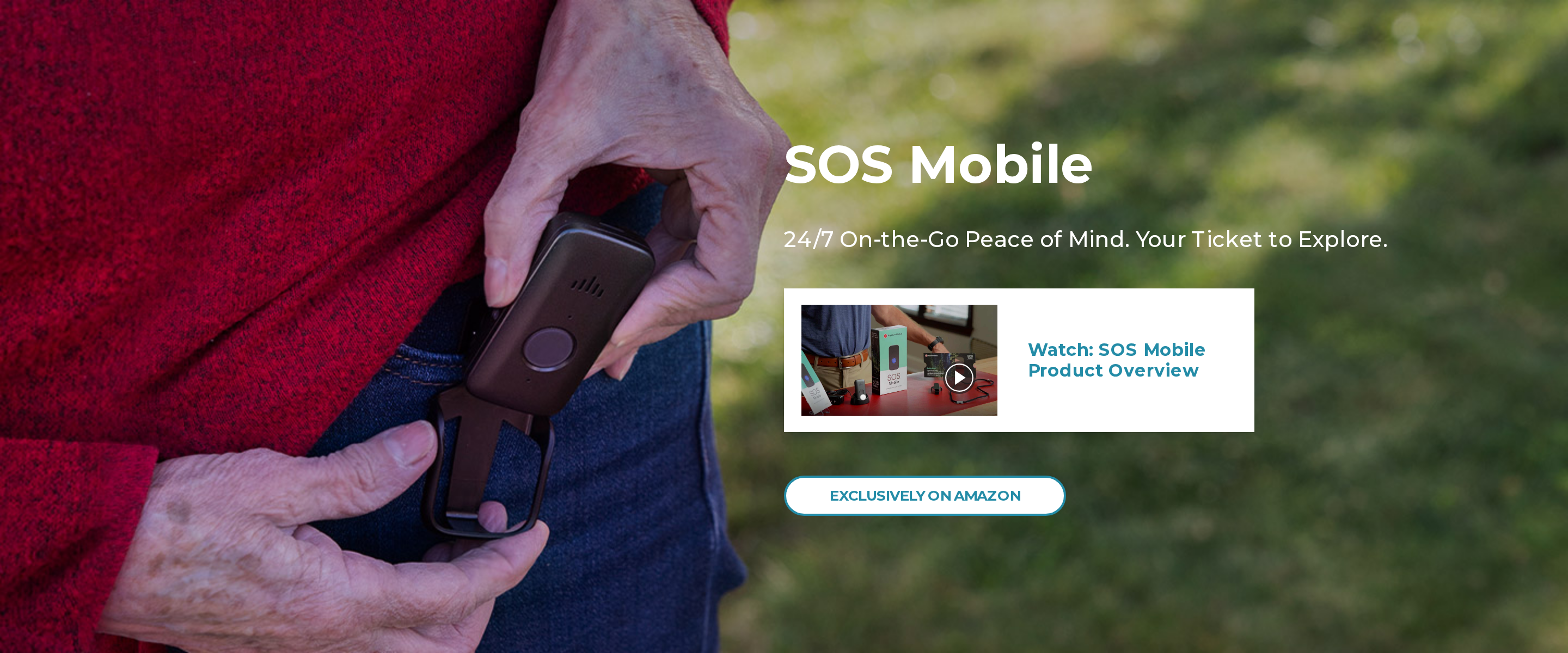
Bay Alarm Medical SOS Mobile uses GPS, Wi-Fi, and cellular location to support a monitored response after a button press or enabled fall alert.
The mobile device has optional automatic fall detection alongside its manual SOS button.
Bay Alarm Medical is an emergency-response service, not a passive routine-monitoring system.
Everyday use
Manual SOS depends on the wearer recognising the emergency and pressing the button. Optional fall detection provides a separate automatic path.
Everyday use relies on four practical conditions:
Independent outings: The pendant can travel with the wearer on walks or errands.
Emergency location: GPS can confirm the wearer's location after an alert begins.
Manual response: The wearer presses the help button; enabled fall detection may alert automatically after a recognised fall.
Individual use: Bay Alarm Medical centers on individual seniors and families rather than multi-resident care operations.
During an SOS alert
During an SOS alert, GPS gives the monitoring service location context, particularly when the wearer is away from the home base unit.
Pressing the help button starts the response chain. The monitored SOS service receives the emergency request with location context.
GPS does not flag inactivity or missed routines. Optional fall detection is separate from routine monitoring.
Daily wear and charging
A lanyard keeps the pendant visible for caregivers, but it is more conspicuous than a watch or hidden tracker.
That visibility can help with daily checks. The wearer can still remove the lanyard or leave it behind before an outing.
The daily routine needs four checks:
Wear it: Put the pendant on before leaving home.
Keep it reachable: Make sure the wearer can press the button without assistance.
Charge it: Return the rechargeable unit to its charger on schedule.
Verify it: Confirm the device is charged before the next outing.
Leaving a charged pendant on a dresser defeats the mobile alert. That daily dependency shapes the service trade-off.
Service terms and limits
SOS Mobile requires a subscription for monitoring and connectivity. Bay Alarm Medical states that plans have no long-term contract and include a 15-day trial period, not 30 days.
The charged device still has to stay with the wearer. Fall detection may start an alert after a recognised fall, but it does not monitor inactivity or routine changes.
9. Apple AirTag (2nd generation)
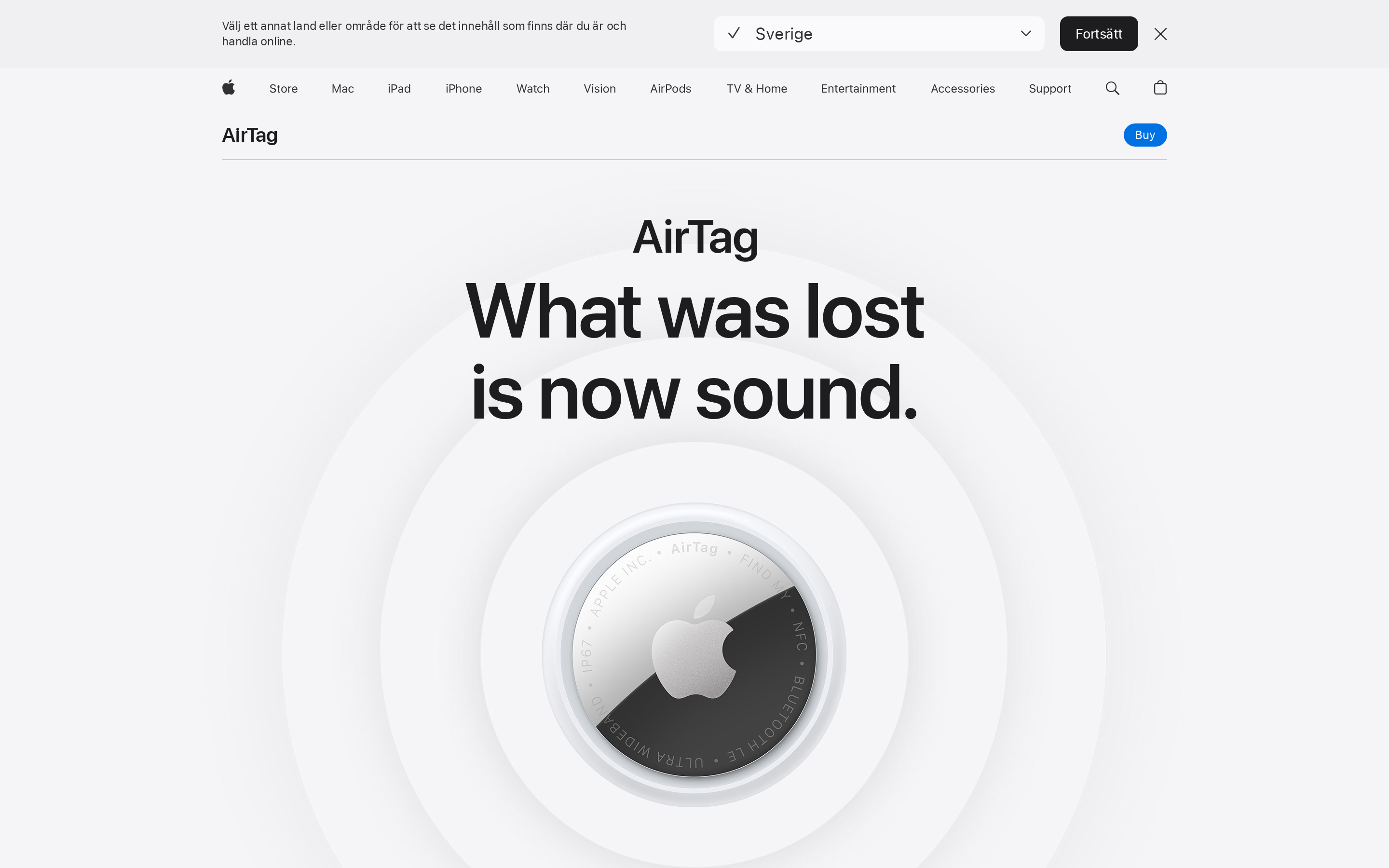
AirTag (2nd generation) is a Bluetooth item finder for belongings. It does not monitor wellbeing or connect a wearer to emergency response.
Compared with a dedicated elderly safety tracker, AirTag leaves out:
Its own cellular connection: location depends on nearby Apple devices
An SOS control: the person cannot start a help call from the tag
Emergency response: there is no caregiver calling or dispatcher path
Care integration: alerts do not feed into care-facility workflows
What an AirTag can locate
An AirTag can be attached to belongings an older adult carries. It helps locate misplaced items.
Useful attachment points include:
Keys or a wallet
An everyday bag
A coat pocket
A mobility aid with a secure holder
An AirTag cannot provide an immediate safety response:
Wandering risk: Find My updates are not continuous GPS-style supervision
Falls or emergencies: the tag cannot detect an incident or summon help
Reliable wear: a removable tag can be forgotten, detached, or left with an item
How Find My updates arrive
Find My relies on nearby Apple devices to relay an AirTag’s position.
Find My update timing depends on nearby Apple devices passing close enough to relay a position. Updates can be less predictable in rural areas or quiet indoor settings.
Precision Finding is a short-range aid once a caregiver is already near the AirTag.
Location finding ends the workflow. AirTag has no tools to detect an incident or coordinate help:
Fall detection
Two-way voice calling
An SOS button
Caregiver geofence alerts with an escalation path
Carrying and maintenance
Because an AirTag attaches to an item rather than a person, it can be misplaced or removed during continuous supervision.
AirTag is designed for belongings and includes unwanted-tracking alerts. Do not attach one to a person covertly; seek consent where the person can provide it.
A coat or trouser pocket
A bag compartment
A shoe pouch
A walker pouch
A third-party band, clip, or holder
Each attachment remains removable, so the tag may be left behind. The holder needs checking as part of upkeep.
A replaceable coin-cell battery lasts more than a year under typical use. Families still need to check that the tag and holder remain with the intended item.
Apple’s Find My app handles setup and tracking.
Cost and safety boundary
Apple lists AirTag from $29 in the US with no monthly tracking service. That lower cost does not create an emergency response path.
Hardware purchase: it is generally bought once rather than paired with a cellular plan
No monitoring service: there is no emergency response subscription
Accessory cost: a holder or wearable mount may be needed
A location update does not trigger help:
AirTag cannot detect a fall or open a two-way call.
AirTag cannot escalate an unsafe exit.
Which type fits your situation?
Choose by the response problem, not only the wearable format. Outdoor recovery, indoor incidents, monitored emergencies, and low-risk item finding need different systems.
Outdoor GPS is enough: Use a charged cellular tracker when the main need is finding one person after they leave an expected area and a caregiver can respond.
Indoor context is needed: Add room, bed, door, or motion sensing when incidents may begin inside and safety cannot depend on one wearable.
Professional monitoring is needed: Use a monitored help button when the wearer needs a response centre to answer SOS or fall alerts before contacting local help.
Do not rely on a tracker alone: Stop and redesign the plan when the device is regularly removed, coverage fails, or nobody can own alerts, charging, and escalation.
Set up a response plan before you rely on one
A response plan names the primary responder, backup, escalation rule, and authorised location viewers. Record the local emergency number, consent basis, and test results before relying on the tracker.
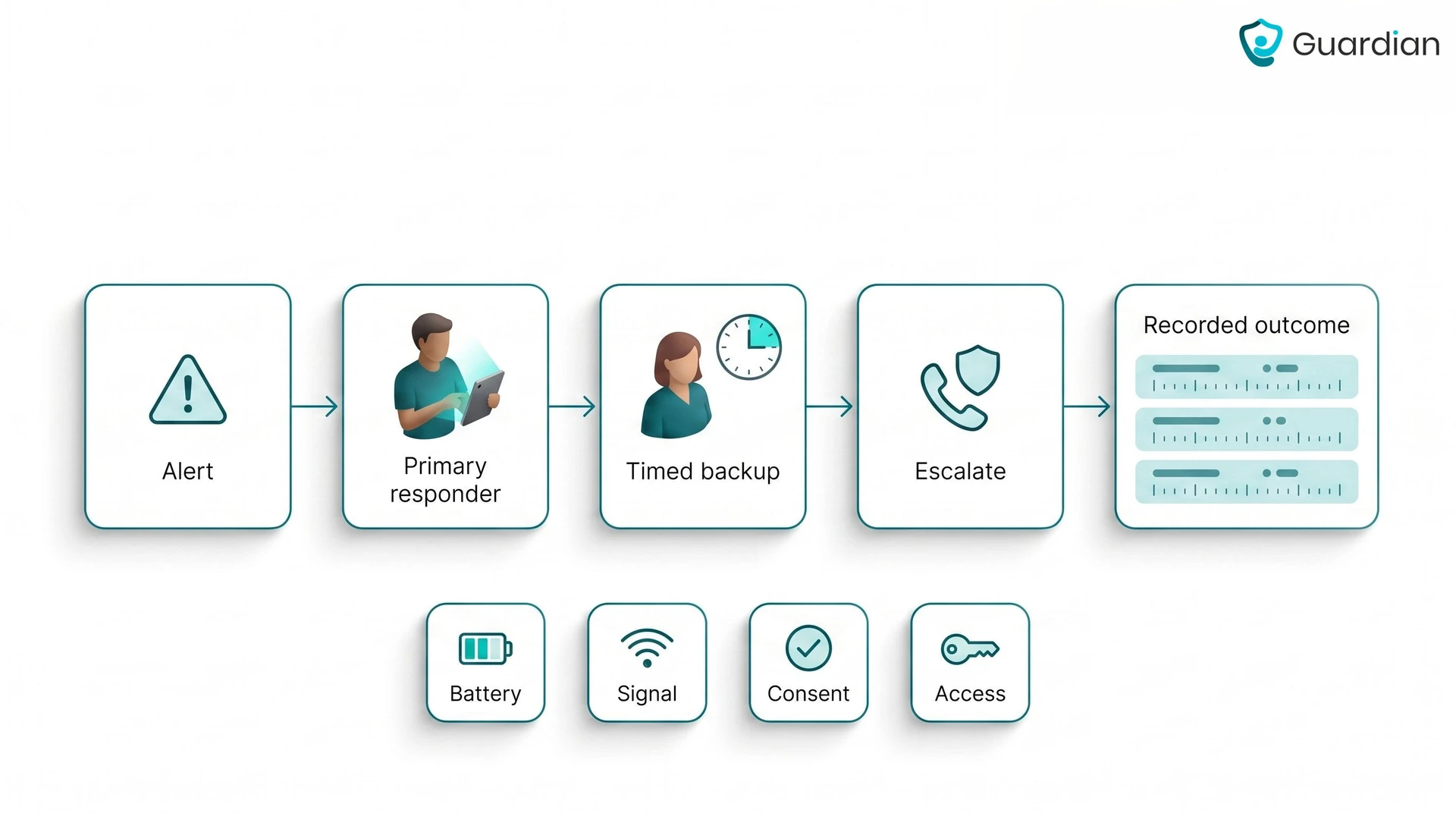
Name the primary responder. Assign one person or role to receive, acknowledge, and investigate the first alert.
Name the backup responder. State how long the primary has to acknowledge an alert before ownership transfers.
Set the emergency rule. Call local emergency services for immediate danger or suspected serious injury, using the location-specific number and escalation process in the plan.
Classify alerts. Start the emergency response immediately for:
An SOS press
A safe-zone exit
Movement at unusual hours
Handle an offline device or low-battery warning as a maintenance alert unless the person is already missing or at immediate risk.
Define the response window. State when the backup takes over, then test that timing with a live alert and an offline-device event.
Prepare a response packet. Keep one paper copy and one access-controlled digital copy containing:
The person’s full name and a recent photo
Their home address
Communication and medical needs
Emergency contacts
Usual routes and likely destinations
Assign device checks. At each agreed handover, a named person confirms the battery, connection, and whether the tracker is worn or carried.
Use a non-wear fallback. If the tracker is absent or unusable, start the agreed alternative:
A scheduled call
An in-person visit
An agreed neighbour check
Passive home or facility monitoring
The backup confirms that the fallback happened and records the result.
See GPS alerts, visits, and response times in one place with Guardian
Guardian brings indoor context, outdoor location, staff response, verified visits, and response-time records into one provider workflow.
Each indoor sensor is linked to a room or bed on the digitised floor plan. Alerts arrive with the resident’s name and linked location.
Route the response: Staff open an alert with the linked room or bed, while GPS wearables and trackers support movement beyond the building.
See the shift: The portal pairs active alerts with device activity and automated visit records; managers review response performance in the same interface.
Reach staff: Web-based alerts go to the smartphones, tablets, and nurse-station computers your staff already use, with no extra pager required.
Measure the pilot: A 6–8-week pilot ends with written analysis of response times, incident-prevention data, and staff feedback.
Plan the rollout: The final report includes an ROI calculation and a written recommendation for expansion beyond the pilot area.
They can help when the device suits the person and someone is ready to respond. For dementia or Alzheimer’s, consider removal risk, charging, indoor coverage, consent, and what happens after a safe-zone or SOS alert. A tracker supports a response plan, but it does not replace supervision or care.
A watch is easier to check and can provide a clear SOS control, but it may be removed or left charging. A tag is smaller and more flexible, although it can follow a coat or bag instead of the person. Test either option through a normal day before relying on it.
Yes, if the GPS tracker has a companion app. Check how often its location updates, who receives alerts, and who can respond.
Hey Mom App is a separate, coming-soon app for calls, shared reminders, and updates the person chooses to share. It is not an emergency tracker.
Some devices add fall detection, SOS, activity signals, or reminders, but most GPS trackers do not provide full health monitoring. Check exactly what the device records and whether an alert reaches a family member, monitoring centre, or care team.
They can be useful when an older adult regularly removes visible watches or pendants but consistently wears the same shoes. The trade-off is that the tracker follows the footwear, not the person, and usually lacks a direct SOS button. Charging and daily shoe checks still need a named owner.

Author
Aleks Timm
Aleks Timm leads Guardian and builds privacy-first operations technology for care homes and home care providers. Teams get location-aware alerts they can act on, clearer situational awareness, and measured insight into how care work actually runs.
Read MoreRecommended reads
Keep reading
Indoor positioning systems for care homes
Indoor positioning systems for care homes help staff locate falls, exits, and nurse calls by room or bed, improving response,...
Read more
WiFi nurse call system guide for care homes
WiFi nurse call systems explained: alerts, clean records, and no wiring—compare options and choose the right setup for your care...
Read more
Remote patient monitoring: a complete guide
Remote patient monitoring: the complete guide to sensors, benefits, and buying tips for safer care homes and better resident...
Read more