

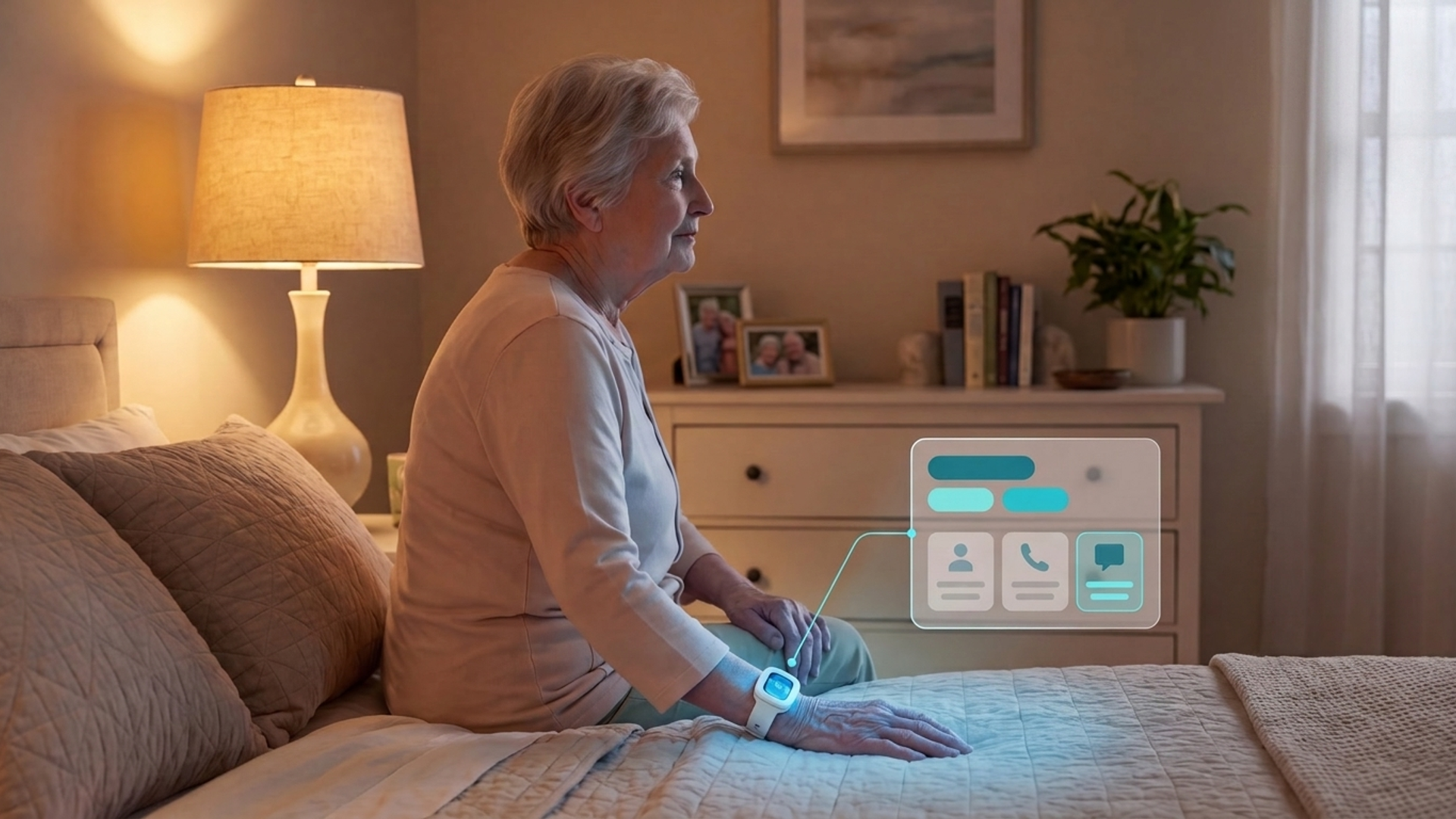
Fall Detection Devices That Call Family or Responders
In this article
A fall detector may alert family, assigned care staff, a monitoring center, or emergency services. The route matters as much as automatic detection when the wearer cannot press a button.
Check who receives the first alert, what context they receive, and what happens when nobody responds.
This comparison follows each alert from detection to response, including any monitoring-center or emergency-service handoff before family is notified.
Comparison criteria: Alert routing and automatic backup carry the most weight. Coverage, wear gaps, family visibility, and service requirements also matter.
Alongside the consumer watches and pendants, Guardian represents the professional-care model in this comparison. It is a camera-free monitoring platform for care homes and home care teams, combining staff alerts, visit records, and a shared operations view. Learn about Guardian for home care.
Quick picks by contact model
Choose a contact model based on who must act first after a fall.
Direct to assigned care staff: Guardian sends fall or SOS alerts with the resident's name and room to staff devices, backed by wearable and passive room sensors.
Monitoring center first: Bay Alarm Medical SOS Smartwatch, Medical Guardian MGMove, Lifeline On the Go, and UnaliWear Kanega Watch route the event to trained agents before contacts are notified.
Emergency services first: Apple Watch calls emergency services after an unresponsive hard-fall alert, then messages emergency contacts when the call ends.
Monitoring center plus app updates: Aloe Care Mobile Companion and Lively Mobile2 connect through response agents while sending caregiver updates through their apps.
What “calls family” actually means
A device may alert relatives directly or send the event to a monitoring center. In a monitored setup, agents follow the response profile before calling family or responders.
Direct alerts: Guardian sends real-time fall or SOS alerts to on-site staff phones with the resident's room and name.
Monitoring-center escalation: Bay Alarm Medical, Medical Guardian, Philips Lifeline, and UnaliWear send the alert to trained agents, who follow the account's response profile before contacting family or responders.
Caregiver app updates: Aloe Care Health and Lively pair professional response with app notifications, so relatives can receive location or emergency updates without being the first voice on the call.
Emergency-services-first routing: Apple Watch contacts emergency services after an unresponsive hard-fall alert, then messages emergency contacts when that call ends.
Fall detection devices compared: routing, coverage, and costs
Compare the first alert destination, coverage, wear or charging gaps, and current service terms.
Wear pattern and coverage: Daily-charge watches depend on a charging routine. Kanega uses swappable batteries, while Guardian monitors rooms with passive sensors alongside wristband location tracking.
Service cost: Total cost can include equipment, activation, monitoring, fall detection, and caregiver tools.
Guardian begins with a 6–8 week pilot that uses the care team's operational data for an ROI report and rollout scope.
Device | Alert path | Coverage model | Charging or wear pattern | Starting cost |
|---|---|---|---|---|
Guardian | Automated alerts to on-site staff or designated relatives | Passive room sensors plus wristband location tracking | Up to 2-year battery life on sensors and wristbands | No public price. Starts with a scoped 6–8 week pilot |
MobileHelp Smart by MobileHelp | Monitoring center first, then family | Samsung-based smartwatch | Daily charging | Discontinued. Historically about $24.95 per month plus hardware |
SOS Smartwatch by Bay Alarm Medical | Monitoring center first, then emergency contacts | Standalone 4G LTE smartwatch | 6 to 18 hours. Nightly charging | $159.20 hardware plus $49.95 per month with fall detection |
MGMove by Medical Guardian | Monitoring center first. Caregiver data via portal | Touchscreen smartwatch | Daily charging | $38.95 per month plus $199 equipment and $10 per month for fall detection |
On the Go by Philips Lifeline | Monitoring center care specialist first | GPS mobile pendant | Up to 4 days. Daily charging recommended | From $39.95 per month |
Lively Mobile2 by Lively | Urgent Response agents, then family via app | Mobile pendant on Verizon | Up to 40 hours | $79.99 hardware plus $24.99 to $34.99 per month and $9.99 per month for fall detection |
Apple Watch with Fall Detection and Emergency SOS | Emergency services first. Family message after call | Consumer smartwatch | Daily charging | Hardware from $249 |
Kanega Watch by UnaliWear | Monitoring center first | Voice-controlled watch with swappable batteries | 24/7 wear without removal | $299 hardware and setup plus about $65 to $84.95 per month |
Mobile Companion by Aloe Care Health | Emergency center plus caregiver app updates | LTE mobile pendant | Daily charging | $149.99 hardware plus $44.99 per month |
The devices compared
Each entry follows the same decision points: alert routing, detection coverage, wear gaps, family visibility, and service requirements.
1. Guardian
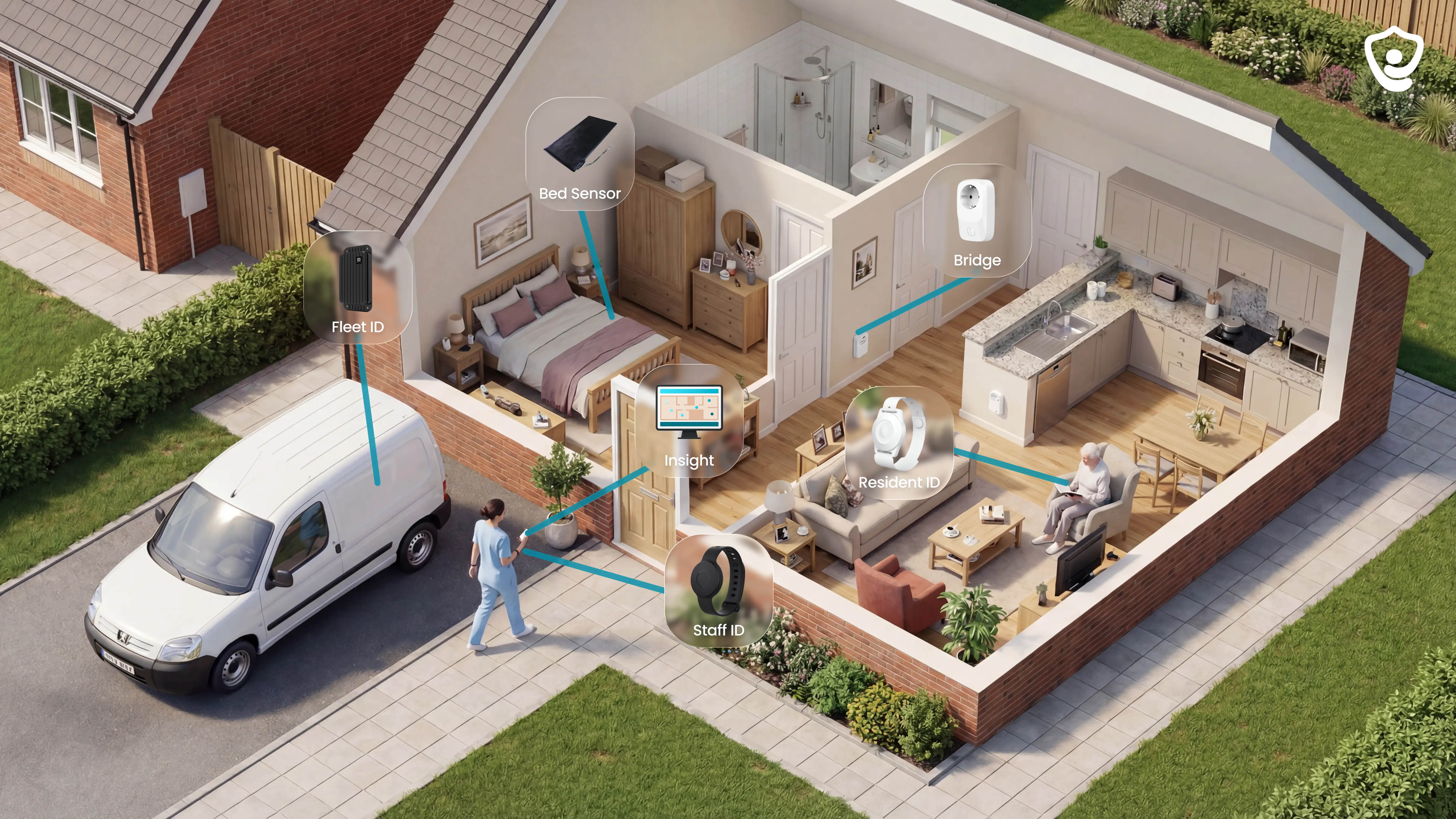
Guardian supports care homes and home care teams with passive monitoring, wearable alerts, visit verification, and a shared live operations view.
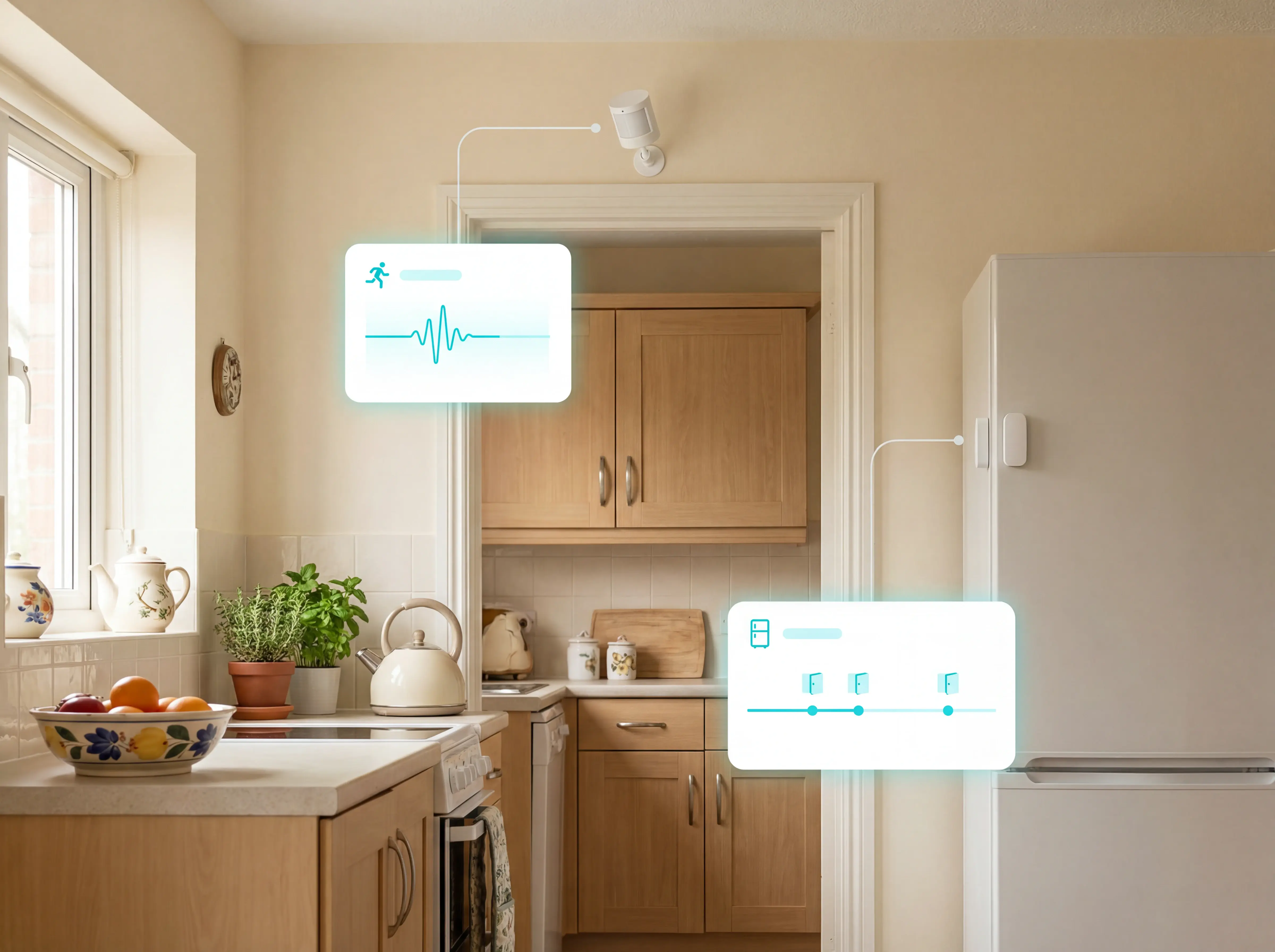
Care teams can receive alerts from room sensors even when a resident cannot press or wear a wristband.
Responders receive a named alert with the room or bed, and Guardian's web portal places the event on the facility floor plan.
Passive coverage: Room sensors continue monitoring when a wristband is not worn; wristbands add SOS and automatic fall alerts.
Configured routing: Facilities route alerts to assigned staff according to local workflows and shift responsibility.
Guardian is built for professional care settings, with a shared operations view rather than the one-wearer emergency route used by consumer watches and pendants.
How alerts reach the right people
Guardian routes SOS and concern alerts to assigned responders through the portal on staff phones, tablets, and nurse-station computers.
When Guardian detects an emergency, it sends a location-aware alert to the responders configured for that care setting.
An SOS press or automatic wristband fall event can carry the resident's name and specific room or bed to staff devices.
Passive sensors can surface a bed exit, prolonged inactivity or an unusual routine without waiting for a button press. Staff can then open the event in Guardian's web portal and go straight to the right location.
Guardian sets routing and shift responsibility during workflow mapping before the system goes live. Facility deployments put the assigned on-duty care team first.
Set the routing path before Guardian goes live:
Recipients and delivery: Assign staff groups, acknowledgement rules, and the devices used for each alert.
Event and location: Route SOS and sensor events by room, bed, ward, or monitored home.
Acknowledgement and backup: Define who owns the first response, when the alert escalates, and how the event is closed.
How falls and risk events are detected
Guardian detects risk events with passive room sensors and can escalate an SOS press or automatic wristband fall event.
Guardian separates wearable events from passive room events:
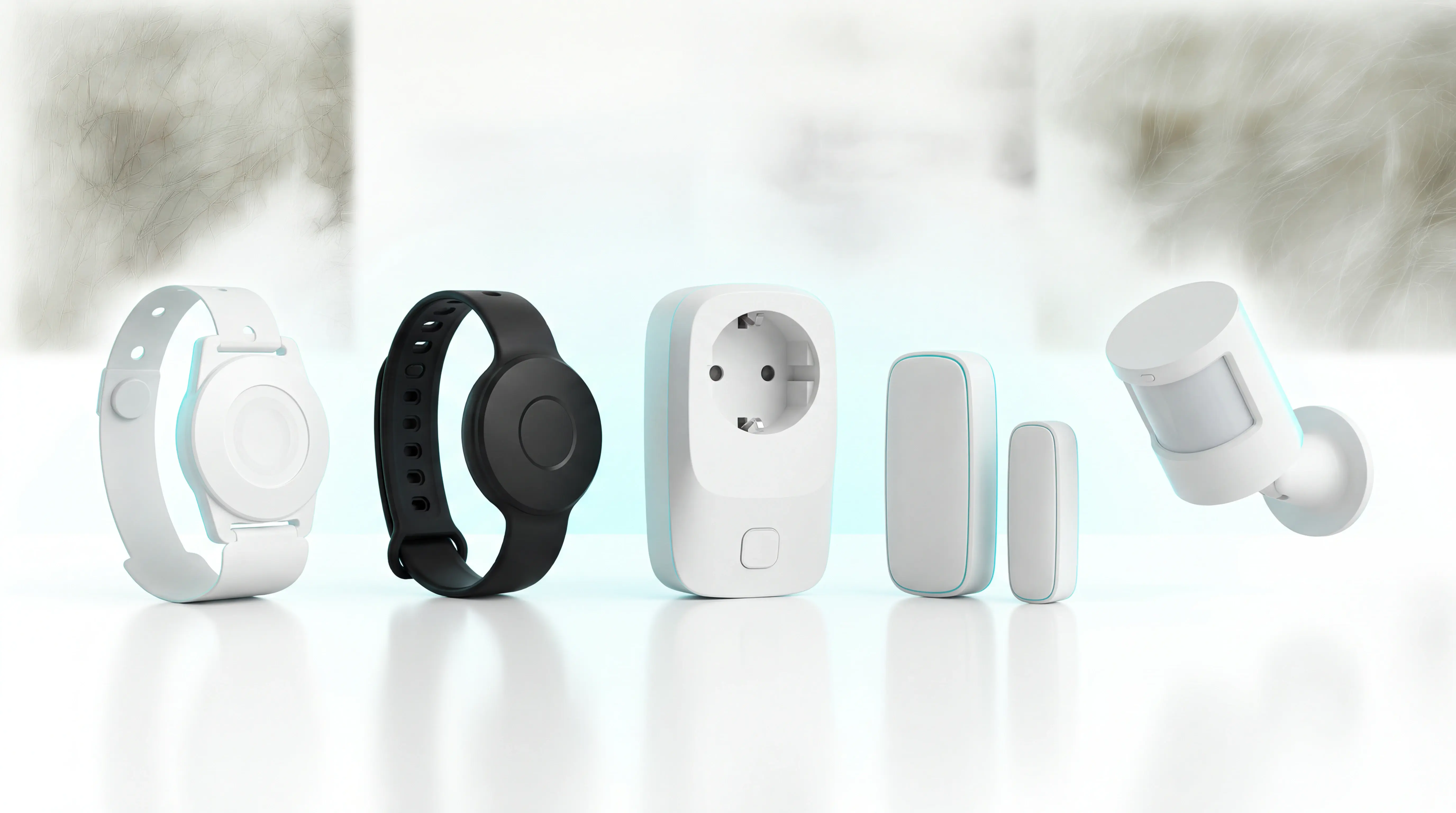
Wristband events: The wristband can detect a fall automatically.
Room events: Sensors observe movement and bed activity, then flag a break from the usual routine without cameras.
Caregivers receive event context when a resident cannot use the wristband.
Passive monitoring stays active when wristband use is unreliable. A manual SOS trigger lets a conscious resident call for help.
Coverage, location, and live visibility
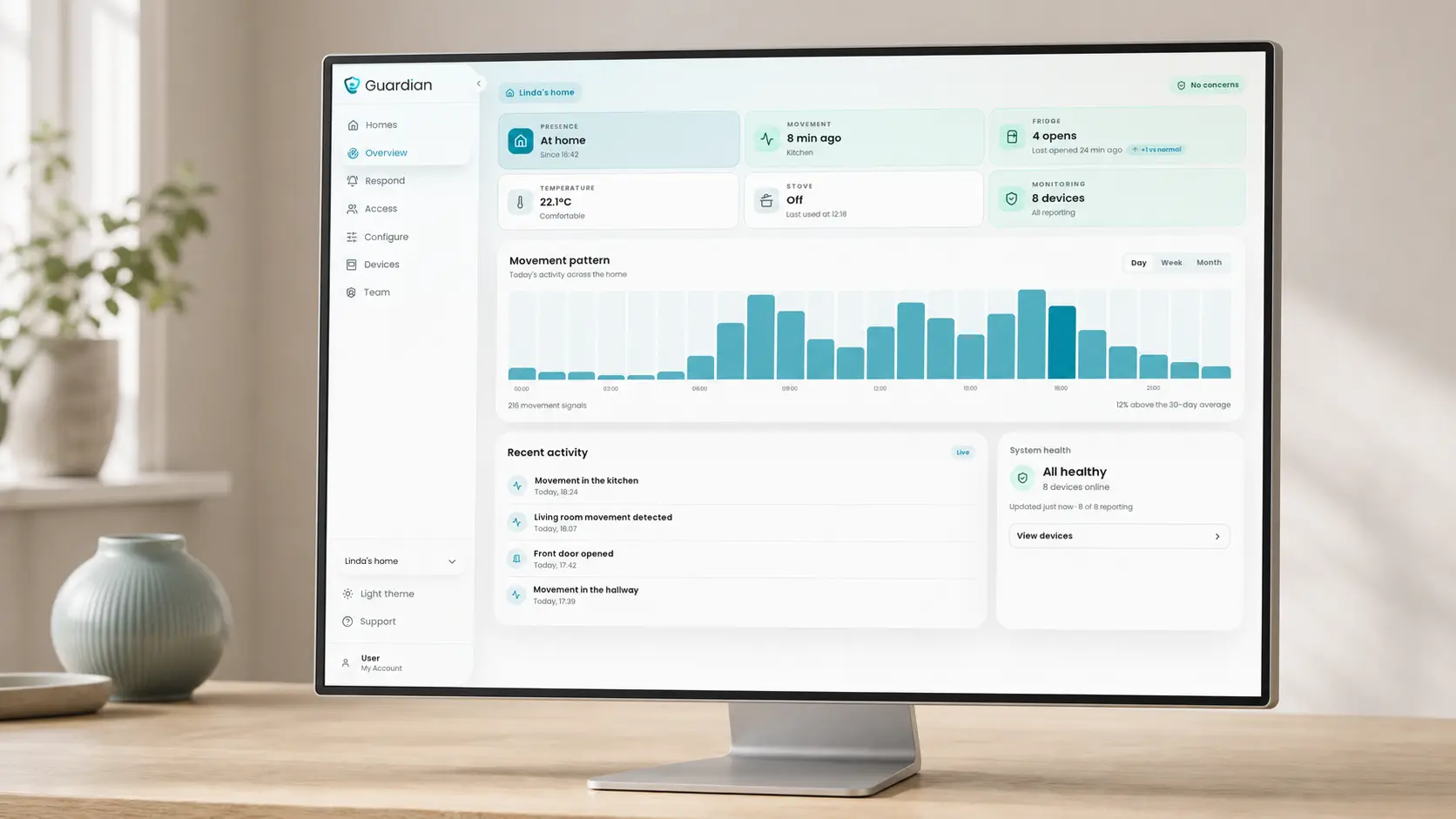
Guardian's portal identifies the resident and specific room or bed, then places the event on the digitised floor plan.
Staff can travel directly to the listed location rather than first matching a generic alarm with its source.
In home care
For home care teams, Guardian logs caregiver arrival, visit duration, and end time automatically. Between visits, camera-free sensors can flag changes in bed activity, access, or routine.
In facilities
Room sensors cover bed exits and movement. Wristbands add SOS or automatic fall events with room-level location, while floor-plan mapping gives staff a clear destination.
How Guardian cuts alert noise
Guardian filters alerts through rules that define when an event needs staff attention.
Time and movement: Rules can flag a sustained bed exit or no movement for a set period.
Access and routine: Rules can notify staff about restricted-area entry or an expected household action that does not occur.
Care teams test each rule against their workflow during the pilot. Staff receive exceptions that need attention rather than a notification for every movement.
A panic button sends a single help signal after the resident acts. Guardian can pair that trigger with automatic wristband fall detection and passive room sensing.
Staff receive a named, location-aware event governed by the site's rules. The added context matters when a resident cannot speak, move or remember the wearable.
Who it fits and what to know before buying
Guardian fits professional care settings that need passive, camera-free monitoring and configurable alerts. Before buying, confirm the response path and pilot use case.
Care homes: Room-level fall and bed-exit alerts can sit alongside caregiver SOS and passive activity monitoring.
Home care teams: Automatic visit records, in-home monitoring, GPS safety watches, and live fleet visibility support care delivered across separate homes.
Specialist and mental-health care: Configurable rules can cover higher fall or wandering risk and restricted areas without cameras in private rooms.
Before the pilot, agree the setup and how its results will be measured:
Set up: Decide who receives each event, choose the sensor mix, select the pilot area, and test portal access on existing staff devices.
Measure: Track response times for selected events. Define visit verification and the operational costs used in the ROI calculation.
Guardian has no public consumer or self-serve price. Its commercial engagement begins with a scoped 6–8 week pilot in one ward, home, or team.
2. MobileHelp Smart by MobileHelp
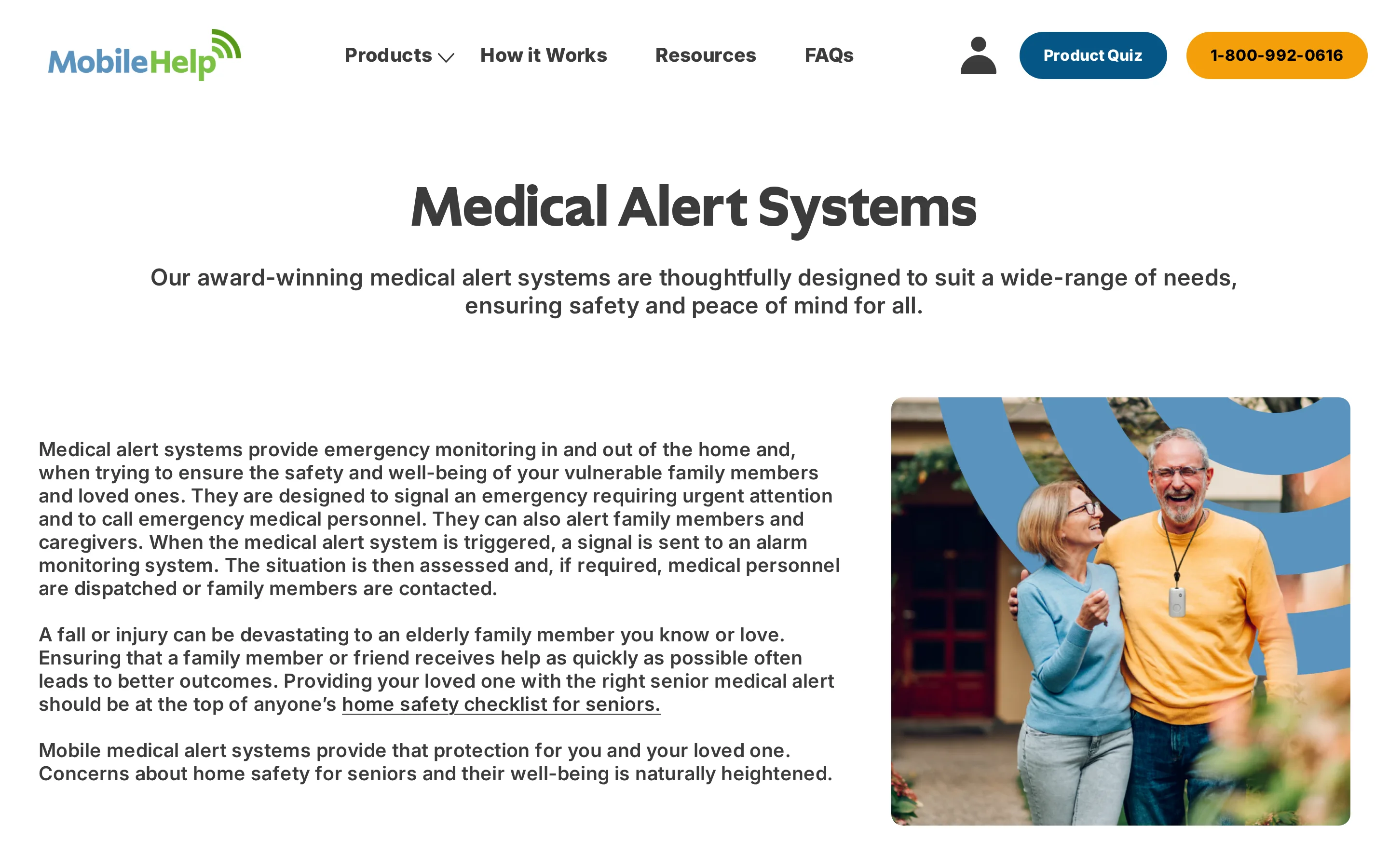
MobileHelp Smart was a Samsung Gear S3-based medical alert watch with monitored emergency response.
MobileHelp Smart is a legacy watch. Current availability, support, and service terms are not published.
How family is contacted
MobileHelp Smart routed emergency calls through MobileHelp's monitored response service rather than a verified family-first call sequence.
A caregiver app was associated with family monitoring. Existing owners should confirm whether app access, emergency contacts, or service migration remain available for their watch.
Fall detection and coverage
Current published materials do not provide fall-detection performance or response-time results for MobileHelp Smart.
GPS was part of the watch's historical positioning. Current coverage, battery life, and in-home range are not published.
Cost and service requirements
MobileHelp does not publish a current Smart hardware price or monitoring plan.
Use case and main limitation
MobileHelp Smart may matter to an existing owner reviewing a legacy watch or service record.
New buyers need confirmed current terms. Unlike Bay Alarm Medical's current SOS Smartwatch, MobileHelp Smart has no published current product offer.
3. SOS Smartwatch by Bay Alarm Medical
The SOS Smartwatch puts a physical red SOS button on the wrist and connects to Bay Alarm Medical's monitoring center through cellular service.
The button can be found by touch, giving the wearer a direct way to start an emergency call without opening an app.
Pressing the button starts the monitored SOS workflow without a paired smartphone.
How family is contacted
Bay Alarm agents receive SOS alerts before configured emergency contacts.
Contact chain: Keep emergency-contact details current and agree who answers after hours.
Response order: The monitoring center handles the event before relatives are contacted.
Caregiver app: Relatives get location history and low-battery updates.
Care scope: The app follows one wearer and does not create a shared view across residents or clients.
Fall detection and coverage
The SOS Smartwatch has fall detection and works away from home through its cellular connection.
If the watch detects a fall, it can start the monitored alert chain when the wearer cannot press the red SOS button.
SOS backup: A wearer who can press the red button can start the monitoring call directly.
Mobile coverage: LTE and GPS work away from home without pairing the watch to a smartphone.
Connection limits: Cellular reception and GPS availability determine whether the monitoring service can establish location context.
Charging gap: Cradle charging takes the watch off the wrist, so wrist-worn protection pauses.
Cost and service requirements
Bay Alarm Medical lists SOS Smartwatch service from $39.95 per month, with automatic fall detection available.
Use case and main limitation
The physical SOS button gives the wearer a tactile way to start a monitored call. Unlike Kanega's swappable batteries, cradle charging takes Bay Alarm Medical's watch off the wrist.
The watch works without a paired smartphone.
Household setup centers on:
Adding emergency contacts
Installing the caregiver app
Setting a repeatable charging time
Cradle charging takes the watch off the wrist, so wrist-worn SOS and fall detection pause.
A missed charge can leave the wearer without mobile coverage later that day. Keep the cradle visible and connect charging to an existing routine.
4. MGMove by Medical Guardian
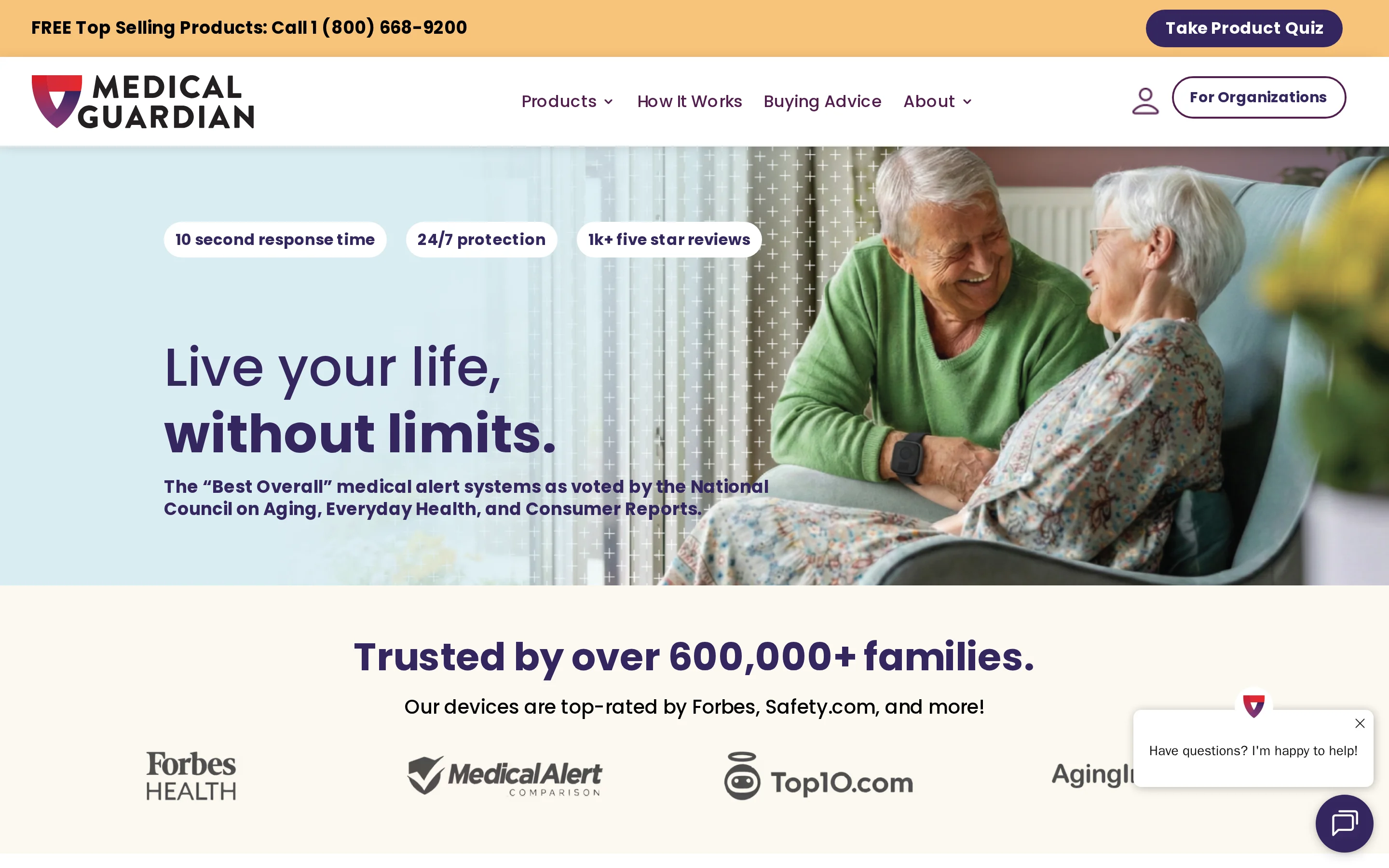
MGMove is a medical alert smartwatch with GPS tracking and optional monitored fall detection. It also has reminders and Social Circle messaging.
Social Circle gives MGMove a role between emergencies because the wearer can exchange routine messages without reaching for a separate phone. The watch remains centered on one person's daily use.
How family is contacted
Social Circle lets an MGMove wearer exchange text messages from the watch.
Caregivers can use GPS context to check the wearer's last reported location.
MGMove uses location in two ways:
Caregiver location: Social Circle can show the watch's reported location to approved contacts.
Alert support: Location data helps the monitoring service identify where assistance is needed.
Fall detection and coverage
Optional MGMove fall detection can send an alert to Medical Guardian's professional monitoring service.
When MGMove detects a fall, the alert goes to Medical Guardian's professional monitoring service for assessment and response. Fall detection is an optional service.
MGMove needs daily charging. Protection depends on regular charging and consistent wear.
Cost and service requirements
MGMove requires equipment and an active monitoring service. Confirm current charges on Medical Guardian's MGMove page.
Monitoring remains a continuing service requirement alongside the watch.
Use case and main limitation
MGMove combines monitored emergency response with watch-based messaging and reminders. Unlike Lifeline's On the Go pendant, its everyday functions stay on a smartwatch interface.
Medication and appointment reminders appear on the same device used for safety alerts. The wearer does not need to manage a separate reminder app or phone.
The operational limits matter for organizations:
One-wearer scope: MGMove does not provide a shared view across multiple residents or clients.
Wear and charging: Protection depends on the person wearing and charging the watch.
5. On the Go by Lifeline
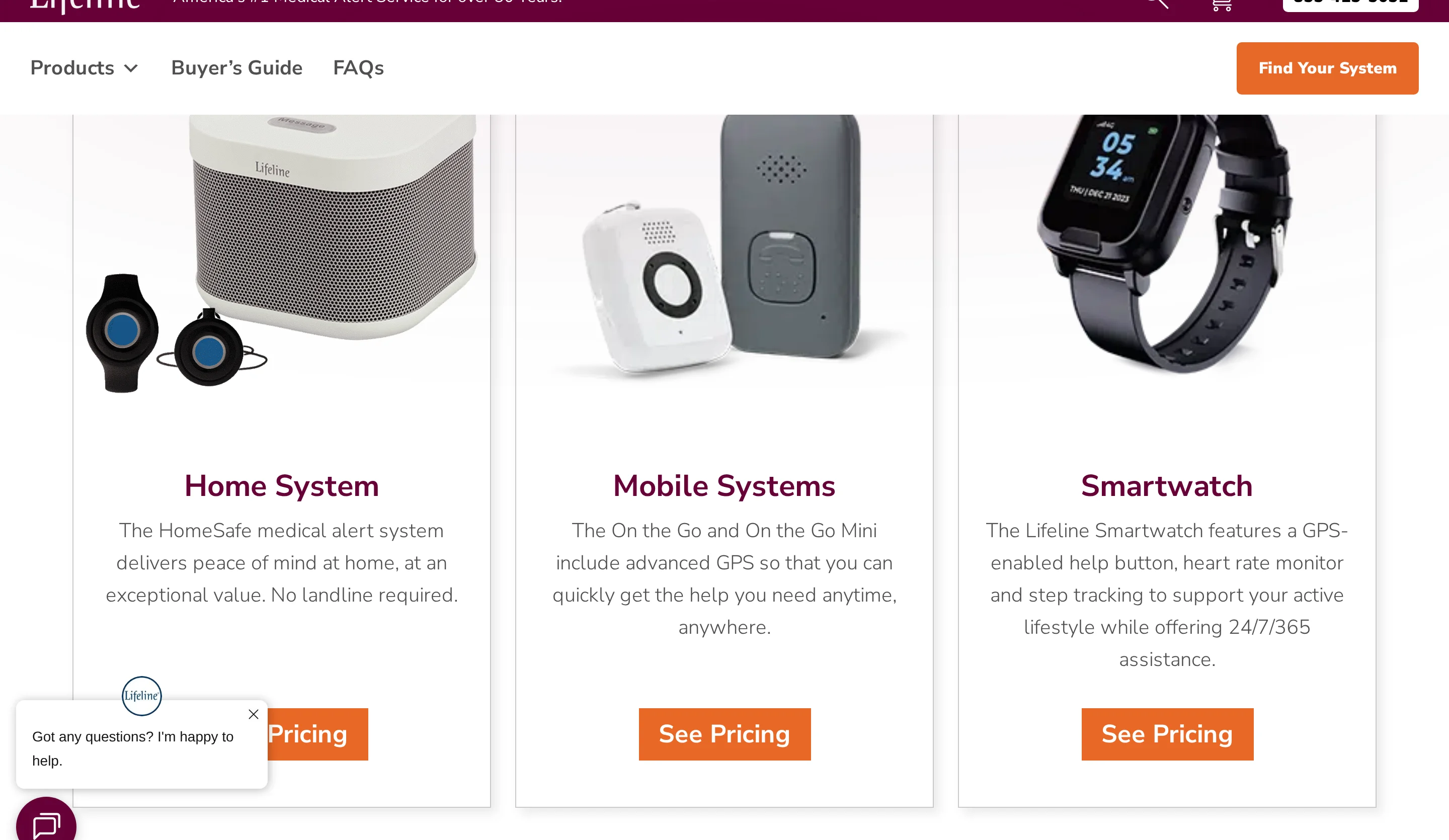
On the Go by Lifeline connects a wearer to a trained care specialist through a mobile pendant. Optional AutoAlert adds fall detection.
The all-in-one pendant can be worn on a neck cord or belt clip. Lifeline combines professional monitoring with caregiver updates through the Lifeline Cares app.
Tool | Primary alert path | Form factor | Battery pattern |
|---|---|---|---|
On the Go by Lifeline | Trained care specialist first | Pendant | Up to 4 days, daily charging recommended |
Apple Watch | Emergency services first, family after call | Smartwatch | Daily charging |
MGMove | Monitoring center first | Smartwatch | Daily charging |
How family is contacted
On the Go sends an emergency to Lifeline's trained care specialists and alerts designated caregivers through the Lifeline Cares app.
The care specialist follows the wearer's response profile during an emergency. Lifeline Cares keeps designated caregivers informed without making them the first emergency contact.
Fall detection and coverage
Optional AutoAlert pairs fall detection with GPS on a mobile pendant. Lifeline rates the battery for up to four days.
Automatic detection has known boundaries. AutoAlert can miss falls and trigger false alarms during ordinary movement.
Away from home: GPS can supply location data to the monitoring center during an alert.
Location: GPS gives the monitoring center location data when an alert happens outside the home
Battery: rated for up to 4 days, though daily charging is officially recommended
Cost and service requirements
On the Go requires an active monthly professional monitoring plan.
The pendant and active monitoring service work as one system. Without that service, the hardware does not provide the specialist-led escalation described above.
Starting plan: $39.95 per month with an annual plan
Before subscribing: Confirm the On the Go configuration and AutoAlert option included in the total cost.
Use case and main limitation
The pendant is for users who want professional monitoring. Family alerts follow the care specialist rather than directly calling a relative.
Regular wear and daily charging are part of the service routine. The pendant can be worn on a neck cord or belt clip.
Households that expect relatives to be the first contact should account for the specialist handoff.
AutoAlert has practical limits:
Missed falls: The system cannot guarantee detection of every fall.
False alerts: Ordinary movement can trigger an alert.
Wear gaps: Protection stops when the pendant is not worn.
Charging gaps: The wearer needs a reliable daily routine.
6. Lively Mobile2 by Lively
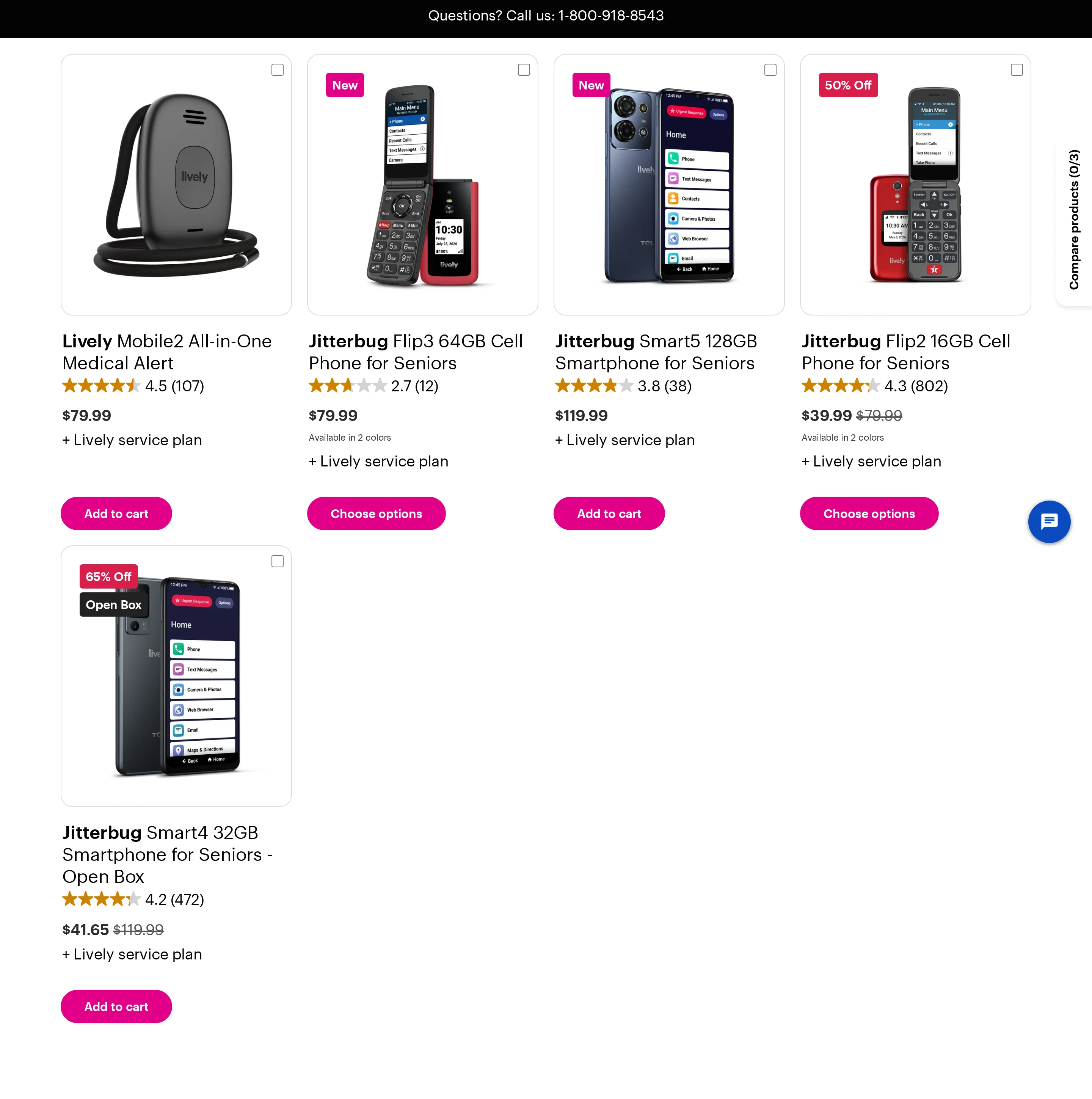
Lively Mobile2 is a portable medical alert pendant for families who want app updates alongside professional monitoring. Urgent Response agents handle emergencies first, while Lively Link keeps relatives informed.
The main specifications and costs are easier to compare in one view:
Area | Lively Mobile2 |
|---|---|
Emergency route | Urgent Response agents first |
Family visibility | Lively Link app updates |
Fall detection | Automatic; lanyard wear required |
Mobile coverage | GPS on the Verizon network |
Water protection | Waterproof |
Battery | Up to 40 hours |
Hardware | $79.99 |
Monthly service | $24.99-$34.99 |
Fall detection add-on | $9.99/month |
How family is contacted
Family is contacted through Lively Link as part of an agent-managed emergency workflow. The alert chain works in this order:
The wearer presses the help button, or fall detection registers an event.
Lively Mobile2 connects the event to an Urgent Response agent.
The agent assesses the situation and coordinates assistance.
Lively Link sends family automated updates about emergency events and location.
Relatives receive visibility through the app, while Urgent Response remains the first emergency contact. Families expecting the pendant to call them before a monitoring center should account for that distinction.
Fall detection and coverage
Lively Mobile2 can detect a fall automatically and call Urgent Response when the wearer cannot press the button. Fall detection requires the included lanyard and an add-on service.
The pendant uses enhanced GPS, carries an IPX7 water-resistance rating, and runs for up to 40 hours per charge. Coverage still depends on the mobile network.
Cost and service requirements
The Lively Mobile2 product page lists a device price, a monthly service plan, and a separate fall-detection add-on. The table above owns the current figures.
The ongoing cost depends on the selected service tier. Confirm which Lively Link caregiver tools are included before comparing the total with another monitored pendant.
Use case and main limitation
Lively Mobile2 fits a family that values Lively Link updates, GPS coverage and a professional agent handling the emergency response. The wearer must be comfortable keeping a pendant on throughout the day.
Lively emphasizes agent-first response with automated family updates through Lively Link. Bay Alarm Medical also routes through monitoring, but its caregiver app centers on watch location and battery status.
Family remains informed through Lively Link, but Urgent Response agents stay first in the chain. That monitored routing should match the household's response plan before purchase.
7. Apple Watch with Fall Detection and Emergency SOS
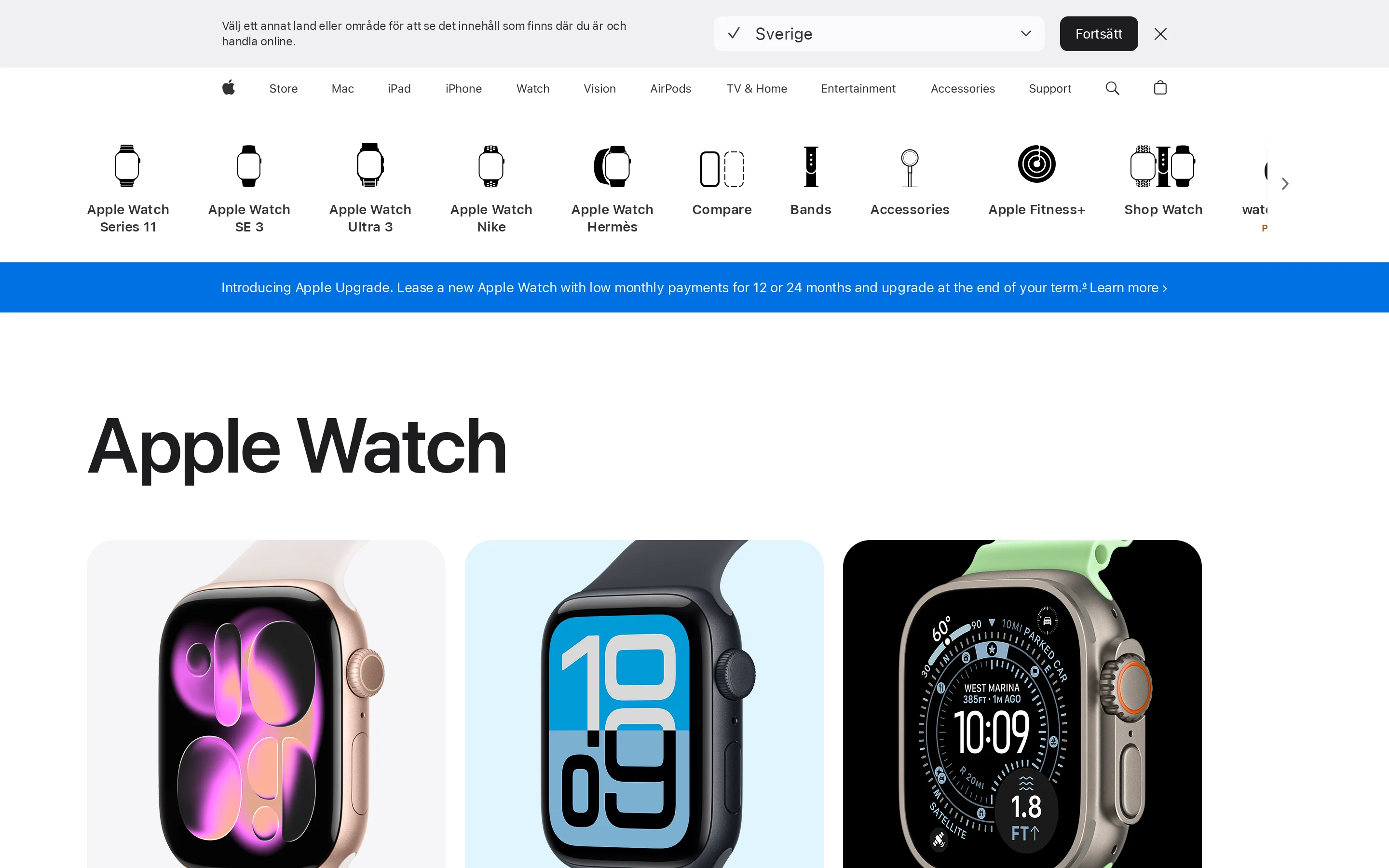
Apple Watch is a multipurpose smartwatch that adds fall detection and direct emergency routing for one wearer. Its emergency path starts with emergency services rather than a medical monitoring center.
How family is contacted
Emergency services are the first destination when Emergency SOS is activated. After the call ends, Apple Watch can message configured emergency contacts and share the wearer’s location.
The contact sequence matters when comparing it with monitored medical alerts:
First response: Emergency SOS calls emergency services directly.
Family update: Configured contacts receive a follow-up message and location.
No monitoring subscription: There is no dedicated medical monitoring center between the wearer and emergency services.
No facility workflow: The alert does not enter a shared care-team queue or create a verified staff-response record.
Family notification is therefore downstream of the emergency call. It is useful for keeping relatives informed, but it is not professional triage or a managed escalation chain.
Fall detection and coverage
Apple's Fall Detection guidance says the watch is designed to detect hard falls and cannot detect every fall. High-impact activity can also trigger an alert.
On compatible models, satellite routing can connect Emergency SOS when ordinary mobile and Wi-Fi routes are unavailable. Availability depends on the watch model, country, and supported service area.
Cost and service requirements
Apple Watch does not require a dedicated medical-monitoring subscription. It still depends on regular charging and a supported connection path for emergency communication.
Monitoring fee: None for a dedicated medical monitoring centre.
Charging: Daily charging creates periods when the watch is off the wrist.
Connectivity: Standard SOS routing depends on available connectivity; satellite support is limited to compatible models and supported areas.
Any mobile-service charges are separate from medical monitoring and depend on the wearer’s model and carrier setup.
Use case and main limitation
The realistic fit is an individual already comfortable with Apple devices who will wear and charge the watch consistently. It combines everyday smartwatch functions with an emergency route, rather than operating as dedicated care infrastructure.
For care homes, the missing operational layer is the main limitation:
No shared dashboard for residents, rooms, and active incidents.
No shift-based routing to the appropriate on-duty care team.
No verified response trail showing who attended and when.
Wear adherence matters: Protection stops when the watch is removed or left charging.
Dimension | Apple Watch | Guardian |
|---|---|---|
Primary format | Consumer smartwatch | In-home sensor system |
Automatic detection profile | Hard falls only in NCOA testing | Routine and inactivity-based concern detection |
Family notification model | Self-routed emergency path | Automatic alerts to designated relatives |
Recurring fee | No medical monitoring fee | No public price. Starts with a scoped 6–8 week pilot |
8. Kanega Watch by UnaliWear
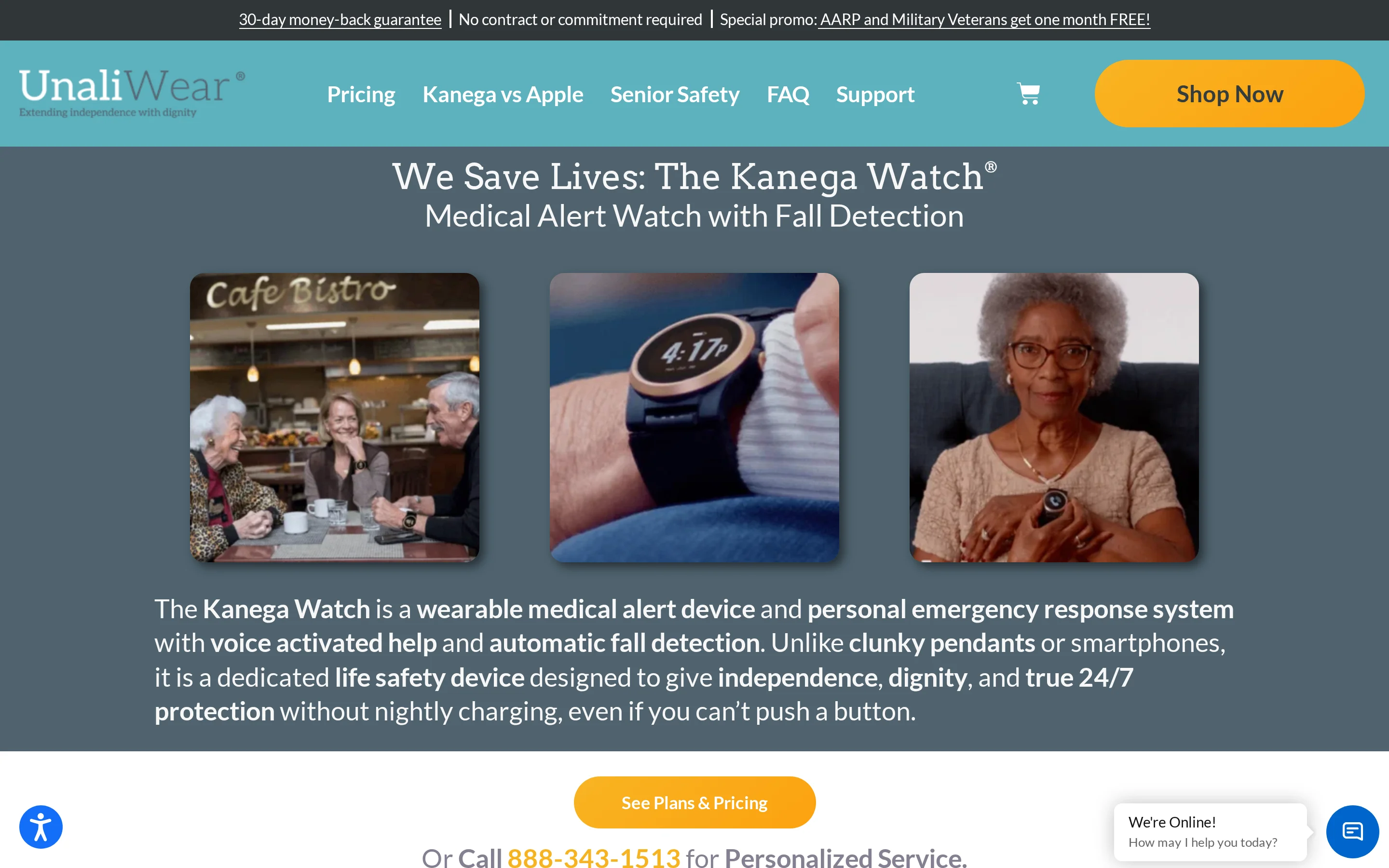
Kanega uses swappable on-wrist batteries, so the wearer can keep the watch on during a battery change.
Kanega's suitability depends on its professional monitoring service and on whether the wearer will keep the watch on consistently.
How family is contacted
Emergency calls from Kanega go first to its professional monitoring service. The monitoring center follows its escalation process rather than placing a direct watch-to-family call.
The wearer can initiate help by voice without using a touchscreen. Automatic fall detection adds another route when the wearer does not ask for help.
Before buying, confirm two details with UnaliWear:
Which family members or caregivers can be listed as contacts
How the monitoring centre escalates when the first contact does not answer
Fall detection and coverage
Kanega includes automatic fall detection in its monthly monitoring fee. The wearer can adjust detection sensitivity to reduce false alarms.
A fresh battery module can be swapped into the watchband while Kanega remains on the wrist. This avoids taking the watch off to charge.
Coverage still ends when the watch is left off. Automatic detection reduces dependence on pressing a button, but the system depends on consistent wear.
Cost and service requirements
UnaliWear lists a $299 equipment and setup charge plus $84.95 monthly monitoring. Automatic fall detection is included.
Device | Listed cost |
|---|---|
Kanega Watch | $299 + from $80/month |
SOS Smartwatch | $159.20 + $49.95/month |
MGMove | $48.95/month with fall detection |
Lively Mobile2 | $79.99 + $34.98-$44.98/month with fall detection |
Apple Watch | From $249; no medical monitoring fee |
Service models differ across these devices. Kanega’s recurring fee pays for professional monitoring, while Apple Watch has no recurring medical monitoring fee.
Use case and main limitation
Kanega fits a wearer who wants a voice-activated watch with professional monitoring and can wear it day and night.
Two conditions determine whether the design works as intended:
Consistent wear: Automatic detection covers the wearer only while the watch is on.
Ongoing service: The $299 equipment charge is followed by $84.95 monthly monitoring.
Battery swapping helps the wearer keep Kanega on through a battery change. The watch cannot detect a fall after the wearer removes it because of discomfort or by choice.
9. Mobile Companion by Aloe Care Health
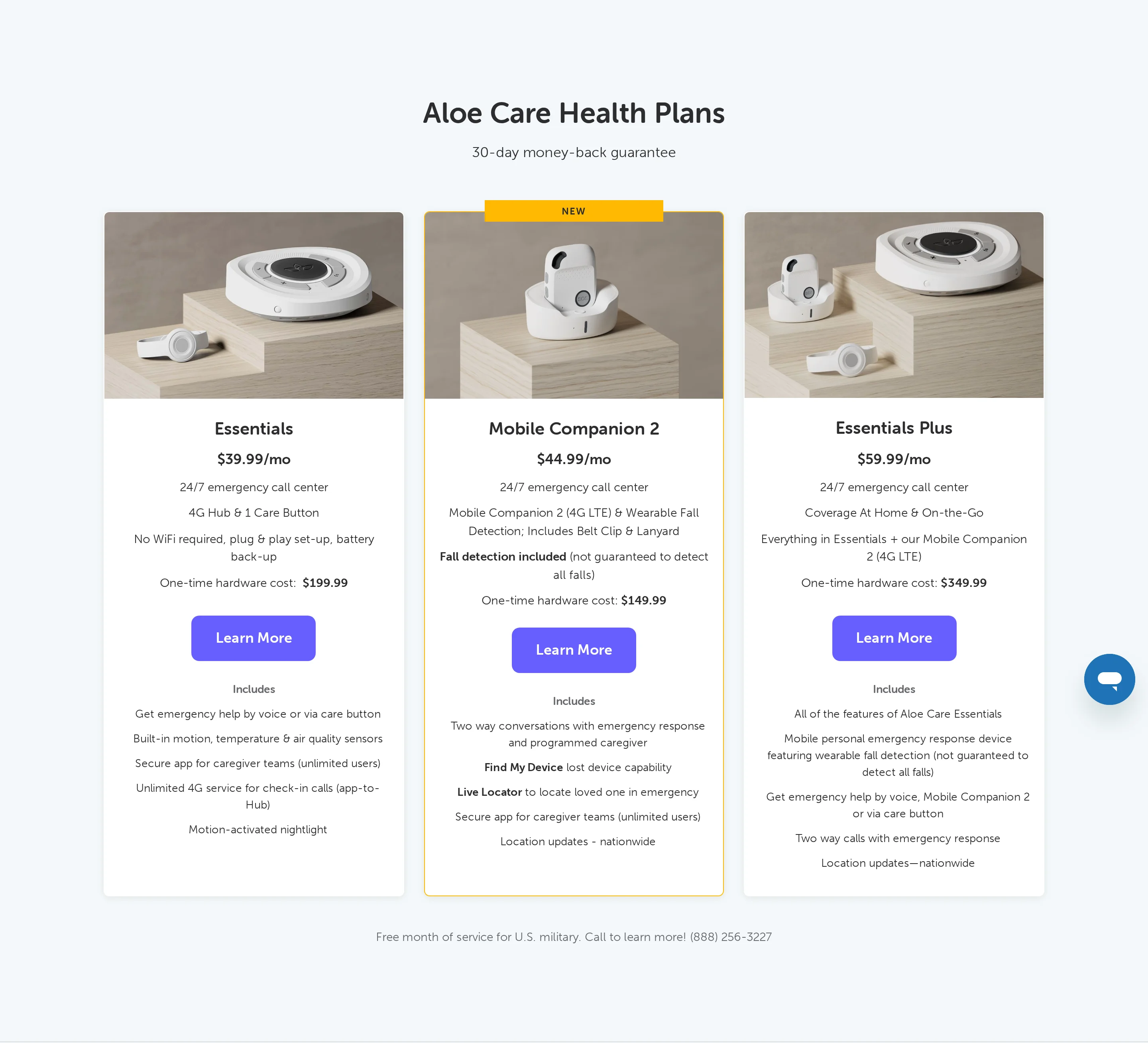
Earlier Mobile Companion materials described an LTE pendant with shared caregiver-app access and pendant-to-family calling.
Those materials also described automatic fall detection and emergency-center involvement.
Aloe Care's current site does not publish a Mobile Companion product page. Confirm availability, response routing, and support directly with the company.
Specification | Mobile Companion |
|---|---|
Caregiver access | Unlimited caregivers in the app |
Family communication | App-initiated two-way calls to the pendant |
Included calling | 30 minutes per month |
Response model | Family app plus emergency-center involvement |
Connectivity | LTE mobile pendant |
Detection detail | Automatic detection method and false-alarm handling are unspecified in the available evidence |
Hardware | $149.99 |
Service | $44.99 per month |
How family is contacted
Earlier product materials described shared caregiver access, two-way pendant calls to family, and an emergency center in the response model.
The app supports:
Unlimited caregivers: Relatives can share access without a stated app-user cap.
Pendant-initiated calls: The wearer can start a two-way call to a caregiver from the pendant.
Included talk time: The plan includes 30 minutes of pendant-to-family calling each month.
Monitored response: Emergency-center involvement sits alongside direct family contact.
Fall detection and coverage
Earlier Mobile Companion materials described built-in automatic fall detection that could start a response without a button press.
The LTE pendant was designed for mobile use rather than a fixed in-home base unit. Reliable cellular coverage was still required.
Current detection accuracy, false-alarm handling, and service terms are not published. Confirm them before relying on this device.
Current price and service requirements
Aloe Care does not publish a current Mobile Companion price. Confirm availability and terms through Aloe Care's products page.
Use case and main limitation
The documented use case is shared family caregiving around one wearer. Unlike Lively's agent-first app updates, earlier Mobile Companion materials described direct pendant-to-family calling alongside emergency-center involvement.
The current product page does not document the facility workflows a care home would need:
Multi-resident oversight across a ward or facility
Floor-plan mapping for alerts
Facility-wide safety metrics
Routine reporting and emergency-contact administration from one interface
Care homes should request a workflow demonstration before treating Mobile Companion as a facility-wide coordination system.
Direct family alerts vs professional monitoring
Direct alerts notify an assigned relative or care team without call-center triage. Professional monitoring sends the event to an agent before family or responders are contacted.
The extra monitoring step changes who makes the first escalation decision. A live agent assesses the situation before contacting family or emergency services; direct routing leaves that judgment with the designated contact or on-site staff.
The routing choice determines who receives the first alert and who decides whether to escalate:
First decision: A monitoring agent assesses the event before family contact, while direct routing leaves the decision to the designated family member or on-site care team.
Family visibility: immediate with direct routing, or after the agent assesses and escalates the event
Noticeability and backup: phone calls are harder to overlook than passive app alerts, but every route still needs an acknowledgement and backup rule
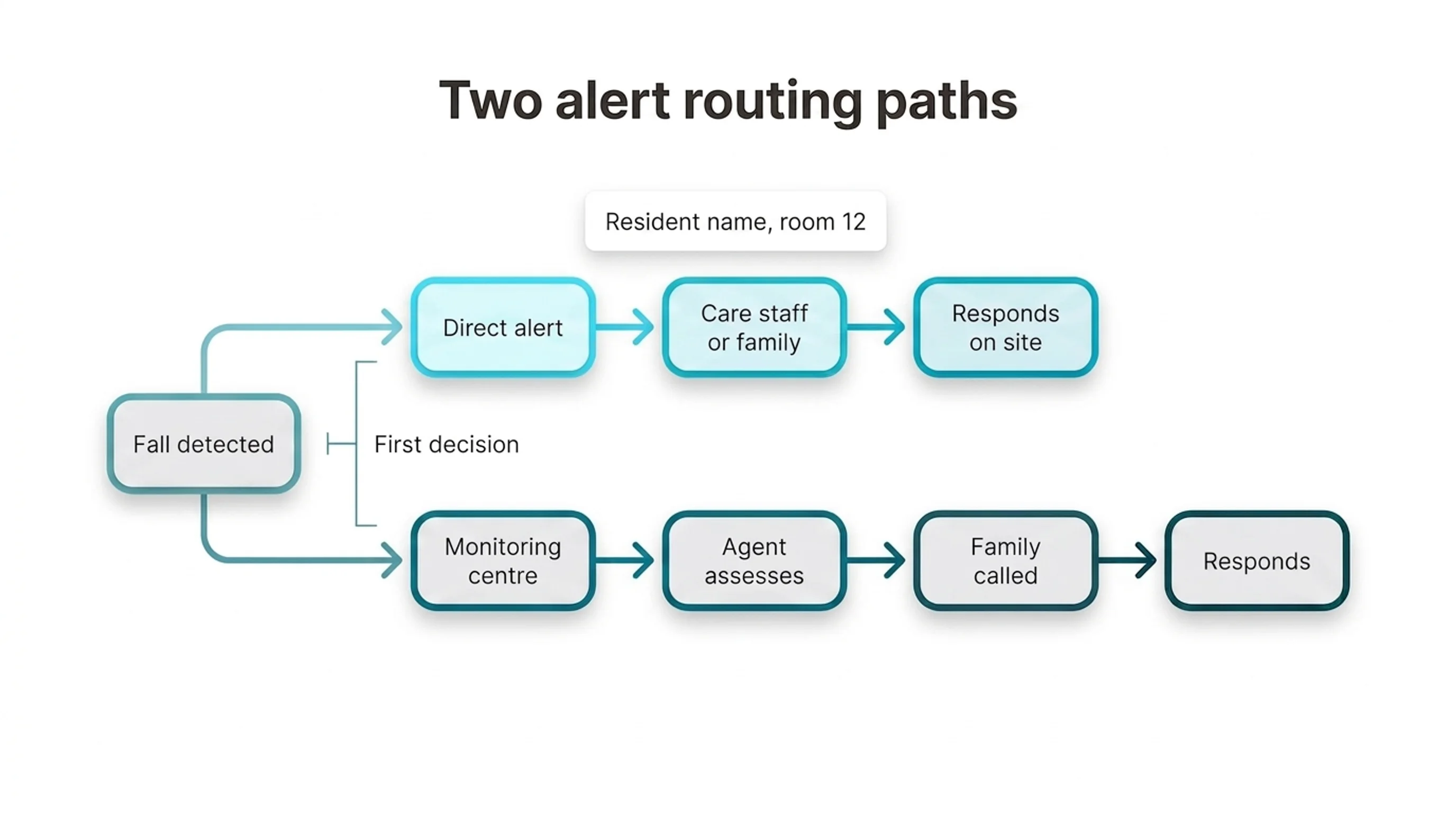
Alert noticeability depends on both the channel and the setting. Calls demand attention, while app and SMS alerts can remain unread when the recipient is away from the screen.
Guardian alerts appear in the portal on staff phones, tablets, and nurse-station computers already used by the care team.
See how Guardian adds resident and room context to the care-team alert path. Explore Guardian for care homes.
Guardian routes alerts to assigned care staff. Its room sensors and wristbands add resident and room context, so the responder knows where to go.
Direct routing works when notifications are selective. Sending every raw sensor event to staff or family makes urgent alerts harder to distinguish from routine movement.
Guardian lets administrators configure rules for each resident. A rule can wait until someone has been out of bed for more than 15 minutes at night before notifying the care team.
The threshold keeps a brief bed exit from carrying the same urgency as an extended absence. Care staff receive the events that meet the defined intervention rule.
How fall detection works and where it fails
Fall detection turns a suspected fall into an alert using movement data or passive sensor signals.
Wearable fall detection uses accelerometer data to identify sudden changes in movement. Each device applies its own trigger rules.
Guardian receives event data from wearable and passive sensors:
Wristband: accelerometer readings for automatic fall detection
Bed sensor: bed exits and returns
Room motion sensor: activity or unusual inactivity
Door and appliance sensors: changes in movement or daily routine
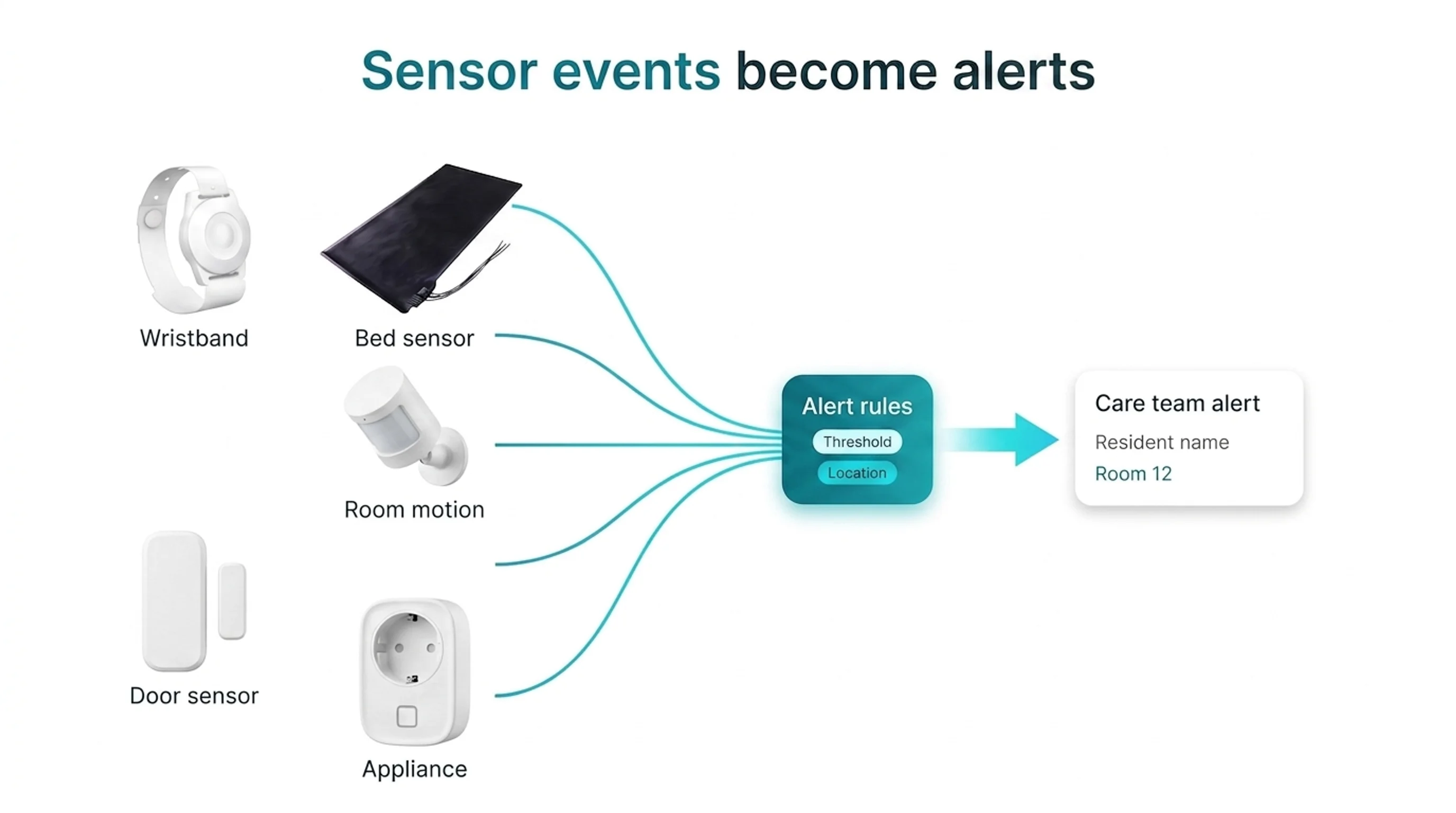
Fall detection can fail in two directions. Routine activity can trigger a false alert, while a genuine fall may not match the device's trigger pattern.
False alerts: ordinary movement resembles the motion pattern used by the detector
Missed falls: slower or unusual falls do not produce the expected wrist movement
Manual SOS buttons add a separate failure point. In LeLaurin et al. (2019), 80% of older adults with access to an alarm did not activate it after a fall.
Guardian's passive bed and room sensors continue tracking routine changes when no button is pressed. They can flag an extended bed exit or unusual inactivity for staff review.
After Guardian detects a fall or configured risk event, it sends assigned care staff an alert with the resident's name and room-level location. The alert points to a mapped room or bed on the digitised floor plan.
Each alert gives staff four response details:
Resident: the name attached to the event
Location: the mapped room or bed
Delivery: the Guardian portal on staff phones, tablets, or nurse-station computers
Recipients: assigned care staff according to the site's routing and shift rules
The care team then decides the response using the resident context and local escalation procedures.
Rule thresholds decide which sensor events become alerts. Guardian can wait for a defined condition, such as a resident remaining out of bed for more than 15 minutes at night.
Rules need to match each resident's routine and risk plan:
Too sensitive: routine movement produces notification noise
Too loose: a meaningful change reaches staff later
Once a rule fires, Guardian's floor-plan view directs staff to the specific room or bed. The threshold controls urgency; the location tells the care team where to respond.
How to choose the right device
The right device sends a clear alert to a responder who can act when the wearer cannot press a button.
Trace the alert chain from detection to response. Confirm who receives an automatic alert when the wearer cannot speak, and record what happens when nobody acknowledges it.
For a care setting, require one shared live view and a verified record of who responded and how the event was closed.
Require automatic backup when no button is pressed. Check whether fall detection or passive room sensors can raise an alert when the person cannot reach the SOS button.
Keep the manual button as a second route rather than the only route.
Test wear and charging against a normal day. Have the person put the device on and use its alert control without prompting.
Check battery warnings and whether protection continues while the device charges. A feature cannot help during the hours the wearable sits on a bedside table.
Match coverage and communication to daily movement. Prioritize room-level location in care settings; check GPS and cellular coverage for someone who goes out alone.
Test speaker volume and the communication method against the person's hearing and speech needs. The response route must still work when spoken confirmation is difficult.
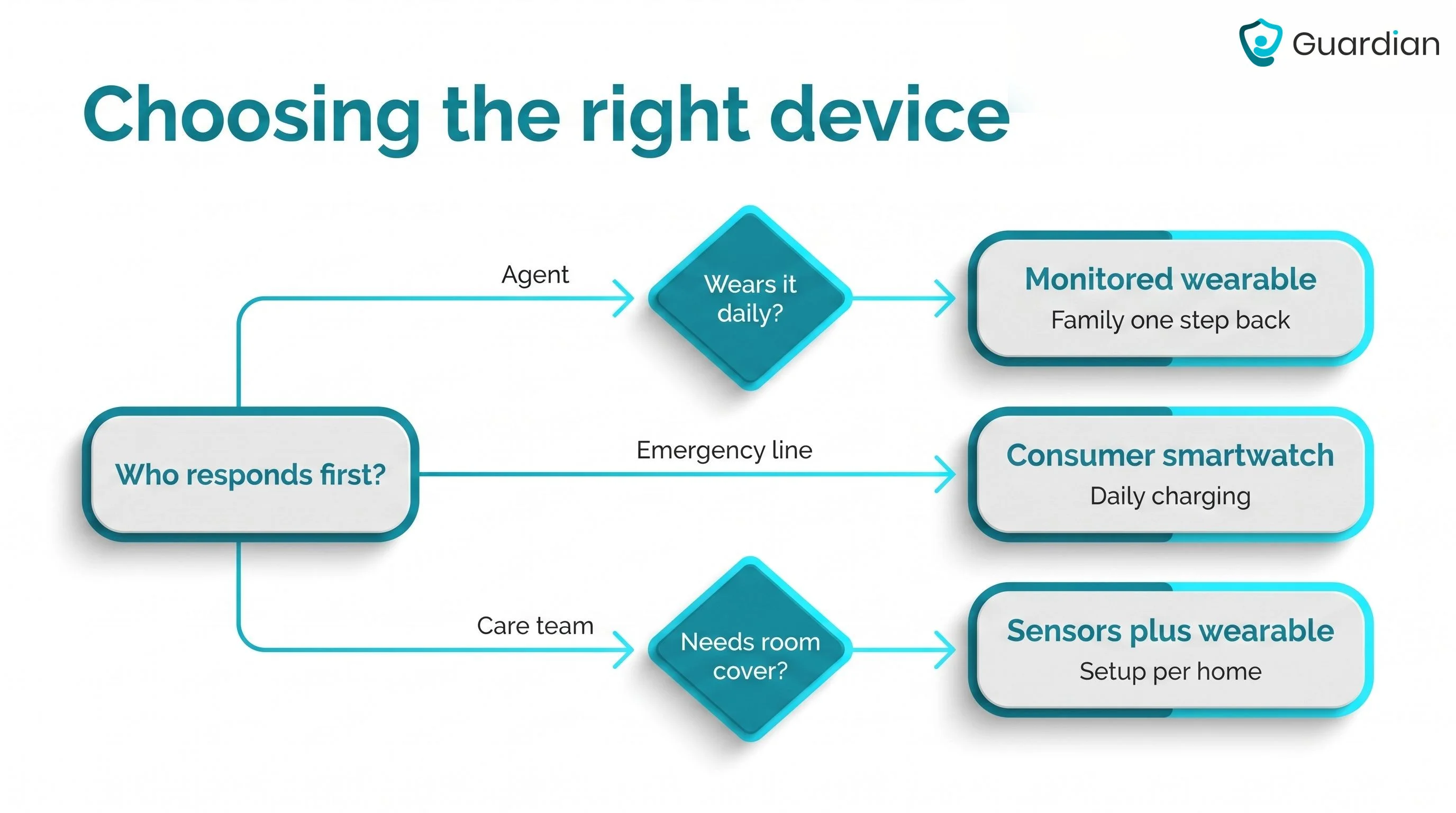
Tool type | Typical first alert destination | Common tradeoff |
|---|---|---|
Professional monitoring pendant or watch | Monitoring center | Family contact can be one step removed |
Consumer smartwatch | Emergency services or device workflow | Daily charging and limited caregiver coordination |
Home sensors plus wearable | Family or on-site caregiver workflow | Requires setup that matches the home or care setting |
Set up a family response plan
A family response plan records the first responder and the emergency escalation rules. It also assigns follow-up after an incident.
Keep the written plan where every responder can access it during an alert.
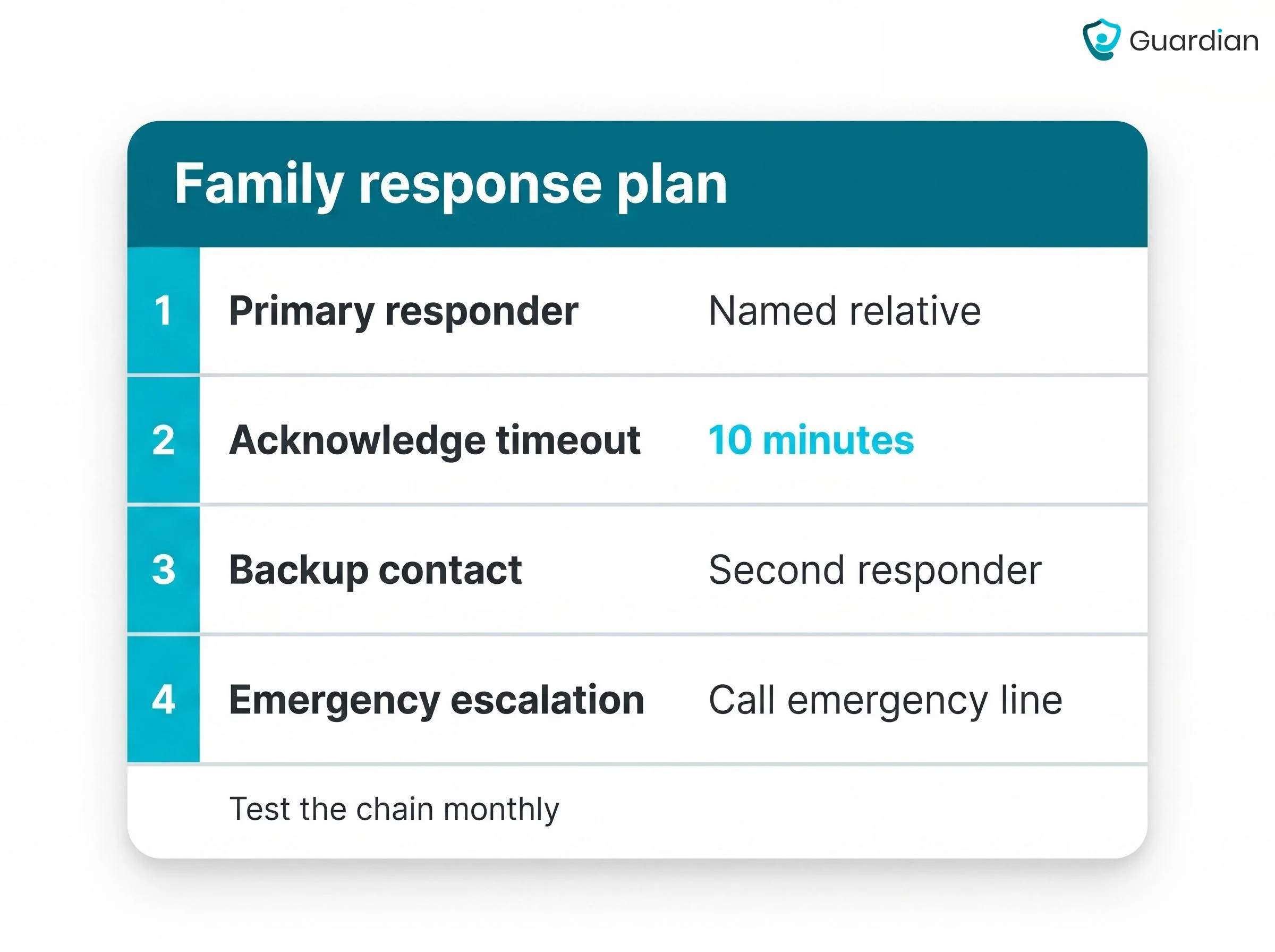
Name the primary responder. Record the person who receives the first alert and the contact details the device or monitoring service should use.
Set the backup timeout. Choose the exact acknowledgement window and record it in the plan. Assign a backup who takes over when that window expires.
Define urgent escalation. Call emergency services when the person is unresponsive, cannot be reached after an alert, or meets an urgent trigger documented with their clinician. Record the correct local emergency numbers.
Separate routine follow-up. When contact confirms there is no immediate danger, the assigned family member handles the check-in and any agreed non-emergency follow-up.
Schedule device checks. Assign someone to check the battery and confirm the device is connected, reporting, or working in its stated offline mode. Follow the manufacturer's maintenance schedule.
Plan for non-wear and follow-up. Use an agreed check-in routine or passive monitoring when the tracker is not worn. Assign one owner to log the incident, update relatives, arrange appropriate follow-up, and review the plan afterward.
Test the plan before relying on it:
Trigger a test alert.
Confirm the primary responder receives it.
Let the acknowledgement window expire and confirm the backup escalation.
Record the result and correct any gap.
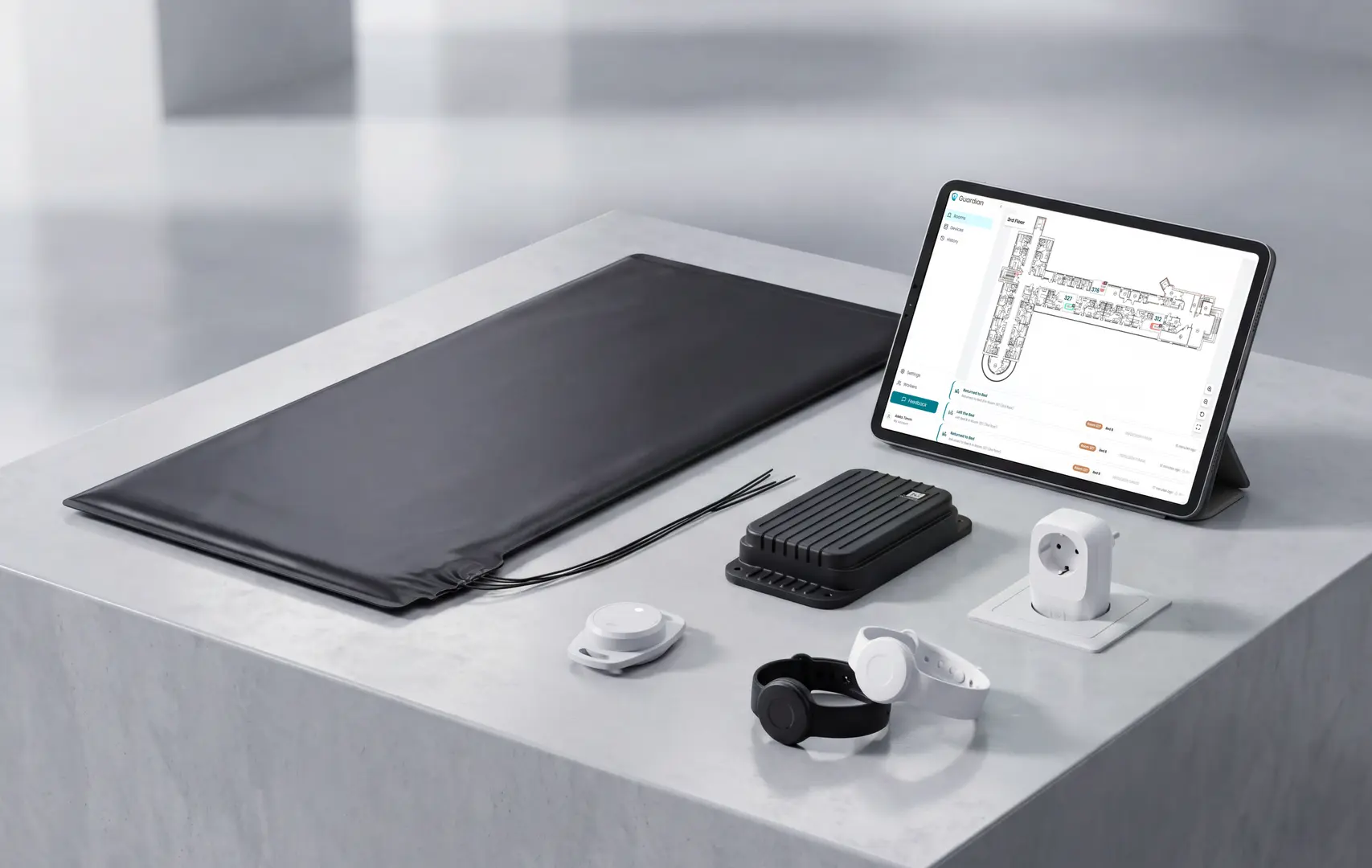
See how Guardian gives care teams the full picture
Guardian puts care-team records in one portal.
Guardian links each alert to the resident and the exact room or bed. The portal stores the event automatically.
The system is camera-free for care homes and home care, including specialist and mental-health settings. Guardian works on devices staff already use.
Guardian combines location-aware alerts with passive monitoring:
Respond with location: Alerts identify the resident and show the specific room or bed on a digitised floor plan.
Catch risks passively: Bed, motion, door, fridge, and stove sensors work in the background; wristbands add SOS and automatic fall detection.
Route alerts to staff: Assigned caregivers receive alerts through the portal on phones, tablets, and nurse-station computers.
The shared dashboard keeps alert history, visit records, in-home activity, and fleet visibility together, so home care teams and facility staff work from the same operational record.
Pilot scope.
During a 6–8 week pilot, Guardian maps one ward, home, or team and configures alert rules around its workflows. The care team's data sets the baseline.
We measure response times and visit verification throughout the pilot. Staff feedback is included in the written impact and ROI report.
Direct family calling is not the default across these devices. Most send the first alert to a monitoring center, emergency services, or assigned care staff.
Confirm the exact sequence before purchase, including whether family receives a call, app update, text message, or only a later escalation.
Devices with built-in cellular connections can work without Wi‑Fi.
Check the exact model's network requirements and local cellular coverage. Network outages can still interrupt alert delivery.
A monitored service follows the response profile and tries the next contact or emergency service. A direct-alert setup needs its own acknowledgement timeout and backup contact.
Test this chain during setup. Let the first alert go unanswered and confirm that the backup receives the escalation.
Automatic fall detection can send an alert even when the user cannot speak or press a button.
Guardian alerts care teams to the detected event and room-level location. Staff know where to respond.
A smartphone is not always required. Standalone cellular devices can route alerts without a paired phone.
The wearer may not need a paired smartphone, but the recipient still needs the device specified by the service. That may be a phone, app, browser, tablet, or nurse-station computer with a working connection.

Author
Aleks Timm
Aleks Timm leads Guardian and builds privacy-first operations technology for care homes and home care providers. Teams get location-aware alerts they can act on, clearer situational awareness, and measured insight into how care work actually runs.
Read MoreRecommended reads
Keep reading
WiFi nurse call system guide for care homes
WiFi nurse call systems explained: alerts, clean records, and no wiring—compare options and choose the right setup for your care...
Read more
Remote patient monitoring: a complete guide
Remote patient monitoring: the complete guide to sensors, benefits, and buying tips for safer care homes and better resident...
Read more
Smart Nurse Call Systems for Care Homes and Home Care Providers
Smart nurse call systems for care homes and home care providers: compare features, improve response times, and choose the right...
Read more